.avif)
Best employee communication apps for 2026 (ranked and reviewed)
This guide is for HR managers, internal communications leads, and operations directors evaluating employee communication tools, particularly those responsible for workforces that include frontline, deskless, or shift-based workers. If your team is entirely office-based and already on Microsoft 365, Teams is probably already in your stack. This guide focuses on where that standard toolkit falls short.
How we evaluated these tools
The best employee communication apps share six qualities. We scored every tool on this list against the same framework, so you're comparing like for like rather than guessing.
The six criteria were: frontline suitability (can a worker without a corporate email or company laptop get in on day one?), adoption rates (what percentage of eligible workers actually engage regularly?), ease of onboarding (how quickly can 1,000 workers go live?), mobile experience (is the app the primary product or a reduced desktop view?), integration ecosystem (does it connect to HRIS, scheduling, and payroll?), and value at scale (what does it actually cost at 500, 1,000, and 5,000 users?).
Quick comparison: best employee communication apps at a glance
{{blink-table:table-1}}
The 10 best employee communication apps for 2026
These are the platforms worth your time, ranked from best to most specialised, with honest notes on who each one actually works for.
1. Blink, best for frontline and deskless teams
Blink is built from the ground up for workers who don't have a desk, a corporate email, or patience for complicated software. That design choice shows up directly in the adoption numbers: according to Blink customer data (2025), Blink achieves 87% adoption at JD Sports, 88% at easyJet, and 96% at Dollar Tree. Those are numbers most enterprise communication tools simply don't publish, because they don't have them.
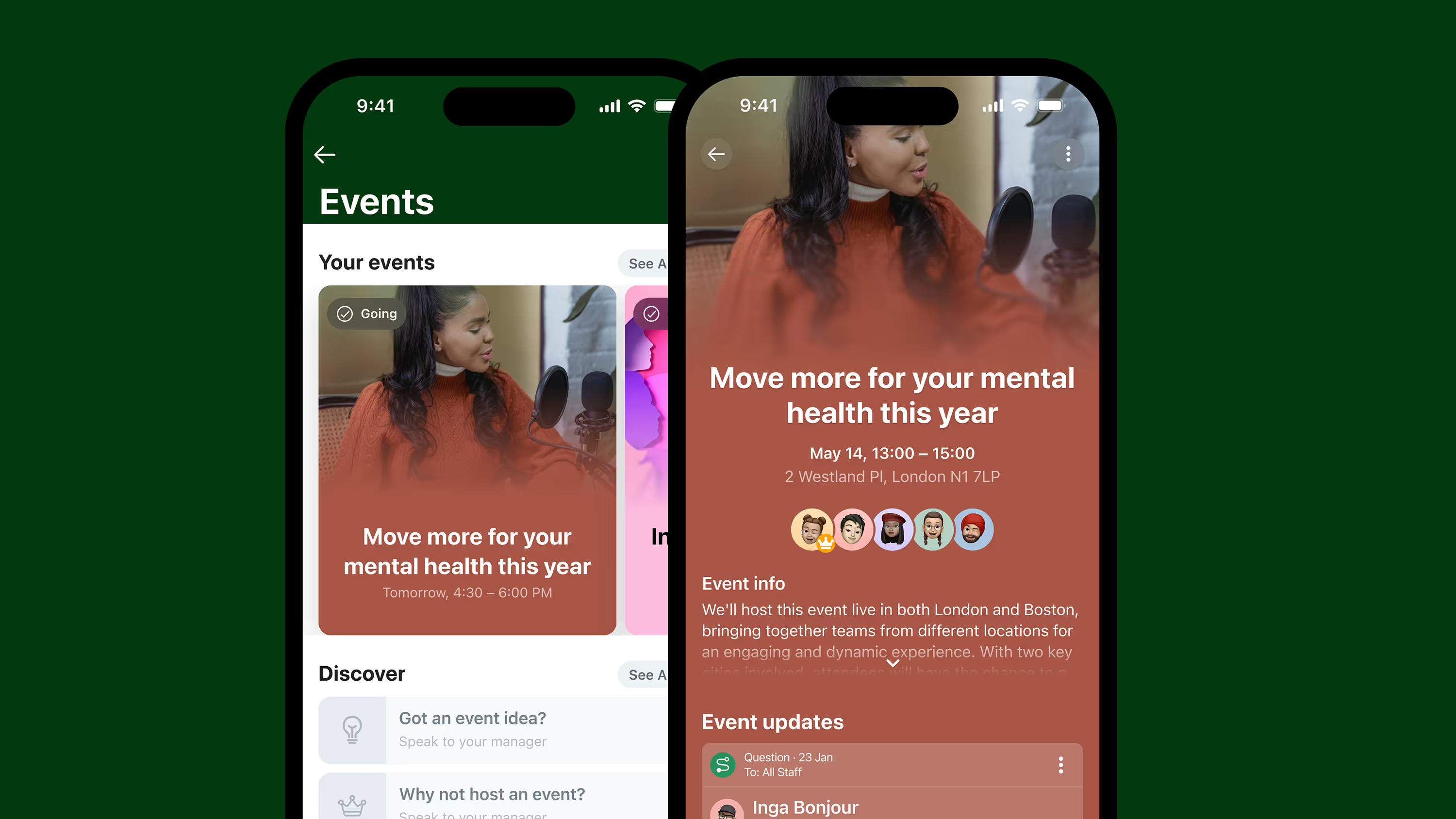
The core platform combines a social feed, one-to-one and group chat, a digital hub for forms and documents, surveys, recognition, and integrations with HRIS and scheduling systems like Workday, SAP, and UKG. Workers sign in using a personal phone number. No IT account, no corporate email, no friction.
Where Blink stands apart from competitors is in what it does for the manager layer. Team leaders get their own dashboards, nudge tools to drive adoption, and the ability to push communications to their specific group. That last mile of communication from senior leadership down to the shopfloor or aircraft hangar is where most tools fail. Blink was designed for exactly that gap.
Key strengths: Purpose-built for frontline; highest adoption rates in the category; strong mobile app; analytics on reach and engagement; single sign-on without corporate email
Limitations: No free tier. Enterprise-focused pricing means it's not designed for teams under 100 workers. Initial configuration requires some implementation support.
Pricing: Custom pricing. Contact sales for a quote.
Best for: Organizations with 100+ frontline or deskless workers that need proven adoption, not just feature lists.
Not ideal for: Startups or SMBs under 50 employees; office-first teams that already have a functioning intranet.
G2 rating: 4.6/5 (268+ reviews)
2. Connecteam, best for SMBs
Connecteam is an all-in-one platform combining communication, scheduling, time tracking, task management, and HR tools in one app. It's popular with small to mid-sized businesses in hospitality, retail, and field services, and its free plan for up to 10 users makes it genuinely accessible for very small teams.
The communication module includes a company newsfeed, group and direct chat, and a knowledge base. For an SMB that needs one app to cover communication, scheduling, and compliance forms, Connecteam offers strong value at the lower pricing tiers.
The catch is scale. Pricing is flat for the first 30 users, but costs compound as headcount grows. At 500 or 1,000 users, Connecteam becomes meaningfully more expensive, and the enterprise feature depth around analytics, advanced permissions, and HRIS integration doesn't keep pace with specialist platforms.
Key strengths: Free plan for 10 users; strong all-in-one feature set for SMBs; easy setup; good mobile app; flat pricing up to 30 users
Limitations: Gets expensive at scale; limited enterprise integration depth; analytics are basic compared to enterprise competitors
Pricing: Free (up to 10 users); $29/month for up to 30 users (Basic, billed annually); $49/month for 30 users (Advanced); $99/month for 30 users (Expert). Additional per-user fees beyond 30.
Best for: SMBs under 200 employees that need communication plus basic HR ops in one affordable tool.
Not ideal for: Organizations with 500+ employees; enterprises requiring deep HRIS integration or advanced analytics.
G2 rating: 4.3/5
3. Slack, best for tech and knowledge workers
Slack is the dominant messaging platform for desk-based, tech-savvy teams. Its channel structure, integrations ecosystem, and workflow automation tools make it genuinely excellent for software companies, agencies, and office-based organizations where everyone has a laptop and a corporate email.
For frontline teams, it's a poor fit. Push notifications are unreliable for workers who don't keep them enabled. The interface assumes a degree of tech literacy that many retail, manufacturing, or logistics workers don't have. And Slack requires a work email to create an account, which immediately excludes a large share of hourly and contract workers.
Slack is also a point solution for messaging. It doesn't handle HR documents, shift communication, org news, or recognition out of the box. Most organizations end up needing additional tools alongside it.
Key strengths: Best-in-class messaging UI; huge integration ecosystem (2,600+ apps); familiar to tech workers; excellent search; strong workflow automation
Limitations: Not designed for frontline or deskless workers; no built-in org news or recognition; requires corporate email; can become noisy at scale; free plan limits message history
Pricing: Free (limited); Pro at $7.25/user/month (billed annually); Business+ at $12.50/user/month; Enterprise Grid at custom pricing
Best for: Tech companies, agencies, and office-first teams where all workers are desk-based and email-enabled.
Not ideal for: Any organization with frontline, deskless, or shift-based workers; teams needing HR, recognition, or structured org communications.
G2 rating: 4.5/5
4. Microsoft Teams, best for Microsoft 365 organizations
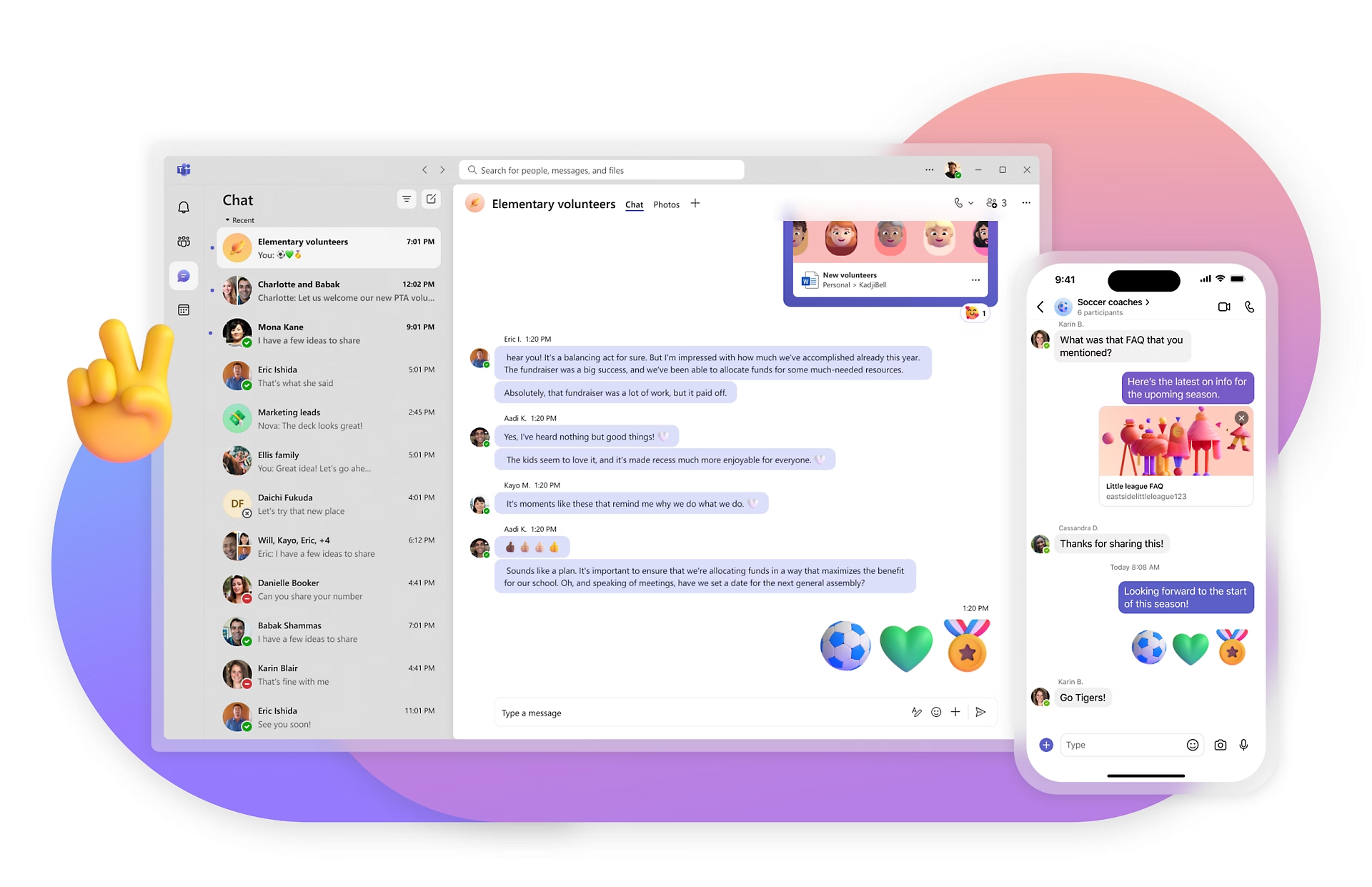
If your organization runs Microsoft 365, Teams is already in your stack. For office workers, it's a solid video conferencing and messaging platform tightly integrated with Outlook, SharePoint, OneDrive, and the rest of the Microsoft ecosystem.
Microsoft has made genuine attempts to address the frontline gap with its Frontline Worker licensing: F1 at $2.25/user/month and F3 at $8/user/month, both of which include a stripped-down Teams experience for shift workers. In practice, the frontline experience remains complex to set up, requires IT involvement to configure correctly, and has ongoing notification reliability problems on shared or personal devices.
For organizations with large frontline populations, Teams tends to work well as a headquarters tool and poorly as a frontline tool. Many large enterprises run Teams for HQ and a dedicated frontline app like Blink alongside it. The two platforms are complementary.
Key strengths: Already included in M365 subscriptions; excellent video conferencing; deep Microsoft integration; Frontline Worker SKUs at lower price points
Limitations: Frontline experience is complex to configure; notification reliability issues on personal devices; designed for desk workers first; SharePoint integration has a steep learning curve
Pricing: Included in Microsoft 365 plans. Frontline Worker: F1 at $2.25/user/month; F3 at $8/user/month. Teams Essentials at $4/user/month as standalone.
Best for: Organizations already invested in Microsoft 365 that need HQ communication and video conferencing.
Not ideal for: Frontline-first communication without significant IT configuration; organizations without existing M365 infrastructure.
G2 rating: 4.4/5
5. Staffbase, best for enterprise office-heavy organizations
Staffbase is an enterprise internal communications platform used by 2,800+ companies globally. It covers email campaigns, an intranet, a mobile app, and digital signage from one platform, making it attractive for IC teams that manage multiple channels and need a single content creation and distribution hub.
The platform's strength is multi-channel communications management. IC teams can write once and publish to email, intranet, and the mobile app simultaneously. Analytics show who opened what, when. It's a sophisticated toolset built for professional communicators.
For frontline teams, Staffbase is less compelling. The platform is designed to reach workers who already have a digital touchpoint, an email address, an intranet login, rather than workers who have neither. According to third-party review analysis on G2 (2024), adoption rates in frontline-heavy environments tend to be lower than with purpose-built alternatives like Blink.
Key strengths: Multi-channel publishing (email, intranet, app, digital signage); strong analytics; enterprise content management; 2,800+ customers; good for professional IC teams
Limitations: Expensive at enterprise scale; lower frontline adoption than purpose-built tools; complex initial setup; not designed as a two-way communication tool
Pricing: Custom. Generally in the range of $20,000 to $100,000/year depending on size and modules.
Best for: Large enterprises with established IC teams managing complex, multi-channel communications to primarily desk-based workforces.
Not ideal for: Organizations where the primary challenge is reaching frontline workers who lack email or corporate accounts.
G2 rating: 4.7/5 (79 reviews)
6. Workvivo, best for employee experience in large enterprises
Workvivo (owned by Zoom since 2023) is an employee experience platform with a social, newsfeed-first interface designed to replicate the engagement patterns of consumer social media inside the workplace. Employees can post updates, react to content, recognise colleagues, and access company news in a format that feels familiar.
It's particularly well regarded for culture-building in large enterprises. The Zoom acquisition has brought deeper video integration and positioned Workvivo as a natural add-on for organizations already using Zoom for meetings.
Note for Workplace from Meta customers: Meta designated Workvivo as its preferred migration partner for Workplace's sunset in June 2026. If you're transitioning away from Workplace, Workvivo is worth evaluating alongside Blink.
Key strengths: Social, intuitive interface that drives engagement; strong for culture and recognition; Zoom integration; enterprise scale; Meta's preferred migration partner for Workplace customers
Limitations: Enterprise-only pricing; assumes workers have consistent device access; limited operational features (no scheduling, time tracking); best results require active content management
Pricing: Starts at approximately $20,000/year for 250 to 2,000 users. Custom pricing above that.
Best for: Large enterprises focused on culture, recognition, and engagement, particularly those migrating from Workplace from Meta.
Not ideal for: SMBs; organizations where reaching non-email frontline workers is the primary challenge.
G2 rating: 4.8/5 (2,344 reviews)
7. Simpplr, best modern intranet for office-first teams
Simpplr is a modern AI-powered intranet platform that has grown quickly in the enterprise market. Its clean UX, AI content assistant, and personalised news feed make it one of the better options for organizations that want to replace a legacy SharePoint intranet with something employees will actually use.
The AI layer, branded as Simpplr AI, surfaces relevant content, answers employee questions from the knowledge base, and helps IC teams create and target communications. It's a real differentiator from older intranet platforms.
Simpplr requires a minimum of 100 employees and targets primarily desk-based workforces. There's no built-in frontline communication capability, no personal phone number sign-in, and no operational tooling for deskless processes.
Key strengths: Clean modern UX; strong AI-powered content discovery; growing G2 momentum; good for replacing legacy intranets; personalised feeds; consistent G2 Leader recognition
Limitations: Not built for frontline workers; minimum 100 employees; quote-only pricing; operational features are limited; adoption rates in non-desk populations are poor
Pricing: Custom. Minimum 100 employees.
Best for: Mid-market to enterprise organizations with primarily office-based workforces looking to replace a legacy SharePoint intranet.
Not ideal for: Any organization with significant frontline or deskless populations; teams under 100 employees.
G2 rating: 4.7/5 (300+ reviews)
8. Workplace from Meta, discontinued
Workplace from Meta is being shut down. Meta began winding down the platform in 2024, restricted it to read-only access from September 2025, and will permanently delete all Workplaces on 1 June 2026.
If your organization is currently on Workplace, you need to migrate now. Meta's officially recommended migration partner is Workvivo. Other alternatives worth evaluating include Blink (for frontline-heavy organizations) and Staffbase (for enterprise office-first communications).
Workplace was a consumer-social-style enterprise communication platform, familiar interface, accessible on personal devices, relatively easy adoption. Its discontinuation leaves a genuine gap, particularly for organizations that relied on it for frontline reach.
Best for: N/A. Former Workplace customers should evaluate Workvivo, Blink, or Staffbase depending on their workforce makeup.
G2 rating: N/A (platform discontinued)
9. Poppulo, best for enterprise broadcast communications
Poppulo (now Poppulo Harmony) is an enterprise communications platform built for large IC teams managing complex, regulated communications across many channels. It covers email, digital signage, intranet, and mobile, with precise measurement of reach and open rates.
The digital signage capability is a genuine differentiator. It's useful for manufacturing plants, hospitals, and retail environments where screens in common areas are part of the communications mix. The email campaigns product rivals dedicated email marketing tools in terms of targeting and analytics.
Poppulo is primarily a push-communication tool. It's excellent for sending information out; it's not designed for two-way dialogue, peer-to-peer chat, or the kind of bottom-up communication that drives real engagement.
Key strengths: Strong multi-channel broadcasting (email, digital signage, mobile, intranet); enterprise-grade analytics; good for regulated industries; digital signage is a genuine differentiator
Limitations: Primarily one-way broadcasting; complex platform; enterprise pricing; limited frontline-specific features; no peer-to-peer messaging
Pricing: Custom enterprise pricing.
Best for: Large enterprises in regulated industries (healthcare, financial services, manufacturing) that manage complex multi-channel communications and need strong measurement.
Not ideal for: Teams looking for two-way communication or frontline engagement; SMBs; organizations that need peer-to-peer messaging or community features.
G2 rating: 4.6/5
10. Interact, best for internal communications teams
Interact is an intranet platform built with the needs of professional internal communicators in mind. It's used by organizations that want a clean, manageable intranet with good editorial tools, strong search, and a solid employee directory, without the implementation complexity of larger enterprise platforms.
Its target customer is the IC manager at a mid-to-large organization who wants to move off SharePoint but doesn't need the full feature depth of Staffbase or Simpplr. Interact tends to score well on customer service: implementation and ongoing support teams are frequently cited positively in reviews.
Like most intranets, Interact works best for desk-based workforces. There's no purpose-built frontline capability, and adoption among workers without regular computer access is low without significant active encouragement.
Key strengths: Good editorial tools for IC teams; strong search and employee directory; clean UX; well-regarded customer support; easier implementation than larger platforms
Limitations: Not frontline-ready; limited beyond the intranet use case (no scheduling, no operational tools, no advanced analytics); enterprise-level pricing; less AI capability than newer competitors like Simpplr
Pricing: Starts at approximately $20,000/year. Custom pricing.
Best for: Mid-to-large enterprises with predominantly desk-based workforces that need a manageable, professional intranet without enterprise complexity.
Not ideal for: Organizations with frontline or deskless populations; SMBs; teams that need communication beyond intranet content (chat, scheduling, forms).
G2 rating: 4.6/5
How we chose the best employee communication apps
Most "best-of" lists rank tools based on feature checklists and third-party review scores. We weighted our ranking differently, because the hardest communication problem, reaching workers who don't sit at desks, requires a different evaluation framework.
Frontline suitability: Can a worker without a corporate email address, a company-issued device, or time to attend training actually use this tool on day one? This was our most differentiating criterion. Most platforms on this list fail it. Blink, Connecteam, and (previously) Workplace from Meta pass it.
Adoption rates: Features mean nothing if people don't use the app. We looked at published adoption data, customer case studies, and third-party review scores for ease of use. High adoption is the product of good UX, fast onboarding, and a mobile experience that doesn't require a manual to operate.
Ease of onboarding: How quickly can 1,000 workers go live? For a retail chain or logistics company onboarding before peak season, this is a business-critical question. We assessed both the technical onboarding process and the user sign-up experience.
Mobile experience: For frontline tools, this means: is the mobile app the primary, full-featured experience? Or is it a secondary view of a desktop product, missing features and updated less frequently? There's a meaningful difference.
Integration ecosystem: Most organizations already have an HRIS, a scheduling system, and a payroll tool. Does the communication platform connect to them? Pushing org updates that know a worker's department, site, and shift pattern requires clean data integration.
Value at scale: Pricing looks different at 50 users than at 5,000. We looked at how pricing scales and whether the feature set at enterprise tier justifies the cost relative to competitors.
Which employee communication app is right for your team?
Different workforces have different needs. Here's a clear breakdown:
Frontline or deskless workforce (retail, logistics, healthcare, manufacturing, transit): Blink. Purpose-built for this use case, with the adoption numbers to prove it. If your workers don't have corporate email and carry personal phones, this is where to start.
SMB under 200 workers: Connecteam. The free plan makes it low-risk to try, and the all-in-one feature set covers communication, scheduling, and HR basics in one tool.
Office-first enterprise: Staffbase or Simpplr. Both are strong for desk-based organizations. Staffbase is better if multi-channel publishing matters. Simpplr is stronger if a modern, AI-powered intranet is the priority.
Already on Microsoft 365: Teams is already there, use it for HQ. If you have frontline workers, run Blink alongside it. The two platforms are complementary, not competing.
Mixed workforce (HQ + frontline): Blink. It's designed to bridge exactly this gap, keeping corporate employees and frontline workers in the same communication environment without forcing frontline workers into tools built for desk work.
Migrating from Workplace from Meta: Evaluate Workvivo first (Meta's designated partner), then Blink if your workforce is frontline-heavy. Both can replicate most of what Workplace did.
See how Blink compares
Blink consistently achieves adoption rates above 85% with frontline teams. According to Blink customer data (2025), organizations like JD Sports, easyJet, and Dollar Tree chose Blink specifically because they needed a platform their frontline workers would actually use, not one that would sit unopened on the home screen.
If you're evaluating employee communication apps for a workforce that includes frontline, deskless, or shift-based workers, book 30 minutes with our team.



.avif)



















-min.jpeg)




.avif)

.avif)










-min.jpeg)



















.avif)






.avif)