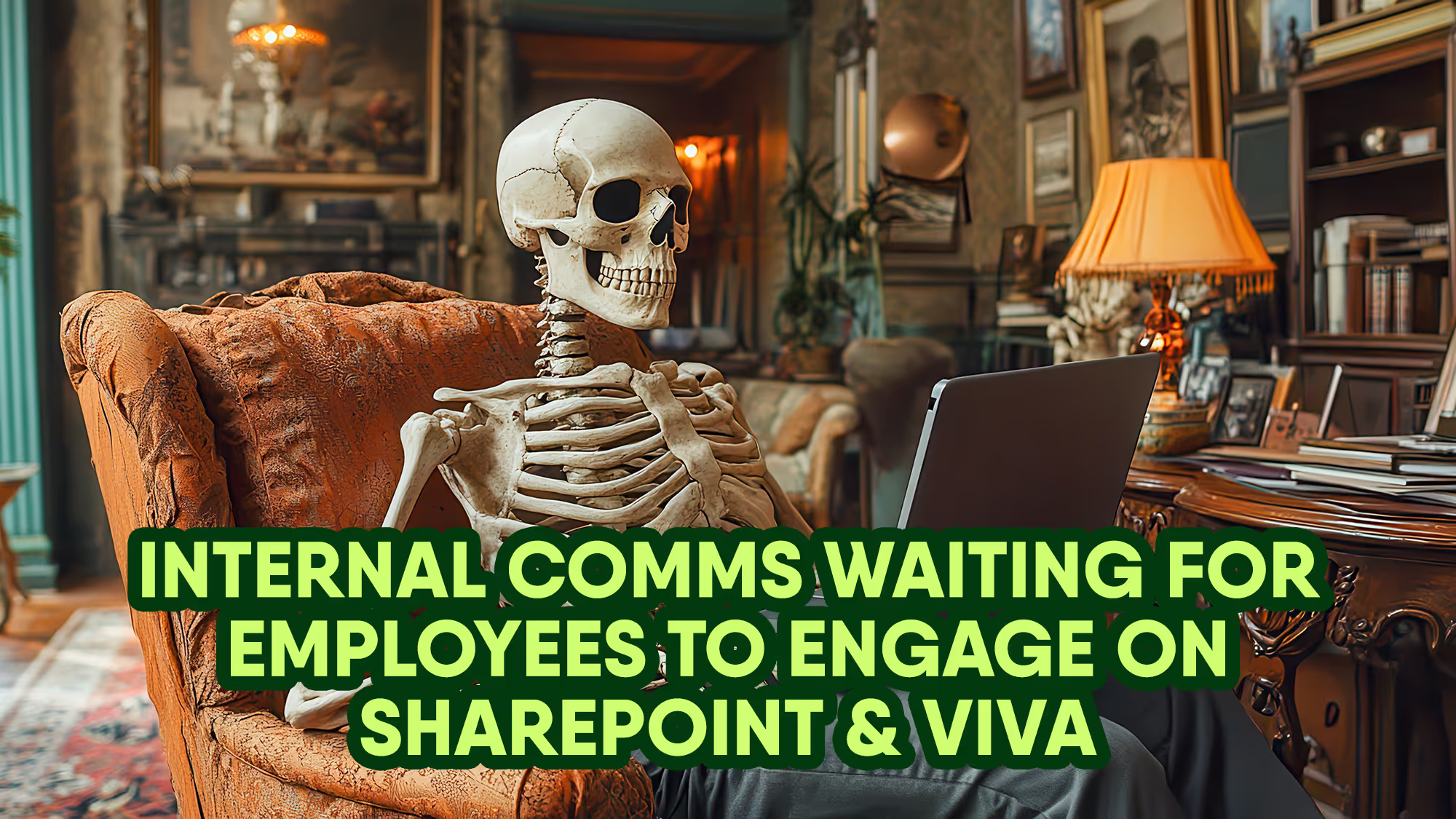
Your internal comms tech stack shouldn’t feel like a patchwork quilt. Discover how a unified employee app can help you bring clarity to your digital workplace.
Jess DeVore
Published:
May 14, 2025
Last updated:
May 14, 2025
What we'll cover
Is your internal comms tech stack bursting at the seams?
Technology should make work easier. The right internal communications tech has the power to transform the employee experience and get everyone pulling in the same direction.
But when your internal comms tech stack is bursting with tools — all pinging, updating, and overlapping — things get messy.
With different tools for communication, collaboration, engagement, and more, employees get a fragmented digital experience.
And for the IT team behind the scenes? It’s a constant juggling act of integrations, logins, security, support tickets, and updates — plus eye-watering costs for all those subscriptions.
Of course, each one of those digital tools serves a purpose. But used together, they can create friction, silos, and a digital employee experience that doesn’t live up to expectations.
Overwhelmed by your tech stack? There’s a better way.
Let’s explore how to consolidate your tools without compromise — and why a single, mobile employee app can simplify your stack, save your budget, and elevate the experience for everyone.
The current state of internal comms tech: A tool for every need
Internal communication teams wear a lot of hats. They’re responsible for amplifying company culture, keeping track of employee sentiment, sharing essential company updates, and boosting employee engagement.
To tick all those boxes, many organizations end up with a patchwork of internal communications platforms. A survey tool here. A chat app there. A weakness in one tool is fixed by bringing another software solution into the mix.
In any given organization, there are often separate tools for:
Real-time chat and collaboration
Social media-style engagement
Critical communications
Employee surveys and feedback
Employee training
Virtual meetings and town halls
AI content support
Employee journeys
Peer recognition
Task management
Before you know it, these tools are fighting for employee attention. They’re adding to the noise and making it harder for comms teams to cut through with vital messages. Maintaining multiple, overlapping solutions is also costly — and it creates a real headache for CIOs and IT teams.
{{mobile-hub="/image"}}
The CIO’s challenge: Complexity, cost, and employee fatigue
If you’re managing a complicated internal comms tech stack, you’re probably experiencing one, if not all, of the following challenges.
IT burden
Managing integrations, security, compliance, and maintenance for multiple tools puts a strain on your IT team. Help desk tickets mount up because users struggle to learn each new platform and remember all those login details. For companies with high employee turnover rates, onboarding and offboarding staff across different platforms takes up a huge amount of time.
Cost overload
A bloated internal comms tech stack eats into your budget. When different tools cover similar ground, you pay multiple times for the same features, many of which aren’t even used by your comms team or employees. Costs mount up, draining resources that could be better used elsewhere.
Employee disengagement
App overload kills engagement. Employees bounce between platforms. They miss messages. Some tune out completely. You get poor usage and adoption rates — and a tech ROI that simply doesn’t add up. Despite (on paper) covering all the bases, your internal communication tools don’t provide the seamless digital experience employees have come to expect.
{{mobile-desktop-main="/image"}}
The solution: An all-in-one employee app
With new and improved internal comms tech tools on the market, it doesn’t have to be this way. You don’t need to make do with a hotchpotch of platforms, each fulfilling a slightly different internal comms function.
Instead, you can consolidate all internal communications andworkplace tech into one software solution. And you can do this without compromising on security, functionality, or the employee experience.
With a unified employee app, you have one platform, one login, and one powerful digital workplace for all your internal communication needs. Here’s what consolidation can do for your organization.
One hub for all communications
The best employee communications apps bring all comms under one digital roof. So everyone can stop toggling between tabs!
Employees can access a news feed, instant messaging, alerts, surveys, and videos from the same dashboard. Comms teams can unify their messaging across integrated communication channels. IT teams have just one comms platform to manage and maintain.
Streamlined integrations with existing enterprise tools
The right employee app acts as a hub for all workplace tech. It offers seamless integrations with tools like Workday, ServiceNow, and Microsoft 365.
Your team doesn’t need to spend time creating and customizing integrations from scratch. And with one command center, it’s easy to maintain, secure, and scale your tech ecosystem.
Improved user adoption and engagement
Fewer internal communication tools means less friction and high levels of user adoption. What’s more, with single sign-on (SSO) and deep integrations, users can access all workplace tools via one central, user-friendly dashboard.
Everything from HRIS tools to L&D programs to pay stubs is right at employee fingertips. So adoption of other workplace tech improves too. And — if you pick a mobile-first solution — you improve uptake among frontline employees, which means better comms engagement across your entire workforce.
Reduced costs and complexity
By eliminating redundant software and establishing a single employee app you reduce costs and complexity. Your budget goes further — and your IT team is less stretched, so they can focus on value-add activities instead of tackling endless support tickets.
{{mobile-main="/image"}}
Why Blink? The all-in-one employee app
Blink was built as an all-in-one workplace solution — everything your workforce needs in one intuitive platform designed for easy use on mobile devices.
Wondering whether our employee app is the answer to a sprawling internal comms tech stack? Take a look at what Blink can bring to your organization.
Real-time chat and collaboration
Blink makes a great alternative to Slack and Microsoft Teams, particularly if your organization has a lot of frontline workers. As a mobile-first solution, Blink gives all employees easy mobile access to secure chat and collaboration tools via both desktop and smartphone apps.
Social-style news feed and engagement
Workplace from Meta will soon be defunct. But your workforce can still enjoy an engaging social-media-style experience with Blink. You get a news feed and other modern social features, like Stories, Communities, live streaming, and user profiles.
Mobile alerts and push notifications
Say goodbye to a tangled web of email and SMS communication (which most employees ignore anyway). With Blink, you can use mobile-first alerts and push notifications to share critical updates with your workforce.
Surveys and pulse checks
Surveys and polls are another built-in Blink feature, so you don’t need a third-party tool to find out what your workforce is thinking and feeling. Your comms team can seek regular feedback from employees and view survey data alongside platform usage stats.
Video and live updates
Blink offers integration with Zoom. But you can also use native tools for video and live updates. Users can video call from within chat. Leaders can use the live stream feature to host company-wide meetings from the news feed, giving employees the option to comment and interact during the event.
AI-powered content
Another big benefit of Blink is its built-in AI functionality. Users don’t have to switch between ChatGPT and your employee communications platform. Instead, they can keep their data safe and sound by getting Blink to create, improve, or summarize content, right within the feed.
A wide range of integrations
Blink’s App Marketplace contains integrations with many of the most popular workplace tools. You can set up integrations with your learning and development, project management, CRM, payroll, HR software, employee scheduling, time tracking, and more. One app, one seamless experience: Get one-click access to what you need, when you need it.
Easy identity management
Another way Blink eases the load of your IT team is with user management tools. Rather than using another external identity management provider like Okta, you can use Blink to automate user administration, assigning permissions based on groups, job roles, location, and more. You can use single sign-on right in the app, reducing the number of accounts and login details you’re responsible for.
Rock-solid security
Blink can handle authentication, including secondary biometric authentication, for you. You can also fence particular functions, controlling the areas that workers can access in integrated tools. Blink gives you everything you need to keep company data safe on employee devices.
{{less-is-more="/callouts"}}
Simplify, save, and strengthen employee experience with an employee app
Lately, the internal comms text stack has become a little… unwieldy. In many organizations, a complex network of tools is harming the employee experience, complicating internal communications, and stretching IT teams to the limit.
But with the help of an employee app, you can fix all that.
Employees get a dynamic digital workplace, where they can access multi-media company news and time-sensitive critical updates. It’s easier than ever for them to connect with co-workers, launch video calls, and respond to surveys.
Your internal comms team has tools to share information and gather feedback on employee experience. They can unify their messaging and keep a close watch on employee engagement figures across all workplace software.
And last but by no means least, an employee app brings benefits for your IT team too. Streamlining your tech stack reduces tickets and software maintenance tasks. It frees up your budget while bringing comms clarity to your entire organization.
Blink. And create a streamlined digital experience for every worker and every team.

Is your internal comms tech stack bursting at the seams?
Technology should make work easier. The right internal communications tech has the power to transform the employee experience and get everyone pulling in the same direction.
But when your internal comms tech stack is bursting with tools — all pinging, updating, and overlapping — things get messy.
With different tools for communication, collaboration, engagement, and more, employees get a fragmented digital experience.
And for the IT team behind the scenes? It’s a constant juggling act of integrations, logins, security, support tickets, and updates — plus eye-watering costs for all those subscriptions.
Of course, each one of those digital tools serves a purpose. But used together, they can create friction, silos, and a digital employee experience that doesn’t live up to expectations.
Overwhelmed by your tech stack? There’s a better way.
Let’s explore how to consolidate your tools without compromise — and why a single, mobile employee app can simplify your stack, save your budget, and elevate the experience for everyone.
The current state of internal comms tech: A tool for every need
Internal communication teams wear a lot of hats. They’re responsible for amplifying company culture, keeping track of employee sentiment, sharing essential company updates, and boosting employee engagement.
To tick all those boxes, many organizations end up with a patchwork of internal communications platforms. A survey tool here. A chat app there. A weakness in one tool is fixed by bringing another software solution into the mix.
In any given organization, there are often separate tools for:
Real-time chat and collaboration
Social media-style engagement
Critical communications
Employee surveys and feedback
Employee training
Virtual meetings and town halls
AI content support
Employee journeys
Peer recognition
Task management
Before you know it, these tools are fighting for employee attention. They’re adding to the noise and making it harder for comms teams to cut through with vital messages. Maintaining multiple, overlapping solutions is also costly — and it creates a real headache for CIOs and IT teams.
{{mobile-hub="/image"}}
The CIO’s challenge: Complexity, cost, and employee fatigue
If you’re managing a complicated internal comms tech stack, you’re probably experiencing one, if not all, of the following challenges.
IT burden
Managing integrations, security, compliance, and maintenance for multiple tools puts a strain on your IT team. Help desk tickets mount up because users struggle to learn each new platform and remember all those login details. For companies with high employee turnover rates, onboarding and offboarding staff across different platforms takes up a huge amount of time.
Cost overload
A bloated internal comms tech stack eats into your budget. When different tools cover similar ground, you pay multiple times for the same features, many of which aren’t even used by your comms team or employees. Costs mount up, draining resources that could be better used elsewhere.
Employee disengagement
App overload kills engagement. Employees bounce between platforms. They miss messages. Some tune out completely. You get poor usage and adoption rates — and a tech ROI that simply doesn’t add up. Despite (on paper) covering all the bases, your internal communication tools don’t provide the seamless digital experience employees have come to expect.
{{mobile-desktop-main="/image"}}
The solution: An all-in-one employee app
With new and improved internal comms tech tools on the market, it doesn’t have to be this way. You don’t need to make do with a hotchpotch of platforms, each fulfilling a slightly different internal comms function.
Instead, you can consolidate all internal communications andworkplace tech into one software solution. And you can do this without compromising on security, functionality, or the employee experience.
With a unified employee app, you have one platform, one login, and one powerful digital workplace for all your internal communication needs. Here’s what consolidation can do for your organization.
One hub for all communications
The best employee communications apps bring all comms under one digital roof. So everyone can stop toggling between tabs!
Employees can access a news feed, instant messaging, alerts, surveys, and videos from the same dashboard. Comms teams can unify their messaging across integrated communication channels. IT teams have just one comms platform to manage and maintain.
Streamlined integrations with existing enterprise tools
The right employee app acts as a hub for all workplace tech. It offers seamless integrations with tools like Workday, ServiceNow, and Microsoft 365.
Your team doesn’t need to spend time creating and customizing integrations from scratch. And with one command center, it’s easy to maintain, secure, and scale your tech ecosystem.
Improved user adoption and engagement
Fewer internal communication tools means less friction and high levels of user adoption. What’s more, with single sign-on (SSO) and deep integrations, users can access all workplace tools via one central, user-friendly dashboard.
Everything from HRIS tools to L&D programs to pay stubs is right at employee fingertips. So adoption of other workplace tech improves too. And — if you pick a mobile-first solution — you improve uptake among frontline employees, which means better comms engagement across your entire workforce.
Reduced costs and complexity
By eliminating redundant software and establishing a single employee app you reduce costs and complexity. Your budget goes further — and your IT team is less stretched, so they can focus on value-add activities instead of tackling endless support tickets.
{{mobile-main="/image"}}
Why Blink? The all-in-one employee app
Blink was built as an all-in-one workplace solution — everything your workforce needs in one intuitive platform designed for easy use on mobile devices.
Wondering whether our employee app is the answer to a sprawling internal comms tech stack? Take a look at what Blink can bring to your organization.
Real-time chat and collaboration
Blink makes a great alternative to Slack and Microsoft Teams, particularly if your organization has a lot of frontline workers. As a mobile-first solution, Blink gives all employees easy mobile access to secure chat and collaboration tools via both desktop and smartphone apps.
Social-style news feed and engagement
Workplace from Meta will soon be defunct. But your workforce can still enjoy an engaging social-media-style experience with Blink. You get a news feed and other modern social features, like Stories, Communities, live streaming, and user profiles.
Mobile alerts and push notifications
Say goodbye to a tangled web of email and SMS communication (which most employees ignore anyway). With Blink, you can use mobile-first alerts and push notifications to share critical updates with your workforce.
Surveys and pulse checks
Surveys and polls are another built-in Blink feature, so you don’t need a third-party tool to find out what your workforce is thinking and feeling. Your comms team can seek regular feedback from employees and view survey data alongside platform usage stats.
Video and live updates
Blink offers integration with Zoom. But you can also use native tools for video and live updates. Users can video call from within chat. Leaders can use the live stream feature to host company-wide meetings from the news feed, giving employees the option to comment and interact during the event.
AI-powered content
Another big benefit of Blink is its built-in AI functionality. Users don’t have to switch between ChatGPT and your employee communications platform. Instead, they can keep their data safe and sound by getting Blink to create, improve, or summarize content, right within the feed.
A wide range of integrations
Blink’s App Marketplace contains integrations with many of the most popular workplace tools. You can set up integrations with your learning and development, project management, CRM, payroll, HR software, employee scheduling, time tracking, and more. One app, one seamless experience: Get one-click access to what you need, when you need it.
Easy identity management
Another way Blink eases the load of your IT team is with user management tools. Rather than using another external identity management provider like Okta, you can use Blink to automate user administration, assigning permissions based on groups, job roles, location, and more. You can use single sign-on right in the app, reducing the number of accounts and login details you’re responsible for.
Rock-solid security
Blink can handle authentication, including secondary biometric authentication, for you. You can also fence particular functions, controlling the areas that workers can access in integrated tools. Blink gives you everything you need to keep company data safe on employee devices.
{{less-is-more="/callouts"}}
Simplify, save, and strengthen employee experience with an employee app
Lately, the internal comms text stack has become a little… unwieldy. In many organizations, a complex network of tools is harming the employee experience, complicating internal communications, and stretching IT teams to the limit.
But with the help of an employee app, you can fix all that.
Employees get a dynamic digital workplace, where they can access multi-media company news and time-sensitive critical updates. It’s easier than ever for them to connect with co-workers, launch video calls, and respond to surveys.
Your internal comms team has tools to share information and gather feedback on employee experience. They can unify their messaging and keep a close watch on employee engagement figures across all workplace software.
And last but by no means least, an employee app brings benefits for your IT team too. Streamlining your tech stack reduces tickets and software maintenance tasks. It frees up your budget while bringing comms clarity to your entire organization.
Blink. And create a streamlined digital experience for every worker and every team.
What we'll cover
Start your free trial today
See how Blink helps frontline teams stay connected, informed, and engaged.
But for the 80% of the global workforce who don’t sit at a desk, it was never designed to work.
Slack is a desktop-centric platform. It’s clunky (and sometimes completely inaccessible) for employees who are on their feet, moving between locations, and rarely sitting down at a desktop computer.
In 2026, this gap is impossible to ignore.
Frontline employees now expect workplace technology to feel as intuitive as the apps they use outside work. Fast, mobile, simple.
And they want to feel as connected to co-workers and company culture as their peers in the office.
So how do you get from here to there?
Follow in the footsteps of the many companies currently seeking Slack alternatives. Specifically, look for mobile-first employee communication tools and frontline messaging platforms.
Slack replacements for mobile-friendly team messaging are designed around the realities of deskless work.
They meet frontline employees where they’re at with the help of intuitive comms tools, available on every employee smartphone. And they make a big difference to comms, culture, and connection in a frontline organization.
In this guide, we’ll explore:
Why Slack falls down for frontline organizations
The internal comms shifts set to shape 2026
Why mobile-first employee comms is now non-negotiable
The features modern frontline messaging platforms must deliver
How Blink supports mobile-friendly team messaging at scale
If your frontline teams currently rely on workarounds, WhatsApp groups, or word-of-mouth to stay informed — this one’s for you.
{{mobile-desktop-main="/image"}}
The limitations of Slack for frontline teams
Slack is one of the most widely recognized internal communication tools in the world. But popularity doesn’t always equal suitability.
Slack was built for desk-based, knowledge worker collaboration. It has lots of great features — like desktop-first team chat, organized communication channels, and app integrations. But it doesn’t make sense for frontline workers.
Frontline workers are employees whose roles require them to work away from a desk or traditional computer. They’re the people working in manufacturing, healthcare, logistics, retail.
These employees often operate in time-sensitive, high-pressure environments. They need communication that is immediate, clear, and impossible to miss. Urgent updates. Relevant content. Highly intuitive messaging tools. And this is where Slack begins to struggle.
Here are some of the key limitations of Slack for frontline use:
Noise and information overload from chat-based streams
Inadequate support for push notifications, role-based broadcasts, and compliance features
Lack of centralized, evergreen knowledge resources suited for easy mobile access
A mismatch between desktop and mobile versions
Slack vs. frontline messaging platforms
Slack
Mobile-first frontline platforms
Mobile-first interface
✔
Desktop-first interface
✔
Fast and reliable mobile performance, even with low or intermittent internet connection
The internal comms shifts driving the 2026 Slack replacement trend
Organizations are choosing to replace Slack because internal communication is changing.
In 2026, three major shifts are reshaping how organizations connect with frontline teams — and exposing the limitations of desktop-based chat platforms like Slack.
Here’s what’s happening.
Shift #1: Multi-channel strategies
Internal comms teams are adopting a multi-channel approach. This is a strategy that combines different communication types — like proactive push channels (emails, SMS) and passive pull channels (intranets, knowledge hubs).
It means sending the right part of the message through the right channel at the right time, adding links between messages where necessary. For example, an urgent update sent via SMS may link to a more detailed policy document on your content hub.
Key actions for frontline organizations:
Implement mobile-first team communication tools
Move permanently beyond paper memos and word-of-mouth comms for frontline workers
Define the purpose of each comms channel to reduce noise
Shift #2: AI automation
In 2026, experts predict that HR and comms leaders will be evaluated on one key thing: how much time their tools give back.
AI is no longer about experimentation. It’s about execution. So there’s increasing demand for AI-powered engagement tools, continuous feedback, and automation in team messaging.
The aim? To drive productivity and smarter workflows. And to free up time for coaching, clarity, and connection.
Key actions for frontline organizations:
Find productivity tools that allow you to automate routine admin
Use AI to make sense of employee feedback, employee sentiment, and platform analytics
Use AI to create and personalize comms platform content
Shift #3: Simplified tech stacks
App overload is real.
The average employee now uses more than 100 digital tools. And frontline workers feel that burden acutely because they’re managing all those logins and tabs on a small smartphone screen.
In 2026, organizations are seeking to simplify their tech stacks. They’re looking for unified platforms that save cost, reduce complexity, reduce cognitive overload, and improve compliance.
By moving from a patchwork of point solutions to an all-in-one mobile-first employee communication platform, see fewer missed messages and improved adoption — particularly among frontline teams.
Key actions for frontline organizations:
Audit tools through a frontline lens
Consolidate around a small number of multi-functional platforms
Integrate a centralized platform with other workplace software
TL;DR: Slack is struggling to keep up with the pace of change in internal comms and the wider workplace — especially in organizations with a frontline workforce. This is why many companies are moving beyond Slack’s limitations to embrace a mobile-first employee communication solution.
The importance of mobile-first employee communication on the frontline
Mobile-first is a philosophy not a feature. A mobile-first employee communication platform is built from the ground up for smartphones. It’s not built for desktop, then adapted later as an afterthought.
For frontline teams, that difference matters. It helps to ensure simple, seamless, touch-friendly experiences for users without easy computer access.
Your retail team can catch up with company news on their lunch break. Carers can swap advice in the time between clients. Your bus drivers get urgent route updates as a smartphone notification.
You get to ditch unreliable and inefficient methods of frontline communication — desktop tools like Slack, manager phone calls, paper memos, and unsecure WhatsApp chats.
You put company comms, culture, and connection, plus essential workplace tools, at the fingertips of every employee. So you can reach, engage, and empower your frontline workers, and the rest of your workforce, too.
{{mobile-chat="/image"}}
The key messaging features frontline platforms must deliver in 2026
If you’re replacing Slack this year — and seeking a better communication solution for your frontline workforce — there are a couple of non-negotiable features you should be looking for.
Some internal communication platforms come with a mobile app. But that doesn’t mean they’re mobile-first. Truly mobile-first employee communication tools are built with smartphone users as a priority. That means intuitive navigation, clear layouts, and simple interactions — a tool that is easy to use on the go, with minimal training and zero frustration.
Employee engagement tools
Modern frontline platforms do more than simply deliver direct messages. They actively foster employee engagement. Features like employee recognition, a culture-boosting news feed, and co-worker chat tools help employees feel connected and valued, even when they don’t sit at a desk.
Two-way, real-time messaging
Two-way communication is another non-negotiable when looking at Slack replacements. Because communication isn’t effective when it’s only top-down. Frontline messaging platforms enable instant conversations so employees can ask questions, provide feedback, and collaborate with teammates in real time.
Content tailored by role
Role-based segmentation allows you to send tailored and secure communications to specific departments, locations, or groups within an organization. It ensures relevance, reduces noise, and helps to drive platform adoption. Look for communication tools that allow you to send targeted messages to your frontline employees. That way, each time they log in, they see content that relates to them.
Searchable, evergreen knowledge spaces
Another key feature of a modern frontline messaging platform is a central hub for documentation, FAQs, and resources. This ensures employees always have access to reliable information — without having to quiz managers or co-workers. And it makes workforce alignment, onboarding, and collaboration much easier.
Analytics and engagement tracking
Insights are critical if you want to understand the impact of your communications. The best platforms track message reach, engagement, and behavior patterns, giving managers the data they need to optimize communication strategies and fix gaps in understanding.
AI-based workflows
AI tools can streamline routine work. Automated reminders, shift notifications, approvals, and content summarization tools save time for managers and staff, letting them focus on higher-value work rather than repetitive tasks.
Integrations and compliance
Frontline communication tools should integrate smoothly with other workplace tools, creating a joined-up system that is easy for deskless workers to navigate — even in the middle of a busy shift. Integrations also help you maintain regulatory compliance. With features like HIPAA readiness for healthcare, secure single sign-on, and audit trails, you can stay efficient and protected while connecting teams across platforms.
{{mobile-integrations-hero="/image"}}
How Blink supports mobile-friendly team messaging for frontline workers
Blink is a mobile-first, social media-inspired employee experience platform, designed around the needs of frontline workers. It streamlines communication, engagement, and operational workflows with the help of:
A multimedia news feed
Real-time messaging tools
Content hub
Employee surveys
Employee recognition
Co-worker communities
Live streams and video calling
Push notifications
AI-powered automation tools
Analytics dashboard
Built-in compliance support
Integrations
Going way beyond the capabilities of Slack (and of a standard team messaging app), Blink gives you the tools you need to transform frontline communication, employee engagement, and company culture.
Organizations like McDonald’s, JD Sports, Dollar Tree, and Domino’s use Blink to connect thousands of frontline employees across stores, warehouses, and healthcare settings. Through Blink, they deliver updates instantly, reduce reliance on WhatsApp or personal text groups, and bring communication, knowledge, and workflows into one mobile-first platform.
Communication platforms are evolving fast — and 2026 marks a turning point.
This is the year mobile-first becomes the baseline for reaching a frontline workforce that’s short on time and always on the move.
It’s the year AI starts doing real work — cutting admin, surfacing insights, and giving managers more time to support their people.
It’s the year organizations get serious about simplifying bloated tech stacks.
Organizations reviewing their frontline messaging tools in 2026 should be thinking beyond chat alone. Because the future belongs to platforms that inform, connect, and motivate your people — all from one streamlined, easy-to-use interface.
Ready to start your search? Look for tools that provide an intuitive mobile experience, a range of comms channels, strong integrations, and clear insights into what’s actually working.
Do that, and you won’t just solve today’s communication challenges — you’ll also be ready for whatever comes next.
Actimo vs. Blink – which is better? It's a question many buyers are asking. And of course, the answer depends on who's asking!
Blink and Actimo are both cloud-based internal communication platforms with a strong customer base and some overlap in features. Yet their primary focus varies.
Actimo vs. Blink – quick facts
Actimo is ideal for teams who want a platform that enables e-learning but aren’t as concerned about real-time interaction.
In contrast, Blink is a truly inclusive real-time communications platform for frontline workers, though it doesn’t have an integrated LMS system.
Your organization’s technical resources may also determine which one is best for you. Blink is easier to use out-of-the-box, while Actimo requires a more thorough setup.
Both apps place a heavy focus on mobile usability, but Actimo doesn’t offer a newsfeed and is best used as a static intranet.
And while Actimo's designed for medium-sized organizations, Blink works best for extra-large enterprises with 25,000+ staff.
In this post, we'll break down the key differences and similarities between Blink and Actimo.
Let's dive into it.
Actimo vs. Blink How they're similar
Mobile-first content
On Blink and Actimo, all content is mobile-first. In other words, everything is optimized to be viewed on a small phone screen, not a desktop. This means both could be a solid option for organizations with mobile or frontline workers.
Customizability
Blink is customizable through third-party integrations and offers a wide variety of functionality through its micro-app function. While the starter platform is incredibly easy to set up, full end-to-end customization can take some work through micro-apps and necessary integrations.
Similarly, Actimo can be extensively configured with a fully customizable onboarding flow and plenty of in-app engagement data. Capterra users commented that it's 'easy to make presentations or apps for almost any purpose.'
Multi-lingual offering
Both platforms cater to multiple different languages. Blink even offers on-demand translation of content into the users language of choice.
Some users complained that Actimo switches text from English to Danish.
Actimo vs. Blink: How they're different
Integrations
Blink's integration capability is one of its strongest selling points. Through its dedicated app marketplace, users can shop for new integrations and mix and match to build their own 'super app'. Integrations are configured using Single Sign-On, so users can access different tools without leaving Blink.
By contrast, Actimo probably won't be the solution that replaces every one of your current internal communications tools. There are limited integrations with third-party business tools beyond HR systems.
Employee engagement
Taking a cue from the most popular social apps, Blink offers a live feed with company updates and user-generated text, images, and video. As a result, engagement with the app is remarkably high, with an average of 14 app opens per user per day.
On Actimo, it can be a lot of work to get set up and maintain engagement. Since the content isn’t primarily user-generated, admins will need to regularly create and schedule content to encourage use. That also means communications are more top-down than other platforms.
e-Learning
Actimo is a fantastic application to facilitate training and learning. Users liked that 'training is fully self-paced and fits anywhere in employee schedules.'
Within the platform, micro-learning is detailed yet simple to use. There are also engaging learning paths with gamified achievements that users can access at their own pace. Data on the compliance with, and completion of, necessary training, is another plus.
On Blink, there is no native onboarding and training function. However, a function can be added with the micro-apps feature, or by adding an integration.
Peer-to-peer communication
Blink offers a searchable in-app database of employees, so it’s easy for users to find a coworker they want to connect with. When they find that co-worker, there are many different ways to communicate: 121 or group chat, through real-time feed posts and comments, or by creating Hub content.
For those looking for a platform with a People Directory, Actimo may also not be a good choice. Beyond group members, there is no way to see a complete list of employees at your organization.
UX/UI
Blink developers design the app to mimic consumer apps like Uber and Facebook as closely as possible, so the user experience is familiar and fresh. Reviewers praised the platform's 'responsive, team-customizable features.'
While Actimo users appreciate they have 'full control of the layout', they were disappointed that the UI is 'clunky andoutdated'.
Frontline focus
While users commented that the app works 'just as well for desktop as it does on mobile', Blink is unique in its laser focus on the frontline experience. And despite offering a highly usable mobile experience, there is also a surprising amount of depth to the content and features.
While Actimo is optimized for the frontline experience, it doesn't focus on tailored features for specific industries (in Blink's case, transport and healthcare).
Targetting content
Blink's architecture is based on 'teams', which means all content is targetted is personalised to users depending on the groups they're in. Users can schedule campaigns months in advance, and 'pin' posts to ensure they're read, or tag them as 'mandatory reads'.
Actimo users complained the app is 'missing a way to micro-manage groups and send-outs', and requested 'more functionality for campaign planning.'
Actimo vs. Blink: systems and pricing
Unlike Actimo, Blink offers all of its features and capabilities through a single system with optional paid add-ons, which includes a dedicated Customer Success Manager. An all-in-one solution like Blink is attractive to many buyers since it provides seamless functionality and is priced as a single unit.
Blink also offers a number of pre-built integrations with popular business apps to allow for further customization.
The core product is priced in four according to scale:
Essential
Business
Enterprise
Enterprise Plus
Organizations can also take advantage of a 40% discount if they pay annually.
Overall, Blink is an affordable product, with users commenting on its 'excellent value for money'. While Actimo pricing is not available online, reviewers commented on the cost per user being 'hard to justify' for smaller organizations.
Actimo vs Blink: final thoughts
While Actimo is a strong choice for organizations focused on training and onboarding, it lacks the features to make it a true digital workplace.
Intranet (n): dusty, desktop-only internal website your company set up years ago. Hard to navigate. Rarely updated. Mostly ignored.
Sound familiar? Then your business is missing a huge opportunity.
Modern intranets — especially mobile-first ones like Blink — are intuitive, engaging, and built for the frontline and the desk-based workforce.
They’re not just document libraries — they’re a vibrant digital hub, where employees can access information, connect with each other, and feel part of company culture.
So what exactly can an intranet do for your organization? Here are 15 powerful ways to put yours to work in 2025.
What are the applications of an intranet?
There are lots of business-boosting ways to use your intranet. These include:
Sharing company news and updates
Connecting co-workers
Amplifying company culture
Providing access to docs and resources
Easy employee reporting
Shift scheduling
Automating routine tasks
Unifying workplace tools
Viewing pay stubs
Enabling HR self-service
Tracking training and employee performance
Recognizing employee efforts
Inviting employees to company events
Conducting employee surveys
Keeping tabs on business metrics
Ready to take a closer look at each of these intranet uses? Let’s dive right in.
Uses of an intranet for internal communication
A modern intranet provides all the functionality you need to run a successful internal communications strategy. From a news feed to instant messaging to scroll-stopping, social-style posts, here are some great ways to use an intranet for internal comms.
{{mobile-desktop-main="/image"}}
#1. Sharing company news and updates
Forget the company noticeboard. Share updates that actually get seen.
Putting company news on your intranet keeps everyone on the same page. So it’s easier to align on tasks, projects, and overarching business goals.
On a modern intranet, company updates are best suited to the news feed. Here, you can serve up snippets of scrollable content. You can also segment employees by location, role, team, and tenure to ensure that news feed content always feels relevant.
To get your most important messages to cut through, put sticky messages at the top of every employee’s news feed or intranet dashboard. You can even request a read receipt so you can be confident that vital safety announcements and policy updates have been seen.
Want to reach the whole workforce? A mobile-first intranet makes company news available to every employee's smartphone, while push notifications draw their attention to the updates that matter most.
#2. Connecting co-workers with instant messaging
Does your internal comms strategy start and end with email? In 2025, there are smarter, more inclusive ways to connect and engage your workforce.
Email-only communication causes inbox fatigue and poor employee engagement. It provides limited analytics and insights. And it excludes those without a company email address — typically all frontline employees.
{{mobile-chat="/image"}}
Instant messaging via your intranet platform is an excellent alternative. In fact, more than 40% of employees in the US already communicate via instant messaging at work.
The best solutions mirror the messaging experience employees enjoy on tools like WhatsApp. They provide a fast, secure, and intuitive way to conduct real-time conversations with managers and co-workers, over 1-to-1 or group threads.
They also support a streamlined experience, where employees can share links and documents — and even launch a video meeting — right within the app.
A mobile-first intranet makes this functionality available to frontline employees, as well as desk-based staff. It connects co-workers, supporting knowledge-sharing and peer support, even when employees work in different locations.
#3. Amplifying company culture
If you want to reinforce company culture and values across your organization, a modern social intranet is just the right tool.
It comes with interactive, social-media-style features that support the sharing of informal, authentic, and engaging content. Think behind-the-scenes videos, snaps of the latest team lunch, or a post to celebrate a co-worker’s birthday.
Some top social intranet tips? Use your intranet to publish Stories (short-form videos that are great at grabbing attention). Create hashtags to highlight company values. And encourage employees to contribute their own relatable content.
{{mobile-stories="/image"}}
You can also create dedicated Communities based on job function, hobbies, or DEI interests. These virtual spaces foster a sense of belonging and connection, particularly among dispersed and hybrid teams.
#4. Providing access to docs and resources
Document sharing has long been a standard intranet feature. But, with a new-and-improved modern intranet, you can take that functionality to the next level, offering easy access to documents and resources via a user-friendly content hub.
Here, employees can use intuitive search functions to find exactly what they’re looking for. Whether they’re onboarding or just refreshing their knowledge, they can access company policies, read FAQs, and learn about processes.
You can also surface useful content on every dashboard, personalizing the experience so employees see content that’s relevant to them and their roles.
And content management? That’s easy too. Admins can see at a glance which resources need to be updated, so it’s easy to plan revisions into the content schedule.
Uses of an intranet for productivity
The best intranets support employee productivity. They digitize paper processes and automate manual tasks, saving time in every employee work day. Take a look at these intranet uses for inspiration.
#5. Easy employee reporting
Rather than filling in paper forms — or waiting till they see their manager in person — employees can use digital forms on your intranet to streamline the reporting process. They can use your intranet to:
Request replacement IT equipment
Report vehicle or machinery faults
Report a workplace accident
These messages reach relevant teams and managers quickly and securely, no matter where an employee happens to be at the time of filling out the form. So it’s a great way to improve reporting and compliance.
#6. Shift scheduling
If your intranet doesn’t work for frontline employees, your frontline managers are probably feeling pretty overstretched. They’ll be spending a lot of time keeping deskless workers up to speed — and organizing shift schedules.
But set your intranet up for shift scheduling and you save hours of manager time. Employees can log into the intranet via their smartphones to view and swap upcoming shifts, without supervisors having to micromanage the process.
The end result? More filled shifts. A happier, more empowered workforce (who enjoy better work-life balance). And lower stress levels for your frontline managers.
#7. Automating routine tasks
A modern intranet often comes with built-in automation and AI tools that free your people to focus on value-add activities.
Need help drafting a post for the news feed or replying to a tricky comment? Let AI offer inspiration. Want content tailored to every employee? A personalization engine can deliver it, straight to their dashboard.
You can also supercharge search with AI-powered results, recommend resources, and provide instant support with the help of AI chatbots.
Automation is another key feature. You can automate employee journeys. From onboarding nudges to compliance reminders, PTO requests to training alerts — workers receive the right communications at the right time.
#8. Unifying workplace tools
Tired of juggling logins? Sick of toggling between tabs?
When an intranet has deep integrations with the other workplace software you use, it acts as a digital front door for your organization. It’s a user-friendly entry point for everything your people need.
Add in single sign-on technology and employees only have to remember one set of login details to access HRIS, CMS, project management, and payroll software.
This reduces pressure on your IT team — who no longer spend their days dealing with password reset requests. It also creates a joined up digital employee experience, where everything your teams need is just a couple of clicks away.
Uses of an intranet for HR
When your intranet is built just right, HR gets so much easier. With automation, self-serve tools, and seamless alignment with internal comms, you free your HR team from repetitive tasks and allow them to focus their attention on more complex tasks.
#9. Viewing pay stubs
A modern intranet makes it easy for employees to view and download their pay stubs whenever they need them, without submitting a request or chasing payroll.
Whether integrated with your existing timesheet or HR system — or available via built-in intranet functionality — this feature saves time on both sides and gives employees the financial visibility they need.
#10. Enabling HR self-service
A well-designed intranet empowers employees to take care of common HR tasks without sending an email or getting on the phone with your HR team.
They can:
Make time-off requests
Activate benefits and access benefit information
Claim business expenses
Book approved travel and accommodation
By digitizing these processes you make them more convenient. You reduce the need for complex and error-prone paper processes. And you lighten the workload of both employees and HR teams.
Make these features mobile-friendly and they’re then equally accessible to both desk-based and frontline staff, ensuring no one’s left behind.
#11. Tracking training and employee performance
Learning and development is easier to manage when your intranet does some of the heavy lifting.
With the right integrations, employees can access training programs directly from their intranet dashboard. From onboarding materials to ongoing professional development, it’s all in one place.
Key modules can be surfaced automatically, while news feed posts and push notifications can help highlight upcoming training sessions. Compliance training on the horizon? Use priority posts with required acknowledgment to ensure nothing gets missed.
Intranets can also support performance management. Progression plans, KPIs, and development conversations can be logged and tracked in a central location, making it easier for employees to understand expectations and for managers to support growth.
Uses of an intranet for employee engagement
A modern intranet can actively support employee experience — and measure your impact too. Here’s how to use your intranet for employee engagement.
#12. Recognizing employee efforts
Recognition is a powerful motivator. In fact, 82% of employees think recognition plays a significant role in their satisfaction at work.
Chances are, your organization already has some form of employee recognition scheme in place — an awards program or a performance-related bonus.
But — with the help of your intranet — you can weave recognition into the daily interactions of your organization, embedding it in company culture.
You can use your intranet comms channels to celebrate employee birthdays and anniversaries. You can encourage both managers and co-workers to spotlight the hard work of employees.
Link recognition to a rewards program — where employees can exchange recognition points for gift cards, charitable donations, or company merchandise — and you give them even more incentive to bring their A-game.
#13. Inviting employees to company events
Whether it’s a town hall, a team-building session, or a virtual Q&A, intranets make it easy to spread the word and manage attendance for workplace events.
You can:
Target event invitations by location, department, or role
Add RSVP functionality and calendar integration
Remind employees of upcoming events via the intranet news feed
Create dedicated event pages to keep attendees informed
Send push notifications if event details change
By using these intranet functions you simplify the process for both employees and organizers — and avoid events slipping under the radar of their target audience.
#14. Conducting employee surveys
Another modern intranet feature you should be making use of? Employee surveys.
Surveys are one of the simplest but most effective ways to listen to your workforce — and a modern intranet can help you launch them regularly and at scale.
When your intranet has an in-built or integrated survey function, use it to take the pulse of your organization, gathering insights on engagement, satisfaction, or specific initiatives.
And, whether it’s a quarterly deep-dive or a quick-fire poll, make surveys easy to complete from any device — including mobile — so participation stays high.
Once the results are in, you can use intranet analytics and reports to make sense of employee responses in super-fast time. So it’s easy to spot emerging issues and make meaningful changes to the employee experience.
#15. Keeping tabs on business metrics
Intranet analytics reveal a lot about your organization. They tell you how employees are interacting with your intranet — and each other.
Are some tools underused? Which channels are most effective? Where are the drop-off points? Analytics shine a light on it all.
With this data — in tandem with employee feedback — you can improve less popular intranet features, add new functionality, and create an even better user experience.
The best intranets also help you keep tabs on important business metrics like:
User engagement
Employee satisfaction
Employee retention
Productivity
These insights don’t just help you optimize your intranet — they support smarter decision-making across your organization.
By tracking trends over time, you can spot shifts in engagement, identify potential issues early, and measure the impact of new initiatives. You can view data holistically, getting to know the levers that make the most difference to the employee experience and business goals.
What will you do with your intranet in 2025?
The best modern intranets do all the above and more. They’re the digital and social hub of your organization, providing employees with the tools, comms, and connections they need to thrive in the workplace.
But not every intranet makes the cut. Legacy intranets are struggling to keep up with the latest intranet trends.
Typically, they have clunky mobile apps. The user experience lags behind that of consumer-grade tools. And you need additional software to fulfill all the needs of your organization.
Look for modern, mobile-first tools that support every employee — whether they’re behind a desk or on the frontline. Aim for an exceptional user experience and all the functionality listed above.
One platform. All the tools. And an intranet your employees will love.
Internal communications is the practice of keeping all employees, at every level of an organization, connected and in the loop. The primary goal of an internal communications strategy is to ensure that all members of an organization are well-informed and able to collaborate effectively.
Clear and streamlined communications are an essential factor in the success of any company, whether it has ten employees or one thousand. Over 40% of workers say that their trust in their leadership and team has been compromised due to poor communication.
From frontline workers to admins behind a desk, when each individual has a clear understanding of business goals, values, and guidelines, it makes for a much more connected workflow.
Read on to understand everything you need to know about internal communications, the types of internal communication, and the benefits that come from implementing a solid internal communications strategy.
Understanding internal communications
Internal communications can take a variety of forms – email, intranet, chat apps, newsletters, in-person meetings, bulletin boards, or an app specifically designed to streamline internal communications.
An effective internal communications strategy helps every employee feel connected to the larger company vision, and therefore aware of how their individual roles contribute to the overall success of the organization. A JobsinME poll found that a massive 85% of workers feel more connected to their jobs when there is effective communication in the workplace.
A solid internal communications strategy goes a long way in fostering that engagement – employees feel involved in the company mission and understand the role they play.
Regular communication also helps build trust between employees and leadership, strengthening that sense of belonging. Plus, those open channels of communication allow employees to share their ideas, concerns, and feedback, making them feel valued and empowered.
In frontline organizations, an effective internal communications strategy is even more critical. Deskless employees can be harder to reach through email or memos, as they’re not constantly checking email or messages (or may not even have access to these tools). But these frontline workers are even more in need of clear communications, to mitigate misunderstandings, enhance safety and compliance, and share urgent updates.
An internal communications app, like Blink, is ideal for organizations with frontline workers, connecting everybody and placing everything they need in one place.
This type of internal communication flows from higher levels of management to lower levels. It starts with the C-suite, who makes all the calls, then disseminates their instructions, policies, and decisions to the organization’s employees through managers and leaders.
Within an internal communications strategy, top-down communications are a structured approach that ensures important directives and guidelines are communicated uniformly. Top-down comms not only maintain consistency but also help in disseminating organizational objectives effectively throughout the workforce.
Formal top-down employee communication methods include company-wide emails, official announcements, regular town hall meetings, or memos from upper management.
For example, in a hospital's internal communications strategy, this could look like an all-staff email sharing new patient care protocols. In a manufacturing plant, a bulletin board could display dates for upcoming safety training sessions. Or in retail, a company-wide text message can share information about a new product that management wants workers to upsell.
Pros
It is an efficient way to communicate broad messages.
Messages are controlled and aligned with organizational goals, reducing misunderstandings.
Conveys a sense of professionalism in conveying critical information.
Cons
It doesn’t consider how employees can share feedback.
The passive reception of information may lead to disengagement.
Information flow can be slow, causing delays in decision-making and implementation.
It’s impersonalized, which can give employees a sense of being undervalued.
2. Formal bottom-up communication
This is the process where employees at lower levels of the hierarchy communicate their feedback, suggestions, concerns, and ideas to higher levels of management or leadership.
This type of communication involves conveying information from the "bottom" of the organizational structure upward, allowing employees to have a voice, contribute their insights, and influence decision-making processes.
Three-quarters of employees are more engaged and feel more effective when they feel their voice is heard, Workforce Institute found.
When included as a part of an internal communications strategy, formal bottom-up employee communication not only empowers workers but also fosters a culture of inclusion and innovation within an organization. It's a valuable channel for capturing on-the-ground insights, which can often be missed by higher management. Less than half of employees feel as though they have an easy way to share feedback on key communications; a solid bottom-up communication strategy is one way to mitigate this.
In a frontline organization, there are many ways to implement formal bottom-up communications. Employee surveys are a popular way to gather feedback from an entire team at once, and Blink’s in-app survey tool allows HR teams to get real-time data straight from the mouths of employees.
For example, in a healthcare setting, nurses and medical staff might use formal bottom-up communication to suggest improvements in patient care protocols or to report safety concerns.
Other formats for bottom-up communications include anonymous feedback forms and regular one-on-one meetings between employees and their managers.
By actively encouraging and acting upon this type of feedback, organizations can harness the collective intelligence of their workforce and adapt to the evolving needs of the industry.
Pros
Employees feel heard and valued, leading to higher employee engagement.
A range of diverse perspectives can be gathered, leading to more well-rounded and innovative solutions.
Frontline employees can identify challenges that might not be apparent to higher-level management.
When employees are involved in change processes, they are more likely to support and adapt to new initiatives.
Cons
Gathering, reviewing, and responding to a large volume of employee feedback can be time-consuming.
It can be resource-intensive, requiring specific software.
Not all employee suggestions may align with organizational goals or be feasible to implement.
Formal bottom-up communication may result in inconsistent messaging across teams.
3. Formal horizontal communication
This is the sharing of communications between individuals or departments at the same hierarchical level within the organization, for example, cross-functional meetings or interdepartmental emails.
Unlike the vertical communication we discussed above, which involves information flowing up or down within an organization, formal horizontal communication is between colleagues who hold similar positions within the organization.
Leadership consultancy Fierce, Inc. found that 86% of employees feel that a lack of proper collaboration and miscommunication between teams lead to workplace failures.
Formal horizontal communication helps facilitate the smooth functioning of departments, coordination, collaboration, and information sharing. For instance, in a retail setting, it's crucial for the sales team to communicate effectively with inventory management to ensure products are stocked efficiently.
In frontline organizations, formal horizontal employee communication connects the various cogs that make up the company and keeps it functioning. Within the structured internal communications strategy, it can take many forms, including project reports, regular email updates between departments, and the establishment of specific cross-functional teams.
When done right, formal horizontal communication enables seamless collaboration and makes the company culture one of teamwork and shared goals
The key here is constant communication. Using an internal app with a chat function - whether it’s private messaging or a group chat - will promote regular collaboration. Blink’s chat feature enables seamless conversation, to encourage employees to work together and share ideas.
Pros
Promotes knowledge sharing between peers with different expertise.
Allows teams to align their efforts and activities with each other, avoiding overlap or conflict.
Improves communication within the organization, leading to better company culture.
Allows colleagues to provide feedback on each other's work, which they’re often more receptive to than feedback from above.
Cons
A reliance on formal channels may discourage spontaneous creative interactions between colleagues.
Communication may become siloed within specific departments.
Can sometimes be time-consuming, especially when multiple people need to be involved.
May not adapt well to rapidly changing circumstances or unexpected needs.
4. Informal communication
Unlike other aspects of an organization’s internal communications strategy, informal communication isn’t facilitated or regulated by the organization’s internal communication channels. It happens spontaneously between colleagues – water cooler chat, if you will.
This style of communication often occurs in casual settings or through personal relationships and can take place at various levels of the organization, including between employees and managers, and even across different departments.
Informal comms include face-to-face conversations, social media interactions, instant messaging, and phone calls. It serves as a complement to formal communication channels and plays a significant role in building relationships and shaping the company culture.
We can look at Bank of America as a case study. Breaks for customer service employees used to be staggered so as not to have a shortage of staff fielding customer complaints. However, an internal audit found that productivity increased when workers took breaks together and socialized over lunch.
Oftentimes, frontline employees are working in silos and isolated from their coworkers. In frontline organizations, informal communications go beyond just sharing practical insights, it also gives these frontline workers a sense of camaraderie and belonging. In high-stress environments like hospitals or retail, where teams need to work seamlessly to serve customers and patients, these informal connections are invaluable.
Furthermore, workers can share valuable information that they learn on the job, which might not necessarily warrant discussion in formal channels. For example, tips for handling certain customers, which patient rooms have better heating, or even finding help to cover a shift.
The informal nature of these interactions fosters a culture of approachability, ultimately contributing to a more resilient and united frontline workforce.
The main Feed in Blink is designed specifically to foster this informal communication that keeps an organization running. It brings the whole company together in one place, without the formality of a memo or email chain. The Feed looks and feels like the social media apps we’re already accustomed to, making it easy for everyone to use.
Pros
Quick and easy, especially in fast-paced environments.
Helps to build personal relationships and a sense of camaraderie among employees.
Allows frontline workers a way to connect and engage with their coworkers, especially those who don’t have these opportunities come naturally.
Practical knowledge, tips, and best practices are shared more easily through informal conversations.
Cons
Frontline workers are limited in their opportunities for spontaneous chat, requiring the need for a centralized informal communications platform.
It can lead to the spread of inaccurate information or rumors if not properly managed.
Individuals who are not part of specific conversations or social circles may be inadvertently excluded.
Important issues might not receive the attention they deserve when discussed informally.
Why is internal communications important for your business?
For a truly effective internal communications strategy, a workforce should be three things: connected, engaged, and aligned.
A connected workforce
The right internal communications strategy bridges the gap between remote, frontline, and office employees. Without a wide-reaching net, internal communications can become stilted or even ineffective.
Frontline employees are consistently at a disadvantage due to the fact they most times do not have a company email or a desktop, like the organization’s office workers.
More than 80% of the global workforce is deskless. Whether your company is in healthcare, manufacturing, or transportation, these frontline workers need to feel just as involved and valued as the ones behind a desk.
For these organizations, effective internal communications reduce turnover, increase profits, enhance employee experience, and boost productivity. Read more about deskless worker team communication here.
An engaged workforce
Transparent communication empowers employees and boosts morale.
When employees are informed about the company's vision and the reasons behind certain actions, they feel a sense of ownership and inclusion. Transparency fosters trust, as employees perceive that their contributions and concerns are valued, leading to increased engagement and overall satisfaction.
Two-way internal communication is essential for employee engagement – as we covered above, top-down communication can lead to passive reception of information, which is a killer for engagement.
An effective internal communications strategy gives employees the ability to voice concerns and provide feedback or suggestions to management. This gives them a direct hand in decision-making, directly increasing their engagement with their work.
An aligned workforce
Aligning teams and goals across the entire organization, from the CEO to frontline workers, is crucial for success.
This involves ensuring everyone is across the broad business goals and objectives and understands how their individual work is crucial for reaching these goals. A study conducted by IBM found that 72% of employees don’t understand their organization’s core strategy, due to poor communication.
Don’t let that 72% be your employees. An aligned workforce ensures that the messages being communicated resonate with everyone, and are understood in the intended manner.
Effective internal communications leads to better collaboration, within teams and across departments.
Strategies to implement successful internal communications
Only 7% of workers agree that internal communication within their workplace is accurate, timely, and open.
Building a cohesive internal communications strategy is the key to uniting and motivating your workforce. We’ll touch on some strategies to help you create a successful internal communication plan, or you can read our in-depth step-by-step guide to writing an internal communications strategy.
Utilize technology for internal communication
These days, there are endless tools and software available to help organizations stay on top of internal communications. We’re no longer in the age where we have to rely on printed memos and morning meetings.
Blink, and other digital communication tools which promote collaboration and information sharing, can totally revolutionize an organization. They provide efficient, real-time means to disseminate information, engage employees, and foster collaboration.
Not only can these platforms allow employees to ask questions, provide feedback, and participate in discussions, but they also act as a centralized place for policies, procedures, and guides that employees can access.
A recent Emergence study found that more than half of deskless workers are dissatisfied with the software solutions provided by employers.
Particularly for decentralized teams and organizations with frontline workers, technology-driven internal communication plays a pivotal role in keeping employees informed, connected, and aligned with organizational goals.
Understand how to best reach your employees
Obviously, organizations are made up of different types of employees, and traditional top-down internal communication strategies generally don’t take this into account. In order to make sure your message is relevant to your audience, you need to tailor your message based on who you are communicating with.
For example, a message intended for frontline staff may focus on practical details and how it impacts their daily tasks, while a message for senior management might emphasize strategic implications and long-term business goals.
Consider the different workers that need to be reached with your internal communications strategy, and segment your audiences based on:
Job role
Seniority level
Communication needs
Whether they are desk-based or frontline workers
Then, you can analyze previous engagement data to see what type or format of content works best for each audience – eg. Email, live chat, video, etc., and the best times to communicate for the most engagement.
Utilizing technology can be very helpful here. Blink offers real-time powerful analytics to help you understand what content performs best, when, and with whom.
By customizing the messaging approach, and using data to optimize what the content is and when you are sending it, internal communication becomes more effective, increasing employee engagement and alignment with goals.
Establish regular feedback
Without regular feedback, internal communications are simply one-sided, which does nothing for employee engagement and satisfaction.
Every successful internal communications strategy should have built-in practices to regularly collect feedback from employees at every level of the organization. This can be done through surveys, suggestion boxes, town halls, anonymous feedback, or weekly leadership check-ins.
Employee feedback allows an internal communications strategy to be actually shaped by the people it’ll affect, not just the high-up decision-makers behind desks. Highlighting areas where improvement is needed – before it escalates into a problem – is crucial, not just for the employee experience but also for the success of the business as a whole.
Case study: Our collaboration with Salutem
During the COVID pandemic, the health industry faced endless challenges. Employees and organizations were dramatically affected by high levels of stress, low staff morale, and a huge hit to communications.
Salutem, a healthcare company that provides services such as care homes and healthcare staffing, needed a solution to overcome the challenges presented by the pandemic. To do so, Salutem used Blink to revamp their internal communications strategy.
With Blink’s easy-to-use super-app, Salutem was able to launch monthly surveys, collect feedback and plan face-to-face group meetings to encourage two-way conversations between managers and staff.
Salutem launched S.E.L.F (Salutem Employee Listening Forum) initiatives to connect staff and promote a culture of free communication within the organization. Each division had a rep – nominated by managers through the Blink Feed – who were responsible for moderating Blink Channels and following up with their respective teams.
Colleagues were encouraged to share thoughts and open up conversations around concerns or opportunities for growth, which started conversations and reconnected employees across all teams.
The improvements that came from the new internal communications strategy were nearly immediate. The organization saw a:
300% increase in survey responses
92% adoption rate of Blink
Tenfold increase in staff who were easy to communicate with
The integral role of internal comms in organizational success
There aren’t many constants in this world, particularly in the ever-changing landscape of a frontline organization. But one does remain: the vital role of an internal communications strategy. From formal top-down messages that steer the company's vision to informal water cooler chats that breed friendships, effective internal communication is crucial for the success of any organization.
By implementing a solid internal communications strategy, organizations can create a workplace where ideas flow freely, where feedback is valued, and where employees are informed, engaged, and motivated. It's a workplace where everyone, from frontline staff to top executives, feels heard, appreciated, and connected.
Internal communications shouldn’t just be a strategy, however. It needs to be a core tenet of your organization’s culture. Introducing an effective tool – like Blink – to encourage effective internal communication is key. By fostering open dialogue, valuing feedback, and leveraging technology, organizations can create an environment where everyone feels heard, informed, and engaged.
It's not about reinventing the wheel, but about adopting effective internal communications strategies that keep your workforce connected and motivated.
Why consider Flock alternatives for team messaging in 2025
Flock has long been recognized as a reliable team messaging and collaboration app, but many organizations are now exploring alternatives that better meet their needs. Whether it’s more advanced integrations, a stronger mobile experience for frontline employees, or broader tools for internal communication, companies are looking beyond basic chat. In this guide, we’ll explore the top Flock alternatives in 2025 — from industry leaders like Slack and Microsoft Teams to modern employee experience platforms like Blink, which offers the most complete solution for messaging, engagement, and productivity.
What to look for in a Flock alternative
When evaluating Flock competitors, keep these criteria in mind:
Ease of use – Adoption matters. Look for platforms that employees actually want to use.
Mobile experience – With more hybrid and frontline workers, mobile must be seamless, not an afterthought.
Integrations – Your collaboration tool should connect with HR systems, productivity suites, and line-of-business apps.
Communication formats – Modern tools should support more than chat: think video, voice notes, newsfeeds, and live streaming.
Scalability – Choose a solution that grows with your organization and supports both desk-based and frontline teams.
Blink goes far beyond team chat — it’s an all-in-one employee experience platform built for organizations that need to connect every worker, from HQ to the frontline. Unlike Flock, which is primarily chat-based, Blink combines instant messaging with a powerful news feed, surveys, recognition, voice & video calling, live streaming, and document access. Its mobile-first design ensures adoption rates that stick, even among employees who rarely use email or sit at a desk. Blink also offers deep integrations with systems like Workday, Microsoft 365, and Google Workspace, driving real productivity gains inside the flow of work. With a 4.8 Gartner rating, Blink consistently outperforms competitors for ease of use, customer support, and engagement impact. If you’re seeking a modern, future-proof solution that delivers ROI across the entire workforce, Blink is the clear #1 Flock alternative.
{{mobile-chat="/image"}}
#2. Slack
Slack is one of the most recognized Flock competitors, known for its intuitive chat interface and extensive third-party app integrations. It’s particularly strong for tech-savvy teams that rely heavily on messaging, channels, and bots. While Slack excels at knowledge-based collaboration, it can become noisy as organizations scale, leading to message overload. Pricing also rises quickly for larger teams, especially if you need enterprise-grade features. Still, Slack is a great option for teams that prioritize real-time chat and want a highly customizable experience.
Microsoft Teams is a natural fit for organizations already embedded in the Microsoft 365 ecosystem. Its strengths lie in native integration with Outlook, SharePoint, and Office apps, making it a strong collaboration hub for desk-based employees. Teams supports chat, video meetings, and file sharing, but it can feel complex and unintuitive for users who don’t live in Microsoft. Adoption among frontline and non-desk employees is often limited, since the platform was designed with office workers in mind. For enterprises that need deep Microsoft integration, however, Teams remains a top choice.
For companies that primarily use Google Workspace, Google Chat provides a lightweight and integrated alternative to Flock. It allows users to communicate in direct messages or spaces, while tying neatly into Gmail, Google Meet, and Drive. While easy to use, Google Chat’s feature set is relatively basic compared to standalone collaboration platforms. It lacks some of the advanced engagement and workforce-wide communication tools found in competitors like Blink. Still, it’s cost-effective and convenient for Google-first organizations that want a simple messaging layer.
#5. Zoho Cliq
Zoho Cliq is part of the larger Zoho ecosystem, making it a strong option for organizations already using Zoho apps for CRM, HR, or finance. Its chat-first approach supports real-time messaging, channels, and video calls, with integrations across Zoho’s suite and third-party tools. One of its strengths is affordability — Zoho Cliq offers competitive pricing that appeals to small and mid-sized businesses. While it’s not as feature-rich as Blink, it provides solid communication capabilities for teams that value simplicity. Larger enterprises may find its scalability limited, but for SMBs looking for a cost-effective collaboration tool, Zoho Cliq is a practical Flock alternative.
#6. Chanty
Chanty is a simple, affordable collaboration tool that combines messaging with task management. It’s designed for small to mid-sized businesses that want straightforward communication features without the complexity of enterprise platforms. While its integrations are limited compared to Blink or Slack, Chanty offers good value for teams that just need basic collaboration. Its clean interface and easy onboarding make it appealing for startups and small companies seeking a low-cost Flock alternative.
#7. Ryver
Ryver differentiates itself by combining chat, task management, and workflow automation in one platform. Teams can create topics, manage tasks in Kanban boards, and use built-in automation to streamline processes. While versatile, Ryver’s interface can feel dated compared to modern competitors, and it’s less widely adopted than Blink or Teams. Still, for organizations that want an affordable “chat + task” hybrid, Ryver offers a compelling option.
#8. Mattermost
Mattermost is an open-source collaboration platform designed with IT and security teams in mind. It offers self-hosting options, giving enterprises full control over their data — a differentiator from most cloud-based tools. Mattermost supports messaging, integrations, and DevOps workflows, making it popular among engineering teams. However, it requires more technical expertise to implement and maintain. For companies prioritizing security and customization, Mattermost is a viable Flock alternative.
#9. Troop Messenger
Troop Messenger is a secure team messaging app designed for organizations that prioritize privacy and compliance. It offers chat, voice and video calling, file sharing, and screen sharing, with on-premise and self-hosting options for enterprises with strict IT requirements. Troop Messenger also integrates with productivity tools like Google Drive, Dropbox, and Jira, giving teams flexibility in how they collaborate. While its interface is less polished than Slack or Blink, its security-first design makes it a strong choice for government, defense, and regulated industries. For companies looking for a Flock alternative with robust data control, Troop Messenger is worth considering.
#10. Rocket.Chat
Rocket.Chat is an open-source communication platform that offers both cloud-hosted and self-managed deployment options. It supports real-time chat, audio and video conferencing, and integrations with a wide range of business tools. Rocket.Chat is particularly appealing to organizations that want complete control over their data and the flexibility to customize features. Its open-source nature makes it popular with IT teams and developers, though it requires more technical resources to maintain compared to cloud-first tools like Blink or Slack. For businesses seeking a highly customizable and secure alternative to Flock, Rocket.Chat is a solid contender.
Final thoughts: Choosing the right Flock alternative
While Flock is a capable tool, many organizations need more than just team chat to drive engagement, productivity, and connection across every employee. From Slack and Microsoft Teams to Chanty and Ryver, there are plenty of competitors worth considering. But Blink stands out as the best overall alternative, offering a mobile-first, all-in-one platform that engages every worker — frontline and desk-based alike. With its breadth of communication formats, deep integrations, and industry-leading adoption rates, Blink is the clear choice for companies ready to evolve beyond chat.
Why teams choose Blink over Flock
Flock is a capable team messaging tool for desk-based teams already comfortable in a chat-first workflow — but it isn't built with frontline or deskless workers in mind. Blink is mobile-first, requires no corporate email, and is used daily by teams at McDonald's, Domino's, and Chick-fil-A. See how Blink compares.
9 ways to boost employee engagement in manufacturing organizations
The manufacturing industry has an engagement problem. Just 25% of manufacturing employees are engaged at work, making it one of the least engaged occupations in the US.
Employee engagement is the extent to which workers feel satisfied with their jobs and are aligned with organizational values. It also influences how able and willing they are to give 100% to their work.
So the stat above is worrying. But it also presents an untapped opportunity for forward-thinking firms.
When you improve employee engagement, you create a stronger connection between employee and organization. This leads to better retention, productivity, and business results.
Take a look at our ideas for manufacturing employee engagement to swim against the tide, attract additional employees and motivate the ones you already have.
The importance of employee engagement in manufacturing
It is without question that employee engagement is important to every organization in every industry.
Engagement has a direct impact on talent acquisition and retention. Staff are less likely to take time off sick and productivity sees a 14% uptick. Happier, more satisfied staff produce better, more cost-effective results for your company.
But in manufacturing, employee engagement can help you to overcome a range of industry-specific challenges. There’s a link between manufacturing employee engagement and all of the following:
Quality management – engaged employees care more about company goals – they’re more likely to spot and report quality issues
Safety and risk management – engaged employees pay more attention to the critical comms sent out, which can often include safety and risk management documents. Engaged employees also hold themselves accountable for their impact on the team and work environment, which will lead them to paying more attention to health and safety.
Customer experience – there’s a link between employee experience (EX) and customer experience CX) – engaged employees manufacture better products and provide a better service
Business results – when quality, safety, and CX improve, you improve overall business results – costs go down, sales go up
Key factors influencing employee engagement in manufacturing
If you want to improve the manufacturing employee experience at your organization, you need a strategy. This plan sets out how every part of your company – not just your HR team – is going to work together to improve engagement.
Your strategy should also consider the key factors that affect employee engagement in the manufacturing workplace.
Communication
Internal communication within a manufacturing organization can be tricky.
To start, the majority of manufacturing frontline employees don’t have business emails. This creates an initial barrier to cross —of how to even communicate with these workers.
Then you have teams in the office and on the factory floor, plus a variety of login, language, and time constraints. To give updates on safety protocols and equipment issues, and to share company culture, you need communication channels that deliver the right information to every employee.
The physical work environment
Your workplace should be a safe and comfortable environment for employees. Equipment and protocols have to support the physical wellbeing of workers. And staff need easy-access communication channels so they can report hazards and safety concerns.
Training and development
Training and development are key in a fast-changing sector like manufacturing. So employees can deliver products to the expected standard. And so you can retain more of your workers by giving them new challenges and a clear career path.
Manufacturing employees are often responsible for repetitive tasks. And it can be hard for them to see how their work fits into the bigger picture. Workplace leaders bring meaning to employee work by recognizing their efforts and sharing company goals and values.
9 ways to improve employee engagement in manufacturing
Looking to improve employee engagement at your manufacturing firm? The following ideas will help you enhance the employee experience and reap business rewards.
1. Invest in technology
AI, automation, robotics – manufacturing tech is coming on leaps and bounds. But technology doesn’t just improve manufacturing processes. You can use it to boost employee engagement, too.
An employee app like Blink supports easy communication across your organization. As a mobile-first solution, available via smartphone, you can put mandatory reads, new safety protocols, and essential company updates at the fingertips of every employee.
You also bring together the tech tools your teams already use. With next-level integration capabilities, Blink puts information and resources in one easy-access location. You provide a friction-free, user-friendly interface that your employees enjoy using.
Technology streamlines work – and keeps employees in the loop. Just be sure to choose tools suited to both frontline and desk-based workers, and accessible for those with a company email or without. In doing so, you create an equitable working environment and raise the engagement bar for everyone.
You can put the rumor mill out of action and adopt a more open communication style by letting information move freely between all members of your organization:
Leaders keep employees in the loop, sharing key updates and supporting workers to understand the bigger picture.
Managers have an open-door policy and regularly connect with their employees, offering feedback, updates, and – crucially – listening to what they have to say, too.
Workers are encouraged to contribute – they collaborate with each other and feel comfortable raising issues and ideas with decision-makers
So how do you make this kind of communication a reality within your manufacturing organization?
Firstly, you need the right communication channels. These should be suited to your way of working and link every member of the workforce. In a large, modern workplace, a noticeboard crammed with paper memos simply won’t cut it.
Secondly, leaders need to leave egos at the door. Open communication means sometimes hearing things you don’t want to hear. Remember that negative feedback is often more valuable than good as it highlights areas for improvement. And encourage managers to lead by example.
Lastly, bear in mind that open communication can be taught. So train employees in information sharing, active listening, empathy, and teamwork. Teach them which communication channels are the most appropriate – and how often they should be using them.
3. Translation capabilities
Most manufacturing organizations have a diverse, multinational workforce. And many frontline employees don’t speak English as a first language. So if you’re not already translating company comms, this is a really easy way to boost employee engagement across the board.
Resources, information, and internal communication should be available in the languages your workforce speaks. That way everyone receives the same message and enjoys equal access to information. This also eliminates the bottleneck that managers create, having to be the translator themselves and spending their hours on managing the communication channels that their employees don’t have access to.
For example,The Blink app supports over 100 languages. Contributors can translate posts and resources at the click of a button, making all of your content accessible to everyone on your team, regardless of the language they prefer to use.
With effective, accurate translation, you get everyone on the same page – and include everyone in your company culture.
4. Recognition programs
Recognition makes employees feel valued. When you appreciate and reward employees who go above and beyond, you motivate them and inspire other employees to follow suit.
So when an employee hits a professional or personal milestone, when someone highlights a safety issue before it becomes a hazard, or when a team consistently meets their targets, give them the public recognition they deserve. And encourage co-workers to praise one another, too.
You can give recognition in company meetings, on the blog, or in the newsletter. Or ensure you reach every member of staff with recognition updates by using a digital solution like Blink.
With Blink’s recognition feature, you can post instant, personalized messages to highlight staff achievements. You add a recognition post to the company news feed and start building recognition into your company culture in just a few clicks.
Praise goes a long way. But you may also like to consider perks and prizes. Gift vouchers, an extra paid day’s leave, or a catered team lunch can all incentivize your teams. For manufacturing firm, JFE Shoji Power, sweepstake competition prizes helped them to fill overtime shifts.
But before you put a reward program into place, survey your staff. Find out what they really want in terms of recognition and reward. That way your recognition program stands to make the most impact.
5. Opportunities for advancement
It’s not just your office-based team who are keen to advance in their careers. 70% of frontline employees have applied for advancement opportunities. But this group doesn’t always get the resources or support they need to move up the career ladder.
When you’re looking to improve employee engagement in a manufacturing organization, allowing all employees to learn and advance within their roles is crucial. It gives employees something to work towards and feel excited about. And it makes them much more invested in doing a good job.
There are lots of things you can do to support career growth.
Map out clear career goals with employees, offering training and mentor support to help them achieve them
Give workers more responsibility during the standard work day, encouraging them to take ownership and make decisions where appropriate
Cross-train and rotate jobs to bring variety to an employee’s workplace experience
Ensure everyone is aware of training and career opportunities within your organization, highlighting typical career pathways and the perks of promotion
6. Regular, two-way feedback
As we mentioned earlier, open communication is an important part of employee engagement. You can facilitate this type of interaction by providing regular opportunities for two-way feedback.
Regular 1-to-1s between employees and managers help to maintain open lines of communication. These meetings are an opportunity to align goals, resolve conflicts, and identify areas for development.
Crucially, employees get the chance to raise queries and issues, too. They can provide insight into the manufacturing employee experience and any challenges they’re currently facing.
Just remember, this type of interaction needs to take place regularly, not just once or twice a year. To build trusting, open relationships, you need to build this type of communication into every single week.
That means managers spending time on the factory floor, seeing for themselves what excites, challenges, and frustrates workers. It means creating impromptu feedback opportunities. And it means using digital solutions to make feedback and communication easy, even when managers and workers aren’t based in the same location.
7. Create a safe environment
The manufacturing industry in the US has some of the highest rates of occupational injury and illness. But you don’t get high rates of manufacturing employee engagement unless staff feel safe at work.
When employees feel safe:
They can focus on their work
They feel a greater sense of morale
They feel valued and supported
They trust in workplace leadership
Prioritize workplace safety and you also create a virtuous circle. Safe environments lead to better employee engagement. And engaged employees help to improve workplace safety going forward. There are 70% fewer safety incidents in the most engaged workplace environments than there are in the least.
Leaders and managers should regularly reassess the safety performance of equipment and protective wear. Careful plant design can help to mitigate safety risks, while clear risk assessment and safety protocols help workers identify and rectify issues before they lead to a safety incident.
But workplace safety isn’t just about having the right equipment and protocols. It’s about fostering a company culture with safety at its core.
To do this, you need psychological safety in addition to physical safety. This is where people feel safe voicing their opinions because they’re not worried about being judged, blamed, or punished.
Give employees a sense of psychological safety – and the right communication tools – and they’ll be more likely to report safety issues. Digital tools, rather than pen and paper methods, help safety information to travel both ways, reaching decision-makers and factory floor workers quickly.
8. Invest in training and onboarding
Manufacturing processes are prone to change. Employees need to keep their knowledge of tech and equipment, as well as their skills, up-to-date. This helps to create a safe environment for everyone working on the manufacturing team. And it boosts employee engagement, too.
71% of manufacturing employees say that training and development is important to them in their work life
35% say they aren’t getting the quality of training and development they expect
28% said they would leave their employer soon because of poor training and skills development
Onboarding is not to be overlooked either. When new hires start working for a company, there’s lots to learn. Safety protocols. How to use equipment. Company values. Who they can turn to for feedback and support.
Some organizations, lacking manpower, don’t put enough time and effort into onboarding. But this is where you lay the foundations of employee experience. And it can make or break an employee’s engagement with your firm.
You can maximize onboarding benefits without spreading their staff too thin, with the help of a digital onboarding process.
Employees access guides, rules, and resources via the company portal. They can refer back to resources as and when they need them. It’s also easy for your teams to update resources with the most up-to-date information.
Managers and co-workers can then supplement this online learning with face-to-face input ensuring a positive experience for new employees.
9. Implement employee surveys
You can never really be sure how your staff are feeling unless you ask. So before you implement an employee engagement strategy for your manufacturing organization, it makes sense to conduct surveys.
As well as listening to employee concerns during manager 1-to-1s, surveys allow employees to give feedback on specific aspects of their role and on what they feel could be better within the organization.
Follow up with a regular schedule of surveys and you build a complete picture of the employee experience:
Annual surveys give you insight into employee engagement progress
Quick and easy pulse surveys give you an up-to-the-minute snapshot of employee sentiment
Lifecycle surveys help you understand the challenges facing employees at each stage in their journey
To get feedback from as many employees as possible, you need to communicate openly. Tell employees about the insights your surveys have uncovered. And share your plan for acting upon their feedback as well as any results.
By engaging employees in every stage of the feedback process, they’re much more likely to respond next time you send out a survey request.
You’ve read the tips. Now get some real-life inspiration! Aggregate Industries has already put these employee engagement tips into action. Find out how this manufacturing firm improved digital engagement across their frontline with Blink. Watch the webinar now.
In conclusion
In manufacturing, employee engagement can be transformational. When you improve the employee experience, you improve product quality, workplace safety, and customer service. You also find it easier to attract and retain staff in a tough labor market.
In an engaged workplace, information flows between all members of your workforce. Work is more meaningful thanks to clear company values and a sense of the bigger picture. Employees are empowered to do their best work, every day.
Getting to this point may feel like a challenge, particularly if you haven’t given much thought to employee engagement up to this point. But it’s a lot easier to make engagement improvements when you harness the power of technology.
With the help of a mobile-first employee app, you connect every employee, from your HQ office to the factory floor, regardless of their access to a company email or not. You can conduct surveys, give recognition, and provide easy-access training resources. You can translate information into a variety of languages.
Get an employee app on your team and you’ll find it easy to reach and engage every member of staff, whatever their preferred language and whatever their role.