Top 16 internal communication blogs to follow today
Stay updated with the latest internal communication insights. Check out our list of the very best internal communications blogs.
Jess DeVore
Published:
September 6, 2023
Last updated:
October 21, 2024
There are lots of ways you can up your internal communications game. You can attend courses and conferences. You can work with a mentor or an internal communications expert.
But don’t overlook the free resources you have at your fingertips. The blogs of professionals, companies, and consultancies working in the field of internal communications (IC) often contain a lot of wisdom.
They feature the latest IC trends along with tried and tested employee communication strategies. You can discover what other companies are doing with their comms. You can also find new ways to engage employees, influence leaders, and keep up-to-date with communication technology.
So how do you unearth this insight? Trawling through the internet to find the best content is tough. So we’ve done the hard work for you. Here, we’ve put together a list of the best internal communications blogs around right now.
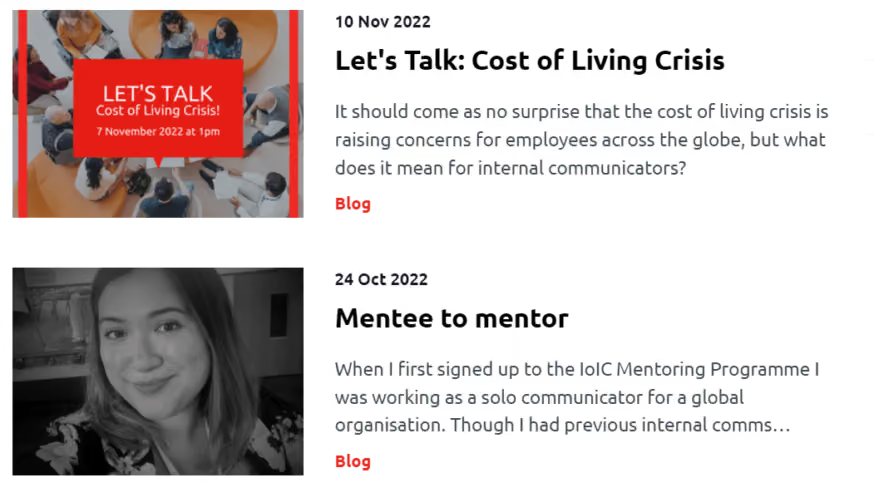
The Institute of Internal Communication has been a go-to for internal communication professionals for over 75 years. The Institute runs training, conferences, and awards. It also issues qualifications.
Its blog is an excellent resource. It covers topics such as visual communication, AI in the workplace, and the importance of developing trust in the workplace.
Some blog posts are only available to IoIC members. But there’s plenty on there to get you started. There’s also a podcast called The Future of Internal Communication, which is available on Apple Podcasts and Spotify.
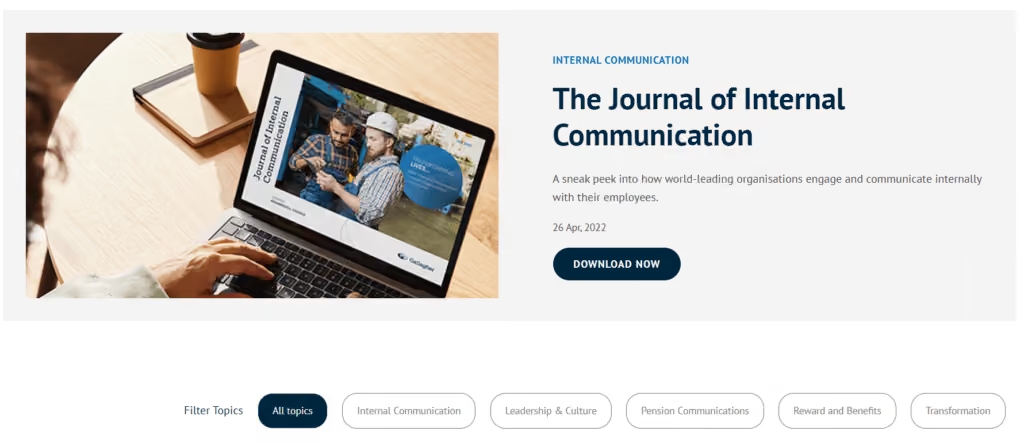
Gallagher is an internal communications agency that has worked on 100+ internal communication audits and strategic projects for large and small companies all over the world.
The company believes that real workplace communication isn’t about ticking a checklist. Instead, it’s about engaging workers through strong leadership and incentives. So Gallagher blogs on topics that include leadership, pension communications, rewards and benefits, and workplace culture.
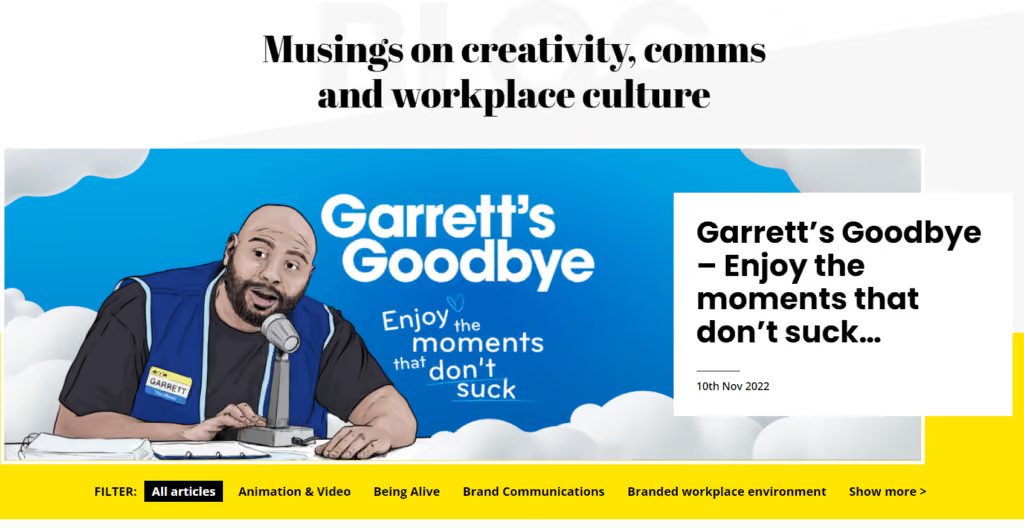
Alive with Ideas is a creative internal communications agency. They provide brands with strategy and engaging internal content.
The Alive with Ideas blog provides lots of creative comms inspiration. It covers topics like storytelling, the benefits of illustration, and tips for unleashing your creativity. There are lots of fun pop culture references and beautiful visuals, too.
If you’re looking for ways to liven up your employee communications and improve employee engagement, this is definitely the place to go.
McCann Synergy is an employee communications company focused on improving employee engagement across the entire employee lifecycle. It helps organizations develop a strong employer brand and a positive employee experience. It also offers support with employee engagement and workplace communications.
The McCann Synergy blog is filled with reports, whitepapers, and best practices on useful topics related to engagement and communication. These include crisis communications, employee experience, and behavioral science.
Redefining Communications is another internal communications consultancy. The team runs workshops and offers project support. They support global companies with comms, engagement, and organizational change.
Over on the Redefining Communications blog, you’ll find a ton of IC news and insight. The blog provides lots of great advice on the topic of employee communications, with some posts focused on improving comms in frontline organizations.
Dig a little deeper into their content and you’ll find some great podcasts, along with IC reports that you can download for a fee.
Rachel Miller is the ex-journalist and comms professional behind All Things IC. She’s been working in the IC industry for over two decades — and her company offers training and 1-2-1 support for internal communicators.
Over on the All Things IC blog, you’ll find lots of up-to-the-minute resources. There are summaries of newly released workplace communication research reports — and blogs on topics including AI and neurodiversity.
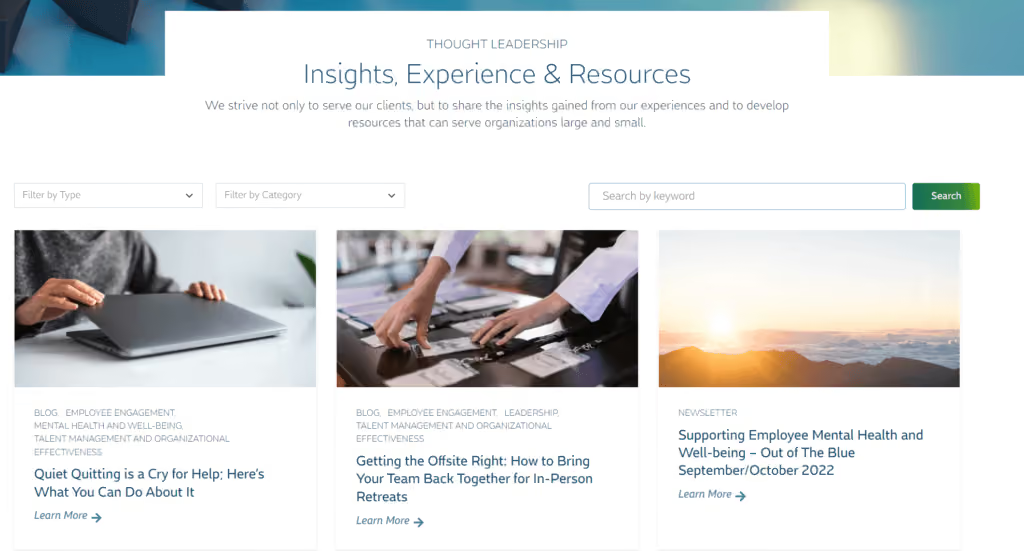
Blue Beyond is a consulting firm with expertise in the human side of business. Its impressive client list features many Fortune 500 brands.
With the Blue Beyond blog, the company shares internal communication trends and insights based on real IC experience. It also provides useful resources for both small and large companies. Recurring themes include change management, talent management, and workplace culture.
Brilliant Ink designs employee experiences that lead to positive business outcomes and high employee engagement.
Its blog spans a vast selection of topics — all related to employee engagement. So articles on employee communications are a regular feature. You will find insights on internal communication data, intranet platforms, and company values.
Comms Rebel is a communications consultancy founded by comms professional and confidence coach, Advita Patel. The Comms Rebel blog covers a wide range of topics surrounding workplace communication, with a particular focus on leadership, bias, and inclusion.
As you’d expect from the company name, Comms Rebel approaches workplace communications from a unique angle, highlighting overlooked issues and underrepresented employee groups.
Mike Klein is a consultant and strategist who helps organizations and communications leaders create sharper, more effective messages. He believes that people can say more by saying less.
Mike’s blog is packed with useful insight for comms professionals. He challenges conventional thinking and looks at internal communications measurement, technology, and strategies.
Inspiring Change is an internal comms agency that supports companies with organizational culture and employee engagement. The company’s founder, Scott McInnes, is on a mission to make internal comms clear, memorable, inspiring, and authentic.
Over on the Inspiring Change blog, you’ll find lots of useful articles. There’s advice for comms professionals wanting to connect employees with company values and culture. There are also tips on navigating organizational change.
Ragan Communications has been training professionals in internal communications, public relations, and social media for over 50 years. So, as you’d expect, the Ragan blog offers some great resources.
There are real-world internal communication case studies, round-ups of IC news, and interviews with IC professionals. You’ll also find lots of workplace communications advice, on topics ranging from manager comms, discussing social issues, and data analysis.
One for the leadership team. The brain behind this blog, David Grossman, is a leadership and communication expert and the founder of The Grossman Group. David is passionate about leadership communication and publishes articles on a bi-weekly basis.
Recent topics include empathetic leadership, change management, and building trust with employees.
The IC Citizen is penned by Martin Flegg, an IC expert with more than 20 years of industry experience. He specializes in internal comms, employee engagement, and change communication.
Martin has a knack for sharing strong opinions on debatable topics. You may not agree with everything he writes, but you’ll certainly get fresh perspectives.
Yes, this is us. Blink is a modern intranet software provider.
Our platform is built with frontline workers in mind. Traditionally, deskless employees have been left out of the company conversation. But we’re changing that with a user-friendly, mobile-first employee app.
Our blog reflects our passion for frontline communication. There’s in-depth guidance and actionable strategies you can use to improve workplace communication, employee engagement, and employee retention across your frontline and desk-based teams.
You can also read the latest internal communications news on The Shift, Blink’s bi-monthly newsletter — or get the lowdown on frontline communication tech by watching our live and on demand webinars.
Using internal communication blogs to improve comms at your organization
The way we collaborate and communicate is changing. So staying up-to-date with employee communication insights is a great way to boost the effectiveness of your comms.
Start by making the most of the IC information available online. The internal communication blogs on this list provide fresh ideas, practical strategies, and creative inspiration. They offer guidance on IC tech and communication trends.
So add these articles to your reading list. You’ll find new ways to share messages, engage employees, and improve the employee experience.
Want to delve deeper? For in-depth resources on frontline employee experience and engagement, take a look at Blink’s whitepapers and reports.
What we'll cover
Start your free trial today
See how Blink helps frontline teams stay connected, informed, and engaged.
Once upon a time, a company intranet that worked off a server in your office was enough to keep internal communication on track. But today, company needs have changed. And so have employee expectations.
We’ve entered the era of the digital workplace. Employees use a variety of different devices. Teams work remotely, across multiple locations. And beyond the world of work, everyone is now accustomed to intuitive, convenient, and personalized digital experiences.
Digital change has come quickly. And workplace software — like the intranet — hasn’t always kept pace. Traditional intranets feel old and clunky today. They’re affecting employee experience (EX) - and they could be doing more harm than good.
Thankfully, a new breed of intranet is now emerging. It’s fresher and more relevant to today’s workforce. It’s also built with digital workplace challenges front of mind.
A modern intranet holds the key to two-way communication and collaboration, better employee engagement, and an enhanced digital employee experience (DEX). And it could be a game changer for your organization.
Here, we’re going to take a look at the changing face of the company intranet and examine the features and benefits of a new and improved modern intranet.
Contents
Intranets: then and now
Why you need a modern intranet
Features of a modern intranet
How modern intranets impact the digital employee experience
Choosing the right modern intranet
Conclusion
Intranets: then and now
The company intranet has come a long way since it was first introduced back in the 1990s. Adapting to advances in technology and changing workplace trends, it’s taken on a variety of different forms over the years.
When talking about the modern intranet, it’s useful to compare the most cutting-edge intranet software to what has come before. So let’s step back in time and revisit each stage of intranet evolution.
Early intranets
Closed private networks were the first intranets to hit the office. They used local servers to host static web pages, meaning only computers based within the same geographical location could access them.
These early intranets provided limited interactivity and functionality. They were a place to share company directories, policies, and other documents. But because the setup and maintenance of early intranets required a lot of technical expertise, information was often outdated and badly organized.
Web-based intranets
As the internet went mainstream, web-based intranets made their way onto the market. These intranets were accessible via standard web browsers and had basic search functions, which helped users find what they were looking for. But these new intranets still had their drawbacks.
Internal communication remained one-way, with information traveling from the top of an organization down. Content was often poorly maintained because updates were complex. And there was very little opportunity for companies to provide personalized employee experiences.
{{callout}}
Social intranets
Social intranets were the first intranets to go mobile. Remote servers meant geography mattered less — and everyone within an organization, regardless of their location, could access the same information.
Inspired by social media platforms, social intranets prioritized communication, with features like user profiles and user-generated content. They were also designed to support team collaboration and productivity, with personnel services and project management tools built in.
Modern intranets
Modern intranets take the social intranet concept to the next level. They are a mobile-first solution with a focus on user experience (UX), designed to meet the expectations of today’s digital workforce.
Content creation is democratized in modern intranets. All members of an organization can access information and tools easily. And team leaders get the analytics and data-driven insights they need to improve employee engagement.
Interested in seeing a modern intranet in action? Preview Blink today with a short 2-minute video.
Why your frontline organization needs a modern intranet
So why should your frontline organization ditch its traditional intranet and adopt a modern software solution instead? There are several very good reasons.
Older intranet software can cause friction and frustration. Perhaps your intranet has become a dumping ground for outdated information. Or it simply fails to provide the intuitive, user-friendly, productivity-boosting features we’ve all come to expect.
We know that traditional intranets fail to live up to employee expectations. 67% of workers say that digital experiences in their personal lives are better than the digital experiences they get at work.
Many traditional intranets are built around the needs of desk-based teams, so they do your frontline workers a disservice. Frontline workers miss out on the communication and resources available to their desk-based peers.
A modern intranet, in contrast, helps you meet all of the following challenges head-on.
1. Employee engagement
According to Gallup’s State of the Workplace Report for 2023, just 23% of employees are engaged at work. But organizations should try to do better. That’s because high levels of employee engagement lead to happier employees, improved productivity, and lower rates of attrition.
Employee engagement is always a challenge. But engaging employees in a frontline organization can be particularly tricky. When your workers are deskless, how do you give them the connection, coaching, and support they need to thrive within your organization?
A modern intranet gives you all of the tools you need to engage your employees, regardless of where they work. You can count on a social feed, a content hub, employee recognition tools, surveys, and more.
With analytics too, you can see what is engaging your employees — and what isn’t — so you can improve your efforts going forward.
2. Communication
Open communication within a workplace is vital. It helps you inform, motivate, and engage your employees, while fostering an inclusive and supportive work environment. It involves top-down, bottom-up, and peer-to-peer communication, so everyone has a voice.
For frontline teams, maintaining open channels of communication within teams who don’t work face-to-face requires tailored solutions.
A modern intranet helps you build internal communication links between every member of your workforce — whether they’re based in the office, on the shop floor, or out in the field.
You don’t need to rely on emails or a company noticeboard. Instead, all types of internal communication are supported via your intranet app.
With better communication, you bring your teams together and you may find it easier to grow your company too. A Forbes study found that companies who involve 75% of their frontline in internal comms, achieved more than 20% growth over a year.
3. Digital access
Older intranet software is built around an outdated version of the workplace. It doesn’t prioritize the mobile experience and instead works best for employees who sit at a desk on a computer for the majority of each working day.
Newer intranets understand that the world of work has changed. Digital tools are a workplace essential. And frontline, hybrid, and remote teams should have equal access to the information and interaction that these tools provide.
That’s why the best modern intranets have a mobile-first design. Employees can access them as easily on a small smartphone screen as on a desktop computer. All workers across an organization are engaged and empowered, so no one misses out.
4. Collaboration
Traditional intranets are known for being slow and difficult to use, with low rates of user adoption. In fact, 57% of employees say they see no purpose in their company intranet.
This impacts collaboration. When employees avoid your intranet — because it isn’t intuitive to use or data is hard to find — knowledge sharing suffers and you risk creating organizational silos.
For frontline teams, this exacerbates an existing risk. Frontline workers spend time away from HQ, working different shift patterns, and managing a high workload. These factors already get in the way of team collaboration.
Luckily, this is another frontline challenge that a modern intranet can solve. The intranet allows people across your organization to share ideas and objectives via an easy-to-use interface.
Everyone can contribute, even those who work remotely, making your organization more productive, more innovative, and better able to solve problems.
Features of a modern intranet
We’ve touched on what makes a modern intranet different from the other intranet software available. But now we’re going to delve into the details. Here are features you can expect from the newest intranets and how they stand to benefit your business.
A central hub
A modern intranet acts as the gateway to your business. It’s the go-to location for company communication and knowledge sharing.
With a single, searchable hub, it’s easy for employees to find what they’re looking for, whether that’s essential documents, a directory of co-workers, or a list of the latest company events.
Importantly, information is stored logically and consistently. And the advanced search functionality of a modern intranet — thanks to keyword suggestions and content tagging — means it’s always clear what information is and isn’t available.
User friendly interfaces
Modern intranets are familiar to their users. That’s partly because they can be customized with employer branding. But it’s also because they have an intuitive, user friendly interface that mirrors many of the digital tools employees already feel comfortable using.
Employees don’t need a company email address to sign in. They can get notifications whenever important information is posted. And it’s easy to download intranet apps from the App Store. This means very little training is required.
Personalized experiences
Personalization makes the modern intranet even more engaging for users. Employees can personalize their dashboard and see content tailored to their role and department.
You can also program your intranet so it presents different information depending on where an employee is at in their career and how much time they’ve spent with the company. Someone who started working for you last week will get different intranet content to someone who has been working for you for years.
Communication tools
Managers can share important news and announcements. Teams can share ideas. An employee can wish a coworker a happy birthday. With a variety of communication tools based within the same intranet software, meaningful communication becomes second nature.
Employees don’t have to switch between different platforms for informal co-worker chat, essential C-suite comms, and knowledge sharing resources. They can easily find communications, and contribute to them too, all within the same interface.
It’s also easy for managers to highlight need-to-know information.Push notifications and mandatory reads ensure essential information never goes unread.
Real-time communication
Asynchronous communication is important for teams who work across different time zones or shift patterns. But real-time communication is also crucial for your organization. It allows employees to communicate as if they were in the same physical location — even when they’re not.
This allows for faster decision-making, improved problem-solving, and better collaboration. It also helps employees to feel more connected to one another — because real-time communication mirrors face-to-face communication in a way that an email thread just can’t.
Employee recognition
Employee recognition isn’t always easy when employees work disparately. Managers have to be intentional about praise and recognition because they get few informal opportunities to show their appreciation.
With built-in employee recognition features, a modern intranet makes it easy for you to motivate and incentivize your team.
Managers are prompted to recognize employee anniversaries and milestones. Peers can celebrate coworker wins. And some intranet software even provides recognition leaderboards and real-life rewards as further incentive for hard work.
Collaboration tools
The modern intranet makes collaboration a priority. It provides features that support collaboration for teams who don’t necessarily work in the same office.
From shared calendars to real-time chat, document sharing to task allocation, a modern intranet helps teams work together, even when they’re physically apart.
Mobile compatibility
Workers no longer have to be chained to their desktop computers in order to get the most from the intranet experience. Modern intranets are mobile responsive. They offer the same user experience and the same great features whichever device employees have access to during their workday.
This means frontline, remote, and hybrid workers enjoy the same intranet experience as their desk-based peers. And you create a joined-up organization in which all workers are treated equally.
Integration capabilities
Modern intranet software integrates with the digital tools and data sources you already use within your organization. It creates a seamless experience for employees.
They don’t need to log in to multiple platforms and deal with repetitive or conflicting information. Everything is available via the same intranet hub.
For your management team, integration makes everything more efficient. You don’t need to duplicate work over different tools, which means you improve data accuracy too.
Feedback functions
Good internal communication goes both ways. And with modern intranet feedback functions, it’s easy to find out what your employees are thinking and feeling at any given moment.
Surveys and forms are delivered in a user friendly format so a higher proportion of your employees is likely to respond. And with accurate insight into employee sentiment, you can create better employee experiences, making informed decisions based on what your workforce really wants and needs.
Security
When you opt for a modern intranet, security comes as standard. The best providers work by recognized cybersecurity guidelines.
They provide data encryption and data backup. Regular penetration testing ensures the system always provides a strong defense against cyber-attack. And access controls mean admin teams can choose with members of your organization can see sensitive information.
Analytics to optimize and measure
The best modern intranets offer analytics too, meaning you get real-time data on employee engagement and the employee experience.
You can track a variety of metrics — things like user activity, co-worker interactions, likes, searches, and downloads. And then you can view these results in a visual, easy-to-digest format.
Along with surveys and feedback forms, intranet analytics gives insight into how employees use the software and how it impacts their overall experience of the workplace. This empowers you to make data-driven improvements.
How modern intranets impact the digital employee experience
The digital employee experience (DEX) is how employees feel about the digital tools they use within the workplace. For optimal DEX, you need digital tools that support and streamline every employee workflow, without creating points of friction.
DEX comes under the umbrella of employee experience (EX). But we’d argue that, in a digital workplace, DEX isn’t just part of the EX picture. It’s integral to it. In fact, we can relate DEX to nearly all of the nine EX elements identified by McKinsey.
an employee’s sense of growth, purpose, and motivation
how employees feel about their productivity and efficiency
The company intranet is inevitably a big part of employees’ digital experience. And when you replace a traditional intranet with modern software, designed to meet the expectations and needs of today’s employees, you impact DEX in all of the following ways.
Enhanced communication
These days, we rely on digital communication tools to connect frontline, hybrid, and remote working teams. It’s important to EX that teams get the same level of connection and knowledge sharing, and the same sense of belonging, that they’d get working face-to-face.
Modern intranet software is built with team communication at its core. It understands that, in a digital workplace, informal water cooler chats aren’t always possible.
So it provides teams with communication tools that create a sense of physical togetherness, even when teams work disparately.
With Blink Chat, for example, employees can message each other in real-time. They can chat one-on-one or set up Group Chats for multiple team members. Within chats, employees can send messages, send documents, and even start online voice or video meetings, straight from the app.
But the modern intranet doesn’t just facilitate peer-to-peer communication. It also gives managers the communication tools they need to enhance the employee experience.
This is where the Blink Feed comes in. Via a familiar, social media-style feed, leadership can post company-wide communications. They can guide company culture and broadcast important news, motivating and informing employees in the process.
Employee techquity
Employee techquity is achieved when frontline workers have equal access to the digital tools, resources, and people they need to succeed. Older intranet systems tend to leave frontline and remote workers behind. They fail to address many of the key challenges faced by frontline teams.
This means frontline and remote employees miss out on the opportunities afforded to desk-based staff. They find it harder to advance in their careers, they don’t always have access to the same tools, tech, and training, and they can end up feeling disconnected from company HQ.
A modern, mobile-first intranet helps to create a fairer working environment. All employees get to use exactly the same functions and features, whether they access the platform via a desktop computer or a smartphone device.
A modern intranet is easy to use, so frontline workers can dip into internal comms during a busy work day. It also acknowledges the fact that many frontline workers don’t have a company email address, so provides alternative login methods.
By providing an equal digital experience for all workers within your organization, everyone gets the tools they need to do their job — and everyone enjoys a sense of connection and belonging.
Employees enjoy a better workplace experience when they feel they’re working to the best of their ability.
In a digital workplace, this means having the right information, along with the right collaboration and productivity tools. And this is another area of DEX that a modern intranet can help with.
A modern intranet acts as a content hub for your organization. But unlike old intranet software, this new style of content management system is well-organized and user friendly. It’s easy to find and read policy documents and to collaborate on files with co-workers.
Just take a look at the Blink Hub. It’s a content management system that puts policies, training materials, and manuals in one convenient, easy-to-access location.
A drag-and-drop interface makes it easy to add content. And because the Blink Hub is available via desktop and mobile apps, every member of your organization can access it.
A modern intranet can also provide self-service functions, another big plus for the digital employee experience.
When employees can book shifts, request annual leave, register for a training course, and access pay stubs all from the same platform, work admin becomes much less of a headache.
Employee engagement
Engaged workers feel emotionally connected to their work and co-workers. They feel aligned with company values and empowered to work productively.
A poor digital employee experience gets in the way of engagement. But there are lots of ways that a positive DEX — supported by a modern intranet — can enhance it.
The social features of a cutting-edge intranet — like social feeds, discussion forums, and employee profiles — help employees build meaningful connections with people at all levels of your organization.
Employee recognition and reward functions within the intranet also boost engagement. Employees understand their goals and how these goals relate to the overarching company mission. A culture of recognition and rewards — made easy with intranet tools — then incentivizes them to meet their objectives.
Another way that your intranet can improve employee engagement is with employee personalization.
Workers get to personalize the platform dashboard to make it more relevant and engaging. Admins can adapt content too, tailoring it to the needs of workers at each stage in the employee lifecycle.
Analytics and feedback
Modern intranets make it easy for you to gather information on the digital employee experience. You can launch surveys, send out forms, and dive into the analytics provided by your platform.
This is a huge bonus to your DEX strategy. Because you don’t need to stab in the dark. You have all the data you need to make targeted EX improvements.
View data on employee engagement, satisfaction, and retention. See what content performs best to improve your content management strategy. Understand how your teams interact, identifying co-worker relationships that need a little TLC.
A tool like Blink Analytics allows you to really drill down into the data. You can segment it based on team or location. So you understand exactly how your digital workplace is working for each member of your organization.
Simplicity
Some organizations have approached the challenge of digital transformation by acquiring tech tools for every business function. But this isn’t an effective way of doing things.
Gartner research shows that application sprawl (when workers are expected to use multiple digital tools) turns up the volume without improving communication.
Simplifying and streamlining the technology you use can therefore have a huge impact on the digital employee experience.
When workers have a single, go-to platform, there’s less friction. Employees aren’t constantly pinged with notifications from multiple apps. They don’t have to familiarize themselves with different interfaces. And it’s easy to find the information and tools they need.
Choosing the right modern intranet
We’ve covered all of the reasons that a modern intranet might benefit your organization. But with numerous intranet options out there, how do you choose the right one for your business?
Let’s take a look at a couple of questions you can ask when looking for intranet software that meets the needs of your organization and employees.
Is the software built to scale?
An intranet is a big investment of time and money. It also quickly becomes a central part of your company operations. So you don’t want to be changing it in a hurry.
When choosing an intranet, look for a solution that can grow with your business. Consider whether an intranet contender will continue to meet your needs if you experience a period of rapid growth and need to take on lots more staff.
Scalable intranets offer bespoke pricing for enterprise clients (per-user pricing can become unaffordable as your team grows). They’re also cloud-based, so you don’t have to rely on on-premise infrastructure when you need to expand capability.
Some other considerations to bear in mind? You need access controls suited to large teams, the option to create communication channels for each team or department, and the right level of security and support for a bigger organization.
Is mobile access a priority?
If you have any workers who don’t spend their workday sitting behind a desk, then a mobile-first intranet is the only logical choice.
On-premise solutions aren’t always accessible via mobile devices. You may even find that remote desk workers, using a laptop or desktop computer, have to jump through VPN hoops to access intranet content.
A mobile-first intranet is designed to work well — and provide the same features — over any device and from any location. So it’s particularly useful for frontline teams who need to access internal info on the go, using their smartphone.
Does the solution provide analytics?
The best intranet solutions give you the analytics and reporting features you need to measure the success of your new platform.
They provide data on employee engagement, content performance, user behavior, employee retention, and employee satisfaction. With real insight, you can identify areas for improvement and make targeted changes.
Only shortlist solutions that offer robust analytics functions. They should be able to provide data on a wide range of metrics, allow you to segment data by a variety of user groups, and provide real-time data. They should also present all data in a visual, easy to understand way.
Does the intranet integrate with your existing technology?
One of the key benefits of a modern intranet is its simplicity. It brings all of the communication and collaboration tools your digital workplace needs into the same platform.
The ideal intranet will meet your business needs in terms of two-way communication, content management, and collaboration. But it should also integrate with any of the tech tools you already use.
You need to know that any payroll, project management, or customer service software can integrate seamlessly with your intranet. And that these tools will continue to work just as well as before.
A new intranet shouldn’t negatively impact the adoption of your current tools. Instead, streamlining your digital tools should actually improve uptake.
Is the intranet user friendly?
An intranet only benefits your company (in all of the ways listed above) if your employees actually use it. So you need a solution that is intuitive and easy to learn, even if your team isn’t super tech-savvy.
Look for an intranet with a user friendly interface. It should feel familiar even if you’ve never used it before. Also, ensure it includes all of the self-service and search functions that make life easy for your teams.
User friendliness is particularly important for frontline teams. Working away from a desk, often with limited time for company comms, your intranet needs to be so easy and engaging that these remote, time-poor workers choose to open the app and check in.
When conducting your software search, it can be helpful to look at adoption and intranet usage stats. If other organizations, with a similar structure to yours, have managed to persuade their workers to use a particular intranet solution, then the platform will probably work well for you too.
Ever since its introduction in the 1990s, the intranet has been an integral part of company operations. But today, organizations are moving away from older intranet versions to embrace a newer, slicker, more effective modern intranet.
A modern intranet supports the creation of a truly digital workplace. It gives frontline, remote, and office-based teams everything they need to work happily and productively. Because it provides a beautiful interface, designed to meet the needs of digital workers, employees actually enjoy using it too.
Choose the right modern intranet and you’ll improve the way your teams communicate and collaborate. You’ll improve DEX and employee engagement, so employee retention gets easier.
You’ll also avoid some of the pitfalls of digital transformation, preventing application sprawl by making all tech tools available via the same user friendly dashboard.
For frontline organizations, the modern intranet really comes into its own. Mobile-first, intuitive design with a real-time communication focus, ensures everyone – whether they work on the frontline or in an office – has access to the tools and information they need.
If you’re ready to benefit your employees and your organization by adopting a cutting-edge intranet solution, take a look at Blink —– a platform designed specifically for frontline teams. Blink does everything a modern intranet does, and more.
Employees get a social feed and a content hub. They can access self-service functions, make their voice heard via company-wide surveys, and receive recognition for a job well done.
As an organization, you can count on analytics and top-notch security. Blink also integrates with many of the most popular workplace apps out there, so it fits seamlessly into your workflow.
Blink has all the tools you need to make your frontline organization more connected, collaborative, and successful. So why not book a demo to see Blink in action?
Why off-the-shelf internal comms tools win every time
Your internal communications tool isn’t working.
Employees miss important updates. Frontline workers feel disconnected. Your IT team is stretched thin, and now you’re faced with a big decision: Build your own solution from scratch or buy a ready-made platform?
Building might seem like the best way to get exactly what you want. Total control, custom features — it sounds great in theory. But in reality? It’s a massive undertaking. Development takes months (if not years), maintenance is a never-ending burden, and by the time your internal communication software is live, it’s already outdated.
The good news? You don’t have to reinvent the wheel. Today’s prebuilt corporate communication tool offers the perfect balance of speed, flexibility, extensive customization options, and a wide range of features tailored to your needs — without the cost and complexity of building from scratch.
Let’s dive into why an off-the-shelf internal communications platform is the smarter, faster, and more effective choice for connecting your entire organization.
The evolution of internal comms platforms
You may once have scraped by with a basic company intranet and SharePoint. But internal comms have come a long way — from bulletin boards and internal email blasts to mobile-first apps that deliver real-time updates and targeted, effective communication.
Today’s workforce demands consumer-grade experiences and a modern UX. So to improve your internal communications strategy and the employee experience, organizations now need platforms that are intuitive, engaging, and integrated with existing tools.
Big changes to your comms tech may feel like a daunting prospect. But if your existing internal comms platform is holding you back, remember that you don’t need to reinvent the wheel.
You can leverage prebuilt platforms to improve internal comms, share company content, and elevate company culture like never before.
6 reasons to buy an internal communication tool
Still on the fence about buying or building your internal communication tool? Let’s look at all the reasons why buying a solution provides everything you need and more.
#1. Easy activation
Building your own internal communication tool requires months (or years) of development, testing, and iteration. The process dominates the time of your tech team for a prolonged period.
When you buy a platform, on the other hand, you get instant access to a proven and reliable system with best-in-class key features and minimal training required. There’s no need to worry about designing UX, managing infrastructure, or fixing bugs.
You can simply configure and launch, counting on tried and tested functionality — and incredible speed, too. A bought platform can be live within months, if not weeks. So you can start making a big difference to your internal comms sooner rather than later.
{{mobile-activation="/image"}}
#2. Digital inclusion
In 2025, internal communication tech shouldn’t be reserved for your office-based team.
If you want to achieve high levels of employee engagement and retention across all sectors of your workforce, you need an internal communication tool that allows you to reach every employee — no matter where or when they work.
With a mobile-first employee app, you can send company updates directly to employee smartphones. Whether you have office-based workers, remote teams, or frontline employees, you can be sure that comms are getting to every corner of the company.
Staff can log in to your platform without a corporate email address and stay informed of company updates on the go. They get push notifications that alert them to critical news. And they can access advanced features that encourage an employee social network, like a news feed and instant messaging tools.
The best employee apps revolutionize workplace communication. But creating, launching, and maintaining your own employee app is no mean feat.
To ensure digital inclusion, your comms tool should be available across desktop, Android, and iOS devices. That means building and maintaining multiple apps in the app store, which is a significant burden for an internal IT team.
Opt for a turnkey solution, however, and you ensure that no employee is left out. With a dedicated tech team on hand, you can be confident that your internal communication tool will work perfectly across a range of devices and that all employees — no matter where and how they work — can onboard in just a few clicks.
{{mobile-main="/image"}}
#3. Customer success
When you create employee communication software from scratch, you’re on your own. Your internal team has to build an engaging platform — and inspire employees to use it.
A purchased platform tends to come with a dedicated success team. These experts can help to optimize platform engagement, adoption, and ROI. They can also take care of training and troubleshooting, removing the burden of support from your internal IT team.
Your platform partner has walked this road before. Rolling out their platform time and time again, they’ve built up a wealth of knowledge. So your employees don’t have to be guinea pigs for a completely new system and launch process.
A customer success team can provide on-site support during the launch phase — and advise on the best ways to drive adoption. Whether that’s through a teaser campaign, employee challenges, or the simple (but very effective!) bribery of giving free ice cream cones or lunch vouchers to every employee who downloads the app.
#4. Custom branding
A common concern about a bought internal communication tool? That it won’t look and feel like your brand. That you have to sacrifice brand identity for the convenience of a bought solution.
But with more comprehensive and robust customization options available, this is no longer the software sticking point it once was.
Modern employee communication platforms allow for full customization. You can add company colors, logos, and fonts. Your company name and logo will appear in the app store, on people’s phones, and inside the platform itself.
The best internal communication software allows you to apply this customization on a micro-level within your organization — by team, role, and geography — to provide a branded and personalized employee experience.
With extensive customization options, you can use your internal comms tool to create a company culture of belonging.
{{mobile-nokia-feed="/image"}}
#5. App personalization
Of course, it isn’t just the look of your internal communication platform that counts. The functionality it offers should be tailored to meet the needs of your employees.
This is why some companies choose to go down the build route. They see it as a way to get a custom solution that perfectly meets their requirements.
But again, bought solutions are keeping pace. They’re going beyond a one-size-fits-all approach to give customers a tailored tool, without the hassle of building it themselves.
With intuitive platforms that offer a user-friendly interface, you can create communication channels, custom workflows, control layouts, modify notifications, and ensure employees receive relevant content for them.
Features you don’t need? No problem — turn them on and off as you see fit. Concerned about real-time messaging? All good — set up alert and time zone parameters as needed.
Bought solutions are also agile. With your platform partner’s support, it’s easy to keep up with internal communication trends and employee expectations. And you don’t have to pay for ongoing development costs every time you need a new feature.
{{future-of-internal-comms-2025="/callouts"}}
#6. Integration
Internal communications don’t exist in a vacuum. Your platform needs to integrate with the other workplace software you use, including HR systems, payroll, scheduling, team collaboration tools, and much more.
Creating deep integrations for a self-build solution is time-consuming and costly. It often requires expensive API development and ongoing maintenance just to keep things connected.
But a purchased solution comes with prebuilt and seamless integrations for software like Workday, ServiceNow, Microsoft 365, and more.
Via secure, single sign-on technology, employees can access all the workplace tools they need. Your employee communication tool acts as a digital company hub, providing easy access to things like employee surveys, training, peer recognition and rewards, employee feedback forms, pay stubs, and shift swap tools.
{{mobile-hub="/image"}}
#7. Future-proofing
The right internal communications platform shouldn’t just solve today’s challenges. It should evolve with your organization and keep your workforce connected no matter how work changes.
Building an in-house solution may seem like a way to tailor communications to your exact needs, but without ongoing investment and dedicated resources, these systems can quickly become outdated. They can struggle to keep up with shifting workforce expectations, mobile-first engagement trends, and emerging technologies.
A prebuilt platform, by contrast, is continuously updated, giving you access to the latest and greatest capabilities without the burden of maintaining and upgrading the technology yourself.
Keep in mind: Not all prebuilt platforms are created equal. Some workplace tools are owned by larger corporations, where internal comms are just one of many priorities. This can leave customers vulnerable to shifting business strategies or product sunsets.
With the right internal comms partner, you get long-term stability, continuous innovation, and a platform designed to adapt and grow with your workforce — so you’re always ahead of what’s next.
Build or buy? Get the best of both worlds with Blink
Building an internal communication app may seem like a great way to get exactly what you want. But it’s often a long, costly, and risky investment.
In contrast, buying a prebuilt platform gives you speed, scalability, and best-in-class technology. You also enjoy the expertise of a team that lives and breathes internal comms tech.
Choose a comprehensive solution like Blink and there’s no trade-off. You get the best of both worlds. The ability to brand and white label the platform. Powerful integrations with other workplace software you use. And a speedy launch — most of our clients go live within 6 to 12 weeks.
Our support is also second to none. Our team comes onsite at your company to assist with the platform launch and ensure high levels of adoption. The proof is in the stats.
With Blink, Domino’s achieved a 94% adoption rate and 81% monthly active users. A company news feed, chat features, and integrations with benefits, payslips, and shift swap tools make it easy for Domino’s to cultivate an informed and motivated workforce.
Over at Stagecoach, Blink has helped increase employee satisfaction by 46% and reduce staff turnover by 26%. What’s more, 100% of employees said they would recommend Blink’s internal communication platform to a colleague.
Don’t spend months reinventing the wheel. Ask the right questions when choosing a new employee communication tool and you can find a single platform that meets your ever-evolving comms needs and builds human connection — today, tomorrow, and beyond.
Blink. And connect your workforce with a ready-made internal comms platform.
If it’s been a while since you set up an intranet, you may remember how clunky the process of setting up traditional intranets used to be.
Companies relied on custom solutions that involved a long-winded setup and required lots of tech expertise. But times have changed. In today’s digital workplaces, a modern intranet solution with a comprehensive employee app is now the norm.
These intranets and apps offer the same communication and knowledge management features as a traditional intranet — and they offer rock solid security. But they’re more user-friendly. They’re also easier to set up, customize, and maintain.
Before you can even think about launching a new digital workspace, you have to lay the right foundation. Setting up your platform requires more than just migrating old files. It requires choosing the best intranet software and mapping out exactly how your frontline workforce will use it on a daily basis.
With a more effective and engaging platform in place, you can reap the benefits of improved communication. You can also use a modern intranet to support collaboration, co-worker connection, workplace recognition, and a strong company culture.
In this post, we look at the dos and don’ts of setting up a modern intranet like Blink. We share our tips and real customer experiences to help you transform your company intranet — making it more streamlined, effective, and fit for the future.
What is an employee intranet?
An employee intranet is a private network your company uses for internal communications. Typically, access is restricted to current employees.
The system is a centralized hub where your workers can access workplace tools and resources. It’s a place where they can communicate with co-workers, check their schedules, request leave, and collaborate on projects.
The best company intranets enhance internal communication and knowledge management. They streamline HR operations and give employees access to all the workplace resources they need.
This can have a big impact on company performance and employee retention. Effective communication can increase workplace productivity by 25% — and employees who get enough information to do their jobs well are 2.8 times more likely to feel engaged in their work.
How company intranets are changing
Large, enterprise-level companies traditionally built their own, branded intranets while smaller firms tended to rely on cloud-based intranet software that required minimal coding.
While big, traditional intranets were an effective way to centralize company information, they didn’t inspire employees to start their days by logging on.
So now, many enterprise organizations are joining those smaller firms. They’re switching from traditional intranets to modern intranets. Benefits of a modern intranet include:
Cost savings and scalability
On-the-go intranet access for employees
Speedy deployment
An engaging and personalized user experience
Modern intranet features include a news feed, two-way communication tools, and multimedia content. Organizations can also incorporate workforce apps into one intranet interface, making it easy for employees to access the tools and resources they need.
For a frontline workforce, an intranet with an employee app is essential. This type of intranet allows frontline workers to access company news, feel part of company culture, and build workplace connections — without a desktop computer or company email address.
The dos and don’ts of setting up an employee intranet
Now we know what a modern company intranet looks like, let’s take a closer look at the setup process. Here, we explore the dos and don’ts of setting up an employee intranet.
DO: Get clear on the functionality you need
There are lots of different ways you can use an intranet. So before you start looking at intranet software providers and signing up for demos, you need a clear idea of the functionality you need.
Spend time deciding how your ideal intranet will aid internal communication, employee engagement, and other organizational goals. Do you need a way to keep frontline workers in the loop? Or to support remote worker collaboration?
If you’re unsure where to start, consider a few intranet must-haves. These include:
Communication and collaboration tools
A centralized knowledge hub
HR tools
Customization and easy integrations
Then, think about the extra features and functionality that will encourage employees to adopt and use your intranet platform.
That may be a social-media-style news feed that enhances employee engagement. Or survey and recognition tools. Perhaps you want to keep a closer eye on communication and engagement performance with robust analytics functions.
Many Blink customers have told us that, at this stage of the intranet setup process, they took a cross-functional approach. They brought together people from across their organization to find out what they needed from an intranet solution.
It’s important to involve departmental leaders of your organization when deciding on what the ideal intranet solution looks like. But don’t forget about your end users — your workforce.
These are the people using whatever traditional intranet or communication channels you already have in place — and they’ll be the ones using the new system when it goes live.
So use surveys to ask them what features and tools they’d most like to see in your company intranet. Quiz them on the problems they experience with your current system. If employees aren’t using your existing intranet, find out why. Involve employees in platform pilots.
Be sure to include employees from all sectors of your workforce to get a holistic picture of intranet needs. Survey frontline workers, office workers, and remote workers. Seek feedback from employees in different locations and departments.
When a representative sample of employees is involved in the decision-making process, you choose solutions that meet workforce needs. You also get employee buy-in, which becomes really important at the rollout stage of intranet setup.
DON’T: Rush into choosing intranet software
There are countless intranet software options to choose from, all with a different combination of features and functionality. So at this point in the intranet setup process, you need to compare solutions in terms of integrations, security, cost, support, and the user experience.
Also, think about the user experience on mobile devices. If your workforce will access your intranet via a smartphone, they should enjoy the same features and functionality as those using the platform on a desktop computer.
Blink’s employee intranet was created for organizations with a large frontline workforce. We know that most frontline workers don’t have a company email address. They also tend to spend their days away from HQ.
So our mobile-first app makes all intranet features available via smartphone. This makes our platform particularly suited to companies working in sectors like transport, construction, healthcare, and retail.
But there are others suited to fully desk-based organizations. There’s a solution out there for every type of company. So take your time looking at options and taking them for a test ride, with a demo or free trial.
For impartial advice, you can look at sites like G2 and Capterra, where verified users contribute to software ratings. You can also use these sites to compare your shortlisted intranet software options, side by side.
Clearbox Consulting, an independent intranet and digital workplace consultancy, also provides a detailed intranet comparison report each year. Blink won a ClearBox choice award in 2024 and you can see the full intranet report here.
DON’T: Forget about your usage policy and access controls
Software switching wastes time — and having to chase down resources is frustrating for intranet users. So it’s a good idea to keep as many important documents on your employee intranet as possible.
To ensure that sensitive information is handled carefully, you need a clear usage policy, outlining how confidential data should be shared and stored on the platform.
You should also outline acceptable and unacceptable platform behavior and give users guidance on creating and maintaining strong passwords.
Some areas of your employee intranet will contain confidential information. In these cases, access controls are essential. When setting up an intranet, you need to decide early on who has access to what, to avoid data getting into the wrong hands.
DO: Customize your intranet
Most company intranet systems allow some degree of customization. In some cases, you may need a developer to make changes. Other platforms give managers drag-and-drop controls.
Blink allows for a high degree of customization. Some clients choose to completely rebrand the app to match their own company branding. This creates an engaging and immersive experience for intranet users.
Our platform also allows you to build your own micro-apps, quickly and easily. You can create apps and digital forms that make it easy for employees to request leave, give feedback, report incidents, or swap shifts, all via your intranet. This streamlines tasks for your employees, their managers, and HR teams.
Customizing content is also important. When employees see information and resources that don’t apply to them, they’re more likely to switch off from your intranet. So segment employees based on team, department, location, and tenure. That way, only relevant communications reach their dashboards.
DON’T: Be vague about ownership
To get the most from a modern intranet, you need an internal communication strategy. You also need to clarify who will own and create intranet content.
Start by appointing an intranet manager. This person should oversee content sharing and restrictions in your employee intranet app. They may be responsible for creating content themselves as well as gathering content from department heads and your leadership team.
Depending on the size of your intranet and your organization, you may need a wider team to help with publishing content and maintaining the platform. This will keep your intranet relevant and up-to-date.
Intranet content from HQ keeps employees in the loop on company news and culture. But — for optimum engagement — you also need locally-produced content, specific to each team and location.
That might mean involving team leaders in intranet content creation and getting them to post tailored content, exclusively for their teams, on a specified basis.
DO: Create a launch pad
It’s best to start with a bang. So think carefully about how you plan to launch your new intranet — and have lots of engaging intranet content ideas ready to go.
The best intranet solutions require minimal employee training. They’re easy and intuitive to use. But you still have to create some buzz and momentum to encourage adoption of your new intranet app.
Here are a few launch ideas Blink customers have put into action:
Launching Blink at their annual convention to encourage opt-in, right there right then
Promoting the app a month ahead of launch with the help of letters, posters, and digital screens
Visiting staff in break-out rooms in every company location to promote the intranet and field questions
Running contests and giveaways to incentivize employees to download the Blink app — free ice cream proved popular!
At Blink, we work with you to plan an effective intranet launch. Our team goes out to all partners during the rollout phase. We help explain the app to employees, showing them how to download and use it.
When setting up a new intranet, it also helps to establish intranet ambassadors within your organization. These are influential people within the company who get to know the new intranet platform inside out. They can then recommend the platform, talk about its benefits, and answer co-worker questions.
DON’T: Feel like you have to launch everything all at once
Most intranet solutions come with a variety of different features. But if you’re unsure you need all of them — or you have doubts about how your organization will respond to them — it’s ok to take things step by step.
For example, at Blink, we’ve had customers who jumped right in with the news feed, giving employees the ability to comment on posts from day one. This has helped boost adoption and engagement, and it’s contributed to a transparent company culture.
But other companies like to take things more slowly. So they have the option to switch off the features they don’t want — like employee comments. They can also pilot features with a small group of employees, deciding at a later date if they want to roll them out to the wider organization.
DO: Highlight the benefit for employees
Your company intranet is only effective when employees choose to log onto it. It can’t benefit internal communication, employee engagement, and company culture if people simply don’t use it.
So during the launch phase — and beyond — highlight the benefit your new intranet solution offers to employees.
Tell them what they can do on the app. That might be shift swapping, requesting leave, checking their pay slips, or getting up to speed with the latest company policies. Your intranet may be a place where employees go for learning and development courses or for co-worker connection.
As well as telling employees how useful your new intranet is, it’s important to create content that employees actually want to see. Sharing company news is vital. But you should also post informal content to your company intranet.
Photos of your latest away day, recognition for a co-worker’s birthday, or information on workplace benefits are all engaging and relevant to employees. These types of content help to ensure high intranet adoption and engagement rates.
DON’T: Ignore analytics
Whatever your intranet goals, you need analytics to understand whether you’re achieving them.
If you had a traditional intranet or any other previous system in place, take baseline metrics before you switch to your new solution. Select the internal communication metrics and employee engagement KPIs you want to track. Then, as you set up your new intranet, set new targets.
Once your new platform is up and running, you can track employee adoption and usage alongside your other performance metrics. Also, seek employee feedback.
By uncovering problems and points of friction, you can make targeted improvements to the user experience, improving engagement, communication, and productivity as a result.
DO: Model the intranet behaviors you want to see
Something we see time and again at Blink is the leadership impact. When leaders are active on the company app, employee adoption and engagement increase.
That’s because employees see that the intranet is a valuable and integral part of the workplace experience — and that their leaders are listening to what they have to say.
So encourage leadership to model the intranet behavior you want to see from your workforce. They should try to check into the app every day to answer questions, praise hard work, or acknowledge feedback. They should share company news transparently and regularly reference company values.
Make your intranet a place for open, relevant, and reliable communication and you’re more likely to make it a vibrant company hub.
In a world where brand is everything — from how your customers experience your services to how your employees feel about the work they do — consistency matters.
Marketers obsess over customer touchpoints. Designers fine-tune fonts, colors, and microcopy to evoke emotion. Leaders talk about brand as a strategic asset. But there’s one place where branding often stops short: the tools we use to power our employee experience.
And that’s a missed opportunity.
Because here’s the truth: Your brand doesn’t just belong in your storefronts or on your website. It belongs in the everyday moments your employees experience at work — from clocking in to reading a company update to cheering on a teammate. That’s where white-labeling your employee experience platform comes in.
First, what is white-labeling?
At its core, white-labeling means taking a platform — in this case, your internal employee app or communications hub — and customizing it to reflect your brand, not the vendor’s.
That includes everything from in-app colors and logos to app store listings, custom app icons, and branded emails. Done well, white-labeling creates a seamless, fully immersive brand experience. Your employees don’t see a third-party vendor. They see you.
It’s not just a superficial coat of paint — it’s a strategic branding decision with real impact.
{{mobile-jd-feed="/image"}}
Why white-labeling matters more than ever
Most organizations have spent years investing in their external brand. But in today’s workplace — especially with large, distributed, or frontline-heavy teams — it’s your internal brand that drives connection, engagement, and pride.
Here’s why white-labeling your employee experience platform is one of the smartest moves you can make:
#1. Brand immersion builds belonging
Just like a great customer experience is infused with brand personality, a great employee experience should feel unmistakably you.
When your workforce opens an app that looks and feels like your brand — not a generic third-party solution — it sends a clear signal that this technology is ours. It fosters ownership, pride, and connection. Every login becomes a brand touchpoint that reinforces identity and culture.
This is especially powerful for employees who aren’t sitting in HQ. For frontline workers, contractors, and dispersed teams, a white-labeled experience is a powerful way to extend culture and community beyond the walls of the corporate office.
#2. It’s a trust signal — even internally
Brand consistency isn’t just about aesthetics. It’s about trust. Inconsistency — logos that don’t match, tools with unfamiliar names, generic notification emails — introduces friction. People start to question whether the tool is legit, secure, or if it’s even meant for them at all.
White-labeling brings everything under one visual and emotional umbrella. The result? Higher trust, smoother adoption, and fewer support tickets asking, “Is this app safe to use?”
#3. You control the narrative
White-labeling puts your brand front and center — not the vendor’s. That matters when your goal is to unify teams, promote new initiatives, or make a bold culture shift.
When your employee platform looks and sounds like your company, every message has more weight. Every announcement lands with more credibility. And every interaction contributes to a more cohesive, compelling internal brand story.
#4. It’s not just “nice to have” — it’s a competitive differentiator
In industries where employee experience drives performance — retail, hospitality, healthcare, logistics — standing out as an employer of choice is critical.
A beautifully branded, fully immersive app experience tells your workforce (and future talent): We care about experience. We invest in culture. We do things the right way.
It’s the kind of signal that separates good employers from great ones — especially in a competitive labor market.
Not all branding options are created equal
Here’s where things get tricky: Many platforms claim to support branding. But in reality, “customizable” often means swapping out a logo or changing a background color.
That’s like giving someone a sharpie and calling them a designer.
Truly impactful white-labeling goes deeper — into every surface your employees touch. Let’s break it down:
Theming and in-app branding: Change colors, upload your logo, swap in branded images. These are table stakes — but still powerful when thoughtfully executed.
Custom app icon: On your employees’ phones, your platform shouldn’t be buried behind a vendor logo. A branded app icon helps the platform feel like an extension of your company, right on the home screen.
Fully white-labeled experience: This is the gold standard. The app isn’t just themed — it becomes yours entirely. Your name in the app stores. Your brand in the notifications. Your URL in the browser. Every single interaction, owned.
If you're going to invest in an employee experience platform, it should reflect your brand in full. Otherwise, you're building culture on someone else’s terms.
When brand is the experience
One of the biggest drivers of white-labeling demand we’ve seen? Brand-first organizations.
Take a global hospitality company known for high-design hotels and curated guest experiences. For a brand so intentional about every detail — from guestroom playlists to menu typography — it was only natural to carry that same intentionality into the employee experience.
With a fully white-labeled app, the company ensured their workforce — spread across properties worldwide — could access a platform that felt as personal and curated as the guest experience they’re known for.
Every interaction felt undeniably on brand. And that’s exactly the point.
{{mobile-ennismore-log-in="/image"}}
So, is it worth it?
If your brand matters — and let’s be real, it does — then white-labeling your employee platform is absolutely worth the investment.
Because employees aren’t just logging into an app. They’re joining your culture. They’re engaging with your values. They’re experiencing your brand — whether you’ve branded it or not.
White-labeling makes sure that experience is intentional. Aligned. Consistent. And completely yours.
TLDR: Don’t wait to white-label — your brand deserves center stage
White-labeling isn’t a vanity play — it’s a strategic move to elevate culture, trust, and employee connection. And if your employee experience platform doesn’t offer it (or offers a half-baked version), it’s time to rethink what great really looks like.
Brand your experience. Own the interaction. And give your employees a platform they’re proud to open — because it reflects the brand they proudly represent.
Blink. And make your brand the hero of the employee experience.
It's time for your annual internal communications check-up.
You’ve invested in an internal communications platform, so you’re good to go — right?
Not so fast.
The technology landscape has evolved rapidly, and so have employee expectations. In fact, research shows that companies with outdated communication tools experience 23% higher employee turnover and 40% lower engagement compared to those with modern, mobile-friendly employee communication platforms.
Modern internal communication solutions are no longer just message boards or email replacements. They’ve become go-to hubs for connection, collaboration, and engagement. The best ones don’t just help your internal communication strategy survive — they help it thrive by providing features that enhance everything from onboarding to day-to-day tasks.
If your employee communication software hasn’t kept up with the times, it could be holding your business back. How can you tell? Here are five key signs that your internal comms platform might be letting you — and your employees — down.
#1. Your mobile experience is MIA
If your platform is a desktop-only by design, it’s time for a reality check. For deskless and frontline employees, mobile access isn’t just nice to have — it’s a necessity.
Think about it: Frontline workers like delivery drivers, retail associates, and healthcare staff are rarely in front of a computer. If your employee communication software platform doesn’t offer full functionality on mobile devices, you’re potentially excluding a significant part of your workforce from critical updates and engagement opportunities.
A truly effective platform ensures that all employees can easily navigate communication channels, tackle daily operations like shift scheduling, access real-time collaboration tools, and get important resources directly from their smartphones.
The gap between desktop and mobile functionality creates unnecessary barriers. Your remote employees or mobile workforce might feel undervalued or left out, leading to disengagement.
To create equity, your platform must deliver the same robust experience on every device, ensuring that everyone stays in the loop — no matter where or how they work.
{{mobile-main="/image"}}
#2. The 1990s called — they want their static platform back
Does your employee communication tool feel like an old-school bulletin board?
Today’s employees are growing increasingly familiar with dynamic and engaging platforms like Instagram and Facebook. If your platform isn’t offering key features like short-form videos, interactive news feeds, or user-generated content, don’t be surprised if your updates aren’t getting the traction you want.
The modern workforce expects more than a repository for company updates. They want to feel connected, heard, and inspired. Platforms that incorporate a wide range of features inspired by social media — such as stories, polls, and real-time messaging — foster two-way communication and increase employee satisfaction. Consider short-form videos that replace long email threads, or how you can enable user-generated content to allow employees to showcase achievements or share ideas.
An outdated, static system doesn’t just fail to engage — it can actively alienate employees. By mirroring the tools they already use in their personal lives and providing a user-friendly interface, a modern internal communications platform helps bridge the gap between work and life, fostering a sense of familiarity and connection.
{{mobile-story-polls="/image"}}
#3. You’re stuck in a click-a-thon
Ever feel like you need a GPS to navigate between business applications?
If your team has to jump between multiple tools to take employee surveys, respond to polls, fill out forms, or reach the company intranet, you’re wasting time and energy — and so are your employees.
Employees shouldn’t have to open a new app or browser tab every time they need to complete a task. An effective internal communication tool centralizes these capabilities in a single platform, letting users seamlessly deploy and respond to surveys, forms, and polls within the same digital workplace through single sign-on and powerful integrations. Not only does this save time, but it also reduces cognitive load and frustration.
Simply put: The easier it is for employees to engage with company content, the more likely they are to participate. A unified platform creates a frictionless employee experience by streamlining workflows, keeping communications clear, and ensuring that no task gets lost in the shuffle.
{{mobile-workday-feed="/image"}}
#4. Your platform looks like it belongs to someone else
Your internal communication platform should feel like an extension of your brand. If it’s generic and non-customizable, it’s missing a major opportunity to reinforce your company culture.
From colors and logos to tone and messaging, your platform should reflect your organization’s unique identity. A white-labeled solution ensures that employees see your brand — not someone else’s — every time they log in, reinforcing brand familiarity and loyalty over time.
And customization shouldn’t stop at aesthetics. The functionality and usage of your platform should align with your company’s values and communication goals.
When your platform mirrors your brand identity, it fosters a stronger connection and a sense of community between employees and the entire organization. It shows that you care about creating a cohesive, immersive experience that resonates with your workforce.
After all, branding isn’t just for customers — it’s for your employees, too.
{{mobile-nokia-feed="/image"}}
#5. Insights get lost in a black hole
Do you have any idea what’s actually working? If your platform isn’t giving you analytics on employee engagement, sentiment, and reach, you may be winging it with your strategy.
Internal communication software isn’t a one-size-fits-all endeavor. To truly understand your workforce, you need data-driven insights. Advanced analytics can reveal which messages resonate most, which channels drive engagement, and where improvements are needed. Metrics like click-through rates, sentiment scores, and survey responses provide a clear picture of what’s working and what’s not.
Without these insights, you’re essentially shouting into the void. Modern internal communications tools don't just deliver your messages; they also show you how they’re received. With the right data at your fingertips, you can continuously refine your approach and create communications that truly connect.
In a landscape where finding talent is competitive and resources can be limited, a healthy internal communication platform isn’t a luxury — it’s an investment in business success. If these red flags sound all too familiar, it might be time for an upgrade.
With the right internal communication tool, you can help you empower your workforce today and set up your workplace culture for success in 2025 and beyond.
This article is part of Blink’s “frontline first” series: content created specifically for leaders of deskless or distributed teams. We know that the job of frontline leadership is entirely different from managing ‘desk-based’ teams, so this is for you and your unique set of challenges.
Driving frontline employee engagement has never been easy - but as we head into 2023, it's never been more important.
In the wake of COVID-19 and in the midst of the ongoing Great Resignation, leaders of deskless organizations now have to contend with the added pressures that a recession may bring. All this means that keeping workforces engaged and stable is critical.
Based on working with hundreds of frontline organizations all over the world, we've identified the top trends to watch out for when planning your 2025 engagement strategies.
1. Turnover
Employee turnover continues to be high, and a survey earlier this year indicated that “57% of frontline workers are ready to move into another frontline role with better salary.”
While job trends may change over the coming year, expect abnormal turnover to be the new normal going forward - and all the plays you’ve made to combat it in the last year need to be redoubled.
2. Technology empowerment
Many frontline workforces are still using the kinds of processes that desk-based workers would have scoffed at ten years ago, let alone today. But that’s all about to change.
This isn’t a top-down drive: “63% of frontline workers are excited about the job opportunities tech creates, and tech ranks third on the list of factors workers say could help reduce workplace stress.”
These kinds of technology initiatives won’t be copy-and-paste versions of what desk-based workers are used to - for example, an app version of the employee intranet. The problem with these kinds of solutions is that they’re not designed to be useful to the frontline - they ask for a frontline worker’s precious time, rather than earn it.
2023 is therefore going to see leadership recognizing that technology solutions need to not only provide a user experience built around (not tweaked for) the mobile, deskless workday that the frontline experiences, but that contain the kind of valuable support that makes it worth their time.
This is where we’ll see a raft of organizations finally attempt to solve for frontline employee engagement in 2023. In doing so, they’ll reap the rewards of productivity and retention gains that come with it.
3. Burnout
Burnout was one of the buzzwords of the pandemic and it’s not going away any time soon. A survey of 2,500 frontline employees conducted by Axonify indicated that “50% of frontline workers are preparing to leave their current jobs, with 58% citing burnout as the top reason.” This burnout is attributed to their experiences at work, such as long work hours, stressful interactions with the public, and lack of management communication.
In 2023, frontline organizations will need to increase their efforts to provide wellbeing support, remembering that this starts with being able to listen effectively as well as act.
4. Progression and opportunity
Research from McKinsey earlier this year showed an important gap in what frontline employees want from their jobs versus what their employers think they want. Critical here was the fact that “the opportunity for job growth or promotion is an even higher priority for frontline employees than pay or benefits alone”.
This is where organizations are in line for a wake-up call: Gartner mentioned that “44% of employees believe their employer does not have compelling career paths.” Those who are acting swiftly to promise investment in a long-term career path - such as McDonald’s Archway to Opportunity program - will both attract and retain ambitious, committed workers.
5. Flexibility
Frontline workers have witnessed their desk-based counterparts suddenly become able to work from the comfort of their own homes (and pajamas). Unsurprisingly then, the expectations of what employers can deliver have therefore been raised - and some companies are meeting them. For employees who balance work with caring responsibilities, education or second jobs, the ability to deliver flexibility on when and how to work can be as much of a deal-breaker as salary.
In 2023, expect more companies to find smarter ways to offer this while maintaining reliable productivity - for example, in the use of more efficient shift scheduling software.
6. Diversity, equity and inclusion
The gap between deskless and desk-based workers is particularly pronounced when it comes to diversity, equity and inclusion (DEI) programs.
According to Axonify, 86% of office workers are satisfied with their DEI support versus 67% of branch and frontline workers. Its findings also indicate that male workers feel more satisfied with their jobs than female workers based on compensation, how they’re treated by management, and the career development they’re offered.
Considering that frontline industries show overrepresentation of many minority groups compared to desk-based work (nearly two-thirds are women, and just over 40% are people of color), this is a front-page engagement issue for leadership.
7. Productivity
This is the ‘new’ concern that comes with the specter of impending recession. For private sector industries in particular - such as manufacturing, hospitality, retail, and logistics - demand and therefore revenue may be volatile, so margins will not only be squeezed, but the agility needed to adapt to changing circumstances will be make-or-break.
Employee engagement has a huge role to play in making this possible. In tough times, engaged workers stay; disengaged workers jump ship. Just as engaged workers go above and beyond to be more productive, disengaged workers can drag down a team.
It’s at this point that delivering frontline employee engagement will be business-critical. Those that manage to communicate effectively and efficiently will be able to have shifts filled and services delivered on time - those that don’t will find that productivity becomes a debilitating challenge.
8. People analytics and the evolving role of HR
Over the course of 2022, human resources has taken on an even more important role in organizations - and people analytics (aka collecting HR data and then transforming it into actionable insights) is a big reason for this.
The power of harnessing data is transformative, particularly since it can help impact every single one of the key trends mentioned above - but it’s far from easy, particularly for frontline organizations where ‘data’ can still often mean paper-based forms collected in a filing cabinet. But the successful companies will be the ones who try, and getting started is easier than many think.
Want to learn more about frontline employee engagement?
This article is an excerpt from Blink's brand-new guide to frontline employee engagement in 2023, which includes six key strategies to help leaders face the challenges that we've set out here. Click here or the image below to download your free copy: