Your buildings never stop. Your maintenance teams need to keep up.

Blink gives every facilities and maintenance technician one place to find work orders, safety alerts, training, and site knowledge - cutting through paper processes and radio silence so nothing critical gets missed.
75% reduction in Workday-related password reset tickets - the real result Eric Wright FM saw after giving every technician frictionless, single sign-on access through Blink.
Stacked blue, green, and yellow mail trays labeled 'MAIL TO FRANK' and 'POST BOOK' holding various envelopes and papers.

The work order's logged. But did it reach the technician on site?

Logging the ticket is half the job. Every safety alert, schedule change, and equipment update depends on technicians knowing what's changed - across every site, shift, contract, and building.

‍

When the message doesn't reach the technician before the job, someone finds out mid-job.

‍

Blink closes the gap between logged and known - giving every technician one place to find relevant alerts, tools, and training that matter, the same communication gap we break down in one technician, ten buildings.

Your building performance is only as good as your technician experience

Blink unlocks the potential of your managers by giving every technician one place to find what matters via a single facilities employee app - targeted to who they are, which site they're on, and what they need to do next.

A one stop shop for every facilities technician

Blink brings frontline communications, everyday tools, training, recognition, and operational updates into one employee experience - so every technician knows where to go, what matters, and what to do next. No corporate email required. No paper checklists left behind on site.

Two young women, one showing something on a smartphone to the other, overlaid with text boxes labeled Employee Onboarding, Message manager, Send welcome message, and Share policy with an arrow pointing upward.

Onboarding

Facilities onboarding shouldn't rely on a busy manager's memory or a folder of printed site manuals that go missing between shifts. Blink gives new technicians one guided path into site-specific knowledge, safety procedures, equipment basics, and who to call, from day one, wherever they're based. Getting this right early also pays off in retention, as we cover in Trained today, gone in a year.
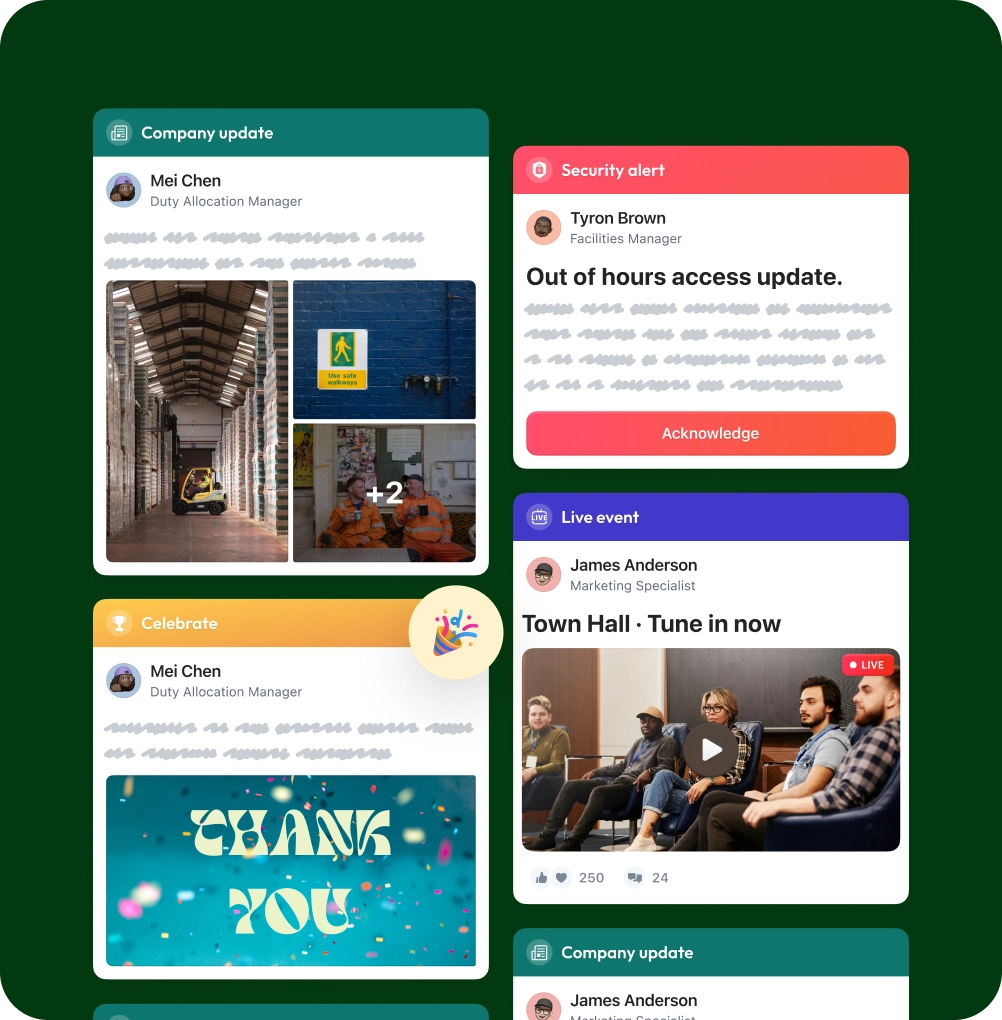
Dashboard showing company updates, security alert, celebration message, and live event with images of employees, a warehouse, safety sign, and a Town Hall meeting.

Target by role, site, region, or contract

Blasting every update to every technician trains people to ignore all of it. Facilities teams work across scattered sites, shifts, and client contracts, so a maintenance alert for one building means nothing to a technician three sites away. Blink lets you target communications by region, contract, building, site, role, or shift - so every technician only sees what's actually relevant to their job, and nothing else.
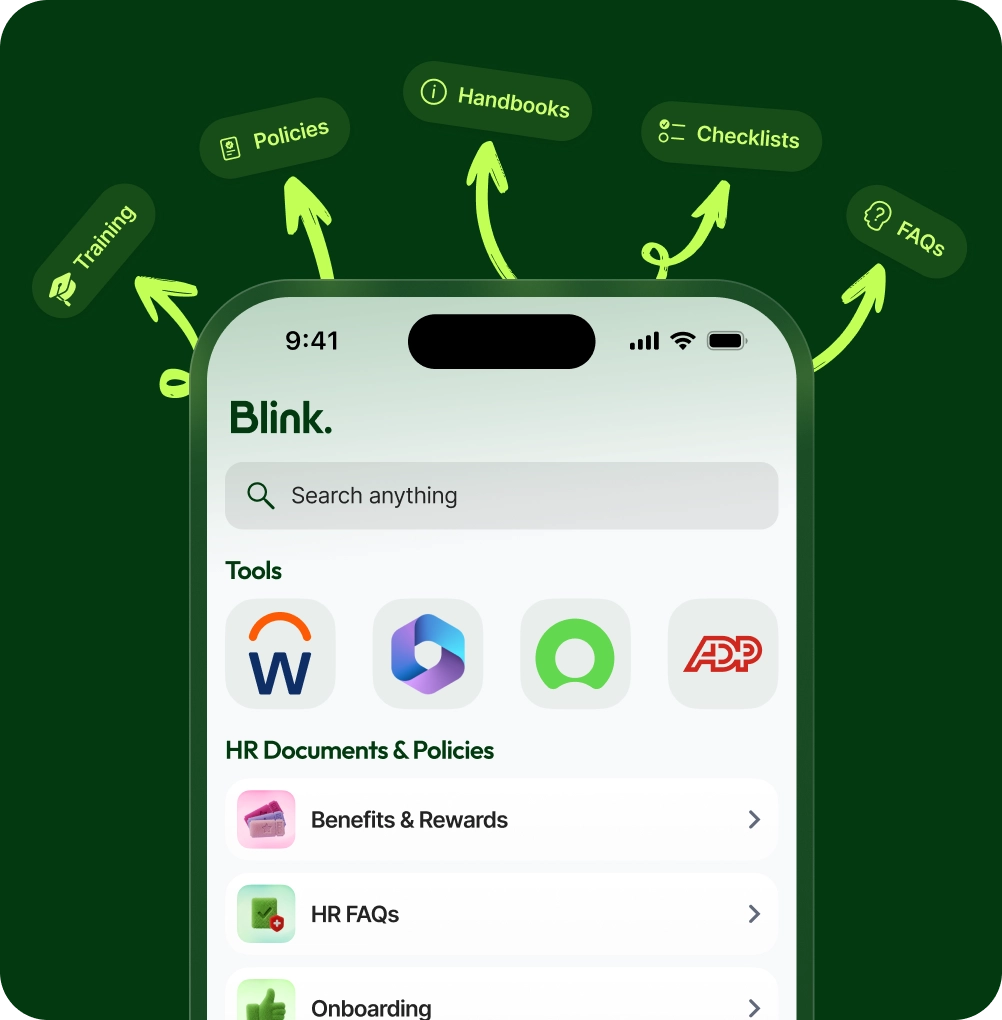
Mobile screen displaying Blink app with search bar, tools icons, and HR Documents & Policies list including Benefits & Rewards, HR FAQs, and Onboarding, surrounded by arrows pointing to handbooks, policies, checklists, FAQs, and training labels.

Connect everyday tools

Facilities technicians don't have time to hunt across five different systems between call-outs and job sites. Blink becomes the front door to the tools they already rely on, cutting down on extra logins, forgotten passwords, and confusion about where the information they need actually lives.

More resources for facilities and frontline teams

No items found.
No items found.
No items found.
No items found.
No items found.
Sort

Frequently asked questions

We already have a CMMS. Why do we need Blink too?

A CMMS tracks work orders. Blink makes sure the people doing the work actually see the update, understand it, and know what to do next - the part a ticketing system was never built to handle, especially for time-critical issues like the ones we cover in building a real emergency alert system for facilities teams.

Will technicians in the field actually use it?

Yes. Blink sees 91% adoption company-wide because it meets technicians where they already are, on their own phone, with no corporate email or desk login required.

How do we avoid this becoming another noisy channel?

Blink targets updates by site, role, region, and contract, so technicians only get what's relevant to their job, not every alert going out across the whole business.

Can Blink support our distributed, multi-site structure?

Yes. Blink is built for exactly this - scattered sites, shifts, contracts, and regions, all managed from one platform with targeting built in from the start.

What app do facilities teams at the NHS and McDonald's use?

Blink!