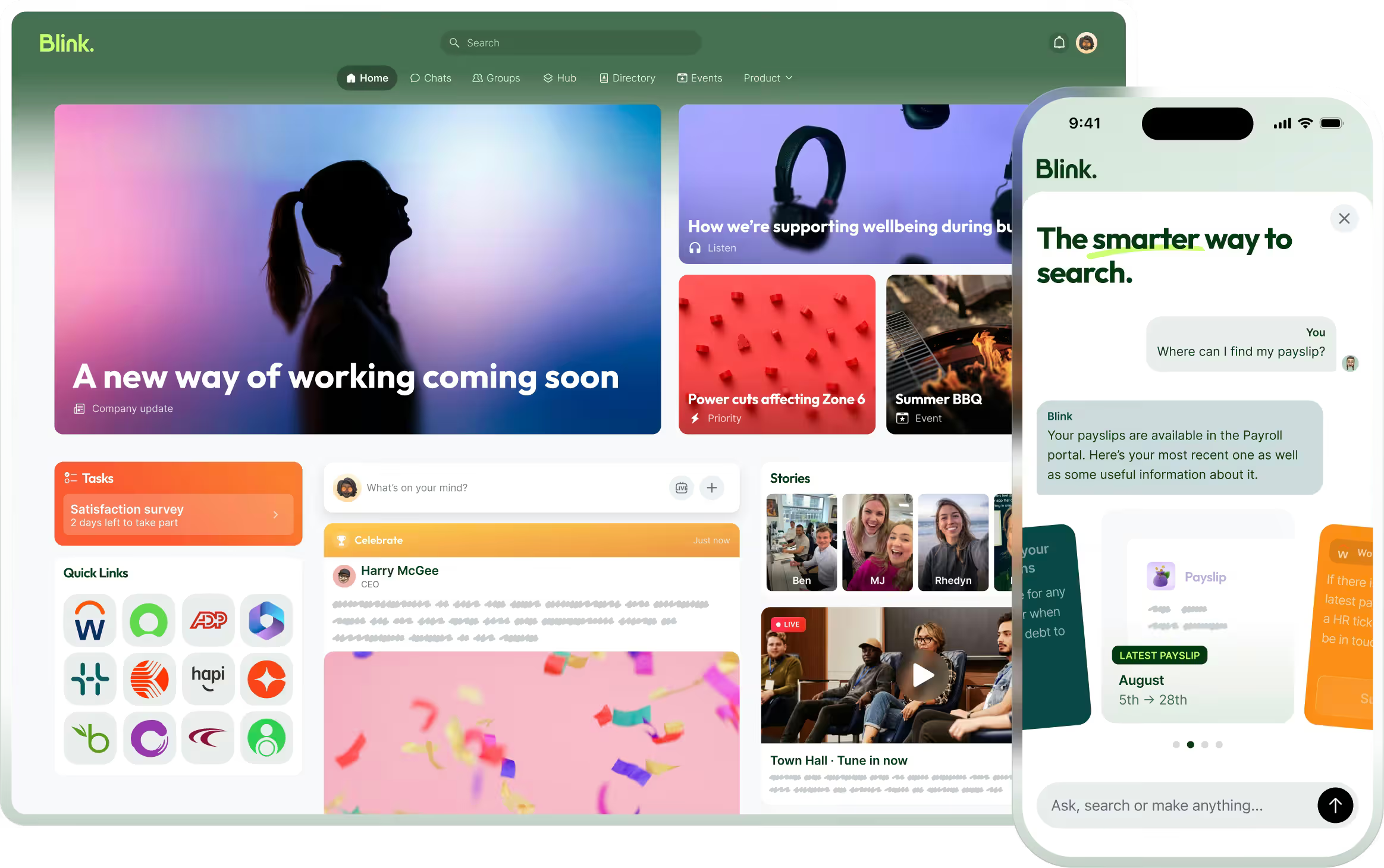
At Blink, we’re continuously evolving our employee experience platform to meet the dynamic needs of organizations and their diverse teams. Our Spring 2025 product release showcases the newest features that will soon be coming to the Blink platform.
Staying true to our commitment to exceptional employee experiences — whether in the field or at the desk — we’re thrilled to introduce our latest innovations. These new features are designed to reshape how employees connect with their organizations and with each other.
From reimagining our Hub experience and to powering event management, these updates are built to create a more curated and connected digital workplace.
{{whats-new-in-blink-spring-2025="/callouts"}}
#1. A new digital era of event management
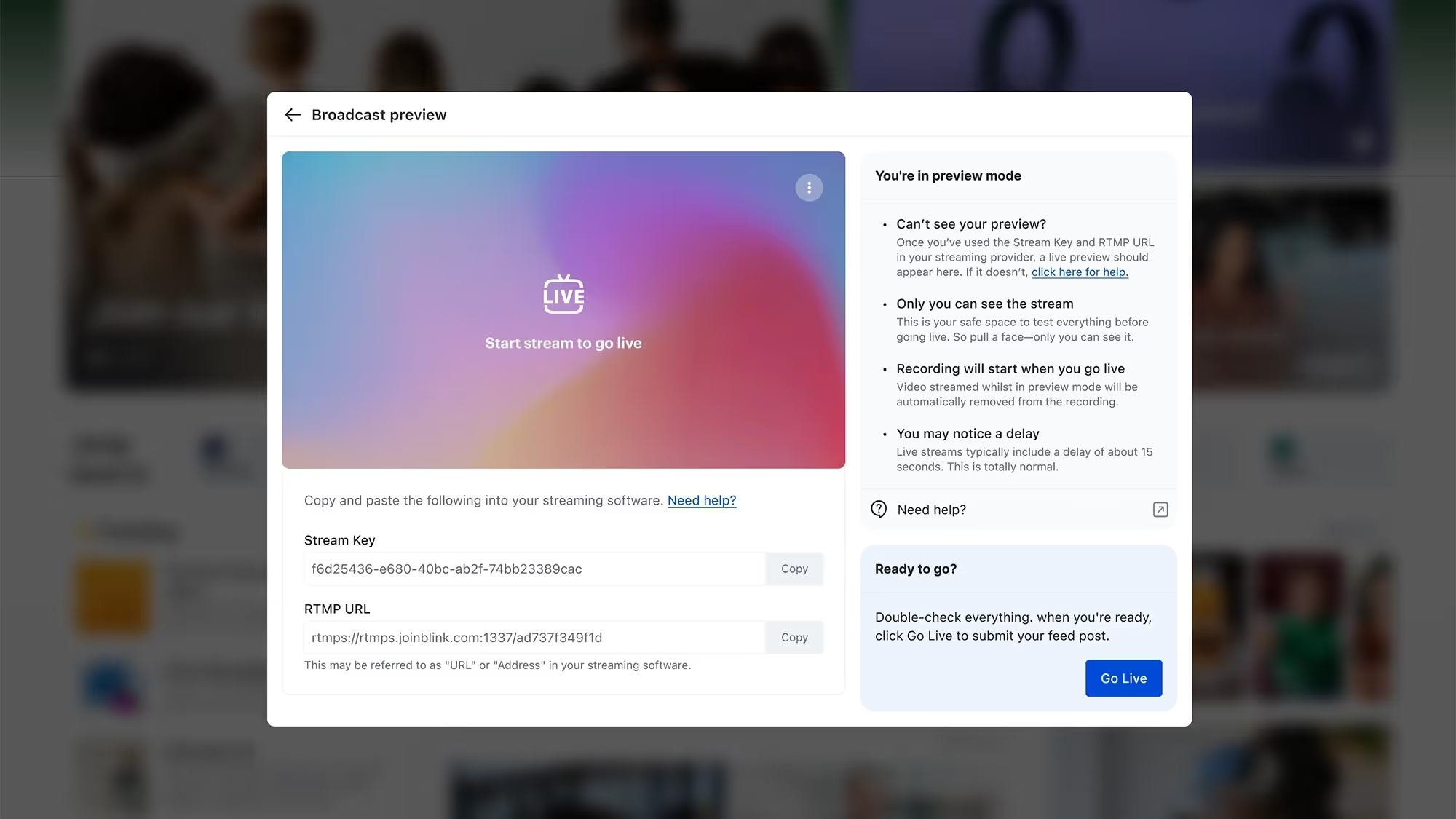
We’re excited to introduce a smarter way to plan, promote, and manage company events — so you can keep employees informed and excited, whether they’re in the office or on the go.
With a dedicated events homepage, format-inclusive setup (in-person, virtual, and hybrid), and calendar integration, hosting employee events for your organization has never been easier.
What’s new:
Effortless setup: Create an event in just three steps using the web-based event wizard.
Target the right audience: Choose which users and groups can discover and engage with your event.
Planned promotions: Schedule event reminders and promotions using the post planner.
Smart RSVPs: See who’s attending, undecided, or declining — and send reminders with a shareable link.
Easy editing: Hosts can update details and manage attendees with flexible permissions.
Alias support: Choose to host events under an alias for a consistent brand experience.
{{mobile-events="/image"}}
#2. Smarter folder sharing in the Hub
We’re upgrading folder permissions in the Hub to give you more flexibility — without the workaround. It’s a small but mighty update that will make managing shared content simpler and smarter.
What’s new:
Custom permissions for child folders: Set unique access rules without duplicating parent folders.
Cleaner structure: Organize content your way, with better control over who sees what.
#3. A new page change log to track updates
We’re adding a change log to pages in the Hub, making it easier than ever to track edits, stay aligned, and maintain trust in your shared content.
Whether you’re managing shift protocols or company-wide announcements, the new page change log will help you keep your information up to date — and your teams on the same page.
What’s new:
Full edit history: See who made what change and when, with clear timestamps and author details.
Built-in transparency: Empower teams to confidently collaborate, knowing there’s a reliable audit trail.
Content you can trust: Perfect for policy updates, team documentation, and any page that will be regularly changed or updated.
{{mobile-hub="/image"}}
#4. A richer page editing experience
We’re upgrading the editing experience in our app to help you create more beautiful, engaging pages — perfect for everything from team wikis to onboarding docs. And we’re excited to roll out even more formatting options and editing tools soon.
Whether you’re building a company knowledge base or crafting the perfect announcement, pages will now be easier to customize (and better-looking) than ever.
What’s new:
Content organization: Add and format tables effortlessly
Visual components: Embed images and videos directly into your pages
Ultimate ease of use: Enjoy a smoother, more intuitive drag-and-drop experience
#5. A more curated Communities experience
We’re expanding the power of Communities with new controls that help you shape more intentional spaces — so the right people see (and join) the right Communities, every time.
From social groups to ERGs, these updates will give you the flexibility to support meaningful, relevant communities across your organization — while keeping the experience simple, engaging, and fun.
What’s new:
Flexible visibility: Control who can discover or access each Community without making it strictly private.
{{mobile-community="/image"}}
#6. A refreshed mobile navigation to find what you need faster
We’re streamlining mobile navigation to help users get where they’re going — quicker and with less tapping. This simple change will make a big difference in how employees move through Blink on the go.
What’s new:
Cleaner layout: Now featuring four primary buttons — Feed, Chats, Groups, and Hub — plus a “More” menu for everything else. (For example, the new event management feature will live under the “More” menu!)
Smarter structure: Groups are front and center, giving employees faster access to the people and spaces they care about most.
At Blink, we’re continuously evolving our employee experience platform to meet the dynamic needs of organizations and their diverse teams. Our Spring 2025 product release showcases the newest features that will soon be coming to the Blink platform.
Staying true to our commitment to exceptional employee experiences — whether in the field or at the desk — we’re thrilled to introduce our latest innovations. These new features are designed to reshape how employees connect with their organizations and with each other.
From reimagining our Hub experience and to powering event management, these updates are built to create a more curated and connected digital workplace.
{{whats-new-in-blink-spring-2025="/callouts"}}
#1. A new digital era of event management
We’re excited to introduce a smarter way to plan, promote, and manage company events — so you can keep employees informed and excited, whether they’re in the office or on the go.
With a dedicated events homepage, format-inclusive setup (in-person, virtual, and hybrid), and calendar integration, hosting employee events for your organization has never been easier.
What’s new:
Effortless setup: Create an event in just three steps using the web-based event wizard.
Target the right audience: Choose which users and groups can discover and engage with your event.
Planned promotions: Schedule event reminders and promotions using the post planner.
Smart RSVPs: See who’s attending, undecided, or declining — and send reminders with a shareable link.
Easy editing: Hosts can update details and manage attendees with flexible permissions.
Alias support: Choose to host events under an alias for a consistent brand experience.
{{mobile-events="/image"}}
#2. Smarter folder sharing in the Hub
We’re upgrading folder permissions in the Hub to give you more flexibility — without the workaround. It’s a small but mighty update that will make managing shared content simpler and smarter.
What’s new:
Custom permissions for child folders: Set unique access rules without duplicating parent folders.
Cleaner structure: Organize content your way, with better control over who sees what.
#3. A new page change log to track updates
We’re adding a change log to pages in the Hub, making it easier than ever to track edits, stay aligned, and maintain trust in your shared content.
Whether you’re managing shift protocols or company-wide announcements, the new page change log will help you keep your information up to date — and your teams on the same page.
What’s new:
Full edit history: See who made what change and when, with clear timestamps and author details.
Built-in transparency: Empower teams to confidently collaborate, knowing there’s a reliable audit trail.
Content you can trust: Perfect for policy updates, team documentation, and any page that will be regularly changed or updated.
{{mobile-hub="/image"}}
#4. A richer page editing experience
We’re upgrading the editing experience in our app to help you create more beautiful, engaging pages — perfect for everything from team wikis to onboarding docs. And we’re excited to roll out even more formatting options and editing tools soon.
Whether you’re building a company knowledge base or crafting the perfect announcement, pages will now be easier to customize (and better-looking) than ever.
What’s new:
Content organization: Add and format tables effortlessly
Visual components: Embed images and videos directly into your pages
Ultimate ease of use: Enjoy a smoother, more intuitive drag-and-drop experience
#5. A more curated Communities experience
We’re expanding the power of Communities with new controls that help you shape more intentional spaces — so the right people see (and join) the right Communities, every time.
From social groups to ERGs, these updates will give you the flexibility to support meaningful, relevant communities across your organization — while keeping the experience simple, engaging, and fun.
What’s new:
Flexible visibility: Control who can discover or access each Community without making it strictly private.
{{mobile-community="/image"}}
#6. A refreshed mobile navigation to find what you need faster
We’re streamlining mobile navigation to help users get where they’re going — quicker and with less tapping. This simple change will make a big difference in how employees move through Blink on the go.
What’s new:
Cleaner layout: Now featuring four primary buttons — Feed, Chats, Groups, and Hub — plus a “More” menu for everything else. (For example, the new event management feature will live under the “More” menu!)
Smarter structure: Groups are front and center, giving employees faster access to the people and spaces they care about most.
As the nights grow longer and the shadows creep in, we can’t help but share some of the most terrifying tales from the world of internal communications.
These are the kinds of stories that send shivers down the spines of communications leaders everywhere — from abandoned intranets to the files that won’t die, each one serves as a chilling reminder of what happens when things go awry in the workplace.
But don’t worry, we’re not here to scare you for long. With the right strategies and technologies, you can avoid each nightmare scenario and ensure your employees are kept safe from the monsters of comms gone wrong.
So grab a mug of hot apple cider, curl up under a blanket, and read on, internal communicators… if you dare.
#1. The abandoned intranet
It’s a cautionary tale we hear all too often.
The company’s intranet, once a thriving hub of communication and collaboration, is now a digital ghost town. There was once a time when employees would check in daily for company news, office events, and team updates. Now, it’s a desolate, dusty corner of the office’s virtual space, where outdated files collect cobwebs and employee profiles haven’t been updated since 2016.
No one posts anymore. No one checks it. Rumor has it that some employees haven’t even logged in for years.
As workers find more convenient ways to communicate on the fly, the old intranet withers away, trapped in the past. No matter how hard HR tries to breathe life into it, the abandoned intranet remains a relic of a bygone era — an eerie reminder that if communication tools don’t meet modern employee expectations, they’re doomed to fade into oblivion.
#2. The phantom shift swap
The shift swap app was supposed to make everything easier. But for one bus driver, it felt like a terrifying prank.
She submitted a request to swap shifts, expecting a quick confirmation. But when the shift was approved, strange things began to happen. Her name appeared on two shifts at once. Overlapping schedules. Double bookings. No matter how many times she tried to fix it, she was stuck in an endless loop of conflicting shifts. Her manager said she tried to adjust the schedule, but the terrors persisted. Colleagues wondered if she’d been cursed to work two shifts at the same time, forever trapped behind the wheel.
As the errors mounted, it became clear that this was no ordinary scheduling issue. It was a haunting glitch with no escape in sight.
The only way to help her escape this scheduling nightmare was a shift management tool with real-time integration into the comms platform — no room for terrible errors.
{{mobile-shifts="/image"}}
#3. The curse of the social scrolls
You’ve heard of the risks of “all work and no play” — but what about the other way around?
There was once a company who launched a social media-inspired internal platform to modernize the employee experience. It had it all — likes, shares, comments, and the ability to follow colleagues’ posts. Employees were thrilled, treating company updates like their favorite social media feeds.
But then, things took a terrifying turn.
It all started when a routine update on workplace safety spiraled into a viral nightmare. A sarcastic comment sparked a meme storm, and soon, the original message was buried beneath a graveyard of reactions.
Notifications haunted inboxes. Critical information got lost in the noise. Announcements became a race for likes and important deadlines were ghosted as employees spent time conjuring clever comments or trying to win thread wars.
The only way to save the team from this cursed scrolling nightmare was to strike the balance between employee engagement and efficiency — where important messages were prioritized and light-hearted engagement didn’t overshadow critical work updates.
{{mobile-mandatory-reads="/image"}}
#4. The cursed CEO email
Legend has it that whenever the CEO sends a company-wide email, chaos ensues.
The email arrives without warning. Employees feel a chill run down their spines as they open it. Suddenly, meetings are scheduled, projects are assigned, and urgent tasks appear out of nowhere. Everyone has that sinking feeling — you’ve just been “voluntold” for something new.
But the worst part? The email sits in your inbox, lingering, waiting for the poor soul who dares to click “Reply All.” And when they do, chaos breaks loose — a flood of unnecessary responses, confusion, and frantic attempts to undo the damage.
It’s a curse that haunts the office every time, and no one seems to learn the lesson. Some say that targeted messaging and group filters are on their way, ready to rid the company of frightening follow-ups… but then another all-employee email arrives and all hope of progress is lost.
5. The forgotten frontline worker
The newest member of the shipping team was excited to join the company — but something was off.
As the weeks passed, he couldn’t shake a deep feeling of total isolation. He never received the onboarding checklist that he was told to complete. He sent messages to his colleagues, but no one responded. The company’s communication channels were a maze he couldn’t navigate. He tried joining the team’s video call, but every attempt resulted in error messages.
The more he tried to reach out, the more he realized — he was completely alone in the company’s communication void. It was as if no one knew he existed.
As he worked the quiet aisles of the fulfillment center, he began to wonder if he was doomed to wander the similarly empty virtual hallways of the company, disconnected and invisible.
A simple mobile-first comms platform, intuitively designed to onboard frontline and remote workers smoothly, could have saved him from this forgotten fate.
{{mobile-recognition-post="/image"}}
#6. The jump scare alert
Every time the company intranet sends a new notification, employees flinch.
It’s never good news. The dreaded ping of a new notification means another last-minute all-hands meeting, a new policy change, or another round of mandatory compliance training. No one is safe from the frenzy of pings, dings, and buzzes, each one causing a ripple of jump scares throughout the employee base.
The never-ending notifications aren’t just constant, they almost feel cruelly timed — catching workers off guard during lunch breaks, late-night shifts, or right when they’re about to clock out.
Each alert leaves employees with a sinking feeling. What fresh horror awaits?
The employees often look into the distance and share stories of friends whose employers use message segmentation and smart notifications to personalize alerts and reduce irrelevant pings. “If only we were so lucky,” they whisper into the abyss.
#7. The files that won’t die
It started with an innocent attempt to delete an outdated HR file.
But no matter how hard the HR team tried, the file kept coming back, plagued by ghostly glitches. They uploaded a newer version, yet “Benefits2024” turned into “Benefits2024_v2,” then “Benefits2024_FINAL,” then “Benefits2024_FINALFINAL.” It didn’t matter how many versions she created — the old files returned to haunt the intranet, filling up space and confusing employees. Soon, the page was cluttered with so many versions, no one knew which file was the real one anymore.
It was a digital graveyard of files, and there seemed to be no way to stop the nightmare.
These haunted files could only be put to rest in a dynamic content hub where other systems and tools integrated with ease — leaving the intranet free from undead debris. {{mobile-hub-safety="/image"}}
#8. The dreaded “let’s split up” slip-up
In an effort to cover more ground and engage employees where they are, the internal comms team made a fateful mistake: they split up into different task forces.
They had specific groups for HR updates, operations, and company culture. Instead of coming together to create a unified message, each team worked in silos, unaware of what the others were doing. Emails flooded employees’ inboxes — some with safety updates, others with event invites, and still more with policy reminders.
Before long, messages contradicted each other. Employees grew confused, overwhelmed by the sheer volume of communications. They didn’t know whose emails to prioritize, which deadlines were real, or where to turn for accurate information.
The split had fragmented not just the comms strategy, but the workforce itself.
If only the team had used a modern all-in-one comms platform, where unified company-wide and targeted messages could be sent with ease, they could have avoided this chilling fate altogether.
#9. The faceless leader
There’s a chill in the air whenever a company-wide message arrives from… The Leader.
No one knows who they are. No one’s seen their face or heard their voice. All they know is that every few weeks, a cold, impersonal email appears in their inboxes, filled with company updates, policy changes, and new directives. The messages are distant, robotic, and completely one-sided. Employees can’t reply. They can’t ask questions. They can’t even tell if The Leader knows what’s really going on at the frontline.
The faceless leader simply delivers information, never seeking feedback, never engaging in conversation. It feels like a ghostly figure hovering over the organization, whispering commands from the shadows.
The team grows frustrated, morale dips, and engagement begins to vanish into thin air.
With a comms platform that encourages two-way dialogue, maybe The Leader could finally step out of the shadows, engage with employees directly, and build trust. Until then, employees are left haunted by the eerie silence on the other end of the message.
Don’t let internal comms frights keep you up at night.
While these spooky stories may send a chill down your spine, they don’t have to haunt your workplace.
With the right internal communication tools — from mobile-first apps that keep everyone in the loop no matter where they work, to message segmentation that prevents information overload — you can save your employees from these hair-raising horrors.
This Halloween, don’t let outdated technology, disjointed messaging, or phantom notifications haunt your team. After all, internal comms should unite — not cause fright.
Blink. And deliver all treats — no tricks — with your internal comms this Halloween season.
Alison has been with Aggregate for nearly four years, and is Factory Manager for the Concrete Products department.
Alison is that one person you can go to when having a bad day. She’s always so inspirational even though there have been hard times in her life. Even when there are mistakes or hiccups in the factory, she will always bounce back and be the first one to lend a hand or an ear to help in whatever way she can.
With a personal motto of “never stop trying to be better,” she is passionate about breaking barriers to create a future that is inclusive, productive and effective, which is clear in everything she does.
What does she want to do next?
Alison wants to progress onto a Regional Operations Manager Role.
Ren has been making her mark at Blink for over a year, helping to power our Revenue Operations function with a sharp analytical eye and a strong command of tools like SQL and Python. Based in our London office, she’s been a driving force behind smarter systems, cleaner data, and smoother cross-team collaboration.
We caught up with Ren to hear more about what drew her to Blink, the projects she’s proud of, and how being part of a fast-moving, mission-driven team keeps her inspired every day.
Which Blink office do you work out of?
I'm based in the London office.
What is your position at Blink?
I work as a Revenue Operations Analyst.
How long have you been at Blink?
I’ve been at Blink for just over a year now!
What initially attracted you to join Blink?
Honestly, it was the product that really stood out to me. I really connected with Blink’s mission of helping frontline employees stay connected. I had previously spent some time working in education as a teacher, so I saw first-hand how valuable something like Blink could be. I remember thinking, “If I had this as a teacher, I would’ve loved it.” That real-world application really sold it for me.
What confirmed I’d made the right choice was during the interview process. I got to meet my future team and was thrown straight into a collaborative SQL task. That experience representedthe collaborative nature of the environment at Blink and it immediately felt like a team I wanted to be part of.
What's a project you are proud of from your time at Blink?
Rather than one specific project, I’d say I’m proud of how much I’ve grown my technical skills. I’ve had the chance to work on projects that pushed me to master tools like SQL and Python. It’s been amazing to not only learn those languages but to use them daily and feel confident doing so.
One of the biggest challenges early on was finding the time and headspace to fully focus on that kind of technical development. But as a team, we tackled that by introducing dedicated Hackathon days, which gave us uninterrupted time to solve complex problems and upskill together.
The impact of this has been really rewarding. A lot of the work I’ve done in Rev Ops has helped bring critical data into the hands of our go-to-market teams, enabling them to better connect with customers and prospects. Most recently, I’ve been using SQL and Python to help build out parts of our very own internal “Blink ChatGPT” tool!
How would you describe the company culture at Blink in three words?
I would describe the Blink culture as fun, motivating, and challenging.
Fun because the social side of Blink is genuinely brilliant. We’ve had some amazing team events — from the Crystal Maze experience to crazy boules, an F1 simulator, and even a speedboat ride along the Thames. These moments really help bring people together and build strong bonds across teams.
Motivating because you’re constantly surrounded by incredibly smart, driven people who are all deeply invested in the success of the company. Being around colleagues who genuinely care pushes you to bring your best every day.
Challenging because the pace is fast, and the problems we’re solving are complex. Those challenges have also been the most rewarding and have accelerated my growth more than I expected.
What's one thing you're excited about for the future of Blink?
I’m really excited to keep seeing us sign big, well-known customers. Every time we bring a large name on board, it’s a huge morale boost across the company. It really shows how strong our product is. A standout for me was when we signed McDonald’s — such an iconic brand choosing us felt like a major moment. I’d like to see us continue to expand into the retail market. Another big fashion brand would be really exciting. It’s a sector where our impact could be huge, and there is a lot of potential there.
Can you tell us about a recent initiative or program launched at Blink that you found particularly exciting?
The first thing that comes to mind is all of the work that has gone into the upcoming summer party. I think it’s going to be an amazing event — not just for us internally, but for our customers too. It’s a brilliant opportunity to bring everyone together, share best practices, and show off what makes Blink such a great platform. Events like this really spotlight our culture and our community.
Since joining Blink, I’ve also had the chance to be part of three customer launches. It’s been incredibly rewarding to meet users in person and see the real impact our platform has on their day-to-day work. This definitely motivates me in the work that I do at Blink.
Why do you work for Blink?
I work for Blink because, as I’ve said before, I believe in the product. I think it’s an incredibly impactful software that helps a huge number of people. Another thing I appreciate is the variety in my role — it keeps the work dynamic and engaging. I get to work across lots of different teams at Blink, from operations to technical projects. That mix keeps things exciting. Plus, the atmosphere here is genuinely great. If I had to pick a favorite team to collaborate with, I’d say the sales team. They’re always full of energy, very motivated and really fun to work with. I’m grateful that I get the opportunity to collaborate with them.
We slip words like these into conversations with ease. New technology has become part of our bread-and-butter vocabulary, without quotation (or question) marks.
Healthtech, on the other hand – that feels a bit more niche. Or it did, until Covid-19 made us sit up and pay attention.
24 months into the pandemic, nobody needs a lecture on the importance of healthtech; it’s staring us in the face. But health tech didn’t emerge on-the-fly in response to the Covid crisis. It’s been around for a long time.
And it’s big business. In 2017, Forbes valued the digital healthcare industry at an astounding $25 billion globally. They believe that number will skyrocket above $379 billion by 2024.
We all know that healthtech helps predict the spread of diseases, track pandemic outbreaks, and contain them. But there are other new developments in the future of healthcare that will change the way we live.
What is healthtech?
Right now, healthtech (also known as digital health) is the fastest-growing verticle in healthcare. It refers to any product or service that's enabled, or revolutionized by, technology. So far, so Sci-Fi. But healthtech is all around us already...
Wearables
Yep, you’ve already got this one. Fitness trackers (like FitBits) are health wearables. We like knowing we've put in my 10.000 steps. But other types of knowledge about what’s happening in our bodies can be more vital. For some people, it’s their heart rate; for others, their blood pressure, or their oxygen supply.
Continuously measuring these things makes a huge difference for people with chronic conditions. And these wearables don’t just make the invisible visible; they also act as a kind of coach. They empower wearers to become active participants in managing their health condition. Immediate feedback from a wearable can change habits; habits can change health; and health saves lives.
Wearables are particularly relevant in the time of Covid-19. But they will continue to be so well beyond it, as part of a bigger drive towards preventative or pro-active health care.
3D-printed prototypes
3D-printing technology still sounds far-fetched. But it’s here, and it’s a quiet revolution in healthcare. Technology like this can create everything from personalized prosthetics to bio-tissues and blood vessels, at a fraction of the past cost. It transforms organ transplants and tissue repair. It can even produce realistic skin grafts for burn victims.
In 2020, researchers at the Rensselaer Polytechnic Institute in Troy, New York, managed to develop a method for printing 3D-print living skin, along with blood vessels.
Blockchain for electronic healthcare records
Blockchain and the future of healthcare? Not obvious at first. But think of electronic health records, and how important it is to keep those accurate and safe.
Blockchain technology can play a key role in ensuring that medical records are 100% accurate. It also makes them significantly harder to hack. Conflicting information is automatically detected, thanks to a decentralised network of computers. And blockchain not only helps prevent data breaches; it also cuts costs.
So it’s no wonder that many health and pharmaceutical companies are investing in blockchain technology. A recent report put the blockchain health market at $890.5 million by 2023.
Artificial Intelligence
Artificial Intelligence (AI) is a key driver in health tech. We already see it in chatbots and virtual health assistants that act as diagnostic tools, and even as therapists.
But the real power of AI becomes clear in areas like precision medicine. In the past, many cancer patients received cookie-cutter treatments with high failure rates. Because of AI, we now have more personalised treatments, based on individual genetics and lifestyle factors, amongst other things.
And finally, two of the things AI is exceptionally good at is Pattern Recognition and optical character recognition. That means it can analyse large amounts of cancer images that help recognise and diagnose cancer. One famous example of this is Google’s DeepMind, which created an AI for breast cancer analysis. The algorithm outperformed human radiologists on pre-selected data sets to identify breast cancer, on average by 11.5%.
The market value of AI for future of healthcare worldwide? $34 billion by 2025.
VR/AR
Most of us are already familiar with this technology. Immersing yourself in a simulated environment is fun. But it can also be a therapeutic tool. For instance, VR environments help train people to deal with mental health triggers safely. Post-Traumatic Stress Disorder (PTSD), Bipolar Disorder. Covid-related Stress and Anxiety are now being treated this way.
The training potential of VR is – well, awesome. Take surgeons, for instance. A recent Harvard Business Review study showed that VR-trained surgeons had a 230% boost in their overall performance.
Compared to their traditionally-trained counterparts, they were both faster and more accurate. At Case Western Reserve University, students learn via a VR-based HoloAnatomy app. This offers detailed and precise experience without the need for real bodies.
Top 4 emerging healthtech trends for 2022
In light of the Covid pandemic and rapid growth in remote work, safeguarding your workers has become a mandatory part of doing business. This means you’re now also looked upon to bring in measures like:
By making these types of smart technologies accessible to your workforce, you can give way to improved safety standards and early alerts that reduce the risk of contagious threats. Keep track of these trends to keep your employees safe in 2022 and beyond.
identify opportunities to leverage them for your organization going forward.
Virtual care and remote medicine are on the rise
You drive to the doctor. You sit in a waiting area for ages until your name's called. When your appointment finally happens, it's a few questions, a prescription, and you're sent on your way. You wonder why you spent so long commuting for a matter of minutes.
Sound familiar?
That's why virtual care is replacing minor in-person appointments. The past two years have further accelerated this trend, leading to an increase in virtual visits or telephone consultations.
According to a recent McKinsey study, the number of people using telehealth rose from 11 to 46% during the pandemic. It further predicts that telehealth would account for $250 billion — 20% of the US healthcare spending in near future.
Virtual care not only reduces the risk of spreading contagious diseases but allows healthcare professionals to fit more consultations into their daily schedules. This is a vital factor for highly populated nations facing a shortage of medical professionals, such as India and China.
Genomics and gene editing lead to further breakthroughs
Before you get all excited — no, we haven’t figured out how a spider’s bite can turn a normal kid into spiderman.
But the good news is that there've been significant breakthroughs in gene editing, accelerating the development of different types of "precision medicine."
This means drugs can be tailored to the genetic profile of each patient, enhancing their effectiveness and minimizing side effects.
Precision medicine is already used in many ways, one of which is 'lab on a chip' — a technology that allows fast detection of Covid. It’s a hand-held device that can detect if someone is infected with better accuracy than conventional signals such as fever and coughing. So, it can go a long way in getting our lives back to normal.
Data and AI drives shift to fairer healthcare insurance and coverage
With all the strain that the coronavirus pandemic has put on our healthcare resources, you’d think it must have grown the bottom line too. Surprisingly, that’s not the case. In the US, healthcare revenues fell by 50% as patients avoided surgeries and hospitals.
But the silver lining in midst of all this is the revelation that people are willing to share their personal data when it’s a matter of their health. This is evident from how much people have engaged with track-and-trace systems.
The more data people share with health services, mobile apps, and online systems powered by AI, the more accurate picture healthcare providers will have of their well-being, along with a sense of when they should intervene. Not just that, it helps healthcare providers forecast the most efficient way to deliver their services.
This also matters from a financial perspective because other entities such as insurance companies can use advanced predictive technologies to measure risk and set premiums more accurately.
AI, IoT, and Smart Cities improve our ability to detect and respond to future outbreaks
If the pandemic has taught us anything, it’s that we were embarrassingly unprepared to deal with an outbreak. And we should have a collective, predetermined strategy if something similar happens in the future.
A key part of this strategy is the concept of “Smart Cities," powered by artificial intelligence (AI) and the internet of things (IoT). According to Statista, global revenue from smart city projects is estimated to reach $129 billion in 2021.
The idea of a smart city is based on incorporating digital connectivity and data-driven decision-making at our respective locations. And its applications extend to many areas such as:
Energy distribution
Public transportation networks
Refuse collection
Environmental health initiatives
It’s not just the organizations that are becoming health-care oriented, but also city planners and municipal authorities. These government bodies are now allocating resources to develop technologies that can help us predict, detect and prevent pandemics.
Another major focus is environmental health. Tech-driven initiatives are being put in place to reduce air pollution and build resilience to the effects of climate change, including the rise in sea level and temperature..
Conclusion
Even if most of your workers are remote, don’t think for a second that your health concerns are over. They now require even more attention because you don’t have the luxury of regular, face-to-face contact. It’ll be hard for you to tell when your employees are burning the candle at both ends. So you still need to support the mental health of employees as they perform their duties in the field, or from home.
That’s where the healthcare technology trends we outlined can help. There are several health apps available for professionals to monitor physical activity, practice meditation, set reminders for breaks, water and exercise, and so on.
The only way to avoid setbacks that can take you by surprise is to stay on top of the latest trends and innovations. The faster you can respond to relevant changes in your industry, the better for your organization.
We’ve rounded up the seven top training programs that will help boost morale, foster collaboration, and increase productivity for your staff. From interactive workshops to online employee engagement courses, these programs offer something for everyone.
Whether your team is new or experienced, office-based or deskless, there are plenty of options available to help create an engaged workforce.
So let's dive into what the best employee engagement training programs are, what they offer, and how they can benefit your organization.
Choosing the best employee engagement training courses
A great employee engagement course should provide teams with a comprehensive understanding of how to create an engaged workplace environment.
It may include a range of topics covering effective communication practices, problem-solving strategies, team-building exercises (that don’t make employees squirm), and more strategies that create highly engaged employees.
They may also offer special features such as a dedicated tutor support service, unlimited online email support, certification upon completion, real-time feedback on learning, resources to help employees create tangible goals and objectives, and interactive tools that can be used in the workplace.
To choose the right employee engagement program for your organization, you should assess and compare who the course is made for and what the content of the course is, alongside the:
Cost
Length
Location
Credit awarded
By assessing these four elements, you can make a more informed decision about which program is best suited to your team’s needs.
What to look for in employee engagement training for managers
Before you can select a training program for managers, it’s important to know what factors to consider for your leadership team. Employee engagement training is essential for even the most high-performing managers, especially frontline managers, as their impact has the unique advantage of cascading effects throughout their entire team.
Cost varies greatly, especially given the number of remote learning and development options available. While eLearning courses are typically more affordable and easily worked into a manager’s schedule, in-person courses offer the benefit of interaction, personalized feedback, and, often, more in-depth practice.
It’s also important to consider whether you, your C-suite, management teams, and HR professionals value certification or credit hours for the time undertaken. The accreditation may add value and incentive for course engagement, as well as the name of the institution offering the training.
Two common HR management organizations that accept credit hours for professional certification are SHRM and HRCI.
You should also consider whether your managers will feel more compelled to complete the learning experience offered by a big name like Harvard to make up for the additional expense.
Additional considerations for choosing an employee engagement program
If you have a frontline workforce, be sure to look for a program that can be easily accessed on mobile devices or through an app with audio lessons available. This will ensure employees can access the course anytime, anywhere, helping you bridge the frontline connection gap.
Additionally, consider the size of your organization and budget. If you have a large team, you may want to look into programs with bulk discounts or offering free training resources. On the other hand, if you’re a smaller business without many resources, eLearning courses may be more cost-effective due to their convenience and lower investment needs.
With digital inclusion now crucial to the modern workplace, it's important to assess the ease of use and accessibility of any courses you choose. Are they easy for team members to access and navigate, or do they require any specific software?
Now that you know what to consider before selecting a program for management let’s go over some of the best employee engagement training programs available today.
The 7 best employee engagement training programs
1. Gallup engagement champions
Workplace advisory and polling group Gallup offers a Creating an Engaging Workplace for Engagement Champions course to help anyone in a leadership position foster a more engaging workplace and support higher productivity.
The course's primary focus is educating higher-level leadership on how to best help their mid-management increase team engagement. There are also practical takeaways for HR professionals or managers themselves.
Cost: $3,000.
Length: Two days.
Location: In-person and virtual.
Credit: The in-person course earns professional credit hours from HRCI (14.5) and SHRM (14.5).
The six-hour course focuses on actions managers can undertake that inspire workers to put forth their greater discretionary effort. The emphasis is on practicing emotional empathy that delivers a long-lasting culture of engagement.
Cost: $699.
Length: Three two-hour sessions.
Location: Virtual.
Credit: It offers professional credit hours — 5.5 HRCI (5.5) and SHRM (5.5).
3. LSA Global
LSA Global’s employee engagement training personalized course focuses on accountability, change-readiness, and engaging purpose (ACE) as the foundation for a greater level of engagement and business clarity.
Cost: Available upon request.
Length: Two-day workshop.
Location: In-person.
Credit: None.
4. DecisionWise
Engagement technology provider Decision Wise offers an online engagement training program called Engagement Magic.
The training covers the importance of employee meaning, autonomy, growth, impact, and connection for engagement and educates learners on fostering these attributes through various employee engagement strategies.
There is a large emphasis on building positive company culture through effective communication and conflict resolution.
Cost: $2,895.
Length: Two consecutive days.
Location: In-person.
Credit: Credit towards Harvard’s Certificate of Leadership Excellence in Leading Teams.
6. eCornell
Cornell’s online educational division strategic engagement course is ideal for managers looking for more training in the quantifiable aspects of employee engagement.
The course teaches methods of measuring employee engagement, like employee engagement surveys, and guides managers through building engagement initiatives to combat disengagement based on organizational data.
Cost: Available upon request.
Length: Two weeks, two-to-five hours per week.
Location: Virtual.
Credit: Credit towards Cornell’s Strategic Human Resources Leadership Certificate.
7. LinkedIn Learning
LinkedIn Learning offers various employee engagement training courses for managers through its catalog of user-generated lessons.
Self-paced pre-recorded lessons like this one on Employee Engagement are a highly accessible training resource for organizations of all sizes.
Cost: $34.99 for a single course or $19.99/month.
Length: Varies.
Location: Virtual.
Credit: Online certification and continuing education credit to SHRM (1.25) and HRCI (1.25).
The value of employee engagement training for managers
According to Gallup’s State of the Global Workplace: 2023 Report, just 31% of employees in the US and Canada are engaged – and that's the second-highest in the world! As such, it makes sense for implementing engagement strategies to be one of your organization’s largest retention priorities.
Typically, most think of across-the-board engagement tactics like benefits, salary, and advancement opportunities. But when it actually comes down to increasing everyday engagement and profitability, as Gallup explains, the best bet is focusing on some of the most critical players in your team: your managers.
They understand each employee’s career goals, strengths, and opportunities for improvement. Managers help shape the culture that can make or break an employee’s experience.
Despite their essential role in increasing the number of engaged employees, few managers are naturally good at navigating the nuances of managing people.
Why? Well, we know that many managers make their way to a management role because of experience in their industry (as practitioners) rather than their experience leading people.
They might be a very experienced warehouse manager, but if they haven't got years of experience managing other warehouse managers, then this kind of training can add a huge amount of value in increasing team-wide employee engagement.
With nearly 70% of frontline leaders expressing interest in developing their leadership skills, a lack of this training can cause growing leadership development gaps in your organization.
On top of this, without training to improve the specific leadership skills required to be a strong manager, there can be potentially disastrous consequences when it comes to engagement and overall employee retention.
In fact, after surveying 3,000 American workers,GoodHire found that 82% of them said they would potentially quit their job because of a bad manager. For that reason alone you may want to consider management employee engagement training as part of your wider L&D efforts.
After all, if you can train managers to increase employee engagement, then you can unlock all the key business benefits that come from having a more engaged workforce, making employee engagement training for managers well worth the investment.
What’s next for frontline managers?
Choosing the right employee training method and investing in the right technology are crucial actions for business leaders wanting to boost engagement.
Hopefully, this guide gave you a better understanding of the considerations to keep in mind when selecting an employee engagement training program and highlighted some of the best ones available today.
After equipping your employees with the right training programs, the next step is to seek the best tools in the industry. Blink’smobile-first frontline engagement super-app is the perfect all-through tool for any organization wanting to boost employee engagement.
With a suite of features designed to connect your entire workforce, Blink can help your business drive optimal performance and engagement from every member of your team.
With Blink’s Content Hub, employees and managers can access any training documents and company procedures from the palm of their hands, making any employee engagement training initiatives more effective and accessible for you in the long-run.
At first glance, it seems that internal communications and external communications couldn’t be more different.
External communication is all about sharing your brand and its messaging with people outside of your organization. This includes customers, stakeholders, and investors.
Internal communication is focused on sharing key company developments with people inside your organization. It gives employees the information they need to do their jobs effectively.
Because of this primary difference between internal and external communication, many companies treat these two forms of corporate comms as separate entities. They fail to see how their approach to external comms can inspire a better kind of internal communication.
Here, we challenge that thinking. We look at the similarities and differences between internal and external comms — and share some ideas for improving internal communication at your organization.
Similarities between internal and external communications
Let’s start by looking at all the things internal and external business communication have in common.
External communication is how you share your brand with customers and stakeholders. It’s how you convince people to trust in your brand and buy your products or services — and it has a clear impact on your bottom line.
Internal communication is aimed at your employees. It supports day-to-day operations and helps you build a strong company culture. The link may not be as obvious but internal communication also has a big impact on your company’s profitability.
That’s because, when you communicate effectively with employees, you stand to improve productivity, the customer experience, employee engagement, and employee retention, all of which affect company profits.
Therefore, both types of communication are essential to an organization — and both require a detailed schedule and strategy.
Selling the brand and what it stands for
You can use external and internal communication to sell your brand to respective audiences.
To your external audience, you sell your external brand image. You show customers and collaborators what makes your brand unique — and why they should pick you over your competitors.
To your internal communications audience, you sell your employer brand and company culture. You remind employees why your company is such a great place to work.
Comms content differs depending on your audience. But there’s a guiding principle to bear in mind. Selling your brand is easier when you create an emotional connection between your organization and your audience.
To do this, creative visuals and persuasive copy can do a lot of the heavy lifting. But you should also communicate a brand purpose that goes beyond increasing profits. You should highlight your company’s social purpose to both internal and external audiences.
You can take things further with your internal comms. Clearly communicate your purpose, values, and strategy to employees. This helps your staff find meaning in their work — and understand how their efforts contribute to business goals — which means better motivation.
To align employees with your purpose, values, and strategy, focus some of your internal communications plan on the following:
Making your senior execs accessible and accountable. Holding monthly Q&As is a great way to align your on-the-ground team with long-term strategy goals. It’s also much easier for employees to relate to the humans behind your company than to a faceless corporation.
Highlighting how your company has made a difference in the world. Showcase positive customer case studies to show how your company is making a difference in people’s lives. Also, share any company activities that support people or the planet.
Featuring employee perspectives. Interview people from different departments and ask them what they do and what they like about their job. This helps people to build a bigger picture of their workplace and understand how everything fits together.
Two-way conversations
In both external and internal communications, communication used to travel one way. A brand and its leaders would speak. Customers and employees would listen.
But social media changed things dramatically. It’s now easy for customers to interact with brands, comment on their social posts, ask questions, and post their online reviews.
This shift from one-way conversations in external communication has changed expectations around workplace communications — and many organizations are now adopting a two-way approach as part of their internal comms strategy.
Companies are involving employees in the company conversation — whether they work in the office, at home, or on the frontlines of the organization. They’re giving them a voice with the help of employee surveys, two-way communication channels, and meetings where their contributions are encouraged.
Of course, making the decision to embrace two-way conversations can be a big deal for brands. They have to be prepared to respond to questions and criticism — from customers or employees. So why do it?
Involving customers and employees in your communications is good for engagement. It helps to boost trust and loyalty, which benefits both employee and customer attraction and retention.
For employees, two-way communication makes them feel valued and respected by your organization. This means they’re more likely to offer their valuable insights and perspectives — and they’re more likely to do their best work.
The need for engagement
Another similarity between internal and external communication is the need for engaging content.
This is a given in external communication. Marketing and PR teams are tasked with making a brand stand out from the competition. They employ eye-catching visuals and interactive content to grab and hold customer attention.
Just like customers, employees are more likely to engage with your content when it’s creative, interactive, and visually appealing. This is why many organizations are now posting social-media-style internal content to user-friendly, mobile-first communication channels.
The need for targeting
You maximize the impact of internal and external communications when you personalize content to your audience.
Send the same external or internal information to everyone and your recipients will start to switch off from your comms. They assume that your messages are irrelevant to them and stop reading or watching them.
So you need to segment your audiences. Then, create targeted content relevant to each group of customers or employees.
For internal communications, you can segment employees by role, location, department, tenure, and team to ensure each employee only receives information relevant to them.
Of course, there are some messages that all employees need to hear. But with proper segmentation, you don’t give retail staff an in-depth update on your work-from-home policy — or tell office-based staff about the next driver training session. Instead, all comms are appropriate and engaging.
Measuring success
Measurement is another important element of both external and internal communications. If you don’t set and track metrics, you can’t be sure that your communications are effective.
So, just as you measure the impact of your external communication campaigns, you can set internal communication metrics and KPIs. You can identify your best content and assess levels of engagement, finding ways to hone your comms going forward.
Also, in the same way that you’d conduct market research and seek customer reviews, seek feedback from employees. Use surveys to ask them about their employee experience. Find out what they think about your internal communications. Then, make informed improvements.
Differences between internal and external communications
Internal and external comms clearly have a lot in common — and there are lots of external communication principles that you can apply to your internal messaging.
However, there are some key differences between internal and external communication that you should bear in mind.
Your audience
Internal and external communications have different audiences:
Your external communication audience includes customers, stakeholders, business partners, investors, and the media.
Your internal communication audience includes your organization’s C-suite, managers, and employees.
There is, however, some overlap. You need to share external messages with frontline employees so they can relay a consistent message to customers.
Your communications team
Usually, different teams are responsible for external and internal communications.
External comms is often run by your PR or marketing teams. You may rely on agency or in-house staff.
To communicate effectively with your employees, you need an internal communications team. This is usually an in-house team that has regular contact with:
The leadership team
Marketing and PR
Operations
HR
Your internal comms team will work with partners throughout the organization to ensure key messages are communicated consistently and employees have access to the information they need.
Content
The content you share with internal and external audiences is very different.
External communication is all about marketing messages, customer support, and building a brand reputation. Examples of external communication content include:
A press release discussing the latest company news
Customer emails detailing a discount
An industry research report
An advertising campaign for a new product
Via your internal communication channels, you’ll tend to share business updates, strategy details, operational information, and company culture. Examples of internal communication content include:
The content you serve to your internal and external audiences may differ. But there are still some fundamentals that apply to both.
Comms that demonstrate honesty and authenticity are better at building brand trust. So try to communicate openly across both internal and external communication channels.
In internal communications, this means being transparent about company goals and challenges. And it means welcoming questions and ideas from employees.
Communication goals
The goal of external communication is to promote the company. You’re aiming to:
enhance the company’s reputation
generate sales and leads
build relationships with customers and stakeholders
Goals for internal communications are different. Across internal comms channels, you’ll share practical and operational information to ensure the smooth running of your organization.
But effective internal communication does more than convey essential, day-to-day guidance for employees. You can use your internal communications to:
share company values, goals, and purpose
strengthen co-worker relationships
recognize and motivate employees
facilitate collaboration
Done well, internal communications helps you to build a company culture employees are excited to be part of. This is particularly important for remote, hybrid, and frontline teams.
These employees miss out on the camaraderie of the office. It’s easy for them to feel disconnected from the organization and, as a result, less engaged in their work. Internal communications — and co-worker communication channels — provide a vital link to the organization.
So use internal communications to improve the employee experience, boost employee engagement, and reduce employee turnover. Build these goals into your internal communications strategy and you’ll create a happier, more motivated, and more cohesive organization.
Communication channels
You can use some communication channels to speak to external and internal audiences. You might use emails, webinars, conferences, and newsletters to reach employees, customers — and other company stakeholders.
However, in general, you use different communication channels for each group.
Your external audience gets updates via press releases, your company website, media news, and your social media accounts. You can also grab their attention with marketing campaigns and product launches.
Internal communication takes place over internal channels. Offline channels include company meetings and notice boards. But the best internal communications strategies make the most of digital communication tools.
Modern intranets and employee apps are a one-stop shop. They consolidate your internal communications and give internal comms teams all the tools they need to communicate with staff.
Pick a mobile-first solution and employees can access your company comms from their smartphones, which is ideal for frontline and remote workers.
You can also find internal communication platforms that provide social-media-style tools. They allow you to post interactive content on the company news feed and give employees the chance to like and comment.
Whether your comms team wants to post a company-wide update, send out a survey, celebrate team success, or provide self-serve HR functions, it’s all possible with the right comms platform.
Finding the right tool to support your internal communications strategy
There are lots of similarities between internal and external communications — and lots of ways external comms can inspire more effective and engaging internal messaging.
So segment your audience, measure success, embrace two-way conversations, and create interactive, visual content.
Don’t underestimate the benefits better internal communications can bring to your organization. It has the power to improve employee engagement, customer experience, company culture, and employee retention.
Also, remember that embracing the principles of external communication for your internal comms strategy is easier when you use mobile-first, social-media-style, digital communication tools.
Blink is an employee super-app, with all the tools you need to deliver relevant and engaging comms to employees. With Blink you can: