Six simple habits frontline leaders can start this quarter to make company messages actually land, backed by Gallup's 2026 engagement data.
Robert Sica
Published:
September 10, 2026
Last updated:
September 10, 2026
Frontline workers are the face of your organization. Flight attendants, retail associates, HVAC techs. They create the most human interactions your customers will ever have with your brand, and every one of those moments nudges a customer toward advocate or detractor.
Here's the uncomfortable part: the people who decide whether your message reaches those workers lead the floor. Corporations can polish talking points for weeks, but most deskless workers never watch the all-hands and rarely check an inbox, if they have one. A message comes to life through their leader or dies quietly on the breakroom digital signage.
And the stakes keep climbing. Gallup's 2026 State of the Global Workplace report puts global engagement at 20%, its lowest since 2020, draining an estimated $10 trillion from the world’s economy. Gallup also has long shown that managers account for 70% of the variance in team engagement.
The good news? The fix is a handful of small, repeatable habits, most of them on video. Here are six your leaders can start this quarter.
1. Put leaders on a 3-2-1 rhythm
easyJet trains its leadership team on a habit simple enough to fit on a boarding pass: every week, react to three frontline Feed posts, comment on two, and share one of your own.
Notice five of the six touches are responses to other people; presence beats broadcast. When a leader reacts to a ground crew's post, that crew learns someone up top is actually reading. By the time the leader shares their own update, they've earned the attention they're asking for.
And start the rhythm at the top. Frontline managers copy what they see, so the 3-2-1 habit spreads fastest when the executive team goes first.
It takes ten minutes a week. In Blink, it's a scroll through the Feed with your morning coffee.
2. Kill the six-minute video
One CEO learned this the hard way. His video blog had a corporate backdrop and a six-minute runtime. Nobody watched it. Then, he recorded 90 seconds on his phone at home, unscripted- it became top-performing content.
The difference: respect for people's time. Forrester finds video brings an authenticity to leadership communication that text can't match - cap leader videos at 90 seconds with one message per video and apply the only test that matters: would you watch it yourself?
Short native video stories in Blink fit the exact moment a worker checks their phone in the stockroom between tasks.
3. Film where the work happens
A global pizza brand's CEO records his videos walking the floor with team members. And when a pharmaceutical company wanted to bring its mission to life, it skipped the scripted executive piece entirely. A communicator carried a phone to the finance floor and asked an analyst what the mission meant to him. He talked about losing his father to cancer, and why keeping patients at the center of his spreadsheets was personal. No script survives contact with a story like that.
The people closest to the work have the best stories. Your job is to point a camera at them, and to get your leaders out of the boardroom backdrop.
With Blink on their phone, a leader can record a video, post to the feed, and reply before the walkabout is even over.
4. Same shirt, same level
One of the world's best-known retailers puts a senior retail executive on camera being interviewed by frontline specialists, everyone wearing the same store shirt.
Flip the mic and the power dynamic flips with it. Let employees ask the questions. One UK organization does this with a stopwatch: leaders get exactly 60 seconds to pitch an initiative while the clock runs down on camera. It's fast, it's funny, and it forces a clarity no slide deck ever has.
Run it as a series in Blink and let the comments under each episode nominate the next leader in the hot seat.
5. Treat every post as the start of a conversation
A large medical association's CEO once delivered his end-of-year message silently, on handwritten cue cards, borrowing the doorstep scene from Love Actually. Employees flooded the comments, the message hit a 71% open rate, and the CEO wrote back.
Authenticity is listening, then visibly adjusting. Plenty of organizations collect frontline feedback that disappears into "under review," which does more damage than never asking at all. So set a standard: leaders reply to comments within a day, and every video opens with what changed because of the last one.
In Blink, the post, the reactions, and the replies live on the Feed, so everyone watches the loop close.
6. Show leaders what actually lands
Most managers communicate blindly. They pass a message along with no idea whether it reached people who are on their feet all day, leaving "good communication" a matter of opinion.
Data ends the debate. When a leader sees that a polished executive talking head reached 33% of the team, while a peer's phone-shot post in another market reached 70%, nobody argues for the studio again. Share reach and engagement numbers with every leader who posts, and coach from them kindly. Then tie the numbers to behavior. An open rate is nice. A shift following the new safety step because a video landed is the point. The goal is the confidence to do less, and do it better.
BlinkIQ shows every leader exactly who their message reached, so the next one lands further.
The habit is the strategy
Your frontline already knows what authentic communication sounds like. They do it with customers all day long. Give their leaders these six habits and the tools to run them, and you'll unlock the potential that's been sitting in your org chart all along.
With shifts in working patterns over the past couple of years, maintaining employee productivity has seemed like an uphill battle for many employers!
The good news: your employees genuinely want to do good work. If you provide them with the right tools, environment and support, you’ll get great performance in return.
The slightly-less-than-good-news: you need to do this amidst ongoing uncertainty around COVID and potentially figure out the ramifications of permanent hybrid and remote working arrangements.
This isn’t always easy – but it is doable. Gallup reports that it recorded its highest ever percentage of engaged employees in 2021. Given the links between employee productivity and engagement, this is a really solid starting point for your efforts.
This 101 guide will help you understand a little more about employee productivity, how to increase it and its ties with employee engagement.
What is employee productivity?
‘Employee productivity’ is a measure of performance which tracks the amount of output each employee creates per unit of work.
If that sounds a little fiddly to you…you’re absolutely right.
Unlike ‘workforce productivity’ (also known as ‘labor productivity’) which measures the output of your workforce as a whole, employee productivity is a completely individual measure.
What does that mean?
Firstly, it’s more difficult to define. Each of your employees plays a vital role in the success of your business. What constitutes a ‘unit of productive output’ for your marketing team? What about your frontline retail staff or your drivers?
Secondly, it’s more difficult to measure. You can measure the output of your workforce as a whole relatively easily. Because not every employee will work in a position with an easily definable output, you’ll need to seriously consider how to adjust your approach for different positions in your organization.
How to improve employee productivity
Investopedia identifies three key factors that increase labor productivity:
Physical capital
Technological progress
Human capital development
We think that exactly the same applies when you’re trying to increase employee productivity. After all, the output from each of your employees adds up to the output of your business as a whole. Employee productivity is the individual building block of organizational success.
‘Technological advancement’ feels particularly important with the drastic rise in hybrid and remote working caused by the COVID-19 pandemic. A 2021 study found that home workers dealt with a gruelling four tech problems a week on average, whilst 24% said they didn’t have adequate tools to do their job.
Equally, whilst tech is a major factor in keeping employees productive, it’s not a cure-all. You can invest in all of the latest collaboration tools – AI note-taking tools, augmented reality conferencing solutions, the rest – but it won’t make a difference if your workforce is directionless, confused, and unmotivated.
Here are a few steps you can take to improve employee productivity – both tech and people-focused.
Set clear goals, expectations and priorities
Having solid goals to work towards helps employees remain focused and productive. If they have a clear idea of what to expect, they can figure out how to meet those expectations and prioritize accordingly.
Set deadlines, but contextualize them. “I need this done by Wednesday lunchtime” comes across as needlessly authoritarian and creates stress for the sake of it. “I need this by Wednesday lunchtime so that we can pass onto the production team in time for our to-market target” draws your employees in by emphasizing how important their work is to the wider organization.
Invest in your workforce
In the USA, there are now 5 million more unfilled job vacancies than there are unemployed workers. Getting the most from your existing workforce has never been more important.
Invest time and capital building your workforce’s skills. Offering training – whether in person or e-learning – both allows your employees to do their job more effectively and shows that you’re invested in their long-term career development. Employees work harder and get more done as a result.
Work on building employee trust
Can you trust your direct report to follow instructions and complete tasks on time?
It’s a valid question, but it’s really only half of the equation.
Can they trust you to support them in their goals, be transparent about company developments, communicate effectively and respect their time (such as by approving leave requests promptly without follow up)?
Trust in any relationship goes both ways. If you uphold your end of the bargain with support and respect, you’ll see increased morale and productivity as a result.
Identify issues first. Then find the tech that helps
Since the pandemic began, the market for productivity apps & tools has exploded. It’s tempting if you’ve seen productivity levels dropping, to dive right in and rectify the problem immediately.
Take a step back. Before you commit to anything, work out which issues are currently barriers to employee productivity and look for tech solutions for those specific problems.
For example, virtual kanban boards like Trello can make managing large, desk-based departments much easier with notifications and deadline reminders, immediate visibility into task completion and an easy-to-follow visual layout. Would it offer the same benefits to rapid-fire ER healthcare teams, whose work priorities and tasks shift rapidly throughout the day?
Employee engagement and productivity
Setting clear goals, investing in your workforce, building employee trust and providing time-saving tech solutions all increase employee productivity.
Why?
It’s because they also increase employee engagement – and engaged employees are 17% more productive than non-engaged employees. Understanding how these two concepts are linked is essential in building employee productivity in the long term.
‘Employee engagement' has been a fundamental concept in people strategy circles for the past decade. There’s no absolute definition, but we like global advisory firm Gallup’s for its simplicity and directness:
“Employee engagement as the involvement and enthusiasm of employees in their work and workplace.”
If we had to simplify it even more: employee engagement measures how much your employees buy into your organization. Do they support your organization’s goals, see their work as meaningful and see their career developing at your business over time? Or, are they disinterested, doing the bare minimum and about to jump ship?
Highly engaged teams are more productive. If employees feel involved, respected and needed in the workplace, they innovate more, collaborate willingly and are significantly more motivated – and they’re much less likely to leave, which your hiring budget will thank you for.
How to measure employee productivity
As we discussed above, there isn’t a catch-all approach to employee productivity measurement
As such, your line managers will need to be involved in measuring employee productivity from step one, setting goals and analyzing performance from their direct reports to find effective ways to motivate each individual employee.
Here are a few tools your managers can use to get started.
Percentage of goals met
If you offer clear objectives and goals for each employee, check in on how effectively they’re completing these. Measuring the percentage of goals met gives a good baseline understanding of overall employee performance.
Benchmarks and targets
Businesses now hold more past performance data than ever before. Use this data to set realistic targets and benchmarks for employees, taking into account seasonality and external conditions.
Revenue per employee
How much revenue did you make last quarter? Divide it by the number of employees to give an average of revenue generated per hire.
Employee productivity software: how to track employee productivity
It isn’t easy to track employee productivity at the best of times. With the increase in home-working and virtual collaboration, the employee digital experience makes this even harder.
Employee productivity tracking software is a great way to get insights into how your team is performing, particularly in remote and hybrid environments. You may find some employee experience software has this built in as standard.
The key to success here is not to use tracking software completely negatively. It’s as effective at identifying the habits of top performers (and allowing you to reward and share them) as it is for picking up potentially disengaged employees.
And, when you do use it to identify which employees are lagging behind, you can target coaching to their specific needs to address any potential weak spots and turn their performance around.
When you’re looking for employee tracking software, these features are must-haves:
You might have figured out by now that increasing employee productivity will need time, effort and potentially investment on your part.
What does this get you, in the long term?
The simple answer is: more revenue. Two welcome words for any key decision-maker!
Engaged, productive employees care more and put in more effort as a result. This gives more scope to innovate, more drive to provide great service and better performance across the business in general.
The effort you put into improving employee productivity will more than make its money back as remote and hybrid works become ever more established. If you haven’t already, now’s the perfect time to start.
Movement is your bread and butter. The movement of goods. The movement of passengers. But when it comes to the movement of information, transit and logistics organizations have it tough.
Reaching employees who aren’t tethered to a desk isn’t always easy. These employees don’t tend to have a company email address. And they don’t have easy access to desk-based tech and tools. This means they can’t access the traditional intranets that many organizations still use.
If you’re anything like thousands of transit and logistics companies up and down the country, you may be experiencing an employee communication gap. And this causes no end of organizational headaches.
Frontline managers bear the brunt. They already juggle competing demands. But they also spend a big chunk of their workday relaying messages between the C-suite, HR, and frontline workers.
Remember, every minute a frontline manager spends sending out comms or fielding inquiries is another minute diverted from delivering speed and quality.
Frontline workers suffer, too. When internal communication is patchy, they feel less connected to their organization. And less satisfied with their jobs.
You can put an end to these headaches with effective workplace communication. It’s a bridge that connects HQ with your transit depot, warehouse floor, and drivers. A solution that eases a frontline manager’s workload and helps you better reach transit and logistics employees.
In this article, we explore all the ways you can develop effective workplace communication in your transit or logistics organization. So buckle up and let’s take a closer look.
Importance of reaching your transit & logistics employees
When the people within your organization struggle to communicate effectively, it isn’t simply an inconvenience. Poor employee communication can cause serious problems for your company. Problems like inefficiency, employee disengagement, and staff churn.
Luckily, the converse is also true. Prioritize communication and find ways to reach your transit and logistics employees and there are valuable business benefits to be gained.
You improve manager efficiency
Currently, managers spend a lot of time using ineffective methods to reach employees.
They stick paper memos on the depot noticeboard. They make phone calls. And they take on the role of messenger, carrying information between HR, leadership, and frontline employees.
When you make employee communication more effective, managers get valuable time back. They can get messages out quickly and effectively. So they have more time to focus on other tasks.
You empower your frontline
Good employee communication empowers your frontline. You help them thrive in their roles and feel connected to the larger mission. You put the tools and resources they need at their fingertips.
For example, employees find it easy to get the latest company updates. They can also access information on their shift schedule and pay stubs. And get support from managers when they need it.
You boost staff happiness and retention
Focus on communication and you make your workplace friendlier and more connected. Managers and leadership can communicate with employees. But employees can also communicate with one another. And they have a direct line to decision-makers
This connection supports engagement, which supports employee loyalty. When an organization has good internal communication, staff are less likely to leave.
We know that it’s difficult to hire frontline staff right now, in both transit and logistics organizations. Labor shortages are impacting a company’s ability to operate and turn a healthy profit.
Engaging your employees better — with the help of effective internal communication — makes it more likely that they’ll stay working for your organization.
8 strategies to improve how you reach your transit & logistics employees
We know how important good employee communication is to a frontline organization. So let’s take a look at all the ways you can achieve it.
Use an employee app
Some of your transit and logistics employees sit at a desk. But many of them spend their days on the road or on the warehouse floor, away from the office.
These frontline team members don’t necessarily have an employee email address. And they very rarely have access to a work computer. This makes them hard to reach — particularly if you’re using traditional, desktop-based communication tech.
A mobile-first employee communication tool, like a frontline app, bridges the gap between head office and frontline workers.
A few standout features?
An employee app doesn’t require an employee email address or a desk-top device. Employees can access all company comms securely via their smartphones.
An employee app is easy to use. Its interface is like that of popular social media apps. So employees find it intuitive to use and adoption tends to be high.
An employee app is a one-stop-shop. Employees get everything from pay stubs to shift schedules, co-worker messages to mandatory updates. All in the palm of their hand.
An employee app is effective. Updates and tools are available for employees to access at a time and place that suits them. So fewer messages are missed.
Implement regular meetings
Whole-team meetings help you to create an open dialogue. Employees get up-to-speed on the latest company news. Managers can answer employee questions. Everyone feels more connected to co-workers and the wider organization.
You can also use meetings to find solutions to problems. When you have a full range of perspectives and priorities in a room, it’s easier to make decisions that work for everyone.
Regular meetings are an important tool in internal communications. But they’re not always easy to arrange for transit and logistics teams. When everyone is working different shift patterns – across many locations – implementing whole-team meetings is a challenge.
There are a couple of ways around this.
You can rotate the time and location of meetings so employees on a fixed shift pattern aren’t always missing out. You can also keep meetings short and sweet to maximize the number of people who can attend.
And don’t forget to harness the power of tech. Virtual meetings are just as valuable as in-person meetings. As long as everyone is able and encouraged to give real-time input.
Provide training opportunities
Continuous training gives employees the skills, knowledge, and confidence they need to excel. It helps employees to make better decisions and provide better service. It also helps your organization to comply with safety regulations.
But frontline employees often miss out on training opportunities.
According to McKinsey research, 20% of frontline employees says that their employer offers no resources to adequately prepare them for advancement opportunities. And 65% say they are unsure or unaware of how to achieve career advancement.
Employees feel more engaged — and therefore more receptive to company comms — when they feel valued, enabled, and supported.
As well as offering role-based training equitably to both frontline and desk-based teams, you can use training to support your comms goals in the following ways:
Teach new hires about company culture and communication norms
Offer training on the communication tools you use
Incorporate training on company goals and how an employee’s role supports them
Training makes employees better at their jobs. But it can also help them to feel more connected to their work and the wider organization.
Establish feedback loops
A one-way conversation, where we can’t get a word in edgewise, is no fun. We’re happy to listen – but we want our voices to be heard, too.
It’s no different for company communications. The most connected and engaged organizations welcome two-way conversations between employees and leadership.
Of course, top-down communication has its place. Leaders need to share company updates and essential information with employees. But ideas, queries, and opinions need to flow in the other direction too.
You can encourage more bottom-up communication from your transit or logistics employees by creating feedback channels. Try to run:
Pulse surveys: to get a snapshot of how employees are feeling
Annual surveys: to gain in-depth insight into the employee experience and benchmark your performance
If you don’t have survey tech that frontline employees can use, suggestion boxes are an alternative. You could also run a regular schedule of 1-2-1 meetings so employees can speak up about any issues they’re facing.
Just remember that facilitating regular, anonymous feedback is only the first step in the process. To ensure employees get involved with your feedback program, you need to establish a feedback loop.
This means telling employees what their feedback has revealed — and any changes you plan to make. You can then give them further updates on the actions you’re taking and the results they’re producing.
Promote transparency
Trust is the foundation of positive internal communication. Employees are more likely to engage with your comms when they trust in what you’re saying. And they’re more likely to be transparent in their own communication when they have your example to follow.
So how do you make your employees more trusting? It all starts with transparency in the way you share information.
Transparent communication helps employees to understand leadership logic. When they understand the reasoning behind decisions and changes, they’re more likely to get behind them. And when you’re honest about challenges and problems, they may also be able to offer helpful solutions.
Ultimately, when employees can count on open, valuable communication like this, they’re less likely to avoid noticeboard memos and the company emails that land in their inbox.
Transparent employee communication is easier when you have the right communication channels — like town hall meetings, a frontline app, and regular 1-2-1s. Training can also help managers and employees to embrace a company culture where sharing information is the norm.
Recognize your employees
Recognition is a form of employee communication that fosters connection between employee and employer. It helps to create a positive work environment with high morale and engagement.
If you feel you could do more to recognize employees, start by thinking about your company culture. What are the behaviors you want to see in your organization?
Then align recognition with these behaviors, celebrating and rewarding employees when they demonstrate them.
Here are a few ideas for ways you can weave recognition into your day-to-day:
Celebrating work and personal milestones
Peer-to-peer recognition (where co-workers get to highlight the successes of their peers)
Employee of the Month awards
Public recognition via employee communication channels
By offering regular, timely recognition you motivate employees to do a great job. And by recognizing employees publicly, you inspire their co-workers to follow suit.
But it’s not just about performance and productivity. Recognition feeds your internal communication efforts, too.
That’s because engaged employees are more likely to read and respond to company messages. And because recognition helps to strengthen workplace relationships. Show that you value one another and open, trusting, effective communication becomes a whole lot easier.
Support collaboration
Collaboration supports internal communication — and vice versa. That’s because collaboration translates into all the following:
Effective knowledge sharing: when employees have the right communication channels, they can share insights and learning with other team members
An aligned organization: when your teams work together, you align employees around company goals and objectives
Improved problem-solving and decision-making: two heads are better than one, so when employees regularly share ideas and perspectives you end up with better solutions and decisions
Strong relationships: employees who work together develop stronger relationships and find it even easier to communicate and collaborate in the future
You can encourage collaboration by celebrating collaboration when you see it. You also need easy-to-use communication channels that break down silos. This means frontline teams can work together, even when they’re physically apart.
Imagine a bus driver comes across a patch of black ice on their route. With a clearly defined, mobile-first communication channel, they can quickly and easily alert other drivers to the hazard.
With good collaboration, everyone’s work gets safer, easier, and more satisfying. And employees have the support they need to be better at their jobs.
Offer clear internal communication channels
Think about how your organization communicates with employees in the here and now. You and your teams might be using some (or all) of the following:
An intranet
Noticeboards
Phone calls
Emails
Word of mouth
A suggestion box
Personal messaging apps
Town hall meetings
1-2-1 meetings
These communication channels don’t meet the needs of every employee within a transport or logistics organization.
Drivers and warehouse workers don’t always have access to a company email address or the company intranet. It’s pretty much impossible to schedule a town hall meeting that everyone can attend.
Some of these methods of communication are also unreliable and inefficient. Memos on a noticeboard are quickly out-of-date. Individually calling employees about their shifts takes up a lot of manager time. And messaging via personal apps isn’t always secure.
A modern intranet or employee app is a more effective alternative. When you put a clear communication channel in place — and train employees in how to use it — you cut the noise.
You also reap the following benefits:
You create one source of reliable information so employees learn to trust company comms
Managers spend less time on comms because they can quickly and easily reach all employees on the same communication channel
Frontline and office-based employees get equal access to internal communication – no one is left out of the loop
Employees get targeted comms, relevant to their roles, so they’re much less likely to ignore the messages you send
Blink is an employee app built for frontline organizations. It helps transit and logistics companies to achieve better communication, connection, and efficiency. It also acts as the digital front door for your organization.
Communication
With a built-in newsfeed, messaging function, and content hub, you can achieve effective company communication. You can share your mission and acknowledge top performers. Managers can post mandatory reads, conduct 1-2-1s, and direct communications to specific regions, sites, and departments. All while avoiding information overload.
Connection
You help to combat driver loneliness with employee chat, employee surveys, and an engaging, personalized news feed. You bring connection to solitary roles and help employees to feel seen, heard, and appreciated.
Efficiency
With Blink, you connect frontline staff to management and resolve issues faster. Staff are empowered to file accident reports and outage updates. Managers replace time-consuming paper-based processes with digital ones. Leaders also get valuable data and reporting features that allow them to visualize communication flow and further improve their comms strategy.
A digital front door
Via Blink’s user-friendly dashboard, employees can access all the apps and tools they use. Shipment details, shift schedules, digital order forms, health and safety notices, training materials, pay stubs. With the Blink frontline app, you put everything at the fingertips of every employee.
Blink case study: Stagecoach bus company
UK bus company, Stagecoach, has already put Blink’s frontline app into action. They needed a way to connect their 21,000 bus drivers and improve staff engagement.
Thanks to Blink they have:
Reduced staff turnover by 26%
Increased employee satisfaction by 46%
And with 89% of drivers opening the employee app an average of six times per day, they’ve managed to reach the majority of their frontline workforce each and every day.
Looking for a modern comms tool for your modern workforce? Unlike traditional internal communication methods — like a static intranet or email — an employee communication app is engaging and user-friendly.
It supports the distribution of relevant and personalized content to every employee. And it goes beyond the desktop experience, to give remote and frontline employees access to company comms via a mobile device.
It goes without saying that an employee app can help you improve internal communications. But the impact of the best apps is much wider-reaching. They give you the tools you need to transform employee productivity, engagement, and retention, too.
Here, we’ve put together a list of the best employee communication apps for 2025. We look at the primary features, potential drawbacks, and customer ratings associated with each app to help you find the right platform for your organization.
Best employee communication apps for 2025
These workplace communication apps help you get the right messages to the right employees, without adding unnecessary noise.
Our top employee communication apps for this year are:
Blink: best app for large enterprises with a mix of frontline and desk-based employees
Slack: best app for dispersed desk-based teams in need of real-time collaboration tools
Staffbase: best app for companies with a large, distributed workforce
Beekeeper: best for frontline organizations in highly operational environments
Haiilo: best app for mid to large businesses looking to boost employer branding and advocacy
Workvivo: best app for building community and culture within hybrid and remote teams
Here, we take a detailed look at each app in turn.
1. Blink
{{mobile-desktop-main="/image"}}
Best for: large enterprises with a mix of frontline and desk-based employees
Blink is an all-in-one employee communication app designed for organizations that have both desk-based and frontline employees. Both segments of your workforce get the same high-quality, two-way communication tools via a simple, intuitive platform.
Via the Blink app — available on both smartphone and desktop computers — employees can access a company news feed, real-time messaging, shift schedules, digital forms, employee surveys, and a content hub. Thanks to deep integrations, workers also get one-click access to your other workplace software.
One of Blink’s best features is its user-friendly social-media style interface. Our company communication app enjoys high levels of adoption and usage because there’s virtually no learning curve. Employees can download and start using the app with ease.
Key features/strengths
Social-media style news feed: Employees can stay up-to-date with company news via the news feed, which is populated with engaging posts, photos, videos, and stories. Depending on the settings you choose, employees have the option to like, comment, and create their own posts.
Audience segmentation tools: Wave goodbye to information overload. With Blink, you can segment employees based on their role, team, location, tenure, and interests to ensure they only receive relevant messages.
Knowledge library: A content hub where admins can create or upload documents, policies, FAQs, and resources. Workers can access this hub anytime and from any device with an internet connection.
Instant messaging: Employees can launch secure, one-to-one live chats — or create groups to organize conversations around a specific team, topic, or project.
Mandatory reads: To ensure essential internal communications are read, admins can require employee acknowledgment. They can also use push notifications and in-app reminders to highlight critical messages.
Employee journeys: Admins can automate employee communications, ensuring that workers get the right information at key points in the employee lifecycle.
Communities: Support employees to find like-minded coworkers. The Communities feature supports the creation of coworker groups based on hobbies or interests.
Digital forms: You can use Blink to digitize paper processes, creating and distributing digital forms to gather employee information. Popular options include leave request forms, absence management forms, and near-miss reporting forms.
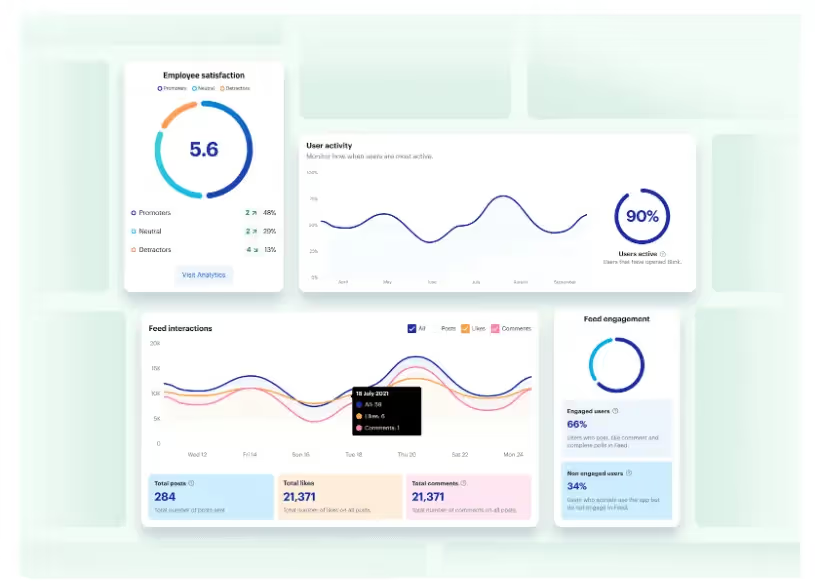
Platform analytics: With powerful analytics, admins can track internal communication metrics and find areas for improvement. They can see which content is most effective — and identify employees who aren’t engaging with company comms.
Single sign-on: All Blink tools are available via mobile app using single sign-on technology. Deskless workers can access the same employee communication tools as their desk-based peers, without needing a company email address.
Potential downsides
Some users say that the app’s search function could be better. They’d like to see more search management tools and refiners.
Pricing
Pricing is available on request.
Ratings
Capterra: 4.7/5
G2: 4.7/5
2. Slack
Best for: dispersed desk-based teams that need real-time collaboration tools
Slack is one of the most popular workplace communication apps, especially for organizations that have employees working from home. This software is known for its intuitive interface and variety of third-party integrations. Its supported platforms include web, iOS, and Android.
Key features/strengths
Instant messaging: Employees can chat one-to-one via text, audio, or video call. Screen-sharing and file-sharing are supported. A worker can also initiate a conference with up to 15 members.
Channels: Workers can create separate channels for individual projects, topics, or teams. Channels can be private, with only a few team members, or available to everyone in the company.
Knowledge sharing: The files you share on the chat are saved online and are searchable through the platform.
Integrations: Slack connects with common office applications like Google Drive, Zapier, and Trello.
Workflow builder: Workers can automate routine tasks that need inputs and approvals from team members.
Potential downsides
You need an email address to use Slack, making it an impractical solution for frontline workers.
Some users complain that the platform can feel overwhelming and that there are too many notifications.
Users say it’s easy to miss messages because there are so many channels and because search functionality is lacking.
Pricing
Pro: $8.75 per user per month
Business+: $15 per user per month
There is an enterprise plan, with pricing available on request — and a free plan with limited features.
Ratings
Capterra: 4.7/5
G2: 4.5/5
3. Staffbase
Best for: enterprise companies with a big, distributed workforce
Staffbase is a company intranet that provides a mobile app for frontline employees. It gives big organizations all the tools they need to plan, create, send, and measure the impact of internal communications.
Key features/strengths
Content publishing: Staffbase lets admins create, publish, and measure the impact of content. It’s easy to create compelling communications across a range of channels and editors can publish posts under company leaders’ names.
News feed: An interactive social feed, with clear layouts and a user-friendly experience, available on both desktop and mobile app versions of the platform.
Live chat: Employees can initiate or participate in one-to-one and group chats for fast and secure communication.
Employee directory: An employee database makes it easy for employees to find and communicate with coworkers.
Analytics: Admins can get data-driven reporting on employee activity, adoption, and engagement with internal messages.
Integrations: Integration with popular workplace applications such as Google Workspace, Salesforce, and Slack are available.
Potential downsides
Some add-ons and integrations come at an additional cost.
Admins complain that there is limited customization.
There are few out-of-the-box features for frontline workers.
Pricing
Pricing is available on request.
Ratings
Capterra: 4.7/5
G2: 4.6/5
How does Staffbase compare to Blink? View a platform comparison: Staffbase vs. Blink.
4. Beekeeper
Best for: frontline organizations in highly operational environments
Beekeeper is an app for employee communication, designed specifically to connect deskless employees with company HQ. Initially focused on retail employees, Beekeeper has expanded its reach to include other frontline industries.
This platform helps frontline organizations to replace paper processes with digital ones — and it’s a popular choice in fast-paced, operational environments.
Key features/strengths
Real-time communication: Workers can communicate on the go via “streams” and secure chats. You can also use digital surveys to gather frontline feedback.
Content hub: A file library allows quick access to vital documents and resources. Files can be uploaded from a device or imported from Microsoft SharePoint.
Instant translations: For multilingual organizations, Beekeeper provides automatic inline translations to ensure everyone understands your employee messages.
Analytics: Built-in analytics reporting allows admins to view metrics on engagement, popular content, and readership.
Single sign-on: Employees can access the app and other connected apps without an email address, phone number, or password.
Potential downsides
Some users have found the app difficult to use.
With a focus on the mobile and frontline experience, this app isn’t the best option for desk-based employees.
Pricing
Pricing is available on request. There’s a 14-day free trial available.
Best for: mid to large businesses looking to boost employer branding and advocacy
Haiilo is another top employee communications app in 2025. This company was born from a merger between COYO (which specialized in social intranets), Smarp (which was known for its employee advocacy tools), and Jubiwee (which focused on employee surveys).
This app is available on three payment plans. There are also additional modules available if you want to incorporate an employee intranet, surveys, or multichannel communication.
Key features/strengths
Email builder: An email template builder and automatically created delivery lists help you reach desk-based employees with engagement internal newsletters.
Content creation: With the help of AI, co-creation tools, and a content calendar, Haiilo makes content creation easy.
Analytics: Platform analytics help leaders make data-driven decisions. You can also set up alerts for critical developments and get automated reports.
People directory: User profiles and a list of coworkers make it easy to find the teammates you’re looking for.
Live streams, podcasts, and digital signage: Haiilo supports a variety of communication methods, including via TV screens displayed at your office locations.
Employee advocacy: Employees can link their personal social media accounts to the Haiilo platform, then share content directly using the Haiilo interface.
Potential downsides
Some internal communication features are only available as add-ons and come at an additional cost.
There are limited integrations with other workplace tools.
Admins report issues with bulk content control, multi-language features, and app customization.
Pricing
Pricing is available on request.
Ratings
Capterra: 4.3/5
G2: 4.6/5
6. Workvivo
Best for: building community and culture within hybrid and remote teams
Workvivo, owned by Zoom, is a workplace communication tool with a familiar news-feed-style interface so there’s a minimal learning curve. It combines the features of an intranet, internal communication software, and a mobile employee app.
The mobile app makes the platform accessible to remote, office-based, and frontline employees. Supported formats include online, Android, and iOS.
Key features/strengths
Activity feed: Workers from across the company can post updates and keep others informed about the latest workplace news. Posts can also be scheduled for later.
Instant messaging: A chat function is available through integrations with tools like Slack, MS Teams, and Zoom meetings.
Live video streaming: Executives can stream town hall sessions via live video or podcasting for people who cannot attend in person.
People directory: A searchable directory of workers with profile information allows workers to get to know each other better.
Internal articles: Admins can publish and manage articles with rich content such as photos, tables, and video clips.
Potential downsides
Integrations with third-party systems can feel a little light.
Admins say they want better customization options — there is limited out-of-the-box functionality for customization.
The search experience on mobile isn’t as robust as on the desktop app.
Final thoughts: best employee communication apps in 2025
An internal communication app can help you improve employee communications within your organization. It goes beyond paper processes, email, or an outdated intranet to deliver essential comms to every employee smartphone.
As you can see from this list, there are lots of employee communication apps to choose from, each with its own set of features and use cases. You need to consider the size of your organization and the composition of your workforce when deciding between them.
Across most apps, you’ll find a variety of communication channels. The best apps provide access to multimedia news feeds, instant messaging, and surveys. They also give you tools to segment your audience, promote two-way communication, and analyze your comms performance.
But — when choosing an employee communication app for your organization — it pays to think beyond internal comms. To avoid app overload and ensure a streamlined digital employee experience, a platform that helps you achieve multiple workplace goals is ideal.
Blink’s employee app supports internal communication, employee engagement, and employee listening. It provides a home for HR resources and self-serve tools. It also offers deep integration with other workplace software to create a one-stop digital hub for your organization.
This article is part of Blink’s “frontline first” series: content created specifically for leaders of deskless or distributed teams. We know that the job of frontline leadership is entirely different from managing ‘desk-based’ teams, so this is for you and your unique set of challenges.
It's somehow nearly the end of 2022, which means it's high time to start looking ahead to the year ahead.
For leaders in frontline organizations, this can be more than a little daunting. After two years of challenges caused by the pandemic and the Great Resignation, the looming prospect of a recession promises yet more adapting and innovating in order to survive and thrive.
So we'd like to help.
After working with hundreds of frontline organizations, we've created a short guide that breaks down the core principles to building a stable and successful frontline workforce for 2023 and beyond.
You can download a copy for free here or by clicking on the image below - we hope you find it useful and inspirational as you look to the new year.
We slip words like these into conversations with ease. New technology has become part of our bread-and-butter vocabulary, without quotation (or question) marks.
Healthtech, on the other hand – that feels a bit more niche. Or it did, until Covid-19 made us sit up and pay attention.
24 months into the pandemic, nobody needs a lecture on the importance of healthtech; it’s staring us in the face. But health tech didn’t emerge on-the-fly in response to the Covid crisis. It’s been around for a long time.
And it’s big business. In 2017, Forbes valued the digital healthcare industry at an astounding $25 billion globally. They believe that number will skyrocket above $379 billion by 2024.
We all know that healthtech helps predict the spread of diseases, track pandemic outbreaks, and contain them. But there are other new developments in the future of healthcare that will change the way we live.
What is healthtech?
Right now, healthtech (also known as digital health) is the fastest-growing verticle in healthcare. It refers to any product or service that's enabled, or revolutionized by, technology. So far, so Sci-Fi. But healthtech is all around us already...
Wearables
Yep, you’ve already got this one. Fitness trackers (like FitBits) are health wearables. We like knowing we've put in my 10.000 steps. But other types of knowledge about what’s happening in our bodies can be more vital. For some people, it’s their heart rate; for others, their blood pressure, or their oxygen supply.
Continuously measuring these things makes a huge difference for people with chronic conditions. And these wearables don’t just make the invisible visible; they also act as a kind of coach. They empower wearers to become active participants in managing their health condition. Immediate feedback from a wearable can change habits; habits can change health; and health saves lives.
Wearables are particularly relevant in the time of Covid-19. But they will continue to be so well beyond it, as part of a bigger drive towards preventative or pro-active health care.
3D-printed prototypes
3D-printing technology still sounds far-fetched. But it’s here, and it’s a quiet revolution in healthcare. Technology like this can create everything from personalized prosthetics to bio-tissues and blood vessels, at a fraction of the past cost. It transforms organ transplants and tissue repair. It can even produce realistic skin grafts for burn victims.
In 2020, researchers at the Rensselaer Polytechnic Institute in Troy, New York, managed to develop a method for printing 3D-print living skin, along with blood vessels.
Blockchain for electronic healthcare records
Blockchain and the future of healthcare? Not obvious at first. But think of electronic health records, and how important it is to keep those accurate and safe.
Blockchain technology can play a key role in ensuring that medical records are 100% accurate. It also makes them significantly harder to hack. Conflicting information is automatically detected, thanks to a decentralised network of computers. And blockchain not only helps prevent data breaches; it also cuts costs.
So it’s no wonder that many health and pharmaceutical companies are investing in blockchain technology. A recent report put the blockchain health market at $890.5 million by 2023.
Artificial Intelligence
Artificial Intelligence (AI) is a key driver in health tech. We already see it in chatbots and virtual health assistants that act as diagnostic tools, and even as therapists.
But the real power of AI becomes clear in areas like precision medicine. In the past, many cancer patients received cookie-cutter treatments with high failure rates. Because of AI, we now have more personalised treatments, based on individual genetics and lifestyle factors, amongst other things.
And finally, two of the things AI is exceptionally good at is Pattern Recognition and optical character recognition. That means it can analyse large amounts of cancer images that help recognise and diagnose cancer. One famous example of this is Google’s DeepMind, which created an AI for breast cancer analysis. The algorithm outperformed human radiologists on pre-selected data sets to identify breast cancer, on average by 11.5%.
The market value of AI for future of healthcare worldwide? $34 billion by 2025.
VR/AR
Most of us are already familiar with this technology. Immersing yourself in a simulated environment is fun. But it can also be a therapeutic tool. For instance, VR environments help train people to deal with mental health triggers safely. Post-Traumatic Stress Disorder (PTSD), Bipolar Disorder. Covid-related Stress and Anxiety are now being treated this way.
The training potential of VR is – well, awesome. Take surgeons, for instance. A recent Harvard Business Review study showed that VR-trained surgeons had a 230% boost in their overall performance.
Compared to their traditionally-trained counterparts, they were both faster and more accurate. At Case Western Reserve University, students learn via a VR-based HoloAnatomy app. This offers detailed and precise experience without the need for real bodies.
Top 4 emerging healthtech trends for 2022
In light of the Covid pandemic and rapid growth in remote work, safeguarding your workers has become a mandatory part of doing business. This means you’re now also looked upon to bring in measures like:
By making these types of smart technologies accessible to your workforce, you can give way to improved safety standards and early alerts that reduce the risk of contagious threats. Keep track of these trends to keep your employees safe in 2022 and beyond.
identify opportunities to leverage them for your organization going forward.
Virtual care and remote medicine are on the rise
You drive to the doctor. You sit in a waiting area for ages until your name's called. When your appointment finally happens, it's a few questions, a prescription, and you're sent on your way. You wonder why you spent so long commuting for a matter of minutes.
Sound familiar?
That's why virtual care is replacing minor in-person appointments. The past two years have further accelerated this trend, leading to an increase in virtual visits or telephone consultations.
According to a recent McKinsey study, the number of people using telehealth rose from 11 to 46% during the pandemic. It further predicts that telehealth would account for $250 billion — 20% of the US healthcare spending in near future.
Virtual care not only reduces the risk of spreading contagious diseases but allows healthcare professionals to fit more consultations into their daily schedules. This is a vital factor for highly populated nations facing a shortage of medical professionals, such as India and China.
Genomics and gene editing lead to further breakthroughs
Before you get all excited — no, we haven’t figured out how a spider’s bite can turn a normal kid into spiderman.
But the good news is that there've been significant breakthroughs in gene editing, accelerating the development of different types of "precision medicine."
This means drugs can be tailored to the genetic profile of each patient, enhancing their effectiveness and minimizing side effects.
Precision medicine is already used in many ways, one of which is 'lab on a chip' — a technology that allows fast detection of Covid. It’s a hand-held device that can detect if someone is infected with better accuracy than conventional signals such as fever and coughing. So, it can go a long way in getting our lives back to normal.
Data and AI drives shift to fairer healthcare insurance and coverage
With all the strain that the coronavirus pandemic has put on our healthcare resources, you’d think it must have grown the bottom line too. Surprisingly, that’s not the case. In the US, healthcare revenues fell by 50% as patients avoided surgeries and hospitals.
But the silver lining in midst of all this is the revelation that people are willing to share their personal data when it’s a matter of their health. This is evident from how much people have engaged with track-and-trace systems.
The more data people share with health services, mobile apps, and online systems powered by AI, the more accurate picture healthcare providers will have of their well-being, along with a sense of when they should intervene. Not just that, it helps healthcare providers forecast the most efficient way to deliver their services.
This also matters from a financial perspective because other entities such as insurance companies can use advanced predictive technologies to measure risk and set premiums more accurately.
AI, IoT, and Smart Cities improve our ability to detect and respond to future outbreaks
If the pandemic has taught us anything, it’s that we were embarrassingly unprepared to deal with an outbreak. And we should have a collective, predetermined strategy if something similar happens in the future.
A key part of this strategy is the concept of “Smart Cities," powered by artificial intelligence (AI) and the internet of things (IoT). According to Statista, global revenue from smart city projects is estimated to reach $129 billion in 2021.
The idea of a smart city is based on incorporating digital connectivity and data-driven decision-making at our respective locations. And its applications extend to many areas such as:
Energy distribution
Public transportation networks
Refuse collection
Environmental health initiatives
It’s not just the organizations that are becoming health-care oriented, but also city planners and municipal authorities. These government bodies are now allocating resources to develop technologies that can help us predict, detect and prevent pandemics.
Another major focus is environmental health. Tech-driven initiatives are being put in place to reduce air pollution and build resilience to the effects of climate change, including the rise in sea level and temperature..
Conclusion
Even if most of your workers are remote, don’t think for a second that your health concerns are over. They now require even more attention because you don’t have the luxury of regular, face-to-face contact. It’ll be hard for you to tell when your employees are burning the candle at both ends. So you still need to support the mental health of employees as they perform their duties in the field, or from home.
That’s where the healthcare technology trends we outlined can help. There are several health apps available for professionals to monitor physical activity, practice meditation, set reminders for breaks, water and exercise, and so on.
The only way to avoid setbacks that can take you by surprise is to stay on top of the latest trends and innovations. The faster you can respond to relevant changes in your industry, the better for your organization.
Unfortunately for C-suite execs at frontline organizations, unless decisive action is taken quickly, things will only get worse.
While the problem of frontline turnover has many contributing factors, from salary competition to changing workforce demographics, one important part of the solution remains constant: employee engagement.
And here lies the problem: most of the time, it doesn’t work.
“If you build it...they won’t actually come”
Frontline businesses have invested in engagement solutions and projects before, but regardless of the type of organization, these are generally met with tepid responses.
The list of fallen soldiers here is considerable: town halls, employee surveys, intranets, ERGs. And often, the response sounds something like this:
“Great, another thing to remember”
“It’s not a natural part of my day”
“It’s a one-off thing”
“It’s too hard to use”
Hours of time from leadership, People teams, Internal Comms functions and supervisors go into projects that rarely succeed in their mission. This is like the birthday party where the decorations are up, the cake is ready and the music’s on – but nobody’s showed up.
The result? Frontline workers aren’t sustainably engaged, the cycle of attrition continues and there’s little meaningful data in order to understand exactly what to do to fix it.
The solution: chips and dips
Turning this around warrants changing the way we think about employee engagement. For most businesses, employee engagement is a thing that we ‘do’ - it’s a project, an initiative, even a tool or an app. But this is where we’re going wrong.
The solution lies in approaching frontline engagement as something that we ‘earn’ - it’s an outcome, not an output.
To illustrate this, let’s return to our party. Anyone who’s ever been to a house party will be able to tell you exactly where most people end up: the kitchen. And why are they in the kitchen? Because that’s where the drinks, the mixers, the snacks and the ice is. There’s useful stuff there, and so they gravitate there, and the good times start rolling.
So to return to frontline engagement: put out the ‘chips and dips’. In other words, focus on providing frontline workers with services and tools that not only fit into their busy days, but make them better – and use that space to invite engagement.
How it works: chips, dips and paystubs
Blink is a new type of frontline engagement app that the average worker opens ten times per day! Blink brings the processes that frontline workers and their managers need all into one place – from payslips to scheduling and critical documents, all with one login. This is our ‘chips and dip’.
For leaders and managers looking for engagement, this is the time to swoop. The whole of the frontline’s eyeballs are on the app, which means that surveys get seen, important messages from the CEO and HQ are read, and the work being done to improve the working day gets cut-through.
If a once-yearly employee engagement survey is the equivalent of putting out samples at Costco in the hope that a nameless stranger will take a drive-by snack, this is the equivalent of the work cafeteria – the place where the whole companies gathers, day after day.
How to be a good frontline host: Elara Caring’s story
Elara Caring – one of the largest US-based providers of personal care, home health and hospice care – had a frontline engagement problem when we first met them last year. With a 62% turnover rate of their more than 32,000 personal care attendants (PCAs), the leadership team needed sustainable engagement badly.
In adopting Blink, Elara looked to empower its PCAs and make their lives easier – and get engagement and loyalty in return.
They used Blink to remove the burden of paper-based admin: Elara’s PCAs had to constantly fill out expenses and other forms on paper. Blink’s solution was to integrate these manual processes and systems into a single app. Payslips, expenses and mileage reporting, key information from Sharepoint, schedules and rotas were all suddenly available to Elara’s PCAs at their fingertips.
The benefits for Elara’s PCAs? Time savings, with more attention devoted to their “real jobs” than ever before.
The benefits for Elara Caring? Sustainable engagement, with 95% of employees saying that they now feel more connected to the company. PCAs have begun to use Blink to create a community – and sub-communities – within the organization, creating the connection and cohesion that makes them stay.
https://www.youtube.com/watch?v=dINw_Y7CjWQ
In conclusion: good parties don’t skimp on the guac
In a war for a diminishing talent pool, the need to directly address frontline engagement has never been more acute. But it’s also shown where there are failings in trying to get engagement from the activities and programs that work for desk-based, white-collar workers. The key to success for the frontline is to not only fit into frontline life, but to make frontline life better and easier – and use that digital space you’ve created to finally connect your people.