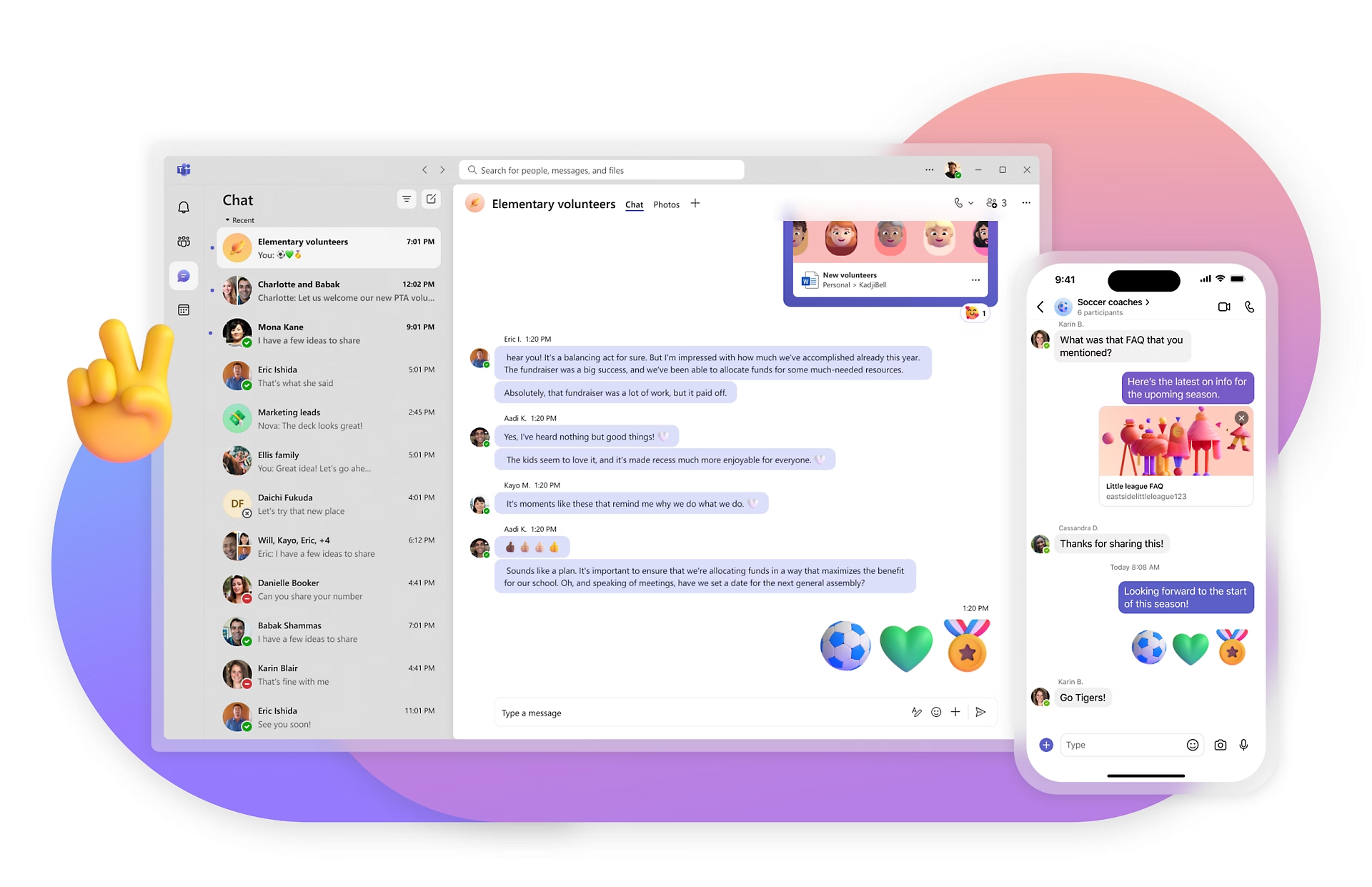
WhatsApp for work: is it enough, or do you need more?
General chat apps need a work email. Workforce apps like Blink don't. Compare Slack, Teams, and WhatsApp for work.
Lauren Burns
Published:
September 8, 2026
Last updated:
September 8, 2026
WhatsApp for work: is it enough, or do you need more?
WhatsApp for work means using the consumer messaging app your team already has installed to run shift updates, announcements, and day-to-day coordination, instead of a tool built for business. It works fine for a handful of people who already know each other. It starts to break at scale, because WhatsApp has no admin console, no read receipts a manager can rely on, and no way to remove someone's access the day they leave. A workforce app like Blink solves the same problem for people who work from their phones and don't have a company email, with a feed, a directory, and sign-in that doesn't depend on WhatsApp's personal, unmanaged design.
A warehouse supervisor pastes tomorrow's shift changes into a WhatsApp group of 40 people. Half of them will see it. Nobody can prove who read it. There is no record for HR, no way to target it to just the night shift, and no idea what to do when someone leaves the company and still has the group chat on their personal phone. That's WhatsApp for work doing exactly what it was designed to do, just not what a growing team actually needs from it.
This guide covers whether WhatsApp is actually safe to use for work, what a purpose-built workforce app does differently, and where Slack and Microsoft Teams fit in. For a broader look at where chat apps fit into frontline communication overall, see this complete guide to team communication tools for deskless teams.
Is WhatsApp for work actually a good idea?
WhatsApp is not built for business use, and using it to run work communication carries real compliance exposure most companies haven't priced in. It's the default many managers reach for because everyone already has it installed and nobody needs training to use it. That convenience is also the problem.
WhatsApp mixes personal and professional life in the same app, so work messages sit next to family group chats with no separation, no retention policy, and no way for a company to prove what was said if a dispute or an audit arises. There's no employer-side archive, no read receipts an HR team can rely on, and no way to remove a departing employee's access to a group without manually doing it, if anyone remembers to. Ireland's Data Protection Commission fined Meta €225 million in 2021 after a GDPR investigation found WhatsApp had failed to meet its transparency obligations to users and non-users alike. For regulated industries like healthcare and logistics, running shift instructions or safety updates through personal WhatsApp groups is a genuine compliance risk, not just a scheduling headache.
Switching off WhatsApp doesn't have to happen overnight. Most teams run both during a transition window, moving official comms, policy sign-off, and shift updates onto a company-owned app while personal WhatsApp groups quietly fall out of use.
Start a free trial and see what it takes to move shift updates and policy sign-off off WhatsApp without losing the simplicity your team is used to. No credit card, no company email required to get set up.
Workforce app vs. general chat app: the quick comparison
{{blink-table:table-1}}
What is a workforce app?
A workforce app is software built specifically for employees who work with their hands, on their feet, or on the move, rather than at a desk. It replaces the need for a company email address by letting people log in with a phone number, a QR code, or an employee ID, and it's designed around the realities of shift work: one feed for company-wide news, an employee directory to find any colleague, and tools for tasks, forms, and schedules built into the same app.
The distinction matters because most workplace software still assumes everyone has a laptop, a corporate inbox, and a desk to sit at. Blink was built from the ground up for the majority of the global workforce who don't fit that description: retail associates, care workers, warehouse staff, drivers, and hospitality teams. Consider a new store hire starting on a Tuesday. With a general chat app, she waits on an IT ticket for a login before she can see the rota or find out who her manager is. With a workforce app, she scans a QR code taped up in the stockroom on her first morning and she's in, no ticket, no waiting. That's the practical gap a workforce app is built to close.
When is Slack the wrong tool for frontline teams?
Slack is the wrong tool the moment a meaningful share of your workforce doesn't have a company email address to sign up with. Slack, Microsoft Teams, and Google Chat are all built on the assumption that every user is a knowledge worker at a desk, provisioned through the same identity system as their inbox and calendar. That works well for engineering, finance, and marketing teams collaborating on documents and projects.
It breaks down for a shift-based workforce. A retail chain with 3,000 hourly staff can't issue 3,000 corporate email addresses just to get people onto a chat channel. Even where a company tries, engagement collapses: hourly employees don't check a desktop inbox between shifts, and channel-based chat apps have no concept of a shift pattern, a location hierarchy, or a way to prove a critical safety update actually reached the person on the loading dock at 6am. Slack can be an excellent tool for the office staff running that retail chain's marketing calendar. It is the wrong tool for reaching the 3,000 people on the shop floor.
Picture a care home instead. A shift handover happens at 7am and again at 7pm, and the outgoing carer needs to flag which residents had a bad night, which medication changes came through, and which family called with a question. On WhatsApp or Slack, that handover lives in a scrolling group chat that the incoming shift has to scroll back through, hoping nothing was missed. On a workforce app, the handover note sits against that shift, on that ward, with a record of who read it before they started their round.
Do frontline employees need work email addresses to use a workforce app?
No. A genuine workforce app authenticates people without a company email, typically through a phone number, a QR code at the point of onboarding, or an employee ID number. This is the single biggest structural difference between a workforce app and a general chat app, and it's why the two categories aren't interchangeable.
The majority of the global workforce works in frontline roles and has never been issued a corporate email address. Requiring one before someone can access company news, their schedule, or HR policies effectively locks most of the workforce out of digital communication on day one. Workforce apps solve this at the identity layer: onboarding happens through self-registration with a phone number or a QR code posted in a break room, not an IT ticket. That's the difference between a comms tool that reaches "everyone with a laptop" and one that reaches everyone.
Why does this matter for frontline workers specifically?
Frontline workers are the group most failed by general chat apps, because they're the group those apps were never designed for. They don't sit at a shared desk, they don't check a company inbox between tasks, and in most organizations, they've never been issued a company email address at all.
We've seen this pattern hold across every sector Blink works in: retail, healthcare, hospitality, transport, and manufacturing. When a company switches from ad hoc chat groups to a purpose-built workforce app, adoption jumps because the barrier to entry drops to almost nothing. Stagecoach saw a 26% reduction in driver turnover after rolling out Blink and giving frontline staff a real communication channel for the first time. That's a driver workforce that had previously been reachable only through a manager relaying messages verbally, or through an unofficial WhatsApp group nobody in HR could see.
How do you choose between a workforce app and a general chat app?
Match the tool to who's actually using it, not to what's already installed on people's phones.
Count how many employees lack a company email. If it's more than a handful, a login system built around corporate email will exclude them by design.
Check whether you need proof of reach. If HR or compliance ever needs to show that a policy update or safety alert was actually seen, a chat app's "sent" status isn't enough. You need read receipts.
Look at whether your workforce is shift-based. Chat apps have no concept of a shift, a site, or a role. A workforce app can target a message to just the night shift at one location.
Weigh the compliance exposure of using personal apps for work. If your team is using WhatsApp for anything involving personal data, scheduling, or HR matters, that's a GDPR conversation your legal team should be having now, not after an incident.
Decide if you need one app or two. Some companies run Slack for their office staff and a workforce app for frontline teams. Others consolidate onto one platform that can serve both. Either can work, but it should be a decision, not a default.
Where Blink doesn't fit as well: teams doing deep, threaded technical collaboration, like engineers debugging code across long comment threads, are usually better served by Slack or Teams, which are built for that kind of back-and-forth. Blink is built for reach, clarity, and operational tasks at scale across a distributed, often deskless team, not for replacing a developer's daily standup thread.
What we'll cover
Start your free trial today
See how Blink helps frontline teams stay connected, informed, and engaged.
What's the difference between a workforce app and a team chat app?
A workforce app authenticates and organizes people who don't have a company email or a fixed desk, using phone numbers, QR codes, or employee IDs instead. A team chat app like Slack or Teams assumes everyone already has a corporate account and is reachable at a screen most of the day. The practical difference shows up in three places: how people sign up, whether a company can prove a message was read, and whether the tool understands shifts, sites, and roles. In deployments across retail, healthcare, and logistics, the consistent pattern is that engagement gaps show up hardest among deskless and frontline employees, the group general chat apps are least built to reach. For a shift-based team, that gap is the whole problem a workforce app exists to close.
Is Microsoft Teams good for frontline or deskless employees?
Microsoft Teams works well for frontline use only when a company has already invested heavily in Microsoft 365 licensing and identity management for every employee, which most haven't. Teams still expects a Microsoft-provisioned account, and its frontline features sit on top of that same email-based architecture rather than replacing it. For companies without universal email coverage, that means IT has to provision and manage accounts for people who'll rarely use a desktop. A dedicated workforce app skips that step entirely by letting people register with a phone number or QR code. For a retail or care organization onboarding hundreds of hourly staff a month, that setup difference is the deciding factor, not feature parity.
Can I use WhatsApp for internal work communication legally?
You can use WhatsApp informally, but running official work communication through it creates real legal and compliance exposure, particularly under GDPR. WhatsApp offers no employer-side audit trail, no retention controls, and no separation between a person's private messages and their work ones. Ireland's Data Protection Commission has already acted on this: it [fined Meta €225 million](https://www.dataprotection.ie/en/news-media/press-releases/data-protection-commission-announces-decision-whatsapp-inquiry) in 2021 over transparency failures in how WhatsApp processed user data. For industries handling sensitive employee or patient data, like healthcare, logistics, or care, that risk is compounded. Frontline and deskless teams are the most exposed group here, since they're often the ones being added to informal WhatsApp groups with no employer oversight at all.
What features should a workforce app have that a chat app doesn't?
A genuine workforce app needs sign-up without a company email, a company-wide feed for news and policy updates, a searchable employee directory, and read receipts that prove a message reached its audience. Chat apps are built around channels and threads for ongoing conversation between people who already know each other. Workforce apps are built around one-to-many reach across a distributed team, plus the operational layer a shift-based workforce actually runs on day to day. Picture a supervisor posting a safety update to the whole site, checking within the hour who's read it, and assigning a follow-up task to the two people who haven't, all without leaving the app. Without that combination, most frontline communication ends up fragmented across three or four disconnected tools.
Do small businesses need a dedicated workforce app, or is WhatsApp enough?
Yes, once headcount grows past a handful of people or the work involves any regulated activity, a dedicated workforce app is worth the switch. A small business with under 20 employees who all have company email may get by on WhatsApp or Slack for a while, but the risk grows with headcount and with any regulated activity like healthcare or food safety. The moment a business has hourly, shift-based, or multi-site staff, informal chat groups stop scaling: nobody can see who's actually reading updates, and there's no record if a compliance question comes up later. A workforce app removes that risk from day one, with company-owned channels instead of a manager's personal WhatsApp, and it fits small, fast-growing teams just as well as large ones.
As the nights grow longer and the shadows creep in, we can’t help but share some of the most terrifying tales from the world of internal communications.
These are the kinds of stories that send shivers down the spines of communications leaders everywhere — from abandoned intranets to the files that won’t die, each one serves as a chilling reminder of what happens when things go awry in the workplace.
But don’t worry, we’re not here to scare you for long. With the right strategies and technologies, you can avoid each nightmare scenario and ensure your employees are kept safe from the monsters of comms gone wrong.
So grab a mug of hot apple cider, curl up under a blanket, and read on, internal communicators… if you dare.
#1. The abandoned intranet
It’s a cautionary tale we hear all too often.
The company’s intranet, once a thriving hub of communication and collaboration, is now a digital ghost town. There was once a time when employees would check in daily for company news, office events, and team updates. Now, it’s a desolate, dusty corner of the office’s virtual space, where outdated files collect cobwebs and employee profiles haven’t been updated since 2016.
No one posts anymore. No one checks it. Rumor has it that some employees haven’t even logged in for years.
As workers find more convenient ways to communicate on the fly, the old intranet withers away, trapped in the past. No matter how hard HR tries to breathe life into it, the abandoned intranet remains a relic of a bygone era — an eerie reminder that if communication tools don’t meet modern employee expectations, they’re doomed to fade into oblivion.
#2. The phantom shift swap
The shift swap app was supposed to make everything easier. But for one bus driver, it felt like a terrifying prank.
She submitted a request to swap shifts, expecting a quick confirmation. But when the shift was approved, strange things began to happen. Her name appeared on two shifts at once. Overlapping schedules. Double bookings. No matter how many times she tried to fix it, she was stuck in an endless loop of conflicting shifts. Her manager said she tried to adjust the schedule, but the terrors persisted. Colleagues wondered if she’d been cursed to work two shifts at the same time, forever trapped behind the wheel.
As the errors mounted, it became clear that this was no ordinary scheduling issue. It was a haunting glitch with no escape in sight.
The only way to help her escape this scheduling nightmare was a shift management tool with real-time integration into the comms platform — no room for terrible errors.
{{mobile-shifts="/image"}}
#3. The curse of the social scrolls
You’ve heard of the risks of “all work and no play” — but what about the other way around?
There was once a company who launched a social media-inspired internal platform to modernize the employee experience. It had it all — likes, shares, comments, and the ability to follow colleagues’ posts. Employees were thrilled, treating company updates like their favorite social media feeds.
But then, things took a terrifying turn.
It all started when a routine update on workplace safety spiraled into a viral nightmare. A sarcastic comment sparked a meme storm, and soon, the original message was buried beneath a graveyard of reactions.
Notifications haunted inboxes. Critical information got lost in the noise. Announcements became a race for likes and important deadlines were ghosted as employees spent time conjuring clever comments or trying to win thread wars.
The only way to save the team from this cursed scrolling nightmare was to strike the balance between employee engagement and efficiency — where important messages were prioritized and light-hearted engagement didn’t overshadow critical work updates.
{{mobile-mandatory-reads="/image"}}
#4. The cursed CEO email
Legend has it that whenever the CEO sends a company-wide email, chaos ensues.
The email arrives without warning. Employees feel a chill run down their spines as they open it. Suddenly, meetings are scheduled, projects are assigned, and urgent tasks appear out of nowhere. Everyone has that sinking feeling — you’ve just been “voluntold” for something new.
But the worst part? The email sits in your inbox, lingering, waiting for the poor soul who dares to click “Reply All.” And when they do, chaos breaks loose — a flood of unnecessary responses, confusion, and frantic attempts to undo the damage.
It’s a curse that haunts the office every time, and no one seems to learn the lesson. Some say that targeted messaging and group filters are on their way, ready to rid the company of frightening follow-ups… but then another all-employee email arrives and all hope of progress is lost.
5. The forgotten frontline worker
The newest member of the shipping team was excited to join the company — but something was off.
As the weeks passed, he couldn’t shake a deep feeling of total isolation. He never received the onboarding checklist that he was told to complete. He sent messages to his colleagues, but no one responded. The company’s communication channels were a maze he couldn’t navigate. He tried joining the team’s video call, but every attempt resulted in error messages.
The more he tried to reach out, the more he realized — he was completely alone in the company’s communication void. It was as if no one knew he existed.
As he worked the quiet aisles of the fulfillment center, he began to wonder if he was doomed to wander the similarly empty virtual hallways of the company, disconnected and invisible.
A simple mobile-first comms platform, intuitively designed to onboard frontline and remote workers smoothly, could have saved him from this forgotten fate.
{{mobile-recognition-post="/image"}}
#6. The jump scare alert
Every time the company intranet sends a new notification, employees flinch.
It’s never good news. The dreaded ping of a new notification means another last-minute all-hands meeting, a new policy change, or another round of mandatory compliance training. No one is safe from the frenzy of pings, dings, and buzzes, each one causing a ripple of jump scares throughout the employee base.
The never-ending notifications aren’t just constant, they almost feel cruelly timed — catching workers off guard during lunch breaks, late-night shifts, or right when they’re about to clock out.
Each alert leaves employees with a sinking feeling. What fresh horror awaits?
The employees often look into the distance and share stories of friends whose employers use message segmentation and smart notifications to personalize alerts and reduce irrelevant pings. “If only we were so lucky,” they whisper into the abyss.
#7. The files that won’t die
It started with an innocent attempt to delete an outdated HR file.
But no matter how hard the HR team tried, the file kept coming back, plagued by ghostly glitches. They uploaded a newer version, yet “Benefits2024” turned into “Benefits2024_v2,” then “Benefits2024_FINAL,” then “Benefits2024_FINALFINAL.” It didn’t matter how many versions she created — the old files returned to haunt the intranet, filling up space and confusing employees. Soon, the page was cluttered with so many versions, no one knew which file was the real one anymore.
It was a digital graveyard of files, and there seemed to be no way to stop the nightmare.
These haunted files could only be put to rest in a dynamic content hub where other systems and tools integrated with ease — leaving the intranet free from undead debris. {{mobile-hub-safety="/image"}}
#8. The dreaded “let’s split up” slip-up
In an effort to cover more ground and engage employees where they are, the internal comms team made a fateful mistake: they split up into different task forces.
They had specific groups for HR updates, operations, and company culture. Instead of coming together to create a unified message, each team worked in silos, unaware of what the others were doing. Emails flooded employees’ inboxes — some with safety updates, others with event invites, and still more with policy reminders.
Before long, messages contradicted each other. Employees grew confused, overwhelmed by the sheer volume of communications. They didn’t know whose emails to prioritize, which deadlines were real, or where to turn for accurate information.
The split had fragmented not just the comms strategy, but the workforce itself.
If only the team had used a modern all-in-one comms platform, where unified company-wide and targeted messages could be sent with ease, they could have avoided this chilling fate altogether.
#9. The faceless leader
There’s a chill in the air whenever a company-wide message arrives from… The Leader.
No one knows who they are. No one’s seen their face or heard their voice. All they know is that every few weeks, a cold, impersonal email appears in their inboxes, filled with company updates, policy changes, and new directives. The messages are distant, robotic, and completely one-sided. Employees can’t reply. They can’t ask questions. They can’t even tell if The Leader knows what’s really going on at the frontline.
The faceless leader simply delivers information, never seeking feedback, never engaging in conversation. It feels like a ghostly figure hovering over the organization, whispering commands from the shadows.
The team grows frustrated, morale dips, and engagement begins to vanish into thin air.
With a comms platform that encourages two-way dialogue, maybe The Leader could finally step out of the shadows, engage with employees directly, and build trust. Until then, employees are left haunted by the eerie silence on the other end of the message.
Don’t let internal comms frights keep you up at night.
While these spooky stories may send a chill down your spine, they don’t have to haunt your workplace.
With the right internal communication tools — from mobile-first apps that keep everyone in the loop no matter where they work, to message segmentation that prevents information overload — you can save your employees from these hair-raising horrors.
This Halloween, don’t let outdated technology, disjointed messaging, or phantom notifications haunt your team. After all, internal comms should unite — not cause fright.
Blink. And deliver all treats — no tricks — with your internal comms this Halloween season.
Unmotivated workers do the bare minimum. They can drag other team members down with them. They’re also more likely to be looking for a job elsewhere.
Given that only 23% of global employees feel engaged at work, improving employee motivation is a critical business priority. You need to employ strategies known to boost motivation and inspire better employee productivity.
In this article, we list a range of employee motivation ideas that will help you get the most from your workforce. We’ll be looking at the following:
Why is employee motivation important?
Key factors in employee motivation
12 ways to motivate employees
Using an employee super-app to create a motivated workforce
Why is employee motivation important?
Motivated employees tend to enjoy work. They have a sense of purpose and accomplishment. They also approach work with energy and drive.
But employee motivation isn’t just good for employees. It benefits your business, too. Here’s how:
Increased employee productivity. Motivated employees work harder. They’re more efficient and focused. They’re also more likely to take the initiative, going beyond their basic responsibilities.
Better quality of work. A motivated workforce doesn’t just produce more work. It produces better work. Workers are committed to quality. This results in fewer errors, fewer missed deadlines, and fewer workplace safety incidents.
Higher retention rate. Engaged employees are loyal to your organization. So they’re less likely to look for another job. With a motivated workforce, your organization experiences higher levels of employee retention and less absenteeism.
More profit. Gallup research on employee engagement shows that employee morale impacts a range of business outcomes. It leads to a 23% increase in profitability and a 10% increase in customer loyalty.
Key factors in employee motivation
There are two types of motivation — extrinsic and intrinsic.
Extrinsic motivation is all about the carrot and the stick. You create extrinsic motivation with external rewards and penalties. Rewards might include an employee’s salary, bonuses, rewards, and praise. Penalties might include a poor performance review or a manager reprimand.
Intrinsic motivation comes from within. Employees are motivated to do their best work because they find it personally rewarding. This type of motivation relies on drivers like interest, purpose, pride, and curiosity.
When you have high levels of employee engagement within a workplace, you tend to get high levels of intrinsic motivation. Employees feel invested in their work and the company. So they’re driven to bring their A-game without needing constant carrot-and-stick encouragement.
As an employer, it may seem that you have more control over extrinsic motivation. You can raise someone’s salary, provide bonuses, and praise a job well done. All of these things help to motivate an employee.
But the fact is, you can influence levels of intrinsic motivation, too. Here are some of the things that prompt intrinsic motivation in your employees.
Feeling valued
When employees feel you care about them, their wellbeing, and their lives beyond work, they’re more likely to bring their all. That means giving employee recognition where it’s due, treating people fairly, and valuing their input, too.
Making progress
Employees like to know where they’re heading — and where they’re at right now. That requires regular, positive feedback and constructive criticism. Training, development, and clear career pathing are also important.
A sense of purpose
Every job has its boring bits — the tasks that an employee is never going to be excited about doing. But when employees understand how their work contributes to organizational success and wider society, finding that motivation gets easier.
A positive company culture
Motivation is contagious. And it spreads more easily in organizations where there’s good communication and a sense of belonging. When they’re part of an open and supportive company culture, employees are more invested in company success.
The ideas we’ve included below incorporate all of the above. They also provide ways to inspire both intrinsic and extrinsic motivation in your workforce.
12 ways to motivate employees
To motivate your employees, you need to:
Highlight values and purpose
Communicate transparently
Give employees the resources they need
Use the right technology
Provide opportunities for professional development
Develop employee career paths
Support employee wellbeing
Encourage teamwork and collaboration
Support employees to build workplace friendships
Recognize employee contributions
Ask employees for their thoughts and feedback
Treat everyone equitably
Highlight values and purpose
According to Gartner research, shared purpose is one of five primary things motivating employees to stay in their jobs right now. It helps them feel invested in their work and your organization.
Shared purpose helps employees feel part of something bigger than themselves. So work becomes about more than just a paycheck.
You can support purpose in the workplace, by crafting clear company values and communicating these values regularly.
Start during onboarding. Introduce new hires to your company’s vision, mission, and values from day one. Explain how their role contributes to your goals and social impact.
Be consistent. Regularly reinforce your company's vision and mission in all employee communications. Make purpose a recurring theme in meetings, updates, and internal messaging.
Build a values-based culture: Create an environment where company values are lived and breathed daily. Take concrete action based on your values. That way, employees are more likely to believe in them.
Communicate transparently
Employee communication is another important element of employee motivation. Open and transparent communication builds trust. And employees who get enough information to do their jobs well are 2.8 times more likely to be engaged.
But while 87% of business leaders think their internal communications are “highly effective”, only 63% of employees agree. So what does effective communication look like?
Effective communication is a two-way conversation, where both leaders and employees get to share ideas, concerns, and feedback. It’s keeping employees up-to-date with key company developments, and it’s ensuring that you have clear channels of communication to reach all employees.
For remote and frontline teams, this means choosing streamlined, digital communication channels. You need internal communication tools you can use to relay messages quickly and reliably, bypassing paper memos and an employee’s already overflowing email inbox.
Give employees the resources they need
Imagine you’re setting out on a long hike. You’re excited and determined to reach the endpoint.
But you’re given a pair of ill-fitting hiking boots to wear. And a mile or so into the walk, you realize that the map you’re following isn’t 100% accurate. You decide to call the hike organizer for directions. But the number’s engaged and you fail to get through.
It’s likely that at this point in the hike, your motivation has started to dip. You feel thwarted and discouraged. You’re tempted to turn back. What felt like a promising journey now feels like an uphill struggle.
That’s why it’s important to give employees the resources they need. They need the right tech, training, support, and information to do their jobs well. Without it, morale takes a hit.
Use the right technology
Technology is increasingly important to the employee experience. Done right, it makes life easier for employees. Done wrong, it causes friction and frustration, which harms employee motivation.
A concerning 83% of HR leaders say they don’t have the right technology at work. This is contributing to stress, burnout, and low morale. Similarly, only 10% of frontline workers say they have access to the tools, tech, and opportunities they need to connect and advance in the workplace.
All workers — those in the office, those working remotely, and those on your company’s front lines — need access to high-quality, user-friendly tech that makes their jobs easier, not harder.
That might mean using a mobile-first employee app to give frontline employees the resources and co-worker connection they crave. Or it might mean implementing a social intranet that supports workplace communication and collaboration.
You can also use tech tools that have a direct impact on employee motivation. Employee engagement tools help organizations to improve and track staff morale.
Provide opportunities for professional development
According to O.C. Tanner research, organizations have five times greater odds of achieving employee fulfillment when they support professional development. A comprehensive training program improves your workplace retention rate, too.
O.C. Tanner also found that organizations are more likely to make a success of skills-building initiatives when they:
Empower employees to make their own training decisions. Supporting employees to choose training paths that align with their career goals and interests improves engagement with the learning process.
Give employees time during work to complete training. Allocate dedicated time for training so employees don’t experience stress, trying to juggle learning with daily tasks and out-of-work responsibilities.
Provide or reimburse hobby classes as well as work-related learning. Reimbursement for hobby classes improves the odds that a skill-building program will improve retention by 119%.
Develop employee career paths
Training is important. But unless employees can put those newfound skills to use within your organization, they’re going to become frustrated. That’s why every employee should have a clear progression path within your organization.
Sit down with employees to find out where their ambitions lie. And — as we mentioned above — personalize a training program to support their career goals.
Also, try to be realistic and open with workers about when a promotion is likely. This will depend on their current skill set and your organizational needs. If an upward move isn’t available for the foreseeable, there are other things you can do to keep staff motivated.
A lateral move helps employees to develop skills in another area of the business. You give them a new challenge and support them to become well-rounded members of your organization.
Similarly, stretch assignments are a great way to grow employee skills. They encourage workers to move beyond their comfort zone, take on new responsibilities, and prepare for higher-level roles.
Support employee wellbeing
In its State of the Global Workplace Report for 2024, Gallup talks a lot about employee wellbeing. It reveals that to improve employee lives and organizational performance, employers need to do the following:
Make support for employee wellbeing visible and consistent
Assign employee wellbeing counselors or coaches
Emphasize wellbeing at work and in life
Go beyond physical health to provide mental health and holistic support
Employee wellbeing goes beyond the odd mindfulness session. It requires a company-wide approach and a real understanding of what your employees might be struggling with.
Starbucks is a great example. They’ve been helping employees with the astronomical cost of housing. They offer a Tenancy Deposit Loan Scheme that they’ve named Home Sweet Loan. Employees can access an interest-free loan to pay the rental deposit when moving into a new home.
Starbucks is making it easier for employees to find and secure housing. This is good for their baristas. But it’s good for business, too. Because when employees aren’t worried about the roof over their heads, they’re more motivated and focused at work.
Encourage teamwork and collaboration
A 2022 Corel report reveals that 41% of employees have left their jobs or would consider leaving their jobs due to poor collaboration at work.
Collaboration is a great way to engage employees. It helps to create a sense of belonging. It makes work more efficient because teams share knowledge and resources freely. Plus, employees motivate one another when they work together.
You can support collaboration by supporting employees to build positive workplace relationships (more on this in a moment). Praising teams, rather than individuals, for their successes is also a good idea.
For teams who work disparately, the right intranet or app is an important part of the puzzle. You need tools that support employees to collaborate in real-time and access shared resources.
Water cooler chat may feel like an unnecessary part of the work day. But giving employees the time, space, and, in some cases, the tech they need to develop workplace friendships is incredibly important to engagement.
Employees who feel that they belong within an organization are 5.3 times more likely to feel empowered to perform their best work. And those with a best friend at work are more productive, happier to innovate, and happier to share ideas.
So schedule social events. Allow time at the beginning or end of meetings for informal conversation. If your team works remotely or you have frontline workers, be intentional about creating these opportunities for connection.
That might mean letting employees create shared interest groups on the company intranet. How about a book club? Or a running club? Maintaining a news feed where employees can post, comment, and like, helps remote and frontline workers to build connections, too.
Recognize employee contributions
Employee recognition and rewards are another important pillar of employee morale. When employees feel their hard work is appreciated, they’re more likely to maintain their motivation.
They’re also more likely to stay working for your company. According to recent Gallup and Workhuman research, a 10,000-person organization can save up to $16.1 million a year in reduced employee turnover costs by making recognition an important part of company culture.
Timely and relevant recognition from managers is essential. But peer-to-peer recognition can be just as valuable and it has a surprising benefit. 75% of employees say that giving recognition makes them want to stay at their current organization longer.
Blink’s employee recognition feature makes it easy to give every employee the appreciation they deserve. You can create personalized recognition posts in seconds. Then, share praise with the individual or publish it on the company news feed for everyone to see and celebrate.
If you want to offer employee rewards as part of your recognition program, be sure to find out what employees are excited by. You may think that cash bonuses and company merchandise are great incentives. But it may be that employees would prefer something else, like extra paid time off.
Employees are more motivated when they feel listened to. When an employer seeks their input and insight, it makes them feel valued, which contributes to employee morale.
Ask for employee input on key decisions. Taking everyone’s opinions into account when implementing change helps to ensure buy-in.
Also, get employee feedback on a range of issues, on a regular basis. Use surveys to ask workers about the employee experience, workplace satisfaction, or workplace rewards. Their answers will help you to develop a more motivating environment for employees going forward.
Just remember that feedback is a multi-stage process that requires effective communication. You need to:
Ask for employee feedback
Thank employees for their feedback
Tell employees what their feedback has revealed and what you plan to do about it
Keep employees in the loop, informing them how your plans are going
Closing the feedback loop like this keeps employees invested in the feedback process. It shows them that you’re really listening to what they have to say.
Treat everyone fairly and equitably
Fairness is crucial to employee motivation. When employees feel that they aren’t being treated fairly or equitably, motivation takes a dive.
So all employees must be given equal access to training and career progression opportunities. Everyone should have the option to give feedback and build workplace friendships. They should get the resources and recognition they need to feel valued.
Pay also comes into the equation. You can prevent resentment and employee churn by offering employees a fair salary. Conduct a pay equity audit. Also, regularly check to see how your wages match up with market trends and the cost of living.
But bear in mind that engaged employees look for a 31% pay increase to consider taking a job with another organization. So you don’t necessarily have to match competitors like-for-like if you provide non-monetary benefits and a company culture employees enjoy being part of.
Using an employee super-app to create a motivated workforce
Having the right tech on your team makes it easier to boost employee motivation.
An employee super-app is particularly useful for remote and frontline employees who may feel disconnected from motivators like co-worker support, feedback opportunities, and company resources.
An employee app helps you to create an equitable experience for all members of staff, no matter where they work. It also allows you to put motivation-boosting features into the palm of every employee’s hand.
Take a look at these employee app features, sure to improve employee motivation.
Social features
Social features like a company news feed help to include everyone in your company culture and support workplace connections.
A resource library
A resource library gives all employees, no matter where they work, access to essential workplace resources. You can populate your library with how-to guides, company policies, and FAQs.
Recognition features
Built-in recognition features make it easy to show appreciation for employees and encourage peer-to-peer recognition, too.
Survey tools
The best employee super apps make it easy for managers to request feedback — and for employees to provide it.
A digital hub
By integrating with all of the digitals you use, you can give employees access to professional development, wellbeing, and collaboration tools, all in the same place.
Effective communication
With a news feed, group messaging, and 1:1 chats, it’s easy for every member of your organization to take part in the company conversation and for leaders to amplify company culture.
Analytics
Analytics help you to track motivation and engagement. This allows you to make data-backed improvements to your engagement initiatives.
In summary
Find ways to motivate your employees and you create a happier, more engaged, more productive workforce. You improve employee loyalty and talent retention. You also achieve better business results.
There are lots of different things you can do to motivate your workforce. But all actions center around four key pillars:
Help employees find meaning in their work
Show employees that you value them as people as well as workers
Support employees to make progress in their careers
Build a positive company culture
It’s easier to do all these things when you have the right tech tools. An employee super-app brings your organization together and helps you establish a positive company culture.
It also gives employees all the communication, resources, and digital tools they need to excel in their roles. They experience more flow and less friction, which makes for improved employee motivation.
Putting the human voice back into executive communications can transform employee engagement and company culture.
Executive communications often feel impersonal. In a bid to portray knowledge and professionalism, leadership messages can become dry and uninspiring.
This creates a disconnect between leaders and employees. It becomes harder to get your message across and to motivate your workforce.
But leadership communications don’t have to be this way. You can adopt a more human and less corporate voice — a voice that shows a little personality and expresses care for employees — without losing your authority.
Here, we look at how you can humanize your corporate communications — and why this approach to internal communications supports workplace trust, employee engagement, and a more positive company culture.
Human-centered executive communications can make a big difference to your organization. Here’s why they matter.
Building trust and transparency
We’re more likely to trust someone — and feel a connection with them — when we understand who they are as a person. The things that make them tick. Their personality, passions, and quirks.
This applies to the employee-executive relationship as much as any other. Employees trust leaders who speak in a human, relatable way. When they see an open communication style modeled by the C-suite, they’re also more likely to replicate it themselves in peer-to-peer communication.
This helps you develop a company culture where transparency is the norm. Everyone feels able to raise concerns and share ideas — which is good for collaboration, innovation, and productivity.
Boosting employee engagement
Relatable leadership communications can be inspiring for employees.
Take the example of Microsoft CEO, Satya Nadella. He shared the story of his son, who had cerebral palsy — and how this drove him to develop technology that was more inclusive for people with disabilities.
Nadella wasn’t just motivated by profit or growth. He was emotionally invested in his work. And by sharing his story — and painting a picture of the real-world difference Microsoft products can make — he highlighted the purpose of his employees’ work, too.
Human stories like this one boost employee engagement. They also create a sense of togetherness, which supports a positive employee experience.
Enhancing organizational resilience
Trust, high levels of employee engagement, and a culture of open communication are key features of organizational resilience. And when it comes to change management or crisis communication, a human tone is never more important.
Executives who speak with an empathetic and authentic voice show employees that their anxieties are understood and will be addressed. They explain to employees what is expected of them and inspire them to rally around the organization.
Arne Sorenson, CEO of Marriott International, showed leaders how it’s done when he addressed Marriott employees via video message as the COVID-19 pandemic swept the world.
He showed emotion, shared a personal update, and spoke transparently about the difficult decisions — like layoffs — that the company was having to take. The result was a relatable and somewhat reassuring message for employees during a time of extreme uncertainty.
3 key principles to humanize your internal communication strategy
So now we know what relatable executive communications can do for your organization. But what does a human voice actually sound like? While every leader should bring their own personality to their internal messages, the following three principles lie at the heart of any human-centered communication.
Empathy and understanding
Great leaders are empathetic. They demonstrate their empathy by:
Acknowledging employee emotions, even when those emotions are negative
Using inclusive language, like “we,” “us,” and “together”
Actively listening to employees — and asking clarifying questions — to get to know them better
They also prioritize transparent and effective communication, so employees get the information they need when they need it.
Don’t do this: “The current reorganization is necessary for the company’s growth. The executive team will share more details soon.”
Do this: “I know many of you are worried about your roles. We’ll be holding several Q&A sessions this week to answer your questions about the reorganization.”
Clarity without jargon
Jargon and complex language can be confusing for employees and can lead to misunderstandings. In contrast, clear and simple language creates a sense of trust and approachability. It also helps employees to make better decisions.
To make your messages clear and easy to understand:
Start by thinking about the key point you want to get across. Put this point at the start of your message. Also, pre-empt and answer the most pressing employee questions.
Break complicated topics down into smaller parts. Then, explain each part step by step, using a relatable analogy if possible.
Avoid complicated language. Use everyday terms, avoiding corporate buzzwords, industry terminology, and acronyms. Don’t use a long word when a short one will do.
Adopt a conversational tone. If you wouldn’t say it when speaking to an employee face-to-face, don’t put it in a written message. It can help to read your messages out loud to find and replace overly formal words.
Don’t do this: “We need to leverage synergies to optimize workflows.”
Do this: “We need to work together to make our processes more efficient.”
Sharing and storytelling
Sharing your own personal experiences and anecdotes makes your messages more relatable and engaging. Likewise, you can use stories about real-life employees and customers to catch attention and convey a message more effectively.
Weave stories into your employee communications and you also make your messages more memorable. That’s because stories engage both rational and emotional parts of the brain, which supports recall.
To make storytelling part of your executive communications:
Focus on real people and their emotions. Use personal anecdotes, customer case studies, or employee stories in your internal communications, referencing people by name.
Use metaphors and similes. Paint pictures with your words. Metaphors and similes can be particularly useful when you want to bring complicated or abstract concepts to life.
Follow a story structure. When sharing stories, include a beginning (the context), a middle (the challenge), and an end (the resolution).
Don’t do this: “Just the other day, an employee told me about how little things make a big difference to our clients. We want to see this ethos across every client interaction.”
Do this: “Just the other day, I was speaking to one of our care workers, Emma. She’d noticed that her client, Mrs Shah, seemed a little downhearted. Through conversation, Emma discovered that Mrs Shah, because of her reduced mobility, missed going into her beautiful garden.
So that day, Emma went beyond her usual duties, bringing some potted plants in from outside so she and Mrs. Shah could find a place for them in the living room. It made her client’s day. And that’s what our organization is all about.”
{{mobile-stories="/image"}}
Channels that make executive communications more relatable
Think beyond just in-person meetings: You probably have a variety of internal communication channels available to you! Some lend themselves to relatable leadership comms more than others. So — if you want to humanize your executive messages — spend some time on the following channels.
Interactive platforms
When we talk face to face, two-way communication is the norm. Explore ways you can transform your traditional top-down communication efforts into opportunities to inspire employee interaction and create a feedback loop.
Share company-wide news on interactive platforms that encourage employee responses. Enable employees to chat with each other via instant messaging. Post to the company news feed. Or run Ask Me Anything (AMA) sessions via your company intranet or employee app.
Showing that you have the courage and openness to address employee questions in this kind of forum builds trust and connection.
Videos and live streams
{{mobile-live-stream-poll="/image"}}
There’s a lot to be said for showing the face behind the name. Video and live streaming communication makes it easier for leaders to share their tone, body language, emotions, and intentions.
Bonus: Communicating urgent updates through short-form video content increases the likelihood that your on-the-go workers — especially frontline employees and remote teams — will receive critical messages.
Of course, not everyone is 100% comfortable in front of the camera. So if you could use a little direction before you film your first video, take a look at these tips:
Know your script but don’t memorize it word for word. When you put things into your own words, your delivery is more natural and authentic.
Watch your body language. Make eye contact with the camera and avoid crossing your arms. Use hand gestures and facial expressions as if you were in a face-to-face conversation with employees.
Imagine you’re talking to one person. To bring emotion and connection to your video message, picture one employee. Then, deliver your message to that individual.
Employee-centric channels
Employee-centric communication channels, like the company news feed or modern employee intranets, can provide inspiration for your executive communications.
Here, you can find user-generated content (UGC) that you may like to share. You can also find stories of employees who have demonstrated company values and done great work.
By sharing these stories and recognizing employees by name via easy-to-access digital channels, you create a personal connection with employees. You also create a sense of belonging and appreciation.
Leadership communication: Pitfalls to avoid
Bringing a human voice to your employee communications requires empathy, authenticity, and the ability to listen to your workers. Even with the best of intentions, these things don’t always come naturally.
So with that in mind, here are a few pitfalls to look out for as you adapt your style of communication.
Over-sharing
Sharing too much personal information in your executive communications becomes counterproductive. It feels performative, dilutes the impact — and places the focus on you, rather than your audience of employees.
So before you share a personal anecdote, ensure it relates directly to your organizational goals and values. Keep any personal stories short and sweet. And balance things out. For every personal anecdote you tell, share two to three employee or customer stories.
Inconsistent messaging
Employees are quick to spot a leader who says one thing but does another. Your communication is unlikely to achieve the desired results if employees see it as inconsistent and inauthentic.
So back up your words with action. For example, if you show empathy for employee stress, you need to do something to alleviate it. If you share a belief that employees are the backbone of your organization, show you appreciate them with regular recognition and a competitive benefits package.
Ignoring employee input and feedback
Meaningful conversations are two-way. So to maximize the impact of your human-centric communication style, you need to show that you’re listening to what employees say.
Respond directly to employee surveys, reactions, questions, and concerns — either in person or across your internal communication channels. And keep employee feedback in mind when developing your next executive message.
{{mobile-survey="/image"}}
Harness the power of human-centric communications for your entire organization.
When you humanize your executive communications, you make your messages more effective, memorable, and engaging. You show employees that there’s a real person behind the job title. This is great for building trust and promoting transparency across your organization.
To make your employee communications more human, consider implementing more storytelling, empathy, and everyday language in your internal communications strategy. And with the right internal communication tools that enable you to connect with employees in a less formal and corporate way, you can foster an organizational culture of transparency and authenticity.
Unily is a powerful platform—but for many organizations, it’s overly complex, difficult to manage, and time-consuming to implement. From rigid intranet structures to costly customizations, it often demands heavy IT involvement just to get the basics right.
If you're looking for something easier to use, faster to roll out, and more engaging for employees, you're not alone.
In this guide, we cover the top 10 Unily alternatives—platforms that deliver the same core benefits (communication, connection, and culture) without the complications. Whether you're in HR, Comms, or IT, these options are worth considering for a modern employee experience.
Blink is the employee experience platform designed to eliminate the friction that comes with legacy intranets like Unily. Where Unily often requires months of setup and technical oversight, Blink delivers immediate impact with a consumer-grade UX, built-in tools, and zero learning curve.
Why Blink is the smarter choice:
No IT bottlenecks: Blink is designed for self-serve teams—get started in weeks, not quarters.
Mobile and desktop ready: Unlike Unily’s more rigid intranet framework, Blink works wherever your employees do.
One simple platform: Comms, chat, surveys, document sharing, and app integrations—all in one place.
Instant engagement: Push updates, target messages, and track results in real time without needing an admin army.
Pros:
Rapid deployment and intuitive for any user
Eliminates the complexity and silos of traditional intranets
Higher adoption and engagement rates
Streamlined pricing and low total cost of ownership
Cons:
Fewer deep customization options compared to Unily (by design)
{{watch-video="/callouts"}}
#2. Staffbase
Staffbase offers an employee communications platform designed for corporate messaging and internal branding. It supports newsletter creation, a mobile app, and intranet functionality.
Pros:
Strong employee app for internal comms
Designed for global organizations
Supports multiple languages
Cons:
Requires training and onboarding time
Some advanced features locked behind higher-tier pricing
#3. Firstup
Firstup is focused on employee journeys and automated campaigns. It’s especially suited for organizations with complex audience segments and large enterprise needs.
Pros:
Advanced audience segmentation and targeting
Automation capabilities for content delivery
Cons:
May require dedicated resources to manage campaigns
Less intuitive for smaller or mid-size companies
#4. Simpplr
Simpplr positions itself as a modern intranet platform with a clean design and AI-powered search. It’s focused on streamlining communication and enabling a sense of belonging.
Pros:
Strong content discovery and search tools
Integrated org charts and people directories
Cons:
Pricing can be steep for growing teams
Limited mobile functionality compared to other platforms
#5. Workvivo
Designed to blend communication with culture, Workvivo gives employees a platform to share stories, celebrate wins, and stay informed. It supports both leadership updates and peer-to-peer engagement. The interface feels familiar to social media, driving higher adoption.
Pros:
Social-media-style interface
Culture and engagement features built-in
Cons:
Collaboration and productivity tools are limited
Can feel more like an engagement layer than a full intranet
#6. Interact
Interact offers a feature-rich intranet solution with a strong focus on content governance and compliance. It’s ideal for organizations with strict security or industry regulations.
Pros:
Rich permissions and content management controls
Good for highly regulated industries
Cons:
Can be complex to configure
Slower time-to-value compared to more modern platforms
#7. Haiilo
Formerly Smarp, Haiilo is a social intranet and advocacy platform. It focuses on content sharing, social collaboration, and employee voice.
Pros:
Social interaction features
Integrates with Microsoft 365
Cons:
Not a full digital workplace platform
Focus is heavier on communication than productivity
#8. Microsoft SharePoint + Viva
If you're deeply invested in the Microsoft ecosystem, SharePoint paired with Viva can be turned into a digital employee experience platform—though it often requires heavy customization.
Pros:
Seamless with Microsoft 365 apps
Highly customizable with IT support
Cons:
Often needs consultants or developers to manage
User experience can feel clunky without Viva add-ons
#9. Jive (Aurea)
Jive is a legacy enterprise social platform with collaboration, communities, and knowledge-sharing tools. It remains a viable choice for large, complex organizations.
Pros:
Good for internal communities and knowledge bases
Mature platform with years of enterprise use
Cons:
Outdated user experience
Less support for mobile and modern UI
#10. LumApps
LumApps integrates directly with Google Workspace and Microsoft 365, offering a centralized hub for company knowledge, news, and social collaboration.
Pros:
Strong integrations with cloud suites
Personalization and targeting features
Cons:
Requires IT involvement for deployment
Learning curve for admins and content creators
Final thoughts
Unily has long been a popular choice for enterprise intranets, but today’s workforce needs faster, more flexible, and engaging tools. If you’re rethinking your digital employee experience, platforms like Blink offer a modern alternative that’s easier to deploy, simpler to manage, and proven to engage employees across the board.
Why teams choose Blink over Unily
Unily is a polished, enterprise-grade intranet platform, but its pricing and implementation timelines are built for large, desk-based rollouts. Blink is mobile-first, requires no corporate email, and is used daily by teams at McDonald's, Domino's, and Chick-fil-A — with a rollout that doesn't require an enterprise implementation team. See how Blink compares.
On a 2023 listening tour, Safeguard Global, an HR consulting company, discovered that employees were worried about their winter heating bills. The organization acted on this feedback by providing a monthly stipend to help cash-strapped workers.
Chief People Officer Katherine Loranger told SHRM, “It wouldn’t have happened without the firsthand information about how inflation was impacting those employees.”
Similarly, after layoffs at Change.org, Chief Operating Officer Jennifer Dulski used a listening tour to understand the impact on remaining employees. She found that trust was at an all-time low.
The company responded by improving transparency and communication about its financial situation. Employees came to understand why difficult decisions had been made — and felt reassured about their job security.
As organizations like these have found, a listening tour can help you find and fix employee problems before they cause undue harm to your organization. They can also surface fresh perspectives on everything from your products to customer service to the employee experience.
In 2025, a listening tour is an essential part of any good internal communication plan. Let’s look at why that’s the case — and how you can put a listening tour into action.
What is a listening tour and why does it matter in 2025?
A listening tour is a series of structured conversations with employees, designed to gather feedback and insights.
It can include:
1-to-1 interviews with employees
Focus groups
Pulse-check polls
Workplace walk-throughs
Town hall meetings
A listening tour goes way beyond the annual employee survey. By actually speaking to employees, asking relevant questions, and encouraging honest and expansive answers, you develop an in-depth understanding of the employee experience.
In the case of an internal comms listening tour, you get to understand the employee experience in relation to your communications. You discover what employees think of your internal communication channels and tools. And whether your internal comms plan is having the desired impact.
{{mobile-live-stream-poll="/image"}}
Key benefits of a listening tour
Executing an impactful listening tour takes time and effort. But it’s well worth the investment. Here’s why:
It builds trust. Conduct a listening tour and you show employees that you value their input. When you act upon their feedback, employees feel heard. This strengthens their trust in your organization and its leadership.
It fosters inclusion. On a well-planned listening tour, you gather feedback from hard-to-reach sectors of your workforce — like frontline employees — who may have little chance, day to day, to share their ideas, challenges, and perspectives with company decision-makers.
It surfaces actionable insights. A listening tour provides lots of useful qualitative data. You get to know what employees are struggling with and their preferred solutions. These actionable insights allow you to make changes that make a real difference to your workforce.
Why run a listening tour now?
There’s never been a better time to run a listening tour.
We know that many hybrid and frontline employees feel excluded from the company conversation. Nearly 2 in 3 UK workers are worried about burnout in 2025. And the latest Gallup figures show that just 23% of employees are engaged at work.
In 2025, employees are also holding leaders to a higher standard of accountability and transparency. Deloitte research shows that 84% of workers and 74% of leaders say an increasing focus on trust and transparency between workers and the organization is very or critically important.
According to Deloitte, transparency is the most pressing business trend. It’s predicted to have the greatest impact on an organization’s success, both this year and over the next two years.
A listening tour helps to address all these issues. Employers can uncover what employees want from leadership and better understand employee motivation and wellbeing. They can then develop a plan to improve internal communications, transparency, and employee engagement, benefitting workers and the organization’s bottom line.
{{future-of-internal-comms-2025="/callouts"}}
Planning your next listening tour
So how do you make a success of a listening tour at your organization? It starts with a clear and comprehensive plan.
Set clear goals
Decide what you want to achieve with your listening tour and how your communication goals align with broader business objectives, such as employee retention.
If you’re running an internal communications listening tour, you may want to find out how employees feel about the company intranet — or the other internal communication tools you use. You may want to know if employees feel part of company culture and how they rate the transparency of your leadership team. You may also want to gauge their feedback on internal communication efforts such as key messages, internal emails, or peer communication.
Whatever your focus, establishing your goals helps to ensure your listening tour has direction and that you can measure outcomes effectively.
Identify your audience
The goals of your listening tour will help to dictate its audience segments. If you’re looking to address challenges within a single team, you only need to target that department. But for business goals that relate to your entire organization, you should look further afield.
Also, consider the diversity of your target audience. If you want to get a holistic sense of employee sentiment, speak to employees from all corners of your organization. That includes hybrid and frontline workers who experience the workplace differently from desk-based workers.
Choose the right format
The format of your listening tour needs to align with the needs and expectations of your workforce. Be conscious of time zones, shift patterns, access to tech tools, and the resources available to your interviewing team when deciding how to conduct your tour. Options include virtual sessions, in-person conversations, or a mix of the two.
{{mobile-survey="/image"}}
Prepare key questions
You’re more likely to achieve your listening tour goals if you set a couple of key interview questions in stone. Some examples include:
What challenges are you facing in your role?
How can we improve employee communications?
What support would make your work easier?
Which key messages do you care the most about?
What motivates you to stay with the organization?
Pro tip: Conduct an employee survey before running a listening tour. This helps to surface issues you might want to explore in more depth during the tour.
Executing the tour
To get the most from your listening tour:
Be present and authentic. Show genuine interest in employee feedback by demonstrating active listening skills and empathy. Leave space for them to elaborate on their answers.
Encourage open dialogue. Use inclusive language and emphasize that all opinions are valued and confidential. Facilitate two-way communication by allowing participants to ask questions, too.
Adapt as you go. Be flexible and prepared to pivot if certain topics emerge as priorities. Don’t be afraid to go beyond your key questions to ask meaningful follow-up questions.
Document key insights. Designate a note-taker or record sessions (with permission) to ensure no feedback from employees is lost
If you’ve executed an extensive listening tour, the amount of data you now have at your fingertips can feel overwhelming. Here’s a step-by-step process for analyzing and acting upon it.
Step 1. Organize your findings
Group feedback into themes like communication gaps, technology issues, or recognition needs. You can do this manually, using a spreadsheet or sticky notes. Or you can use tech tools like AI and mind-mapping software. This helps you identify any burning issues and prioritize your action plan.
Step 2. Share what you’ve learned
Transparency builds trust. So share a summary of the feedback with employees, acknowledging recurring themes, significant insights, and any surprising findings. Also, thank workers for their input, emphasizing the crucial role they play in shaping workplace improvements.
Step 3. Take action
The ultimate goal of any listening program is meaningful workplace change. So outline specific steps the company is planning to take, along with timelines. Involve managers to ensure employees see immediate and tangible results.
Most importantly, prioritize transparent and effective communication along the way, keeping employees up to date with progress on your action plan and closing the feedback loop.
Pro tip: Seek ongoing employee feedback to find out if changes have addressed the concerns raised in your listening tour. If not, go back to the drawing board and come up with a new plan.
{{mobile-main="/image"}}
Beyond the tour: Building a listening culture
When you go beyond a one-off listening tour to build a culture of listening at your organization, you embed the benefits.
Employees have faith that their feedback is listened to and acted upon — and they feel comfortable voicing their opinions because there’s a wider culture of psychological safety.
As a result, you receive honest and valuable employee input, which yields more effective workplace improvements. You also get ongoing feedback, which means employee dissatisfaction is much less likely to take you by surprise.
So how do you create a listening culture? Start by putting these key foundations in place:
Ongoing feedback channels. An annual feedback event isn’t enough. Encourage employee feedback all year round with regular pulse surveys and 1-to-1s, ensuring feedback channels are accessible to all workers.
Leadership training. Equip managers with the tools and skills they need to conduct their own mini-listening tours, making open and empathetic communication a priority.
A regular schedule of listening tours. Keep your finger firmly on the pulse by turning listening tours into an annual event. You’ll improve the process — and employee input — with each new cycle.
It’s time to make listening tours a fixture of your internal communication plan
Listening tours are a commitment of time and effort. But — because they provide insights that you simply can’t get from an employee survey — they’re well worth the investment.
By embarking on an annual listening tour, deploying other employee listening tactics in the months between tours, and reliably acting upon feedback you build a culture where employees feel heard and supported.
Find new ways to improve your internal communication strategy, foster employee engagement, and build workplace trust. And make a tangible difference to the work lives of employees in the process.
You can buy a tool that looks amazing in a pitch meeting. Then watch it gather digital dust a few months later because it doesn’t actually work for your company.
Asking the right questions up front avoids that frustration and a ton of wasted budget. It helps you find a solution that supports both employee communication and engagement — and fits seamlessly within your tech ecosystem.
Doing some software shopping? To find the right employee communication app for your organization, here are the 10 questions you should be asking.
Choosing an employee communication app: A 10-question checklist
1. Will every employee actually use this?
Okay, so priority number one is finding an app that your employees will embrace. Because if a good chunk of your workforce fails to get on board with your new software tool, you’re not getting good ROI.
The right app is:
Intuitive. Employees can pick it up and start using it without having to trawl through a manual first.
Accessible. It should be easy for every employee to log in, even on older phones or with patchy internet connection.
Free from friction. Everything just works — whether that’s search functions, voice calling, or integrations with other tools.
When assessing an app, keep your least tech-savvy employee in mind. If you think they’d use (and maybe even actually grow to love) this app, you can be confident it’ll work for the rest of your team.
2. Does it work for frontline teams?
A major benefit of an employee communication app is that it’s available on smartphones. So you can land messages with your hardest-to-reach employees — those who don’t sit at a desk all day.
To find the best solution, look for tools that understand and accommodate the realities of frontline work, including:
Shifts and staggered schedules. The best apps support both real-time and asynchronous communication so employees can check in at a time that works for them.
Busy schedules. With search, personalization, critical reads, and bite-sized content, the best apps let you share vital information in a format that’s quick and easy to digest.
Frontline access requirements. Deskless staff don’t always have a corporate email address or access to a shared portal. They should be able to log in easily from their smartphones.
Frontline vs. desk-based experience. Don’t accept one experience for office-based staff and another for frontline employees. Your app should have the same features and functionality across both desktop and mobile apps.
Ultimately, any frontline communication app has to be mobile-first and secure but accessible on personal smartphones. It also needs to provide an exceptional digital employee experience across all devices.
{{mobile-shifts="/image"}}
3. Can it replace multiple tools?
If you’re relying on a patchwork of communication tools, your staff are probably feeling the strain. They’re spending nearly 4 hours each week — and 1,200 clicks per day! — toggling between apps. Or bugging IT because they forgot one of many sets of login details (again!).
The best of the best go even further. They act as an all-in-one employee experience app and intranet platform, with personalized content pathways, employee recognition, and easy access to other workplace systems.
Think about the tools you’re currently using and how many of them your shortlisted apps could replace. Because the fewer tools you use, the easier and more streamlined work becomes.
4. How easy is it to manage and govern?
The front-end of an app can work like a dream. But what’s going on behind the scenes? You need to look beyond the glossy exterior to the nuts and bolts of the admin experience.
When an app is complex to manage and govern, the comms team ends up calling on IT. This creates a bottleneck. And it leads to stale content, clunky processes, and frustrated employees.
To ensure the best user experience and continued engagement with your employee communication app, you need clear permissions and content controls. You also need tools that make it easy to add, update, and personalize communication content.
{{mobile-hub="/image"}}
5. Is it secure and compliant?
Security is another top consideration when choosing an employee communication or employee experience app. You want a solution that meets enterprise-grade security standards, with security built in, not bolted on.
So look for things like:
End-to-end encryption, in transit and at rest
Secondary biometric authentication
Function fencing, so workers only have access to the tools and controls they need
Automated user provisioning, so it’s easy to add, manage, and remove users as necessary
If you work in a particularly regulated industry, like healthcare, you should also look for compliance with industry-specific security laws.
But bear in mind: heavy-handed security can harm the user experience, pushing your employees toward makeshift solutions, like WhatsApp.
So it’s all about getting the right balance. A good software provider should help you find that balance, achieving the best possible security while also ensuring a simple and streamlined experience for users.
6. Does it support two-way communication?
Internal communication is most effective when it goes both ways. The C-suite and managers speak to employees. But employees have the opportunity to respond.
A good employee communication app gives your organization the tools it needs to maintain a dynamic conversation:
Instant messaging tools, for 1-to-1 and group chat
A news feed where employees can react with comments, emojis, and GIFs
Employee surveys and quick-fire polls
Video and voice calling
Interactive live streaming
Choose tools that support two-way internal communication, and you give employees a voice. That means stronger workplace connections, better collaboration, and employees who feel seen and heard.
{{mobile-hub="/image"}}
7. How quickly can we launch?
Time-to-value is important. The right app should be quick to deploy and easy to scale across multiple teams.
If you’re considering building your own comms app, know that this often requires months (or even years) of developing, testing, and iteration. So buying a ready-to-go tool is often the quickest solution.
Today, prebuilt doesn’t mean compromising on the end result. You can incorporate custom branding and tailor app features and functionality to the needs of your organization. You get speed, scalability, and best-in-class technology.
Ask providers about timescales so you have a clear idea of the setup and launch process. Here at Blink, most of our clients go live within 6 to 12 weeks.
8. Will it integrate with our existing systems?
A great employee communication app isn’t just a one-stop shop for internal conversations. It can also act as a digital hub, reducing friction and making life easier for employees in the process.
That requires strong integrations with the existing software you use. And single sign-on technology to give employees access to that software from one unified dashboard.
When you integrate an app into your digital ecosystem, employees can use it to tackle tasks like:
Swapping shifts with coworkers
Checking their paystubs
Clicking a news feed post to go straight to online compliance training
Completing a safety report on the go
Submitting a time-off request
Viewing customer details via your CRM
The result? Your employee communication app becomes a comprehensive employee intranet. A place where staff can catch up with the latest company news — of course.
But also a place where they can learn, receive recognition, give feedback, and access all the tools they need to do their jobs well.
{{mobile-voice-video="/image"}}
9. Can we measure impact and ROI?
To get the most from your mobile-first employee app, you need to know what’s working and what isn’t. And to do that, you need analytics.
Find out what analytics and reporting features come with your shortlisted apps. Consider the internal comms metrics they allow you to track.
And expect more than just the basics. A good app won’t just provide data on platform usage and message read rates.
It’ll show you how internal comms KPIs relate to employee engagement, sentiment, and turnover. It’ll allow you to segment data by team, department, and manager. And it’ll present data in a way that’s super easy to understand and act on.
The final question to ask before choosing an employee communication app. Does this app feel familiar and fun? Or is it cold and corporate?
Employees are more likely to use your app when it offers the same consumer-grade experience they enjoy on apps away from work. If it lets them communicate in ways they’re used to (and in ways they enjoy).
Give people a modern social experience, where they can show up as their real selves, and engagement is sure to follow.
{{mobile-stories="/image"}}
The right employee app makes all the difference
Choosing an employee communication or employee experience app isn’t just about features or fancy demos. It’s about finding a tool your team will actually use — one that fits your workflow, feels intuitive, and makes work more connected, engaging, and human.
Ask the right questions up front. Consider the full scope of the app — the more functions it performs, the more value it brings to your team. Look beyond shiny user interfaces to the day-to-day employee experience.
When you do, you don’t just add another tool to your tech collection.
You get a solution that supports company culture, employee productivity, engagement, and retention. You build a space where employees can easily access the information they need and the connection they crave.
{"table-1":{"headers":["","WhatsApp (consumer app)","General chat app (Slack, Teams)","Workforce app (Blink)"],"rows":[["**Access**","Personal phone number, no admin control","Requires a company email","Phone number, QR code, or ID, no work email needed"],["**Built for**","Personal messaging between individuals","Desk-based knowledge workers","Frontline, shift-based, and deskless teams"],["**Reach measurement**","Delivery and read ticks, not auditable by a company","Message sent, delivery unclear","Read receipts and org-wide reach reporting"],["**Org-wide comms**","No broadcast or targeting features","Channels get missed or muted","Targeted feed reaches every role, site, and shift"],["**Shift fit**","No shift or schedule context","No shift or schedule context","Built around shifts, locations, and frontline workflows"],["**Admin control**","None. No console, no audit trail, no offboarding","Company-managed accounts, but no offboarding built for shift-based, high-turnover teams","Company-owned: admin can revoke access on exit, message read receipts logged for HR"],["**Best for**","A handful of people who already know each other","Office teams collaborating on projects","Retail, healthcare, logistics, hospitality, manufacturing"]]}}