No items found.

Is Microsoft Teams good for frontline workers?

Microsoft Teams includes frontline-specific licensing through its F1 plan (from $2.25/user/month) and F3 plan (from $8.00/user/month), along with a Shifts feature for scheduling and a Frontline Hub for targeted capabilities. For organisations already running Microsoft 365, it provides a path to extend some digital communication to frontline teams without adding a separate platform.

In practice, adoption among frontline workers is significantly lower than among desk-based employees. Teams' interface was designed for knowledge workers, and onboarding requires a Microsoft account for every worker — which creates friction in high-turnover environments like retail and logistics. The F1 license restricts Office apps to read-only mode and provides only a limited email capability. According to Blink's customer benchmark data (2025), Blink customers consistently achieve 90%+ workforce adoption — a figure that stands in contrast to the lower engagement rates reported in Teams frontline rollouts. Teams works well for what it was built for. The frontline wasn't the primary design brief.

What's the difference between Blink and Microsoft Teams for frontline staff?

The core difference is what each platform was built for. Microsoft Teams was designed for desk-based knowledge workers: it handles meetings, file collaboration, and structured project communication in a Microsoft 365 environment. Blink was built specifically for frontline and deskless workers who don't sit at a desk, often don't have corporate email, and need a tool that works on their phone the way their personal apps do.

In practice, this means different onboarding (QR code with no IT setup required, vs. Microsoft account provisioning), different communication formats (social news feed vs. channels and threads), different mobile experiences, and different adoption outcomes. According to Blink's customer data (2025), customers consistently achieve 90%+ adoption compared to significantly lower rates in frontline Teams rollouts. Many organisations run both: Teams for HQ and desk-based staff, Blink for the frontline.

Can Blink integrate with Microsoft 365?

Yes. Blink integrates with Microsoft 365, including single sign-on via Active Directory Federation Services. This means frontline workers who have Microsoft credentials can access Blink without a separate login, and IT teams can manage access within their existing identity and access management setup.

Many organisations run Blink alongside Microsoft 365 rather than replacing it. According to Blink's integration documentation (2025), SSO via Active Directory is supported as standard. Teams continues to serve desk-based staff while Blink extends digital access to the frontline workers Teams wasn't designed to reach — giving IT one unified identity layer and two fit-for-purpose communication tools.

Is Blink cheaper than Microsoft Teams for frontline workers?

It depends on which Microsoft license you're comparing. Microsoft's F1 license starts at $2.25/user/month but restricts Office apps to read-only mode and provides only a limited mailbox — which often leads organisations to upgrade to F3 at $8.00/user/month. According to Microsoft's published pricing (April 2026), both prices are set to increase in July 2026. Blink starts at $4.50/user/month, with enterprise pricing for larger workforces.

The more meaningful comparison is total cost of ownership. Microsoft's frontline setup requires IT provisioning of a Microsoft account for every worker — a recurring overhead in high-turnover industries. Blink's QR-code onboarding removes that overhead entirely. For large frontline workforces with significant annual turnover, the operational savings from simpler onboarding can offset licensing costs considerably. A complete frontline experience at a single Blink tier also removes the F1 vs. F3 upgrade decision.

What are frontline workers' biggest complaints about Microsoft Teams?

The most consistent complaints fall into three areas. First, the interface: Teams was built for desk workers, and according to frontline technology research by Speakap (2024), complex navigation is the leading reason frontline employees abandon enterprise apps within the first month. Channels-and-threads navigation doesn't translate naturally to someone using their phone between shifts. Second, onboarding friction: getting a Microsoft account set up requires IT involvement, which means new starters often don't have access on day one — a real problem in industries where workers start immediately. Third, F1 limitations: organisations that provision F1 licenses to control costs often find that read-only Office access and a non-functional mailbox create frustration rather than adoption. Workers who can't do what they expect to do on a platform simply stop using it — and revert to personal messaging apps, which creates its own compliance and communication risk.

---

*Schema note for developer: Add FAQPage JSON-LD structured data to page head. See publisher notes in Google Drive file.*

10 mins

Blink vs Microsoft Teams

Blink and Microsoft Teams serve different workers. Here's how they compare on adoption, onboarding, and mobile experience for frontline and deskless teams.

Lauren Burns
Published:
May 15, 2026
Last updated:
May 15, 2026
Blink vs Microsoft Teams
What we'll cover

Blink vs Microsoft Teams: built for different workers

Teams dominates the modern office. But the shop floor, the warehouse, the care home — that's different territory. Here's why more organisations are using both.

{{book-a-demo="/callouts"}}

Quick comparison

{{blink-table:comparison-1}}

Pricing as of April 2026. Microsoft F1/F3 pricing subject to increase effective July 1, 2026.

Who is this comparison for?

When most companies search "Blink vs Microsoft Teams," they're already running Teams for their desk-based employees. That's the right call. Teams is excellent for knowledge workers — it handles meetings, file collaboration, and chat across a distributed office workforce with a depth that's hard to match.

The real question isn't which platform is better. It's which platform is right for which workers.

Frontline and deskless workers — the people in your stores, warehouses, hospitals, factories, and delivery fleets — have fundamentally different needs than someone sitting in front of a laptop all day. They often don't have a corporate email address. They're checking their phones between shifts, not opening Outlook. Their workplace is loud, physical, and fast-moving, and the tools they'll actually use need to match that reality.

This page breaks down the differences between Blink and Microsoft Teams for frontline teams, and explains why the two platforms are increasingly deployed together rather than in competition. For broader context on what drives frontline worker engagement, see our guide to frontline employee engagement strategies and internal communication for deskless workers.

Does Microsoft Teams work for frontline workers?
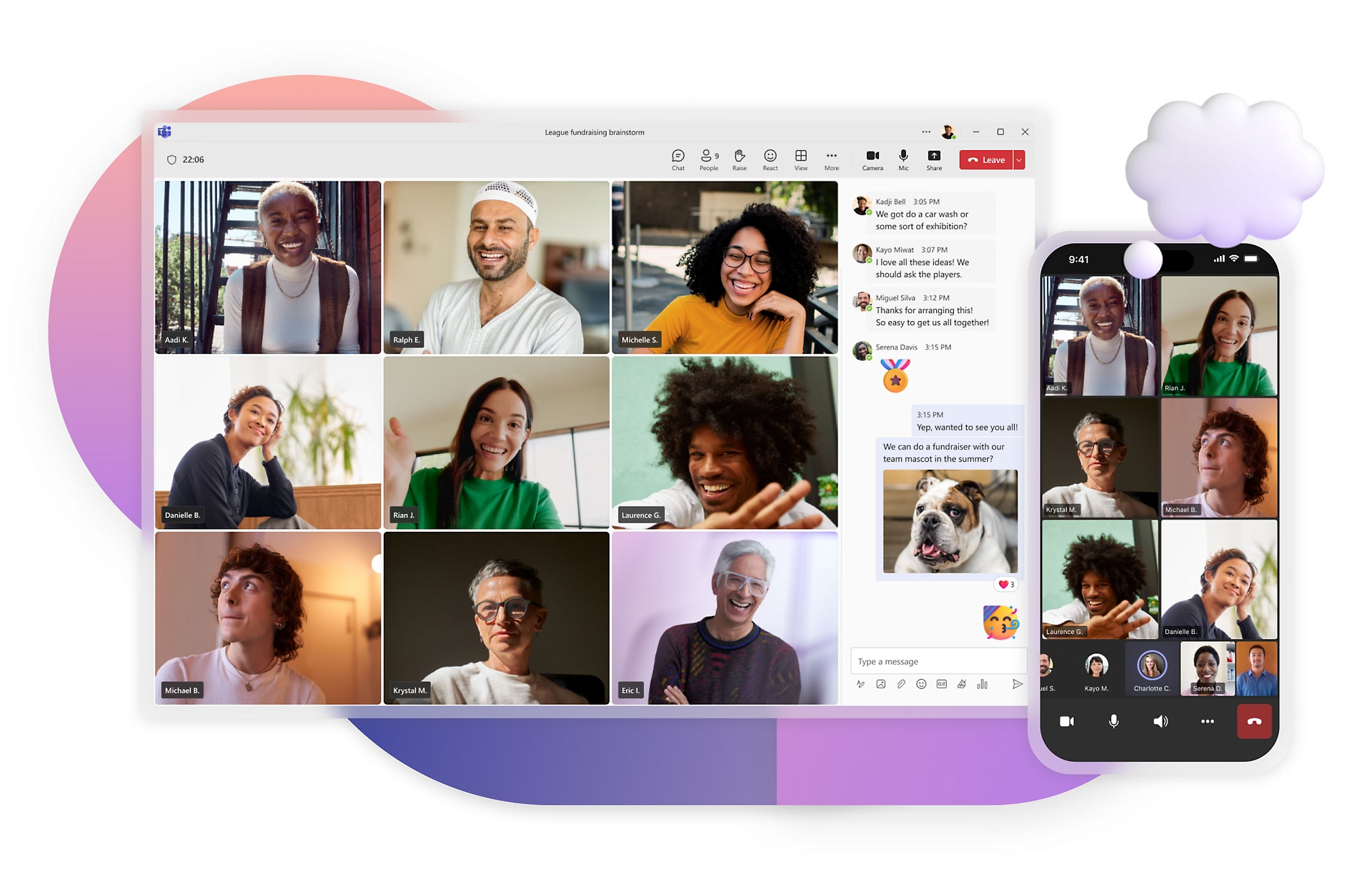
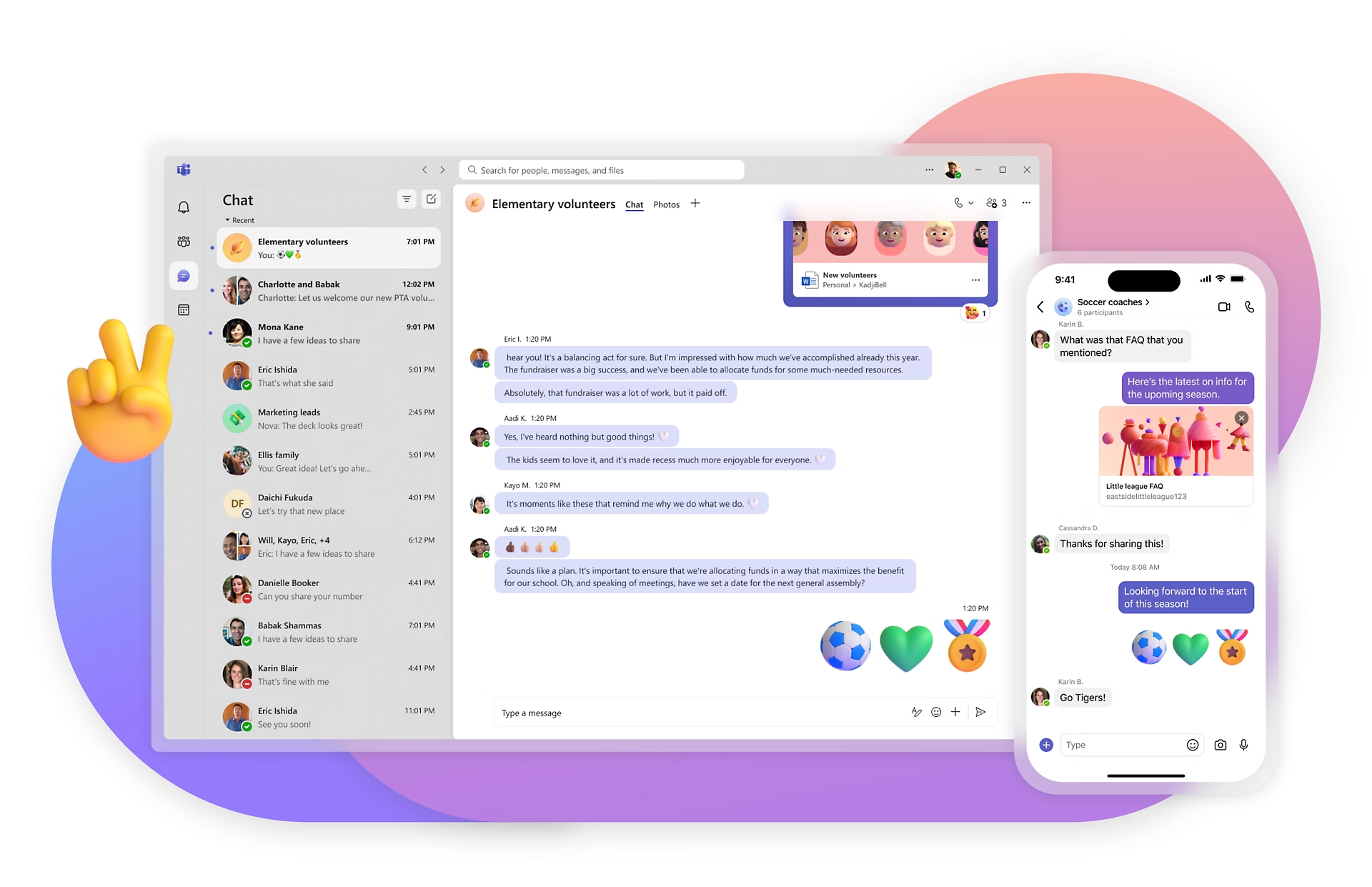
Technically, yes — but adoption tells a different story. Microsoft offers frontline-specific licensing through its F1 and F3 plans, and Teams includes a Shifts feature for scheduling and a set of targeted frontline capabilities under its Frontline Hub.

But there's a gap between what's technically available and what actually gets used.

Teams was designed for knowledge workers. Its interface reflects that: channels, threads, tabs, and a navigation model that assumes someone familiar with Microsoft Office. For a warehouse operative or a retail associate checking their phone between customers, that interface creates friction. One CIO in manufacturing put it plainly: "Microsoft Teams is not a great experience for manufacturing employees. They do not want it on their phone."

There are structural barriers too. Frontline workers often don't have corporate email accounts, and Teams requires a Microsoft account to function. The F1 license — Microsoft's lowest-cost frontline option at $2.25/user/month — restricts Word, Excel, and PowerPoint to read-only mode and provides only a limited email capability. The F3 license at $8.00/user/month unlocks more, but both are due for price increases in July 2026.

None of this is a flaw in Microsoft's strategy. Teams wasn't designed for the frontline — it was designed for the office. That's a different brief, and Blink exists to fill the gap Teams wasn't built to close.

What is Blink built for?

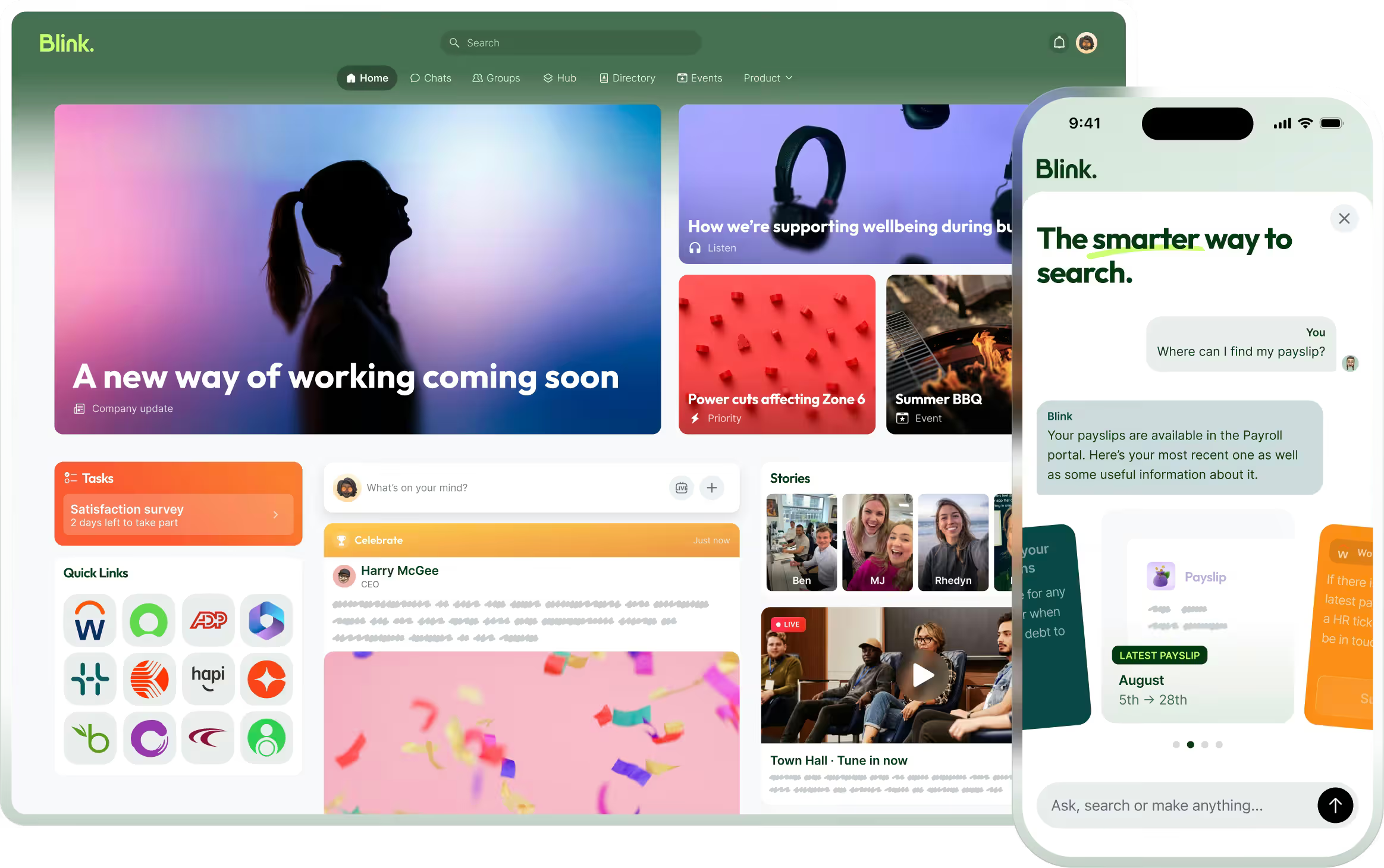
Blink is a mobile-first employee experience platform built specifically for frontline and deskless workers. Every design decision starts from the same premise: most of your frontline workers don't sit at a desk, don't have a company email, and need something that works the way their personal apps do — fast, visual, intuitive.

Onboarding takes minutes. Workers join via QR code with no email address or IT account required, which matters enormously in high-turnover environments like retail, hospitality, and logistics.

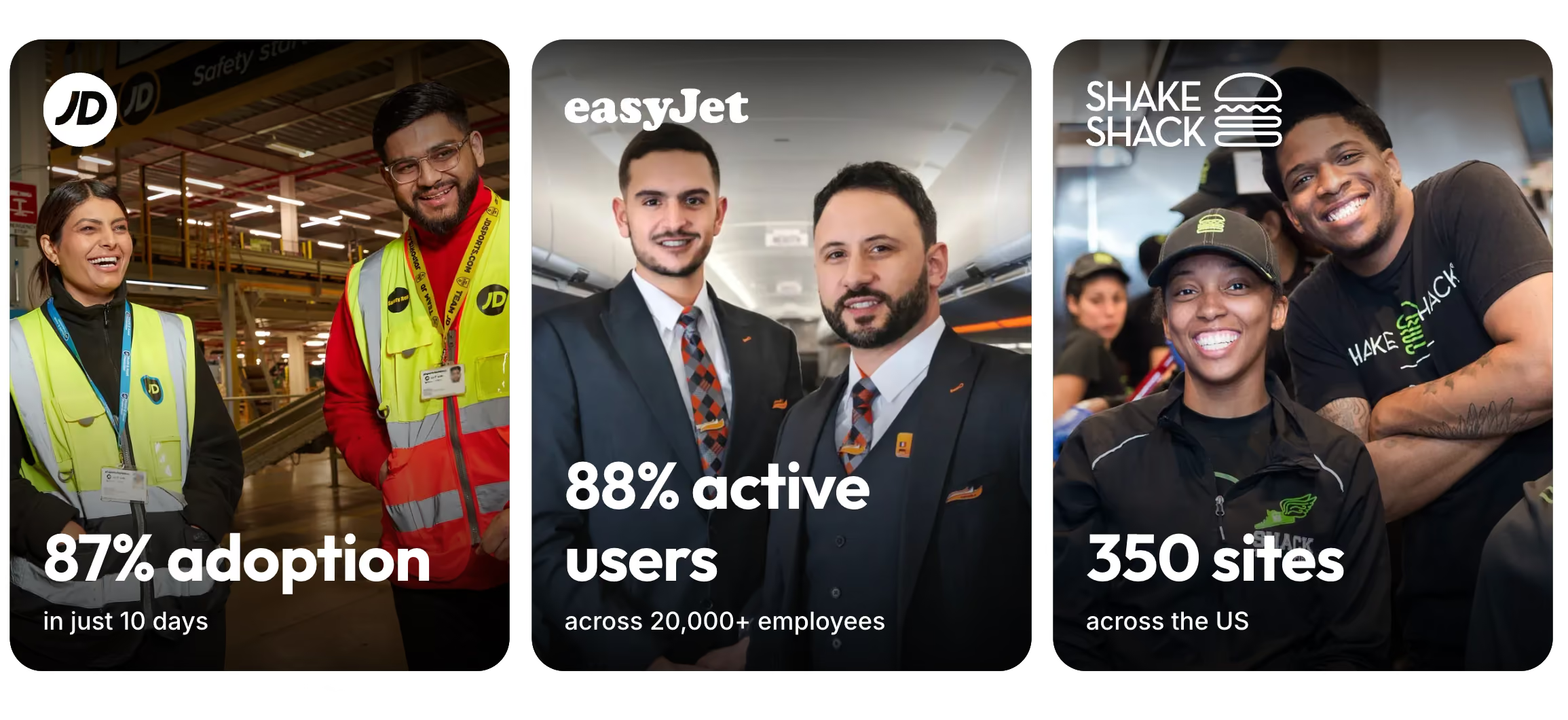
The core of the platform is a social-style news feed that frontline workers actually read and respond to. Blink customers consistently reach 90%+ workforce adoption. According to Blink's own customer data (2025), JD Sports achieved 87% adoption in 10 days. easyJet runs Blink across more than 20,000 employees. McDonald's, the NHS, Domino's, Stagecoach, and Chick-fil-A are all on the platform.

Beyond communication, Blink handles digital forms, surveys, document access, recognition, and single sign-on to the tools workers actually need — all from one app that fits in a pocket.

Understanding why workers disengage is as important as choosing the right platform. Our article on the true cost of poor frontline communication covers the downstream impact in detail.

CTA: See how Blink works → /product

Blink vs Microsoft Teams: key differences for frontline teams

1. Onboarding and IT overhead

Rolling out Microsoft Teams to frontline workers means provisioning Microsoft accounts for every person — a process that requires IT involvement, takes time, and creates ongoing work as frontline turnover happens. When 30% of your warehouse staff turns over in a year, that's a significant IT overhead.

Blink flips this. Workers join via QR code. No email address, no Microsoft account, no IT ticket. A new hire can be on the platform in minutes on day one. For high-turnover industries, this isn't a nice-to-have — it's what makes adoption sustainable.

2. Mobile experience for non-tech workers

Teams' mobile app was built to complement a desktop experience. Its architecture — channels, threads, tabs, calendar, file explorer — is a direct translation of the desktop interface onto a smaller screen. For someone who uses Teams every day at a desk, the mobile app makes sense. For someone who's never opened Outlook and uses their phone primarily for social media, it's a different experience.

Blink's interface starts and ends with mobile. The design is deliberately close to what frontline workers already know: a scrolling feed, direct messaging, simple navigation. No training required. One retail manager described it as "the app our store staff actually open."

3. Adoption rates

Adoption is the metric that matters most in frontline communications. A platform that a third of your workforce uses isn't a communication platform — it's a channel for the minority who are already digitally engaged.

Blink customers reach 90%+ workforce adoption consistently, according to Blink's customer data (2025). That gap exists for structural reasons: onboarding friction, interface complexity, and the absence of a corporate email for many frontline workers. Getting frontline adoption right requires removing barriers before launch — our piece on frontline digital adoption covers the key levers.

4. Communication formats

Teams communicates through channels and threads. For knowledge workers who follow specific projects, that structure works well. For a frontline worker who needs to know about a shift change, a new store policy, or a shoutout from their manager — a news feed they scroll through works better.

Blink's social-style feed surfaces what matters without requiring workers to know which channel to look in. It's the difference between broadcasting to the right audience and hoping people find the right thread.

5. Kiosk and shared device support

In warehouses, factories, and some healthcare settings, workers share devices rather than owning them. Microsoft offers a Teams Shared Devices add-on, but it's an additional configuration layer and requires its own licensing. Blink supports kiosk mode and shared devices as standard, with no additional setup overhead. This matters in environments where individual device ownership isn't standard practice.

6. Cost at scale

At face value, Microsoft's F1 license at $2.25/user/month looks affordable. The reality is more complicated. F1 restricts Office apps to read-only, provides only a shadow mailbox rather than a real inbox, and often proves insufficient once organisations try to do more than basic messaging — forcing upgrades to F3 at $8.00/user/month. Both price points are rising in July 2026.

For organisations with large frontline workforces, the total cost of Microsoft's frontline stack — licenses, IT provisioning overhead, ongoing license management for a churning workforce — adds up differently than it appears on a per-seat basis.

Blink's pricing starts at $4.50/user/month for up to 1,000 users, with enterprise pricing available for larger workforces. Unlike the F1/F3 split, Blink delivers a complete frontline experience at a single tier without read-only restrictions or shadow mailboxes.

7. Working offline and in low-connectivity environments

Factories, construction sites, hospital wards, and distribution centres aren't always well-connected. Blink is built to work in low-connectivity environments and supports offline access — workers can read content and use key features without a reliable signal. Teams has limited offline functionality, which can create gaps in environments where connectivity is patchy.

Can Blink and Microsoft Teams work together?

Yes — and this is the model many organisations are moving toward.

The typical setup: Teams for headquarters and desk-based staff, Blink for the frontline. IT keeps the Microsoft 365 stack it already manages. The frontline gets a purpose-built tool they'll actually use. Neither side compromises.

Blink integrates with Microsoft 365, including single sign-on via Active Directory Federation Services — so frontline workers who do have Microsoft credentials can access Blink without a separate login. SharePoint content can be surfaced through Blink's feed, and Blink connects into the broader identity and access management infrastructure your IT team already runs.

Note: SSO via Active Directory is confirmed. Full SharePoint integration scope — confirm with Blink product team before publishing.

This isn't a zero-sum decision between two competing platforms. A retail organisation running Teams for its buying team and Blink for its store staff is using both tools for exactly what they were designed for. Same for a healthcare trust running Teams for administrative staff and Blink for clinical and care home workers, or a logistics company with a headquarters team on Teams and thousands of drivers on Blink.

The IT team doesn't need to choose. The frontline workers just need something that works.

Which tool is right for your workforce?

Use Teams if:Use Blink if:Use both if:Your entire workforce is desk-based and office-basedYour workforce is primarily frontline or desklessYou have a mixed workforce — the most common scenarioYou're already fully committed to Microsoft 365 and ecosystem integration is the priorityYou have high employee turnover and need frictionless onboardingOffice and HQ teams are on Microsoft 365 and TeamsYou have no frontline or deskless workersYour workers don't have corporate email addressesFrontline workers need a purpose-built tool alongside itYou need adoption rates above 80% on frontline teamsCommon in: retail (HQ + stores), healthcare (admin + clinical), logistics (HQ + drivers), hospitality (corporate + site teams)Your workers are in retail, hospitality, healthcare, manufacturing, logistics, or construction

Why the leading choice for frontline teams is both

"87% adoption at JD Sports in 10 days."

easyJet runs Blink across more than 20,000 employees. McDonald's, Stagecoach, and the NHS trust it for frontline communication.

Primary CTA: See how Blink bridges the frontline gap → /demo

Secondary CTA: Explore all Blink comparisons → /compare

FAQ

Is Microsoft Teams good for frontline workers?

Microsoft Teams includes frontline-specific licensing through its F1 plan (from $2.25/user/month) and F3 plan (from $8.00/user/month), along with a Shifts feature for scheduling and a Frontline Hub for targeted capabilities. For organisations already running Microsoft 365, it provides a path to extend some digital communication to frontline teams without adding a separate platform.

In practice, adoption among frontline workers is significantly lower than among desk-based employees. Teams' interface was designed for knowledge workers, and onboarding requires a Microsoft account for every worker — which creates friction in high-turnover environments like retail and logistics. The F1 license restricts Office apps to read-only mode and provides only a limited email capability. According to Blink's customer benchmark data (2025), Blink customers consistently achieve 90%+ workforce adoption — a figure that stands in contrast to the lower engagement rates reported in Teams frontline rollouts. Teams works well for what it was built for. The frontline wasn't the primary design brief.

What's the difference between Blink and Microsoft Teams for frontline staff?

The core difference is what each platform was built for. Microsoft Teams was designed for desk-based knowledge workers: it handles meetings, file collaboration, and structured project communication in a Microsoft 365 environment. Blink was built specifically for frontline and deskless workers who don't sit at a desk, often don't have corporate email, and need a tool that works on their phone the way their personal apps do.

In practice, this means different onboarding (QR code with no IT setup required, vs. Microsoft account provisioning), different communication formats (social news feed vs. channels and threads), different mobile experiences, and different adoption outcomes. According to Blink's customer data (2025), customers consistently achieve 90%+ adoption compared to significantly lower rates in frontline Teams rollouts. Many organisations run both: Teams for HQ and desk-based staff, Blink for the frontline.

Can Blink integrate with Microsoft 365?

Yes. Blink integrates with Microsoft 365, including single sign-on via Active Directory Federation Services. This means frontline workers who have Microsoft credentials can access Blink without a separate login, and IT teams can manage access within their existing identity and access management setup.

Many organisations run Blink alongside Microsoft 365 rather than replacing it. According to Blink's integration documentation (2025), SSO via Active Directory is supported as standard. Teams continues to serve desk-based staff while Blink extends digital access to the frontline workers Teams wasn't designed to reach — giving IT one unified identity layer and two fit-for-purpose communication tools.

Is Blink cheaper than Microsoft Teams for frontline workers?

It depends on which Microsoft license you're comparing. Microsoft's F1 license starts at $2.25/user/month but restricts Office apps to read-only mode and provides only a limited mailbox — which often leads organisations to upgrade to F3 at $8.00/user/month. According to Microsoft's published pricing (April 2026), both prices are set to increase in July 2026. Blink starts at $4.50/user/month, with enterprise pricing for larger workforces.

The more meaningful comparison is total cost of ownership. Microsoft's frontline setup requires IT provisioning of a Microsoft account for every worker — a recurring overhead in high-turnover industries. Blink's QR-code onboarding removes that overhead entirely. For large frontline workforces with significant annual turnover, the operational savings from simpler onboarding can offset licensing costs considerably. A complete frontline experience at a single Blink tier also removes the F1 vs. F3 upgrade decision.

What are frontline workers' biggest complaints about Microsoft Teams?

The most consistent complaints fall into three areas. First, the interface: Teams was built for desk workers, and according to frontline technology research by Speakap (2024), complex navigation is the leading reason frontline employees abandon enterprise apps within the first month. Channels-and-threads navigation doesn't translate naturally to someone using their phone between shifts. Second, onboarding friction: getting a Microsoft account set up requires IT involvement, which means new starters often don't have access on day one — a real problem in industries where workers start immediately. Third, F1 limitations: organisations that provision F1 licenses to control costs often find that read-only Office access and a non-functional mailbox create frustration rather than adoption. Workers who can't do what they expect to do on a platform simply stop using it — and revert to personal messaging apps, which creates its own compliance and communication risk.

Schema note for developer: Add FAQPage JSON-LD structured data to page head. See publisher notes in Google Drive file.

Blink vs Microsoft Teams: built for different workers

Teams dominates the modern office. But the shop floor, the warehouse, the care home — that's different territory. Here's why more organisations are using both.

{{book-a-demo="/callouts"}}

Quick comparison

{{blink-table:comparison-1}}

Pricing as of April 2026. Microsoft F1/F3 pricing subject to increase effective July 1, 2026.

Who is this comparison for?

When most companies search "Blink vs Microsoft Teams," they're already running Teams for their desk-based employees. That's the right call. Teams is excellent for knowledge workers — it handles meetings, file collaboration, and chat across a distributed office workforce with a depth that's hard to match.

The real question isn't which platform is better. It's which platform is right for which workers.

Frontline and deskless workers — the people in your stores, warehouses, hospitals, factories, and delivery fleets — have fundamentally different needs than someone sitting in front of a laptop all day. They often don't have a corporate email address. They're checking their phones between shifts, not opening Outlook. Their workplace is loud, physical, and fast-moving, and the tools they'll actually use need to match that reality.

This page breaks down the differences between Blink and Microsoft Teams for frontline teams, and explains why the two platforms are increasingly deployed together rather than in competition. For broader context on what drives frontline worker engagement, see our guide to frontline employee engagement strategies and internal communication for deskless workers.

Does Microsoft Teams work for frontline workers?

Technically, yes — but adoption tells a different story. Microsoft offers frontline-specific licensing through its F1 and F3 plans, and Teams includes a Shifts feature for scheduling and a set of targeted frontline capabilities under its Frontline Hub.

But there's a gap between what's technically available and what actually gets used.

Teams was designed for knowledge workers. Its interface reflects that: channels, threads, tabs, and a navigation model that assumes someone familiar with Microsoft Office. For a warehouse operative or a retail associate checking their phone between customers, that interface creates friction. One CIO in manufacturing put it plainly: "Microsoft Teams is not a great experience for manufacturing employees. They do not want it on their phone."

There are structural barriers too. Frontline workers often don't have corporate email accounts, and Teams requires a Microsoft account to function. The F1 license — Microsoft's lowest-cost frontline option at $2.25/user/month — restricts Word, Excel, and PowerPoint to read-only mode and provides only a limited email capability. The F3 license at $8.00/user/month unlocks more, but both are due for price increases in July 2026.

None of this is a flaw in Microsoft's strategy. Teams wasn't designed for the frontline — it was designed for the office. That's a different brief, and Blink exists to fill the gap Teams wasn't built to close.

What is Blink built for?

Blink is a mobile-first employee experience platform built specifically for frontline and deskless workers. Every design decision starts from the same premise: most of your frontline workers don't sit at a desk, don't have a company email, and need something that works the way their personal apps do — fast, visual, intuitive.

Onboarding takes minutes. Workers join via QR code with no email address or IT account required, which matters enormously in high-turnover environments like retail, hospitality, and logistics.

The core of the platform is a social-style news feed that frontline workers actually read and respond to. Blink customers consistently reach 90%+ workforce adoption. According to Blink's own customer data (2025), JD Sports achieved 87% adoption in 10 days. easyJet runs Blink across more than 20,000 employees. McDonald's, the NHS, Domino's, Stagecoach, and Chick-fil-A are all on the platform.

Beyond communication, Blink handles digital forms, surveys, document access, recognition, and single sign-on to the tools workers actually need — all from one app that fits in a pocket.

Understanding why workers disengage is as important as choosing the right platform. Our article on the true cost of poor frontline communication covers the downstream impact in detail.

CTA: See how Blink works → /product

Blink vs Microsoft Teams: key differences for frontline teams

1. Onboarding and IT overhead

Rolling out Microsoft Teams to frontline workers means provisioning Microsoft accounts for every person — a process that requires IT involvement, takes time, and creates ongoing work as frontline turnover happens. When 30% of your warehouse staff turns over in a year, that's a significant IT overhead.

Blink flips this. Workers join via QR code. No email address, no Microsoft account, no IT ticket. A new hire can be on the platform in minutes on day one. For high-turnover industries, this isn't a nice-to-have — it's what makes adoption sustainable.

2. Mobile experience for non-tech workers

Teams' mobile app was built to complement a desktop experience. Its architecture — channels, threads, tabs, calendar, file explorer — is a direct translation of the desktop interface onto a smaller screen. For someone who uses Teams every day at a desk, the mobile app makes sense. For someone who's never opened Outlook and uses their phone primarily for social media, it's a different experience.

Blink's interface starts and ends with mobile. The design is deliberately close to what frontline workers already know: a scrolling feed, direct messaging, simple navigation. No training required. One retail manager described it as "the app our store staff actually open."

3. Adoption rates

Adoption is the metric that matters most in frontline communications. A platform that a third of your workforce uses isn't a communication platform — it's a channel for the minority who are already digitally engaged.

Blink customers reach 90%+ workforce adoption consistently, according to Blink's customer data (2025). That gap exists for structural reasons: onboarding friction, interface complexity, and the absence of a corporate email for many frontline workers. Getting frontline adoption right requires removing barriers before launch — our piece on frontline digital adoption covers the key levers.

4. Communication formats

Teams communicates through channels and threads. For knowledge workers who follow specific projects, that structure works well. For a frontline worker who needs to know about a shift change, a new store policy, or a shoutout from their manager — a news feed they scroll through works better.

Blink's social-style feed surfaces what matters without requiring workers to know which channel to look in. It's the difference between broadcasting to the right audience and hoping people find the right thread.

5. Kiosk and shared device support

In warehouses, factories, and some healthcare settings, workers share devices rather than owning them. Microsoft offers a Teams Shared Devices add-on, but it's an additional configuration layer and requires its own licensing. Blink supports kiosk mode and shared devices as standard, with no additional setup overhead. This matters in environments where individual device ownership isn't standard practice.

6. Cost at scale

At face value, Microsoft's F1 license at $2.25/user/month looks affordable. The reality is more complicated. F1 restricts Office apps to read-only, provides only a shadow mailbox rather than a real inbox, and often proves insufficient once organisations try to do more than basic messaging — forcing upgrades to F3 at $8.00/user/month. Both price points are rising in July 2026.

For organisations with large frontline workforces, the total cost of Microsoft's frontline stack — licenses, IT provisioning overhead, ongoing license management for a churning workforce — adds up differently than it appears on a per-seat basis.

Blink's pricing starts at $4.50/user/month for up to 1,000 users, with enterprise pricing available for larger workforces. Unlike the F1/F3 split, Blink delivers a complete frontline experience at a single tier without read-only restrictions or shadow mailboxes.

7. Working offline and in low-connectivity environments

Factories, construction sites, hospital wards, and distribution centres aren't always well-connected. Blink is built to work in low-connectivity environments and supports offline access — workers can read content and use key features without a reliable signal. Teams has limited offline functionality, which can create gaps in environments where connectivity is patchy.

Can Blink and Microsoft Teams work together?

Yes — and this is the model many organisations are moving toward.

The typical setup: Teams for headquarters and desk-based staff, Blink for the frontline. IT keeps the Microsoft 365 stack it already manages. The frontline gets a purpose-built tool they'll actually use. Neither side compromises.

Blink integrates with Microsoft 365, including single sign-on via Active Directory Federation Services — so frontline workers who do have Microsoft credentials can access Blink without a separate login. SharePoint content can be surfaced through Blink's feed, and Blink connects into the broader identity and access management infrastructure your IT team already runs.

Note: SSO via Active Directory is confirmed. Full SharePoint integration scope — confirm with Blink product team before publishing.

This isn't a zero-sum decision between two competing platforms. A retail organisation running Teams for its buying team and Blink for its store staff is using both tools for exactly what they were designed for. Same for a healthcare trust running Teams for administrative staff and Blink for clinical and care home workers, or a logistics company with a headquarters team on Teams and thousands of drivers on Blink.

The IT team doesn't need to choose. The frontline workers just need something that works.

Which tool is right for your workforce?

Use Teams if:Use Blink if:Use both if:Your entire workforce is desk-based and office-basedYour workforce is primarily frontline or desklessYou have a mixed workforce — the most common scenarioYou're already fully committed to Microsoft 365 and ecosystem integration is the priorityYou have high employee turnover and need frictionless onboardingOffice and HQ teams are on Microsoft 365 and TeamsYou have no frontline or deskless workersYour workers don't have corporate email addressesFrontline workers need a purpose-built tool alongside itYou need adoption rates above 80% on frontline teamsCommon in: retail (HQ + stores), healthcare (admin + clinical), logistics (HQ + drivers), hospitality (corporate + site teams)Your workers are in retail, hospitality, healthcare, manufacturing, logistics, or construction

Why the leading choice for frontline teams is both

"87% adoption at JD Sports in 10 days."

easyJet runs Blink across more than 20,000 employees. McDonald's, Stagecoach, and the NHS trust it for frontline communication.

Primary CTA: See how Blink bridges the frontline gap → /demo

Secondary CTA: Explore all Blink comparisons → /compare

FAQ

Is Microsoft Teams good for frontline workers?

Microsoft Teams includes frontline-specific licensing through its F1 plan (from $2.25/user/month) and F3 plan (from $8.00/user/month), along with a Shifts feature for scheduling and a Frontline Hub for targeted capabilities. For organisations already running Microsoft 365, it provides a path to extend some digital communication to frontline teams without adding a separate platform.

In practice, adoption among frontline workers is significantly lower than among desk-based employees. Teams' interface was designed for knowledge workers, and onboarding requires a Microsoft account for every worker — which creates friction in high-turnover environments like retail and logistics. The F1 license restricts Office apps to read-only mode and provides only a limited email capability. According to Blink's customer benchmark data (2025), Blink customers consistently achieve 90%+ workforce adoption — a figure that stands in contrast to the lower engagement rates reported in Teams frontline rollouts. Teams works well for what it was built for. The frontline wasn't the primary design brief.

What's the difference between Blink and Microsoft Teams for frontline staff?

The core difference is what each platform was built for. Microsoft Teams was designed for desk-based knowledge workers: it handles meetings, file collaboration, and structured project communication in a Microsoft 365 environment. Blink was built specifically for frontline and deskless workers who don't sit at a desk, often don't have corporate email, and need a tool that works on their phone the way their personal apps do.

In practice, this means different onboarding (QR code with no IT setup required, vs. Microsoft account provisioning), different communication formats (social news feed vs. channels and threads), different mobile experiences, and different adoption outcomes. According to Blink's customer data (2025), customers consistently achieve 90%+ adoption compared to significantly lower rates in frontline Teams rollouts. Many organisations run both: Teams for HQ and desk-based staff, Blink for the frontline.

Can Blink integrate with Microsoft 365?

Yes. Blink integrates with Microsoft 365, including single sign-on via Active Directory Federation Services. This means frontline workers who have Microsoft credentials can access Blink without a separate login, and IT teams can manage access within their existing identity and access management setup.

Many organisations run Blink alongside Microsoft 365 rather than replacing it. According to Blink's integration documentation (2025), SSO via Active Directory is supported as standard. Teams continues to serve desk-based staff while Blink extends digital access to the frontline workers Teams wasn't designed to reach — giving IT one unified identity layer and two fit-for-purpose communication tools.

Is Blink cheaper than Microsoft Teams for frontline workers?

It depends on which Microsoft license you're comparing. Microsoft's F1 license starts at $2.25/user/month but restricts Office apps to read-only mode and provides only a limited mailbox — which often leads organisations to upgrade to F3 at $8.00/user/month. According to Microsoft's published pricing (April 2026), both prices are set to increase in July 2026. Blink starts at $4.50/user/month, with enterprise pricing for larger workforces.

The more meaningful comparison is total cost of ownership. Microsoft's frontline setup requires IT provisioning of a Microsoft account for every worker — a recurring overhead in high-turnover industries. Blink's QR-code onboarding removes that overhead entirely. For large frontline workforces with significant annual turnover, the operational savings from simpler onboarding can offset licensing costs considerably. A complete frontline experience at a single Blink tier also removes the F1 vs. F3 upgrade decision.

What are frontline workers' biggest complaints about Microsoft Teams?

The most consistent complaints fall into three areas. First, the interface: Teams was built for desk workers, and according to frontline technology research by Speakap (2024), complex navigation is the leading reason frontline employees abandon enterprise apps within the first month. Channels-and-threads navigation doesn't translate naturally to someone using their phone between shifts. Second, onboarding friction: getting a Microsoft account set up requires IT involvement, which means new starters often don't have access on day one — a real problem in industries where workers start immediately. Third, F1 limitations: organisations that provision F1 licenses to control costs often find that read-only Office access and a non-functional mailbox create frustration rather than adoption. Workers who can't do what they expect to do on a platform simply stop using it — and revert to personal messaging apps, which creates its own compliance and communication risk.

Schema note for developer: Add FAQPage JSON-LD structured data to page head. See publisher notes in Google Drive file.

What we'll cover

Start your free trial today

See how Blink helps frontline teams stay connected, informed, and engaged.

Try Blink

Related Blogs