
No email, no problem: 5 ways to close the frontline communication gap
If your frontline workforce doesn’t use email, traditional communication strategies break down fast. Here’s how to close the communication gap — no added friction for employees or IT.
Marcy Paterson
Published:
March 5, 2026
Last updated:
March 5, 2026
For many organizations, internal communication starts with email.
But for frontline workers — the people in stores, on factory floors, in hospitals, or behind the wheel — email often isn’t part of the job at all.
That creates a major challenge for internal communications teams trying to keep everyone informed, engaged, and aligned.
“When you’re trying to connect and engage your frontline workforce, email often isn’t an option. But that doesn’t mean those employees should be disconnected from your organization.”
The reality is that millions of frontline employees operate without a corporate email address or digital identity. But organizations that successfully close this communication gap unlock better engagement, stronger culture, and more efficient operations.
Here are five practical ways to make it happen.
#1. Start by reframing the problem
Before implementing any new technology, it’s important to understand the underlying challenge.
For many organizations, the issue isn’t simply a lack of email accounts — it’s the absence of a digital connection to the frontline workforce.
That disconnect creates real operational challenges, from missed updates to fragmented communication channels.
“You’re trying to connect your frontline employees to the organization’s culture, engage them in two-way communication, and support them in their day-to-day work. But in order to do that, you first have to solve the connection problem.”
When employees aren’t digitally connected, organizations often rely on patchwork solutions like:
Posters or printed memos
Bulletin boards
Informal messaging apps
Word-of-mouth communication
The result? Messages don’t reach everyone — and leadership has little visibility into what employees actually see.
#2. Focus on connection first — engagement comes next
Organizations often jump straight to engagement initiatives. But without a reliable way to reach employees digitally, engagement efforts struggle.
The first step is establishing a simple, scalable way for frontline workers to access company communications and tools.
Once that digital connection exists, organizations can begin delivering real value — such as:
Real-time updates
Feedback channels
Self-service tools
Access to knowledge and resources
That foundation enables frontline teams to become part of the broader employee experience rather than operating outside of it.
{{mobile-hub="/image"}}
#3. Meet employees where they already are: mobile
Frontline employees may not have email — but most do have smartphones.
That’s why many organizations are shifting toward mobile-first communication strategies.
Instead of requiring workers to log into shared desktops or check bulletin boards, mobile platforms deliver information directly to the devices employees already use every day.
Mobile-first communication enables teams to:
Send targeted updates to specific locations or roles
Deliver push notifications for urgent updates
Share short-form content employees actually engage with
Enable quick feedback or responses
For frontline workers, this often feels far more intuitive than traditional intranet systems.
“When we look to modernize the frontline experience, we want to deliver it where employees are, when they’re there. For most organizations, that means mobile.”
#4. Make communication simple and familiar
Another key lesson from organizations successfully connecting their frontline workforce: Simplicity drives adoption.
If a communication platform feels overly complex or corporate, employees are far less likely to use it.
Instead, many companies are embracing experiences that feel closer to the social platforms employees already use in their personal lives.
Features that drive engagement include:
Social-style feeds
Short updates or “stories”
Peer recognition
Comments and reactions
Simple polls or surveys
When communication tools feel familiar, adoption often follows naturally.
{{mobile-main="/image"}}
#5. Solve identity and access challenges creatively
One of the biggest concerns for IT teams is authentication.
If employees don’t have corporate email accounts, how do they securely access workplace tools?
Modern employee experience platforms increasingly support alternative authentication methods, such as:
SMS-based login codes
QR-code onboarding
One-time passcodes
Mobile-number authentication
These approaches make it possible to provide secure access without requiring full corporate email provisioning.
Even when employees don’t have email addresses or corporate identities, modern communication platforms like Blink offer multiple ways for employees to securely access the platform — from one-time passcodes to QR-based activation.
This flexibility helps IT teams maintain security while still reaching every employee.
[I think we have a manager activation product image?]
{{mobile-activation="/image"}}
The bigger opportunity: A digital front door for the frontline
Once organizations establish a digital connection with frontline workers, the possibilities expand quickly.
Communication platforms can evolve into a centralized access point for workplace tools and information — what many organizations now refer to as a digital front door.
This approach allows employees to access:
HR systems like Workday or SAP SuccessFactors
Learning and training platforms
Schedules and shift tools
Policies and operational guidance
Secure team messaging
By deploying a digital front door for the organization, leaders can bring together tools that might otherwise be fragmented into one seamless experience.
For IT teams, that consolidation reduces tool sprawl.
For employees, it dramatically simplifies their day-to-day experience.
“The first step is setting the intention. Why is it important to connect these employees — and what value will it bring to the organization?”
Closing the frontline communication gap
Organizations across industries are realizing that frontline workers can’t be an afterthought in the digital workplace.
But connecting these employees requires different strategies than traditional office-based communication.
From there, success often comes down to three things:
Solving the connection challenge
Involving HR, IT, operations, and communications early
Building a clear business case for the investment
When done right, connecting the frontline doesn’t just improve communication — it strengthens culture, boosts engagement, and unlocks better business outcomes.

#1. How do you communicate with frontline employees who don’t have email?
Organizations often use mobile-first employee apps, SMS-based notifications, or secure messaging platforms to reach frontline employees who don’t have corporate email accounts. These tools allow workers to receive updates, access resources, and communicate with their teams directly from their mobile devices.
#2. Why don’t many frontline employees have corporate email addresses?
Many frontline roles have high turnover or operate in environments where email access isn’t necessary for daily tasks. Providing and managing email accounts can create licensing costs, administrative overhead, and security challenges, which is why many organizations look for alternative communication solutions.
#3. What is the best communication tool for frontline workers?
The most effective tools are mobile-first employee experience platforms that combine communication, messaging, and access to workplace systems in one place. These platforms make it easy for employees to receive updates, collaborate with teams, and access HR or operational resources.
#4. How can IT teams securely connect employees without email accounts?
Many platforms support alternative authentication methods such as one-time passcodes, SMS login codes, QR-code onboarding, or mobile-number authentication. These approaches allow organizations to maintain security while providing access to employees who don’t have corporate identities.
#5. Why is frontline communication important for employee engagement?
Frontline employees often represent the majority of the workforce but historically receive the least access to company communication. Providing consistent communication, resources, and feedback channels helps improve engagement, alignment, and retention across the organization.
You’re two people down because the schedule change didn’t reach everyone in time. The crew members who showed up are stretched. Wait times are climbing. Order accuracy is slipping.
The customer at the counter can feel it. And so can the one in the drive-thru who’s been waiting four minutes longer than they should have.
This isn’t just a customer experience problem. It’s also an employee experience problem. And you can’t fix one without considering the other.
Ultimately, every guest-facing metric in restaurants: speed of service, order accuracy, friendliness, cleanliness — occurs downstream of employee experience.
The operators who understand that are the ones making meaningful progress on CX. The ones who don’t are stuck, trying to fix the symptom rather than the cause.
Employee experience in restaurants: What the numbers say
Restaurant employee turnover in the USA consistently exceeds 75%. This means that in a typical year, three in every four roles turn over at least once.
In limited-service restaurants, the figure is even higher. QSR employee turnover stands at an eye-watering 135%.
The average cost of losing just one of those employees comes in at around $5,864, factoring in recruitment, training, and the new hire productivity gap. And when faces change, and crews are never quite up to speed, customer experiences suffer, too.
But when employees are engaged and loyal, things move in the other direction. Highly engaged companies experience a 10% increase in customer loyalty and a 23% increase in profitability.
The crew member who knows the menu, knows the regulars, knows how to handle a difficult situation during your lunchtime rush hour, and feels motivated to do so, is one of the most valuable assets in your organization.
Why restaurant employee engagement is lower than it needs to be
Most restaurant operators know engagement matters to customer experiences and profitability. But they don’t always have the infrastructure to deliver it. Here’s what’s going wrong.
Crew members are left out of the loop
Without a company email address, a laptop, or regular face time with anyone above their immediate manager, the deskless workforce has limited connection to HQ.
Company news, policy updates, and operational changes are communicated through noticeboards, manager word-of-mouth, and unofficial WhatsApp chats.
These channels are unreliable. So employees don’t get the information they need to do their jobs well, and engagement takes a hit.
Scheduling is a headache for everyone involved
Last-minute rota changes, limited ability to swap shifts, and inadequate advance notice of hours are among the most consistent sources of crew frustration.
When people can’t plan their lives around their schedule, you get absences, late arrivals, and a feeling of resentment that filters through to customer experiences.
Recognition doesn’t reach the frontline reliably
Over 64% of QSR workers say that more recognition from management would increase their engagement at work.
But recognition tends to flow toward those with the most visibility, such as senior staff and those working the same shift as the manager.
For the majority of the frontline restaurant workforce, good work goes largely unacknowledged.
Crew members struggle to make their voices heard
Frontline employees have a ton of insight to share.
They can tell you about operational points of friction, about the things real-life customers say, and about their own experiences working for your organization.
But they rarely have an easy way to voice their ideas and opinions.. Annual engagement surveys especially those that are difficult to complete on a smartphone, can leave crews feeling like their input isn't valued.
What leading restaurant operators are doing differently
Here’s what operators are doing to make meaningful progress on frontline employee engagement and customer experience in hospitality:
Prioritizing communication. Short, snappy, multimedia, personalized comms help keep busy employees in the loop. Crew members get to know about a new promotion, a menu change, or an operational update reliably and (crucially) before the customer does. So they can represent the brand with confidence.
Listening to crew and acting on what they hear. Crews need an easy, accessible route to share questions, ideas, and opinions. With quick-fire polls, regular surveys, and manager check-ins, you get both the operational insight and the engagement uplift that comes from employees feeling genuinely heard.
Supporting work-life balance. Giving crew members the ability to view their schedule, request shifts, and swap shifts with colleagues — straight from their smartphones — removes one of their biggest frustrations. When people have visibility and greater control over their working hours, engagement and attendance improve.
Enabling connection. Crew members are more likely to stay when they feel connected to their co-workers. But building connection isn’t easy when people work across different shift patterns. Digital communities and approved group chats — where crew can connect, support each other, and share knowledge — build a sense of belonging.
Providing recognition. Recognition that happens in the moment — a quick shout-out in the team chat, a peer nomination, a manager acknowledgement shared in the news feed — has a huge impact on employee engagement. The key is making it easy and visible, so it becomes part of everyday company culture.
Ready to make EX improvements? Here’s where to start
Pick any customer experience metric you’re trying to move this quarter and ask yourself what the crew experience equivalent is.
Average service time climbing? Ask what’s slowing the shift down and whether crew have the information and tools to run it efficiently.
Order accuracy dropping? Ask whether crew members are properly briefed on menu updates and whether training materials are accessible at the moment of need.
Customer satisfaction scores flat? Ask when crew last received recognition for good work and whether they feel informed, supported, and part of something bigger than themselves.
The CX metric tells you where the customer experience is breaking down. By asking the EX questions, you get closer to the why. And, if you want happy customers, this is where you should be focusing your attention.
Improving restaurant and QSR employee experience with Blink
{{dominos="/image"}}
Blink is a mobile-first employee experience platform built for the realities of frontline restaurant work where crew members don’t have company email, never sit at a desk, and need comms and tools that meet them where they are.
A single app gives every crew member access to company news, chat, shift scheduling, a content hub, and recognition, all from the smartphones already in their pockets.
More than 80% of the global workforce is deskless. That's more than 2.7 billion people working outside of a traditional office setting, making it more important than ever to have effective communication tools in place.
This guide is designed to help business leaders keep their deskless employees connected and communicating, no matter where they are. We'll cover a variety of topics, from why communication is so important (and often challenging!) for deskless workers, to how to choose and evaluate digital communication tools to engage your deskless workforce with ease.
Why communication is important for deskless workers
With such a strong majority of the global workforce that is deskless, purposeful corporate communication solutions are crucial. This means ensuring all employees feel connected, in-the-loop and heard - even as a deskless team. As such, there are a number of reasons effective employee communication is important for frontline workers and their wider teams.
1. Reduces turnover
With the Great Resignation still in full swing, all business leaders need to be focusing on employee retention. This becomes even more prominent for the deskless workforce, with52% of frontline workers claiming they would leave their job over tech tools in 2022.
Additionally, according to a survey of 8,000+ global frontline workers and C-suite executives, 45% of frontline workers were planning on leaving the frontline altogether this year.
With most corporate communications tools not designed for them and frontline engagement projects lacking in substance, deskless workers are showing high turnover rates and low job satisfaction, creating an unstable workforce for your business.
Effective communication can improve job satisfaction by creating a sense of community and increasing transparency from leadership. This also helps to reduce misunderstandings and conflicts among employees, leading to better employee retention rates.
2. Increases profits
Better communication means better engagement. Indeed tells us that improved communication works to connect and keep open lines of communication between employees and other members of the organization, which ultimately works to create better engagement between employees. But did you know that this can have a further positive impact on your company profitability?
Engaged employees, who feel heard, valued and involved in communications, are more productive, and this increased productivity can often result in a more profitable business.
As we highlighted in our recentEmployee Engagement Statistics Guide, highly engaged organizations achieve a 23% difference in profitability, alongside a 43% difference in turnover. By driving home your employee engagement with impactful, intuitive communication, you’re investing in the success of your deskless workforce, and the long-term success and overall profitability of your business.
3. Drives employee experience & empowerment
Deskless workers often have limited access to traditional channels of communication, such as email or company intranet. Providing alternative means of communication, such as mobile apps designed for the frontline, can help improve the employee experience by giving them a voice and empowering them in their work environment.
This also allows for agile, on-the-go, two-way communication that deskless employees need in their fast-paced work environments, which is where communications for deskless workers often fall short.
Better employee experience can also boost your bottom line. HBR research shows that a shift in employee experience would result in a 45% increase in profits per person-hour, adding significantly to both individual, team and overall company success.
4. Increases productivity & organization
Effective organizational communication can increase productivity by reducing miscommunications and streamlining processes. It also allows for better frontline organization, as employees have access to important information and updates in real time.
This helps deskless workers stay on top of their tasks and responsibilities, leading to more productive employees and a more organized frontline.
Without efficient two-way communication solutions, it can be difficult for business leaders to understand, or even acknowledge, the issues their frontline workers are facing. For example, did you know that70% of frontline workers have either suffered from burnout or felt at risk of burning out?
With great team communication, your leaders can hear and respond directly to workers needs, implementing them into their organizational practices.
Whether that means giving employees an intuitive two-way communication solution such as a mobile employee app, an accessible scheduling tool to prevent miscommunications or an easier way to organize shift swaps, effective communication can improve the productivity and organization of your workforce.
5. Boosts trust, engagement & morale
A lack of communication can lead to a disengaged and distrusting workforce, as employees feel isolated and disconnected from the larger company culture.
Research shows that nearly all (99%) of C-suite executives believe their frontline workers trust them, while only a quarter (26%) of workers entirely trust their organization to communicate company updates and news transparently.
Clearly, as part of the C-Suite it's important to understand how purposeful internal communications help to build a sense of community among deskless workers. By increasing transparency from leadership, you can drive employee engagement long-term. In turn, this can improve overall job satisfaction, minimize churn and build trust with your workers.
6. Improves worker safety
Proper communication can also improve safety in the workplace. Problems with communication leading to major accidents/incidents are well known, according to HSE.
Proper frontline communication includes informing deskless employees of important safety updates, as well as providing a platform for reporting concerns or hazards. In turn, this can lead to a better quality of work and decrease the likelihood of accidents or injuries on the job.
The Blink frontline engagement app offers a central Hub for storing core company policies, procedures and training documents, ensuring all teams have access to important information and updates in real time. It also includes Secure Chats, giving frontline employees the ability to report concerns or hazards directly to management for swift resolution.
The challenges of communicating with deskless workers
While the benefits are great, it can be a huge challenge to communicate with deskless workers in the modern work environment. Some key challenges of communicating with deskless workers include:
Budget: When you're under-budgeted and under pressure, finding the right communication channels and tools for your deskless workers can be a complex and costly process for business leaders that don't know where to invest.
Old software or no access to tech: Deskless workers may not have access to the same technology or software that office-based employees do, leading to communication disconnects, especially when using tech not designed for them.
Implementing new software: Introducing new communication software can also be a challenge, requiring dedicated training and support to ensure adoption and success for your deskless teams.
Easy access to the right information: Deskless workers often require easy access to essential information, such as company updates, product knowledge or HR policies. Without proper communication channels in place, there can be a breakdown in sharing important information with these teams.
Disconnected, disengaged & distributed: With teams spread across various locations, it can be difficult for deskless workers to feel connected and engaged with the company and their coworkers. Effective communication helps bridge this disconnect.
No sense of community or belonging: Deskless workers may not have the same office community or team spirit as traditional office-based employees, making it crucial for businesses to find ways to build a sense of belonging and connection within their remote or distributed teams.
So – how can leaders overcome these challenges and drive stronger communication between their employees? Let’s take a look.
How to improve communication with deskless workers
Build a digital culture
The pressure’s on for leaders in the frontline sector to digitize their communication efforts with deskless employees. As such, many companies are now developing digitalization strategies that enhance employee experience and drive performance.
One key to business success in a post-Covid world is to embrace a digital culture.
For digital culture to be successful, it must be driven from the ground up.
Clearly, it's important for business leaders to embrace a digital culture, with communication tools and processes that accommodate deskless workers. This means investing in the right technology solutions, as well as training and support for adoption of more complex tools.
For leaders of a deskless organization, digital communication can reduce the complexity of managing a dispersed team, as well as improve transparency and accessibility for employees in remote locations, making everyone's lives easier.
Digital transformation and digital adoption are now key concepts for the deskless workforce, and a focus on digital culture can ensure deskless workers feel connected and included in company processes. With your workers able to access important information and comms from the palm of their hand, you'll have no shortage of engaged, on-the-ball and informed employees.
And remember, this digital transformation must be built from the ground up, with impactful input from deskless workers themselves on their communication needs and challenges.
Listen to and act on feedback
As important as it is to have the right communication tools in place, it's also essential for business leaders to implement processes that gather and listen to feedback from their deskless teams. Ask for input on what channels and tools they prefer, as well as how communication processes can be improved, and implement it in your communication strategy.
Direct communication with features such as surveys, polls or secure chats can make it easier for deskless workers to provide their input. And listening to and implementing this feedback can lead to more successful communication strategies with your deskless teams.
When workers know that their feedback is being listened to, and acted upon, they will be more receptive to future engagement strategies and communications.
With the right processes in place, deskless workers can feel just as heard, connected, included as their office-based colleagues, leading to a more natural, intuitive communication flow within the entire organization.
Provide easy access to key information
By providing an easy-to-access, intuitively designed central Hub for information and communication, deskless workers have easy access to the essential information they need for their roles. This includes company updates, product knowledge, HR policies and more - all in one place, accessible on any device.
A central Hub can also promote a sense of community by allowing deskless workers to connect with their colleagues and share ideas or important information.
This not only saves valuable time for you and your employees, but can also boost your productivity and improve communication initiatives in the long run.
Focus on building a sense of belonging and connection
Though they may not have the same office community as traditional office-based employees, there are still ways to build a sense of belonging and connection for deskless workers.
This includes regularly scheduled check-ins with managers or team members, virtual (and meaningful) team building activities, and offering opportunities for professional development.
These efforts can help deskless workers feel included, valued, and connected with their colleagues and the company as a whole, which can improve employee engagement in a way that feels natural and earned.
Keep two-way communication channels open
As we touched on, it’s important for deskless workers to not only receive information, but also have the opportunity to share their ideas and feedback.
Communication should not be a one way street from the top down. Employees should be engaging in two-way conversations with both each other and management in order to keep communication open and transparent.
This can be done through regular check-ins or meetings, as well as utilizing communication tools that allow for a two-way flow of information - such as Secure Chats or collaboration platforms.
Encourage real employee recognition
Recognition and appreciation are important for all employees, but can be even more impactful for deskless workers who may not have the same opportunities for team praise or company events.
Implementing a recognition program, with features such as virtual badges or “shout-outs”, can help deskless workers feel seen and valued. And don’t underestimate the power of a personalized thank you note or Feed shoutout from leadership - deskless employees can feel just as appreciated through these small gestures.
The role of technology in deskless communication & employee engagement
The right employee technology is vital for your team communication. And as the deskless workforce continues to grow, so does the need for communication technology and tools specifically designed for them.
Reports show that 75% of deskless workers spend most of their work time using some form of technology, yet 60% reported being unsatisfied with the tech they use.
This is where better employee communication and engagement apps come in. By investing in technology that truly supports and engages your deskless team, you’re able to better connect with them, reaping all of the benefits of great communication we explored above.
But what is the exact role of technology in team comms and employee engagement? Here are a few key roles great technology solutions can play:
Easy communication & real-time responses
The right tech should connect your deskless employees with ease, ensuring they have the same access to communication as their desk-based colleagues. With mobile and desktop apps, they can easily communicate no matter where they are or what device they’re using, making one key role of employee tech easy and intuitive communication.
Successful communication also relies on timely responses, and the right employee communication app should support this with real-time messaging and notifications. This helps to keep your deskless team in-the-loop, ensuring they have access to important information as it happens.
Easy access to important information
Employee engagement technology reduces complexity and overhead for your teams by simplifying password management with single sign on to your tools. By centralizing important information, documents and updates on one platform, employees can easily access what they need without having to navigate multiple systems or chase down colleagues, resulting in a better overall employee experience.
Easy implementation & adoption
A key role of the right technology in team communication and engagement is simple implementation and adoption. Look for a solution that’s easy to set up and navigate, with support available when you need it. This helps make the transition smoother, leading to faster adoption and better results from your tech investment.
It can also be useful to choose a technology that feels familiar to employees in order to drive adoption of your chosen tool. By providing a user-friendly, familiar experience, such as a mobile app, deskless workers are more likely to engage and adopt the technology in their day-to-day work.
One core role of employee communication tech is to help your business leaders focus on driving real change and value, rather than being bogged down by day-to-day IT management. Look for a solution that is scalable and customizable, allowing you to easily adapt your communication strategy as your business grows and changes.
By developing business value away from business-as-usual (BAU) IT and into an employee communication and engagement platform fit for your frontline, you’re investing in your deskless workforce, and ultimately, your organization.
How to measure the impact of communication technology on your workforce
C-suite leaders are starting to catch on to the potential benefits employee communications technologies, tools and apps can have on their workforce. In fact, leadership trends show increased HR support of supervisors and managers with innovative processes and technology. But how can those leaders measure the success of these digital initiatives?
As part of the C-Suite, the CIO will want to see ROI on any investment made in employee communication technology. In fact, data from CIO found that 81 percent of IT leaders agree that CIOs are under extreme pressure to defend their technology investments and prove ROI.
This can be done through surveys, pulse check-ins, or feedback from leaders and managers on team performance. Additionally, you should consider investing in a technology that provides real-time employee engagement analytics, like ourFrontline Intelligence feature, to get live insights into how your deskless teams are utilizing the tool.
This key data can help inform and improve your internal communication strategy, ultimately leading to better, and more tangible, ROI.
It’s also important to consider other measures of success, such as improved team profitability, communication and collaboration, boosted employee engagement and satisfaction rates, increased productivity, and higher retention rates for deskless employees. These all contribute to the overall impact of employee communication technology on your workforce.
Final thoughts
At Blink, ouremployee communication and engagement software offers a mobile-first, intuitive solution for your deskless workforce. We support real-time communication, easy access to important information, and simple implementation and adoption – all key roles of technology in team communication and employee engagement.
Our employee app is made for the frontline, to support the needs of your deskless team and drive business value in the process.
Interested in learning more? Request a demo today to see how Blink can drive value for your deskless organization.
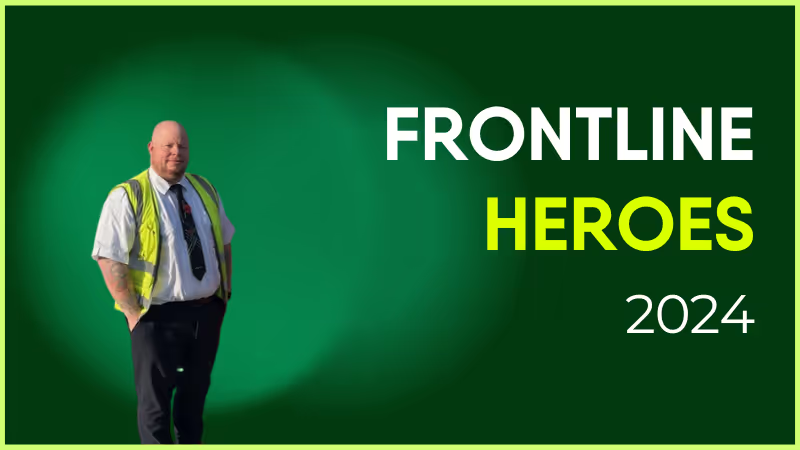
Ben epitomizes the value of “genuine.” He consistently demonstrates good character and looks out for the safety and wellbeing of everyone around him. His easygoing nature and technical ability make him a great leader and a core member of the operational team.
How does Blink help in his role?
Blink helps in delivering safety-critical documentation to the RSW workgroup.
What does he want to do next?
Continue driving excellence in training and ORAs standards.
Nominated by: Joel Farrell, Rail Operations Manager
As the nights grow longer and the shadows creep in, we can’t help but share some of the most terrifying tales from the world of internal communications.
These are the kinds of stories that send shivers down the spines of communications leaders everywhere — from abandoned intranets to the files that won’t die, each one serves as a chilling reminder of what happens when things go awry in the workplace.
But don’t worry, we’re not here to scare you for long. With the right strategies and technologies, you can avoid each nightmare scenario and ensure your employees are kept safe from the monsters of comms gone wrong.
So grab a mug of hot apple cider, curl up under a blanket, and read on, internal communicators… if you dare.
#1. The abandoned intranet
It’s a cautionary tale we hear all too often.
The company’s intranet, once a thriving hub of communication and collaboration, is now a digital ghost town. There was once a time when employees would check in daily for company news, office events, and team updates. Now, it’s a desolate, dusty corner of the office’s virtual space, where outdated files collect cobwebs and employee profiles haven’t been updated since 2016.
No one posts anymore. No one checks it. Rumor has it that some employees haven’t even logged in for years.
As workers find more convenient ways to communicate on the fly, the old intranet withers away, trapped in the past. No matter how hard HR tries to breathe life into it, the abandoned intranet remains a relic of a bygone era — an eerie reminder that if communication tools don’t meet modern employee expectations, they’re doomed to fade into oblivion.
#2. The phantom shift swap
The shift swap app was supposed to make everything easier. But for one bus driver, it felt like a terrifying prank.
She submitted a request to swap shifts, expecting a quick confirmation. But when the shift was approved, strange things began to happen. Her name appeared on two shifts at once. Overlapping schedules. Double bookings. No matter how many times she tried to fix it, she was stuck in an endless loop of conflicting shifts. Her manager said she tried to adjust the schedule, but the terrors persisted. Colleagues wondered if she’d been cursed to work two shifts at the same time, forever trapped behind the wheel.
As the errors mounted, it became clear that this was no ordinary scheduling issue. It was a haunting glitch with no escape in sight.
The only way to help her escape this scheduling nightmare was a shift management tool with real-time integration into the comms platform — no room for terrible errors.
{{mobile-shifts="/image"}}
#3. The curse of the social scrolls
You’ve heard of the risks of “all work and no play” — but what about the other way around?
There was once a company who launched a social media-inspired internal platform to modernize the employee experience. It had it all — likes, shares, comments, and the ability to follow colleagues’ posts. Employees were thrilled, treating company updates like their favorite social media feeds.
But then, things took a terrifying turn.
It all started when a routine update on workplace safety spiraled into a viral nightmare. A sarcastic comment sparked a meme storm, and soon, the original message was buried beneath a graveyard of reactions.
Notifications haunted inboxes. Critical information got lost in the noise. Announcements became a race for likes and important deadlines were ghosted as employees spent time conjuring clever comments or trying to win thread wars.
The only way to save the team from this cursed scrolling nightmare was to strike the balance between employee engagement and efficiency — where important messages were prioritized and light-hearted engagement didn’t overshadow critical work updates.
{{mobile-mandatory-reads="/image"}}
#4. The cursed CEO email
Legend has it that whenever the CEO sends a company-wide email, chaos ensues.
The email arrives without warning. Employees feel a chill run down their spines as they open it. Suddenly, meetings are scheduled, projects are assigned, and urgent tasks appear out of nowhere. Everyone has that sinking feeling — you’ve just been “voluntold” for something new.
But the worst part? The email sits in your inbox, lingering, waiting for the poor soul who dares to click “Reply All.” And when they do, chaos breaks loose — a flood of unnecessary responses, confusion, and frantic attempts to undo the damage.
It’s a curse that haunts the office every time, and no one seems to learn the lesson. Some say that targeted messaging and group filters are on their way, ready to rid the company of frightening follow-ups… but then another all-employee email arrives and all hope of progress is lost.
5. The forgotten frontline worker
The newest member of the shipping team was excited to join the company — but something was off.
As the weeks passed, he couldn’t shake a deep feeling of total isolation. He never received the onboarding checklist that he was told to complete. He sent messages to his colleagues, but no one responded. The company’s communication channels were a maze he couldn’t navigate. He tried joining the team’s video call, but every attempt resulted in error messages.
The more he tried to reach out, the more he realized — he was completely alone in the company’s communication void. It was as if no one knew he existed.
As he worked the quiet aisles of the fulfillment center, he began to wonder if he was doomed to wander the similarly empty virtual hallways of the company, disconnected and invisible.
A simple mobile-first comms platform, intuitively designed to onboard frontline and remote workers smoothly, could have saved him from this forgotten fate.
{{mobile-recognition-post="/image"}}
#6. The jump scare alert
Every time the company intranet sends a new notification, employees flinch.
It’s never good news. The dreaded ping of a new notification means another last-minute all-hands meeting, a new policy change, or another round of mandatory compliance training. No one is safe from the frenzy of pings, dings, and buzzes, each one causing a ripple of jump scares throughout the employee base.
The never-ending notifications aren’t just constant, they almost feel cruelly timed — catching workers off guard during lunch breaks, late-night shifts, or right when they’re about to clock out.
Each alert leaves employees with a sinking feeling. What fresh horror awaits?
The employees often look into the distance and share stories of friends whose employers use message segmentation and smart notifications to personalize alerts and reduce irrelevant pings. “If only we were so lucky,” they whisper into the abyss.
#7. The files that won’t die
It started with an innocent attempt to delete an outdated HR file.
But no matter how hard the HR team tried, the file kept coming back, plagued by ghostly glitches. They uploaded a newer version, yet “Benefits2024” turned into “Benefits2024_v2,” then “Benefits2024_FINAL,” then “Benefits2024_FINALFINAL.” It didn’t matter how many versions she created — the old files returned to haunt the intranet, filling up space and confusing employees. Soon, the page was cluttered with so many versions, no one knew which file was the real one anymore.
It was a digital graveyard of files, and there seemed to be no way to stop the nightmare.
These haunted files could only be put to rest in a dynamic content hub where other systems and tools integrated with ease — leaving the intranet free from undead debris. {{mobile-hub-safety="/image"}}
#8. The dreaded “let’s split up” slip-up
In an effort to cover more ground and engage employees where they are, the internal comms team made a fateful mistake: they split up into different task forces.
They had specific groups for HR updates, operations, and company culture. Instead of coming together to create a unified message, each team worked in silos, unaware of what the others were doing. Emails flooded employees’ inboxes — some with safety updates, others with event invites, and still more with policy reminders.
Before long, messages contradicted each other. Employees grew confused, overwhelmed by the sheer volume of communications. They didn’t know whose emails to prioritize, which deadlines were real, or where to turn for accurate information.
The split had fragmented not just the comms strategy, but the workforce itself.
If only the team had used a modern all-in-one comms platform, where unified company-wide and targeted messages could be sent with ease, they could have avoided this chilling fate altogether.
#9. The faceless leader
There’s a chill in the air whenever a company-wide message arrives from… The Leader.
No one knows who they are. No one’s seen their face or heard their voice. All they know is that every few weeks, a cold, impersonal email appears in their inboxes, filled with company updates, policy changes, and new directives. The messages are distant, robotic, and completely one-sided. Employees can’t reply. They can’t ask questions. They can’t even tell if The Leader knows what’s really going on at the frontline.
The faceless leader simply delivers information, never seeking feedback, never engaging in conversation. It feels like a ghostly figure hovering over the organization, whispering commands from the shadows.
The team grows frustrated, morale dips, and engagement begins to vanish into thin air.
With a comms platform that encourages two-way dialogue, maybe The Leader could finally step out of the shadows, engage with employees directly, and build trust. Until then, employees are left haunted by the eerie silence on the other end of the message.
Don’t let internal comms frights keep you up at night.
While these spooky stories may send a chill down your spine, they don’t have to haunt your workplace.
With the right internal communication tools — from mobile-first apps that keep everyone in the loop no matter where they work, to message segmentation that prevents information overload — you can save your employees from these hair-raising horrors.
This Halloween, don’t let outdated technology, disjointed messaging, or phantom notifications haunt your team. After all, internal comms should unite — not cause fright.
Blink. And deliver all treats — no tricks — with your internal comms this Halloween season.
“Dear Employee, your GTK forms are now Available in the YTG portal, Please fill them by Thu so they can be processed by MONDAY. Thank you!!!!”
Internal messages like these are liable to confuse your audience.
Grammar mistakes, inconsistent capitalization, and workplace jargon make internal communications confusing. A lack of personalization and an ill-defined tone of voice make it unengaging.
The result? Your audience doesn’t understand your message — or chooses to ignore it because it holds no interest.
We know that ineffective communication costs businesses up to $15,000 per employee per year. So consistent, effective, and engaging communication has to be the standard.
An internal communication style guide helps your communicators post content that ticks all these boxes. Let’s look at what a style guide is — and how to create one — so you can ensure clear employee communication and a positive employer brand image.
What is a business communication style guide?
A business communication style guide is a document that details the content and writing standards you want internal communicators to stick to.
It includes rules on things like grammar, formatting, writing style, word choice, and tone of voice. It offers guidance on how to make content more interesting, relevant, and easy to digest. It may also provide information on how to create and format multimedia content.
Your internal communicators can refer to these standards whenever they create content, ensuring that everything is kept consistent, no matter who is writing or posting.
This makes your internal messages easier for employees to understand. It also supports your internal communication strategy. Because when employees are used to receiving clear and relevant messages, they’re much less likely to switch off from employee communications.
A style guide keeps everyone on the same page at all times. And it embeds a shared understanding of internal content creation throughout your company.

How to write your internal communication style guide: a template
Internal messages should be as concise as possible. The same goes for your internal communication style guide.
Nobody in your company wants to spend hours reading through a list of rules before they publish an internal communication message. So don’t be tempted to write reams.
It may help to look at style guide examples and templates — like the one we’ve included here — as inspiration. There’s broad consensus on what good internal messaging looks like. So most style guides contain a lot of the same information.
However, you will need to add company-specific guidance relating to your brand personality, tone of voice, and any particular language you want to use or avoid.
With all that in mind, here are the basic components you’ll need to include in your workplace communication style guide, along with some tips.
Introduction
The first section of a style guide is the introduction. It explains the basics of the guide, like how to use it, why it’s important, and what it includes.

The VA.gov style guide hits on all these points. It provides a straightforward experience for everyone, regardless of whether they’re viewing the guide for the first or tenth time.
To ensure people can use your guide as a reference, create a list of contents and use linked subheadings. That way, users can jump straight to the information they need.
A few internal communication principles
A good business communication style guide doesn’t just cover specific rules for workers to follow. It also shares the underlying internal communication principles behind those rules.
With knowledge of these principles, content creators can make the right editorial call, even in situations the guidelines don’t cover.
Here are some of the golden rules to include for content creators in your internal communication style guide.
Stick to the four Cs: Internal communication should be correct, clear, concise, and conversational. So fact check each piece of content. Ensure your primary message shines through. Say what you want to say in as few words as possible. And write in a way that reflects how real people talk to one another — using everyday words and phrases.
Understand your audience: Plan your content before you start writing. As you form an outline, ask yourself:
What are the key things you want to convey?
Who is this message for?
What will the target audience want to know?
What is their likely state of mind when consuming the content?
This will help you write cohesive content that gets to the point and answers employee questions.
Be clear and helpful: Break down complex messages into simple, bite-size chunks. Put the most important piece of information at the start of your content. Also, break up paragraphs and sentences to make them more digestible for readers.
Make it human: It’s much easier to connect with individual people than with an inanimate organization. So use words like “we” instead of your company name. And use the word “you” to talk to employees directly.
X Blink is looking for employees who want to volunteer with a local charity.
✓ We’re looking for employees who want to volunteer with a local charity.
X Employees can get involved by clicking this link.
✓ You can get involved by clicking this link.
Write inclusively: Only refer to a person’s disability, age, race, religion, gender, or sexual orientation if it’s relevant to the context of your content.
Grammar and punctuation
The third part of your internal communication style guide is all about the mechanics of writing.
Of course, you can’t cover every single grammar rule here. But you can give guidance regarding the most common grammatical errors and inconsistencies. Here are some ideas.
Ampersands: Don’t use ampersands (&), whether in titles, subtitles or the body of a message. Use the full word “and”.
Commas: Don’t forget to add the serial comma (also known as the Oxford comma), in lists of three or more items.
X In his award speech, Tom Cruise mentioned his parents, Steven Spielberg, and Martin Scorsese.
✓ In his award speech, Tom Cruise mentioned his parents, Steven Spielberg and Martin Scorsese.
Contractions: Contractions make your writing feel less formal. So use them in all your internal communications.
X We will have more news for you soon.
✓ We’ll have more news for you soon.
Be careful with common contraction errors. Writers often confuse “its” with “it’s”.
“Its” is used to show possession:
The HR team has its away day on Monday.
“It’s” represents the phrase “it is”:
It’s the HR team away day on Monday.
Also, avoid non-standard contractions like “should’ve” and “would’ve”.
Exclamation marks: Some writers are prone to using lots of exclamation marks. This can come across as overly informal or a little aggressive. However, the occasional exclamation mark can make a message seem more friendly. Be clear on whether and where you want communicators to use them.
Accuracy and spelling: Ensure that your content is free from errors. Use a spell-checker to catch mistakes you might have overlooked. And proofread everything before submitting it for publication or distribution.
Style and formatting
Style and formatting are all about how you want communicators to use language — and how you want them to present their message on the page.
Acronyms and abbreviations: These can cause confusion, particularly for new employees. So try to avoid them. When absolutely necessary, write the full version of the acronym or abbreviation the first time it appears in a piece of text.
For example:
The customer experience (CX) team achieved their target this quarter.
Then use the acronym or abbreviation throughout the rest of the text.
In some cases, when an acronym or abbreviation is commonly used in the English language, you don’t need to spell the full word out.
Some examples: Mr, Ms, Ph.D
Capitalization: Use sentence case capitalization for page titles, subheadings, text links, and buttons.
X The Ultimate Internal Communication Style Guide
✓ The ultimate internal communication style guide
Remember that proper nouns (names of specific people, places, or organizations) are always capitalized, wherever they appear. And ALL CAPS should be avoided at all costs. They make a reader feel like you’re shouting at them.
Dates and times: Dates are displayed differently in different countries. To avoid any confusion, write dates in their full format.
X 11/12/2026
✓ November 12, 2026
Don’t abbreviate days of the week or months of the year. For example, write “Monday” not “Mon” and “January” not “Jan”. Also, write noon and midnight, rather than 12:00 p.m. and 12:00 a.m.
Bullet lists: Bullet lists make content easier to scan and understand. If there are three or more concepts in a sentence, try putting them in a bullet list instead.
When writing bullet lists:
Capitalize the first letter of each bullet point
Keep each list item short (no more than one or two lines)
Use a parallel structure (start each point in the same way —for example, with a verb or a noun)
Links: The links you include in your content should feel natural and intuitive. They should show readers where to click and where the link will take them.
When creating links:
Use descriptive language
Hyperlink the most relevant text
Avoid making the hyperlinked text too long
Headings and subheadings: Use headers and subheads to organize your content. This breaks text up and makes it easier to read.
Paragraphs and sentences: Keep the majority of your sentences and paragraphs short. Long blocks of text can be overwhelming for a reader, particularly if they’re reading content on a small mobile device screen.
Here’s a quick rule of thumb:
No more than 25 words in a sentence
No more than three sentences in a paragraph
Numbers, weights, and measures: Write numbers one to nine as words. Write numbers 10, 11, 12, and so on as numerals. Write out fractions as words, using hyphens. For example, two-thirds or three-quarters.
Decide whether to write out or abbreviate weights, measures, and currencies. For example, decide between:
% and percent
kg and kilograms
€ and euros
Vocabulary: Highlight the correct form of commonly misspelled or incorrectly formatted words — particularly those your organization uses regularly. Ensure that your company name, company locations, and hyphenated words are written the same way across all content.
Context-specific formatting: Perhaps news feed posts shouldn’t exceed a specified word count. Or you don’t want communicators to use emojis in emails. Explain any style and formatting rules related to the internal communication channels you use.
Writing voice and tone
This is where your business communication style guide is likely to feature lots of unique content. It’s all about the brand personality you convey — and how you make employees feel.
Start by thinking about your brand personality and values. Then, imagine your brand as a person.
Ask yourself how that person would speak and the kind of words they’d use. Perhaps their speech is polished and motivational. Or maybe they prefer to talk informally, throwing in the odd joke.
In this part of your internal communication style guide, describe what your brand personality is and isn’t. Also, give written examples that show communicators how to convey this personality across internal communications.
But remember that — while brand voice is a fixed thing — your tone can vary.
You may like to adapt your tone according to each communication channel and message format — or for different audience segments. If this is the case, give examples of how to adjust the tone for different scenarios.
Beyond the specifics of your brand voice and tone, there are a few foundations of good internal communication to keep in mind.
Use active voice: Using active voice instead of passive voice makes your employee communication more engaging and energetic.
X The training day was delivered by Amy.
✓ Amy delivered the training day.
Be open and transparent: Transparent communication builds trust. This contributes to a positive company culture. So when creating internal communications, use a tone that is approachable and honest. Be as open as possible, particularly where mistakes have been made.
Also, invite employee feedback to respond to your communications. In doing so, you establish two-way communication, giving employees a voice and discovering useful perspectives.
Be respectful: As we mentioned earlier, inclusive language is essential for internal comms. Ensure you speak to all employees as equals. Don’t patronize and don’t highlight company hierarchy unnecessarily.
Be direct and to the point: Your employees want to learn the most important details of your message as quickly as possible. Keep your copy short without missing key information. Also, include a clear call to action so employees know what to do next.
Keep it positive: We’re not saying you should gloss over bad news. But where possible, use a positive tone when writing internal messages. Avoid cynicism and sarcasm.
Write with a conversational tone: Make text easy to understand by writing in Plain English. Pick short, simple words over long, complicated ones.
It can help to read your writing out loud. If you wouldn’t use particular words or sentence structures when talking to someone face-to-face, try editing your copy to make it more conversational.
For example:
X Blink is a software solution for frontline-centric organizations.
✓ Blink is an employee app for companies with a big frontline workforce.
Multimedia content
Text may be the foundation of internal communications. But multimedia content is incredibly engaging for employees.
If you regularly create content like videos, images, infographics, or audio, tell your team how this media should be presented. Here are some of the things you might like to cover.
Branding: If graphics and videos need to feature the company logo, company colors, or specific fonts, tell creators how you want them to incorporate your branding. Also, give guidance on whether stock photography is acceptable.
Quality and formats: Detail the minimum resolution of images, the maximum file size of multimedia content, the required quality of audio, and preferred file formats.
Accessibility: Give instructions on alt tags, contrasting color palettes, and any video caption requirements to ensure your multimedia content is accessible to all employees.
A final note on creating your internal communication style guide
An internal communication style guide acts as a reference. Your communicators can use it to improve your internal communication, making it more consistent, engaging, and effective.
Many of the guidelines in an internal communication style guide cover best practices. These can be applied to almost any organization. But you need to adapt your guide so it reflects your branding, your tone of voice, and the needs of your employees.
It can help to treat your guide as a work in progress. Once you have a guide in place, you can add to it. Any time you see an error or an inconsistency in your internal communications, update your style guide to prevent similar mistakes in the future.
We hope this template speeds up the creation of your internal communication guide. Good luck with your first draft!
Customers walking into a value or discount retailer have already made one decision: they want a good deal.
What they haven't decided yet is whether they'll pay a return visit.
Your competitor is selling the same products at the same price point, often on the same street. So the customer's decision gets made in store, in the moment, based on how that store feels.
Does someone help them find what they need? Are the shelves neat and well-stocked? Is the checkout experience easy or frustrating?
The primary difference between two competing stores doesn't come down to layout or merchandising budget. Instead, it comes down to the store associates working there: how engaged they feel in their work and, as a result, how they make a customer feel.
The retailers who understand that connection between employee experience (EX) and customer experience (CX) are the ones building loyalty, in a sector where loyalty is notoriously hard to earn.
The EX=CX link in value retail
The link between EX and CX is well documented.
Engaged retail employees deliver better service > Better service drives high customer satisfaction > Higher satisfaction drives sales, larger basket sizes, and repeat visits
This translates into a significant commercial advantage over time.
Happy staff create happy customers, and vice versa. And in value retail, the relationship is amplified by the operating model.
In value-focused stores, lean staffing is the norm. A handful of associates cover a store. There's no large team to absorb a difficult shift or to ensure the customer experience stays consistent regardless of individual morale.
When one associate is having a bad day, because their updated schedule didn't reach them on time, because they've been trying to answer a customer question about a promotion they weren't briefed on, because they haven't heard from their manager in three days, customers feel it directly.
There's no buffer. In value retail, the experience of store associates is mirrored in the experience of customers.
The impact of store associate engagement in numbers
The financial stakes of neglecting retail employee experience are significant. And impacts show up across the business.
Turnover costs. Retail staff turnover runs at around 42% in both the UK and the USA. And whether you're finding it easy or difficult to fill those vacancies, retail employee turnover costs are high. Losing a single frontline retail employee costs a retailer nearly $10,000.
Shrink, waste, and out-of-stocks. The bottom 25% of stores ranked by employee engagement record total losses of 5.6% of sales, from waste, shrink, out-of-stocks, and cash loss. That compares with a much lower 2.9% for the remaining 75% of stores.
Disengagement doesn't just affect how associates interact with customers. It affects the operational discipline that keeps stores running efficiently.
Absenteeism. Disengaged employees take more sick days, arrive late more often, and are harder to retain through peak periods, exactly when consistent store performance matters most. The cost of covering those gaps falls on remaining team members, which accelerates their disengagement and turnover.
Customer spend. Happy customers spend up to 140% more and return more often. McKinsey research shows that retailers with a top-quartile EX are more than twice as likely as those outside the top quartile to achieve a top-quartile CX. So your disengaged retail associates are harming basket value, repeat custom, and overall sales.
When teams are always getting up to speed, when stores are run inefficiently, and when absences and lateness are absorbed by already stretched teams, the customer experience and your sales suffer.
So why aren't retail associates more engaged?
Retail employee engagement relies on good internal communication, meaningful recognition, a genuine connection to company culture, and the tools and operational support to do the job well.
Most retailers understand this in principle. But there's often a gap when it comes to delivery.
Operational updates aren't reliable. Operational information, promotions, product recalls, and policy changes, routinely reaches the shop floor late, or not at all. Associates learn about a new offer from a customer asking about it at checkout, not from a pre-shift briefing. They're expected to represent the brand while being left out of the loop.
Frontline retail communication is broken. Most stores still depend on manager cascades, paper notices pinned to break room boards, and unofficial WhatsApp groups. Delivered in this way, messages are frequently distorted and delayed. So associates miss out on vital internal communications, including the recognition, company news, and two-way interaction that make them feel more invested in their work.
Associates feel disconnected from the organization. Working in a small store team, with limited links to leadership and little sense of how their role connects to company goals, many associates struggle to find meaning in their work. They also struggle to find their tribe. Working different shifts and schedules, it's hard to build the feeling of community that sustains engagement over time.
Schedules create stress before the shift even starts. Last-minute rota changes, limited ability to swap shifts, and inadequate notice of upcoming hours are persistent frustrations for frontline retail workers. When associates can't plan their personal lives around their schedule, resentment builds, and shows up on the store floor.
How to improve retail employee experience
The interventions that make the biggest difference to store associate engagement aren't complicated. It's all about making every associate reachable, recognized, connected, and equipped to do their job well, with the right mobile-first tools.
Reach everyone. Ensure company updates, operational briefings, and promotional information reach every associate, via smartphone, before their shift starts.
Recognize everyone. Make employees feel seen and valued by recognizing their hard work. Ensure recognition reaches all employees, not just those working the same shift as their manager.
Bring everyone together. Build official digital communities, places where staff can come together to share knowledge and support, even when their schedules don't align.
Give everyone the tools they need. We're talking self-serve access to schedules, swift swapping, payslips, policies, and operational guidance, all from a single mobile-first platform.
The power of listening to your retail frontline
If you really want to get to the core of employee disengagement, and what's holding your retail customer experience back, the fastest route to that insight is also the simplest.
Walk your stores. Not as a mystery shopper, but as part of a listening tour. Ask your retail associates: what's making your shift harder than it needs to be?
The answers associates give provide valuable insight into the state of frontline retail communication, your operational support, and your overall employee experience.
In budget retail, associates are the CX differentiator
Price is fixed. The product range is similar. The promotional calendar runs pretty much in sync with your competitors.
In this sector, the store associate is a valuable variable in the customer experience equation.
And the retailers pulling ahead aren't necessarily the ones spending more on marketing or merchandising. They're the ones who are investing in communication, recognition, and frontline-friendly tools.
Blink's mobile-first employee experience app is helping retailers to boost both EX and CX. With a news feed, content hub, co-worker communities, chat tools, recognition, surveys, shift swap tools, and more, Blink has everything employers need to engage their frontline retail workforce.
Book a demo of Blink, and see how JD Group is using it to give frontline employees the EX they deserve.