7 reasons why organizations should choose Blink to replace Workplace
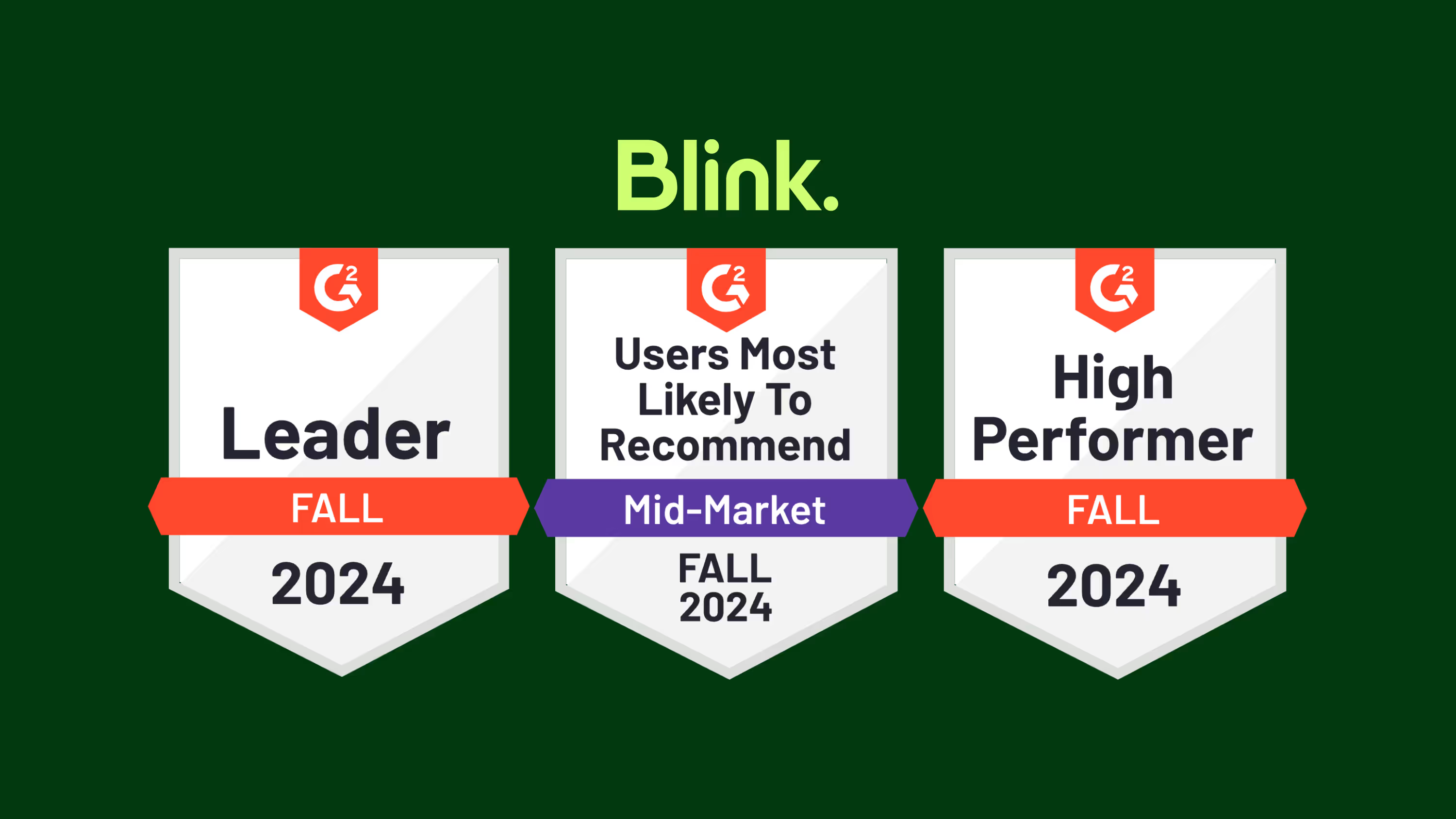
According to G2 reviews from real users, Blink is one of the best employee intranet software providers and outranks Workplace across several critical areas, making it a top alternative.
By now, you’ve probably heard the news that Workplace from Meta is shutting down. The platform will be read-only starting September 2025 and will cease entirely from May 2026.
If you’re one of thousands of Workplace customers working out what to do next, we know there’s a lot of work to be done. Looking at alternatives to Workplace takes time and energy you hadn’t planned on spending, and planning a successful migration journey doesn’t happen overnight.
But there’s a silver lining to this news: This is a timely opportunity to find a platform for workplace communication, connection, and employee engagement that works better for your workforce.
Blink is making it easy for customers to make the switch from Workplace. Our secure and scalable Workplace alternative provides two-way communication tools, a company news feed, a centralized resource hub, surveys, recognition, analytics, and more — everything you need to upgrade the employee experience at your organization.
But don’t just take our word for it. According to G2 reviews from real users, Blink is one of the best employee intranet software providers and outranks Workplace across several critical areas, making it a top alternative.
Let’s take a closer look.
A comparison of Blink and Workplace from Meta using G2 ratings
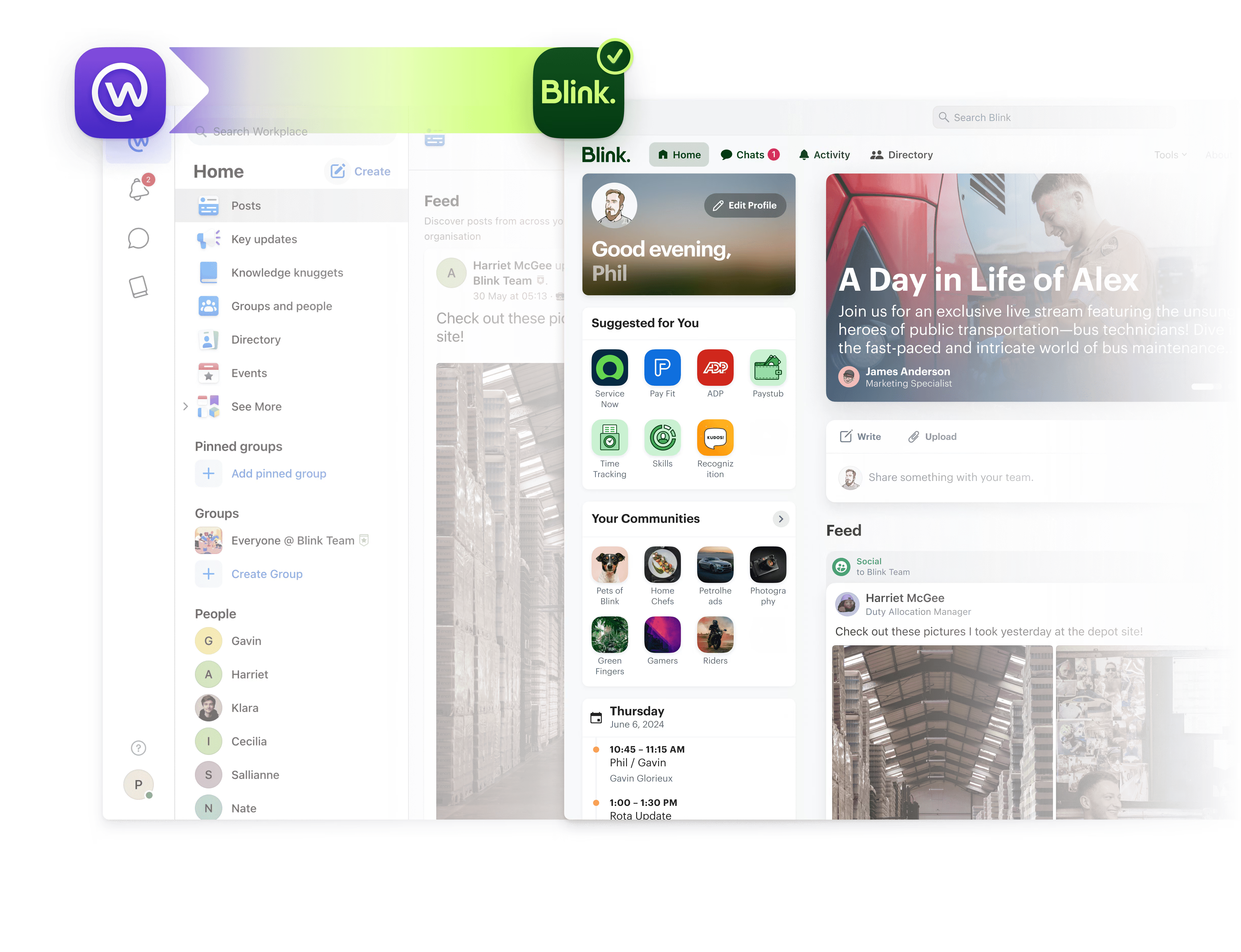
G2 ratings are generated from verified customer reviews, which means they’re a reliable way to compare software platforms and providers. Here’s how Blink and Workplace measure up across seven fundamental software performance criteria:
1. Meets business requirements
When ranking and rating software products, G2 asks users whether the product meets their business requirements. Platforms with higher scores advertise their features accurately and address user pain points comprehensively.
As an all-in-one solution for boosting employee engagement, workforce experience, and overall productivity, Blink has the edge over Meta.
G2 scores:
Blink: 9.2
Workplace from Meta: 8.4
2. Ease of use
Blink is easier to use than Workplace. This is perhaps because our intranet has been built with frontline organizations front of mind.
We know that frontline employees will only open and use an employee app if it fits seamlessly into their work day. So we made our platform as intuitive as possible for both desk-based and deskless workers, incorporating single sign-on technology and a user-friendly interface — where every tool, resource, and chat is easy to find.
G2 scores:
Blink: 9.3
Workplace from Meta: 8.8
3. Ease of setup
A good G2 ease of setup score shows that users enjoy a streamlined onboarding experience. It indicates that the product and its team offer good levels of support, easy implementation, and all the documentation new customers need.
This is another area where Blink outperforms Workplace. With dedicated customer support and easy integrations, it’s quick and simple to get started with Blink.
G2 scores:
Blink: 9.0
Workplace from Meta: 8.6
4. Ease of admin
We’ve already seen that end users find it easy to use Blink. But what about the people within your organization who are responsible for managing the social intranet?
Blink again scores more highly than Workplace from Meta when it comes to ease of admin. Communications, HR, IT, and other leaders across the business find it easy to upload content and update platform information independently, without having to contact Blink support.
G2 scores:
Blink: 9.0
Workplace from Meta: 8.3
5. Quality of support
To rate platform providers on this criteria, G2 asks users: Is the support team able to answer your questions or support cases quickly and effectively? Here at Blink, we prioritize the customer experience and pride ourselves on fast and effective customer support.
G2 scores:
Blink: 9.2
Workplace from Meta: 8.2
6. Has the product been a good partner in doing business?
The best workplace experience vendors serve as not just a platform but a partner, helping their customers to achieve their business goals.
At Blink, workplace communication, employee experience, and employee engagement are our bread and butter. Unlike the big tech companies, like Meta and Zoom, our team isn’t divided between many different and competing projects.
We focus solely on the Blink platform and we care about customer success. So we work to maximize adoption, engagement, and the value organizations get from our employee app.
G2 scores:
Blink: 9.4
Workplace from Meta: 8.3
7. Product direction
Lastly, G2 asks users whether they think the product is moving in the right direction and whether recent product roadmap decisions have been positive for them.
Here at Blink, we don’t wait for ratings from G2 or similar review sites to inform our product roadmap. Our product and customer success teams are in constant collaboration with our customers, searching for ways to make our platform work better for them. This helps keep our customers ahead of the curve and helps them achieve organizational goals.
G2 scores:
Blink: 9.8
Workplace from Meta: 7.5
Blink makes Workplace migration easy
When looking at Workplace alternatives, think Blink. Our modern intranet platform consistently outperforms Workplace from Meta across several critical G2 measures, as determined by verified platform users.
Blink also provides a familiar experience for Workplace users. Key Blink features include:
News feed and chats, with multimedia content
A knowledge library
Teams and communities
Employee surveys and recognition
Easy integration with the software you already use
Our user-friendly employee app with single sign-on authentication makes it easy for leaders to engage and communicate with their teams, from the office to the frontline. Powerful analytics help you determine what’s working and what isn’t, and our always-on customer support will ensure you’re maximizing every aspect of the platform.
Our expert team of migration specialists is ready to help your organization transition from Workplace to a new and improved employee engagement platform.
By now, you’ve probably heard the news that Workplace from Meta is shutting down. The platform will be read-only starting September 2025 and will cease entirely from May 2026.
If you’re one of thousands of Workplace customers working out what to do next, we know there’s a lot of work to be done. Looking at alternatives to Workplace takes time and energy you hadn’t planned on spending, and planning a successful migration journey doesn’t happen overnight.
But there’s a silver lining to this news: This is a timely opportunity to find a platform for workplace communication, connection, and employee engagement that works better for your workforce.
Blink is making it easy for customers to make the switch from Workplace. Our secure and scalable Workplace alternative provides two-way communication tools, a company news feed, a centralized resource hub, surveys, recognition, analytics, and more — everything you need to upgrade the employee experience at your organization.
But don’t just take our word for it. According to G2 reviews from real users, Blink is one of the best employee intranet software providers and outranks Workplace across several critical areas, making it a top alternative.
Let’s take a closer look.
A comparison of Blink and Workplace from Meta using G2 ratings
G2 ratings are generated from verified customer reviews, which means they’re a reliable way to compare software platforms and providers. Here’s how Blink and Workplace measure up across seven fundamental software performance criteria:
1. Meets business requirements
When ranking and rating software products, G2 asks users whether the product meets their business requirements. Platforms with higher scores advertise their features accurately and address user pain points comprehensively.
As an all-in-one solution for boosting employee engagement, workforce experience, and overall productivity, Blink has the edge over Meta.
G2 scores:
Blink: 9.2
Workplace from Meta: 8.4
2. Ease of use
Blink is easier to use than Workplace. This is perhaps because our intranet has been built with frontline organizations front of mind.
We know that frontline employees will only open and use an employee app if it fits seamlessly into their work day. So we made our platform as intuitive as possible for both desk-based and deskless workers, incorporating single sign-on technology and a user-friendly interface — where every tool, resource, and chat is easy to find.
G2 scores:
Blink: 9.3
Workplace from Meta: 8.8
3. Ease of setup
A good G2 ease of setup score shows that users enjoy a streamlined onboarding experience. It indicates that the product and its team offer good levels of support, easy implementation, and all the documentation new customers need.
This is another area where Blink outperforms Workplace. With dedicated customer support and easy integrations, it’s quick and simple to get started with Blink.
G2 scores:
Blink: 9.0
Workplace from Meta: 8.6
4. Ease of admin
We’ve already seen that end users find it easy to use Blink. But what about the people within your organization who are responsible for managing the social intranet?
Blink again scores more highly than Workplace from Meta when it comes to ease of admin. Communications, HR, IT, and other leaders across the business find it easy to upload content and update platform information independently, without having to contact Blink support.
G2 scores:
Blink: 9.0
Workplace from Meta: 8.3
5. Quality of support
To rate platform providers on this criteria, G2 asks users: Is the support team able to answer your questions or support cases quickly and effectively? Here at Blink, we prioritize the customer experience and pride ourselves on fast and effective customer support.
G2 scores:
Blink: 9.2
Workplace from Meta: 8.2
6. Has the product been a good partner in doing business?
The best workplace experience vendors serve as not just a platform but a partner, helping their customers to achieve their business goals.
At Blink, workplace communication, employee experience, and employee engagement are our bread and butter. Unlike the big tech companies, like Meta and Zoom, our team isn’t divided between many different and competing projects.
We focus solely on the Blink platform and we care about customer success. So we work to maximize adoption, engagement, and the value organizations get from our employee app.
G2 scores:
Blink: 9.4
Workplace from Meta: 8.3
7. Product direction
Lastly, G2 asks users whether they think the product is moving in the right direction and whether recent product roadmap decisions have been positive for them.
Here at Blink, we don’t wait for ratings from G2 or similar review sites to inform our product roadmap. Our product and customer success teams are in constant collaboration with our customers, searching for ways to make our platform work better for them. This helps keep our customers ahead of the curve and helps them achieve organizational goals.
G2 scores:
Blink: 9.8
Workplace from Meta: 7.5
Blink makes Workplace migration easy
When looking at Workplace alternatives, think Blink. Our modern intranet platform consistently outperforms Workplace from Meta across several critical G2 measures, as determined by verified platform users.
Blink also provides a familiar experience for Workplace users. Key Blink features include:
News feed and chats, with multimedia content
A knowledge library
Teams and communities
Employee surveys and recognition
Easy integration with the software you already use
Our user-friendly employee app with single sign-on authentication makes it easy for leaders to engage and communicate with their teams, from the office to the frontline. Powerful analytics help you determine what’s working and what isn’t, and our always-on customer support will ensure you’re maximizing every aspect of the platform.
Our expert team of migration specialists is ready to help your organization transition from Workplace to a new and improved employee engagement platform.
The best modern intranet platforms for organizations ready to move beyond SharePoint
SharePoint has been a mainstay in the enterprise toolkit for over two decades. It’s a powerful document management system, deeply integrated with Microsoft 365, and often the default choice for storing and sharing internal files.
But here’s the problem: SharePoint was never built to be a communications platform.
While it excels at managing content libraries and handling compliance-heavy workflows, SharePoint often falls short when it comes to engaging employees, delivering real-time updates, and building a connected culture across modern, distributed teams.
In a world where employees expect internal tools to be as intuitive and engaging as the apps they use outside of work, SharePoint can feel clunky, outdated, and hard to navigate—especially on mobile.
That’s why more organizations are seeking SharePoint alternatives that are easier to use, faster to deploy, and actually drive adoption. Whether you’re leading HR, IT, or Internal Comms, this guide will help you find a platform that fits how people work today—not how they worked in 2005.
Below, we break down the top 10 SharePoint alternatives in 2025—from modern employee apps to full-featured intranet platforms—so you can choose the right solution for your team.
#1. Blink
Best for modern organizations that want one app for everything work-related
Blink is a next-generation employee platform that combines intranet, internal communications, and essential tools in one mobile-first app. Unlike SharePoint, Blink is designed with the end user in mind—delivering a personalized, social-style experience that’s as easy to use as your favorite consumer apps.
It works across all employee types—desk-based, remote, frontline, and hybrid—giving everyone a single access point for updates, resources, and action.
Standout features:
Personalized feed with dynamic content
Native mobile and desktop experience
Chat, surveys, micro-apps, and file sharing in one place
Fast rollout with minimal IT dependency
Rich analytics to track engagement and reach
Instagram at work features like Stories
Ideal for: Mid-to-large organizations ready to unify communications, culture, and tools in a single platform. Limitations: Not focused on traditional document-heavy intranet use cases.
{{watch-video="/callouts"}}
#2. Interact
Best for internal comms teams building structured, branded intranets
Interact is a well-established intranet platform known for its structured content management, branded design options, and targeting capabilities. It helps internal comms teams deliver timely, relevant content to the right audiences, while offering tools for feedback and measurement.
Standout features:
Drag-and-drop design tools
User segmentation and targeting
Feedback features (likes, comments, polls)
Integrations with Microsoft 365 and other tools
Ideal for: Communications teams in mid-size organizations. Limitations: Mobile experience isn’t its strongest suit.
#3. Staffbase
Best for enterprise comms with campaign-style messaging
Staffbase is built for centralized internal communication at scale. With a branded employee app and features tailored to top-down messaging, it’s a strong choice for large organizations where internal communications is a dedicated function.
Standout features:
Personalized content feeds
Internal email and newsletter tools
Branded mobile apps
Communication planning and analytics
Ideal for: Enterprises with large, distributed workforces and centralized comms teams. Limitations: More focused on broadcasting than collaboration.
#4. Happeo
Best for Google Workspace-based companies
Happeo is a sleek, modern intranet designed to integrate deeply with Google Workspace. It blends intranet content, social channels, and G Suite tools into a unified interface that’s especially popular with remote and digital-first companies.
Standout features:
Real-time Google Drive integration
Team channels and social intranet feed
Drag-and-drop intranet page builder
Easy onboarding and admin
Ideal for: Teams using Google Workspace who want a polished UX. Limitations: Less relevant for Microsoft-heavy environments.
#5. LumApps
Best for complex enterprise needs and deep integrations
LumApps is an advanced intranet and employee experience platform with a strong focus on personalization, multilingual content, and integration across enterprise systems. It's a go-to for global companies that need a highly structured, configurable solution.
Standout features:
Rich personalization based on user roles
AI-powered recommendations
Microsoft and Google integrations
Multilingual and multi-brand support
Ideal for: Large enterprises with global teams and complex requirements. Limitations: High cost and long implementation time.
#6. Simpplr
Best for AI-driven content delivery and lifecycle comms
Simpplr’s strength lies in making large volumes of content feel personalized and accessible. With built-in AI and lifecycle capabilities, it helps organizations deliver the right information at the right time—especially useful for onboarding, change management, and HR comms.
Standout features:
AI-powered content targeting
Lifecycle campaigns (e.g., onboarding)
User-friendly CMS
Engagement analytics and sentiment tracking
Ideal for: Enterprises that want smarter content delivery. Limitations: More focused on desk-based teams than mobile workers.
#7. Igloo
Best for governance and compliance-focused content management
Igloo offers a more traditional intranet experience with emphasis on document control, structured spaces, and knowledge management. It’s well-suited to organizations with strict compliance, approval workflows, or audit requirements.
Standout features:
Version-controlled document repositories
Approval workflows and access control
Wiki-style knowledge base
Integration with cloud storage systems
Ideal for: Legal, finance, and regulated industries. Limitations: Interface can feel dated; not mobile-first.
#8. Jive (by Aurea)
Best for peer collaboration and internal communities
Jive prioritizes community-driven engagement. It’s a feature-rich platform that encourages social interaction, collaboration, and internal networking, with robust forums and group spaces for employee-led discussions.
Standout features:
Community and interest groups
Discussion threads and forums
Recognition and gamification
Advanced user activity analytics
Ideal for: Knowledge-sharing organizations with a culture of collaboration. Limitations: UI feels less modern; slower updates and innovation.
#9. ThoughtFarmer
Best for small-to-mid teams that want a clean, simple intranet
ThoughtFarmer focuses on usability and simplicity. It offers enough flexibility to meet most intranet needs while staying easy to use for both employees and admins. It’s known for its approachable design and personal touch.
Standout features:
Easy intranet editing tools
Staff directory and org chart
Localized content targeting
Light project and task tools
Ideal for: Mid-sized companies that don’t need enterprise complexity. Limitations: Not ideal for global scale or highly mobile teams.
#10. Basecamp
Best for teams focused on projects, not pages
While not an intranet in the traditional sense, Basecamp is a viable SharePoint alternative for small, project-driven teams. It consolidates file sharing, team comms, tasks, and scheduling into one easy-to-use platform.
Standout features:
Message boards, to-dos, and docs in one place
Calendar and schedule management
File versioning and access control
Notification control and auto-check-ins
Ideal for: Startups and small teams prioritizing execution over content architecture. Limitations: Lacks structured intranet features like targeting, workflows, or internal news.
Final thoughts: Choosing the right SharePoint alternative
The best SharePoint alternative isn’t just about replacing software—it’s about enabling a better employee experience.
Ask yourself:
Does this platform work for all employees—across roles, devices, and locations?
Is it engaging, personalized, and intuitive?
Will people actually use it?
If you want an intranet that employees love—not just tolerate—Blink is a powerful alternative worth exploring.
Not every team is going to bring maximum energy every single day. That’s normal.
But if disengagement feels less like an occasional bad Monday and more like a permanent setting, something deeper is going on. For frontline workers especially, the gap between what they experience and what office-based employees take for granted is real — and it shows. The right employee experience platform (EXP) can close that gap in ways that matter.
An employee experience platform for frontline organizations gives every employee — frontline, remote, hybrid, and desk-based — access to communication, recognition, feedback, and connection. All in one simple, mobile-first space.
One login. One experience. One shared culture. And a big boost for employee morale.
Here, we explore what low morale really looks like — and how the right workplace culture platform can help turn it around.
{{human-internal-comms="/callouts"}}
Understanding low employee morale
Employee morale is the attitude, satisfaction, and emotional well-being workers experience in relation to their job, team, and organization.
Employee morale is closely linked to employee engagement (the degree to which employees feel invested in their work and workplace) and employee motivation (the energy and enthusiasm employees bring to their work).
Causes of low morale
Causes of low morale in the workplace are varied. They include poor leadership, lack of recognition, unclear goals, unsustainable workloads, and limited growth opportunities.
57% of people who rate their organizational culture poorly say they are actively or soon will be looking for another job. And just 45% of those working in poor or terrible cultures are motivated to produce high-quality work.
Symptoms of low morale
Signs of workplace disengagement and low morale include:
Absenteeism
Avoiding collaboration
Missed deadlines
Negativity
Lower employee satisfaction metrics
Impact of low morale
Low morale can lead to disengagement, lower productivity, and increased turnover. Despite these risks, 3 in 4 employers fail to regularly check in on how motivated their workforce is feeling.
Bus company, Go North West, experienced a 26% reduction in employee turnover
More than 8 in 10 employees at Domino’s are using the platform every month to check in with updates and celebrate team wins
As a platform for workplace culture, Blink builds morale into daily work. It allows you to collect feedback, increase psychological safety, and deliver timely manager support.
As a mobile-first platform, Blink makes these collaboration tools and resources available on employee smartphones. So you can bring a better employee experience to every member of every team.
Key benefits of using a workplace culture platform
Thinking of launching employee experience software for frontline organizations? Here are the benefits you can expect:
Better business performance. According to Gallup, highly engaged teams have 17% better productivity, 23% higher profitability, and a 10% increase in customer loyalty.
Visibility into engagement metrics. With one centralized platform and a dashboard for employee sentiment, it’s easy to spot issues with morale and engagement, then prioritize interventions.
Less “busy work.” Centralized communication, recognition, and culture-building tools simplify work. So teams have more time for creative and value-add tasks.
{{less-is-more="/callouts"}}
Addressing hybrid, remote, and frontline workforce challenges
For years, organizations unintentionally built workplace culture around office life. Town halls. Team lunches. Desk-side chats.
Effects on morale may once have been minimal. But things have changed.
A large proportion of employees are now working remotely or on a hybrid schedule. And frontline employees are simply fed up with being forgotten.
This is causing problems for frontline, remote, and hybrid workforce engagement:
21% of frontline employees in the UK are quiet quitting — they say a lack of recognition, ineffective communication, and poor relationships with co-workers and managers are to blame.
A centralized, mobile-first employee experience platform can change all that. It overcomes barriers of time and geography, giving every employee access to the company culture and connection they crave — straight from their smartphones.
Wondering how to welcome non-office workers onto your platform? Here are a few ways to use a culture-building tool for all employees.
Build connections
Support your teams to build connections and a sense of belonging with easy access to chat and company news feed tools.
Provide digital access to resources
Forms, shift swap tools, company policy docs, L&D, career progression, and operational tools — make everything available to all workers in just a few taps of the app.
Make frontline employees visible on the platform
Use employee-generated content and behind-the-scenes insights to make frontline, remote, and hybrid voices heard on your platform.
Personalize content
Use targeting tools to ensure each segment of your workforce sees personalized content and resources relevant to them and their roles.
Creating a virtuous employee lifecycle using data and feedback
Start using employee experience management software for your frontline organization, and you create a positive feedback loop.
You build a more positive company culture, ensuring every employee feels part of it. And you have the tools you need to measure the success of your morale-boosting initiatives — so you can become laser-focused in your approach.
The best workplace culture platforms provide platform usage data and employee feedback, plus actionable insights. Actionable insights are data-driven discoveries that prompt specific improvements to processes, policies, or engagement strategies.
To convert these insights into tangible improvements, you need to move from platform data and analytics and employee feedback to action. You have to close the loop with visible change.
For example:
A pulse survey reveals worrying levels of employee burnout in a particular team.
⬇️
You tell employees what you’ve found and what you plan to do about it (perhaps reallocating workloads or offering more flexibility).
⬇️
You make changes. Then, continue to report back, sharing results and progress transparently with employees.
By taking this approach to workplace sentiment analysis, you embed employee voice as an important part of company culture — and successfully use comms and HR analytics for engagement, satisfaction, and employee morale.
{{mobile-onboarding="/image"}}
Launching a workplace culture platform: tips for success
The way you approach culture platform implementation can make or break adoption. You need a good handle on change management in HR tech and a solid employee experience strategy.
As you roll out, you need to:
1. Define culture and engagement goals. What do you want your new platform to achieve? Develop SMART goals and take benchmark readings.
2. Get leaders on board. Ensure leadership buy-in. Emphasize the difference that C-suite input and interaction make. Then, develop ways for them to be visible on the platform.
3. Transparently communicate changes. Tell employees that a new platform is coming and how it benefits them. You may like to incentivize early adoption.
4. Train users. The best platforms have a minimal learning curve. But ensure everyone (particularly frontline and remote staff) is up to speed to ensure high platform adoption rates.
5. Integrate with your tech stack. When your culture platform plays nicely with other workplace tools (for example, HRIS system, shift booking tools, and learning platform), you encourage adoption and amplify impact.
6. Integrate communication tools into daily routines. Create a comms calendar that details when you’ll share recognition, employee surveys, and community updates, ensuring regular cultural touchpoints.
7. Use metrics to iterate and adjust. Keep an eye on platform analytics to find out which of your cultural initiatives are having the most impact and which need to be tweaked.
These adoption strategies will help you maximize return and avoid common pitfalls.
Workplace culture and technology: What’s next?
The right tech tools support a better, more inclusive, more inspiring workplace culture. But where are things headed next?
As ever in the world of tech, there are changes on the way. Here are the shifts in technology and employee expectations we expect to see over the coming months and years.
New platform features. Features like AI-powered content, hyper-personalized recognition, predictive workforce analytics, and mobile-first experiences will become the norm. AI in employee experience is here to stay.
Super-apps for workforce management. In response to app overwhelm, organizations will seek to simplify their tech stacks. They’ll avoid point solutions and, instead, choose tools that support every element of workforce management — with either in-built features or deep integrations.
The rise of employee voice. Organizations that really listen to their employees keep their finger on the pulse and can respond to engagement and morale challenges in real time. Soon, continuous listening will be the norm.
The future of digital workplace technology is already on its way. And it’s clear. Organizations are focusing on fewer tools and better experiences.
We’re already seeing the “platformization” of culture. Disparate tools are being brought together in unified, employee-centric apps, and organizations are realizing the power of tech to transform productivity and morale.
For years, the intranet market has been quietly humming in the background — necessary, but rarely exciting. Static sites, low adoption, and an “if it ain’t broke” mindset have kept things predictable.
But the rhythm of work has changed. Employees expect consumer-grade experiences that rival modern social platforms, and organizations need platforms that actually connect people — not just store documents.
Enter 2025’s Gartner® Magic Quadrant™ for Intranet Packaged Solutions, where Blink made its debut — not just as a newcomer, but as the market’s most exciting Challenger. It’s a milestone that says as much about where the market is heading as it does about where we stand.
The significance of a Challenger debut
The Gartner Magic Quadrant is one of the most respected evaluations in enterprise technology. Each year, Gartner assesses intranet providers on Ability to Execute and Completeness of Vision, mapping them into four quadrants: Leaders, Challengers, Visionaries, and Niche Players. Decision-makers around the world look to this report for support and validation in their platform investments.
Being named a Challenger means two things:
We’re executing at a high level.
We’re pushing the market forward with a bold, differentiated vision.
For us, debuting in this position validates years of momentum — from scaling frontline employee engagement to redefining what an “intranet” even means. But more importantly, it signals a broader shift: The industry is ready for something more human, more connected, something more vibrant.
A new rhythm for the digital workplace
The modern intranet is no longer a static homepage. It’s a living, breathing ecosystem that powers communication, culture, and connection across every corner of an organization — from HQ to the shop floor.
This report reflects that evolution. It highlights the growing importance of frontline access, intelligent content, and designing for the employee experience. These aren’t fringe capabilities anymore — they’re must-haves.
That’s exactly where Blink has been leading:
Frontline-first design that reaches the 80% of workers traditional intranets forget.
Mobile-native experiences that fit the way people actually work.
Analytics and insights that make employee engagement measurable, not mythical.
AI-powered communication tools that help leaders connect with clarity and scale.
In short: Blink isn’t playing the same old tune. We’re remixing the intranet into something people actually want to use.
Why this matters for buyers and the market
For IT, HR, and communications leaders, Gartner’s recognition offers something invaluable: confidence. It confirms that the market is moving toward solutions that are not only functional but felt — favoring all-in-one employee experience platforms that drive adoption, engagement, and belonging.
Blink’s debut as a Challenger underscores three broader trends shaping the intranet software landscape:
People-first design is now non-negotiable: Usability, accessibility, and experience aren’t nice-to-haves; they’re the new foundation. Platforms that feel like consumer apps are setting the bar.
The frontline workforce is being reconnected: Enterprises are realizing that true culture and communication can’t stop at the office door. The intranet must extend everywhere work happens.
The era of “static sites” is ending: Modern intranets are dynamic platforms integrating AI, video, and microapps — enabling communication, knowledge, and action in one place.
Gartner’s report confirms what many leaders already feel: The traditional intranet model is out of sync with how work happens today.
The Blink perspective: Challenger as a mindset
Being named a Challenger isn’t about position — it’s about posture.
At Blink, we see this as validation and responsibility. Validation that our people-first approach is working. Responsibility to keep raising the tempo for what’s possible in the digital workplace.
We’re here to make work feel better — for everyone. That’s why we obsess over adoption. Why we invest in intuitive design. Why we believe that when every employee has a voice, the whole organization moves faster.
As our CEO Sean Nolan puts it:
“We’re not here to play the same tune as everyone else. We’re spinning the future of work — remixing the intranet into something vibrant, exciting, and actually worth using.”
What comes next
The intranet category is in transformation — and Blink’s debut marks a turning point. The market is hungry for connection, simplicity, and meaning at work.
Delivering experiences that feel as good as they perform
The recognition from Gartner is both a milestone and a launchpad. Because being a Challenger isn’t the end of the story — it’s the start of the remix.
Read the full report
Get your complimentary copy of the Gartner® Magic Quadrant™ for Intranet Packaged Solutions (2025) to explore the full market landscape, compare vendors, and see how the industry’s next chapter is being written.
At Blink, we believe every worker — not just the ones glued to a desk — deserves to feel connected, in the loop and part of something bigger.
Until now, Blink has been the go-to for massive organizations keeping their frontline teams buzzing.
But today, we’re flipping the script. For the first time, everyone can try Blink free right from our homepage.
That’s right: no red tape, no long sales calls, no IT headaches. Just instant access to the same platform trusted by retail and hospitality giants, healthcare heroes and transport legends around the world.
Why this matters
If you run a small or midsized business, you know the struggle:
Important updates vanish into the black hole of your email inbox
WhatsApp groups spin out of control, with current employees frustrated with the lack of work-life balance and ex-employees still lurking in the wings
Your “intranet” is basically a dusty folder no one dares to open
Meanwhile, your people — especially those on the frontline — are ready for a better way to communicate. They live on mobile, expect apps that feel as easy as Instagram, and they hate feeling disconnected.
That’s exactly why we built Blink. And you don’t need enterprise money to experience it.
What you’ll unlock in your free trial
Sign up today and you can start building your employee communications hub — via an intuitive set-up experience — in minutes:
A social-style news feed that people actually read and post to
Secure chat and groups that replace rogue WhatsApp chains
Fully branded and personalized so your intranet reflects your brand at every touchpoint
Everything in one place with a one-stop shop for policies, shifts, training, and more
Recognition and surveys to keep morale sky-high
All of it designed for quick adoption and lasting engagement. And the best part? Your team already knows how to use it.
A big moment for small businesses
Here’s the truth: The future of work isn’t just for enterprises. When every team, no matter the size, gets world-class communication and collaboration tools, big things happen. Morale grows. Operations run smoother. And the culture you’re building has a digital home that matches the energy of your people.
But this is just the start. What comes next is even more exciting: unlocking the potential of your people.
Our Blink for Everyone team is driven by one simple mission: to make it easier for people to find, try, and love Blink. So I want to also take this opportunity to thank all of our founding Blink for Everyone customers, some of whom are celebrated on our Customer Wall of Love.
There’s nothing to hold you back. The same tech trusted by global enterprises is now in your hands — free to try, starting today.
The average person will work 35 hours per week. That adds up to 84,365 hours over their lifetime. Yet just over one-third of employees (34%) are engaged, and 16% are actively disengaged in their work and workplace.
If you’re reading this, the chances are you want to make sure your employees don’t feel like they are wasting a large portion of their life at work. We’ll do our best to help you do just that.
In this handy guide, we’ll break down the key steps you need to take when creating an employee engagement strategy.
From understanding why your organization truly needs an employee engagement strategy, to the actionable steps you can take to create your own strategy, we’ll cover everything you need to know right here.
Why you need an employee engagement strategy
Creating an employee engagement strategy can seem daunting, but it’s important for any business. Having a strategic approach to your employees’ happiness and engagement will help you retain top talent, keep them motivated and productive, and ultimately grow your business.
Effective employee engagement strategies will outline exactly how you are going to improve employee engagement within your organization, allowing all team members to stay on the same page when it comes to their roles and responsibilities.
In short: by creating an employee engagement strategy, you can strategically work to improve your employee engagement. And with improved levels of engagement, come a number of organizational benefits, including:
Higher Productivity: Employee engagement is closely linked with productivity. Engaged employees are more motivated to do their best work and achieve their goals. In fact, research has shown that engaged employees are up to 202% more productive than disengaged employees.
Reduced Staff Turnover: Low employee retention is costly and disruptive for any business, and one of the most decisive factors for employee retention is employee engagement. Engaged employees are less likely to leave their job, which reduces the need for costly and disruptive staff turnover.
Improved Morale: A happy workforce is a productive workforce. When employees feel engaged and valued, they are more likely to be happy at work and less likely to experience stress or burnout. As such, a staff engagement strategy can motivate employees and improve morale, job satisfaction and overall company culture.
Greater Loyalty: An engaged employee is more likely to be loyal to their company, in fact 90% of workers said they are more likely to stay at a company that takes and acts on feedback: AKA one that engages them. They are less likely to look for jobs elsewhere and are more likely to recommend their company to others. Therefore, the right employee engagement strategies can drive your staff retention rates and encourage employees to stay with your company for longer.
Employee engagement strategies & business types
What your employee engagement strategy needs to consist of will change depending on your business type. For example, a software company will need to focus on ways to motivate and engage product designers and developers in order to compete for top talent in a competitive Silicon Valley environment. A healthcare organization, on the other hand, will need to come up with innovative ways to engage their nursing and medical staff to combat physician burnout and the growing nursing shortage.
What's important is that you provide your workforce with strategies that are designed for them specifically. Ultimately, your strategy will depend on the type of employees you have, the unique challenges facing those teams in your market, their day-to-day tasks, and how your organization operates as a whole.
Employee engagement for the frontline
Creating an employee engagement strategy can be especially important for frontline organizations. With 80% of the global workforce working on the frontline, it’s important to have strategies in place that will help keep these workers engaged, productive and motivated.
Additionally, employees in frontline positions often have more direct contact with customers and are more likely to represent the company to the public. As such, it is important for these employees to be engaged and motivated, so they can provide positive customer service experiences.
Remember: whatever strategies you use, it’s important to tailor them specifically to your industry, business type and workforce.
How to create your employee engagement strategy
In order to have engaged employees, you need a plan in place, outcomes in mind, a clear outline of responsibilities and a culture that takes participation seriously. You also need a toolset available that is able to execute your plan, close distances, track results and simplify operations.
To make this a little easier to understand, we've broken the process down into 7 simple steps.
1. Define - Your purpose, values & mission
Defining your own purpose, company core values, and mission statement is a crucial step in creating your employee engagement strategy. In fact, when teams know your goals and expectations of them, they are 2.8 times more likely to be engaged in their roles, according to research from Quantum Workplace.
By clearly articulating what you stand for as an organization, you can align your staff with these values and give them a reason to be invested in the success of your business in the long-term.
To ensure that all employees are on the same page here, you should provide an easy-to-access Hub containing all company policy and procedure documents, along with a thorough onboarding process for new hires.
2. Listen - Conversations and research
Direct, two-way conversations and further research into your employees’ needs and wants will help you to create a more personalized engagement strategy, making this a core step in the strategic process. One way to do this is through pulse surveys.
Pulse Surveys are short, regular surveys that ask employees about their engagement levels and how they feel about their work. This can help you to identify any areas where your employees may be struggling, and can help to ensure that your employee engagement strategy is constantly evolving.
Whether it’s through surveys, focus groups, one-on-one interviews or anonymous staff feedback tools, gathering data and hearing directly from your employees can give you valuable insights into what they need from an engagement strategy, and help you identify your organisation's key engagement drivers, in order for staff to stay engaged at work.
3. Review - Analyze and plan
Once you have gathered data from your employees, it’s time to analyze this information and determine what action needs to be taken. You may find that certain areas of your workplace are in need of improvement, or perhaps a company-wide change is necessary to boost employee engagement.
Whatever the results of your employee research, it’s crucial to identify specific targets and actions that will make your plan a success. What’s working, what's not? Are there specific issues that need to be addressed? What are your engagement goals as a business leader?
Key goals for your employee engagement strategy could include:
Lower staff absenteeism
Better employee retention rates and lower turnover
Improved productivity
Enhanced employee motivation and happiness
Increased customer satisfaction
More positive organizational culture.
By reviewing and analyzing the data you have gathered, you can gain a clear understanding of how to better engage employees in order to achieve these goals. This will help you to build a more effective employee engagement strategy that your employees want to respond positively to.
4. Commit - Actions speak louder than words
Strategy is important, but actions always speak louder than words. Employee engagement strategies that work, only work if you plan to back them up with core actions, processes and real change.
Below, we have outlined some key ways to commit to your employee engagement strategy. By truly committing to all of these actions, you can bring your employee engagement strategy to life and start seeing real results.
Tools & technology
Digital tools are essential for any organization looking to boost engagement. By providing your employees with the right tools, you can make it easier for them to connect with each other and with your company. This can help to improve communication and collaboration within your team, leading to higher job satisfaction, and a more engaged workforce.
There are a variety of different digital tools that you can use to engage your employees, including great employee engagement apps, online chat software and team collaboration tools.
It’s also important to consider using technology with frontline-specific features in deskless organizations. With52% of frontline workers claiming they would leave their job over tech tools, better digital commitments are clearly needed here. By providing your employees with tools fit-for-purpose on the frontline, you can ensure that your employees feel supported and engaged no matter where they are in the organization.
Assuming that you have already begun the process of gathering data and analyzing it, you should now begin to take actions across the board in order to improve employee engagement. One way to do this is through better recruitment practices.
People who match your ideals and company culture, who will add value, and who are onboarding engagement are more likely to be engaged employees. Therefore, it is important to take care in the recruitment process, and to ensure that you are hiring people who will be a good fit for your company. You can use interviews, personality tests and job simulations to get to know a candidate better, and to see how they would fit into your team.
It is also important to provide a thorough onboarding process for new hires in order to establish a culture of engagement from day one. This can help them to feel welcome and comfortable in their new role, and can help them to learn about your company policies and procedures.
Communication
Regular communication is key to keeping employees engaged. Employees need to feel like they are part of the bigger picture, and that their voice is heard. By establishing a regular communication schedule – whether it be through Secure Chats, email, newsletters, team meetings or other methods – you can ensure that your employees are kept in the loop.
It’s also important to have a clear internal communications strategy in place. This should outline who is responsible for communicating with whom, and what methods will be used. This will help to ensure that everyone is on the same page, and that important messages don’t get missed.
It’s important to tailor communications to the needs of your employees. For example, if most of your employees are frontline workers who don’t have access to a computer, you may need to adjust your communications methods so that they can be accessed on mobile devices – think mobile employee engagement apps. You may also need to consider using different methods for different departments or locations within your company.
Surveys
Although surveys are important when drafting your strategy, it’s also important to gather feedback from your employees on a more regular basis if you want to walk the walk of employee engagement. By conducting regular Employee Surveys, you can get a sense of how your employees are feeling at any given time – and if things need to change.
An employee engagement survey can help you to gather valuable data and feedback from your employees, which you can use to improve your strategy. You may want to consider including questions about work-life balance, employee engagement initiatives, training and development, and other areas.
Frequent surveys are a great way to get ongoing feedback from your employees and to see how they feel about various aspects of their job or the company as a whole. You can also use surveys to measure the success of your employee engagement strategies, obtaining valuable insight into what is working and what needs to be changed or improved.
Managers
“Leadership has an important role to play when it comes to employee engagement, and this is especially important given nearly half (45%) of workers say leadership is “minimally” or “not at all” committed to improving company culture. In fact, 78% of employees confirmed that any change to culture needs to be driven by the CEO.” — Jeff Cates, CEO of Achievers.
For business leaders, mid-level management is often the first step towards employee engagement. By ensuring managers are supported from the top level, given the budget, training, tools and support they need, you can set them up for success as well as help to create a culture of engagement across your entire organization.
Effective managers have many important roles when it comes to employee engagement. They are responsible for setting expectations, holding people accountable, and providing feedback. They are also responsible for coaching and mentoring their team members, as well as helping to resolve any issues or conflicts that may arise.
5. Measure - Analyze and report
To measure the impact and see if their employee engagement activities and strategy is working, businesses should use employee engagement analytics via the right tools, at the right time.
It’s important to use analytics at different points throughout your engagement strategy, as this will help you to gain valuable insight and data that can be used to adjust what is working and improve the areas that need improvement. For example, you may want to analyze employee satisfaction levels before implementing a new training program, or track engagement levels over time to see if your initiatives are working.
There are many different types of analytics tools that you can use to analyze and report this data, for example Blink'sFrontline Intelligencetool. Our powerful analytics offer insight into the people and relationships that make your organization tick.
By analyzing data from people, places, and things on a regular basis, you can gain real-time intelligence into your employee engagement strategy that you can use to better support and understand your workforce.
6. Reward - recognition & progression
When used effectively, recognition can be an extremely powerful tool for improving employee engagement. Employees need to feel appreciated for their efforts, and recognition is one of the best ways to show your most engaged employees that you appreciate them.
However, simply giving employees a pat on the back isn’t enough – recognition needs to be meaningful, memorable and measurable. By taking the time to recognize employees in a meaningful way, you can show them that you truly value their contributions, and make them want to engage and contribute more.
There are many different ways to recognize employees, and it’s important to find what works best for your organization. Some popular methods of recognition include offering Kudos or Employee Recognition, awards ceremonies, Feed shout-outs, gift cards or vouchers, and thank-you notes.
It's also crucial that you back up recognition with opportunities for growth and career development. This may include promotions, opportunities to learn new skills, a stronger compensation and benefits package, or simply more responsibility. By providing employees with opportunities for growth and progression within the organization, you are helping them feel valued and motivated to continue performing well.
7. Repeat - Regular check-ins and adjustments
To truly maximize the impact of your employee engagement strategy, it’s important to take a regular and systematic approach. This means that you should regularly check in on key metrics, analyze the data you gather, and make any necessary adjustments based on what you find.
Stay on top of your engagement. Track key metrics such as employee satisfaction and engagement levels, and conduct regular check-ins to analyze the data you gather. This will help you make any necessary adjustments to your strategy in a timely and effective manner, ensuring that your employees are engaged and motivated at all times.
Final Thoughts
At Blink, we provide the all-in-one solution to employee engagement. Designed for the frontline, our easy-to-access, intuitive employee engagement app delivers real-time data and communications, actionable insights and intelligent recommendations.
Inspiring engagement in your employees has never been easier. With our powerful analytics tools and customizable recognition programs, you can gain valuable insight into your workforce and take the steps needed to boost engagement levels across the board.
Whether you’re looking for a way to track employee performance, improve communication and feedback, or simply create a more positive work environment, Blink has everything you need.
We slip words like these into conversations with ease. New technology has become part of our bread-and-butter vocabulary, without quotation (or question) marks.
Healthtech, on the other hand – that feels a bit more niche. Or it did, until Covid-19 made us sit up and pay attention.
24 months into the pandemic, nobody needs a lecture on the importance of healthtech; it’s staring us in the face. But health tech didn’t emerge on-the-fly in response to the Covid crisis. It’s been around for a long time.
And it’s big business. In 2017, Forbes valued the digital healthcare industry at an astounding $25 billion globally. They believe that number will skyrocket above $379 billion by 2024.
We all know that healthtech helps predict the spread of diseases, track pandemic outbreaks, and contain them. But there are other new developments in the future of healthcare that will change the way we live.
What is healthtech?
Right now, healthtech (also known as digital health) is the fastest-growing verticle in healthcare. It refers to any product or service that's enabled, or revolutionized by, technology. So far, so Sci-Fi. But healthtech is all around us already...
Wearables
Yep, you’ve already got this one. Fitness trackers (like FitBits) are health wearables. We like knowing we've put in my 10.000 steps. But other types of knowledge about what’s happening in our bodies can be more vital. For some people, it’s their heart rate; for others, their blood pressure, or their oxygen supply.
Continuously measuring these things makes a huge difference for people with chronic conditions. And these wearables don’t just make the invisible visible; they also act as a kind of coach. They empower wearers to become active participants in managing their health condition. Immediate feedback from a wearable can change habits; habits can change health; and health saves lives.
Wearables are particularly relevant in the time of Covid-19. But they will continue to be so well beyond it, as part of a bigger drive towards preventative or pro-active health care.
3D-printed prototypes
3D-printing technology still sounds far-fetched. But it’s here, and it’s a quiet revolution in healthcare. Technology like this can create everything from personalized prosthetics to bio-tissues and blood vessels, at a fraction of the past cost. It transforms organ transplants and tissue repair. It can even produce realistic skin grafts for burn victims.
In 2020, researchers at the Rensselaer Polytechnic Institute in Troy, New York, managed to develop a method for printing 3D-print living skin, along with blood vessels.
Blockchain for electronic healthcare records
Blockchain and the future of healthcare? Not obvious at first. But think of electronic health records, and how important it is to keep those accurate and safe.
Blockchain technology can play a key role in ensuring that medical records are 100% accurate. It also makes them significantly harder to hack. Conflicting information is automatically detected, thanks to a decentralised network of computers. And blockchain not only helps prevent data breaches; it also cuts costs.
So it’s no wonder that many health and pharmaceutical companies are investing in blockchain technology. A recent report put the blockchain health market at $890.5 million by 2023.
Artificial Intelligence
Artificial Intelligence (AI) is a key driver in health tech. We already see it in chatbots and virtual health assistants that act as diagnostic tools, and even as therapists.
But the real power of AI becomes clear in areas like precision medicine. In the past, many cancer patients received cookie-cutter treatments with high failure rates. Because of AI, we now have more personalised treatments, based on individual genetics and lifestyle factors, amongst other things.
And finally, two of the things AI is exceptionally good at is Pattern Recognition and optical character recognition. That means it can analyse large amounts of cancer images that help recognise and diagnose cancer. One famous example of this is Google’s DeepMind, which created an AI for breast cancer analysis. The algorithm outperformed human radiologists on pre-selected data sets to identify breast cancer, on average by 11.5%.
The market value of AI for future of healthcare worldwide? $34 billion by 2025.
VR/AR
Most of us are already familiar with this technology. Immersing yourself in a simulated environment is fun. But it can also be a therapeutic tool. For instance, VR environments help train people to deal with mental health triggers safely. Post-Traumatic Stress Disorder (PTSD), Bipolar Disorder. Covid-related Stress and Anxiety are now being treated this way.
The training potential of VR is – well, awesome. Take surgeons, for instance. A recent Harvard Business Review study showed that VR-trained surgeons had a 230% boost in their overall performance.
Compared to their traditionally-trained counterparts, they were both faster and more accurate. At Case Western Reserve University, students learn via a VR-based HoloAnatomy app. This offers detailed and precise experience without the need for real bodies.
Top 4 emerging healthtech trends for 2022
In light of the Covid pandemic and rapid growth in remote work, safeguarding your workers has become a mandatory part of doing business. This means you’re now also looked upon to bring in measures like:
By making these types of smart technologies accessible to your workforce, you can give way to improved safety standards and early alerts that reduce the risk of contagious threats. Keep track of these trends to keep your employees safe in 2022 and beyond.
identify opportunities to leverage them for your organization going forward.
Virtual care and remote medicine are on the rise
You drive to the doctor. You sit in a waiting area for ages until your name's called. When your appointment finally happens, it's a few questions, a prescription, and you're sent on your way. You wonder why you spent so long commuting for a matter of minutes.
Sound familiar?
That's why virtual care is replacing minor in-person appointments. The past two years have further accelerated this trend, leading to an increase in virtual visits or telephone consultations.
According to a recent McKinsey study, the number of people using telehealth rose from 11 to 46% during the pandemic. It further predicts that telehealth would account for $250 billion — 20% of the US healthcare spending in near future.
Virtual care not only reduces the risk of spreading contagious diseases but allows healthcare professionals to fit more consultations into their daily schedules. This is a vital factor for highly populated nations facing a shortage of medical professionals, such as India and China.
Genomics and gene editing lead to further breakthroughs
Before you get all excited — no, we haven’t figured out how a spider’s bite can turn a normal kid into spiderman.
But the good news is that there've been significant breakthroughs in gene editing, accelerating the development of different types of "precision medicine."
This means drugs can be tailored to the genetic profile of each patient, enhancing their effectiveness and minimizing side effects.
Precision medicine is already used in many ways, one of which is 'lab on a chip' — a technology that allows fast detection of Covid. It’s a hand-held device that can detect if someone is infected with better accuracy than conventional signals such as fever and coughing. So, it can go a long way in getting our lives back to normal.
Data and AI drives shift to fairer healthcare insurance and coverage
With all the strain that the coronavirus pandemic has put on our healthcare resources, you’d think it must have grown the bottom line too. Surprisingly, that’s not the case. In the US, healthcare revenues fell by 50% as patients avoided surgeries and hospitals.
But the silver lining in midst of all this is the revelation that people are willing to share their personal data when it’s a matter of their health. This is evident from how much people have engaged with track-and-trace systems.
The more data people share with health services, mobile apps, and online systems powered by AI, the more accurate picture healthcare providers will have of their well-being, along with a sense of when they should intervene. Not just that, it helps healthcare providers forecast the most efficient way to deliver their services.
This also matters from a financial perspective because other entities such as insurance companies can use advanced predictive technologies to measure risk and set premiums more accurately.
AI, IoT, and Smart Cities improve our ability to detect and respond to future outbreaks
If the pandemic has taught us anything, it’s that we were embarrassingly unprepared to deal with an outbreak. And we should have a collective, predetermined strategy if something similar happens in the future.
A key part of this strategy is the concept of “Smart Cities," powered by artificial intelligence (AI) and the internet of things (IoT). According to Statista, global revenue from smart city projects is estimated to reach $129 billion in 2021.
The idea of a smart city is based on incorporating digital connectivity and data-driven decision-making at our respective locations. And its applications extend to many areas such as:
Energy distribution
Public transportation networks
Refuse collection
Environmental health initiatives
It’s not just the organizations that are becoming health-care oriented, but also city planners and municipal authorities. These government bodies are now allocating resources to develop technologies that can help us predict, detect and prevent pandemics.
Another major focus is environmental health. Tech-driven initiatives are being put in place to reduce air pollution and build resilience to the effects of climate change, including the rise in sea level and temperature..
Conclusion
Even if most of your workers are remote, don’t think for a second that your health concerns are over. They now require even more attention because you don’t have the luxury of regular, face-to-face contact. It’ll be hard for you to tell when your employees are burning the candle at both ends. So you still need to support the mental health of employees as they perform their duties in the field, or from home.
That’s where the healthcare technology trends we outlined can help. There are several health apps available for professionals to monitor physical activity, practice meditation, set reminders for breaks, water and exercise, and so on.
The only way to avoid setbacks that can take you by surprise is to stay on top of the latest trends and innovations. The faster you can respond to relevant changes in your industry, the better for your organization.