No items found.
10 mins

Blink alternatives for frontline teams: 10 reviewed (2026)

Comparing Blink alternatives for frontline teams? We've reviewed the 10 most-searched options honestly. See how they stack up and why most teams choose Blink.

Lauren Burns
Published:
July 27, 2026
Last updated:
July 27, 2026
Blink alternatives for frontline teams: 10 reviewed (2026)
What we'll cover

The 10 best Blink alternatives for frontline teams (2026)

We've reviewed the top alternatives to Blink so you can make an informed decision. Spoiler: for most frontline teams, there isn't a better fit. But here's the honest comparison.

Quick comparison: Blink alternatives at a glance

The table below gives you an at-a-glance read on which tool fits which team. Detailed reviews follow for each one.

{{blink-table:table-1}}

Pricing data as of May 2026. Ratings from G2 and Capterra. Always confirm current pricing directly with each vendor.

The 10 best Blink alternatives, reviewed

1. Connecteam

Connecteam is the strongest Blink alternative for small businesses that need operational tools alongside communication. It's an all-in-one workforce management app built for mobile, deskless, and shift-based teams, bundling scheduling, time tracking, task management, forms, checklists, and team messaging into a single app. According to Connecteam's published customer data (2025), around 85% of its customer base is SMB.

Strengths: Free forever plan (up to 10 users) makes it uniquely accessible. Scheduling and time tracking are native and well-built. Strong operations toolset for field-based industries like cleaning, security, and construction.

Limitations: The feed and content experience feels functional rather than engaging. Limited storytelling or rich content tools. Less suited to organizations trying to build genuine employee culture at scale. AI features are earlier-stage than Blink or Workvivo.

Pricing: Free for up to 10 users. Basic plan from $29/month for the first 30 users, then $0.50/user beyond that. Expert tier at $99/month adds API access and multi-branch management.

G2 rating: 4.3/5

Free trial: Yes, free plan available with no time limit for teams up to 10 people.

Choose Connecteam instead of Blink if: You're a small business (under 200 people) that needs scheduling, time tracking, and basic communication in one app, and your budget is tight.

2. Staffbase

Staffbase is an enterprise employee communications platform best suited to large organizations with mixed desk and frontline workforces running deep Microsoft integrations. It's headquartered in Germany, with strong adoption across Europe and North America, and combines a branded employee app, intranet, email newsletter tool, and digital signage into one platform. According to G2 (2026), Staffbase holds a 4.6/5 rating from 246 reviews.

Strengths: Powerful content publishing, targeting, and personalization. Excellent Microsoft integrations. Strong compliance features, mandatory reads, and analytics. Well-suited to regulated industries like healthcare, manufacturing, and financial services.

Limitations: Frontline mobile experience isn't as refined as Blink's. Adoption with non-desk workers tends to be lower. Implementation is complex and typically requires dedicated comms resource to run effectively. Enterprise-only pricing puts it out of reach for smaller teams.

Pricing: Business plan from approximately $20,000/year for 250 to 2,000 employees. Enterprise pricing is custom.

G2 rating: 4.6/5 (246 reviews)

Free trial: No. Demo available on request.

Choose Staffbase instead of Blink if: You're a large enterprise with a primarily desk-based or mixed workforce and require deep Microsoft integrations, multi-channel comms (email, intranet, app, and signage), and robust governance.

3. Workvivo (by Zoom)

Workvivo is the strongest alternative to Blink for organizations where culture and recognition are the primary use case, particularly if you're already using Zoom. It's an employee experience platform acquired by Zoom in 2023, blending social intranet features, news feeds, podcasts, recognition, and communities, with more traditional internal comms tools. According to G2 (2026), Workvivo holds the #1 rated position in the Employee Communications Grid at 4.8/5 from 2,344 reviews. It's also Meta's officially recommended migration destination for organizations moving off Workplace from Meta (discontinued August 2025).

Strengths: Outstanding social feed and culture-building features. Native integration with Zoom meetings. Strong culture and recognition toolset.

Limitations: Frontline-specific features (offline access, no-email onboarding, shift worker UX) aren't as mature as Blink's. Enterprise pricing puts it out of reach for smaller teams. It's more of a desk-worker experience platform than a true frontline tool.

Pricing: Business plan from $20,000/year for 250 to 2,000 employees. Enterprise pricing is custom.

G2 rating: 4.8/5 (2,344 reviews), highest in the category

Free trial: No. Demo available on request.

Choose Workvivo instead of Blink if: Your primary goal is culture, recognition, and social connection for a largely office-based or hybrid workforce, and you're already using Zoom as your video platform.

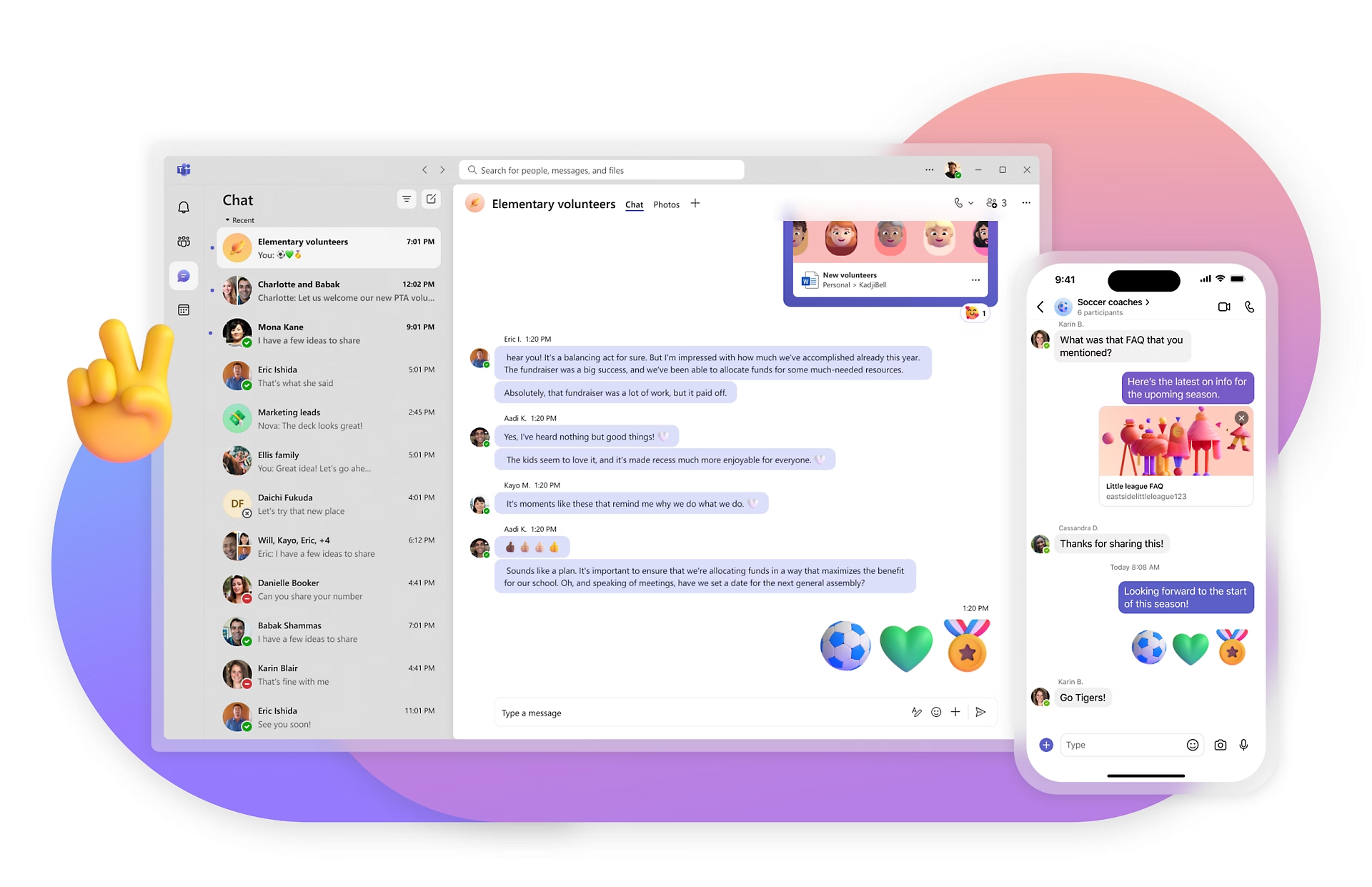
4. Microsoft Teams (frontline worker licences)

Microsoft Teams Frontline is the right call if your organization is deeply committed to Microsoft 365 and administrative simplicity is the top priority. Two dedicated frontline worker licence tiers are available: F1 ($2.25/user/month, rising to $3 from July 2026) and F3 ($8/user/month, rising to $10 from July 2026). These give frontline workers access to Teams messaging, shift scheduling via Shifts, task management via Planner, and basic HR features. For organizations already running Microsoft 365 enterprise licences, adding F1 seats is often the path of least resistance.

Strengths: Extremely low per-user cost. Tight integration with the broader Microsoft 365 ecosystem. Most IT teams already know how to manage it. Works well as a secondary channel for document access and structured task management.

Limitations: Teams wasn't designed for frontline workers, and it shows. The app experience is complex, notification fatigue is common, and adoption among hourly workers is notoriously poor. The feed isn't mobile-optimized. There's no equivalent to Blink's frictionless, no-email onboarding. Teams-based onboarding assumes existing Microsoft accounts and IT provisioning, which creates adoption bottlenecks at scale.

Pricing: F1: $2.25/user/month (rising to $3 from July 2026). F3: $8/user/month (rising to $10 from July 2026).

G2 rating: 4.3/5

Free trial: No standalone trial. Available as part of Microsoft 365 trials.

Choose Microsoft Teams Frontline instead of Blink if: Your organization is heavily committed to Microsoft 365, IT controls are the top priority, and frontline worker adoption is less critical than administrative simplicity.

5. Simpplr

Simpplr is a modern AI-powered intranet platform best suited to desk-based and hybrid workforces where knowledge management and content discovery are the primary challenges. It offers a clean, Google-like search experience, AI-driven content recommendations, and strong knowledge management tools. According to G2 (2026), Simpplr holds a 4.7/5 rating from 361 reviews and has rising visibility in AI search results for internal comms and intranet queries.

Strengths: Outstanding intranet and knowledge management UX. Excellent AI search and content discovery. Strong analytics and content governance.

Limitations: It's not designed for frontline or deskless workers. Mobile experience is secondary to desktop. No operational tools (no scheduling, time tracking). Less suited to industries like retail, healthcare, or logistics where workers don't have company email or laptops.

Pricing: Custom enterprise pricing. Contact for quote.

G2 rating: 4.7/5 (361 reviews)

Free trial: No. Demo available on request.

Choose Simpplr instead of Blink if: Your workforce is predominantly office-based or hybrid, your main challenge is knowledge management and content discovery, and mobile-first frontline communication isn't a priority.

6. Poppulo

Poppulo is the right choice for enterprise comms teams that need rigorous measurement and multi-channel broadcast including digital signage. It's an enterprise employee communications platform focused on omnichannel broadcast communications, serving over 4,500 global organizations including 40+ Fortune 100 companies (Poppulo, 2025). It enables communications teams to reach employees across email, mobile apps, intranet, digital signage screens, and Microsoft Teams from a single platform.

Strengths: Best-in-market analytics and measurement for internal comms. True omnichannel delivery including digital signage. Strong governance and content targeting.

Limitations: It's primarily a broadcast tool rather than a two-way engagement platform. Less suited to frontline workers who need a daily-use communication and productivity app. Complex implementation. Premium enterprise pricing makes it inaccessible for smaller organizations.

Pricing: Custom enterprise pricing. Contact for quote.

G2 rating: 4.3/5

Free trial: No. Demo available on request.

Choose Poppulo instead of Blink if: You're an enterprise internal comms team that needs rigorous measurement, multi-channel broadcast (including digital signage), and strong content governance across a large, complex organization.

7. Speakap

Speakap is a credible frontline alternative to Blink for mid-size European organizations that want a simpler product and a more responsive vendor relationship. It's an employee communication app built specifically for frontline and non-desk workers, with strong penetration in European retail, hospitality, and logistics. According to G2 (2026), Speakap holds a 4.5/5 rating.

Strengths: Genuinely built for frontline workers. Clean, consumer-style mobile app. Good for organizations that primarily need communication and recognition without complex operational tooling.

Limitations: Smaller platform with a more limited feature set than Blink or Staffbase. Less sophisticated analytics and reporting. No native scheduling or time tracking. Enterprise scale and deep HRIS integrations are more limited than larger competitors.

Pricing: Custom pricing based on user count and plan selection. Annual contracts. Contact for quote.

G2 rating: 4.5/5

Free trial: No. Demo available on request.

Choose Speakap instead of Blink if: You're a mid-size European company (typically 500 to 5,000 employees) that needs a simple, mobile-first frontline communication app with a more personalized vendor relationship.

8. LumApps

LumApps is the natural choice for large enterprises running Google Workspace that need a structured intranet and knowledge hub for office and hybrid workers. It combines intranet, employee communications, knowledge management, and a customizable employee hub in one platform. According to LumApps (2025), it supports over 7 million users across 2,200+ customers and is a recognized leader in both the Gartner Magic Quadrant and Forrester Wave for intranet platforms.

Strengths: Deep, native Google Workspace integration (Gmail, Drive, Calendar, Meet). Flexible and highly customizable employee hub. Strong content targeting and personalization. Recognized analyst leader.

Limitations: Not built for frontline or deskless workers. Mobile experience is secondary to the desktop intranet. Cost is enterprise-level and can be prohibitive for mid-market organizations. Implementation complexity is high.

Pricing: Estimated from $8/user/month. Enterprise pricing is custom and requires a quote.

G2 rating: 4.4/5

Free trial: No. Demo available on request.

Choose LumApps instead of Blink if: You're a large enterprise running Google Workspace where the primary need is a structured intranet and knowledge hub for office and hybrid workers, not frontline worker communication.

9. Interact

Interact is best suited to comms-team-led enterprises in sectors like healthcare, professional services, and higher education that need modular governance tools. It's an intranet platform designed primarily for internal communications professionals in large and complex enterprises, offering a mobile intranet, email newsletter tool, pulse surveys, and idea management as modular components. According to G2 (2026), Interact holds a 4.5/5 rating from 53 reviews.

Strengths: Strong internal comms toolkit for comms teams. Modular pricing lets organizations buy only the components they need. Good compliance and governance features. Solid customer support and professional services.

Limitations: Primarily a comms team's tool rather than a worker-facing daily-use app. Frontline experience is limited compared to Blink. User interface is less modern than newer entrants. No operational features (no scheduling, time tracking, or task management).

Pricing: Custom pricing based on modules and user count. Estimated from approximately $8/user/month annually. Contact for quote.

G2 rating: 4.5/5 (53 reviews)

Free trial: No. Demo available on request.

Choose Interact instead of Blink if: You're a comms-team-led enterprise that needs a modular intranet with strong governance, audit trails, and mandatory read functionality, and your workforce is primarily desk-based.

10. Workplace from Meta (discontinued, migrate now)

Workplace from Meta is no longer an active product. If you're still on Workplace, you need to migrate urgently. Meta announced the shutdown in May 2024; the platform entered read-only mode on September 1, 2025, with full data deletion scheduled for June 1, 2026.

Meta itself recommends Workvivo (owned by Zoom) as the preferred migration path and has a formal partnership in place. Blink is also a strong alternative, particularly for organizations with large frontline workforces.

If you're migrating from Workplace from Meta, the platforms best matched to what you were using Workplace for are: 

  • Workvivo — best match for Workplace's social and community features
  • Blink — best match if your workforce is predominantly frontline or deskless
  • Staffbase — best match for large enterprises needing a multi-channel comms platform

Any page still listing Workplace from Meta as an active alternative is out of date. Don't include it in your shortlist.

How Blink stacks up against the alternatives

The honest answer is that Blink leads on the thing that matters most for frontline organizations: adoption. A communication app that workers don't open is just expensive IT infrastructure.

According to Blink customer data (2025), Blink averages 7 app opens per day per user, the metric every competitor struggles to match with non-desk audiences. easyJet saw 88% adoption across 20,000+ employees. JD Sports hit 87%. Dollar Tree reached 96% across its store network. McDonald's runs Blink for 700,000 employees globally. These aren't vanity metrics from hand-picked case studies. They reflect a product built from the ground up for people who don't sit at a desk, don't have a company email address, and won't tolerate a clunky enterprise app.

Where alternatives have a genuine edge:

  • Connecteam — better value for small businesses (under 200 people) that need scheduling and time tracking alongside communications. The free tier is genuinely useful.
  • Staffbase — better for large, desk-heavy enterprises running Microsoft 365 deeply, where multi-channel broadcast comms and compliance governance are the priority.
  • Workvivo — better for organizations where the primary goal is culture and recognition for a hybrid or office-first workforce, especially if you're already using Zoom.
  • Simpplr — better for knowledge management and intranet use cases in office-first organizations.
  • Poppulo — better for enterprise comms teams that need digital signage and detailed broadcast analytics.

For any organization where the majority of employees are frontline, shift-based, or deskless, Blink remains the strongest option in the market. See how Blink is built for this on our product page, pricing page, and solutions for frontline industries.

How to choose the right Blink alternative

1. Workforce profile (frontline vs. desk vs. mixed)

This is the single most important filter. If your workforce is predominantly frontline or deskless, you need a platform built for that experience: mobile-first, no-email login, offline capable, and simple enough to be opened by someone who's just finished a shift. Blink, Connecteam, and Speakap are built with this user in mind. Staffbase, LumApps, and Simpplr are not.

2. Scale (SMB vs. enterprise)

Most enterprise platforms (Staffbase, Workvivo, Poppulo, LumApps) have a practical minimum spend of $20,000/year and implementation timelines measured in months. If you're a smaller organization, Connecteam's free tier or Blink's SMB tiers will get you further faster. For organizations with 1,000+ employees, enterprise-grade security, SSO, and HRIS integrations become non-negotiable.

3. Tech literacy of workers

If your workers are comfortable downloading and using consumer apps like Instagram or WhatsApp, they can handle Blink, Workvivo, or Speakap with minimal friction. If you're deploying to a workforce with very low tech literacy, frictionless onboarding matters enormously. Blink's QR code and phone-number login (no email required) is specifically designed for this use case. Teams-based onboarding assumes existing Microsoft accounts and IT provisioning, which creates adoption bottlenecks at scale.

4. Integration requirements (HRIS, scheduling, Microsoft/Google)

Most platforms integrate with major HRIS systems (Workday, SAP, ADP, BambooHR) for single sign-on and user directory sync. The differentiators are in the depth: does the integration support automated onboarding and offboarding? Does it sync shift data from scheduling tools? If you're deep in Microsoft 365, Staffbase and LumApps have the strongest integrations. For Google Workspace, LumApps is the natural choice. For scheduling tools like Deputy, Rotageek, or Fourth, Blink and Connecteam have purpose-built integrations.

5. Compliance requirements (audit trails, mandatory reads)

Regulated industries, healthcare, financial services, utilities, often need to prove that employees have read and acknowledged specific communications. Features like mandatory reads, read receipts, and content audit trails vary significantly across platforms. Staffbase, Interact, and Blink all offer these features. If compliance is a board-level requirement, verify the specific implementation before committing to any platform.

Still not sure? Most teams that reach this page end up back at Blink

That's not a sales line. It's what the data shows. Teams that do the research, compare the options honestly, and then test Blink with their actual frontline workers almost always see adoption numbers they've never achieved before. 87% at JD Sports. 88% at easyJet. 96% at Dollar Tree.

The comparison is worth making properly. Book a personalized demo and we'll walk you through how Blink compares to whichever platform you're currently evaluating.

Frequently asked questions

What is the best alternative to Blink for small businesses?

For small businesses, Connecteam is the strongest alternative to Blink. It offers a genuinely useful free plan for teams of up to 10 people, with paid tiers starting at $29/month for up to 30 users. Connecteam bundles scheduling, time tracking, task management, and team messaging in one app — a strong combination for SMBs that need operational as well as communications tooling. According to G2 (2026), Connecteam holds a 4.3/5 rating, reflecting solid satisfaction across its predominantly SMB customer base. The trade-off is that the content and culture experience is less polished than Blink's, and frontline adoption rates tend to be lower. For growing businesses that expect to scale past 500 employees, Blink's platform is built to handle that growth without a re-platform. If cost is your primary constraint today, start with Connecteam's free tier and revisit Blink when headcount grows.

Is there a free alternative to Blink?

Yes. Connecteam offers a free forever plan for teams of up to 10 users, with access to most core features. According to Microsoft's published pricing (2026), Teams Frontline Worker (F1) is available from $2.25/user/month for organizations already paying for Microsoft 365. There's no fully free plan from Blink, Workvivo, Staffbase, or most other enterprise-grade alternatives. If cost is the primary constraint, Connecteam's free tier is the most capable free option in the market today for frontline teams. It's worth noting that the total cost of a poor adoption rate — employees who don't engage with the platform — often exceeds the cost difference between free and paid plans over 12 months.

How does Blink compare to Connecteam?

Blink and Connecteam serve different primary use cases. Connecteam is strongest as an operations management platform: scheduling, time tracking, task checklists, and forms, with communications as a secondary layer. Blink is strongest as an employee experience platform: rich communications, content publishing, culture, surveys, and frontline-first design, with operational integrations built in. According to Blink customer data (2025), Blink's adoption rates with hourly and frontline workers are consistently higher — 87% at JD Sports, 88% at easyJet — which matters when the core problem is reaching workers who have never been meaningfully connected to their employer. Connecteam has a clear price advantage for small teams and its free tier is genuinely competitive. For organizations with more than 200 employees where adoption and engagement are the primary metrics, Blink is typically the stronger choice.

What's the best employee communication app for frontline workers?

For most organizations with a majority frontline workforce, Blink is the strongest option currently available. According to Blink customer data (2025), adoption rates reach 87% at JD Sports, 88% at easyJet, 96% at Dollar Tree, and the platform is deployed at McDonald's across 700,000 employees globally. The features driving this are no-email onboarding (workers log in with a phone number or QR code), a mobile-first design that competes with consumer apps on usability, and a feed that's genuinely engaging rather than a corporate notice board. Speakap is a credible second option for mid-size European organizations. Connecteam is the best choice for small businesses. Workvivo and Staffbase perform well with mixed workforces but are less effective at driving frontline adoption specifically.

Can I switch from Blink to another platform easily?

Switching any employee communications platform involves data migration, re-configuration of integrations, and re-enrollment of your workforce. The biggest practical challenge is usually the workforce re-enrollment: getting thousands of frontline workers to download a new app and re-engage with it. According to industry research on enterprise software migration (Gartner, 2024), workforce re-engagement is consistently cited as the highest-cost element of communications platform transitions, not the technical migration itself. Blink exports data in standard formats and most major platforms offer migration support. Before switching, it's worth auditing whether the problem you're trying to solve could be addressed through better use of Blink's existing features or additional configuration. Most Blink customers who evaluate alternatives end up staying. Read more about how Blink compares to specific competitors.

How does Blink pricing compare to other frontline communication platforms?

Pricing in this category varies enormously by workforce size and required features. Enterprise platforms like Staffbase and Workvivo start at approximately $20,000/year for 250 users. Connecteam starts at $29/month for 30 users with a free tier for up to 10. Microsoft Teams F1 starts at $2.25/user/month. Blink's pricing is competitive for mid-market and enterprise frontline deployments, with plans designed to scale across large hourly workforces. According to Capterra (2026), Blink holds a 4.7/5 rating, with pricing consistently cited as fair relative to adoption outcomes achieved. For a current quote tailored to your organization's size and requirements, book a demo or visit the pricing page.

The 10 best Blink alternatives for frontline teams (2026)

We've reviewed the top alternatives to Blink so you can make an informed decision. Spoiler: for most frontline teams, there isn't a better fit. But here's the honest comparison.

Quick comparison: Blink alternatives at a glance

The table below gives you an at-a-glance read on which tool fits which team. Detailed reviews follow for each one.

{{blink-table:table-1}}

Pricing data as of May 2026. Ratings from G2 and Capterra. Always confirm current pricing directly with each vendor.

The 10 best Blink alternatives, reviewed

1. Connecteam

Connecteam is the strongest Blink alternative for small businesses that need operational tools alongside communication. It's an all-in-one workforce management app built for mobile, deskless, and shift-based teams, bundling scheduling, time tracking, task management, forms, checklists, and team messaging into a single app. According to Connecteam's published customer data (2025), around 85% of its customer base is SMB.

Strengths: Free forever plan (up to 10 users) makes it uniquely accessible. Scheduling and time tracking are native and well-built. Strong operations toolset for field-based industries like cleaning, security, and construction.

Limitations: The feed and content experience feels functional rather than engaging. Limited storytelling or rich content tools. Less suited to organizations trying to build genuine employee culture at scale. AI features are earlier-stage than Blink or Workvivo.

Pricing: Free for up to 10 users. Basic plan from $29/month for the first 30 users, then $0.50/user beyond that. Expert tier at $99/month adds API access and multi-branch management.

G2 rating: 4.3/5

Free trial: Yes, free plan available with no time limit for teams up to 10 people.

Choose Connecteam instead of Blink if: You're a small business (under 200 people) that needs scheduling, time tracking, and basic communication in one app, and your budget is tight.

2. Staffbase

Staffbase is an enterprise employee communications platform best suited to large organizations with mixed desk and frontline workforces running deep Microsoft integrations. It's headquartered in Germany, with strong adoption across Europe and North America, and combines a branded employee app, intranet, email newsletter tool, and digital signage into one platform. According to G2 (2026), Staffbase holds a 4.6/5 rating from 246 reviews.

Strengths: Powerful content publishing, targeting, and personalization. Excellent Microsoft integrations. Strong compliance features, mandatory reads, and analytics. Well-suited to regulated industries like healthcare, manufacturing, and financial services.

Limitations: Frontline mobile experience isn't as refined as Blink's. Adoption with non-desk workers tends to be lower. Implementation is complex and typically requires dedicated comms resource to run effectively. Enterprise-only pricing puts it out of reach for smaller teams.

Pricing: Business plan from approximately $20,000/year for 250 to 2,000 employees. Enterprise pricing is custom.

G2 rating: 4.6/5 (246 reviews)

Free trial: No. Demo available on request.

Choose Staffbase instead of Blink if: You're a large enterprise with a primarily desk-based or mixed workforce and require deep Microsoft integrations, multi-channel comms (email, intranet, app, and signage), and robust governance.

3. Workvivo (by Zoom)

Workvivo is the strongest alternative to Blink for organizations where culture and recognition are the primary use case, particularly if you're already using Zoom. It's an employee experience platform acquired by Zoom in 2023, blending social intranet features, news feeds, podcasts, recognition, and communities, with more traditional internal comms tools. According to G2 (2026), Workvivo holds the #1 rated position in the Employee Communications Grid at 4.8/5 from 2,344 reviews. It's also Meta's officially recommended migration destination for organizations moving off Workplace from Meta (discontinued August 2025).

Strengths: Outstanding social feed and culture-building features. Native integration with Zoom meetings. Strong culture and recognition toolset.

Limitations: Frontline-specific features (offline access, no-email onboarding, shift worker UX) aren't as mature as Blink's. Enterprise pricing puts it out of reach for smaller teams. It's more of a desk-worker experience platform than a true frontline tool.

Pricing: Business plan from $20,000/year for 250 to 2,000 employees. Enterprise pricing is custom.

G2 rating: 4.8/5 (2,344 reviews), highest in the category

Free trial: No. Demo available on request.

Choose Workvivo instead of Blink if: Your primary goal is culture, recognition, and social connection for a largely office-based or hybrid workforce, and you're already using Zoom as your video platform.

4. Microsoft Teams (frontline worker licences)

Microsoft Teams Frontline is the right call if your organization is deeply committed to Microsoft 365 and administrative simplicity is the top priority. Two dedicated frontline worker licence tiers are available: F1 ($2.25/user/month, rising to $3 from July 2026) and F3 ($8/user/month, rising to $10 from July 2026). These give frontline workers access to Teams messaging, shift scheduling via Shifts, task management via Planner, and basic HR features. For organizations already running Microsoft 365 enterprise licences, adding F1 seats is often the path of least resistance.

Strengths: Extremely low per-user cost. Tight integration with the broader Microsoft 365 ecosystem. Most IT teams already know how to manage it. Works well as a secondary channel for document access and structured task management.

Limitations: Teams wasn't designed for frontline workers, and it shows. The app experience is complex, notification fatigue is common, and adoption among hourly workers is notoriously poor. The feed isn't mobile-optimized. There's no equivalent to Blink's frictionless, no-email onboarding. Teams-based onboarding assumes existing Microsoft accounts and IT provisioning, which creates adoption bottlenecks at scale.

Pricing: F1: $2.25/user/month (rising to $3 from July 2026). F3: $8/user/month (rising to $10 from July 2026).

G2 rating: 4.3/5

Free trial: No standalone trial. Available as part of Microsoft 365 trials.

Choose Microsoft Teams Frontline instead of Blink if: Your organization is heavily committed to Microsoft 365, IT controls are the top priority, and frontline worker adoption is less critical than administrative simplicity.

5. Simpplr

Simpplr is a modern AI-powered intranet platform best suited to desk-based and hybrid workforces where knowledge management and content discovery are the primary challenges. It offers a clean, Google-like search experience, AI-driven content recommendations, and strong knowledge management tools. According to G2 (2026), Simpplr holds a 4.7/5 rating from 361 reviews and has rising visibility in AI search results for internal comms and intranet queries.

Strengths: Outstanding intranet and knowledge management UX. Excellent AI search and content discovery. Strong analytics and content governance.

Limitations: It's not designed for frontline or deskless workers. Mobile experience is secondary to desktop. No operational tools (no scheduling, time tracking). Less suited to industries like retail, healthcare, or logistics where workers don't have company email or laptops.

Pricing: Custom enterprise pricing. Contact for quote.

G2 rating: 4.7/5 (361 reviews)

Free trial: No. Demo available on request.

Choose Simpplr instead of Blink if: Your workforce is predominantly office-based or hybrid, your main challenge is knowledge management and content discovery, and mobile-first frontline communication isn't a priority.

6. Poppulo

Poppulo is the right choice for enterprise comms teams that need rigorous measurement and multi-channel broadcast including digital signage. It's an enterprise employee communications platform focused on omnichannel broadcast communications, serving over 4,500 global organizations including 40+ Fortune 100 companies (Poppulo, 2025). It enables communications teams to reach employees across email, mobile apps, intranet, digital signage screens, and Microsoft Teams from a single platform.

Strengths: Best-in-market analytics and measurement for internal comms. True omnichannel delivery including digital signage. Strong governance and content targeting.

Limitations: It's primarily a broadcast tool rather than a two-way engagement platform. Less suited to frontline workers who need a daily-use communication and productivity app. Complex implementation. Premium enterprise pricing makes it inaccessible for smaller organizations.

Pricing: Custom enterprise pricing. Contact for quote.

G2 rating: 4.3/5

Free trial: No. Demo available on request.

Choose Poppulo instead of Blink if: You're an enterprise internal comms team that needs rigorous measurement, multi-channel broadcast (including digital signage), and strong content governance across a large, complex organization.

7. Speakap

Speakap is a credible frontline alternative to Blink for mid-size European organizations that want a simpler product and a more responsive vendor relationship. It's an employee communication app built specifically for frontline and non-desk workers, with strong penetration in European retail, hospitality, and logistics. According to G2 (2026), Speakap holds a 4.5/5 rating.

Strengths: Genuinely built for frontline workers. Clean, consumer-style mobile app. Good for organizations that primarily need communication and recognition without complex operational tooling.

Limitations: Smaller platform with a more limited feature set than Blink or Staffbase. Less sophisticated analytics and reporting. No native scheduling or time tracking. Enterprise scale and deep HRIS integrations are more limited than larger competitors.

Pricing: Custom pricing based on user count and plan selection. Annual contracts. Contact for quote.

G2 rating: 4.5/5

Free trial: No. Demo available on request.

Choose Speakap instead of Blink if: You're a mid-size European company (typically 500 to 5,000 employees) that needs a simple, mobile-first frontline communication app with a more personalized vendor relationship.

8. LumApps

LumApps is the natural choice for large enterprises running Google Workspace that need a structured intranet and knowledge hub for office and hybrid workers. It combines intranet, employee communications, knowledge management, and a customizable employee hub in one platform. According to LumApps (2025), it supports over 7 million users across 2,200+ customers and is a recognized leader in both the Gartner Magic Quadrant and Forrester Wave for intranet platforms.

Strengths: Deep, native Google Workspace integration (Gmail, Drive, Calendar, Meet). Flexible and highly customizable employee hub. Strong content targeting and personalization. Recognized analyst leader.

Limitations: Not built for frontline or deskless workers. Mobile experience is secondary to the desktop intranet. Cost is enterprise-level and can be prohibitive for mid-market organizations. Implementation complexity is high.

Pricing: Estimated from $8/user/month. Enterprise pricing is custom and requires a quote.

G2 rating: 4.4/5

Free trial: No. Demo available on request.

Choose LumApps instead of Blink if: You're a large enterprise running Google Workspace where the primary need is a structured intranet and knowledge hub for office and hybrid workers, not frontline worker communication.

9. Interact

Interact is best suited to comms-team-led enterprises in sectors like healthcare, professional services, and higher education that need modular governance tools. It's an intranet platform designed primarily for internal communications professionals in large and complex enterprises, offering a mobile intranet, email newsletter tool, pulse surveys, and idea management as modular components. According to G2 (2026), Interact holds a 4.5/5 rating from 53 reviews.

Strengths: Strong internal comms toolkit for comms teams. Modular pricing lets organizations buy only the components they need. Good compliance and governance features. Solid customer support and professional services.

Limitations: Primarily a comms team's tool rather than a worker-facing daily-use app. Frontline experience is limited compared to Blink. User interface is less modern than newer entrants. No operational features (no scheduling, time tracking, or task management).

Pricing: Custom pricing based on modules and user count. Estimated from approximately $8/user/month annually. Contact for quote.

G2 rating: 4.5/5 (53 reviews)

Free trial: No. Demo available on request.

Choose Interact instead of Blink if: You're a comms-team-led enterprise that needs a modular intranet with strong governance, audit trails, and mandatory read functionality, and your workforce is primarily desk-based.

10. Workplace from Meta (discontinued, migrate now)

Workplace from Meta is no longer an active product. If you're still on Workplace, you need to migrate urgently. Meta announced the shutdown in May 2024; the platform entered read-only mode on September 1, 2025, with full data deletion scheduled for June 1, 2026.

Meta itself recommends Workvivo (owned by Zoom) as the preferred migration path and has a formal partnership in place. Blink is also a strong alternative, particularly for organizations with large frontline workforces.

If you're migrating from Workplace from Meta, the platforms best matched to what you were using Workplace for are: 

  • Workvivo — best match for Workplace's social and community features
  • Blink — best match if your workforce is predominantly frontline or deskless
  • Staffbase — best match for large enterprises needing a multi-channel comms platform

Any page still listing Workplace from Meta as an active alternative is out of date. Don't include it in your shortlist.

How Blink stacks up against the alternatives

The honest answer is that Blink leads on the thing that matters most for frontline organizations: adoption. A communication app that workers don't open is just expensive IT infrastructure.

According to Blink customer data (2025), Blink averages 7 app opens per day per user, the metric every competitor struggles to match with non-desk audiences. easyJet saw 88% adoption across 20,000+ employees. JD Sports hit 87%. Dollar Tree reached 96% across its store network. McDonald's runs Blink for 700,000 employees globally. These aren't vanity metrics from hand-picked case studies. They reflect a product built from the ground up for people who don't sit at a desk, don't have a company email address, and won't tolerate a clunky enterprise app.

Where alternatives have a genuine edge:

  • Connecteam — better value for small businesses (under 200 people) that need scheduling and time tracking alongside communications. The free tier is genuinely useful.
  • Staffbase — better for large, desk-heavy enterprises running Microsoft 365 deeply, where multi-channel broadcast comms and compliance governance are the priority.
  • Workvivo — better for organizations where the primary goal is culture and recognition for a hybrid or office-first workforce, especially if you're already using Zoom.
  • Simpplr — better for knowledge management and intranet use cases in office-first organizations.
  • Poppulo — better for enterprise comms teams that need digital signage and detailed broadcast analytics.

For any organization where the majority of employees are frontline, shift-based, or deskless, Blink remains the strongest option in the market. See how Blink is built for this on our product page, pricing page, and solutions for frontline industries.

How to choose the right Blink alternative

1. Workforce profile (frontline vs. desk vs. mixed)

This is the single most important filter. If your workforce is predominantly frontline or deskless, you need a platform built for that experience: mobile-first, no-email login, offline capable, and simple enough to be opened by someone who's just finished a shift. Blink, Connecteam, and Speakap are built with this user in mind. Staffbase, LumApps, and Simpplr are not.

2. Scale (SMB vs. enterprise)

Most enterprise platforms (Staffbase, Workvivo, Poppulo, LumApps) have a practical minimum spend of $20,000/year and implementation timelines measured in months. If you're a smaller organization, Connecteam's free tier or Blink's SMB tiers will get you further faster. For organizations with 1,000+ employees, enterprise-grade security, SSO, and HRIS integrations become non-negotiable.

3. Tech literacy of workers

If your workers are comfortable downloading and using consumer apps like Instagram or WhatsApp, they can handle Blink, Workvivo, or Speakap with minimal friction. If you're deploying to a workforce with very low tech literacy, frictionless onboarding matters enormously. Blink's QR code and phone-number login (no email required) is specifically designed for this use case. Teams-based onboarding assumes existing Microsoft accounts and IT provisioning, which creates adoption bottlenecks at scale.

4. Integration requirements (HRIS, scheduling, Microsoft/Google)

Most platforms integrate with major HRIS systems (Workday, SAP, ADP, BambooHR) for single sign-on and user directory sync. The differentiators are in the depth: does the integration support automated onboarding and offboarding? Does it sync shift data from scheduling tools? If you're deep in Microsoft 365, Staffbase and LumApps have the strongest integrations. For Google Workspace, LumApps is the natural choice. For scheduling tools like Deputy, Rotageek, or Fourth, Blink and Connecteam have purpose-built integrations.

5. Compliance requirements (audit trails, mandatory reads)

Regulated industries, healthcare, financial services, utilities, often need to prove that employees have read and acknowledged specific communications. Features like mandatory reads, read receipts, and content audit trails vary significantly across platforms. Staffbase, Interact, and Blink all offer these features. If compliance is a board-level requirement, verify the specific implementation before committing to any platform.

Still not sure? Most teams that reach this page end up back at Blink

That's not a sales line. It's what the data shows. Teams that do the research, compare the options honestly, and then test Blink with their actual frontline workers almost always see adoption numbers they've never achieved before. 87% at JD Sports. 88% at easyJet. 96% at Dollar Tree.

The comparison is worth making properly. Book a personalized demo and we'll walk you through how Blink compares to whichever platform you're currently evaluating.

Frequently asked questions

What is the best alternative to Blink for small businesses?

For small businesses, Connecteam is the strongest alternative to Blink. It offers a genuinely useful free plan for teams of up to 10 people, with paid tiers starting at $29/month for up to 30 users. Connecteam bundles scheduling, time tracking, task management, and team messaging in one app — a strong combination for SMBs that need operational as well as communications tooling. According to G2 (2026), Connecteam holds a 4.3/5 rating, reflecting solid satisfaction across its predominantly SMB customer base. The trade-off is that the content and culture experience is less polished than Blink's, and frontline adoption rates tend to be lower. For growing businesses that expect to scale past 500 employees, Blink's platform is built to handle that growth without a re-platform. If cost is your primary constraint today, start with Connecteam's free tier and revisit Blink when headcount grows.

Is there a free alternative to Blink?

Yes. Connecteam offers a free forever plan for teams of up to 10 users, with access to most core features. According to Microsoft's published pricing (2026), Teams Frontline Worker (F1) is available from $2.25/user/month for organizations already paying for Microsoft 365. There's no fully free plan from Blink, Workvivo, Staffbase, or most other enterprise-grade alternatives. If cost is the primary constraint, Connecteam's free tier is the most capable free option in the market today for frontline teams. It's worth noting that the total cost of a poor adoption rate — employees who don't engage with the platform — often exceeds the cost difference between free and paid plans over 12 months.

How does Blink compare to Connecteam?

Blink and Connecteam serve different primary use cases. Connecteam is strongest as an operations management platform: scheduling, time tracking, task checklists, and forms, with communications as a secondary layer. Blink is strongest as an employee experience platform: rich communications, content publishing, culture, surveys, and frontline-first design, with operational integrations built in. According to Blink customer data (2025), Blink's adoption rates with hourly and frontline workers are consistently higher — 87% at JD Sports, 88% at easyJet — which matters when the core problem is reaching workers who have never been meaningfully connected to their employer. Connecteam has a clear price advantage for small teams and its free tier is genuinely competitive. For organizations with more than 200 employees where adoption and engagement are the primary metrics, Blink is typically the stronger choice.

What's the best employee communication app for frontline workers?

For most organizations with a majority frontline workforce, Blink is the strongest option currently available. According to Blink customer data (2025), adoption rates reach 87% at JD Sports, 88% at easyJet, 96% at Dollar Tree, and the platform is deployed at McDonald's across 700,000 employees globally. The features driving this are no-email onboarding (workers log in with a phone number or QR code), a mobile-first design that competes with consumer apps on usability, and a feed that's genuinely engaging rather than a corporate notice board. Speakap is a credible second option for mid-size European organizations. Connecteam is the best choice for small businesses. Workvivo and Staffbase perform well with mixed workforces but are less effective at driving frontline adoption specifically.

Can I switch from Blink to another platform easily?

Switching any employee communications platform involves data migration, re-configuration of integrations, and re-enrollment of your workforce. The biggest practical challenge is usually the workforce re-enrollment: getting thousands of frontline workers to download a new app and re-engage with it. According to industry research on enterprise software migration (Gartner, 2024), workforce re-engagement is consistently cited as the highest-cost element of communications platform transitions, not the technical migration itself. Blink exports data in standard formats and most major platforms offer migration support. Before switching, it's worth auditing whether the problem you're trying to solve could be addressed through better use of Blink's existing features or additional configuration. Most Blink customers who evaluate alternatives end up staying. Read more about how Blink compares to specific competitors.

How does Blink pricing compare to other frontline communication platforms?

Pricing in this category varies enormously by workforce size and required features. Enterprise platforms like Staffbase and Workvivo start at approximately $20,000/year for 250 users. Connecteam starts at $29/month for 30 users with a free tier for up to 10. Microsoft Teams F1 starts at $2.25/user/month. Blink's pricing is competitive for mid-market and enterprise frontline deployments, with plans designed to scale across large hourly workforces. According to Capterra (2026), Blink holds a 4.7/5 rating, with pricing consistently cited as fair relative to adoption outcomes achieved. For a current quote tailored to your organization's size and requirements, book a demo or visit the pricing page.

What we'll cover

Start your free trial today

See how Blink helps frontline teams stay connected, informed, and engaged.

Try Blink

Related Blogs