Internal communications can do so much for your organization. From productivity to engagement to retention — when you deliver messages in the right way, you put your company on a path to success.
Nevertheless, in many organizations, internal communication isn’t achieving its full potential. Messages are failing to land. Communication channels are noisy. Frontline employees are left behind. And no one’s quite on the same page.
The fix? Well, it all starts with a solid internal communication strategy.
In this guide, we walk you through how to build your strategy — step by step. We share how to create a plan that:
Ready to write your internal comms plan? Let’s dive in.
What’s an internal communication plan?
An internal communication plan is a strategic document that describes how communication flows within an organization.
It outlines:
- messaging style
- communication channels
- communication tools
- frequency of communication
It provides information on the target audience, establishes internal communication KPIs, and describes methods for delivering different types of internal messages.
The aim of an internal communication plan is, of course, to make comms more effective. But because internal communications have such a strong link to other business metrics, a plan doesn’t just improve your messaging.
Your internal communications strategy has the power to boost productivity, employee engagement, and retention. It can also contribute to a more positive workplace culture. So you can build a strong, connected workforce, unified around common goals.
Why create an internal communication plan?
You wouldn’t build a house without a blueprint. Or shoot a movie without a script. And you can’t create effective internal communications without a solid internal communication strategy.
Without a proper plan, comms is an ad hoc activity, not a strategic business function. Work is more stressful and less satisfying for your comms team. And the full power of internal communications goes untapped.
So what exactly can an internal communication strategy do for your business? Whether you’re starting from scratch or giving your internal communications strategy a much-needed makeover, here’s what a strong comms plan can achieve.
Improves clarity and alignment
When communicators are strategic, employee understanding improves. Your team prevents mixed messages. There’s a standardized way for information to be shared. All employees receive the same accurate information.
The result? Employees get behind your company’s mission, vision, and strategy. Departments and teams from across the organization find it easier to coordinate their efforts and pull in the same direction.
Better change management
A restructure. A merger. A major initiative. For a smooth transition during times of change, you need timely and transparent employee communications.
Create an internal comms plan and you develop clear guidelines for change communication. This helps you reduce employee resistance, worry, and disengagement — and supports your organization to move forward with ease.
Boosts employee engagement
Good internal communication keeps employees in the loop with company goals and successes. It strengthens company culture and reinforces the behaviors you want to see more of. It increases trust in leadership and fosters a sense of belonging and inclusion.
All these benefits support employee engagement, which — in turn — is linked to employee satisfaction, productivity, retention, and customer satisfaction.
Easier peer-to-peer communication and collaboration
When everyone is on the same page — with access to user-friendly communication channels —workplace collaboration improves.
Focus on improving internal comms for frontline workers and you support even hard-to-reach employees to pool their knowledge and provide peer-to-peer support.
Enhances efficiency and productivity
Another benefit of improving internal comms is efficiency and productivity. Employees don’t spend hours every week searching for the information they need. And they don’t waste time duplicating messages, attending unnecessary meetings, or communicating over ineffective channels.
Instead, communications reach people at scale. Resources and information live in easy-access, searchable locations. And — because everyone is up to speed — there’s less time wasted.
A good comms plan also ensures you have the right internal communication tools. Your tools streamline comms rather than adding to the noise. And — with good adoption rates among all groups of employees — they provide a good ROI.
Better problem-solving
Facing a major disruption? Or a crisis out of the blue? You can craft a faster, more coordinated response if you’ve already laid out your plan for crisis communication in your internal comms strategy.
The comms team has a clear comms framework to follow. They understand how best to communicate — reassuring employees, enlisting everyone in the search for solutions, and minimizing downtime.
More effective frontline communication
Frontline employees are busy. They have limited access to desktop computers. And they don’t always have a corporate email address. Reaching and engaging them with internal communications has long been a challenge.
Developing an internal communications strategy helps you explore the needs and expectations of frontline workers. You move beyond comms channels designed for desk-based employees to craft communication strategies that work for everyone.
How to create an internal communication plan in 10 steps
Ready to write your internal communications plan? Here are the steps you need to follow:
- Take stock of where you are now
- Set goals and KPIs
- Know your audience and nail your core messaging
- Decide on the types of internal communication you want to share
- Select communication channels
- Pick your internal communication tools
- Create an internal communications calendar
- Make it easy for others to create internal comms
- Empower your organization with the right comms training and support
- Use analytics to make strategy adjustments
Step 1. Take stock of where you are now
Before you build a new internal communications strategy, you need to know what you’re working with. That means looking under the hood of your current internal comms setup.
Start by clarifying the basics:
- Is our style of communication working? What’s landing, what’s missing the mark, and what feels like it was designed for a team half our current size?
- Is critical info reaching the people who need it? Think beyond your office-based staff to consider shift workers, remote teams, and frontline employees.
- How engaged are employees? And how could our communications boost engagement rates?
- Who owns internal comms? Is anyone steering the ship — and are they the right person to keep it on course?
Once you’ve got a sense of the foundations your internal communications strategy is built on, it’s time to take a deep dive.
Gather real employee input
When creating an internal communications plan, don’t assume you know what employees need. It’s always better to ask them.
So start by running an internal communications survey. Quiz employees on what they like and dislike about your current comms strategy. Get their input on what would improve the employee communications experience.
You can supplement this feedback with data from any internal communication tools you already use. And if you really want to get to the heart of employee sentiment, consider running a listening tour.
On a listening tour, you spend time with employees in focus groups, 1-to-1 interviews, and during workplace walkthroughs. This gives you rich insight into how employees feel about your communications — and how the quality of comms, channels, and tools impacts their day to day work.
Examine your current channels
Make a full inventory of your communication channels — every single one. That means emails, Slack channels, meetings, bulletin boards — even the office newsletter that no one actually seems to read.
Also, consider any unofficial channels that your workforce is using for communication. When an internal comms strategy fails, employees often turn to the personal messaging apps they use away from work as a way to stay in touch.
You should end up with a better idea of which comms channels are supporting effective internal comms, where there are channel gaps, and which channels you can happily do without.
Map your employee interaction points
A good internal communications strategy keeps the conversation flowing day in, day out. But there are some key touchpoints worthy of particular consideration.
Important moments in the employee journey include:
- Onboarding: Are new hires welcomed with clear, helpful information? Do they get to know company culture and make connections with co-workers quickly?
- Performance reviews: Are managers consistent in communicating expectations, feedback, and praise? Do employees get the opportunity to raise their own questions and concerns?
- Tough conversations: Do you have clear, compassionate processes in place for when things go wrong?
- Exit interviews: Are you learning from people as they leave your organization? And are you leaving the door open for boomerang employees?
Also, consider whether these touchpoints provide a joined up experience for employees. Are they receiving consistent messaging at every point in the employee life cycle?
Imagine what comms could look like
Dream big for a minute. What would an amazing internal communications strategy look like if you had unlimited budget, time, and tech?
Then, reality check: Scale things back, considering any set-in-stone limitations. This forces you to identify what matters most and filter out the nice-to-haves that you can (for now) do without.
You should then have a bunch of ideas that will move the needle for internal comms, all achievable with the resources you have available.
A good tip? Always document your “pie in the sky” comms ideas. It could be that you have the resources to revisit them at a later date.
Step 2. Set goals and KPIs
If you want your internal comms strategy to achieve big things for your business, you need two things: Clear goals and measurable outcomes.
Let’s take a closer look.
Align with company-wide goals
Strategic internal communications can improve the employee experience, engagement, and retention. They can boost productivity and efficiency and speed up behavior change. They support better customer service and higher business revenue.
So start by getting crystal clear on what you want your internal comms strategy to achieve for your business — and the problems you want it to solve.
Perhaps word-of-mouth messaging no longer suits your growing business and this is leading to missed messages and mistakes.
Maybe you need a more reliable way for employees to view their shift schedules because overtime and agency staff fees are on the rise.
Maybe you need to better connect employees to leadership and each other to reduce higher than average levels of employee churn.
Whatever the problem, define it, figure out the organizational goals it relates to, and set comms goals that help solve it. Check out these examples.
Organizational goal: Reduce staff churn
Comms goal: Increase recognition and improve feedback loops
Organizational goal: Reduce operational costs
Comms goal: Streamline and consolidate your internal comms tech stack
Organizational goal: Increase customer satisfaction
Comms goal: Improve the employee experience and get key info to frontline employees faster
Organizational goal: Increase productivity
Comms goal: Remove roadblocks from comms workflows
Set meaningful metrics
Once you’ve set your goals, back them up with the right metrics. You can use these metrics to track your progress and prove comms ROI, fine-tuning your approach along the way.
Some common internal communication metrics to consider include:
- Employee engagement
- Message open rates
- Message response time
- Employee sentiment
- Leadership visibility
- Employee advocacy score
- Employee turnover
- Employee satisfaction
- Customer satisfaction and sales
- Employee understanding of company strategy
Don’t forget to take a baseline measurement before you implement your internal communication plan. That way you’ll know if your chances are making a real impact.
And remember: Every goal and metric should follow the SMART formula — specific, measurable, achievable, relevant, and time-bound.
Step 3. Know your audience and nail your core messaging
Want employees to engage with your internal comms? Then you need to make content relevant and consistent. For that, you need a clear understanding of who you’re talking to and the core messages you want to embed.
Get to know your audience
To speak the language of your workforce, get to know them, their needs, and their communication preferences. Surveys, polls, focus groups, and listening tours can help you gather the insight you need.
But this is just a starting point. Because one message rarely works for everyone.
Different teams, roles, and individuals have different communication needs — and segmenting your audience makes for more relevant and effective comms.
You might like to segment your workforce by:
- Department: Ops. Marketing. IT. Each team has a very different set of priorities, with only some messages suitable for everyone.
- Location: A global organization may span time zones, celebrate different holidays, and even speak different languages.
- Job type: Desk-based, hybrid, remote, and frontline employees may have access to different communication channels and display different comms preferences.
- Seniority: Senior leaders need strategic information. Entry-level staff may need more operational detail.
- Tenure: New hires have different communication needs — and less organizational understanding — than those who’ve been with your company longer.
- Communication preferences: Gen X tends to prefer email. Gen Z employees typically like snackable, short-form content. Your internal communications strategy needs to take these preferences into account.
Use data to drive decisions
Segment the data you’ve already gathered on your internal comms performance. Look for patterns in engagement and behavior within each segment of your workforce:
- Which channels get the most opens, clicks, or responses?
- What formats drive engagement?
- Are some segments of the workforce consistently under-engaged or poorly informed?
This will help you understand what each segment of your workforce wants and needs from internal communications — and allow you to develop a multi-channel approach.
Shape your core messages
To create alignment and trust, you need a set of core internal messages that succinctly communicate your most important values, objectives, and propositions.
These messages should resonate with each segment of your workforce, while also providing consistency and cohesion across the organization.
When crafting your core messages, start by answering these questions:
- What do employees need to know?
- What do you want them to feel?
- What do you want them to do?
You can then settle on a comms mission statement, a selection of values, or a collection of stories that you want to use as part of your core messaging. For example:
- “Our core values — integrity, curiosity, and teamwork — guide us in everything we do.”
- “This isn’t just a job. You’re part of a company that’s shaping the future of sustainable transport.”
- “We know our strength lies in our differences. Let’s celebrate what makes each of us unique.”
- “We go above and beyond for our customers — and love to highlight the difference we make in their lives.”
Your core messaging framework can be used across all comms channels. Just adapt the tone and format depending on which audience segment you’re speaking to.
You may also like to revisit your core messaging on an annual basis to make sure it still aligns with who you are and what you want to achieve as an organization.
Step 4. Decide on the types of internal communication you want to share
Gone are the days of top-down communication being the one and only way to share internal communications.
In 2025, the best comms plans facilitate the flow of communication in all directions. They incorporate three primary types of internal communication along with specific comms campaigns.
Types of internal communication
Your internal comms plan should create space for all three types of workplace communication.
Top-down communication (Leadership → Employees)
Top-down communication is still important. It’s a way for leaders to share important company news and updates.
Examples:
- CEO video announcements
- Mandatory reads: Policy updates, security alerts, health and safety briefings
- Internal newsletters
- Shift schedules
- “State of the business” updates
- Operational updates
{{mobile-priority-post="/image"}}
Bottom-up communication (Employees → Leadership)
Giving employees a direct line to leadership improves trust and engagement. It helps employees to feel valued and respected — and also gives leadership useful insight into what is happening across the business.
Examples:
Peer-to-peer communication (Employee → Employee)
Everyday conversations between employees help build your company culture and a sense of belonging. It’s crucial for improving employee satisfaction and retention.
{{mobile-chat="/image"}}
Examples:
Key comms campaigns
As well as incorporating the three types of communication into your comms plan, you need to consider any key campaigns you want to deliver.
These are recurring content themes that you want to build into the plan. Depending on your comms and company goals, they might include:
- Employee recognition — to support morale and engagement
- Compliance and training — to improve operational readiness
- Product information — to improve customer experience
- Wellbeing and culture — to promote connection and belonging
- Leadership visibility — to build trust and transparency
- Onboarding information — to speed up time-to-productivity and improve new hire retention
Step 5. Select communication channels
You’ve got your audience segments. You’ve mapped communication types and campaigns. Now it’s time to pick the right communication channels to get those messages across — clearly, consistently, and in a way people will actually pay attention to.
Consider your channel options
From face-to-face meetings to the company intranet, your communication channel choices are vast. But more doesn’t always mean better. Start by laying out what’s available — the channels you’re using and those that don’t currently feature in your toolkit.
Comms channels you can use in 2025 include:
- Face-to-face meetings (including town halls, workshops, and manager 1-to-1s)
- Email
- Instant messaging
- Company news feed
- Content hub
- Co-worker communities
- Project management tools
- Internal videos
- Podcasts
- Stories / short-form video posts
- Digital forms
- Surveys
- Digital signage
- SMS or push notifications
Look at existing comms channel data
Take your list of existing comms channels and look at any feedback or data you have for them. For each channel ask:
- How many employees use this channel?
- What do we use this channel for? How effective is it?
- What could we do to improve this channel?
- Are there any alternatives to this channel?
Figure out how well your channel mix is keeping pace with internal comms trends and employee expectations.
Also, examine each channel from the perspective of each audience segment.
Perhaps frontline workers don’t have easy access to your intranet. So they’re missing out on culture-building communications and having to make do with unreliable word-of-mouth messaging.
Maybe workers are overwhelmed and disengaged by email and would prefer comms to mirror the engaging content they consume on social media.
Maybe workers are using unofficial apps to stay in touch, avoiding the clunky and confusing instant messaging channel your company provides.
Reimagine your channel mix
Then it’s time for the big question: Is each channel earning its place in your communication strategy?
If the answer is a resounding “no”, you’re in good company. One in three internal communicators say they’re dissatisfied with their channel mix.
To find a channel combination that works for you, it pays to be ruthless. Just because a channel has been in use for a long time doesn’t mean it still meets the needs of your employees.
So, for each channel, choose from the following options:
- Keep it. Because it’s already delivering
- Improve it. To better meet employee needs.
- Replace it. With a more effective channel alternative.
And once you have a list of channels to keep or improve, map out which type of message belongs where. Each channel should have a clear purpose within your comms ecosystem.
The goal? A streamlined and focused channel strategy that minimizes noise and maximizes clarity.
Step 6. Pick your internal communication tools
The best internal communications strategy in the world won’t go far without the right tools to support it. And right now, most teams are under-equipped.
Just 52% of internal communicators say they have the tools they need to reach all employees, regardless of location or work type. And just 45% say their internal communication tools provide a good user experience for employees.
That’s a problem. Because when your comms tech doesn’t serve your people, you end up with low adoption rates and messages that fail to land.
So are your internal comms tools holding you back? Ask yourself:
- Can you reach everyone — from HQ to the frontline?
- Are your tools mobile-first and easy to use?
- Can you deliver targeted messages that feel personal?
- Do you have data and analytics to guide your strategy?
If not, it’s time for a rethink.
Which internal communication tools?
The best internal communication tools help you reach all employees via their smartphones.
They streamline as many channels as possible into one platform and integrate with the rest of your tech stack.
They provide a consumer-grade experience for employees and all the data and analytics you need to improve internal communications over time.
Core tools, that cover most of your internal communication needs, include:
- An employee app
- A modern intranet
- An employee experience platform
These tools can tie in with other software crucial to your internal communications plan, either through built-in functionality or integrations. Other tools include:
- A reward and recognition platform
- Employee survey software
- Employee engagement software
- Learning management systems
- Shift scheduling tools
- Video conferencing and instant messaging tools
To build or to buy?
When settling on the right combination of tools for your internal communication strategy, you have the option to build or buy a solution.
Building takes longer and requires an in-house development team. But if your needs are super niche, it ensures your solution ticks all the boxes.
Buying a ready-to-go platform means you can move much more quickly. You can also rest easy, knowing that the solution is secure, scalable, and tested to the max.
These days — with the right internal comms tech — you can get the best of both worlds. The personalization and customization you need to make a tech tool work for your organization. Plus fast deployment times and the support of an experienced software partner.
Here at Blink, we typically have our customers up and running with our modern intranet platform within 6 to 12 weeks.
Creating a streamlined experience
Another consideration when deciding which comms tools to use is the digital employee experience.
There are lots of tools available. But use too many and things get messy and confusing. Employees spend a lot of time toggling between tabs and trying to remember multiple sets of login details.
Ideally, you want software that simplifies your internal comms tech stack, providing all (or nearly all) the channels and functionality you need in one user-friendly, mobile-first location.
And the other workplace tech you use? It should be accessible via robust integrations and single sign-on technology.
One dashboard. One set of login details. And a seamless experience for employees.
Step 7. Create an internal communications calendar
Plan out the messages you want to share with employees and you keep things organized. No scrabbling around creating posts at the last minute. You know exactly what’s coming up and can plan content well in advance.
A calendar benefits your internal communication strategy in other ways too:
- Promoting consistency. With clear, well-planned comms, you reduce the risk of overlap or confusion — and consistently share your core messaging, so it’s more likely to resonate.
- Reducing overwhelm. You can space messages out so you don’t bombard employees with lots of content all at once.
- Building trust. When employees come to expect structured, predictable communications they’re more likely to trust and engage with what you’re saying.
- Creating alignment. Share your calendar across different departments, and senior leaders are less likely to duplicate messaging.
So what belongs in your content calendar? Let’s take a look.
Big annual events
Start by scheduling in your company’s annual events — and big external events, too. These dates generally can’t be moved and may include:
- Holidays and seasonal campaigns
- Awareness days you want to celebrate
- Annual surveys and reports
- Any annual company events or conferences
Once you’ve placed these dates in your internal comms calendar, plan lead-up comms like teaser messages and final reminders so employees aren’t caught unawares.
One-off events, campaigns, or launches
Work with business leaders to find out about the one-off events, campaigns, and launches they have in the pipeline. This might include:
- A business anniversary celebration
- A new product launch/project
- A merger
- A new location
Bear in mind: You often need to schedule multiple pieces of content for one event or launch. So you’ll want to block out time in advance for build-up, go-live, and follow-up. That could mean teaser posts, event invites, real-time updates, and recap videos.
Recurring events
To keep employees in the loop — and ensure a steady stream of employee feedback — you’ll have recurring communications to share. This might include:
- Monthly newsletters
- Leadership updates
- Town hall meetings
- Quarterly engagement survey
- Leader Q&As
There may be some wiggle room around these dates. So if you have a particularly big week of change communications on the horizon, you can shift these recurring events to prevent employee overwhelm.
Weekly content
And last, but by no means least, we have the weekly content you want to share with employees.
This is often based on operational updates — perhaps the printer in the office is getting fixed tomorrow or you want to alert bus drivers to a diversion on their route.
Weekly content also incorporates your culture-building comms — the type of content that brightens an employee’s day and makes them feel part of something bigger.
Some examples?:
- Practical workplace updates
- Employee recognition
- Wellbeing support
- Employee-generated content
- Content that encourages employee interaction
And a few final tips…
Factor in creation time. When planning any content into your calendar, add deadlines for content creation. If you plan to film a video, interview your CEO, or edit employee-generated posts, build these tasks into your calendar to ensure posts go out on time.
Create buffer slots. Don’t fill every single slot in your content calendar. Retain space so — if you need to share news of a crisis or a last-minute change — your comms team and employees don’t end up feeling swamped.
Share your calendar. Avoid “Can you just send this out?” moments by sharing a read-only copy of your calendar with senior stakeholders. You help leaders understand your comms ecosystem a little better — and how their message fits into the employee comms experience.
Don’t set things in stone. As you deliver your internal communications strategy, you may find that some messages land better than others. Perhaps Mondays beat Wednesdays for content engagement. Or a certain type of post prompts high levels of platform interaction. Use data and feedback to update your content calendar and create evermore compelling comms.
Step 8. Make it easy for others to create internal comms
Comms teams often share the responsibility of content creation with senior leaders, managers, and — increasingly — employees themselves.
But lots of people can mean lots of different approaches — and confused internal messaging. Which is why, when developing your internal communications plan, you need to create a comms style guide.
This style guide supports communicators to be consistent in their use of grammar, punctuation, and formatting. It also provides content principles, like these ones, for creators to keep in mind:
Tell a story. Real people. Real situations. Anecdotes and case studies. Stories are great at building an emotional connection with your audience, which makes them a really engaging format for your internal comms.
Use facts and figures. Stats are another good way to grab audience attention and prove the credibility of your message. But use them sparingly — or present them as an infographic — to avoid overwhelming your audience.
Be transparent. Open communication builds trust. So — as much as possible — share information honestly and transparently. If you don’t know all the details yet, say so. And if you can’t share sensitive info right now, explain why.
Be empathetic. Step into the shoes of your audience. How are they feeling as they read your message? When sharing sensitive or emotional news, acknowledge employee feelings to help them feel seen and supported.
Keep it snappy. Think like a social media manager and create short-form content. That might mean splitting an explainer document into smaller, bite-size posts for the news feed. Or using visuals or a video to convey more information in less time.
Keep it simple. Ditch the jargon, complicated language, and long-winded sentences. For busy employees, you need messages that are quick and easy to understand — with the most important information front and center.
Grab their attention. To capture employees before they scroll away, create a killer hook — a headline or image that catches their attention. Time-limited content, a sense of urgency, and exclusivity also encourage employees to view your content now, not later.
Other things to include in your style guide? Content practicalities — like image resolution, video length, and the use of company branding. Also, guidance on techy tasks like embedding videos in email or uploading files to your intranet.
With a clear guide to follow, internal communications from across the organization will be more consistent and effective. And you’ll lighten the load for your comms team too.
Step 9. Empower your organization with the right comms training and support
By this point in the process, you’ve put all the primary pieces of the comms puzzle in place. But you still need to bring the rest of the organization along for the ride.
You need leaders and managers who can deliver effective and engaging communications of their own. You need employees willing to embrace new internal comms tech. And you need strategies to sustain software adoption and comms engagement going forward.
With all that in mind, here are some other things your internal communications plan needs to cover.
Training for leaders and managers
If you’re launching a new comms platform or asking leaders to show up differently (more visible, more transparent, more responsive), set them up for success.
Give them practical training on:
- What good communication looks like in 2025
- How to be visible and authentic on new comms platforms
- How to cascade key messages with clarity and context
- Ways to build psychological safety and spark open dialogue with employees
Aim to boost their confidence and — as much as is reasonable — account for their personal communication styles and preferred communication channels.
And don’t stop with your leaders. Over recent years, respondents to Gallagher’s internal communications survey have listed “poor people manager communication skills” as a major challenge.
Whether you rely heavily on manager cascade or simply want to create a consistent comms experience across every digital and in-person touchpoint, managers need to be on board with your program, too.
So offer training and support. Give them comms principles and core messages to keep in mind. Share message formulas they can follow where necessary and offer guidance on which channels to use for which types of content.
Above all, share with them that authentic, human communication will make the most positive impact on employees.
Your comms platform launch
Rolling out a new internal comms platform? Then treat it like a product launch:
- Build buzz with teasers. Short videos, sneak peeks, and countdowns. Make the lead-up to your launch exciting.
- Assign launch champions. Put a trained team on the ground to help people get started, answer questions, and keep momentum high.
- Offer tailored onboarding. Your chosen platform should be intuitive to use. But a comprehensive onboarding process makes sign-up and first steps as seamless as possible.
A plan to overcome employee resistance
It’s normal for people to feel skeptical about new tools.
If you sought employee input when choosing your new software, they’re much more likely to get on board with your new platform. But you should also plan for resistance — and think about ways you can counter it. Here are a few ideas:
- Roll out in stages. Don’t overwhelm employees with too many new features all at once. Launch platform functionality in stages so employees are used to one feature before they get introduced to another.
- Provide in-platform support. A help desk. A chat bot. In-app tutorials. A page of FAQs. Populate your internal comms platform with useful resources so employees always have somewhere to go for software support.
- Showcase platform value. Amplify the voices of early platform adopters. Create content for pre-existing comms channels, using real-life opinions and descriptions of your software to encourage others to sign up.
Supporting employees to thrive
Once the buzz dies down, ongoing support and incentives keep usage high and engagement strong.
For long-term comms success, you can provide rewards and recognition for using the platform. Shout out your top contributors or those who are first to complete the platform onboarding program.
Nudge employees to return to the platform, with automated reminders, smart notifications, and suggested content.
Also, seek regular platform feedback from employees during those early days and months. You can then correct your course quickly — and without harming adoption — by resolving any big, burning issues.
Step 10. Use analytics to make strategy adjustments
You’ve launched your internal comms strategy — along with any new channels, tools, and communication styles. Time to see if everything is working to plan.
Track internal comms KPIs
The metrics you defined early on now act as your compass. They help you measure whether your strategy is doing what it set out to do.
As well as metrics that link to business goals, it’s also useful to track metrics that relate specifically to your internal comms tech. For any tools you use, consider KPIs like these:
- Platform adoption: What proportion of your workforce is using your comms platform?
- Message performance: Which messages get the most engagement, shares, and impressions?
- Feature adoption: Which platform features are being used most?
- Top-down vs bottom-up communication: Are leaders doing all the talking — or is peer-to-peer communication starting to take off?
This data will help you optimize features, remove points of friction, and improve the quality of internal comms content.
Ask for employee feedback
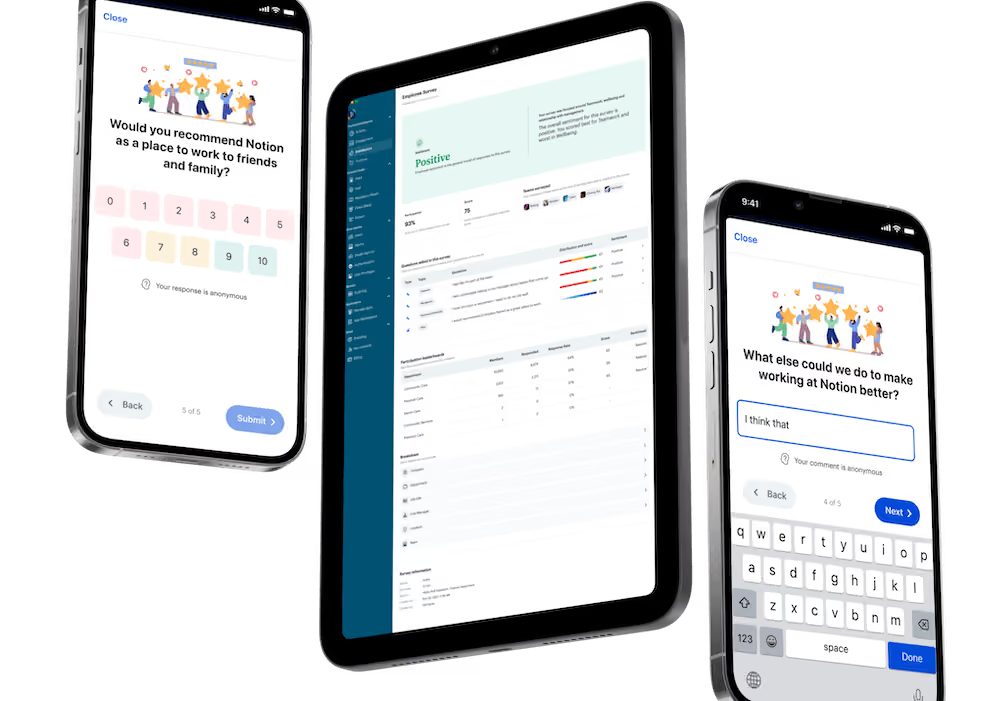
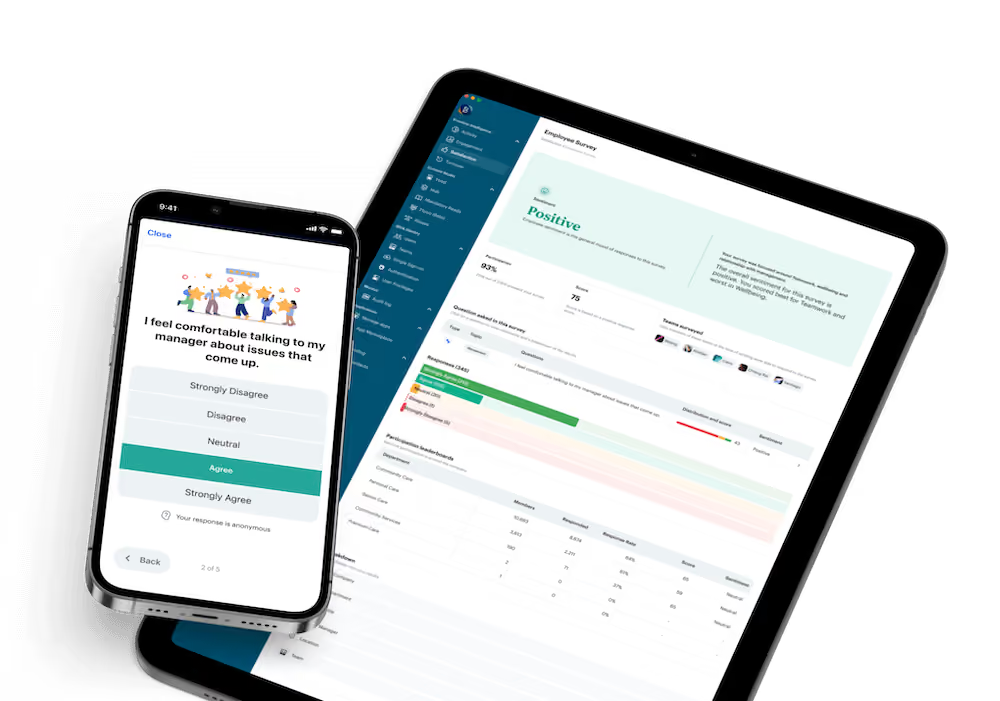
View employee feedback alongside comms data and you build a more detailed picture of what’s working — and what isn’t. Use pulse surveys, focus groups, quick polls, and in-platform feedback buttons to find out what employees think and feel about company comms.
{{mobile-survey="/image"}}
And don’t forget to close the feedback loop. Thank employees for their feedback, tell them what you plan to do next, and continue to share comms strategy updates. This encourages them to get involved next time you send out a survey.
Adjust your strategy
Collate the data and the feedback — then, take action. Make changes to your internal communication strategy to better engage, inform, and connect your workforce.
That might mean:
- Shifting the timing of your weekly update so it gets seen by more of your workforce at the same time
- Offering extra training to help line managers communicate more confidently
- Thinning out the content calendar to avoid comms overwhelm
- Upping the cadence of informal, culture-building content to improve platform engagement and the employee experience
After every change you make, keep an eye on the data to prove the value of your actions. And don’t be afraid to rethink your targets as your internal communication strategy evolves.
Building a strategy for next-level comms and connection
In 2025, internal communication is about more than sharing updates. It’s about building connections, aligning teams, and supporting everyone to feel part of company culture.
A strong internal communication plan helps you achieve all this and more.
By getting clear on communication goals, channels, and tools — and developing a more effective style of messaging — you unlock the full power of comms to drive engagement, retention, and results.
Ready to put pen to paper? Before you start writing your internal comms strategy, seek ideas from stakeholders and employees — and think way beyond the legacy comms systems you’re already using.
A bit of blue sky thinking can take comms from a back-office function to the business-critical force it can and should be.
Blink. And put a new and improved internal comms strategy into action.














.avif)