Investing in your frontline workforce helps you provide a better customer experience. Discover 7 ways to improve employee mental health in your business.
7 ways to improve employee mental health on the frontlines
Investing in your frontline workforce helps you provide a better customer experience. Discover 7 ways to improve employee mental health in your business.
Jess DeVore
Published:
September 6, 2023
Last updated:
October 8, 2024
As year two of the COVID-19 pandemic comes to an end, many consumers and businesses wonder what the new normal will bring.
Are social distancing policies and mask mandates here to stay? Nobody can say for sure, but there’s no going back completely to a pre-pandemic world.
Frontline workers will bear the brunt of constant policy changes as we work towards a new way of working and living. Healthcare workers who faced unprecedented workplace risks are now battling symptoms of post-traumatic stress syndrome such as chronic anxiety, reduced social lives, flashbacks, and nightmares.
That’s why businesses must prioritize employee mental health and wellness, particularly on the frontlines, to protect their employees and make it possible for them to keep doing the work they love.
The costs of ignoring frontline worker wellness
You can’t afford to ignore employee mental health, especially on the frontline.
Matt Peterson, a nurse in the Sanford Health pulmonary unit recalls, “[I]t would be a struggle to fall asleep at times. I would be very wired… and that doesn’t really go down when you get home; it takes several hours.”
As employees struggle with burnout symptoms, job performance, engagement, and morale begin to plummet and many employees choose to leave.
Losing employees takes a toll on your business. Every time you need to replace a frontline employee, you spend money on recruiting, onboarding, and training. And your workplace environment can suffer from lost productivity, engagement, and more customer service errors that happen when you hire someone new.
Instead, you can avoid this cycle by taking care of your existing employees and prioritizing their mental health at work.
Benefits of investing in employee mental health
Investing in employee mental health on the frontline creates a positive impact for your team, your customers, and your business as a whole.
Rikke Bräuner is the Nordic diversity and inclusion lead for EY, and believes:
“Mental well-being transmits positively across an organization — just as it can have a negative impact if an individual on a team does not thrive. That is why it is so important for us to focus on mental health and how we find purpose and balance in our working life — both in our organizational culture and leadership philosophy.”
Specifically, the benefits of prioritizing mental health include:
Higher attendance rates
Better work quality
Improved productivity
Increased employee retention
Better customer experience
When you take care of your frontline workers, you empower them to take better care of your customers.
7 ways to improve frontline employee mental health
Now that you know the benefits of investing in mental health on the frontline, here are seven steps you can take to create a work environment that empowers your team to perform their best and find a purpose they can connect to at work.
1. Invest in employee well-being
One of the best ways to improve employee mental health at work is by providing tools that promote well-being, self-care, and stress management.
Wellbeing is a state of positive physical and emotional health where your employees feel a sense of purpose and can manage their stress in productive ways.
You can support your frontline employees by offering benefits such as access to mental health services, gym subscriptions, and meditation apps. Investing in mental health resources promotes better work-life balance and improves employee engagement while at work.
2. Consistently collect feedback
Having a sense of connection and purpose is vital to employee mental health and engagement at work. But frontline workers often feel disconnected and excluded from the company.
“The company shows no compassion. We are just another body. That’s it.”
She loves her work and caring for patients, but her disconnection from the organization is demoralizing.
Make sure your frontline workers feel a sense of teamwork from headquarters by leveraging mobile solutions for internal communications and recognizing the work they do.
3. Provide mental health training to managers
When managers receive training on mental health in the workplace, their employees are more likely to use the mental health resources that the company provides. Without managerial involvement, employees may worry that using mental health resources will hurt their growth potential at work.
It’s not enough for human resources to stay up to date on the latest mental health research. You need to educate and empower frontline managers.
Think of them as your internal frontline workforce.
Try creating a mental health training course that teaches managers to identify red flags and discuss mental health support options with their team.
4. Identify your business’s mental health risks
Don’t just implement a blanket mental health initiative and call it a day. Get practical and focus on the most significant wellness risks in your business.
For example, does your business require long hours or night shifts? Is the work physically taxing? Are employees putting their health at risk by going to work?
Find out the primary mental well-being issues facing your frontline workers and address them head-on. You can use these red flags to help you identify which mental health programs have the most benefits for your employees. If your business requires night shifts, you can provide resources about adjusting to them by managing sleep patterns, diet, and social life.
5. Normalize conversations about mental health
Frontline businesses have a long-standing tradition of sweeping mental health issues under the rug. Jennifer Feist, a health care worker advocate, told the California Health Care Foundation,
“It is a well-established premise in health care that you do not seek mental health care, you just don’t.”
You can’t address an employee’s mental health concerns if you don’t know about them. And changing the stigma around mental health conversations must come from the top.
See if you have leaders who are willing to discuss their personal experiences or bring in guest speakers.
Most importantly, continue to prove to your frontline workers that you’re eager to listen, and talking about their mental health challenges won’t put their careers at risk.
6. Scan for signs of low morale
Don’t wait for employee mental health to reach a critical state before you tackle it. Be proactive and look for signs of low morale and poor mental health conditions on the frontline.
Patterns such as an increase in absenteeism, higher turnover, and staff complaints all mean there could be low morale at work. And when productive employees start to slip in their performance or withdraw from team members, that means they could be struggling with mental health problems.
Wherever you see signs of mental health-related issues, check in with your employees to find out what’s going on in their lives and see how you can improve their work experience. It’s better to find out early and take action than to discover problems after someone has quit.
7. Ensure safety in the workplace
Unsafe work environments are another risk factor when it comes to employee mental health. Employees are constantly worried about workplace accidents or exposure to illness or harmful chemicals. They’re also more likely to experience low morale and even symptoms of anxiety.
Rebecca, a nurse from Albuquerque, recalls watching hospital management lock up N95 masks. She told NBC, "It's really demoralizing to see someone lock them up in front of you knowing that you might need one of those," she said. "The whole scene was very symbolic of how all this was going to go down.”
Instead of expecting frontline workers to risk illness or injury at work, show them you value their well-being by establishing safety procedures for employee mental and physical health.
Final thoughts: 7 ways to improve employee mental health on the frontline
Changes like these take time. You can’t revamp company culture overnight, but you can start right now.
There are many elements of the new normal you can’t control. But you can choose to make prioritizing employee mental health part of your company’s future. As an employer, you have the opportunity to create a working environment where your employees can thrive because they have a sense of purpose and belonging.
It’s up to you to decide what kind of leader you want to be. If you make it your responsibility to support your frontline workers, you’ll see that investment rewarded in several ways, from the customer experience to your bottom line.
Once upon a time, a company intranet that worked off a server in your office was enough to keep internal communication on track. But today, company needs have changed. And so have employee expectations.
We’ve entered the era of the digital workplace. Employees use a variety of different devices. Teams work remotely, across multiple locations. And beyond the world of work, everyone is now accustomed to intuitive, convenient, and personalized digital experiences.
Digital change has come quickly. And workplace software — like the intranet — hasn’t always kept pace. Traditional intranets feel old and clunky today. They’re affecting employee experience (EX) - and they could be doing more harm than good.
Thankfully, a new breed of intranet is now emerging. It’s fresher and more relevant to today’s workforce. It’s also built with digital workplace challenges front of mind.
A modern intranet holds the key to two-way communication and collaboration, better employee engagement, and an enhanced digital employee experience (DEX). And it could be a game changer for your organization.
Here, we’re going to take a look at the changing face of the company intranet and examine the features and benefits of a new and improved modern intranet.
Contents
Intranets: then and now
Why you need a modern intranet
Features of a modern intranet
How modern intranets impact the digital employee experience
Choosing the right modern intranet
Conclusion
Intranets: then and now
The company intranet has come a long way since it was first introduced back in the 1990s. Adapting to advances in technology and changing workplace trends, it’s taken on a variety of different forms over the years.
When talking about the modern intranet, it’s useful to compare the most cutting-edge intranet software to what has come before. So let’s step back in time and revisit each stage of intranet evolution.
Early intranets
Closed private networks were the first intranets to hit the office. They used local servers to host static web pages, meaning only computers based within the same geographical location could access them.
These early intranets provided limited interactivity and functionality. They were a place to share company directories, policies, and other documents. But because the setup and maintenance of early intranets required a lot of technical expertise, information was often outdated and badly organized.
Web-based intranets
As the internet went mainstream, web-based intranets made their way onto the market. These intranets were accessible via standard web browsers and had basic search functions, which helped users find what they were looking for. But these new intranets still had their drawbacks.
Internal communication remained one-way, with information traveling from the top of an organization down. Content was often poorly maintained because updates were complex. And there was very little opportunity for companies to provide personalized employee experiences.
{{callout}}
Social intranets
Social intranets were the first intranets to go mobile. Remote servers meant geography mattered less — and everyone within an organization, regardless of their location, could access the same information.
Inspired by social media platforms, social intranets prioritized communication, with features like user profiles and user-generated content. They were also designed to support team collaboration and productivity, with personnel services and project management tools built in.
Modern intranets
Modern intranets take the social intranet concept to the next level. They are a mobile-first solution with a focus on user experience (UX), designed to meet the expectations of today’s digital workforce.
Content creation is democratized in modern intranets. All members of an organization can access information and tools easily. And team leaders get the analytics and data-driven insights they need to improve employee engagement.
Interested in seeing a modern intranet in action? Preview Blink today with a short 2-minute video.
Why your frontline organization needs a modern intranet
So why should your frontline organization ditch its traditional intranet and adopt a modern software solution instead? There are several very good reasons.
Older intranet software can cause friction and frustration. Perhaps your intranet has become a dumping ground for outdated information. Or it simply fails to provide the intuitive, user-friendly, productivity-boosting features we’ve all come to expect.
We know that traditional intranets fail to live up to employee expectations. 67% of workers say that digital experiences in their personal lives are better than the digital experiences they get at work.
Many traditional intranets are built around the needs of desk-based teams, so they do your frontline workers a disservice. Frontline workers miss out on the communication and resources available to their desk-based peers.
A modern intranet, in contrast, helps you meet all of the following challenges head-on.
1. Employee engagement
According to Gallup’s State of the Workplace Report for 2023, just 23% of employees are engaged at work. But organizations should try to do better. That’s because high levels of employee engagement lead to happier employees, improved productivity, and lower rates of attrition.
Employee engagement is always a challenge. But engaging employees in a frontline organization can be particularly tricky. When your workers are deskless, how do you give them the connection, coaching, and support they need to thrive within your organization?
A modern intranet gives you all of the tools you need to engage your employees, regardless of where they work. You can count on a social feed, a content hub, employee recognition tools, surveys, and more.
With analytics too, you can see what is engaging your employees — and what isn’t — so you can improve your efforts going forward.
2. Communication
Open communication within a workplace is vital. It helps you inform, motivate, and engage your employees, while fostering an inclusive and supportive work environment. It involves top-down, bottom-up, and peer-to-peer communication, so everyone has a voice.
For frontline teams, maintaining open channels of communication within teams who don’t work face-to-face requires tailored solutions.
A modern intranet helps you build internal communication links between every member of your workforce — whether they’re based in the office, on the shop floor, or out in the field.
You don’t need to rely on emails or a company noticeboard. Instead, all types of internal communication are supported via your intranet app.
With better communication, you bring your teams together and you may find it easier to grow your company too. A Forbes study found that companies who involve 75% of their frontline in internal comms, achieved more than 20% growth over a year.
3. Digital access
Older intranet software is built around an outdated version of the workplace. It doesn’t prioritize the mobile experience and instead works best for employees who sit at a desk on a computer for the majority of each working day.
Newer intranets understand that the world of work has changed. Digital tools are a workplace essential. And frontline, hybrid, and remote teams should have equal access to the information and interaction that these tools provide.
That’s why the best modern intranets have a mobile-first design. Employees can access them as easily on a small smartphone screen as on a desktop computer. All workers across an organization are engaged and empowered, so no one misses out.
4. Collaboration
Traditional intranets are known for being slow and difficult to use, with low rates of user adoption. In fact, 57% of employees say they see no purpose in their company intranet.
This impacts collaboration. When employees avoid your intranet — because it isn’t intuitive to use or data is hard to find — knowledge sharing suffers and you risk creating organizational silos.
For frontline teams, this exacerbates an existing risk. Frontline workers spend time away from HQ, working different shift patterns, and managing a high workload. These factors already get in the way of team collaboration.
Luckily, this is another frontline challenge that a modern intranet can solve. The intranet allows people across your organization to share ideas and objectives via an easy-to-use interface.
Everyone can contribute, even those who work remotely, making your organization more productive, more innovative, and better able to solve problems.
Features of a modern intranet
We’ve touched on what makes a modern intranet different from the other intranet software available. But now we’re going to delve into the details. Here are features you can expect from the newest intranets and how they stand to benefit your business.
A central hub
A modern intranet acts as the gateway to your business. It’s the go-to location for company communication and knowledge sharing.
With a single, searchable hub, it’s easy for employees to find what they’re looking for, whether that’s essential documents, a directory of co-workers, or a list of the latest company events.
Importantly, information is stored logically and consistently. And the advanced search functionality of a modern intranet — thanks to keyword suggestions and content tagging — means it’s always clear what information is and isn’t available.
User friendly interfaces
Modern intranets are familiar to their users. That’s partly because they can be customized with employer branding. But it’s also because they have an intuitive, user friendly interface that mirrors many of the digital tools employees already feel comfortable using.
Employees don’t need a company email address to sign in. They can get notifications whenever important information is posted. And it’s easy to download intranet apps from the App Store. This means very little training is required.
Personalized experiences
Personalization makes the modern intranet even more engaging for users. Employees can personalize their dashboard and see content tailored to their role and department.
You can also program your intranet so it presents different information depending on where an employee is at in their career and how much time they’ve spent with the company. Someone who started working for you last week will get different intranet content to someone who has been working for you for years.
Communication tools
Managers can share important news and announcements. Teams can share ideas. An employee can wish a coworker a happy birthday. With a variety of communication tools based within the same intranet software, meaningful communication becomes second nature.
Employees don’t have to switch between different platforms for informal co-worker chat, essential C-suite comms, and knowledge sharing resources. They can easily find communications, and contribute to them too, all within the same interface.
It’s also easy for managers to highlight need-to-know information.Push notifications and mandatory reads ensure essential information never goes unread.
Real-time communication
Asynchronous communication is important for teams who work across different time zones or shift patterns. But real-time communication is also crucial for your organization. It allows employees to communicate as if they were in the same physical location — even when they’re not.
This allows for faster decision-making, improved problem-solving, and better collaboration. It also helps employees to feel more connected to one another — because real-time communication mirrors face-to-face communication in a way that an email thread just can’t.
Employee recognition
Employee recognition isn’t always easy when employees work disparately. Managers have to be intentional about praise and recognition because they get few informal opportunities to show their appreciation.
With built-in employee recognition features, a modern intranet makes it easy for you to motivate and incentivize your team.
Managers are prompted to recognize employee anniversaries and milestones. Peers can celebrate coworker wins. And some intranet software even provides recognition leaderboards and real-life rewards as further incentive for hard work.
Collaboration tools
The modern intranet makes collaboration a priority. It provides features that support collaboration for teams who don’t necessarily work in the same office.
From shared calendars to real-time chat, document sharing to task allocation, a modern intranet helps teams work together, even when they’re physically apart.
Mobile compatibility
Workers no longer have to be chained to their desktop computers in order to get the most from the intranet experience. Modern intranets are mobile responsive. They offer the same user experience and the same great features whichever device employees have access to during their workday.
This means frontline, remote, and hybrid workers enjoy the same intranet experience as their desk-based peers. And you create a joined-up organization in which all workers are treated equally.
Integration capabilities
Modern intranet software integrates with the digital tools and data sources you already use within your organization. It creates a seamless experience for employees.
They don’t need to log in to multiple platforms and deal with repetitive or conflicting information. Everything is available via the same intranet hub.
For your management team, integration makes everything more efficient. You don’t need to duplicate work over different tools, which means you improve data accuracy too.
Feedback functions
Good internal communication goes both ways. And with modern intranet feedback functions, it’s easy to find out what your employees are thinking and feeling at any given moment.
Surveys and forms are delivered in a user friendly format so a higher proportion of your employees is likely to respond. And with accurate insight into employee sentiment, you can create better employee experiences, making informed decisions based on what your workforce really wants and needs.
Security
When you opt for a modern intranet, security comes as standard. The best providers work by recognized cybersecurity guidelines.
They provide data encryption and data backup. Regular penetration testing ensures the system always provides a strong defense against cyber-attack. And access controls mean admin teams can choose with members of your organization can see sensitive information.
Analytics to optimize and measure
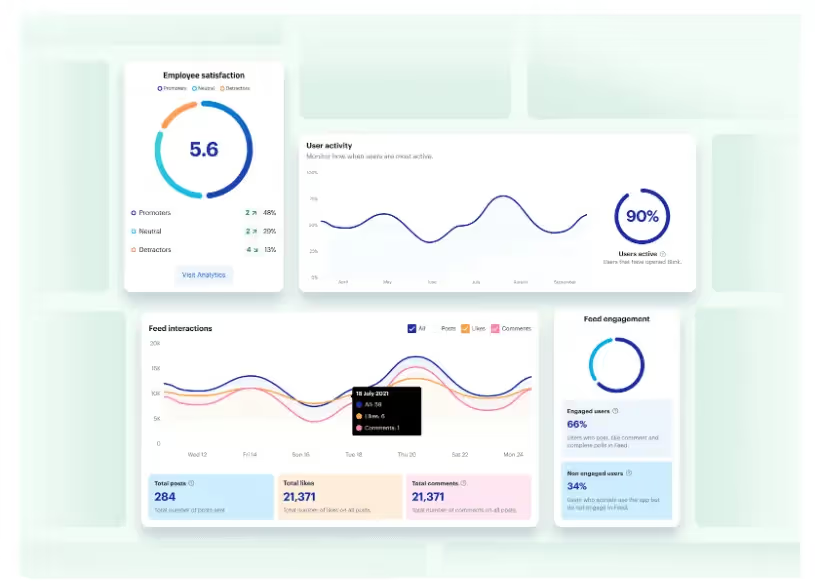
The best modern intranets offer analytics too, meaning you get real-time data on employee engagement and the employee experience.
You can track a variety of metrics — things like user activity, co-worker interactions, likes, searches, and downloads. And then you can view these results in a visual, easy-to-digest format.
Along with surveys and feedback forms, intranet analytics gives insight into how employees use the software and how it impacts their overall experience of the workplace. This empowers you to make data-driven improvements.
How modern intranets impact the digital employee experience
The digital employee experience (DEX) is how employees feel about the digital tools they use within the workplace. For optimal DEX, you need digital tools that support and streamline every employee workflow, without creating points of friction.
DEX comes under the umbrella of employee experience (EX). But we’d argue that, in a digital workplace, DEX isn’t just part of the EX picture. It’s integral to it. In fact, we can relate DEX to nearly all of the nine EX elements identified by McKinsey.
an employee’s sense of growth, purpose, and motivation
how employees feel about their productivity and efficiency
The company intranet is inevitably a big part of employees’ digital experience. And when you replace a traditional intranet with modern software, designed to meet the expectations and needs of today’s employees, you impact DEX in all of the following ways.
Enhanced communication
These days, we rely on digital communication tools to connect frontline, hybrid, and remote working teams. It’s important to EX that teams get the same level of connection and knowledge sharing, and the same sense of belonging, that they’d get working face-to-face.
Modern intranet software is built with team communication at its core. It understands that, in a digital workplace, informal water cooler chats aren’t always possible.
So it provides teams with communication tools that create a sense of physical togetherness, even when teams work disparately.
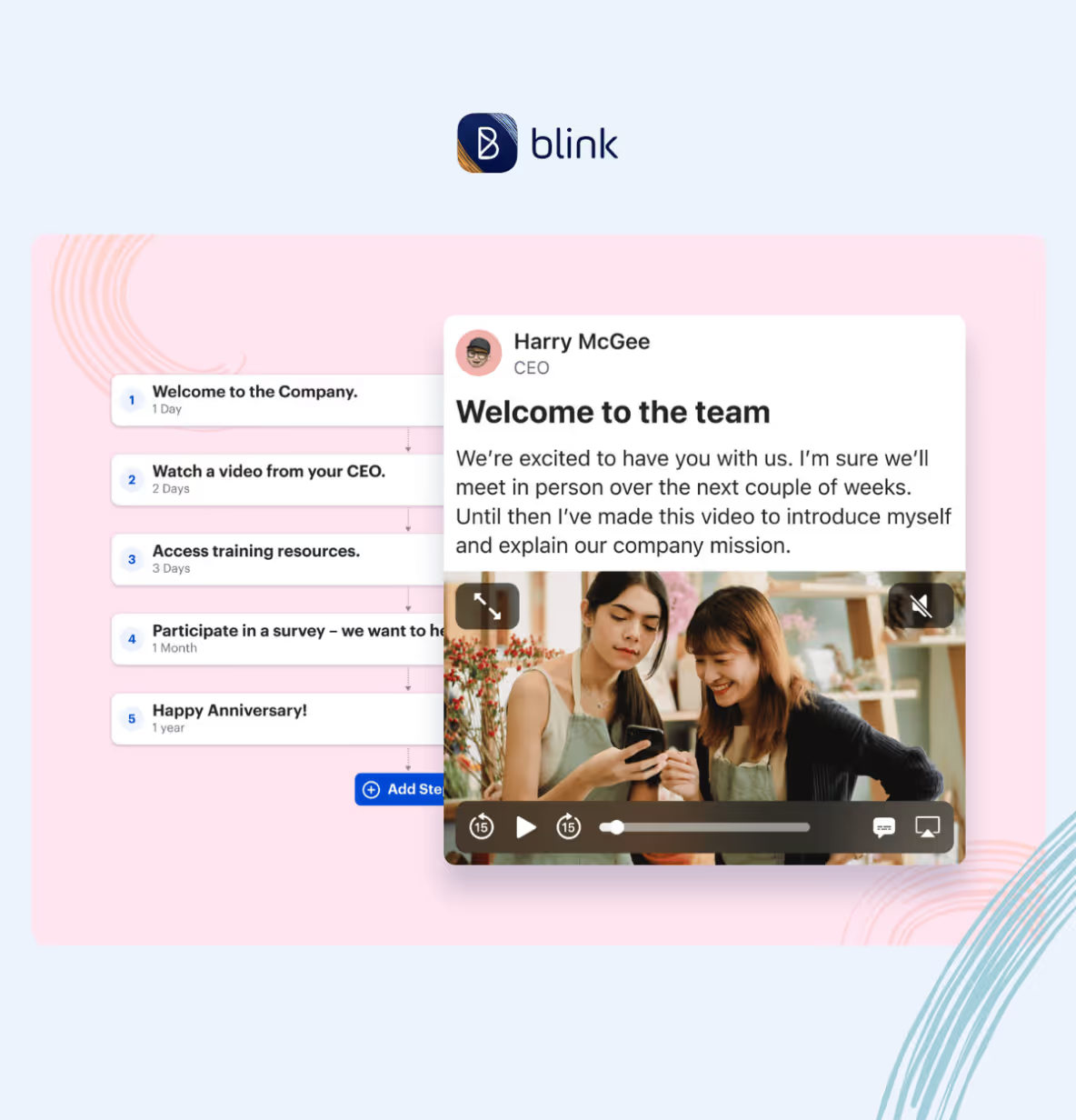
With Blink Chat, for example, employees can message each other in real-time. They can chat one-on-one or set up Group Chats for multiple team members. Within chats, employees can send messages, send documents, and even start online voice or video meetings, straight from the app.
But the modern intranet doesn’t just facilitate peer-to-peer communication. It also gives managers the communication tools they need to enhance the employee experience.
This is where the Blink Feed comes in. Via a familiar, social media-style feed, leadership can post company-wide communications. They can guide company culture and broadcast important news, motivating and informing employees in the process.
Employee techquity
Employee techquity is achieved when frontline workers have equal access to the digital tools, resources, and people they need to succeed. Older intranet systems tend to leave frontline and remote workers behind. They fail to address many of the key challenges faced by frontline teams.
This means frontline and remote employees miss out on the opportunities afforded to desk-based staff. They find it harder to advance in their careers, they don’t always have access to the same tools, tech, and training, and they can end up feeling disconnected from company HQ.
A modern, mobile-first intranet helps to create a fairer working environment. All employees get to use exactly the same functions and features, whether they access the platform via a desktop computer or a smartphone device.
A modern intranet is easy to use, so frontline workers can dip into internal comms during a busy work day. It also acknowledges the fact that many frontline workers don’t have a company email address, so provides alternative login methods.
By providing an equal digital experience for all workers within your organization, everyone gets the tools they need to do their job — and everyone enjoys a sense of connection and belonging.
Employees enjoy a better workplace experience when they feel they’re working to the best of their ability.
In a digital workplace, this means having the right information, along with the right collaboration and productivity tools. And this is another area of DEX that a modern intranet can help with.
A modern intranet acts as a content hub for your organization. But unlike old intranet software, this new style of content management system is well-organized and user friendly. It’s easy to find and read policy documents and to collaborate on files with co-workers.
Just take a look at the Blink Hub. It’s a content management system that puts policies, training materials, and manuals in one convenient, easy-to-access location.
A drag-and-drop interface makes it easy to add content. And because the Blink Hub is available via desktop and mobile apps, every member of your organization can access it.
A modern intranet can also provide self-service functions, another big plus for the digital employee experience.
When employees can book shifts, request annual leave, register for a training course, and access pay stubs all from the same platform, work admin becomes much less of a headache.
Employee engagement
Engaged workers feel emotionally connected to their work and co-workers. They feel aligned with company values and empowered to work productively.
A poor digital employee experience gets in the way of engagement. But there are lots of ways that a positive DEX — supported by a modern intranet — can enhance it.
The social features of a cutting-edge intranet — like social feeds, discussion forums, and employee profiles — help employees build meaningful connections with people at all levels of your organization.
Employee recognition and reward functions within the intranet also boost engagement. Employees understand their goals and how these goals relate to the overarching company mission. A culture of recognition and rewards — made easy with intranet tools — then incentivizes them to meet their objectives.
Another way that your intranet can improve employee engagement is with employee personalization.
Workers get to personalize the platform dashboard to make it more relevant and engaging. Admins can adapt content too, tailoring it to the needs of workers at each stage in the employee lifecycle.
Analytics and feedback
Modern intranets make it easy for you to gather information on the digital employee experience. You can launch surveys, send out forms, and dive into the analytics provided by your platform.
This is a huge bonus to your DEX strategy. Because you don’t need to stab in the dark. You have all the data you need to make targeted EX improvements.
View data on employee engagement, satisfaction, and retention. See what content performs best to improve your content management strategy. Understand how your teams interact, identifying co-worker relationships that need a little TLC.
A tool like Blink Analytics allows you to really drill down into the data. You can segment it based on team or location. So you understand exactly how your digital workplace is working for each member of your organization.
Simplicity
Some organizations have approached the challenge of digital transformation by acquiring tech tools for every business function. But this isn’t an effective way of doing things.
Gartner research shows that application sprawl (when workers are expected to use multiple digital tools) turns up the volume without improving communication.
Simplifying and streamlining the technology you use can therefore have a huge impact on the digital employee experience.
When workers have a single, go-to platform, there’s less friction. Employees aren’t constantly pinged with notifications from multiple apps. They don’t have to familiarize themselves with different interfaces. And it’s easy to find the information and tools they need.
Choosing the right modern intranet
We’ve covered all of the reasons that a modern intranet might benefit your organization. But with numerous intranet options out there, how do you choose the right one for your business?
Let’s take a look at a couple of questions you can ask when looking for intranet software that meets the needs of your organization and employees.
Is the software built to scale?
An intranet is a big investment of time and money. It also quickly becomes a central part of your company operations. So you don’t want to be changing it in a hurry.
When choosing an intranet, look for a solution that can grow with your business. Consider whether an intranet contender will continue to meet your needs if you experience a period of rapid growth and need to take on lots more staff.
Scalable intranets offer bespoke pricing for enterprise clients (per-user pricing can become unaffordable as your team grows). They’re also cloud-based, so you don’t have to rely on on-premise infrastructure when you need to expand capability.
Some other considerations to bear in mind? You need access controls suited to large teams, the option to create communication channels for each team or department, and the right level of security and support for a bigger organization.
Is mobile access a priority?
If you have any workers who don’t spend their workday sitting behind a desk, then a mobile-first intranet is the only logical choice.
On-premise solutions aren’t always accessible via mobile devices. You may even find that remote desk workers, using a laptop or desktop computer, have to jump through VPN hoops to access intranet content.
A mobile-first intranet is designed to work well — and provide the same features — over any device and from any location. So it’s particularly useful for frontline teams who need to access internal info on the go, using their smartphone.
Does the solution provide analytics?
The best intranet solutions give you the analytics and reporting features you need to measure the success of your new platform.
They provide data on employee engagement, content performance, user behavior, employee retention, and employee satisfaction. With real insight, you can identify areas for improvement and make targeted changes.
Only shortlist solutions that offer robust analytics functions. They should be able to provide data on a wide range of metrics, allow you to segment data by a variety of user groups, and provide real-time data. They should also present all data in a visual, easy to understand way.
Does the intranet integrate with your existing technology?
One of the key benefits of a modern intranet is its simplicity. It brings all of the communication and collaboration tools your digital workplace needs into the same platform.
The ideal intranet will meet your business needs in terms of two-way communication, content management, and collaboration. But it should also integrate with any of the tech tools you already use.
You need to know that any payroll, project management, or customer service software can integrate seamlessly with your intranet. And that these tools will continue to work just as well as before.
A new intranet shouldn’t negatively impact the adoption of your current tools. Instead, streamlining your digital tools should actually improve uptake.
Is the intranet user friendly?
An intranet only benefits your company (in all of the ways listed above) if your employees actually use it. So you need a solution that is intuitive and easy to learn, even if your team isn’t super tech-savvy.
Look for an intranet with a user friendly interface. It should feel familiar even if you’ve never used it before. Also, ensure it includes all of the self-service and search functions that make life easy for your teams.
User friendliness is particularly important for frontline teams. Working away from a desk, often with limited time for company comms, your intranet needs to be so easy and engaging that these remote, time-poor workers choose to open the app and check in.
When conducting your software search, it can be helpful to look at adoption and intranet usage stats. If other organizations, with a similar structure to yours, have managed to persuade their workers to use a particular intranet solution, then the platform will probably work well for you too.
Ever since its introduction in the 1990s, the intranet has been an integral part of company operations. But today, organizations are moving away from older intranet versions to embrace a newer, slicker, more effective modern intranet.
A modern intranet supports the creation of a truly digital workplace. It gives frontline, remote, and office-based teams everything they need to work happily and productively. Because it provides a beautiful interface, designed to meet the needs of digital workers, employees actually enjoy using it too.
Choose the right modern intranet and you’ll improve the way your teams communicate and collaborate. You’ll improve DEX and employee engagement, so employee retention gets easier.
You’ll also avoid some of the pitfalls of digital transformation, preventing application sprawl by making all tech tools available via the same user friendly dashboard.
For frontline organizations, the modern intranet really comes into its own. Mobile-first, intuitive design with a real-time communication focus, ensures everyone – whether they work on the frontline or in an office – has access to the tools and information they need.
If you’re ready to benefit your employees and your organization by adopting a cutting-edge intranet solution, take a look at Blink —– a platform designed specifically for frontline teams. Blink does everything a modern intranet does, and more.
Employees get a social feed and a content hub. They can access self-service functions, make their voice heard via company-wide surveys, and receive recognition for a job well done.
As an organization, you can count on analytics and top-notch security. Blink also integrates with many of the most popular workplace apps out there, so it fits seamlessly into your workflow.
Blink has all the tools you need to make your frontline organization more connected, collaborative, and successful. So why not book a demo to see Blink in action?
A survey conducted by the American Association of Critical Care Nurses reported that 66% of respondents considered leaving their job due to the pandemic.
At first glance, it may seem like the pandemic is what caused frontline workers to feel burned out and leave their jobs, but Amanda Bettencourt, Ph.D. of the association, says,
“This was the stress test for an already stressed system.”
The employee experience for frontline workers has been overlooked for a long time. Finally, businesses are paying attention to how to improve internal communication for their frontline workers.
The truth is that frontline workers love creating a good customer experience. Matthew, a Registered Nurse at Denver Health, says,
“I love what I do. I chose this profession because I wanted to be on the frontline doing this, and there’s nothing else I want to do.”
If your frontline workforce is ignoring your company updates, it is definitely time to rethink your approach. However, before you completely overhaul your strategy, it is incredibly helpful to review a few successful internal communication examples to see exactly how top organizations are getting it right. Once you have that baseline, you can begin applying the improvement steps below.
But how can businesses make the work experience better for frontline workers?
Keep reading to learn how to motivate frontline employees and support them so they can do what they do best – taking care of your customers.
Here’s what we’ll cover:
Benefits of empowering frontline staff
How to improve internal communication on the frontline
1. Make communications accessible to everyone
2. Personalize communication
3. Make it easy to give and view feedback
4. Create a single source of truth
5. Streamline manual processes
6. Provide ongoing training opportunities
7. Ask frontline employees for their ideas
8. Check in regularly and in person
9. Celebrate achievements
10. Put yourself in their shoes
Final thoughts: how to improve internal communication on the frontline
Benefits of empowering frontline staff
Many frontline workers love the work they do. Their job satisfaction comes from helping patients and creating a positive impact on customers.
“We get a sense of accomplishment doing our part to keep folks safe. We find the supplies that they need and get it to them as quickly as possible.”
When your frontline staff feels connected and empowered, they can focus on delivering an excellent customer experience.
But, if your frontline workforce feels unsupported and unheard, employee morale can plummet and lead to burnout and a higher employee turnover rate.
If you want to improve customer satisfaction, it starts by caring for the employees who interact with customers and patients every day.
How to improve internal communication on the frontline
Make communications accessible to everyone
Personalize communication
Make it easy to give and view feedback
Create a single source of truth
Streamline manual processes
Provide ongoing training opportunities
Ask frontline employees for their ideas
Check in regularly and in person
Celebrate achievements
Put yourself in their shoes
1. Make communications accessible to everyone
According to a Frontline Employee Workplace Survey conducted by Yoobic, one in three frontline employees feel disconnected from the company. During the COVID-19 pandemic, companies had to make fast changes to business strategies and operations.
While these changes often affected frontline employees, they didn’t feel included or well-informed. More than 75% of respondents say that receiving internal communications through a mobile app would make them feel more connected to HQ.
2. Personalize communication
Including frontline employees in internal communications is an excellent start, but it won’t solve the problem entirely. More messages don’t automatically equate to higher employee engagement. You need to make sure that your messages are meaningful to frontline employees.
When you communicate significant changes to essential workers, make it easy to understand how any new initiatives will affect their daily work. Anticipate possible questions from frontline employees and answer them in your original message. This should be a key part of your internal communication plan anyway.
For example, if you’re implementing COVID-19 precautions in-store, let employees know how you’ll be supporting them with signage or website updates so they feel supported.
3. Make it easy to give and view feedback
Some initiatives look great on paper, but they don’t work in real-time with customers.
Ben Davis, a social worker in New York, told Time Magazine of a time when top-down pandemic precautions like remote contact made it more challenging to work and connect with individuals who suffer from mental illness symptoms like paranoia.
What seemed like a good idea at first was ineffective and became the source of concern for many frontline workers.
According to Davis,
“It was all very different and very confusing. I don’t know how well he – a patient – understood that I was doing it to help keep him safe.”
In this case, Davis’s feedback was heard. His team implemented changes focused on the long-term protection of frontline workers, such as allowing them to stop administering medication if gloves run out.
Employees on the frontline can feel frustrated if they don’t have access to the resources they need to do their jobs.You must give frontline workers a place to provide feedback and ensure they see that the feedback has been taken and processed.
4. Create a single source of truth
Consider using a mobile app to deliver your intranet or knowledge Hub so your deskless employees can access the right resources.
5. Streamline manual processes
A whopping 71% of frontline workers feel bogged down by repetitive manual tasks and paperwork. One part of motivating frontline employees involves letting them focus on work that creates impact, such as working with customers.
It may sound small, but spreading your admin work across multiple platforms means your frontline workers have to log into several websites to take care of repetitive work.
Respect your frontline workers’ time by consolidating administrative work into a single portal and automating manual processes.
6. Provide ongoing training opportunities
There’s a direct connection between growth opportunities and employee retention. Team members who see a future with your company are more likely to stay engaged and experience high levels of job satisfaction.
During onboarding, show your frontline workers there’s a clear path to growth in your company. Then, make sure they can easily access resources to help them build the skills they need to advance.
For example, clinic receptionists can develop skills to become Medical Assistants and then continue to advance to higher Medical Assistant levels (MA II, MA III) to earn a higher salary.
7. Ask frontline employees for their ideas
Take time during meetings to let people provide an overview of their projects, goals, and progress.
When dealing with customer feedback issues, you can also show your frontline staff you value their expertise by asking for their opinions and suggestions. Use polls and surveys to stay tuned into the customer experience through your frontline workforce.
8. Check in regularly and in person
Too many business leaders underestimate the importance of frontline workers. A grocery store bookkeeper describes his experience to New America as, “bosses come through. They don’t speak to you. They think they’re better than you…We are the ones that are helping you make this money.”
Leaders must schedule regular site visits, but you have to remember to acknowledge on-site and remote employees and genuinely listen to them.
Treat site visits as an opportunity to build relationships with frontline staff, show them that you’re there for them, and reinforce the idea of teamwork.
9. Celebrate achievements
Employee recognition is an integral part of motivating frontline employees. Take time to celebrate work-related achievements like promotions and personal milestones such as birthdays and anniversaries.
10. Put yourself in their shoes
Learning to empathize with your frontline workers creates a better work environment for everyone. Don’t assume the challenges you face in the office are the same your remote employees deal with every day.
Instead of making assumptions, ask your frontline employees questions about their experience and really listen when they tell you. Use questions like “How can I make it easier for you to get your work done?” to get actionable feedback from your frontline workforce.
Lead by providing support and proactively removing the obstacles that make it difficult for frontline workers to succeed.
Final thoughts: how to improve internal communication on the frontline
How many businesses could survive without their frontline workers? And still, they’re often overlooked and misunderstood.
Learning to motivate your frontline employees through empathy, communication, and support can transform your customer experience and overall business. Discover employee engagement for modern workforces with Blink today.
Unfortunately, this stat makes perfect sense. Workplace tech has traditionally been built with office-based workers in mind. So it tends to fall short for the frontline.
Some companies still use a traditional intranet. And others use a patchwork of different HR and IT apps. These tools may work well for desk-based employees. But they cause three common problems for frontline workers:
Limited access to tech. Frontline employees don’t have regular access to a computer and don’t always have a company email address. This means they rely on noticeboards, personal apps, and/or shared company computers to access the information and tools they need.
Access to poor quality tech. Frontline employees have access to a system that does some things, but not others. They can access tech tools via a mobile device but features are limited and the user experience is lacking
Access to too much tech. When employees use lots of different apps via lots of different interfaces, it creates as many problems as it solves. This piecemeal approach can cause friction and tech tool disengagement
Frontline organizations need streamlined tech that works for every employee. As Ian Gordon, former President of Administrative Operations at Elara Caring, said in an interview:
“Being a frontline worker can feel like you’re on an island by yourself, and the solutions that you need must be quicker and more succinct. You can’t spend a lot of time signing in and navigating. You need to get to your answer now.”
Currently, deskless workers waste time and productivity on tasks that could be streamlined. For example, finding their training documents, communicating with managers, or simply tracking down last month’s pay stub.
Thankfully, there’s a solution. A modern intranet takes into account the realities of today’s distributed workforce. It’s a mobile-first tool that provides the same seamless digital experience for both frontline and desk-based employees.
Here, we explore how the right type of technology can benefit your frontline employees andyour organization. We also reveal the three features you should be looking for when choosing frontline tech.
Benefits of a modern intranet for frontline employees
When your frontline has access to the right tech, everyone stands to gain. Let’s take a look at the benefits – for your organization and employees – of a mobile-first employee app.
Higher levels of productivity
When frontline employees don’t have the right tech, they waste a lot of time on tasks that could be streamlined.
They have to call their manager on the phone when they want to change shifts.
They have to use the shared computer on their lunch break to respond to a company survey.
They have to leaf through a paper handbook to find an answer to their question.
A modern intranet helps frontline employees complete tasks quickly and easily. This means productivity for your organization improves.
Streamlined workflows
A modern intranet helps streamline the workflow of every employee in your organization, not just those on the frontline.
That’s because frontline employees can use self-serve functions. They can view their pay stubs, launch an assigned L&D module, and request time off. Employees can book shifts and report faults or accidents. They can also chat with their managers via messaging features.
This helps to streamline the work of your frontline workers. But it also helps HR teams and frontline managers. They get fewer queries and fewer phone calls because frontline employees can achieve so much more using the right tech tool - removing the barrier to access and allowing your HR teams and managers to focus on the work they are meant to be doing.
Tech tool efficiency
The best modern intranets integrate with the software you already use for your business. It's not about adding another tool to your tech stack to be siloed, but increasing access to all of the other tools you already rely on. So employees can access all tech tools from the same, familiar interface.
When workplace tools are intuitive and easy to access, employees spend a lot less time looking for the resources they need. They also spend less time trying to remember different login details. A single click, a single password, and they’re in.
Learning and development
A modern intranet or employee app makes it easy for employees to access vital resources. Like workplace policies, guides, and training materials.
This means new hires get up-to-speed quickly. They can access all onboarding materials via their smartphone. Existing employees also find it easy to weave L&D into their usual workflow.
With access to resources that help them work smarter, not harder, employees become more effective and productive in their roles.
Improved internal communication
Good internal communication is the backbone of any organization.
Without it, trust in leadership suffers. And with it, engagement and loyalty increases. Employees in organizations with effective communication feel more connected to their jobs.
But we know that frontline teams usually don’t enjoy the same level of communication and connection as their desk-based co-workers.
Frontline employees tend to spend very little time at HQ and often spend their days working alone. So they risk missing out on:
Vital company updates
Co-worker collaboration
Recognition from managers
Opportunities to make their voice heard
The right tech helps to bridge the gap. It improves employee communication by connecting frontline workers to their co-workers, head office, and company culture.
Real-time communication
Information is often outdated by the time it reaches frontline employees. It’s hard to spot memos on a crowded noticeboard, and it’s easy to miss an important update in a long thread of messages.
The best modern intranets solve this problem by supporting real-time communication.
Employees can use newsfeed, group chat, and 1-2-1 chat functions to get up-to-the-minute information.
Managers can send smartphone notifications to highlight vital updates. They can post a video of today’s company standup. They can also create and pin mandatory messages to the company newsfeed, ensuring that essential information cuts through.
With access to relevant, timely information like this, employees make better decisions and solve problems more quickly.
Two-way communication
Top-down communication is useful for establishing company culture and sharing updates. But for truly effective internal communication, information needs to move in all directions.
Modern intranets support peer-to-peer connection. Co-workers can interact via the newsfeed or chat functions. They can recognize a peer’s hard work. Or wish their work bestie a happy birthday.
The intranet also supports bottom-up communication. With a newsfeed, direct messaging, and company-wide surveys, you give frontline employees a voice.
This makes a positive difference to the employee experience. Employees who say their voice is heard at work are 4.6x more likely to give their all.
Collaboration
Imagine a frontline care worker has come across a great article about elderly care. How does that person share their new insight with other frontline workers in other locations?
Perhaps they’ll mention the article to the co-workers they physically cross paths with. Or send a link to the small group of people in their work WhatsApp chat.
But you really amplify the reach and impact when that care worker can post the article to the company employee app.
The right tech tools allow frontline teams to share the knowledge they gain when they’re out in the field. They can share best practices and collaborate with other employees, even though they’re not based in the same office environment.
Empowerment and engagement
When employees feel empowered and engaged at work, they’re happier and more productive. They provide better customer service and produce better results. They’re also less likely to look for a job elsewhere.
Employee engagement relies on strong employee communication, development opportunities, recognition – and the right tech.
The wrong tech can be a big drain on employee engagement. When workers use slow, inefficient, and ineffective digital tools, it adds friction and frustration to their work day. So implementing a modern intranet can help with all the following.
Empowering employees
With a company super-app at their fingertips, frontline employees are empowered to make informed decisions and take a proactive approach to their work.
Thanks to user-friendly employee communication channels, they can report safety or equipment issues. They can share their knowledge. And they can access company resources exactly when they need them.
A modern intranet also empowers employees to progress in their careers. 70% of frontline workers are interested in career progression opportunities. But they don’t always get the resources or support they need.
Via an employee app, you can give frontline workers easy access to L&D information, new job opportunities, and any available employee development activities.
Engaging employees
The right frontline tech helps you to improve employee engagement. It allows employees to engage with co-workers and company culture. And it mirrors the experience provided by employees’ favorite social media apps.
A newsfeed. Likes, comments, and shares. Pulse surveys. Digital 1-2-1s. A searchable company library. A modern intranet with a user-friendly interface creates an experience that employees are excited to use and keep using.
The best frontline tech also offers personalization, another thing that helps to level up engagement. Employees can switch up their dashboards to put their preferred features first. Or prioritize their newsfeed to focus on posts that are most relevant to them.
Retention and attraction
Frontline teams experience high levels of churn. A McKinsey study found that 45% of frontline workers planned to leave their jobs within the following 3 to 6 months.
Workplace technology is an important part of the puzzle. 78% of deskless workers say they consider the technology at a company when deciding whether to take a job there.
When you equip frontline workers with the right tech, you show your employees that you value them and care about their experience.
You also provide communication channels that support a better employee experience. You allow employees to give feedback and build stronger relationships with co-workers. This makes it easier to hold onto existing staff – and to attract new talent too.
Choosing the right tech for frontline employees
Some tech solutions – like the traditional intranet – don’t fit the realities of frontline work. So what should you be looking for when choosing tech for frontline employees?
The best frontline tech:
is a one-stop-shop
offers an intuitive user experience
has a mobile-first design
Let’s look at these features in a little more detail.
It’s a one-stop-shop
Currently, many organizations are at risk of app overload. 37% of frontline workers use five or more apps every day. But 39% say that apps aren’t actually helping them in their work.
A patchwork of workplace tools means workers have to learn different interfaces and remember lots of passwords. Tech complicates their workflow instead of simplifying it.
The best modern intranet brings together all the software you use. It acts as a digital front door for your organization.
Behind this door, employees find everything they need to do their jobs. Tools for communication, operations, training, shifts, collaboration, and HR. It’s all available via one interface and a single login.
Tech that acts as a one-stop-shop reduces friction in frontline employee workflow. It also drives adoption for your existing tools, improving the ROI on the software you’re already paying for.
Supercharge your frontline with an employee super-app
It provides an intuitive user experience
Investing in the best frontline tech is pointless if you can’t persuade employees to use it. So you need tech solutions that can prove high usage and adoption rates.
Bear in mind that 56% of deskless workers are using personal tech tools instead of workplace tools. As well as posing security risks, this illustrates a really important point when choosing frontline tech.
Your chosen solution has to compete with the user experience (UX) provided by the most popular social media platforms. So you need tools that offer an intuitive, friction-free UX.
These intuitive tools don’t have a steep learning curve. Instead – because they’re so similar to the apps your employees already use out of work – employees can pick them up and start using them with next to no training.
Because they’re so easy to use, these apps provide clear employee benefits from the get-go. This helps to drive organic app adoption and ensures a higher proportion of your workforce downloads and uses your intranet.
It’s a mobile-first solution
Frontline workers don’t sit at a desk. They don’t always have a company email address, let alone a company computer. Therefore, any workplace tech you choose must be available via a mobile device.
The best solutions have a mobile-first design. They’re not tools designed for desktop with an app added as an afterthought. Instead, they offer the same great features and user experience on a smartphone as they do on other devices.
This allows frontline team members to stay up-to-date with company news, book time off, or look at their shift schedule while they do their daily work. They can access workplace tools from any location, at any time.
Blink: an employee app for frontline workers
The Blink employee app is a modern intranet for a modern frontline workforce. Our app acts as the digital front door for your organization.
It provides access to the tools and systems your entire workforce needs day to day. And it integrates seamlessly with the software you already use. So employees can access all workplace software using one secure single sign-on (SSO).
As a mobile-first solution, Blink provides the same great user experience on smartphones, tablets, and desktop computers. Frontline workers have exactly the same access as their desk-based peers to company culture, co-worker connection, and workplace resources.
If you’re looking to improve the frontline employee experience, connect your workforce, and increase productivity, frontline tech is a great place to start.
If you’re exploring alternatives to All Gravy, you’re likely looking for a platform that offers more flexibility, deeper integrations, or broader functionality for workforce engagement and management. All Gravy is known for its financial wellness and shift management tools, but it may not provide the full set of capabilities needed for growing organizations.
This guide reviews the best All Gravy alternatives in 2025—starting with Blink, our top recommendation—and includes pricing, reviews, and pros and cons for each.
What to look for in an All Gravy alternative
Before making a decision, it’s important to assess which features matter most to your organization.
Comprehensive Communication Tools – Look for platforms that combine messaging, news feeds, and surveys in one place to reduce tool fatigue.
Integrations – Seamless connections to HRIS, payroll, scheduling, and collaboration tools save time and reduce manual work.
Ease of Use – A clean, mobile-first design ensures both frontline and desk-based staff can use the platform without lengthy training.
Scalability – Choose a solution that can grow with your business without requiring a platform switch in a few years.
Analytics & Insights – Data-driven decision-making starts with robust reporting on engagement, adoption, and performance.
The 10 top All Gravy alternatives in 2025
#1. Blink – The #1 alternative to All Gravy
Blink is an all-in-one employee engagement, communication, and productivity platform designed for both frontline and office-based teams. It replaces multiple disconnected apps by bringing secure messaging, company news, task management, surveys, file access, and HR integrations together in one easy-to-use interface.
Its mobile-first design ensures high adoption rates, while advanced analytics give leaders actionable insights into engagement trends. Blink integrates with major tools like Workday, UKG, Microsoft 365, and Google Workspace, meaning it fits seamlessly into existing workflows. Organizations praise Blink for its intuitive user experience, enterprise-grade security, and rapid onboarding process.
Connecteam offers a modular platform that combines chat, scheduling, onboarding, task tracking, and time management. Its mobile app is designed for easy navigation, making it a good choice for organizations that want a straightforward, customizable tool. The built-in training and knowledge base features help teams onboard quickly, while its scheduling tools ensure shift coordination without external apps.
Pricing: Free plan for up to 10 users; paid plans from $29/month for 30 users.
Cons: Limited advanced analytics compared to enterprise-focused platforms.
#3. Workvivo
Workvivo focuses on employee connection and culture-building through a social-media-like interface. Employees can post updates, recognize peers, share wins, and engage with company news in a familiar, engaging way. Workvivo integrates with productivity tools like Slack, Zoom, and Teams, and offers a customizable interface for branding.
Pricing: Custom pricing based on company size.
G2 Rating: 4.7/5
Gartner Rating: 4.6/5
Pros: Strong focus on culture, intuitive social-style interface.
Cons: Less suited for task or operations-heavy use cases.
#4. Leapsome
Leapsome blends engagement, performance management, and learning into a single platform. It enables continuous feedback loops, performance reviews, 1:1 meetings, and learning paths to help employees grow. While it’s less operations-focused than All Gravy, it’s a strong choice for organizations prioritizing employee development.
Pricing: From $8/user/month.
G2 Rating: 4.8/5
Gartner Rating: 4.6/5
Pros: Excellent for performance and development, customizable workflows.
Cons: Not designed for frontline scheduling or shift management.
#5. Dayforce
Dayforce is a full HCM solution covering payroll, workforce management, benefits, and employee engagement. It goes far beyond All Gravy’s scope, offering compliance features and deep analytics. The unified approach makes it ideal for organizations wanting HR, scheduling, and payroll under one roof.
Staffbase is an internal communications platform that supports branded employee apps, intranets, and targeted messaging. It excels at reaching distributed teams with segmented communications and integrates with enterprise systems for analytics. While less focused on shift management, it offers superior content distribution capabilities compared to All Gravy.
Beekeeper is built for frontline workers, offering secure messaging, document sharing, and workflow automation. Its integrations with scheduling and HR platforms make it a practical alternative for shift-based teams. Compared to All Gravy, it offers broader communication features but fewer financial wellness tools.
Pricing: Custom pricing
G2 Rating: 4.4/5
Gartner Rating: 4.3/5
Pros: Designed for frontline teams, good integration options
Cons: Smaller app marketplace than some competitors
#8. Monday.com
Monday.com is a highly flexible work management tool with modules for projects, tasks, CRM, and operations. It can be customized for shift management, though it’s not a native feature. The platform’s visual boards and automation features make it ideal for cross-functional visibility.
Pricing: From $9/user/month
G2 Rating: 4.7/5
Gartner Rating: 4.4/5
Pros: Highly customizable, broad use cases
Cons: Requires setup to suit shift-based teams
#9. LumApps
LumApps is a digital workplace and intranet platform with strong personalization and knowledge management tools. It integrates with Google Workspace and Microsoft 365 for seamless document access and collaboration. While not built for shift scheduling, its focus on personalized content delivery helps keep employees informed.
Zoho People offers HR management tools for leave, attendance, onboarding, and performance. It integrates with payroll systems and supports custom workflows. While less engagement-focused than Blink, it’s a cost-effective way to centralize HR operations.
Pricing: From $1.50/user/month
G2 Rating: 4.4/5
Gartner Rating: 4.3/5
Pros: Affordable, broad HR features
Cons: Lacks rich employee engagement tools
Final thoughts
While All Gravy offers solid functionality for financial wellness and scheduling, it may not meet the full range of communication, engagement, and operational needs for every organization. Blink leads this list for its ability to centralize tools, improve adoption, and deliver measurable results—backed by excellent user reviews and enterprise-ready features.
Why teams choose Blink over All Gravy
All Gravy is focused on flexible and gig-style workforce management, which is a narrower use case than full employee communication and engagement. Blink is built to be the single, mobile-first home for your entire frontline workforce — no corporate email required — and is used daily by teams at McDonald's, Domino's, and Chick-fil-A. See how Blink compares.
Chris has been with Stagecoach since June 2014, making this year his 10th anniversary! Starting out as a driver, he is based on the Lincoln depot.
Chris consistently goes above and beyond in his role, adapting brilliantly to late changes to his working rota and the work contained in it. The nature of the transport industry and staffing needs means no two weeks are the same, as we have to meet demand.
Chris is ultra reliable all the time and never balks at extra work. If Chris says he can't do something for us, there is always a very good reason for that. I feel he deserves recognition for all he gives to both the Training Team, and the drivers he is responsible for.
What does he want to do next?
Anything we want him to do, he will turn his hand to it. The sky’s the limit!
Nominated by: David Earl, Delegated Driving Examiner
On the hunt for the perfect comms solution for your organization?
Whether you’re looking for a tech to engage a frontline workforce or a modern intranet that puts your organization’s knowledge at your fingertips, we’re comparing techs that can take your internal communication to the next level.
Today we look at Interact vs. Blink to see which is right for you.
Interact vs. Blink — quick facts
Blink and Interact are modern internal communication solutions suited for enterprise and small organizations. Their intuitive user experience and mobile applications lend themselves to a frontline workforce.
However, Interact is mainly an intranet replacement with various social employee engagement features. It is an older solution, and some feel that its features are a little old-fashioned. That includes an inclination towards top-down communications and static intranet pages.
In contrast, Blink packages an intranet with chat, micro-apps, and interactive content management to create an open, engaging digital experience. The priority is on encouraging all employees to participate in discussions and voice their contributions.
How they’re similar
Mobile-focused
Blink is designed with the mobile frontline worker in mind. That means you can reach everything you’d expect to have access to as a desk worker straight from your phone. The features and design flow seamlessly, no matter the screen size, to unite your organization with one application.
Similarly, Interact also caters to companies with a significant number of frontline workers. The intranet software is fully responsive and works on both iOS and Android.
Targeted posts
Both internal employee communication tools recognize that the most effective messages are tailored.
Interact uses “personas” you can define based on qualities you set. More than just dividing workers by role, you can segment your messages based on the training they’ve already received, location, and more.
Blink also allows you to target posts based on certain teams and work functions. The live feed of employee posts, company communications, and important real-time notifications are 100% customizable for each individual.
People directory
Both Blink and Interact make it easy to discover and contact any other member in your organization, breaking down communication barriers.
Blink’s People Directory consists of each team member's photographs, role, time zone, and location.
Interact’s directory adds a bit more content to this directory with customizable bios, interests, and expertise.
How they’re different
Many features set each communication management software apart. Let’s take a look:
SMS
Interact adds multichannel broadcasts that include the option to send a text to employees. One reviewer notes how “beneficial a feature like this would be during a pandemic.”
Although Blink can push notifications to each user’s phone, there is no out-of-the-box feature that allows SMS texting.
Chat
When comparing Interact vs. Blink, one large difference is Blink’s native chat function. Users can start secure group or one-on-one chats. Document-sharing and emoji capabilities also mean your employees have the tools to get their message across, no matter the subject.
In contrast, Interact only has a tagging function to start conversations and, more often than not, will need to integrate with third-party chat platforms.
Digital signage
The Interact software includes built-in digital signage capabilities. That gives your team the ability to display updates, company news, and other useful information in break rooms, conference rooms — anywhere with a screen.
Blink does not offer a feature to create and display digital signage natively in the app but can be configured with integration to serve this purpose.
Micro-apps
Blink offers deep integration with thousands of apps, acting as your one-stop solution to digital workplace technology. Blink also lets you build out integrations for any app you need through customizable micro-apps.
When comparing the customization of Interact vs. Blink, you are slightly more limited with the latter. Although it also offers several integrations, the Interact intranet does not offer a way for users to add ample features themselves.
Extranet
Interact offers additional extranet services that provide a communication platform for business partners. External parties can access FAQs, product pages, blogs, answer surveys, and more through a simple login page.
Blink’s product offering is more narrowly focused on internal communications, so if your team is not looking for an extranet solution, a platform with features solely designed for internal teams may serve you better.
Feed page
Blink’s feed page provides an engaging, personalized experience that enables a sense of connectedness and omnidirectional communication.
When comparing Interact vs. Blink’s newsfeed, Interact’s is more focused on activity updates. For example, when a document is updated or a user joins a new group.
Although users can like and comment, the social aspect is not as prominent. The platform’s forum allows more back-and-forth conversations but does not encourage frequent participation.
Ease of use
Blink takes most of the burden of onboarding and IT off your hands, making it an ideal solution for enterprise companies and lean teams alike. The features are intuitive, requiring little to no training, and once you’re onboarded, Blink handles all the behind-the-scenes IT to keep your hands free.
On the other hand, learning to use Interact’s intranet does take a bit more time. User reviews say, “Its functionality is difficult to administer and labor-intensive. It is also not very intuitive.”
One feature that is consistently said to be difficult to use is its forms. “Forms are a great feature to have, but we've found them cumbersome to create and maintain.”
Interact vs. Blink — pricing
Blink offers four levels of paid service based on company size, while Interact’s pricing structure is a bit more opaque. They offer individualized pricing based on your organization’s exact requirements, so you’ll have to request a quote to see how much it may be for you.
Here’s a look at Blink’s pricing:
Essential: $3.40 per person, per month
Business: Price on application
Enterprise: Price on application
Enterprise Plus: Price on application
Interact vs. Blink — final thoughts
If you’re looking for a comprehensive, modern intranet with social features, want to maintain a more traditional communication structure, and have the resources to spend a little more time learning how to use the product in the backend, Interact may be the right choice for you.
However, if you want an intranet with engaging, intuitive features that refresh your internal communications with open dialogue, and you want to be able to fully customize your solution’s features, Blink may be your go-to.
Determine if Blink is the right solution for you by booking a demo. Try it free for 14 days.