How to engage introverts in the workplace: 15 strategies they'll love
Introverted employees are an asset to every workplace. Discover our list of employee engagement strategies for introverts in the workplace.
Jess DeVore
Published:
September 6, 2023
Last updated:
September 17, 2023
What we'll cover
Extroverts get a lot of attention and recognition because they’re the squeaky wheels at your company. The valuable contributions of introverts, on the other hand, may get overlooked.
Because those employees are less likely to fight to get noticed. Sound familiar? Then you may have an employee engagement problem on your hands. And that could cost you a lot of money in the long run.
We tend to value extroversion in the workplace because it looks a lot like passion and dedication. Quiet, thoughtful introverts can look less dedicated at first glance, but are often more productive, better risk-takers, and make great leaders.
It can mean unintentionally alienating a big portion of your workforce.
That’s an expensive mistake to make when you consider the average cost to rehire is equal to 33% of the annual compensation.
It makes more sense to look at employee engagement strategies that can help introverted employees feel more comfortable, more satisfied, and as a result, more loyal to your company.
Below, we’ve put together a big list of employee engagement strategies designed just for introverts in the workplace. But first, we want to talk about what sets your introverted employees apart and why engaging them matters so much.
What makes introverts in the workplace different?
Instead of talking about ‘energy’, let’s look at the science behind introverts and extroverts. Introverts and extroverts quite literally have different brains. When you look at scans of introverts and extroverts, you’ll see a difference in concentrations of gray matter.
And where there’s more gray matter, there are more of certain kinds of skills. Your classic hand-raising, go-getter extrovert will have more gray matter in the medial orbito-frontal cortex area of the brain. Deep-thinking introverts have more gray matter in the prefrontal cortex.
On top of that, introvert brains and extrovert brains respond differently to dopamine. The chemical that motivates us, makes us more talkative, and keeps us alert, among other functions.
Extroverts have more active dopamine receptors. Introverts respond more readily to a chemical called acetylcholine that makes people feel good when they turn inward.
All of this technical stuff means that your introverted employees have great problem-solving skills, amazing memories, and a knack for planning and then following through on long-term projects. They are energized by thinking, reflecting, and mapping out the future.
By common metrics of employee engagement, they can seem unengaged. But if you shift your employee engagement strategies and corporate communications strategies to include activities and tech tools they’ll like? They will become some of your most engaged employees.
Why is employee engagement important for introverts?
The short answer is that engaged employees stick around. Researchers commonly find that 50% would accept another job offer on the spot if the benefits were right.
What’s surprising isn’t that those employees would be willing to go. But rather than the other half are willing to stay even when given the promise of greater pay somewhere else. That’s employee engagement.

When your workforce (introverts and extroverts alike) feel a connection both to the work they are doing and to your company’s larger goals, they’ll be more likely to stick around through thick and thin. That will save you time and money. They’ll also work harder, be more productive, and more likely to go above and beyond the call of duty.
Here’s how to make sure your introverted employees are just as engaged as the extroverts at your company:
Employee engagement strategies for introverted employees
1. Change your interview process
When your goal is to boost employee engagement in introverts, why not start from day one? In job interviews, many extroverts shine because they’re born to pitch.
Introverts will often perform best in job interviews that feel more like one-on-one conversations. Panel-style interviews, where they feel like a product on display, can be stressful. Unless you’re hiring for a high-stress position, you may end up with a broader pool of great candidates this way.
2. Limit team sizes on group projects
Working with huge teams can be extremely stressful for introverts for a variety of reasons. Two heads may be better than one, but once teams get too large productivity can suffer because there is more back and forth happening than actual work.
Introverts tend to prefer less chaotic work environments, and you can cut down on chaos by following Jeff Bezos’ two pizza rule. If you can’t feed a team with two pizzas, it’s probably too big.
3. Make work more flexible
Extroverts may love the hustle and bustle of your busy workspace, but that same energy can drive your introverts crazy.
Create space for uninterrupted work time by instituting flex work and other policies that allow employees to come in earlier or leave later to take advantage of an emptier office.
Allowing employees to work from home when the mood strikes or to disconnect from the company intranet when they’re heads down on a big project can also boost employee engagement in the long run.
4. Have meeting-free days
Regular meeting-free days also cut down on the kinds of interruptions that can leave introverts feeling disconnected from their work.
When there are regular days or times when no meetings can be scheduled, introverts can comfortably immerse themselves in projects at those times because they know their focus won’t be compromised by yet another meeting.
5. Make meetings introvert-friendly
Don’t spring meetings on your introverts who may benefit from time to prepare for each one.
Make sure introverts get a chance to prepare for each meeting in advance and to give their input after all the extroverts have had their say.
Also, be sure that your meetings are relevant to current projects and have structure. You can bet that it’s your introverted employees who are feeling the most annoyed and uncomfortable when a meeting goes off the rails.
6... (Or just have fewer meetings)
Before you schedule that next meeting, ask yourself whether you really need to pull that employee away from their vital tasks for some face-to-face time?
Could you accomplish the same thing with an employee app like Blink that lets you curate and disseminate information in ways that respect your introverted workforce’s valuable time?
7. Update your communications methods
Just because extroverts are the first ones to stand up to deliver project updates in front of the team doesn’t mean introverts have nothing to say.
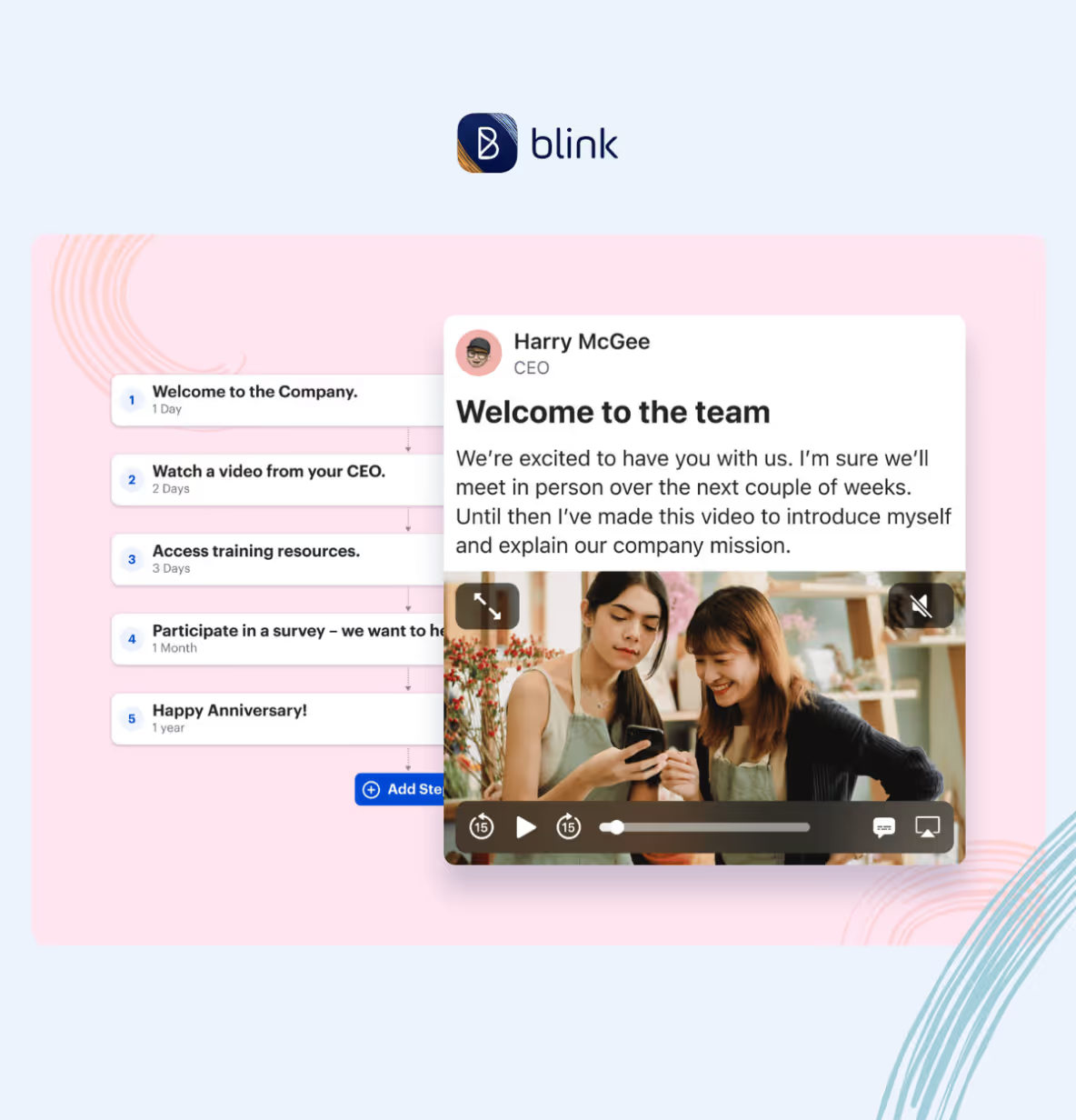
An app like Blink can help the introverts at your company have more of a voice without forcing them too far outside of their comfort zones. You could use video as an update tool versus requiring all employees to give in-person presentations.
They can connect with their colleagues for collaboration and mentorship right in the app. And it’s a way to recognize and applaud the contributions of introverts without forcing them into the spotlight.

8. Invest in additional training
One of the biggest challenges deskless workers face is feeling like they don’t have the same resources available to them as employees in a traditional office setting do.
This can make them feel less confident in their work—especially if they are introverted and may not feel like they are able to reach out for help.
By offering ongoing training, you will not only help your introverted, deskless employees feel more confident in their work, but you’ll also show them that you are invested in their success.
9. Brainstorm better
Group brainstorming sessions can feel chaotic to a true introvert because there’s little structure and some voices will always drown out others. Brainstorming sessions are easier on introverts when groups are smaller and there is some structure in place guiding the sessions.
That might mean pre-planning when you’ll discuss what topics or asking people to prepare ideas in advance. That will give the introverts in your company time to reflect on what they want to say and as a result, they’ll be more likely to share their great ideas.
10. Give introverts opportunities to get social
The idea that introverts don’t like people or don’t like having fun is a pervasive myth that has unfortunately caused a lot of harm. Introverts are as friendly and as fun as extroverts—and can party just as hard when they want to.
Give your employees a platform like Blink where they can share social events with coworkers and encourage (but don’t require) people to get to know each other inside and outside of work.
11. Rethink the open office
If you’re in a position to contemplate an office redesign, keep in mind that open office spaces aren’t always the collaboration engines they were meant to be.
Between greetings, noisy colleagues, chit chat, and other interruptions, open offices can be very distracting—and not just for introverts who might not want to stop work to talk about last night’s big game.
If a redesign is out of the question, think about creating ‘quiet zones’ outside of communal areas where introverts can get a break from the noise.

12. Put introverts into leadership positions
You might assume that extroverts are more suited for leadership roles, but consider that many of the world’s most capable leaders (e.g., Barack Obama, Mark Zuckerberg, or Warren Buffet) have been introverts.
Why do introverts make good leaders? They tend to be fiercely dedicated, thoughtful decision-makers, and surprisingly strong-willed. Plus, they’re good listeners.
13. Make space for communication
Be sure that you’re giving introverts space to share their ideas and concerns, whether that’s by asking for their opinions in meetings, holding regular open-door hours, or giving them an employee engagement platform like Blink where they can respond anonymously to company-wide polls.
If you get the sense that your introverted employees don’t feel like they’re being heard, ask them to share their thoughts or feelings in writing at their leisure.
14. The right praise and feedback go a long way
Often, deskless and frontline employees don’t have a supervisor observing their day-to-day performance and as a result, may receive little to no praise or feedback from their manager.
While it’s true that praise and feedback are good for all employees, how you deliver praise and feedback is important too — especially when it comes to your introverted employees.
Introverted employees want to be recognized when they do an outstanding job on something, but likely prefer a personal email from their manager, rather than a company-wide shout out.
15. Realize that introversion is a spectrum
Avoid stereotyping the introverts and the extroverts at your company by acknowledging that each individual will fall somewhere on a spectrum.
That way you avoid making the mistake of leaving introverted workers out of employee engagement activities or not giving extroverted employees time for quiet reflection or uninterrupted work.
Ideally, the employee engagement strategies you put in place should address the needs of all the people who work at your company.
There are so many diverse personality types at every company, and that’s a good thing. Everyone who works with you should feel like they have a role to play, whether it’s the thinker, the communicator, the analyzer, the risk-taker, or the seller.
When you make sure that introverts feel just as comfortable and fulfilled at your company as your extroverted employees, you’ll absolutely reap the benefits. Engaging employees across the board should be your ultimate goal.
Blink is an all-in-one employee engagement platform that can change the way your workforce feels about your company. Try it out today!

Extroverts get a lot of attention and recognition because they’re the squeaky wheels at your company. The valuable contributions of introverts, on the other hand, may get overlooked.
Because those employees are less likely to fight to get noticed. Sound familiar? Then you may have an employee engagement problem on your hands. And that could cost you a lot of money in the long run.
We tend to value extroversion in the workplace because it looks a lot like passion and dedication. Quiet, thoughtful introverts can look less dedicated at first glance, but are often more productive, better risk-takers, and make great leaders.
It can mean unintentionally alienating a big portion of your workforce.
That’s an expensive mistake to make when you consider the average cost to rehire is equal to 33% of the annual compensation.
It makes more sense to look at employee engagement strategies that can help introverted employees feel more comfortable, more satisfied, and as a result, more loyal to your company.
Below, we’ve put together a big list of employee engagement strategies designed just for introverts in the workplace. But first, we want to talk about what sets your introverted employees apart and why engaging them matters so much.
What makes introverts in the workplace different?
Instead of talking about ‘energy’, let’s look at the science behind introverts and extroverts. Introverts and extroverts quite literally have different brains. When you look at scans of introverts and extroverts, you’ll see a difference in concentrations of gray matter.
And where there’s more gray matter, there are more of certain kinds of skills. Your classic hand-raising, go-getter extrovert will have more gray matter in the medial orbito-frontal cortex area of the brain. Deep-thinking introverts have more gray matter in the prefrontal cortex.
On top of that, introvert brains and extrovert brains respond differently to dopamine. The chemical that motivates us, makes us more talkative, and keeps us alert, among other functions.
Extroverts have more active dopamine receptors. Introverts respond more readily to a chemical called acetylcholine that makes people feel good when they turn inward.
All of this technical stuff means that your introverted employees have great problem-solving skills, amazing memories, and a knack for planning and then following through on long-term projects. They are energized by thinking, reflecting, and mapping out the future.
By common metrics of employee engagement, they can seem unengaged. But if you shift your employee engagement strategies and corporate communications strategies to include activities and tech tools they’ll like? They will become some of your most engaged employees.
Why is employee engagement important for introverts?
The short answer is that engaged employees stick around. Researchers commonly find that 50% would accept another job offer on the spot if the benefits were right.
What’s surprising isn’t that those employees would be willing to go. But rather than the other half are willing to stay even when given the promise of greater pay somewhere else. That’s employee engagement.
When your workforce (introverts and extroverts alike) feel a connection both to the work they are doing and to your company’s larger goals, they’ll be more likely to stick around through thick and thin. That will save you time and money. They’ll also work harder, be more productive, and more likely to go above and beyond the call of duty.
Here’s how to make sure your introverted employees are just as engaged as the extroverts at your company:
Employee engagement strategies for introverted employees
1. Change your interview process
When your goal is to boost employee engagement in introverts, why not start from day one? In job interviews, many extroverts shine because they’re born to pitch.
Introverts will often perform best in job interviews that feel more like one-on-one conversations. Panel-style interviews, where they feel like a product on display, can be stressful. Unless you’re hiring for a high-stress position, you may end up with a broader pool of great candidates this way.
2. Limit team sizes on group projects
Working with huge teams can be extremely stressful for introverts for a variety of reasons. Two heads may be better than one, but once teams get too large productivity can suffer because there is more back and forth happening than actual work.
Introverts tend to prefer less chaotic work environments, and you can cut down on chaos by following Jeff Bezos’ two pizza rule. If you can’t feed a team with two pizzas, it’s probably too big.
3. Make work more flexible
Extroverts may love the hustle and bustle of your busy workspace, but that same energy can drive your introverts crazy.
Create space for uninterrupted work time by instituting flex work and other policies that allow employees to come in earlier or leave later to take advantage of an emptier office.
Allowing employees to work from home when the mood strikes or to disconnect from the company intranet when they’re heads down on a big project can also boost employee engagement in the long run.
4. Have meeting-free days
Regular meeting-free days also cut down on the kinds of interruptions that can leave introverts feeling disconnected from their work.
When there are regular days or times when no meetings can be scheduled, introverts can comfortably immerse themselves in projects at those times because they know their focus won’t be compromised by yet another meeting.
5. Make meetings introvert-friendly
Don’t spring meetings on your introverts who may benefit from time to prepare for each one.
Make sure introverts get a chance to prepare for each meeting in advance and to give their input after all the extroverts have had their say.
Also, be sure that your meetings are relevant to current projects and have structure. You can bet that it’s your introverted employees who are feeling the most annoyed and uncomfortable when a meeting goes off the rails.
6... (Or just have fewer meetings)
Before you schedule that next meeting, ask yourself whether you really need to pull that employee away from their vital tasks for some face-to-face time?
Could you accomplish the same thing with an employee app like Blink that lets you curate and disseminate information in ways that respect your introverted workforce’s valuable time?
7. Update your communications methods
Just because extroverts are the first ones to stand up to deliver project updates in front of the team doesn’t mean introverts have nothing to say.
An app like Blink can help the introverts at your company have more of a voice without forcing them too far outside of their comfort zones. You could use video as an update tool versus requiring all employees to give in-person presentations.
They can connect with their colleagues for collaboration and mentorship right in the app. And it’s a way to recognize and applaud the contributions of introverts without forcing them into the spotlight.
8. Invest in additional training
One of the biggest challenges deskless workers face is feeling like they don’t have the same resources available to them as employees in a traditional office setting do.
This can make them feel less confident in their work—especially if they are introverted and may not feel like they are able to reach out for help.
By offering ongoing training, you will not only help your introverted, deskless employees feel more confident in their work, but you’ll also show them that you are invested in their success.
9. Brainstorm better
Group brainstorming sessions can feel chaotic to a true introvert because there’s little structure and some voices will always drown out others. Brainstorming sessions are easier on introverts when groups are smaller and there is some structure in place guiding the sessions.
That might mean pre-planning when you’ll discuss what topics or asking people to prepare ideas in advance. That will give the introverts in your company time to reflect on what they want to say and as a result, they’ll be more likely to share their great ideas.
10. Give introverts opportunities to get social
The idea that introverts don’t like people or don’t like having fun is a pervasive myth that has unfortunately caused a lot of harm. Introverts are as friendly and as fun as extroverts—and can party just as hard when they want to.
Give your employees a platform like Blink where they can share social events with coworkers and encourage (but don’t require) people to get to know each other inside and outside of work.
11. Rethink the open office
If you’re in a position to contemplate an office redesign, keep in mind that open office spaces aren’t always the collaboration engines they were meant to be.
Between greetings, noisy colleagues, chit chat, and other interruptions, open offices can be very distracting—and not just for introverts who might not want to stop work to talk about last night’s big game.
If a redesign is out of the question, think about creating ‘quiet zones’ outside of communal areas where introverts can get a break from the noise.
12. Put introverts into leadership positions
You might assume that extroverts are more suited for leadership roles, but consider that many of the world’s most capable leaders (e.g., Barack Obama, Mark Zuckerberg, or Warren Buffet) have been introverts.
Why do introverts make good leaders? They tend to be fiercely dedicated, thoughtful decision-makers, and surprisingly strong-willed. Plus, they’re good listeners.
13. Make space for communication
Be sure that you’re giving introverts space to share their ideas and concerns, whether that’s by asking for their opinions in meetings, holding regular open-door hours, or giving them an employee engagement platform like Blink where they can respond anonymously to company-wide polls.
If you get the sense that your introverted employees don’t feel like they’re being heard, ask them to share their thoughts or feelings in writing at their leisure.
14. The right praise and feedback go a long way
Often, deskless and frontline employees don’t have a supervisor observing their day-to-day performance and as a result, may receive little to no praise or feedback from their manager.
While it’s true that praise and feedback are good for all employees, how you deliver praise and feedback is important too — especially when it comes to your introverted employees.
Introverted employees want to be recognized when they do an outstanding job on something, but likely prefer a personal email from their manager, rather than a company-wide shout out.
15. Realize that introversion is a spectrum
Avoid stereotyping the introverts and the extroverts at your company by acknowledging that each individual will fall somewhere on a spectrum.
That way you avoid making the mistake of leaving introverted workers out of employee engagement activities or not giving extroverted employees time for quiet reflection or uninterrupted work.
Ideally, the employee engagement strategies you put in place should address the needs of all the people who work at your company.
There are so many diverse personality types at every company, and that’s a good thing. Everyone who works with you should feel like they have a role to play, whether it’s the thinker, the communicator, the analyzer, the risk-taker, or the seller.
When you make sure that introverts feel just as comfortable and fulfilled at your company as your extroverted employees, you’ll absolutely reap the benefits. Engaging employees across the board should be your ultimate goal.
Blink is an all-in-one employee engagement platform that can change the way your workforce feels about your company. Try it out today!

What we'll cover
Start your free trial today
See how Blink helps frontline teams stay connected, informed, and engaged.
Digital tools are transforming the way organizations build and sustain employee engagement. Platforms like Blink, Workvivo, Staffbase, and Reward Gateway are helping teams stay connected, improve communication, and bring company culture to life — wherever employees work.
But with so many employee engagement tools on the market, choosing the right one can be tricky. The wrong platform can waste time, hurt adoption, and even reduce engagement.
Getting it right matters. Companies with highly engaged teams are more productive and see up to 23% higher profitability. The best employee engagement software goes beyond simple communication — it connects people, recognizes great work, and supports a shared sense of purpose.
Every organization is different. The tools that work for a remote or office-based workforce may not suit a frontline team. That’s why it’s important to align your engagement goals with the right platform.
You’ll find software built for:
Frontline employees — mobile-first apps like Blink that keep workers connected on the go
Remote teams — tools such as Asana and Slack that combine communication and project management
Office-based teams — platforms like Culture Amp and OfficeVibe that measure engagement and feedback
And others that specialize in areas such as:
Communication and collaboration
Feedback and performance
Wellbeing and productivity
Rewards and recognition
Choosing the right solution depends on your people and your priorities — because engagement software only works when it works for everyone.
For frontline organizations, this is especially true. Most engagement platforms are still built with desk-based employees in mind. Only 1 in 10 frontline workers says they have access to the tools and technology they need to connect and advance at work — even though they make up 82% of the global workforce.
Without easy access to company updates, communication, and recognition, frontline employees can quickly feel disconnected and undervalued.
That’s why your employee engagement solution needs to work for all employees — wherever and however they work.
In the next section, we’ll look at the best employee engagement software for 2026 — from all-in-one employee apps like Blink to specialized tools for communication, wellbeing, and recognition.
Let’s take a closer look.
Best employee engagement app for frontline organizations
Frontline employees are the backbone of many industries — from transportation and retail to healthcare and hospitality. But engaging this workforce comes with unique challenges. Many frontline employees don’t have regular access to company systems, email, or desktop devices, making it harder for them to stay informed and connected.
That’s why mobile-first employee engagement software has become essential. The best platforms for frontline teams combine communication, recognition, and real-time updates in one easy-to-use app.
These tools close the gap between head office and the field, helping every employee — regardless of location — feel included in company culture.
Below are some of the best employee engagement tools for frontline workers in 2026, starting with Blink, a leading all-in-one platform designed specifically for deskless and distributed teams.
Best employee engagement software for frontline workers
Blink
When it comes to engaging a dispersed, frontline workforce, few tools match what Blink delivers.
Blink is a mobile-first employee engagement platform built to help organizations connect with every worker — whether they’re in the field, on the factory floor, or on the move. Used by teams across industries such as transport, healthcare, logistics, and construction, Blink turns everyday communication into connection.
Employees can easily chat with colleagues, access company updates, view schedules, and complete essential tasks all in one place. The result: better communication, stronger engagement, and a more unified culture.
Managers benefit, too. Blink’s analytics dashboard helps leaders track engagement and performance trends, identify communication gaps, and celebrate wins through built-in recognition tools.
Key features include:
All-in-one communication: Peer-to-peer chat, team groups, and company-wide updates keep everyone aligned.
Employee recognition: Built-in recognition features highlight great work and reinforce culture.
Engagement surveys: Pulse surveys provide quick, actionable insights into morale and satisfaction.
Analytics and insights: Track usage, engagement, and content performance to inform strategy.
Seamless integrations: Connect scheduling, HR, and project management tools for a single digital workspace.
Mobile-first design: Works on any smartphone — no corporate email required.
With Blink, your entire workforce can access the same tools and information, creating a seamless digital experience that keeps everyone connected, informed, and motivated.
Request a demo today to see how Blink can transform engagement across your frontline teams.
Best employee engagement software for desk-based remote workers
If you're looking for employee engagement software platforms suited to desk-based remote workers, here are some excellent options.
Google Chat
Source: Google Chat Capterra Reviews
Google Chat is a communication platform that includes features like video and voice calls, and group chat. It's a great option for workplace communication and it's free to use.
As you’d expect, this tool integrates with the rest of the Google suite, including Google Calendar, Drive, Groups, and Gmail. But it lacks some of the advanced features you tend to get with paid tools.
Reviews from Capterra note that Google Chat is easy to use. It also provides good collaboration tools. However, the interface can be frustrating, message delivery can be an issue, and notifications can be challenging to navigate.
Pricing: Monthly pricing for Google Chat for business starts at $6 per user.
Discord
Discord is a chat app designed for gamers. But it’s recently been used for workplace communication, too. It includes features like voice and video chat, so you can easily connect and communicate with colleagues.
You can use Discord for free, making it a basic but cost-effective tool for internal communications, especially in a remote working environment.
Pricing: Many of Discord’s features are free to use. For businesses that want to invest in extra perks, Discord’s premium tier, “Nitro,” is available for $99 per year.
Asana
Asana is a popular project management tool that can also be used for employee engagement. With Asana, you can easily create and assign tasks, track task progress, and set team priorities. You can also use Asana to create custom projects for easy employee collaboration.
Source: Asana Capterra reviews
Asana makes a great option for remote teams, in part because it offers a mobile app for easy access to tasks and progress data. This helps to ensure that employees are working cohesively and effectively wherever they’re based.
Reviews from Capterra note that while Asana offers a clean, intuitive, and integrated interface, notifications are often missed, automatic opt-in to email notifications can be annoying, and the different projects and access features can be confusing.
Pricing: Monthly pricing for Asana starts at a basic free plan. A business plan costs $24.99 per user per month when billed annually.
ClickUp
ClickUp is a cloud-based collaboration and project management tool and it’s a good option for those looking to improve remote employee engagement.
Key features include task assignments and statuses, alerts, and a task toolbar. But while ClickUp does well in terms of task management, it doesn’t offer a full range of employee engagement tools.
This platform lacks features relating to real-time communication, employee recognition, and social interaction. So you’re likely to need additional software.
Pricing: ClickUp offers a free version. Monthly pricing for a Business plan costs $12 per user per month.
WorkTango
WorkTango is an employee experience platform with a number of solutions for employee engagement. It provides tools like employee surveys, real-time analytics, rewards, and recognition.
You can also see how your engagement scores rank against other WorkTango customers to get a better sense of how you’re doing.
On Capterra, users say that anonymous feedback and anonymous employee chat allow for truly honest conversations. Clients also praise recognition features. However, some users would like better reporting tools and easier platform navigation.
Leapsome is a good employee engagement tool for goal setting and employee development.
It’s designed to support organizations to create high-performing teams. You can use Leapsome to track and collaborate on goals, run 360-degree reviews, and create personalized learning pathways.
With lots of tools for remote teams, Leapsome helps maintain employee progress even when employees aren’t in the office. The software also offers video conferencing tools, which make it easy to collaborate on agendas and align action plans.
Pricing: Pricing starts at $8 per user per month, with the option to add on the extra features you need.
Slack
Source: Slack Capterra Reviews
Slack is a great productivity tool for remote office workers. It helps you to organize teams and their work, with the help of channels, huddles, and a workflow builder.
However, it's worth noting that Slack doesn't provide much in the way of scheduling, performance tracking, or survey features. If these tools are essential to your organization, you’ll need to use Slack plus another employee engagement platform.
Reviews from Capterra note that Slack’s user interface is easy to use. They like channel and plugin features. They also appreciate having all work conversations in one place.
However, reviews also note that it can be a confusing platform to use, with lots of channels across different teams. Adoption can also be difficult if people are not familiar with the software.
Pricing: For multiple employees, monthly pricing for Slack starts at $6.67 per user.
Best employee engagement software for desk-based office workers
Now, let’s take a look at the tech tools best suited to office worker engagement.
OfficeVibe
Source: OfficeVibe Capterra Reviews
OfficeVibe is a “people-first” employee experience platform, with a number of employee engagement features designed for the office.
It helps employers to assess and improve employee engagement levels with robust measurement tools. It also provides an app so you can track progress on the go if needed.
Reviews from Capterra note that OfficeVibe is an innovative tool that helps organizations better understand employee happiness. The company also provides strong customer service.
However, managers complain that survey questions can’t be customized and that insights don’t go deep enough. They also say that the Slack integration doesn’t work too well and that setup can be confusing.
Pricing: Monthly pricing for OfficeVibe ranges from a free version to a $5 per user Pro Plan.
SurveyMonkey
By using employee satisfaction survey tools like SurveyMonkey, you can collect regular feedback from employees on their engagement levels. This real-time feedback can help you to identify problem areas and take steps to improve employee engagement in your organization.
As well as survey templates, SurveyMonkey offers reporting and analytics features that help you spot data trends and insights. It also uses AI to reveal employee sentiment.
Pricing: For over three users, monthly pricing for SurveyMonkey starts at $31.83 per user.
Doodle
Employee polls are a quick and easy way to collect anonymous feedback from employees on a range of topics. You can use employee poll tools from Doodle to gather feedback on everything from engagement levels to job satisfaction.
But Doodle does more than polls. It also provides meeting, video conferencing, and scheduling tools. You can even poll meeting attendees to find a time that works for everyone and improve attendance.
Pricing: Monthly pricing for Doodle Professional starts at $6.95 per user.
Monday.com
Monday.com is a project management tool that can also be used for employee engagement.
With Monday.com, you can create and assign tasks, track progress, and more. You can also use it to create performance tracking templates for employees. This can help you to identify areas where employees need improvement and take steps to address them.
On Capterra, Monday.com users say that the platform’s project management tools are excellent. But others complain that the backend of the platform is complicated and involves a steep learning curve.
Pricing: For more than two employees, monthly pricing for Monday.com starts at $8 per user per month.
Culture Amp
Culture Amp’s employee engagement platform provides over 40 science-backed survey templates. You can use these surveys to find out how employees feel about engagement, belonging, inclusion, and more.
The platform also uses AI-powered insights to summarize employee engagement findings, supporting your business to make data-backed decisions.
Reviews from Capterra say that Culture Amp has a user-friendly user interface. They also praise the platform’s ready-to-go survey templates.
But users don’t like having to rely on the Culture Amp support team to update some parts of the platform. They also say that — while survey features are strong — features like the objective and key results (OKR) module aren’t as well-developed.
The following tools specialize in one area of employee engagement. As such, they make a great add-on to your chosen staff engagement tool.
At Blink, our App Marketplace integrates all the tools you need to manage your employee engagement in one place. If we don't already integrate with your app, just ask!
Kudos
Kudos is an add-on app that allows employees to give and receive recognition in real time. With Kudos, you can create a culture of recognition where employees feel appreciated for their hard work.
Pricing: Monthly pricing for Kudos starts at $3.25 per user.
Friday
Friday is an app that makes it easy to give employees recognition for a job well done. With Friday, you can give employees badges, points, and rewards to show your appreciation.
Pricing: Friday has a free version. Monthly pricing goes up to $100+ for company plans.
Bonusly
Bonusly is another dedicated employee recognition tool. Bonusly supports peer recognition, allowing employees to give each other bonuses in the form of points that can be redeemed for rewards. By using Bonusly, you can create a culture of appreciation and recognition throughout your workforce.
Pricing: Monthly pricing options for Bonusly starts at $2.70 per user.
Limeade Wellbeing
Employee wellbeing programs, like those on offer from Limeade, go hand in hand with employee engagement programs. Because when employees feel healthier, happier, and less stressed, they have the headspace they need to engage with their work.
Limeade provides customized employee wellness programs. These programs encourage participation and deliver essential wellbeing resources via one handy tool.
With this tool, you can also listen and respond to your workforce in real time through anonymous surveys, polls, and quizzes. All that’s really missing from this system is strong employee communication tools.
WeThrive is an employee engagement tool designed to support the mental health of desk-based workers. With this platform, you can create surveys to assess employee wellbeing and then take action to improve it.
WeThrive analytics allow you to segment survey results by team, tenure, location, department, and manager. This makes it easy to identify the root causes of poor wellbeing and identify areas for improvement.
Reward Gateway is an employee engagement solution that offers employee discounts, employee rewards and recognition, and tools for employee communications.
This combined platform is a great tool for office-based employers looking to boost employee recognition, with features such as discounts and rewards accessible in one place.
Reviews from Capterra note that Reward Gateway is flexible and easy to use. But it can be glitchy, with reporting features sometimes not running properly and some features failing to run as smoothly as others.
Pricing: Monthly pricing for Reward Gateway starts at $10.19 per user.
Weekdone
For structured goal setting, Weekdone is an excellent choice. It’s a top-rated OKR platform that allows you to track weekly plans and progress, provide feedback, and get everyone pulling in the same direction.
OKR software can also be used to ensure that remote employees have clear objectives, with performance reviews and goal tracking.
Pricing: For more than three employees, monthly pricing for Weekdone is $8 per user.
Awardco
Awardco is another bonus tool that makes recognizing and rewarding people easier and more effective.
With Awardco, employers can set up reward and recognition programs that their employees can access from any device. You can tailor incentives to your teams, ensuring the prizes on offer act as real motivation.
This tool is a good option for office-based companies of all sizes looking to increase employee satisfaction and engage with their workforce to boost productivity.
Pricing: Pricing for Awardco ranges from $2,500 to $4,000 per year.
QuizBreaker
QuizBreaker is a virtual team-building tool. It works well for both office-based and dispersed teams, bringing a bit of gamification to the work day.
Key features of QuizBreaker include:
a scheduled icebreaker quiz that helps employees get to know each other better
escape games and 1,000+ trivia quizzes for fun team-building events
employee profiles that reveal work style, unique strengths, and fun facts
pulse surveys to help you get regular feedback from employees
QuizBreaker isn’t an all-in-one employee engagement tool. But this platform helps teams to bond and brings a little fun to your workplace culture.
Capterra score: Not found in Capterra database. Pricing: Monthly pricing for QuizBreaker starts at $3 per user.
Motivosity
Motivosity is employee recognition software that makes it easy for managers to give recognition and rewards.
Motivosity’s “Thanks Matters” card is an innovative way of rewarding employees. Like Bonusly, you assign points for great performance. These points directly translate into cash, which employees can access via a special Visa debit card.
They can choose from hundreds of reward options. You can even add your own gifts such as branded swag or lunch with the CEO. Employees can also choose to forgo cash rewards in order to make charitable donations.
Key employee engagement software features to prioritize in 2026
When choosing the right employee engagement software for your organization, focus on the features that will help you overcome your biggest engagement challenges. The right combination of tools can improve communication, morale, and productivity across every level of your workforce.
Channels and chats
Communication is the foundation of engagement. Real-time chat features — including group channels, private messages, and announcements — ensure employees stay in the loop and can collaborate quickly, wherever they work.
Surveys, polls, and content analytics
Platforms with built-in surveys, polls, and analytics help you measure engagement levels, gather employee sentiment, and identify emerging issues before they become major problems. This data ensures every employee has a voice and helps leaders take action with confidence.
Employee recognition
Recognition tools — such as kudos, badges, or points systems — make it easy to celebrate achievements and highlight great work. This simple feature goes a long way toward strengthening motivation, morale, and a sense of belonging.
Analytics and dashboards
For organizations managing distributed or frontline teams, analytics functions are essential. They allow you to measure engagement, retention, and satisfaction while uncovering insights into how employees interact with leadership and one another. These insights drive continuous improvement in your employee experience strategy.
A main feed or hub
A centralized hub — or main company feed — brings all updates, videos, documents, and announcements together in one place. This consolidation creates a single source of truth, keeping employees informed and aligned with your company’s goals.
At Blink, our frontline employee app brings all of these features together. With tools for chat, recognition, surveys, analytics, and communication, Blink helps you overcome common engagement challenges and connect every employee — from the frontline to the office.
The business benefits of digital employee engagement tools
Digital engagement tools require an upfront investment — both financially and in time. But the return on that investment is substantial. The right software encourages participation, builds connection, and creates a culture employees want to be part of.
Below are the five key business benefits of using digital employee engagement software.
#1. Reduce employee turnover and save on recruitment costs
Engaged employees are more likely to stay with your organization, reducing the cost of recruitment and training. According to SHRM, hiring a new employee can cost three to four times the position’s salary, making engagement one of the most effective retention strategies available.
Digital tools strengthen this connection by amplifying company culture and ensuring all employees can participate fully — leading to a happier, more loyal workforce.
#2. Strengthen company culture through digital engagement platforms
In today’s competitive labor market, salary alone isn’t enough to retain top talent. Engaged employees are motivated by purpose, belonging, and appreciation.
Digital engagement tools help reinforce these pillars by improving communication, supporting growth, and enabling public recognition. The right platform makes culture tangible — connecting leadership, values, and everyday work.
#3. Improve internal communication with employee engagement software
Two-way communication is critical for engagement. Modern tools help you deliver the right message to the right people — whether through audience segmentation, targeted updates, or role-based notifications.
These platforms also make it easier to track the effectiveness of communication. With built-in analytics, you can see how employees interact with content and refine your messaging to increase engagement and clarity across the organization.
#4. Use analytics to understand and improve employee engagement
Feedback is the backbone of a strong employee engagement strategy. Without it, leaders can’t identify what’s working or where improvements are needed.
Employee engagement software with advanced reporting provides actionable insights. You can see how satisfied employees are, how frequently they engage with company updates, and where there are communication or experience gaps.
With Blink, for example, you can access detailed data on engagement, satisfaction, and retention — helping you identify frontline challenges early and respond faster.
#5. Boost productivity with connected employee engagement platforms
Disconnected tools slow teams down. Employees lose valuable time switching between apps, searching for information, and handling repetitive admin tasks.
A unified engagement platform streamlines these processes. By digitizing workflows, automating basic tasks, and connecting every workplace app in one place, you free up employees to focus on meaningful, high-impact work.
Blink’s connected platform helps teams stay organized and productive — from digitized HR processes to mobile-friendly task management — improving both individual and organizational performance.
Supercharge engagement across your employee intranet
It might be harsh, but we've all experienced it: Legacy intranet systems are bad at attracting and engaging workers. You may even find that staff actively avoid a traditional intranet, citing outdated content and a clunky interface as reasons to stay away.
If this sounds familiar, your employee intranet is crying out for a glow-up.
A new and improved intranet is a place where your workforce can access the information, connection, and support they need to do their jobs well. It contains engaging, useful content that has employees logging in multiple times a day.
This unified platform, built around the needs of your workforce, can improve internal communications and amplify company culture. It also has a positive impact on employee engagement, satisfaction, employee productivity, and retention rates.
Ready to turn your intranet into an employee magnet? This guide will help you create a modern employee intranet, with all the essential features and tools you need to transform platform engagement and the employee experience.
{{mobile-hub="/image"}}
How to turn your employee intranet into a hub of engagement
Set the stage: Design your homepage to make the ultimate first impression
Get your intranet experience off to the best possible start by treating your homepage as a digital storefront. Elevate visuals and copy so they reflect the consumer-grade experience employees enjoy on tech tools away from work.
Use vibrant imagery, brand colors, and an intuitive layout to draw employees in. And put the most important information front and center. That might include company news, employee recognition content, or your latest events.
Some other must-have intranet homepage elements include:
Clear navigation. Logical menu options make it easy for employees to navigate your intranet. Employees should be able to access all communication channels and resources in just a few clicks. You can also add a search bar and provide robust search functionality to help them uncover any and all intranet content.
Dynamic announcements. Your intranet homepage should feature real-time updates. This makes it easy for employees to get up-to-date news — and it reassures them that your intranet provides relevant, reliable information as standard. Use embedded videos, images, interactive tools, and compelling copy to direct employee attention to your announcements.
Quick links to essential tools. A good employee intranet platform acts as a central repository for all your digital workplace software. So whether employees want to swap shifts, view their pay stubs, or complete the next module of their training program, your intranet homepage should provide quick links to their most commonly used tools.
Also, bear in mind that your homepage will make zero impression if employees can’t access it. Frontline workers, in particular, struggle to access legacy intranet systems. So ensure your intranet is available on the devices and via the login methods that employees can actually use. That might mean honing or launching an employee app so workers can log into your intranet via their smartphones.
Make it personal: Tailor the experience for every employee
Imagine you’re a bus driver working for a transit organization and — thanks to your organization’s employee app — you log onto the company intranet using your smartphone.
What do you expect to see on your dashboard?
Are you greeted with details of the next Casual Friday event? A celebration of the previous office lunch? A link to the latest Excel training module?
Or do you see quick links to a shift swap tool and your pay stubs? Do you see the latest route and safety updates — and a post celebrating the driver of the month?
When an intranet dashboard offers a personalized experience, tailored to the role, department, location, tenure, and interests of each employee, you can count on:
Higher levels of engagement
Higher adoption rates
More intranet logins
So when giving your employee intranet a much-needed glow-up, make personalization one of your guiding lights.
Segment employees so they only receive relevant content. Allow employees to customize their intranet dashboard with the widgets and resources they use most. Use AI to surface relevant content and updates based on an employee’s intranet interactions.
Of course, there will be internal communications that are relevant to the whole organization. So there should also be space on employee dashboards for high-level company announcements and mandatory reads. These messages keep employees in the loop and connected to wider business goals.
{{mobile-workday-feed="/image"}}
Keep it fresh: Ensure your intranet is dynamic and up to date
If we consider the big social media platforms as masters of engagement, it’s clear that up-to-date content is key to creating an employee intranet that your workers want to spend time on. Your intranet platform can quickly feel stale if you fail to maintain the right cadence of effective communication.
So, with that in mind, here’s what you need to do to keep your intranet content fresh.
Post content regularly
A content calendar helps you plan and create content in advance. Seeing everything down on paper, it’s easy to plan a varied mix of engaging content ideas, including news feed posts, blogs, videos, and leadership messages, while leaving space for critical updates too.
Find your comms cadence
It’s a delicate balance. You need to keep employees engaged with the platform. But you don’t want to overwhelm them with information. To find the right comms cadence for your organization, play around with your content schedule and keep an eye on platform engagement.
Like Coastal Medical — an emergency and non-emergency medical transportation organization — you’ll soon find the sweet spot. Their intranet now has a 98% adoption rate and gets 5.7 daily app opens per user.
Harness employee-generated content
You don’t have to leave content creation to your employee communications team. Encourage employees to share their own posts, photos, and Stories to create a sense of community. This informal content tends to prompt the likes and comments of coworkers.
Commit to regular content maintenance
The traditional intranet is a place where resources go to gather digital dust. Fail to update intranet content and employees come to see your content hub as unreliable and irrelevant. So keep track of publication dates and regularly audit old intranet content, updating and archiving content as needed.
Take inspiration from social media managers
Create Insta-worthy internal comms and your intranet will become irresistible to employees. So make like a social media manager and create news feed posts that are quick to access and easy to digest. Use multimedia visuals to stop their scroll and keep any copy concise and to the point.
Bonus points if your intranet has easy mobile access — especially helpful for frontline and remote teams.
Foster interactivity: Make your employee intranet a two-way communication hub
Two-way internal communication is another intranet essential. When employees can use the intranet to build connections with coworkers and to share their ideas and feedback with leadership, they’re much more likely to hang out there.
As we’ve already mentioned, employee-generated content is a great way to increase intranet engagement. You can support interactivity using the following key features too:
Engagement tools. Use polls, surveys, and forums to request employee feedback. If you have a willing leadership team, you can also host live Q&A sessions.
Recognition features. Use your intranet to celebrate employee achievements — and encourage coworkers to add their congratulations too.
Collaboration spaces. Create social Communities, where employees can exchange ideas, collaborate on work projects, and connect over shared hobbies.
Gamification. Use progress trackers, badges, and points to gamify the intranet experience. You can give rewards in return for activities like login streaks or survey completions.
Measure and adapt: Continuously improve the employee experience
No matter how much careful thought you put into your intranet software glow-up, it’s rare to get every little detail right, first time. And this is where intranet data proves invaluable.
The number of comments, likes, and shares associated with each news feed post
Employee adoption and login rates
User satisfaction scores
As well as tracking key metrics, be sure to seek feedback from employees using surveys and polls. Viewed together, this data will reveal which elements of your intranet solution and content offering are working well — and which could use improvement.
You can then set intranet performance goals and identify ways to adapt your intranet to keep ahead of ever-evolving employee needs.
Build an employee intranet your workforce will love
Make your employee intranet more magnetic and it can become one of the most-used communication tools in your digital workplace. To achieve this, you need to cultivate a social intranet platform, bringing it in line with internal communication trends and employee expectations.
Personalized, multimedia content. Opportunities to interact with coworkers and leaders. Visual appeal and an unbeatable user experience. Data-driven platform improvements.
Incorporate these social features into your employee intranet and you create a better digital employee experience. You can count on high levels of intranet engagement, a stronger corporate culture, and a happier workforce.
So what should you do first?
Start by taking a good hard look at your current intranet solution. There may be underutilized features on there with the potential to transform the intranet experience.
If, however, you feel you’ve maxed out your current intranet solution and still aren’t attracting employees to the platform, it may be time for a software switch. The best intranet software providers are built with the modern workforce and the latest internal comms trends in mind.
If you’re exploring alternatives to All Gravy, you’re likely looking for a platform that offers more flexibility, deeper integrations, or broader functionality for workforce engagement and management. All Gravy is known for its financial wellness and shift management tools, but it may not provide the full set of capabilities needed for growing organizations.
This guide reviews the best All Gravy alternatives in 2025—starting with Blink, our top recommendation—and includes pricing, reviews, and pros and cons for each.
What to look for in an All Gravy alternative
Before making a decision, it’s important to assess which features matter most to your organization.
Comprehensive Communication Tools – Look for platforms that combine messaging, news feeds, and surveys in one place to reduce tool fatigue.
Integrations – Seamless connections to HRIS, payroll, scheduling, and collaboration tools save time and reduce manual work.
Ease of Use – A clean, mobile-first design ensures both frontline and desk-based staff can use the platform without lengthy training.
Scalability – Choose a solution that can grow with your business without requiring a platform switch in a few years.
Analytics & Insights – Data-driven decision-making starts with robust reporting on engagement, adoption, and performance.
The 10 top All Gravy alternatives in 2025
#1. Blink – The #1 alternative to All Gravy
Blink is an all-in-one employee engagement, communication, and productivity platform designed for both frontline and office-based teams. It replaces multiple disconnected apps by bringing secure messaging, company news, task management, surveys, file access, and HR integrations together in one easy-to-use interface.
Its mobile-first design ensures high adoption rates, while advanced analytics give leaders actionable insights into engagement trends. Blink integrates with major tools like Workday, UKG, Microsoft 365, and Google Workspace, meaning it fits seamlessly into existing workflows. Organizations praise Blink for its intuitive user experience, enterprise-grade security, and rapid onboarding process.
Connecteam offers a modular platform that combines chat, scheduling, onboarding, task tracking, and time management. Its mobile app is designed for easy navigation, making it a good choice for organizations that want a straightforward, customizable tool. The built-in training and knowledge base features help teams onboard quickly, while its scheduling tools ensure shift coordination without external apps.
Pricing: Free plan for up to 10 users; paid plans from $29/month for 30 users.
Cons: Limited advanced analytics compared to enterprise-focused platforms.
#3. Workvivo
Workvivo focuses on employee connection and culture-building through a social-media-like interface. Employees can post updates, recognize peers, share wins, and engage with company news in a familiar, engaging way. Workvivo integrates with productivity tools like Slack, Zoom, and Teams, and offers a customizable interface for branding.
Pricing: Custom pricing based on company size.
G2 Rating: 4.7/5
Gartner Rating: 4.6/5
Pros: Strong focus on culture, intuitive social-style interface.
Cons: Less suited for task or operations-heavy use cases.
#4. Leapsome
Leapsome blends engagement, performance management, and learning into a single platform. It enables continuous feedback loops, performance reviews, 1:1 meetings, and learning paths to help employees grow. While it’s less operations-focused than All Gravy, it’s a strong choice for organizations prioritizing employee development.
Pricing: From $8/user/month.
G2 Rating: 4.8/5
Gartner Rating: 4.6/5
Pros: Excellent for performance and development, customizable workflows.
Cons: Not designed for frontline scheduling or shift management.
#5. Dayforce
Dayforce is a full HCM solution covering payroll, workforce management, benefits, and employee engagement. It goes far beyond All Gravy’s scope, offering compliance features and deep analytics. The unified approach makes it ideal for organizations wanting HR, scheduling, and payroll under one roof.
Staffbase is an internal communications platform that supports branded employee apps, intranets, and targeted messaging. It excels at reaching distributed teams with segmented communications and integrates with enterprise systems for analytics. While less focused on shift management, it offers superior content distribution capabilities compared to All Gravy.
Beekeeper is built for frontline workers, offering secure messaging, document sharing, and workflow automation. Its integrations with scheduling and HR platforms make it a practical alternative for shift-based teams. Compared to All Gravy, it offers broader communication features but fewer financial wellness tools.
Pricing: Custom pricing
G2 Rating: 4.4/5
Gartner Rating: 4.3/5
Pros: Designed for frontline teams, good integration options
Cons: Smaller app marketplace than some competitors
#8. Monday.com
Monday.com is a highly flexible work management tool with modules for projects, tasks, CRM, and operations. It can be customized for shift management, though it’s not a native feature. The platform’s visual boards and automation features make it ideal for cross-functional visibility.
Pricing: From $9/user/month
G2 Rating: 4.7/5
Gartner Rating: 4.4/5
Pros: Highly customizable, broad use cases
Cons: Requires setup to suit shift-based teams
#9. LumApps
LumApps is a digital workplace and intranet platform with strong personalization and knowledge management tools. It integrates with Google Workspace and Microsoft 365 for seamless document access and collaboration. While not built for shift scheduling, its focus on personalized content delivery helps keep employees informed.
Zoho People offers HR management tools for leave, attendance, onboarding, and performance. It integrates with payroll systems and supports custom workflows. While less engagement-focused than Blink, it’s a cost-effective way to centralize HR operations.
Pricing: From $1.50/user/month
G2 Rating: 4.4/5
Gartner Rating: 4.3/5
Pros: Affordable, broad HR features
Cons: Lacks rich employee engagement tools
Final thoughts
While All Gravy offers solid functionality for financial wellness and scheduling, it may not meet the full range of communication, engagement, and operational needs for every organization. Blink leads this list for its ability to centralize tools, improve adoption, and deliver measurable results—backed by excellent user reviews and enterprise-ready features.
Why teams choose Blink over All Gravy
All Gravy is focused on flexible and gig-style workforce management, which is a narrower use case than full employee communication and engagement. Blink is built to be the single, mobile-first home for your entire frontline workforce — no corporate email required — and is used daily by teams at McDonald's, Domino's, and Chick-fil-A. See how Blink compares.
Demand for home health aides is higher than ever. The job outlook for home health and personal care aides is projected to be 25% between 2021 and 2031 — meaning that, as a workforce, home health and personal care is expected to grow an incredible 20 percentage points more versus other industries.
This poses a significant challenge for home health care providers, not just in recruiting enough carers to answer to demand but in retaining these staff members as well.
The Great Resignation, high employee turnover, and decreasing job satisfaction are all impacting home health organizations in line with the wider healthcare industry. Tackling these issues starts with addressing the factors that cause them in the first place.
In this guide, we'll walk you through the numerous different factors that can influence employee retention, before diving into exactly how to increase employee retention in home health care.
If you're an HR or Operations leader in a home health care organization, keep reading to learn how you can successfully retain your valuable employees — and improve patient care and business outcomes in the process.
What causes attrition in healthcare?
Staff turnover is a natural and necessary process in all healthcare organizations. However, when turnover reaches high levels it can have a detrimental effect on the quality of care as well as being costly. And it's high levels that we're seeing.
Further problems arise when employees leave not only the organization but the health workforce itself.
By understanding and addressing employee retention and the factors that drive it, home health and personal care leaders can minimize staff attrition and the associated impact on cost of, and quality of, patient care.
Below, we’ll take a closer look at each of these three dimensions and how they affect retention, before diving into actionable initiatives leading to improving employee retention throughout your home health organization.
What's important to remember is that each of these factors overlaps to create engaging, positive employee experiences and ensure retention. It's not a case of nailing just one of these categories but creating meaningful change in all three.
1. Employment quality
Employment quality is a key factor in retention and includes aspects like pay and benefits, job security, and working conditions. Other elements of employment quality relate to home health workers having direct lines of communication with their employer and being able to swap and fill shifts easily in order to support the work-life balance they seek.
Getting employment quality right is a particular challenge for home health and personal care organizations. For one, home health co-workers are typically more distributed than other healthcare teams. These are employees who leave their homes in the morning to visit patients at their homes and may rarely, or never, even step foot in a shared office or HQ.
And yet, home health organizations cannot deprioritize employee quality conditions — they can't settle for simply paying staff more in order to boost retention, as many have tried to do. As Gartner states:
"Monetary compensation is important for surviving, but deeper relationships, a strong sense of community, and purpose-driven work are essential to thriving."
That leads us to the concepts of work and organizational quality...
2. Work quality
Work quality includes the levels of responsibility, autonomy, and stress experienced in the workplace.
Without going into any more detail than that, it quickly becomes clear how essential work quality is for healthcare workers. Few roles carry such a degree of responsibility and demand as much from employees. The scope for stressful situations is limitless — and to make matters worse, home health aides often feel isolated from the rest of their co-workers and the organization at large, meaning that when they start to feel stressed they have no one to turn to for support.
Work quality also relates to the technology provided to health professionals to help them succeed in their roles. With52% of frontline workers claiming they'd leave their job over tech tools, it’s clear to see the impact that the right workplace technology has on work quality and employee retention.
3. Organizational quality
Organizational quality also impacts employee retention: the culture of the organization and the way that employees are managed and rewarded (or not) all play a key role here. Organizational quality can also refer to levels of organizational innovation, such as improvement programs or digitization initiatives.
Blink research shows that health and care workers overwhelmingly feel unheard and undervalued in their organizations. Unsurprisingly, the same research showed 50% are considering leaving, or have recently left, their jobs.
Simply put, organizations with a positive culture, good management practices, and fair reward systems are more likely to retain their employees. On the other hand, companies with poor organizational quality are far more likely to experience high levels of turnover.
7 ways to increase employee retention in home health care
Turning attrition trends around is a big task. Businesses need to think bigger than compensation and make bigger commitments to the overall employee experience.
All roles in health and personal care must get the status and respect they deserve. But how can you, as business and HR leaders, provide that?
1. Collect and analyze data
Up-to-date workforce data should be at the center of an effective retention strategy, helping you better target your employment, work, and organizational quality improvements. By collecting and analyzing data and identifying trends in your home health workforce, you can identify the starting point for your activities.
Understanding the profile of your workforce will help you to assess the risk points and ensure that retention issues affecting particular groups are addressed. For example, are retention issues organization-wide or specific to certain staff groups, demographics, departments, or teams?
For a home health provider, this will likely include looking at retention rates between carers employed directly by your organization vs agency staff vs workers brought in through other schemes like CDPAP. Carers indirectly employed by your organization might feel less connected to the company mission and vision — failing to meet their organizational quality needs as a result.
Getting to know the drivers of employee turnover, and who they impact in your specific organization, can help you create targeted initiatives to improve retention. If the data shows heavy attrition after 30 or 60 days, you might focus on creating an effective, engaging onboarding program to help new hires hit the ground running.
Making it happen
One way to improve employee retention is through the use of regular Employee Pulse Surveys. By conducting regular pulse surveys, you can ensure that you have a constant understanding of how your employees feel about their work.
This will help you address any potential retention issues before they become a major problem or spiral into quiet quitting. Additionally, pulse surveys can help to improve employee engagement and job satisfaction, which can lead to improved retention rates.
You can also use tools like Blink’s Frontline Intelligence feature to collect and analyze critical employee engagement data and metrics, helping you to understand exactly where your healthcare workforce is feeling unengaged and unsatisfied.
2. Offer relevant training and development opportunities
Healthcare organizations that offer relevant training and professional development are more likely to retain their most valuable employees. It cannot be underestimated how valued and invested in healthcare workers will feel when their skills are being developed and their careers are progressing.
This answers to all of the three factors explored:
Employment quality (as it opens the doors to higher pay)
Work quality (through professional development)
and organizational quality (as it creates a culture of progress and support)
Making it happen
Training and development programs for home health and personal care workers might include formal training programs, such as classroom-based learning or online courses. It might also include more customized opportunities, such as one-on-one mentoring or job shadowing.
What's essential to identify, however, is how these programs will be delivered. Technology will be crucial to bridge the gap between HQ and home health aides.
3. Lighten the load
An increasing number of health and care workers are struggling to balance the demands of their job with other aspects of their life, such as parenting or caring responsibilities. This often leads to stress and burnout; an early indicator of disengagement, and ultimately attrition. In some instances, burnout in healthcare staff has also been linked to medical errors and patient safety incidents.
To improve retention in healthcare, organizations must commit to creating a working environment where employees feel supported by their home health co-workers and managers — even if they rarely see them face-to-face — and are not overburdened with inflexible workloads.
Making it happen
Organizations can take a number of steps to lighten a home health worker's cognitive load:
Providing more resources to team members and managers in a mobile and easy-to-access Hub for on-the-go support
Implementing intuitive scheduling solutions and shift-swapping tools that can be used for real-time coordination and employee flexibility
Encouraging work-life balance through a culture of peer support, so that co-workers can easily tap into the knowledge and experience of their peers
4. Consistent communication
Another factor that often impacts your employment quality is the consistency of your communication. Consistent two-way communication is essential for lasting relationships — and it can be one of your most powerful tools for encouraging employee retention.
Blink's research found that close to one-fifth of frontline workers don’t receive relevant communications from their organization. Organizations can create a sense of community and trust among their staff to minimize attrition by ensuring that all employees:
Receive updates relevant to them
Are part of the right team chats
Can easily share their ideas and concerns
You can also use regular communication to obtain direct insight into how specific healthcare workers or teams are feeling about their work. This can help you to identify retention issues and create targeted interventions as needed.
Making it happen
Effective communication needs to be tailored to the specific needs of different staff groups. For home health and personal care aides, it will undoubtedly be about regular mobile updates and using Feed and Chat features to create energy and enthusiasm among your distributed workforce.
Read how Blink helped solve a million-dollar communication challenge for the home health organization, Elara Caring. Through deploying a number of transformative digital initiatives through Blink, 95% of Elara Caring's personal care, home health, and hospice care workers now feel more connected to the organization.
5. Focus on employee engagement
Employee engagement can be a powerful tool for improving retention, as it has been linked to higher levels of satisfaction and commitment among workers.
Healthcare organizations can create a work quality that is more attractive to top performers by getting to know the latest employee engagement trends, providing the right digital tools for key workers to engage intuitively, and regularly assessing the effectiveness of their efforts.
Engaging employees ultimately retains them.
Additionally, research by HBR shows that higher employee engagement levels can lead to a number of improved outcomes, not just retention. These include care costs (including legal action taken by a patient against a provider for negligent complications) and treatment effectiveness and patient outcomes (measured by the rate patients are readmitted).
Making it happen
To increase employee engagement, healthcare organizations should focus on creating a culture that values the opinions and input of employees. This might include activities like surveys or direct feedback, regular communications from leadership, and targeted recognition programs.
One transformative way to improve employee engagement in your healthcare organization is to pave the way with Blink, the powerful mobile employee engagement app that frontline workers love. With a suite of features perfect for healthcare, Blink will help you create a culture of engagement and retention in your organization.
"Meaningful recognition can help to motivate and retain our NHS people. Setting in place a holistic reward package, which is relevant to staff needs, can be key to ensuring your organization, and the wider NHS, retains its staff."
But recognition is more than a pat on the back. Driving real recognition for employees needs to be an ongoing, holistic process that inspires your healthcare workforce to feel valued, motivated, and connected to the company.
Making it happen
While some companies may view the idea of regular rewards or incentives as impractical, Blink is a mobile employee recognition solution that makes it easy to provide targeted and consistent recognition to specific individuals or teams.
With features like real-time feedback, team and group chatting, and, of course, Employee Recognition, your healthcare organization can unlock the power of recognition as a retention tool. And with its wider suite of handy features, Blink is the perfect way to engage employees in your healthcare organization and help you retain talent.
7. Listen and action feedback
Over a third (35%) of frontline healthcare workers feel that their feedback will not be acted on by their organization. Unsurprisingly, half of frontline healthcare staff have changed or considered changing their job.
"By taking the time to listen and communicate, we can create a better and more supportive environment within healthcare," says Sean Nolan, CEO at Blink.
Through more effective communication, leaders feel more connected to their frontline, and frontline employees feel valued and listened to. This results in higher retention, increased productivity, and better two-way conversations.
Making healthcare workers feel heard needs to be a priority for any healthcare organization. By listening to their feedback and acting on it, you will be able to create a more supportive workplace culture that retains top talent — leading to reduced costs associated with employee turnover.
Making it happen
To effectively ensure your team is heard and their feedback is acted on, you need the right tech to manage it all smoothly. With the Blink employee app, you can listen to your employees and act on their feedback in real time, meaning they won't feel ignored or undervalued.
By using the powerful features of Blink, you can help create a culture where frontline workers feel heard and respected while focusing on:
Encouraging two-way feedback through regular surveys and communications from leadership
Ensuring feedback is acted on and implemented into business processes, updating employees on the progress of their feedback so they know they’re being heard
Integrating your mobile app with workplace technologies like HR systems, payroll platforms, and more, to streamline the employee experience and implement feedback effectively across your organization
Listen and action feedback - Regularly collect and act on feedback, update employees on actions taken
Retention next steps
Blink is the industry-leading frontline engagement app that connects management and frontline teams to build stronger organizations. With a proven adoption rate of 92% in care sectors, it’s never been this easy to unify the frontline. At Blink, we believe in empowering frontline organizations by helping you enable, engage and understand your workforce.
Our app provides a host of features that support employee retention in home health, such as employee surveys, polls, secure team and group chats and channels, employee recognition, and healthcare-friendly HR tools.
By using the app effectively, you will be able to create a culture where employees are engaged and respected – ultimately reducing employee turnover costs and driving employee retention up. We are experts in frontline engagement and retention and would love to help you achieve your goals.
“I kind of feel that 60 is the new 40,” says Ciarán McKinney, 61-year old manager at Age & Opportunity. Workplace communication skills are shifting as the workforce is slowly shifting as baby boomers continue working past the traditional retirement age.
The trend is mirrored on the other end, too. The teen employment rate in 2021 is the highest it has been in the last 10 years. These new workers are the first generation Z members to enter the workforce, and many are starting as frontline workers.
What does this mean for you?
Generational differences in the workplace affect many industries, but frontline workers are usually the most diverse. Over 33% of frontline workers are over 50, and the low barrier to entry means many frontline workers are among the youngest workers.
Your workforce demographic is more diverse than ever. You have employees belonging to multiple generations with different internal communication styles working together. To get the most out of them, you need to manage them effectively.
Managing a multigenerational workforce takes practice and understanding. You need to understand generational differences in the workplace and approach each generation in a way that suits them.
Generation breakdown – understanding the differences
If you’ve read the classic To Kill a Mockingbird, you might remember Atticus Finch's advice:
“You never really understand a person until you consider things from his point of view... Until you climb inside of his skin and walk around in it.”
Taking Atticus’s advice to heart, you should remember that while you can define a generation by a few key events and common traits, you must view the person as an individual first.
To find common ground with different generations, let’s understand the environment they grew up in.
Baby boomers
Commonly called baby boomers, the generation born between 1946-1964 represents close to 40 million members of the American workforce.
For most of their work-life, they either communicated face-to-face or used emails and phone calls. They might be known as the tech-averse generation, but 52% of baby boomers own a tablet.
Generation X
Generation X includes those born between 1965-1980. It is the second-largest generation in the American workforce (53 million active workers).
They were also the first generation that saw both parents in the workforce as normal. This might have made many Gen Xers independent and self-reliant.
Millennials
Millennials, sometimes referred to as Generation Y, were born between 1981-1996. With 56 million millennials in the American workforce, they are the largest generation at work today. This is true in the UK as well, where roughly 50% of the workforce consists of millennials.
Millennials grew up surrounded by technology. The internet and mobile phones became common during their childhood.
The best way to communicate with them is usually by texting. On average, millennials spend 48 minutes a day texting, higher than any other group surveyed.
But try to avoid phone calls as 75% of millennials find them time-consuming.
Generation Z
The newest addition to the workforce, Gen Z, was born between 1997-2012. They represent a small but growing group.
Gen Z is best known for its passionate beliefs around diversity, climate change, and a desire to change the world.
Here’s what Casey Winch, CEO of Tallo, has to say about that:
“If you’re in the business of recruiting Gen Z, you need a diversity and inclusion strategy, and you need it now.”
Gen Zers came into a world with widespread access to technology. You can call them digital natives. They are likely to possess excellent tech skills and communicate using text messages, instant messaging, and social media.
Effective communication in a multi-generational workforce
Working with a multigenerational workforce doesn’t have to mean struggling to balance everyone’s needs. You can use the range of experiences from different age groups as an advantage.
Some companies have done this effectively.
Pair different generations together intentionally
You can get higher productivity by mixing older and younger generations as teams. It increases the productivity of both older and younger employees.
Riva Precision Jewelry went for this when it faced a skilled labor shortage. It hired young workers who lacked skills and paired them with experienced employees.
This addressed their labor shortage and made both groups happy. Older workers were compensated for their time teaching, and the newer employees gained experience in the industry.
Offer flexibility to older employees
One way companies have stayed engaged with older workers is by offering them a flexible schedule. This can even include working at multiple locations.
Companies like Home Depot and CVS have started implementing snowbird programs that allow older workers to transfer to a warmer store during the winter months. These workers tend to defer retirement since they can fit work into their schedules easily.
“A good number of our pharmacy customers are going to be mature customers, and as part of our focus on diversity, we want a workforce that reflects our customer base,” according to David Casey, CVS’s vice president for workforce strategies.
Find a way to provide coaching to younger workers
The nursing field has struggled with an ageing workforce and retaining new workers. Baptist Health Lexington was no exception.
Managers at the hospital struggled to find time to meet with staff about career concerns, but millennials longed for career mentorship. They hired an on-call career counsellor and saw an 11% decrease in turnover.
The return on investment (ROI) and worker satisfaction encouraged Baptist Health Lexington to keep the change.
Workplace communication skills for every generation
We’ve seen how some frontline companies are crafting policies for a multigenerational workforce, but finding solutions for your workers might take time. There are some general ideas you should keep in mind when managing generational differences in the workplace for your frontline staff.
Keep things conversational, not corporate
Keep the team communication distributed over communication channels by complexity and importance.
If you’re praising someone, do it over the phone. Guiding someone, opt for face to face.
This is especially important as companies adapt to more text-based communication for frontline workers. You can easily approach a coworker in the break room, but a casual conversation on the company's texting app takes practice.
In general, you want a reason to message someone. If you see a coworker you need to speak with commented on a company post, try to initiate a conversation.
Understand that people might take more time to respond to your feedback than you are used to. Some generations are more sensitive about respecting their free time and may wait to reply until they are at work again.
Prioritize flexibility
Jacquelynn Wolff, a Boston resident, received an offer for her dream job. But it was in New York. She didn’t want to leave, so she discussed it with her employer who agreed on remote work.
“It lowered my stress levels instantly. I’m able to work better for my team, too, because I don’t have to worry about adjusting to a new city or a long commute.”
She isn’t alone. Workers worldwide are asking for a flexible work environment.
About half of the global workforce would consider quitting a job if workplace flexibility ends after the pandemic.
But work flexibility might mean different things for different generations. There is no one-size-fits-all solution. Work-life balance varies from person to person.
Ask your employees. Survey them and find what they prefer.
Include everyone and adapt your feedback style
Frontline employees tend to work away from the office. You can’t give feedback to them using a thumbs up or facepalm (not that you should do that with office employees either).
So what’s the best way to congratulate them on a job well done or correct their errors?
That varies with each generation.
"Older generations tend to be more linear and traditional, while younger generations are looser and more spontaneous around time and place," says consulting CEO Tammy Erickson.
Younger generations grew up with likes and shares of social media. They like frequent attention. Sixty-six percent of Gen Z preferred feedback every few weeks.
You can send a shout-out tweet to a millennial and Gen Zer. They may love it. Baby boomers and Gen Xers might not share this response.
Older generations tend to prefer face-to-face meetings. Suggest improvements in one-to-one meetings and congratulate them in front of their colleagues for maximum effect.
Ask your employees how they prefer to learn about their performance. Not every millennial has a Twitter account, and not all baby boomers enjoy phone calls.
6 tips to improve your workplace communication skills to engage every generation
With that in mind, let’s end with a few tips that will enhance multi-generational communication for everyone.
Ask! Survey for group feedback and keep track of what each individual prefers. You may find your workers follow a similar pattern to their generation, or they may surprise you.
Use a multidimensional approach to communications and try to reuse content to suit as many people as possible.
For example, if most of your workforce prefers in-person meetings but others learn better on their own time, record videos of in-person announcements to reshare later.
Pass the tools of internal communications to your employees. Employee-generated content is compelling. You can add personality, create meaningful connections, and put a face to the dry policy updates.
Have a central repository like Blink that can mix rich content like videos and images with conversations and calls. Keeping everything in one, mobile-friendly place makes it easier to reach others and communicate the way that works best for everyone.
Keep channels open for constant feedback about what could be improved. Don’t assume a few changes at the end of the year will be ok going forward. Remind employees to approach you about possible improvements when they can, and make sure you’re available.
Make it human. Let your employees see you at home, record videos on your way in, accept things that are a little messy for the sake of authenticity. Likewise, don’t expect perfection from your employees.
Final thoughts: workplace communication skills for every generation in the workplace
With so many generations at work, you will see generational differences in the workplace. It’s essential to understand and acknowledge them.
Let your frontline employees define themselves. A millennial can excel at soft skills, and a baby boomer can adapt to newer technologies. Effective communication grows from an environment that is open and adaptable.
Offer flexibility and show your workers that you are invested in their continuing careers. Adopt communication tools that cater to all generations and make it easier for everyone to be heard.
Focus on what’s similar instead of different to keep moving forward as a successful frontline team.
With shifts in working patterns over the past couple of years, maintaining employee productivity has seemed like an uphill battle for many employers!
The good news: your employees genuinely want to do good work. If you provide them with the right tools, environment and support, you’ll get great performance in return.
The slightly-less-than-good-news: you need to do this amidst ongoing uncertainty around COVID and potentially figure out the ramifications of permanent hybrid and remote working arrangements.
This isn’t always easy – but it is doable. Gallup reports that it recorded its highest ever percentage of engaged employees in 2021. Given the links between employee productivity and engagement, this is a really solid starting point for your efforts.
This 101 guide will help you understand a little more about employee productivity, how to increase it and its ties with employee engagement.
What is employee productivity?
‘Employee productivity’ is a measure of performance which tracks the amount of output each employee creates per unit of work.
If that sounds a little fiddly to you…you’re absolutely right.
Unlike ‘workforce productivity’ (also known as ‘labor productivity’) which measures the output of your workforce as a whole, employee productivity is a completely individual measure.
What does that mean?
Firstly, it’s more difficult to define. Each of your employees plays a vital role in the success of your business. What constitutes a ‘unit of productive output’ for your marketing team? What about your frontline retail staff or your drivers?
Secondly, it’s more difficult to measure. You can measure the output of your workforce as a whole relatively easily. Because not every employee will work in a position with an easily definable output, you’ll need to seriously consider how to adjust your approach for different positions in your organization.
How to improve employee productivity
Investopedia identifies three key factors that increase labor productivity:
Physical capital
Technological progress
Human capital development
We think that exactly the same applies when you’re trying to increase employee productivity. After all, the output from each of your employees adds up to the output of your business as a whole. Employee productivity is the individual building block of organizational success.
‘Technological advancement’ feels particularly important with the drastic rise in hybrid and remote working caused by the COVID-19 pandemic. A 2021 study found that home workers dealt with a gruelling four tech problems a week on average, whilst 24% said they didn’t have adequate tools to do their job.
Equally, whilst tech is a major factor in keeping employees productive, it’s not a cure-all. You can invest in all of the latest collaboration tools – AI note-taking tools, augmented reality conferencing solutions, the rest – but it won’t make a difference if your workforce is directionless, confused, and unmotivated.
Here are a few steps you can take to improve employee productivity – both tech and people-focused.
Set clear goals, expectations and priorities
Having solid goals to work towards helps employees remain focused and productive. If they have a clear idea of what to expect, they can figure out how to meet those expectations and prioritize accordingly.
Set deadlines, but contextualize them. “I need this done by Wednesday lunchtime” comes across as needlessly authoritarian and creates stress for the sake of it. “I need this by Wednesday lunchtime so that we can pass onto the production team in time for our to-market target” draws your employees in by emphasizing how important their work is to the wider organization.
Invest in your workforce
In the USA, there are now 5 million more unfilled job vacancies than there are unemployed workers. Getting the most from your existing workforce has never been more important.
Invest time and capital building your workforce’s skills. Offering training – whether in person or e-learning – both allows your employees to do their job more effectively and shows that you’re invested in their long-term career development. Employees work harder and get more done as a result.
Work on building employee trust
Can you trust your direct report to follow instructions and complete tasks on time?
It’s a valid question, but it’s really only half of the equation.
Can they trust you to support them in their goals, be transparent about company developments, communicate effectively and respect their time (such as by approving leave requests promptly without follow up)?
Trust in any relationship goes both ways. If you uphold your end of the bargain with support and respect, you’ll see increased morale and productivity as a result.
Identify issues first. Then find the tech that helps
Since the pandemic began, the market for productivity apps & tools has exploded. It’s tempting if you’ve seen productivity levels dropping, to dive right in and rectify the problem immediately.
Take a step back. Before you commit to anything, work out which issues are currently barriers to employee productivity and look for tech solutions for those specific problems.
For example, virtual kanban boards like Trello can make managing large, desk-based departments much easier with notifications and deadline reminders, immediate visibility into task completion and an easy-to-follow visual layout. Would it offer the same benefits to rapid-fire ER healthcare teams, whose work priorities and tasks shift rapidly throughout the day?
Employee engagement and productivity
Setting clear goals, investing in your workforce, building employee trust and providing time-saving tech solutions all increase employee productivity.
Why?
It’s because they also increase employee engagement – and engaged employees are 17% more productive than non-engaged employees. Understanding how these two concepts are linked is essential in building employee productivity in the long term.
‘Employee engagement' has been a fundamental concept in people strategy circles for the past decade. There’s no absolute definition, but we like global advisory firm Gallup’s for its simplicity and directness:
“Employee engagement as the involvement and enthusiasm of employees in their work and workplace.”
If we had to simplify it even more: employee engagement measures how much your employees buy into your organization. Do they support your organization’s goals, see their work as meaningful and see their career developing at your business over time? Or, are they disinterested, doing the bare minimum and about to jump ship?
Highly engaged teams are more productive. If employees feel involved, respected and needed in the workplace, they innovate more, collaborate willingly and are significantly more motivated – and they’re much less likely to leave, which your hiring budget will thank you for.
How to measure employee productivity
As we discussed above, there isn’t a catch-all approach to employee productivity measurement
As such, your line managers will need to be involved in measuring employee productivity from step one, setting goals and analyzing performance from their direct reports to find effective ways to motivate each individual employee.
Here are a few tools your managers can use to get started.
Percentage of goals met
If you offer clear objectives and goals for each employee, check in on how effectively they’re completing these. Measuring the percentage of goals met gives a good baseline understanding of overall employee performance.
Benchmarks and targets
Businesses now hold more past performance data than ever before. Use this data to set realistic targets and benchmarks for employees, taking into account seasonality and external conditions.
Revenue per employee
How much revenue did you make last quarter? Divide it by the number of employees to give an average of revenue generated per hire.
Employee productivity software: how to track employee productivity
It isn’t easy to track employee productivity at the best of times. With the increase in home-working and virtual collaboration, the employee digital experience makes this even harder.
Employee productivity tracking software is a great way to get insights into how your team is performing, particularly in remote and hybrid environments. You may find some employee experience software has this built in as standard.
The key to success here is not to use tracking software completely negatively. It’s as effective at identifying the habits of top performers (and allowing you to reward and share them) as it is for picking up potentially disengaged employees.
And, when you do use it to identify which employees are lagging behind, you can target coaching to their specific needs to address any potential weak spots and turn their performance around.
When you’re looking for employee tracking software, these features are must-haves:
You might have figured out by now that increasing employee productivity will need time, effort and potentially investment on your part.
What does this get you, in the long term?
The simple answer is: more revenue. Two welcome words for any key decision-maker!
Engaged, productive employees care more and put in more effort as a result. This gives more scope to innovate, more drive to provide great service and better performance across the business in general.
The effort you put into improving employee productivity will more than make its money back as remote and hybrid works become ever more established. If you haven’t already, now’s the perfect time to start.