8 restaurant employee engagement ideas that actually work
Struggling with restaurant employee engagement? Here are 8 practical ideas backed by 2025 industry data, from recognition to real feedback loops.
The Blink Team
Published:
August 13, 2026
Restaurant employee engagement has a data problem hiding in plain sight. Ask most operators what's driving disengagement on their floor, and the answer is usually a guess. Ask the employees themselves, and the picture gets a lot clearer.
According to 7shifts' 2025 Restaurant Employee Engagement report, which surveyed 1,500 active restaurant employees, more than half say better recognition from management would increase their engagement, and a quarter say they rarely receive any feedback at all, positive or constructive. That's not a mystery to solve. That's a gap to close.
Here are eight restaurant employee engagement ideas that hold up against what the data actually says employees want, not just what looks good in a manager's meeting.
Why restaurant employee engagement is different
Office engagement strategies lean heavily on things restaurant teams don't have much of: long meetings, email newsletters, all-hands calls. Restaurant staff are on their feet, on a schedule, and often working alongside a different set of colleagues every shift. Engagement here has to work in short bursts, on a phone, without adding to an already demanding job. It's the same dynamic explored in EX=CX: the equation every restaurant operator needs to know: crew experience and guest experience move together, not separately.
8 restaurant employee engagement ideas that actually work
1. Make recognition visible, not just verbal. A manager saying "nice work" in passing is easy to forget by the next shift. Public recognition, whether that's a shout-out on a team feed or a small reward tied to a specific moment, sticks around and gets seen by the wider team too.
2. Close the feedback loop, don't just open it. Running a survey is only half the job. 7shifts' data shows a quarter of restaurant employees say they rarely get feedback at all, and the reverse matters too, when employees give feedback and never hear what happened with it, they stop giving it.
3. Lean on team dynamics, not just pay. 7shifts' research found that coworkers and team relationships rank as the number one motivator for restaurant workers, ahead of financial incentives. Scheduling that protects team continuity and giving crews a way to connect beyond the shift itself both feed into this directly.
4. Give every shift the same information, at the same time. Disengagement grows in the gap between what head office knows and what the floor knows. A menu change, a new promotion, a policy update, everyone should hear it the same day, not whenever a manager gets around to mentioning it.
5. Build a real path, even a short one. Nearly half of restaurant management turnover and a meaningful share of hourly turnover ties back to a lack of visible growth. Engagement improves when staff can see what a next step actually looks like, even if it's a shift lead role rather than a corporate ladder.
6. Make the basics self-serve. Chasing down a manager for a payslip or a shift swap is a small daily friction that adds up. When employees can handle it themselves from their phone, the interactions they do have with management can be about something more useful than admin.
7. Ask before you assume. Pulse surveys, even short ones, give restaurant staff a low-effort way to flag what's actually going on, whether that's understaffing on a specific shift or friction with a particular process, before it turns into someone quitting.
8. Make engagement someone's job, not an afterthought. Engagement efforts that live entirely in a manager's spare time tend to fade under pressure. Building it into a system, whether that's scheduled recognition prompts or a standing survey cadence, makes it durable when things get busy.
How the right employee app makes this sustainable
Most of the ideas above break down at scale without a system behind them. A restaurant employee app like Blink builds recognition, surveys, and company-wide messaging into the same place staff already check for their schedule and pay information, so engagement doesn't depend on one manager remembering to do it every week. Across Blink's frontline customer base, that combination of visibility and ease of use is a large part of why adoption regularly lands above 90 percent in the first week alone.
Most platforms give you stats. Opens, likes, active users. Useful, but they only tell you what happened.
The next level is insight: what the pattern means, and what to do about it. That's the gap Blink iQ was built to close, and before opening it to customers, we did the obvious thing. We ran it on ourselves.
Blink is 150 people, sitting at desks, building software for the 80% of the workforce who don't. We've used our own platform every working day for twelve years, since the company was founded in November 2014. That gave us something unusual: twelve years of accumulated context, and twelve months of activity to analyze against it.
What came back sorted itself into six kinds of intelligence. Each one follows the same shape: something we could suddenly see, and something we could do about it.
Influence intelligence:every company has a Ricky
Ricky Sickelmore's posts reach 84% of their audience. He's #1 in likes and #1 in unique viewers, with 388 colleagues seeing his content in a month.
The interesting part isn't the ranking. It's that the data exposes the pattern behind it: 97% of his posts are visual, his content splits evenly across Social, News, Recognition, and Customer Success, and he shows up seven days a week. Influence isn't charisma. It's a repeatable formula - visual, balanced, consistent - and once you can see the formula, you can teach it.
What you can see: who your real influencers are, and what they do differently.
What you can do: amplify the people already cutting through, instead of guessing who your champions should be.
Reach intelligence: one platform, two worlds
211,042 app opens in the last 30 days. 141,610 from desks. 69,432 from pockets. Head office and in the field, reading the same thing at the same moment.
The split matters more than the total. Reach isn't about sending more, it's about knowing which channels carry your message to which people. And the cleanest case study in our data is the person at the top of the company.
Our CEO reads on his phone and writes from his desk
Sean Nolan opens the Blink iPhone app more than any other employee in the company, by a meaningful margin. But 58% of his messages are composed on a computer.
The pattern makes sense once you see it. Sean is often on a plane between Boston and London, in a customer's distribution center, or hosting a partner in one of our offices. He reads while he's moving. He writes when he's sitting. No calendar tool would ever surface that, but the platform records it cleanly, and it's one of the strongest signals in our data that the company's most senior person is doing the thing we ask everyone else to do: stay close to customers.
At workforce scale, a leader's reading and writing habits stop being trivial. They become one data point in a comparative picture of how leadership behaves across an organization, and whether the frontline is actually being heard or just being broadcast at.
What you can see: exactly who your communications reach, on which surface, who they never touch, and how visible your leaders really are to the frontline.
What you can do: close the gaps by channel and location before they become blind spots. At customer scale, a language gap between two regions can already be a six-week hole in safety comms before anyone notices.
Adoption intelligence: nobody adopts four features of a "comms tool"
97% of our users actively chat. 94% use the Hub for resources. 89% engage with the Feed. 59% use Stories.
Adoption breadth is the difference between a channel and a workplace. People tolerate a comms channel. They live in a workplace. When messaging, knowledge, news, and culture all run through one platform, the data stops being comms data and starts being a picture of how the organization operates.
What you can see: which features each team actually lives in.
What you can do: invest where behavior already is, not where the roadmap says it should be.
Workflow intelligence: the busiest conversation wasn't where we guessed
Customer Success and Implementation exchanged 42,223 chat messages in twelve months. More than any other pair of functions in the company. More than most teams send within their own walls.
You could assume the handoff from launch to management was a one off event, a baton pass. The data says it's a permanent conversation, and it's the structural backbone of how a customer is set up for success. This is the finding that goes furthest beyond comms: it's operations data. The org chart shows reporting lines. The message graph shows where work actually flows.
What you can see: the hot bridges between teams, the missing ones, and the one person quietly holding a handoff together who nobody realizes is the bottleneck.
What you can do: fix handoffs and single points of failure the org chart will never show you.
Content intelligence: visual and human beats frequent and corporate
Posts with video and images reach 86% of their audience against the 63.5% average. And when we ranked the year's posts, the top five were all personal: two promotions, a new baby, two farewells. The winner, a promotion announcement, hit 92 likes, 87 comments, and 97.9% reach - roughly five times the average engagement and twenty times the average comments.
Two craft lessons in one dataset. Format decides whether a message gets seen, and humanity decides whether it gets felt. Employees don't engage with corporate updates. They engage with each other. Tom King, our APAC lead in Sydney, has pushed the format lesson furthest: his video posts average 40.5 likes, 2.6 times his non-video engagement, and they're how Australian customer stories reach a head office sixteen time zones away.
There's a structural version of this lesson too. Sales averages 47 likes per post, the highest of any team, posting almost exclusively about customer wins and launches. Product & Engineering posts four times more, but half of it is 3,000-character essays to audiences of about 11 people. What looks like one team beating another is really customer stories beating internal detail. That's content architecture, not a popularity contest.
What you can see: which formats and stories actually land with your workforce.
What you can do: plan the next campaign on evidence, not instinct.
Culture intelligence: culture leaves a data trail
66 different people published last month, in a company of 132. Half the organization creates, not just consumes. Behind them: 113,232 chat messages, roughly 15,000 reactions, and 19 active content categories from Engineering to People & Talent to Compliance.
Recognition tells the sharper story. It lives in four places at Blink: our weekly all-hands, our quarterly IMPACT awards, everyday thanks in chat, and an in-app recognition feature used about five times a month. The in-app feature being the smallest channel doesn't mean we don't recognize people. It means the data shows precisely which surface a culture uses, not whether it holds the value. Blink iQ flagged the imbalance; humans decide what to do about it. That's the right division of labor, and we're publishing the finding on purpose. An analytics product that only surfaces flattering patterns isn't an analytics product.
Even the trivia carries the point. One developer accounts for 39% of every laughing-face emoji the company has ever sent. Our VP of Customer Success owns 95% of the purple hearts. Individually, curiosities. Collectively, proof that the platform is a precise record of how a workforce actually sounds.
What you can see: who creates, who's recognized, and who's gone quiet.
What you can do: reach the people slipping through months before a survey would find them. Belonging used to be a twice-a-year questionnaire. Now it's observable, continuously.
What this means at the scale our customers run
None of these findings is dramatic at 150 people. The patterns visible at our size are interesting but partial.
At customer scale, the same six lenses (and more!) run on millions of employees, with hundreds of locations and tens of thousands of frontline shifts a week.
There, the patterns aren't partial. Influence intelligence finds the shift supervisor whose safety posts actually get read. Workflow intelligence finds the handoff between regions that's held together by one deputy manager. Culture intelligence finds the site that's gone quiet three months before turnover spikes.
That's the product we built. It runs on the Blink platform every customer already uses, and it does at workforce scale exactly what we just did to ourselves at a smaller one.
Data: Blink's own organization, twelve months of internal usage (May 2025 to May 2026), queried May 2026. All-time volume figures cover the full twelve years since the org was created in November 2014. Platform adoption figures cover the last 30 days. Named individuals consented to inclusion.
Digital tools are transforming the way organizations build and sustain employee engagement. Platforms like Blink, Workvivo, Staffbase, and Reward Gateway are helping teams stay connected, improve communication, and bring company culture to life — wherever employees work.
But with so many employee engagement tools on the market, choosing the right one can be tricky. The wrong platform can waste time, hurt adoption, and even reduce engagement.
Getting it right matters. Companies with highly engaged teams are more productive and see up to 23% higher profitability. The best employee engagement software goes beyond simple communication — it connects people, recognizes great work, and supports a shared sense of purpose.
Every organization is different. The tools that work for a remote or office-based workforce may not suit a frontline team. That’s why it’s important to align your engagement goals with the right platform.
You’ll find software built for:
Frontline employees — mobile-first apps like Blink that keep workers connected on the go
Remote teams — tools such as Asana and Slack that combine communication and project management
Office-based teams — platforms like Culture Amp and OfficeVibe that measure engagement and feedback
And others that specialize in areas such as:
Communication and collaboration
Feedback and performance
Wellbeing and productivity
Rewards and recognition
Choosing the right solution depends on your people and your priorities — because engagement software only works when it works for everyone.
For frontline organizations, this is especially true. Most engagement platforms are still built with desk-based employees in mind. Only 1 in 10 frontline workers says they have access to the tools and technology they need to connect and advance at work — even though they make up 82% of the global workforce.
Without easy access to company updates, communication, and recognition, frontline employees can quickly feel disconnected and undervalued.
That’s why your employee engagement solution needs to work for all employees — wherever and however they work.
In the next section, we’ll look at the best employee engagement software for 2026 — from all-in-one employee apps like Blink to specialized tools for communication, wellbeing, and recognition.
Let’s take a closer look.
Best employee engagement app for frontline organizations
Frontline employees are the backbone of many industries — from transportation and retail to healthcare and hospitality. But engaging this workforce comes with unique challenges. Many frontline employees don’t have regular access to company systems, email, or desktop devices, making it harder for them to stay informed and connected.
That’s why mobile-first employee engagement software has become essential. The best platforms for frontline teams combine communication, recognition, and real-time updates in one easy-to-use app.
These tools close the gap between head office and the field, helping every employee — regardless of location — feel included in company culture.
Below are some of the best employee engagement tools for frontline workers in 2026, starting with Blink, a leading all-in-one platform designed specifically for deskless and distributed teams.
Best employee engagement software for frontline workers
Blink
When it comes to engaging a dispersed, frontline workforce, few tools match what Blink delivers.
Blink is a mobile-first employee engagement platform built to help organizations connect with every worker — whether they’re in the field, on the factory floor, or on the move. Used by teams across industries such as transport, healthcare, logistics, and construction, Blink turns everyday communication into connection.
Employees can easily chat with colleagues, access company updates, view schedules, and complete essential tasks all in one place. The result: better communication, stronger engagement, and a more unified culture.
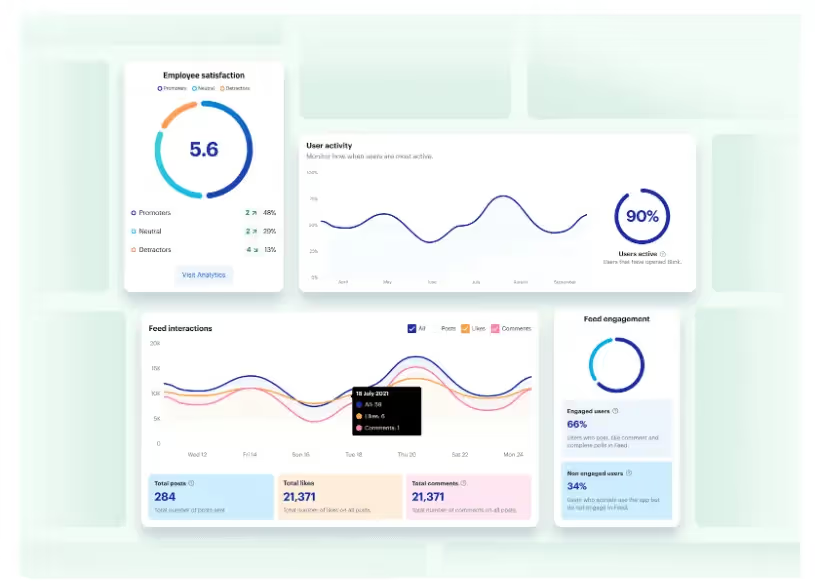
Managers benefit, too. Blink’s analytics dashboard helps leaders track engagement and performance trends, identify communication gaps, and celebrate wins through built-in recognition tools.
Key features include:
All-in-one communication: Peer-to-peer chat, team groups, and company-wide updates keep everyone aligned.
Employee recognition: Built-in recognition features highlight great work and reinforce culture.
Engagement surveys: Pulse surveys provide quick, actionable insights into morale and satisfaction.
Analytics and insights: Track usage, engagement, and content performance to inform strategy.
Seamless integrations: Connect scheduling, HR, and project management tools for a single digital workspace.
Mobile-first design: Works on any smartphone — no corporate email required.
With Blink, your entire workforce can access the same tools and information, creating a seamless digital experience that keeps everyone connected, informed, and motivated.
Request a demo today to see how Blink can transform engagement across your frontline teams.
Best employee engagement software for desk-based remote workers
If you're looking for employee engagement software platforms suited to desk-based remote workers, here are some excellent options.
Google Chat
Source: Google Chat Capterra Reviews
Google Chat is a communication platform that includes features like video and voice calls, and group chat. It's a great option for workplace communication and it's free to use.
As you’d expect, this tool integrates with the rest of the Google suite, including Google Calendar, Drive, Groups, and Gmail. But it lacks some of the advanced features you tend to get with paid tools.
Reviews from Capterra note that Google Chat is easy to use. It also provides good collaboration tools. However, the interface can be frustrating, message delivery can be an issue, and notifications can be challenging to navigate.
Pricing: Monthly pricing for Google Chat for business starts at $6 per user.
Discord
Discord is a chat app designed for gamers. But it’s recently been used for workplace communication, too. It includes features like voice and video chat, so you can easily connect and communicate with colleagues.
You can use Discord for free, making it a basic but cost-effective tool for internal communications, especially in a remote working environment.
Pricing: Many of Discord’s features are free to use. For businesses that want to invest in extra perks, Discord’s premium tier, “Nitro,” is available for $99 per year.
Asana
Asana is a popular project management tool that can also be used for employee engagement. With Asana, you can easily create and assign tasks, track task progress, and set team priorities. You can also use Asana to create custom projects for easy employee collaboration.
Source: Asana Capterra reviews
Asana makes a great option for remote teams, in part because it offers a mobile app for easy access to tasks and progress data. This helps to ensure that employees are working cohesively and effectively wherever they’re based.
Reviews from Capterra note that while Asana offers a clean, intuitive, and integrated interface, notifications are often missed, automatic opt-in to email notifications can be annoying, and the different projects and access features can be confusing.
Pricing: Monthly pricing for Asana starts at a basic free plan. A business plan costs $24.99 per user per month when billed annually.
ClickUp
ClickUp is a cloud-based collaboration and project management tool and it’s a good option for those looking to improve remote employee engagement.
Key features include task assignments and statuses, alerts, and a task toolbar. But while ClickUp does well in terms of task management, it doesn’t offer a full range of employee engagement tools.
This platform lacks features relating to real-time communication, employee recognition, and social interaction. So you’re likely to need additional software.
Pricing: ClickUp offers a free version. Monthly pricing for a Business plan costs $12 per user per month.
WorkTango
WorkTango is an employee experience platform with a number of solutions for employee engagement. It provides tools like employee surveys, real-time analytics, rewards, and recognition.
You can also see how your engagement scores rank against other WorkTango customers to get a better sense of how you’re doing.
On Capterra, users say that anonymous feedback and anonymous employee chat allow for truly honest conversations. Clients also praise recognition features. However, some users would like better reporting tools and easier platform navigation.
Leapsome is a good employee engagement tool for goal setting and employee development.
It’s designed to support organizations to create high-performing teams. You can use Leapsome to track and collaborate on goals, run 360-degree reviews, and create personalized learning pathways.
With lots of tools for remote teams, Leapsome helps maintain employee progress even when employees aren’t in the office. The software also offers video conferencing tools, which make it easy to collaborate on agendas and align action plans.
Pricing: Pricing starts at $8 per user per month, with the option to add on the extra features you need.
Slack
Source: Slack Capterra Reviews
Slack is a great productivity tool for remote office workers. It helps you to organize teams and their work, with the help of channels, huddles, and a workflow builder.
However, it's worth noting that Slack doesn't provide much in the way of scheduling, performance tracking, or survey features. If these tools are essential to your organization, you’ll need to use Slack plus another employee engagement platform.
Reviews from Capterra note that Slack’s user interface is easy to use. They like channel and plugin features. They also appreciate having all work conversations in one place.
However, reviews also note that it can be a confusing platform to use, with lots of channels across different teams. Adoption can also be difficult if people are not familiar with the software.
Pricing: For multiple employees, monthly pricing for Slack starts at $6.67 per user.
Best employee engagement software for desk-based office workers
Now, let’s take a look at the tech tools best suited to office worker engagement.
OfficeVibe
Source: OfficeVibe Capterra Reviews
OfficeVibe is a “people-first” employee experience platform, with a number of employee engagement features designed for the office.
It helps employers to assess and improve employee engagement levels with robust measurement tools. It also provides an app so you can track progress on the go if needed.
Reviews from Capterra note that OfficeVibe is an innovative tool that helps organizations better understand employee happiness. The company also provides strong customer service.
However, managers complain that survey questions can’t be customized and that insights don’t go deep enough. They also say that the Slack integration doesn’t work too well and that setup can be confusing.
Pricing: Monthly pricing for OfficeVibe ranges from a free version to a $5 per user Pro Plan.
SurveyMonkey
By using employee satisfaction survey tools like SurveyMonkey, you can collect regular feedback from employees on their engagement levels. This real-time feedback can help you to identify problem areas and take steps to improve employee engagement in your organization.
As well as survey templates, SurveyMonkey offers reporting and analytics features that help you spot data trends and insights. It also uses AI to reveal employee sentiment.
Pricing: For over three users, monthly pricing for SurveyMonkey starts at $31.83 per user.
Doodle
Employee polls are a quick and easy way to collect anonymous feedback from employees on a range of topics. You can use employee poll tools from Doodle to gather feedback on everything from engagement levels to job satisfaction.
But Doodle does more than polls. It also provides meeting, video conferencing, and scheduling tools. You can even poll meeting attendees to find a time that works for everyone and improve attendance.
Pricing: Monthly pricing for Doodle Professional starts at $6.95 per user.
Monday.com
Monday.com is a project management tool that can also be used for employee engagement.
With Monday.com, you can create and assign tasks, track progress, and more. You can also use it to create performance tracking templates for employees. This can help you to identify areas where employees need improvement and take steps to address them.
On Capterra, Monday.com users say that the platform’s project management tools are excellent. But others complain that the backend of the platform is complicated and involves a steep learning curve.
Pricing: For more than two employees, monthly pricing for Monday.com starts at $8 per user per month.
Culture Amp
Culture Amp’s employee engagement platform provides over 40 science-backed survey templates. You can use these surveys to find out how employees feel about engagement, belonging, inclusion, and more.
The platform also uses AI-powered insights to summarize employee engagement findings, supporting your business to make data-backed decisions.
Reviews from Capterra say that Culture Amp has a user-friendly user interface. They also praise the platform’s ready-to-go survey templates.
But users don’t like having to rely on the Culture Amp support team to update some parts of the platform. They also say that — while survey features are strong — features like the objective and key results (OKR) module aren’t as well-developed.
The following tools specialize in one area of employee engagement. As such, they make a great add-on to your chosen staff engagement tool.
At Blink, our App Marketplace integrates all the tools you need to manage your employee engagement in one place. If we don't already integrate with your app, just ask!
Kudos
Kudos is an add-on app that allows employees to give and receive recognition in real time. With Kudos, you can create a culture of recognition where employees feel appreciated for their hard work.
Pricing: Monthly pricing for Kudos starts at $3.25 per user.
Friday
Friday is an app that makes it easy to give employees recognition for a job well done. With Friday, you can give employees badges, points, and rewards to show your appreciation.
Pricing: Friday has a free version. Monthly pricing goes up to $100+ for company plans.
Bonusly
Bonusly is another dedicated employee recognition tool. Bonusly supports peer recognition, allowing employees to give each other bonuses in the form of points that can be redeemed for rewards. By using Bonusly, you can create a culture of appreciation and recognition throughout your workforce.
Pricing: Monthly pricing options for Bonusly starts at $2.70 per user.
Limeade Wellbeing
Employee wellbeing programs, like those on offer from Limeade, go hand in hand with employee engagement programs. Because when employees feel healthier, happier, and less stressed, they have the headspace they need to engage with their work.
Limeade provides customized employee wellness programs. These programs encourage participation and deliver essential wellbeing resources via one handy tool.
With this tool, you can also listen and respond to your workforce in real time through anonymous surveys, polls, and quizzes. All that’s really missing from this system is strong employee communication tools.
WeThrive is an employee engagement tool designed to support the mental health of desk-based workers. With this platform, you can create surveys to assess employee wellbeing and then take action to improve it.
WeThrive analytics allow you to segment survey results by team, tenure, location, department, and manager. This makes it easy to identify the root causes of poor wellbeing and identify areas for improvement.
Reward Gateway is an employee engagement solution that offers employee discounts, employee rewards and recognition, and tools for employee communications.
This combined platform is a great tool for office-based employers looking to boost employee recognition, with features such as discounts and rewards accessible in one place.
Reviews from Capterra note that Reward Gateway is flexible and easy to use. But it can be glitchy, with reporting features sometimes not running properly and some features failing to run as smoothly as others.
Pricing: Monthly pricing for Reward Gateway starts at $10.19 per user.
Weekdone
For structured goal setting, Weekdone is an excellent choice. It’s a top-rated OKR platform that allows you to track weekly plans and progress, provide feedback, and get everyone pulling in the same direction.
OKR software can also be used to ensure that remote employees have clear objectives, with performance reviews and goal tracking.
Pricing: For more than three employees, monthly pricing for Weekdone is $8 per user.
Awardco
Awardco is another bonus tool that makes recognizing and rewarding people easier and more effective.
With Awardco, employers can set up reward and recognition programs that their employees can access from any device. You can tailor incentives to your teams, ensuring the prizes on offer act as real motivation.
This tool is a good option for office-based companies of all sizes looking to increase employee satisfaction and engage with their workforce to boost productivity.
Pricing: Pricing for Awardco ranges from $2,500 to $4,000 per year.
QuizBreaker
QuizBreaker is a virtual team-building tool. It works well for both office-based and dispersed teams, bringing a bit of gamification to the work day.
Key features of QuizBreaker include:
a scheduled icebreaker quiz that helps employees get to know each other better
escape games and 1,000+ trivia quizzes for fun team-building events
employee profiles that reveal work style, unique strengths, and fun facts
pulse surveys to help you get regular feedback from employees
QuizBreaker isn’t an all-in-one employee engagement tool. But this platform helps teams to bond and brings a little fun to your workplace culture.
Capterra score: Not found in Capterra database. Pricing: Monthly pricing for QuizBreaker starts at $3 per user.
Motivosity
Motivosity is employee recognition software that makes it easy for managers to give recognition and rewards.
Motivosity’s “Thanks Matters” card is an innovative way of rewarding employees. Like Bonusly, you assign points for great performance. These points directly translate into cash, which employees can access via a special Visa debit card.
They can choose from hundreds of reward options. You can even add your own gifts such as branded swag or lunch with the CEO. Employees can also choose to forgo cash rewards in order to make charitable donations.
Key employee engagement software features to prioritize in 2026
When choosing the right employee engagement software for your organization, focus on the features that will help you overcome your biggest engagement challenges. The right combination of tools can improve communication, morale, and productivity across every level of your workforce.
Channels and chats
Communication is the foundation of engagement. Real-time chat features — including group channels, private messages, and announcements — ensure employees stay in the loop and can collaborate quickly, wherever they work.
Surveys, polls, and content analytics
Platforms with built-in surveys, polls, and analytics help you measure engagement levels, gather employee sentiment, and identify emerging issues before they become major problems. This data ensures every employee has a voice and helps leaders take action with confidence.
Employee recognition
Recognition tools — such as kudos, badges, or points systems — make it easy to celebrate achievements and highlight great work. This simple feature goes a long way toward strengthening motivation, morale, and a sense of belonging.
Analytics and dashboards
For organizations managing distributed or frontline teams, analytics functions are essential. They allow you to measure engagement, retention, and satisfaction while uncovering insights into how employees interact with leadership and one another. These insights drive continuous improvement in your employee experience strategy.
A main feed or hub
A centralized hub — or main company feed — brings all updates, videos, documents, and announcements together in one place. This consolidation creates a single source of truth, keeping employees informed and aligned with your company’s goals.
At Blink, our frontline employee app brings all of these features together. With tools for chat, recognition, surveys, analytics, and communication, Blink helps you overcome common engagement challenges and connect every employee — from the frontline to the office.
The business benefits of digital employee engagement tools
Digital engagement tools require an upfront investment — both financially and in time. But the return on that investment is substantial. The right software encourages participation, builds connection, and creates a culture employees want to be part of.
Below are the five key business benefits of using digital employee engagement software.
#1. Reduce employee turnover and save on recruitment costs
Engaged employees are more likely to stay with your organization, reducing the cost of recruitment and training. According to SHRM, hiring a new employee can cost three to four times the position’s salary, making engagement one of the most effective retention strategies available.
Digital tools strengthen this connection by amplifying company culture and ensuring all employees can participate fully — leading to a happier, more loyal workforce.
#2. Strengthen company culture through digital engagement platforms
In today’s competitive labor market, salary alone isn’t enough to retain top talent. Engaged employees are motivated by purpose, belonging, and appreciation.
Digital engagement tools help reinforce these pillars by improving communication, supporting growth, and enabling public recognition. The right platform makes culture tangible — connecting leadership, values, and everyday work.
#3. Improve internal communication with employee engagement software
Two-way communication is critical for engagement. Modern tools help you deliver the right message to the right people — whether through audience segmentation, targeted updates, or role-based notifications.
These platforms also make it easier to track the effectiveness of communication. With built-in analytics, you can see how employees interact with content and refine your messaging to increase engagement and clarity across the organization.
#4. Use analytics to understand and improve employee engagement
Feedback is the backbone of a strong employee engagement strategy. Without it, leaders can’t identify what’s working or where improvements are needed.
Employee engagement software with advanced reporting provides actionable insights. You can see how satisfied employees are, how frequently they engage with company updates, and where there are communication or experience gaps.
With Blink, for example, you can access detailed data on engagement, satisfaction, and retention — helping you identify frontline challenges early and respond faster.
#5. Boost productivity with connected employee engagement platforms
Disconnected tools slow teams down. Employees lose valuable time switching between apps, searching for information, and handling repetitive admin tasks.
A unified engagement platform streamlines these processes. By digitizing workflows, automating basic tasks, and connecting every workplace app in one place, you free up employees to focus on meaningful, high-impact work.
Blink’s connected platform helps teams stay organized and productive — from digitized HR processes to mobile-friendly task management — improving both individual and organizational performance.
A 2022 Gallup report on the work environment found that businesses with engaged employees have 23% higher profits than companies with “miserable workers”. Such businesses also see lower absenteeism and higher customer loyalty.
Unfortunately, Gallup’s 2023 report goes on to tell us that only 23% of employees are actually engaged.
The solution? Effective employee engagement strategies designed to help you create a better company culture, reduce staff turnover, and eventually boost your company’s profits.
But before you can do any of that, you need to know how to measure employee engagement, and what measurement methods really work.
Once you have the tools to measure engagement, you’ll have a solid foundation for improving your engagement levels and reaping the benefits that highly engaged employees bring.
What should you do before measuring employee engagement?
Understand your workforce
Each employee is different with their own unique preferences, needs, and motivations. As such, it's important to get to know your teams well — their needs, challenges, and everything in between — so that you can tailor your employee engagement strategy to work best for them.
Start by getting to know your workforce better: who they are, how they work, and what currently gets in the way of them engaging.
For example, there is often a huge digital inclusion gap between frontline staff and their desk-based coworkers. This gap makes it very hard for frontline workers to engage with their organizations and roles – and even harder for business leaders to get to know them in the first place.
This is where engaging your first-line managers becomes crucial. By enabling first-line managers with the skills and tools to get to know their teams, you have a hotline directly to your frontline – and their engagement preferences.
It’s also important to consider the types of metrics you use for your specific workforce. Desk-based engagement metrics may not accurately reflect the engagement levels of people working in frontline roles. Transit, healthcare, logistics, or manufacturing workers (to name a few) will often have different requirements, channel preferences, and motivations for engagement than other employees.
Therefore, it's essential to understand the specific engagement requirements of your staff, track tailored engagement metrics, and create strategies to address them.
Agree on engagement goals and outcomes
Once you know your workers’ needs, it is important to agree on engagement goals and outcomes with other stakeholders in your organization. This could involve gaining the buy-in of senior management, employee representatives, or other key stakeholders.
Clearly defining your goals and desired outcomes will help ensure that efforts and metrics used to improve engagement are focused and aligned with your overall business strategy. Goal and outcome KPI could include:
Goal: Increase employee retention by 10%
Outcome KPI: Employee retention rate
Goal: Reduce employee turnover by 25%
Outcome KPI: Voluntary resignation rate
Goal: Drive employee satisfaction by 15%
Outcome KPI: Employee satisfaction survey or ENPS scores
By taking these steps before measuring employee engagement, you can ensure that you have a solid understanding of your workforce, metrics that reflect your business objectives, and clear engagement goals to achieve.
There are a number of metrics and methods that can help you gauge a holistic view of employee satisfaction, productivity, and overall engagement in your company, 10 of which we’ll dive into in more detail below.
10 ways to measure employee engagement
Both survey and non-survey methods are available methods to measure employee engagement. Typically, it’s best to use a mix of both to get a holistic overview of employee engagement.
How to measure engagement with survey methods
Surveys help you reach a considerable number of employees at once.
Running employee surveys can be a time-consuming, paper-filled process, but it’s still a great starting point for building the foundation of your employee engagement efforts. And with modern Employee Survey tools now available to streamline the whole process, it needn’t be such a laborious task.
Here are three survey measurement methods you can implement:
1. Annual employee engagement surveys
An annual employee engagement survey measures employees’ experience, motivation, and passion for their job and organization. It reveals how your employees go about their daily jobs and what you can do to improve their engagement on a large, long-term scale.
You can use these surveys to get ideas on areas for improvement and a basis for new recommendations and goals.
Similarly, you can use employee surveys to evaluate your company’s culture and see whether the desired cultural values are practiced among desk-based and deskless employees.
However, employee engagement surveys are only effective if you conduct them correctly.
Here are four best practices for conducting employee surveys:
Use a mix of survey questions: Ask both multiple-choice and open-ended questions. This helps your company collect the most insights into employee engagement without overwhelming respondents.
Leverage mobile apps:Paper surveys don’t cut it. They’re time-consuming since you wait for employees to return the survey papers before you can analyze them, and they’re often disregarded by employees completely or inaccessible by teams that are not in the corporate office, such as frontline teams. Digital surveys take far less time to create and share, and the response is almost instant. So, create surveys that employees can complete from their personal or corporate devices from any location.
Share employee survey results: Share the survey findings with your office and your frontline workers and let them know what actions you’ll take. Managers and leadership need to assure employees that they’re listening and taking into consideration the feedback received.
Identify the best time(s) to survey employees: It might be smart to run your survey during slower periods of work, so that employees have enough time to devote to the survey. Similarly, there’s solid advice to avoid conducting surveys during high-stress periods or bonus season. Such periods skew the survey results and give an unrealistic picture of everyday employee engagement and satisfaction.
2. Pulse engagement surveys
Employee pulse surveys allow you to send more frequent survey requests to your teams. Instead of the annual snapshot of data you gain from once-a-year surveys, pulse surveys let you measure employee engagement levels in real time.
This short survey format allows your teams to provide quick feedback on any aspect of the job or organization, from team dynamics and workflows to company policies and leadership. It’s a great way to learn more about what’s working for your employees on a daily basis and identify what could be improved.
Pulse surveys are much shorter, providing less data than annual surveys but offering real-time insights into employees’ current feelings about the workplace and their job satisfaction.
As such, pulse surveys can be incredibly effective at identifying any sudden decreases or increases in employee morale and engagement, helping you spot them and take action quickly.
You can also tailor pulse surveys to navigate different occasions and identify trends in employee engagement year-round, instead of just once a year. For example, you could send a survey after an important organizational announcement or when there’s been a period of major change.
However you choose to use them, regular pulse surveys are a great way to measure employee engagement and ensure your workforce feels heard.
3. Employee net promoter score (eNPS)
Chances are your organization is already using the net promoter score (NPS) to measure customer satisfaction and loyalty. The same metric can also be used internally to measure employee engagement.
The employee net promoter score (eNPS) provides a solid basis for understanding employee engagement and loyalty in a cost-effective way. By tracking the eNPS scores over time, you can identify trends in employee engagement — which can help you understand how the changes you implement affect staff engagement.
Expert tip: On its own, eNPS is not the most effective way to measure engagement.eNPS it tells you the ‘what’ but not the ‘why’ of an employee engagement score. Only measure employee engagement via eNPS if you can follow it up with more detailed methods, such as employee engagement surveys.
Further methods for measuring employee engagement
4. Implement an employee app with analytics features
Many leaders aren’t aware of the reasons behind the lack of engagement and increasing turnover rates in their business — especially frontline managers. Due to the nature of frontline organizations — varied work environments, conflicting shift patterns, and a historical reliance on paper — it is more difficult to engage with frontline workers and even harder to measure their engagement levels.
As such, employee feedback and surveys don’t always provide the response rates you want, and employees don’t always provide insights you can act on.
To address this, you can implement an employee engagement super-applike Blink to create a digital space that invites a multidirectional, real-time conversation where frontline workers (and their desked counterparts) can speak directly to management — and to each other.
You can also use this technology to measure the outcome of their work environment and assess how your workers engage with your content, interact with other teammates, and participate in company-wide conversations.
For instance, Blink offers Frontline Intelligence — anintegrated analytics tool that measures employee engagement by tracking:
Content metrics: See how your workers interact with posts, files, or pages you share. You can track important metrics such as reach, impressions, likes, comments, and link clicks.
Communication flows: View how many team members communicate with others using the employee app. Visualize the growth in communication and changes in relationships over time to keep a tab on your organization’s employee engagement.
Internal trends: Get an overview of trending posts and topics in the employee feed to understand which content performs best and when.
This allows you to uncover who your promoters of engagement are, and who’s in line with your company’s mission and values. You can capture the insights that aren’t explicitly communicated to you – and integrate that into your next steps.
This data can help you detect feelings of disengagement early on and do a root cause analysis before they become a serious problem, affect productivity and quality of work, and increase your turnover rate.
Ensure that you also measure the adoption rate for your employee app. A high adoption rate can be indicative that your employees are engaged in their roles and understand the value that a new tool is bringing to the business. You may see differences in app usage trends between the office and frontline workers. If that is the case, add questions surrounding employee app usage in the next employee survey.
If you’re looking for an employee app that’s designed for frontline organizations, check out Blink. This all-in-one platform gives:
Frontline workers access to the people, processes, communications, and applications they need to do their jobs — all through their corporate or personal devices.
Leaders access to the data they need to improve the employee experience in meaningful ways.
5. 1-1s
1-1s are one of the most effective ways to measure employee engagement.
These meetings allow you to have meaningful conversations with each of your team members about their performance, goals, and satisfaction levels. They also give employees an opportunity to provide honest and constructive feedback about their work environment, so that they can help influence real, positive change within the organization.
1-1s can be used as a more informal and frequent performance review, and they can give you detailed insights into the current state of employee engagement. By keeping track of these meetings over time, you can identify any sudden drops or increases in engagement, and take action accordingly.
6. Performance reviews and feedback meetings
As a more formal 1-1 process, performance reviews and regular feedback meetings can be used to make critical decisions on employee compensation, necessary training, and proposed career development. But you can also use them to gauge and measure employee engagement.
Highly-engaged workers are more likely to perform well in their jobs. Gallup found that engaged workers are 18% more likely to have above-average employee productivity.
To effectively gauge your employees’ performance and improve engagement, develop a continuous feedback process so that employees know how they’re doing and what’s expected.
Here’s how you can implement a reliable feedback process:
Create a list of opportunities when employee feedback can give you critical insights into how your company operates, such as at the close of onboarding and recruitment or during quarterly and annual performance reviews.
Use various methods and strategies to collect feedback to keep employees engaged and get the most relevant answers for the situation.
Implement engaging and constructive conversations between managers and employees at least once every two months. Ensure managers are practicing active listening and that they are actually implementing change based on the feedback.
Exit interviews are an important component of any employee engagement strategy. They provide invaluable insight into the reasons why employees choose to leave your company, and can help you identify areas that need improvement in order to keep your best talent.
What was the motivation behind your decision to search for a new job?
Can you identify the factors that had a positive or negative impact on your ability to succeed in your role?
Based on your experience, do you have any recommendations for onboarding new employees?
How did you feel about the management of your role?
Did you feel appreciated by your team, supervisors and/or managers?
What were the most enjoyable aspects of this job?
What was the most challenging aspect of this job for you?
Not all employees are willing to offer honest feedback during an exit interview, so consider implementing a post-exit survey where you can ask more detailed questions about employee satisfaction and engagement while the person is still employed at your organization.
This allows you to better understand the motivations behind each employee’s decision to leave and take action to prevent similar situations from occurring in the future.
If you want to stay two steps ahead of the exit interview, however, stay interviews can be a potentially transformative addition to your employee engagement strategy. Currently deployed by only 27% of US HR decision-makers, stay interviews help you understand how well your current employees’ expectations are being met when it comes to meaningful connections.
How to measure employee engagement through key metrics
8. Internal communication receptiveness
Effective internal communication can be used to bridge the gap between managers and employees, build trust in the workplace, and boost employee engagement. But it’s not enough just to communicate – you need to measure how your employees actually react and respond to the content you share.
That’s where key metrics come in. From employee app usage data, to the amount of content employees interact with or create, there are a number of metrics that can give you valuable insights about employee engagement.
You can measure receptiveness to your internal communication by tracking how much of your content is consumed, whether it’s posts or newsletters.
Specific metrics like post likes and response rates, message opens, and even file analytics can tell you how receptive your teams are to internal communication efforts. If you’re using a super-app like Blink, you can track these metrics over time to monitor how well your internal messages are being received.
The data from these analytics can give you the confidence you need to leave certain channels of communication behind. If frontline workers are not engaging with email — or don't even have access to it! — then waste no more time sending email comms, for example. An accessible mobile tool like Blink can pave the way for greater internal communication receptiveness by giving everyone equal access to messages, wherever they log in from.
9. Voluntary turnover rate
If an employee voluntarily resigns from an organization, it’s voluntary turnover.
Voluntary turnover is on the rise. According to the Institute of Corporate Productivity (i4cp) and Fortune’s global survey of 1,195 respondents in Q1 of 2022, 77% of large organizations experienced high voluntary turnover in 2021.
To calculate the voluntary turnover rate, divide the number of employees that voluntarily left your company by the average number of workers you had during that period.
These are the top reasons of voluntary turnover outlined in Microsoft’s 2022 Work Index report:
Personal well-being or mental health (24%)
Work-life balance (24%)
Lack of confidence in senior management or leadership (21%)
Lack of flexible work hours or location (21%)
In other words, a high voluntary turnover rate means your workers struggle to stay engaged with the company due to a lack of support and direction.
If you notice high voluntary turnover, conduct a voluntary turnover analysis to know the exact cause:
Check for trends: Compare your voluntary turnover rate to the previous period and look for possible trends and early warnings. For instance, if you see many employees leaving after two years, it may be due to a lack of career advancement opportunities. And if you see new hires leaving within the first year, onboarding might be the issue.
Gather employee feedback: Collect qualitative data from surveys and exit interviews to determine why employees leave your organization.
Prepare an employee turnover report: Translate the voluntary turnover data into monetary value. That’ll help you follow up with different departments and levels of hierarchy and develop an actionable plan to increase retention rates.
Analyzing the voluntary turnover rates for the first year is especially important since new employees represent a lot of pure cost. A time-to-productivity analysis can tell you when an employee’s productivity has risen to a point where their contribution outweighs their cost.
For example, if the average threshold productivity occurs at the six-month mark, any employee who leaves before that incurs a financial loss to the company.
10. Employee absenteeism rate
Absenteeism is the habitual failure to come to work or stay there during working hours, and it is often unplanned and unannounced.
It’s important to differentiate unexcused absences from legitimate ones, and to be aware of the disruption that absenteeism can cause to your organization. That’s because it will negatively affect anyone working with this individual and undermine trust between employees and management and the employees themselves.
A high employee turnover rate is a strong indicator that your company needs to make adjustments before this behavior impacts your workforce’s productivity and relationships. Absenteeism is often also a reflection of poor management, so your managers must be aligned on the appropriate policies and be upskilled to develop their leadership abilities.
To measure the absenteeism rate, divide the number of unexcused absences in a given period by the total workdays. Multiply the result by 100 to get the absenteeism rate for that period.
As a rule of thumb, an absenteeism rate of 1.5% is considered healthy. Employees do fall ill and request time off for various reasons, so you shouldn’t expect a rate below 1.5%.
However, an absenteeism rate above 2% indicates issues. Your workers may be burnt out, feeling disengaged, or in conflict with their peers or supervisors.
The best way to prevent employee absenteeism is to intervene early.
Develop an action plan by:
Asking your managers to arrange regular check-in meetings, especially with underperforming employees.
Implementing flexible work policies for employees struggling with personal issues.
Getting your managers to address the problems between workers who are having conflicts.
Ensuring management forms meaningful connections with employees and their leadership style receives positive feedback.
Comparing employee engagement measurement methods
How not to measure employee engagement
Measuring employee engagement incorrectly often leads to unreliable results and an inaccurate view of how well your team is doing. Common mistakes when it comes to measuring engagement include:
Not setting KPIs (Key Performance Indicators) which can provide you with measurable goals to strive for. Without these, it can be difficult to determine whether the changes you've implemented have had a positive or negative impact on your employee engagement levels.
Relying on just one method to measure engagement, such as employee surveys. This can not only be a problem that stops you from capturing the full image of engagement for your employees but can also lead to the overuse and over-reliance on surveys to measure engagement.
Ineffective methods of communication. If you rely on a communication channel that employees aren’t engaging with today —like an intranet — then you're highly unlikely to capture the richness of data that you need. That’s why we would always recommend an employee super-app over a back-end intranet.
What should you do after measuring employee engagement?
Whatever your employee engagement metrics and methods show, it’s important to note that engagement is not an activity, project, or initiative. It's an outcome you earn from consistently offering value to your business.
Remember: as trends continue to change, so will employee expectations. Keep your finger on the pulse of employee engagement levels within your organization and take swift action where necessary.
There are many digital tools to keep a tab on employee engagement. However, the best solution is one that’s designed specifically for your employees, and can provide all of these solutions in one place.
If you have a frontline-focused workforce, check out Blink. Blink offers interactive employee surveys, cutting-edge content analytics, and intuitive communication tools to measure and actively improve employee engagement.
Blink provides a solution to fixing the broken feedback loop and filling the knowledge gap between leadership and frontline workers.
The frontline industry is currently facing more challenges than most when it comes to empowering staff.
The Great Resignation, toxic leadership and the rise of “Quiet Quitting” led to a frontline feeling overworked and undervalued. Today, frontline employees need to feel more supported, confident and empowered in their roles.
And there is hope. Slowly but surely, companies are beginning to realize the importance of empowering their frontline employees. And as more organizations come to see the value of Diversity & Inclusion (DE&I), the frontline sector is starting to transform. Workers are beginning to feel appreciated again, and they are finally able to do their jobs with pride.
But only if their leaders take charge.
So, how can you better empower frontline employees? What does employee empowerment even mean, anyway? And how does this affect your frontline workers specifically?
Read on to learn everything you need to know about empowering your frontline team, from what frontline empowerment really is, to why it matters and how you can implement it. With the right tools and empowerment strategies in place, your frontline can be more engaged, productive, and empowered than ever before!
Key challenges faced by frontline employees
80% of the global workforce already performs physical or deskless work.In order to keep things running smoothly for the majority of the global workforce, those on the frontline need to be able to rely on a few things.
Unfortunately, many of them are currently facing challenges that are making their jobs more difficult than they should be.
Pay increases have not kept up with inflation: This means that those on the frontline are struggling to make ends meet, and it can be hard to keep morale high when you're not being rewarded for your hard work.
The frontline are often passed over for opportunities their desked peers are given: This can make it harder for them to advance in their careers and stay motivated or productive on the job, which has led to frustration, disillusionment, and the rise of the Great Resignation.
If treated like desk-based workers, the frontline can't succeed: Deskless employees need to be given the necessary tools and training to perform their jobs well, as well as access to technology that improves communication and collaboration. Without it, companies will continue to see a lack of productivity and engagement among their workforce.
Lack of leadership enablement: Leadership needs to let go and resist the urge to try and fix all problems themselves. They need to trust that mid-level managers have the ability to train and support the frontline. When a problem occurs, leaders need to equip managers with the right tools to overcome frontline challenges.
Lack of frontline engagement: Without two-way communications, it is more difficult for leaders to make the frontline want to engage. As such, they are struggling to build trust and confidence with their teams. The truth is, if you're good to the frontline, they'll be good to your bottom line. You need to show your frontline you care to earn their engagement.
No ambassadors: Without frontline ambassadors, there's no way to drive good will, reputation and sales. Frontline employees are the face of your company. If they love their jobs, they'll naturally want to spread the word about what you do.
Because of these industry challenges, many frontline employees have been left unhappy, unmotivated, and leaving companies faster than you can say quiet-quitting.
Today , leaders are facing a limited workforce. Because of this labor shortage, they are looking for more effective ways to reach higher levels of productivity, employee retention and ultimately, success.
What does frontline empowerment mean?
So what actually is frontline empowerment? What's the substance behind the hype?
At its core, frontline empowerment is about giving your frontline workers the freedom and authority to make decisions and take valuable action on their own. This means providing them with all the resources, information, training, and tools they need to succeed at their jobs.
Of course, empowering your frontline won't happen overnight - it takes time and effort. But by introducing the notion of 'doing more with less', using effective employee tools to drive change and productivity, and committing to ongoing communication and training, you can create a successful and sustainable culture of empowerment that will benefit everyone involved.
Why empowering the frontline is so important
Did you know that almost all (90% of) organizations say success depends on empowering frontline employees to make decisions in the moment?
With a culture of empowerment in place, those on the frontline can bridge the gap between management and the rank-and-file, allowing them to collaborate more effectively and achieve higher levels of engagement. This in turn boosts engagement across your entire workforce, creating a culture where everyone feels valued and motivated to succeed.
Additionally, there's no lack of research to back the frontline empowerment trend. A 2020 Harvard Business Review Analytic Services survey gathered the insights of 464 business executives across an array of industries.The findings were clear: organizations empowering their frontline employees are seeing an array of benefits, and those who are not are falling behind.
Here are a few reasons why frontline empowerment is vital to your corporate culture and overall company success:
1. Cultivating a sense of belonging to retain the best talent
"The vast majority of deskless workers (97%) report that they would stay in their current roles if their conditions improved. Such conditions go beyond a pay rise, meaning that HR needs to offer deskless workers the same opportunities as their deskbound counterparts."
This means prioritizing your team's mental health, giving them the right technology and resources they need to thrive and investing in their engagement and empowerment to create a true sense of belonging. In order to retain the best talent and build a strong, engaged workforce, empowering your frontline is essential.
It helps to create a collaborative culture where everyone feels like an integral part of the team. This kind of environment reduces turnover rates and builds up a strong sense of camaraderie that drives long-term success for your organization.
2. Improving frontline engagement and morale
Empowered frontline employees are engaged frontline employees. An engaged frontline workforce means better employee morale and cohesion between your frontline teams.
By empowering the frontline, you are also giving them the authority to make decisions on their own and take action in real-time - something that is vital when dealing with fast-paced, dynamic business environments. In turn, this continuous flow of engagement not only keeps everyone motivated and engaged, but it also creates more transparency and trust between management and those on the frontline.
With engagement as a natural part of your organizational culture, you can also expect to see improved productivity, performance and results from your frontline teams. On top of this, a disengaged employee costs around 34% of their annual salary, meaning that strong engagement can actually have a direct positive impact on your bottom line.
3. Satisfied staff leads to satisfied customers
Frontline workers are the first point of call between your organization and your customers, yet they remain an afterthought in many digital workplaces. This causes a lack of motivation in workers and a disconnect from the wider workforce – and their customers.
Simply put: when you empower frontline staff, you improve customer satisfaction.
Customer feedback, whether positive or negative, is extremely valuable to any business. And in order to get that feedback, you need your frontline employees, who are interacting with customers on a daily basis, to feel empowered and engaged to take action.
By giving the right tools and resources to your frontline teams, as well as giving them autonomy over how they do their jobs, you can facilitate better interactions with customers and improve overall customer satisfaction levels.
How to introduce, implement and sustain frontline empowerment
While HR trends state a range of strategies on the horizon for the frontline in 2023, including implementing mobile-first self-service enterprise software, increasing career opportunities and improving working conditions, one thing is clear. HR will drastically increase investment in its deskless workers over the coming months and years.
So how can you keep up with the trend? How can you introduce, implement and sustain frontline empowerment within your organization? Here are our eight top tips:
1. Start a frontline management flywheel to drive success
As leaders looking to empower their frontline, it's vital to define the standard you want to achieve. Defining this level of performance will help you set a standard to aspire to. A frontline management flywheel - defined by small management wins that accumulate over time to drive overall business growth - can help you map out how to start, implement and sustain successful empowerment initiatives.
Some core components of a frontline management flywheel include setting clear goals, aligning the right resources behind those goals, measuring progress and scaling success as you go.
2. Provide the right training for each level of worker
Ongoing and engaging training is key when it comes to empowering the frontline. This means making sure that your deskless workers have access to the right training programs and resources to be successful in their jobs, as well as investing in regular management training for those at the top of your organization.
For deskless workers, this means providing virtual or on-the-job training, as well as investing in coaching and mentoring programs that can help them to grow. For management-level employees, this means providing opportunities for professional development or leadership training.
3. Give them decision making abilities
In order for frontline empowerment initiatives to be successful, it's important that your frontline workers are equipped to make important decisions on the spot. Providing them with the right tools, resources and training can help them lead effectively, and empower them to make quick decisions when needed.
Equipping frontline managers to lead, make important decisions with confidence and empower their teams to do the same will help to drive better results for your organization as a whole.
One great example of this is Salutem's SELF initiatives - giving employees opportunities to be part of important decisions by empowering them with a Salutem Employee Listening Forum facilitated by theBlink employee app – an intuitive, two-way, all-in-one solution to employee communications.
4. Provide the right tools and technology
With 52% of frontline workers claiming they would leave their job over tech tools, it’s clear to see the impact that the right employee technology and digital employee experience can have on a company.
Empowering the frontline is not just about giving them more autonomy in their roles – it's also about giving them the right tools, training and resources they need to be successful in these roles.
By investing in key employee technology platforms, you can equip your frontline teams with what they need to do their jobs more efficiently and effectively, to reach better performance and results.
This might include employee scheduling software, communication and collaboration tools, or even data analytics software that can help deskless workers make more informed decisions on their own.
5. Get and give regular feedback
As with any other important initiative in your organization, empowering the frontline requires a commitment from leadership. This means that as a leader, it's important to get regular feedback on how these initiatives are going, as well as giving your frontline managers and employees the opportunity to provide their own feedback about how you can continue to grow and improve their employee experience.
By making a commitment to getting and giving regular feedback, you can stay on top of the changes and challenges that come with empowering your frontline team, and continue to make meaningful improvements along the way.
6. Have a thorough onboarding process
At Blink, we recently held a five-day hackathon where our conversations highlighted that onboarding processes are not only key to a successful retention strategy at our company but also for many of the large organizations that we work with.
Your onboarding process is where your employees get their first impression of what it's like to work at your organization. And so, it's important that this experience is a positive one, and that your deskless workers are set up for success right from the start. Unfortunately, only 12% of employees feel strongly that their organization does a great job onboarding new people.
This might include providing ongoing training and support during onboarding, or making sure that all of the necessary tools, including employee experience tools, and resources are available, accessible and set up from day one.
Blink's Hub - a centralized and secure frontline environment where digital forms, policies, safety guidelines and other relevant documents are stored - allows frontline organizations to store private and secure information that are shareable by teams. These allow frontline workers to access relevant documentation (training, e-learning materials, videos) to accelerate their onboarding process.
Blink's Directory also allows users to know who's doing what and in what team, making onboarding a whole lot smoother for leadership, too.
7. Recognize and reward hard work
To empower your frontline team and create a sense of autonomy and ownership, it's essential to recognize their hard work and reward them accordingly. You can think about offering the right mix of rewards, recognition and incentives that can motivate them.
Why? Well, 36% of employees say lack of recognition is the top reason to leave their job, while
more than 40% of employees feel that being recognized often means they put more energy into their work.
Addressing this will require regular performance reviews, incentive programs or even creative rewards such as Kudos, personalized gift cards or experiences that can motivate your frontline team to continue doing their best work.
How Blink can help you empower your frontline
Employee Surveys
WithBlink's Employee Surveys, you can regularly pulse check your frontline to get a consistent sense of what's going on for your workforce. By gathering reliable, real-time data you can ensure you're doing what's right before it's too late. By maximizing the right initiatives, HR leaders are able to encourage getting and giving regular feedback.
Feed
Create a sense of belonging using Blink's Feed. The Feed opens up multi-directional conversations allowing the frontline to share thoughts and feedback through polls, sentiment through reactions, likes and comments. With Feed, you're able to create a culture of constant improvement, and encourage your frontline to continue putting their feedback forward.
Employee Recognition
Blink's Recognition feature allows anyone in the company to recognize hard work and achievements, as well as spread positive word of mouth about their team members. By giving your frontline team the opportunity to recognize each other's work, and by providing regular recognition programs and incentives, you will empower your employees.
Blink Champions
Without team members championing your empowerment initiatives, it can be hard to get them off the ground. As such, Blink Champions are the cornerstone of a successful launch for your next frontline empowerment initiative. The role of a Blink Champions includes:
Working with other Champions to ensure the launch is a success
Raising awareness of Blink and encouraging others to use the app
Being active in the Feed
Educating teams on how to use the app
Being an advocate for Blink.
Hear from Brittany Schlacter, Communications Specialist and Blink Champion at The Rapid:
https://www.youtube.com/embed/pbi0QDbucpY
Final Thoughts
The race is on for frontline leaders to empower their workers. And fortunately, frontline leaders know this is needed and are ready to take the necessary steps to make it happen.
We've highlighted some of the ways that you can empower your frontline team, including investing in your digital transformation efforts, recognising and rewarding hard work, and using Employee Surveys to gather and act on feedback.
By implementing some of these initiatives, you can create a sense of autonomy and ownership among your employees, driving productivity and growth in your organization.
To unlock frontline empowerment to its highest potential, consider investing in the Blink employee app. With tools like Employee Recognition, Hub, Feed and a dedicated champion team, you'll be able to empower your frontline employees in no time!
Is your employee intranet actually working for your team — or is it just taking up space?
Today’s workforce is mobile, distributed, and digitally savvy. They manage their finances, shopping, and social lives through beautifully designed apps — and they expect workplace tools to keep pace.
When an intranet doesn’t, employees steer clear. That’s why clunky, desktop-first platforms are quietly being replaced by modern intranets and employee apps designed for how people actually work in 2026 — not how they used to.
Simply put: Most intranets don’t fail because they’re missing features. They fail because no one actually wants to use them.
A modern intranet needs to be more than a static homepage or a document dumping ground. It’s a living, breathing hub that helps employees do their best work.
It connects people, information, and tools — all in one place. And crucially? It’s designed around how employees actually work now, not how they used to.
So what separates a truly modern intranet from versions that have come before? Meet the eight features you’ll find on any cutting-edge intranet platform.
8 must-have modern intranet features
Whether you’re planning to update an outdated intranet or find a completely new solution, here are the must-have intranet features you need — and why they matter.
1. A mobile-first experience
Let’s start with a non-negotiable. A modern intranet should be mobile-first.
It should be designed for mobile devices as a priority, not retrofitted later as part of a clumsy glow-up. Because shrinking a desktop intranet down to fit a teensy smartphone screen just doesn’t cut it for user experience.
A modern intranet app features:
Full functionality — not a slimmed-down version of your desktop platform
Intuitive navigation via a user-friendly dashboard
Easy access, even for employees without a corporate email address
A consistent experience across both mobile and desktop
What makes this a modern intranet must-have?
Work doesn’t just happen at a desk. Employees are on shop floors, hospital wards, construction sites, and warehouses. Even desk-based employees are increasingly hybrid, remote, or on the move.
If your company intranet only works well on desktop, you’re excluding a huge chunk of your workforce.
A mobile-first intranet app closes communication gaps, puts resources within easy reach, and creates an equitable digital employee experience for everyone. So it’s easy to check policy updates, swap shifts, and even submit a safety report — all via smartphone and all in the flow of work.
{{mobile-hub="/image"}}
2. A central hub for information
One of the central promises of any intranet is simple: a single source of truth. That means:
Policies, handbooks, and standard operating procedures all living in one place
A clear structure and ownership for every piece of content
Content management tools — so it’s easy for admins to see what needs updating when
What makes this a modern intranet must-have?
Many organizations still have information scattered across Microsoft 365 SharePoint sites, email attachments, shared drives, and unofficial WhatsApp chats.
Employees aren’t sure where to look for resources or, when they do lay their hands on the right document, whether the information it contains is up to date.
A central hub makes information reliable and easy to find. Employees spend less time digging around for documents and resources, so productivity and collaboration improve.
3. Powerful search and discovery
Even the best content is useless if no one can find it. So modern intranets treat search functions as a core feature, not an afterthought.
They provide a fast, intuitive experience — with filters, tags, and clear navigation. They surface the right content, not just the most recent.
What makes this a modern intranet must-have?
Advanced search functionality saves time, reduces queries to managers, and helps employees find the answers they need in seconds. This is particularly useful for busy frontline teams who don’t have time to hunt for the information they need.
{{mobile-chat="/image"}}
4. Built-in communication tools
A modern intranet mobile app goes beyond storage. It acts as a communication hub, bringing together knowledge, company news, and collaboration tools.
We’re talking:
A social-media-style news feed for company updates and culture building
With fewer tools and tabs, it’s easy for employees to get up to speed. People are also more likely to act on your comms — they can click on a link within a message and head straight to the intranet resources it relates to.
With built-in tools, employee communication becomes more streamlined, effective, and engaging. And your intranet becomes the go-to place for company comms.
{{mobile-story-polls="/image"}}
5. Easy access to other systems
Are there barriers between your intranet and the other digital workplace systems you use? Then you’re adding friction to the work day — and missing out on another essential modern intranet feature.
The best intranets act as a digital front door for your organization. From one simple dashboard and a single set of login details, employees can access all the tools they need to do their work well. No juggling passwords or hopping between tabs.
They can check a payslip in the HR system, complete an online training module, view inventory information — all in a couple of clicks, right from your intranet platform.
What makes this a modern intranet must-have?
When your intranet acts as a digital hub, providing single sign-on and deep integrations with your existing systems, work flows more smoothly. Employees spend less time navigating tools and more time actually using them.
The payoff is less frustration, fewer support requests, and higher adoption of the software you’ve already invested in.
6. Social and engagement features
Work isn’t just about tasks and to-do lists. It’s about people — and your intranet should reflect that. It needs social features that feel natural and intuitive.
A news feed where employees can react, comment, and start new conversations. Quick-fire polls. Communities of coworkers. Short-form video stories. Public recognition that makes great work visible.
This modern social experience mimics the apps employees love to use away from work. And — done well — it doesn’t add to the noise. With smart targeting and personalization, employees see relevant, engaging content every time they log in.
What makes this a modern intranet must-have?
Employees want to feel seen, heard, and connected. Social and engagement features give them a shared space to interact — a digital water cooler where people can gather, no matter their location, shift, or time zone.
This is great for building company culture and improving employee engagement. It’s particularly useful for dispersed teams who don’t always get to see their coworkers face to face.
{{mobile-stories="/image"}}
7. Simple administration and governance
Modern should never mean hard to manage. Behind every great intranet experience is a setup that’s easy to run — without constant IT involvement. That means:
Simple publishing workflows
Clear permissions and controls
Easy audience targeting
Straightforward governance for content creation
What makes this a modern intranet must-have?
When administration is too complex, content delivery slows down. Pages go stale. Updates get stuck in approval loops. Before long, people stop trusting the intranet. And once you’ve lost that trust, it’s very hard to get employees back onto the platform.
The best intranet sites give comms, HR, and operations teams the confidence to manage their piece of the intranet independently. That agility keeps information fresh, accurate, and timely.
8. Analytics that show what’s working
Last on our list of must-have modern intranet features it’s analytics. Because it’s no longer enough to publish content and hope for the best. Internal teams need data that helps them understand:
Who’s logging in?
What content is being read?
Where engagement is high (or low)
How adoption changes over time
The best employee intranets provide clear, actionable insights. They present data clearly and allow you to drill down into that data to reveal trends and causes.
What makes this a modern intranet must-have?
Employee expectations and needs are liable to change. So, to keep pace, you need tounderstand the intranet experience inside out.
With access to usage, reach, and engagement data, you can continuously improve your intranet. You can make it more relevant, more engaging, and more valuable over time. So employees consistently get value from the platform and actually enjoy logging in each day.
{{mobile-activation="/image"}}
Making work easy and enjoyable with a modern intranet app
Employees don’t waste time hunting for answers or switching between tools. People communicate and work together easily. Culture shows up in everyday moments — not just leadership announcements.
That’s the difference between an intranet people avoid and one they rely on. Between a platform you’re simply paying for and one that actually gets used.
If your intranet still feels like a filing cabinet — or if it’s missing any of the modern intranet features we’ve covered above — it’s time for an upgrade.
Working remotely hasn’t stopped Jessica from immersing herself in Blink’s vibrant culture. As a solution consultant for our US enterprise accounts, she’s been making waves since joining over two years ago. Whether visiting our Boston or London offices — or collaborating from her home in Pennsylvania — Jessica loves Blink’s agile, innovative, and positive environment.
Which Blink office do you work out of?
I'm one of the few fully remote employees, but I’ve still managed to visit both offices. I go to Boston more often — probably three or four times so far — and I’ve been to London twice. I’m based in Pennsylvania, roughly in the middle between Philadelphia and New York City.
I lived in New York City for ten years, but now I have three young kids, so we needed more space. Right now, for example, it's snowing outside and there are deer in my front yard — quite a change from the city!
What's your position at Blink?
I'm a solution consultant for enterprise accounts in the US.
How long have you been at Blink?
Just over 2 years now.
What initially attracted you to join Blink?
What drew me to Blink was partly the people I knew here — people I really respected. I thought if they were at this place called Blink, then I should be here, too. On top of that, Blink’s overall mission resonated with me. I’ve been selling software for a long time, usually to IT departments, and I never really saw the broader impact beyond making some people more productive.
But hearing how Blink improves the lives of frontline workers, who often receive little support — especially after everything that happened with COVID — made me realize how crucial they are. Unfortunately, many companies aren’t investing much in improving their experience, and that’s what we’re aiming to change: enhancing their work lives.
What's a project you are proud of from your time at Blink?
I have to say, there’s a major deal I worked on (which we haven’t announced yet) that was incredibly exciting from start to finish. I felt like we were entering the next phase of Blink. Just the fact that this huge company even considered us — and ultimately chose us — was amazing.
I loved seeing the teamwork and effort everyone poured in. At some point, every single team played a role — marketing, product, implementation, sales, pre-sales, legal, and more. So many people came together, and it was really fun to witness. It took about six months, with hundreds of meetings and around 20 demos — truly unbelievable.
How would you describe the company culture at Blink in 3 words?
I would say it's fast-paced, super-positive — which you don't see everywhere — and agile.
I chose “super-positive” because everyone is always open and happy. You never join a meeting — whether it’s an internal call or a customer call — without seeing smiles on people’s faces. Even though everyone’s busy, they’re still great to talk to and easy to connect with.
People here are also eager to help, and I think our customers pick up on that. They know we’re not just going to deliver reliable work — we’re going to brighten their workday, too. That positivity really carries over into our relationships with them.
What's one thing you're excited about for the future of Blink?
I'm excited to see how quickly we're growing in the US and how we'll continue to expand. I’m also really thrilled about what we've already accomplished and what we’re planning to do in retail and hospitality.
When I first joined Blink, we only had a handful of customers in that sector — some of them quite small. Now, seeing what we've achieved, what we're currently doing, and what we have planned for the future is incredibly exciting, especially in that space.
We've done amazing work in transit and healthcare so far, but retail and hospitality brands are more widely recognizable. I feel like this will bring greater awareness to all the good Blink is doing, and more people will hear about it simply because they can relate more to these public-facing companies.
Can you tell us about a recent initiative or program launch at Blink that you found particularly exciting?
Our internal 12 days of Blinkmas gifts campaign was amazing — I’ve never seen another company do anything like it! The gifts were great, and I loved how excited everyone was to participate. I looked forward to it every morning, eager to see who won the previous day’s gift and what the newest gift was. It really made the lead-up to the holidays special.
I actually ended up winning a really cool prize: a donation to a charity of my choice. I chose a local charity that helps families in Bucks County, where I live in Pennsylvania.
Why do you work for Blink?
I love the people here — my daily team, my manager, and the fact that I can easily reach out to anyone in another department when I need something. I always know exactly who to contact, and they typically respond quickly, no matter the time of day. It’s a refreshing change from bigger companies, where requests can just vanish. At Blink, everything gets done efficiently.
I also work here because our product is amazing. I’m in it day in and day out, and it’s so fun to envision solutions for our customers — our product is incredibly straightforward to use. I’m impressed by how fast we roll out new features and develop enhancements, whether it’s based on our own plans or customer feedback. I’ve never been at a company that does it so quickly and so well. We work together to figure out what’s best for the next phase of Blink, always keeping our customers’ needs at the center.