
Newsletter for employees without a company email
A newsletter for employees without a company email has to land somewhere other than an inbox they don't have. That usually means a personal email address, a text message, or an app on their own phone. A store team hears about a policy change from a customer before head office ever tells them. A depot misses an open enrollment deadline because the reminder went to an email address nobody there has. Most comms teams build their newsletter for the staff who sit at a desk, then wonder why store, depot, and ward staff never mention it. The fix isn't a better subject line. It's picking a channel that actually reaches someone without a company login in the first place.
This guide compares the realistic options for getting a newsletter to employees without a company email, shows what makes a newsletter work once it lands on a phone, and covers how Blink's Newsletter Builder sends the same content to an inbox and an app feed at once.
A newsletter is usually one piece of a wider internal communications strategy, and it can only do its job once it reaches everyone on the list, not just the people with a desk and a login.
What are the options for sending a newsletter to employees without email?
The realistic options are printed newsletters, notice boards, personal email, SMS, WhatsApp, and an employee app, and they differ most on reach, cost, tracking, and data privacy. A printed newsletter and a notice board are cheap but static. Personal email and SMS get a message onto a device people already have, but create a data privacy problem the moment you store a personal number or address outside an HR system. WhatsApp solves reach but runs on an account the company doesn't own or control. An employee app is the only option built to do all four well at once, and it's worth noting it doesn't have to mean another standalone tool: a newsletter built into an employee app sits alongside shift schedules, forms, and team chat in the same place staff already open, not a separate login to maintain.
{{blink-table:table-1}}
Why does this matter for frontline workers specifically?
Engagement gaps show up hardest among deskless and frontline employees, and a newsletter that only lands in a company inbox leaves most of them out by design. At Stagecoach, moving company updates onto a channel every driver could actually open, rather than relying on email, made the newsletter part of daily routine instead of something only head office saw. Build the newsletter for a phone first, and the people who were never on the list start showing up in the read receipts.
How do you make a newsletter work on a phone?
A newsletter built for a phone has to be short, visual, translated, and built around one clear action, because that's how people actually read on mobile. Long blocks of text get skimmed or skipped entirely on a five-inch screen, especially during a break between shifts. A few rules make the difference:
- Keep it short. Three or four items, not ten. One scroll, not five.
- Lead with images, not paragraphs. A photo or short video carries more on mobile than a wall of copy ever will.
- Translate it. A single-language newsletter excludes anyone who doesn't read it as a first language, and many frontline teams speak more than one language.
- Give it one action. A newsletter with five calls to action usually gets none of them completed, pick the one thing you actually want people to do.
- Time it to the shift, not the office day. A newsletter that lands at 9am misses anyone who started at 6am or finishes at 11pm.
How does Blink handle newsletters for staff without email?
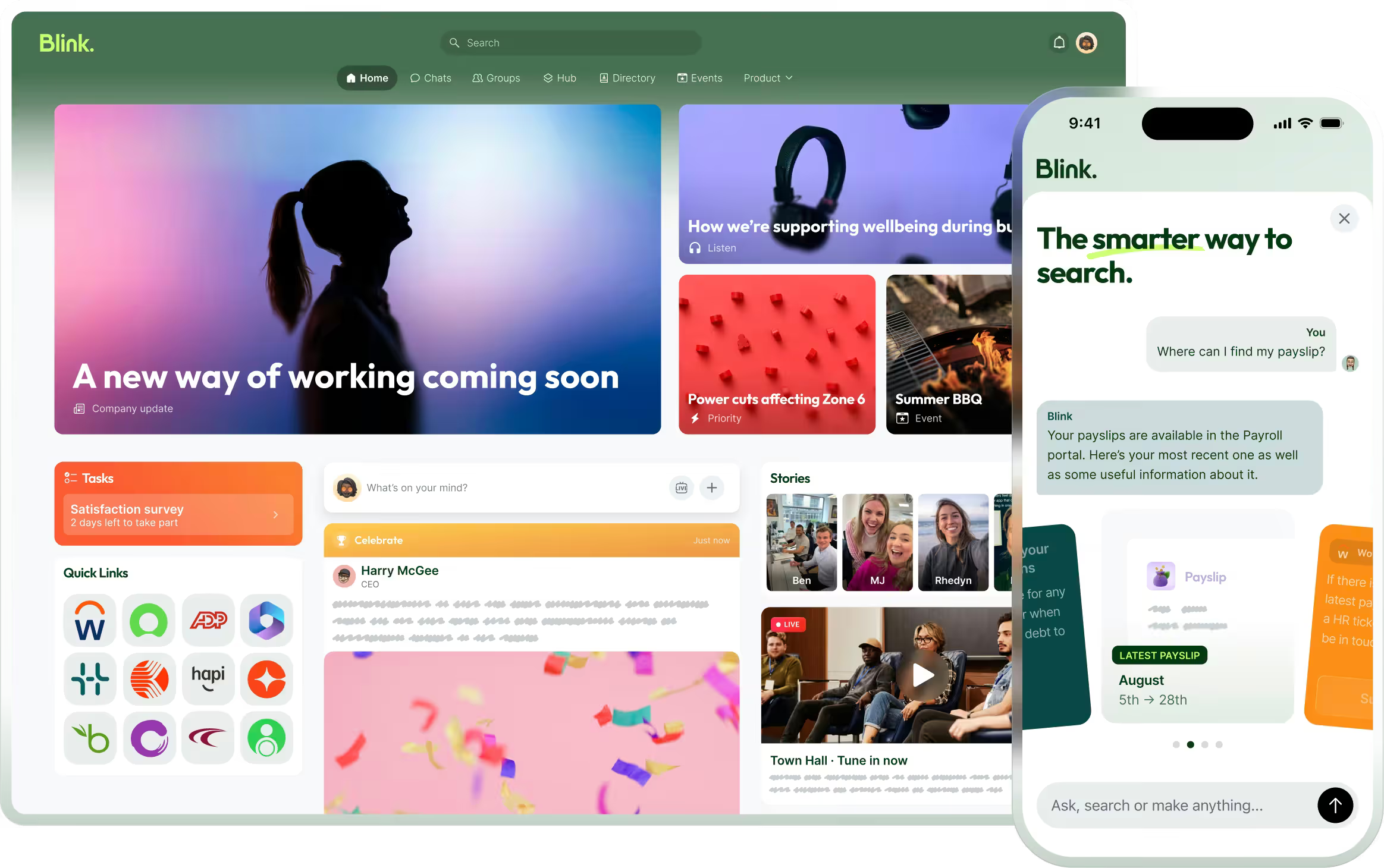
Blink's Newsletter Builder sends the same content to a personal inbox and the in-app feed at the same time, built from the Blink groups you already send to. Anyone in the group receives the newsletter at whatever email address is on their Blink profile, which can be a personal address for staff who've never had a company one. Staff with no email at all still see the same content because it also posts to their feed inside the app. Comms teams build the newsletter from feed posts and events already published in Blink, so there's no separate content pipeline to maintain, and they can track opens and clicks the same way they would with any email tool. One send reaches the inbox and the feed at once, no second process for people without a login.
Fix the channel, and most of the content problem goes with it.
A newsletter that depends on a company email address will keep missing the frontline no matter how good the writing is. For more on reaching staff who've never had a company login, see the future of employee communication without email.
Start a 14-day free trial to see how a newsletter reaches every employee, not just the ones with a company login. Prefer to walk through it with someone first? Book a demo.