
75+ company newsletter ideas for frontline teams (2026)
Company newsletter ideas are only useful if the newsletter actually gets opened, and on most frontline teams it doesn't. A newsletter built around desk workers (long paragraphs, a desktop inbox, one send a month) gets skimmed by the office and ignored everywhere else. The fix isn't more content. It's the right mix of ideas, a format that works on a phone during a break, and a simple way to get it there.
This guide gives you 75 company newsletter ideas grouped into seven categories, a template you can reuse every issue, specific adjustments for frontline and shift-based teams, and a short section on sending it from Blink so it lands in the app and the inbox at the same time. If you're short on time, skip ahead to the template or to making it work without a company email. A newsletter is one piece of a bigger plan: for the full range of ways to keep a frontline workforce engaged beyond this one channel, see our employee engagement ideas hub.
Why most employee newsletters don't get read
Most employee newsletters fail for one of three reasons: wrong channel, wrong length, or wrong audience. The three show up together more often than not:
- Wrong channel. A newsletter sent only to a company email account never reaches the warehouse, the store floor, or the delivery fleet, because many frontline employees don't have one.
- Wrong length. A newsletter built like a corporate memo, with dense paragraphs and no images, loses anyone reading on a five-inch screen between tasks.
- Wrong audience. A newsletter written for one audience (usually head office) ignores the fact that a nurse, a line manager, and a finance analyst need different things from the same issue.
None of that means newsletters don't work. It means most of them are built for the part of the company that sits at a desk, then sent to everyone else anyway. Fix the channel and the format, and the same editorial ideas below start landing.
A modern internal comms strategy treats the newsletter as one channel among several, not the whole plan. A newsletter is where things get summarized. The feed, chat, and mandatory reads are where they get seen first.
75+ employee newsletter ideas, grouped by type
The best employee newsletters mix seven types of content: company news, people and recognition, frontline spotlights, safety and operations, learning, fun and community, and feedback. Pick three or four types per issue rather than trying to cover all seven every time. Consistency across issues matters more than variety within one.
Company news
- A one-paragraph CEO or GM update, written like a text, not a press release.
- A new product, menu item, or service launch, with the one line staff need for customer questions.
- A new hire announcement for leadership or head office roles.
- A new location or site opening, with the go-live date and who to contact there.
- A partnership or acquisition, explained in terms of what changes for staff.
- A policy change, summarized in one sentence with a link to the full version.
- A reminder of an upcoming deadline (open enrollment, review cycle, compliance training).
- A cross-site rollout update: which locations go live this week versus next.
- A "what's changing next month" preview so nothing lands as a surprise.
People and recognition
- Employee of the month or quarter, with a photo and one quote.
- A work anniversary shout-out, grouped by tenure milestone.
- A new-starter welcome roundup for the month.
- A promotion or internal move announcement.
- A peer-nominated shout-out section, pulled straight from recognition posts.
- A "behind the role" profile on a job most people never see (overnight stocking, dispatch, facilities).
- A retirement or long-service tribute.
- A manager spotlight, answering three quick questions.
- A team photo from a site visit or shift huddle.
- A "meet the new hire" Q&A with someone outside head office.
Frontline spotlights
- A site or store of the month, picked on a metric staff actually care about.
- A "day in the life" feature following one shift from start to end.
- A customer compliment, shared with the team that earned it.
- A photo roundup from a specific site, submitted by staff themselves.
- A cross-site comparison that celebrates more than one winner (safety, speed, service).
- A frontline tip of the month, submitted by the people doing the job.
- A "fix we made because you told us" item, closing the loop on past feedback.
- A shift-swap or scheduling win worth repeating elsewhere.
- A night-shift edition that leads with what the overnight team needs to know, not a copy-paste of the day shift version.
- A translated spotlight for a non-English-speaking site or team.
Safety and operations
- A monthly safety stat, framed as progress, not a scolding.
- A near-miss story with the lesson, anonymized.
- A reminder on a specific procedure that's seeing more errors lately.
- A seasonal safety note (heat, ice, holiday rush staffing).
- A new equipment or tool rollout, with a one-line how-to.
- A shift-handover digest: the three things the next shift needs to know before they clock in.
- A maintenance or downtime schedule staff need to plan around.
- A compliance deadline staff must complete, with a direct link to do it.
- A translated safety alert for sites where the primary language isn't English.
- A quick explainer when a process changes, in plain steps.
Learning and development
- A skill-of-the-month micro-lesson, two minutes to read.
- A link to a short training video, with the reason it matters right now.
- An internal mobility spotlight, someone who moved roles and how they did it.
- A reminder of tuition or certification support available to staff.
- A manager tip, shared from one manager to others.
- A "common mistake" correction, framed helpfully.
- A new onboarding resource, especially useful during hiring surges.
- A language-learning nudge for multilingual teams.
- A Q&A answering a frequently asked HR or policy question.
Fun and community
- A trivia question with the answer in the next issue.
- A caption contest using a photo from the floor or site.
- A seasonal recipe, playlist, or local event roundup.
- A pet-of-the-month photo submission.
- A team fundraiser or volunteering update.
- A birthday shout-out roundup for the month.
- A "this or that" poll with results from last issue.
- A local sports or community event relevant to a specific site.
- A staff hobby or side-project feature.
- A countdown to a company event, with what to expect.
Feedback and listening
- A pulse survey result, shared honestly, good and bad.
- A "you said, we did" update closing the loop on a past survey.
- An open callout for story or photo submissions for the next issue.
- A short poll embedded directly in the newsletter.
- A direct link to submit a suggestion or raise a concern.
- A summary of the most common question from the last town hall.
- A thank-you to staff who contributed ideas that got used.
- A roundup of the most-read or most-liked post from the feed that month.
- A simple satisfaction question at the end of the issue, one tap to answer.
Bonus ideas for any issue
- A countdown to a major deadline or event.
- A "new to the app" explainer when you add a feature.
- A regional roundup if you operate across states or countries.
- A leadership AMA recap.
- A seasonal wellbeing check-in with one practical tip.
- A year-in-review issue each December, kept visual and short.
A simple newsletter template you can reuse
A reliable employee newsletter follows the same five-part structure every issue: a short leadership note, a news roundup, a people section, a frontline spotlight, and a call to action. Reusing the structure each month does two things. It makes the newsletter faster to build, because you're filling a template, not designing from scratch. And it trains readers to know where to find what they care about, so they open it instead of scrolling past.
A working order:
- Opener (2-3 lines). One update from leadership, written like a message, not a memo.
- News roundup (3-5 items). The company news items from the list above, one line each.
- People and recognition (2-4 items). Shout-outs, anniversaries, new hires.
- Frontline spotlight (1 feature). One site, shift, or person, told as a short story.
- Close (1 action). A poll, a link to give feedback, or one thing to do before the next issue.
If an item needs more space than a line or two, it belongs in the Hub or the feed, with a link from the newsletter instead of the full text.
Tips for making employee newsletter ideas work for frontline teams
Picture the newsletter landing the way most of them do: as an email, on a desktop inbox nobody on the floor has logged into since onboarding. Five adjustments change that.
- Make it mobile-first and short enough to finish on a break. Short paragraphs, one column, large tap targets, and a whole issue that reads in under three minutes. Preview every issue on a phone before sending.
- Lead with the shortest version of every story. One line and a link beats three paragraphs. Readers decide whether to keep going within seconds.
- Use photos and video, not just text. A photo from a site visit gets more attention than a paragraph describing it.
- Translate it. If your workforce speaks multiple languages, a newsletter only in English reaches only part of the company.
- Send it somewhere that doesn't depend on a company email. An email-only newsletter excludes anyone who was never issued one, before a single word is written.
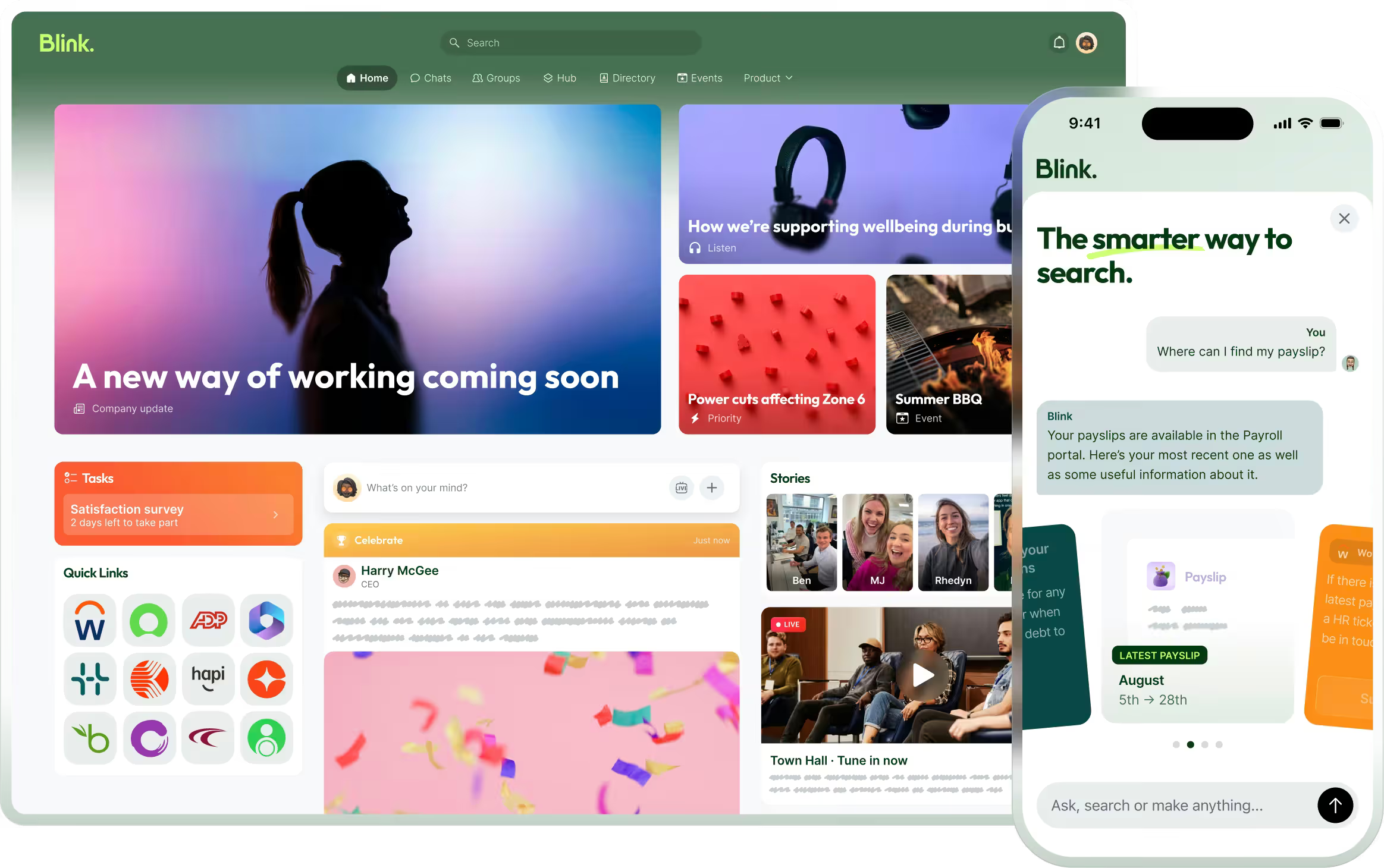
Newsletters get more traction when they arrive inside the same app employees already use for schedules, recognition, and updates, rather than as a separate, easy-to-ignore email. In Blink, that's the point of building the newsletter from the feed rather than from scratch: it stops being "one more thing to check" and becomes part of the app people are already in. JD Sports is one example of a company treating what shows up in that app as more than a comms channel. Its frontline staff closely mirror its customer base, so the business pays attention to what staff engage with in-app as a signal worth acting on, alongside the usual comms metrics.
How to build and send a company newsletter in Blink
Blink's Newsletter Builder turns feed posts and events you've already published into a branded email, so you're not writing a newsletter from a blank page every month. Building and sending one takes four steps:
- Connect your groups. Newsletter sends follow your existing Blink groups, so the recipient list updates automatically as people join, move sites, or leave.
- Pick a template. Start from the Newsletter Builder layout and set the section order once, so every future issue reuses it.
- Select the posts and events to include. Choose from what's already been published to the feed rather than drafting new copy.
- Review and send. Blink assembles a branded email from the content you selected, and it also stays visible in the feed for anyone who doesn't check email.
Once it sends, open and click data comes back into Blink, so instead of guessing which story landed, you can check within a week which one actually got more opens.
This is also where a newsletter becomes more than a comms exercise. Pulling recognition shout-outs straight into the newsletter is easier when recognition already lives in the same platform the newsletter pulls from, so a kudos post from the feed can become a people-section item without retyping it.
If you're building out the newsletter as one piece of a bigger comms plan, our guide on internal communication plan ideas covers how a newsletter fits alongside the feed, chat, and mandatory reads.
Ready to put this into practice?
Start a 14-day free trial and build your first newsletter from content you've already posted, or book a demo to see Newsletter Builder working with your own feed.