
Internal communication app for large companies: what actually matters at 1,000+ employees
An internal communication app for large companies needs to do five things a small-business tool doesn't: reach people without a company email, target messages by site and role, provision and deprovision users automatically from an HRIS, keep data compartmentalized across business units, and prove the whole thing is working with analytics IT and comms both trust. Get those five wrong and a platform that looked great in a demo with 50 seats quietly fails at thousands.
Most internal comms software is built and priced for a single office with a shared Wi-Fi network and a company directory. At enterprise scale, across multiple sites, shifts, languages, and often multiple legal entities, the requirements change completely. For a broader view of the category, including tools built for smaller or desk-based teams, see Blink's roundup of internal communication tools or the full guide to choosing an internal communications platform. This guide covers the narrower case: what to put in front of IT and procurement before you sign anything for an organization of 1,000 or more, and how to roll a platform out without losing the first three months to confusion.
Platforms built for this scale, including Blink, Workvivo, Staffbase, and Simpplr, differ most in how they handle the two hardest problems: reaching staff with no company email, and keeping data separate across business units without running separate instances. Workvivo leans toward social and culture features and is weaker for deskless activation. Staffbase is built around enterprise IC and content management with more limited chat. Simpplr centers on an AI-driven intranet experience but is weaker on mobile and chat. Those two requirements, email-free reach and compartmentalization, are where this guide spends the most time, because they're also where evaluations most often go wrong.
What is an internal communication app for large companies?
An internal communication app for large companies is a platform built to reach every employee, including frontline and deskless staff without a corporate email address, at the scale of thousands or tens of thousands of users across multiple sites, business units, or countries. Unlike a general chat tool or a desk-based intranet, it has to handle automated user provisioning from an HR system, single sign-on, permission layers that separate one site or region from another, and reporting that shows reach and engagement by location. The difference between "an internal comms tool" and "an internal comms app for large companies" is almost entirely in these administrative and governance layers, not in the chat or newsfeed features themselves.
Which requirements change at enterprise scale?
The core requirement is reach without relying on a company email address, because a large portion of an enterprise frontline workforce has never had one. Picture a retailer, hospital system, or transit operator where head office has company email and every site, branch, or depot doesn't. An app evaluated only against desk-based use cases will fail this test immediately, because its whole activation model assumes an email inbox exists.
Past that baseline, nine more requirements separate enterprise-ready platforms from tools that work fine for a single office and buckle across thousands of employees:
{{blink-table:table-1}}
How do you roll out an internal comms app across thousands of employees?
A phased rollout, led by managers and a trained champion network, consistently outperforms a single company-wide launch. Enterprise rollouts that go live everywhere on day one tend to produce patchy adoption, because nobody at site level feels ownership of it. The pattern that works, in order:
- Pick pilot sites that reflect the organization's full shape, covering the largest role types and at least one non-English-speaking location, not just the easiest or most tech-comfortable sites.
- Identify and train local admins at each site before launch, so there's someone on the ground who can answer questions and fix access issues without routing everything through head office.
- Run a provisioning checklist against the HR system of record, confirming every starter and leaver syncs correctly before the pilot goes live, not after.
- Recruit and brief champions at each site, giving them the talking points and tools to introduce the app themselves rather than relying on a single company-wide email announcement that deskless staff won't see anyway.
- Collect pilot feedback and fix what's broken, including anything in activation, translation, or targeting that didn't hold up with real users.
- Expand in stages, reusing the same playbook, local admins, provisioning checklist, launch communications, at each new site or business unit, rather than repeating the setup work from scratch.
RATP Cap Île-de-France followed close to this pattern. The transport operator used Blink's implementation services for its first subsidiary launch, then turned what it learned into a repeatable playbook: identify local admins, run the technical checklist, then handle launch communications. Later subsidiaries, added as the company won new contracts, launched independently using that same playbook without needing implementation support a second time. That kind of repeatable structure matters more at 1,000+ employees than any single feature in the app itself, because the hard part of an enterprise rollout is rarely the software. It's getting thousands of people across dozens of locations to actually open it in the first week.
Champions matter for the same reason. AG Barr launched Blink under a name, Fizz, that its own employees chose, and built the whole rollout around that ownership: the comms team involved from the start, champions trained hands-on to promote it peer-to-peer, and a competition keeping momentum going with prizes including extra annual leave. That ownership drove standout adoption despite a complex login flow for personal-device users.
How do you prove ROI on an internal communications app?
ROI on an enterprise internal comms app comes from three measurable things: reach, time saved, and reduced reliance on other channels, not from the platform itself. Before buying, agree on a baseline: what percentage of your workforce currently receives and reads a company-wide message, how long it takes managers to relay information down the chain, and how many separate tools people currently use to get basic information like a schedule or a policy update.
After rollout, the same three numbers should move. Reach should rise sharply once staff without email get a way to receive and act on company messages. Manager time spent relaying the same message at every site or shift should fall, since one broadcast replaces many repeated versions of it, and the number of channels employees need to check, personal messaging apps, printed notices, a desk-based intranet nobody on the floor can reach, should shrink toward one. Blink's overall adoption across its customer base is over 90%. That's the number that makes the rest of the ROI case easy to build: a message that reaches 9 in 10 employees doesn't need to be repeated at every site by every manager.
How does Blink meet these enterprise requirements?
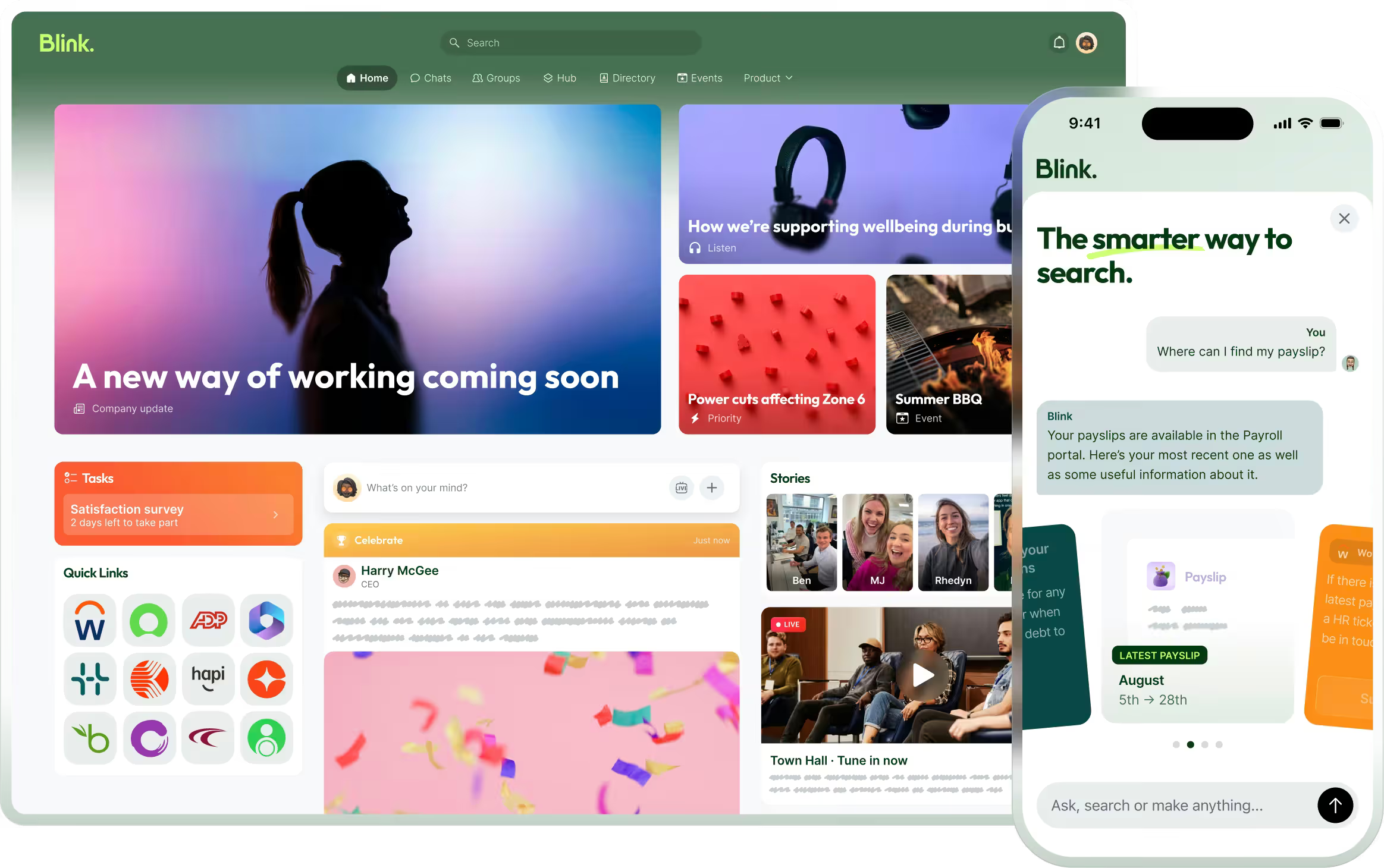
Blink is built as a mobile-first employee experience platform designed around the reality that most of an enterprise frontline workforce doesn't have a company email or a company device. Checked against the requirements above:
- Reach without email: Blink gives every employee a way into the platform even without a corporate inbox, which is the baseline requirement for a frontline workforce.
- Targeting by site and role: dynamic groups can be built from HR and location data so a message to one region or role doesn't land everywhere.
- User provisioning: Blink's admin panel supports automated user provisioning, with native connectors for HR systems including Workday and UKG, so accounts stay in sync with the HR system of record without manual admin work on every starter and leaver.
- SSO: Blink supports enterprise single sign-on through major identity providers, so IT can manage access for staff with corporate identities from one place.
- Permissions and compartmentalization: admin permissions and chat segmentation can be scoped by location or business unit. McDonald's US uses this to let crew members chat within their own restaurant while corporate teams collaborate more broadly.
- Security and compliance: enterprise procurement requirements, including certifications and data residency, are covered on Blink's pricing page.
- API and integrations: Blink's Enterprise plan includes open API access for custom connections, on top of native integrations with Workday, UKG, and ServiceNow.
- Translation: content can be translated and localized, so a global workforce isn't reading head-office updates in a language it doesn't use day to day.
Full plan-by-plan feature gating, including which of these sit on Pro versus Enterprise, is on Blink's pricing page.
If you're responsible for comms at an organization this size, it's worth seeing the admin and targeting controls directly rather than taking a features list at face value.
Start a 14-day free trial to test provisioning, targeting, and reporting against your own org chart.
Prefer to walk through SSO, compartmentalization, and API access with Blink's team first? Book a demo.