
The best employee onboarding software for frontline and hourly teams (2026 edition)
By Lauren Burns · Published 19 June 2026 · Last updated 4 November 2026
The best employee onboarding software for frontline and hourly teams does one thing most HR platforms don't: it stays the same app past Day 90. For a frontline worker, onboarding software shouldn't be a tool they use for two weeks and then abandon for whatever the company actually runs on. It should be the shifts app, the pay stub app, and the team chat app from day one, so there's no cliff edge when the "onboarding phase" officially ends. Most employee onboarding software gets this backward: it's built for a desktop HRIS, assumes a corporate email and a work device, and hands off to something else entirely once the paperwork is done.
This guide reviews sixteen platforms across two tiers: ten frontline-first tools built primarily for hourly and shift-based workers, and six traditional HR platforms with onboarding modules included because they're often shortlisted alongside. Every frontline-first vendor is scored against the same six criteria, with honest notes on where each is strong and where it isn't.
Why the "frontline" cut matters
Most onboarding software was built for a laptop. It requires a corporate email to send the invite, assumes a work device to open it on, and expects a quiet hour on day one to click through a checklist. Most frontline and hourly workers have none of those. They're on their feet, they start a shift not a workday, and their day-one experience is a printed handbook and a manager pointing at a locker.
Onboarding tools built for that reality look different. Mobile-first, not mobile-friendly. Activation via SMS, QR code, or manager invite, not IT-provisioned SSO. Journeys (automated sequences of messages, forms, and training content, triggered by an event like a start date rather than sent manually) that trigger the day someone accepts the offer, not the day they log in. Offline mode for stores, warehouses, and depots where signal drops. Segmentation by store, region, role, and shift, so a new driver in one city and a new nurse in another get the right first-week experience.
This list ranks ten frontline-first platforms with that lens, and lists six traditional HR platforms separately for context. For a deeper look at the full lifecycle this guide feeds into, see Blink's employee onboarding best practices guide.
What is employee onboarding software for frontline teams?
Employee onboarding software for frontline teams is a platform that activates, trains, and connects hourly and shift-based new hires without requiring a corporate email address or a work laptop. It typically runs pre-boarding sequences from the moment an offer is accepted, delivers digital forms and mandatory policy reads with an audit trail, and keeps working past the first 90 days as the same app used for schedules, pay, and team communication. This is different from a traditional HRIS onboarding module, which usually assumes every new hire gets a company email and a desk. Blink, Beekeeper, and Connecteam are examples built around the frontline model. BambooHR, HiBob, and Rippling are examples built around the desk-based model.
What frontline onboarding software actually needs to do
A frontline onboarding platform needs to clear six bars: mobile-first design, no-email activation, journey automation, offline mode, multi-location targeting, and HRIS integration. If a platform can't tick most of these, it isn't built for hourly or frontline teams, it's an office-worker tool with a mobile skin.
Mobile-first design. The mobile app is the primary experience, not a scaled-down version of the desktop product. New hires can complete their entire day-one flow on their phone, without opening a laptop.
No corporate email required. New hires can activate their account with a phone number, an SMS one-time passcode, a QR code from their manager, an employee ID, or a magic link. IT doesn't have to provision an account per hire. (All sixteen platforms in this guide assume some way to reach the new hire, but how varies sharply, and that's one of the clearest dividing lines between the two tiers below.)
Journey automation. Pre-boarding through Day 90 (and beyond) runs on triggers, not manual sends. Start date, registration date, role, location, and manager can all be conditions. Milestone surveys check in at set intervals without anyone remembering to send them.
Offline mode. Content and forms load without signal. Stores in retail parks, distribution centers, hospital basements, and bus depots aren't places where good Wi-Fi is a given.
Multi-location targeting. Content, tasks, and journeys can be scoped by region, store, brand, role, or a custom field. A day-one experience for one site shouldn't be identical to a day-one experience for another with a different team and a different manager.
HRIS and Workday integration. New-hire data flows in without CSV uploads. Journeys trigger off HRIS start dates. Skills, shifts, and role changes route the right onboarding content to the right people. Reads for role changes and departures matter too, so an offboarded employee isn't still getting later-stage check-ins.
That's the yardstick for tier one. Tier two, the traditional HR platforms, weren't built to hit these bars, and they're included alphabetically for context rather than ranked against them.
Two names you might expect here sit just outside it. YOOBIC and Axonify are strong frontline platforms, YOOBIC especially in retail, but both are built for ongoing training and learning rather than end-to-end onboarding, so they're worth knowing without belonging in an onboarding ranking.
Tier 1: Frontline-first onboarding software
Ten platforms ranked against the six criteria above. Ranking is editorial. Vendors score higher when frontline and hourly workers are the primary user of the product.
1. Blink
Best for: Multi-location frontline organizations in retail, transit, healthcare, hospitality, and logistics that need mobile-first onboarding plus a comms platform that keeps working past Day 90.
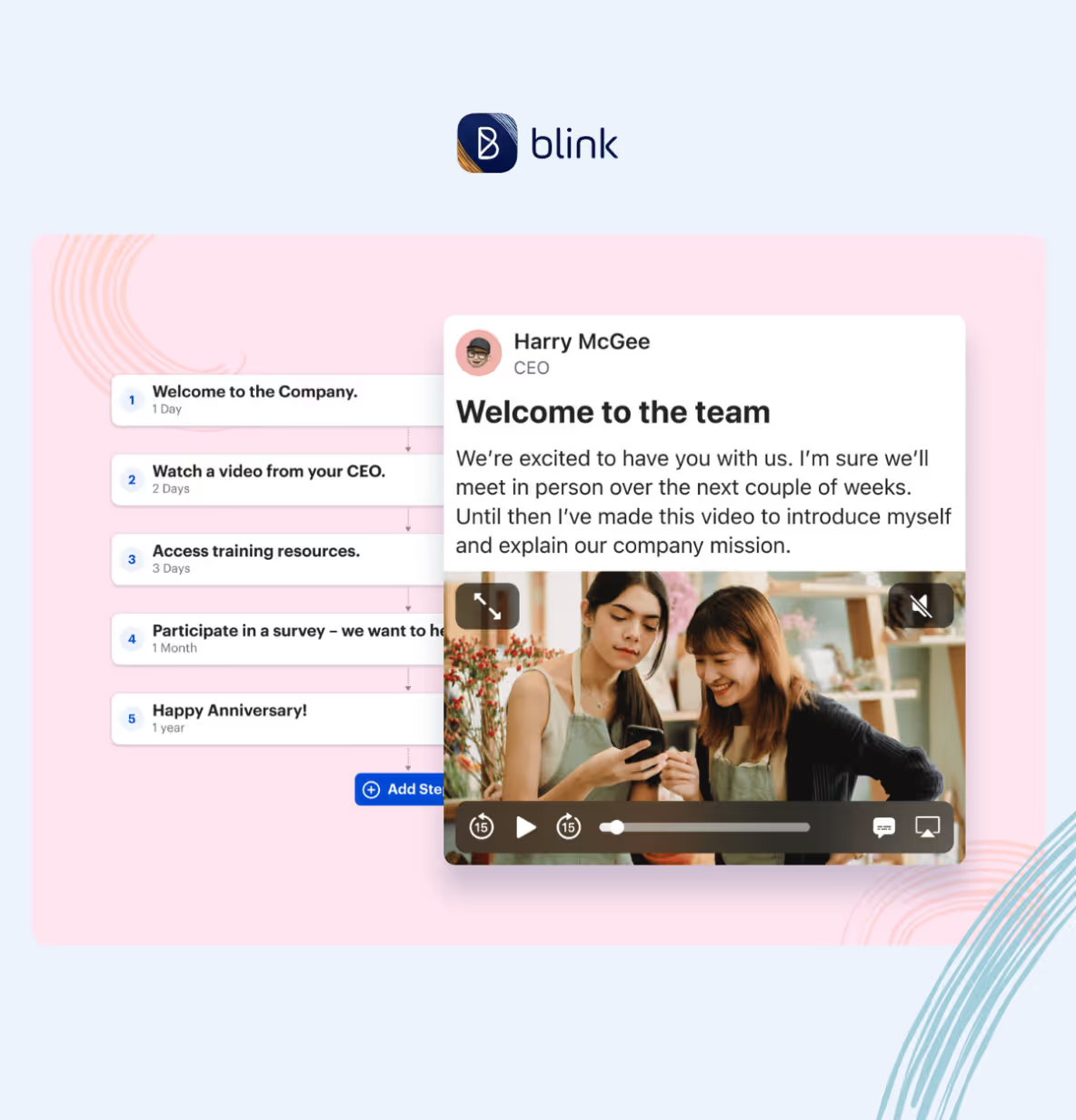
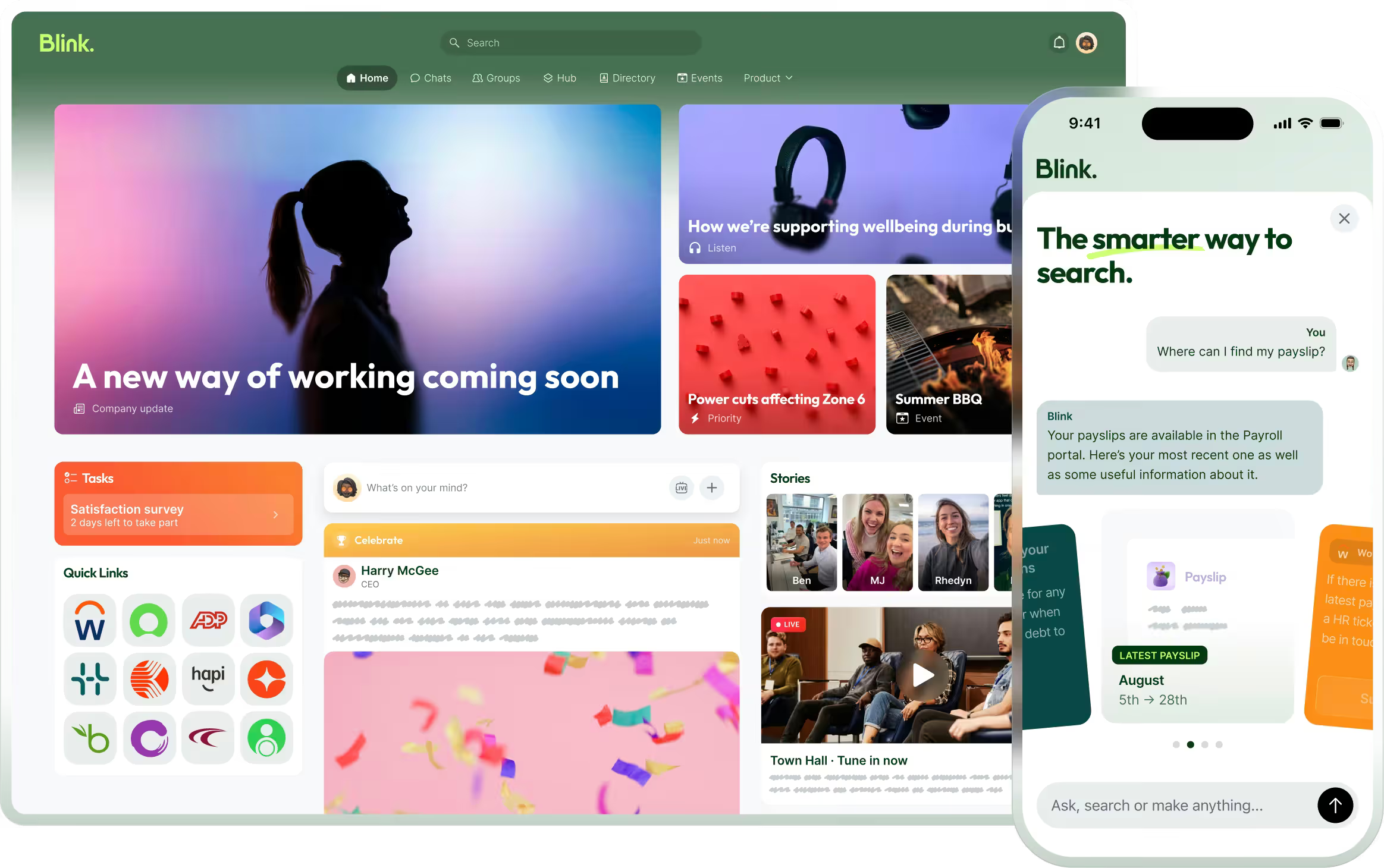
Blink was built for workers who don't sit at desks, and onboarding is one of the strongest reasons customers pick it. Journeys automate pre-boarding, day-one, and milestone sequences from either a start date or a registration date, so a new hire gets welcome content the day they accept the offer, not the day they turn up. Mandatory reads let policies land with a genuine acknowledge audit trail. Digital forms replace the paper starter pack. Milestone surveys check in on training quality, team support, and job confidence in the first 90 days, when onboarding turnover is most concentrated.
Stagecoach automates milestone check-ins for drivers across its depot network. Stagecoach, a Blink customer, has seen up to a 26% reduction in frontline turnover. Elara Caring runs onboarding journeys for dispersed home-care caregivers alongside Workday SSO.
Blink connects to Workday, with new hires, role changes, and departures flowing through automatically so onboarding journeys trigger without anyone uploading a CSV. Account Claim (Blink's identity verification step for activating an account without a company email) supports verification via employee ID or another custom field, with an SMS one-time passcode for activation. Blink supports onboarding content in a wide range of languages.
What Blink does well. Journey automation with start-date and registration-date triggers. Mobile-first design with offline access. No-email activation via SMS, QR, and manager invites. Native Workday sync. The onboarding journey lives inside the same app used for chat, feed, and schedules, so there's no Day 91 cliff where the new hire has to switch tools.
Where Blink is less strong. If hiring workflow (job posts, applicant tracking, interview scheduling) is what you need, Blink isn't a hiring tool. Pair it with Workstream, Greenhouse, or your ATS of choice.
If you tried an app before and nobody used it: that's usually an activation problem, not an onboarding problem. That's the number to press any vendor on before you sign, not just whether the feature list looks right on a demo.
Pricing: Free 14-day trial. Custom quote.
2. Beekeeper
Best for: Frontline communication with onboarding as a supporting workflow.
Beekeeper is Blink's closest peer. Mobile-first, no-email activation, and shift-based communication are all there. The onboarding features have grown over recent releases and now include journey-style campaigns and mandatory content. If you're evaluating Blink, you're likely evaluating Beekeeper too.
What Beekeeper does well. Frontline comms with a similar mobile-first, no-email approach. Good for multi-language deployments and international teams. Streams (their chat) are clean.
Where Beekeeper is less strong. Onboarding journey automation and task management are less mature than a lifecycle-led platform. HRIS integration options are narrower. Milestone survey depth for onboarding is less developed. Buyers usually pick between Blink and Beekeeper based on which product's onboarding, task, and analytics story fits their operating model.
Pricing: Custom quote.
3. Workstream
Best for: QSR and retail operators who need to hire hourly staff fast and want onboarding stitched into the hiring flow.
Workstream is a hiring platform first, with onboarding built as the natural extension. Text-to-apply, SMS candidate nurture, offer letters, and I-9 forms all live in one place. If your bottleneck is getting a body through the door in a sector known for high hourly turnover, Workstream is good at that job.
If you run a single restaurant or a small multi-unit group, Workstream's hiring-to-onboarding handoff may be all you need. The gap below shows up most at multi-location or multi-state scale.
What Workstream does well. SMS-first hiring flow that meets hourly candidates where they already are. Pre-hire paperwork (I-9, W-4, direct deposit) done on mobile before day one. Deep QSR and hourly-restaurant customer base, so the onboarding templates match the reality of the sector.
Where Workstream is less strong. Workstream sits on the hiring side of the funnel. Once someone's hired, day-30-plus lives elsewhere. Journey automation past Day 30 is limited compared to a comms-led platform. If you want onboarding to feed engagement and retention over the first year, you'll pair Workstream with another tool.
Pricing: Custom, quoted by location count.
4. Staffbase
Best for: Enterprise internal communications teams (1,000+ employees) that want frontline comms and onboarding features rolled into a broader employee experience platform.
Staffbase is one of the larger enterprise comms platforms and has extended into onboarding. Mobile app for frontline reach, employee news, campaigns, and journey-style onboarding workflows all live in one place. Historically strongest in the DACH region, growing in the US.
What Staffbase does well. Enterprise-scale internal comms with a mobile front door. Multi-language and multi-brand support. Onboarding features layered on top of an established comms backbone.
Where Staffbase is less strong. Less SMB-friendly than the scheduling-led tools. Mobile-first experience isn't as tight as Blink or Beekeeper. Onboarding journey depth is closer to Beekeeper than to a lifecycle-led platform. Sales cycle and implementation are enterprise-length.
Pricing: Custom quote.
5. Connecteam
Best for: Small-to-mid-market frontline operators (10 to 500 employees) that want an all-in-one mobile app covering scheduling, comms, training, and onboarding without enterprise pricing.
Connecteam is the "everything for hourly teams in one app" play for SMB. Onboarding is one of the stronger modules for its price point, with digital forms, e-signatures, welcome content, and role-based training courses. Where many SMB tools stop at paperwork, Connecteam extends into ongoing engagement, so the same app a new hire opens on Day 1 is the app they use for their schedule, their chat with the manager, and their compliance training six months in.
What Connecteam does well. Broad feature set at the SMB frontline price point. Mobile-first design with no-email activation. Training and LMS features baked in. Good fit for hospitality, retail, healthcare, and construction operators under 500 employees who want to avoid stitching together three tools.
Where Connecteam is less strong. Journey automation depth is more limited than a lifecycle-led platform. Enterprise HRIS integrations (Workday, deep ADP, SAP SuccessFactors) are lighter. Analytics and multi-brand segmentation aren't at the level enterprise buyers expect.
Pricing: Free tier for up to 10 users. Paid tiers by feature hub. SMB-friendly.
6. Homebase
Best for: Small business hospitality and retail (2 to 100 employees) that need scheduling, timekeeping, and light onboarding in one cheap tool.
Homebase started as scheduling for small hospitality and retail operators. Onboarding is a natural add: new-hire forms, W-4s, direct deposit, and employee handbook acknowledgments, all done on mobile. For a coffee shop with a handful of staff, it's enough.
If you run one site or a small handful of locations, Homebase covers the basics well. Multi-location enterprises will outgrow it fast, which is the gap noted below.
What Homebase does well. Cheap or free at the low end. Mobile-first for hourly workers. Solid scheduling and timekeeping with onboarding baked in.
Where Homebase is less strong. Not built for multi-location enterprise. Journey automation is basic. Content and communication features are thin.
Pricing: Scales with location count and feature tier, with a free tier for a single location. Self-serve sign-up.
7. Deputy
Best for: Multi-location hourly operators (hospitality, care, retail) that want scheduling, time tracking, and onboarding in one product, with a stronger international footprint than Homebase.
Deputy is the international scheduling-first cousin of Homebase. Strong in Australia and the UK, growing in the US. Onboarding features are similar: mobile-first new-hire forms, e-signatures, right-to-work checks, and role-tagged task lists.
What Deputy does well. Scheduling, time-tracking, and onboarding in one mobile-first workflow. Good multi-location support. Strong right-to-work and compliance features for UK and Australian markets.
Where Deputy is less strong. Primarily a workforce management tool with onboarding attached. Doesn't do much once the new hire is out of week one.
Pricing: Per-user, tiered by feature set. Free trial available.
8. WorkBright
Best for: Organizations with heavy compliance paperwork burdens (I-9, credentialing, licensing) who want a specialist for the forms step.
WorkBright is the paperwork specialist. E-signatures, remote I-9 verification, credential tracking, and secure document storage are what it's built for. If your onboarding pain is getting a stack of forms signed and stored correctly per new hire, WorkBright solves that elegantly.
What WorkBright does well. Remote I-9 completion. Bulletproof e-signature audit trails. Strong for healthcare, home care, staffing, and other credential-heavy sectors.
Where WorkBright is less strong. The strength is forms and e-signing. The wider onboarding lifecycle isn't the focus, and there's no engagement past the paperwork stage. Pair with another platform for anything beyond compliance.
Pricing: Custom quote, priced per hire.
9. EduMe
Best for: Companies that want onboarding delivered as bite-sized microlearning modules, especially in gig, delivery, and franchise-heavy sectors.
EduMe is a microlearning specialist that's done well in gig, delivery, and franchise-heavy onboarding. The core proposition is short, mobile-first training modules delivered by link or SMS, no login required.
What EduMe does well. Frictionless mobile learning with no-login access. Strong onboarding-as-content model. Well-tested in gig and delivery businesses.
Where EduMe is less strong. The core competency is learning content, and the broader onboarding lifecycle sits outside its scope. Journeys, forms, mandatory reads, and communication all live in other tools. Best used alongside a comms or HRIS platform.
Pricing: Custom quote.
10. When I Work
Best for: Small and mid-size hourly operators in hospitality, retail, and services that want scheduling, time tracking, and lightweight onboarding at a low sticker price.
When I Work is another scheduling-first product with an onboarding add-on. Similar sweet spot to Homebase. New-hire forms, direct deposit, tax paperwork, and welcome content live in the same app as the schedule.
If you're a single-site or small-chain operator, When I Work's onboarding add-on is proportionate to the job. Larger, multi-state operations will find the gaps below sooner.
What When I Work does well. Scheduling and time tracking are its strengths. Onboarding is enough for a small hourly operator. Good mobile app.
Where When I Work is less strong. Onboarding is thin compared to a purpose-built platform. Journey automation, mandatory reads, and analytics are limited. Not designed for multi-country enterprise rollouts.
Pricing: Per-user, tiered. Free trial available.
Comparison table: frontline-first platforms
Tier 2: Traditional HR software with onboarding modules
If you're evaluating onboarding software as part of a broader HR platform decision, these are the HRIS options worth knowing. All six were built primarily for desk-based teams and assume a provisioned company email, which is a hard blocker for most frontline hiring. They're included for context rather than ranked against the frontline set above.
ADP
Best for: Enterprise organizations that run payroll on ADP Workforce Now, Vantage HCM, or Lifion and want onboarding stitched into the same platform.
ADP is one of the largest payroll and HR vendors globally, with onboarding built around enterprise payroll compliance first and mobile employee experience second. It's best used as the compliance and payroll spine of a broader stack with a mobile-first tool layered on top for the frontline experience itself.
Pricing: Custom quote, per-employee model.
BambooHR
Best for: SMB and mid-market HR teams that want a full HRIS with onboarding built in.
BambooHR is the go-to HRIS for organizations under 1,000 employees that want one system covering hiring, onboarding, records, PTO, and performance. The onboarding module is solid for desk-based teams, but every new hire needs a company email to be provisioned, which rules it out for most retail, hospitality, and logistics hiring.
Pricing: Per-employee-per-month, custom quote. Free trial available.
Gusto
Best for: US-based small businesses (2 to 200 employees) that want payroll, benefits, and light onboarding in one simple product.
Gusto is a payroll-first product with a competent onboarding module, but the same email-provisioning requirement applies: it covers compliance well for mostly desk-based or hybrid staff, and won't reach a majority-hourly, deskless workforce beyond paperwork.
Pricing: Per-employee monthly, US only. Free trial available.
HiBob
Best for: Modern, mid-market people teams (150 to 2,500 employees) in tech, professional services, and knowledge-worker-heavy businesses.
HiBob's Journeys module is elegant, with a clean visual builder and strong culture and analytics features. It's built for office workers with a corporate email address, so frontline and hourly teams aren't the design center and the mobile app is functional rather than primary.
Pricing: Per-employee-per-month, custom quote.
Paylocity
Best for: US mid-market organizations (100 to 2,000 employees) that want an integrated payroll, HR, and talent platform with onboarding included.
Paylocity's onboarding features are competent and integrate cleanly into the broader HR record, and its mobile app is a step ahead of BambooHR or Gusto for hourly workers. The email-provisioning requirement still applies, so it's a better fit for a mixed frontline-and-desk workforce than a majority-deskless one.
Pricing: Per-employee monthly, custom quote, US-focused.
Rippling
Best for: Fast-scaling companies that want HRIS, IT, payroll, and device management in one system, and are willing to pay for the bundle.
Rippling bundles onboarding into a much bigger system that also provisions laptops, sets up SSO, runs payroll, and manages benefits. It's built around workers who get a corporate account and a company laptop, not workers who show up in uniform, and email provisioning is central to how the whole product works.
Pricing: Per-employee-per-month, modular, adds up fast.
Comparison table: traditional HR platforms
How we ranked this list
The list splits into two tiers because the tools they contain solve different problems.
Tier one ranks ten frontline-first platforms against the six criteria above: mobile-first design, no-email activation, journey automation, offline mode, multi-location targeting, and HRIS integration. Platforms score higher when frontline and hourly workers are the primary user of the product, not a mobile appendage bolted onto a laptop tool.
Blink is at number one because those six criteria describe our design center. We built for the driver, the caregiver, the retail assistant, and the warehouse worker first. Beekeeper is at number two because it's the closest peer on the same axis: mobile-first, no-email activation, and multi-language deployments at international scale. Where Blink pulls ahead is journey depth, milestone surveys, and native Workday integration.
Tier two lists six traditional HR platforms with onboarding modules, alphabetically. These aren't ranked against the frontline criteria because they were designed for desk-based teams. If you're evaluating onboarding as part of a broader HRIS or payroll decision, they belong on your shortlist. If your workforce is majority frontline, they'll leave gaps that a purpose-built platform closes.
We've been honest where competitors are stronger. Workstream is a better hiring tool. Rippling is a better bundle if you want IT plus payroll. BambooHR is a friendlier full HRIS for SMBs with mostly desk-based staff. Pick the tool that fits the actual shape of your workforce.
What frontline onboarding looks like when it works
Onboarding turnover is front-loaded in frontline and hourly work harder than almost anywhere else in the business, concentrated in the first 90 days. There's no mystery to the pattern. It's a small stack of first-week failures: nobody meets you, your training video won't load on your phone, you can't find your schedule, your question to HR sits unread. By day 30, many people have already made their decision.
In our view, the pattern that fixes it is the same across the sectors Blink works in, from transit to care to distribution. Journeys that trigger on events, not memory. Milestone surveys that fire automatically in the first 90 days rather than relying on someone to remember. HRIS-native data flows so the tool knows who's new without anyone uploading a CSV. Mobile-first design that stays useful past Day 90 because onboarding never lives in a separate tool from everyday work.
That's what the tier one ranking above is testing for. Everything else is a bonus.
Ready to onboard your frontline properly?
If your workforce is mostly on their feet, phones-first, and multi-location, generic HR onboarding tools won't reach the people who need onboarding the most. Blink is built for exactly that shape of workforce, with journeys that trigger before Day 1, mandatory reads with an acknowledge audit trail, and milestone surveys timed to the first 90 days. It's native to Workday, mobile-first, offline-ready, and priced for both SMB and enterprise. Stagecoach, a Blink customer, has seen up to a 26% reduction in frontline turnover.
Start a free 14-day trial or book a demo to see how Blink onboarding works with your HRIS.