Retail task management: get every store to execute
Retail task management is software that assigns tasks to individual stores, tracks whether the work was completed, and captures proof, like a photo or a timestamp, at the point of completion. Imagine a regional manager who needs a planogram update live in every one of her stores by the end of the week, sent by email on a Monday morning. By Friday, she has no reliable way to know which stores changed the display, because an inbox doesn't tell her who read the message, let alone who acted on it. Retail task management closes that gap: it covers everything from opening checklists to price changes to recall notices, and it proves the work happened instead of just confirming the message was sent. Execution is one piece of the wider gap between head office and the sales floor, covered in more depth in this guide to the retail employee experience.
What retail task management replaces
Retail task management gives head office one place to assign work, confirm it happened, and see proof, replacing the mix of email, group chat, and printed lists most retailers start with. A regional manager who used to email a planogram update to dozens of store managers now sends one task, targeted to the stores it applies to, with a deadline and a photo requirement attached.
Email and printed checklists share the same weak point: they stop at the point of sending. Nobody confirms whether the message was read, let alone acted on. Some store managers forward it to an assistant on a half-day. Some print it and pin it in the back office, where it stays until someone remembers to check. A few get to it the same afternoon, but there's no record of that either, just a task that went out and silence coming back.
Group chat apps like WhatsApp move faster but don't fix the underlying problem: a chat thread isn't a system of record. There's no way to confirm a task was completed rather than just read, and no photo attached to prove the shelf edge label actually changed. If a regulator or a loss-prevention team later asks for evidence that a task happened on a specific date at a specific store, a scroll through old messages doesn't hold up the way a timestamped, photo-backed record does. That gap matters more as the store network grows, not less, because a problem that affects one store in twenty is easy to miss in a thread but obvious in a dashboard.
What good retail task management looks like
A store manager shouldn't need to guess whether a task applies to her location, or dig through a group chat to find the version of a checklist that's actually current. Good store task management means one source of truth: every task assigned by store, role, or shift, with a deadline, photo proof of completion, and a manager review step before it's marked done. Head office creates a task once and sends it to every relevant store, not dozens of separate emails, and store managers see only what applies to their own location and role.
Each task carries a deadline tied to the business reason behind it: a planogram reset before doors open, a price change before the new campaign goes live, a temperature log every four hours. Completion requires evidence, usually a photo against a checklist step, not just a tap to say "done." A district or area manager then reviews what came back and can send a task back for rework if the photo doesn't match the brief, something a printed list or a chat thread has no way to do.
That review step turns task management from a messaging habit into an operational record. A dashboard shows which stores completed an opening checklist by 9am, so a head office team gets ahead of a gap instead of learning about it from a customer complaint.
Common store tasks retailers standardize first
The tasks worth digitizing first are the ones that happen every day or directly affect what a customer sees on the sales floor. A handful of categories cover most of what head office sends down:
- Opening and closing checklists. The daily routine: alarms, register counts, lighting, safety checks. High frequency means tracking pays off fast across a large store network.
- Promotions and planogram resets. Time-sensitive by definition. A planogram that goes up on time, with photo proof, protects both the sale and, for contracted brand partners, the relationship.
- Price changes. Getting the shelf edge label to match the register price on time protects margin and avoids a mismatch a customer or auditor might flag.
- Temperature checks. Standard in grocery and any retailer handling chilled or frozen stock.
- Product recalls. The highest-stakes category. A recall notice needs to reach every affected store immediately, with proof the product was actually pulled.
Measuring execution across every store
How do you know a task actually got done, not just that it was sent? Completion rates by store and region, visible in real time, let a head office team catch a stalled task before it becomes a bigger problem, not after. A head office team running task management well can see, at a glance, which stores completed this morning's opening checklist, which are overdue, and which have a pattern of lateness worth a conversation with the area manager.
That reporting has to work at the level the business actually manages at. A single national completion percentage hides the real story. A retailer needs to see completion by store, by region, and by task type, so a cluster of underperforming stores in one district shows up as a pattern rather than getting lost in a healthy national average. Overdue alerts matter just as much as completion reporting: flagging a task at risk of running late at 11am is far more useful than discovering it at 6pm once the shift has ended.
An audit trail earns its keep here too. When a compliance team or a franchisor asks for evidence that a food safety check happened on a specific date at a specific store, a timestamped, photo-backed record answers the question in seconds, something a printed checklist in a back-office binder can't do.
Rolling out task management without overwhelming store managers
Phasing the rollout by task category, not by store count, is what keeps store managers treating the switch as a small change rather than a disruption. A head office team doesn't need to launch every task category to every store on day one. A workable sequence starts with a single, high-frequency category in one region for the first couple of weeks, so any issues with targeting or the proof step surface on a small group before they reach every store. A price-change task tied to the next promotional cycle is a natural second category to add, once the first is running smoothly and area managers trust the completion data they're seeing. Compliance-linked tasks like temperature checks tend to follow once managers are used to the workflow, with the full task set rolled out to the rest of your stores from there.
Starting narrow works because a store manager asked to change one habit is more likely to adopt it properly than one asked to change five at once, and a head office team can fix targeting or checklist design mistakes while the group affected is still small.
How it works in Blink: an opening checklist across every store
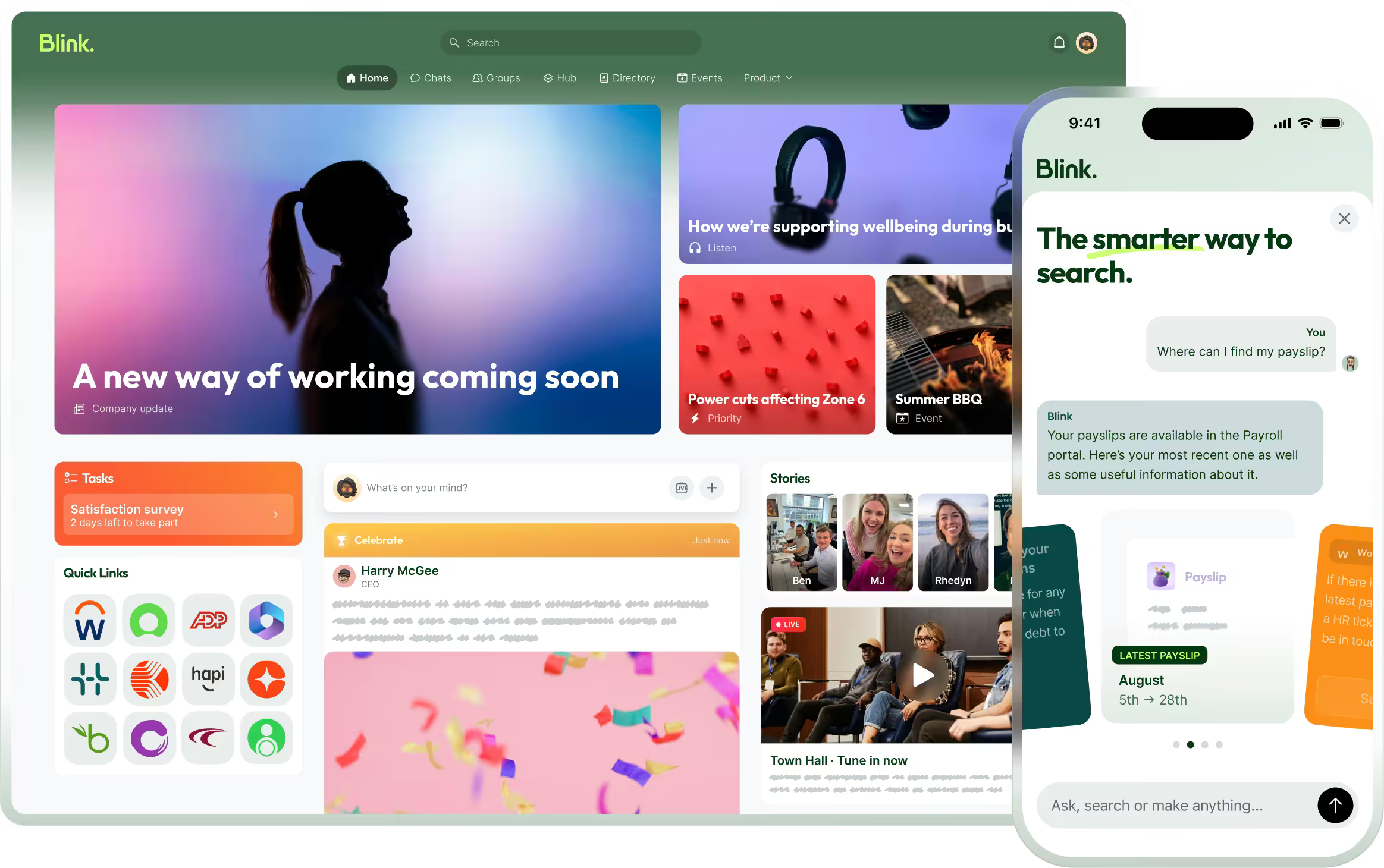
Here's what that looks like end to end. In Blink, head office builds an opening checklist once and sends it to every store at once, store managers complete it with photo proof, and area managers review completion by region before doors open. Imagine a retailer with stores spread across several regions. A retail operations lead creates the checklist in Blink's task management feature, covering the specific steps a store needs: alarm disarmed, lighting on, register counted, safety checks logged, welcome displays reset. The task routes to every store and shift it applies to, so a task meant for one promotion or region doesn't land in the inbox of a store it doesn't apply to.
Each store manager works through the checklist on their phone, attaching a photo at the step that needs visual proof, like the reset display or the completed temperature log. An area manager overseeing a region then sees a view of which of their stores have completed the checklist, which are in progress, and which are overdue, and can send a task back for rework if something doesn't look right.
Blink's task management is built for this kind of multi-site, shift-based operation in retail. It replaces a mix of email, group chat, and printed lists with one targeted system store teams already have open on their phones.
Start a 14-day free trial to build your first store checklist, or book a demo to see how task completion looks across multiple sites.