Employee scheduling app: a guide to picking the right one
It's 6:45 a.m. and a manager is three texts deep trying to find someone to cover a shift that starts in fifteen minutes. The roster was built correctly, published on time, and sitting in an app nobody on the floor has opened since the day they were hired. An employee scheduling app is software that builds shift rosters, shares them with staff, and manages changes like time-off requests, availability, and swaps, usually from a phone. The market is crowded with standalone tools, workforce management suites, and frontline apps with scheduling features built in. But the app that builds the best schedule isn't always the app your staff actually open. This guide walks through the features that matter, the types of tools on the market, what free plans leave out, and what to do when your scheduling tool and your communication tool aren't the same thing.
For the wider picture of how scheduling fits alongside the rest of a frontline worker's toolkit, see this roundup of apps built for frontline teams by industry, part of Blink's broader guide to managing frontline employees.
What does an employee scheduling app do?
An employee scheduling app builds shift rosters, publishes them to staff, and manages the changes that happen after publication. It replaces a spreadsheet or paper schedule with a system that tracks availability, enforces labor rules, and lets employees view their schedule, request time off, and ask for cover from a phone. Most also handle time and attendance, sending clock-in data into payroll. The better ones add labor cost forecasting, so managers can see projected wage spend against a sales or volume target before they publish a schedule, not after.
What features does a good employee scheduling app need?
A scheduling app earns its keep on eight things: templates, availability, swaps, open shifts, labor cost visibility, compliance support, a mobile app, and integrations. Miss one and a manager ends up doing the job by hand anyway.
- Shift templates. Recurring patterns (the same week structure for a retail store, a rotating pattern for a 24-hour care home) save a manager from rebuilding the roster from scratch every week.
- Availability management. Staff set when they can work, and the system should stop a manager from accidentally scheduling someone outside it.
- Shift swaps. Two employees trade shifts, usually with manager approval built into the flow so nobody ends up uncovered or scheduled into a legal violation. Blink's version of this, Shift Swap Request, runs through the same eligibility check so a trade never slips past the rules that apply to it.
- Open shifts. A manager posts an uncovered shift to an eligible group, rather than calling down a list, and the first qualified person to claim it gets it.
- Labor cost visibility. Wage cost updated close to live against a budget, so a manager can see when a schedule is about to run over before it's published, not when payroll comes back.
- Compliance support. Built-in rules for breaks, overtime thresholds, and predictive scheduling laws. These are often called fair workweek laws, and they require employers to give hourly staff advance notice of a published schedule in some US cities and states.
- A mobile app staff actually use. Mobile-first scheduling is what gets a roster seen in the first place. When the schedule lives mainly on a manager's desktop computer, half the workforce only finds out about it secondhand.
- Integrations. Payroll, point-of-sale, and HR systems need to talk to the schedule, or someone is re-entering the same hours twice.
What types of scheduling tools are out there?
There are three broad categories: standalone scheduling apps, full workforce management (WFM) suites, and frontline employee apps with scheduling features bolted on. Which one fits depends on how many other HR and ops problems you're trying to solve at the same time.
- Standalone scheduling apps. Purpose-built for the roster itself: templates, swaps, time and attendance, usually with payroll or POS integrations.
- WFM suites. Workforce management platforms that extend scheduling into demand forecasting, labor budgeting, and sometimes HR and finance, aimed at larger, multi-site operators.
- Frontline employee apps with scheduling features. Communication-first tools where shift cover sits inside a broader employee app, rather than the other way around.
Standalone scheduling apps focus on the roster itself. Deputy describes itself on its own site as "the complete people platform for hourly work," combining scheduling, time and attendance, and wage and hour compliance tools in one product. 7shifts markets itself as "the platform behind great restaurant teams," with scheduling sitting alongside tip management, labor compliance, and team communication built specifically for restaurants. Homebase describes itself as the "everything app for hourly teams," bundling scheduling with time clocks, payroll, and hiring for small, hourly-heavy businesses. When I Work positions itself as workforce management software "designed exclusively for hourly workers" and "built for teams who work out on the floor or in the field," combining scheduling, time tracking, and team messaging. None of these four are built to be the one app your frontline opens for everything else.
WFM suites extend further into forecasting, demand planning, and sometimes HR and finance, usually for larger, multi-site operators with more complex labor rules across jurisdictions. These are powerful but heavier to implement, and the scheduling module is one piece of a much bigger system.
Frontline employee apps with shift features, Blink's category, start from the opposite direction. The core product is communication and a digital front door for employees who don't have a company email or a desk, and shift cover functionality sits inside that, so staff see schedule changes in the same place they see their schedule, pay information, and team updates. For a deeper look at this category, see Blink's guide to mobile workforce management.
Free vs. paid: what do free scheduling plans actually leave out?
Free employee scheduling plans usually cap the number of staff or locations, and strip out labor cost forecasting, advanced compliance rules, and most integrations. A free tier is built to get a single small business started, not to run shift cover across multiple sites.
The pattern repeats across vendors: a free or entry tier covers basic schedule building and sharing, a mid tier unlocks labor cost controls and advanced reporting, and compliance alerts or a full HR layer sit in the top tier, often bundled with payroll. Multi-location management and priority support are reliably gated behind the higher tiers too. If you run more than one site, check the location cap before you commit, since a lot of "free" or entry-level scheduling tools price per location, which adds up fast once you're past two or three.
Good labor cost visibility is worth paying for. Without it, drift in wage spend only shows up once payroll runs, when the week is already over and there's nothing left to adjust.
How do you get staff to actually use a scheduling app?
Staff use a scheduling app when it's the one place they already check, sends a push notification instead of relying on them to remember to log in, and doesn't require a company email they might not have. A scheduling tool with high manager adoption and low frontline adoption isn't solving the problem it was bought for.
This is where scheduling rollouts fail most often. The manager loves the drag-and-drop builder. The frontline team still finds out about a shift change from a group chat, because logging into a separate scheduling app, on a separate login, for a five-second check, is friction most people skip. Deskless workers who don't have a company email address are routinely locked out of tools designed around a corporate login, which means the schedule exists, technically, somewhere nobody on the floor looks. That's also why so many teams end up running shift cover over WhatsApp instead of an employer-owned system, trading convenience for a compliance gap nobody signed up for.
The fix isn't always a new scheduling tool. It's often making the schedule visible inside the app people are already opening for everything else.
Where does Blink fit if it's not a scheduling tool?
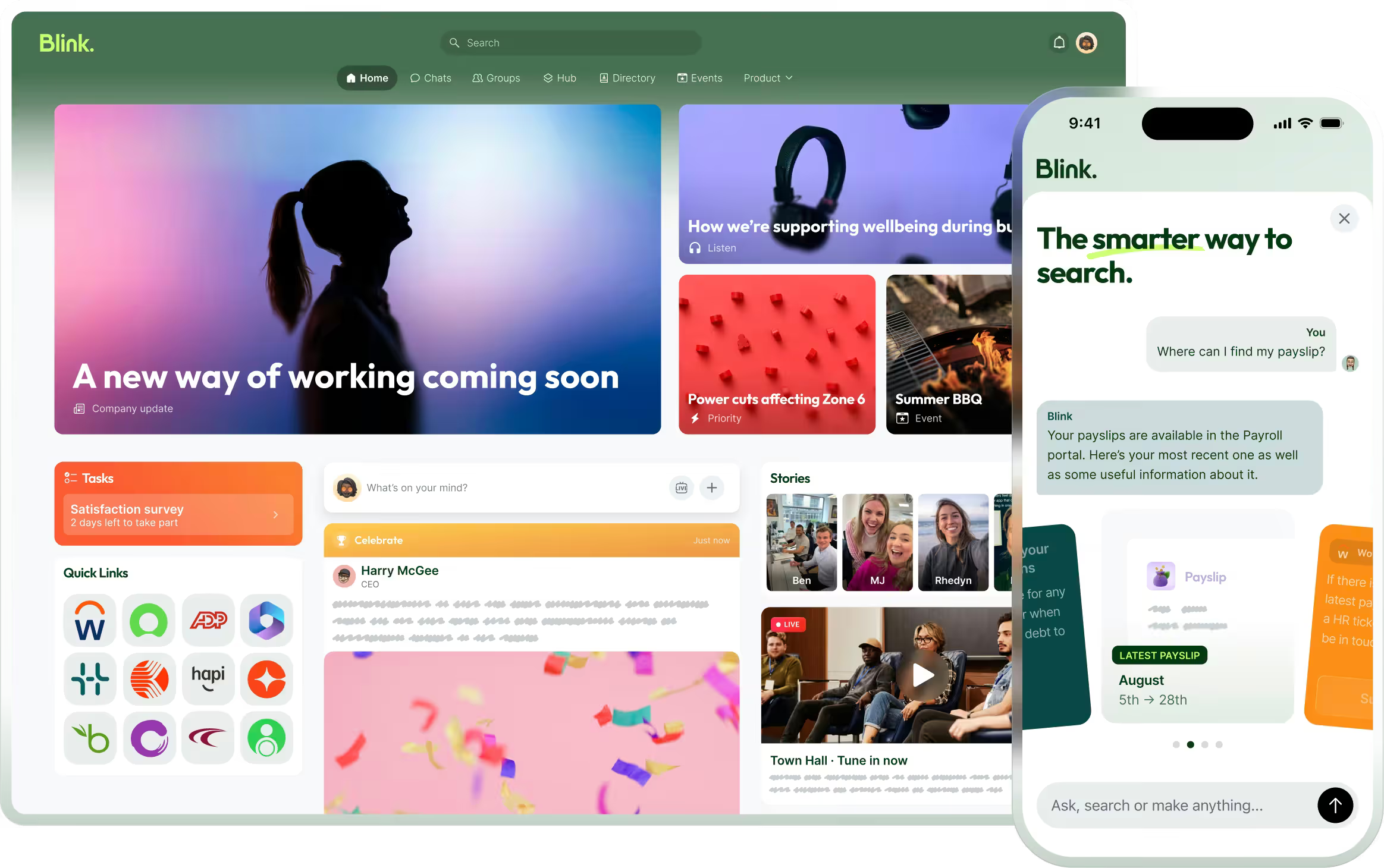
Blink isn't a scheduling or workforce management product. It's the employee app that sits alongside your existing scheduling tool and handles what happens after the roster is published: shift cover, swaps, and getting changes in front of staff who'll actually see them. Blink's Open Shifts lets a manager post an uncovered shift to the exact group of people eligible to work it, who claim it with a tap from their phone, with the whole exchange logged for an audit trail. Employees can also arrange a direct trade with a teammate through Shift Swap Request, which runs the same eligibility check as Open Shifts, so cover doesn't depend on a manager working down a phone list or a group chat going quiet at exactly the wrong moment.
Most scheduling tools build a correct roster without much trouble. What breaks down is everything that happens in the days after it's published: the person who calls in sick, the shift nobody wants, the swap that gets agreed over text and then forgotten. Running that layer inside the app staff already open for their schedule, their pay information, and company updates means managers aren't maintaining two systems and employees aren't missing changes made in a tool they rarely log into.
Setup doesn't start from scratch. Connecting Blink alongside an existing scheduler means importing the worker list you already have, matching people to the groups Open Shifts and Shift Swap Request use for eligibility, and turning those two features on. The roster itself stays exactly where it is, built in the scheduling tool you already use.
Blink's overall adoption across its customer base is over 90%, which is the kind of reach a scheduling tool needs behind it for shift cover to work in practice, not just in the manager's dashboard.
Construction crews face a sharper version of the same gap. A general contractor might have subcontractors from four or five trades rotating across two or three active sites in a week, each worker needing the right certification current for the job they're assigned to. A crew scheduling tool can track who's assigned where, but if a site shuts early for weather, or an inspection moves a crew's start time by a day, that update still has to reach every worker, including subcontracted staff who may not have a company email or device. Pairing crew scheduling software with an app staff already check is what closes that visibility gap when a phone call down the crew list isn't practical.
If you already run Deputy, 7shifts, When I Work, or a WFM suite and the schedule is solid but cover still falls apart on the floor, that's an adoption problem sitting downstream of the scheduling tool, not a reason to replace it. Adding Blink doesn't mean managing a second scheduling system or migrating any data out of the one you have.
Get shift cover working on top of the scheduler you already have
Start a 14-day free trial to see how shift cover and swaps work alongside the scheduler you already use, or book a demo if you want to walk through your specific setup first.