
Employee wellbeing app: what frontline teams actually use
A home health aide works a split shift, drives between four client visits, and never sits down at a company laptop. Her employer pays for an EAP, a financial wellbeing tool, and a fitness benefit. She's used none of them, not because she doesn't need them, but because she's never been able to log into any of them. That's the story behind most frontline wellbeing budgets: the content exists, and the content isn't the problem. For frontline teams, the app itself is often the barrier. Blink isn't a wellbeing app itself. It's the employee app that sits underneath wellbeing benefits and gets people to the ones they already have. This guide covers the main types of employee wellbeing apps, why frontline usage lags so far behind desk-based usage, and what actually closes that gap.
What is an employee wellbeing app?
An employee wellbeing app gives employees access to mental health resources, fitness programs, financial coaching, or an EAP, usually through a phone. Employers typically buy it as a line item in the benefits package and roll it out company-wide, promising staff a private way to look after their health without going through a manager. In practice, the apps work well for people who already have a company email, a work laptop, and time at a desk to set one up. Some people call the same category an employee wellness app, and the two terms are used interchangeably in most benefits conversations. For most frontline and deskless workers, including retail staff, care workers, drivers, and warehouse teams, adoption tells a very different story.
What types of wellbeing apps do companies offer?
Most employee wellbeing programs fall into four categories, and companies often license more than one without realizing they overlap. Common named providers include EAP and counseling services such as Spring Health and Lyra Health, fitness and step-challenge apps like Gympass, financial wellbeing tools such as Wagestream and Perkbox, and all-in-one benefits platforms like Personio or Zest.
Mental health and EAP apps provide confidential counseling, therapy referrals, and crisis lines, often through providers bundled into a broader EAP contract. These are usually the highest-value benefit on paper and the most underused in practice, because frontline staff frequently don't know the EAP exists, let alone how to log in.
Fitness and activity apps track steps, run step-count challenges, or offer discounted gym memberships through a point system. They're popular in desk-based engagement programs because they gamify easily, but they assume a worker has spare attention during the day to check a leaderboard, which isn't realistic on a sales floor or in a kitchen.
Financial wellbeing apps cover budgeting tools, earned wage access, and financial coaching. Pay timing and short-term cash flow are everyday concerns in retail, hospitality, and logistics, which is why these tools tend to see stronger interest from frontline staff than fitness or mindfulness content does.
All-in-one benefits platforms, sometimes marketed as a workplace wellness app, bundle several of the above into a single portal, usually accessed through single sign-on from a company email account. That setup is efficient for the employer and the vendor to manage. For a frontline workforce without company email addresses, it's also where access usually breaks down, since the single sign-on step assumes an inbox many of them don't have.
Why don't frontline workers use wellbeing apps?
Frontline staff don't skip wellbeing apps because they don't care. They skip them because the apps assume a worker who doesn't exist on their team. The typical wellbeing platform is built around a company email address, a desktop login, and quiet time to explore a new portal. Retail associates, home health aides, warehouse pickers, and drivers typically have none of those three things during a working day.
Two root causes sit behind almost every low-usage wellbeing program. The first is access: most EAP and benefits portals activate through a corporate email address, so staff who were never issued one are locked out before they start, and even staff who do have access often face a separate password for the EAP, another for the fitness app, and another for the benefits portal, on top of whatever they use for scheduling. A warehouse picker who gets a company email for payroll purposes alone, with no inbox they ever check, is still locked out in practice even though a login technically exists.
The second is attention: wellbeing benefits typically get announced once, usually by email, to a workforce that doesn't check email, so a worker who missed the launch poster in the break room that one week may never hear about the benefit again. On top of that, a ten-minute shift break isn't long enough to discover a new app, create an account, verify an email, and navigate a benefits menu, so people default to not bothering. A retail associate on a fifteen-minute break has time to check a schedule, not set up a new account from scratch.
A wellbeing budget gets spent, usage reports come back low, and HR ends up looking like the program failed, when the real failure was access.
How do you make wellbeing support reachable for frontline staff?
Fixing frontline wellbeing access takes four concrete steps, not a new wellness benefit: audit, consolidate, assign, and schedule.
Start with a one-week audit. Pull a list of every wellbeing-related login your company currently pays for (EAP, fitness, financial coaching, benefits portal) and have HR or IT check how each one is activated. If any of them require a company email, that's your access gap, documented in writing. If you run more than one site, assign a regional manager or site lead to run this audit locally and report back, since login requirements and activation methods can vary by vendor contract or region even within the same company.
Consolidate logins into one place staff already use. Rather than asking people to remember five passwords, link the EAP, the benefits portal, and any fitness or financial tool from a single hub or shift app they open daily. This is usually a one-time setup task for IT or your HR platform admin, not an ongoing project, and it's a net reduction in logins rather than one more tool to manage.
Assign a named manager prompt, not a company-wide announcement. Give shift managers a one-line script to mention the benefit in a team huddle or pre-shift briefing during the first two weeks after consolidation, and again at the three-month mark. Across multiple sites, send the same script to every site or regional manager at once so the message lands in the same week everywhere, rather than rolling out site by site over months.
Put pulse check-ins on a fixed, recurring schedule, for example a single question sent every two weeks through the same channel staff already check for their schedule, rather than an annual survey nobody remembers filling out. Route anything urgent to a manager immediately, and route routine notifications so they never land during or right after a closing shift.
Where does Blink fit into employee wellbeing?
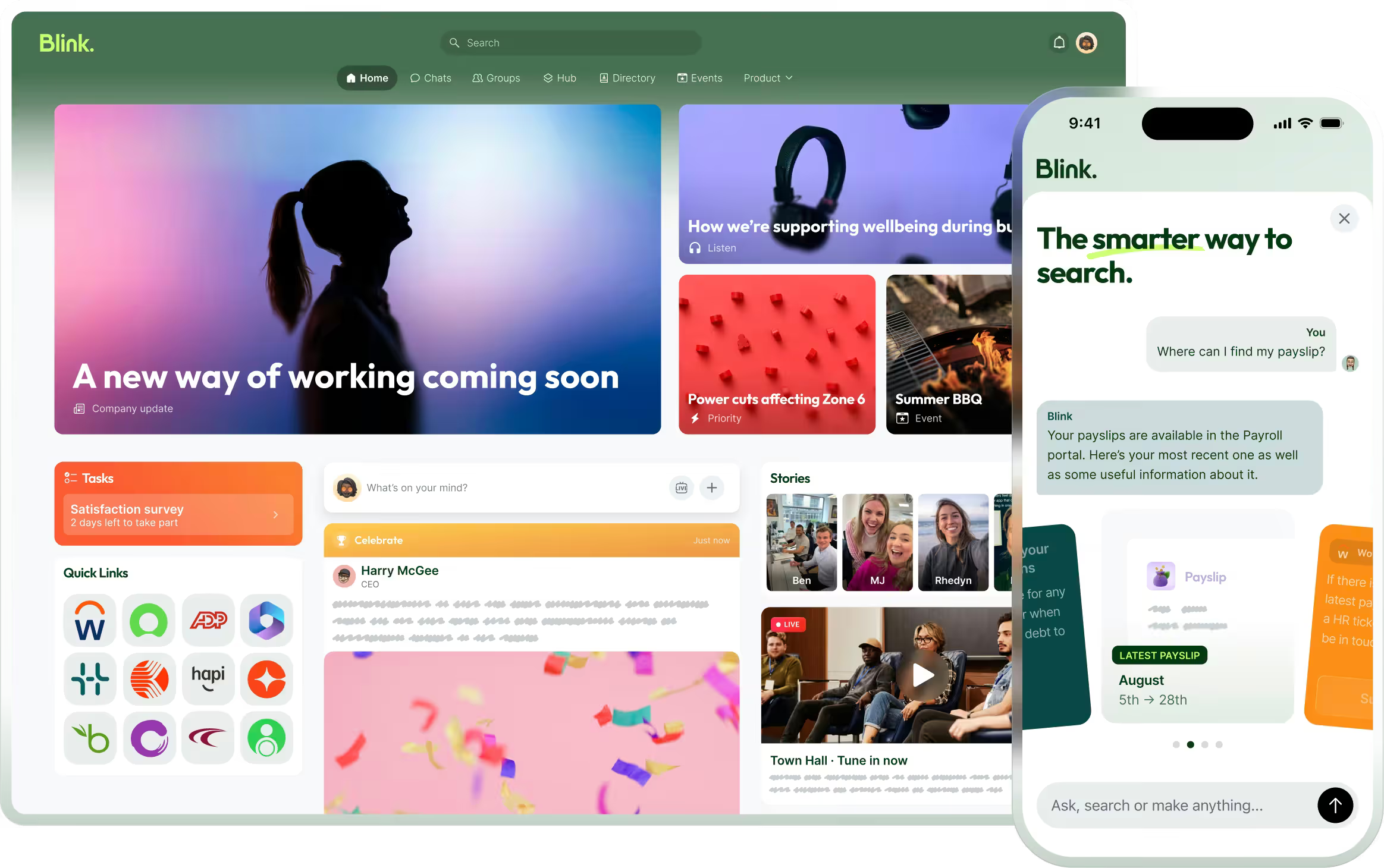
Blink puts the EAP, benefits, and wellness links your company already pays for in front of staff who never check a work email, inside the same app they use for their schedule and pay stubs. It isn't a wellness app, and it won't replace your EAP, your fitness benefit, or your financial wellbeing provider.
Day to day, that means EAP and benefits links live in the Blink Hub alongside schedules, policies, and pay stubs, so staff find wellbeing resources in the same place they already look for everything else. Single sign-on through Blink carries staff straight into benefits platforms without a second password to remember or forget, which means adding Blink reduces logins rather than adding a sixth one. Pulse surveys let HR teams check in on morale and workload regularly instead of waiting for an annual engagement survey, and Blink's critical communications tools let urgent messages pin to the top of the feed while routine notifications respect quiet hours, so wellbeing nudges don't arrive at the end of a closing shift.
Elara Caring used this same approach to close a related access gap: caregivers could self-serve requests like updating direct deposit or submitting a payroll ticket through a Blink single sign-on landing page, instead of going through a supervisor for each one. The same single sign-on pattern is what lets a wellbeing link work for staff who've never had a reason to open a laptop.
This is the same logic behind Blink's broader employee experience approach: one place for everything a worker needs, instead of a dozen logins that assume a desk job. For a closer look at the mental health side of this specifically, see 7 ways to improve employee mental health on the frontlines.
Start a 14-day free trial to see how Hub links and single sign-on fit into your existing benefits stack, or book a demo to walk through it with our team.