Project management software vs. frontline task management
Picture an ops manager who rolled out Asana across twelve stores last year. Three months later, the store teams had stopped opening it, the warehouse never started, and head office was the only group still updating boards. Project management software, the market most people mean when they search for the term, is built for teams planning work with a start date, an end date, and a sequence of dependent steps in between. It's a category dominated by tools like Asana, Monday, Trello, Jira, and Microsoft Planner. Frontline work looks different: it repeats on a schedule and happens at a physical location, which changes what the right tool needs to do. If your team works shifts, sites, and routes rather than a desk, our guide to frontline technology and apps covers the wider toolset built for that reality. This guide compares the two categories so you can tell which one your team actually needs, and where you might need both.
What is project management software?
In this comparison, project management software means a tool for planning, sequencing, and tracking work that has a defined start, end, and set of dependent tasks, typically used by teams working from a desk. Common examples include Asana, Monday.com, Trello, Jira, and Microsoft Planner. These tools organize work into boards, lists, or timelines (Trello calls its core unit a board, Jira runs on sprints and backlogs, Monday and Asana use boards and Gantt-style timelines), and they're built around collaboration between people who are usually online, checking the same digital workspace throughout the day. Atlassian's own documentation describes Jira as built for teams orchestrating work across projects and sprints, largely software, marketing, and operations teams planning multi-week initiatives. None of that is wrong. It's just not the shape of a retail shift, a kitchen service, or a delivery route.
What is frontline task management?
Frontline task management is software for assigning and tracking recurring, location-based work, often with photo proof and an audit trail. Instead of a project with a beginning and an end, think of a daily opening checklist at a retail store, a food safety log in a kitchen, a vehicle inspection before a shift, or a cleaning rotation across multiple sites. The work repeats every day or every shift, and because much of it covers safety, hygiene, or compliance, it often needs proof it happened, not just a checkbox. These tools are built for workers who move through a site rather than sit at one screen, who may share a device with a whole shift, and who need the app to keep working where signal doesn't reach.
Project management vs. frontline task management: the side-by-side
The table below breaks down where the two categories diverge: who uses each one, how work gets structured, and what each tool records as proof.
{{blink-table:table-1}}
Get this match right and each team gets a tool built for how they actually work, instead of one side adapting to a system designed for the other.
When do you need project management software, frontline task management, or both?
Use project management software when the work is a project: it has an end date, dependent steps, and people who need to see how their piece affects the next person's. A new store opening, a POS system rollout, a seasonal merchandising plan, a kitchen remodel. These have phases, owners, and deadlines that move if an earlier phase slips. That's exactly what Jira, Asana, Monday, and Trello are built to coordinate, and for a desk-based team planning that kind of work, they do it well.
Use frontline task management when the work repeats on a schedule, especially if you need proof it was done. Opening and closing checklists, food safety logs, cleaning rotations, equipment checks, uniform compliance. This work doesn't have a deadline so much as a cadence, and the person doing it is standing in a kitchen or on a shop floor, not in front of a laptop. In deployments across retail and hospitality, we often see the same pattern: a recurring checklist gets set up as a card on a project board, a handful of office staff keep it updated, and the people actually doing the daily work never adopt it.
Most multi-site operators need both, running separately, for separate audiences. A new store launch gets planned in a project tool, with phases, owners, and a deadline. Once the doors open, the checklists, shift tasks, and compliance logs that keep the location running need a tool built for that work instead. For example, the store opening itself, fixtures installed, stock delivered, staff trained, can run as a project in Asana or Monday with a fixed launch date. The day the doors open, the daily opening and closing checklist for that same store switches over to a frontline task tool, because that work has no end date and needs proof every single day. Trying to make one tool do both jobs usually means desk teams fight an interface built for mobile, or frontline teams fight a tool that assumes everyone's at a desk.
Why frontline task management matters for deskless workers
Project management software was built for people who are online all day, checking the same workspace repeatedly. That describes a fraction of the workforce. Many frontline employees don't have a company email, may share a device with their whole shift, and are often moving through a store, site, or route where connectivity isn't guaranteed. A checklist that doesn't load without signal, or a task assigned to an inbox nobody checks, doesn't get done, not because the work isn't important, but because the tool wasn't built for where the work actually happens. Frontline task management closes that gap: tasks route by shift and location, work keeps going offline and syncs later, and completion comes with photo proof and a timestamp instead of a trust-based checkbox. For managers covering multiple sites, that's the difference between finding out a food safety check was skipped during an audit, and finding out the same morning it happened.
How Blink's task management works for frontline teams
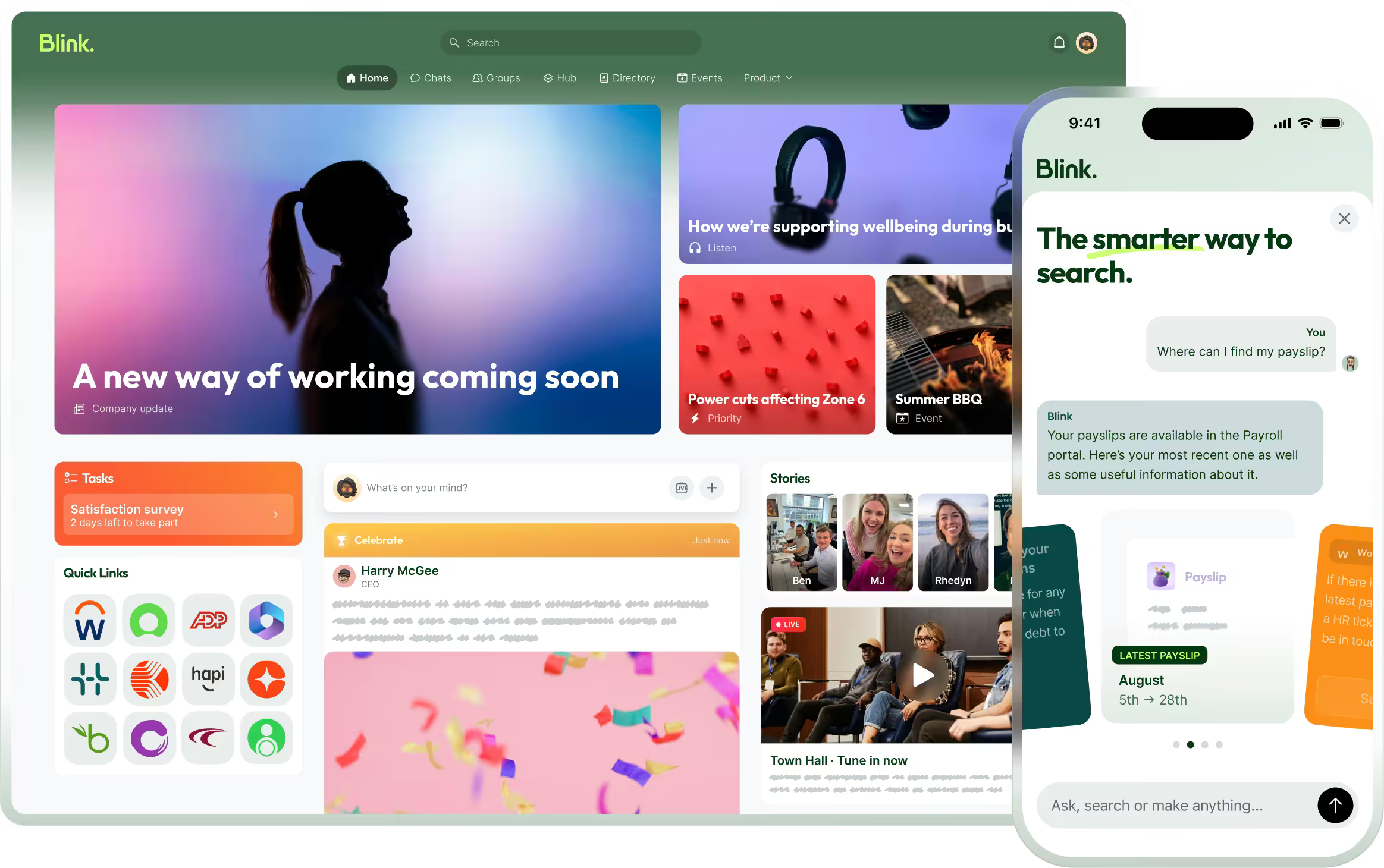
Blink's frontline task management tool was built for this exact mismatch: work that's recurring, shift-based, and tied to a location, not a project timeline. Tasks route by role, site, and shift, so the right checklist reaches the right person automatically instead of sitting in a shared board nobody's assigned to. Those twelve stores from the opening example could have had their daily routines routed the same way, instead of waiting on head office to chase down who'd opened the board that week. Workers complete tasks on personal or shared devices, with offline support for low-connectivity environments, and data syncs once the device is back online. That matters because a task tool only works if the people on shift actually open it: Blink's overall adoption across customers runs over 90%. On top of that, photo evidence and a tamper-proof record give managers proof a task happened, not just a status that says it did, and that record exports to CSV or Excel for compliance reporting. Managers get a live view of completion across every site, so a missed opening checklist or an overdue safety check shows up before it becomes a bigger problem.
It runs as a standalone tool or alongside the rest of Blink's platform, including communications tools built for the frontline, so task completion and the message that explains why a task matters live in the same app frontline teams already open. Our project management guide covers the other half of this split, keeping the launch, the rollout, or the remodel on track, separately from the daily operational layer.
If a tool rollout has failed on your floor before, the fix usually isn't more training, it's a tool that fits the work. Start a 14-day free trial and see it on your own sites, or book a demo first if you want a walkthrough.