
WorkJam alternatives: top picks for 2026
If you're searching for WorkJam alternatives, you're probably not unhappy with the idea of a frontline execution platform. You're unhappy with the one you have. That's a different problem, and it has a different fix.
Retail, hospitality, and grocery operators lean on tools like WorkJam, Zipline, and Axonify to run stores consistently: get the right message to every location, get tasks done on time, and get new hires trained fast. All three do pieces of that job well. None of them do all of it in one place, which is usually why ops leaders start looking around. This sits in the same broader category as the frontline communication and execution app comparisons covered in Blink's guide to Connecteam alternatives, and the same evaluation logic applies here: match the tool to the job, not the other way around. This guide covers why teams look for WorkJam alternatives, how Zipline and Axonify compare, and where Blink fits as a frontline communication and task platform built for multi-site teams.
WorkJam, Zipline, Axonify, and Blink at a glance
{{blink-table:table-1}}
What should you look for in a WorkJam alternative?
A WorkJam alternative needs to match or beat it on scheduling and task assignment while fixing whatever gap sent you looking in the first place. WorkJam built its name on shift management: open shift swaps, task assignment tied to a schedule, and labor compliance features for regulated markets. It's a capable platform, and it integrates with major workforce management systems including UKG, so if scheduling depth is your only requirement, it's worth keeping on your shortlist.
Teams typically look past WorkJam for one of three reasons. First, they want communication and culture tools, not just scheduling and task logs, because a platform that only assigns work doesn't give frontline staff a reason to open the app outside their shift. Second, they want one app rather than a scheduling tool paired with a separate comms tool and a separate training tool. Third, they want faster, simpler implementation and admin, especially if they're a mid-market retailer rather than a large enterprise with a dedicated rollout team.
When you evaluate a replacement, weigh these against what you actually run day to day: does it combine communication with task execution, does it work for people without a company email address, how fast can you stand it up across your existing site list, and does the vendor publish clear, tiered pricing rather than a custom quote for everything.
Why do teams look for Zipline alternatives?
Teams look for Zipline alternatives when they need stronger two-way communication and engagement, not just store-to-HQ task tracking. Zipline is built specifically for retail store operations: it handles employee communication, task management, store audits, a knowledge base, a learning center, and reporting, and it's used by more than 130 retailers, according to Zipline's own site. It's a strong fit for brands whose main problem is getting HQ directives executed consistently across hundreds of locations.
Where teams start looking elsewhere is usually engagement. Zipline is built primarily around top-down task and audit workflows, so organizations wanting recognition, peer-to-peer social features, or a more consumer-grade employee experience often find it feels more like an operations console than a place employees want to open voluntarily. Multi-industry operators (healthcare, transit, manufacturing, logistics) also tend to look past Zipline, since its feature set and industry solutions are built specifically around retail store formats.
If you're replacing Zipline, look for a platform that keeps the task and audit rigor but adds genuine two-way communication, employee-generated content, and recognition, so the app earns daily use rather than just shift-start compliance.
Why do teams look for Axonify alternatives?
Teams look for Axonify alternatives when they need day-to-day communication and task execution, not just training. Axonify markets itself as an AI-powered frontline enablement platform built around three connected pillars: microlearning, guided execution, and insights. Axonify's own homepage cites a 31-point gap between what corporate believes reaches the frontline (87%) and what frontline employees say actually reaches them (56%), which is exactly the kind of knowledge-to-action gap microlearning is designed to close. Axonify sells on three tiers, Core, Pro, and Premium, each adding manager coaching tools and then enterprise-level integrations on top of the base learning layer, according to Axonify's own pricing page.
Be clear on what Axonify is and isn't: it's a learning and training reinforcement platform first, not a full communication or task management system, and Blink is not a learning management system either. If your primary gap is day-to-day shift communication, task assignment, or shift coverage, Axonify's microlearning strength won't solve it on its own. Blink's approach is to be the frontline communication and execution layer, and to partner for deep learning content rather than build an LMS from scratch, integrating with existing learning tools such as Go1 and Cornerstone (see Blink's integrations library for the current list). That means you get one app for comms, tasks, and shifts, with your training content delivered through the LMS you already run or already plan to adopt.
Teams replacing Axonify outright, rather than pairing it with something else, usually need a platform that covers communication and operational tasks as well as reinforcement content, so frontline staff aren't juggling a training app and a separate ops app.
Blink vs WorkJam
Blink and WorkJam both serve frontline, multi-site teams, but they start from different places: WorkJam starts from scheduling, Blink starts from communication. That shapes where each one is strongest. The table below compares both on the areas that matter most when you're choosing a frontline execution platform.
{{blink-table:table-2}}
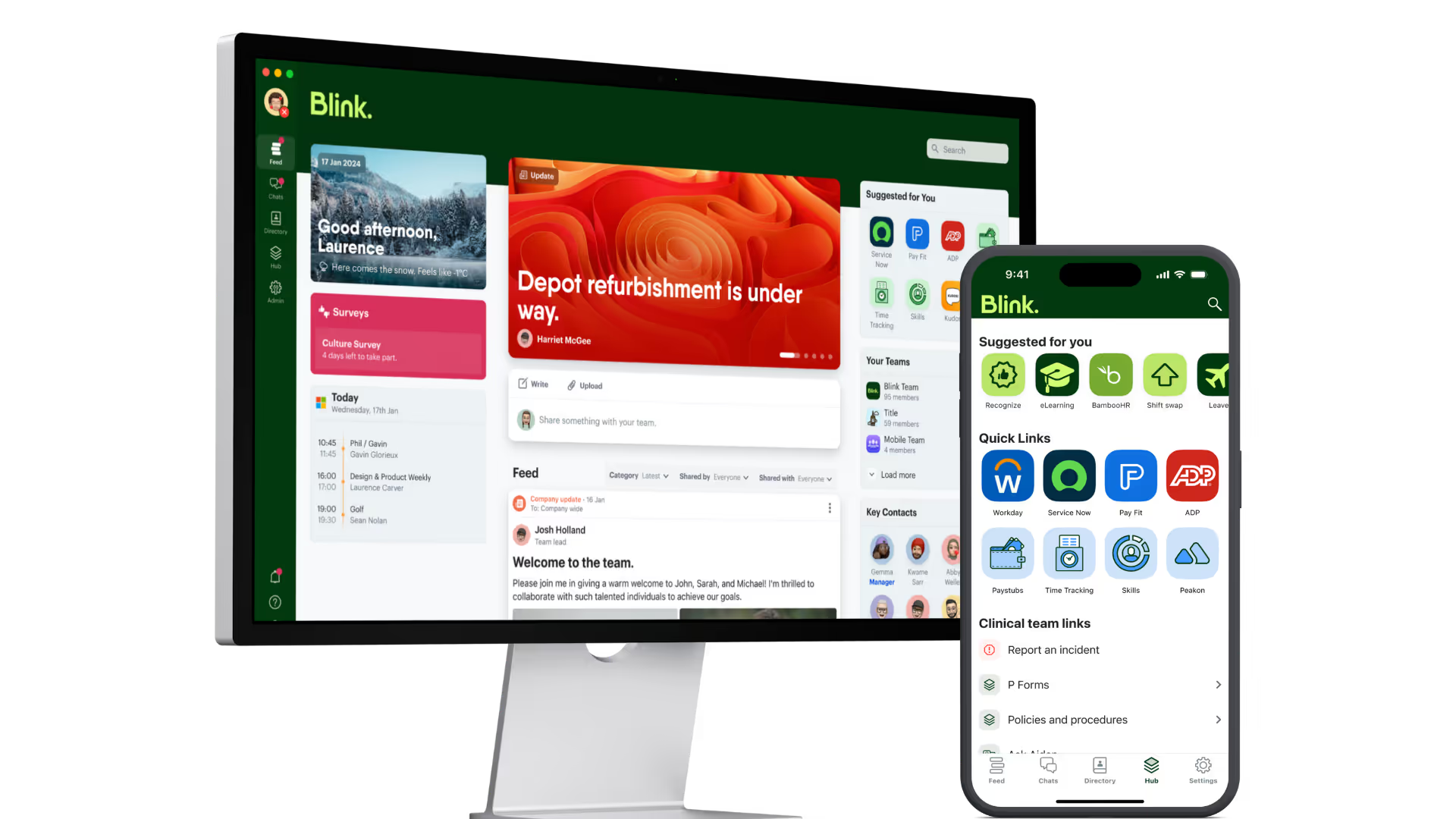
The practical difference: if scheduling complexity is your hardest problem, especially shift swaps and labor compliance at scale, WorkJam's depth there is real. If your hardest problem is that frontline staff don't open the app unless they're forced to, because it only ever asks them to complete a task, Blink's communication-first design, including Stories, recognition, and a Hub employees actually browse, tends to close that gap faster. When comms and tasks live in the same app, people check it as a habit, not a chore.
How to choose between them
Start with the problem that's actually costing you time or money today, not the full feature list. A side-by-side comparison only helps once you know what you're optimizing for.
- If scheduling and labor compliance are your main pain point, keep WorkJam on your shortlist and evaluate it against Blink's shift management for ease of use and employee adoption.
- If HQ-to-store task execution and audits are the priority, compare Zipline's retail-specific workflow against Blink's task management, which adds offline support and native communication in the same app.
- If training reinforcement and knowledge retention are the gap, pair whichever communication platform you choose with a dedicated learning tool like Axonify, or use Blink's existing Go1 and Cornerstone integrations to deliver that content inside the app your team already uses.
- If you want one app that covers communication, tasks, and shifts, rather than stitching together two or three platforms, that's the specific gap Blink is built to close.
- Check the integration list against your existing stack (Workday, UKG, ServiceNow, SSO) before you commit, since rebuilding identity and HR sync from scratch is the most common reason a rollout slips.
Most ops leaders land on a shortlist of two, run a trial with a handful of sites, and measure actual usage after 30 days rather than relying on a demo alone.
Blink's task management and shift management are built to work as a single app alongside native communication, so a frontline employee isn't switching between three logins to get through a shift. See how Blink's task management works, or explore shift management to see how open shifts get filled without a phone tree.
Start a 14-day free trial to see how Blink handles communication, tasks, and shifts in one place, or book a demo if you want a walkthrough for your specific site count and systems first. JD Sports reached 87% adoption within 10 days of launch, a pace that matters when you're rolling out across hundreds of locations at once.