Migrating from Beekeeper to Blink: a planning guide
Last updated: July 2025
When LumApps announced its acquisition of Beekeeper in July 2025, many enterprise HR and IT teams found themselves asking a very reasonable question: what does this mean for us?
Beekeeper built a strong reputation as a frontline-focused employee communication platform. But acquisitions change roadmaps, pricing, and support priorities. Teams who invested in Beekeeper for its deskless-worker focus are now evaluating whether LumApps' enterprise intranet direction still fits a frontline-heavy workforce.
If you're one of those teams, this guide walks you through everything you need to plan a migration from Beekeeper to Blink: the phases, what data can move, how to handle SSO and integrations, how to run platforms in parallel, and how to get your frontline workforce activated from day one. If you're still weighing up platforms more broadly, 10 Best Connecteam Alternatives for 2026 is a useful starting point for the wider category before you commit to a migration plan.
What's changed with Beekeeper since the LumApps acquisition?
LumApps and Beekeeper merged to create what they describe as an "AI-powered Employee Hub" serving both desk and frontline teams. For Beekeeper customers, this raises three concrete concerns.
First, roadmap alignment. Beekeeper was built for the frontline. LumApps was built for the corporate intranet. Merging them means competing priorities, and when frontline-first tools get absorbed by enterprise intranet vendors, desk-worker features tend to dominate product investment over time.
Second, pricing. Platform consolidations after an acquisition often lead to repricing as the combined company works out what the deal needs to justify. Nothing is confirmed yet, but it's a reasonable thing to watch for.
Third, support continuity. Your customer success team changes. Your SLA may change. During a merger integration, the people who know your setup best are often the first to move on.
None of this is certain. But if your organization runs on frontline workers and you're doing a platform review, now is a sensible time to do it properly. If you're still comparing options, our roundup of the best Beekeeper alternatives for 2026 covers the full landscape. This guide is for teams who've made the decision and want to migrate well.
Why Blink as a Beekeeper alternative?
Blink is a mobile-first employee experience platform built specifically for frontline and deskless workers. It wasn't built for the corporate desk and retrofitted for the frontline. It started there.
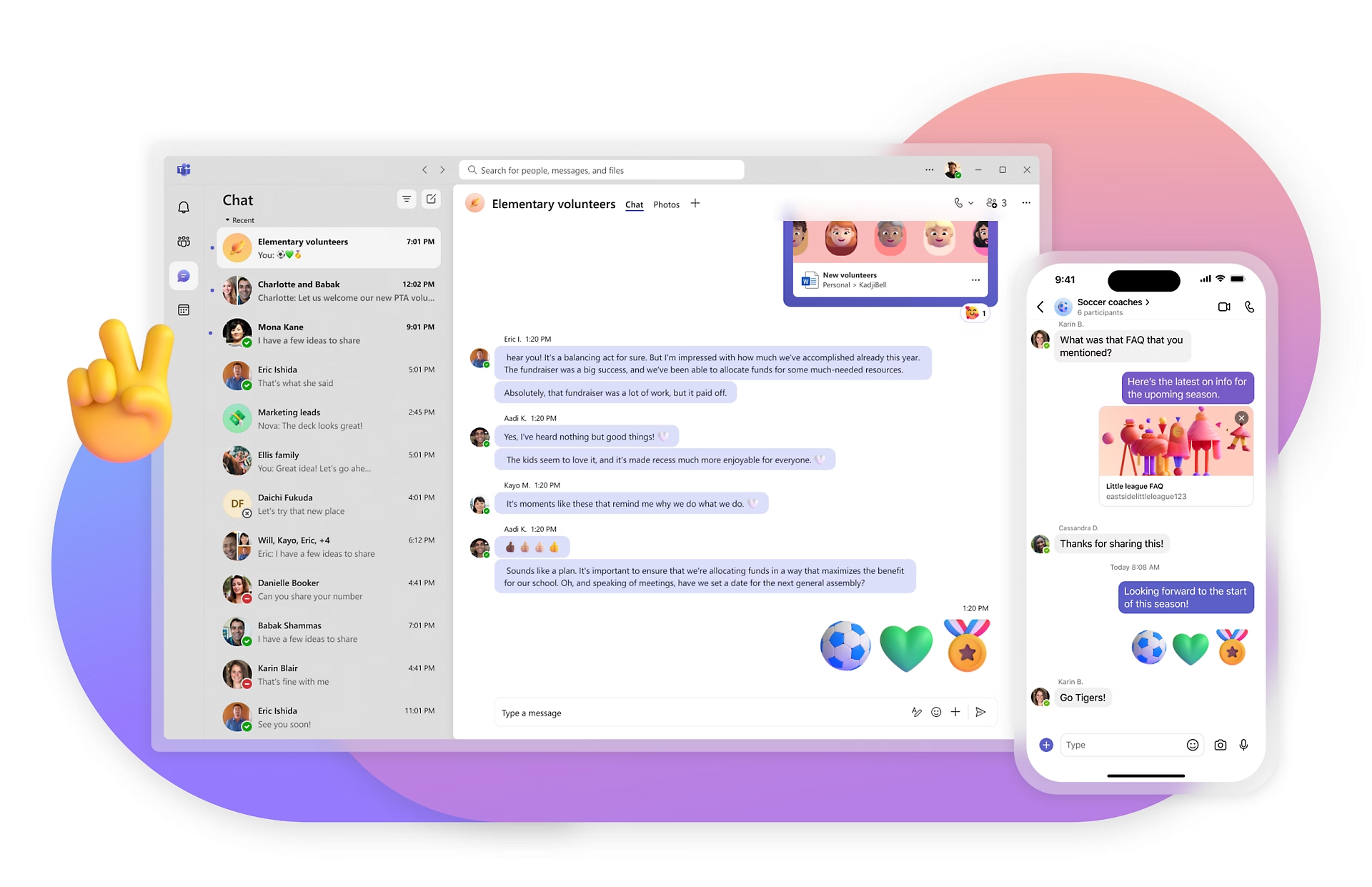
Where Beekeeper covers frontline communication plus operational workflows, Blink delivers a unified app that includes news feed, chat, digital forms, recognition, a resource hub, and integrations with Workday, ServiceNow, and SharePoint. Everything in one place, accessible from a personal smartphone, with no company email required to activate.
The adoption numbers are the clearest proof point. Blink has delivered 87% activation at JD Sports within 10 days of launch, 88% active users at easyJet across more than 20,000 employees, and 96% adoption at Dollar Tree. Across Blink's customer base overall, adoption now runs over 90%.
That's what switching platforms is ultimately for: a tool your workforce actually uses.
What a Beekeeper-to-Blink migration looks like
A migration of this kind typically runs across three phases. The timeline below assumes a mid-size enterprise deployment of 500 to 5,000 employees with a dedicated HR lead and an IT contact.
{{blink-table:table-1}}
For organizations with fewer than 500 employees, the timeline compresses significantly. Blink's onboarding team has activated deployments in a single day.
The most common reason migrations run over schedule isn't technical complexity. It's treating the project as an IT handover rather than a communications initiative. A senior HR or comms sponsor who owns the rollout alongside IT is the clearest predictor of a strong launch.
Phase 1: Discovery and planning (weeks 1-2)
The goal of this phase is to understand exactly what you have in Beekeeper and what needs to transfer. This is where most migrations go wrong: teams underestimate what's actually in their current platform and overpromise on timelines.
Content and data audit checklist:
- Streams and channels: list all active channels, their subscriber counts, and how frequently they're used. Channels with fewer than five posts in the last 90 days are candidates to archive rather than migrate.
- Documents and files: export your document library. Identify which files are actively used vs. historical. Only migrate what your workforce actually needs on day one.
- Historical posts: in most migrations, historical message history does not transfer between platforms. Set expectations early with your employees that the new platform starts fresh.
- Forms and workflows: Beekeeper's operational workflows will need to be rebuilt in Blink's digital forms tool. Write down every form you use today, holiday requests, incident reports, whatever it is, and how often each one gets submitted.
- User directory: export your full user list with employee IDs, roles, and department data. This becomes the foundation for your Blink user provisioning.
- Compliance acknowledgment records: before you leave Beekeeper, export any read receipts or compliance sign-off records you need for audit purposes. Blink's audit trail captures these going forward, giving your compliance and legal teams a clean handoff. In regulated sectors like healthcare, documented policy acknowledgment is often a requirement your regulator will ask to see, so get the export done early and check what your specific regulatory body requires in your market.
Stakeholder mapping: Identify your champions early. The strongest Blink launches tend to follow the same shape: one senior sponsor in HR or Operations, and two or three visible early adopters in the workforce who can model the behavior for their peers.
Phase 2: Configuration and testing (weeks 3-5)
This phase is where Blink gets built out in parallel with Beekeeper still running. A parallel-run period is not a sign of slow progress. It's the single most effective way to prevent a communication gap during transition.
SSO and user provisioning
For enterprise deployments, Blink supports SSO via SAML 2.0, compatible with Microsoft Entra ID (formerly Azure AD), Okta, OneLogin, and other major identity providers. Your IT Director should map the current Beekeeper SSO configuration and replicate it in Blink.
If your Beekeeper deployment relies on direct invites rather than SSO (common where frontline workers don't have company email addresses), Blink supports QR-code activation and SMS invite flows.
Integration mapping
Common enterprise integrations that transfer from a Beekeeper context:
- HRIS platforms (Workday, SAP SuccessFactors): Blink connects directly via API to sync employee records, so new starters appear in the platform automatically and leavers are deprovisioned without manual intervention.
- Scheduling tools: if your team uses a scheduling platform connected to Beekeeper, your Blink implementation team will advise on the integration pathway. Blink has native integrations and an open API.
- SharePoint and Microsoft 365: Blink's integration with SharePoint means existing document libraries can surface in the Blink resource hub without migrating files manually.
One note on personal messaging apps: if any part of your workforce currently uses WhatsApp or similar tools alongside Beekeeper, the migration to Blink is the moment to close that channel. Personal messaging apps create GDPR exposure, remove audit trails, and put communications on employer-uncontrolled infrastructure. Blink's employer-owned channels resolve this cleanly.
Building your channel architecture
Your Beekeeper channel structure doesn't need to map 1:1 to Blink. Use the migration as an opportunity to simplify. Most organizations over-build channels in their first platform and end up with a fragmented structure employees don't navigate. Start with fewer, well-owned channels and expand from there.
Pilot group activation
Run a pilot with 50 to 100 employees across two or three sites before full rollout. Your pilot group should include a mix of roles, shifts, and locations. Track open rates, post engagement, and form completion rates during the pilot. This data becomes your business case for rollout and your early signal of any configuration issues.
Phase 3: Full rollout (weeks 6-10)
The single biggest risk in any platform migration is adoption drop-off in the first two weeks. Your workforce went from a familiar interface to a new one. The novelty factor carries you for roughly five days. After that, habit needs to take over.
Here's what drives habit formation on Blink:
Launch with a reason to open the app. Don't launch with an empty news feed. On day one, your first post should be something genuinely useful: a message from leadership, an upcoming shift update, a recognition post, a short video from your CEO. The first thing a frontline worker sees when they log in sets their expectation for everything that follows.
Get managers posting. The fastest predictor of sustained activation is manager participation. When a team manager posts in Blink, their team follows. When they don't, the app goes quiet. Include manager enablement in your rollout plan, not as an afterthought.
Set a Beekeeper wind-down date. Running both platforms indefinitely is not a strategy. Set a clear date when Beekeeper goes read-only, then a separate date when it goes offline entirely. Communicate both dates to your workforce with enough notice for people to download anything they want to keep. During the parallel-run window, keep ownership simple: your comms lead posts major announcements on both platforms, while routine updates like shift changes move to Blink only from week one.
Track activation, not downloads. Downloads measure nothing. Track the percentage of your workforce that has opened Blink in the last seven days at the end of weeks 1, 2, and 4, and set your own target based on how your pilot performed. Blink's analytics dashboard shows this in real time so you can identify sites or teams that need additional support before the Beekeeper switch-off date arrives.
What Blink replaces in your Beekeeper setup
Every feature in your current Beekeeper setup has a direct equivalent in Blink.
{{blink-table:table-2}}
The difference is that Blink delivers all of these within a single, mobile-first interface designed to be opened by someone in a warehouse, a hospital corridor, or a delivery cab, not at a corporate laptop. For a deeper look at how Blink compares to the wider frontline app category, 8 steps to building a better frontline employee experience covers the evaluation criteria in more depth.
Migration support from Blink
Blink's enterprise onboarding team is involved from day one of your migration, not just the go-live. That includes a dedicated customer success manager across the full migration period, technical integration support for SSO, HRIS sync, and API connections, content migration consultation to help you decide what to carry over and what to leave behind, adoption playbooks built for your industry and workforce profile, and an executive briefing pack for your leadership sponsor.
The organizations that get the most out of a migration treat the launch as a communications project first and a technology project second. We'll help you build both.
Ready to move off Beekeeper?
Start your 14-day free trial, no credit card required, and see your own setup in Blink before you commit. Across Blink's customer base, overall adoption now runs over 90%, and deployments like Stagecoach have seen up to a 26% reduction in frontline turnover after switching to a single connected platform.
For a larger or more complex deployment, request a demo and we'll walk you through a configuration matched to your current setup. Blink's enterprise team works with organizations from 100 to several thousand employees to make the switch.

.avif)