
AI knowledge base for frontline teams: what good looks like
An associate finds a damaged pallet an hour before close. The policy on what to do next lives somewhere, probably a shared drive, maybe a binder in the back office, but not anywhere she can open from the floor. So she texts her manager, who is on a break and doesn't see it for twenty minutes. That twenty-minute gap, repeated across a shift, a store, a region, is the real cost of a knowledge base nobody on shift can reach. Most organizations already know this problem from the intranet side of the business, where the same desktop-first thinking is why frontline staff stopped opening the intranet years ago. An AI knowledge base is supposed to close that gap. This guide covers what separates a traditional knowledge base from an AI one, why frontline knowledge usually goes unused in the first place, what a genuinely good setup looks like, how to get your content ready for it, and how Blink's AI smart search handles the job.
What is an AI knowledge base?
An AI knowledge base is a repository of company content, policies, SOPs, training material, HR documents, paired with an AI search layer that understands natural language and returns a specific, sourced answer rather than a list of file names. A traditional knowledge base is a folder structure or a wiki: useful if you already know which document you need and which drive it sits on. An AI knowledge base flips that. You ask "what's the process for a damaged delivery" the way you'd ask a colleague, and it reads across the underlying content to hand back the relevant paragraph, with a link to the source document so you can verify it. The difference isn't cosmetic. A folder system rewards people who already know the answer's address. An AI layer rewards people who just need the answer, which is the entire frontline workforce. For more on how AI is changing this category more broadly, see how AI will reinvent the employee intranet.
Why does frontline knowledge go unused?
Frontline knowledge usually sits unused because it was built for someone sitting at a desk, and most of the workforce isn't. Policies get written in a shared drive, uploaded to a desktop-first intranet, and left there. A nurse between patients, a line worker on a ten-minute break, or a delivery driver at a loading dock can't stop to open a desktop portal, so getting an answer usually means finding a manager instead.
Three patterns come up repeatedly in frontline organizations:
- Content is organized by department, not by the question someone is asking. A worker has to know the internal name of a process before they can find the document describing it.
- Many company tools are desktop-first or require a VPN, which locks out anyone without a company laptop.
- Files go stale. A policy gets updated, the old PDF stays live in three other locations, and nobody owns the job of taking it down.
The result shows up constantly in day-to-day operations: the same question, asked to a manager, over and over, because the written answer is technically available but hard to reach from the floor. We've seen this pattern across the frontline sectors Blink works in most, including retail, healthcare, manufacturing, and logistics. Putting that answer in someone's pocket, searchable in plain language, is what actually closes the gap.
What does good look like in an AI knowledge base?
A good AI knowledge base lets someone ask a plain-language question on their phone and get a cited answer from the right source, whatever system that source lives in. A handful of things have to be true at once for that to actually work, and most tools on the market only get a couple of them right:
- It accepts a real question, not a keyword. "Can I take unpaid leave for a family emergency" should work as well as "unpaid leave policy," because frontline users are typing what they'd say out loud, often with one thumb.
- It cites its source, and the citation opens the original file, not just names it. An answer a worker can act on but can't trace back to a document risks the wrong steps followed, a manager overruling an answer they can't verify, or a safety call made on a guess. An unverifiable answer on pay, safety, or compliance is a liability, not just an inconvenience.
- It searches in one place across systems that don't normally talk to each other: a company feed, an intranet hub, team chats, a file store like SharePoint, and an HR system like Workday. Most organizations have knowledge spread across four or five of these.
- It finds people as well as documents. Sometimes the answer to "who approves overtime at this site" is a name and a contact method, not a policy page.
- It respects permissions. A search tool that surfaces a disciplinary file to the wrong manager, or a pay record to the wrong employee, is a bigger problem than the one it was built to solve.
How do you get your content ready for AI search?
An AI knowledge base is only as good as what it's searching, so the content audit comes before the tool. Pointing an AI search layer at years of unmanaged folders just returns confident, cited answers built on outdated information, which is worse than no answer at all.
Across sites, you'll typically find two or three versions of the same safety SOP, each updated at a different time by a different site manager, none of them marked as the current one. Start with an audit of what actually exists: pull together every policy, SOP, and guide currently in circulation, including the versions sitting in email attachments and personal drives that never made it into an official system. For a 40-site operation, that's often a few hundred documents in total, and a realistic first pass is a two-week sprint with one named owner per department rather than a single person trying to clear it alone.
Assign an owner to every category. Someone in HR owns leave policy, someone in ops owns site procedures, someone in safety owns incident reporting. Without a named owner, a stale document just sits there collecting searches and handing out wrong answers.
Set a review date on everything. A policy without an expiry prompt tends to go untouched for years. Build review into the calendar, not into someone's memory.
Retire what's dead. If two versions of a policy exist, one has to go, and the audit is the moment to do it, not after the AI layer has already indexed both and started citing the wrong one.
How does Blink's AI smart search work?
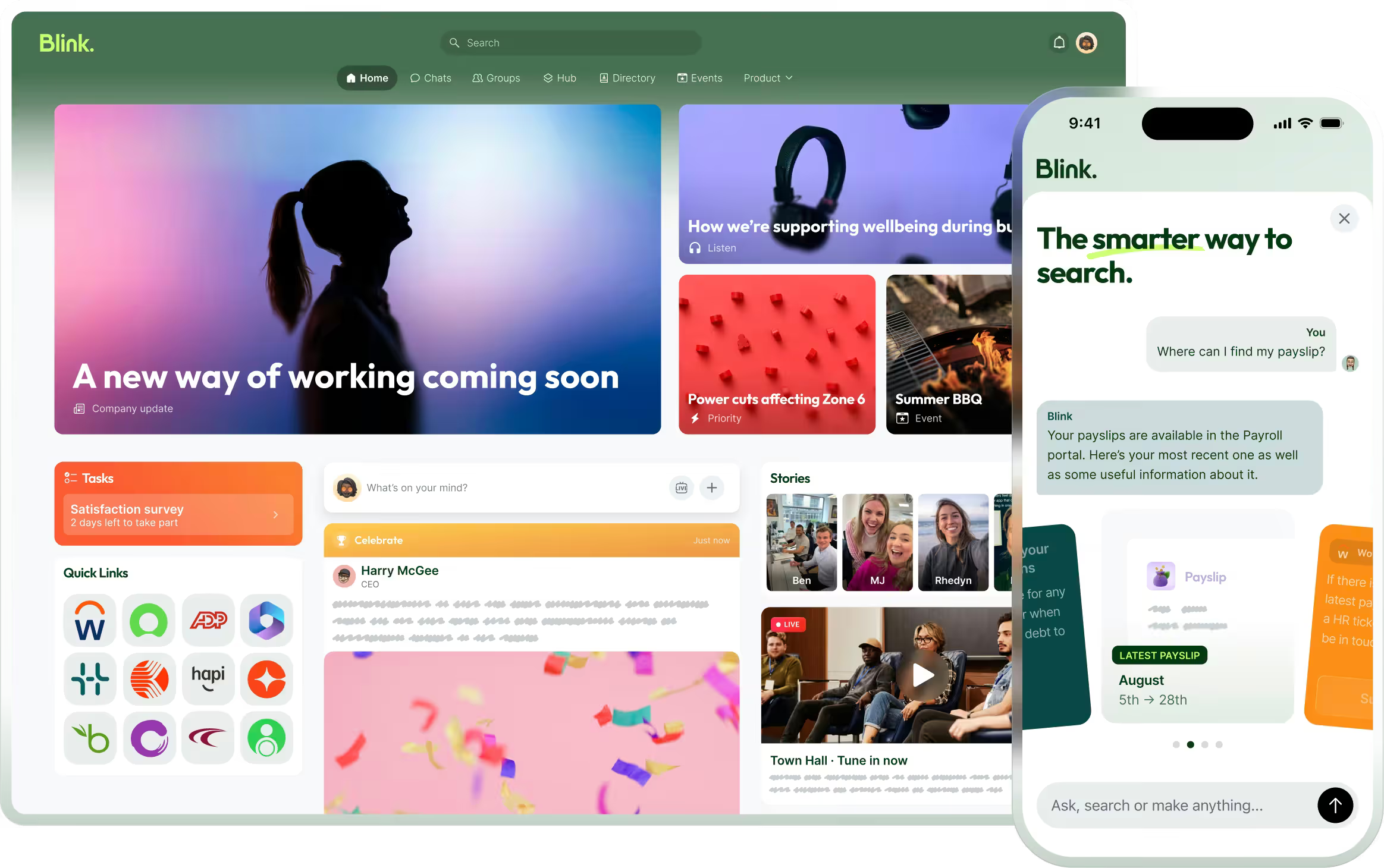
Blink's AI smart search takes one plain-language question and searches across a company's feed, Hub, chats, directory, and connected systems including SharePoint and Workday at the same time. Ask something the way you'd ask a colleague, "what's our policy on returning damaged stock," and smart search reads across that connected content and returns a direct answer with a citation attached. Tap the citation and you land straight on the source document, not a search results page.
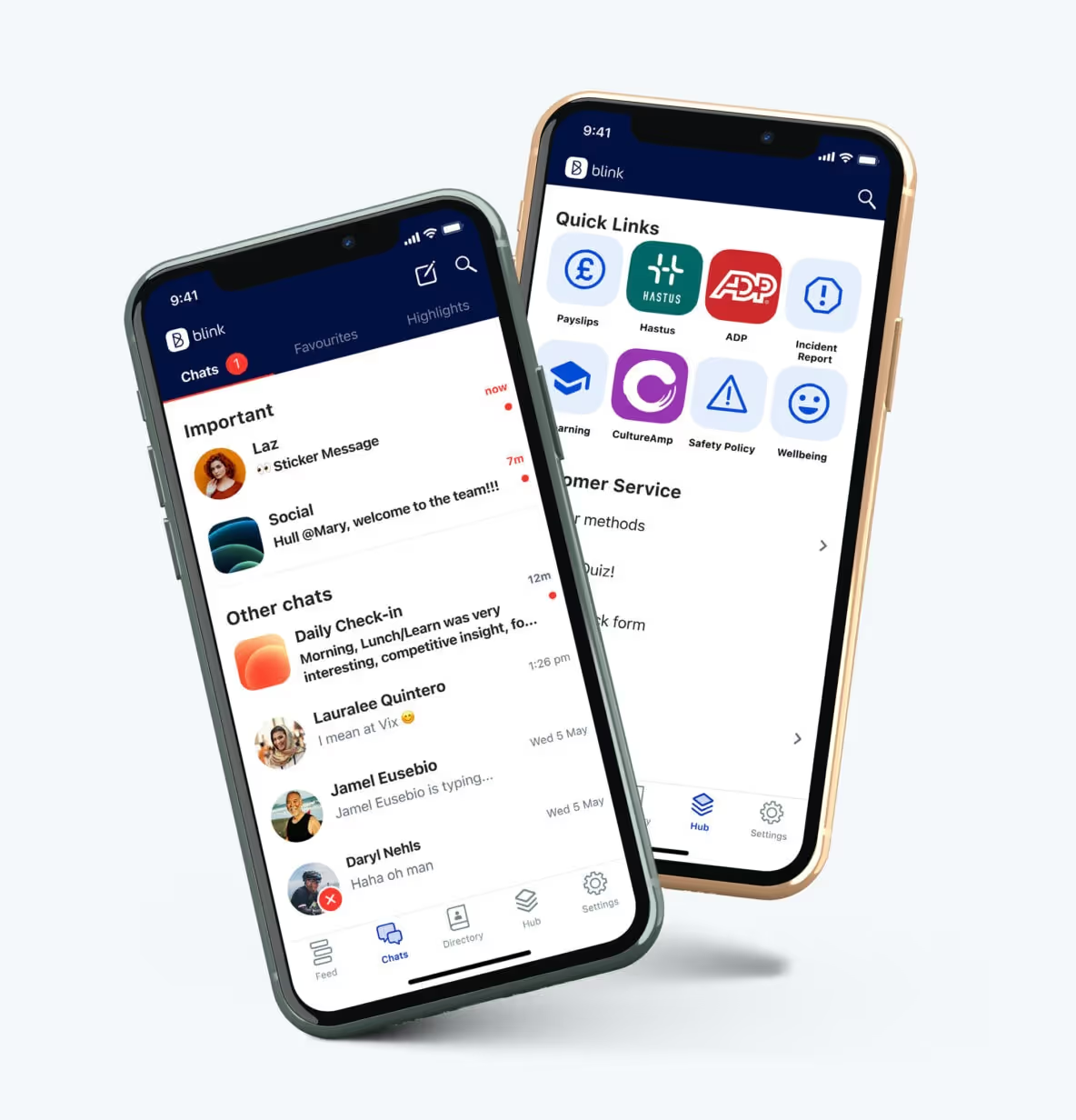
Two things matter here for frontline teams: mobile access, and reach beyond one content library. Blink runs the search from the phone a worker already carries, not a desktop they'd have to find and log into. And it reaches further than one content library. A question might be answered by something in the Blink Hub, where teams already store policies, procedures, and guides in one searchable place, or it might be sitting in a system a company bought years before Blink.
For teams working somewhere a signal doesn't reach, a basement, a depot, a delivery route, content saved through offline mode stays available on the device and syncs the moment a connection returns, so a weak signal on site doesn't stand between a worker and the answer they need.
Smart search is one piece of a wider case for bringing frontline teams onto a proper digital workplace rather than a patchwork of a desktop intranet, a shared drive, and a group chat. It connects to the SharePoint and Workday instances a company already runs, adding a search layer on top of them rather than asking anyone to migrate off systems that work fine on their own. Once content, people, and systems sit behind one search bar, the manager stops being the fallback answer to questions the company already wrote down.
Bring a real question from your own site to see how it holds up.
Try it on your own content
Ready to see it on your own content? Start a free Blink trial or book a Blink demo and bring a real question from the floor.