As most of your company’s vital documents live online, find out which intranet CMS software you should be using to boost engagement and productivity.
Jess DeVore
Published:
September 6, 2023
Last updated:
October 12, 2023
What we'll cover
Today, most of your company’s vital documents live digitally. From benefits plan statements to the potluck sign-up — paper is a thing of the past.
When you tally everything an employee accesses online, it’s easy to see how content can be a lot to manage. That’s why companies need a way to aggregate, manage, and share all of their internal information.
They often use a combination of platforms to get the job done, but this can be confusing and inefficient.
For that reason, more companies are moving towards a single unified intranet CMS software that can act as a single resource for content management.
An intranet content management system boosts communication, improves productivity, and allows workplaces to function remotely. Plus, research shows that companies with strong internal social networks are 7% more productive.
If you’re in the market for the best CMS for intranet, take a look at our recommendations below.
The best CMS intranet for 2023 roundup:
1. Blink
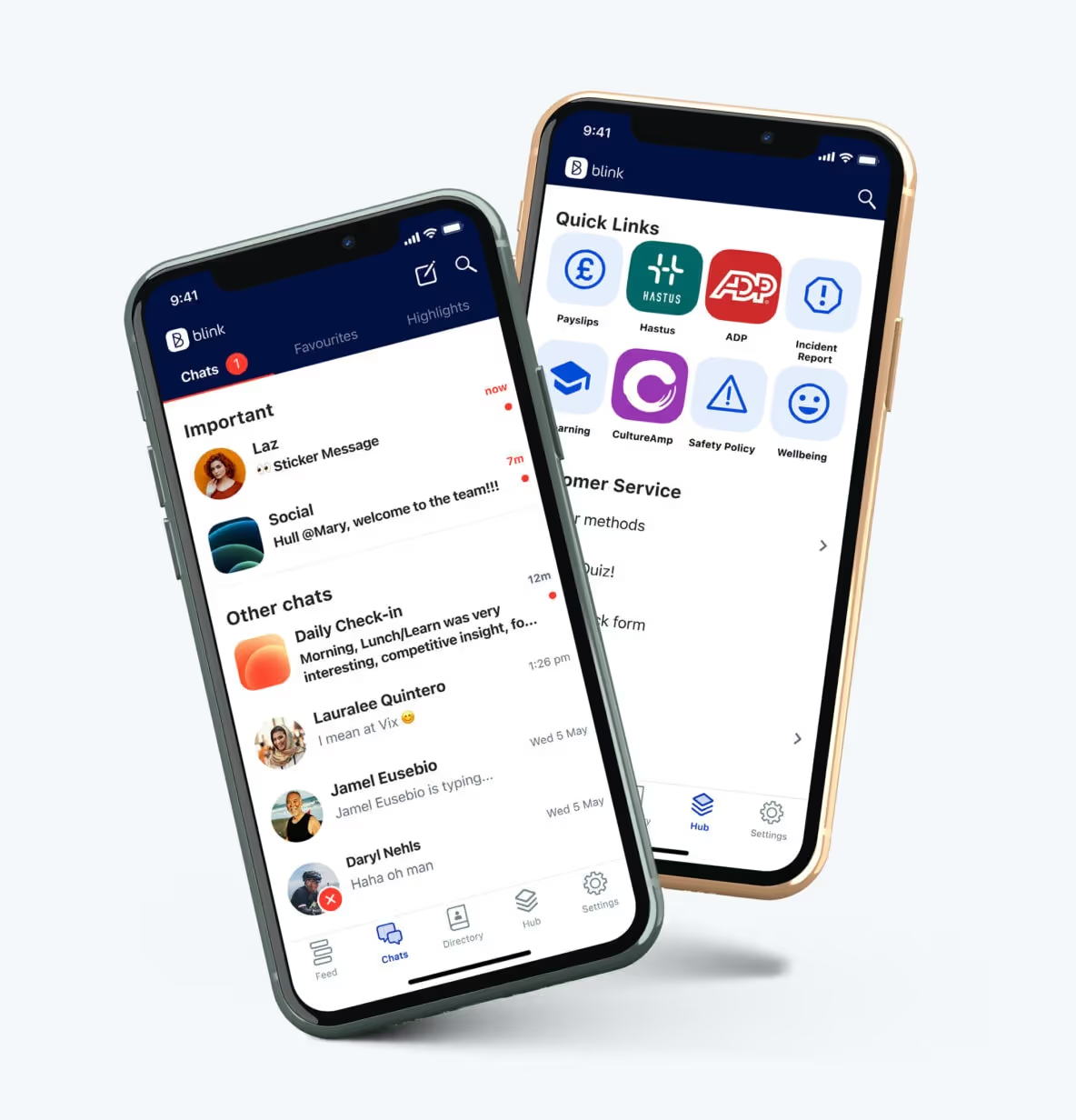
Blink is an employee intranet with many features, making it a great choice for companies looking for an all-in-one solution for their internal communication needs.
The content management hub is a sleek, mobile-first design, and the software is easy to set up and onboard without extensive IT or training teams.
Features:
CMS Hub for documents
Content feed
Business chat
People directory
Micro-app functionalities
Best intranet CMS software for: All-in-one frontline communication.
Price: Plans start at $3.40/user/month.
2. SharePoint
SharePoint is Microsoft’s intranet offering, making it a great choice for teams who already heavily rely on Office Suite tools.
SharePoint leverages internal websites to host content pages and team resources. It’s a powerful content management tool that works well for large companies looking for a robust CMS but could be overly complex for smaller organizations.
Features:
Document library
Information rights management
Project management server and timelines
Team-based content websites
Cloud or on-site data storage
Company news page
Best intranet CMS software for: Enterprise content management.
Price: Plans start at $5/user/month.
3. Glasscubes
Glasscubes provides a cloud-based platform for employees to collaborate and share files. Users can send messages to others or attach files to messages for further collaboration.
The lightweight system is engaging and easy to use, perfect for companies looking for a straightforward, high-value CMS intranet that improves engagement.
Features:
Secure online file storage
No limitation in file type or size
Internal chat
Activity feed
Task management and scheduling
Best intranet CMS software for: Team collaboration.
Price: Plans start at $35/month.
4. Simpplr
Simpplr is a CMS employee intranet that prioritizes usability and social engagement.
Packed with features like an AI-driven social feed, events calendar, and a newsletter, Simpplr is the choice for companies looking for feature-rich software that improves culture, communication, and engagement.
Features:
Employee intranet
Employee blogs
Employee profiles
AI smart feed
Newsletters
Events calendar
Social websites for teams
User analytics
Best intranet CMS software for: Engaging social teams.
Price: Available upon request.
5. OnSemble
Building off a 15-year history in intranet, OnSemble offers a well-rounded intranet platform designed for customer-centred organizations.
The content management tool, employee forums, and leadership blogs engage workers and provide them with the resources to do their best work. Drag-and-drop page builders mean OnSemble can be relatively easy to customize for small to midsize organizations.
Features:
Employee directory
Content management
Document search
Forums
Cloud or on-site data storage
Best intranet CMS software for: Customer-oriented organizations.
Price: Plans start at $6/user/month.
Final thoughts: The 5 best intranet CMS software in 2023
A content management system is an essential feature of your company’s intranet. With so much of today’s work taking place remotely or on mobile, having everything accessible boosts your employee’s engagement, supports a positive company culture, and increases productivity.
There are many great intranet platforms out there, and what you choose will come down to your company’s size and needs.
If you’re looking for a simple solution that packs tons of engaging features into one affordable platform, give Blink a try. The mobile-first platform and modern design will work well for any team.
Frequently asked questions
What is CMS Intranet?
A CMS will integrate with an intranet to allow for easier management of digital content. The intranet CMS will allow for information and content to be formatted, shared, and published to employees.
How do I choose an intranet?
There are many factors to consider when choosing an intranet. Below are some key points to keep in mind: 1. Ease of use - Book a demo and see how easy it is to use, what's the UI like? Can you imagine yourself and your team using the software? 2. Integrations - Can the intranet easily integrate into your existing tech stack? 3. Content types - What content types does it support? Think Video, Twitter feeds etc 4. Branding - Can you make it your own? 5. Communication - Does it allow for two way communication? Department lists etc 6. Searchable - Will users be able to search and find key documents they need? 7. Analytics - Can you analyze performance over time and see what is and isn't working?
Today, most of your company’s vital documents live digitally. From benefits plan statements to the potluck sign-up — paper is a thing of the past.
When you tally everything an employee accesses online, it’s easy to see how content can be a lot to manage. That’s why companies need a way to aggregate, manage, and share all of their internal information.
They often use a combination of platforms to get the job done, but this can be confusing and inefficient.
For that reason, more companies are moving towards a single unified intranet CMS software that can act as a single resource for content management.
An intranet content management system boosts communication, improves productivity, and allows workplaces to function remotely. Plus, research shows that companies with strong internal social networks are 7% more productive.
If you’re in the market for the best CMS for intranet, take a look at our recommendations below.
The best CMS intranet for 2023 roundup:
1. Blink
Blink is an employee intranet with many features, making it a great choice for companies looking for an all-in-one solution for their internal communication needs.
The content management hub is a sleek, mobile-first design, and the software is easy to set up and onboard without extensive IT or training teams.
Features:
CMS Hub for documents
Content feed
Business chat
People directory
Micro-app functionalities
Best intranet CMS software for: All-in-one frontline communication.
Price: Plans start at $3.40/user/month.
2. SharePoint
SharePoint is Microsoft’s intranet offering, making it a great choice for teams who already heavily rely on Office Suite tools.
SharePoint leverages internal websites to host content pages and team resources. It’s a powerful content management tool that works well for large companies looking for a robust CMS but could be overly complex for smaller organizations.
Features:
Document library
Information rights management
Project management server and timelines
Team-based content websites
Cloud or on-site data storage
Company news page
Best intranet CMS software for: Enterprise content management.
Price: Plans start at $5/user/month.
3. Glasscubes
Glasscubes provides a cloud-based platform for employees to collaborate and share files. Users can send messages to others or attach files to messages for further collaboration.
The lightweight system is engaging and easy to use, perfect for companies looking for a straightforward, high-value CMS intranet that improves engagement.
Features:
Secure online file storage
No limitation in file type or size
Internal chat
Activity feed
Task management and scheduling
Best intranet CMS software for: Team collaboration.
Price: Plans start at $35/month.
4. Simpplr
Simpplr is a CMS employee intranet that prioritizes usability and social engagement.
Packed with features like an AI-driven social feed, events calendar, and a newsletter, Simpplr is the choice for companies looking for feature-rich software that improves culture, communication, and engagement.
Features:
Employee intranet
Employee blogs
Employee profiles
AI smart feed
Newsletters
Events calendar
Social websites for teams
User analytics
Best intranet CMS software for: Engaging social teams.
Price: Available upon request.
5. OnSemble
Building off a 15-year history in intranet, OnSemble offers a well-rounded intranet platform designed for customer-centred organizations.
The content management tool, employee forums, and leadership blogs engage workers and provide them with the resources to do their best work. Drag-and-drop page builders mean OnSemble can be relatively easy to customize for small to midsize organizations.
Features:
Employee directory
Content management
Document search
Forums
Cloud or on-site data storage
Best intranet CMS software for: Customer-oriented organizations.
Price: Plans start at $6/user/month.
Final thoughts: The 5 best intranet CMS software in 2023
A content management system is an essential feature of your company’s intranet. With so much of today’s work taking place remotely or on mobile, having everything accessible boosts your employee’s engagement, supports a positive company culture, and increases productivity.
There are many great intranet platforms out there, and what you choose will come down to your company’s size and needs.
If you’re looking for a simple solution that packs tons of engaging features into one affordable platform, give Blink a try. The mobile-first platform and modern design will work well for any team.
Frequently asked questions
What is CMS Intranet?
A CMS will integrate with an intranet to allow for easier management of digital content. The intranet CMS will allow for information and content to be formatted, shared, and published to employees.
How do I choose an intranet?
There are many factors to consider when choosing an intranet. Below are some key points to keep in mind: 1. Ease of use - Book a demo and see how easy it is to use, what's the UI like? Can you imagine yourself and your team using the software? 2. Integrations - Can the intranet easily integrate into your existing tech stack? 3. Content types - What content types does it support? Think Video, Twitter feeds etc 4. Branding - Can you make it your own? 5. Communication - Does it allow for two way communication? Department lists etc 6. Searchable - Will users be able to search and find key documents they need? 7. Analytics - Can you analyze performance over time and see what is and isn't working?
What we'll cover
Start your free trial today
See how Blink helps frontline teams stay connected, informed, and engaged.
The line that launched a thousand eye rolls — and how to counter it.
“Can you just send this out?”
Six words that send a chill up any internal communicator’s spine.
And a phrase that indicates how many organizations still view the internal communications team. As glorified messengers, not strategic partners.
This mindset is harming the effectiveness of internal communications and the business outcomes that are linked to it. Think employee experience, retention, and productivity.
Because today’s workplace is noisy. And sending out messages without strategy only adds to that noise. Messages get lost. People switch off. It gets even harder for comms to cut through.
This was a hot topic in Blink’s recent webinar — Human internal comms: Fueling engagement with authenticity. And here, we’re going to dig a little deeper into why the comms function is so routinely misunderstood — and what we can do to fix that.
Internal communications: The most undervalued strategic function
Internal communication (IC) has long been overlooked and undervalued. And too many communicators are still kept on the sidelines.
According to recent Gallagher research, 27% of internal communicators say they lack leadership buy-in and are left out of decision-making. They’re relegated to a supporting role rather than a strategic one.
But internal communication sits at the heart of company culture, change, and connection. It’s a direct line to employee experience — especially for frontline employees with limited digital or face-to-face contact.
And let’s be clear: It’s about more than churning out information. Internal communicators shape meaning and build trust. They develop effective ways to really reach and resonate with your workforce.
And this is important. Because your people receive a staggering number of employee communications. Over on the webinar, the panel shared the fact that people receive 121 business emails every day and switch between tools and tabs nearly 1,200 times.
“Internal comms […] are fighting against this noise. People don’t want more information, necessarily. They want more meaningful information and meaningful connections.”
— Blink
Simply “sending this out” does a disservice to employees, organizational goals, and the morale of your IC team.
{{mobile-main="/image"}}
How we got here: What’s holding comms back?
So why have some IC teams ended up simply distributing messages rather than crafting a narrative? Here’s what’s standing in the way.
A misunderstanding of the role
In too many organizations, internal communicators are seen as wordsmiths — a team who’ll polish a piece of text before sending it out to employees. This perception can be hard to shake and leaves IC wading through admin tasks rather than forging strategy.
Lack of leadership buy-in
Without the backing of the C-suite, the comms team is brought in late — often after decisions are made. This leaves little room for IC to shape the company story or influence outcomes. The impact IC has on business objectives is also underestimated so it’s hard for teams to secure the budget and support they need.
Lack of tools to measure strategic value
It’s a catch-22. Comms teams struggle to get investment for modern tech tools. But without these tools — and their data analytics — it’s hard to prove the worth of IC and justify investment. You need data to show how IC supports big business goals.
Too reactive, not proactive
Many IC teams get stuck in a reactive cycle — publishing company news and chasing approvals. They don’t get the breathing room or support they need to step back, align with business objectives, and plan a comprehensive internal communication strategy.
Siloed working
If internal communications is isolated from HR, IT, operations, and line managers, they miss opportunities to align and embed strategy and share employee feedback. Cross-functional collaboration is impossible and teams miss out on the insights others within the organization can provide.
The cost of staying in your lane
Fail to break free from the messenger role and there are a bunch of risks to contend with. These include:
Information overload. When messages are delivered without strategy — or a sense of the wider narrative — employees become overwhelmed and switch off from internal communications.
Poor employee engagement. Messages don’t feel consistent, relevant, or interesting. Employee engagement suffers, along with employee retention, productivity, and satisfaction.
IC burnout. Communicators struggle to sustain their morale. Those who enjoy collaborative relationships with the C-suite have 2x better well-being than those with transactional relationships.
Misalignment. Poor internal communications lead to measurable losses for your organization. These include project delays, compliance issues, and lost productivity.
Frontline connection gap. Without a clear strategy, deskless workers get stuck with paper notices or word-of-mouth comms.
Missed impact. If you’re treated like a service desk, your influence is capped. So you find it hard to support business objectives in the way you know internal communications can.
{{mobile-chat="/image"}}
Redefining the role: What internal communications should look like
A tactical internal communicator wears many different hats. Here’s what a new and improved strategic role should look like.
A strategic partner
Comms teams deserve a seat at the table. When you get a say in company strategy, you can better manage company changes and crisis communication. You get greater control over tech tool selection and have the intel you need to drive company-wide alignment.
A trusted advisor
You act as a comms guru for your organization, training leaders and managers to show up in the right way, on the right communication channels, at the right time. You guide them in open communication and empathy, giving them an effective blueprint to follow.
An EX designer
When comms gets tactical, you can craft the employee experience journey, rather than simply delivering touchpoints. You can connect messages to meaning more effectively, ensuring that EX talking points are backed by policy and action.
A community builder
You don’t just send out top-down messages. You develop interactive, two-way comms that spark conversations and fuel employee engagement. Think polls, Q&As, employee-generated content, and content that inspires comments, likes, and shares.
A creative powerhouse
The best internal communicators aren’t satisfied with sending out text-heavy emails and documents. They keep their finger on the pulse of internal comms trends and create attention-grabbing, short-form, social media-inspired content. We’re talking images, photos, videos, graphics, and short snippets of text.
{{mobile-stories="/image"}}
So what now? How to shift from executor to strategist
Ready to level up? Here’s how you can move beyond messaging to deliver an internal communication plan with real impact.
Say no to being the messenger
Crafting effective internal communications means knowing when to say no. As Tiffin Jernstedt — former chief communications officer and internal communications expert — puts it:
“You have to say: We know everything that’s going on in the organization and your message doesn’t fit today.”
You can’t send everything. Your job is to prioritize. To help people within your business understand what matters most right now — and how messages fit within a broader narrative, that day, that week, and that month.
Need help pushing back? Try one of these approaches:
Ask: What outcome are you trying to achieve with this message?
Suggest: I think that message is most suited to this channel.
Offer: We can help shape this message to make it land — but we’ll need to rework it slightly.
Explain: We track comms engagement closely. Here’s why timing matters.
Bring data to the table
Authentic internal communication doesn’t just inform. It inspires, connects, and builds trust. To prove that, track internal communication metrics, like these ones:
Content read rates
Employee response time
Behavior change
Platform adoption rate
Employee satisfaction
Employee engagement
Then, link these metrics to overarching business objectives. If you can prove the ROI and impact of your employee communications, you can make the case for a more strategic role.
Build cross-functional allies
Team work makes the dream work.
Foster positive working relationships with your HR, ops, and IT teams. You can work together toward shared goals and get well-rounded insight into what employees need.
Not sure where to begin? Start small:
Start a recurring cross-functional meeting to think through EX gaps and opportunities
Ask key stakeholders what they wish more employees knew
Help a frontline leader share a success story
Share data between departments to build a detailed picture of EX
Push for better tools
The best internal communication tools support you to deliver rich, multimedia messages. They provide the channels and functionality you need to win employee attention, craft compelling journeys, and encourage interaction.
These digital tools also give you reporting and analytics tools that help you make meaningful internal communication improvements, while also proving your impact and justifying a more strategic role.
{{mobile-survey="/image"}}
Raise the bar — and your voice
Internal communications deserves better — and whether you’re a team of one or a team of many, so do the professionals behind it.
It’s time to shift perceptions, get strategic, and fight for a seat at the table. Move beyond simply sending out messages and you can make a real difference to internal communication and the business results that rely on it.
Alisha McGuire has been working in Respiratory Care at Children’s of Alabama since graduating from the UAB Respiratory Therapy Program in January of 2006.
Alisha’s leadership abilities and her commitment to our patients were evident from the beginning. She eagerly and consistently assumed the role of leading her night shift colleagues. She rapidly gained a reputation as a go-to resource person for respiratory therapists, nurses, and physicians. While Alisha initially worked primarily in acute care, she took the initiative to orient in multiple areas, including critical care units. Her skills are diverse and she is able to function competently in any unit in the hospital.
When the Lead Respiratory Therapist role was created in 2016, it was obvious that Alisha would be one of the first ones selected. Her job performance was always rock solid and I was never concerned about anything on night shift when Alisha was on duty. Her leadership was a contributing factor to the early success of both our Asthma Care Pathway and our Bronchiolitis Care Pathway. Her commitment to excellence has helped to ensure the ongoing success of both of these pathways which have so positively impacted the lives of patients with these respiratory diseases.
Alisha was promoted to Respiratory Care Coordinator in 2018. She has excelled as a leader in this role. One of her first projects was working with Dr. Alishlash to help develop the Acute Chest Syndrome (ACS) protocol. Dr. Alishlash recognized Alisha, in an email to her managers, for her hard work in helping the protocol become a success. Overall length of stay has decreased for patients admitted with ACS.
We have faced many challenges over the years, none so great as the COVID-19 pandemic. Alisha’s leadership throughout the pandemic served to help her colleagues remain informed and steer a steady course amid the ever-evolving guidelines. Alisha addressed the staffing challenges created by the pandemic by willingly working extra shifts on days, nights, weekends, and holidays. She has always simply taken the bull by the horns to get the job done and her can-do attitude is consistently inspiring. Alisha has been impacting the lives of those we serve for over 18 years now. She deserves to be recognized for her consistently stellar performance.
How has Blink helped in her role?
Blink has helped with communicating news about special events to the team.
What does she want to do next?
Alisha wants to continue her career at Children’s of Alabama and to utilize her clinical and leadership skills to provide high quality, compassionate care and to be an advocate for those we serve.
Nominated by: Robert W. Park, Director, Respiratory Care
Employee retention in healthcare has never been more important — or more difficult. We know that one in five healthcare workers left their jobs in 2023.
Healthcare work is demanding and, at times, emotionally exhausting. Violence against caregivers is on the rise. And with staff shortages a problem in many healthcare settings, stress and burnout are an ongoing concern.
But we need more healthcare staff than ever. The global population is aging, increasing healthcare demand. Staff continuity also improves the patient experience and outcomes. Healthcare providers need to do all they can to hang onto employees.
So what can you do to improve healthcare employee retention? Research shows that nearly one-third of healthcare employees are currently disengaged in their work. This is a worry — but it’s also an opportunity.
Disengagement is linked to high levels of attrition. So increase staff engagement and you reduce staff churn, too. It all starts with listening to, understanding, and acting on the needs of your frontline workers.
Effective employee retention strategies for healthcare providers
Healthcare retention is a challenge. But one that can be met with a combination of employee engagement, communication, and development.
The most effective staff retention strategies in healthcare include the following:
1. Invest in employee development
2. Use technology to improve healthcare worker communication
3. Create an open and inclusive culture
4. Recognize and reward employee efforts
5. Offer competitive wages
6. Make schedules more flexible
7. Give employees a voice and act upon their feedback
Now, let’s take a closer look at these ideas.
1. Invest in employee development
Training, development, and career advancement are key to healthcare staff retention.
The 2024 NSI Nursing Solutions report reveals that career advancement was one of the top reasons for healthcare employees resigning from their jobs in 2024.
And according to Press Ganey, nurses who don’t receive training and development opportunities are 1.4 to 1.5 times more likely to leave their roles than those who do.
Despite the importance of learning and career growth, only 60% of healthcare employees say skill building is offered by their organizations. So, to hang onto employees:
Be transparent about your promotion policies and opportunities
Find out where employees want to go in their careers
Commit to a policy of continuous learning and development
Make training more accessible with mobile learning tech
Beyond those early days of onboarding, offer mentoring and cross-training. Keep employees up-to-date with advancements in healthcare technology and practices.
Note this research from Gallup, which shows that 70% of the variance in team engagement is determined by the manager. Ensure that your managers have the training they need to support employee motivation, engagement, and retention more effectively.
Time is another important factor. Busy healthcare staff on the frontlines of your organization don’t just need training opportunities. They need dedicated time in which to access them.
The takeaway: Invest in ongoing education and training programs suited to your employees’ needs. Also, facilitate learning by giving easy access to learning tech and building training time into employee schedules.
2. Use technology to improve healthcare worker communication
Healthcare organizations tend to use a variety of internal communication channels. These may include a noticeboard, staff pagers, and email.
But there are problems with these methods of communication. First, you can’t be sure that a message has been received and read. And second, these channels don’t inspire two-way communication, a key pillar of employee engagement.
To make internal communication at your healthcare organization more effective and less fragmented, you can create a communication hub using a mobile-first employee app or intranet.
Here, you can share mandatory reads that employees have to click to acknowledge. You can create open channels of communication between healthcare staff and their managers — and give employees easy access to documents and resources that support them in their roles.
You can also segment your workforce by role, department, tenure, and location so they only receive relevant communications. This helps to avoid unnecessary distractions and information overload for time-strapped healthcare workers.
When Elara Caring adopted Blink as their primary communication tool, they were struggling with high staff turnover and low levels of employee engagement. Since adopting Blink, the organization has transformed engagement, with 95% of employees feeling more connected to Elara and each other.
The takeaway: Use an employee app or mobile intranet to make work-life easier for frontline employees. Give workers unified access to internal communications.
Next on our list of employee retention strategies is workplace culture. A positive, inclusive, and supportive culture makes your organization a happier place to be. This leads to better healthcare staff retention.
It also impacts patient outcomes. Because when healthcare staff feel supported and operate in a culture of psychological safety, they can ask questions and raise concerns without fear of repercussions.
To develop this type of culture you need open, two-way communication across the whole of your organization. A digital communication tool can help you achieve this. It allows everyone, including hard-to-reach frontline employees, to share news, ideas, and opinions.
You can create dedicated spaces for 1:1s, group chats, and organization-wide Q&As. This helps employees to feel heard and valued. It also helps them to build meaningful workplace connections.
Wellbeing is also paramount right now. With around half of all physicians and nurses experiencing symptoms of burnout, a positive workplace culture relies on adequate stress management and mental health support.
The takeaway: Take time to analyze your organizational culture and find areas for improvement. Prioritize open, two-way communication to support psychological safety at work. Also, provide stress and mental health support to address the symptoms of burnout.
4. Recognize and reward employee efforts
Gallup shares that when healthcare workers are recognized for their work, they’re four times more likely to be engaged and five times more likely to feel connected to company culture.
Employee appreciation also affects patient safety. Gallup found that employees recognized for good work in the last seven days experienced fewer patient safety incidents.
That said, only 18% of healthcare workers feel that employees are recognized and valued at their organization. That’s below the national average of 22% for US employees and much lower than other sectors — financial services stands at 34% and professional services stands at 28%.
Put simply, healthcare providers need to do more to recognize and reward their employees. The best recognition and rewards programs are tailored to your healthcare workers and their preferences — but here are a few ideas:
Recognition via internal communications: You can publish achievements and recognize hard work publicly, on your communications platform. The rest of your workforce can then see praise and add their congratulations, too.
Direct appreciation: Some workers may prefer to receive praise privately. Direct appreciation from managers is another way to make employees feel seen, heard, and valued.
Appreciation gifts: Incentivize your healthcare team with gift cards, cash prizes, fun experiences, or benefits like extra paid time off. These are great ways to recognize your employees’ hard work and boost morale.
The takeaway: Make employee recognition an integral part of your workplace culture. Learn about employee recognition and reward preferences. Then, ensure managers regularly offer praise for employee effort.
5. Offer competitive wages
Money isn’t everything. But when you’re working a demanding and emotionally draining job, a competitive salary makes it easier to sustain motivation during those tough days.
Offering good salaries shows that you appreciate and value your employees. So keep an eye on what competitors — in and outside of healthcare — are offering. Also, consider polling your employees to learn if pay is one of their primary workplace frustrations.
When deciding what you can afford to pay, bear in mind the cost of losing employees.
According to NSI Nursing Solutions, the average turnover cost for a bedside registered nurse (RN) stands at $56,300. And — when you factor in lost revenue, interview expenses, locum costs, and the inevitable dip in productivity — the cost of losing a physician can run into hundreds of thousands of dollars.
The takeaway: Offer fair compensation. When your workers know they’re fairly paid, they’re more likely to stay working for your organization, which means you retain your best employees and their collective knowledge.
6. Make schedules more flexible
Advances in AI, virtual healthcare, and telemedicine, mean it’s easier than it used to be to support flexible employee schedules. And this is something employees are looking for.
According to O. C. Tanner, 80% of healthcare workers say having flexibility at work would influence their decision to stay at their organization.
So how do you make flexible working a reality for frontline healthcare employees? You can offer:
Staggered hours
Part-time hours and job shares
Fixed or rotating shift patterns, depending on employee preference
Advance warning of shift schedules
You can also give employees more autonomy over where and how they work. Start by finding out what employees want from flexible working. And try to harness the potential of virtual healthcare wherever possible.
Digital tools, like an employee app, are useful here too. They can help you structure and track staff schedules — and give employees the tools they need to swap shifts independently.
The takeaway: Offer flexible scheduling to help your employees achieve work-life balance and keep them working in healthcare. Find out what flexible working means to your employees, then do your best to facilitate it.
7. Give employees a voice and act on their feedback
Keep your finger on the pulse and you prevent employee engagement and retention issues from sneaking up on you. An annual check-in with your healthcare employees is not enough. You need to regularly gather and analyze employee data and feedback.
So look at the analytics provided by any employee communication and engagement software you use. Discover how workers are interacting with the platform and your communications.
Also, run regular surveys to find out what workers think of the employee experience — or any other aspect of your organization and its operations. In doing so, you give employees a voice, which makes them feel valued and respected.
Just bear in mind that employee surveys and polls can damage the employee experience if you fail to act on the feedback your employees provide. In Blink’s survey of frontline health and social care employees, there was one standout message from an employee to senior management:
“Please listen to your staff and follow up on promises. Too many empty promises.”
So use employee feedback wisely. Identify ways you can improve the healthcare worker experience. Create and clearly communicate your plan of action. Then, keep employees in the loop as you progress toward your employee experience goals.
The takeaway: Use analytics and employee feedback to inform healthcare retention strategies. Find out what employees like and dislike about working for your organization. Then keep them in the loop with survey results and your plan of action.
Boosting healthcare employee retention with Blink
Staff retention in healthcare is a challenge. But by implementing these employee retention strategies, you’ll find it easier to hang onto your existing staff — and attract new hires too.
As you implement these workforce retention strategies, keep the needs of your healthcare workers front of mind. Their needs differ from those of desk-based employees.
Healthcare workers spend their days caring for patients, so they have little free time. They don’t sit at a desktop computer — and they’re dealing with high stress and burnout.
So when putting any of these strategies into action, ensure that you make life as easy as possible for your healthcare team. Give them easy, mobile access to the information and resources they need.
A tool like Blink is designed to support employee engagement and internal communication for busy frontline teams.
Blink’s secure employee app is a hub for two-way communication, feedback, and recognition. It gives employees easy access to workplace resources, development opportunities, shift swap tools, and wellbeing support.
Available via smartphone, Blink fits seamlessly into the work day of your frontline employees, improving their employee experience and encouraging them to stay with your organization.
2022: the year BYOD policy finally became mainstream?
Towards the end of the 2010s, BYOD was considered on its way out. The balance between good data security and infringing on employees’ private lives was difficult to manage, and buy-in rates were low.
Now, however, employers are adopting BYOD in their droves.
Why?
If you’re thinking ‘COVID. Definitely COVID’, you’re about 90% of the way there.
Equally, it’s not the only factor that has contributed:
The speed, resilience and availability of 5G make remote working significantly easier from a wider range of devices.
Increasing usage of smart IoT to increase productivity, including smart speakers and enhanced wearables. With 1.3 billion projected subscriptions to IoT-related technologies in 2023, this is very much an emerging use case for BYOD.
With the increase in remote working since COVID and consumer tech evolving rapidly, now is the time to think about tightening up your BYOD policy, or creating one from scratch if you don’t have one already. Here’s what you need to know, with a bring your own device policy template included at the end of the article.
“BYOD is the concept of employees using their personally owned device(s) for work purposes.
With BYOD, an organization has ownership of the corporate data and resources that may be accessed or stored on a device, but the device itself is the property of the user.”
Following on from this, a ‘bring your own device’ policy is the set of rules and regulations both employee and employer need to follow to make this work. Ultimately, it’s about maintaining a balance between your employees’ privacy and your IT security needs as an employer.
You might be partially BYOD without even realizing it! For most businesses, the big use case is smartphones. If you’ve ever asked employees to use their smartphones for any work-related purpose, that’s a BYOD policy. This could include:
Running work social media accounts
Installing employee apps, workplace instant messenger or any other internal comms tool
Taking work-related calls
Using it to track mileage, manage driving routes
Expense filing (via uploading photos of receipts, for example)
In fact, you’re very much in the minority if your employees don’t use their personal phones for any business activity – 87% of companies depend on their employee’s ability to access mobile business apps from their personal smartphones.
What are the benefits of BYOD?
BYOD policies can:
Save your business money on recurring hardware spend (bear in mind that most laptops will need to be replaced every few years, and that you’ll need to keep buying more as your business grows its headcount!)
Help establish remote working as a viable option. New employees have everything they need to start immediately and aren’t held back by not having the right equipment.
When managed well, BYOD is flexible, affordable, and accessible. Employees save time by working with the devices they like best, and you can implement a mobile-first approach without a huge expenditure on company smartphones.
What are the challenges and risks of BYOD?
The biggest issue BYOD workplaces face is data and device security. Whilst you can set up fair usage policies and train your employees in good security practices, you can’t completely dictate how they use their personal devices.
Let’s say you have a BYOD policy and you’d like your employees to install a mobile intranet app on their personal smartphones. After initial installation, you have no direct control over:
How often each employee installs updates
Where they take their smartphone
Who uses the smartphone
What else they install on their smartphone and how they use it
All of these are major security risks when it comes to corporate data. Whilst personal devices are increasingly a target for hackers, even the most mundane everyday accident can pose a threat.
Did your employee leave their phone unlocked on the bus?
Could children or other family members access work info by accident?
Instances like these can pose a huge risk. You’re also relying on employees to have access to devices that will support the software you want them to use. This might be a fair assumption for some workplace demographics (salaried, management level employees) but shouldn’t be taken as a given.
That’s why, if you’re serious about BYOD, you’ll need to give some serious thought to:
Making your policy comply with a wide range of device types
Providing adequate IT support for personal devices
Creating a policy that is seen as fair by employees, and doesn’t infringe on their personal lives
Creating a bring your own device policy
Want to benefit from the flexibility and cost savings BYOD offers, without turning your workplace into your IT security team’s worst nightmare? A solid BYOD policy is the answer. Follow these steps for a safe and secure workplace.
Preparing for and creating a BYOD policy: 5 steps to success
Decide which apps employees should be able to access from personal devices
In terms of risk, there’s a difference between your employee’s personal calendar tool, a project management solution and your business’s accounting app. Consider which level of security you’re comfortable granting access to in a less-regulated environment – you might want to keep systems with particularly sensitive info away from BYOD policies.
Decide which personal devices your employees can use for a BYOD policy
Weigh up risk vs reward here. If you already have a policy for using company laptops and have an entire cupboard of them to distribute, you might be better off sticking with them. Be sure to consider the implications of smart speakers and IoT devices too.
You might also want to impose an age limit on devices your employees use. Older devices that don’t support the latest software and operating system versions are a huge risk as weak points become well documented by hackers.
Set up reasonable security controls
Again, this is a balancing act. Your employees are likely to be more than happy with some security protocols on their device – this helps protect their personal information too! Equally, they might become understandably bitter about completing a 15-factor authentication process every time they check their WhatsApp.
You could start with a requirement to password protect their device, with biometrics if available, and add two-factor authentication for each business app they need to login to. A screen that locks after a set period of inactivity is also useful.
Check your SSL certificates
An SSL certificate is a snippet of code on your web server that makes online communications more secure. If employees need to view confidential information such as financial accounts or sensitive personal info like payroll and benefits, an SSL certificate helps ensure they can do that safely.
Mostly, this is a job for your IT team – but it’s good to be aware of it whilst drawing up the rest of your policy.
Outline BYOD expectations for employees and provide training
Your employees know how to use their own devices – but don’t take it as a given that they’re completely up to speed on the latest IT security know-how.
That’s why regular IT security training is vital. Cyber threats are constantly evolving, and what was good practice 18 months ago might be out of date today. Make it part of your onboarding process, and ensure that you have e-learning top-ups every year for maximum impact.
BYOD Do’s and Don’ts
Looking for a quick guide to BYOD security? Share these do’s and don’ts with your employees as a handy reference!
DO
- Keep your passwords secure and change them regularly
- Use biometric features for device security if possible
- Report any lost or stolen devices to IT within 24 hours
- Complete our refresher training regularly so you’re aware of the latest threats
DON’T
- Share your device passwords with anyone
- Screenshot or copy company data to other locations on your device
- Access systems that you don’t need to
- Access sensitive data in crowded areas without a screen protector
- Leave your device unattended for any length of time
BYOD policy examples
A basic, top-level BYOD template looks something like this:
Introduction
Lay out what the policy is for and why it’s needed
Acceptable use
Explain what employees can and can’t do with a device used for BYOD
Supported devices
List what devices your IT team can support for BYOD access to business systems
Security
Outline the security expectations for employees’ BYOD.
Risks/disclaimers
Explain the risks of BYOD policy, what to do if a device is compromised, and how the business deals with security breaches.
Want to see this BYOD template in action? Check out a real-world example here.
BYOD policy: final thoughts
Plenty of businesses use BYOD solutions successfully, 24/7. With the right foundations, bring your own device can be a safe, accessible and flexible way of managing remote, hybrid and mobile workforces in particular.
A solid BYOD policy is vital to unlocking these benefits. Too vague, and you risk security issues developing that you have no direct control over. Too overbearing, and your employees will start to resent it, disengage, and find workarounds.
Set clear expectations, provide regular security training and be open to discussion with employees for the best results. Offering to pay a percentage of the value of the device each employee uses for work isn’t necessary, but it’s a nice touch that says “We appreciate what you’re doing for us”. And, in the long run, that will pay off significantly.
The average person will work 35 hours per week. That adds up to 84,365 hours over their lifetime. Yet just over one-third of employees (34%) are engaged, and 16% are actively disengaged in their work and workplace.
If you’re reading this, the chances are you want to make sure your employees don’t feel like they are wasting a large portion of their life at work. We’ll do our best to help you do just that.
In this handy guide, we’ll break down the key steps you need to take when creating an employee engagement strategy.
From understanding why your organization truly needs an employee engagement strategy, to the actionable steps you can take to create your own strategy, we’ll cover everything you need to know right here.
Why you need an employee engagement strategy
Creating an employee engagement strategy can seem daunting, but it’s important for any business. Having a strategic approach to your employees’ happiness and engagement will help you retain top talent, keep them motivated and productive, and ultimately grow your business.
Effective employee engagement strategies will outline exactly how you are going to improve employee engagement within your organization, allowing all team members to stay on the same page when it comes to their roles and responsibilities.
In short: by creating an employee engagement strategy, you can strategically work to improve your employee engagement. And with improved levels of engagement, come a number of organizational benefits, including:
Higher Productivity: Employee engagement is closely linked with productivity. Engaged employees are more motivated to do their best work and achieve their goals. In fact, research has shown that engaged employees are up to 202% more productive than disengaged employees.
Reduced Staff Turnover: Low employee retention is costly and disruptive for any business, and one of the most decisive factors for employee retention is employee engagement. Engaged employees are less likely to leave their job, which reduces the need for costly and disruptive staff turnover.
Improved Morale: A happy workforce is a productive workforce. When employees feel engaged and valued, they are more likely to be happy at work and less likely to experience stress or burnout. As such, a staff engagement strategy can motivate employees and improve morale, job satisfaction and overall company culture.
Greater Loyalty: An engaged employee is more likely to be loyal to their company, in fact 90% of workers said they are more likely to stay at a company that takes and acts on feedback: AKA one that engages them. They are less likely to look for jobs elsewhere and are more likely to recommend their company to others. Therefore, the right employee engagement strategies can drive your staff retention rates and encourage employees to stay with your company for longer.
Employee engagement strategies & business types
What your employee engagement strategy needs to consist of will change depending on your business type. For example, a software company will need to focus on ways to motivate and engage product designers and developers in order to compete for top talent in a competitive Silicon Valley environment. A healthcare organization, on the other hand, will need to come up with innovative ways to engage their nursing and medical staff to combat physician burnout and the growing nursing shortage.
What's important is that you provide your workforce with strategies that are designed for them specifically. Ultimately, your strategy will depend on the type of employees you have, the unique challenges facing those teams in your market, their day-to-day tasks, and how your organization operates as a whole.
Employee engagement for the frontline
Creating an employee engagement strategy can be especially important for frontline organizations. With 80% of the global workforce working on the frontline, it’s important to have strategies in place that will help keep these workers engaged, productive and motivated.
Additionally, employees in frontline positions often have more direct contact with customers and are more likely to represent the company to the public. As such, it is important for these employees to be engaged and motivated, so they can provide positive customer service experiences.
Remember: whatever strategies you use, it’s important to tailor them specifically to your industry, business type and workforce.
How to create your employee engagement strategy
In order to have engaged employees, you need a plan in place, outcomes in mind, a clear outline of responsibilities and a culture that takes participation seriously. You also need a toolset available that is able to execute your plan, close distances, track results and simplify operations.
To make this a little easier to understand, we've broken the process down into 7 simple steps.
1. Define - Your purpose, values & mission
Defining your own purpose, company core values, and mission statement is a crucial step in creating your employee engagement strategy. In fact, when teams know your goals and expectations of them, they are 2.8 times more likely to be engaged in their roles, according to research from Quantum Workplace.
By clearly articulating what you stand for as an organization, you can align your staff with these values and give them a reason to be invested in the success of your business in the long-term.
To ensure that all employees are on the same page here, you should provide an easy-to-access Hub containing all company policy and procedure documents, along with a thorough onboarding process for new hires.
2. Listen - Conversations and research
Direct, two-way conversations and further research into your employees’ needs and wants will help you to create a more personalized engagement strategy, making this a core step in the strategic process. One way to do this is through pulse surveys.
Pulse Surveys are short, regular surveys that ask employees about their engagement levels and how they feel about their work. This can help you to identify any areas where your employees may be struggling, and can help to ensure that your employee engagement strategy is constantly evolving.
Whether it’s through surveys, focus groups, one-on-one interviews or anonymous staff feedback tools, gathering data and hearing directly from your employees can give you valuable insights into what they need from an engagement strategy, and help you identify your organisation's key engagement drivers, in order for staff to stay engaged at work.
3. Review - Analyze and plan
Once you have gathered data from your employees, it’s time to analyze this information and determine what action needs to be taken. You may find that certain areas of your workplace are in need of improvement, or perhaps a company-wide change is necessary to boost employee engagement.
Whatever the results of your employee research, it’s crucial to identify specific targets and actions that will make your plan a success. What’s working, what's not? Are there specific issues that need to be addressed? What are your engagement goals as a business leader?
Key goals for your employee engagement strategy could include:
Lower staff absenteeism
Better employee retention rates and lower turnover
Improved productivity
Enhanced employee motivation and happiness
Increased customer satisfaction
More positive organizational culture.
By reviewing and analyzing the data you have gathered, you can gain a clear understanding of how to better engage employees in order to achieve these goals. This will help you to build a more effective employee engagement strategy that your employees want to respond positively to.
4. Commit - Actions speak louder than words
Strategy is important, but actions always speak louder than words. Employee engagement strategies that work, only work if you plan to back them up with core actions, processes and real change.
Below, we have outlined some key ways to commit to your employee engagement strategy. By truly committing to all of these actions, you can bring your employee engagement strategy to life and start seeing real results.
Tools & technology
Digital tools are essential for any organization looking to boost engagement. By providing your employees with the right tools, you can make it easier for them to connect with each other and with your company. This can help to improve communication and collaboration within your team, leading to higher job satisfaction, and a more engaged workforce.
There are a variety of different digital tools that you can use to engage your employees, including great employee engagement apps, online chat software and team collaboration tools.
It’s also important to consider using technology with frontline-specific features in deskless organizations. With52% of frontline workers claiming they would leave their job over tech tools, better digital commitments are clearly needed here. By providing your employees with tools fit-for-purpose on the frontline, you can ensure that your employees feel supported and engaged no matter where they are in the organization.
Assuming that you have already begun the process of gathering data and analyzing it, you should now begin to take actions across the board in order to improve employee engagement. One way to do this is through better recruitment practices.
People who match your ideals and company culture, who will add value, and who are onboarding engagement are more likely to be engaged employees. Therefore, it is important to take care in the recruitment process, and to ensure that you are hiring people who will be a good fit for your company. You can use interviews, personality tests and job simulations to get to know a candidate better, and to see how they would fit into your team.
It is also important to provide a thorough onboarding process for new hires in order to establish a culture of engagement from day one. This can help them to feel welcome and comfortable in their new role, and can help them to learn about your company policies and procedures.
Communication
Regular communication is key to keeping employees engaged. Employees need to feel like they are part of the bigger picture, and that their voice is heard. By establishing a regular communication schedule – whether it be through Secure Chats, email, newsletters, team meetings or other methods – you can ensure that your employees are kept in the loop.
It’s also important to have a clear internal communications strategy in place. This should outline who is responsible for communicating with whom, and what methods will be used. This will help to ensure that everyone is on the same page, and that important messages don’t get missed.
It’s important to tailor communications to the needs of your employees. For example, if most of your employees are frontline workers who don’t have access to a computer, you may need to adjust your communications methods so that they can be accessed on mobile devices – think mobile employee engagement apps. You may also need to consider using different methods for different departments or locations within your company.
Surveys
Although surveys are important when drafting your strategy, it’s also important to gather feedback from your employees on a more regular basis if you want to walk the walk of employee engagement. By conducting regular Employee Surveys, you can get a sense of how your employees are feeling at any given time – and if things need to change.
An employee engagement survey can help you to gather valuable data and feedback from your employees, which you can use to improve your strategy. You may want to consider including questions about work-life balance, employee engagement initiatives, training and development, and other areas.
Frequent surveys are a great way to get ongoing feedback from your employees and to see how they feel about various aspects of their job or the company as a whole. You can also use surveys to measure the success of your employee engagement strategies, obtaining valuable insight into what is working and what needs to be changed or improved.
Managers
“Leadership has an important role to play when it comes to employee engagement, and this is especially important given nearly half (45%) of workers say leadership is “minimally” or “not at all” committed to improving company culture. In fact, 78% of employees confirmed that any change to culture needs to be driven by the CEO.” — Jeff Cates, CEO of Achievers.
For business leaders, mid-level management is often the first step towards employee engagement. By ensuring managers are supported from the top level, given the budget, training, tools and support they need, you can set them up for success as well as help to create a culture of engagement across your entire organization.
Effective managers have many important roles when it comes to employee engagement. They are responsible for setting expectations, holding people accountable, and providing feedback. They are also responsible for coaching and mentoring their team members, as well as helping to resolve any issues or conflicts that may arise.
5. Measure - Analyze and report
To measure the impact and see if their employee engagement activities and strategy is working, businesses should use employee engagement analytics via the right tools, at the right time.
It’s important to use analytics at different points throughout your engagement strategy, as this will help you to gain valuable insight and data that can be used to adjust what is working and improve the areas that need improvement. For example, you may want to analyze employee satisfaction levels before implementing a new training program, or track engagement levels over time to see if your initiatives are working.
There are many different types of analytics tools that you can use to analyze and report this data, for example Blink'sFrontline Intelligencetool. Our powerful analytics offer insight into the people and relationships that make your organization tick.
By analyzing data from people, places, and things on a regular basis, you can gain real-time intelligence into your employee engagement strategy that you can use to better support and understand your workforce.
6. Reward - recognition & progression
When used effectively, recognition can be an extremely powerful tool for improving employee engagement. Employees need to feel appreciated for their efforts, and recognition is one of the best ways to show your most engaged employees that you appreciate them.
However, simply giving employees a pat on the back isn’t enough – recognition needs to be meaningful, memorable and measurable. By taking the time to recognize employees in a meaningful way, you can show them that you truly value their contributions, and make them want to engage and contribute more.
There are many different ways to recognize employees, and it’s important to find what works best for your organization. Some popular methods of recognition include offering Kudos or Employee Recognition, awards ceremonies, Feed shout-outs, gift cards or vouchers, and thank-you notes.
It's also crucial that you back up recognition with opportunities for growth and career development. This may include promotions, opportunities to learn new skills, a stronger compensation and benefits package, or simply more responsibility. By providing employees with opportunities for growth and progression within the organization, you are helping them feel valued and motivated to continue performing well.
7. Repeat - Regular check-ins and adjustments
To truly maximize the impact of your employee engagement strategy, it’s important to take a regular and systematic approach. This means that you should regularly check in on key metrics, analyze the data you gather, and make any necessary adjustments based on what you find.
Stay on top of your engagement. Track key metrics such as employee satisfaction and engagement levels, and conduct regular check-ins to analyze the data you gather. This will help you make any necessary adjustments to your strategy in a timely and effective manner, ensuring that your employees are engaged and motivated at all times.
Final Thoughts
At Blink, we provide the all-in-one solution to employee engagement. Designed for the frontline, our easy-to-access, intuitive employee engagement app delivers real-time data and communications, actionable insights and intelligent recommendations.
Inspiring engagement in your employees has never been easier. With our powerful analytics tools and customizable recognition programs, you can gain valuable insight into your workforce and take the steps needed to boost engagement levels across the board.
Whether you’re looking for a way to track employee performance, improve communication and feedback, or simply create a more positive work environment, Blink has everything you need.
Blink, the leading mobile-first employee experience platform, today announced a strategic partnership with Cocentric, a UK-based digital employee experience company, to accelerate the development of tech solutions for frontline employees to help engage workforces across the UK and EU. This collaboration positions Cocentric as Blink’s key European and APAC partner, bringing cutting-edge, multi-platform expertise to organisations seeking seamless, next-generation communication tools.
The collaboration will enable organisations to take advantage of Blink’s award-winning platform, which helps companies reduce staff turnover by up to 26% by providing frontline employees with a single, mobile-first tool to stay connected with their team and company updates. Cocentric, known for helping businesses like Rare Restaurants, Populous, and Pizza Pilgrims to transform their employee communications, will build on its expertise to deliver tailored support for Blink’s platform, allowing organisations to easily integrate the app into their existing systems.
“At Blink, we are committed to transforming how frontline workers stay connected, regardless of their location,” said Sean Nolan, CEO at Blink. “By partnering with Cocentric, we’re able to leverage their deep knowledge of workplace technology and tailor our approach to the unique needs of UK and EU organisations. Together, we will help companies overcome the complexities of managing distributed teams by integrating Blink’s technology with Cocentric’s expertise.”
The partnership will also focus on co-selling initiatives and joint solution development, with Cocentric building specialised subject matter expertise around Blink’s platform. The collaboration will extend beyond standard integrations to include unique technology solutions developed by Cocentric, such as Connect, a synchronisation tool designed to enhance Blink’s user experience by bridging gaps in HR system integration. These solutions are designed to streamline user data management and deliver a more seamless experience for Blink customers.
“Cocentric is thrilled to partner with Blink, whose platform has already proven its ability to drive real results in employee engagement,” said Regan Collins, CEO at Cocentric. “Our clients are always looking for ways to create a better working environment for their teams, and with Blink’s app, we can help them deliver improved communication and collaboration at every level. We’re looking forward to offering this solution across the UK and Europe, with integrations that make the process even smoother for businesses.”
In addition to building solutions around Blink’s technology, Cocentric will also help to develop tools and integrations within the Microsoft 365 suite that will further enhance Blink’s offering in this space. This will ensure that organisations currently relying on Microsoft technologies can benefit from enhanced employee engagement capabilities without the need to migrate to competing platforms.