How AI will reinvent the employee intranet (and why that’s a good thing)
Discover how AI-powered features are reinventing employee intranets to boost engagement, streamline tasks, and transform the workplace experience.
Jess DeVore
Published:
January 9, 2025
Last updated:
January 22, 2025
What we'll cover
AI isn’t exactly the new kid on the block, but 2024 was the year it truly hit its stride. Businesses that embraced it didn’t just dip their toes in — they’re already seeing big wins.
According to Boston Consulting Group, businesses that are leading the way with AI have achieved 1.5x the revenue growth than those that lag behind.
So could 2025 be the year when AI becomes commonplace in internal communications and HR? HR leaders seem to think so. 3 in 4 say that failing to adopt and implement AI in the next 12 to 24 months will harm organizational success.
AI is becoming a necessity rather than a nice-to-have — and the employee intranet is the perfect place to put it to use. AI has the power — not just to enhance intranets — but to reinvent them for the modern workforce.
Let's take a closer look at the essential features and benefits that an AI-powered intranet can bring to your employees and organization.
{{mobile-blink-assist="/image"}}
Why employee intranets are stuck in the past
Traditional employee intranets — we’re talking those clunky, desktop-based platforms — rarely meet the needs of today’s modern workforce.
Typically used as a content management hub on a private network, they serve up static documents that tend to quickly go out of date, like company policies. Interfaces are usually hard to navigate. There are few (if any) employee engagement features built into the system.
The result? Employees actively avoid your intranet solution. Adoption and usage rates drop. It gets even harder to streamline workflows and share important employee communications.
In recent years, modern intranets and employee apps have been rectifying some of the problems created by traditional intranets — and AI is taking the digital workplace to a whole new level.
How AI is turning corporate intranets into must-have tools
The talk about AI isn’t just hype. Incorporate this tech into your intranet software and you can finally create a social intranet that serves as a single source of truth for your employees.
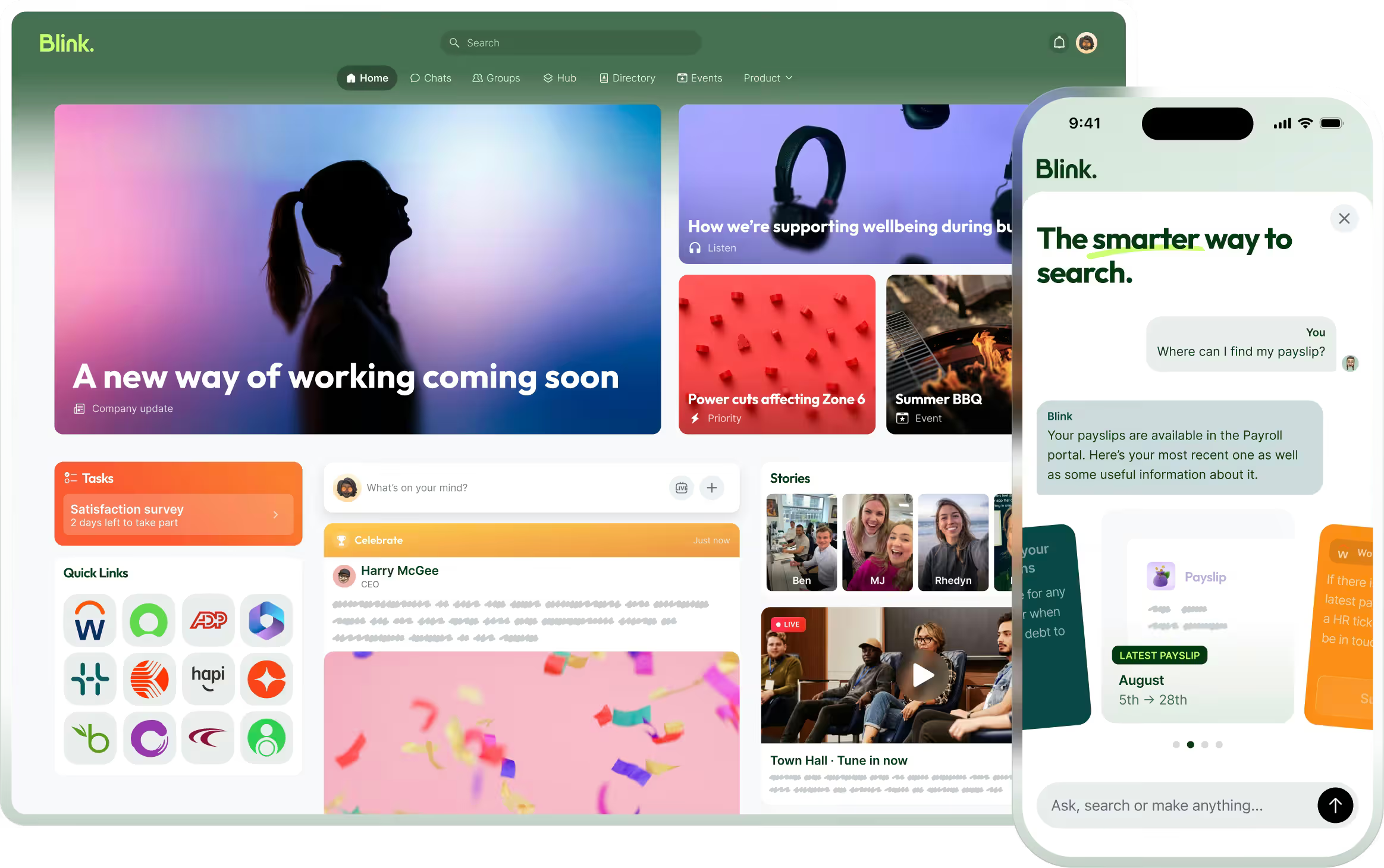
Imagine logging into your intranet and seeing everything you need in one central location — no digging, no guesswork. Thanks to AI, your intranet can serve up personalized internal communication, relevant content, and digital tools in a company news feed that’s designed to feel custom-built just for you.
{{mobile-desktop-main="/image"}}
Enhanced search capabilities
Natural language processing (NLP) means we can speak to AI as we would a person — and it understands what we’re saying. This enables intuitive and conversational intranet search functions. Also, AI may soon be able to answer employee questions using its knowledge of intranet resources, rather than simply serving a list of resource links.
Proactive assistance
AI can be integrated into your employee intranet as a chatbot. It can answer employee FAQs and guide onboarding for new hires. It can help employees find the intranet content and tools they need. This frees your HR, IT, and comms teams to focus on higher-level tasks.
Real-time recommendations
Your intranet could become your employees’ personal assistant, predicting what they need before they even realize it. Need a document? It’s already highlighted. Looking for a collaborator? AI’s got a suggestion. It’s like having an intranet that reads minds.
Voice and chat integration
Employees can enjoy seamless intranet interactions through virtual assistants and voice commands. Employees don’t even need to type. They can get answers to questions like, “What are my tasks for the day?” or “show me the latest HR policy,” without having to navigate the intranet interface. This is great for accessibility and for employees who want to access your intranet on the go.
Task automation
AI can automate a wide range of routine tasks, including PTO requests, compliance training reminders, and IT support tickets. It can search for and flag outdated intranet content, automatically generate content tags, and launch pulse surveys as per your schedule. It can become the home for easy-to-find collaboration tools that help employees connect and work with one another. Managers and employees can also use AI to compose intranet content.
{{mobile-survey="/image"}}
Easy analytics
AI can help you make the most of your intranet by analyzing data on usage patterns, features that aren’t used very often, and your most popular content. You can also use AI to analyze employee sentiment and identify employee engagement red flags. This gives you time to make changes before dissatisfaction impacts productivity and retention.
Why an AI-powered intranet is a win-win
AI transformation can feel daunting. But the benefits it brings for both employees and organizations can’t be ignored.
Benefits for employees
An AI intranet improves the employee experience. Automation and proactive AI support make work quicker and easier, so employees can focus on more meaningful and strategic tasks. AI can optimize the collaborative parts of a unified platform — like enabling an easy-to-navigate employee directory, or quick-to-use instant messaging — that make or break a great experience on a daily basis.
An AI-powered intranet also reduces friction and frustration because employees are presented with relevant information at every turn. Every employee — from the desk-based employee to the frontline worker — gets a user-friendly, personalized intranet experience that improves their engagement and motivation.
{{mobile-workday-feed="/image"}}
Benefits for organizations
AI improves your intranet solution, driving higher employee adoption rates and ensuring you get the best possible ROI from your intranet investment.
Your new and improved intranet can also become a key part of the company culture, supporting employee engagement, productivity, collaboration, and retention. And with easy data analysis, it’s much easier to track success relating to all these business objectives.
AI roadblocks — and how to power through them
An AI-powered intranet can transform your digital workplace, making it more engaging, efficient, and collaborative. But — as with any big change in the workplace — you need to give careful consideration to potential pitfalls.
Here are some of the challenges of incorporating AI into your intranet software and what you can do to overcome them.
Data privacy concerns
AI systems process vast amounts of personal and organizational data. So preventing data breaches and the associated loss of employee trust is imperative. You should only use encrypted intranet platforms and work to establish clear data privacy policies.
Change management
Introducing AI to your traditional intranet is like rolling out the red carpet for innovation — but not everyone might feel like a VIP right away. Some employees may hesitate, wondering, “How do I even use this?” That’s where effective communication and training come in to save the day.
Balancing AI and a human touch
Use AI to augment, rather than replace, human connection. AI can handle repetitive tasks and help with data analysis. But when it comes to tasks that require decision-making, emotional intelligence, creative collaboration, and relationship-building, ensure that employees — not bots — take the lead.
How to make AI intranet adoption seamless
If, like us, you’re convinced that AI is going to be an intranet game-changer, here’s what you need to do next.
#1. Conduct a needs assessment to determine what features matter most
To find an AI intranet that meets all your organizational needs, start with a needs assessment. Consult with stakeholders at all levels to find out which intranet and AI features they’d like to see. Then, put features in order of priority before you go vendor shopping.
#2. Partner with a tech vendor specializing in AI-powered intranets
There are lots of tech vendors out there — but not all of them specialize in AI-powered intranets. Work with an AI intranet specialist and your partner can guide you seamlessly through the intranet upgrade process. You can also count on platform reliability, time and cost efficiency, and access to the most advanced AI features. Check out our recommendations of top intranet software providers here.
#3. Prioritize mobile-first design to align with employee expectations
Like the rest of your modern employee intranet, any AI tools should be available to all employees across all devices. Employees — from your office-based knowledge workers to your remote workers and frontline workers in the field — should get the same great intranet experience. So prioritize user-friendly, mobile-first intranet software that meets employees’ high expectations.
{{mobile-desktop-main="/image"}}
#4. Roll out AI capabilities in phases to avoid overwhelming users
When rolling out any new intranet feature, it’s best to do so in stages, getting employees used to one new feature at a time. This reduces staff overwhelm and helps you sustain intranet engagement. A phased approach also takes the pressure off your IT team, who are less likely to be swamped with training and support requests.
Incorporate AI and take your employee intranet to the next level
Let’s face it: AI isn’t just the future — it’s here. And it’s reshaping the company intranet into something your workforce will actually want to use. With the help of AI, organizations are enhancing the digital employee experience, boosting workplace productivity, and fostering corporate culture — ultimately improving outcomes across the entire company.
The question is: Are you ready to make the leap?
By making the shift to a modern intranet solution now and preparing your platform, employees, and organization for the future, you can stay ahead of the curve — and start to reap AI’s benefits sooner rather than later.
Blink. And discover how an AI-powered intranet can reimagine your organization.
AI isn’t exactly the new kid on the block, but 2024 was the year it truly hit its stride. Businesses that embraced it didn’t just dip their toes in — they’re already seeing big wins.
According to Boston Consulting Group, businesses that are leading the way with AI have achieved 1.5x the revenue growth than those that lag behind.
So could 2025 be the year when AI becomes commonplace in internal communications and HR? HR leaders seem to think so. 3 in 4 say that failing to adopt and implement AI in the next 12 to 24 months will harm organizational success.
AI is becoming a necessity rather than a nice-to-have — and the employee intranet is the perfect place to put it to use. AI has the power — not just to enhance intranets — but to reinvent them for the modern workforce.
Let's take a closer look at the essential features and benefits that an AI-powered intranet can bring to your employees and organization.
{{mobile-blink-assist="/image"}}
Why employee intranets are stuck in the past
Traditional employee intranets — we’re talking those clunky, desktop-based platforms — rarely meet the needs of today’s modern workforce.
Typically used as a content management hub on a private network, they serve up static documents that tend to quickly go out of date, like company policies. Interfaces are usually hard to navigate. There are few (if any) employee engagement features built into the system.
The result? Employees actively avoid your intranet solution. Adoption and usage rates drop. It gets even harder to streamline workflows and share important employee communications.
In recent years, modern intranets and employee apps have been rectifying some of the problems created by traditional intranets — and AI is taking the digital workplace to a whole new level.
How AI is turning corporate intranets into must-have tools
The talk about AI isn’t just hype. Incorporate this tech into your intranet software and you can finally create a social intranet that serves as a single source of truth for your employees.
Imagine logging into your intranet and seeing everything you need in one central location — no digging, no guesswork. Thanks to AI, your intranet can serve up personalized internal communication, relevant content, and digital tools in a company news feed that’s designed to feel custom-built just for you.
{{mobile-desktop-main="/image"}}
Enhanced search capabilities
Natural language processing (NLP) means we can speak to AI as we would a person — and it understands what we’re saying. This enables intuitive and conversational intranet search functions. Also, AI may soon be able to answer employee questions using its knowledge of intranet resources, rather than simply serving a list of resource links.
Proactive assistance
AI can be integrated into your employee intranet as a chatbot. It can answer employee FAQs and guide onboarding for new hires. It can help employees find the intranet content and tools they need. This frees your HR, IT, and comms teams to focus on higher-level tasks.
Real-time recommendations
Your intranet could become your employees’ personal assistant, predicting what they need before they even realize it. Need a document? It’s already highlighted. Looking for a collaborator? AI’s got a suggestion. It’s like having an intranet that reads minds.
Voice and chat integration
Employees can enjoy seamless intranet interactions through virtual assistants and voice commands. Employees don’t even need to type. They can get answers to questions like, “What are my tasks for the day?” or “show me the latest HR policy,” without having to navigate the intranet interface. This is great for accessibility and for employees who want to access your intranet on the go.
Task automation
AI can automate a wide range of routine tasks, including PTO requests, compliance training reminders, and IT support tickets. It can search for and flag outdated intranet content, automatically generate content tags, and launch pulse surveys as per your schedule. It can become the home for easy-to-find collaboration tools that help employees connect and work with one another. Managers and employees can also use AI to compose intranet content.
{{mobile-survey="/image"}}
Easy analytics
AI can help you make the most of your intranet by analyzing data on usage patterns, features that aren’t used very often, and your most popular content. You can also use AI to analyze employee sentiment and identify employee engagement red flags. This gives you time to make changes before dissatisfaction impacts productivity and retention.
Why an AI-powered intranet is a win-win
AI transformation can feel daunting. But the benefits it brings for both employees and organizations can’t be ignored.
Benefits for employees
An AI intranet improves the employee experience. Automation and proactive AI support make work quicker and easier, so employees can focus on more meaningful and strategic tasks. AI can optimize the collaborative parts of a unified platform — like enabling an easy-to-navigate employee directory, or quick-to-use instant messaging — that make or break a great experience on a daily basis.
An AI-powered intranet also reduces friction and frustration because employees are presented with relevant information at every turn. Every employee — from the desk-based employee to the frontline worker — gets a user-friendly, personalized intranet experience that improves their engagement and motivation.
{{mobile-workday-feed="/image"}}
Benefits for organizations
AI improves your intranet solution, driving higher employee adoption rates and ensuring you get the best possible ROI from your intranet investment.
Your new and improved intranet can also become a key part of the company culture, supporting employee engagement, productivity, collaboration, and retention. And with easy data analysis, it’s much easier to track success relating to all these business objectives.
AI roadblocks — and how to power through them
An AI-powered intranet can transform your digital workplace, making it more engaging, efficient, and collaborative. But — as with any big change in the workplace — you need to give careful consideration to potential pitfalls.
Here are some of the challenges of incorporating AI into your intranet software and what you can do to overcome them.
Data privacy concerns
AI systems process vast amounts of personal and organizational data. So preventing data breaches and the associated loss of employee trust is imperative. You should only use encrypted intranet platforms and work to establish clear data privacy policies.
Change management
Introducing AI to your traditional intranet is like rolling out the red carpet for innovation — but not everyone might feel like a VIP right away. Some employees may hesitate, wondering, “How do I even use this?” That’s where effective communication and training come in to save the day.
Balancing AI and a human touch
Use AI to augment, rather than replace, human connection. AI can handle repetitive tasks and help with data analysis. But when it comes to tasks that require decision-making, emotional intelligence, creative collaboration, and relationship-building, ensure that employees — not bots — take the lead.
How to make AI intranet adoption seamless
If, like us, you’re convinced that AI is going to be an intranet game-changer, here’s what you need to do next.
#1. Conduct a needs assessment to determine what features matter most
To find an AI intranet that meets all your organizational needs, start with a needs assessment. Consult with stakeholders at all levels to find out which intranet and AI features they’d like to see. Then, put features in order of priority before you go vendor shopping.
#2. Partner with a tech vendor specializing in AI-powered intranets
There are lots of tech vendors out there — but not all of them specialize in AI-powered intranets. Work with an AI intranet specialist and your partner can guide you seamlessly through the intranet upgrade process. You can also count on platform reliability, time and cost efficiency, and access to the most advanced AI features. Check out our recommendations of top intranet software providers here.
#3. Prioritize mobile-first design to align with employee expectations
Like the rest of your modern employee intranet, any AI tools should be available to all employees across all devices. Employees — from your office-based knowledge workers to your remote workers and frontline workers in the field — should get the same great intranet experience. So prioritize user-friendly, mobile-first intranet software that meets employees’ high expectations.
{{mobile-desktop-main="/image"}}
#4. Roll out AI capabilities in phases to avoid overwhelming users
When rolling out any new intranet feature, it’s best to do so in stages, getting employees used to one new feature at a time. This reduces staff overwhelm and helps you sustain intranet engagement. A phased approach also takes the pressure off your IT team, who are less likely to be swamped with training and support requests.
Incorporate AI and take your employee intranet to the next level
Let’s face it: AI isn’t just the future — it’s here. And it’s reshaping the company intranet into something your workforce will actually want to use. With the help of AI, organizations are enhancing the digital employee experience, boosting workplace productivity, and fostering corporate culture — ultimately improving outcomes across the entire company.
The question is: Are you ready to make the leap?
By making the shift to a modern intranet solution now and preparing your platform, employees, and organization for the future, you can stay ahead of the curve — and start to reap AI’s benefits sooner rather than later.
Blink. And discover how an AI-powered intranet can reimagine your organization.
What we'll cover
Start your free trial today
See how Blink helps frontline teams stay connected, informed, and engaged.
Unfortunately, this stat makes perfect sense. Workplace tech has traditionally been built with office-based workers in mind. So it tends to fall short for the frontline.
Some companies still use a traditional intranet. And others use a patchwork of different HR and IT apps. These tools may work well for desk-based employees. But they cause three common problems for frontline workers:
Limited access to tech. Frontline employees don’t have regular access to a computer and don’t always have a company email address. This means they rely on noticeboards, personal apps, and/or shared company computers to access the information and tools they need.
Access to poor quality tech. Frontline employees have access to a system that does some things, but not others. They can access tech tools via a mobile device but features are limited and the user experience is lacking
Access to too much tech. When employees use lots of different apps via lots of different interfaces, it creates as many problems as it solves. This piecemeal approach can cause friction and tech tool disengagement
Frontline organizations need streamlined tech that works for every employee. As Ian Gordon, former President of Administrative Operations at Elara Caring, said in an interview:
“Being a frontline worker can feel like you’re on an island by yourself, and the solutions that you need must be quicker and more succinct. You can’t spend a lot of time signing in and navigating. You need to get to your answer now.”
Currently, deskless workers waste time and productivity on tasks that could be streamlined. For example, finding their training documents, communicating with managers, or simply tracking down last month’s pay stub.
Thankfully, there’s a solution. A modern intranet takes into account the realities of today’s distributed workforce. It’s a mobile-first tool that provides the same seamless digital experience for both frontline and desk-based employees.
Here, we explore how the right type of technology can benefit your frontline employees andyour organization. We also reveal the three features you should be looking for when choosing frontline tech.
Benefits of a modern intranet for frontline employees
When your frontline has access to the right tech, everyone stands to gain. Let’s take a look at the benefits – for your organization and employees – of a mobile-first employee app.
Higher levels of productivity
When frontline employees don’t have the right tech, they waste a lot of time on tasks that could be streamlined.
They have to call their manager on the phone when they want to change shifts.
They have to use the shared computer on their lunch break to respond to a company survey.
They have to leaf through a paper handbook to find an answer to their question.
A modern intranet helps frontline employees complete tasks quickly and easily. This means productivity for your organization improves.
Streamlined workflows
A modern intranet helps streamline the workflow of every employee in your organization, not just those on the frontline.
That’s because frontline employees can use self-serve functions. They can view their pay stubs, launch an assigned L&D module, and request time off. Employees can book shifts and report faults or accidents. They can also chat with their managers via messaging features.
This helps to streamline the work of your frontline workers. But it also helps HR teams and frontline managers. They get fewer queries and fewer phone calls because frontline employees can achieve so much more using the right tech tool - removing the barrier to access and allowing your HR teams and managers to focus on the work they are meant to be doing.
Tech tool efficiency
The best modern intranets integrate with the software you already use for your business. It's not about adding another tool to your tech stack to be siloed, but increasing access to all of the other tools you already rely on. So employees can access all tech tools from the same, familiar interface.
When workplace tools are intuitive and easy to access, employees spend a lot less time looking for the resources they need. They also spend less time trying to remember different login details. A single click, a single password, and they’re in.
Learning and development
A modern intranet or employee app makes it easy for employees to access vital resources. Like workplace policies, guides, and training materials.
This means new hires get up-to-speed quickly. They can access all onboarding materials via their smartphone. Existing employees also find it easy to weave L&D into their usual workflow.
With access to resources that help them work smarter, not harder, employees become more effective and productive in their roles.
Improved internal communication
Good internal communication is the backbone of any organization.
Without it, trust in leadership suffers. And with it, engagement and loyalty increases. Employees in organizations with effective communication feel more connected to their jobs.
But we know that frontline teams usually don’t enjoy the same level of communication and connection as their desk-based co-workers.
Frontline employees tend to spend very little time at HQ and often spend their days working alone. So they risk missing out on:
Vital company updates
Co-worker collaboration
Recognition from managers
Opportunities to make their voice heard
The right tech helps to bridge the gap. It improves employee communication by connecting frontline workers to their co-workers, head office, and company culture.
Real-time communication
Information is often outdated by the time it reaches frontline employees. It’s hard to spot memos on a crowded noticeboard, and it’s easy to miss an important update in a long thread of messages.
The best modern intranets solve this problem by supporting real-time communication.
Employees can use newsfeed, group chat, and 1-2-1 chat functions to get up-to-the-minute information.
Managers can send smartphone notifications to highlight vital updates. They can post a video of today’s company standup. They can also create and pin mandatory messages to the company newsfeed, ensuring that essential information cuts through.
With access to relevant, timely information like this, employees make better decisions and solve problems more quickly.
Two-way communication
Top-down communication is useful for establishing company culture and sharing updates. But for truly effective internal communication, information needs to move in all directions.
Modern intranets support peer-to-peer connection. Co-workers can interact via the newsfeed or chat functions. They can recognize a peer’s hard work. Or wish their work bestie a happy birthday.
The intranet also supports bottom-up communication. With a newsfeed, direct messaging, and company-wide surveys, you give frontline employees a voice.
This makes a positive difference to the employee experience. Employees who say their voice is heard at work are 4.6x more likely to give their all.
Collaboration
Imagine a frontline care worker has come across a great article about elderly care. How does that person share their new insight with other frontline workers in other locations?
Perhaps they’ll mention the article to the co-workers they physically cross paths with. Or send a link to the small group of people in their work WhatsApp chat.
But you really amplify the reach and impact when that care worker can post the article to the company employee app.
The right tech tools allow frontline teams to share the knowledge they gain when they’re out in the field. They can share best practices and collaborate with other employees, even though they’re not based in the same office environment.
Empowerment and engagement
When employees feel empowered and engaged at work, they’re happier and more productive. They provide better customer service and produce better results. They’re also less likely to look for a job elsewhere.
Employee engagement relies on strong employee communication, development opportunities, recognition – and the right tech.
The wrong tech can be a big drain on employee engagement. When workers use slow, inefficient, and ineffective digital tools, it adds friction and frustration to their work day. So implementing a modern intranet can help with all the following.
Empowering employees
With a company super-app at their fingertips, frontline employees are empowered to make informed decisions and take a proactive approach to their work.
Thanks to user-friendly employee communication channels, they can report safety or equipment issues. They can share their knowledge. And they can access company resources exactly when they need them.
A modern intranet also empowers employees to progress in their careers. 70% of frontline workers are interested in career progression opportunities. But they don’t always get the resources or support they need.
Via an employee app, you can give frontline workers easy access to L&D information, new job opportunities, and any available employee development activities.
Engaging employees
The right frontline tech helps you to improve employee engagement. It allows employees to engage with co-workers and company culture. And it mirrors the experience provided by employees’ favorite social media apps.
A newsfeed. Likes, comments, and shares. Pulse surveys. Digital 1-2-1s. A searchable company library. A modern intranet with a user-friendly interface creates an experience that employees are excited to use and keep using.
The best frontline tech also offers personalization, another thing that helps to level up engagement. Employees can switch up their dashboards to put their preferred features first. Or prioritize their newsfeed to focus on posts that are most relevant to them.
Retention and attraction
Frontline teams experience high levels of churn. A McKinsey study found that 45% of frontline workers planned to leave their jobs within the following 3 to 6 months.
Workplace technology is an important part of the puzzle. 78% of deskless workers say they consider the technology at a company when deciding whether to take a job there.
When you equip frontline workers with the right tech, you show your employees that you value them and care about their experience.
You also provide communication channels that support a better employee experience. You allow employees to give feedback and build stronger relationships with co-workers. This makes it easier to hold onto existing staff – and to attract new talent too.
Choosing the right tech for frontline employees
Some tech solutions – like the traditional intranet – don’t fit the realities of frontline work. So what should you be looking for when choosing tech for frontline employees?
The best frontline tech:
is a one-stop-shop
offers an intuitive user experience
has a mobile-first design
Let’s look at these features in a little more detail.
It’s a one-stop-shop
Currently, many organizations are at risk of app overload. 37% of frontline workers use five or more apps every day. But 39% say that apps aren’t actually helping them in their work.
A patchwork of workplace tools means workers have to learn different interfaces and remember lots of passwords. Tech complicates their workflow instead of simplifying it.
The best modern intranet brings together all the software you use. It acts as a digital front door for your organization.
Behind this door, employees find everything they need to do their jobs. Tools for communication, operations, training, shifts, collaboration, and HR. It’s all available via one interface and a single login.
Tech that acts as a one-stop-shop reduces friction in frontline employee workflow. It also drives adoption for your existing tools, improving the ROI on the software you’re already paying for.
Supercharge your frontline with an employee super-app
It provides an intuitive user experience
Investing in the best frontline tech is pointless if you can’t persuade employees to use it. So you need tech solutions that can prove high usage and adoption rates.
Bear in mind that 56% of deskless workers are using personal tech tools instead of workplace tools. As well as posing security risks, this illustrates a really important point when choosing frontline tech.
Your chosen solution has to compete with the user experience (UX) provided by the most popular social media platforms. So you need tools that offer an intuitive, friction-free UX.
These intuitive tools don’t have a steep learning curve. Instead – because they’re so similar to the apps your employees already use out of work – employees can pick them up and start using them with next to no training.
Because they’re so easy to use, these apps provide clear employee benefits from the get-go. This helps to drive organic app adoption and ensures a higher proportion of your workforce downloads and uses your intranet.
It’s a mobile-first solution
Frontline workers don’t sit at a desk. They don’t always have a company email address, let alone a company computer. Therefore, any workplace tech you choose must be available via a mobile device.
The best solutions have a mobile-first design. They’re not tools designed for desktop with an app added as an afterthought. Instead, they offer the same great features and user experience on a smartphone as they do on other devices.
This allows frontline team members to stay up-to-date with company news, book time off, or look at their shift schedule while they do their daily work. They can access workplace tools from any location, at any time.
Blink: an employee app for frontline workers
The Blink employee app is a modern intranet for a modern frontline workforce. Our app acts as the digital front door for your organization.
It provides access to the tools and systems your entire workforce needs day to day. And it integrates seamlessly with the software you already use. So employees can access all workplace software using one secure single sign-on (SSO).
As a mobile-first solution, Blink provides the same great user experience on smartphones, tablets, and desktop computers. Frontline workers have exactly the same access as their desk-based peers to company culture, co-worker connection, and workplace resources.
If you’re looking to improve the frontline employee experience, connect your workforce, and increase productivity, frontline tech is a great place to start.
Digital tools are transforming the way organizations build and sustain employee engagement. Platforms like Blink, Workvivo, Staffbase, and Reward Gateway are helping teams stay connected, improve communication, and bring company culture to life — wherever employees work.
But with so many employee engagement tools on the market, choosing the right one can be tricky. The wrong platform can waste time, hurt adoption, and even reduce engagement.
Getting it right matters. Companies with highly engaged teams are more productive and see up to 23% higher profitability. The best employee engagement software goes beyond simple communication — it connects people, recognizes great work, and supports a shared sense of purpose.
Every organization is different. The tools that work for a remote or office-based workforce may not suit a frontline team. That’s why it’s important to align your engagement goals with the right platform.
You’ll find software built for:
Frontline employees — mobile-first apps like Blink that keep workers connected on the go
Remote teams — tools such as Asana and Slack that combine communication and project management
Office-based teams — platforms like Culture Amp and OfficeVibe that measure engagement and feedback
And others that specialize in areas such as:
Communication and collaboration
Feedback and performance
Wellbeing and productivity
Rewards and recognition
Choosing the right solution depends on your people and your priorities — because engagement software only works when it works for everyone.
For frontline organizations, this is especially true. Most engagement platforms are still built with desk-based employees in mind. Only 1 in 10 frontline workers says they have access to the tools and technology they need to connect and advance at work — even though they make up 82% of the global workforce.
Without easy access to company updates, communication, and recognition, frontline employees can quickly feel disconnected and undervalued.
That’s why your employee engagement solution needs to work for all employees — wherever and however they work.
In the next section, we’ll look at the best employee engagement software for 2026 — from all-in-one employee apps like Blink to specialized tools for communication, wellbeing, and recognition.
Let’s take a closer look.
Best employee engagement app for frontline organizations
Frontline employees are the backbone of many industries — from transportation and retail to healthcare and hospitality. But engaging this workforce comes with unique challenges. Many frontline employees don’t have regular access to company systems, email, or desktop devices, making it harder for them to stay informed and connected.
That’s why mobile-first employee engagement software has become essential. The best platforms for frontline teams combine communication, recognition, and real-time updates in one easy-to-use app.
These tools close the gap between head office and the field, helping every employee — regardless of location — feel included in company culture.
Below are some of the best employee engagement tools for frontline workers in 2026, starting with Blink, a leading all-in-one platform designed specifically for deskless and distributed teams.
Best employee engagement software for frontline workers
Blink
When it comes to engaging a dispersed, frontline workforce, few tools match what Blink delivers.
Blink is a mobile-first employee engagement platform built to help organizations connect with every worker — whether they’re in the field, on the factory floor, or on the move. Used by teams across industries such as transport, healthcare, logistics, and construction, Blink turns everyday communication into connection.
Employees can easily chat with colleagues, access company updates, view schedules, and complete essential tasks all in one place. The result: better communication, stronger engagement, and a more unified culture.
Managers benefit, too. Blink’s analytics dashboard helps leaders track engagement and performance trends, identify communication gaps, and celebrate wins through built-in recognition tools.
Key features include:
All-in-one communication: Peer-to-peer chat, team groups, and company-wide updates keep everyone aligned.
Employee recognition: Built-in recognition features highlight great work and reinforce culture.
Engagement surveys: Pulse surveys provide quick, actionable insights into morale and satisfaction.
Analytics and insights: Track usage, engagement, and content performance to inform strategy.
Seamless integrations: Connect scheduling, HR, and project management tools for a single digital workspace.
Mobile-first design: Works on any smartphone — no corporate email required.
With Blink, your entire workforce can access the same tools and information, creating a seamless digital experience that keeps everyone connected, informed, and motivated.
Request a demo today to see how Blink can transform engagement across your frontline teams.
Best employee engagement software for desk-based remote workers
If you're looking for employee engagement software platforms suited to desk-based remote workers, here are some excellent options.
Google Chat
Source: Google Chat Capterra Reviews
Google Chat is a communication platform that includes features like video and voice calls, and group chat. It's a great option for workplace communication and it's free to use.
As you’d expect, this tool integrates with the rest of the Google suite, including Google Calendar, Drive, Groups, and Gmail. But it lacks some of the advanced features you tend to get with paid tools.
Reviews from Capterra note that Google Chat is easy to use. It also provides good collaboration tools. However, the interface can be frustrating, message delivery can be an issue, and notifications can be challenging to navigate.
Pricing: Monthly pricing for Google Chat for business starts at $6 per user.
Discord
Discord is a chat app designed for gamers. But it’s recently been used for workplace communication, too. It includes features like voice and video chat, so you can easily connect and communicate with colleagues.
You can use Discord for free, making it a basic but cost-effective tool for internal communications, especially in a remote working environment.
Pricing: Many of Discord’s features are free to use. For businesses that want to invest in extra perks, Discord’s premium tier, “Nitro,” is available for $99 per year.
Asana
Asana is a popular project management tool that can also be used for employee engagement. With Asana, you can easily create and assign tasks, track task progress, and set team priorities. You can also use Asana to create custom projects for easy employee collaboration.
Source: Asana Capterra reviews
Asana makes a great option for remote teams, in part because it offers a mobile app for easy access to tasks and progress data. This helps to ensure that employees are working cohesively and effectively wherever they’re based.
Reviews from Capterra note that while Asana offers a clean, intuitive, and integrated interface, notifications are often missed, automatic opt-in to email notifications can be annoying, and the different projects and access features can be confusing.
Pricing: Monthly pricing for Asana starts at a basic free plan. A business plan costs $24.99 per user per month when billed annually.
ClickUp
ClickUp is a cloud-based collaboration and project management tool and it’s a good option for those looking to improve remote employee engagement.
Key features include task assignments and statuses, alerts, and a task toolbar. But while ClickUp does well in terms of task management, it doesn’t offer a full range of employee engagement tools.
This platform lacks features relating to real-time communication, employee recognition, and social interaction. So you’re likely to need additional software.
Pricing: ClickUp offers a free version. Monthly pricing for a Business plan costs $12 per user per month.
WorkTango
WorkTango is an employee experience platform with a number of solutions for employee engagement. It provides tools like employee surveys, real-time analytics, rewards, and recognition.
You can also see how your engagement scores rank against other WorkTango customers to get a better sense of how you’re doing.
On Capterra, users say that anonymous feedback and anonymous employee chat allow for truly honest conversations. Clients also praise recognition features. However, some users would like better reporting tools and easier platform navigation.
Leapsome is a good employee engagement tool for goal setting and employee development.
It’s designed to support organizations to create high-performing teams. You can use Leapsome to track and collaborate on goals, run 360-degree reviews, and create personalized learning pathways.
With lots of tools for remote teams, Leapsome helps maintain employee progress even when employees aren’t in the office. The software also offers video conferencing tools, which make it easy to collaborate on agendas and align action plans.
Pricing: Pricing starts at $8 per user per month, with the option to add on the extra features you need.
Slack
Source: Slack Capterra Reviews
Slack is a great productivity tool for remote office workers. It helps you to organize teams and their work, with the help of channels, huddles, and a workflow builder.
However, it's worth noting that Slack doesn't provide much in the way of scheduling, performance tracking, or survey features. If these tools are essential to your organization, you’ll need to use Slack plus another employee engagement platform.
Reviews from Capterra note that Slack’s user interface is easy to use. They like channel and plugin features. They also appreciate having all work conversations in one place.
However, reviews also note that it can be a confusing platform to use, with lots of channels across different teams. Adoption can also be difficult if people are not familiar with the software.
Pricing: For multiple employees, monthly pricing for Slack starts at $6.67 per user.
Best employee engagement software for desk-based office workers
Now, let’s take a look at the tech tools best suited to office worker engagement.
OfficeVibe
Source: OfficeVibe Capterra Reviews
OfficeVibe is a “people-first” employee experience platform, with a number of employee engagement features designed for the office.
It helps employers to assess and improve employee engagement levels with robust measurement tools. It also provides an app so you can track progress on the go if needed.
Reviews from Capterra note that OfficeVibe is an innovative tool that helps organizations better understand employee happiness. The company also provides strong customer service.
However, managers complain that survey questions can’t be customized and that insights don’t go deep enough. They also say that the Slack integration doesn’t work too well and that setup can be confusing.
Pricing: Monthly pricing for OfficeVibe ranges from a free version to a $5 per user Pro Plan.
SurveyMonkey
By using employee satisfaction survey tools like SurveyMonkey, you can collect regular feedback from employees on their engagement levels. This real-time feedback can help you to identify problem areas and take steps to improve employee engagement in your organization.
As well as survey templates, SurveyMonkey offers reporting and analytics features that help you spot data trends and insights. It also uses AI to reveal employee sentiment.
Pricing: For over three users, monthly pricing for SurveyMonkey starts at $31.83 per user.
Doodle
Employee polls are a quick and easy way to collect anonymous feedback from employees on a range of topics. You can use employee poll tools from Doodle to gather feedback on everything from engagement levels to job satisfaction.
But Doodle does more than polls. It also provides meeting, video conferencing, and scheduling tools. You can even poll meeting attendees to find a time that works for everyone and improve attendance.
Pricing: Monthly pricing for Doodle Professional starts at $6.95 per user.
Monday.com
Monday.com is a project management tool that can also be used for employee engagement.
With Monday.com, you can create and assign tasks, track progress, and more. You can also use it to create performance tracking templates for employees. This can help you to identify areas where employees need improvement and take steps to address them.
On Capterra, Monday.com users say that the platform’s project management tools are excellent. But others complain that the backend of the platform is complicated and involves a steep learning curve.
Pricing: For more than two employees, monthly pricing for Monday.com starts at $8 per user per month.
Culture Amp
Culture Amp’s employee engagement platform provides over 40 science-backed survey templates. You can use these surveys to find out how employees feel about engagement, belonging, inclusion, and more.
The platform also uses AI-powered insights to summarize employee engagement findings, supporting your business to make data-backed decisions.
Reviews from Capterra say that Culture Amp has a user-friendly user interface. They also praise the platform’s ready-to-go survey templates.
But users don’t like having to rely on the Culture Amp support team to update some parts of the platform. They also say that — while survey features are strong — features like the objective and key results (OKR) module aren’t as well-developed.
The following tools specialize in one area of employee engagement. As such, they make a great add-on to your chosen staff engagement tool.
At Blink, our App Marketplace integrates all the tools you need to manage your employee engagement in one place. If we don't already integrate with your app, just ask!
Kudos
Kudos is an add-on app that allows employees to give and receive recognition in real time. With Kudos, you can create a culture of recognition where employees feel appreciated for their hard work.
Pricing: Monthly pricing for Kudos starts at $3.25 per user.
Friday
Friday is an app that makes it easy to give employees recognition for a job well done. With Friday, you can give employees badges, points, and rewards to show your appreciation.
Pricing: Friday has a free version. Monthly pricing goes up to $100+ for company plans.
Bonusly
Bonusly is another dedicated employee recognition tool. Bonusly supports peer recognition, allowing employees to give each other bonuses in the form of points that can be redeemed for rewards. By using Bonusly, you can create a culture of appreciation and recognition throughout your workforce.
Pricing: Monthly pricing options for Bonusly starts at $2.70 per user.
Limeade Wellbeing
Employee wellbeing programs, like those on offer from Limeade, go hand in hand with employee engagement programs. Because when employees feel healthier, happier, and less stressed, they have the headspace they need to engage with their work.
Limeade provides customized employee wellness programs. These programs encourage participation and deliver essential wellbeing resources via one handy tool.
With this tool, you can also listen and respond to your workforce in real time through anonymous surveys, polls, and quizzes. All that’s really missing from this system is strong employee communication tools.
WeThrive is an employee engagement tool designed to support the mental health of desk-based workers. With this platform, you can create surveys to assess employee wellbeing and then take action to improve it.
WeThrive analytics allow you to segment survey results by team, tenure, location, department, and manager. This makes it easy to identify the root causes of poor wellbeing and identify areas for improvement.
Reward Gateway is an employee engagement solution that offers employee discounts, employee rewards and recognition, and tools for employee communications.
This combined platform is a great tool for office-based employers looking to boost employee recognition, with features such as discounts and rewards accessible in one place.
Reviews from Capterra note that Reward Gateway is flexible and easy to use. But it can be glitchy, with reporting features sometimes not running properly and some features failing to run as smoothly as others.
Pricing: Monthly pricing for Reward Gateway starts at $10.19 per user.
Weekdone
For structured goal setting, Weekdone is an excellent choice. It’s a top-rated OKR platform that allows you to track weekly plans and progress, provide feedback, and get everyone pulling in the same direction.
OKR software can also be used to ensure that remote employees have clear objectives, with performance reviews and goal tracking.
Pricing: For more than three employees, monthly pricing for Weekdone is $8 per user.
Awardco
Awardco is another bonus tool that makes recognizing and rewarding people easier and more effective.
With Awardco, employers can set up reward and recognition programs that their employees can access from any device. You can tailor incentives to your teams, ensuring the prizes on offer act as real motivation.
This tool is a good option for office-based companies of all sizes looking to increase employee satisfaction and engage with their workforce to boost productivity.
Pricing: Pricing for Awardco ranges from $2,500 to $4,000 per year.
QuizBreaker
QuizBreaker is a virtual team-building tool. It works well for both office-based and dispersed teams, bringing a bit of gamification to the work day.
Key features of QuizBreaker include:
a scheduled icebreaker quiz that helps employees get to know each other better
escape games and 1,000+ trivia quizzes for fun team-building events
employee profiles that reveal work style, unique strengths, and fun facts
pulse surveys to help you get regular feedback from employees
QuizBreaker isn’t an all-in-one employee engagement tool. But this platform helps teams to bond and brings a little fun to your workplace culture.
Capterra score: Not found in Capterra database. Pricing: Monthly pricing for QuizBreaker starts at $3 per user.
Motivosity
Motivosity is employee recognition software that makes it easy for managers to give recognition and rewards.
Motivosity’s “Thanks Matters” card is an innovative way of rewarding employees. Like Bonusly, you assign points for great performance. These points directly translate into cash, which employees can access via a special Visa debit card.
They can choose from hundreds of reward options. You can even add your own gifts such as branded swag or lunch with the CEO. Employees can also choose to forgo cash rewards in order to make charitable donations.
Key employee engagement software features to prioritize in 2026
When choosing the right employee engagement software for your organization, focus on the features that will help you overcome your biggest engagement challenges. The right combination of tools can improve communication, morale, and productivity across every level of your workforce.
Channels and chats
Communication is the foundation of engagement. Real-time chat features — including group channels, private messages, and announcements — ensure employees stay in the loop and can collaborate quickly, wherever they work.
Surveys, polls, and content analytics
Platforms with built-in surveys, polls, and analytics help you measure engagement levels, gather employee sentiment, and identify emerging issues before they become major problems. This data ensures every employee has a voice and helps leaders take action with confidence.
Employee recognition
Recognition tools — such as kudos, badges, or points systems — make it easy to celebrate achievements and highlight great work. This simple feature goes a long way toward strengthening motivation, morale, and a sense of belonging.
Analytics and dashboards
For organizations managing distributed or frontline teams, analytics functions are essential. They allow you to measure engagement, retention, and satisfaction while uncovering insights into how employees interact with leadership and one another. These insights drive continuous improvement in your employee experience strategy.
A main feed or hub
A centralized hub — or main company feed — brings all updates, videos, documents, and announcements together in one place. This consolidation creates a single source of truth, keeping employees informed and aligned with your company’s goals.
At Blink, our frontline employee app brings all of these features together. With tools for chat, recognition, surveys, analytics, and communication, Blink helps you overcome common engagement challenges and connect every employee — from the frontline to the office.
The business benefits of digital employee engagement tools
Digital engagement tools require an upfront investment — both financially and in time. But the return on that investment is substantial. The right software encourages participation, builds connection, and creates a culture employees want to be part of.
Below are the five key business benefits of using digital employee engagement software.
#1. Reduce employee turnover and save on recruitment costs
Engaged employees are more likely to stay with your organization, reducing the cost of recruitment and training. According to SHRM, hiring a new employee can cost three to four times the position’s salary, making engagement one of the most effective retention strategies available.
Digital tools strengthen this connection by amplifying company culture and ensuring all employees can participate fully — leading to a happier, more loyal workforce.
#2. Strengthen company culture through digital engagement platforms
In today’s competitive labor market, salary alone isn’t enough to retain top talent. Engaged employees are motivated by purpose, belonging, and appreciation.
Digital engagement tools help reinforce these pillars by improving communication, supporting growth, and enabling public recognition. The right platform makes culture tangible — connecting leadership, values, and everyday work.
#3. Improve internal communication with employee engagement software
Two-way communication is critical for engagement. Modern tools help you deliver the right message to the right people — whether through audience segmentation, targeted updates, or role-based notifications.
These platforms also make it easier to track the effectiveness of communication. With built-in analytics, you can see how employees interact with content and refine your messaging to increase engagement and clarity across the organization.
#4. Use analytics to understand and improve employee engagement
Feedback is the backbone of a strong employee engagement strategy. Without it, leaders can’t identify what’s working or where improvements are needed.
Employee engagement software with advanced reporting provides actionable insights. You can see how satisfied employees are, how frequently they engage with company updates, and where there are communication or experience gaps.
With Blink, for example, you can access detailed data on engagement, satisfaction, and retention — helping you identify frontline challenges early and respond faster.
#5. Boost productivity with connected employee engagement platforms
Disconnected tools slow teams down. Employees lose valuable time switching between apps, searching for information, and handling repetitive admin tasks.
A unified engagement platform streamlines these processes. By digitizing workflows, automating basic tasks, and connecting every workplace app in one place, you free up employees to focus on meaningful, high-impact work.
Blink’s connected platform helps teams stay organized and productive — from digitized HR processes to mobile-friendly task management — improving both individual and organizational performance.
Kristin has quickly settled into life at Blink in just four months. After starting her career in finance, Kristin discovered her passion for working closely with people to achieve shared goals — leading her to a customer success role where she thrives on building new processes and partnerships.
We caught up with her to learn more about her journey, her excitement for upcoming Blink features, and why she loves working at a company that champions both frontline employees and forward-thinking innovation.
Which Blink office do you work out of?
I work at the Boston office 3 days a week.
What is your position at Blink?
I’m a Customer Success Manager. I work with our existing customers to optimize their use of the Blink platform, ensuring we meet their strategic goals through maximizing the value of their Blink investment.
How long have you been at Blink?
I’ve been here for just over four months, so I’m still relatively new. Before this, I worked in Customer Success at a larger tech company in Boston. It was a similar role, but I enjoy working at a smaller, earlier-stage company because I like having the opportunity to build processes and functions from the ground up — it’s really exciting to me.
I graduated college with a major in Finance and started my career in that field. I enjoyed it and did well, but I realized the part of my job I loved most was interacting with people and working toward shared goals. In Finance, those goals were usually budget-related. I thought, “Okay, I don’t want to become a CFO one day… so, what do I want?” That’s what led me to Customer Success, which is fundamentally about teamwork and collaboration.
What initially attracted you to join Blink?
When I heard about Blink, I was really excited. So many apps target desk-based employees — I’d been working in tech, and everything I worked on was designed for people at their desks. What thrilled me about Blink was that it focuses on frontline, deskless employees. It’s such a cool space in the market, and not many tech companies concentrate on that.
Plus, once I started meeting the Blink team, I could sense a great energy. Everyone was incredibly kind during the interviews, and I knew it would be both an exciting and welcoming place to work.
What's a project you are proud of from your time at Blink?
I know I’ve only been here a short while, but I’ve already had the opportunity to collaborate with several teams on enablement for one of our new product offerings: Advanced Employee Intelligence (AEI). AEI is a set of real-time dashboards that customers can use to take action on insights across key areas of the platform.
From the Customer Success side, we really needed resources to demonstrate its value to our customers. So, I worked with Izzy, Nikita, and Adrienne to develop talk tracks and enablement materials — a really exciting project! We’re already seeing the benefits of it, because now we can discuss AEI much more confidently with customers, watch them adopt it, and help drive their success.
How would you describe the company culture at Blink in three words?
I’d describe the Blink team as driven, thoughtful, and team-oriented. Everyone is highly motivated — always pushing to add new product features, improve processes, or try out innovative ideas with customers to enhance employee engagement and communication.
They’re also incredibly thoughtful and team-oriented. From day one, I could tell how welcoming everyone was, eager to help me learn the ropes and teach me everything I needed to know. It’s been great having such a supportive team, especially as I get familiar with the product and start building relationships with my customers.
What's one thing you’re excited about for the future of Blink?
I’m really excited about our product development. We have a lot of cool features on the way, and there’s a great opportunity to partner with our customers to help them leverage these features to enhance their employee communication and engagement.
Can you tell us about a recent initiative or program launched at Blink that you found particularly exciting?
I think our Voice and Video Calling feature will be really cool. Blink is already a one-stop shop, but I believe this will be a fantastic way to streamline communication for people who need to connect quickly. It’ll be incredibly helpful for real-time collaboration.
Why do you work for Blink?
I work at Blink because there’s an opportunity not only to support Blink’s ongoing success and growth but also to partner with our customers on their own success. That’s what excites me every day: having those calls, collaborating on different initiatives, and seeing firsthand the value Blink brings them. It’s especially rewarding to know we’re making an impact for essential workers or those who, without Blink, might have been overlooked in traditional communication channels.
The workplace is evolving — and so is the way we communicate.
Gone are the days when communication flowed in just one direction, from the boardroom to the break room. Today, the most successful organizations view internal communications as a conversation — not a broadcast.
Consider this: Companies with highly engaged employees are 21% more profitable. And what’s one of the biggest drivers of engagement? Employees who feel heard.
That’s where two-way communication comes in. It’s not just a strategy; it’s the key to creating a thriving, connected workplace. Let’s explore what two-way communication really means — and why it’s the backbone of modern employee engagement.
What is two-way internal communications?
Traditionally, employee communications were one way. Leadership would put out a message, which would then be cascaded downward to managers and employees.
A top-down approach established the C-suite as the primary source of internal communication. It also made it difficult for employees to speak up and be heard.
Two-way communication is different. It incorporates three types of communication:
Top-down communication
Bottom-up communication
Peer-to-peer communication
With channels that support these three types of communication, information moves in all directions. Leaders still share company updates — but this multi-pronged approach gives employees the chance to contribute to the company conversation, too.
They can respond to employee surveys, comment on posts in the company news feed, ask questions in town hall meetings, and send instant messages to peers and managers. Information is shared quickly and openly, just as it is on the social media platforms we’ve all grown accustomed to.
In a culture of two-way communication, employees are no longer just passive consumers of internal communications, but active participants in it. And the benefits this can bring to any organization are substantial.
Why does two-way communication matter?
Poor communication is bad for the employee experience: You’re unlikely to foster a positive employee experience without an effective internal communications strategy.
And poor communication isn’t just bad for culture — it’s bad for business, costing an estimated $15,000 per employee per year on loss of time, productivity, and profit.
Adopting two-way communication is a meaningful way to improve communications at your organization — and it comes with a host of business benefits. Here are all the reasons two-way communication lies at the foundation of any modern workplace.
#1. Better engagement with internal communications
Imagine a conversation with the chattiest person you know. They’re talking nonstop and you struggle to get a word in edgeways. Because you don’t get a chance to speak, you disengage and stop really listening to what is being said.
It’s the same in company-wide conversations. When employees are allowed an active role in communications, they engage more with your message. They’re a lot less likely to ignore your internal content — and a lot more likely to read your comms and take the desired action.
{{mobile-stories="/image"}}
#2. Better overall employee engagement
Two-way communication doesn’t just improve engagement with internal messages. It enhances employee engagement across the board.
We know that highly engaged employees are 3x more likely to say they feel heard at their workplace than their highly disengaged counterparts. When employees know that their thoughts and opinions matter to leadership, you improve their satisfaction, motivation, and sense of belonging.
#3. Creating a feedback loop
When you facilitate two-way communication, you get constant feedback from employees. Employee comments, questions, and survey responses help you build a picture of what works — and what doesn’t — in regards to your internal communications.
You’ll develop a better understanding of which messages are cutting through and which are creating employee uncertainty. This knowledge helps you to craft better, more effective employee communications going forward.
{{mobile-survey="/image"}}
#4. Fostering a culture of transparency and trust
No matter the content controls you put in place, opening up your communications to employees requires transparency and trust on the part of your leadership team.
Leaders must be willing to share information on company goals and challenges. They also need to be happy to field employee questions in response to that information.
When leaders demonstrate this level of transparency and trust, employees are more likely to follow suit. You create a company culture in which open communication is valued — and where employees feel comfortable sharing their opinions and concerns.
#5. Promoting inclusion
According to The Workforce Institute, 83% of UK employees say people at their organization are not heard fairly or equally — and 46% say that underrepresented voices are undervalued.
Adopting a policy of two-way communication gives space to previously unheard voices. With the right ethos — and the right internal communications platform — you ensure that all employees are empowered to speak up and be heard.
This leads to greater mutual understanding. It also helps you to create a more inclusive workplace, where everyone feels valued.
#6. Creating coworker connection
Peer-to-peer connection is another beneficial result of two-way communication in the workplace. Over internal communication channels, employees get the chance to build meaningful relationships with coworkers.
This is particularly important for remote and frontline employees, who may spend the majority of their days working alone. Two-way communication channels prevent isolation and disconnection and promote a sense of belonging.
#7. Boosting employee productivity
74% of employees say they are more effective at their jobs when they feel heard.
In a culture of two-way communication, employees get information on policies, tasks, and expectations. But they also get the chance to clarify any uncertainty. With a clear idea of their role and responsibilities, employees are more efficient and less likely to make mistakes.
It’s also easier for coworkers to collaborate with one another. Whether they’re based in the same office — or in completely different locations — employees can share their knowledge and insights, granting a further boost to workforce productivity.
{{mobile-teams-call="/image"}}
#8. Reducing employee churn
Research shows that 1 in 3 employees would rather quit or switch teams than voice their true concerns to management. This makes open, trusting, two-way communication channels a crucial part of employee retention.
When employees feel that they can voice their concerns with managers, managers get a chance to respond. They can make changes to the employee experience and encourage employees to stay.
How can you foster two-way communication in your workplace?
Two-way communication requires effective internal communication tools and channels — and this is where a modern employee experience platform (like Blink) can help.
Whether you’re reexamining your current employee communications platform and exploring alternatives, start by looking at solutions that give employees a voice.
A great way to power two-way communication is by starting to use interactive channels like:
Your platform should make it easy for leadership to share company updates. And for employees to share their thoughts and questions with coworkers, managers, and the C-suite.
By embracing these technologies, internal comms teams can create an inclusive environment where every voice is heard and every employee feels connected.
One of the top barriers to business success? According to 1 in 4 professionals surveyed by Gallagher, it’s internal communication channels that aren’t fit for purpose.
But it’s easy to get it wrong. Usually, problems occur when:
You have too many communication channels
You don’t have a communication framework — designating specific channels for different types of content
You have channels that are inaccessible to certain segments of the workforce
You don’t ask employees what they want from your internal comms channels
Here, we explore 15 of the most popular and effective internal communication channels for 2025. We also look at the questions you should ask when deciding which channels are best suited to your organization and your internal comms strategy.
Common internal communication channels and why they are not enough
Internal communication channels are the tools, platforms, or methods you use to connect employees to your organization — and each other. These channels support the sharing of information, the amplification of company culture, and the building of coworker connections.
Most organizations use a combination of communication channels to reach their workforce. They may use internal communication software to provide some or all channels — and they tend to use different channels for different types of communication.
For example, a company may use email, a social news feed, in-person meetings, project management software, and survey tools. Each of these channels performs a different internal comms function.
Together, these channels support formal and informal, face-to-face and digital interaction. They also ensure that information moves in all directions across the organization.
Types of internal communication channels
We can categorize internal communication channels by the type of communication they facilitate.
Top-down
Top-down internal communication channels allow leaders to share company updates with employees. You can use these channels to speak to the entire workforce but they’re not as interactive as other options on this list.
Examples: Town hall meetings, intranet announcements, content hub resources
Bottom-up
Bottom-up employee communication channels allow workers to share their thoughts, ideas, and concerns with managers and the C-suite. These channels help employees to feel heard and valued — and they’re an essential part of your communication channel mix.
Examples: Employee surveys and polls, leadership Q&A sessions, digital forms
Peer-to-peer
Peer-to-peer internal communication channels are another essential. These channels allow coworkers to communicate with one another and help to create a culture of belonging and collaboration.
Questions to ask when choosing internal comms channels for your organization
Most organizations use a mix of comms channels. When devising your internal communication channel strategy — and when assessing the usefulness of the channels we’ve listed below — consider the following questions.
What types of communication channels do we currently use and are they effective?
Before updating your internal channels of communication, assess the effectiveness of your current setup. Consider whether existing tools help you meet communication goals, like fostering engagement or enabling collaboration.
Ask whether each channel has a defined purpose. Is it fulfilling a vital function or is it simply adding to the noise? And consider whether your channels are helping you keep pace with internal communication trends and employee expectations.
What do our employees think of current internal communication channels?
Organizations that ask employees about their communication channel preferences report higher channel effectiveness. So get feedback on the things workers do and don’t like about your current channel mix.
The accessibility of your employee communication channels is another key consideration. Find out whether employees from all parts of the organization — in the office, at home, and in frontline roles — can access your primary communication channels with ease. Language barriers, time zone challenges, shift patterns, and access to tech are all things to think about.
What types of internal communication do we want to share?
Your internal communications should be informative and engaging. So you need varied comms channels that offer real-time updates — and that fit naturally into every employee workflow.
Consider the types of content you want to share — whether mandatory reads, deep-dive resources, social posts, or messages from the leadership team. Then, decide which communication channels you need to deliver each of those content types.
How do we give employees a voice?
Internal communications are more effective and engaging when employees get to contribute. The C-suite gets access to valuable insights that can drive business success. Workers feel valued when it’s clear that leadership is interested in their ideas and concerns.
So determine whether your current channels support two-way communications. If not, you need to add some interactive communication channels into the mix.
How do we prevent channel overload?
Bombarding employees with too many messages across too many channels can lead to information fatigue and channel disengagement. So look for tools that provide multiple channels via one dashboard — and allow you to segment your audience, ensuring only relevant messages reach each employee.
Also, consider the admin experience. To avoid overloading your comms team, channels that provide in-built AI support are useful. You can automate routine internal communication tasks, freeing your team up to focus on more meaningful interactions.
15 internal communication channels to use in 2025
The best internal communication channels to use for your organization include:
Instant messaging
Employee surveys
Content hub
Internal news feed
Coworker communities
Face-to-face meetings
Project management tools
Digital forms
Bulletin board
Internal videos
Email
Recognition platforms
Video conferencing
Modern intranet
Employee app
You probably already use some of these channels to communicate with employees. But you may spot some alternatives that will help streamline and upgrade your internal communications.
Just remember: To avoid overwhelming employees, you should look for tools that bring channels together into one user-friendly, digital interface.
Instant messaging
Instant messaging tools support the real-time sharing of information between teams. Unlike email communication, employees don’t have to wait for a response.
The best solutions allow you to create both one-to-one and group chats. They allow you to share images, gifs, videos, and documents — and launch video meetings straight from a chat thread.
Search functionality is another important consideration. It should be easy for employees to search the messaging tool, finding and referencing older chats and resources.
Employee surveys
{{mobile-survey="/image"}}
Employee surveys are one of the most popular employee listening channels. They provide a ton of data about the employee experience — and they promote a positive company culture by ensuring employees feel valued and listened to.
You get the best results when you go beyond the traditional annual survey, using a mix of quarterly surveys and quick pulse surveys to assess employee sentiment on issues like:
Employee satisfaction
Employee engagement
Your internal communication strategy
Upcoming organizational changes
You can use supporting communication channels to close the feedback loop. Share your findings with employees and inform them how you plan to act upon the insights you’ve uncovered.
Content hub
{{mobile-main="/image"}}
A content hub is a library of self-serve resources — and another valuable internal communication channel.
A hub contains things like policy documents, FAQs, and training manuals. By making these resources available to employees, you reduce the number of questions directed at managers and your HR team. You also give employees quick and easy access to the information they need.
To ensure this communication channel works effectively, you need to regularly update or archive old content. Employees then know that they can trust the information on your content hub is reliable and relevant.
Internal news feed
A social-media-style news feed is another essential internal communication channel for a modern workforce. A user-friendly news feed is familiar to employees — and with rich, multimedia content and interactivity, it’s an excellent tool for employee engagement.
Your news feed is a place to:
Promote company culture
Encourage employee interaction, with the platform and each other
Share essential information
Recognize employee achievements
The best tools mirror the experience employees get on social media platforms away from work. Employees can like and comment on posts — and create their own content using features like Stories.
Key features to look for include segmentation and controls. To ensure high levels of engagement, you should be able to personalize the news feed to employee roles, locations, departments, and interests. And admins should be able to fine-tune the experience, limiting posting rights to prevent information overload.
Coworker communities
In remote and frontline work environments, employees miss out on water cooler moments. So they can end up feeling disconnected from their coworkers. This is leading to an epidemic of loneliness.
Over half of employees feel lonely all or most of the time. And with more than 8 in 10 employees saying a sense of community helps them perform better at work, finding ways to combat that loneliness is key to employee productivity and satisfaction.
Include coworker communities in your communication channel mix and you provide a digital space where employees can come together.
Employees can create coworker groups based on shared interests, hobbies, or work-related topics. They can chat, network, connect, and collaborate, developing a sense of community that improves their workplace experience.
Face-to-face meetings
Most of the channels of internal communication on this list are digital. But face-to-face meetings are still an important part of any internal comms strategy and can include:
Manager one-to-ones
Team and town hall meetings
Coaching sessions, workshops, and lunch and learns
Social events
These face-to-face sessions are useful for communicating complex messages and for building better workplace relationships.
However, there are some considerations to bear in mind. Face-to-face meetings aren’t always the most inclusive option if you have employees working in different locations across different shift patterns.
If you have frontline employees, you may like to limit the number of face-to-face meetings you schedule — or vary dates and times. You can also record meetings. Then post a video to your intranet or employee app, so everyone can access the information shared.
Project management tools
Many desk-based teams are using project management software as a communication channel. This brings project management tools and team chat into a single location and helps teams to plan, organize, and execute projects efficiently, even when they’re working remotely.
While useful for project teams, these tools don’t have the full range of features you need for effective internal communication. So they’re best used as part of a more comprehensive communication tool, either built-in or as an integration.
Digital forms
Digital forms reduce your reliance on paper processes. They’re an easy way for employees to communicate with managers and the HR team, without having to send an email or schedule a meeting. As such, they’re another incredibly useful internal communication channel.
You can create digital forms relating to any topic — leave requests, safety reports, shift swaps, employee suggestions. Then, make these forms available via your organization’s primary communication platform.
Bulletin board
If you don’t have a mobile-friendly digital tool that frontline employees can access easily, paper notices may still form a key part of your communication channel strategy.
You may be sharing messages on the bulletin board or via digital signage. We know of transit companies where posters were left on every bus driver’s seat. Needs must. But bear in mind that these methods of internal communication have their limitations:
There’s no interactivity, which means low levels of engagement
You can’t be sure that employees are seeing and reading your messages
Information quickly becomes outdated and irrelevant if older notices aren’t reliably taken down
If frontline and office-based staff are getting their information from different sources, you also run the risk of misalignment and misunderstandings.
Internal videos
Internal videos are another useful communication channel when you want to explain complex concepts. They’re also great for humanizing your leaders and improving workplace trust.
While videos don’t support two-way communication, the combination of audio and visuals catches an audience’s attention, making them good for engagement and knowledge retention.
And — for a more interactive experience — you can use live streaming tools, which allow employees to send reactions and comments during your video event.
Email
Email continues to be a popular channel of internal communication for desk-based workers. It’s a way for coworkers to collaborate with one another — and for leaders to send company-wide updates.
But frontline employees don’t always have a company email address or easy access to their emails during work hours. And even for desk-based employees, email has its drawbacks.
It’s asynchronous and doesn’t support real-time communication. It’s primarily text-based so doesn’t offer great levels of engagement. It’s also easy for workers to become overwhelmed by the number of emails in their inbox.
Recognition platforms
{{mobile-recognition-post="/image"}}
Recognition tools and platforms are an internal communication channel designed to improve employee morale and motivation.
These tools make it easy for managers and coworkers to recognize employee achievements. Some platforms allow managers to assign points, which employees can spend on real-life rewards.
While an increasingly popular part of the channel mix, recognition platforms are unlikely to provide you with all the tools you need for effective workplace communication. So you need to integrate them with your primary communication tools — or find a platform with recognition features built-in.
Video conferencing
When employees can’t meet face-to-face, a video meeting is an excellent alternative. Linking workers across locations and time zones, this is another popular communication channel for desk-based teams.
However, as with email, you can have too much of a good thing. A high volume of video meetings can cause stress and fatigue. And this format isn’t great for frontline workers, whose work environments and patterns aren’t suited to a scheduled video call.
A modern intranet
The traditional intranet has a bad reputation because it fails to meet the communication needs of today’s organizations. Amodern intranet is a whole new ballgame.
The best modern intranet platforms combine many of the internal comms channels listed above. They incorporate a company news feed, content hub, instant messaging, recognition tools, and surveys.
For everything else, there are handy integrations. Employees can access all workplace software from the same user-friendly interface, preventing tech tool overwhelm.
With in-built analytics and a consumer-grade user experience, the modern intranet is an all-in-one solution for internal communications, HR processes, and employee engagement.
An employee app
Like the modern intranet, an employee app combines many of the comms channels above — and provides deep integrations for the other tech tools your teams use.
The key point of difference here is mobile accessibility. An employee app is available on every employee smartphone. Your teams don’t need a company email address to access the app and single sign-on capabilities give them secure access to all workplace tools, with just one set of login details.
The employee app is a particularly useful internal communication channel for a frontline workforce. They can access your comms — and contribute to the company conversation — at a time, at a place, and with a device that suits them.
Creating the right mix of employee communication channels for your organization
Looking through the channels of internal communication above, you may feel spoilt for choice. There are lots of excellent ways to share messages and facilitate connection across your organization.
When deciding which channels best support your internal communication goals, consider these two key principles:
Employee input is essential. You achieve more with your communication channels when you have employee buy-in. Find out what employees want from your channel mix to figure out which of the above tools deserves a place within it.
Less is often more. Create more communication channels without a clear strategy and you’re likely to overwhelm employees. So aim to streamline communication channels into a single internal communications tool, accessible to your entire workforce.
With the right combination of communication channels, you’ll find it easy to share essential information, create an inclusive company culture, and improve employee engagement — without adding unnecessary noise.
Use internal communications to create a sense of belonging and community at your organization
When you’re surrounded by people who just get you, it feels good, right? We all love to experience that sense of belonging. And it’s no different in the workplace.
Employees who feel they belong within an organization are 5.3 times more likely to do their best work. They’re also happier and less likely to look for a job elsewhere.
So what makes the difference? Why do some company cultures feel inclusive while others leave employees feeling like they’re on the outside looking in?
The truth is a truly inclusive workplace isn’t just about policies and the right training. It’s about how employees experience the workplace environment day in, day out. And a lot of that comes down to employee communication.
Done right, an effective employee communication strategy ensures every employee — regardless of their age, language, identity, or role — feels heard, valued, and part of something bigger. Done wrong, it can unintentionally exclude people, which is bad for them and bad for business.
The challenge facing internal communicators? A one-size-fits-all approach no longer works. To create the type of employee experience everyone feels part of, your internal communication strategy has to enable flexible, personal, and transparent communication with employees.
Here’s how.
How to include everyone in the company conversation with inclusive employee comms
#1. Bridge the generational gap with multi-channel comms
Older employees may feel more at home with email. Gen Z and Millennials, on the other hand, expect mobile-first, social-style updates.
Gen X came of age in an era of top-down communications. Leadership spoke and employees listened.
But the digital natives in your midst grew up with interaction baked into their digital experiences. They want the option to like, share, and comment on the information they receive — and expect to engage in conversation with the powers that be.
To ensure messages cut through with every generation in your workforce, you need a way to reach all employees in the way they prefer.
The fix
By using a wide range of digital tools — from email and instant messaging, to internal newsletters and social news feeds — you can reach every generation effectively.
With employee communication apps, you can share traditional text-based communications, while also getting creative with graphics, photos, videos, and company news feed content. You can offer both asynchronous email communication and instant messaging tools.
Importantly, you need to ensure employees have access to two-way communication channels. It should be easy to share, track, and take action on employee feedback.
Diversifying internal communication channels, while still retaining one source of truth, ensures every generation feels included in company comms.
How Blink can help: Blink is a social media-style employee app that mirrors the key features and user experience of consumer tech, like Instagram and TikTok. As a centralized platform, it also supports traditional email updates — so your older employees don’t have to be down with the kids to receive crucial company updates.
{{mobile-stories="/image"}}
#2. Support a multilingual workforce with built-in translation
If you’re part of a global company — or have a large population of frontline workers — you may have employees who don’t work in their first language.
Language barriers exclude employees from critical information and conversations. They make it hard — if not impossible — to foster a fully engaged workforce. Workers have to work hard to understand essential internal communications. So they’re likely to gloss over them and miss vital information.
The fix
Pick internal communication tools with real-time translation features. Give employees control over their settings so they can see company content in their preferred language.
They can even respond in their preferred language, enjoying two-way communication with peers and managers, who can then auto-translate content back into their preferred language.
With modern employee communication platforms, you can break down language barriers and build connections between every member of your workforce.
How Blink can help: Blink’s automatic translation feature lets employees read and engage with content in their preferred language, increasing accessibility.
#3. Recognize and respect pronouns in employee tech
Inclusive language may be a given when you speak to employees face to face. But — to build a truly inclusive employee experience — you need digital tools that use inclusive language too.
Many workplace systems still lack pronoun options or force binary gender selections. The result? Some employees don’t feel they fit within the system or organization. And they can’t help but feel alienated from company culture.
The fix
Pick workplace tech that reflects company values. Ensure employee directories, employee profiles, and internal communication tools allow employees to display and use their preferred pronouns. And if your systems ask for data on employee gender or titles, make sure fields reflect the identities of your entire workforce.
How Blink can help: With Blink's employee communication software, you have access to user-friendly customization tools. So employees can use their preferred pronouns and your company can reinforce a workplace culture of inclusion and respect.
#4. Personalize communication for different locations and teams
Employees in different locations have different policies and cultural norms. Employees in different teams have different priorities and daily operations. But these differences aren’t always reflected in company comms.
When you deliver the same messages, in the same standard channels, to employees across a large and diverse organization, you try to speak to everyone. But this can mean you end up speaking to no one.
Internal communications tend to be impersonal and corporate. And — with a one-size-fits-all approach — it’s difficult for comms teams to inspire the employee engagement and positive employee experience you’re striving for.
The fix
Don’t blast everyone with the same messages. Segment your audience by location and team. Then, personalize and regionalize your content. Create tailored communications, hyper-relevant to each section of your workforce.
Send information about your new shift swap tool to retail staff. Share details of the next office coffee morning with your team at HQ. Reference local holidays and events — and make sure every employee sees themselves in the story you’re telling.
The same overarching company values and vision can run through everything you do. But by making your internal messages specific to particular groups of employees, you make it easier for them to relate to company culture. Which means a more inclusive employee experience.
How Blink can help: Blink’s smart targeting feature allows you to segment employees based on their location, role, and team. This makes it easy for you to craft and send relevant and inclusive messages.
#5. Cater to every work environment — frontline, remote, desk-based, and hybrid
Without careful thought for inclusion, employees working in different environments get a very different employee experience.
Office-based employees often have access to the best tech and the most appealing benefits. They get more contact with business leaders and more opportunities for co-worker connection.
If you have employees working beyond the office — at home or on the frontlines of your organization — it’s easy for these workers to feel excluded from the best that your company culture has to offer.
Without mobile-first, employee communication tools, they’re left adrift. They don’t have reliable access to company updates, they don’t build connections with co-workers, and they get little opportunity to join the company conversation.
{{mobile-desktop-main="/image"}}
The fix
To connect and include employees working in different locations, you need to take company culture digital. You need an employee experience platform that works across all devices.
(Not sure what your different employee groups — from remote workers to the mobile workforce — are looking for? Ask them via employee surveys or other employee feedback tools!)
Frontline employees deserve special consideration. This segment of your workforce doesn’t always have a company email address or a workplace computer.
But with mobile-first software, you create a digital hub for your organization and bring a stellar employee experience to every employee smartphone.
Employees can count on the same consumer-grade experience and extensive features no matter their location or the device they use. And the entire workforce gets easy and inclusive access to workplace communications and collaboration tools.
How Blink can help: Blink is a communications platform designed for mobile-first employee engagement. It provides the same great user experience for frontline, hybrid, desk-based, and remote employees, ensuring everyone stays connected — wherever they spend their work days.
{{mobile-blink-assist="/image"}}
A more inclusive employee experience starts today
True inclusion goes beyond sound bites and sensitivity training. It’s a value embedded within company culture and the employee experience — and shared with the help of effective employee communication.
With tailored, multi-channel communication, you deliver content in a way that all employees can relate to. Comms tools that offer auto-translation break down language barriers. Inclusive, mobile-first tech supports every employee in every location to feel part of company culture.
A few tweaks to your employee communication strategy can make all the difference to employees. You help them to feel valued, respected, and that they truly belong within your organization.