How a modern intranet can transform your marketing department
Choosing an intranet for marketing can be difficult. Discover the features you need to boost productivity, connect departments, and lower workload.
Jess DeVore
Published:
September 6, 2023
Last updated:
October 12, 2023
What we'll cover
Optimizing an intranet for marketing departments might not be on your mind, but your marketers can benefit from stronger connections with the rest of your corporation.
“Until recently, we communicated through email. This was to share patient information and… not much else. There was little in the way of engaging employees, celebrating achievements, or keeping in touch,”
The health organization shares personal anecdotes and success stories and communicates with different branches and departments easily.
Best of all, with a smart intranet, your marketing team members can use these interactions and stories as marketing collateral.
The intranet for marketing means taking advantage of features other departments will be excited about — like your company social networking feed — and using them to ease your marketers’ workload.
Must-have features for your marketing intranet
Intranets have been associated with HR or IT for a long time. But these departments aren’t the only ones who benefit from a way to connect to the rest of your organization.
With the right features, your marketing department can both source materials and share upcoming campaigns with ease.
You need to be able to share different media content on your intranet. And you want to be able to share the latest marketing strategies with frontline staff and receive pictures, videos, and feedback from them. It should be simple for everyone to publish their own content too.
An intranet with different permission settings will help make sure only certain teams or people have approval to see specific documents or market research. That makes it easier to share information confidently in the digital workplace.
The best intranet platforms for marketers should integrate with other apps like Slack or Microsoft 365, so your team can continue to use the tools they feel comfortable with.
Surveys will help marketing gain feedback from different departments without hassle. They can then check the built-in analytics to see how engaged employees are with the content they’re posting.
5 ways to use your intranet for marketing
Now you know what features to look for in a marketing intranet, it’s time to go over how you can use those tools productively.
1. Share marketing initiatives
Sometimes employees don’t know about new deals or offers unless they get notifications from management. An intranet keeps everyone on the same page.
2. Create a sharable photo album
Make an album where staff can upload pictures or video clips that marketing can use. Having one place where a photo of a staff celebration can be quickly uploaded to the company intranet reduces the strain on all of your workers.
When it’s easier for people to share their content, they’re more likely to.
3. Collect social media content
Not only pictures but quotes, examples of good work by frontline workers, and even share job vacancies at specific locations. Social media is becoming less curated, and more authentic content is resonating with users.
Sharing digital marketing materials with actual workers instead of models can help you achieve that genuine feel.
4. Promote your company blog
Share posts that staff are likely to be interested in and learn from. 89% of marketers use blogs in their content strategies, but do your workers know about it? Don't just send them to your homepage — share case studies, white papers, and press releases they might care about.
5. Share marketing materials that others need
Have a folder or feed for current sales strategy and brand assets, so if an employee needs to reference them, they’ll always have easy access to the promotions.
Get your marketing team on board
A social intranet is only as good as the contributions from its users.
You need to get your marketing department engaged with a new platform, or they won’t see the benefits from the workspace.
Multiple experts at the Content Marketing Institute expect video content to grow in 2022, but your department might not have the resources to create all of this content themselves.
By leaning into your company’s intranet software, your team can source photos, videos, success stories, milestones, and other materials from frontline workers and other departments as they create them.
Marketing will be able to access this information quickly — and in most cases, directly. 23% of marketers surveyed by HubSpot said just finding the ideas for new content was their biggest challenge for 2022.
If your marketing team is able to improve internal communications with other branches, they can access new information and learn what’s trending in stores now.
They can also use employee-generated content as a springboard or incorporate it directly into new marketing efforts.
The best way to have marketing get on board with an intranet is to have them try it out for free and see how they like it.
Final thoughts: marketing intranet — using an intranet to transform marketing
An intranet for marketing can streamline the entire department and lessen their workload.
Having your entire company help generate content yields a more authentic message that improves employee engagement and means less time spent hunting for a good photo or story.
Communicating and defining the roles helps keep everyone on the same page.
But make sure the intranet solution you choose has the features your organization needs for each department.
Your employees need to be able to access the intranet easily, and a mobile solution will help more workers connect and engage.
Help cut down on the work your marketing department is facing with a fast, company-wide intranet like Blink today.
Optimizing an intranet for marketing departments might not be on your mind, but your marketers can benefit from stronger connections with the rest of your corporation.
“Until recently, we communicated through email. This was to share patient information and… not much else. There was little in the way of engaging employees, celebrating achievements, or keeping in touch,”
The health organization shares personal anecdotes and success stories and communicates with different branches and departments easily.
Best of all, with a smart intranet, your marketing team members can use these interactions and stories as marketing collateral.
The intranet for marketing means taking advantage of features other departments will be excited about — like your company social networking feed — and using them to ease your marketers’ workload.
Must-have features for your marketing intranet
Intranets have been associated with HR or IT for a long time. But these departments aren’t the only ones who benefit from a way to connect to the rest of your organization.
With the right features, your marketing department can both source materials and share upcoming campaigns with ease.
You need to be able to share different media content on your intranet. And you want to be able to share the latest marketing strategies with frontline staff and receive pictures, videos, and feedback from them. It should be simple for everyone to publish their own content too.
An intranet with different permission settings will help make sure only certain teams or people have approval to see specific documents or market research. That makes it easier to share information confidently in the digital workplace.
The best intranet platforms for marketers should integrate with other apps like Slack or Microsoft 365, so your team can continue to use the tools they feel comfortable with.
Surveys will help marketing gain feedback from different departments without hassle. They can then check the built-in analytics to see how engaged employees are with the content they’re posting.
5 ways to use your intranet for marketing
Now you know what features to look for in a marketing intranet, it’s time to go over how you can use those tools productively.
1. Share marketing initiatives
Sometimes employees don’t know about new deals or offers unless they get notifications from management. An intranet keeps everyone on the same page.
2. Create a sharable photo album
Make an album where staff can upload pictures or video clips that marketing can use. Having one place where a photo of a staff celebration can be quickly uploaded to the company intranet reduces the strain on all of your workers.
When it’s easier for people to share their content, they’re more likely to.
3. Collect social media content
Not only pictures but quotes, examples of good work by frontline workers, and even share job vacancies at specific locations. Social media is becoming less curated, and more authentic content is resonating with users.
Sharing digital marketing materials with actual workers instead of models can help you achieve that genuine feel.
4. Promote your company blog
Share posts that staff are likely to be interested in and learn from. 89% of marketers use blogs in their content strategies, but do your workers know about it? Don't just send them to your homepage — share case studies, white papers, and press releases they might care about.
5. Share marketing materials that others need
Have a folder or feed for current sales strategy and brand assets, so if an employee needs to reference them, they’ll always have easy access to the promotions.
Get your marketing team on board
A social intranet is only as good as the contributions from its users.
You need to get your marketing department engaged with a new platform, or they won’t see the benefits from the workspace.
Multiple experts at the Content Marketing Institute expect video content to grow in 2022, but your department might not have the resources to create all of this content themselves.
By leaning into your company’s intranet software, your team can source photos, videos, success stories, milestones, and other materials from frontline workers and other departments as they create them.
Marketing will be able to access this information quickly — and in most cases, directly. 23% of marketers surveyed by HubSpot said just finding the ideas for new content was their biggest challenge for 2022.
If your marketing team is able to improve internal communications with other branches, they can access new information and learn what’s trending in stores now.
They can also use employee-generated content as a springboard or incorporate it directly into new marketing efforts.
The best way to have marketing get on board with an intranet is to have them try it out for free and see how they like it.
Final thoughts: marketing intranet — using an intranet to transform marketing
An intranet for marketing can streamline the entire department and lessen their workload.
Having your entire company help generate content yields a more authentic message that improves employee engagement and means less time spent hunting for a good photo or story.
Communicating and defining the roles helps keep everyone on the same page.
But make sure the intranet solution you choose has the features your organization needs for each department.
Your employees need to be able to access the intranet easily, and a mobile solution will help more workers connect and engage.
Help cut down on the work your marketing department is facing with a fast, company-wide intranet like Blink today.
What we'll cover
Start your free trial today
See how Blink helps frontline teams stay connected, informed, and engaged.
Blink and Workvivo have a lot of similar features. So how do these employee communication platforms stack up against each other? And which is the best choice for your organization?
With so many employee communications platforms out there, finding the right fit for your team can be a daunting task.
Today, we’ll take a closer look at two industry frontrunners: Blink and Workvivo. Both of these platforms are designed to enhance collaboration, streamline communication, and foster a sense of community within organizations. They also act as a digital hub, giving employees access to all of the tools and resources they need to do their jobs well.
But which of these modern intranet solutions best supports your business to meet its needs and goals? Let’s take a closer look at key features, functionalities, and more to help you make an informed decision.
What is Blink?
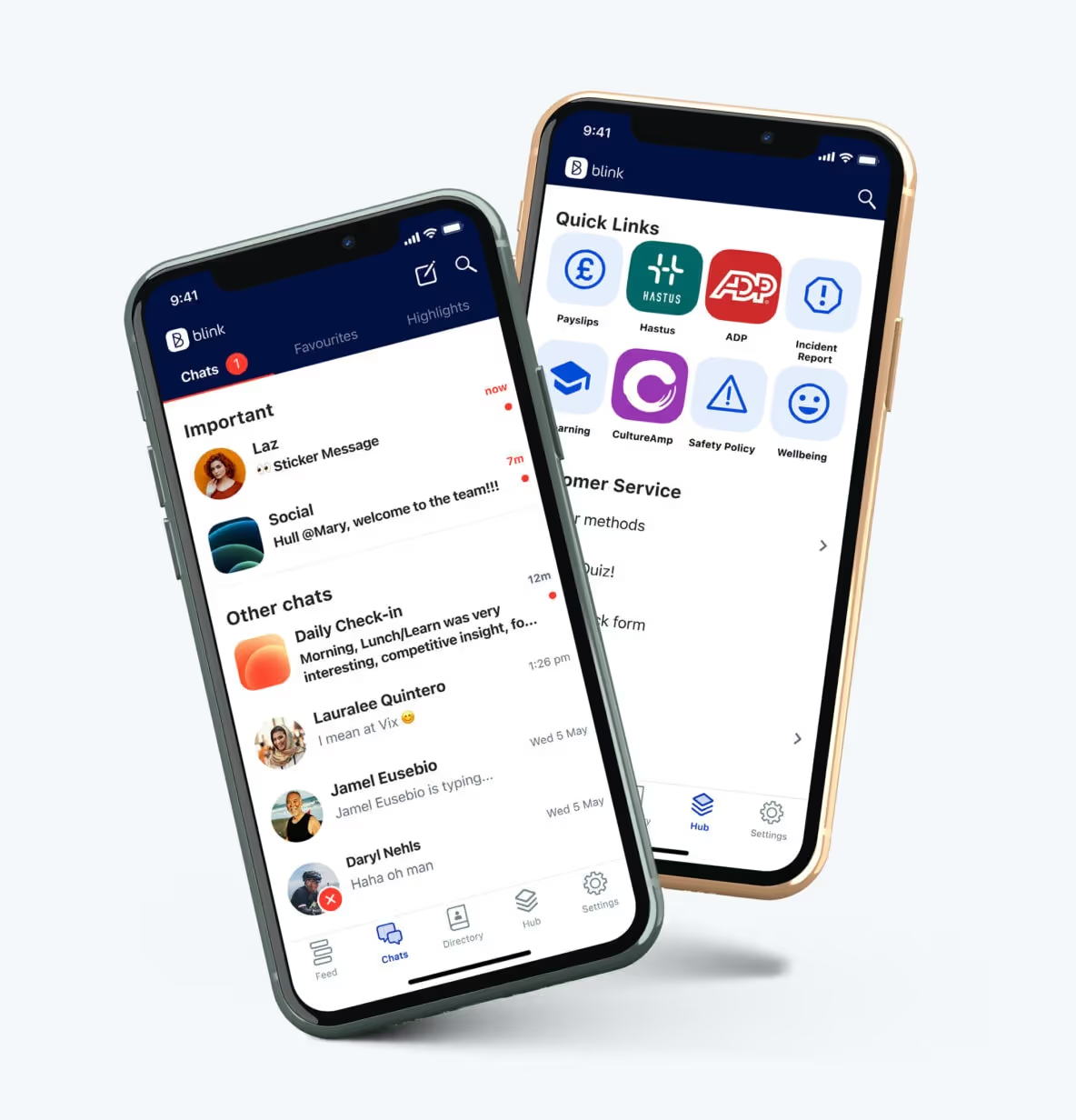
Blink is the leading mobile-first employee experience platform, designed for frontline organizations. It’s a modern intranet, where employees can access company comms and essential workplace resources from their smartphones.
Chatting with colleagues. Signing up for shifts. Responding to the latest poll. Viewing pay stubs. Celebrating a coworker’s company anniversary. Employees can do all this and more with Blink’s comprehensive employee app.
With a range of communication, recognition, engagement, and social features — all available via a user-friendly interface — Blink helps employees feel closer to company culture and one another.
What is Workvivo?
Like Blink, Workvivo is an employee communications app. The company was established in 2017 and was acquired by Zoom in 2023.
Workvivo is an all-in-one tool for workplace communication and collaboration. Social media-style functionalities, such as podcasting, keeps employees engaged.
Blink vs. Workvivo: What are the similarities?
Internal communications
Communication channels
Both Blink and Workvivo help to streamline company communications. Messages from management. Co-worker conversations. Leadership updates. All types of communication are supported thanks to a variety of channels, including a newsfeed, mobile notifications, videos, and livestreams. Workvivo customers can also create articles, newsletters, and podcasts from within the platform.
News feed
A news feed is another thing these platforms have in common. Admins can personalize Blink’s News Feed, which serves as users’ homepage, based on each employee’s team, interests, and role. This ensures employees only see relevant comms. Because employees can also filter the news feed, it’s easy for them to find the information they’re looking for.
Chat functions
Both platforms have similar chat features that are useful for teamwork and project management. Employees can chat and share files, GIFs, images, and videos. In Blink, chat functions are a core pillar of the platform. Workvivo, on the other hand, relies on integrations with Microsoft Teams and Slack. A chat add-on is available but this comes at an additional cost.
Video conferencing
When only face-to-face communication will do, Blink and Workvivo both provide useful video conferencing tools. Teams working on either platform can start a video call right from their chat group. Workvivo does this through its Zoom video app. Blink integrates with Zoom, Google Meet, and Microsoft Teams, giving customers the option to use their preferred video conferencing software.
AI comms support
With Blink Assist, users get AI support when creating and sharing content. Your AI assistant can automatically generate and improve posts, helping you to better connect with your audience. Users can also use AI to summarize posts that have appeared in the news feed. This means you can stay up to date without having to read every single post. Workvivo, working with Zoom, is beginning to introduce generative AI features.
Blink and Workvivo both support employee engagement. They provide two-way communication tools and support employee recognition with milestone celebrations and appreciation shout-outs. Both platforms also aid the onboarding process, with employee directories, a resource hub, and new starter video introductions.
These solutions provide tools for feedback collection, like pulse survey check-ins and employee NPS (net promoter score) surveys. Blink, in particular, provides rich survey functionality. Compared to Workvivo, Blink provides a greater variety of surveys and question types. This allows you to collect in-depth data and then use feedback analysis tools to examine that data on a granular level.
When it comes to encouraging employee engagement on the Blink platform, Blink’s customer success managers (CSMs) are on hand. Clients work with a dedicated CSM to optimize adoption and engagement.
A digital hub
Workvivo serves as a digital hub where companies can store and share documents and resources. This hub integrates with other tools in an organization’s tech stack. It’s possible to create wiki pages for collaboration and to launch other apps from within the platform.
Similarly, Blink offers a modern intranet, accessible on both desktop and mobile. Users can access important tools, documents, forms, and information, directly from the app. They can also launch other apps from within the platform thanks to a secure single sign-on. This encourages user adoption of existing software and streamlines the employee experience (EX).
Blink was purpose-built from the ground up to enhance internal communications and improve the employee experience, and that has always been our sole mission.
For companies impacted by Meta’s recent decision to sunset Workplace, this is a crucial distinction. Meta’s shift in focus away from Workplace to other business areas highlights the risk of relying on platforms that are not core to a company’s strategic direction.
Organizations partnering with Blink are choosing a vendor whose entire focus is dedicated to success in employee engagement and communication. We continuously invest in our platform, ensuring that it remains a leading solution for internal comms and employee experience.
Unlike Workvivo, which — like Workplace — is just one part of a much larger parent company’s diverse offerings, Blink’s platform isn’t just a feature among many — it’s the heartbeat of our business.
Frontline-first
Both Blink and Workvivo have a mobile app that employees can access from their smartphones. These are user-friendly spaces that employees find easy to navigate. And these apps are comprehensive, offering many of the same features on desktop and mobile versions of the platform.
However, Blink offers some features and services that particularly benefit a frontline workforce. These frontline-focused features and services include the following:
Feeds and chats are cached for offline reading so a poor or non-existent internet connection doesn’t prevent employees from engaging with the app
Workers can select a “do not disturb” setting so they’re not bothered by notifications when they’re at home or trying to rest after a night shift
Blink’s Open Shifts micro-app allows managers to advertise empty shifts and employees to volunteer for them
Blink’s rollout team offers unparalleled support during the launch period, providing branded materials and visiting sites to help people gain access to the app
While Workvivo may be a better fit for a desk-based organization, Blink’s deep understanding of frontline teams and their needs makes this platform an excellent choice for frontline businesses.
Analytics
Workvivo offers robust analytics capabilities to track and measure employee usage data. Organizations can gain insight into platform usage and then make data-driven decisions to manage platform performance. This functionality is available for an additional fee.
Like Workvivo, Blink’s enhanced workforce analytics feature provides comprehensive usage data. But Blink goes beyond usage.
Blink analytics collate and correlate from multiple data points to provide a breadth of insight into your workforce. You can drill down into the data, examining results by department, manager, and location to get deeper, actionable insight.
Your dedicated CSM can then help you turn actionable insights into action plans. These can be distributed automatically via Blink comms channels, helping you to implement your plan and track results.
Customization
Both Blink and Workvivo allow you to add your own branding to the platform. But Blink offers more in terms of customization.
Blink provides a white-label app for full brand personalization. For larger, multinational organizations, you can also create a federated platform, with personalized branding for each region. You can compartmentalize other features, like the news feed and user directory, too. In Workvivo, colors, icons, and logos are set globally.
While the offering of out-of-the-box integrations is comparable across both products, Blink also provides deeper integrations through customized micro-apps scoped and built for each customer.
These micro-apps allow you to add functionality to the platform as you need it. You can use Blink’s pre-built digital forms to digitize and streamline processes for employees. For example, employees can use the app to request leave, view their pay stubs, or report an incident. And if you don’t see a form that quite fits your needs, you can count on the Blink team to custom-make one.
Content management
Both Workvivo and Blink offer useful content management features. It’s easy for admins to set permissions and for content creators to create and publish new content. On Blink’s app, creators can protect sensitive content so readers have to authenticate before accessing it. Blink can also integrate with design tools like Canva, which helps users create effective page layouts.
In comparison, Workvivo offers a variety of content management tools. For example, users can auto-archive content by setting an expiration date for each type of content. Publishers can also opt to receive notifications when content has expired.
Translation capabilities are also a little more robust on Workvivo. In Blink, users can set their language and choose to auto-translate comments, posts, and pages so that other users can read them in their native language. In Workvivo, content creators can take this a step further by writing content in their own language and then select the languages it should be automatically translated into. This can come in particularly handy for large, multilingual teams.
Blink and Workvivo both support organizations in their internal communication and employee engagement efforts. They act as a modern intranet, with both desktop and mobile app versions that help companies reach all members of the workforce, no matter where they’re based.
Workvivo has the edge when it comes to certain capabilities, like translation. But Blink makes a great Workvivo alternative, particularly when it comes to personalization, analytics, and custom functionality.
Blink is also the go-to platform for frontline organizations. Built specifically to improve the work lives of deskless employees, Blink makes it easy for companies to encourage app adoption and engagement. It helps frontline workers feel more connected to their coworkers and company culture. It also puts all essential tools at their fingertips, improving efficiency and safety.
Want to find out what Blink could do for your frontline organization? Book your free demo today to see for yourself.
As companies rethink how they connect with employees in a hybrid, mobile, and fast-moving world, many are looking beyond traditional intranet platforms like LumApps. While LumApps is a solid option for knowledge management and Microsoft/Google integrations, it can fall short when it comes to usability, real-time communication, and mobile performance.
Whether you’re rolling out internal comms globally, trying to unify systems into one employee app, or simply seeking a more flexible and modern intranet experience, there are better options out there.
What to look for in a LumApps alternative
When evaluating alternatives to LumApps, here are five key factors to consider:
#1. Mobile usability
Your employee experience platform should be just as powerful on mobile as it is on desktop — especially with today’s hybrid, frontline, and remote workforces.
#2. Ease of use
A modern intranet or communications tool must be intuitive for both admins and end users. Platforms with steep learning curves or clunky interfaces will see low adoption.
#3. Real-time communication
Timely communication is essential — whether it's leadership announcements, crisis updates, or team alerts. Look for platforms that offer native chat, push notifications, or news feeds.
{{mobile-main="/image"}}
#4. Integration ecosystem
You shouldn’t have to cobble together multiple tools. The right platform integrates with your HRIS, LMS, scheduling, payroll, file storage, and more.
#5. Analytics & insights
Data matters. Choose a solution with actionable dashboards that help you measure what’s working, what’s being read, and where to improve.
The top 12 LumApps alternatives
Now that you know what to look for — and why LumApps might not be the best long-term fit — here are the best alternatives, starting with the standout:
#1. Blink – The #1 LumApps alternative for unified employee experience
Blink is an employee experience platform designed to bring communications, resources, and tools into a single, easy-to-access app. With a strong focus on usability, real-time engagement, and seamless integrations, Blink empowers companies to connect with their entire workforce—whether they’re on mobile, desktop, or a shared device.
Why Blink is the best LumApps alternative:
All-in-one communications hub: Combines chat, news, content, HR tools, recognition, and surveys into one streamlined platform.
Mobile + desktop parity: Offers full functionality on any device, with no reliance on corporate email.
Powerful analytics: Gives real-time insights into usage, engagement, and sentiment to help you optimize comms strategies.
Integrations-first approach: Blink integrates with HRIS, LMS, payroll, scheduling, and document systems to centralize everything your workforce needs.
Top-rated platform: 4.8★ average on Gartner Peer Insights and a leader in G2 for internal communications and employee apps.
Pros:
Unified digital workplace accessible from anywhere
Highly intuitive UI with rapid user adoption
Dedicated support and success teams for onboarding and beyond
Transparent pricing and strong ROI
Cons:
May require customization for highly complex intranet needs
Some advanced analytics features are part of higher-tier plans
{{watch-video="/callouts"}}
#2. Simpplr
Simpplr is an intranet platform designed to streamline internal communication, content distribution, and knowledge sharing. It includes personalization features, integrations with HR tools, and prebuilt templates to simplify setup. The platform is geared toward companies looking for a structured, branded experience.
Pros: Great personalization, modern interface Cons: Limited customization, costly at scale Pricing: Custom Gartner: 4.7★
#3. Staffbase
Staffbase supports internal communications across multiple channels, including email, mobile apps, and digital signage. It offers features for content scheduling, targeting, and employee surveys. Often used by global enterprises, the platform emphasizes scalability and branding consistency.
Pros: Email, mobile, signage comms; powerful targeting Cons: Less flexible for content management or smaller teams Pricing: Custom Gartner: 4.1★
#4. Interact Software
Interact Software delivers an intranet platform with features for content publishing, employee engagement, and search. It includes integrations with Microsoft products and offers tools like blogging, forums, and document sharing. The platform is designed for medium to large organizations.
Pros: Social features, easy setup Cons: Limited analytics and design flexibility Pricing: Custom Gartner: 4.6★
#5. Haiilo
Haiilo combines intranet functionality with features for social advocacy and personalized content delivery. The platform includes analytics, customizable pages, and AI-based search to help surface relevant information. It is commonly adopted by organizations prioritizing internal engagement and branding.
Unily provides a cloud-based intranet designed for enterprise use, with features for knowledge management, internal communications, and collaboration. It integrates with Microsoft 365, Google Workspace, and other enterprise tools. The platform is known for its flexible content management and multilingual support.
MangoApps offers a unified platform that combines intranet, collaboration, learning management, and document storage. It supports both desktop and mobile access and is used by a variety of industries. The platform is modular, allowing organizations to deploy only the tools they need.
Pros: Feature-rich; good for training-heavy orgs Cons: Dated interface; inconsistent UX Pricing: Custom Gartner: 4.4★
#8. Workvivo by Zoom
Workvivo is a social intranet platform that combines internal communications with engagement tools like activity feeds, shout-outs, and surveys. It offers a familiar social media-style experience and integrates with Zoom and Microsoft 365. The platform is primarily used by mid-size to large organizations.
Pros: Engaging UX, employee advocacy tools Cons: Lacks unified mobile-desktop parity and deep analytics Pricing: Custom pricing Gartner: 4.7★
#9. Firstup
Firstup is a communications platform focused on personalization, automation, and real-time analytics. It supports targeted messaging and integrates with a range of enterprise systems. Firstup is commonly used by large organizations with distributed workforces.
Pros: Powerful targeting, personalization, and analytics Cons: High cost; not ideal for smaller teams Pricing: Custom Gartner: 4.8★
#10. Connecteam
Connecteam is a mobile-first platform designed for managing non-desk workforces. It includes scheduling, task management, chat, and time tracking tools. The platform is often used in industries like retail, logistics, and hospitality.
Pros: Ideal for dispersed teams; affordable tiers Cons: Lacks deep intranet functionality Pricing: Free tier available; paid starts around $29/month Gartner: 4.7★
#11. ThoughtFarmer
ThoughtFarmer focuses on knowledge sharing and collaboration within hybrid and remote teams. It provides customizable intranet pages, wiki functionality, and employee directories. The platform is suited for organizations seeking structured documentation and internal search tools.
Pros: Excellent for documentation and wikis Cons: Setup can be time-intensive Pricing: Custom G2: 4.8★
#12. Bitrix24
Bitrix24 is a collaboration suite that includes intranet features alongside tools for CRM, task management, and chat. It offers free and paid tiers, making it accessible to a wide range of teams. The platform is modular but can be complex to navigate.
Pros: Wide feature set for budget-conscious teams Cons: Overwhelming interface; some tools feel outdated Pricing: Free plan available; paid starts ~$24/user/month G2: 4.2★
Final thoughts: Blink vs. LumApps
While LumApps remains a strong player — especially for companies tightly integrated with Google Workspace or Microsoft — Blink stands out for teams that value ease of use, real-time communication, data-driven insights, and a single place for everything work-related. It offers a more unified experience across devices, better analytics for employee engagement, and faster time to value.
If you’re looking for an employee experience platform that’s as intuitive as it is powerful, Blink is your best bet.
Why teams choose Blink over LumApps
LumApps is a strong enterprise intranet, particularly for Google Workspace-centric organizations, but it's built with desk-based collaboration as the default. Blink is mobile-first, requires no corporate email, and is used daily by teams at McDonald's, Domino's, and Chick-fil-A. See how Blink compares.
Migration can mean more than just maintaining the status quo
If you’re one of the many organizations preparing to transition from Workplace from Meta, you may be looking for platform alternatives that help you keep business as usual.
But what if you could achieve business as better?
This worldwide shift away from Workplace is a rare opportunity to reimagine how your internal communications operate altogether. Rather than focusing solely on like-for-like functionality, you can use this transition to raise the bar.
A great alternative doesn’t just ensure business continuity with the Workplace features you know and love — it also empowers your teams, streamlines communication, and can help take your internal communications strategy from good to great.
Before you pick a platform and migrate from Workplace, consider not just what you need in your new platform — but which new features you want.
Here are the three of the biggest ways to raise your internal comms game.
3 ways to upgrade your post-Workplace internal communications
#1. Calm potential comms chaos with chat controls
Two-way communication brings employees into the company conversation. As opposed to top-down comms, two-way engagement turns your employees from recipients into participants, giving them a voice in your digital workspace.
But two-way communication isn’t always easy to get right. Too much of a good thing can still be too much. Without the right guardrails in place, excess communications can lead to content overload and a noisy news feed. It’s harder to ensure critical messages cut through. And comms leaders can struggle to bring order to the wild west of workplace messaging.
When choosing a new internal communications platform, look for solutions that support two-way communication with the balance you need.
The best Workplace from Meta alternatives allow you to manage the types of content employees can post — and the audience they’re able to post it to — with the help of controls and segmentation.
For example, perhaps senior leaders have free rein to publish company-wide posts, but team manager posts are visible to only their team members. Maybe employees have the freedom to comment on posts or contribute to their group chats, or maybe it suits your organization more to have a pre-approval process with posts from specific titles or levels.
By selecting a tool that includes easy controls and audience segmentation, you can encourage interaction and engagement while preventing comms overload. This doesn’t just keep your platform useful and relevant — it creates a better employee experience.
{{mobile-main="/image"}}
#2. Take your intranet from outdated to outstanding
An effective intranet is an important pillar of your internal communications. It’s a place to share company policies, support staff training, and ensure compliance.
But intranets often feel like a relic of the past — and, sometimes, entirely irrelevant.
With complicated storage systems and poor search functions, it can be hard for employees to find the information they’re looking for. And even when they do find it, they can’t be sure they have access to the latest version of that particular resource.
A curated and interactive content hub makes a welcome alternative. If your intranet is a sore spot you’re looking to improve, this is a great chance to prioritize it. A modern resource library supports a variety of engaging content types, including documents, videos, images, and interactive media. It should also be able to house forms, making it easy for employees to report incidents, request time off, and more.
For comms teams, a modern content hub doesn’t just make it easy to publish and update content — it shows how this content performs. Powerful analytics provide you the insight you need to achieve long-term intranet success and improvement.
Personalization can go a long way here, too: Employees can easily hyper-relevant content to them in a user-friendly, highly personalized interface.
#3. Include frontline workers from the get go
If you’ve struggled to get frontline workers onto your employee communications platform, this transition is the perfect moment in time to right that wrong.
Many workplace comms tools overlook deskless, hourly, and temporary workers, with a one-platform-fits-all approach that leaves behind those without a company email address.
In an attempt to reach their frontline, most organizations either 1) use paper memos or shadow IT to try to fill the gaps or 2) spend extra time and money on a third-party vendor to add frontline-friendly functionality onto their primary intranet tool.
Neither solution is ideal. And with more than half of frontline workers feeling overlooked and undervalued, it’s an issue that any organization with a deskless workforce should be keen to rectify.
As you search for the right Workplace alternative, keep the frontline in mind. For starters, look at solutions that offer a mobile-first user experience, use single sign-on technology, and don’t require an employee email address.
Frontline workers may have been notoriously difficult to reach with Workplace. But with your new platform, you can show these employees that they’re just as important to your organization as your desk-based staff.
{{mobile-mandatory-reads-task="/image"}}
Winning your Workplace migration
We know that finding an alternative to Workplace from Meta is a hassle. But with migration comes a pivotal opportunity for your employee communications.
Finding like-for-like functionalities is important — but this is a chance for you to think bigger. How can you go from like-to-love with your internal comms platform?
Look for a solution that improves on what you’ve already got, including:
Appropriate controls for posting rights and audience segmentation
A curated content hub with a personalized dashboard
Equal engagement and access for both desk-based and deskless workers
If your new platform can tick these boxes, your employees will still have access to the resources, tools, and colleagues they need — plus a more compelling employee experience.
Jeff takes concepts and turns them into reality. He always has a can-do attitude and follows through until the job is done!
Coach USA uses telematics technology solutions to increase the safety and efficiency of its operations. This includes AI dash cams which help to proactively monitor speed, following distance, and distracted driving, to elevate safety standards.
Jeff is part of the small but impressive team that harnesses such technologies and makes them work for our business and drivers.
What does he want to do next?
Continue to be challenged — he can do anything he puts his mind to!
Nominated by: Dominic Manuele, VP of Maintenance and Engineering
You can buy a tool that looks amazing in a pitch meeting. Then watch it gather digital dust a few months later because it doesn’t actually work for your company.
Asking the right questions up front avoids that frustration and a ton of wasted budget. It helps you find a solution that supports both employee communication and engagement — and fits seamlessly within your tech ecosystem.
Doing some software shopping? To find the right employee communication app for your organization, here are the 10 questions you should be asking.
Choosing an employee communication app: A 10-question checklist
1. Will every employee actually use this?
Okay, so priority number one is finding an app that your employees will embrace. Because if a good chunk of your workforce fails to get on board with your new software tool, you’re not getting good ROI.
The right app is:
Intuitive. Employees can pick it up and start using it without having to trawl through a manual first.
Accessible. It should be easy for every employee to log in, even on older phones or with patchy internet connection.
Free from friction. Everything just works — whether that’s search functions, voice calling, or integrations with other tools.
When assessing an app, keep your least tech-savvy employee in mind. If you think they’d use (and maybe even actually grow to love) this app, you can be confident it’ll work for the rest of your team.
2. Does it work for frontline teams?
A major benefit of an employee communication app is that it’s available on smartphones. So you can land messages with your hardest-to-reach employees — those who don’t sit at a desk all day.
To find the best solution, look for tools that understand and accommodate the realities of frontline work, including:
Shifts and staggered schedules. The best apps support both real-time and asynchronous communication so employees can check in at a time that works for them.
Busy schedules. With search, personalization, critical reads, and bite-sized content, the best apps let you share vital information in a format that’s quick and easy to digest.
Frontline access requirements. Deskless staff don’t always have a corporate email address or access to a shared portal. They should be able to log in easily from their smartphones.
Frontline vs. desk-based experience. Don’t accept one experience for office-based staff and another for frontline employees. Your app should have the same features and functionality across both desktop and mobile apps.
Ultimately, any frontline communication app has to be mobile-first and secure but accessible on personal smartphones. It also needs to provide an exceptional digital employee experience across all devices.
{{mobile-shifts="/image"}}
3. Can it replace multiple tools?
If you’re relying on a patchwork of communication tools, your staff are probably feeling the strain. They’re spending nearly 4 hours each week — and 1,200 clicks per day! — toggling between apps. Or bugging IT because they forgot one of many sets of login details (again!).
The best of the best go even further. They act as an all-in-one employee experience app and intranet platform, with personalized content pathways, employee recognition, and easy access to other workplace systems.
Think about the tools you’re currently using and how many of them your shortlisted apps could replace. Because the fewer tools you use, the easier and more streamlined work becomes.
4. How easy is it to manage and govern?
The front-end of an app can work like a dream. But what’s going on behind the scenes? You need to look beyond the glossy exterior to the nuts and bolts of the admin experience.
When an app is complex to manage and govern, the comms team ends up calling on IT. This creates a bottleneck. And it leads to stale content, clunky processes, and frustrated employees.
To ensure the best user experience and continued engagement with your employee communication app, you need clear permissions and content controls. You also need tools that make it easy to add, update, and personalize communication content.
{{mobile-hub="/image"}}
5. Is it secure and compliant?
Security is another top consideration when choosing an employee communication or employee experience app. You want a solution that meets enterprise-grade security standards, with security built in, not bolted on.
So look for things like:
End-to-end encryption, in transit and at rest
Secondary biometric authentication
Function fencing, so workers only have access to the tools and controls they need
Automated user provisioning, so it’s easy to add, manage, and remove users as necessary
If you work in a particularly regulated industry, like healthcare, you should also look for compliance with industry-specific security laws.
But bear in mind: heavy-handed security can harm the user experience, pushing your employees toward makeshift solutions, like WhatsApp.
So it’s all about getting the right balance. A good software provider should help you find that balance, achieving the best possible security while also ensuring a simple and streamlined experience for users.
6. Does it support two-way communication?
Internal communication is most effective when it goes both ways. The C-suite and managers speak to employees. But employees have the opportunity to respond.
A good employee communication app gives your organization the tools it needs to maintain a dynamic conversation:
Instant messaging tools, for 1-to-1 and group chat
A news feed where employees can react with comments, emojis, and GIFs
Employee surveys and quick-fire polls
Video and voice calling
Interactive live streaming
Choose tools that support two-way internal communication, and you give employees a voice. That means stronger workplace connections, better collaboration, and employees who feel seen and heard.
{{mobile-hub="/image"}}
7. How quickly can we launch?
Time-to-value is important. The right app should be quick to deploy and easy to scale across multiple teams.
If you’re considering building your own comms app, know that this often requires months (or even years) of developing, testing, and iteration. So buying a ready-to-go tool is often the quickest solution.
Today, prebuilt doesn’t mean compromising on the end result. You can incorporate custom branding and tailor app features and functionality to the needs of your organization. You get speed, scalability, and best-in-class technology.
Ask providers about timescales so you have a clear idea of the setup and launch process. Here at Blink, most of our clients go live within 6 to 12 weeks.
8. Will it integrate with our existing systems?
A great employee communication app isn’t just a one-stop shop for internal conversations. It can also act as a digital hub, reducing friction and making life easier for employees in the process.
That requires strong integrations with the existing software you use. And single sign-on technology to give employees access to that software from one unified dashboard.
When you integrate an app into your digital ecosystem, employees can use it to tackle tasks like:
Swapping shifts with coworkers
Checking their paystubs
Clicking a news feed post to go straight to online compliance training
Completing a safety report on the go
Submitting a time-off request
Viewing customer details via your CRM
The result? Your employee communication app becomes a comprehensive employee intranet. A place where staff can catch up with the latest company news — of course.
But also a place where they can learn, receive recognition, give feedback, and access all the tools they need to do their jobs well.
{{mobile-voice-video="/image"}}
9. Can we measure impact and ROI?
To get the most from your mobile-first employee app, you need to know what’s working and what isn’t. And to do that, you need analytics.
Find out what analytics and reporting features come with your shortlisted apps. Consider the internal comms metrics they allow you to track.
And expect more than just the basics. A good app won’t just provide data on platform usage and message read rates.
It’ll show you how internal comms KPIs relate to employee engagement, sentiment, and turnover. It’ll allow you to segment data by team, department, and manager. And it’ll present data in a way that’s super easy to understand and act on.
The final question to ask before choosing an employee communication app. Does this app feel familiar and fun? Or is it cold and corporate?
Employees are more likely to use your app when it offers the same consumer-grade experience they enjoy on apps away from work. If it lets them communicate in ways they’re used to (and in ways they enjoy).
Give people a modern social experience, where they can show up as their real selves, and engagement is sure to follow.
{{mobile-stories="/image"}}
The right employee app makes all the difference
Choosing an employee communication or employee experience app isn’t just about features or fancy demos. It’s about finding a tool your team will actually use — one that fits your workflow, feels intuitive, and makes work more connected, engaging, and human.
Ask the right questions up front. Consider the full scope of the app — the more functions it performs, the more value it brings to your team. Look beyond shiny user interfaces to the day-to-day employee experience.
When you do, you don’t just add another tool to your tech collection.
You get a solution that supports company culture, employee productivity, engagement, and retention. You build a space where employees can easily access the information they need and the connection they crave.
In 2020, digital transformation in the manufacturing industry was valued at $263.9 billion USD. This figure is anticipated to reach $767.8 billion USD by 2026. As business leaders in manufacturing, you probably already know all about how DX on your production line can improve your machinery, drive your production rates and refine your overall output.
But what about your day-to-day, run-the-biz systems? How can digital transformation in manufacturing also benefit your wider company operations and employee performance? How can you utilize DX in manufacturing to craft a more meaningful and engaging employee experience, and what other bonuses may you discover along the way?
At Blink, we know a thing or two about transforming the employee experience through the right digital tools and technologies. So with this guide, we are providing you with a comprehensive introduction to the key benefits of digital transformation in manufacturing and why it's essential for your organization right now, with a core focus on the digital employee experience and how you can transform it in your business.
What is digital transformation (DX) in manufacturing?
Digital transformation (DX) in manufacturing is the process of implementing new digital technologies to improve and refine processes in a manufacturing organization. This typically involves a range of procedures, from improving communication and collaboration to adopting new manufacturing methods, or automating tasks.
A digital transformation strategy works to improve the overall efficiency, productivity and profitability of a manufacturing organization by integrating new digital technologies – such as employee engagement tools, Industry 4.0, big data analytics, cloud computing, Internet of Things (IoT), artificial intelligence (AI) and augmented reality (AR) – into company processes.
And while we all know that production machinery and tech makes up a huge part of your company processes, it’s important to see the wider picture, too. DX can actually have a significant impact on the behind the scenes operations of your business, including how you communicate and engage with employees, distribute knowledge and connect teams, recruit new talent, and even support the wider community.
By undergoing DX in all areas of your business and integrating stronger digital employee experience strategies for your workforce, you can in fact unlock a range of surprising benefits for your organization.
Main goals of manufacturing digital transformation
"It's not possible to pick just a short list of technologies and declare them to be the next big thing. Any innovation project is always a combination of different technologies and thoroughly designed processes aiming to achieve business goals."
Max Ivannikov
But what are some of the main goals that manufacturers are focusing on for their digital transformation initiatives? As this industry whitepaper discusses, the main goals of manufacturing digital transformation can be segregated into four broader areas:
Cost reduction: Leveraging digital technologies to reduce costs in areas such as supply chain management, employee performance, production planning and inventory control.
Competitive advantage: Utilizing digital technologies to gain a competitive edge in the market, such as through improved customer/employee experience, product customization and data-driven decision making.
Agility: Increasing flexibility and adaptability in the face of changing market demands, such as through improved supply chain visibility, predictive maintenance and agile business processes.
New business models: This could include refreshing manufacturing processes, investing in digital technology to improve processes company-wide, and otherwise finding new revenue streams through digital transformation initiatives.
Common roadblocks to DX in manufacturing
Some common challenges organizations see when undertaking DX in manufacturing include:
Competitive market: In a highly competitive market, your current digital capabilities and processes may not be enough to stay ahead. And with the swift upturn in DX investments in the market, it can be difficult to keep up with competitors who are already rapidly integrating new digital technologies. While you might feel on the back foot, it's important to remember that digital transformation is a long-term investment, and there are always opportunities for growth and sustainable improvement.
Distributed workforce: It can be difficult to know where to begin with digital transformation, especially for manufacturers who have a distributed workforce and may not have a clear understanding of the specific needs and pain points of their frontline employees. This can make implementing new processes, rolling out communications and combating employee attrition particularly challenging. We'll dive deeper into how to enable DX by empowering your frontline workers later in this post.
Costs and fees: Adopting new digital technologies and processes can be a costly investment, and there may also be additional fees for training and implementing these changes company-wide. It's important to conduct thorough ROI analysis and carefully weigh the potential long-term benefits against the initial costs.
Resistance to change: Change can be difficult, especially for employees who have been working in a certain way for many years. This is why it's important to have clear communication and a strong employee engagement system in place to help employees transition and adapt to the new digital technologies and processes.
Enabling DX by empowering the frontline
As we mentioned, a distributed workforce and lack of visibility into the specific pain points and needs on the frontline can make DX a challenge for manufacturing organizations. But by focusing on empowering your frontline workers, you can not only improve their experience and enable better communication, but also gather valuable insights to inform your digital transformation efforts.
One way to do this is through a mobile-first approach, providing frontline employees with devices and applications that allow them to easily access the information and communication they need, wherever they are on the factory floor. This not only improves productivity, but also allows for better data collection and analysis to inform DX initiatives.
Another key aspect is giving your frontline employees a voice in the digital transformation process, through tactics like regular check-ins and surveys, as well as dedicated onboarding and training programs. By actively seeking their input and understanding their specific needs, they will feel more engaged and empowered in the DX journey.
Frontline specific tech like Blink's employee app allows for better communication, feedback and overall engagement with your frontline workers. This helps to address common DX challenges such as unclear frontline needs and resistance to change, while also improving productivity and efficiency on the manufacturing floor.
With real-time employee engagement analytics, manufacturers can also track the impact, employee satisfaction and ROI of their digital transformation initiatives, supporting cost reduction efforts and decision making.
One great example to illustrate this is our work with JFE. When Canadian manufacturing company JFE approached us, their frontline workforce was disconnected due to outdated technology and communications, and they were facing large shortages in the labor market.
We overhauled their current technology and communications processes with a real-time communication solution by offering channels to funnel information, the ability to communicate with their operating teams through chats and a central hub to give employees access to company information in one place.
As a result, JFE was able to improve their recruitment processes, employee engagement, satisfaction and, crucially, its workers’ safety. With our help, they took the company from 300 to over 450 employees, and were able to promote initiatives in both recruiting and retaining staff to make them a more attractive employer to staff and new recruits.
https://www.youtube.com/embed/z0kAQOx9Ik8"
Interested in seeing how Blink's employee app can support your manufacturing digital transformation efforts? Schedule a free demo today.
6 unforeseen benefits of DX in manufacturing
So, you already know the production benefits of implementing DX in your business, but what about the benefits of DX solutions for the back of house? Here are 6 key benefits of DX in manufacturing that you just might have overlooked in the past.
1. Reduce staff turnover & recruit the right talent
More than 90% of manufacturing leaders believe that DX is important for their success, IDC states. They go on to predict that global DX spend among companies in discrete or process manufacturing industries will total more than $816 billion in 2025.
Hiring and retaining the right people in a competitive market can be a challenge for manufacturers, but DX can help. And with the IDC statistics above, it's more important than ever for manufacturers to keep up with digital transformation efforts in order to stay competitive in the recruitment market and attract top talent.
Adopting new technologies can make a company more attractive to potential employees and improve employee satisfaction and retention. It allows you to modernize, stay competitive and attract the right employees even when competitors are vying for the same pool of skilled workers with high DX spend.
In addition, frontline-specific tech can boost your employer value proposition as a manufacturer. You listen to how the frontline thinks and feels, allowing you to build trust with the entire workforce and reduce churn.
2. Improve worker health & safety
According to the Workplace Safety Index 2020, workplace injuries are a key driver of loss for U.S. businesses, costing more than $1 billion per week and $59 billion annually.
As we mentioned before, the rise of Industry 4.0 in the manufacturing industry has seen various manufacturers investing in new digital technologies to automate, modernize and enhance the entire process.
And with losses like these reported in the WSI, the key aspect of this modernization in the manufacturing industry is safety. By improving traditional manufacturing processes, boosting direct communication and implementing predictive maintenance, manufacturers can improve worker health and safety at the workplace.
With a frontline app like Blink, manufacturers can also gather direct employee feedback on safety concerns and act on them quickly, as well as offer training materials, policies, procedures and updates to ensure a safe work environment.
Additionally, with research showing that engaged workers are more aware of their surroundings and best practices around safety and are more likely to take steps to protect their co-workers, by investing in and driving employee engagement throughout your company, you can improve worker health and safety as a whole.
By promoting a culture where employees feel comfortable to speak up about concerns or risks, actively participate in risk management and adhere to policies and procedures, manufacturers can see a decrease in injury rates and overall improvement in the health and safety of their workforce.
3. Increase your bottom line
The latest data suggests that digital transformation investment for manufacturing companies increases business value. Gartner reports that 36% of manufacturing enterprises realize above-average business value from IT spending in digitalization at a reasonable cost when compared with peers.
Opportunities for driving profit and increasing your bottom line don’t only come from your production line. Keeping the wider picture of DX in mind, you can utilize digital tools to drive business value through improving your run-the-business functions (like finance or human resources)
DX in an organization’s HR function, in particular, have shown increased employee engagement and statistics show that highly engaged organizations benefit from:
18% higher sales
23% difference in profitability
43% difference in turnover.
With employee engagement tools that provide streamlined workflows, real-time frontline communication and intelligence, seamless scheduling and product updates in addition to new production tech like IoT and augmented reality, manufacturers can cut down on extra expenses and improve the overall efficiency of all their operations.
This ultimately drives up profits and revenue and increases business value, with your teams performing at their best by using the latest and greatest technology solutions.
4. Boost Employee Engagement
The digital transformation process can also boost employee engagement. Adopting new, modern technologies can make employees feel more valued and appreciated, improving job satisfaction and retention rates.
Currently, Gallup data notes that industrial manufacturers haven't quite caught up to other industries in terms of adopting digital tools to improve employee engagement, with only 25% of manufacturing employees stating they felt engaged at work.
DX offers new ways for frontline employees to communicate with each other and leadership, improving transparency and overall communication in the workplace – a key component of employee engagement.
With frontline-specific tech designed to engage employees like manufacturers, you can gather key employee feedback and act on it to improve processes and enhance overall employee engagement.
Further, according to the Chron, employee satisfaction is a reliable predictor of employee retention, meaning you can reduce churn and cut recruitment costs at the same time by improving the engagement your employees have with their digital tools.
Simplified, improved communications and streamlined, intuitive workflows means DX can enhance employee satisfaction levels for frontline workers, in turn, boosting their levels of engagement with their new tech and your employee retention rates.
And with the distinct improvement in profitability, sales and turnover that engaged teams provide as we highlighted above, it’s clear that investing in employee engagement initiatives is worth it from an ROI perspective.
5. Improve employee productivity
It’s obvious how traditional digital transformation solutions help improve quality on the production line. But did you know that implementing DX to improve your employees’ engagement can also lead to huge productivity boosts?
In the manufacturing sector, DX is not only about staying competitive or cutting costs – it's also about supporting your current employees; finding innovative ways to drive their motivation and productivity for a better overall business performance.
TechNative tells us that businesses must embrace innovative digital tools to make the employee experience seamless and personalized, creating a stronger emotional connection to the day-to-day experience of work.
Adopting new digital solutions, like frontline intelligence, predictive analytics and real-time communication solutions, allows you to foster connection with your frontline employees and act on their feedback to streamline day-to-day tasks. As such, your employees will feel better supported to be productive and efficient in their roles, and can produce their best work.
These employee technologies also offer product updates that keep everyone aligned with company goals, as well as streamlined workflows and schedules, reducing miscommunications and errors and allowing for maximum productivity.
So, not only does investing in digital transformation for your frontline workforce improve their overall job satisfaction, it also leads to a significant increase in motivation, productivity and output. It’s a win-win!
6. Build a positive brand reputation
In today’s day and age, it’s no secret that a company’s reputation is everything. In fact, the World Economic Forum has stated that a company's reputation can account for a quarter of its market value. Additionally, 87% of executives believe that reputational risks are more pressing than any other strategic risks.
As the digital transformation movement continues to evolve, your reputation as a manufacturing leader hinges on how well you adopt and use technology for success. Investing in new digital solutions for your frontline workforce is not only beneficial for your employees and your bottom line, but also for building a positive brand reputation.
By boosting employee engagement, satisfaction and productivity with technology, you’re not only improving the experience for those within your company, but also for your potential new hires and even your customers. With employees better equipped to provide top-notch service and meet customer demands efficiently, you can create a more positive customer experience and, ultimately, attract new business.
On top of that, adopting digital solutions for your frontline workforce also demonstrates your commitment to innovation and staying ahead of the competition in the manufacturing industry. It shows potential employees, investors, partners and customers that you’re dedicated to improving processes and creating a successful future for your company.
"Business leaders must move away from industry stereotypes, understand technologies, and help firms ride this wave with a competitive advantage by developing a successful transformation roadmap."
A DX roadmap, or digital transformation roadmap, is a plan that outlines the specific steps and timeframes for the adoption of new technologies to achieve your DX goals. This roadmap may be long and contain a number of different steps, but this allows you to stagger your digital transformation initiatives over time, prioritizing the areas that align with your current goals and business requirements.
To create your DX roadmap, you first need to understand the current state of your business. Your KPIs from above will come in handy here. Without knowing your starting point, it is impossible to map out a clear path to your goals. Therefore, knowing where you currently are is essential.
Your DX roadmap should outline key objectives, success metrics, technology investments, roles and responsibilities, and timelines. Begin implementing new technologies, methods, and processes one step at a time, starting with those that will have the biggest impact on your desired goals. And don’t forget to measure and evaluate your progress regularly to ensure you stay on track.
Remember the bigger picture
Remember, digital transformation is a long-term investment, with long-term value. Digital transformation is changing the way people do business.
Great digital leaders sift through the latest technologies to identify which ones will have the biggest impact on their business, and then prioritize those implementations. Keep in mind that digital transformation is not just about adopting new technology, but also about changing processes and culture for maximum efficiency and success.
And even with the relevant new technologies and industry trends to guide your digital transformation, you want to be uniquely positioned from your competitors. So, it's vital that you consider the wider market picture and how your DX transformation fits into it.
Consider your USPs. Can you provide a swift turnaround time based on your unique manufacturing technologies or streamlined business processes? Do you provide a second-to-none customer service journey because your customer-facing employees are always in direct contact with your frontline? You want these to be considered when mapping out your DX journey.
Set, monitor and measure your core transformation goals
To undergo digital transformation in any industry, you need to know your transformation goals. According to Asana, the best way to understand if your digital transformation strategy worked is by monitoring your business success metrics.
For the manufacturing industry, these success metrics might include employee engagement rates, retention of clients or employees, a reduction in accidents and errors, increased efficiency in production, and sustainable business growth.
Make sure to align these goals with your business key performance indicators (KPIs), as this will ensure that the entire company is on the same page about what constitutes success for the digital transformation. Plus, it's important to regularly track and measure your progress towards these goals, adjusting as needed.
To do this, look for DX solutions that allow you to access Frontline Intelligence, providing you with key metrics, analytics and insights into your employee engagement, satisfaction and even retention rates. With handy tools like this included in your DX roadmap, you are set up for success in achieving your core transformation goals.
Communicate well and often
As Mckinsey recommends for those undergoing digital transformation in the manufacturing industry:
“Communicate well and often. Establish an effective engagement plan and regular communication with critical senior stakeholders, site leaders, and a cross-functional core team.”
In short, communication is crucial for the success of your digital transformation. Keep all stakeholders, from top executives to frontline employees, in the loop about your DX roadmap and progress towards goals. This will ensure that everyone knows their role in the transformation and can work together towards success.
And don't forget to communicate with your employees! Driving employee engagement and buy-in for the digital transformation is crucial. They will be the ones driving and implementing these changes, so it's important that they understand the benefits and their role in making them happen.
Effective communication can also help with any potential resistance to change from employees. By keeping them informed and involved with easy-to-use, two-way conversations, you can work towards getting them on board with the transformation.
Accelerate your digital transformation today…
It's clear that leaders in the sector must prioritize DX efforts to ensure they're keeping up with competitors and improving overall satisfaction among their workforce.
From minimizing the time spent switching between apps and logins, to sending real-time communications and vital updates, DX allows manufacturers to improve the employee experience in a modern, digital way, and boost their bottom line in the process.
Designed specifically for industries like the manufacturing industry where workforces don’t have 24/7 access to a computer, or even a company email account, our platform is here to transform how you do business. Our app rethinks outdated frontline tech and offers a modern, digital solution for your frontline employee engagement.