Exploring Beekeeper alternatives? Compare 11 employee communication platforms on mobile features, frontline focus, pricing, and G2 ratings.
Jess DeVore
Published:
June 12, 2025
Last updated:
March 11, 2026
Exploring alternatives to Beekeeper? You’re not alone.
Since Beekeeper was acquired by LumApps last year, there’s been uncertainty over the future of the platform.
The stated intention? To blend the features of Beekeeper and LumApps tools. But what this means for users during the transformation process (and beyond) is still to be seen.
That’s why some organizations are viewing this as the perfect opportunity to move away from Beekeeper and find a new employee communication app. A more intuitive and scalable platform — a solution with more customization options, better search functionality, and an improved backend experience for admins.
We’re here to help — with a shortlist of 11 Beekeeper alternatives for 2026.
From modern intranets to all-in-one employee experience (EX) platforms, these software tools can help you improve internal comms, unify dispersed teams, and upgrade digital employee experience.
Features include real-time messaging, content management, social news feeds, and analytics. You can also expect robust integrations that ensure a streamlined and productivity-boosting experience for employees.
Ready to find your Beekeeper alternative? Take a look at the best employee communication platforms for 2026, along with their pros and cons.
Best for: Companies with frontline and desk-based workers looking for unified communication, engagement, and operations.
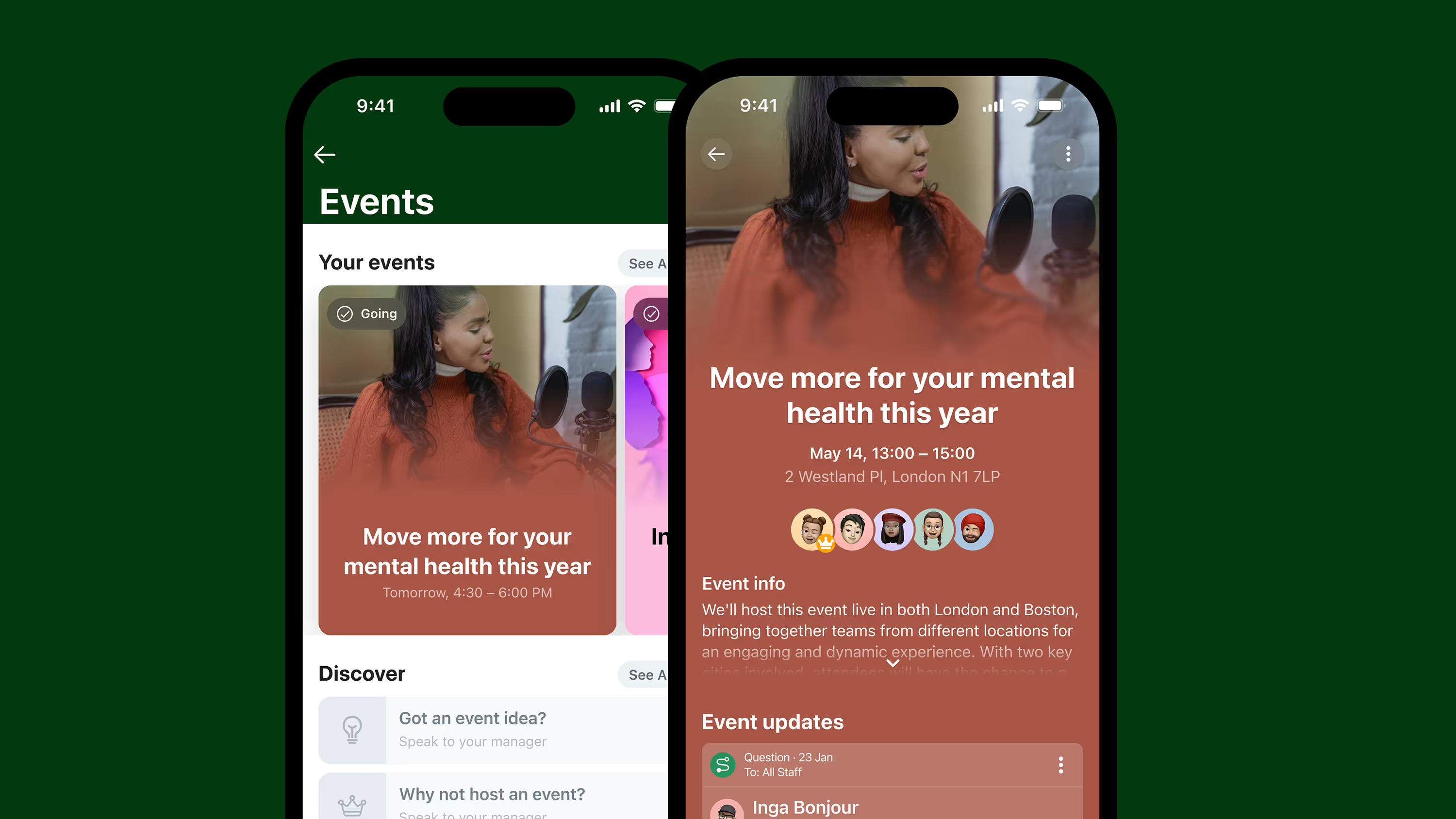
Blink is the leading alternative to Beekeeper. It’s an employee experience platform that combines communication, engagement, and productivity tools in one easy-to-use app.
These tools are available via one unified dashboard, which — crucially — contains exactly the same features and functionality across both desktop and mobile devices.
As a joined-up solution, Blink drives engagement and transparency while reducing noise and tool overwhelm. Its intuitive UX, rapid deployment, deep integrations, and enterprise-grade security make it ideal for large-scale organizations across industries.
And you don’t need to take our word for it. Blink customers — including McDonald’s, JD Group, Children’s of Alabama, and Go North West — report high app adoption rates and measurable improvements in employee engagement, retention, and operational efficiency.
Pros:
All-in-one platform for two-way communication, resources, and operations
A social-style news feed, co-worker communities, surveys, and recognition tools
Intuitive mobile-first design with high employee adoption
Integrates seamlessly with Microsoft 365, Workday, ADP, and more
Includes analytics, AI automation, and broadcast tools
Trusted by global brands including McDonald’s, JD Group, and Domino’s
Cons:
Enterprise plan required for advanced customizations
{{mobile-main="/image"}}
#2. Staffbase
Best for: Large or global enterprises with formal comms teams
Staffbase is a popular internal communication platform that caters primarily to enterprise businesses — those with complex communication needs across multiple regions. It provides branded employee apps, newsletters, and intranet tools and places a strong emphasis on content distribution and corporate messaging.
While its visual editor and content scheduling features are a plus, some users find the platform content-heavy. Its pricing model is geared towards larger organizations, and the platform may take a while to configure and fully roll out.
Pros: Strong branded experiences
Cons: More focused on top-down messaging than interactivity
#3. Workvivo
Best for: Large, multilingual organizations
Workvivo blends communication features with a social media-style interface. It allows employees to post updates, engage with leadership, and access key resources in one space. Workvivo excels at driving culture and engagement, especially in hybrid or dispersed workplaces.
The platform is backed by Zoom and integrates with major HR and collaboration tools. But there are a few downsides to bear in mind. Workvivo can be hard to customize when it comes to operational use cases like task management or process automation.
Pros: Highly engaging UI, good for culture-building
Cons: Limited operational features compared to all-in-one platforms
#4. Simpplr
Best for: Companies looking for a modern intranet and a centralized knowledge hub
Simpplr positions itself as a modern intranet with a focus on employee communications and engagement. It provides a clean UI, AI-powered content recommendations, and analytics to help internal comms teams measure impact.
It’s especially effective in large enterprises with a high proportion of knowledge workers. Smaller organizations may find that some features are unnecessary and that prices are higher than budgets allow.
Pros: Streamlined UI and good customer support
Cons: Limited customization options
#5. Firstup
Best for: Global enterprises looking for advanced audience targeting and automated message delivery
Firstup is a digital employee experience platform designed to deliver personalized content at scale. It focuses on intelligent content delivery, helping large enterprises reach the right people with the right message at the right time.
With AI-powered targeting, automated employee journeys, and email tools, Firstup works well for complex internal comms strategies. However, the platform is heavily focused on broadcast and campaign-style messaging, with limited collaboration features.
Best for: Large and complex organizations looking for an AI-native intranet
Unily is a platform that combines intranet functionality with employee experience tools. It supports rich content creation, content translation, and broadcast email across a user-friendly interface.
Unily is often praised for its design flexibility and advanced features, but it takes time and developer expertise to set up. This Beekeeper alternative is best suited to companies with dedicated IT and comms teams.
Pros: Powerful and customizable
Cons: A steep learning curve; a time-consuming setup process
#7. Microsoft Viva
Best for: Microsoft-centric organizations looking to improve employee experience
Microsoft Viva is a suite of employee experience tools within Microsoft 365. It includes modules for insights, learning, and communications, and it’s a strong choice for knowledge-worker companies already using the Microsoft ecosystem.
As you’d expect, Microsoft Viva integrates seamlessly with other Microsoft products, including Outlook and SharePoint. But it can be overly complex — and overly corporate for those wanting to develop a dynamic company culture.
Pros: Deep integration with Microsoft 365
Cons: Can feel fragmented; requires additional configuration
#8. Haiilo
Best for: Culture building, employee advocacy, and brand amplification
Haiilo is another Beekeeper alternative that provides employee communication and intranet capabilities. It features multiple communication channels, plus tools to amplify employer branding and build a more connected culture.
Despite the platform’s strengths, some users state that it’s overly complex, particularly for smaller businesses and less tech-savvy teams.
Pros: Great for advocacy and culture building
Cons: A complex tool with a steep learning curve; expensive for smaller companies
#9. Happeo
Best for: Google-centric organizations
Happeo is a Google-based, AI-powered intranet that acts as a centralized hub for all internal comms. It puts company news, documents, and collaboration tools in one easy-access location.
Key features include pages, channels, a user-friendly drag-and-drop editor, and an intuitive user interface. But this platform lacks several useful communication tools — like direct messages, audio and video messages, and @mentions.
Pros: Easy and intuitive interface; easy integration with Google Workspace
Cons: Limited integrations beyond the Google suite; limited search functionality
#10. MangoApps
Best for: Mid-sized businesses seeking to connect dispersed teams
MangoApps provides a unified platform for communication, collaboration, and HR workflows. Key features include instant messaging, file sharing, task tracking, and employee recognition.
Users praise the platform’s ease of use but complain that the user interface — particularly on the platform’s mobile app — feels outdated compared to more modern tech tools.
Pros: Comprehensive comms features in one place
Cons: Less intuitive UI compared to newer competitors; integrations are limited
#11. Speakap
Best for: Frontline-only teams
Speakap is a communication app built for non-desk workers. It focuses on reaching employees who don’t have a corporate email or regular access to company systems. The app supports secure messaging, announcements, and integrations with payroll or scheduling tools.
Speakap is a good fit for retail or hospitality environments but offers fewer features for knowledge-based collaboration or enterprise-scale analytics.
Pros: Tailored for frontline teams
Cons: Limited scalability for enterprise-level requirements; limited team messaging functionality
{{mobile-hub="/image"}}
Which Beekeeper alternative is right for your organization?
The right Beekeeper alternative will depend on your organization's size, structure, and goals. But if you're looking for a platform that goes beyond messaging to deliver a truly unified employee experience, Blink stands out as a top choice.
Blink meets the needs of both frontline and desk-based teams, by bringing communication, collaboration, and productivity tools into a centralized, mobile-first hub.
With social-media-style comms tools, a consumer-grade smartphone app, and proven impact on employee engagement, it has everything you need to improve internal comms and employee experience.
Other tools on this list each offer value in specific areas — from top-down communication to culture-building to knowledge management — but Blink leads the way as a complete, scalable solution for internal comms and employee experience in 2026.
Why teams choose Blink over Beekeeper
Beekeeper's 2025 acquisition by LumApps has left many customers asking what's next for their roadmap and support. Blink offers a stable, purpose-built alternative — mobile-first, no corporate email required, and already trusted by McDonald's, Domino's, and Chick-fil-A. See our full comparison, including what the acquisition means for Beekeeper customers.
Beekeeper is used by organizations with large frontline teams in retail, manufacturing, logistics, and hospitality sectors.
#2. Is the Beekeeper app safe?
Beekeeper offers standard enterprise security features, but organizations with strict compliance needs may require platforms with stronger admin controls or governance.
#3. What does the Beekeeper app do?
Beekeeper centralizes mobile communication for employees without corporate email or desktop access. It focuses on messaging, updates, and essential alerts.
#4. Is Blink a good Beekeeper alternative?
Yes, Blink makes an excellent Beekeeper alternative. Like Beekeeper, Blink provides a mobile app and messaging tools for frontline workers. But unlike Beekeeper, Blink goes further.
Blink is a unified internal comms and employee experience platform — an all-in-one hub for comms, engagement, collaboration, and productivity — available on both mobile and desktop devices.
They keep employees engaged and in sync with company values. Your teams find it easier to solve problems, make decisions, and collaborate. All of this boosts customer satisfaction and your bottom line.
It’s clear. Strong internal communication is a business essential. But how do you know if you’re doing a good enough job?
This is where internal communications metrics and KPIs come in. By tracking metrics and KPIs, you get a ton of useful data, that you can then use to judge the success of your internal communication strategy.
To get you started, we’ve created this list of 12 internal communications metrics and KPIs. Use them to understand and assess your internal comms performance. Then, find ways to improve it.
Why track internal communications metrics and KPIs?
We know that internal communications can make or break a business. So you need to approach company comms with strategy.
That’s the first step. The second is working out whether your chosen strategy is making a difference. And for this, you need internal communications metrics and KPIs.
These metrics help you to track your performance over time. They help you put your efforts in the right places and get the best possible results.
By gathering and analyzing comms data you get to:
Assess the effectiveness of your internal communication strategy, identifying successes and areas for improvement
Make data-based decisions — which tend to be wiser than those you make with your gut
Find employee groups that you’re failing to reach and messages that you’re failing to land
Justify internal communications investment
Getting started with communication metrics
Before we get to our list of communication KPIs and metrics, let’s cover some basics. Here are a few things to consider before you start measuring your internal comms performance.
Choose measurable, relevant metrics
You need a clear plan for gathering and measuring data. So before you commit to tracking a metric, make sure the data is accessible. Metrics should also be relevant to your internal communication goals — and overall company goals, too.
Use qualitative and quantitative data
To get a full picture of your internal communication performance, you need both concrete numbers and in-depth detail. For this, you need to gather both qualitative and quantitative data.
Set goals and a schedule
Record internal communications metrics before you make any updates to your comms strategy. Set measurable goals. Then schedule your next metric check for 90 days, six months, or a year from now.
Involve your organization
When the whole company gets behind an initiative, it’s easier to see it through. So involve employees, managers, and leaders. Share internal metrics with them. Give updates, take action, and communicate results.
Be open to change
Internal communication trends and technologies evolve. So do your business goals. So be prepared to update your communication metrics and strategies to keep them relevant.
12 internal communication KPIs and metrics to track
So, let’s dive in. Here’s our list of internal communication KPIs and metrics. You may like to measure some or all these metrics to gauge your internal comms progress.
Employee engagement
Internal communication and employee engagement are closely linked. Strong internal comms support engagement by:
Aligning employees behind your business values and goals
Where there’s good communication, employees become more engaged with their work and your organization. This prompts a positive cycle because engaged employees are more likely to read and act upon your comms.
Because there’s such a strong link between engagement and comms, employee engagement rates are a really good indicator of comms success. So to find out how successful your communication strategy is, you can use employee engagement KPIs.
You can gather this data with the help of employee surveys. You can also look at employee retention, absenteeism, and internal promotion rates.
Message open rates
If you send messages via an internal communication tool, you should be able to track your open rates. This communication metric tells you how many employees read your emails, newsletters, and announcements.
If you find that lots of messages go unopened and unread, there are several ways you can improve things.
You could vary the time of day you send messages. Or the frequency with which you send messages. You could switch up your subject lines. Or try segmenting your employee mailing list so employees receive personalized communications.
Some experimentation could reveal an internal comms style that better suits your staff.
Message open rates can also reveal whether one communication channel outperforms another. If this is the case, it makes sense to focus on that communication channel as a way to better reach employees.
Message and feedback response time
When your workers respond quickly to internal messages, you learn three things.
First, it’s easy for employees to access the message and therefore the communication channel.
Second, employees are engaged and want to respond to messages promptly.
And third, the meaning of your messages is getting through.
So track employee response time for your internal communications and feedback requests. If you find that it’s taking a while for employees to read and respond to messages, you might like to consider:
Streamlining communication channels so employees don’t waste time switching between them
Setting clear and fair expectations for message response times
Encouraging managers and leaders to lead by example
Seeking feedback from employees to find out what’s preventing a speedy response
Communication tool adoption
Internal communication tools are an investment. So you want to be sure that your chosen communication software is proving a hit with employees.
Adoption rates show you how many workers are using a new communication tool. High adoption rates are great for proving a return on investment (ROI) and the tool’s usability.
Low adoption rates suggest resistance among the workforce to using your chosen tool. If this is the case, you could try one of the following ideas.
Software training — so all employees understand how to use your communication tool and what they stand to gain by using it
Software ambassadors — give software training to a group of employee ambassadors who then support their peers in using your intranet or app
If your chosen tool isn’t intuitive to use or doesn’t suit all members of your workforce, you may also have to go back to the drawing board to reconsider the tools you use.
Content consumption metrics
It’s important that employees engage with essential content, like company policies and training documents.
To find out how employees interact with this content, you can use content consumption metrics. We’re talking page views, page engagement, content downloads, and message shares.
If you’re getting high rates for all these metrics, your content is easy for employees to access and understand.
Low rates suggest you should assess the clarity and layout of your internal content. It should be easy for employees to read, digest, and act upon the information you’ve provided. That might mean:
Writing useful, descriptive headlines
Using simple language
Breaking longer content down into manageable sections
Making use of images and videos to make your content more engaging
This internal communication KPI also shows you something else. The pages that are most useful and effective. You may like to use these pages as a best practice template moving forward.
Employee sentiment analysis
Employee sentiment analysis tells you how employees feel about your organization. It’s the general mood or vibe that currently represents your workforce. And it’s based upon the content of the posts they write, the messages they send, and the feedback they give.
You can manually assess employee sentiment. But by far the easiest way to summarize the thoughts of your staff is with the help of a sentiment analysis tool.
Some tools scan content for keywords. They then compare the number of negative and positive keywords.
Other tools are more advanced and more accurate. Thanks to AI and natural language processing (NLP), they have a better understanding of human language. This means they’re better at summarizing the emotion behind a piece of writing.
Blink communication software has powerful analytics that allow you to analyze employee sentiment. You can also track communication flow, to find both positive and negative company relationships.
Leadership visibility
To ensure engagement with internal communication channels, all members of staff must be seen to use them — including your leaders.
You can measure leadership visibility through a combination of qualitative and quantitative data:
How often leaders send out messages
The number of opens, likes, and shares leadership messages receive
The sentiment of employee responses to leadership messages
The consistency of messaging in leadership communication
If you’re embracing a two-way communication style within your organization (which we believe every company should), leadership involvement is an important part of the picture.
Profile completion
If you use a modern intranet or an employee app, employees can usually set up profiles. Other employees then search these profiles to find team members and learn more about them.
Employee profiles support stronger workplace relationships, information sharing, and collaboration. So they’re a really important part of your internal comms strategy.
But they’re only useful when employees take the time to complete their profiles. So this is another great internal metric to track.
What percentage of employees have a completed profile? What percentage of each profile is complete? Which fields do employees tend to leave blank?
Find answers to these questions. Then, by either motivating employees or reconfiguring your profile pages, you can improve completion and communication.
Employee advocacy score
Employee advocates are happy to recommend your company as a place to work. They’re also happy to recommend your products or services.
They’re more likely to do this if your company has a culture of good communication and clear messaging. So another of the internal communications metrics to add to your list is an employee advocacy score.
You can calculate your employee advocacy score using a variety of different metrics:
Surveys asking employees whether they’d recommend your products/services/work culture
The number of quality employee referrals for roles within the company
How often employees repost company content on social media or internal newsfeed channels
If lots of employees are promoting organizational messages and values externally, this is a clear sign that your internal communication strategy is working well.
Employee turnover
Engaged employees are less likely to leave their jobs. And we know that good, two-way internal communication is one piece of the employee retention puzzle.
That’s because, with effective internal comms, you can:
Create a sense of belonging
Help employees find purpose in their work
Give employees the information and resources they need to fulfill their roles
So include employee turnover rate as one of your internal communications KPIs. While it doesn’t give the full picture, you can view it alongside other internal metrics to see whether your comms strategy is making a difference.
This means you’re unlikely to achieve high rates of employee satisfaction without effective internal communication.
To discover how satisfied employees feel, anonymous surveys are a useful tool. It means employees can give honest and useful feedback. It’s also worth keeping your question simple and concise, like this one:
Overall, how satisfied do you feel with your job at [company name]?
Send out your staff satisfaction survey on a quarterly, six-monthly, or annual basis to track your progress over time.
Customer satisfaction rates and sales
Employee satisfaction is directly linked to customer satisfaction and a company’s financial performance.
According to Gallup, happy and engaged employees help their company improve customer relationships and achieve organic growth. Highly engaged businesses see a 10% improvement in customer ratings and an 18% improvement in sales.
Surveying customers and tracking business revenue are other useful ways to assess the wider impact of your internal communications strategy.
How the right internal comms tools can help
To make the most impact, you’ll have to dig down into the data.
You can segment your communication metrics for different communication channels, departments, and employee devices. You can even segment them according to the employee life cycle stage.
When you understand your internal metrics on this level, it’s easier to find root causes and make impactful comms improvements.
But to make data collection and segmentation quick and easy, you need the right internal communication tools. Internal communication software, suited to your organization:
Makes internal communication more engaging and effective
Ensures the right people are getting the right comms
Ensures that everyone has access to company comms — not just those with a company computer or email address
Provides actionable data that helps you measure the success of your internal communication strategy and make improvements
So, as well as choosing an internal communication software that your employees are excited to use, you need to find a tool with robust analytics features.
With Blink, you can send internal communications to every employee smartphone. You can also use analytics functions to track employee engagement, improve your content, and build stronger workplace relationships.
Most hospitality teams already have some version of employee chat, usually a personal messaging app repurposed for work because nothing better was ever set up. It's free, everyone already has it installed, and it kind of works. Until it doesn't.
If you're evaluating employee chat for a hospitality team properly, here's what actually separates a tool that helps from one that just adds another notification to ignore.
It has to reach people who don't check their phone on shift
A lot of hospitality work happens with your hands full and your phone in a locker. Employee chat built for hospitality needs to account for that: shared devices at a front desk or a kitchen pass, screens in a back office, a way for someone coming off shift to catch up on what they missed without scrolling through 200 messages. A tool that assumes everyone's glued to a personal phone all day is built for a different kind of workplace.
It needs targeting, not just broadcast
The fastest way to kill engagement with employee chat is to send everything to everyone. A maintenance update doesn't belong in a server's feed. A menu change doesn't need to interrupt housekeeping. Good hospitality employee chat lets you target messages by role, department, shift, or property, so people only see what's actually relevant to them. That's the difference between a tool people read and a tool people mute.
It should replace group chats, not add another one
If your current setup is five different group chats across two apps, adding a sixth channel isn't a fix. Look for employee chat that consolidates: one place for updates, one place for questions, one place for the day-to-day back-and-forth that used to happen across a dozen separate threads.
It needs to connect to more than just messaging
Chat alone solves part of the problem. The teams that get the most out of it pair employee chat with training content, recognition, and operational updates in the same place, so a new hire isn't checking one app for messages and another for their onboarding checklist. That's what turns employee chat into a genuine hospitality employee app rather than just another inbox.
It should work for your specific corner of hospitality
A hotel running three shifts a day and a full-service restaurant syncing a floor before dinner service don't need identical setups, even if the underlying tool is the same. If you want to see how this plays out for hotels specifically, the Blink for hotels page covers the department-to-department gap in more detail. For full-service and multi-concept restaurant groups, the Blink for restaurants page gets into the front-of-house and back-of-house split. And for quick-service brands, speed changes the calculus entirely, which the Blink for quick-service restaurants page addresses directly.
Bringing it together
Employee chat is only one piece of what a hospitality team needs, but it's often the piece that reveals everything else that's missing. If your team's current chat setup feels like noise instead of a genuine communication tool, that's usually a sign it's time for something built for hospitality specifically, not repurposed from a personal messaging app.
Once upon a time, a company intranet that worked off a server in your office was enough to keep internal communication on track. But today, company needs have changed. And so have employee expectations.
We’ve entered the era of the digital workplace. Employees use a variety of different devices. Teams work remotely, across multiple locations. And beyond the world of work, everyone is now accustomed to intuitive, convenient, and personalized digital experiences.
Digital change has come quickly. And workplace software — like the intranet — hasn’t always kept pace. Traditional intranets feel old and clunky today. They’re affecting employee experience (EX) - and they could be doing more harm than good.
Thankfully, a new breed of intranet is now emerging. It’s fresher and more relevant to today’s workforce. It’s also built with digital workplace challenges front of mind.
A modern intranet holds the key to two-way communication and collaboration, better employee engagement, and an enhanced digital employee experience (DEX). And it could be a game changer for your organization.
Here, we’re going to take a look at the changing face of the company intranet and examine the features and benefits of a new and improved modern intranet.
Contents
Intranets: then and now
Why you need a modern intranet
Features of a modern intranet
How modern intranets impact the digital employee experience
Choosing the right modern intranet
Conclusion
Intranets: then and now
The company intranet has come a long way since it was first introduced back in the 1990s. Adapting to advances in technology and changing workplace trends, it’s taken on a variety of different forms over the years.
When talking about the modern intranet, it’s useful to compare the most cutting-edge intranet software to what has come before. So let’s step back in time and revisit each stage of intranet evolution.
Early intranets
Closed private networks were the first intranets to hit the office. They used local servers to host static web pages, meaning only computers based within the same geographical location could access them.
These early intranets provided limited interactivity and functionality. They were a place to share company directories, policies, and other documents. But because the setup and maintenance of early intranets required a lot of technical expertise, information was often outdated and badly organized.
Web-based intranets
As the internet went mainstream, web-based intranets made their way onto the market. These intranets were accessible via standard web browsers and had basic search functions, which helped users find what they were looking for. But these new intranets still had their drawbacks.
Internal communication remained one-way, with information traveling from the top of an organization down. Content was often poorly maintained because updates were complex. And there was very little opportunity for companies to provide personalized employee experiences.
{{callout}}
Social intranets
Social intranets were the first intranets to go mobile. Remote servers meant geography mattered less — and everyone within an organization, regardless of their location, could access the same information.
Inspired by social media platforms, social intranets prioritized communication, with features like user profiles and user-generated content. They were also designed to support team collaboration and productivity, with personnel services and project management tools built in.
Modern intranets
Modern intranets take the social intranet concept to the next level. They are a mobile-first solution with a focus on user experience (UX), designed to meet the expectations of today’s digital workforce.
Content creation is democratized in modern intranets. All members of an organization can access information and tools easily. And team leaders get the analytics and data-driven insights they need to improve employee engagement.
Interested in seeing a modern intranet in action? Preview Blink today with a short 2-minute video.
Why your frontline organization needs a modern intranet
So why should your frontline organization ditch its traditional intranet and adopt a modern software solution instead? There are several very good reasons.
Older intranet software can cause friction and frustration. Perhaps your intranet has become a dumping ground for outdated information. Or it simply fails to provide the intuitive, user-friendly, productivity-boosting features we’ve all come to expect.
We know that traditional intranets fail to live up to employee expectations. 67% of workers say that digital experiences in their personal lives are better than the digital experiences they get at work.
Many traditional intranets are built around the needs of desk-based teams, so they do your frontline workers a disservice. Frontline workers miss out on the communication and resources available to their desk-based peers.
A modern intranet, in contrast, helps you meet all of the following challenges head-on.
1. Employee engagement
According to Gallup’s State of the Workplace Report for 2023, just 23% of employees are engaged at work. But organizations should try to do better. That’s because high levels of employee engagement lead to happier employees, improved productivity, and lower rates of attrition.
Employee engagement is always a challenge. But engaging employees in a frontline organization can be particularly tricky. When your workers are deskless, how do you give them the connection, coaching, and support they need to thrive within your organization?
A modern intranet gives you all of the tools you need to engage your employees, regardless of where they work. You can count on a social feed, a content hub, employee recognition tools, surveys, and more.
With analytics too, you can see what is engaging your employees — and what isn’t — so you can improve your efforts going forward.
2. Communication
Open communication within a workplace is vital. It helps you inform, motivate, and engage your employees, while fostering an inclusive and supportive work environment. It involves top-down, bottom-up, and peer-to-peer communication, so everyone has a voice.
For frontline teams, maintaining open channels of communication within teams who don’t work face-to-face requires tailored solutions.
A modern intranet helps you build internal communication links between every member of your workforce — whether they’re based in the office, on the shop floor, or out in the field.
You don’t need to rely on emails or a company noticeboard. Instead, all types of internal communication are supported via your intranet app.
With better communication, you bring your teams together and you may find it easier to grow your company too. A Forbes study found that companies who involve 75% of their frontline in internal comms, achieved more than 20% growth over a year.
3. Digital access
Older intranet software is built around an outdated version of the workplace. It doesn’t prioritize the mobile experience and instead works best for employees who sit at a desk on a computer for the majority of each working day.
Newer intranets understand that the world of work has changed. Digital tools are a workplace essential. And frontline, hybrid, and remote teams should have equal access to the information and interaction that these tools provide.
That’s why the best modern intranets have a mobile-first design. Employees can access them as easily on a small smartphone screen as on a desktop computer. All workers across an organization are engaged and empowered, so no one misses out.
4. Collaboration
Traditional intranets are known for being slow and difficult to use, with low rates of user adoption. In fact, 57% of employees say they see no purpose in their company intranet.
This impacts collaboration. When employees avoid your intranet — because it isn’t intuitive to use or data is hard to find — knowledge sharing suffers and you risk creating organizational silos.
For frontline teams, this exacerbates an existing risk. Frontline workers spend time away from HQ, working different shift patterns, and managing a high workload. These factors already get in the way of team collaboration.
Luckily, this is another frontline challenge that a modern intranet can solve. The intranet allows people across your organization to share ideas and objectives via an easy-to-use interface.
Everyone can contribute, even those who work remotely, making your organization more productive, more innovative, and better able to solve problems.
Features of a modern intranet
We’ve touched on what makes a modern intranet different from the other intranet software available. But now we’re going to delve into the details. Here are features you can expect from the newest intranets and how they stand to benefit your business.
A central hub
A modern intranet acts as the gateway to your business. It’s the go-to location for company communication and knowledge sharing.
With a single, searchable hub, it’s easy for employees to find what they’re looking for, whether that’s essential documents, a directory of co-workers, or a list of the latest company events.
Importantly, information is stored logically and consistently. And the advanced search functionality of a modern intranet — thanks to keyword suggestions and content tagging — means it’s always clear what information is and isn’t available.
User friendly interfaces
Modern intranets are familiar to their users. That’s partly because they can be customized with employer branding. But it’s also because they have an intuitive, user friendly interface that mirrors many of the digital tools employees already feel comfortable using.
Employees don’t need a company email address to sign in. They can get notifications whenever important information is posted. And it’s easy to download intranet apps from the App Store. This means very little training is required.
Personalized experiences
Personalization makes the modern intranet even more engaging for users. Employees can personalize their dashboard and see content tailored to their role and department.
You can also program your intranet so it presents different information depending on where an employee is at in their career and how much time they’ve spent with the company. Someone who started working for you last week will get different intranet content to someone who has been working for you for years.
Communication tools
Managers can share important news and announcements. Teams can share ideas. An employee can wish a coworker a happy birthday. With a variety of communication tools based within the same intranet software, meaningful communication becomes second nature.
Employees don’t have to switch between different platforms for informal co-worker chat, essential C-suite comms, and knowledge sharing resources. They can easily find communications, and contribute to them too, all within the same interface.
It’s also easy for managers to highlight need-to-know information.Push notifications and mandatory reads ensure essential information never goes unread.
Real-time communication
Asynchronous communication is important for teams who work across different time zones or shift patterns. But real-time communication is also crucial for your organization. It allows employees to communicate as if they were in the same physical location — even when they’re not.
This allows for faster decision-making, improved problem-solving, and better collaboration. It also helps employees to feel more connected to one another — because real-time communication mirrors face-to-face communication in a way that an email thread just can’t.
Employee recognition
Employee recognition isn’t always easy when employees work disparately. Managers have to be intentional about praise and recognition because they get few informal opportunities to show their appreciation.
With built-in employee recognition features, a modern intranet makes it easy for you to motivate and incentivize your team.
Managers are prompted to recognize employee anniversaries and milestones. Peers can celebrate coworker wins. And some intranet software even provides recognition leaderboards and real-life rewards as further incentive for hard work.
Collaboration tools
The modern intranet makes collaboration a priority. It provides features that support collaboration for teams who don’t necessarily work in the same office.
From shared calendars to real-time chat, document sharing to task allocation, a modern intranet helps teams work together, even when they’re physically apart.
Mobile compatibility
Workers no longer have to be chained to their desktop computers in order to get the most from the intranet experience. Modern intranets are mobile responsive. They offer the same user experience and the same great features whichever device employees have access to during their workday.
This means frontline, remote, and hybrid workers enjoy the same intranet experience as their desk-based peers. And you create a joined-up organization in which all workers are treated equally.
Integration capabilities
Modern intranet software integrates with the digital tools and data sources you already use within your organization. It creates a seamless experience for employees.
They don’t need to log in to multiple platforms and deal with repetitive or conflicting information. Everything is available via the same intranet hub.
For your management team, integration makes everything more efficient. You don’t need to duplicate work over different tools, which means you improve data accuracy too.
Feedback functions
Good internal communication goes both ways. And with modern intranet feedback functions, it’s easy to find out what your employees are thinking and feeling at any given moment.
Surveys and forms are delivered in a user friendly format so a higher proportion of your employees is likely to respond. And with accurate insight into employee sentiment, you can create better employee experiences, making informed decisions based on what your workforce really wants and needs.
Security
When you opt for a modern intranet, security comes as standard. The best providers work by recognized cybersecurity guidelines.
They provide data encryption and data backup. Regular penetration testing ensures the system always provides a strong defense against cyber-attack. And access controls mean admin teams can choose with members of your organization can see sensitive information.
Analytics to optimize and measure
The best modern intranets offer analytics too, meaning you get real-time data on employee engagement and the employee experience.
You can track a variety of metrics — things like user activity, co-worker interactions, likes, searches, and downloads. And then you can view these results in a visual, easy-to-digest format.
Along with surveys and feedback forms, intranet analytics gives insight into how employees use the software and how it impacts their overall experience of the workplace. This empowers you to make data-driven improvements.
How modern intranets impact the digital employee experience
The digital employee experience (DEX) is how employees feel about the digital tools they use within the workplace. For optimal DEX, you need digital tools that support and streamline every employee workflow, without creating points of friction.
DEX comes under the umbrella of employee experience (EX). But we’d argue that, in a digital workplace, DEX isn’t just part of the EX picture. It’s integral to it. In fact, we can relate DEX to nearly all of the nine EX elements identified by McKinsey.
an employee’s sense of growth, purpose, and motivation
how employees feel about their productivity and efficiency
The company intranet is inevitably a big part of employees’ digital experience. And when you replace a traditional intranet with modern software, designed to meet the expectations and needs of today’s employees, you impact DEX in all of the following ways.
Enhanced communication
These days, we rely on digital communication tools to connect frontline, hybrid, and remote working teams. It’s important to EX that teams get the same level of connection and knowledge sharing, and the same sense of belonging, that they’d get working face-to-face.
Modern intranet software is built with team communication at its core. It understands that, in a digital workplace, informal water cooler chats aren’t always possible.
So it provides teams with communication tools that create a sense of physical togetherness, even when teams work disparately.
With Blink Chat, for example, employees can message each other in real-time. They can chat one-on-one or set up Group Chats for multiple team members. Within chats, employees can send messages, send documents, and even start online voice or video meetings, straight from the app.
But the modern intranet doesn’t just facilitate peer-to-peer communication. It also gives managers the communication tools they need to enhance the employee experience.
This is where the Blink Feed comes in. Via a familiar, social media-style feed, leadership can post company-wide communications. They can guide company culture and broadcast important news, motivating and informing employees in the process.
Employee techquity
Employee techquity is achieved when frontline workers have equal access to the digital tools, resources, and people they need to succeed. Older intranet systems tend to leave frontline and remote workers behind. They fail to address many of the key challenges faced by frontline teams.
This means frontline and remote employees miss out on the opportunities afforded to desk-based staff. They find it harder to advance in their careers, they don’t always have access to the same tools, tech, and training, and they can end up feeling disconnected from company HQ.
A modern, mobile-first intranet helps to create a fairer working environment. All employees get to use exactly the same functions and features, whether they access the platform via a desktop computer or a smartphone device.
A modern intranet is easy to use, so frontline workers can dip into internal comms during a busy work day. It also acknowledges the fact that many frontline workers don’t have a company email address, so provides alternative login methods.
By providing an equal digital experience for all workers within your organization, everyone gets the tools they need to do their job — and everyone enjoys a sense of connection and belonging.
Employees enjoy a better workplace experience when they feel they’re working to the best of their ability.
In a digital workplace, this means having the right information, along with the right collaboration and productivity tools. And this is another area of DEX that a modern intranet can help with.
A modern intranet acts as a content hub for your organization. But unlike old intranet software, this new style of content management system is well-organized and user friendly. It’s easy to find and read policy documents and to collaborate on files with co-workers.
Just take a look at the Blink Hub. It’s a content management system that puts policies, training materials, and manuals in one convenient, easy-to-access location.
A drag-and-drop interface makes it easy to add content. And because the Blink Hub is available via desktop and mobile apps, every member of your organization can access it.
A modern intranet can also provide self-service functions, another big plus for the digital employee experience.
When employees can book shifts, request annual leave, register for a training course, and access pay stubs all from the same platform, work admin becomes much less of a headache.
Employee engagement
Engaged workers feel emotionally connected to their work and co-workers. They feel aligned with company values and empowered to work productively.
A poor digital employee experience gets in the way of engagement. But there are lots of ways that a positive DEX — supported by a modern intranet — can enhance it.
The social features of a cutting-edge intranet — like social feeds, discussion forums, and employee profiles — help employees build meaningful connections with people at all levels of your organization.
Employee recognition and reward functions within the intranet also boost engagement. Employees understand their goals and how these goals relate to the overarching company mission. A culture of recognition and rewards — made easy with intranet tools — then incentivizes them to meet their objectives.
Another way that your intranet can improve employee engagement is with employee personalization.
Workers get to personalize the platform dashboard to make it more relevant and engaging. Admins can adapt content too, tailoring it to the needs of workers at each stage in the employee lifecycle.
Analytics and feedback
Modern intranets make it easy for you to gather information on the digital employee experience. You can launch surveys, send out forms, and dive into the analytics provided by your platform.
This is a huge bonus to your DEX strategy. Because you don’t need to stab in the dark. You have all the data you need to make targeted EX improvements.
View data on employee engagement, satisfaction, and retention. See what content performs best to improve your content management strategy. Understand how your teams interact, identifying co-worker relationships that need a little TLC.
A tool like Blink Analytics allows you to really drill down into the data. You can segment it based on team or location. So you understand exactly how your digital workplace is working for each member of your organization.
Simplicity
Some organizations have approached the challenge of digital transformation by acquiring tech tools for every business function. But this isn’t an effective way of doing things.
Gartner research shows that application sprawl (when workers are expected to use multiple digital tools) turns up the volume without improving communication.
Simplifying and streamlining the technology you use can therefore have a huge impact on the digital employee experience.
When workers have a single, go-to platform, there’s less friction. Employees aren’t constantly pinged with notifications from multiple apps. They don’t have to familiarize themselves with different interfaces. And it’s easy to find the information and tools they need.
Choosing the right modern intranet
We’ve covered all of the reasons that a modern intranet might benefit your organization. But with numerous intranet options out there, how do you choose the right one for your business?
Let’s take a look at a couple of questions you can ask when looking for intranet software that meets the needs of your organization and employees.
Is the software built to scale?
An intranet is a big investment of time and money. It also quickly becomes a central part of your company operations. So you don’t want to be changing it in a hurry.
When choosing an intranet, look for a solution that can grow with your business. Consider whether an intranet contender will continue to meet your needs if you experience a period of rapid growth and need to take on lots more staff.
Scalable intranets offer bespoke pricing for enterprise clients (per-user pricing can become unaffordable as your team grows). They’re also cloud-based, so you don’t have to rely on on-premise infrastructure when you need to expand capability.
Some other considerations to bear in mind? You need access controls suited to large teams, the option to create communication channels for each team or department, and the right level of security and support for a bigger organization.
Is mobile access a priority?
If you have any workers who don’t spend their workday sitting behind a desk, then a mobile-first intranet is the only logical choice.
On-premise solutions aren’t always accessible via mobile devices. You may even find that remote desk workers, using a laptop or desktop computer, have to jump through VPN hoops to access intranet content.
A mobile-first intranet is designed to work well — and provide the same features — over any device and from any location. So it’s particularly useful for frontline teams who need to access internal info on the go, using their smartphone.
Does the solution provide analytics?
The best intranet solutions give you the analytics and reporting features you need to measure the success of your new platform.
They provide data on employee engagement, content performance, user behavior, employee retention, and employee satisfaction. With real insight, you can identify areas for improvement and make targeted changes.
Only shortlist solutions that offer robust analytics functions. They should be able to provide data on a wide range of metrics, allow you to segment data by a variety of user groups, and provide real-time data. They should also present all data in a visual, easy to understand way.
Does the intranet integrate with your existing technology?
One of the key benefits of a modern intranet is its simplicity. It brings all of the communication and collaboration tools your digital workplace needs into the same platform.
The ideal intranet will meet your business needs in terms of two-way communication, content management, and collaboration. But it should also integrate with any of the tech tools you already use.
You need to know that any payroll, project management, or customer service software can integrate seamlessly with your intranet. And that these tools will continue to work just as well as before.
A new intranet shouldn’t negatively impact the adoption of your current tools. Instead, streamlining your digital tools should actually improve uptake.
Is the intranet user friendly?
An intranet only benefits your company (in all of the ways listed above) if your employees actually use it. So you need a solution that is intuitive and easy to learn, even if your team isn’t super tech-savvy.
Look for an intranet with a user friendly interface. It should feel familiar even if you’ve never used it before. Also, ensure it includes all of the self-service and search functions that make life easy for your teams.
User friendliness is particularly important for frontline teams. Working away from a desk, often with limited time for company comms, your intranet needs to be so easy and engaging that these remote, time-poor workers choose to open the app and check in.
When conducting your software search, it can be helpful to look at adoption and intranet usage stats. If other organizations, with a similar structure to yours, have managed to persuade their workers to use a particular intranet solution, then the platform will probably work well for you too.
Ever since its introduction in the 1990s, the intranet has been an integral part of company operations. But today, organizations are moving away from older intranet versions to embrace a newer, slicker, more effective modern intranet.
A modern intranet supports the creation of a truly digital workplace. It gives frontline, remote, and office-based teams everything they need to work happily and productively. Because it provides a beautiful interface, designed to meet the needs of digital workers, employees actually enjoy using it too.
Choose the right modern intranet and you’ll improve the way your teams communicate and collaborate. You’ll improve DEX and employee engagement, so employee retention gets easier.
You’ll also avoid some of the pitfalls of digital transformation, preventing application sprawl by making all tech tools available via the same user friendly dashboard.
For frontline organizations, the modern intranet really comes into its own. Mobile-first, intuitive design with a real-time communication focus, ensures everyone – whether they work on the frontline or in an office – has access to the tools and information they need.
If you’re ready to benefit your employees and your organization by adopting a cutting-edge intranet solution, take a look at Blink —– a platform designed specifically for frontline teams. Blink does everything a modern intranet does, and more.
Employees get a social feed and a content hub. They can access self-service functions, make their voice heard via company-wide surveys, and receive recognition for a job well done.
As an organization, you can count on analytics and top-notch security. Blink also integrates with many of the most popular workplace apps out there, so it fits seamlessly into your workflow.
Blink has all the tools you need to make your frontline organization more connected, collaborative, and successful. So why not book a demo to see Blink in action?
Demand for home health aides is higher than ever. The job outlook for home health and personal care aides is projected to be 25% between 2021 and 2031 — meaning that, as a workforce, home health and personal care is expected to grow an incredible 20 percentage points more versus other industries.
This poses a significant challenge for home health care providers, not just in recruiting enough carers to answer to demand but in retaining these staff members as well.
The Great Resignation, high employee turnover, and decreasing job satisfaction are all impacting home health organizations in line with the wider healthcare industry. Tackling these issues starts with addressing the factors that cause them in the first place.
In this guide, we'll walk you through the numerous different factors that can influence employee retention, before diving into exactly how to increase employee retention in home health care.
If you're an HR or Operations leader in a home health care organization, keep reading to learn how you can successfully retain your valuable employees — and improve patient care and business outcomes in the process.
What causes attrition in healthcare?
Staff turnover is a natural and necessary process in all healthcare organizations. However, when turnover reaches high levels it can have a detrimental effect on the quality of care as well as being costly. And it's high levels that we're seeing.
Further problems arise when employees leave not only the organization but the health workforce itself.
By understanding and addressing employee retention and the factors that drive it, home health and personal care leaders can minimize staff attrition and the associated impact on cost of, and quality of, patient care.
Below, we’ll take a closer look at each of these three dimensions and how they affect retention, before diving into actionable initiatives leading to improving employee retention throughout your home health organization.
What's important to remember is that each of these factors overlaps to create engaging, positive employee experiences and ensure retention. It's not a case of nailing just one of these categories but creating meaningful change in all three.
1. Employment quality
Employment quality is a key factor in retention and includes aspects like pay and benefits, job security, and working conditions. Other elements of employment quality relate to home health workers having direct lines of communication with their employer and being able to swap and fill shifts easily in order to support the work-life balance they seek.
Getting employment quality right is a particular challenge for home health and personal care organizations. For one, home health co-workers are typically more distributed than other healthcare teams. These are employees who leave their homes in the morning to visit patients at their homes and may rarely, or never, even step foot in a shared office or HQ.
And yet, home health organizations cannot deprioritize employee quality conditions — they can't settle for simply paying staff more in order to boost retention, as many have tried to do. As Gartner states:
"Monetary compensation is important for surviving, but deeper relationships, a strong sense of community, and purpose-driven work are essential to thriving."
That leads us to the concepts of work and organizational quality...
2. Work quality
Work quality includes the levels of responsibility, autonomy, and stress experienced in the workplace.
Without going into any more detail than that, it quickly becomes clear how essential work quality is for healthcare workers. Few roles carry such a degree of responsibility and demand as much from employees. The scope for stressful situations is limitless — and to make matters worse, home health aides often feel isolated from the rest of their co-workers and the organization at large, meaning that when they start to feel stressed they have no one to turn to for support.
Work quality also relates to the technology provided to health professionals to help them succeed in their roles. With52% of frontline workers claiming they'd leave their job over tech tools, it’s clear to see the impact that the right workplace technology has on work quality and employee retention.
3. Organizational quality
Organizational quality also impacts employee retention: the culture of the organization and the way that employees are managed and rewarded (or not) all play a key role here. Organizational quality can also refer to levels of organizational innovation, such as improvement programs or digitization initiatives.
Blink research shows that health and care workers overwhelmingly feel unheard and undervalued in their organizations. Unsurprisingly, the same research showed 50% are considering leaving, or have recently left, their jobs.
Simply put, organizations with a positive culture, good management practices, and fair reward systems are more likely to retain their employees. On the other hand, companies with poor organizational quality are far more likely to experience high levels of turnover.
7 ways to increase employee retention in home health care
Turning attrition trends around is a big task. Businesses need to think bigger than compensation and make bigger commitments to the overall employee experience.
All roles in health and personal care must get the status and respect they deserve. But how can you, as business and HR leaders, provide that?
1. Collect and analyze data
Up-to-date workforce data should be at the center of an effective retention strategy, helping you better target your employment, work, and organizational quality improvements. By collecting and analyzing data and identifying trends in your home health workforce, you can identify the starting point for your activities.
Understanding the profile of your workforce will help you to assess the risk points and ensure that retention issues affecting particular groups are addressed. For example, are retention issues organization-wide or specific to certain staff groups, demographics, departments, or teams?
For a home health provider, this will likely include looking at retention rates between carers employed directly by your organization vs agency staff vs workers brought in through other schemes like CDPAP. Carers indirectly employed by your organization might feel less connected to the company mission and vision — failing to meet their organizational quality needs as a result.
Getting to know the drivers of employee turnover, and who they impact in your specific organization, can help you create targeted initiatives to improve retention. If the data shows heavy attrition after 30 or 60 days, you might focus on creating an effective, engaging onboarding program to help new hires hit the ground running.
Making it happen
One way to improve employee retention is through the use of regular Employee Pulse Surveys. By conducting regular pulse surveys, you can ensure that you have a constant understanding of how your employees feel about their work.
This will help you address any potential retention issues before they become a major problem or spiral into quiet quitting. Additionally, pulse surveys can help to improve employee engagement and job satisfaction, which can lead to improved retention rates.
You can also use tools like Blink’s Frontline Intelligence feature to collect and analyze critical employee engagement data and metrics, helping you to understand exactly where your healthcare workforce is feeling unengaged and unsatisfied.
2. Offer relevant training and development opportunities
Healthcare organizations that offer relevant training and professional development are more likely to retain their most valuable employees. It cannot be underestimated how valued and invested in healthcare workers will feel when their skills are being developed and their careers are progressing.
This answers to all of the three factors explored:
Employment quality (as it opens the doors to higher pay)
Work quality (through professional development)
and organizational quality (as it creates a culture of progress and support)
Making it happen
Training and development programs for home health and personal care workers might include formal training programs, such as classroom-based learning or online courses. It might also include more customized opportunities, such as one-on-one mentoring or job shadowing.
What's essential to identify, however, is how these programs will be delivered. Technology will be crucial to bridge the gap between HQ and home health aides.
3. Lighten the load
An increasing number of health and care workers are struggling to balance the demands of their job with other aspects of their life, such as parenting or caring responsibilities. This often leads to stress and burnout; an early indicator of disengagement, and ultimately attrition. In some instances, burnout in healthcare staff has also been linked to medical errors and patient safety incidents.
To improve retention in healthcare, organizations must commit to creating a working environment where employees feel supported by their home health co-workers and managers — even if they rarely see them face-to-face — and are not overburdened with inflexible workloads.
Making it happen
Organizations can take a number of steps to lighten a home health worker's cognitive load:
Providing more resources to team members and managers in a mobile and easy-to-access Hub for on-the-go support
Implementing intuitive scheduling solutions and shift-swapping tools that can be used for real-time coordination and employee flexibility
Encouraging work-life balance through a culture of peer support, so that co-workers can easily tap into the knowledge and experience of their peers
4. Consistent communication
Another factor that often impacts your employment quality is the consistency of your communication. Consistent two-way communication is essential for lasting relationships — and it can be one of your most powerful tools for encouraging employee retention.
Blink's research found that close to one-fifth of frontline workers don’t receive relevant communications from their organization. Organizations can create a sense of community and trust among their staff to minimize attrition by ensuring that all employees:
Receive updates relevant to them
Are part of the right team chats
Can easily share their ideas and concerns
You can also use regular communication to obtain direct insight into how specific healthcare workers or teams are feeling about their work. This can help you to identify retention issues and create targeted interventions as needed.
Making it happen
Effective communication needs to be tailored to the specific needs of different staff groups. For home health and personal care aides, it will undoubtedly be about regular mobile updates and using Feed and Chat features to create energy and enthusiasm among your distributed workforce.
Read how Blink helped solve a million-dollar communication challenge for the home health organization, Elara Caring. Through deploying a number of transformative digital initiatives through Blink, 95% of Elara Caring's personal care, home health, and hospice care workers now feel more connected to the organization.
5. Focus on employee engagement
Employee engagement can be a powerful tool for improving retention, as it has been linked to higher levels of satisfaction and commitment among workers.
Healthcare organizations can create a work quality that is more attractive to top performers by getting to know the latest employee engagement trends, providing the right digital tools for key workers to engage intuitively, and regularly assessing the effectiveness of their efforts.
Engaging employees ultimately retains them.
Additionally, research by HBR shows that higher employee engagement levels can lead to a number of improved outcomes, not just retention. These include care costs (including legal action taken by a patient against a provider for negligent complications) and treatment effectiveness and patient outcomes (measured by the rate patients are readmitted).
Making it happen
To increase employee engagement, healthcare organizations should focus on creating a culture that values the opinions and input of employees. This might include activities like surveys or direct feedback, regular communications from leadership, and targeted recognition programs.
One transformative way to improve employee engagement in your healthcare organization is to pave the way with Blink, the powerful mobile employee engagement app that frontline workers love. With a suite of features perfect for healthcare, Blink will help you create a culture of engagement and retention in your organization.
"Meaningful recognition can help to motivate and retain our NHS people. Setting in place a holistic reward package, which is relevant to staff needs, can be key to ensuring your organization, and the wider NHS, retains its staff."
But recognition is more than a pat on the back. Driving real recognition for employees needs to be an ongoing, holistic process that inspires your healthcare workforce to feel valued, motivated, and connected to the company.
Making it happen
While some companies may view the idea of regular rewards or incentives as impractical, Blink is a mobile employee recognition solution that makes it easy to provide targeted and consistent recognition to specific individuals or teams.
With features like real-time feedback, team and group chatting, and, of course, Employee Recognition, your healthcare organization can unlock the power of recognition as a retention tool. And with its wider suite of handy features, Blink is the perfect way to engage employees in your healthcare organization and help you retain talent.
7. Listen and action feedback
Over a third (35%) of frontline healthcare workers feel that their feedback will not be acted on by their organization. Unsurprisingly, half of frontline healthcare staff have changed or considered changing their job.
"By taking the time to listen and communicate, we can create a better and more supportive environment within healthcare," says Sean Nolan, CEO at Blink.
Through more effective communication, leaders feel more connected to their frontline, and frontline employees feel valued and listened to. This results in higher retention, increased productivity, and better two-way conversations.
Making healthcare workers feel heard needs to be a priority for any healthcare organization. By listening to their feedback and acting on it, you will be able to create a more supportive workplace culture that retains top talent — leading to reduced costs associated with employee turnover.
Making it happen
To effectively ensure your team is heard and their feedback is acted on, you need the right tech to manage it all smoothly. With the Blink employee app, you can listen to your employees and act on their feedback in real time, meaning they won't feel ignored or undervalued.
By using the powerful features of Blink, you can help create a culture where frontline workers feel heard and respected while focusing on:
Encouraging two-way feedback through regular surveys and communications from leadership
Ensuring feedback is acted on and implemented into business processes, updating employees on the progress of their feedback so they know they’re being heard
Integrating your mobile app with workplace technologies like HR systems, payroll platforms, and more, to streamline the employee experience and implement feedback effectively across your organization
Listen and action feedback - Regularly collect and act on feedback, update employees on actions taken
Retention next steps
Blink is the industry-leading frontline engagement app that connects management and frontline teams to build stronger organizations. With a proven adoption rate of 92% in care sectors, it’s never been this easy to unify the frontline. At Blink, we believe in empowering frontline organizations by helping you enable, engage and understand your workforce.
Our app provides a host of features that support employee retention in home health, such as employee surveys, polls, secure team and group chats and channels, employee recognition, and healthcare-friendly HR tools.
By using the app effectively, you will be able to create a culture where employees are engaged and respected – ultimately reducing employee turnover costs and driving employee retention up. We are experts in frontline engagement and retention and would love to help you achieve your goals.
Employee retention in healthcare has never been more important — or more difficult. We know that one in five healthcare workers left their jobs in 2023.
Healthcare work is demanding and, at times, emotionally exhausting. Violence against caregivers is on the rise. And with staff shortages a problem in many healthcare settings, stress and burnout are an ongoing concern.
But we need more healthcare staff than ever. The global population is aging, increasing healthcare demand. Staff continuity also improves the patient experience and outcomes. Healthcare providers need to do all they can to hang onto employees.
So what can you do to improve healthcare employee retention? Research shows that nearly one-third of healthcare employees are currently disengaged in their work. This is a worry — but it’s also an opportunity.
Disengagement is linked to high levels of attrition. So increase staff engagement and you reduce staff churn, too. It all starts with listening to, understanding, and acting on the needs of your frontline workers.
Effective employee retention strategies for healthcare providers
Healthcare retention is a challenge. But one that can be met with a combination of employee engagement, communication, and development.
The most effective staff retention strategies in healthcare include the following:
1. Invest in employee development
2. Use technology to improve healthcare worker communication
3. Create an open and inclusive culture
4. Recognize and reward employee efforts
5. Offer competitive wages
6. Make schedules more flexible
7. Give employees a voice and act upon their feedback
Now, let’s take a closer look at these ideas.
1. Invest in employee development
Training, development, and career advancement are key to healthcare staff retention.
The 2024 NSI Nursing Solutions report reveals that career advancement was one of the top reasons for healthcare employees resigning from their jobs in 2024.
And according to Press Ganey, nurses who don’t receive training and development opportunities are 1.4 to 1.5 times more likely to leave their roles than those who do.
Despite the importance of learning and career growth, only 60% of healthcare employees say skill building is offered by their organizations. So, to hang onto employees:
Be transparent about your promotion policies and opportunities
Find out where employees want to go in their careers
Commit to a policy of continuous learning and development
Make training more accessible with mobile learning tech
Beyond those early days of onboarding, offer mentoring and cross-training. Keep employees up-to-date with advancements in healthcare technology and practices.
Note this research from Gallup, which shows that 70% of the variance in team engagement is determined by the manager. Ensure that your managers have the training they need to support employee motivation, engagement, and retention more effectively.
Time is another important factor. Busy healthcare staff on the frontlines of your organization don’t just need training opportunities. They need dedicated time in which to access them.
The takeaway: Invest in ongoing education and training programs suited to your employees’ needs. Also, facilitate learning by giving easy access to learning tech and building training time into employee schedules.
2. Use technology to improve healthcare worker communication
Healthcare organizations tend to use a variety of internal communication channels. These may include a noticeboard, staff pagers, and email.
But there are problems with these methods of communication. First, you can’t be sure that a message has been received and read. And second, these channels don’t inspire two-way communication, a key pillar of employee engagement.
To make internal communication at your healthcare organization more effective and less fragmented, you can create a communication hub using a mobile-first employee app or intranet.
Here, you can share mandatory reads that employees have to click to acknowledge. You can create open channels of communication between healthcare staff and their managers — and give employees easy access to documents and resources that support them in their roles.
You can also segment your workforce by role, department, tenure, and location so they only receive relevant communications. This helps to avoid unnecessary distractions and information overload for time-strapped healthcare workers.
When Elara Caring adopted Blink as their primary communication tool, they were struggling with high staff turnover and low levels of employee engagement. Since adopting Blink, the organization has transformed engagement, with 95% of employees feeling more connected to Elara and each other.
The takeaway: Use an employee app or mobile intranet to make work-life easier for frontline employees. Give workers unified access to internal communications.
Next on our list of employee retention strategies is workplace culture. A positive, inclusive, and supportive culture makes your organization a happier place to be. This leads to better healthcare staff retention.
It also impacts patient outcomes. Because when healthcare staff feel supported and operate in a culture of psychological safety, they can ask questions and raise concerns without fear of repercussions.
To develop this type of culture you need open, two-way communication across the whole of your organization. A digital communication tool can help you achieve this. It allows everyone, including hard-to-reach frontline employees, to share news, ideas, and opinions.
You can create dedicated spaces for 1:1s, group chats, and organization-wide Q&As. This helps employees to feel heard and valued. It also helps them to build meaningful workplace connections.
Wellbeing is also paramount right now. With around half of all physicians and nurses experiencing symptoms of burnout, a positive workplace culture relies on adequate stress management and mental health support.
The takeaway: Take time to analyze your organizational culture and find areas for improvement. Prioritize open, two-way communication to support psychological safety at work. Also, provide stress and mental health support to address the symptoms of burnout.
4. Recognize and reward employee efforts
Gallup shares that when healthcare workers are recognized for their work, they’re four times more likely to be engaged and five times more likely to feel connected to company culture.
Employee appreciation also affects patient safety. Gallup found that employees recognized for good work in the last seven days experienced fewer patient safety incidents.
That said, only 18% of healthcare workers feel that employees are recognized and valued at their organization. That’s below the national average of 22% for US employees and much lower than other sectors — financial services stands at 34% and professional services stands at 28%.
Put simply, healthcare providers need to do more to recognize and reward their employees. The best recognition and rewards programs are tailored to your healthcare workers and their preferences — but here are a few ideas:
Recognition via internal communications: You can publish achievements and recognize hard work publicly, on your communications platform. The rest of your workforce can then see praise and add their congratulations, too.
Direct appreciation: Some workers may prefer to receive praise privately. Direct appreciation from managers is another way to make employees feel seen, heard, and valued.
Appreciation gifts: Incentivize your healthcare team with gift cards, cash prizes, fun experiences, or benefits like extra paid time off. These are great ways to recognize your employees’ hard work and boost morale.
The takeaway: Make employee recognition an integral part of your workplace culture. Learn about employee recognition and reward preferences. Then, ensure managers regularly offer praise for employee effort.
5. Offer competitive wages
Money isn’t everything. But when you’re working a demanding and emotionally draining job, a competitive salary makes it easier to sustain motivation during those tough days.
Offering good salaries shows that you appreciate and value your employees. So keep an eye on what competitors — in and outside of healthcare — are offering. Also, consider polling your employees to learn if pay is one of their primary workplace frustrations.
When deciding what you can afford to pay, bear in mind the cost of losing employees.
According to NSI Nursing Solutions, the average turnover cost for a bedside registered nurse (RN) stands at $56,300. And — when you factor in lost revenue, interview expenses, locum costs, and the inevitable dip in productivity — the cost of losing a physician can run into hundreds of thousands of dollars.
The takeaway: Offer fair compensation. When your workers know they’re fairly paid, they’re more likely to stay working for your organization, which means you retain your best employees and their collective knowledge.
6. Make schedules more flexible
Advances in AI, virtual healthcare, and telemedicine, mean it’s easier than it used to be to support flexible employee schedules. And this is something employees are looking for.
According to O. C. Tanner, 80% of healthcare workers say having flexibility at work would influence their decision to stay at their organization.
So how do you make flexible working a reality for frontline healthcare employees? You can offer:
Staggered hours
Part-time hours and job shares
Fixed or rotating shift patterns, depending on employee preference
Advance warning of shift schedules
You can also give employees more autonomy over where and how they work. Start by finding out what employees want from flexible working. And try to harness the potential of virtual healthcare wherever possible.
Digital tools, like an employee app, are useful here too. They can help you structure and track staff schedules — and give employees the tools they need to swap shifts independently.
The takeaway: Offer flexible scheduling to help your employees achieve work-life balance and keep them working in healthcare. Find out what flexible working means to your employees, then do your best to facilitate it.
7. Give employees a voice and act on their feedback
Keep your finger on the pulse and you prevent employee engagement and retention issues from sneaking up on you. An annual check-in with your healthcare employees is not enough. You need to regularly gather and analyze employee data and feedback.
So look at the analytics provided by any employee communication and engagement software you use. Discover how workers are interacting with the platform and your communications.
Also, run regular surveys to find out what workers think of the employee experience — or any other aspect of your organization and its operations. In doing so, you give employees a voice, which makes them feel valued and respected.
Just bear in mind that employee surveys and polls can damage the employee experience if you fail to act on the feedback your employees provide. In Blink’s survey of frontline health and social care employees, there was one standout message from an employee to senior management:
“Please listen to your staff and follow up on promises. Too many empty promises.”
So use employee feedback wisely. Identify ways you can improve the healthcare worker experience. Create and clearly communicate your plan of action. Then, keep employees in the loop as you progress toward your employee experience goals.
The takeaway: Use analytics and employee feedback to inform healthcare retention strategies. Find out what employees like and dislike about working for your organization. Then keep them in the loop with survey results and your plan of action.
Boosting healthcare employee retention with Blink
Staff retention in healthcare is a challenge. But by implementing these employee retention strategies, you’ll find it easier to hang onto your existing staff — and attract new hires too.
As you implement these workforce retention strategies, keep the needs of your healthcare workers front of mind. Their needs differ from those of desk-based employees.
Healthcare workers spend their days caring for patients, so they have little free time. They don’t sit at a desktop computer — and they’re dealing with high stress and burnout.
So when putting any of these strategies into action, ensure that you make life as easy as possible for your healthcare team. Give them easy, mobile access to the information and resources they need.
A tool like Blink is designed to support employee engagement and internal communication for busy frontline teams.
Blink’s secure employee app is a hub for two-way communication, feedback, and recognition. It gives employees easy access to workplace resources, development opportunities, shift swap tools, and wellbeing support.
Available via smartphone, Blink fits seamlessly into the work day of your frontline employees, improving their employee experience and encouraging them to stay with your organization.
Yoobic delivers mobile tools for task management, learning, and communication—especially in frontline industries like retail and hospitality. But as organizations grow or diversify, they often find Yoobic limiting in flexibility, integration depth, or user experience. Whether you need stronger communication tools, richer analytics, or a more intuitive interface, there are compelling alternatives worth exploring.
What to look for in a Yoobic alternative
When considering a switch, prioritize platforms that offer:
A mobile-first, intuitive experience for every employee
Unified communication, scheduling, and task tools
Engagement and feedback features to boost retention
Integration with your existing HR, LMS, and ops systems
Scalability across distributed teams and locations
Blink is the employee experience platform built to unify communication, tools, and culture—seamlessly. Where Yoobic leans operational, Blink elevates the full employee experience with a mobile-first interface that actually gets used. From personalized news feeds and embedded forms to secure messaging, digital workflows, and pulse surveys, Blink replaces scattered tools with a single hub for everything your teams need.
Trusted by global brands like McDonald's, Shake Shack, and easyJet, Blink empowers organizations to simplify their tech stack while increasing engagement, compliance, and visibility. It’s designed for both frontline and HQ teams — making it the go-to alternative for organizations seeking more than just task tracking.
Pros: Unified hub for comms, operations, engagement, and integrations Cons: No built-in LMS (but integrates with existing systems) Gartner Rating: 4.7/5
{{watch-video="/callouts"}}
#2. Axonify
Axonify specializes in frontline learning through microlearning and gamified content. It helps reinforce knowledge retention with bite-sized daily training and works well in retail, grocery, and manufacturing. While it doesn’t replace broader communication or task platforms, it’s an ideal learning companion.
Pros: Engaging training, gamification, strong knowledge retention Cons: Limited communication or task capabilities Pricing: Custom Gartner Rating: 4.5/5
#3. Connecteam
Connecteam offers a mobile-first workforce management suite with scheduling, task tracking, and team communication. It’s ideal for operations-heavy sectors like logistics, retail, and construction. The app is easy to deploy, though its focus is more functional than culture- or engagement-driven.
Pros: All-in-one mobile app for scheduling, tasks, and time tracking Cons: Less tailored for engagement and internal brand-building Pricing: Free for up to 10 users; paid plans start at $29/month for 30 users Gartner Rating: 4.5/5
#4. Nudge
Nudge is built for frontline employee engagement, combining surveys, communications, and recognition tools. It helps managers gather feedback and drive adoption of key initiatives. However, it may lack the operational features organizations need for broader workforce execution.
Pros: Great for surveys, recognition, and team feedback Cons: Limited task or scheduling functionality Pricing: Custom Gartner Rating: 4.5/5
#5. WorkJam
WorkJam unifies task management, training, scheduling, and messaging in one platform. Designed specifically for the frontline workforce, it’s widely used in retail and food service environments. It’s highly configurable, though it may require a steeper onboarding curve.
Pros: Feature-rich for scheduling, training, and communication Cons: More complex setup compared to lighter-weight tools Pricing: Custom Gartner Rating: 4.6/5
#6. Flip
Flip focuses on internal communication for large, distributed workforces, particularly in sectors like retail and manufacturing. It’s known for secure updates, mobile alerts, and simplicity. While not a full operations platform, it works well as a centralized comms tool.
Pros: Effective communication and updates at scale Cons: Lacks scheduling, forms, or deep tasking features Pricing: Custom Gartner Rating: 4.5/5
#7. Zipline
Zipline is a go-to platform for retail operations, helping brands streamline execution and communication from HQ to frontline. It ensures that every associate receives the right message with the right task—on time. Zipline’s specialty is bridging strategy and store-level action.
Pros: Excellent for retail execution and compliance Cons: More tailored to retail; less flexible outside that use case Pricing: Custom Gartner Rating: 4.7/5
#8. Beekeeper
Beekeeper is a communication and productivity platform built for frontline teams. It enables messaging, announcements, and workflow automation with easy integration into existing HR tools. While it’s strong on communication, some organizations find its analytics and personalization features limited.
Pros: Simple to use, mobile-first, great for large teams Cons: Limited customization and reporting options Pricing: Custom Gartner Rating: 4.6/5
#9. Jostle
Jostle is a cloud-based intranet designed to organize company news, documents, and people in one place. It’s more effective for desk-based or hybrid teams, and less suited for field-heavy operations. Jostle focuses on making communication clearer and more accessible.
Pros: Clean design, great for company-wide announcements and directories Cons: Not mobile-first; lacks task or shift features Pricing: Starts at ~$6/user/month Gartner Rating: 4.3/5
#10. Sociabble
Sociabble combines employee communication with advocacy and content-sharing features. It’s especially effective for marketing-driven organizations looking to engage employees while expanding brand reach externally. However, it’s not built for scheduling or operational workflows.
Pros: Strong for engagement, content sharing, and brand advocacy Cons: Not designed for internal task execution Pricing: Custom Gartner Rating: 4.4/5
#11. Workvivo
Workvivo offers a modern intranet experience focused on employee connection and engagement. It brings together social feeds, shout-outs, pulse surveys, and communication tools. While it doesn't replace operational platforms, it’s strong in building culture and visibility.
Pros: Engaging UI, social features, great for internal comms Cons: Lacks operational tools like scheduling and workflows Pricing: Custom Gartner Rating: 4.6/5
#12. Microsoft Teams (with Tasks & Shifts)
Microsoft Teams, when paired with add-ons like Shifts and Planner, can be extended to serve frontline teams. It’s best suited for organizations already embedded in the Microsoft ecosystem. However, it often requires extra setup and training to deliver the same out-of-the-box experience as dedicated platforms.
Pros: Secure, widely adopted, deeply integrated in Microsoft 365 Cons: Requires customization and third-party add-ons Pricing: Starts at $4/user/month (Microsoft 365 Business Basic) Gartner Rating: 4.3/5
Final thoughts: Choose a platform that moves you forward
Yoobic helped push frontline platforms forward—but it’s no longer the only player. Whether your team needs deeper engagement, simpler execution, or better integration, there are powerful alternatives available.
Blink stands out for its ability to unify communication, culture, and tools in one platform. It’s modern, mobile-first, and proven across industries. If you’re ready for a simpler, smarter employee experience, Blink is your best next step.
Why teams choose Blink over Yoobic
Yoobic focuses heavily on retail task execution and visual merchandising workflows. If communication and employee engagement matter just as much as task completion, Blink was built to cover both — mobile-first, no corporate email required, and used daily by teams at McDonald's, Domino's, and Chick-fil-A. See how Blink compares.