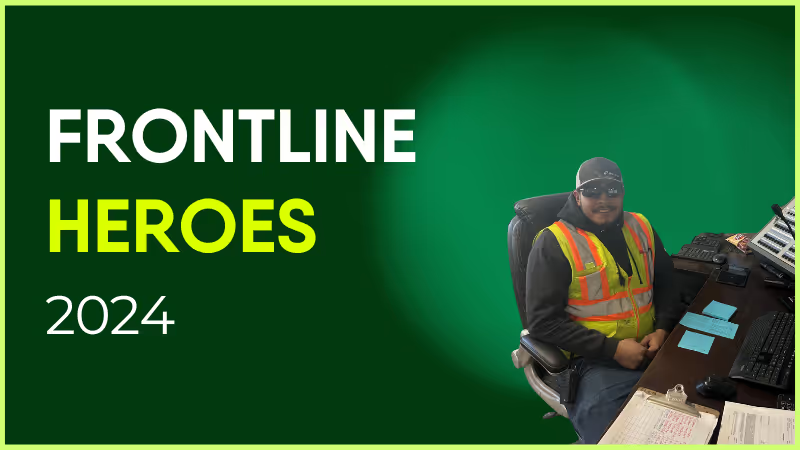
I would like to nominate Mark following his heroic and kind-hearted behavior that recently saved a young girl’s life.
Mark pulled into the bus stand when a colleague approached him and alerted him to a young girl who had been found on the floor in a state. Mark approached the girl, and she told him she was considering ending her life.
Mark brought her back to the bus in a warm, safe space and he asked her about what happened — the girl believed she was drugged and the culprit had stolen her rucksack with her personal belongings inside. Mark called the paramedics and he waited with her for two hours as he spoke to her and calmed her down until she fell asleep on the bus. He monitored her every 5-10 minutes to check that she was breathing and wasn’t in danger. When the paramedics came, he took them up the road to try to search for her bag but sadly to no avail.
Thanks to Mark’s selflessness and fatherly instinct, he saved her and brought her to safety in the hands of the paramedics. Mark deserves to be thanked and recognized for this act, and should know the huge impact he has had on this girl’s life.
How has Blink helped in his role?
Mark is very active in the community and he always takes part in events, which he finds through the app.

Nominated by: Mollie Pye, Site Operations Manager
What makes him awesome?
I would like to nominate Mark following his heroic and kind-hearted behavior that recently saved a young girl’s life.
Mark pulled into the bus stand when a colleague approached him and alerted him to a young girl who had been found on the floor in a state. Mark approached the girl, and she told him she was considering ending her life.
Mark brought her back to the bus in a warm, safe space and he asked her about what happened — the girl believed she was drugged and the culprit had stolen her rucksack with her personal belongings inside. Mark called the paramedics and he waited with her for two hours as he spoke to her and calmed her down until she fell asleep on the bus. He monitored her every 5-10 minutes to check that she was breathing and wasn’t in danger. When the paramedics came, he took them up the road to try to search for her bag but sadly to no avail.
Thanks to Mark’s selflessness and fatherly instinct, he saved her and brought her to safety in the hands of the paramedics. Mark deserves to be thanked and recognized for this act, and should know the huge impact he has had on this girl’s life.
How has Blink helped in his role?
Mark is very active in the community and he always takes part in events, which he finds through the app.

Nominated by: Mollie Pye, Site Operations Manager
What we'll cover
Start your free trial today
See how Blink helps frontline teams stay connected, informed, and engaged.
Why workforce communication is more important than ever for bus and coach teams
Across Australia and New Zealand, bus and coach operators are under more pressure than they’ve been in years.
As operators work to deliver safe, reliable services every day, the industry is navigating workforce shortages, rising operational costs, accelerating technology change, and increasing pressure to do more with less. Traffic congestion, network disruptions, and unplanned service changes add to that load, and there’s very little margin for error.
For many bus and coach operators, the question is no longer whether new technology is required. It’s whether legacy ways of communicating (paper noticeboards, depot briefings, email, and word of mouth) are now making things harder, not easier.
Blink is the platform bus and coach operators use to reach their entire frontline workforce in real time. Trusted today by nearly 30,000 drivers and depot-based employees across ANZ, it replaces paper noticeboards and fragmented messaging with a single hub for communication, safety, and operational updates.
As a platform used by operators around the world, Blink brings ANZ operators proven approaches from some of the most complex transit environments globally, and feeds what works locally back into how the platform develops.
The operational reality facing bus and coach operators
The challenges are well understood. What gets talked about less is what they actually cost to manage day to day.
The cost of driver churn
When a driver leaves, the loss is not just a vacancy. It’s the sunk cost of route familiarisation, safety accreditation, and network geography training, and an increased risk of cancelled services, reduced reliability, and financial penalties when contractual KPIs are not met.
The zero-emission transition
As fleet technology continues to evolve, the knowledge gap grows. Engineering and operational teams need practical, real-time access to new maintenance protocols and safety procedures. How well operators bring their frontline through that transition will determine whether the rollout goes smoothly or creates new risk.
The “shadow IT” risk
Without a dedicated communication platform, many operators still rely on paper noticeboards, depot briefings, or informal messaging apps that lead to unmonitored conversations, unverifiable safety updates, and corporate data sitting outside company control.
Communication sits at the heart of each of these challenges. The question is whether operators have the right communication tools to effectively address each one.
Closing the frontline communication gap
Many operators already have systems for payroll, rostering, and compliance. What’s often missing is a reliable way to reach the frontline in real time, with confidence that critical messages have actually landed.
In an environment where services change by the minute, from route diversions and special events to breakdowns and severe weather, that gap carries real risk. Right now, most operators have no reliable way to know whether a message was seen, understood, or acted on.
Blink closes that gap. Operators are using it today to streamline communications across operations, safety, and corporate updates, replacing paper noticeboards and depot-only briefings with a platform that validates messages have been received and actions completed. Native live streaming takes this further, giving operators a way to bring multiple depots together in real time for safety briefings, operational updates and company-wide announcements.
It’s also accelerating staff onboarding, keeping the whole workforce aligned on network and fleet changes, and consolidating near-miss and safety reporting in one place.
For operators running complex depots and rosters, Blink also integrates directly with rostering and workforce platforms like Trapeze, Workday, and ServiceNow, ensuring updates reach the right people automatically.
Up and running in weeks
Blink doesn’t require a large-scale rollout to deliver value.
Large multi-state operators use Blink alongside established HR, operations and payroll platforms. But many small and mid-sized bus and coach businesses adopt it precisely because it delivers immediate value without needing centralised enterprise systems already in place.
Out of the box, operators can:
Digitise paper-based processes such as pre-departure checks, incident reports and leave requests
Issue polls and surveys to capture workforce sentiment, training compliance and safety confirmations
Deliver targeted communications through feed posts and short video updates, covering everything from onboarding journeys and road closures to service disruptions and company-wide announcements
Deploy simple self-service tools (custom micro-apps) for things like roster visibility, digital payslips, HR and payroll queries, uniform orders and shift swaps, particularly where access to existing systems is limited
Recognise and reward frontline employees in the moment, whether that’s acknowledging safe driving, years of service, or going above and beyond, keeping morale high and making people feel seen, no matter where they’re located
Nobody has time for a drawn-out rollout. Blink is designed so operators can be up and running in weeks, not months.
Ready to test this in your depot?
Every depot has its own rhythms, constraints and safety requirements. The most practical way to evaluate frontline communication is to test it locally, under real operating conditions.
To help Bus Industry Confederation members assess this in practice, Blink is offering a no-obligation trial for a single depot or region, so you can validate whether clearer updates, better reach and confirmed acknowledgements translate into smoother day-to-day running before committing to a wider rollout.
Get started:Start for free and get your first operational group live
Onboarding support:Book a short call with our ANZ team to align setup with your business priorities
Member benefit: BIC members can access an exclusive introductory discount
Vehicles and infrastructure will keep evolving. But the operators who pull ahead will be the ones who’ve worked out how to keep their people informed and ready.
Hello! I’m Jess, UK born and (half) bred. I say half because I spent the majority of my childhood in South Africa and Poland - two very different places to live!
I moved back to England to finish school at 15 and then went on to study for a degree in Psychology and a Master’s in Business Management.
Whilst I’ve had part-time and summer jobs in the past, this is my first ever proper job straight out of uni so I am still learning the ropes!
Here at Blink, I am a Talent Sourcer which means I actively seek out awesome employees to join our awesome team.
My main purpose is to scope out the market, find prospective candidates (only the best-of-the-best of course!), reach out to them, tell them all about Blink and convince them why they should come and work for us.
Of course, with any start-up role, there’s a lot more to it than that but that’s my main responsibility in a nutshell.
My absolute FAVOURITE part about Blink is the culture. We value our culture tremendously and it’s something we are all very conscious of maintaining as we grow the team.
Every person at Blink is super approachable, curious, hardworking and collaborative.
We’re a solid team so we trust each other to get our jobs done and we want everyone to collectively succeed. It’s awesome.
Mass walkouts make headlines. It would not be surprising if 2024 saw an increase in these headlines - particularly in sectors such as healthcare. The recent strike that saw 75,000 Kaiser healthcare workers walk off the job is reflective of the deep level of disengagement among frontline healthcare professionals in general. Unless healthcare leaders can spot rising levels of disengagement, understand what causes it, and take proactive steps to prevent it within their organizations, these worrying trends will continue to persist.
Unfortunately, despite significant and somewhat effective efforts by HR leaders to recognize and reward frontline workers for their contributions, the healthcare industry is struggling to bridge the gap between organizational initiatives and frontline satisfaction. Benefits programs, loyalty initiatives, listening surveys, and wellbeing apps have failed to move the needle, mainly because these initiatives simply don’t always reach those needing them. Technologies such as e-learning and team scheduling platforms, messaging, and collaboration tools - designed to engage employees and encourage a more connected and cohesive organizational culture - have not had the desired impact on frontline staff.
Mismatch Between Technology and Reality
The problem is that while the pace of digital transformation in the enterprise space has been undeniable, the technologies most healthcare organizations purchase today are designed for desk-based workers who are permanently online and have ready access to IT support and/or relevant training resources; or are another add on to an existing legacy system.
The modern enterprise tech ecosystem is incompatible with the reality of frontline work – where mobile ease of use and accessibility are pivotal to driving impact. These tools simply don’t work effectively when rolled out to hospital staff who are time-constrained, constantly on their feet, and rarely anywhere near a desktop computer, especially for anything nonclinical.
A survey of more than 500 US healthcare workers reveals that 37% say technology frustrates them. This lack of positivity around technology creates inequality of opportunity and influence within the workplace, as healthcare workers often don’t enjoy the same sense of value and belonging as their office-based peers, nor do they have the same opportunities for career advancement.
READ MORE: Achieving Employee Techquity: Our guide on why successful digital inclusion in healthcare starts in your teams.
Purpose-built Technology for Delivering Exceptional Care
Healthcare workers aren’t averse to using technology. As consumers, their digital world is immediate and enriching, driven by intuitive smartphone apps, instant notifications, and a sense of always having the tools they need at their fingertips. Yet in their jobs, the current digital experience can be slow and disjointed.
To close the digital divide, organizations must deploy technologies specifically designed with the on-the-go frontline healthcare experience in mind. For example, offering single sign-on (SSO), mobile-enabled access to all applications will greatly improve accessibility. Building a hub can make it easy for all workers to access important information and other systems. Simple mobile forms can replace paper trails, help workers improve efficiency, and eradicate convoluted processes so that workers do not waste time on administrative tasks.
Elara Caring, one of the largest US-based providers of personal care, home health, and hospice care, successfully addressed these challenges after experiencing a 65% annual staff turnover rate due to low morale and lack of peer-to-peer connection. The company decided to deploy Blink, the frontline employee super-app, which has transformed its operational landscape and solved its million-dollar challenge.
Elara, using Blink, streamlined onboarding, enhanced communication efficiency, and created a sense of community among employees, some of whom were never connected to the organization. By leveraging capabilities like SSO and automating daily tasks, Elara centralized operations and increased its productivity. Additionally, they facilitated seamless communication and peer-to-peer networking, fostering a culture of recognition and empowerment within Elara's workforce.
By leveraging Blink's multifaceted capabilities, Elara not only mitigated its turnover challenge but also established a more cohesive, efficient, and connected workforce, reinforcing its commitment to employee well-being and organizational success. And, now that Elara has been able to connect to this large employee constituency successfully, they are innovating on exciting new opportunities for improving these workers’ work-life and their patients’ experience.
Importance of Organizational Culture Shift
Creating a digitally inclusive environment for frontline workers goes beyond technology adoption. It requires a cultural shift within organizations – one that values and actively supports the digital empowerment of every employee, regardless of role. People and HR leaders must champion digital inclusion as a strategic priority, ensuring that frontline workers are not just recipients of technology but active participants in the digital transformation journey.
Organizations can foster this culture by promoting digital literacy programs, encouraging peer-to-peer learning, and recognizing the unique contributions of frontline workers. Understanding the specific pain points of these employees leads to more effective and user-friendly solutions and an increase in technology adoption.
Essentially, closing the digital gap for frontline healthcare workers isn't just about technological advancements, it's about ensuring exceptional healthcare and workplace equity. By investing in the right tools, training, and culture initiatives, healthcare organizations can enable and empower their frontline workforce to better thrive in the digital age.
Study after study has shown the importance of collaboration at work. Companies that get collaboration right are more likely to beat competitors and have a highly motivated, engaged workforce.
But fostering collaboration can be a challenge when most of your employees don’t work from the office. If your employees work on the front lines or from their homes, they won’t have the same bonding opportunities as desk-based workers.
What can you do about this? Invest in creative ways to build effective virtual collaboration into your culture and promote teamwork.
One such way is to conduct online collaboration activities. These exercises provide remote employees the chance to socialize with peers whom they rarely get to meet in person.
So in this post, we’ll walk you through some of the best online collaboration activities we have hosted or seen working recently. But before we get to that, let’s see why virtual collaboration is so important.
Why is online collaboration important?
2500% more companies globally are investing in remote collaboration initiatives in response to Covid-19.
The media has bombarded us for years with stories of isolated, self-made geniuses. But whether you’re an individual or a business, you need to work with other people and teams successfully to get positive results.
You and your workers need opportunities to develop rapport, understand each other’s abilities, and communicate effectively as needed.
It’s teamwork that lets employees put out a collective effort and get things done — things that cannot be carried out alone.
But as we said before, remote work deprives people of the chance to interact with their coworkers beyond the scope of work. If you’re part of a dispersed team, there’s little chance that you’ll ever bump into another colleague near the water cooler, or talk about a hobby.
Because of this, virtual teams often lack the human connection that is critical to job satisfaction and employee retention. And without emotional bonds, team members are less likely to be engaged at work.
That’s where online collaboration activities fill the gap. You can use them to enhance relations between employees and boost motivation. The remote collaboration exercises below will help your workers feel closer than ever, improving their overall well-being and happiness.
Online collaboration activities for remote teams
When picking the following online collaboration activities, we have ensured they are easy to implement and effective. And that they can be adapted to remote work environments using any well-known video conferencing tools.
Plus, if an activity requires a whiteboard, you can share your screen and use any online whiteboard or note-sharing software for each person to see a live, editable page. Let’s begin.
What’s on your bucket list?
Sharing our dreams with another person is a great bonding experience. In this online collaboration example, you’ll give each employee a few minutes to think and make a list of their goals.
Specifically, these would be the things they want to do in the next 12 months, or at least once in their lifetime.
Then, every worker will share the list they created in a video conference. If some employees have the same things on their lists, they can continue the conversation offline to discuss and plan together.
Online coffee meeting
Call for a short, stand-up meeting at the start of the day. Each team member finds a coffee shop nearby, or brews a fresh cup on their own if they are home.
During the meeting, they can talk about the work they have planned for the day while enjoying their morning coffee. If mornings are not possible, you can apply the same concept to evening coffee breaks.
Be careful with this activity though. It’s very easy for it to become a strictly formal, work-related conversation. Make sure to keep the chatter light and fun.
Wall of fame
This online collaboration exercise helps employees facilitate clear communication and recognize each others’ strengths.
Divide workers into teams of two. Now ask each employee to take two minutes and share a work-related accomplishment they have had recently. You can set a particular time frame, such as last year, quarter, or week.
These could include successes such as handling a client, reducing the time it takes for a task, or gaining new insights.
After a worker is done speaking, the other person on their team will summarize to make sure they have understood the value of this achievement. Then repeat the same process for everyone in the meeting.
Photo of your life
Ask your distributed employees to take or share a snap of something meaningful from their personal life.
For example, it can be:
A family portrait
A picture from their recent vacation
A shot from their daily routine
Something they recently purchased
Whatever it is, it should shine some light on their personality and interests. Then schedule a video meeting where workers can show and talk about their pictures. They can say why they chose the image and what it means to them.
Memory board
The memory board is an amazing way to bond over past events, and it helps immensely with virtual team building.
Create a list of some work-related subjects and post them as notes on a whiteboard. For example:
My favorite team member
First day at work
Client presentation
You can then have each worker pick a topic and share a memory related to it.
Two truths and a lie
This is a great collaboration example for newly formed remote teams. Typical introductions based on “say something about yourself” can feel awkward, boring, and uncomfortable.
But with this remote team-building activity, you can give workers a fun, alternative way to introduce themselves and improve future communication.
Before calling an introduction meeting, ask employees to prepare three statements — two truths and one lie — about themselves. The lie should be conveyed as realistically as possible. It shouldn’t be easy to spot.
Each worker will then disclose their three statements in the meeting when delivering their introduction. And other team members will guess what’s the lie and what the truths are. Once they are done, the worker will tell the team members if they were right or wrong.
You can also make it more fun by awarding points to people who hid the lie successfully or who guessed it correctly.
Guess the phrase
This team-building activity has gained so much momentum over the years that companies like Hasbro have turned it into an electronic game.
Create a list of words or phrases. These could include celebrities, expressions, objects in the office, or movie names.
Then assign one to each employee. No one should know the word apart from the worker whom it’s assigned to.
Next, ask each employee to describe the word given to them without actually mentioning the word. And other team members will guess what the word is.
Online lunch and learn
Breaking bread together is an obvious connector. And lunch and learns have been one of the classic online training activities to promote collaboration in physical workplaces. So there’s no reason they can’t be adapted to the virtual world.
Get your team members on a video call and invite a subject matter expert to teach something that everyone can use. The topics may include productivity, problem-solving, and of course, working remotely.
You can schedule the event during lunchtime, allowing workers to enjoy their meals while absorbing new knowledge. If budget is not an issue, you can also offer to pay for the food.
Survival on an island
In this virtual team-building activity, give your team a hard situation. For example, let’s say they were going somewhere in a plane and it crashed on a deserted island, or a zombie apocalypse has made its way into their region.
Then share with them a list of objects that might help with their survival and eventual rescue. Next, ask them to rank each item based on its importance, first individually and then as a whole group.
It’s a great way for everyone to reflect and compare their personal decisions with collective choices. And it may give them new perspectives on collaboration.
Online recipe showcase
It’s not just eating. Cooking too can lead to an effective online collaboration exercise. With the popularity of remote work, more and more people are cooking at home.
You can start an online event where workers share their culinary favorites or experiments with food. And you can also run a challenge where employees will try each others’ recipes and take pictures of what they made.
Over to you: 10 online collaboration activities
Online team building doesn’t have to be difficult. It can be just as fun for workers to get to know each other virtually as physically.
As you can see, there are many online collaboration activities that are quick and easy to arrange. And they are essential to creating a digital employee experience fueled by teamwork and positive working relationships.
Not just that.
Online team-building exercises help you leverage the unique strengths and perspectives of each and every employee, resulting in a better output at work. So incorporate them regularly in the virtual workplace, and the harmony you’ll create is bound to help your business excel. Consider it one of the best practices for employee engagement you need to follow.
Plus, having the right technology, like one of the best employee engagement tools or an all-in-one team collaboration platform can foster collaboration to an even greater level. Request a free Blink demo today.
Unily is a powerful platform—but for many organizations, it’s overly complex, difficult to manage, and time-consuming to implement. From rigid intranet structures to costly customizations, it often demands heavy IT involvement just to get the basics right.
If you're looking for something easier to use, faster to roll out, and more engaging for employees, you're not alone.
In this guide, we cover the top 10 Unily alternatives—platforms that deliver the same core benefits (communication, connection, and culture) without the complications. Whether you're in HR, Comms, or IT, these options are worth considering for a modern employee experience.
Blink is the employee experience platform designed to eliminate the friction that comes with legacy intranets like Unily. Where Unily often requires months of setup and technical oversight, Blink delivers immediate impact with a consumer-grade UX, built-in tools, and zero learning curve.
Why Blink is the smarter choice:
No IT bottlenecks: Blink is designed for self-serve teams—get started in weeks, not quarters.
Mobile and desktop ready: Unlike Unily’s more rigid intranet framework, Blink works wherever your employees do.
One simple platform: Comms, chat, surveys, document sharing, and app integrations—all in one place.
Instant engagement: Push updates, target messages, and track results in real time without needing an admin army.
Pros:
Rapid deployment and intuitive for any user
Eliminates the complexity and silos of traditional intranets
Higher adoption and engagement rates
Streamlined pricing and low total cost of ownership
Cons:
Fewer deep customization options compared to Unily (by design)
{{watch-video="/callouts"}}
#2. Staffbase
Staffbase offers an employee communications platform designed for corporate messaging and internal branding. It supports newsletter creation, a mobile app, and intranet functionality.
Pros:
Strong employee app for internal comms
Designed for global organizations
Supports multiple languages
Cons:
Requires training and onboarding time
Some advanced features locked behind higher-tier pricing
#3. Firstup
Firstup is focused on employee journeys and automated campaigns. It’s especially suited for organizations with complex audience segments and large enterprise needs.
Pros:
Advanced audience segmentation and targeting
Automation capabilities for content delivery
Cons:
May require dedicated resources to manage campaigns
Less intuitive for smaller or mid-size companies
#4. Simpplr
Simpplr positions itself as a modern intranet platform with a clean design and AI-powered search. It’s focused on streamlining communication and enabling a sense of belonging.
Pros:
Strong content discovery and search tools
Integrated org charts and people directories
Cons:
Pricing can be steep for growing teams
Limited mobile functionality compared to other platforms
#5. Workvivo
Designed to blend communication with culture, Workvivo gives employees a platform to share stories, celebrate wins, and stay informed. It supports both leadership updates and peer-to-peer engagement. The interface feels familiar to social media, driving higher adoption.
Pros:
Social-media-style interface
Culture and engagement features built-in
Cons:
Collaboration and productivity tools are limited
Can feel more like an engagement layer than a full intranet
#6. Interact
Interact offers a feature-rich intranet solution with a strong focus on content governance and compliance. It’s ideal for organizations with strict security or industry regulations.
Pros:
Rich permissions and content management controls
Good for highly regulated industries
Cons:
Can be complex to configure
Slower time-to-value compared to more modern platforms
#7. Haiilo
Formerly Smarp, Haiilo is a social intranet and advocacy platform. It focuses on content sharing, social collaboration, and employee voice.
Pros:
Social interaction features
Integrates with Microsoft 365
Cons:
Not a full digital workplace platform
Focus is heavier on communication than productivity
#8. Microsoft SharePoint + Viva
If you're deeply invested in the Microsoft ecosystem, SharePoint paired with Viva can be turned into a digital employee experience platform—though it often requires heavy customization.
Pros:
Seamless with Microsoft 365 apps
Highly customizable with IT support
Cons:
Often needs consultants or developers to manage
User experience can feel clunky without Viva add-ons
#9. Jive (Aurea)
Jive is a legacy enterprise social platform with collaboration, communities, and knowledge-sharing tools. It remains a viable choice for large, complex organizations.
Pros:
Good for internal communities and knowledge bases
Mature platform with years of enterprise use
Cons:
Outdated user experience
Less support for mobile and modern UI
#10. LumApps
LumApps integrates directly with Google Workspace and Microsoft 365, offering a centralized hub for company knowledge, news, and social collaboration.
Pros:
Strong integrations with cloud suites
Personalization and targeting features
Cons:
Requires IT involvement for deployment
Learning curve for admins and content creators
Final thoughts
Unily has long been a popular choice for enterprise intranets, but today’s workforce needs faster, more flexible, and engaging tools. If you’re rethinking your digital employee experience, platforms like Blink offer a modern alternative that’s easier to deploy, simpler to manage, and proven to engage employees across the board.
What do the words leadership visibility mean to you?
Is it a lone wolf standing at the top of a hill raised up above the masses or is the usual visual that pops into your mind more nuanced?
Leadership usually conjures up thoughts of the very pinnacle of corporate hierarchies. The CEO, and his or her c-suite.
Those who run the company or who are tasked with running it.
Then there are leaders who are less symbolic and more down to earth leaders like team managers and supervisors. The everyday people managers.
What about their visibility? They also need to be seen and heard but also available to see and hear from their people that they’re tasked with looking after.
That, for me, is at the heart of leadership visibility.
What does leadership visibility equate to?
The accountability and responsibility for a group of people and their ability to have a positive experience during the time they are affiliated with your organization.
Visibility equates to being both visible so people can see leaders and also accessible so employees can gain access to interact with leaders in a meaningful way.
In a 2019 Salesforce research report it was found that when employees feel heard they are over four times more likely to feel empowered to perform to the best of their abilities.
To give it their all or exercise that discretionary effort that can make the difference between good and excellent. Of course, it matters how this is done and informality can create a more comfortable environment for both leaders and their people to interact.
What does leadership visibility look like?
For example, if you organize a breakfast session where a leader makes themselves available for 45 minutes and you provide breakfast treats and hot beverages, that could be deemed as a formal gathering.
I have organized a few such sessions and found, in some cases, that there was a level of reluctance to participate. Why should this be? I would say it was cultural as well as the event type.
A breakfast session cannot, in of itself, change a culture or create a welcoming one that provides a safe environment where employees want to be seen, listened to, and heard by their leaders.
That willingness to have conversations with leaders is key.
The role of culture
If an organisation’s culture doesn’t permit or encourage connections with leaders or where they are cordoned off, no amount of breakfast sessions, walk the floors or town hall Q&As will fix this.
In this instance, the toxicity would need to be addressed before any activities could successfully come to fruition. So, it’s less a case of visibility and more a case of authentic visibility.
An approach that aligns visibility programmes with an organisation’s culture. If your managers are having regular conversations with their teams as part of business-as-usual activities, then you’re halfway into the journey of engaging employees through visible leadership.
Managers are key to making unconcealed leadership a success.
The persona of a visible leader
What do accessible leaders look like?
They are personality-driven and offer a heady combination of charisma, capability, intelligence, and social skills that culminates in a person who makes others feel at ease, relaxed, empowered and emboldened to have their say.
Not to say that quiet leaders cannot elicit the same reaction.
It’s less about being extroverted and more about being confident in one’s own skin to give others the assurance that they can do the same without fear of retaliation in response to the sharing of candid views.
Mutual respect is crucial which again is largely driven by culture .
If everyone knows they are in an environment that actively promotes transparency, then leaders can be authentically visible and encourage employees to respond positively to this visibility without viewing this access with suspicion.