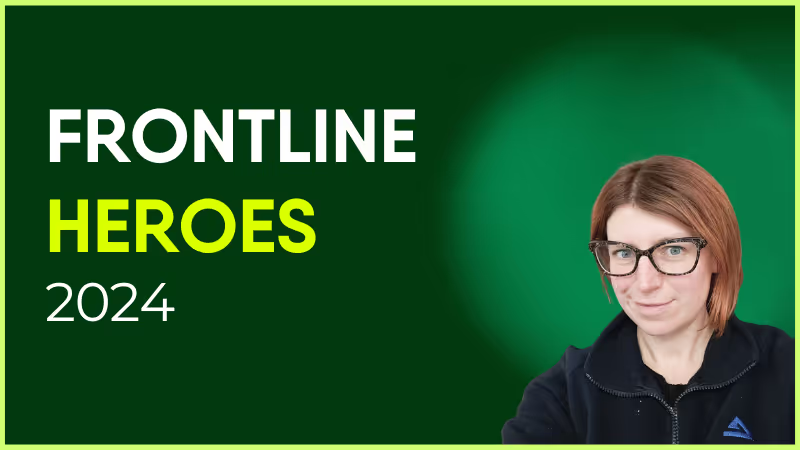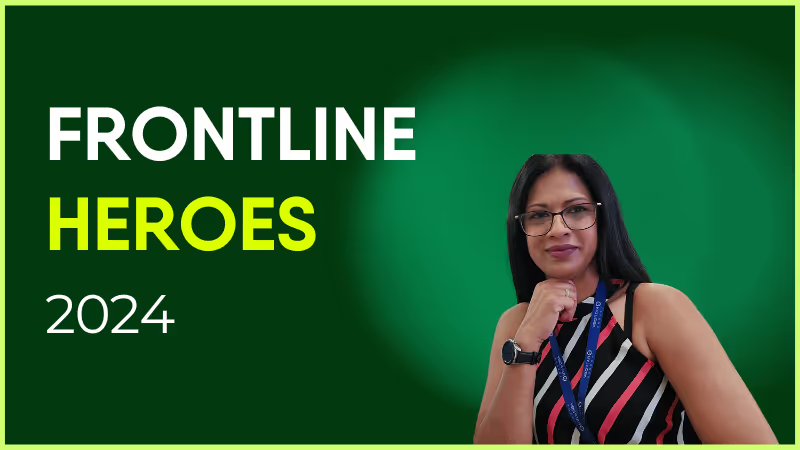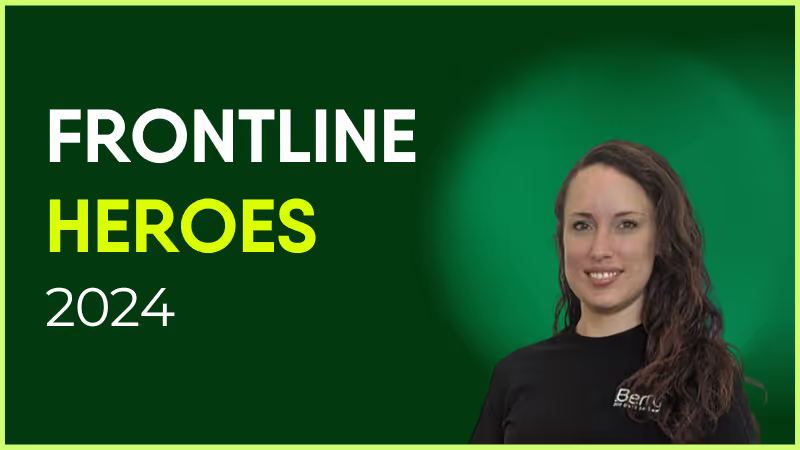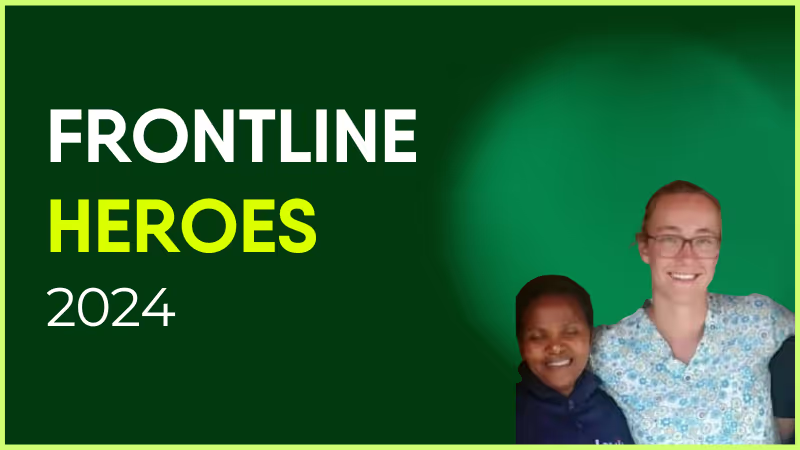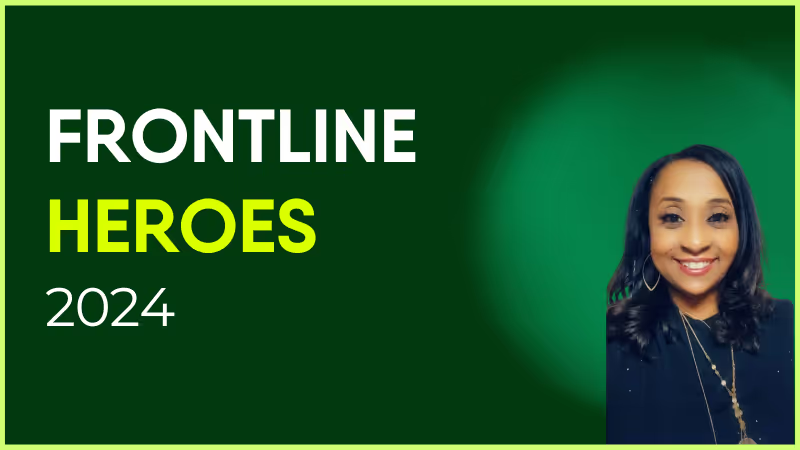
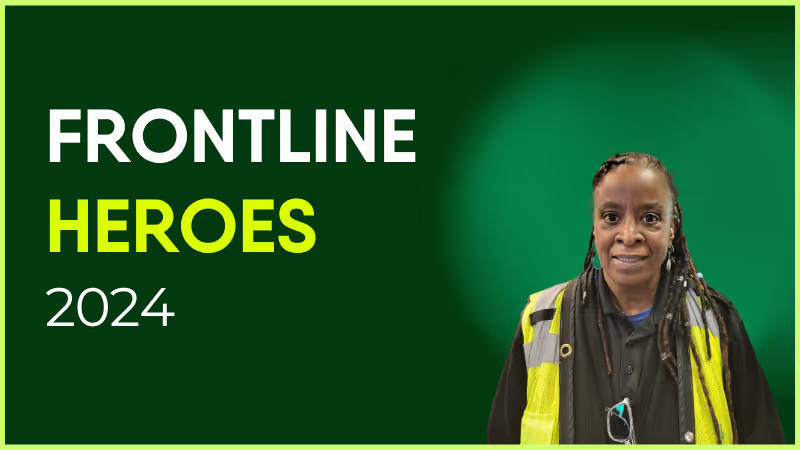
Alisha McGuire has been working in Respiratory Care at Children’s of Alabama since graduating from the UAB Respiratory Therapy Program in January of 2006.
Alisha’s leadership abilities and her commitment to our patients were evident from the beginning. She eagerly and consistently assumed the role of leading her night shift colleagues. She rapidly gained a reputation as a go-to resource person for respiratory therapists, nurses, and physicians. While Alisha initially worked primarily in acute care, she took the initiative to orient in multiple areas, including critical care units. Her skills are diverse and she is able to function competently in any unit in the hospital.
When the Lead Respiratory Therapist role was created in 2016, it was obvious that Alisha would be one of the first ones selected. Her job performance was always rock solid and I was never concerned about anything on night shift when Alisha was on duty. Her leadership was a contributing factor to the early success of both our Asthma Care Pathway and our Bronchiolitis Care Pathway. Her commitment to excellence has helped to ensure the ongoing success of both of these pathways which have so positively impacted the lives of patients with these respiratory diseases.
Alisha was promoted to Respiratory Care Coordinator in 2018. She has excelled as a leader in this role. One of her first projects was working with Dr. Alishlash to help develop the Acute Chest Syndrome (ACS) protocol. Dr. Alishlash recognized Alisha, in an email to her managers, for her hard work in helping the protocol become a success. Overall length of stay has decreased for patients admitted with ACS.
We have faced many challenges over the years, none so great as the COVID-19 pandemic. Alisha’s leadership throughout the pandemic served to help her colleagues remain informed and steer a steady course amid the ever-evolving guidelines. Alisha addressed the staffing challenges created by the pandemic by willingly working extra shifts on days, nights, weekends, and holidays. She has always simply taken the bull by the horns to get the job done and her can-do attitude is consistently inspiring. Alisha has been impacting the lives of those we serve for over 18 years now. She deserves to be recognized for her consistently stellar performance.
How has Blink helped in her role?
Blink has helped with communicating news about special events to the team.
What does she want to do next?
Alisha wants to continue her career at Children’s of Alabama and to utilize her clinical and leadership skills to provide high quality, compassionate care and to be an advocate for those we serve.

Nominated by: Robert W. Park, Director, Respiratory Care
What makes her awesome?
Alisha McGuire has been working in Respiratory Care at Children’s of Alabama since graduating from the UAB Respiratory Therapy Program in January of 2006.
Alisha’s leadership abilities and her commitment to our patients were evident from the beginning. She eagerly and consistently assumed the role of leading her night shift colleagues. She rapidly gained a reputation as a go-to resource person for respiratory therapists, nurses, and physicians. While Alisha initially worked primarily in acute care, she took the initiative to orient in multiple areas, including critical care units. Her skills are diverse and she is able to function competently in any unit in the hospital.
When the Lead Respiratory Therapist role was created in 2016, it was obvious that Alisha would be one of the first ones selected. Her job performance was always rock solid and I was never concerned about anything on night shift when Alisha was on duty. Her leadership was a contributing factor to the early success of both our Asthma Care Pathway and our Bronchiolitis Care Pathway. Her commitment to excellence has helped to ensure the ongoing success of both of these pathways which have so positively impacted the lives of patients with these respiratory diseases.
Alisha was promoted to Respiratory Care Coordinator in 2018. She has excelled as a leader in this role. One of her first projects was working with Dr. Alishlash to help develop the Acute Chest Syndrome (ACS) protocol. Dr. Alishlash recognized Alisha, in an email to her managers, for her hard work in helping the protocol become a success. Overall length of stay has decreased for patients admitted with ACS.
We have faced many challenges over the years, none so great as the COVID-19 pandemic. Alisha’s leadership throughout the pandemic served to help her colleagues remain informed and steer a steady course amid the ever-evolving guidelines. Alisha addressed the staffing challenges created by the pandemic by willingly working extra shifts on days, nights, weekends, and holidays. She has always simply taken the bull by the horns to get the job done and her can-do attitude is consistently inspiring. Alisha has been impacting the lives of those we serve for over 18 years now. She deserves to be recognized for her consistently stellar performance.
How has Blink helped in her role?
Blink has helped with communicating news about special events to the team.
What does she want to do next?
Alisha wants to continue her career at Children’s of Alabama and to utilize her clinical and leadership skills to provide high quality, compassionate care and to be an advocate for those we serve.

Nominated by: Robert W. Park, Director, Respiratory Care
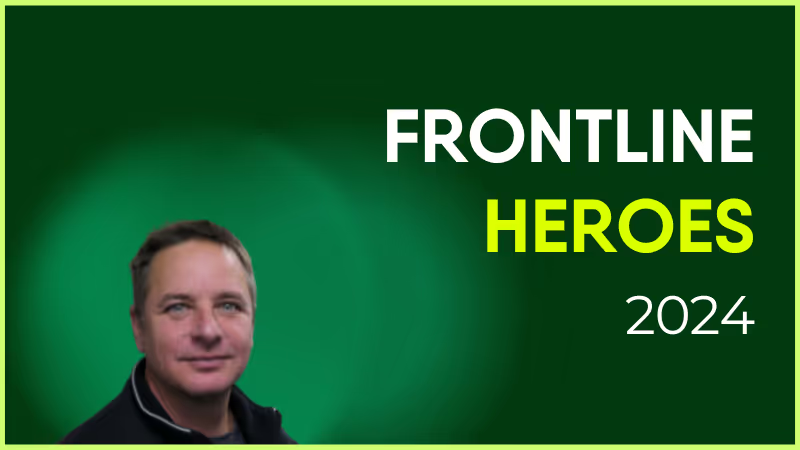
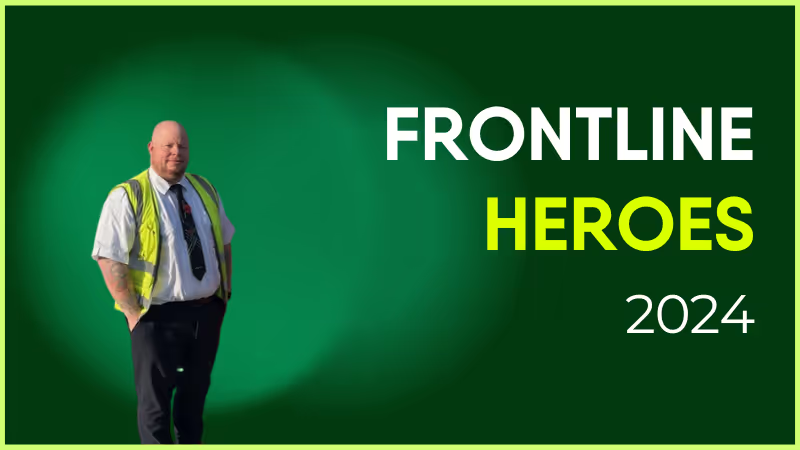
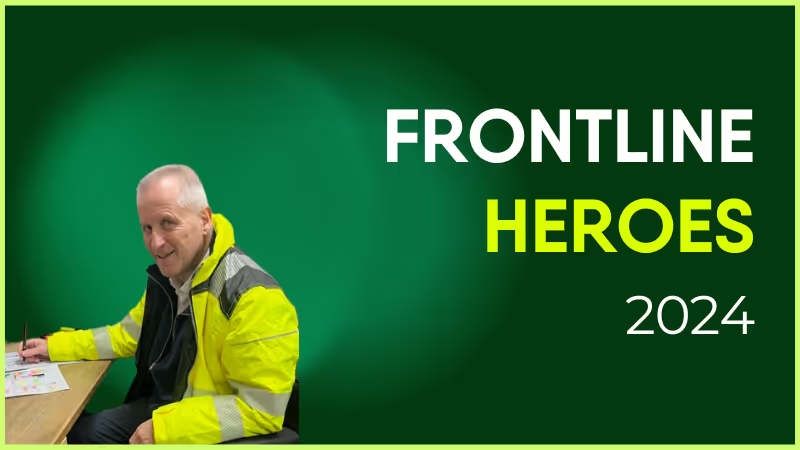
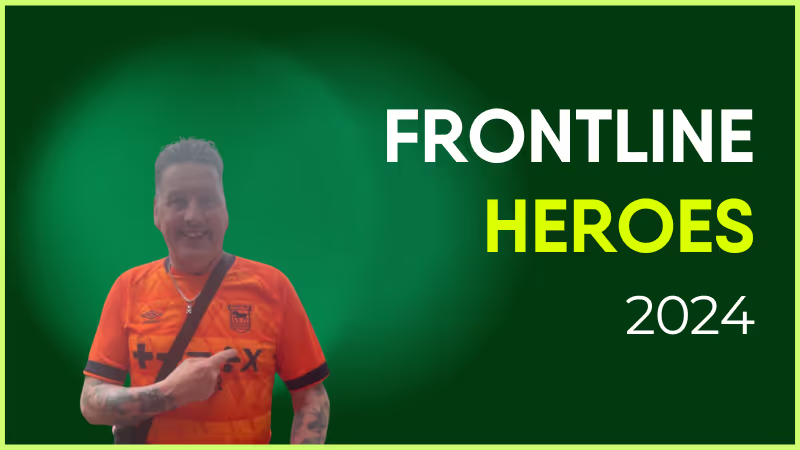
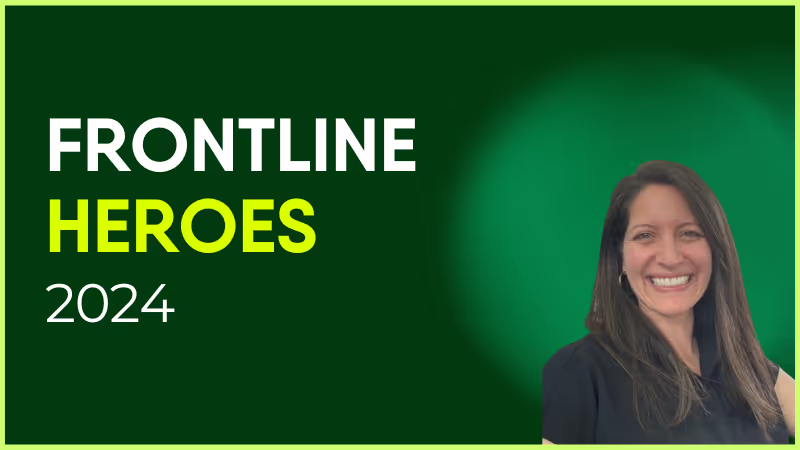
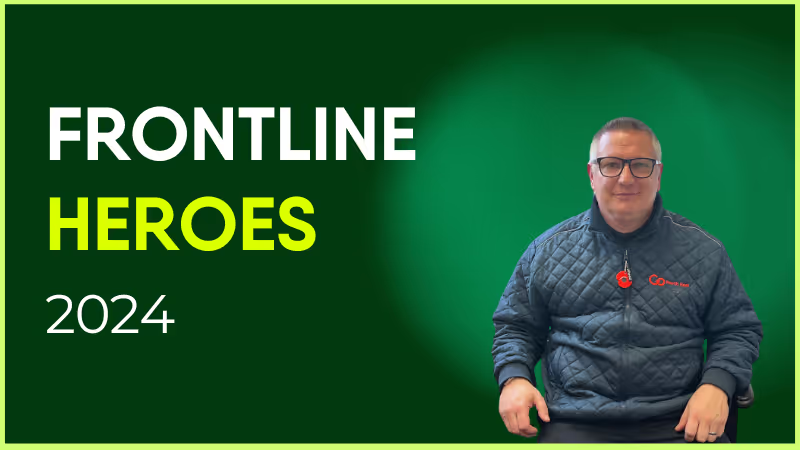
Chris has been with Stagecoach since June 2014, making this year his 10th anniversary! Starting out as a driver, he is based on the Lincoln depot.
Chris consistently goes above and beyond in his role, adapting brilliantly to late changes to his working rota and the work contained in it. The nature of the transport industry and staffing needs means no two weeks are the same, as we have to meet demand.
Chris is ultra reliable all the time and never balks at extra work. If Chris says he can't do something for us, there is always a very good reason for that. I feel he deserves recognition for all he gives to both the Training Team, and the drivers he is responsible for.
What does he want to do next?
Anything we want him to do, he will turn his hand to it. The sky’s the limit!
Nominated by: David Earl, Delegated Driving Examiner
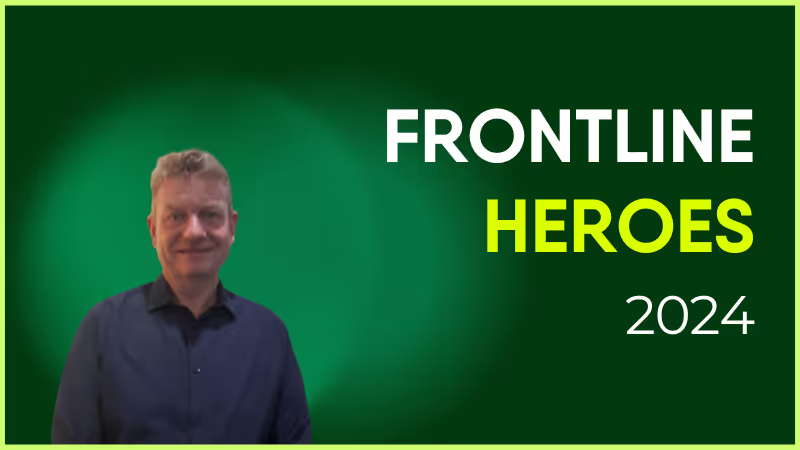
It’s time for another Life at Blink feature! This week, we’re thrilled to introduce Wick Kaminski, our Enterprise Implementation Manager who works remotely from Austin, TX.
With 1.5 years at Blink, Wick plays a pivotal role in helping our customers bring their workforce together, turning the idea of seamless communication into reality. From his frontline experience to his excitement about empowering employees through Blink, Wick brings passion and purpose to everything he does.
Curious about his journey, his proudest moments, and the culture that makes Blink stand out? Read on to learn more!
How long have you been at Blink?
I have been at Blink for 1.5 years now.
What initially attracted you to join Blink?
First and foremost was the fact that Blink employees use Blink. I think it’s a huge testament to a company’s commitment to excellence when they rely on their own tool to get their daily work done.
Secondly, I was intrigued by the idea of software that had a tangible impact, and I could clearly see how my time in frontline roles would have benefited tremendously from a tool like Blink. Employee communication via a mobile app is a simple and powerful value proposition, and I truly believe every nondigital organization would benefit from the use of it.
What's a project you are proud of from your time at Blink?
My proudest moments at Blink always come when we hit the “launch” button and we observe a workforce that’s READY for a communication outlet. For so many customers I work with, employees haven’t had a channel for sharing back and forth — so when I see the News Feed light up with employees giving recognition and highlighting cool things going on in their area at work, it gives me goosebumps.
How would you describe the company culture at Blink in three words?
Autonomous, responsible, supportive.
What’s one thing you’re excited about for the future of Blink?
I’m personally really excited about expanding our self-service resources to better support our small and midsized business customers. We have an endless amount of ideas for improving the experience and making the onboarding as smooth and quick as possible.
Can you tell us about a recent initiative or program launched at Blink that you found particularly exciting?
Our recent feature release of Communities opened up an entirely new and novel avenue for our customers to build community amongst their workforces, and I’ve been really excited to work with my clients to get those up and running.
Communities are opt-in groups within Blink where you provide spaces for employees to connect on non-work-related things like hobbies, pets, special interest groups, affinity groups, clubs, and more.
Why do you work for Blink?
I know what is expected of me, I have the materials and equipment to do my work right, and I have the opportunity to do what I do best every day. And being a frontline-focused organization, we’re also in a unique position: So much of the tech world happens in a bubble and being able to work with the frontline every day is an important reminder of that bubble and the workforces, cultures, and people beyond it.
Frontline employee engagement is no easy task. Your frontline employees work varying shift patterns and spend limited time at head office. They don’t tend to get much downtime during their working hours. And they aren’t always kept in the loop when it comes to company comms.
These obstacles get in the way when you’re trying to connect frontline workers to company culture — and each other. And it’s why standard team-building activities usually fall short.
To make a success of your employee engagement strategy, you have to tailor activities to your deskless workforce. Otherwise, you risk disengagement, plus the productivity and retention issues that go with it.
That’s why we’ve created this list of 18 employee engagement activities. These ideas are suited to busy frontline workers and their schedules. They’re designed to boost engagement and offer meaningful benefits to your employees.
This can lead to lower levels of productivity. It can also cause increased staff turnover rates, which already tend to be pretty high in frontline organizations.
Employee engagement activities, like the ones we’ve included below, help frontline employees feel more connected to their company, role, and co-workers.
And, according to Gallup, improving your employee engagement rates can lead to a range of business benefits. Besides increased productivity and employee retention, these benefits include:
A reduction in safety incidents
A decrease in absenteeism
An increase in customer loyalty
An increase in profitability
Employee engagement is good for employees — and it’s good for business. So let’s take a look at the activities that will help make it happen.
18 employee engagement activities (that work for a frontline workforce)
To engage your frontline workforce, you can incorporate any of the following employee engagement activities into your work days:
1. Engage with employees from day one
2. Celebrate employee milestones and contributions
3. Incentivize goals
4. Create a mentorship program
5. Offer perks that boost employee wellbeing
6. Give regular feedback
7. Encourage group chat
8. Provide shift swap tools
9. Plan a money management month
10. Launch a poll
11. Create online communities
12. Offer professional development opportunities
13. Launch a competition
14. Use video tools
15. Organize a volunteering day
16. Hand the mic to your leaders
17. Run Lunch and Learn sessions
18. Measure employee engagement
Team engagement ideas for frontline workers are different than for other workers. With their variable schedules, you can’t arrange lunch dates or after-work get-togethers.
Here are a few employee engagement initiatives your frontline workers can benefit from.
You can start with employee engagement activities like:
Introducing new co-workers (digitally if it’s not possible to introduce everyone in person)
Supporting new hires to login and familiarize themselves with your engagement tech tools
Sharing a library of online resources that explain the company, their role, and company culture
Assigning them a buddy or mentor
New hires need regular guidance, especially from managers. So don’t assume your workers are done onboarding after a few days or weeks. Instead, design a process that lasts for at least 90 days.
2. Celebrate employee milestones and contributions
Employee recognition improves engagement. Everyone likes to feel appreciated and valued by their employer.
So make recognition a regular feature on your company intranet or newsletter. Celebrate birthdays, volunteer work, and project milestones. Recognize the hard work and successes of employees.
You can also encourage peer-to-peer recognition. 75% of employees say that giving recognition makes them want to stay at their current organization longer.
Get co-workers to nominate each other for awards, then hold an award ceremony. Or simply get them to appreciate each other by sending a message on the company news feed.
3. Incentivize goals
Gamify the work environment by offering rewards in return for meeting goals. When employees perform well and meet targets, give them a gift you know they’ll like. Company rewards can include gift cards, discounts, cash prizes, an extra day of paid vacation, or the option to give a charitable donation.
But don’t dive right in. Before you announce your reward program, it’s a good idea to survey employees. Ask them which rewards they’d prefer so you can be sure that workers will be motivated by the prizes on offer.
4. Create a mentorship program
Do you want your employees to engage with each other, learn valuable skills, and help each other at the same time? Try rolling out a mentorship program.
Assign frontline workers a mentor within your organization. You can pair people from different departments and different levels of the company.
Then, set a regular schedule of mentor meet-ups. Mentors and mentees might like to conduct meetings online to better suit their work schedules.
Also, offer guidance on how constructive meetings should be run. The aim is for mentees to set workplace goals and come up with a plan for achieving them.
5. Offer perks that boost employee wellbeing
A healthy worker is a productive worker. So encourage fun runs, offer free healthy snacks, and provide discount gym memberships.
Also, try to provide flexible scheduling when possible to give employees a better work-life balance. You’ll reduce employee stress and their risk of burnout.
To ensure frontline employees can access wellbeing activities, you can use a wellbeing app. Via this type of tool, you can provide employee engagement activities. Things like mindfulness and meditation sessions, nutrition planning, and health tracking, all via an employee’s mobile device.
6. Give regular feedback
Gallup research shows that 80% of employees who say they’ve received meaningful feedback in the past week are fully engaged in their work.
So schedule activities where employees receive regular feedback from managers. Make it constructive and useful for employees, so it’s not an appointment they dread.
Also, take a few hours each week to run an online open-door session. This is a time when employees can meet with managers digitally to ask questions and express any concerns.
7. Use the company news feed
A user-friendly employee app with a company news feed acts as a virtual water cooler. It’s a place where frontline workers, who may spend little time with co-workers, get to build stronger workplace relationships.
The comms team can support engagement by using the news feed to share a mix of essential and informal posts. They can announce news, celebrate birthdays, and share tips — encouraging workers to comment, like, and post.
Also, consider these engagement-boosting ideas:
A weekly challenge — a photo contest, a trivia quiz, or a step-count competition
Employee spotlight — highlight a different employee each week, describing their achievements, personal stories, and contributions
A survey — whether the topic is something fun or something more serious, surveys are a great way to engage your workforce
Health and wellness tips — share tips and articles related to physical and mental health, all suited to the demands of frontline roles
8. Provide shift swap tools
Frontline employees want greater levels of flexibility. It’s not always easy for frontline organizations to provide this when there are fixed shifts to fill.
But with shift swap tools, you make it easy for workers to achieve a little more work-life balance. They can swap shifts with co-workers without HR or managers having to get involved.
You can provide other self-serve tools, too. For example, via the Blink interface, employees can access their pay stubs, request time off, and view their shift schedules.
Automating HR tasks like this gives more control to your frontline workers and lightens the load for your HR team.
9. Plan a money management month
Money worries can affect an employee’s wellbeing and their engagement with work. And employee engagement activities are most effective when they provide real value for your workers.
So plan a money management month to help employees make informed financial decisions. Use quizzes and polls to engage employees in the conversation. Challenge employees to a low or no spend day. Provide money advice over 1:1 chats or via your company resource center.
This is exactly what they’ve done at supermarket chain, Tesco, where they recognized the strain that the cost of living crisis has put on employees. In response, they introduced a range of new initiatives:
Skills training activities so employees develop store-wide skills and can pick up extra shifts
A Pay Advance scheme that allows workers to access earned pay ahead of payday
Personalized videos explaining to every worker how much their pension will be worth
10. Launch a poll
Polls give employees a chance to share their ideas and opinions. It’s a way to make their voices heard.
You can launch polls online, with the help of a tool like Blink Surveys. This allows you to quickly and easily find out what frontline employees are thinking about your chosen topic.
You might like to ask questions related to internal communications, company change, employee engagement, or simply the layout of the break room. Using this insight, you can make changes that make a real difference to your employees.
Just be sure to keep them updated with poll findings and your plan of action so they know that you’re really listening to what they have to say.
11. Create online communities
It’s easier to build connections with co-workers when you have something in common with one another. Online communities — based around shared interests — make it easy for frontline workers to find like-minded work friends.
So create space on your intranet for these types of communities. Perhaps you have a group that loves to run in their spare time. A gaggle of gamers. Or a bunch of bookworms. An online community helps bring these co-workers together.
12. Offer professional development opportunities
Training is a great way to improve workplace engagement. 71% of frontline workers have a strong desire for more learning opportunities at work. But a third of workers say that employers don’t invest enough in their growth.
Try to make training more accessible to your frontline workforce. Remember that it doesn’t have to take place in a classroom. You can put training resources into the palm of frontline workers’ hands with the help of the right technology.
You can offer micro-learning modules that workers can complete on mobile devices during a break. And provide fun online courses, with competitive and gamified features.
Also, remember that a lot of worker engagement can be tracked back to your managers. So ensure that managers get the employee engagement training they need, too.
13. Launch a competition
Pit teams of employees against each other with a fun company-wide competition. For an engagement boost, link your competition to company goals and values.
For example, if you’re championing employee wellbeing, set workers a steps or fitness challenge.
If you’re focused on employee development, encourage workers to complete training modules by setting them a training challenge.
To highlight your commitment to a chosen charity, set a fundraising contest.
Alternatively, improve engagement on the company app with a quick photo caption competition.
Pick challenges that can be completed remotely, without teams having to meet up in person. Also, plan rewards for the winners and give regular updates via your comms channels to keep competitors engaged.
14. Use video tools
When you can’t meet face to face, video is the next best thing. You can film leadership updates, company events, and new product demos to give employees more insight into the organization and their roles.
Videos are a great option for town hall meetings. Post the video on your employee news feed and employees who can’t attend in person can watch the video back later.
Similarly, get new hires to film a video to introduce themselves and post it to the news feed. Their co-workers can comment on the post to say hello and help their new co-worker feel more at home.
15. Organize a volunteering day
Offering employees opportunities to volunteer is good for their wellbeing and engagement levels. You can make this activity more appealing to frontline workers by giving them paid time off to volunteer and by giving them flexibility over the days they choose.
Salesforce leads the way on this. They give employees seven business days every year to volunteer for one of the non-profit organizations that Salesforce formally supports — or one of their own choosing.
Jamie Olsen, senior director of Citizen Philanthropy at Salesforce says:
“These are the types of programs that people want and that are attracting them to companies right now. They better the community. They improve people’s happiness.”
You can ensure everyone is on the same page by conducting a virtual Q&A session with one of your leadership team.
This type of event gives employees direct access to leadership. It bridges the gap between the frontline and head office. It also helps employees make their voices heard, which makes them feel valued and motivated.
The prospect of a Q&A can be a little daunting for leaders. But remember, a moderator can facilitate the session, reading out pre-submitted questions and managing live questions.
Also bear in mind that there are huge benefits to be gained. These include frontline insights, improved communication, and a stronger workplace culture.
17. Run lunch and learn sessions
When employees have all the information they need to do their jobs well, they feel more engaged. So give employees access to an online library of resources, transferring any old paper documents to a digital format.
With this library, you can then run virtual Lunch and Learn sessions. This is where a group of employees watches or reads a selected resource. Afterwards, they discuss their reflections either over video call or via group messaging.
18. Measure employee engagement
The last on our list of employee engagement activities is one for your people team, not your frontline employees. And it’s a really important part of any employee engagement strategy.
Find out how you’re doing by tracking employee engagement KPIs. Track your employee net promoter score (eNPS), engagement with your intranet platform, or employee survey results.
You can then set goals and — by drilling down into the data provided by your platform analytics — find actionable areas for improvement.
Final thoughts: employee engagement activities and ideas
To make a success of frontline employee engagement, you need to:
Provide employee engagement activities that offer real benefits for frontline employees
Make these activities accessible to the frontline with the help of flexible, digital solutions
You then create a culture that employees can play an active part in, no matter their schedule or location. You also motivate frontline workers to engage with company culture out of choice, making time for it in their busy days.
Incorporating the activities above into your frontline workplace is much easier when you have the right technology. And an employee engagement app comes in very useful. It’s a way to put all content and communication into the palm of every employee.
By creating online spaces where employees can gather, chat, share knowledge, and connect with company culture, you extend employee engagement to your hardest-to-reach employees — those on the frontline.
On 14th May 2024, Workplace from Meta announced that it would be closing, leaving its rumored 10 million users looking for a new digital home for communication and engagement.
Blink and Workplace share many features, but ultimately Workplace by Meta is a communication tool, and Blink’s platform is designed to be used as an all-in-one communications app and intranet replacement.
How they’re similar
Employee newsfeed
Workplace is explicitly designed to feel like a natural extension to Facebook, so the user experience is streamlined and simple to use. But the emphasis on socialization may not be suitable for every work culture, and some reviewers mention, “The easy access to the Facebook newsfeed keep distracting me from my works for hours.”
Blink’s real-time Feed is easy to understand and engage with because of streamlined, familiar options like reactions and comments. But Blink blends the social engagement features users naturally gravitate towards with business-minded additions. The newsfeed is also personalized based on each employee’s team, interests and role, and content categories are segmented, reducing social ‘noise’ in the feed. Employees can also filter their newsfeed, so they never miss what they need to see.
Finally, Blink Assist uses AI to aid and empower employees at all levels of a business to create and share content.
This makes Blink a strong Workplace alternative for companies that want to encourage engagement without distraction.
Chats
Both platforms have similar chat features useful for teamwork and project management, supporting file sharing, GIFs, images and videos.
Both platforms enable users to create custom chatrooms based on teams, workgroups, or topics. When work is done, users can turn off notifications or set their status as away.
When the task requires extensive communication over video, both platforms enable remote teams to start a video call right from the chat group. The only difference is that Workplace does this through its proprietary video app, while Blink integrates with Zoom, Google Meet, and Teams to fulfill the same role with more flexibility.
Employee engagement
Both platforms facilitate employee engagement by providing tools for feedback collection such as surveys and polls, colleague recognition posts, milestone celebrations, and new starter introduction videos.
Blink provides richer survey functionality, including milestone surveys for example during the onboarding process, and sentiment analysis to understand where and why employees are disengaged.
How they’re different
Knowledge Library / Digital Hub
Workplace’s intranet replacement is its knowledge library, organized by an unlimited number of group pages. The library is static, and some reviewers say, “It is not always the easiest to locate what you are looking for.”
Blink improves upon the outdated intranet concept with its Hub. It aggregates essential documents, pulls relevant documents from third parties like Sharepoint provides seamless access to HRIS, roster system, benefits, learning tools etc. through single sign-on.
Blinks forms and custom microapps can fully digitize manual processes and workflows, offering significant operational improvements.
If you’re looking for a powerful all-in-one communications app and intranet replacement, Blink is a good Workplace alternative.
Analytics
Workplace’s insights panel can tell you how active your members are, the top contributors, sentiment analysis etc.
Blinks enhanced workforce analytics go far beyond usage data. Our analytics collate and correlate multiple data points to provide a breadth of insight on your workforce. These can be drilled down to department, manager, location level to provide deeper, actionable insight. Your dedicated CSM can help you to turn actionable insights into action plans which can be distributed via automated notifications through the feed to ensure that action happens and track the impact of actions
Dedicated customer support manager
With Blink, your organization receives a personal implementation manager and the support of our broader team of experts to design a solution to meet your objectives and see you through onboarding to ensure successful implementation with 90%+ activation.
Then, a customer success manager helps you optimize the app for your needs and to improve key metrics like reach, engagement, retention and efficiency.
You get regular check-ins and personalized support 24/7, forever, no matter your subscription tier.
Support from Workplace by Meta is much less personalized. When you need something, you have to fill out a form and wait for a customer service agent to get to your ticket with a turnaround time of 24 hours.
For advanced support (with turnaround time below four hours), Workplace charges $2 more per month, per user.
That’s why Blink is a great Workplace alternative for organizations that place a high priority on customer service.
One app vs. two
Workplace by Meta requires each employee to download two apps on their phone: one standard app for groups and the newsfeed and a second app dedicated to the chat function.
Blink’s features are less intrusive and come streamlined with everything ready to use from a single app, making it an excellent Workplace alternative.
Security
Blink holds itself to banking-grade security standards, which means that it uses GDPR security measures like encryption, ISO 27001 compliant data centers, and HTTPS encryption during transmission.
Given Meta’s reputation with data, users are less confident about Workplace’s security, saying, “Security, especially of recent, is always a big question mark and concern.”
Integrations
Blink’s extensive in-app integrations enable the platform to work as a digital front-door for every technology your workspace needs to operate.
It seamlessly integrates with most apps in your workflow, from big-name apps like Google Docs and Microsoft 365 to all major HRIS to niche industry tools.
In contrast, most Workplace integrations involve automation bots or shortcuts that take the user out of the app. This can foster a disjointed employee experience.
So for organizations that already know they will be using several internal communication tools together, Blink is a better Workplace alternative.
Blink vs. Workplace by Meta — final thoughts
The right employee communication app for you depends on whether you’re looking for a familiar one-size-fits-all solution to increase communication or a highly customizable platform to boost employee engagement.
Organizations that appreciate personalization, deeper integrations, actionable insights, quality customer support, and security will find Blink an excellent Workplace alternative.
If you’re in doubt, book your free demo with Blink today and see for yourself.
Spoiler alert: Employees don’t count down the days until the next company update hits their inbox
But the next episode of their favorite TV show? That’s a whole different ballgame. Millions of people cleared their schedules to watch the Succession finale — or to binge the whole of The Bear in one sitting.
So what do these shows have that internal communications don’t? It’s not just good writing and compelling characters. It’s the way TV structures its stories to keep people coming back for more.
Internal comms can steal these tricks to make messages stickier, more memorable, and worth tuning in for. From the pilot episode to the spin-off, here’s how to make your employee communications essential viewing.
The pilot episode — hook them early
A pilot episode sets the tone for a TV series. If it falls flat, viewers won’t bother tuning in again. But hit all the right notes, and you’ll have your audience excited for the next installment.
The same goes for your internal communications. The experience employees get when they first encounter your messages shapes how they’ll engage with them — or ignore them — in future.
So, for new hires, comms related to theonboarding process should feel polished and well-produced. Give employees pre-first-day info that sets the scene. Then, deliver a steady stream of timely updates to get familiar with your communication platforms, your workplace, and their coworkers.
When it comes to launching new platforms and digital tools, treat the roll out of a new employee intranet or internal communication tool like a premiere event. Tease the launch with trailers, countdowns, and even a launch party. And make pilot content so strong that employees are blown away by their very first platform experience.
Action! Review your onboarding messages and launch campaigns. Are they as exciting and focused as a Netflix pilot? If not, refine them — think strong storytelling, quality design, and a tone that makes employees want to tune in for the next update.
{{mobile-main="/image"}}
Cliffhangers keep them coming back
“Just one more episode?” That’s the power of a cliffhanger.
The best TV shows don’t give everything away in one go. They create buzz and suspense by hinting at what comes next — leaving you hanging with a surprising reveal or creating excitement with a sneak peek of the next episode.
In internal comms, you don’t need to hold back crucial information to build suspense. But you can use this technique to spark anticipation:
Tease upcoming events. Drop a short trailer for a CEO town hall, a product launch, or a training session.
Share the headline. Drop a compelling stat, quote, or insight ahead of a big announcement or change management initiative.
End with a “next week on…” Close company newsletters or updates with a glimpse of what’s coming next.
These TV tactics build excitement for your next content drop. They can encourage employees to subscribe for updates or sign up for further details — and that means a bigger audience when your primary content lands.
Action! Take a closer look at your employee communication content schedule and look for places where you can share “coming soon” content. You’ll make employees feel like they’re part of an unfolding story — not just at the receiving end of a random collection of broadcasts.
Binge vs. weekly drops
Some TV fans love the ritual of a weekly release. Others prefer to binge the whole season in a weekend. Your employees are no different.
Bingeable comms work for employees who want to consume a lot of info in one sitting. That might be a full training module, an annual company strategy deck, or a comprehensive how-to guide.
Short, steady updates suit busy employees (particularly frontline workers) who need snackable updates they can read between tasks. Big ideas are broken down into bite-sized snippets with the help of visuals and clear copy.
The smartest internal communication teams blend both approaches. A box-set drop for complex topics paired with regular micro-updates to keep messages top of mind.
Action! Review your comms cadence. If everything you send is a dense “season drop,” break it up with lighter, more regular touchpoints. You’ll keep your audience engaged and informed without overwhelming them.
{{mobile-story-polls="/image"}}
Spin-offs shine a light on new characters
Where would the TV world be without Frasier or Better Call Saul?
Spin-off series show us what life is like for one character within an ensemble. They help audiences see familiar characters with a fresh perspective, getting to know their motivations, worries, and wins.
Apply this tactic to your internal communications strategy and you bring your organization together, while also boosting comms engagement. When you highlight lesser-seen people and departments within the company, you give teams the insight they need to collaborate more effectively.
So hand the mic to your delivery drivers, your engineers, or your payroll team. Champion an internal creator culture. And create department crossovers, where marketing and operations, or HR and finance, join forces for a joint update.
This original content is something employees don’t expect — and don’t tend to ignore.
Action! Run a quarterly “takeover” week, where a different department owns internal comms. It diversifies voices, keeps content fresh, and helps employees see work and the workplace from different perspectives.
The watercooler moment
The “red wedding” in Game of Thrones. The final episode of The Sopranos. That super-tense Stranger Things scene when Max faces Vecna to a soundtrack of Kate Bush.
The best TV moments become watercooler moments — both in person or on social media. They spark chatter, memes, and inside jokes. They go beyond the screen to build connection and a sense of belonging among their audience.
Internal comms can do the same, by:
Creating an emotional connection
Inviting employees to interact
Relatable, authentic content about real people creates an emotional connection. So spotlight employees and customers in stories and shout-outs. Encourage leaders to share behind-the-scenes moments. Don’t be afraid to use humor or memes to land a message.
But remember that content alone isn’t enough. The conversation has to flow both ways. Encourage employees to join in. Ask for their input and highlight their intranet contributions. Welcome their ideas and champion an internal creator culture.
Action! Encourage interaction on your corporate communications channels. Launch a poll, invite employees to share their comments under a company news feed post, or get them to create their own content from scratch. Digital channels feel more like a community when they’re built on two-way communication.
{{mobile-stories="/image"}}
All killer, no filler
Sometimes a TV writing team seems to run out of ideas, and you’re stuck sitting through a filler episode. It’s dull and forgettable, it doesn’t move the story forward, and it makes you much less likely to tune in next time.
The lesson for internal communicators? To keep the attention of your audience, avoid filler content at all costs. Ensure that everything you send out deserves its place in your core comms channel. Every piece of content should either:
Inform (share something useful)
Inspire (motivate action)
Connect (build company culture and employee communities)
If it doesn’t do any of those things, skip it.
Also, make every piece of content visually engaging. Videos, infographics, images, polls — Insta-worthy content keeps employees glued to your internal communication platform, making it easier for you to make messages cut through.
Action! Use intranet platform analytics to see which content drives the most (and least) digital engagement. Double down on the hits, learn from the misses, and keep your audience coming back for more.
Anthology vibes — standalones that fit the bigger story
Variety keeps things fresh and interesting — and a standalone story can make a big impact on an audience. Think Black Mirror. Every episode is self-contained but the series works because each installment contributes to a bigger theme.
Apply the same principle to your internal communication plans. Each campaign, post, or announcement should feel complete on its own — clear, valuable, and with a call to action. At the same time, it should tie back to the wider company story. Every message should reinforce the internal behaviors, corporate values, and company culture you want to build.
Action! Define three to four cultural story arcs for your comms this year. Then map every message against them. That way, even standalone content contributes to the bigger narrative, creating a coherent and engaging employee experience.
{{mobile-live-stream-poll="/image"}}
Make your comms less corporate memo, more shiny streaming service
TV shows succeed because they understand their audience, structure stories to keep viewers coming back, and mix variety with consistency.
Internal communications can do the same. From pilot episodes that hook new hires to spin-offs that highlight unsung heroes to watercooler moments that spark conversation — every message is an opportunity to boost employee engagement.
So treat your internal communication strategy like a hit TV series. Done right, employees won’t be second-screening, half-watching while scrolling their phones. Instead, they’ll be invested in your stories. They’ll tune in, interact, and feel part of something bigger.
Choosing the right Slack alternative in 2026 requires understanding how workplace communication has evolved. Today’s teams are distributed, hybrid, and increasingly mobile — so the right platform must go beyond simple chat.
Key things to look for:
An all-in-one experience: The best Slack alternatives combine chat, announcements, and engagement tools. Platforms like Blink bring communication, collaboration, and employee experience together, creating a single digital front door for every employee.
Support for small and frontline teams: Many businesses now rely on hybrid or deskless workers and need a mobile-first communication tool that employees can use without a company email.
Integration with everyday tools: Slack alternatives such as Blink and Microsoft Teams integrate with core systems like Microsoft 365, Google Workspace, and HR software, ensuring one-click access to essential apps.
Ease of onboarding and adoption: Tools with a familiar consumer app UX drive faster adoption across all roles and departments.
Customization and security: Look for flexible access controls, branded interfaces, and enterprise-grade data protection.
In short, the best Slack alternatives for small businesses and frontline workforces are those that make communication effortless, keep employees connected wherever they work, and simplify tech stacks — with Blink standing out as a leading choice in this new category of employee experience platforms.
10 Slack alternatives
Slack alternatives include:
Blink
Workvivo
Google Chat
Microsoft Teams
WhatsApp
Staffbase
Unily
Mango Apps
Chanty
Zoho Cliq
Let’s take a closer look with an in-depth comparison of each of these team communication tools to help you find the right fit.
#1. Blink
Best for: Organizations with desk-based and frontline employees looking to elevate internal communication and employee experience.
Looking for a Slack alternative that actually works for your entire workforce, including frontline teams? Blink has you covered. With real-time, peer-to-peer chat at its core, Blink makes communication effortless, regardless of role or location.
But Blink isn’t just another messaging app. It’s an all-in-one employee experience platform, packed with seamless communication, collaboration, and engagement features that help connect everyone — from corporate offices to the frontline.
As a mobile-first solution, Blink works on smartphones and desktop computers with equal functionality. Every employee gets easy access to modern intranet features, including real-time conversations, surveys, a content hub, recognition tools, and social networking capabilities.
With deep third-party integrations, Blink becomes the ideal digital front door for your organization. A personalized dashboard provides employees with one-click access to all the workplace software they use, including scheduling, HRIS, project management tools, and other essential applications.
Benefits
Real-time chat, for any organization: With peer-to-peer messaging, group chats, and team channels, Blink makes it easy for employees to connect instantly, whether they’re at their desk, on the shop floor, or in the field.
Mobile-first: The platform has the same features and functionality on both mobile and desktop devices, and you don`t need a company email address to use it. Enabling all workers to access communication and collaboration tools on the go.
Personalized comms: With audience segmentation and a mix of public and private channels, employees only receive communications relevant to their team, role, location, or interests.
Multiple communication channels: Blink offers a news feed, content hub, chat, surveys, and recognition tools, making it a complete solution for internal communication.
Super-app integrations: Blink integrates with other workplace tools, giving employees access to communications, documents, training, and HR essentials in one place.
Dedicated support: Blink pairs you with a customer success manager to maximize adoption and impact.
In-built AI: Blink’s AI features help employees write, improve, and summarize content, making it faster and easier to share ideas and information.
Considerations
An all-in-one employee experience platform: Blink includes the tools you need for communication, collaboration, and engagement in a single solution. It may exceed your requirements if you only want to replicate Slack’s messaging functionality.
#2. Workvivo
Best for: Large companies seeking a culture-led comms experience with native Zoom integration.
Workvivo is a product that’s risen to prominence in recent years due to its acquisition by Zoom. Seamless integration with Zoom’s video conferencing software is a major platform selling point. Workvivo also provides a mobile app and a variety of communication channels.
Benefits
Culture-building communication tools: Workvivo’s channels include a news feed, live streams, and podcasts.
A centralized hub: Workvivo can simplify communication and collaboration by cutting down the number of tools you need.
Translation capabilities: Break down language barriers in multilingual teams by allowing employees to publish and read content in their chosen language.
Personalized content: A tailored activity feed ensures users only see messages that are relevant to them.
Considerations
Chat functionality: For instant messaging, Workvivo relies on integration with Zoom Team Chat, MS Teams, or Slack. Because of this, Workvivo might not be the right choice for businesses who want to move away from Slack.
Cost:Workvivo is one of the more expensive platforms on this list, with additional costs for some features — including Workvivo TV and advanced analytics.
Overwhelming notifications:Some Workvivo users say that excessive notifications disrupt their work day.
Best for: Google Workspace users looking for quick, lightweight team messaging.
Google Chat is an instant messaging tool that offers seamless integration with Gmail, Drive, and Meet. It’s perfect for small to mid-sized teams looking for one-to-one and group messaging software. And it’s a good Slack alternative for those keen to stay working within the Google ecosystem.
Benefits
Google integration: You can jump from Google Chat, to Google Docs, to Google Meet, to Gmail in a click. Google Chat offers easy and extensive Google integration.
File sharing and spaces: Users can securely share files and create dedicated spaces for specific teams or projects.
Make announcements: For company-wide announcements, you can create threads that support up to 500,000 members.
AI functionality: Employees can use Gemini within Google Chat. They can find answers and files, brainstorm ideas, and summarize conversations with ease.
Considerations
Poor mobile experience: Google Chat offers a better experience on desktops than it does on mobile devices, with users mentioning unreliable notifications and tricky navigation.
Employee engagement: The user experience offered by Google Chat pales in comparison to leaders in the field. The interface is unlikely to engage employees.
Functionality and integrations: Users complain that Google Chat lacks the advanced features and third-party integrations provided by other chat tools.
Pricing
Free for Workspace users. Google Workspace plans start at $7 per user per month.
Reviews
Capterra: 4.5/5
G2: 4.6/5
#4. Microsoft Teams
Best for: Formal organizations already using Microsoft 365 software.
Microsoft Teams is a popular team collaboration software. It allows desk-based, remote teams to collaborate in real-time — and it integrates with Office 365 to provide team chat, meeting, and document-sharing tools. It’s worth noting that, in contrast to Slack’s informal threads, MS Teams has a more corporate and structured feel.
Benefits
Office 365 integration: If you already use Office 365 software, it’s easy to add Teams into the mix.
Video calls: Teams has in-built video conferencing tools. You can launch one-click video meetings, with breakout rooms, recordings, and transcripts.
Advanced security: Microsoft prides itself on enterprise-level security so it’s a good option if you’re working in a highly regulated industry.
Easy navigation: Each chat channel comes with file storage. So it’s easy to find documents that relate to each conversation.
Considerations
Clunky interface: Teams can feel unintuitive for new users. There are lots of tabs, menus, and nested options to get used to.
Poor mobile experience: If you want to make comms and collaboration available on smartphones, Teams isn’t the best choice.
Lacks company-wide comms tools:MS Teams isn’t great for culture-building employee communications. You may find it hard to get critical messages to cut through.
Microsoft Teams is free for the first month. The cheapest plan starts from $4 per user per month.
Reviews
Capterra: 4.5/5
G2: 4.4/5
#5. WhatsApp
Best for: Small teams or informal communication where compliance isn’t a concern.
Let’s start this section with a disclaimer. WhatsApp isn’t designed as an internal business communication tool. But many organizations use it as an unofficial Slack alternative, particularly if their existing comms tech doesn’t fulfill their needs.
Frontline employees may end up using WhatsApp because the software used by their organizations is only available on desktop and with a company email address — neither of which deskless workers have easy access to.
Benefits
Simple UX: WhatsApp offers a consumer-grade messaging experience. The app is easy and enjoyable to use — and most employees are already very familiar with it.
Message, call, and video functions: You can use WhatsApp to speak one-to-one or to the whole team using instant messaging, audio calls, and video chats.
Engaging functionality: WhatsApp offers a social-media-style experience. Users can leave reactions on posts, send multimedia content, and launch polls.
Considerations
Security: WhatsApp is associated with data privacy and security concerns. The platform has been vulnerable to hacking, malware attacks, and scams in the past.
Lack of oversight: Internal comms and IT don’t have access to admin controls or analytics.
Blurring boundaries: Personal and work messages compete with one another. Mixing personal and work comms can blur boundaries and harm productivity.
Best for: Large enterprises looking to centralize employee communications.
As a Slack alternative, Staffbaseprovides everything you need and more. It’s an intranet that works well for large organizations with both dispersed and desk-based staff. Via the app, employees can use one-to-one and group messaging functions, with the option to attach files to messages and enable and disable push notifications.
Benefits
Great user experience: Staffbase provides an intuitive interface and clear page layouts that are easy for users to navigate.
An all-round communication tool: With Staffbase, you get tools for top-down, bottom-up, and peer-to-peer communication.
A content management system: A full CMS makes life easy for your internal communications team.
Customization options: You can tailor the Staffbase interface so it matches the branding of your organization.
Considerations
Cost: Staffbase is at the more expensive end of the scale. You also have to pay more for advanced add-ons. So it doesn’t tend to make sense for small and medium-sized businesses.
Limited mobile functionality: The Staffbase mobile app doesn’t provide many out-of-the-box tools for frontline workers.
Limited integrations: Staffbase integrates well with Microsoft 365 software. But for a wide range of integrations and to give employees access to niche industry tools, you may have to look elsewhere.
Pricing
Pricing is available on request.
Reviews
Capterra: 4.7/5
G2: 4.6/5
Read more: Staffbase alternatives
#7. Unily
Best for: Global enterprises focused on top-down communication and intranet-style knowledge sharing.
Unily is another all-round employee experience platform. It goes beyond chat functions to connect, inform, and engage employees across your organization. You can launch polls, update the social feed, and send mandatory content, making everything available on both mobile and desktop apps. But while it excels at broadcasting information, it’s not built for real-time, peer-to-peer conversation.
Benefits
Strong top-down communication tools: Unily lets you create and distribute targeted content via news articles, social feeds, and mandatory reads.
An integrated people directory: It’s easy for employees to find co-workers and start conversations with them.
Read receipts and notifications: Read receipts tell you when a recipient has seen your message — and notifications ensure that critical comms are never missed.
Personalization:Unily helps you segment your audience and tailor content so employees only receive relevant information.
Considerations
Lack of instant messaging: Unlike Slack, Unily doesn’t support real-time chat between employees — limiting peer-to-peer collaboration.
Complexity: Unily is a comprehensive comms tool. But setup and management will take up a lot of your time.
Cost: Unily customers say they get a lot for their money. But this is one of the priciest Slack alternatives out there.
A second-tier mobile experience: Because the desktop version of Unily is so complex, it can be tricky for admins to translate the experience to a small smartphone screen.
Pricing
Pricing is available on request.
Reviews
Capterra: 4.6/5
G2: 4.5/5
#8. MangoApps
Best for: Organizations who want to create a unified digital workplace.
MangoApps is an employee experience platform that combines document management, project collaboration, and a news feed. It provides audience-targeting tools and some good configuration options.
Benefits
Easy to use: Both employees and admins will find it easy to use MangoApps and there’s a minimal learning curve.
A one-stop shop: MangoApps provides many of the tools you need for internal comms, recognition, and employee engagement.
Comprehensive search: It’s easy for users to find what they’re looking for within the platform thanks to a good search function.
Built-in knowledge management: MangoApps offers easy document management and knowledge base features.
Considerations
User experience: UX and the visual appeal of the platform lag behind that of other platforms on this list.
A poor mobile experience: The mobile app experience is also not up to scratch, with core features for frontline workers relying on integrations.
Pricing
Pricing is available on request.
Reviews
Capterra: 4.4/5
G2: 4.2/5
9. Chanty
Best for: Budget-conscious companies looking for a Slack-lite tool.
Taking things back to basics, Chanty is an internal communication app designed to connect office-based and frontline employees in small to mid-sized teams. It provides a centralized hub for messages, contacts, and tasks and an intuitive interface that allows teams to access information and collaborate.
Benefits
Intuitive messaging: Chanty supports one-to-one and group conversations across a clearly organized interface.
Create tasks and Kanban boards: You can start task discussions with a click and manage tasks, due dates, and status with collaborative boards.
File sharing capabilities: Users can share files, uploading and accessing documents and images within the direct messages.
Considerations
Limited features: Chanty won’t work as an all-in-one internal communication and real-time collaboration solution. You’ll need other tools in the mix.
Lack of integrations: Chanty doesn’t provide easy integration with many popular software solutions.
Scalability issues: This platform is designed for businesses at the smaller end of the scale so if you’re likely to grow quickly, you’ll need a new solution before too long.
Limited customization: The platform is simple to use but it doesn’t offer advanced customization options.
Pricing
Chanty offers a free plan with paid plans starting at $3 per month per user.
Reviews
Capterra: 4.7/5
G2: 4.5/5
10. Zoho Cliq
Best for: Businesses already using the Zoho software suite.
Zoho Cliq is another Slack alternative to consider in 2025. It provides a secure chat platform for communication within teams and with external stakeholders. You can use video calls, real-time messaging, and file-sharing tools.
Benefits
Simple UI: Users say that Zoho Cliq is easy and intuitive to use.
Comprehensive internal team communication: Teams have all the tools they need to communicate effectively, even when working in different locations.
A good mobile experience: Users are positive about Zoho Cliq’s mobile app, particularly in comparison to Slack’s mobile experience.
Considerations
Limited functionality: Zoho Cliq works best as part of the Zoho ecosystem, which includes CRM and project management software. Alone, it has limited functionality.
Lack of customization: You have limited control over notifications, status settings, and the Zoho Cliq interface.
Lack of integrations: Zoho Cliq doesn’t offer the same range of third-party integrations as Slack.
Pricing
Zoho Cliq customers can start with a free trial. Plans start from $2 per user per month.
Reviews
Capterra: 4.6/5
G2: 4.4/5
What to look for in a Slack alternative
The best alternatives to Slack provide all the communication tools you currently rely on. They also fill the gaps — fixing some of the issues your team experiences with Slack to create a more effective and engaging employee experience.
Beyond the best possible real-time chat and collaboration features, here’s what you should be looking for when choosing an alternative to Slack.
A consumer-grade user experience
A user-friendly interface, simple navigation, and clear communication channels make life easy for employees — and ensure high levels of software adoption.
Easy onboarding
The best Slack alternatives have a minimal learning curve — for both employees and admins. They’re easy and enjoyable to use from day one.
Extensive integrations
To avoid app overload, your communication tech should integrate with the other tools you use, putting everything employees need in one easy-access location.
Customization and personalization
The best internal communication tools are customizable solutions that allow you to put your stamp on them with company branding. They allow you to tailor notification settings and segment audiences so they receive only relevant comms.
Cost-effectiveness
Pick a platform that gets good adoption rates. Also, choose tools that reach all employees — including hard-to-reach frontline workers — so you don’t have to pay for multiple software subscriptions.
Security
The best Slack alternatives keep your data safe and secure. Look for tools that prioritize security with key features like end-to-end encryption (in transit and at rest) and multi-factor authentication.
Find the right alternative to Slack and supercharge workplace communication
So which solution is best for your organization?
It depends on whether you need a like-for-like Slack replacement or a complete internal communication platform upgrade.
A simple team chat app makes it easy for desk-based teams to message and collaborate. But an employee experience platform takes communication to the next level.
With built-in surveys, recognition tools, deep integrations, and a social news feed, an employee communication platform connects your team to your organization’s culture and purpose while reducing time spent switching between apps.
When you choose the right Slack alternative, you can create a more engaged, connected, and loyal workforce — something Slack was not designed to deliver.
Blink brings this vision to life by turning everyday conversations into real connections through a single, mobile-first employee experience app and platform — software that unites communication, collaboration, and culture across every team.
Blink. And turn conversations into real connection with an employee experience app.