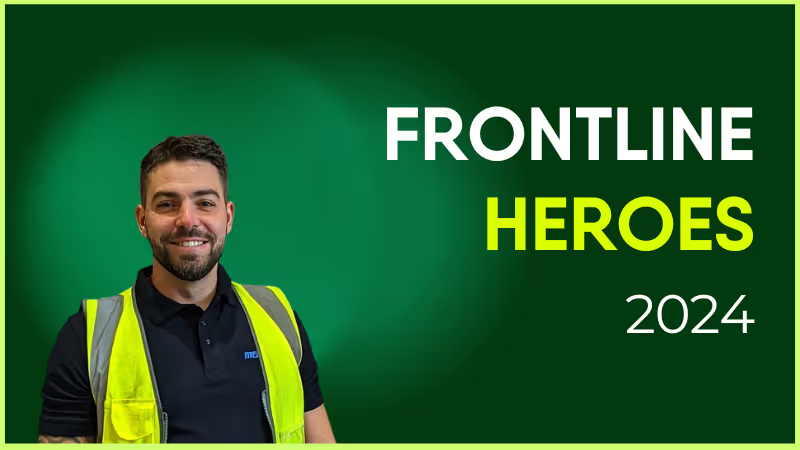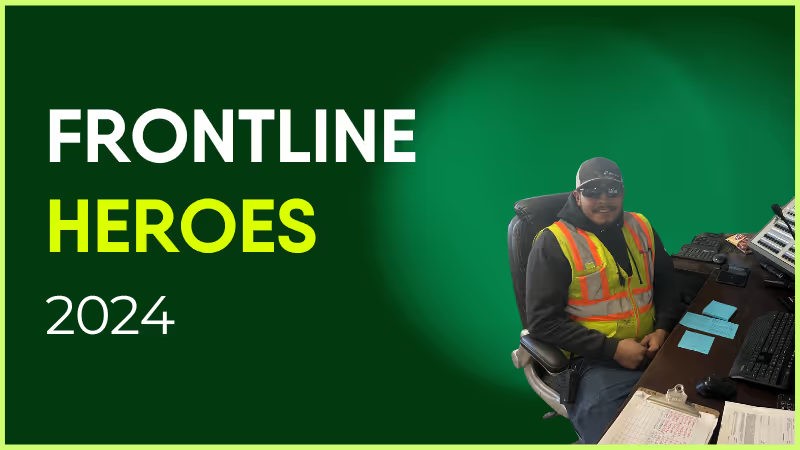
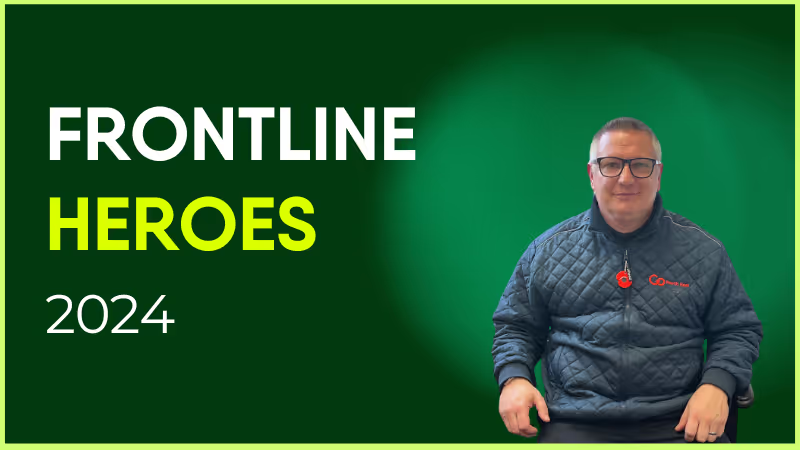
Fernando has been with Holcim since October 2022. Until earlier this year, Fernando's position was a RMX driver at the Bannock location in Denver. The summer of 2024 proved a challenge for staffing levels, and Fernando stepped in across a multitude of environments to keep the business marching forward. Fernando was task-trained, cross-trained, and utilized as an instrumental resource for operating skid steers, front end loaders, water trucks, shovels, and concrete batch plants across the Denver metro.
Plant managers as well as plant operators have welcomed Fernando’s support from operations in Aurora, Castle Rock, Centennial, Denver, Franktown, and Littleton, comprising seven ready-mix plants and both central and dry batch facilities. While every site was different, it was Fernando's attitude and willingness to learn that strengthened our teams’ ability to have a successful year in concrete production. We thank Fernando for being such a valuable member of the Denver RMX business.
How has Blink helped in his role?
Were it not for the Blink platform, I’m not sure Fernando would have the same level of peer recognition that Blink offers. In order to appreciate the opportunities within our business, sometimes allowing others to understand what is available is as simple as sharing a story of success!
What does he want to do next?
Fernando has recently transitioned from a driver to a plant operator at the Bannock RMX plant, and continues to develop his production skills to sharpen our business’s performance within a very competitive market. I look forward to seeing his continued growth within the organization.
Nominated by: Michael Galbraith, Operations Manager
What makes him awesome?
Fernando has been with Holcim since October 2022. Until earlier this year, Fernando's position was a RMX driver at the Bannock location in Denver. The summer of 2024 proved a challenge for staffing levels, and Fernando stepped in across a multitude of environments to keep the business marching forward. Fernando was task-trained, cross-trained, and utilized as an instrumental resource for operating skid steers, front end loaders, water trucks, shovels, and concrete batch plants across the Denver metro.
Plant managers as well as plant operators have welcomed Fernando’s support from operations in Aurora, Castle Rock, Centennial, Denver, Franktown, and Littleton, comprising seven ready-mix plants and both central and dry batch facilities. While every site was different, it was Fernando's attitude and willingness to learn that strengthened our teams’ ability to have a successful year in concrete production. We thank Fernando for being such a valuable member of the Denver RMX business.
How has Blink helped in his role?
Were it not for the Blink platform, I’m not sure Fernando would have the same level of peer recognition that Blink offers. In order to appreciate the opportunities within our business, sometimes allowing others to understand what is available is as simple as sharing a story of success!
What does he want to do next?
Fernando has recently transitioned from a driver to a plant operator at the Bannock RMX plant, and continues to develop his production skills to sharpen our business’s performance within a very competitive market. I look forward to seeing his continued growth within the organization.
Nominated by: Michael Galbraith, Operations Manager

Supercharge engagement across your employee intranet
It might be harsh, but we've all experienced it: Legacy intranet systems are bad at attracting and engaging workers. You may even find that staff actively avoid a traditional intranet, citing outdated content and a clunky interface as reasons to stay away.
If this sounds familiar, your employee intranet is crying out for a glow-up.
A new and improved intranet is a place where your workforce can access the information, connection, and support they need to do their jobs well. It contains engaging, useful content that has employees logging in multiple times a day.
This unified platform, built around the needs of your workforce, can improve internal communications and amplify company culture. It also has a positive impact on employee engagement, satisfaction, employee productivity, and retention rates.
Ready to turn your intranet into an employee magnet? This guide will help you create a modern employee intranet, with all the essential features and tools you need to transform platform engagement and the employee experience.
{{mobile-hub="/image"}}
How to turn your employee intranet into a hub of engagement
Set the stage: Design your homepage to make the ultimate first impression
Get your intranet experience off to the best possible start by treating your homepage as a digital storefront. Elevate visuals and copy so they reflect the consumer-grade experience employees enjoy on tech tools away from work.
Use vibrant imagery, brand colors, and an intuitive layout to draw employees in. And put the most important information front and center. That might include company news, employee recognition content, or your latest events.
Some other must-have intranet homepage elements include:
Clear navigation. Logical menu options make it easy for employees to navigate your intranet. Employees should be able to access all communication channels and resources in just a few clicks. You can also add a search bar and provide robust search functionality to help them uncover any and all intranet content.
Dynamic announcements. Your intranet homepage should feature real-time updates. This makes it easy for employees to get up-to-date news — and it reassures them that your intranet provides relevant, reliable information as standard. Use embedded videos, images, interactive tools, and compelling copy to direct employee attention to your announcements.
Quick links to essential tools. A good employee intranet platform acts as a central repository for all your digital workplace software. So whether employees want to swap shifts, view their pay stubs, or complete the next module of their training program, your intranet homepage should provide quick links to their most commonly used tools.
Also, bear in mind that your homepage will make zero impression if employees can’t access it. Frontline workers, in particular, struggle to access legacy intranet systems. So ensure your intranet is available on the devices and via the login methods that employees can actually use. That might mean honing or launching an employee app so workers can log into your intranet via their smartphones.
Make it personal: Tailor the experience for every employee
Imagine you’re a bus driver working for a transit organization and — thanks to your organization’s employee app — you log onto the company intranet using your smartphone.
What do you expect to see on your dashboard?
Are you greeted with details of the next Casual Friday event? A celebration of the previous office lunch? A link to the latest Excel training module?
Or do you see quick links to a shift swap tool and your pay stubs? Do you see the latest route and safety updates — and a post celebrating the driver of the month?
When an intranet dashboard offers a personalized experience, tailored to the role, department, location, tenure, and interests of each employee, you can count on:
Higher levels of engagement
Higher adoption rates
More intranet logins
So when giving your employee intranet a much-needed glow-up, make personalization one of your guiding lights.
Segment employees so they only receive relevant content. Allow employees to customize their intranet dashboard with the widgets and resources they use most. Use AI to surface relevant content and updates based on an employee’s intranet interactions.
Of course, there will be internal communications that are relevant to the whole organization. So there should also be space on employee dashboards for high-level company announcements and mandatory reads. These messages keep employees in the loop and connected to wider business goals.
{{mobile-workday-feed="/image"}}
Keep it fresh: Ensure your intranet is dynamic and up to date
If we consider the big social media platforms as masters of engagement, it’s clear that up-to-date content is key to creating an employee intranet that your workers want to spend time on. Your intranet platform can quickly feel stale if you fail to maintain the right cadence of effective communication.
So, with that in mind, here’s what you need to do to keep your intranet content fresh.
Post content regularly
A content calendar helps you plan and create content in advance. Seeing everything down on paper, it’s easy to plan a varied mix of engaging content ideas, including news feed posts, blogs, videos, and leadership messages, while leaving space for critical updates too.
Find your comms cadence
It’s a delicate balance. You need to keep employees engaged with the platform. But you don’t want to overwhelm them with information. To find the right comms cadence for your organization, play around with your content schedule and keep an eye on platform engagement.
Like Coastal Medical — an emergency and non-emergency medical transportation organization — you’ll soon find the sweet spot. Their intranet now has a 98% adoption rate and gets 5.7 daily app opens per user.
Harness employee-generated content
You don’t have to leave content creation to your employee communications team. Encourage employees to share their own posts, photos, and Stories to create a sense of community. This informal content tends to prompt the likes and comments of coworkers.
Commit to regular content maintenance
The traditional intranet is a place where resources go to gather digital dust. Fail to update intranet content and employees come to see your content hub as unreliable and irrelevant. So keep track of publication dates and regularly audit old intranet content, updating and archiving content as needed.
Take inspiration from social media managers
Create Insta-worthy internal comms and your intranet will become irresistible to employees. So make like a social media manager and create news feed posts that are quick to access and easy to digest. Use multimedia visuals to stop their scroll and keep any copy concise and to the point.
Bonus points if your intranet has easy mobile access — especially helpful for frontline and remote teams.
Foster interactivity: Make your employee intranet a two-way communication hub
Two-way internal communication is another intranet essential. When employees can use the intranet to build connections with coworkers and to share their ideas and feedback with leadership, they’re much more likely to hang out there.
As we’ve already mentioned, employee-generated content is a great way to increase intranet engagement. You can support interactivity using the following key features too:
Engagement tools. Use polls, surveys, and forums to request employee feedback. If you have a willing leadership team, you can also host live Q&A sessions.
Recognition features. Use your intranet to celebrate employee achievements — and encourage coworkers to add their congratulations too.
Collaboration spaces. Create social Communities, where employees can exchange ideas, collaborate on work projects, and connect over shared hobbies.
Gamification. Use progress trackers, badges, and points to gamify the intranet experience. You can give rewards in return for activities like login streaks or survey completions.
Measure and adapt: Continuously improve the employee experience
No matter how much careful thought you put into your intranet software glow-up, it’s rare to get every little detail right, first time. And this is where intranet data proves invaluable.
The number of comments, likes, and shares associated with each news feed post
Employee adoption and login rates
User satisfaction scores
As well as tracking key metrics, be sure to seek feedback from employees using surveys and polls. Viewed together, this data will reveal which elements of your intranet solution and content offering are working well — and which could use improvement.
You can then set intranet performance goals and identify ways to adapt your intranet to keep ahead of ever-evolving employee needs.
Build an employee intranet your workforce will love
Make your employee intranet more magnetic and it can become one of the most-used communication tools in your digital workplace. To achieve this, you need to cultivate a social intranet platform, bringing it in line with internal communication trends and employee expectations.
Personalized, multimedia content. Opportunities to interact with coworkers and leaders. Visual appeal and an unbeatable user experience. Data-driven platform improvements.
Incorporate these social features into your employee intranet and you create a better digital employee experience. You can count on high levels of intranet engagement, a stronger corporate culture, and a happier workforce.
So what should you do first?
Start by taking a good hard look at your current intranet solution. There may be underutilized features on there with the potential to transform the intranet experience.
If, however, you feel you’ve maxed out your current intranet solution and still aren’t attracting employees to the platform, it may be time for a software switch. The best intranet software providers are built with the modern workforce and the latest internal comms trends in mind.
Meet Theo Booth, our solutions engineer based in Boston. Theo has been an integral part of Blink for nearly 3 years, leaving his mark not only through his impactful work but also by introducing everyone in the office to Tony’s Chocolate bars, now a beloved staple.
When asked what drew him to Blink initially, Theo emphasized the appeal of being part of a small, flexible team dedicated to making a difference in people’s everyday lives. Describing Blink as an environment that is exciting, challenging, and rewarding, Theo likes the dynamic opportunities that Blink offers.
Now, let's dive deeper into Theo's journey at Blink.
Theo, what's a project you are proud of from your time at Blink?
One of my proudest achievements at Blink has been my involvement in enhancing our payslip management system. We now have multiple ways of consuming, generating and making them easily accessible to our users at the click of a button.
It's incredibly rewarding to know that our efforts directly improve user experience and operational efficiency.
What's one thing you're excited about for the future of Blink?
I'm particularly excited about Blink's growth trajectory. We're consistently taking on larger clients, which brings new complexities and challenges.
Can you tell us about a recent initiative or program launched at Blink that you found particularly exciting?
One initiative that stands out is "Blink for Everyone." This program underscores our commitment to making a positive impact beyond our immediate business objectives. It's great to see Blink contribute to initiatives that aim to make the world a better place.
Why Blink?
It’s fast paced, exciting and every day is different. With everyone moving towards the same goal and challenging each other at every step, it is an extremely interesting place to work and grow.
In conclusion, being part of Blink isn't just about a job—it's about being part of a community that values growth, impact, and collaboration. Theo is excited about the future and the opportunities ahead as we continue to evolve and innovate in the realm of technology solutions.
Join us in shaping the future of technology and impacting lives. Explore career opportunities at Blink today! https://www.joinblink.com/careers
Exploring alternatives to Beekeeper? You’re not alone.
Since Beekeeper was acquired by LumApps last year, there’s been uncertainty over the future of the platform.
The stated intention? To blend the features of Beekeeper and LumApps tools. But what this means for users during the transformation process (and beyond) is still to be seen.
That’s why some organizations are viewing this as the perfect opportunity to move away from Beekeeper and find a new employee communication app. A more intuitive and scalable platform — a solution with more customization options, better search functionality, and an improved backend experience for admins.
We’re here to help — with a shortlist of 11 Beekeeper alternatives for 2026.
From modern intranets to all-in-one employee experience (EX) platforms, these software tools can help you improve internal comms, unify dispersed teams, and upgrade digital employee experience.
Features include real-time messaging, content management, social news feeds, and analytics. You can also expect robust integrations that ensure a streamlined and productivity-boosting experience for employees.
Ready to find your Beekeeper alternative? Take a look at the best employee communication platforms for 2026, along with their pros and cons.
Best for: Companies with frontline and desk-based workers looking for unified communication, engagement, and operations.
Blink is the leading alternative to Beekeeper. It’s an employee experience platform that combines communication, engagement, and productivity tools in one easy-to-use app.
These tools are available via one unified dashboard, which — crucially — contains exactly the same features and functionality across both desktop and mobile devices.
As a joined-up solution, Blink drives engagement and transparency while reducing noise and tool overwhelm. Its intuitive UX, rapid deployment, deep integrations, and enterprise-grade security make it ideal for large-scale organizations across industries.
And you don’t need to take our word for it. Blink customers — including McDonald’s, JD Group, Children’s of Alabama, and Go North West — report high app adoption rates and measurable improvements in employee engagement, retention, and operational efficiency.
Pros:
All-in-one platform for two-way communication, resources, and operations
A social-style news feed, co-worker communities, surveys, and recognition tools
Intuitive mobile-first design with high employee adoption
Integrates seamlessly with Microsoft 365, Workday, ADP, and more
Includes analytics, AI automation, and broadcast tools
Trusted by global brands including McDonald’s, JD Group, and Domino’s
Cons:
Enterprise plan required for advanced customizations
{{mobile-main="/image"}}
#2. Staffbase
Best for: Large or global enterprises with formal comms teams
Staffbase is a popular internal communication platform that caters primarily to enterprise businesses — those with complex communication needs across multiple regions. It provides branded employee apps, newsletters, and intranet tools and places a strong emphasis on content distribution and corporate messaging.
While its visual editor and content scheduling features are a plus, some users find the platform content-heavy. Its pricing model is geared towards larger organizations, and the platform may take a while to configure and fully roll out.
Pros: Strong branded experiences
Cons: More focused on top-down messaging than interactivity
#3. Workvivo
Best for: Large, multilingual organizations
Workvivo blends communication features with a social media-style interface. It allows employees to post updates, engage with leadership, and access key resources in one space. Workvivo excels at driving culture and engagement, especially in hybrid or dispersed workplaces.
The platform is backed by Zoom and integrates with major HR and collaboration tools. But there are a few downsides to bear in mind. Workvivo can be hard to customize when it comes to operational use cases like task management or process automation.
Pros: Highly engaging UI, good for culture-building
Cons: Limited operational features compared to all-in-one platforms
#4. Simpplr
Best for: Companies looking for a modern intranet and a centralized knowledge hub
Simpplr positions itself as a modern intranet with a focus on employee communications and engagement. It provides a clean UI, AI-powered content recommendations, and analytics to help internal comms teams measure impact.
It’s especially effective in large enterprises with a high proportion of knowledge workers. Smaller organizations may find that some features are unnecessary and that prices are higher than budgets allow.
Pros: Streamlined UI and good customer support
Cons: Limited customization options
#5. Firstup
Best for: Global enterprises looking for advanced audience targeting and automated message delivery
Firstup is a digital employee experience platform designed to deliver personalized content at scale. It focuses on intelligent content delivery, helping large enterprises reach the right people with the right message at the right time.
With AI-powered targeting, automated employee journeys, and email tools, Firstup works well for complex internal comms strategies. However, the platform is heavily focused on broadcast and campaign-style messaging, with limited collaboration features.
Best for: Large and complex organizations looking for an AI-native intranet
Unily is a platform that combines intranet functionality with employee experience tools. It supports rich content creation, content translation, and broadcast email across a user-friendly interface.
Unily is often praised for its design flexibility and advanced features, but it takes time and developer expertise to set up. This Beekeeper alternative is best suited to companies with dedicated IT and comms teams.
Pros: Powerful and customizable
Cons: A steep learning curve; a time-consuming setup process
#7. Microsoft Viva
Best for: Microsoft-centric organizations looking to improve employee experience
Microsoft Viva is a suite of employee experience tools within Microsoft 365. It includes modules for insights, learning, and communications, and it’s a strong choice for knowledge-worker companies already using the Microsoft ecosystem.
As you’d expect, Microsoft Viva integrates seamlessly with other Microsoft products, including Outlook and SharePoint. But it can be overly complex — and overly corporate for those wanting to develop a dynamic company culture.
Pros: Deep integration with Microsoft 365
Cons: Can feel fragmented; requires additional configuration
#8. Haiilo
Best for: Culture building, employee advocacy, and brand amplification
Haiilo is another Beekeeper alternative that provides employee communication and intranet capabilities. It features multiple communication channels, plus tools to amplify employer branding and build a more connected culture.
Despite the platform’s strengths, some users state that it’s overly complex, particularly for smaller businesses and less tech-savvy teams.
Pros: Great for advocacy and culture building
Cons: A complex tool with a steep learning curve; expensive for smaller companies
#9. Happeo
Best for: Google-centric organizations
Happeo is a Google-based, AI-powered intranet that acts as a centralized hub for all internal comms. It puts company news, documents, and collaboration tools in one easy-access location.
Key features include pages, channels, a user-friendly drag-and-drop editor, and an intuitive user interface. But this platform lacks several useful communication tools — like direct messages, audio and video messages, and @mentions.
Pros: Easy and intuitive interface; easy integration with Google Workspace
Cons: Limited integrations beyond the Google suite; limited search functionality
#10. MangoApps
Best for: Mid-sized businesses seeking to connect dispersed teams
MangoApps provides a unified platform for communication, collaboration, and HR workflows. Key features include instant messaging, file sharing, task tracking, and employee recognition.
Users praise the platform’s ease of use but complain that the user interface — particularly on the platform’s mobile app — feels outdated compared to more modern tech tools.
Pros: Comprehensive comms features in one place
Cons: Less intuitive UI compared to newer competitors; integrations are limited
#11. Speakap
Best for: Frontline-only teams
Speakap is a communication app built for non-desk workers. It focuses on reaching employees who don’t have a corporate email or regular access to company systems. The app supports secure messaging, announcements, and integrations with payroll or scheduling tools.
Speakap is a good fit for retail or hospitality environments but offers fewer features for knowledge-based collaboration or enterprise-scale analytics.
Pros: Tailored for frontline teams
Cons: Limited scalability for enterprise-level requirements; limited team messaging functionality
{{mobile-hub="/image"}}
Which Beekeeper alternative is right for your organization?
The right Beekeeper alternative will depend on your organization's size, structure, and goals. But if you're looking for a platform that goes beyond messaging to deliver a truly unified employee experience, Blink stands out as a top choice.
Blink meets the needs of both frontline and desk-based teams, by bringing communication, collaboration, and productivity tools into a centralized, mobile-first hub.
With social-media-style comms tools, a consumer-grade smartphone app, and proven impact on employee engagement, it has everything you need to improve internal comms and employee experience.
Other tools on this list each offer value in specific areas — from top-down communication to culture-building to knowledge management — but Blink leads the way as a complete, scalable solution for internal comms and employee experience in 2026.
What do the words leadership visibility mean to you?
Is it a lone wolf standing at the top of a hill raised up above the masses or is the usual visual that pops into your mind more nuanced?
Leadership usually conjures up thoughts of the very pinnacle of corporate hierarchies. The CEO, and his or her c-suite.
Those who run the company or who are tasked with running it.
Then there are leaders who are less symbolic and more down to earth leaders like team managers and supervisors. The everyday people managers.
What about their visibility? They also need to be seen and heard but also available to see and hear from their people that they’re tasked with looking after.
That, for me, is at the heart of leadership visibility.
What does leadership visibility equate to?
The accountability and responsibility for a group of people and their ability to have a positive experience during the time they are affiliated with your organization.
Visibility equates to being both visible so people can see leaders and also accessible so employees can gain access to interact with leaders in a meaningful way.
In a 2019 Salesforce research report it was found that when employees feel heard they are over four times more likely to feel empowered to perform to the best of their abilities.
To give it their all or exercise that discretionary effort that can make the difference between good and excellent. Of course, it matters how this is done and informality can create a more comfortable environment for both leaders and their people to interact.
What does leadership visibility look like?
For example, if you organize a breakfast session where a leader makes themselves available for 45 minutes and you provide breakfast treats and hot beverages, that could be deemed as a formal gathering.
I have organized a few such sessions and found, in some cases, that there was a level of reluctance to participate. Why should this be? I would say it was cultural as well as the event type.
A breakfast session cannot, in of itself, change a culture or create a welcoming one that provides a safe environment where employees want to be seen, listened to, and heard by their leaders.
That willingness to have conversations with leaders is key.
The role of culture
If an organisation’s culture doesn’t permit or encourage connections with leaders or where they are cordoned off, no amount of breakfast sessions, walk the floors or town hall Q&As will fix this.
In this instance, the toxicity would need to be addressed before any activities could successfully come to fruition. So, it’s less a case of visibility and more a case of authentic visibility.
An approach that aligns visibility programmes with an organisation’s culture. If your managers are having regular conversations with their teams as part of business-as-usual activities, then you’re halfway into the journey of engaging employees through visible leadership.
Managers are key to making unconcealed leadership a success.
The persona of a visible leader
What do accessible leaders look like?
They are personality-driven and offer a heady combination of charisma, capability, intelligence, and social skills that culminates in a person who makes others feel at ease, relaxed, empowered and emboldened to have their say.
Not to say that quiet leaders cannot elicit the same reaction.
It’s less about being extroverted and more about being confident in one’s own skin to give others the assurance that they can do the same without fear of retaliation in response to the sharing of candid views.
Mutual respect is crucial which again is largely driven by culture .
If everyone knows they are in an environment that actively promotes transparency, then leaders can be authentically visible and encourage employees to respond positively to this visibility without viewing this access with suspicion.
Once upon a time, a company intranet that worked off a server in your office was enough to keep internal communication on track. But today, company needs have changed. And so have employee expectations.
We’ve entered the era of the digital workplace. Employees use a variety of different devices. Teams work remotely, across multiple locations. And beyond the world of work, everyone is now accustomed to intuitive, convenient, and personalized digital experiences.
Digital change has come quickly. And workplace software — like the intranet — hasn’t always kept pace. Traditional intranets feel old and clunky today. They’re affecting employee experience (EX) - and they could be doing more harm than good.
Thankfully, a new breed of intranet is now emerging. It’s fresher and more relevant to today’s workforce. It’s also built with digital workplace challenges front of mind.
A modern intranet holds the key to two-way communication and collaboration, better employee engagement, and an enhanced digital employee experience (DEX). And it could be a game changer for your organization.
Here, we’re going to take a look at the changing face of the company intranet and examine the features and benefits of a new and improved modern intranet.
Contents
Intranets: then and now
Why you need a modern intranet
Features of a modern intranet
How modern intranets impact the digital employee experience
Choosing the right modern intranet
Conclusion
Intranets: then and now
The company intranet has come a long way since it was first introduced back in the 1990s. Adapting to advances in technology and changing workplace trends, it’s taken on a variety of different forms over the years.
When talking about the modern intranet, it’s useful to compare the most cutting-edge intranet software to what has come before. So let’s step back in time and revisit each stage of intranet evolution.
Early intranets
Closed private networks were the first intranets to hit the office. They used local servers to host static web pages, meaning only computers based within the same geographical location could access them.
These early intranets provided limited interactivity and functionality. They were a place to share company directories, policies, and other documents. But because the setup and maintenance of early intranets required a lot of technical expertise, information was often outdated and badly organized.
Web-based intranets
As the internet went mainstream, web-based intranets made their way onto the market. These intranets were accessible via standard web browsers and had basic search functions, which helped users find what they were looking for. But these new intranets still had their drawbacks.
Internal communication remained one-way, with information traveling from the top of an organization down. Content was often poorly maintained because updates were complex. And there was very little opportunity for companies to provide personalized employee experiences.
{{callout}}
Social intranets
Social intranets were the first intranets to go mobile. Remote servers meant geography mattered less — and everyone within an organization, regardless of their location, could access the same information.
Inspired by social media platforms, social intranets prioritized communication, with features like user profiles and user-generated content. They were also designed to support team collaboration and productivity, with personnel services and project management tools built in.
Modern intranets
Modern intranets take the social intranet concept to the next level. They are a mobile-first solution with a focus on user experience (UX), designed to meet the expectations of today’s digital workforce.
Content creation is democratized in modern intranets. All members of an organization can access information and tools easily. And team leaders get the analytics and data-driven insights they need to improve employee engagement.
Interested in seeing a modern intranet in action? Preview Blink today with a short 2-minute video.
Why your frontline organization needs a modern intranet
So why should your frontline organization ditch its traditional intranet and adopt a modern software solution instead? There are several very good reasons.
Older intranet software can cause friction and frustration. Perhaps your intranet has become a dumping ground for outdated information. Or it simply fails to provide the intuitive, user-friendly, productivity-boosting features we’ve all come to expect.
We know that traditional intranets fail to live up to employee expectations. 67% of workers say that digital experiences in their personal lives are better than the digital experiences they get at work.
Many traditional intranets are built around the needs of desk-based teams, so they do your frontline workers a disservice. Frontline workers miss out on the communication and resources available to their desk-based peers.
A modern intranet, in contrast, helps you meet all of the following challenges head-on.
1. Employee engagement
According to Gallup’s State of the Workplace Report for 2023, just 23% of employees are engaged at work. But organizations should try to do better. That’s because high levels of employee engagement lead to happier employees, improved productivity, and lower rates of attrition.
Employee engagement is always a challenge. But engaging employees in a frontline organization can be particularly tricky. When your workers are deskless, how do you give them the connection, coaching, and support they need to thrive within your organization?
A modern intranet gives you all of the tools you need to engage your employees, regardless of where they work. You can count on a social feed, a content hub, employee recognition tools, surveys, and more.
With analytics too, you can see what is engaging your employees — and what isn’t — so you can improve your efforts going forward.
2. Communication
Open communication within a workplace is vital. It helps you inform, motivate, and engage your employees, while fostering an inclusive and supportive work environment. It involves top-down, bottom-up, and peer-to-peer communication, so everyone has a voice.
For frontline teams, maintaining open channels of communication within teams who don’t work face-to-face requires tailored solutions.
A modern intranet helps you build internal communication links between every member of your workforce — whether they’re based in the office, on the shop floor, or out in the field.
You don’t need to rely on emails or a company noticeboard. Instead, all types of internal communication are supported via your intranet app.
With better communication, you bring your teams together and you may find it easier to grow your company too. A Forbes study found that companies who involve 75% of their frontline in internal comms, achieved more than 20% growth over a year.
3. Digital access
Older intranet software is built around an outdated version of the workplace. It doesn’t prioritize the mobile experience and instead works best for employees who sit at a desk on a computer for the majority of each working day.
Newer intranets understand that the world of work has changed. Digital tools are a workplace essential. And frontline, hybrid, and remote teams should have equal access to the information and interaction that these tools provide.
That’s why the best modern intranets have a mobile-first design. Employees can access them as easily on a small smartphone screen as on a desktop computer. All workers across an organization are engaged and empowered, so no one misses out.
4. Collaboration
Traditional intranets are known for being slow and difficult to use, with low rates of user adoption. In fact, 57% of employees say they see no purpose in their company intranet.
This impacts collaboration. When employees avoid your intranet — because it isn’t intuitive to use or data is hard to find — knowledge sharing suffers and you risk creating organizational silos.
For frontline teams, this exacerbates an existing risk. Frontline workers spend time away from HQ, working different shift patterns, and managing a high workload. These factors already get in the way of team collaboration.
Luckily, this is another frontline challenge that a modern intranet can solve. The intranet allows people across your organization to share ideas and objectives via an easy-to-use interface.
Everyone can contribute, even those who work remotely, making your organization more productive, more innovative, and better able to solve problems.
Features of a modern intranet
We’ve touched on what makes a modern intranet different from the other intranet software available. But now we’re going to delve into the details. Here are features you can expect from the newest intranets and how they stand to benefit your business.
A central hub
A modern intranet acts as the gateway to your business. It’s the go-to location for company communication and knowledge sharing.
With a single, searchable hub, it’s easy for employees to find what they’re looking for, whether that’s essential documents, a directory of co-workers, or a list of the latest company events.
Importantly, information is stored logically and consistently. And the advanced search functionality of a modern intranet — thanks to keyword suggestions and content tagging — means it’s always clear what information is and isn’t available.
User friendly interfaces
Modern intranets are familiar to their users. That’s partly because they can be customized with employer branding. But it’s also because they have an intuitive, user friendly interface that mirrors many of the digital tools employees already feel comfortable using.
Employees don’t need a company email address to sign in. They can get notifications whenever important information is posted. And it’s easy to download intranet apps from the App Store. This means very little training is required.
Personalized experiences
Personalization makes the modern intranet even more engaging for users. Employees can personalize their dashboard and see content tailored to their role and department.
You can also program your intranet so it presents different information depending on where an employee is at in their career and how much time they’ve spent with the company. Someone who started working for you last week will get different intranet content to someone who has been working for you for years.
Communication tools
Managers can share important news and announcements. Teams can share ideas. An employee can wish a coworker a happy birthday. With a variety of communication tools based within the same intranet software, meaningful communication becomes second nature.
Employees don’t have to switch between different platforms for informal co-worker chat, essential C-suite comms, and knowledge sharing resources. They can easily find communications, and contribute to them too, all within the same interface.
It’s also easy for managers to highlight need-to-know information.Push notifications and mandatory reads ensure essential information never goes unread.
Real-time communication
Asynchronous communication is important for teams who work across different time zones or shift patterns. But real-time communication is also crucial for your organization. It allows employees to communicate as if they were in the same physical location — even when they’re not.
This allows for faster decision-making, improved problem-solving, and better collaboration. It also helps employees to feel more connected to one another — because real-time communication mirrors face-to-face communication in a way that an email thread just can’t.
Employee recognition
Employee recognition isn’t always easy when employees work disparately. Managers have to be intentional about praise and recognition because they get few informal opportunities to show their appreciation.
With built-in employee recognition features, a modern intranet makes it easy for you to motivate and incentivize your team.
Managers are prompted to recognize employee anniversaries and milestones. Peers can celebrate coworker wins. And some intranet software even provides recognition leaderboards and real-life rewards as further incentive for hard work.
Collaboration tools
The modern intranet makes collaboration a priority. It provides features that support collaboration for teams who don’t necessarily work in the same office.
From shared calendars to real-time chat, document sharing to task allocation, a modern intranet helps teams work together, even when they’re physically apart.
Mobile compatibility
Workers no longer have to be chained to their desktop computers in order to get the most from the intranet experience. Modern intranets are mobile responsive. They offer the same user experience and the same great features whichever device employees have access to during their workday.
This means frontline, remote, and hybrid workers enjoy the same intranet experience as their desk-based peers. And you create a joined-up organization in which all workers are treated equally.
Integration capabilities
Modern intranet software integrates with the digital tools and data sources you already use within your organization. It creates a seamless experience for employees.
They don’t need to log in to multiple platforms and deal with repetitive or conflicting information. Everything is available via the same intranet hub.
For your management team, integration makes everything more efficient. You don’t need to duplicate work over different tools, which means you improve data accuracy too.
Feedback functions
Good internal communication goes both ways. And with modern intranet feedback functions, it’s easy to find out what your employees are thinking and feeling at any given moment.
Surveys and forms are delivered in a user friendly format so a higher proportion of your employees is likely to respond. And with accurate insight into employee sentiment, you can create better employee experiences, making informed decisions based on what your workforce really wants and needs.
Security
When you opt for a modern intranet, security comes as standard. The best providers work by recognized cybersecurity guidelines.
They provide data encryption and data backup. Regular penetration testing ensures the system always provides a strong defense against cyber-attack. And access controls mean admin teams can choose with members of your organization can see sensitive information.
Analytics to optimize and measure
The best modern intranets offer analytics too, meaning you get real-time data on employee engagement and the employee experience.
You can track a variety of metrics — things like user activity, co-worker interactions, likes, searches, and downloads. And then you can view these results in a visual, easy-to-digest format.
Along with surveys and feedback forms, intranet analytics gives insight into how employees use the software and how it impacts their overall experience of the workplace. This empowers you to make data-driven improvements.
How modern intranets impact the digital employee experience
The digital employee experience (DEX) is how employees feel about the digital tools they use within the workplace. For optimal DEX, you need digital tools that support and streamline every employee workflow, without creating points of friction.
DEX comes under the umbrella of employee experience (EX). But we’d argue that, in a digital workplace, DEX isn’t just part of the EX picture. It’s integral to it. In fact, we can relate DEX to nearly all of the nine EX elements identified by McKinsey.
an employee’s sense of growth, purpose, and motivation
how employees feel about their productivity and efficiency
The company intranet is inevitably a big part of employees’ digital experience. And when you replace a traditional intranet with modern software, designed to meet the expectations and needs of today’s employees, you impact DEX in all of the following ways.
Enhanced communication
These days, we rely on digital communication tools to connect frontline, hybrid, and remote working teams. It’s important to EX that teams get the same level of connection and knowledge sharing, and the same sense of belonging, that they’d get working face-to-face.
Modern intranet software is built with team communication at its core. It understands that, in a digital workplace, informal water cooler chats aren’t always possible.
So it provides teams with communication tools that create a sense of physical togetherness, even when teams work disparately.
With Blink Chat, for example, employees can message each other in real-time. They can chat one-on-one or set up Group Chats for multiple team members. Within chats, employees can send messages, send documents, and even start online voice or video meetings, straight from the app.
But the modern intranet doesn’t just facilitate peer-to-peer communication. It also gives managers the communication tools they need to enhance the employee experience.
This is where the Blink Feed comes in. Via a familiar, social media-style feed, leadership can post company-wide communications. They can guide company culture and broadcast important news, motivating and informing employees in the process.
Employee techquity
Employee techquity is achieved when frontline workers have equal access to the digital tools, resources, and people they need to succeed. Older intranet systems tend to leave frontline and remote workers behind. They fail to address many of the key challenges faced by frontline teams.
This means frontline and remote employees miss out on the opportunities afforded to desk-based staff. They find it harder to advance in their careers, they don’t always have access to the same tools, tech, and training, and they can end up feeling disconnected from company HQ.
A modern, mobile-first intranet helps to create a fairer working environment. All employees get to use exactly the same functions and features, whether they access the platform via a desktop computer or a smartphone device.
A modern intranet is easy to use, so frontline workers can dip into internal comms during a busy work day. It also acknowledges the fact that many frontline workers don’t have a company email address, so provides alternative login methods.
By providing an equal digital experience for all workers within your organization, everyone gets the tools they need to do their job — and everyone enjoys a sense of connection and belonging.
Employees enjoy a better workplace experience when they feel they’re working to the best of their ability.
In a digital workplace, this means having the right information, along with the right collaboration and productivity tools. And this is another area of DEX that a modern intranet can help with.
A modern intranet acts as a content hub for your organization. But unlike old intranet software, this new style of content management system is well-organized and user friendly. It’s easy to find and read policy documents and to collaborate on files with co-workers.
Just take a look at the Blink Hub. It’s a content management system that puts policies, training materials, and manuals in one convenient, easy-to-access location.
A drag-and-drop interface makes it easy to add content. And because the Blink Hub is available via desktop and mobile apps, every member of your organization can access it.
A modern intranet can also provide self-service functions, another big plus for the digital employee experience.
When employees can book shifts, request annual leave, register for a training course, and access pay stubs all from the same platform, work admin becomes much less of a headache.
Employee engagement
Engaged workers feel emotionally connected to their work and co-workers. They feel aligned with company values and empowered to work productively.
A poor digital employee experience gets in the way of engagement. But there are lots of ways that a positive DEX — supported by a modern intranet — can enhance it.
The social features of a cutting-edge intranet — like social feeds, discussion forums, and employee profiles — help employees build meaningful connections with people at all levels of your organization.
Employee recognition and reward functions within the intranet also boost engagement. Employees understand their goals and how these goals relate to the overarching company mission. A culture of recognition and rewards — made easy with intranet tools — then incentivizes them to meet their objectives.
Another way that your intranet can improve employee engagement is with employee personalization.
Workers get to personalize the platform dashboard to make it more relevant and engaging. Admins can adapt content too, tailoring it to the needs of workers at each stage in the employee lifecycle.
Analytics and feedback
Modern intranets make it easy for you to gather information on the digital employee experience. You can launch surveys, send out forms, and dive into the analytics provided by your platform.
This is a huge bonus to your DEX strategy. Because you don’t need to stab in the dark. You have all the data you need to make targeted EX improvements.
View data on employee engagement, satisfaction, and retention. See what content performs best to improve your content management strategy. Understand how your teams interact, identifying co-worker relationships that need a little TLC.
A tool like Blink Analytics allows you to really drill down into the data. You can segment it based on team or location. So you understand exactly how your digital workplace is working for each member of your organization.
Simplicity
Some organizations have approached the challenge of digital transformation by acquiring tech tools for every business function. But this isn’t an effective way of doing things.
Gartner research shows that application sprawl (when workers are expected to use multiple digital tools) turns up the volume without improving communication.
Simplifying and streamlining the technology you use can therefore have a huge impact on the digital employee experience.
When workers have a single, go-to platform, there’s less friction. Employees aren’t constantly pinged with notifications from multiple apps. They don’t have to familiarize themselves with different interfaces. And it’s easy to find the information and tools they need.
Choosing the right modern intranet
We’ve covered all of the reasons that a modern intranet might benefit your organization. But with numerous intranet options out there, how do you choose the right one for your business?
Let’s take a look at a couple of questions you can ask when looking for intranet software that meets the needs of your organization and employees.
Is the software built to scale?
An intranet is a big investment of time and money. It also quickly becomes a central part of your company operations. So you don’t want to be changing it in a hurry.
When choosing an intranet, look for a solution that can grow with your business. Consider whether an intranet contender will continue to meet your needs if you experience a period of rapid growth and need to take on lots more staff.
Scalable intranets offer bespoke pricing for enterprise clients (per-user pricing can become unaffordable as your team grows). They’re also cloud-based, so you don’t have to rely on on-premise infrastructure when you need to expand capability.
Some other considerations to bear in mind? You need access controls suited to large teams, the option to create communication channels for each team or department, and the right level of security and support for a bigger organization.
Is mobile access a priority?
If you have any workers who don’t spend their workday sitting behind a desk, then a mobile-first intranet is the only logical choice.
On-premise solutions aren’t always accessible via mobile devices. You may even find that remote desk workers, using a laptop or desktop computer, have to jump through VPN hoops to access intranet content.
A mobile-first intranet is designed to work well — and provide the same features — over any device and from any location. So it’s particularly useful for frontline teams who need to access internal info on the go, using their smartphone.
Does the solution provide analytics?
The best intranet solutions give you the analytics and reporting features you need to measure the success of your new platform.
They provide data on employee engagement, content performance, user behavior, employee retention, and employee satisfaction. With real insight, you can identify areas for improvement and make targeted changes.
Only shortlist solutions that offer robust analytics functions. They should be able to provide data on a wide range of metrics, allow you to segment data by a variety of user groups, and provide real-time data. They should also present all data in a visual, easy to understand way.
Does the intranet integrate with your existing technology?
One of the key benefits of a modern intranet is its simplicity. It brings all of the communication and collaboration tools your digital workplace needs into the same platform.
The ideal intranet will meet your business needs in terms of two-way communication, content management, and collaboration. But it should also integrate with any of the tech tools you already use.
You need to know that any payroll, project management, or customer service software can integrate seamlessly with your intranet. And that these tools will continue to work just as well as before.
A new intranet shouldn’t negatively impact the adoption of your current tools. Instead, streamlining your digital tools should actually improve uptake.
Is the intranet user friendly?
An intranet only benefits your company (in all of the ways listed above) if your employees actually use it. So you need a solution that is intuitive and easy to learn, even if your team isn’t super tech-savvy.
Look for an intranet with a user friendly interface. It should feel familiar even if you’ve never used it before. Also, ensure it includes all of the self-service and search functions that make life easy for your teams.
User friendliness is particularly important for frontline teams. Working away from a desk, often with limited time for company comms, your intranet needs to be so easy and engaging that these remote, time-poor workers choose to open the app and check in.
When conducting your software search, it can be helpful to look at adoption and intranet usage stats. If other organizations, with a similar structure to yours, have managed to persuade their workers to use a particular intranet solution, then the platform will probably work well for you too.
Ever since its introduction in the 1990s, the intranet has been an integral part of company operations. But today, organizations are moving away from older intranet versions to embrace a newer, slicker, more effective modern intranet.
A modern intranet supports the creation of a truly digital workplace. It gives frontline, remote, and office-based teams everything they need to work happily and productively. Because it provides a beautiful interface, designed to meet the needs of digital workers, employees actually enjoy using it too.
Choose the right modern intranet and you’ll improve the way your teams communicate and collaborate. You’ll improve DEX and employee engagement, so employee retention gets easier.
You’ll also avoid some of the pitfalls of digital transformation, preventing application sprawl by making all tech tools available via the same user friendly dashboard.
For frontline organizations, the modern intranet really comes into its own. Mobile-first, intuitive design with a real-time communication focus, ensures everyone – whether they work on the frontline or in an office – has access to the tools and information they need.
If you’re ready to benefit your employees and your organization by adopting a cutting-edge intranet solution, take a look at Blink —– a platform designed specifically for frontline teams. Blink does everything a modern intranet does, and more.
Employees get a social feed and a content hub. They can access self-service functions, make their voice heard via company-wide surveys, and receive recognition for a job well done.
As an organization, you can count on analytics and top-notch security. Blink also integrates with many of the most popular workplace apps out there, so it fits seamlessly into your workflow.
Blink has all the tools you need to make your frontline organization more connected, collaborative, and successful. So why not book a demo to see Blink in action?
Frontline employee engagement is no easy task. Your frontline employees work varying shift patterns and spend limited time at head office. They don’t tend to get much downtime during their working hours. And they aren’t always kept in the loop when it comes to company comms.
These obstacles get in the way when you’re trying to connect frontline workers to company culture — and each other. And it’s why standard team-building activities usually fall short.
To make a success of your employee engagement strategy, you have to tailor activities to your deskless workforce. Otherwise, you risk disengagement, plus the productivity and retention issues that go with it.
That’s why we’ve created this list of 18 employee engagement activities. These ideas are suited to busy frontline workers and their schedules. They’re designed to boost engagement and offer meaningful benefits to your employees.
This can lead to lower levels of productivity. It can also cause increased staff turnover rates, which already tend to be pretty high in frontline organizations.
Employee engagement activities, like the ones we’ve included below, help frontline employees feel more connected to their company, role, and co-workers.
And, according to Gallup, improving your employee engagement rates can lead to a range of business benefits. Besides increased productivity and employee retention, these benefits include:
A reduction in safety incidents
A decrease in absenteeism
An increase in customer loyalty
An increase in profitability
Employee engagement is good for employees — and it’s good for business. So let’s take a look at the activities that will help make it happen.
18 employee engagement activities (that work for a frontline workforce)
To engage your frontline workforce, you can incorporate any of the following employee engagement activities into your work days:
1. Engage with employees from day one
2. Celebrate employee milestones and contributions
3. Incentivize goals
4. Create a mentorship program
5. Offer perks that boost employee wellbeing
6. Give regular feedback
7. Encourage group chat
8. Provide shift swap tools
9. Plan a money management month
10. Launch a poll
11. Create online communities
12. Offer professional development opportunities
13. Launch a competition
14. Use video tools
15. Organize a volunteering day
16. Hand the mic to your leaders
17. Run Lunch and Learn sessions
18. Measure employee engagement
Team engagement ideas for frontline workers are different than for other workers. With their variable schedules, you can’t arrange lunch dates or after-work get-togethers.
Here are a few employee engagement initiatives your frontline workers can benefit from.
You can start with employee engagement activities like:
Introducing new co-workers (digitally if it’s not possible to introduce everyone in person)
Supporting new hires to login and familiarize themselves with your engagement tech tools
Sharing a library of online resources that explain the company, their role, and company culture
Assigning them a buddy or mentor
New hires need regular guidance, especially from managers. So don’t assume your workers are done onboarding after a few days or weeks. Instead, design a process that lasts for at least 90 days.
2. Celebrate employee milestones and contributions
Employee recognition improves engagement. Everyone likes to feel appreciated and valued by their employer.
So make recognition a regular feature on your company intranet or newsletter. Celebrate birthdays, volunteer work, and project milestones. Recognize the hard work and successes of employees.
You can also encourage peer-to-peer recognition. 75% of employees say that giving recognition makes them want to stay at their current organization longer.
Get co-workers to nominate each other for awards, then hold an award ceremony. Or simply get them to appreciate each other by sending a message on the company news feed.
3. Incentivize goals
Gamify the work environment by offering rewards in return for meeting goals. When employees perform well and meet targets, give them a gift you know they’ll like. Company rewards can include gift cards, discounts, cash prizes, an extra day of paid vacation, or the option to give a charitable donation.
But don’t dive right in. Before you announce your reward program, it’s a good idea to survey employees. Ask them which rewards they’d prefer so you can be sure that workers will be motivated by the prizes on offer.
4. Create a mentorship program
Do you want your employees to engage with each other, learn valuable skills, and help each other at the same time? Try rolling out a mentorship program.
Assign frontline workers a mentor within your organization. You can pair people from different departments and different levels of the company.
Then, set a regular schedule of mentor meet-ups. Mentors and mentees might like to conduct meetings online to better suit their work schedules.
Also, offer guidance on how constructive meetings should be run. The aim is for mentees to set workplace goals and come up with a plan for achieving them.
5. Offer perks that boost employee wellbeing
A healthy worker is a productive worker. So encourage fun runs, offer free healthy snacks, and provide discount gym memberships.
Also, try to provide flexible scheduling when possible to give employees a better work-life balance. You’ll reduce employee stress and their risk of burnout.
To ensure frontline employees can access wellbeing activities, you can use a wellbeing app. Via this type of tool, you can provide employee engagement activities. Things like mindfulness and meditation sessions, nutrition planning, and health tracking, all via an employee’s mobile device.
6. Give regular feedback
Gallup research shows that 80% of employees who say they’ve received meaningful feedback in the past week are fully engaged in their work.
So schedule activities where employees receive regular feedback from managers. Make it constructive and useful for employees, so it’s not an appointment they dread.
Also, take a few hours each week to run an online open-door session. This is a time when employees can meet with managers digitally to ask questions and express any concerns.
7. Use the company news feed
A user-friendly employee app with a company news feed acts as a virtual water cooler. It’s a place where frontline workers, who may spend little time with co-workers, get to build stronger workplace relationships.
The comms team can support engagement by using the news feed to share a mix of essential and informal posts. They can announce news, celebrate birthdays, and share tips — encouraging workers to comment, like, and post.
Also, consider these engagement-boosting ideas:
A weekly challenge — a photo contest, a trivia quiz, or a step-count competition
Employee spotlight — highlight a different employee each week, describing their achievements, personal stories, and contributions
A survey — whether the topic is something fun or something more serious, surveys are a great way to engage your workforce
Health and wellness tips — share tips and articles related to physical and mental health, all suited to the demands of frontline roles
8. Provide shift swap tools
Frontline employees want greater levels of flexibility. It’s not always easy for frontline organizations to provide this when there are fixed shifts to fill.
But with shift swap tools, you make it easy for workers to achieve a little more work-life balance. They can swap shifts with co-workers without HR or managers having to get involved.
You can provide other self-serve tools, too. For example, via the Blink interface, employees can access their pay stubs, request time off, and view their shift schedules.
Automating HR tasks like this gives more control to your frontline workers and lightens the load for your HR team.
9. Plan a money management month
Money worries can affect an employee’s wellbeing and their engagement with work. And employee engagement activities are most effective when they provide real value for your workers.
So plan a money management month to help employees make informed financial decisions. Use quizzes and polls to engage employees in the conversation. Challenge employees to a low or no spend day. Provide money advice over 1:1 chats or via your company resource center.
This is exactly what they’ve done at supermarket chain, Tesco, where they recognized the strain that the cost of living crisis has put on employees. In response, they introduced a range of new initiatives:
Skills training activities so employees develop store-wide skills and can pick up extra shifts
A Pay Advance scheme that allows workers to access earned pay ahead of payday
Personalized videos explaining to every worker how much their pension will be worth
10. Launch a poll
Polls give employees a chance to share their ideas and opinions. It’s a way to make their voices heard.
You can launch polls online, with the help of a tool like Blink Surveys. This allows you to quickly and easily find out what frontline employees are thinking about your chosen topic.
You might like to ask questions related to internal communications, company change, employee engagement, or simply the layout of the break room. Using this insight, you can make changes that make a real difference to your employees.
Just be sure to keep them updated with poll findings and your plan of action so they know that you’re really listening to what they have to say.
11. Create online communities
It’s easier to build connections with co-workers when you have something in common with one another. Online communities — based around shared interests — make it easy for frontline workers to find like-minded work friends.
So create space on your intranet for these types of communities. Perhaps you have a group that loves to run in their spare time. A gaggle of gamers. Or a bunch of bookworms. An online community helps bring these co-workers together.
12. Offer professional development opportunities
Training is a great way to improve workplace engagement. 71% of frontline workers have a strong desire for more learning opportunities at work. But a third of workers say that employers don’t invest enough in their growth.
Try to make training more accessible to your frontline workforce. Remember that it doesn’t have to take place in a classroom. You can put training resources into the palm of frontline workers’ hands with the help of the right technology.
You can offer micro-learning modules that workers can complete on mobile devices during a break. And provide fun online courses, with competitive and gamified features.
Also, remember that a lot of worker engagement can be tracked back to your managers. So ensure that managers get the employee engagement training they need, too.
13. Launch a competition
Pit teams of employees against each other with a fun company-wide competition. For an engagement boost, link your competition to company goals and values.
For example, if you’re championing employee wellbeing, set workers a steps or fitness challenge.
If you’re focused on employee development, encourage workers to complete training modules by setting them a training challenge.
To highlight your commitment to a chosen charity, set a fundraising contest.
Alternatively, improve engagement on the company app with a quick photo caption competition.
Pick challenges that can be completed remotely, without teams having to meet up in person. Also, plan rewards for the winners and give regular updates via your comms channels to keep competitors engaged.
14. Use video tools
When you can’t meet face to face, video is the next best thing. You can film leadership updates, company events, and new product demos to give employees more insight into the organization and their roles.
Videos are a great option for town hall meetings. Post the video on your employee news feed and employees who can’t attend in person can watch the video back later.
Similarly, get new hires to film a video to introduce themselves and post it to the news feed. Their co-workers can comment on the post to say hello and help their new co-worker feel more at home.
15. Organize a volunteering day
Offering employees opportunities to volunteer is good for their wellbeing and engagement levels. You can make this activity more appealing to frontline workers by giving them paid time off to volunteer and by giving them flexibility over the days they choose.
Salesforce leads the way on this. They give employees seven business days every year to volunteer for one of the non-profit organizations that Salesforce formally supports — or one of their own choosing.
Jamie Olsen, senior director of Citizen Philanthropy at Salesforce says:
“These are the types of programs that people want and that are attracting them to companies right now. They better the community. They improve people’s happiness.”
You can ensure everyone is on the same page by conducting a virtual Q&A session with one of your leadership team.
This type of event gives employees direct access to leadership. It bridges the gap between the frontline and head office. It also helps employees make their voices heard, which makes them feel valued and motivated.
The prospect of a Q&A can be a little daunting for leaders. But remember, a moderator can facilitate the session, reading out pre-submitted questions and managing live questions.
Also bear in mind that there are huge benefits to be gained. These include frontline insights, improved communication, and a stronger workplace culture.
17. Run lunch and learn sessions
When employees have all the information they need to do their jobs well, they feel more engaged. So give employees access to an online library of resources, transferring any old paper documents to a digital format.
With this library, you can then run virtual Lunch and Learn sessions. This is where a group of employees watches or reads a selected resource. Afterwards, they discuss their reflections either over video call or via group messaging.
18. Measure employee engagement
The last on our list of employee engagement activities is one for your people team, not your frontline employees. And it’s a really important part of any employee engagement strategy.
Find out how you’re doing by tracking employee engagement KPIs. Track your employee net promoter score (eNPS), engagement with your intranet platform, or employee survey results.
You can then set goals and — by drilling down into the data provided by your platform analytics — find actionable areas for improvement.
Final thoughts: employee engagement activities and ideas
To make a success of frontline employee engagement, you need to:
Provide employee engagement activities that offer real benefits for frontline employees
Make these activities accessible to the frontline with the help of flexible, digital solutions
You then create a culture that employees can play an active part in, no matter their schedule or location. You also motivate frontline workers to engage with company culture out of choice, making time for it in their busy days.
Incorporating the activities above into your frontline workplace is much easier when you have the right technology. And an employee engagement app comes in very useful. It’s a way to put all content and communication into the palm of every employee.
By creating online spaces where employees can gather, chat, share knowledge, and connect with company culture, you extend employee engagement to your hardest-to-reach employees — those on the frontline.