Unily is a powerful platform—but for many organizations, it’s overly complex, difficult to manage, and time-consuming to implement. From rigid intranet structures to costly customizations, it often demands heavy IT involvement just to get the basics right.
If you're looking for something easier to use, faster to roll out, and more engaging for employees, you're not alone.
In this guide, we cover the top 10 Unily alternatives—platforms that deliver the same core benefits (communication, connection, and culture) without the complications. Whether you're in HR, Comms, or IT, these options are worth considering for a modern employee experience.
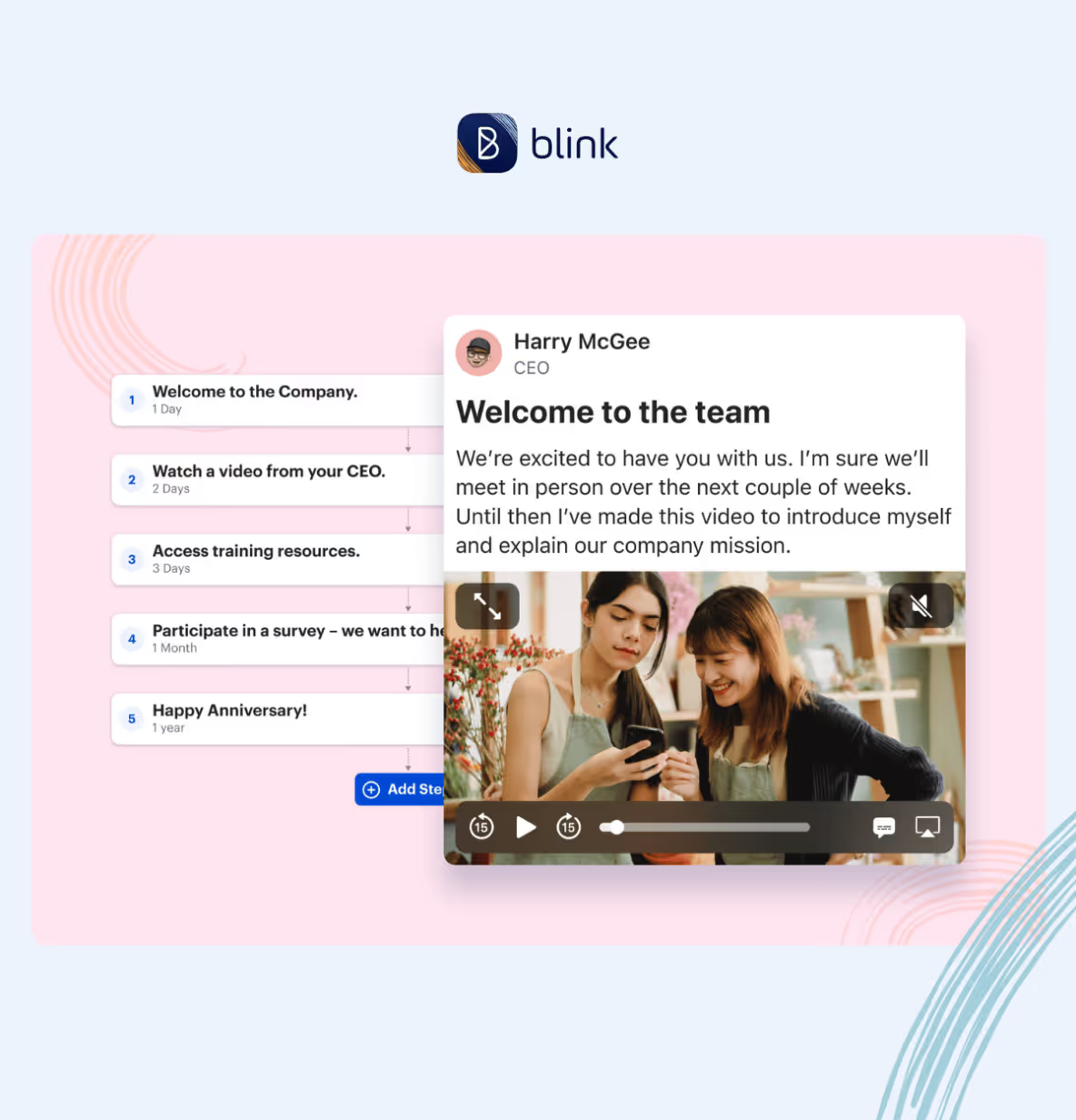
Blink is the employee experience platform designed to eliminate the friction that comes with legacy intranets like Unily. Where Unily often requires months of setup and technical oversight, Blink delivers immediate impact with a consumer-grade UX, built-in tools, and zero learning curve.
Why Blink is the smarter choice:
No IT bottlenecks: Blink is designed for self-serve teams—get started in weeks, not quarters.
Mobile and desktop ready: Unlike Unily’s more rigid intranet framework, Blink works wherever your employees do.
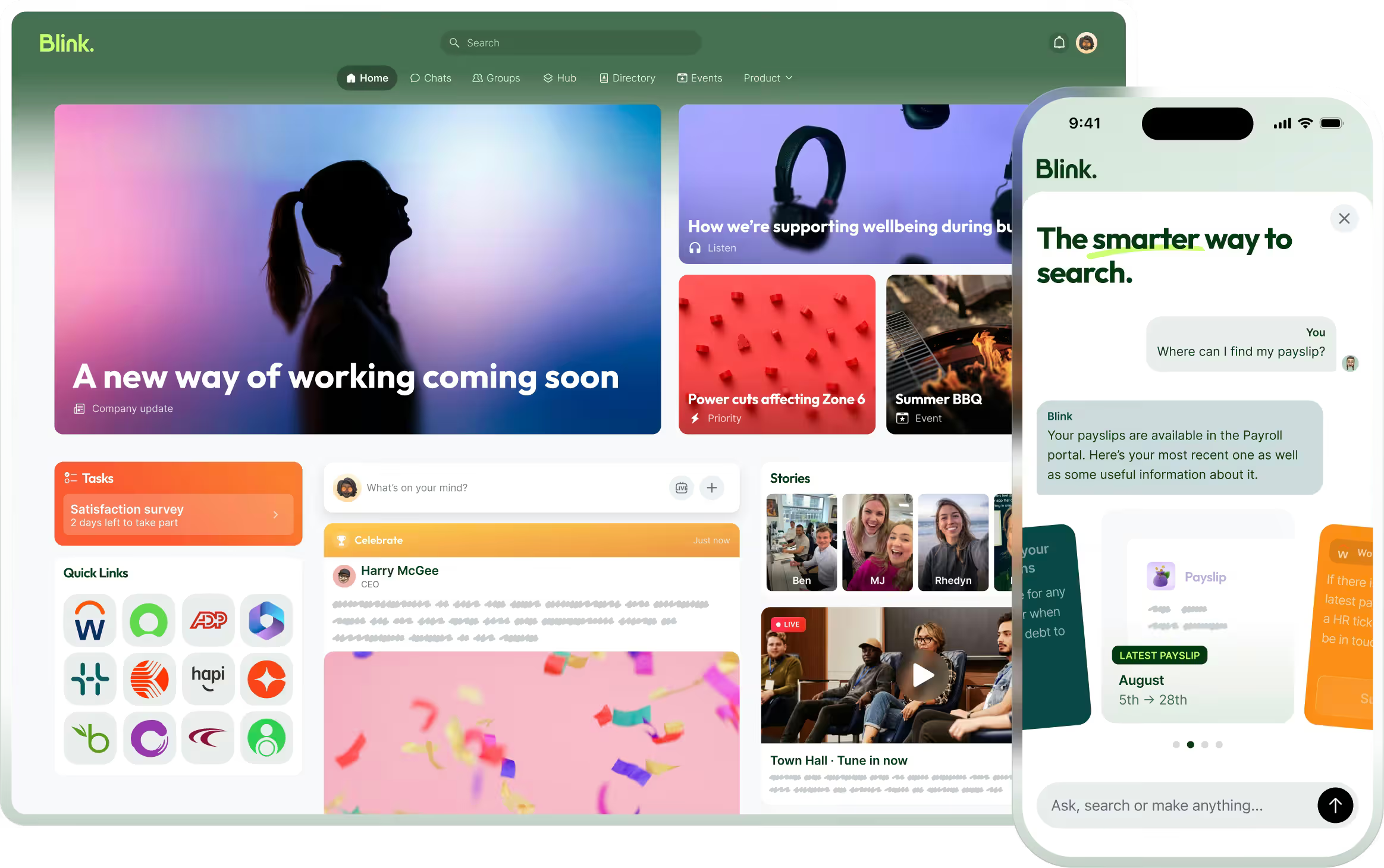
One simple platform: Comms, chat, surveys, document sharing, and app integrations—all in one place.
Instant engagement: Push updates, target messages, and track results in real time without needing an admin army.
Pros:
Rapid deployment and intuitive for any user
Eliminates the complexity and silos of traditional intranets
Higher adoption and engagement rates
Streamlined pricing and low total cost of ownership
Cons:
Fewer deep customization options compared to Unily (by design)
{{watch-video="/callouts"}}
#2. Staffbase
Staffbase offers an employee communications platform designed for corporate messaging and internal branding. It supports newsletter creation, a mobile app, and intranet functionality.
Pros:
Strong employee app for internal comms
Designed for global organizations
Supports multiple languages
Cons:
Requires training and onboarding time
Some advanced features locked behind higher-tier pricing
#3. Firstup
Firstup is focused on employee journeys and automated campaigns. It’s especially suited for organizations with complex audience segments and large enterprise needs.
Pros:
Advanced audience segmentation and targeting
Automation capabilities for content delivery
Cons:
May require dedicated resources to manage campaigns
Less intuitive for smaller or mid-size companies
#4. Simpplr
Simpplr positions itself as a modern intranet platform with a clean design and AI-powered search. It’s focused on streamlining communication and enabling a sense of belonging.
Pros:
Strong content discovery and search tools
Integrated org charts and people directories
Cons:
Pricing can be steep for growing teams
Limited mobile functionality compared to other platforms
#5. Workvivo
Designed to blend communication with culture, Workvivo gives employees a platform to share stories, celebrate wins, and stay informed. It supports both leadership updates and peer-to-peer engagement. The interface feels familiar to social media, driving higher adoption.
Pros:
Social-media-style interface
Culture and engagement features built-in
Cons:
Collaboration and productivity tools are limited
Can feel more like an engagement layer than a full intranet
#6. Interact
Interact offers a feature-rich intranet solution with a strong focus on content governance and compliance. It’s ideal for organizations with strict security or industry regulations.
Pros:
Rich permissions and content management controls
Good for highly regulated industries
Cons:
Can be complex to configure
Slower time-to-value compared to more modern platforms
#7. Haiilo
Formerly Smarp, Haiilo is a social intranet and advocacy platform. It focuses on content sharing, social collaboration, and employee voice.
Pros:
Social interaction features
Integrates with Microsoft 365
Cons:
Not a full digital workplace platform
Focus is heavier on communication than productivity
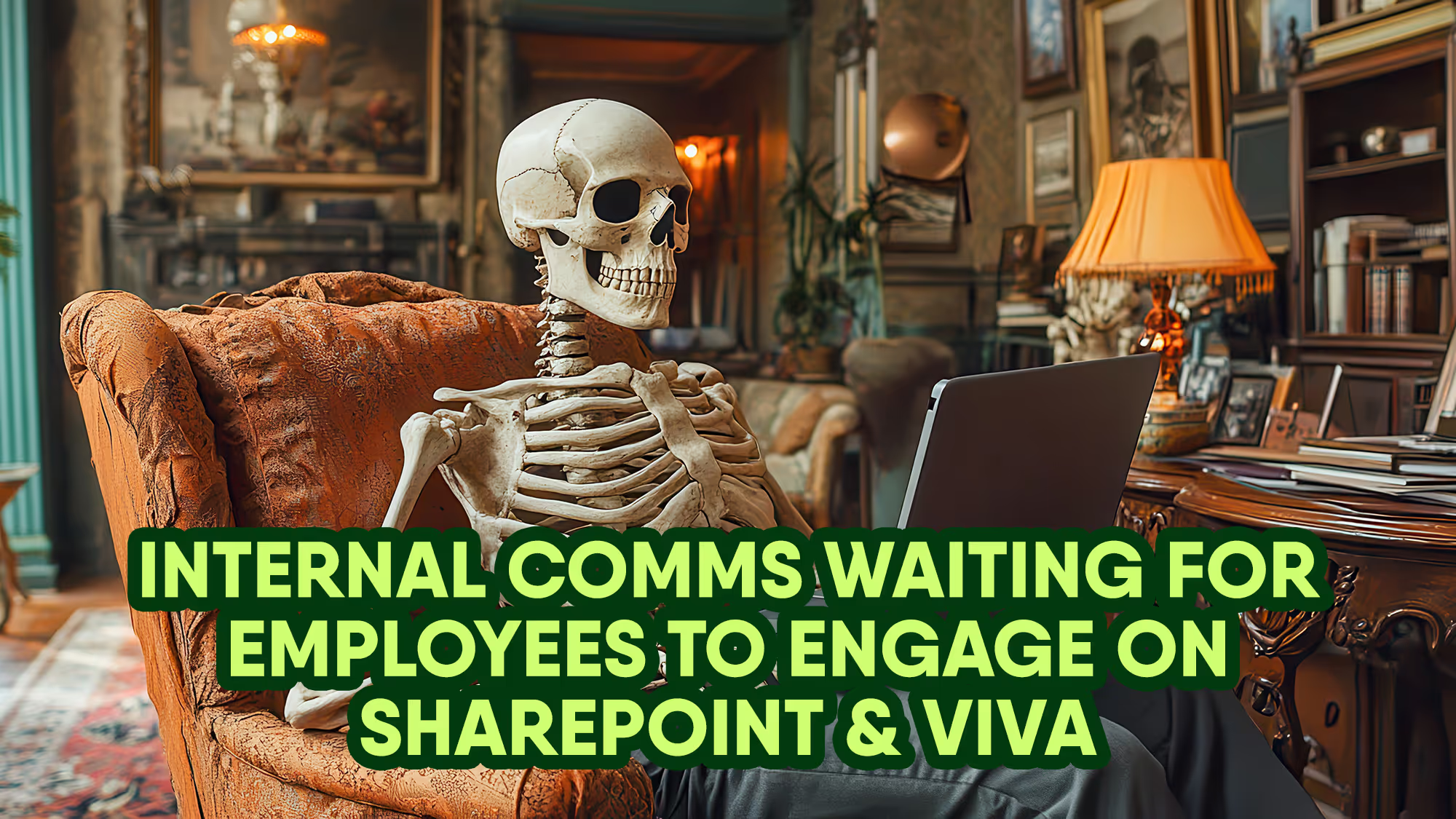
#8. Microsoft SharePoint + Viva
If you're deeply invested in the Microsoft ecosystem, SharePoint paired with Viva can be turned into a digital employee experience platform—though it often requires heavy customization.
Pros:
Seamless with Microsoft 365 apps
Highly customizable with IT support
Cons:
Often needs consultants or developers to manage
User experience can feel clunky without Viva add-ons
#9. Jive (Aurea)
Jive is a legacy enterprise social platform with collaboration, communities, and knowledge-sharing tools. It remains a viable choice for large, complex organizations.
Pros:
Good for internal communities and knowledge bases
Mature platform with years of enterprise use
Cons:
Outdated user experience
Less support for mobile and modern UI
#10. LumApps
LumApps integrates directly with Google Workspace and Microsoft 365, offering a centralized hub for company knowledge, news, and social collaboration.
Pros:
Strong integrations with cloud suites
Personalization and targeting features
Cons:
Requires IT involvement for deployment
Learning curve for admins and content creators
Final thoughts
Unily has long been a popular choice for enterprise intranets, but today’s workforce needs faster, more flexible, and engaging tools. If you’re rethinking your digital employee experience, platforms like Blink offer a modern alternative that’s easier to deploy, simpler to manage, and proven to engage employees across the board.
Looking for a Unily alternative?
Unily is a powerful platform—but for many organizations, it’s overly complex, difficult to manage, and time-consuming to implement. From rigid intranet structures to costly customizations, it often demands heavy IT involvement just to get the basics right.
If you're looking for something easier to use, faster to roll out, and more engaging for employees, you're not alone.
In this guide, we cover the top 10 Unily alternatives—platforms that deliver the same core benefits (communication, connection, and culture) without the complications. Whether you're in HR, Comms, or IT, these options are worth considering for a modern employee experience.
Blink is the employee experience platform designed to eliminate the friction that comes with legacy intranets like Unily. Where Unily often requires months of setup and technical oversight, Blink delivers immediate impact with a consumer-grade UX, built-in tools, and zero learning curve.
Why Blink is the smarter choice:
No IT bottlenecks: Blink is designed for self-serve teams—get started in weeks, not quarters.
Mobile and desktop ready: Unlike Unily’s more rigid intranet framework, Blink works wherever your employees do.
One simple platform: Comms, chat, surveys, document sharing, and app integrations—all in one place.
Instant engagement: Push updates, target messages, and track results in real time without needing an admin army.
Pros:
Rapid deployment and intuitive for any user
Eliminates the complexity and silos of traditional intranets
Higher adoption and engagement rates
Streamlined pricing and low total cost of ownership
Cons:
Fewer deep customization options compared to Unily (by design)
{{watch-video="/callouts"}}
#2. Staffbase
Staffbase offers an employee communications platform designed for corporate messaging and internal branding. It supports newsletter creation, a mobile app, and intranet functionality.
Pros:
Strong employee app for internal comms
Designed for global organizations
Supports multiple languages
Cons:
Requires training and onboarding time
Some advanced features locked behind higher-tier pricing
#3. Firstup
Firstup is focused on employee journeys and automated campaigns. It’s especially suited for organizations with complex audience segments and large enterprise needs.
Pros:
Advanced audience segmentation and targeting
Automation capabilities for content delivery
Cons:
May require dedicated resources to manage campaigns
Less intuitive for smaller or mid-size companies
#4. Simpplr
Simpplr positions itself as a modern intranet platform with a clean design and AI-powered search. It’s focused on streamlining communication and enabling a sense of belonging.
Pros:
Strong content discovery and search tools
Integrated org charts and people directories
Cons:
Pricing can be steep for growing teams
Limited mobile functionality compared to other platforms
#5. Workvivo
Designed to blend communication with culture, Workvivo gives employees a platform to share stories, celebrate wins, and stay informed. It supports both leadership updates and peer-to-peer engagement. The interface feels familiar to social media, driving higher adoption.
Pros:
Social-media-style interface
Culture and engagement features built-in
Cons:
Collaboration and productivity tools are limited
Can feel more like an engagement layer than a full intranet
#6. Interact
Interact offers a feature-rich intranet solution with a strong focus on content governance and compliance. It’s ideal for organizations with strict security or industry regulations.
Pros:
Rich permissions and content management controls
Good for highly regulated industries
Cons:
Can be complex to configure
Slower time-to-value compared to more modern platforms
#7. Haiilo
Formerly Smarp, Haiilo is a social intranet and advocacy platform. It focuses on content sharing, social collaboration, and employee voice.
Pros:
Social interaction features
Integrates with Microsoft 365
Cons:
Not a full digital workplace platform
Focus is heavier on communication than productivity
#8. Microsoft SharePoint + Viva
If you're deeply invested in the Microsoft ecosystem, SharePoint paired with Viva can be turned into a digital employee experience platform—though it often requires heavy customization.
Pros:
Seamless with Microsoft 365 apps
Highly customizable with IT support
Cons:
Often needs consultants or developers to manage
User experience can feel clunky without Viva add-ons
#9. Jive (Aurea)
Jive is a legacy enterprise social platform with collaboration, communities, and knowledge-sharing tools. It remains a viable choice for large, complex organizations.
Pros:
Good for internal communities and knowledge bases
Mature platform with years of enterprise use
Cons:
Outdated user experience
Less support for mobile and modern UI
#10. LumApps
LumApps integrates directly with Google Workspace and Microsoft 365, offering a centralized hub for company knowledge, news, and social collaboration.
Pros:
Strong integrations with cloud suites
Personalization and targeting features
Cons:
Requires IT involvement for deployment
Learning curve for admins and content creators
Final thoughts
Unily has long been a popular choice for enterprise intranets, but today’s workforce needs faster, more flexible, and engaging tools. If you’re rethinking your digital employee experience, platforms like Blink offer a modern alternative that’s easier to deploy, simpler to manage, and proven to engage employees across the board.
Unmotivated workers do the bare minimum. They can drag other team members down with them. They’re also more likely to be looking for a job elsewhere.
Given that only 23% of global employees feel engaged at work, improving employee motivation is a critical business priority. You need to employ strategies known to boost motivation and inspire better employee productivity.
In this article, we list a range of employee motivation ideas that will help you get the most from your workforce. We’ll be looking at the following:
Why is employee motivation important?
Key factors in employee motivation
12 ways to motivate employees
Using an employee super-app to create a motivated workforce
Why is employee motivation important?
Motivated employees tend to enjoy work. They have a sense of purpose and accomplishment. They also approach work with energy and drive.
But employee motivation isn’t just good for employees. It benefits your business, too. Here’s how:
Increased employee productivity. Motivated employees work harder. They’re more efficient and focused. They’re also more likely to take the initiative, going beyond their basic responsibilities.
Better quality of work. A motivated workforce doesn’t just produce more work. It produces better work. Workers are committed to quality. This results in fewer errors, fewer missed deadlines, and fewer workplace safety incidents.
Higher retention rate. Engaged employees are loyal to your organization. So they’re less likely to look for another job. With a motivated workforce, your organization experiences higher levels of employee retention and less absenteeism.
More profit. Gallup research on employee engagement shows that employee morale impacts a range of business outcomes. It leads to a 23% increase in profitability and a 10% increase in customer loyalty.
Key factors in employee motivation
There are two types of motivation — extrinsic and intrinsic.
Extrinsic motivation is all about the carrot and the stick. You create extrinsic motivation with external rewards and penalties. Rewards might include an employee’s salary, bonuses, rewards, and praise. Penalties might include a poor performance review or a manager reprimand.
Intrinsic motivation comes from within. Employees are motivated to do their best work because they find it personally rewarding. This type of motivation relies on drivers like interest, purpose, pride, and curiosity.
When you have high levels of employee engagement within a workplace, you tend to get high levels of intrinsic motivation. Employees feel invested in their work and the company. So they’re driven to bring their A-game without needing constant carrot-and-stick encouragement.
As an employer, it may seem that you have more control over extrinsic motivation. You can raise someone’s salary, provide bonuses, and praise a job well done. All of these things help to motivate an employee.
But the fact is, you can influence levels of intrinsic motivation, too. Here are some of the things that prompt intrinsic motivation in your employees.
Feeling valued
When employees feel you care about them, their wellbeing, and their lives beyond work, they’re more likely to bring their all. That means giving employee recognition where it’s due, treating people fairly, and valuing their input, too.
Making progress
Employees like to know where they’re heading — and where they’re at right now. That requires regular, positive feedback and constructive criticism. Training, development, and clear career pathing are also important.
A sense of purpose
Every job has its boring bits — the tasks that an employee is never going to be excited about doing. But when employees understand how their work contributes to organizational success and wider society, finding that motivation gets easier.
A positive company culture
Motivation is contagious. And it spreads more easily in organizations where there’s good communication and a sense of belonging. When they’re part of an open and supportive company culture, employees are more invested in company success.
The ideas we’ve included below incorporate all of the above. They also provide ways to inspire both intrinsic and extrinsic motivation in your workforce.
12 ways to motivate employees
To motivate your employees, you need to:
Highlight values and purpose
Communicate transparently
Give employees the resources they need
Use the right technology
Provide opportunities for professional development
Develop employee career paths
Support employee wellbeing
Encourage teamwork and collaboration
Support employees to build workplace friendships
Recognize employee contributions
Ask employees for their thoughts and feedback
Treat everyone equitably
Highlight values and purpose
According to Gartner research, shared purpose is one of five primary things motivating employees to stay in their jobs right now. It helps them feel invested in their work and your organization.
Shared purpose helps employees feel part of something bigger than themselves. So work becomes about more than just a paycheck.
You can support purpose in the workplace, by crafting clear company values and communicating these values regularly.
Start during onboarding. Introduce new hires to your company’s vision, mission, and values from day one. Explain how their role contributes to your goals and social impact.
Be consistent. Regularly reinforce your company's vision and mission in all employee communications. Make purpose a recurring theme in meetings, updates, and internal messaging.
Build a values-based culture: Create an environment where company values are lived and breathed daily. Take concrete action based on your values. That way, employees are more likely to believe in them.
Communicate transparently
Employee communication is another important element of employee motivation. Open and transparent communication builds trust. And employees who get enough information to do their jobs well are 2.8 times more likely to be engaged.
But while 87% of business leaders think their internal communications are “highly effective”, only 63% of employees agree. So what does effective communication look like?
Effective communication is a two-way conversation, where both leaders and employees get to share ideas, concerns, and feedback. It’s keeping employees up-to-date with key company developments, and it’s ensuring that you have clear channels of communication to reach all employees.
For remote and frontline teams, this means choosing streamlined, digital communication channels. You need internal communication tools you can use to relay messages quickly and reliably, bypassing paper memos and an employee’s already overflowing email inbox.
Give employees the resources they need
Imagine you’re setting out on a long hike. You’re excited and determined to reach the endpoint.
But you’re given a pair of ill-fitting hiking boots to wear. And a mile or so into the walk, you realize that the map you’re following isn’t 100% accurate. You decide to call the hike organizer for directions. But the number’s engaged and you fail to get through.
It’s likely that at this point in the hike, your motivation has started to dip. You feel thwarted and discouraged. You’re tempted to turn back. What felt like a promising journey now feels like an uphill struggle.
That’s why it’s important to give employees the resources they need. They need the right tech, training, support, and information to do their jobs well. Without it, morale takes a hit.
Use the right technology
Technology is increasingly important to the employee experience. Done right, it makes life easier for employees. Done wrong, it causes friction and frustration, which harms employee motivation.
A concerning 83% of HR leaders say they don’t have the right technology at work. This is contributing to stress, burnout, and low morale. Similarly, only 10% of frontline workers say they have access to the tools, tech, and opportunities they need to connect and advance in the workplace.
All workers — those in the office, those working remotely, and those on your company’s front lines — need access to high-quality, user-friendly tech that makes their jobs easier, not harder.
That might mean using a mobile-first employee app to give frontline employees the resources and co-worker connection they crave. Or it might mean implementing a social intranet that supports workplace communication and collaboration.
You can also use tech tools that have a direct impact on employee motivation. Employee engagement tools help organizations to improve and track staff morale.
Provide opportunities for professional development
According to O.C. Tanner research, organizations have five times greater odds of achieving employee fulfillment when they support professional development. A comprehensive training program improves your workplace retention rate, too.
O.C. Tanner also found that organizations are more likely to make a success of skills-building initiatives when they:
Empower employees to make their own training decisions. Supporting employees to choose training paths that align with their career goals and interests improves engagement with the learning process.
Give employees time during work to complete training. Allocate dedicated time for training so employees don’t experience stress, trying to juggle learning with daily tasks and out-of-work responsibilities.
Provide or reimburse hobby classes as well as work-related learning. Reimbursement for hobby classes improves the odds that a skill-building program will improve retention by 119%.
Develop employee career paths
Training is important. But unless employees can put those newfound skills to use within your organization, they’re going to become frustrated. That’s why every employee should have a clear progression path within your organization.
Sit down with employees to find out where their ambitions lie. And — as we mentioned above — personalize a training program to support their career goals.
Also, try to be realistic and open with workers about when a promotion is likely. This will depend on their current skill set and your organizational needs. If an upward move isn’t available for the foreseeable, there are other things you can do to keep staff motivated.
A lateral move helps employees to develop skills in another area of the business. You give them a new challenge and support them to become well-rounded members of your organization.
Similarly, stretch assignments are a great way to grow employee skills. They encourage workers to move beyond their comfort zone, take on new responsibilities, and prepare for higher-level roles.
Support employee wellbeing
In its State of the Global Workplace Report for 2024, Gallup talks a lot about employee wellbeing. It reveals that to improve employee lives and organizational performance, employers need to do the following:
Make support for employee wellbeing visible and consistent
Assign employee wellbeing counselors or coaches
Emphasize wellbeing at work and in life
Go beyond physical health to provide mental health and holistic support
Employee wellbeing goes beyond the odd mindfulness session. It requires a company-wide approach and a real understanding of what your employees might be struggling with.
Starbucks is a great example. They’ve been helping employees with the astronomical cost of housing. They offer a Tenancy Deposit Loan Scheme that they’ve named Home Sweet Loan. Employees can access an interest-free loan to pay the rental deposit when moving into a new home.
Starbucks is making it easier for employees to find and secure housing. This is good for their baristas. But it’s good for business, too. Because when employees aren’t worried about the roof over their heads, they’re more motivated and focused at work.
Encourage teamwork and collaboration
A 2022 Corel report reveals that 41% of employees have left their jobs or would consider leaving their jobs due to poor collaboration at work.
Collaboration is a great way to engage employees. It helps to create a sense of belonging. It makes work more efficient because teams share knowledge and resources freely. Plus, employees motivate one another when they work together.
You can support collaboration by supporting employees to build positive workplace relationships (more on this in a moment). Praising teams, rather than individuals, for their successes is also a good idea.
For teams who work disparately, the right intranet or app is an important part of the puzzle. You need tools that support employees to collaborate in real-time and access shared resources.
Water cooler chat may feel like an unnecessary part of the work day. But giving employees the time, space, and, in some cases, the tech they need to develop workplace friendships is incredibly important to engagement.
Employees who feel that they belong within an organization are 5.3 times more likely to feel empowered to perform their best work. And those with a best friend at work are more productive, happier to innovate, and happier to share ideas.
So schedule social events. Allow time at the beginning or end of meetings for informal conversation. If your team works remotely or you have frontline workers, be intentional about creating these opportunities for connection.
That might mean letting employees create shared interest groups on the company intranet. How about a book club? Or a running club? Maintaining a news feed where employees can post, comment, and like, helps remote and frontline workers to build connections, too.
Recognize employee contributions
Employee recognition and rewards are another important pillar of employee morale. When employees feel their hard work is appreciated, they’re more likely to maintain their motivation.
They’re also more likely to stay working for your company. According to recent Gallup and Workhuman research, a 10,000-person organization can save up to $16.1 million a year in reduced employee turnover costs by making recognition an important part of company culture.
Timely and relevant recognition from managers is essential. But peer-to-peer recognition can be just as valuable and it has a surprising benefit. 75% of employees say that giving recognition makes them want to stay at their current organization longer.
Blink’s employee recognition feature makes it easy to give every employee the appreciation they deserve. You can create personalized recognition posts in seconds. Then, share praise with the individual or publish it on the company news feed for everyone to see and celebrate.
If you want to offer employee rewards as part of your recognition program, be sure to find out what employees are excited by. You may think that cash bonuses and company merchandise are great incentives. But it may be that employees would prefer something else, like extra paid time off.
Employees are more motivated when they feel listened to. When an employer seeks their input and insight, it makes them feel valued, which contributes to employee morale.
Ask for employee input on key decisions. Taking everyone’s opinions into account when implementing change helps to ensure buy-in.
Also, get employee feedback on a range of issues, on a regular basis. Use surveys to ask workers about the employee experience, workplace satisfaction, or workplace rewards. Their answers will help you to develop a more motivating environment for employees going forward.
Just remember that feedback is a multi-stage process that requires effective communication. You need to:
Ask for employee feedback
Thank employees for their feedback
Tell employees what their feedback has revealed and what you plan to do about it
Keep employees in the loop, informing them how your plans are going
Closing the feedback loop like this keeps employees invested in the feedback process. It shows them that you’re really listening to what they have to say.
Treat everyone fairly and equitably
Fairness is crucial to employee motivation. When employees feel that they aren’t being treated fairly or equitably, motivation takes a dive.
So all employees must be given equal access to training and career progression opportunities. Everyone should have the option to give feedback and build workplace friendships. They should get the resources and recognition they need to feel valued.
Pay also comes into the equation. You can prevent resentment and employee churn by offering employees a fair salary. Conduct a pay equity audit. Also, regularly check to see how your wages match up with market trends and the cost of living.
But bear in mind that engaged employees look for a 31% pay increase to consider taking a job with another organization. So you don’t necessarily have to match competitors like-for-like if you provide non-monetary benefits and a company culture employees enjoy being part of.
Using an employee super-app to create a motivated workforce
Having the right tech on your team makes it easier to boost employee motivation.
An employee super-app is particularly useful for remote and frontline employees who may feel disconnected from motivators like co-worker support, feedback opportunities, and company resources.
An employee app helps you to create an equitable experience for all members of staff, no matter where they work. It also allows you to put motivation-boosting features into the palm of every employee’s hand.
Take a look at these employee app features, sure to improve employee motivation.
Social features
Social features like a company news feed help to include everyone in your company culture and support workplace connections.
A resource library
A resource library gives all employees, no matter where they work, access to essential workplace resources. You can populate your library with how-to guides, company policies, and FAQs.
Recognition features
Built-in recognition features make it easy to show appreciation for employees and encourage peer-to-peer recognition, too.
Survey tools
The best employee super apps make it easy for managers to request feedback — and for employees to provide it.
A digital hub
By integrating with all of the digitals you use, you can give employees access to professional development, wellbeing, and collaboration tools, all in the same place.
Effective communication
With a news feed, group messaging, and 1:1 chats, it’s easy for every member of your organization to take part in the company conversation and for leaders to amplify company culture.
Analytics
Analytics help you to track motivation and engagement. This allows you to make data-backed improvements to your engagement initiatives.
In summary
Find ways to motivate your employees and you create a happier, more engaged, more productive workforce. You improve employee loyalty and talent retention. You also achieve better business results.
There are lots of different things you can do to motivate your workforce. But all actions center around four key pillars:
Help employees find meaning in their work
Show employees that you value them as people as well as workers
Support employees to make progress in their careers
Build a positive company culture
It’s easier to do all these things when you have the right tech tools. An employee super-app brings your organization together and helps you establish a positive company culture.
It also gives employees all the communication, resources, and digital tools they need to excel in their roles. They experience more flow and less friction, which makes for improved employee motivation.
The employee intranet is a critical piece of the employee engagement puzzle. It keeps your workforce on the same page, supports the easy sharing of information and resources, and serves as a valuable tool to support internal communications, HR, and IT functions.
But historically, employee intranets have been developed with a desk-based workforce in mind, creating a gap in the workforce tech experience for frontline employees — the vast majority of the global workforce.
It’s a gap that these deskless employees are keenly aware of: Just 10% of frontline workers say they have enough access to the tools, tech, and opportunities they need to connect and advance in their workplace.
This lack of access is often a result of two simple reasons: Most intranets are 1) designed for a desktop computer experience and 2) accessible only through a corporate email address — two things that many frontline workers don’t have or use on a regular basis.
To overcome these issues, organizations sometimes try communicating with their frontline workers using memos on a noticeboard, SMS messages, or shadow IT. Yet this just furthers the disconnect, with desk-based workers getting a rich digital workplace experience — and frontline workers still missing out on all the benefits an employee intranet brings.
With frontline satisfaction and retention in need of urgent attention, a modern intranet, suited to all sectors of your workforce, can transform the frontline employee experience.
Let’s look at six ways that organizations can customize their intranet to make it more frontline-friendly. By incorporating these ideas into your own intranet, you can give your frontline employees — alongside your office staff — the communications, connection, and resources they need to thrive in the workplace.
6 ways to customize your intranet for the frontline
#1. Make all tools and resources accessible in one hub
Frontline employees work busy shifts with limited downtime. If they have to switch between lots of different apps, remembering multiple sets of login details, they’re unlikely to regularly use your workplace tools.
By putting everything your workforce might need in a centralized employee app, your frontline workers can benefit from quick and easy access to key tools and resources.
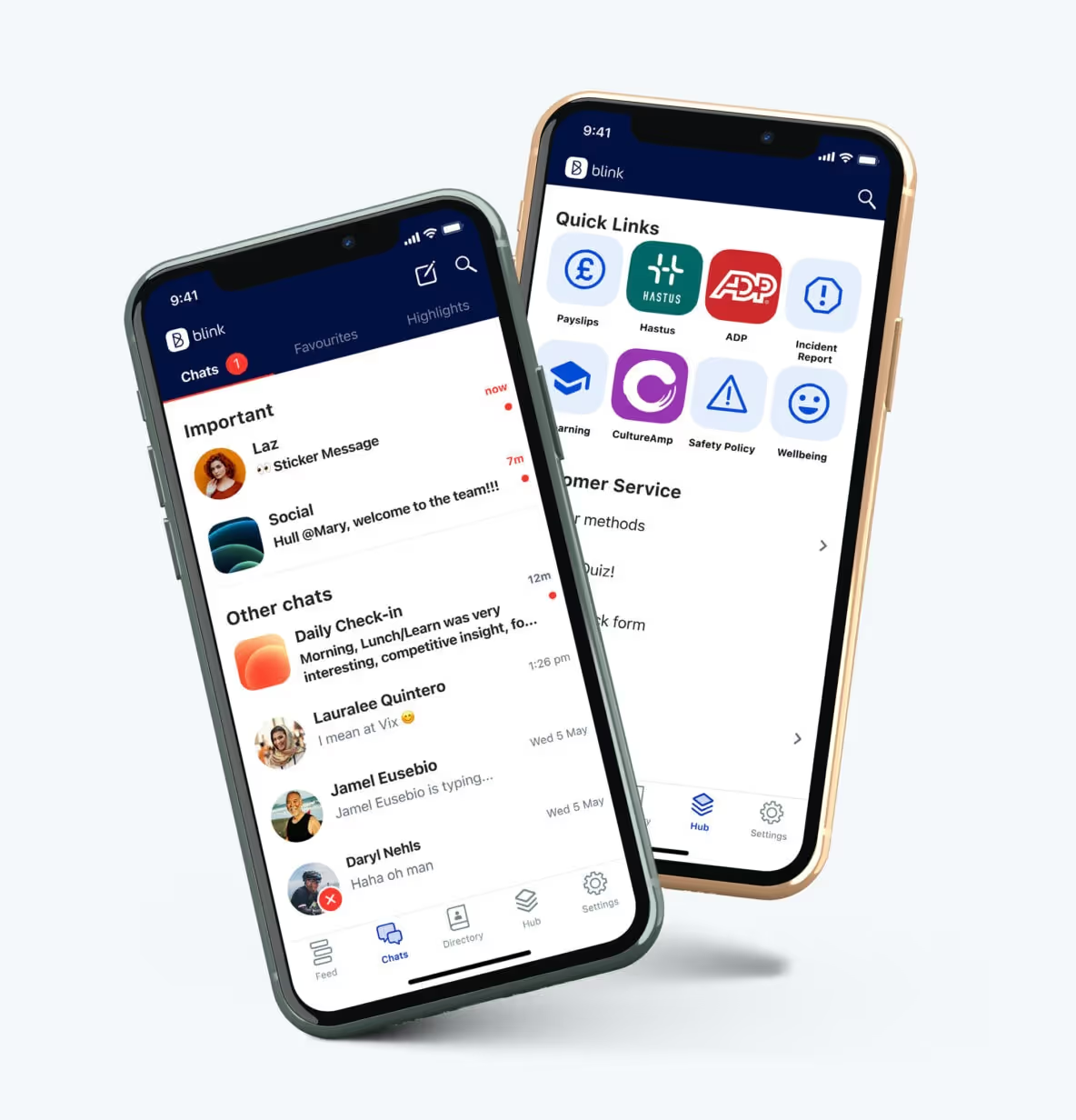
An employee app, accessible via smartphone or desktop computer, can act as a content hub where all policies, documents, and forms are stored. It’s where employees can catch up with company news, connect with coworkers, and fill out the latest employee surveys.
{{mobile-hub="/image"}}
With the help of single sign-on technology, a company app can also act as the gateway to all other workplace software, improving adoption of tools across the business. Employees need to sign on just once to access anything from training programs and shift-swapping software to time-off policies and employee benefits.
#2. Create different channels to satisfy all employee connection needs
While it may not take place around the famous water cooler, office-based workers get lots of opportunity during the work day for informal chit chat. But frontline employees — who often work disparately, away from HQ and on their own — tend to miss out on coworker connection. This can create a disjointed employee experience and get in the way of knowledge sharing, team building, and collaboration.
So when it comes to the company intranet, don’t just create channels for important company updates. Create channels suited to informal conversation and two-way communication, too.
{{mobile-connect="/image"}}
Here, employees can get to know one another and chat about their choice of topics. They can enter groups, building relationships with co-workers in the same location, in the same role, or with the same hobbies. By providing a variety of communication channels on your employee intranet, you satisfy the various connection needs of your workforce.
#3. Use mandatory reads to highlight important communications
Some frontline employees work in environments where safety and compliance are critical. Others interface with customers and need the most up-to-date information on inventory and processes. But these workers don’t always call into HQ before their shift starts, and they sometimes operate with less direct supervision than their office-based peers.
So how can you ensure critical updates get through to your deskless workforce?
By marking the latest policies, safety alerts, and best practices as mandatory reads on your intranet, they’re more likely to cut through the noise.
Mandatory reads appear prominently on the intranet dashboard or the company news feed. They only disappear when an employee reads and acknowledges them. And by using backend analytics that track engagement and reading rates, your internal communications team can ensure that all workers, regardless of their locations, have received and read new need-to-know information.
#4. Surface personalized content based on teams and titles
If you primarily use your intranet for your desk-based workforce, it likely contains a lot of information that is irrelevant to your frontline teams. Serve this information to your frontline employees and they’ll become disengaged with your intranet, making it harder for you to communicate key messages.
Use intranet tools that allow you to personalize the user experience — and don’t simply make a distinction between your office and frontline staff.
Segment your employees based on their title, team, location, and tenure. Then customize their dashboard so it features the most relevant content. For frontline employees, you might like to include key contacts, “suggested for you” content, and news related to the frontline.
Similarly, when employees access the company news feed, they should see content relating to them and their roles. You can achieve this by selecting the audience for each post — whether that’s the whole company, your office staff, your frontline workers, or a particular team.
#5. Make it easy for managers to recognize great workers
A third of frontline workers say that a primary reason for leaving their position is feeling undervalued by their employer. Yet despite the role of workplace appreciation in engagement and retention, less than half of workers said they had received recognition from their organization, leaders, or peers in the previous month.
Frontline managers are well-placed to offer praise but — like the people they lead — these managers are busy, feeling like there are barely enough hours in the day. To build recognition into the frontline employee experience, make it easy for managers to tackle through an employee intranet with built-in rewards and recognition features.
By providing ready-to-go templates, managers can easily but meaningfully personalize and post messages of recognition to a company news feed or a group chat. With just a few clicks, managers can show appreciation for hard work, highlight successes, or celebrate an employee birthday.
{{mobile-kudos="/image"}}
Highlight employees on public channels within your intranet and recognition will take on a life of its own. Coworkers and other managers can like the post and comment with their own words of praise, amplifying the post’s impact.
The fewer steps involved in employee recognition, and the more visible you make it, the more likely it is to become an integral part of company culture.
#6. Analyze intranet data to identify gaps and opportunities
A modern intranet is more than just an information hub — it’s a way to capture, measure, and analyze employee engagement rates. It also allows you to segment data by division, location, and more criteria to unearth more granular employee-level insights.
By examining intranet engagement data for your frontline workforce, you can build a clearer picture of which strategies are working — and which could be improved. Also, consider using employee surveys to ask your frontline about their intranet experience. You may discover points of friction and reasons why employees aren’t using your intranet.
With these data-backed insights, you can make targeted and informed decisions about how to customize your intranet to maximize frontline employee engagement.
A frontline-friendly culture can be built on the intranet
While standard intranets don’t always work for a frontline workforce, there are ways to customize your employee intranet so it meets the needs of everyone.
Personalize your intranet experience so its content and chats are more relevant to frontline employees. Give your dispersed workers recognition and coworker connection opportunities. Above all, make your intranet easy to access and use via a mobile app.
By doing so, you’ll make your intranet more engaging — and provide a reliable source of information and connection for all employees.
Out of date, out of sync, out of tune. A corporate soundtrack of forgotten logins, stale pages, and “Is anyone actually using this?”
This year, Blink is changing the track. We’ve been recognized in the 2025 Gartner® Magic Quadrant™ for Intranet Packaged Solutions — not just anywhere in the grid, but as a Challenger.
For us, this isn’t just a placement. It’s a remix. For the industry. For the intranet. For every employee who’s ever thought, “Why is this so hard to use?”
Why the Gartner Magic Quadrant matters
If you’re in HR, comms, IT, or procurement, you already know the Gartner Magic Quadrant™ - to us, it’s one of the most influential industry reports in technology.
Every year, Gartner independently evaluates vendors on Ability to Execute and Completeness of Vision - then categorizes them as Leaders, Challengers, Visionaries, or Niche Players.
This Quadrant has become the go-to reference for organizations choosing their next digital workplace partner.
We’re proud to debut as a Challenger. But more than that, we see it as a validation that the world is ready for a more human way to work.
Why Blink? Why now?
We built Blink on a simple belief: Work should feel connected.
In a world overflowing with tools but starved of real connection, we’re creating an intranet that people actually want to use. One that unites the CEO’s town hall with the shop floor shift briefing. One that gets frontline and office workers on the same wavelength.
Why we believe Blink was recognized
🎧 Sales and customer alignment: We deeply understand buyer pain points, backed by strategic partnerships with industry leaders like Workday.
🎧 Financial and product strength: Robust growth, an agile roadmap with continuous innovation, and a reliable product strategy built for the future keep Blink ahead of the curve.
🎧 We go beyond software: With specialized onboarding teams, strategic rollout support, and a dedication to long-term success, we’re not just a platform — we’re a true partner.
🎧 From mobile to total experience: Our platform empowers every kind of worker with personalized microapps, powerful social features, and communications that actually cut through.
Challenger energy: More than a position - a mindset
For us, being a Challenger isn’t just about where we land on the grid. It’s about how we move through the world.
We don’t believe “good enough” intranets should do the trick. We don’t do stale or static. We remix the intranet into something dynamic, modern, and centered on people.
Because what good is an intranet that no one uses?
We’re obsessed with adoption: ensuring employees actually engage, communicate, and thrive on the platform. That’s why Blink is designed with every kind of worker at heart, driven by a people-first approach to innovation.
That’s what it means to challenge the status quo. That’s what it means to Blink.
What’s the rest of the market saying?
The intranet packaged solutions (IPS) market is evolving rapidly, moving from static, web-only sites to dynamic, multichannel platforms that are central to the digital workplace.
What used to be dusty web-only portals are now vibrant, multi-channel hubs that power communication, engagement, knowledge, and culture. Today’s IPS offerings go far beyond document repositories - they’re incorporating AI assistants and supporting integrations with Workday, ServiceNow, Microsoft 365, and other leading business systems.
As Gartner puts it, intranets are once again a priority investment as organizations transform their digital workplace, reduce IT complexity, and seek consistent, people-first employee experiences.
Intranets are no longer just “nice to have” - they’re necessary parts of a modern business infrastructure. They’re becoming critical hubs for productivity, connection, and culture across both office-based and deskless workforces.
This isn’t evolution - it’s inflection. And Blink is leading the remix.
Spinning the future of work
For us, being named a Challenger is a milestone. But it’s also just the intro track.
We’re already dropping new hits:
Broadcast-quality live streaming that gives every employee a front row seat
Blink Assist, our AI-powered copilot for content creation and communication
Analytics that actually matter, surfacing predictive insights into how people engage
“Save for later” offline access, so work doesn’t have to stop when the WiFi does
Modern social features like Stories that drive adoption and give Instagram a run for its money
Our vision is simple: The future of work should feel intuitive, inspiring, and essential - not invisible. Blink exists to unlock that.
This isn’t just recognition - it’s our statement
We’re not here to play quietly. We’re here to remix the intranet.
Named top Challenger by Gartner, chosen every day by the world’s most ambitious organizations, and powered by a people-first mission - this is only the beginning.
Every week is EMS Week at Blink — because we care, too
EMS Week may be over, but at Blink, our appreciation for emergency medical professionals doesn’t end with the calendar. For us, recognizing the lifesaving work of EMTs, paramedics, and staff isn’t a once-a-year gesture — it’s a year-round commitment grounded in care.
This year’s EMS Week theme, “We care for everyone,” says it best. EMS teams are there for all of us — and it’s our job to be there for them.
Behind every siren is a team that deserves support
The reality of working in emergency medical services is demanding on every level. Long hours, unpredictable situations, and high-stakes decisions are just part of the job. And for EMS professionals, that job never really stops — holidays, weekends, middle-of-the-night calls.
It’s a role that requires not just skill and courage, but constant coordination, communication, and clarity. And that’s where Blink comes in.
Caring for others starts with caring for your team. That’s why Blink is designed to meet the needs of EMS professionals — not just as employees, but as people.
At Blink, we’re proud to serve thousands of paramedics, EMTs, and staff across some of the country’s largest EMS organizations.
Assisting EMS behind the scenes
We’re proud to work with EMS organizations across the country — from city ambulance services to rural responder units — to help their teams stay connected, informed, and empowered, no matter where the job takes them.
Whether they’re responding to an emergency or prepping for the next shift, EMS workers need tools that work as hard as they do.
With Blink, EMS organizations can:
Send real-time updates about protocols, routes, or equipment changes
Deliver training resources straight to mobile devices
Coordinate shifts and crews with better visibility and fewer delays
Recognize outstanding work with peer-to-peer shoutouts and leadership messages
Give employees a voice with surveys, feedback tools, and two-way communication
Foster connection between teams that rarely see each other face-to-face
Poor communication is the #1 most common stressor for EMS workers (BMC Emergency Medicine)
Built for the field — not just the office
EMS professionals don’t spend their days behind a desk. So why rely on systems that expect them to?
Blink is a mobile-first employee experience platform, built for people whose work happens on the move. We make it easier for EMS leaders to reach every team member — from the newest trainee to the most experienced paramedic — and equip them with the information they need, when they need it.
EMS professionals care for everyone with every call they answer. At Blink, we believe the same care should be extended to them — through tools that reduce friction, strengthen connection, and show that their work and well-being truly matter.
We believe EMS teams deserve more than recognition during one week of the year. They deserve better tools, better communication, and better connection — every week.
To all the EMS professionals working tirelessly behind the scenes and on the frontlines: thank you. We see you, we support you, and we’re committed to building technology that helps you do what you do best — saving lives.
Blink. And keep your EMS teams stay connected — every hour, every shift, every week.
The Shift went live on Thursday April 20th, hosting an 'Ask Me Anything' session on the topic of frontline stress and wellbeing. Ahead of the event, we asked our audience to send in their questions about burnout on the frontline. The response we got was phenomenal.
Here, we list — and answer — the questions that weren't covered in the live discussion (now available to watch on-demand). These questions are all in search of practical insights: how to help employees who are struggling with burnout, what strategies other managers have had success with, why managers sometimes don't feel confident handling burnout conversations and how to build that muscle.
A big thank you to our 'Ask Me Anything' panel who helped put these answers together:
Chris Stewart, Managing Director of Minding Minds, a Mental Health First Aid training company
Ian Gordon, former President of Administrative Operations at Elara Caring
Burnout can show itself in several ways and, because we're dealing with people, everyone is individual in their responses. That said, the 'warning signs' are usually:
Exhaustion/tiredness — You see this when employees still look tired on a Monday morning; the weekends don't feel long enough and just aren't touching the sides in relieving the fatigue. When tiredness becomes extreme, people will not only feel physically drained, but they'll also lose interest in the tasks they used to find enjoyable. This is also a warning sign for depression.
Difficulty concentrating — Coupled with the above, employees may experience a 'butterfly mind', flitting from one thought to another. They may chase issues or tasks, but never stay on them long enough to make progress.
Preoccupation with work and being overly driven — It might sound counterintuitive, but some people approaching burnout will throw themselves into their work and lose themselves within it...
Presenteeism/drop in productivity — ...And yet, being 'at work' doesn't mean you're getting work done. It takes a person longer to complete their tasks when they start to burn out. 10 hours of work may only reap 2 hours of results; they're working more hours, with less output, and lower quality. Of course, the opposite can be a warning sign too. Some people will do less, attend work less, or leave work early due to a lack of interest or bandwidth.
Loss of motivation or outlook — This can be a very corrosive warning sign, and we should always be looking for changes to someone's regular demeanor. Are they displaying more negativity than usual? Are they becoming more cynical? It's unlikely that the individual will notice this change in outlook as they are already in that belief system. It's a manager's role to notice this change. It's an important 'tell' that something is seriously wrong.
Physical signs — Stress shows itself physically as well. Difficulty sleeping, gastrointestinal issues, aches and pains, low immunity and so higher levels of sickness; if someone is falling ill more often than they used to, burnout may be the root cause.
Q: How can we have an immediate impact on someone who is struggling with mental health?
As mentioned above, everyone's symptoms will be different — and their needs will be too. One thing we can all do is develop the skills to spot the warning signs, approach the person for a conversation, uncover the issues, and respond to their individual needs. There has to be a conversation. That's the most immediate action we can take to help.
Q: Is there a point of no return with frontline burnout or can it be reversed with early identification?
We can think of burnout like an elastic band. You can really stretch it, and though it's under stress, it's still holding. Hold it at a stress point for too long, though, and you'll alter the shape and elasticity of the band forever, even when it's released.
And what happens to an elastic band when we pull it too tight without relieving it? It breaks. You can tie the band back up and it will still serve its function, but it will never regain its original capacity for stretch or stress.
People's capacity for stress never seems to return to their pre-burnout point. Their stress container has shrunk with the experience. But there's a positive within this: when people do return to work post-burnout, they have little choice but to take stress management seriously. People may focus in different ways and manage stress much more effectively.
So, the answer is yes, burnout can be reversed. But given that the warning signs include a preoccupation with work and a drop in productivity or change in emotional outlook, it's up to the organization to have systems and support in place to pick up on these signs and stop them from developing. The individual may not even know they are going through these early or mid stages of burnout.
We have tachographs for lorry drivers and pilots because we know the risks associated with a lack of relief or downtime. The same applies to our people. The company tachograph must look at more than just hours logged, though. Clear and communicated support, with honest feedback sought, and ongoing risk assessment are all essential.
Q: What is the top question you're getting from managers who are on-site and helping lead the frontline?
The biggest question frontline leaders usually have is: "Even if I think there's an issue, how do I broach talking about mental health? I'm not qualified to deal with this. I have enough to deal with already. I am under-supported and under-skilled".
Q: How can you fight and mitigate stress in a mostly remote or deskless work environment? As someone in the corporate office and not close to the frontline, what can I do to help?
Start with communication. This is one of the most powerful ways of fighting and mitigating stress: you have to understand how your frontline is doing and they have to know that you care.
Next, there's advocacy. As a leader, you're either in or close to the seat of power, and you can get buy-in at the top for frontline wellbeing support.
Third, you need to make life easier for the frontline where you can. Reduce the stress that comes from unnecessary cognitive load. Help make them more efficient at work with proper tooling that makes a meaningful difference to their day-to-day.
Q: What can an individual do to support their own mental health?
Check for the warning signs in yourself, where possible, and start to learn what the beginning of stress feels like for you. It's important to take responsibility for your own stress and wellbeing, and to communicate with others when you're feeling the symptoms.
Wellbeing solutions and strategies for frontline teams
Q: Do you have any unique or innovative ways of improving engagement with key wellbeing initiatives? How do you increase morale?
One great example comes from Salutem, a leading care provider in the UK. Like many businesses, Salutem's staff were left feeling stressed and with low morale following the pandemic. The organization was disconnected and disengaged, and Salutem's leaders wanted a new, inspiring way to give employees a voice.
Salutem launched S.E.L.F (the Salutem Employee Listening Forum), with managers using Blink to nominate S.E.L.F Reps using the Feed. These Reps were responsible for moderating Blink Channels for their regions and following up with their teams. Co-workers were encouraged to share their thoughts and have candid conversations regarding their concerns and ideas for improvement.
Given how essential conversation and communication is for promoting wellbeing and mitigating burnout, creating these connections can deliver a lot of impact, fast.
Social and peer proof can also be powerful. There will always be workers who appreciate the importance of taking care of themselves more readily than others. Enlist these people to advocate for your wellbeing initiatives — as fellow frontline workers, they might just be more influential than management.
Q: What are your tips for making stress management accessible and relevant for frontline workers to use in real time? What delivers immediately?
The first truth we need to remember is that what works for desk-based employees typically won't work for the frontline. A frontline worker's 'real time' situations look vastly different compared to someone sitting in head office; they are out in the 'field', on the go, with little access to desktop files. This means that any stress management support we provide has to be easy to access from anywhere, at any time.
Not only that, it has to be easy to access from a usability standpoint too. Adding another platform or tool to the frontline's already unintuitive tool stack will do more harm than good. Don't labor them with another set of log-in details to remember in order to access wellbeing resources.
This is where an 'all through one' employee app like Blink has value.
Q: In healthcare specifically, how do you get people to take care of themselves when they've cared for others all day?
This is the classic 'Caregiver's Dilemma'. Caregivers are amazing people and, by choice, they place their health and wellbeing second to that of the people they care for. And, to be clear, that's not just how they are at work — it's how they are in every aspect of their lives.
We can encourage better self-care in caregivers by helping them realize that poor self-care will only render them unable to care for others. More than that, they may become the one thing they all fear: a burden on the people around them.
You can also run on-site check-up days for caregivers, where other healthcare professionals come in to perform mental health assessments — like a physical health check, but for stress and wellbeing. Doing so not only makes stress awareness more convenient for the caregiver, but you create a dedicated time slot in their otherwise fully-booked days.
Q: How can managers become more confident and comfortable in leading wellbeing conversations with their frontline workforce?
This question was answered during the live event. But given that managers often feel under-qualified, under-skilled, and under-supported when it comes to approaching these topics, it's worth recapping the answer again.
Confidence and comfort come from two-way conversations around stress and wellbeing. Ian referred to this as 'inverting the hierarchy' — managers making themselves vulnerable to open dialogue up, being present, and acting as a 'servant leader'. Chris explained that managers don't have to stand back and pretend they are all well; empathizing with an employee's experience makes everyone feel more at ease.
These conversations are a core part of your job, says Ian. Once you start breaking down those barriers you remove the fear factor for everyone. You're just another person; someone they trust to have their back and whose job it is to support them. Once you've shown that you value your employees, they will feel much more able to open up to you with personal and professional truths, and you will feel more able to start these conversations too.
This wellbeing resource is available whenever you need it
You can watch The Shift LIVE: 'Ask Me Anything' on frontline stress and wellbeing here at any time.
And make sure you're subscribed to The Shift — Blink's fortnightly newsletter for frontline leaders. That way you'll be the first to know about our next 'Ask Me Anything' event, coming soon.
Blink and Workvivo have a lot of similar features. So how do these employee communication platforms stack up against each other? And which is the best choice for your organization?
With so many employee communications platforms out there, finding the right fit for your team can be a daunting task.
Today, we’ll take a closer look at two industry frontrunners: Blink and Workvivo. Both of these platforms are designed to enhance collaboration, streamline communication, and foster a sense of community within organizations. They also act as a digital hub, giving employees access to all of the tools and resources they need to do their jobs well.
But which of these modern intranet solutions best supports your business to meet its needs and goals? Let’s take a closer look at key features, functionalities, and more to help you make an informed decision.
What is Blink?
Blink is the leading mobile-first employee experience platform, designed for frontline organizations. It’s a modern intranet, where employees can access company comms and essential workplace resources from their smartphones.
Chatting with colleagues. Signing up for shifts. Responding to the latest poll. Viewing pay stubs. Celebrating a coworker’s company anniversary. Employees can do all this and more with Blink’s comprehensive employee app.
With a range of communication, recognition, engagement, and social features — all available via a user-friendly interface — Blink helps employees feel closer to company culture and one another.
What is Workvivo?
Like Blink, Workvivo is an employee communications app. The company was established in 2017 and was acquired by Zoom in 2023.
Workvivo is an all-in-one tool for workplace communication and collaboration. Social media-style functionalities, such as podcasting, keeps employees engaged.
Blink vs. Workvivo: What are the similarities?
Internal communications
Communication channels
Both Blink and Workvivo help to streamline company communications. Messages from management. Co-worker conversations. Leadership updates. All types of communication are supported thanks to a variety of channels, including a newsfeed, mobile notifications, videos, and livestreams. Workvivo customers can also create articles, newsletters, and podcasts from within the platform.
News feed
A news feed is another thing these platforms have in common. Admins can personalize Blink’s News Feed, which serves as users’ homepage, based on each employee’s team, interests, and role. This ensures employees only see relevant comms. Because employees can also filter the news feed, it’s easy for them to find the information they’re looking for.
Chat functions
Both platforms have similar chat features that are useful for teamwork and project management. Employees can chat and share files, GIFs, images, and videos. In Blink, chat functions are a core pillar of the platform. Workvivo, on the other hand, relies on integrations with Microsoft Teams and Slack. A chat add-on is available but this comes at an additional cost.
Video conferencing
When only face-to-face communication will do, Blink and Workvivo both provide useful video conferencing tools. Teams working on either platform can start a video call right from their chat group. Workvivo does this through its Zoom video app. Blink integrates with Zoom, Google Meet, and Microsoft Teams, giving customers the option to use their preferred video conferencing software.
AI comms support
With Blink Assist, users get AI support when creating and sharing content. Your AI assistant can automatically generate and improve posts, helping you to better connect with your audience. Users can also use AI to summarize posts that have appeared in the news feed. This means you can stay up to date without having to read every single post. Workvivo, working with Zoom, is beginning to introduce generative AI features.
Blink and Workvivo both support employee engagement. They provide two-way communication tools and support employee recognition with milestone celebrations and appreciation shout-outs. Both platforms also aid the onboarding process, with employee directories, a resource hub, and new starter video introductions.
These solutions provide tools for feedback collection, like pulse survey check-ins and employee NPS (net promoter score) surveys. Blink, in particular, provides rich survey functionality. Compared to Workvivo, Blink provides a greater variety of surveys and question types. This allows you to collect in-depth data and then use feedback analysis tools to examine that data on a granular level.
When it comes to encouraging employee engagement on the Blink platform, Blink’s customer success managers (CSMs) are on hand. Clients work with a dedicated CSM to optimize adoption and engagement.
A digital hub
Workvivo serves as a digital hub where companies can store and share documents and resources. This hub integrates with other tools in an organization’s tech stack. It’s possible to create wiki pages for collaboration and to launch other apps from within the platform.
Similarly, Blink offers a modern intranet, accessible on both desktop and mobile. Users can access important tools, documents, forms, and information, directly from the app. They can also launch other apps from within the platform thanks to a secure single sign-on. This encourages user adoption of existing software and streamlines the employee experience (EX).
Blink was purpose-built from the ground up to enhance internal communications and improve the employee experience, and that has always been our sole mission.
For companies impacted by Meta’s recent decision to sunset Workplace, this is a crucial distinction. Meta’s shift in focus away from Workplace to other business areas highlights the risk of relying on platforms that are not core to a company’s strategic direction.
Organizations partnering with Blink are choosing a vendor whose entire focus is dedicated to success in employee engagement and communication. We continuously invest in our platform, ensuring that it remains a leading solution for internal comms and employee experience.
Unlike Workvivo, which — like Workplace — is just one part of a much larger parent company’s diverse offerings, Blink’s platform isn’t just a feature among many — it’s the heartbeat of our business.
Frontline-first
Both Blink and Workvivo have a mobile app that employees can access from their smartphones. These are user-friendly spaces that employees find easy to navigate. And these apps are comprehensive, offering many of the same features on desktop and mobile versions of the platform.
However, Blink offers some features and services that particularly benefit a frontline workforce. These frontline-focused features and services include the following:
Feeds and chats are cached for offline reading so a poor or non-existent internet connection doesn’t prevent employees from engaging with the app
Workers can select a “do not disturb” setting so they’re not bothered by notifications when they’re at home or trying to rest after a night shift
Blink’s Open Shifts micro-app allows managers to advertise empty shifts and employees to volunteer for them
Blink’s rollout team offers unparalleled support during the launch period, providing branded materials and visiting sites to help people gain access to the app
While Workvivo may be a better fit for a desk-based organization, Blink’s deep understanding of frontline teams and their needs makes this platform an excellent choice for frontline businesses.
Analytics
Workvivo offers robust analytics capabilities to track and measure employee usage data. Organizations can gain insight into platform usage and then make data-driven decisions to manage platform performance. This functionality is available for an additional fee.
Like Workvivo, Blink’s enhanced workforce analytics feature provides comprehensive usage data. But Blink goes beyond usage.
Blink analytics collate and correlate from multiple data points to provide a breadth of insight into your workforce. You can drill down into the data, examining results by department, manager, and location to get deeper, actionable insight.
Your dedicated CSM can then help you turn actionable insights into action plans. These can be distributed automatically via Blink comms channels, helping you to implement your plan and track results.
Customization
Both Blink and Workvivo allow you to add your own branding to the platform. But Blink offers more in terms of customization.
Blink provides a white-label app for full brand personalization. For larger, multinational organizations, you can also create a federated platform, with personalized branding for each region. You can compartmentalize other features, like the news feed and user directory, too. In Workvivo, colors, icons, and logos are set globally.
While the offering of out-of-the-box integrations is comparable across both products, Blink also provides deeper integrations through customized micro-apps scoped and built for each customer.
These micro-apps allow you to add functionality to the platform as you need it. You can use Blink’s pre-built digital forms to digitize and streamline processes for employees. For example, employees can use the app to request leave, view their pay stubs, or report an incident. And if you don’t see a form that quite fits your needs, you can count on the Blink team to custom-make one.
Content management
Both Workvivo and Blink offer useful content management features. It’s easy for admins to set permissions and for content creators to create and publish new content. On Blink’s app, creators can protect sensitive content so readers have to authenticate before accessing it. Blink can also integrate with design tools like Canva, which helps users create effective page layouts.
In comparison, Workvivo offers a variety of content management tools. For example, users can auto-archive content by setting an expiration date for each type of content. Publishers can also opt to receive notifications when content has expired.
Translation capabilities are also a little more robust on Workvivo. In Blink, users can set their language and choose to auto-translate comments, posts, and pages so that other users can read them in their native language. In Workvivo, content creators can take this a step further by writing content in their own language and then select the languages it should be automatically translated into. This can come in particularly handy for large, multilingual teams.
Blink and Workvivo both support organizations in their internal communication and employee engagement efforts. They act as a modern intranet, with both desktop and mobile app versions that help companies reach all members of the workforce, no matter where they’re based.
Workvivo has the edge when it comes to certain capabilities, like translation. But Blink makes a great Workvivo alternative, particularly when it comes to personalization, analytics, and custom functionality.
Blink is also the go-to platform for frontline organizations. Built specifically to improve the work lives of deskless employees, Blink makes it easy for companies to encourage app adoption and engagement. It helps frontline workers feel more connected to their coworkers and company culture. It also puts all essential tools at their fingertips, improving efficiency and safety.
Want to find out what Blink could do for your frontline organization? Book your free demo today to see for yourself.