10 Best Flock Alternatives for Team Messaging (2026)
Looking for Flock alternatives? Compare 10 team messaging and collaboration platforms on features, integrations, pricing, and ease of use.
Jess DeVore
Published:
September 29, 2025
Last updated:
September 29, 2025
What we'll cover
Why consider Flock alternatives for team messaging in 2025
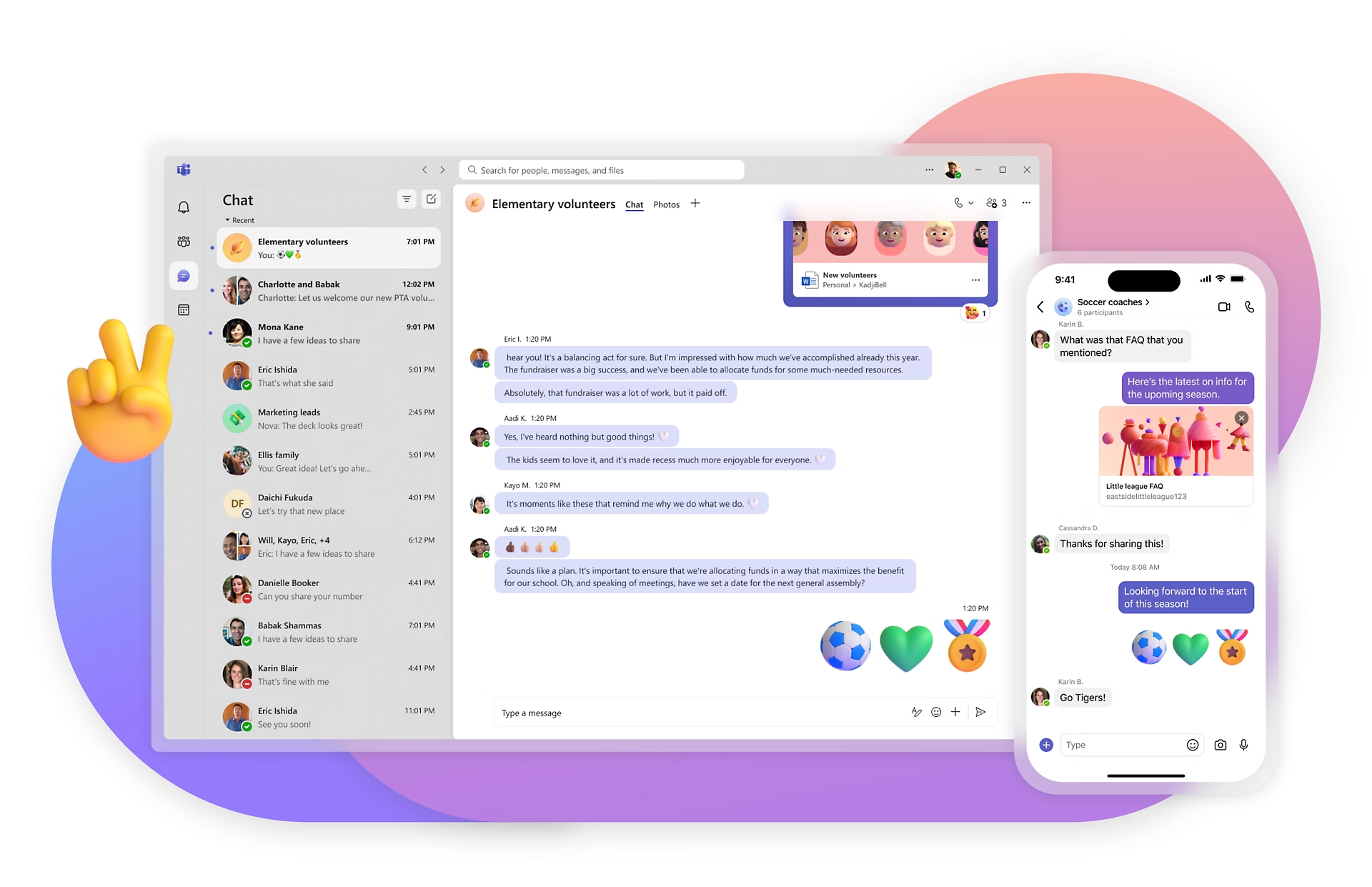
Flock has long been recognized as a reliable team messaging and collaboration app, but many organizations are now exploring alternatives that better meet their needs. Whether it’s more advanced integrations, a stronger mobile experience for frontline employees, or broader tools for internal communication, companies are looking beyond basic chat. In this guide, we’ll explore the top Flock alternatives in 2025 — from industry leaders like Slack and Microsoft Teams to modern employee experience platforms like Blink, which offers the most complete solution for messaging, engagement, and productivity.
What to look for in a Flock alternative
When evaluating Flock competitors, keep these criteria in mind:
Ease of use – Adoption matters. Look for platforms that employees actually want to use.
Mobile experience – With more hybrid and frontline workers, mobile must be seamless, not an afterthought.
Integrations – Your collaboration tool should connect with HR systems, productivity suites, and line-of-business apps.
Communication formats – Modern tools should support more than chat: think video, voice notes, newsfeeds, and live streaming.
Scalability – Choose a solution that grows with your organization and supports both desk-based and frontline teams.
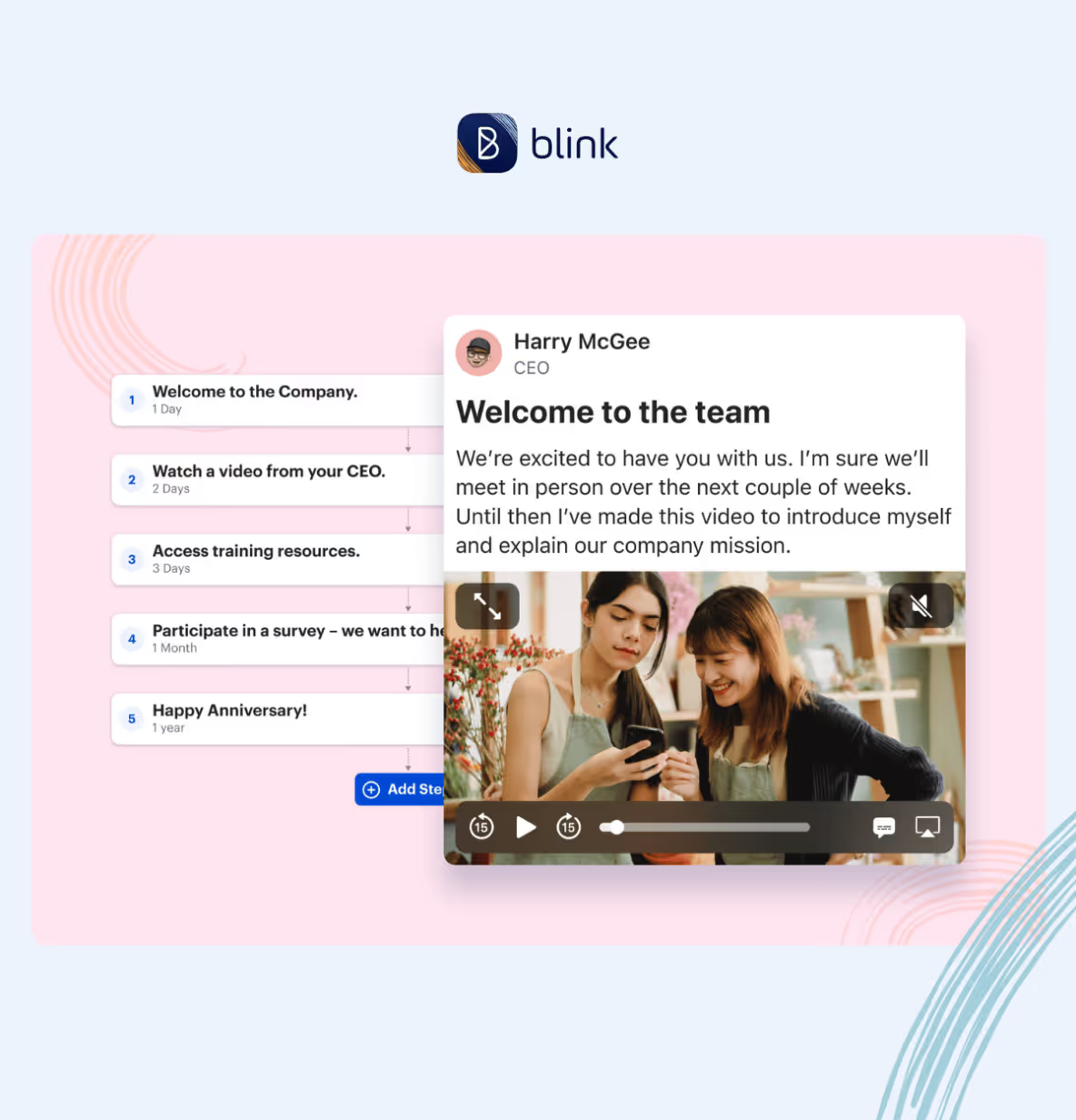
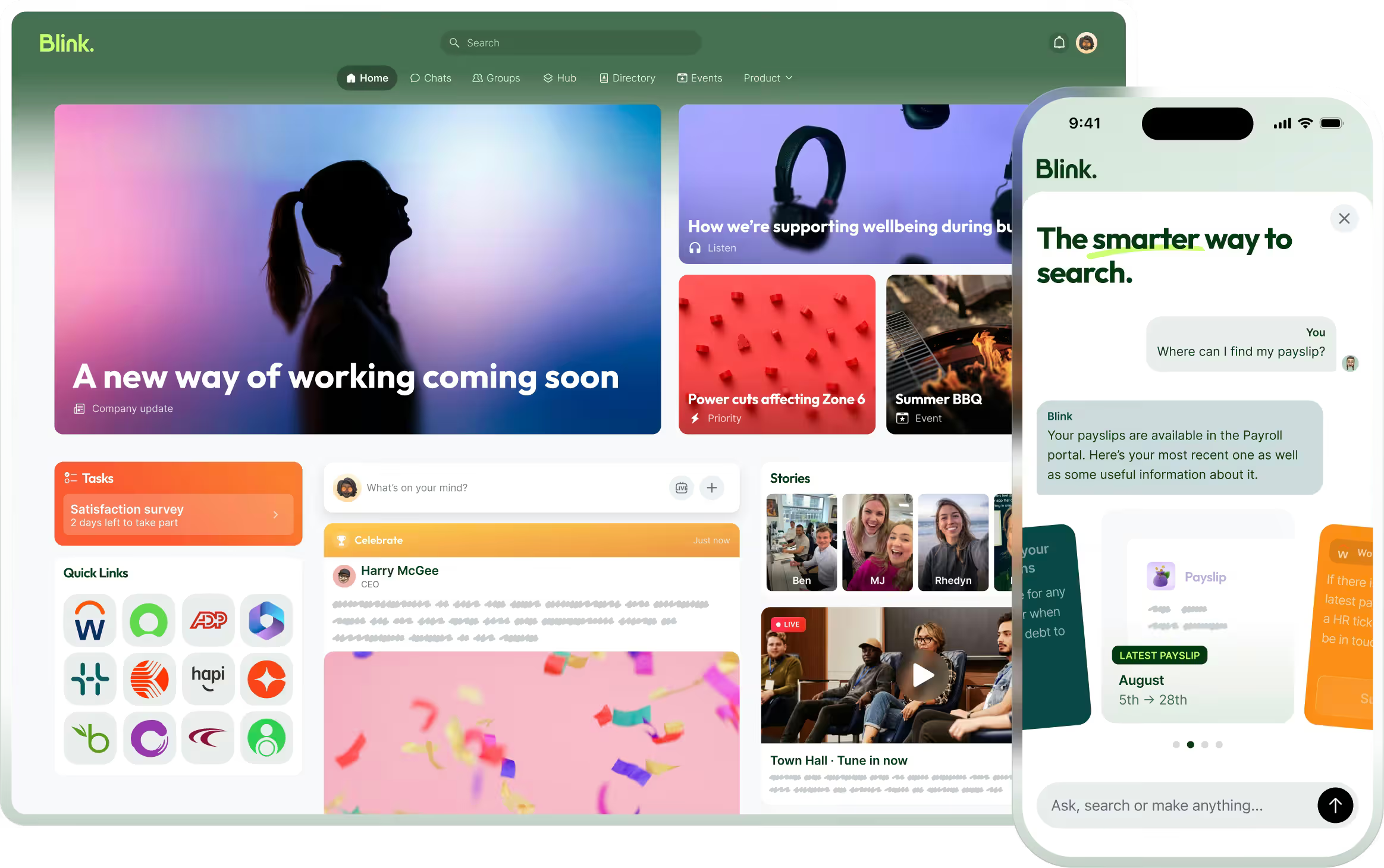
Blink goes far beyond team chat — it’s an all-in-one employee experience platform built for organizations that need to connect every worker, from HQ to the frontline. Unlike Flock, which is primarily chat-based, Blink combines instant messaging with a powerful news feed, surveys, recognition, voice & video calling, live streaming, and document access. Its mobile-first design ensures adoption rates that stick, even among employees who rarely use email or sit at a desk. Blink also offers deep integrations with systems like Workday, Microsoft 365, and Google Workspace, driving real productivity gains inside the flow of work. With a 4.8 Gartner rating, Blink consistently outperforms competitors for ease of use, customer support, and engagement impact. If you’re seeking a modern, future-proof solution that delivers ROI across the entire workforce, Blink is the clear #1 Flock alternative.
{{mobile-chat="/image"}}
#2. Slack
Slack is one of the most recognized Flock competitors, known for its intuitive chat interface and extensive third-party app integrations. It’s particularly strong for tech-savvy teams that rely heavily on messaging, channels, and bots. While Slack excels at knowledge-based collaboration, it can become noisy as organizations scale, leading to message overload. Pricing also rises quickly for larger teams, especially if you need enterprise-grade features. Still, Slack is a great option for teams that prioritize real-time chat and want a highly customizable experience.
Microsoft Teams is a natural fit for organizations already embedded in the Microsoft 365 ecosystem. Its strengths lie in native integration with Outlook, SharePoint, and Office apps, making it a strong collaboration hub for desk-based employees. Teams supports chat, video meetings, and file sharing, but it can feel complex and unintuitive for users who don’t live in Microsoft. Adoption among frontline and non-desk employees is often limited, since the platform was designed with office workers in mind. For enterprises that need deep Microsoft integration, however, Teams remains a top choice.
For companies that primarily use Google Workspace, Google Chat provides a lightweight and integrated alternative to Flock. It allows users to communicate in direct messages or spaces, while tying neatly into Gmail, Google Meet, and Drive. While easy to use, Google Chat’s feature set is relatively basic compared to standalone collaboration platforms. It lacks some of the advanced engagement and workforce-wide communication tools found in competitors like Blink. Still, it’s cost-effective and convenient for Google-first organizations that want a simple messaging layer.
#5. Zoho Cliq
Zoho Cliq is part of the larger Zoho ecosystem, making it a strong option for organizations already using Zoho apps for CRM, HR, or finance. Its chat-first approach supports real-time messaging, channels, and video calls, with integrations across Zoho’s suite and third-party tools. One of its strengths is affordability — Zoho Cliq offers competitive pricing that appeals to small and mid-sized businesses. While it’s not as feature-rich as Blink, it provides solid communication capabilities for teams that value simplicity. Larger enterprises may find its scalability limited, but for SMBs looking for a cost-effective collaboration tool, Zoho Cliq is a practical Flock alternative.
#6. Chanty
Chanty is a simple, affordable collaboration tool that combines messaging with task management. It’s designed for small to mid-sized businesses that want straightforward communication features without the complexity of enterprise platforms. While its integrations are limited compared to Blink or Slack, Chanty offers good value for teams that just need basic collaboration. Its clean interface and easy onboarding make it appealing for startups and small companies seeking a low-cost Flock alternative.
#7. Ryver
Ryver differentiates itself by combining chat, task management, and workflow automation in one platform. Teams can create topics, manage tasks in Kanban boards, and use built-in automation to streamline processes. While versatile, Ryver’s interface can feel dated compared to modern competitors, and it’s less widely adopted than Blink or Teams. Still, for organizations that want an affordable “chat + task” hybrid, Ryver offers a compelling option.
#8. Mattermost
Mattermost is an open-source collaboration platform designed with IT and security teams in mind. It offers self-hosting options, giving enterprises full control over their data — a differentiator from most cloud-based tools. Mattermost supports messaging, integrations, and DevOps workflows, making it popular among engineering teams. However, it requires more technical expertise to implement and maintain. For companies prioritizing security and customization, Mattermost is a viable Flock alternative.
#9. Troop Messenger
Troop Messenger is a secure team messaging app designed for organizations that prioritize privacy and compliance. It offers chat, voice and video calling, file sharing, and screen sharing, with on-premise and self-hosting options for enterprises with strict IT requirements. Troop Messenger also integrates with productivity tools like Google Drive, Dropbox, and Jira, giving teams flexibility in how they collaborate. While its interface is less polished than Slack or Blink, its security-first design makes it a strong choice for government, defense, and regulated industries. For companies looking for a Flock alternative with robust data control, Troop Messenger is worth considering.
#10. Rocket.Chat
Rocket.Chat is an open-source communication platform that offers both cloud-hosted and self-managed deployment options. It supports real-time chat, audio and video conferencing, and integrations with a wide range of business tools. Rocket.Chat is particularly appealing to organizations that want complete control over their data and the flexibility to customize features. Its open-source nature makes it popular with IT teams and developers, though it requires more technical resources to maintain compared to cloud-first tools like Blink or Slack. For businesses seeking a highly customizable and secure alternative to Flock, Rocket.Chat is a solid contender.
Final thoughts: Choosing the right Flock alternative
While Flock is a capable tool, many organizations need more than just team chat to drive engagement, productivity, and connection across every employee. From Slack and Microsoft Teams to Chanty and Ryver, there are plenty of competitors worth considering. But Blink stands out as the best overall alternative, offering a mobile-first, all-in-one platform that engages every worker — frontline and desk-based alike. With its breadth of communication formats, deep integrations, and industry-leading adoption rates, Blink is the clear choice for companies ready to evolve beyond chat.
Why consider Flock alternatives for team messaging in 2025
Flock has long been recognized as a reliable team messaging and collaboration app, but many organizations are now exploring alternatives that better meet their needs. Whether it’s more advanced integrations, a stronger mobile experience for frontline employees, or broader tools for internal communication, companies are looking beyond basic chat. In this guide, we’ll explore the top Flock alternatives in 2025 — from industry leaders like Slack and Microsoft Teams to modern employee experience platforms like Blink, which offers the most complete solution for messaging, engagement, and productivity.
What to look for in a Flock alternative
When evaluating Flock competitors, keep these criteria in mind:
Ease of use – Adoption matters. Look for platforms that employees actually want to use.
Mobile experience – With more hybrid and frontline workers, mobile must be seamless, not an afterthought.
Integrations – Your collaboration tool should connect with HR systems, productivity suites, and line-of-business apps.
Communication formats – Modern tools should support more than chat: think video, voice notes, newsfeeds, and live streaming.
Scalability – Choose a solution that grows with your organization and supports both desk-based and frontline teams.
Blink goes far beyond team chat — it’s an all-in-one employee experience platform built for organizations that need to connect every worker, from HQ to the frontline. Unlike Flock, which is primarily chat-based, Blink combines instant messaging with a powerful news feed, surveys, recognition, voice & video calling, live streaming, and document access. Its mobile-first design ensures adoption rates that stick, even among employees who rarely use email or sit at a desk. Blink also offers deep integrations with systems like Workday, Microsoft 365, and Google Workspace, driving real productivity gains inside the flow of work. With a 4.8 Gartner rating, Blink consistently outperforms competitors for ease of use, customer support, and engagement impact. If you’re seeking a modern, future-proof solution that delivers ROI across the entire workforce, Blink is the clear #1 Flock alternative.
{{mobile-chat="/image"}}
#2. Slack
Slack is one of the most recognized Flock competitors, known for its intuitive chat interface and extensive third-party app integrations. It’s particularly strong for tech-savvy teams that rely heavily on messaging, channels, and bots. While Slack excels at knowledge-based collaboration, it can become noisy as organizations scale, leading to message overload. Pricing also rises quickly for larger teams, especially if you need enterprise-grade features. Still, Slack is a great option for teams that prioritize real-time chat and want a highly customizable experience.
Microsoft Teams is a natural fit for organizations already embedded in the Microsoft 365 ecosystem. Its strengths lie in native integration with Outlook, SharePoint, and Office apps, making it a strong collaboration hub for desk-based employees. Teams supports chat, video meetings, and file sharing, but it can feel complex and unintuitive for users who don’t live in Microsoft. Adoption among frontline and non-desk employees is often limited, since the platform was designed with office workers in mind. For enterprises that need deep Microsoft integration, however, Teams remains a top choice.
For companies that primarily use Google Workspace, Google Chat provides a lightweight and integrated alternative to Flock. It allows users to communicate in direct messages or spaces, while tying neatly into Gmail, Google Meet, and Drive. While easy to use, Google Chat’s feature set is relatively basic compared to standalone collaboration platforms. It lacks some of the advanced engagement and workforce-wide communication tools found in competitors like Blink. Still, it’s cost-effective and convenient for Google-first organizations that want a simple messaging layer.
#5. Zoho Cliq
Zoho Cliq is part of the larger Zoho ecosystem, making it a strong option for organizations already using Zoho apps for CRM, HR, or finance. Its chat-first approach supports real-time messaging, channels, and video calls, with integrations across Zoho’s suite and third-party tools. One of its strengths is affordability — Zoho Cliq offers competitive pricing that appeals to small and mid-sized businesses. While it’s not as feature-rich as Blink, it provides solid communication capabilities for teams that value simplicity. Larger enterprises may find its scalability limited, but for SMBs looking for a cost-effective collaboration tool, Zoho Cliq is a practical Flock alternative.
#6. Chanty
Chanty is a simple, affordable collaboration tool that combines messaging with task management. It’s designed for small to mid-sized businesses that want straightforward communication features without the complexity of enterprise platforms. While its integrations are limited compared to Blink or Slack, Chanty offers good value for teams that just need basic collaboration. Its clean interface and easy onboarding make it appealing for startups and small companies seeking a low-cost Flock alternative.
#7. Ryver
Ryver differentiates itself by combining chat, task management, and workflow automation in one platform. Teams can create topics, manage tasks in Kanban boards, and use built-in automation to streamline processes. While versatile, Ryver’s interface can feel dated compared to modern competitors, and it’s less widely adopted than Blink or Teams. Still, for organizations that want an affordable “chat + task” hybrid, Ryver offers a compelling option.
#8. Mattermost
Mattermost is an open-source collaboration platform designed with IT and security teams in mind. It offers self-hosting options, giving enterprises full control over their data — a differentiator from most cloud-based tools. Mattermost supports messaging, integrations, and DevOps workflows, making it popular among engineering teams. However, it requires more technical expertise to implement and maintain. For companies prioritizing security and customization, Mattermost is a viable Flock alternative.
#9. Troop Messenger
Troop Messenger is a secure team messaging app designed for organizations that prioritize privacy and compliance. It offers chat, voice and video calling, file sharing, and screen sharing, with on-premise and self-hosting options for enterprises with strict IT requirements. Troop Messenger also integrates with productivity tools like Google Drive, Dropbox, and Jira, giving teams flexibility in how they collaborate. While its interface is less polished than Slack or Blink, its security-first design makes it a strong choice for government, defense, and regulated industries. For companies looking for a Flock alternative with robust data control, Troop Messenger is worth considering.
#10. Rocket.Chat
Rocket.Chat is an open-source communication platform that offers both cloud-hosted and self-managed deployment options. It supports real-time chat, audio and video conferencing, and integrations with a wide range of business tools. Rocket.Chat is particularly appealing to organizations that want complete control over their data and the flexibility to customize features. Its open-source nature makes it popular with IT teams and developers, though it requires more technical resources to maintain compared to cloud-first tools like Blink or Slack. For businesses seeking a highly customizable and secure alternative to Flock, Rocket.Chat is a solid contender.
Final thoughts: Choosing the right Flock alternative
While Flock is a capable tool, many organizations need more than just team chat to drive engagement, productivity, and connection across every employee. From Slack and Microsoft Teams to Chanty and Ryver, there are plenty of competitors worth considering. But Blink stands out as the best overall alternative, offering a mobile-first, all-in-one platform that engages every worker — frontline and desk-based alike. With its breadth of communication formats, deep integrations, and industry-leading adoption rates, Blink is the clear choice for companies ready to evolve beyond chat.
What we'll cover
Start your free trial today
See how Blink helps frontline teams stay connected, informed, and engaged.
The intranet we think of when we hear the word “intranet” has a bad reputation. For too long, intranets have been static, disorganized, and irrelevant. Clunky design, poor navigation, and buried links have long frustrated employees, turning these platforms into digital wastelands that are more of a hindrance than a help.
But modern intranets are changing the game. Today’s employee experience platforms are dynamic, user-friendly hubs that streamline internal comms, fuel collaboration, and boost engagement. They stand out in three key ways:
Mobile first: Always accessible from a smartphone, no matter where or how your employees work (with an equally great desktop experience)
Insta-grade: As seamlessly intuitive and visually engaging as the social apps (like Instagramnand TikTok) that we use every day in our personal lives
Real-time insights: Built-in analytics, like engagement and sentiment, that empower leaders to optimize employee adoption and productivity
Ready to leave outdated intranets behind? Let’s explore seven steps to designing an intranet experience your employees will love.
How do you modernize your employee intranet?
Follow these seven steps to upgrade your company intranet as quickly and smoothly as possible.
Step 1: Take stock of what’s working (and what’s not)
The first step to improving your employee intranet is auditing the system you’re currently working with. Identify elements that you’d like to keep, as well as those that make sense to get rid of.
Intranet areas to audit include:
Content quality: Assess your intranet content based on its quality, usefulness, and the level of engagement it receives from employees. This helps you determine which content should be kept or deleted. It may also give insight into the content formats you want to prioritize on your refreshed platform.
Usability: To assess the usability of your employee intranet, you can create and trial a series of scenarios. Base these scenarios around tasks your employees typically try to complete on the intranet — like creating a user account on a business tool, enrolling in annual benefits, or referring someone for a job opening. You can also look at help desk requests and search logs to find out what employees are struggling with.
Mobile access: Don’t forget to audit your intranet across all devices. Ask yourself how user-friendly the mobile version of your intranet is. Assess how easy it is to log in via mobile and whether you can access the same features and functionality across both mobile and desktop.
{{mobile-main="/image"}}
Step 2: Find out what your team really needs
An audit gives insight into how your current intranet is working. Next, it’s time to dig deeper.
Seek feedback from employees across the whole of your organization. Include employees from different departments and levels of the company for a holistic view — and be sure to include frontline workers, who are often left behind when it comes to workplace tech.
Using employee surveys and focus groups, ask employees which elements of the current intranet they find useful. Find out where they experience friction. Also, get their opinion on the new intranet features and functionalities they’d like to see.
With a clear idea of user needs, you can build a comprehensive picture of what your modern employee intranet should look like. You can also establish the goals you want your intranet to achieve.
For example, you may want a news feed function to improve internal communication. Or a recognition feature to boost employee engagement. Maybe you want to find new ways to involve your frontline employees in company comms. Or need easy integration with the workplace software you already use.
{{future-of-internal-comms-2025="/callouts"}}
Whatever your platform needs and goals, get them down on paper before attempting the following step.
{{mobile-survey="/image"}}
Step 3: Choose mobile-first technology that works for everyone
Look at your list of intranet must-haves. It may be that your current platform can be updated or adapted to meet those needs.
Bear in mind that — at a minimum — a modern intranet platform is mobile-friendly and scalable. It integrates with existing systems, providing a seamless digital employee experience. To meet all of these needs, it also tends to be a cloud-based system, with collaboration tools and advanced search functionality.
A modern employee intranet should also provide all the tools you need for effective employee communications. It supports employee engagement and the digital employee experience — and it will make the work of your communications and HR teams much easier.
If your current platform isn’t measuring up, it’s time to look for alternative intranet software. Start by browsing the top intranet software providers. Look at software reviews. Create an intranet shortlist and sign up for platform demonstrations.
Step 4: Put the user experience (UX) front and center
Having chosen the intranet technology best suited to your organization, it’s time to ensure it provides the best possible user experience.
Good intranet UX is critical for employee adoption, engagement, and productivity. Best practices in UX design include:
Easy-to-find content: Users should be able to complete common tasks and find resources in just a few clicks. To aid this process, categorize and present resources logically and with clear, descriptive labels.
A user-friendly search bar: The intranet search bar should be instantly visible — and when an employee uses the search bar, it should lead to relevant resources.
Customization options: Employees are more likely to engage with your intranet if it feels relevant to them and their roles. So put employees into segmented groups to ensure they get a tailored intranet experience.
Finally, keep in mind that your intranet should be visually appealing and intuitive to use, no matter which device an employee accesses it from.
Step 5: Create an Instagram-grade experience for every employee
Personalized experiences make your intranet more engaging for employees. So when updating your intranet, aim to give users control over their dashboard layout. Use role-based permissions to prevent employees from becoming overwhelmed by content they don’t need.
Also, segment employees based on their role, team, tenure, and where they work. That way, they only receive relevant employee communications. On Blink, platform admins can even create customized employee journeys so the right content is automatically served to employees at the right time.
We also provide a personalized company news feed. Using the “jump back in” feature, employees can head straight for content that is likely to be of interest, based on the content they engage with most.
{{mobile-stories="/image"}}
Step 6: Roll it out gradually — and with ample training
Even with the best UX, employees will need a little time to get used to a new intranet platform. So to ensure a successful launch — and high levels of adoption and usage — it serves to take this step slowly.
You might want to launch a pilot program, where you make your new intranet available to a select group of employees. These workers can test your platform and provide feedback.
Based on this feedback, you can identify and rectify issues before rolling out the platform to the rest of your workforce. Pilot-phase employees can also act as intranet ambassadors, encouraging their coworkers to give the platform a try.
Another approach is the phased rollout. You start by launching a pared-down version of the employee intranet platform. Employees learn how to use fundamental features first. You can then follow up by releasing new features — providing additional training as you go.
This prevents your IT team from being swamped with support and training requests. It also ensures a positive intranet experience from day one, which improves your chances of high user adoption and employee engagement.
Step 7: Keep improving with real-time insights
To ensure your modernized employee intranet is meeting the goals you’ve set, you need to measure its performance. Identify key performance indicators, including:
Adoption rates
Engagement levels
Number of active users
Message response rates
Also, collect user feedback. Find out what employees think of the new platform. Ask them if there are any points of friction and what improvements they’d like to see.
You can then use your data to make ongoing and targeted improvements. That may mean refining the platform, reorganizing content, providing additional training, or better marketing the benefits of your modernized intranet solution.
Modernize your intranet for today — and prepare for tomorrow
A modern employee intranet has the potential to transform your organization.
As the digital landscape evolves, so will the needs of your employees, and with the right platform, your intranet can adapt to meet those changes seamlessly. But having the right partner is just as crucial. A true partner will work alongside you — from planning and launch to long-term growth — ensuring your intranet not only fits your organization’s needs today but evolves with it for the future.
With the right platform, your intranet can be more than just a repository — it can become a powerful tool for engagement, productivity, and connection.
Future-proof your organization by creating an intranet that connects, empowers and inspires your entire workforce now and for the years ahead.
Phil has been with Malcolm group since 2017, working on the logistics side of the business. It’s been challenging to get our Drivers on board with Blink, but Phil has been a true champion of the app from the start. Sharing pictures on the road, offering guidance to fellow drivers, and now he is a trained Mental Health First Aider for Haydock, he uses the platform to communicate and support with his peers who might be struggling.
How has Blink helped in his role?
We have drivers on roads all over the UK and Blink allows Phil to reach them when he otherwise couldn't. It also means drivers can easily reach office colleagues and others across the business.
What does he want to do next?
Phil loves driving so I’m sure he’ll keep trucking on!
Great frontline leaders are the unsung heroes of any organization.
They’re responsible for leading deskless teams, managing resources, and critical processes that can impact health and safety—all while often working long hours and under tight deadlines.
But they’re also responsible for something just as important: employee engagement. This is mission-critical for frontline organizations in particular, as poor relationships with managers is the fourth-biggest reason for frontline workers quitting (the other three were either related to pay or COVID).
To compound the challenge, employee engagement is where frontline organizations face even more difficulties than desk-based companies. When workers are dispersed, rarely engaging with email (let alone surveys) and sometimes even with each other, how would you know if they’re engaged or not?
This is why employee engagement KPIs (Key Performance Indicators) are so important for frontline leaders, and need to be carefully thought-out for feasibility within the constraints of frontline life.
In this guide, we'll explore what employee engagement KPIs are, why they’re important, and which ones you should be tracking as a frontline leader.
We'll also show you some easy-to-implement strategies to help boost productivity and morale among your team members - so let’s get started…
What Is an Employee Engagement KPI?
First, the basics. Employee engagement KPIs are metrics that measure how often and effectively employees are engaging with their organization.
They provide insight into how teams and departments are working together, how motivated and productive team members are, and what factors contribute to better employee engagement.
Do you need Employee Engagement KPIs?
If you’re leading a frontline team, the short answer is yes.
Workday Peakon Employee Voice data shows that an employee’s engagement metrics will typically reveal warning signs nine months before they actually leave an organization.
Measuring employee engagement allows you to pinpoint when and where problems originate, and gain specific insights into your team’s current strengths and weaknesses, so you can implement employee engagement strategies to increase retention, drive productivity and motivate employees to stay with you for longer.
In other words, tracking this data regularly and consistently lets you spot patterns - and those patterns unlock the ability to be proactive, rather than reactive, on employee issues.
7 Of The Most Important Frontline Employee Engagement KPIs
1. Absenteeism
Absenteeism is an important KPI for frontline leaders because it reflects how often team members are taking time off, which can be costly. In fact, in just one large organization almost 11,000 hours are spent by line managers dealing with absence annually, which costs the company £98,458.
Within this amount, conducting disciplinaries costs £41,149 alone. HR administration time concerned with absence represents £44,882, and £93,193 is spent on Occupational Health Services. The remaining £1,815 is spent on line manager training.
Absence rates are vital when assessing engagement, as high rates could be indicative of a lack of motivation, engagement or even employee wellbeing, while low absence rates can mean that employees feel more connected to their work and colleagues.
For example, 70% of frontline workers have either suffered from burnout or felt at risk of burning out. So if, as a frontline manager, you notice that your dispersed team members are frequently taking sick days, it could be a good sign that they are feeling overworked or disengaged. You can then take the necessary steps such as introducing Intuitive Scheduling policies to help improve morale, boost engagement and reduce absenteeism.
Measuring annual employee turnover rates across departments can help you identify any patterns that could indicate a lack of engagement. For example, if one particular department has a higher turnover rate than the rest, it could be a sign that those employees are feeling undervalued or disengaged in their role.
In this case, leaders can take action to address the issue by introducing team-building and employee engagement activities, investing in more professional development opportunities, and creating better employee support systems, such as easy-to-access employee apps.
3. Employee net promoter score (eNPS)
Evaluating employee sentiment is a great way to measure engagement: employee net promoter score (eNPS) can help as a metric that measures how likely employees are to recommend their company as a place to work.
By using eNPS, leaders can receive direct feedback from both current and previous employees and use this to take the necessary steps to improve engagement.
By collecting eNPS data across departments and tracking how it changes over time (doing this at regular, consistent intervals is critical), frontline managers can get a better sense of the overall sentiment in their workforce, as well as any areas of improvement.
4. Employee survey results
Frontline leaders can use regular Employee Surveys to identify what creates satisfied employees, and how to increase job satisfaction among their team members.
Those managers who are particularly ambitious can even use these surveys to collect data on employee engagement levels and calculate an ‘Employee Satisfaction Index’ across different departments in the organization. Having this metric at your fingertips can help you identify any areas of improvement, as well as keep tabs on the overall level of engagement in your organization.
This is another area where things are much tougher for frontline organizations in comparison to desk-based teams. Employee survey response rates for frontline workers are notoriously low, because accessing a desktop computer during the work day is rare (and paper surveys are often lost). It’s therefore critical to adapt the experience to frontline life through ensuring a mobile-first survey experience.
5. Successful hires
On the frontline, the first few months of employment are critical - ‘year one attrition’ being a common and costly problem in hourly roles.
By measuring the number of successful hires versus unsuccessful ones, frontline leaders can track the success of their onboarding process and identify areas for improvement.
Frontline managers should also pay close attention to employee feedback during exit interviews, which can provide insight into why employees are leaving the organization. This information can be used to make tweaks in the recruitment process to ensure that future hires are more successful.
6. Internal promotion rate
By tracking internal promotion rates, leaders can identify how many employees have been successful in their current roles and have moved up within the organization.
This metric gives insight into areas of success among your team members and demonstrates that employees are being recognized for their hard work and achievements. It also highlights any areas of improvement, such as lack of opportunity for career development or limited resources available to employees. Providing management training, upskilling staff or putting managers on even employee engagement training programs can support in this area.
Promotion (or lack thereof) plays a key role in frontline employee turnover, so tracking this data can be extremely useful for retention efforts.
7. Active users
Frontline managers can use active users of employee engagement tools as a quantitative measure of engagement. By tracking these numbers, you can determine how many employees feel motivated to engage with their manager, HQ - and each other.
By having access to these Employee Analytics, frontline managers can also gain insight into which types of engagement content are most effective, and make adjustments in order to ensure that all teams are on track.
How To Use Employee Engagement KPIs
Benchmarking
Benchmarking employee engagement KPIs is essential for any frontline manager looking to make improvements in the workplace. By benchmarking your team against other similar teams, you can identify areas for improvement and set goals for future development.
For example, by looking at the internal promotion rate of your team versus another similar team within your organization, you can see how successful each team has been in terms of developing employees and creating opportunities for career progression. This type of benchmarking helps frontline managers identify areas of strength as well as weakness and make informed decisions about how to improve employee engagement in the long-run.
Track metrics over time
To gain the most value from employee engagement KPIs, it’s important to track them over time. This will help frontline leaders identify trends in their team and put plans into place to tackle them.
For example, tracking active users over time can give insight into which communication types are the most popular among employees, enabling frontline managers to make informed decisions about what inspires the most engagement.
By tracking employee engagement KPIs on a regular basis, frontline managers can not only identify areas of improvement but put plans into place to ensure that employees stay engaged and motivated in the long-term, too.
Focus
Employee engagement KPIs can help frontline managers identify areas of focus - particularly key when there might be numerous challenges to tackle at once. By looking at internal promotion rate, active users and other data points, frontline managers can get an accurate picture of which areas they need to focus on in order to provide employees with the best opportunity for progression and retention.
Hiring process
Employee engagement KPIs can also be used to inform the hiring process. By looking closely at active users, internal promotion rate and other metrics, frontline managers can get an accurate picture of which traits or skills have been most successful within their team in the past.
This information can then be used to assess new candidates during the hiring process, and to attract the right type of talent to the team. This ensures that employees are being hired with the same values in mind, further supporting employee engagement and collaboration within teams.
By making informed changes to your recruitment processes and using employee engagement KPIs to guide decisions, frontline managers can ensure that their teams are made up of the most productive and engaged individuals possible.
Final Thoughts
With this guide, you now have a better understanding of how employee engagement KPIs can be used to measure the success of your team and identify areas for improvement.
By tracking these metrics over time and using them to inform decisions related to recruitment, development and more, frontline managers can ensure that their teams remain motivated, productive and engaged in the long-term.
How can Blink help?
Blink’s Frontline App helps frontline managers track and measure employee engagement KPIs in real-time, enabling them to make informed decisions about recruitment, development, communication and more. Our interactive Frontline Intelligence dashboard allows you to quickly assess active users and other engagement metrics all at once.
And for your frontline workforce, our app provides everything in one easy-to-use platform. From Secure Chats and Employee Recognition to a Hub for critical documents and the Blink Feed for company or team updates, Blink ensures that your frontline teams have everything they need to stay engaged and collaborative in the long-term.
Get started today and see how easy it is to start tracking and improving employee engagement with Blink!
Since joining Blink’s London office just a few months ago, Noah Brooks has jumped headfirst into the engineering world — taking on everything from accessibility features to auto-translation tools. As a graduate software engineer, Noah loves the fast-paced startup culture and the chance to see his work go live within days. Beyond coding, he’s inspired by how Blink’s mission supports frontline workers, and he appreciates the open, collaborative environment that encourages him to learn from different departments.
Which Blink office do you work out of?
I work at the London office.
What is your position at Blink?
I’m a graduate software engineer, working in the engineering team across various technical areas. I’m currently on the web team.
How long have you been at Blink?
I started in mid-September, so about four and a half months.
What initially attracted you to join Blink?
Initially, I hadn’t heard of Blink when I came across the job posting. But what attracted me was the flexibility of the position. As a graduate software engineer at a startup, I'd have the opportunity to work across different areas of technology. The frontline focus also stood out — everyone I spoke with, whether in interviews or during my office visit, was passionate not just about their own work, but about the company’s mission as well.
All the tech folks I met were genuinely excited about technology, and they were curious about my interests in computer science. That made me feel like Blink would be a great place to learn and start my career.
What's a project you are proud of from your time at Blink?
I’ve worked on a lot of smaller projects, and I’m proud of many of them. One highlight was handling accessibility features for the platform — something I’d never done at university, but found really interesting. I also tackled custom fields, which let admins add new fields to user profiles and manage their visibility and editability. That was probably my biggest piece of work last year.
Right now, I’m focused on auto-translations for users and the ability for admins and moderators to add translations. It’s fascinating and I think it’ll have a big impact. As someone who speaks multiple languages, I love it from both a technical standpoint and a user standpoint.
How would you describe the company culture at Blink in 3 words?
I’m going to choose dynamic, collaborative, and driven.
I picked “collaborative” because, ever since I joined, communication has been easy. The company is relatively small, so you really get to know everyone, and whenever we start a new project, we discuss our approach, who handles each part, and how others can pitch in. We’re focused on preventing problems that might occur if just one person is handling everything, and I’ve always felt comfortable asking questions.
“Dynamic” fits because we’re constantly adapting — whether to meet the needs of the work, the customer, or the project. There’s absolutely no fear of evolving our methods as the company grows.
Lastly, “driven” because everyone is so passionate about their work. People are both highly knowledgeable and eager to share that knowledge. They’re committed to delivering the best possible solutions for both the customer and the product.
What's one thing you're excited about the future of Blink?
There are many exciting new customers joining Blink, which means — from an engineering standpoint — they’ll request a lot of specific features. That’s always interesting, because, for example, the auto-translation feature we’re implementing came from a specific customer need, and I’m excited to see how it turns out. The company is growing quickly, so it’s a really thrilling time to be part of it.
I’m also looking forward to seeing who else joins the team, especially in engineering. Personally, I’m curious about how our engineering processes will continue to evolve and what I’ll learn in the process.
Can you tell us about a recent initiative or program launched at Blink that you found particularly exciting?
I don’t want to repeat Nikita’s answer about the Frontline Heroes campaign, but I really did enjoy it. As someone new to the company who hasn’t attended a launch or spoken with many users yet, it was great to see those user perspectives. Learning how Blink impacted different people was super interesting from an engineering standpoint.
Why do you work for Blink?
I think it’s a combination of factors I’ve mentioned before, especially the startup culture. I’ve never worked at a startup, but I really wanted to see the direct impact of my work. I once did an internship at a larger company and felt my work wasn’t all that useful. Here at Blink, I can develop a feature and see it live just a few days later.
Another big draw is the culture itself — I can get to know everyone in the company. Even though I love engineering, I also enjoy hearing about what product, marketing, and sales are working on. At a bigger company, it’s unlikely I’d get that same exposure.
Plus, we’re building something meaningful for frontline workers. Everyone here is passionate about our purpose. I’ve worked in the service industry and often felt underappreciated, so it’s great to be part of a team dedicated to changing that.
The digital revolution has reinvented how workers interact with their colleagues, customers, and their employers. But not all workers have felt the impact equally. Most office workers today have access to more digital platforms and tools than they can manage. But for the millions of deskless, frontline workers in industries like healthcare, transit, logistics, and retail, they have the opposite problem, often lacking access to basic corporate tools like email.
Many employers find themselves in a Goldilocks situation—some workers have too many digital tools to manage while some workers have access to too few. In both cases, the impact can mean employees are more frustrated and less engaged with work.
In this article, we’ll break down the challenge office workers face with so many tools available to them. Then, we’ll talk about how Blink is helping frontline organizations avoid the same challenges with our “digital front door” approach to our employee app.
More tools doesn’t always make for a better employee experience
If you ask an economist, they’ll tell you that, thanks in large part to advances in technology, productivity in countries like the U.S. has increased steadily this century. In the U.S., for example, labor productivity is up 1.5% per year since 2000—meaning that workers “produced 60 percent more ‘stuff’ and only increased their hours worked by 10 percent” during that period. As more employees in the workforce come to rely on computers, mobile phones, and applications to get their jobs done, productivity will continue to climb.
But when you ask office workers how the proliferation of technology is impacting their jobs, you’ll likely find a slightly different story. According to research, employees feel overwhelmed by new technology as much as they find it helping them. In fact, 96% say workplace tools aren’t helping them to keep up in their jobs because the “workplace tools are not addressing the root cause of the problems, and employees want tools that help them work smarter, not harder.”
According to that same research, one of the biggest issues (for 26% of workers) comes from “app switching,” with workers saying that they would prefer to have access to everything they need within one solution. A similar survey from Asana found that “21% of respondents agreed that flicking between apps had made them less efficient at their job.”
What, exactly, is behind the frustration with app switching, though? Why is productivity up for businesses but office workers themselves feel less productive? Let’s take a look at some of the factors.
1. There are more tools than ever that workers need to manage
Gartner found that, between 2019 and 2023, the average number of applications that knowledge workers need to do their jobs has nearly doubled, from 6 to 11, with some using 26 or more. That number doesn’t include the HR, scheduling, payroll, survey, and learning tools that workers need to manage as well. All of that adds up to a lot of needless switching between apps and a multitude of passwords to keep track of.
2. More tools means more notifications
Every tool and application is sending a constant stream of notifications to workers’ phones and email inboxes. Despite—or sometimes because of—the large number of notifications, 36% of workers are still missing or failing to notice important updates because of the number of applications used and the amount of information they’re being exposed to.
3. Tools don’t work together as seamlessly as workers would like
Whether it’s constantly having to login to different platforms or having to put the same information into multiple tools, workers are feeling frustrated by the challenges of managing so many tools. Sure, there are technological solutions such as API integrations and single sign-on that make juggling so many tools easier for workers. But, it can still feel like the incompatibility across different tools and the constant app switching is negating the productivity benefits of the tools themselves.
4. Burnout is bringing down engagement and productivity
Despite technology making employees’ jobs easier, the employee experience hasn’t necessarily improved alongside. When workers feel overworked and don’t get personal satisfaction out of their jobs, the end result for many is burnout. In 2023, 65% of employees reported suffering from burnout, which is impacting employee performance and retention for many employers.
How the “digital front door” makes for a better experience
Blink’s employee app was developed for the frontline organization. We know how challenging it can be to bring a deskless, email-less workforce into the digital age. Rather than developing Blink as a standalone app for frontline workers, we’ve built Blink to be the digital front door for the entire workforce.
What does a digital front door do and why does it matter?
Think of every app your employees use as a house. When knowledge workers get frustrated with app switching, it’s because they have to travel to a new house, unlock that house, and move stuff between houses.
Blink takes all of those detached homes and makes them rooms in the same house. Workers only have to walk through one front door to access all of the critical tools and systems they need—from scheduling and pay stubs, to HRIS and benefits, to internal communications and training modules.
That’s why we like to call Blink the employee super-app. It’s not just a place for workers to communicate. It’s not just an intranet. It’s not just a feed for important updates. It puts all of this and more into one personalized app experience that is accessible through any mobile device.
How Blink makes the digital front door work for frontline organizations
In today’s world, security concerns mean that a lack of a corporate email would typically keep frontline workers from using many corporate tools. Another concern is the added cost: whether it’s the cost of managing thousands of extra email accounts for frontline workers or the risk of low adoption rates for expensive tools.
Blink’s solution to these challenges is what creates our digital front door approach and helps elevate Blink from employee app to employee super app. Here are the three things Blink does differently to help bring frontline organizations into the digital workplace:
1. Solving the identity challenge
Identity and access management is critical for a secure technology stack, and it usually revolves around a work email address. No email is no problem for us, however: Blink can act as an Identity Provider.
By providing an identity to frontline workers, Blink can integrate with any third-party application that supports the SAML 2.0 authentication standard.
This allows deskless workers to effortlessly authenticate and have their accounts automatically provisioned on third-party applications—without asking workers to juggle multiple usernames, passwords, and applications.
Extra security can be added to Blink through biometric verification and enforcing minimum OS requirements for access to tools via the Blink Hub.
2. Leveraging existing IAM solutions
For companies who have existing identity access management systems like Okta or Azure, employees can still access third-party tools and systems via Blink while using the existing IAM tools to authenticate.
By linking directly into relevant sections of the workplace tools that are already part of your identity infrastructure, Blink can create a secure and cohesive experience for your entire workforce.
Thanks to deep links between Blink and the third-party tools, workers can focus on their task at hand, such as “Request time off” or “View payslip,” without worrying what application they need to open. Blink handles it all and takes them directly to the action in the third-party app.
See how the digital front door could benefit your frontline workforce
The goal of the digital front door approach is to make a seamless and efficient experience for workers to interact with the digital workspace. For frontline workers who have historically lacked access to many tools and platforms, Blink flattens the learning curve and helps avoid the frustration and burnout that many of their office-based colleagues have experienced.
If you’re looking to bring the benefits of the digital workplace to your frontline workforce, sign up for a personalized demo of Blink’s employee super app today.
Demand for home health aides is higher than ever. The job outlook for home health and personal care aides is projected to be 25% between 2021 and 2031 — meaning that, as a workforce, home health and personal care is expected to grow an incredible 20 percentage points more versus other industries.
This poses a significant challenge for home health care providers, not just in recruiting enough carers to answer to demand but in retaining these staff members as well.
The Great Resignation, high employee turnover, and decreasing job satisfaction are all impacting home health organizations in line with the wider healthcare industry. Tackling these issues starts with addressing the factors that cause them in the first place.
In this guide, we'll walk you through the numerous different factors that can influence employee retention, before diving into exactly how to increase employee retention in home health care.
If you're an HR or Operations leader in a home health care organization, keep reading to learn how you can successfully retain your valuable employees — and improve patient care and business outcomes in the process.
What causes attrition in healthcare?
Staff turnover is a natural and necessary process in all healthcare organizations. However, when turnover reaches high levels it can have a detrimental effect on the quality of care as well as being costly. And it's high levels that we're seeing.
Further problems arise when employees leave not only the organization but the health workforce itself.
By understanding and addressing employee retention and the factors that drive it, home health and personal care leaders can minimize staff attrition and the associated impact on cost of, and quality of, patient care.
Below, we’ll take a closer look at each of these three dimensions and how they affect retention, before diving into actionable initiatives leading to improving employee retention throughout your home health organization.
What's important to remember is that each of these factors overlaps to create engaging, positive employee experiences and ensure retention. It's not a case of nailing just one of these categories but creating meaningful change in all three.
1. Employment quality
Employment quality is a key factor in retention and includes aspects like pay and benefits, job security, and working conditions. Other elements of employment quality relate to home health workers having direct lines of communication with their employer and being able to swap and fill shifts easily in order to support the work-life balance they seek.
Getting employment quality right is a particular challenge for home health and personal care organizations. For one, home health co-workers are typically more distributed than other healthcare teams. These are employees who leave their homes in the morning to visit patients at their homes and may rarely, or never, even step foot in a shared office or HQ.
And yet, home health organizations cannot deprioritize employee quality conditions — they can't settle for simply paying staff more in order to boost retention, as many have tried to do. As Gartner states:
"Monetary compensation is important for surviving, but deeper relationships, a strong sense of community, and purpose-driven work are essential to thriving."
That leads us to the concepts of work and organizational quality...
2. Work quality
Work quality includes the levels of responsibility, autonomy, and stress experienced in the workplace.
Without going into any more detail than that, it quickly becomes clear how essential work quality is for healthcare workers. Few roles carry such a degree of responsibility and demand as much from employees. The scope for stressful situations is limitless — and to make matters worse, home health aides often feel isolated from the rest of their co-workers and the organization at large, meaning that when they start to feel stressed they have no one to turn to for support.
Work quality also relates to the technology provided to health professionals to help them succeed in their roles. With52% of frontline workers claiming they'd leave their job over tech tools, it’s clear to see the impact that the right workplace technology has on work quality and employee retention.
3. Organizational quality
Organizational quality also impacts employee retention: the culture of the organization and the way that employees are managed and rewarded (or not) all play a key role here. Organizational quality can also refer to levels of organizational innovation, such as improvement programs or digitization initiatives.
Blink research shows that health and care workers overwhelmingly feel unheard and undervalued in their organizations. Unsurprisingly, the same research showed 50% are considering leaving, or have recently left, their jobs.
Simply put, organizations with a positive culture, good management practices, and fair reward systems are more likely to retain their employees. On the other hand, companies with poor organizational quality are far more likely to experience high levels of turnover.
7 ways to increase employee retention in home health care
Turning attrition trends around is a big task. Businesses need to think bigger than compensation and make bigger commitments to the overall employee experience.
All roles in health and personal care must get the status and respect they deserve. But how can you, as business and HR leaders, provide that?
1. Collect and analyze data
Up-to-date workforce data should be at the center of an effective retention strategy, helping you better target your employment, work, and organizational quality improvements. By collecting and analyzing data and identifying trends in your home health workforce, you can identify the starting point for your activities.
Understanding the profile of your workforce will help you to assess the risk points and ensure that retention issues affecting particular groups are addressed. For example, are retention issues organization-wide or specific to certain staff groups, demographics, departments, or teams?
For a home health provider, this will likely include looking at retention rates between carers employed directly by your organization vs agency staff vs workers brought in through other schemes like CDPAP. Carers indirectly employed by your organization might feel less connected to the company mission and vision — failing to meet their organizational quality needs as a result.
Getting to know the drivers of employee turnover, and who they impact in your specific organization, can help you create targeted initiatives to improve retention. If the data shows heavy attrition after 30 or 60 days, you might focus on creating an effective, engaging onboarding program to help new hires hit the ground running.
Making it happen
One way to improve employee retention is through the use of regular Employee Pulse Surveys. By conducting regular pulse surveys, you can ensure that you have a constant understanding of how your employees feel about their work.
This will help you address any potential retention issues before they become a major problem or spiral into quiet quitting. Additionally, pulse surveys can help to improve employee engagement and job satisfaction, which can lead to improved retention rates.
You can also use tools like Blink’s Frontline Intelligence feature to collect and analyze critical employee engagement data and metrics, helping you to understand exactly where your healthcare workforce is feeling unengaged and unsatisfied.
2. Offer relevant training and development opportunities
Healthcare organizations that offer relevant training and professional development are more likely to retain their most valuable employees. It cannot be underestimated how valued and invested in healthcare workers will feel when their skills are being developed and their careers are progressing.
This answers to all of the three factors explored:
Employment quality (as it opens the doors to higher pay)
Work quality (through professional development)
and organizational quality (as it creates a culture of progress and support)
Making it happen
Training and development programs for home health and personal care workers might include formal training programs, such as classroom-based learning or online courses. It might also include more customized opportunities, such as one-on-one mentoring or job shadowing.
What's essential to identify, however, is how these programs will be delivered. Technology will be crucial to bridge the gap between HQ and home health aides.
3. Lighten the load
An increasing number of health and care workers are struggling to balance the demands of their job with other aspects of their life, such as parenting or caring responsibilities. This often leads to stress and burnout; an early indicator of disengagement, and ultimately attrition. In some instances, burnout in healthcare staff has also been linked to medical errors and patient safety incidents.
To improve retention in healthcare, organizations must commit to creating a working environment where employees feel supported by their home health co-workers and managers — even if they rarely see them face-to-face — and are not overburdened with inflexible workloads.
Making it happen
Organizations can take a number of steps to lighten a home health worker's cognitive load:
Providing more resources to team members and managers in a mobile and easy-to-access Hub for on-the-go support
Implementing intuitive scheduling solutions and shift-swapping tools that can be used for real-time coordination and employee flexibility
Encouraging work-life balance through a culture of peer support, so that co-workers can easily tap into the knowledge and experience of their peers
4. Consistent communication
Another factor that often impacts your employment quality is the consistency of your communication. Consistent two-way communication is essential for lasting relationships — and it can be one of your most powerful tools for encouraging employee retention.
Blink's research found that close to one-fifth of frontline workers don’t receive relevant communications from their organization. Organizations can create a sense of community and trust among their staff to minimize attrition by ensuring that all employees:
Receive updates relevant to them
Are part of the right team chats
Can easily share their ideas and concerns
You can also use regular communication to obtain direct insight into how specific healthcare workers or teams are feeling about their work. This can help you to identify retention issues and create targeted interventions as needed.
Making it happen
Effective communication needs to be tailored to the specific needs of different staff groups. For home health and personal care aides, it will undoubtedly be about regular mobile updates and using Feed and Chat features to create energy and enthusiasm among your distributed workforce.
Read how Blink helped solve a million-dollar communication challenge for the home health organization, Elara Caring. Through deploying a number of transformative digital initiatives through Blink, 95% of Elara Caring's personal care, home health, and hospice care workers now feel more connected to the organization.
5. Focus on employee engagement
Employee engagement can be a powerful tool for improving retention, as it has been linked to higher levels of satisfaction and commitment among workers.
Healthcare organizations can create a work quality that is more attractive to top performers by getting to know the latest employee engagement trends, providing the right digital tools for key workers to engage intuitively, and regularly assessing the effectiveness of their efforts.
Engaging employees ultimately retains them.
Additionally, research by HBR shows that higher employee engagement levels can lead to a number of improved outcomes, not just retention. These include care costs (including legal action taken by a patient against a provider for negligent complications) and treatment effectiveness and patient outcomes (measured by the rate patients are readmitted).
Making it happen
To increase employee engagement, healthcare organizations should focus on creating a culture that values the opinions and input of employees. This might include activities like surveys or direct feedback, regular communications from leadership, and targeted recognition programs.
One transformative way to improve employee engagement in your healthcare organization is to pave the way with Blink, the powerful mobile employee engagement app that frontline workers love. With a suite of features perfect for healthcare, Blink will help you create a culture of engagement and retention in your organization.
"Meaningful recognition can help to motivate and retain our NHS people. Setting in place a holistic reward package, which is relevant to staff needs, can be key to ensuring your organization, and the wider NHS, retains its staff."
But recognition is more than a pat on the back. Driving real recognition for employees needs to be an ongoing, holistic process that inspires your healthcare workforce to feel valued, motivated, and connected to the company.
Making it happen
While some companies may view the idea of regular rewards or incentives as impractical, Blink is a mobile employee recognition solution that makes it easy to provide targeted and consistent recognition to specific individuals or teams.
With features like real-time feedback, team and group chatting, and, of course, Employee Recognition, your healthcare organization can unlock the power of recognition as a retention tool. And with its wider suite of handy features, Blink is the perfect way to engage employees in your healthcare organization and help you retain talent.
7. Listen and action feedback
Over a third (35%) of frontline healthcare workers feel that their feedback will not be acted on by their organization. Unsurprisingly, half of frontline healthcare staff have changed or considered changing their job.
"By taking the time to listen and communicate, we can create a better and more supportive environment within healthcare," says Sean Nolan, CEO at Blink.
Through more effective communication, leaders feel more connected to their frontline, and frontline employees feel valued and listened to. This results in higher retention, increased productivity, and better two-way conversations.
Making healthcare workers feel heard needs to be a priority for any healthcare organization. By listening to their feedback and acting on it, you will be able to create a more supportive workplace culture that retains top talent — leading to reduced costs associated with employee turnover.
Making it happen
To effectively ensure your team is heard and their feedback is acted on, you need the right tech to manage it all smoothly. With the Blink employee app, you can listen to your employees and act on their feedback in real time, meaning they won't feel ignored or undervalued.
By using the powerful features of Blink, you can help create a culture where frontline workers feel heard and respected while focusing on:
Encouraging two-way feedback through regular surveys and communications from leadership
Ensuring feedback is acted on and implemented into business processes, updating employees on the progress of their feedback so they know they’re being heard
Integrating your mobile app with workplace technologies like HR systems, payroll platforms, and more, to streamline the employee experience and implement feedback effectively across your organization
Listen and action feedback - Regularly collect and act on feedback, update employees on actions taken
Retention next steps
Blink is the industry-leading frontline engagement app that connects management and frontline teams to build stronger organizations. With a proven adoption rate of 92% in care sectors, it’s never been this easy to unify the frontline. At Blink, we believe in empowering frontline organizations by helping you enable, engage and understand your workforce.
Our app provides a host of features that support employee retention in home health, such as employee surveys, polls, secure team and group chats and channels, employee recognition, and healthcare-friendly HR tools.
By using the app effectively, you will be able to create a culture where employees are engaged and respected – ultimately reducing employee turnover costs and driving employee retention up. We are experts in frontline engagement and retention and would love to help you achieve your goals.