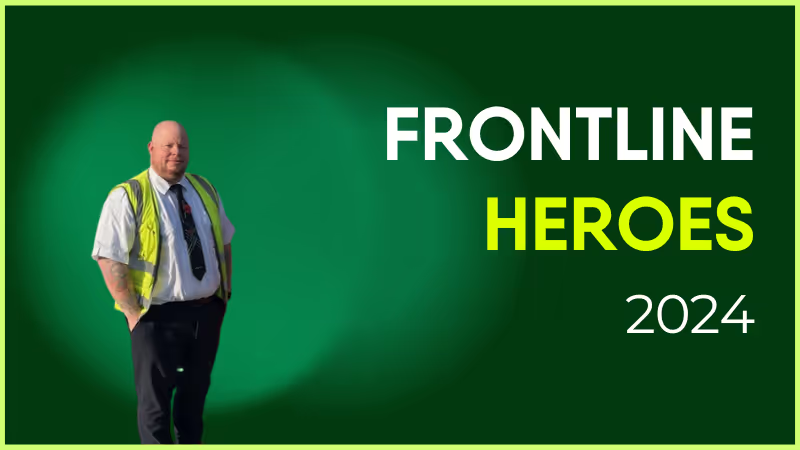
Chris has been with Stagecoach since June 2014, making this year his 10th anniversary! Starting out as a driver, he is based on the Lincoln depot.
Chris consistently goes above and beyond in his role, adapting brilliantly to late changes to his working rota and the work contained in it. The nature of the transport industry and staffing needs means no two weeks are the same, as we have to meet demand.
Chris is ultra reliable all the time and never balks at extra work. If Chris says he can't do something for us, there is always a very good reason for that. I feel he deserves recognition for all he gives to both the Training Team, and the drivers he is responsible for.
What does he want to do next?
Anything we want him to do, he will turn his hand to it. The sky’s the limit!
Nominated by: David Earl, Delegated Driving Examiner
What makes him awesome?
Chris has been with Stagecoach since June 2014, making this year his 10th anniversary! Starting out as a driver, he is based on the Lincoln depot.
Chris consistently goes above and beyond in his role, adapting brilliantly to late changes to his working rota and the work contained in it. The nature of the transport industry and staffing needs means no two weeks are the same, as we have to meet demand.
Chris is ultra reliable all the time and never balks at extra work. If Chris says he can't do something for us, there is always a very good reason for that. I feel he deserves recognition for all he gives to both the Training Team, and the drivers he is responsible for.
What does he want to do next?
Anything we want him to do, he will turn his hand to it. The sky’s the limit!
Nominated by: David Earl, Delegated Driving Examiner
For IT leaders, SharePoint can feel like a safe bet
Microsoft tools already power your organization. So why wouldn’t you use SharePoint as your employee intranet?
The truth is, while it can seem like a quick-fix solution, SharePoint has its drawbacks. It’s complex to learn and use. It doesn’t support frontline access or employee engagement. It simply isn’tbuilt for every employee or every intranet task.
The upshot? SharePoint lands your organization with a hidden IT tax — in the form of resources, consultants, workarounds, and additional software. It can quickly become a drain on your IT team’s time and budget.
So here, we look at exactly where SharePoint falls down — and explore modern intranet alternatives that make life a whole lot easier for your IT crew.
The promise vs. the reality of SharePoint
SharePoint is marketed as an “all-in-one” employee intranet and internal communications solution. File storage. Team sites. A knowledge base. A communication hub.
But the practical reality is a little different. The fundamental role of SharePoint is to store files. So, as an intranet, supposed to go way beyond file storage, there are some key ways that SharePoint fails to deliver:
Top-down communication. SharePoint prioritizes corporate broadcasts over peer-to-peer interaction. Without additional software, teams miss out on the human connections that drive satisfaction and retention.
Limited personalization. No intuitive dashboards or role-based filters here. So employees have to wade through irrelevant content to find the information they need. This is bad for intranet engagement and employee productivity.
An outdated user experience. In a world where TikTok and WhatsApp set the standard, SharePoint feels like a dusty corporate archive. Employees expect simple, fast, consumer-grade experiences — and SharePoint simply isn’t up to the task.
And those are just the headlines, not the full story. Beyond these issues, SharePoint poses problems for two key segments of your workforce — the IT team tasked with implementing it and the frontline workforce struggling to access it.
{{mobile-hub="/image"}}
The IT tax of SharePoint explained
First, let’s look at SharePoint from the perspective of your IT team. What does using SharePoint as an intranet platform mean for the people tasked with running it?
#1. Complex customization and integration
Configuring SharePoint isn’t a case of plug-and-play. Setting up permissions, workflows, and integrations requires specialized IT knowledge. Even small changes — like tweaking layouts — become time-consuming tasks.
Yes, SharePoint is customizable. But for many, that flexibility comes at a cost in the form of heavy technical requirements. Developers are essential to get just the basics working smoothly.
#2. Ongoing maintenance and updates
SharePoint setup is never “done.” Updates, patches, and version issues all demand ongoing IT oversight. This can be a huge burden for small IT teams and another cost to consider if you have to outsource this maintenance work.
#3. Reliance on consultants
Most organizations don’t have deep SharePoint expertise in-house. That means relying on external consultants for custom builds, integrations, and even routine maintenance. This can drag out timelines and inflate your IT budget.
#4. Extensive training
Training existing staff is an alternative to getting in the consultants. But it’s, again, expensive and time-consuming. It can take months of training to ensure that teams are proficient, and across a large IT team, getting everyone up to speed turns into a long-term project.
#5. Managing additional software
When you use SharePoint as your employee intranet, there are inevitably going to be gaps. IT has to find software that supports employee engagement, mobile access, and custom notifications.
This can bring its own problems. Your IT team shoulders the burden of keeping all software updated and integrated. And when employees have to navigate a complex tech stack, juggling multiple logins and passwords, tickets start to mount.
#6. Constant employee support
SharePoint’s complex infrastructure makes it hard for non-technical users (like your comms team) to create, update, and manage the intranet. Routine tasks turn into IT tickets, creating delays and frustration.
Comms teams can’t publish updates quickly, employees wait a long time for information, and IT is stuck in helpdesk mode. Instead of driving innovation, your tech team only has the bandwidth to wade through support requests.
#7. Adoption issues
Employees are used to fast, easy, and convenient online experiences. And SharePoint doesn’t live up to their high expectations. Intranet adoption suffers. Your IT budget is spent on an intranet platform that a large proportion of your employees avoid using.
{{mobile-main="/image"}}
How SharePoint falls down for the frontline
SharePoint causes problems for another segment of your workforce — frontline employees. The platform was never designed with deskless workers in mind. So, if you choose to use it as your only intranet platform, your frontline experiences the following.
A clunky mobile experience
SharePoint’s mobile navigation is awkward and slow. For employees on the go, employee communications are hard to access. This damages internal communications and the frontline employee experience.
The need to “go seek” information
Without real-time notifications, role-based alerts, or clearly defined communication channels, SharePoint forces employees to hunt down updates. For busy shift workers and deskless teams, this means critical comms are often missed.
No support for asynchronous work
SharePoint emphasizes live chats and video calls but ignores the reality for employees working shifts or across different time zones. If frontline staff aren’t online at the right time, they struggle to keep up with organizational updates.
A disconnected culture
Without a central, easy-to-use space for celebrating wins, sharing knowledge, or connecting co-workers, frontline employees are excluded from the company conversation. They miss out on the camaraderie that boosts engagement.
A digital divide
SharePoint creates a digital divide. Your desk-based employees can use it to access comms and resources online. Frontline employees have to make do with word-of-mouth messaging and the chaotic memo board. This two-tier approach leaves deskless workers feeling undervalued and less loyal to your organization.
And — in another bit of bad news (sorry!) — frontline accessibility issues spell further problems for IT.
Your IT team spends a huge amount of time troubleshooting accessibility gaps, finding workarounds, third-party plugins, and manual fixes. All the while, comms go unread, resources go unused, and the cost and complexity of your intranet ecosystem spiral higher.
{{mobile-hub-documents="/image"}}
The alternative? A modern employee intranet
Let’s give SharePoint its due. It’s a powerful document management system, deeply integrated with Microsoft 365. For compliance-heavy workflows and content storage it does the job.
But here’s the issue. SharePoint was never built to be an all-in-one employee intranet. And in 2025, an intranet needs to do far more than simply manage files.
An employee intranet has to work for all members of staff, including those hard-to-reach employees on the frontlines of your organization. It needs to support information sharing, employee engagement, and company culture. And it needs to alleviate the pressure on your IT team, rather than adding to it.
If you want an intranet that does all of the above, SharePoint isn’t the answer. Instead, you need a modern intranet solution, with the following intranet features:
Mobile-first design. A modern intranet is designed to work beautifully across all devices. It provides real-time notifications, offline access, and easy login — even for employees who don’t have a corporate email address.
Easy admin. Comms teams can post updates, share resources, and customize dashboards without sending a single IT ticket. With user-friendly drag and drop controls, they can tailor the platform to fit their needs without complex back-end development.
Culture-building tools. Modern intranets aren’t just information repositories. They’re engagement platforms — places where employees can share successes, receive recognition for a job well done, connect with peers, and feel part of something bigger.
A consumer-grade experience. The best modern intranet solutions are as intuitive and engaging as the comms apps employees use away from work. They feature social media-style tools, deep integrations, and single sign-on technology. So employees can access all workplace tools in a few easy clicks.
Bear in mind that a modern intranet doesn’t have to replace SharePoint altogether. It can integrate with it, pulling through documents, policies, and resources, while layering on the communication and engagement features SharePoint lacks.
That way, IT gets to keep Microsoft compliance and storage, and employees get an interface they’ll actually use — all without the associated implementation headache.
{{mobile-chat="/image"}}
SharePoint isn’t all bad — it’s just not enough
SharePoint is perfect for storage. But it’s not built for connection.
If you want a true intranet — one that engages frontline employees, strengthens culture, and reduces IT overheads — you need a modern platform, designed for today’s workforce.
That might mean ditching your current setup and opting for a SharePoint alternative. Or it could mean layering a digital front door on top of SharePoint, retaining the software’s good points while fixing its flaws.
An intranet like Blink is the perfect solution. Think mobile-first design, a consumer-grade user experience, and deep integrations with the workplace tools you already use.
With Blink. comms and employees can publish updates, share resources, and customize dashboards without waiting on IT — and IT finally gets to step away from firefighting SharePoint problems to focus on strategic projects.
The result? No more workarounds. No more time and money spent on that hidden IT tax. Just an employee intranet that works for everyone — from HQ to the frontline to your IT team.
Blink. And go beyond SharePoint to discover what really works for internal comms.
13 ways to quickly improve internal communications
Internal communications joins the dots. It connects every member of an organization and helps keep everyone up to speed. But it’s not without its challenges.
Comms leaders have to quiet the noise while amplifying key messages. They need to share updates consistently. And find tech tools that make communication engaging for employees.
In frontline organizations, there are additional communication challenges to tackle.
Frontline teams often work disparately. Employees can’t rely on in-person meetings for the latest updates. Nor do they have access to a desktop computer or even a company email address.
Finding reliable ways to reach these employees – that go beyond a messy noticeboard – is vital for business success.
With these challenges in mind, we’re going to look at the ways comms leaders can quickly and effectively improve internal communications. Let’s dive right in.
Why is it important to improve your internal comms?
Poor internal communication harms your business and its bottom line. When leaders, teams, and individuals fail to communicate well, every area of operations is affected.
Poor communication also has an effect on employees. Staff want to feel part of the organization they work for, and the first step to achieving that is keeping them in the loop.
Ultimately, when you improve internal communication, you:
Boost workplace trust. Over 40% of workers say that poor communication is reducing the trust they have in leadership and their teams. This is making them more stressed and less loyal to their organization.
Engage employees. Informed employees are 2.8 times more likely to be engaged. Employee engagement is linked to higher productivity, profitability, and employee retention rates.
Get better at what you do. When you improve internal communication, you improve decision-making, teamwork, and collaboration. Everyone pulls in the same direction, which spells bigger and better business results.
The benefit of good internal communication in frontline organizations is even more pronounced.
Safety concerns. Equipment failures. Product or service updates. A shift you need to cover. Inclement weather. These critical communications need to travel between frontline staff and managers quickly and reliably. It’s how you limit downtime and ensure the very best customer service.
But if your communication culture, communication skills, or communication tools are lacking, you’ll find it hard to connect the various teams that make up your organization.
13 ideas to quickly improve internal communication
With so much to be gained from good internal communications, time is of the essence. Every day you continue doing things the old way, you’re missing out.
So here are some internal communication ideas that you can put in place quickly, for maximum impact. Weave these ideas into your internal communication strategy and start making improvements right away.
1. Start with the leadership team
Leaders set the tone of an organization. So if your leadership team isn’t sold on your bid to improve internal communication, your employees won’t be either.
It’s up to leaders to drive comms throughout the company. It’s also on them to engage with comms. That way, employees see that your internal communication channels are a valued resource for people at all levels – and they’re much more likely to engage with them, too.
To prove to your workforce that it isn’t one rule for them – and another for their managers – get the leadership team on board right at the start. Involve leaders in the launch of your internal communications plan and encourage them to be positive promoters of it.
2. Ask questions & launch surveys
To avoid time-consuming missteps, get employee insight early on in the process. Employee input informs your strategy and improves your chances of getting things right the first time.
You can get input by asking informal questions and launching surveys. Find out what employees want from internal communications – and what aspects of current comms they struggle with.
With Blink’s super-app, you can launch surveys that reach your whole workforce. A user-friendly interface makes it easy for employees to respond. And a clear dashboard helps you to draw conclusions from their answers.
Surveys help you make informed internal communication decisions. But there’s another benefit, too. By involving employees in this part of the process, you set an important precedent.
You show employees that you value their input – and that their voices are heard. This raises trust in the process. It also helps employees see what they stand to gain by engaging with internal communications going forward.
3. Streamline your communication channels
Well-established companies often have history with lots of different internal communication tools. In frontline organizations, there tends to be a mix of tech solutions and old-school communication channels – like posters and notice boards.
If you’ve inherited a complicated system of communication channels, it’s worth stepping back and assessing their impact on company communication.
Is a noticeboard crammed with memos an efficient and reliable way to communicate with your teams? Are multiple communication channels helping you to clarify the message – or are they muddying it?
Less is usually more. So streamlining your comms channels is a great way to improve internal communication. Employees are much more likely to engage with a single source of reliable info.
That’s exactly what happened at Domino’s. The pizza delivery company was using word of mouth, posters, and WhatsApp groups to communicate with its frontline. But by switching to Blink, Domino’s put all internal communication in one place and now everyone gets the same need-to-know updates.
4. Personalize your comms
Think of all the marketing emails that land in your inbox every day. The ones that personalize their message stand out. They’re much more likely to resonate. The rest is like white noise. It becomes very easy to ignore stuff that doesn’t feel relevant to you.
The same goes for company comms. When you make your message more relevant to your audience, they sit up and take notice. When employees are inundated with comms that have nothing to do with their role, they tend to start ignoring the noise - and before you know it even the most relevant and critical messages are missed.
You can quickly make a change by segmenting your audience. Divide your organization by department, team, location, and stage in the employee life cycle.
Then, craft personalized comms. And only send mass communications when they really are relevant to the whole organization. Intentional, personalized communication is much harder to ignore.
5. Run company-wide stand ups
A standup meeting is a short but regular opportunity for teams to share progress and identify blockers. It’s a way to get everyone on the same page and clarify what they should be doing.
A company-wide standup is the easiest way to communicate your current priorities and action plan to everyone. But you can also run stand ups within teams, departments, or locations.
Of course, if you’re a frontline organization, getting everyone together for this type of meeting isn’t always practical. Employees work different shifts and in different locations, or maybe even work on the road.
But don’t dismiss the idea of company stand ups outright. Create stand ups for different shift swaps, or locations, or smaller groups of people. And for the times you can’t be together in real life, tech can help.
Employees can join a meeting via video conference. Or you can record your company-wide stand ups and post them as video content to your primary internal communication channel.
6. Implement an employee app
In today’s technological world, you can find incredible tools designed to improve internal communication, fast.
An employee app is a great example. It works well because you meet employees where they already spend their time – on their smartphones. And because it incorporates features that employees are familiar with, like instant messaging, group chats, and a newsfeed.
Take Stagecoach, a UK-based bus company. When Stagecoach implemented an employee app, 84% of their workforce started using it within just one week. Because they chose a communication tool that employees could use intuitively, they got better and faster uptake.
An employee app also streamlines your employee communications because employees can access everything via a single, user-friendly interface. And it provides channels for both top-down and bottom-up comms. Anyone can read and share information.
Blink’s employee app ticks all these boxes. Designed for frontline organizations, it helps bridge the gap between your frontline and desk-based teams.
7. Reward & recognize your employees
Another way to quickly improve internal communication is by rewarding and recognizing employees. Shout out those employees who hit their goals or reach a personal milestone. Highlight the times when a member of staff goes above and beyond.
A culture of recognition helps to build engagement. It also boosts morale and encourages other employees to do their best work.
Using internal communication channels in this positive way encourages employees to communicate more frequently, too. When an employee feels acknowledged, they’re more likely to acknowledge others, share successes, and communicate constructively with peers.
You can put the wheels in motion by encouraging managers to send regular messages of acknowledgment. But to amplify the effect, go further.
Build recognition into your internal comms strategy by using Blink’s recognition feature. Via the app, you can send messages of public praise with the power to inspire everyone.
8. Conduct regular 121 meetings
If your managers only run 121 meetings with employees once or twice a year, this is an area ripe for improvement.
A lot can happen over the space of a year or six months. Internal communication might be missed or misinterpreted. Regular 121s are an opportunity to realign goals and understanding.
Regular 121s help you to:
Build a personal connection with employees
Address concerns in real-time
Improve employee engagement
It also makes the act of discussion and feedback more familiar. Employees get used to sitting down and sharing their work experiences with managers. So managers are much more likely to get candid (and therefore useful) insight from their staff.
Advise your managers on how often they should conduct 121s. Monthly, bi-weekly, or even weekly sessions create an open feedback loop.
Also, remember that a public communication forum can never replace 121s. While employees are often happy to share some ideas publicly, they also need the opportunity to share their thoughts privately and confidentially.
9. Encourage content creation
Leave content creation to management and you run into two key problems:
1.Your internal communication is unengaging because there’s lots of top-down communication but not enough bottom-up or peer-to-peer communication.
2.Managers find it hard to balance content creation alongside their usual workload. This means more managerial stress and/or less quality content.
There’s a quick and easy solution. Give everyone a turn at content creation. Use guidelines and templates if you think they’re needed. Then, let employees start threads, post blogs, upload videos, and recognize their peers.
In doing so, you strengthen your company network. Employees build new relationships. They find people with whom they have things in common. They chat about non-work-related topics.
This type of water cooler chat may seem irrelevant to your business objectives. But trust us when we say it’s hugely important to the quality of communication that takes place within your organization.
This is particularly true in frontline firms where workers don’t always get the opportunity for informal chats with co-workers.
10. Take a data-driven approach to internal communications
How do you measure the success of an internal communications initiative? You need reliable, accessible data you can track over time.
This is another reason why having the right communication tech is vital. Pick communication tools with analytics built in and it’s easy to view and act upon insights.
You can see which type of content your employees do and don’t interact with. You can see which posts get the most comments and likes. This helps you to hone your internal communication going forward.
Similarly, analytics functions help you to see the bigger impact that your communication strategy is having. Perhaps it’s helping you to reduce staff turnover or increase staff satisfaction.
When you have access to the data, it’s easy to demonstrate the value and effectiveness of internal communication improvements. You’ll also find it easier to make informed, targeted changes that make your initiative even more successful.
11. Be consistent
Good internal communication is all about consistency. You can’t promise employees a weekly update or a monthly webinar and then fail to deliver.
They’ll stop seeing your communication as reliable and trustworthy – and they’ll stop checking in for new content. This is the point at which the wheels fall off your strategy and you have a much harder job pushing that new initiative uphill.
To show employees that your new internal communication strategy is here to stay, make sure it’s sustainable.
At the outset, you may like to err on the side of caution, only committing to a content schedule you know is manageable for the people delivering it. You can always add more items to your content calendar once it’s up and running.
Also, as we mentioned earlier, enlisting the support of employees in content creation helps to create an internal communications ecosystem that doesn’t rely on a handful of time-stretched managers. With all hands on deck, it’s much easier to create and post content consistently.
12. Be transparent
Internal communication is most successful when communication is transparent. That means:
Including everyone in communications
Creating an open connection between leadership and employees
Clearly communicating business changes and decision-making processes
Acknowledging both successes and mistakes
Transparent communication is important because it helps to build trust between all members of your organization. It prevents secondary channels of communication – in the form of rumors and speculation – from emerging. And it helps to boost employee engagement.
If you don’t already have a culture of open communication, getting there is likely to take time. You need to develop communication skills throughout your organization and set new norms of behavior.
However, one of the things you can do to improve internal communication quickly is to involve employees in your internal communication strategy. Be open about the changes you’re trying to implement – and why.
When employees feel like part of the process, they’re much more likely to feel invested in its outcome.
13. Report back on changes you are making
So you’re planning to make big changes to the way you communicate internally. Don’t forget to involve employees from the beginning and throughout the process.
After launching employee surveys and conducting 121s, communicate your findings. Let workers know what you’ve learned, what changes you plan to make, and what you hope to gain.
This shows that you’re committed to transparent communication, not just paying lip service. And that you’re putting employees at the center of decision-making.
Take this tack and employee engagement, morale, trust, and the success of your internal communication strategy all stand to benefit.
Final thoughts
Improving internal communications takes time and strategy. It’s a long-term commitment. But there are quick wins to be had.
Gather insights. Involve all members of your organization. Find the right tools. Start fostering a culture of open, honest communication, right now, today.
By doing so, you’ll create change in the here and now. And lay the groundwork for future internal comms improvements, too.
It’s well worth the investment, particularly for frontline organizations. With strong internal communication, you build teams who are more connected, informed, and engaged - which leads to widespread benefits for your employees, customers, and business.
Want to make internal communication a priority for 2024? Then put internal comms in the palm of every employee with Blink’s employee app.
Our mobile-first app supports two-way communication, critical messages, employee recognition, and workforce surveys. It also integrates with the business tools you already use. So employees can access all resources from one user-friendly interface.
Accessed via mobile or desktop and with speedy, sky-high adoption rates, Blink provides a quick and easy way to improve your internal communications in 2024.
Some comms strategies stream seamlessly, while others are stuck buffering with no end in sight
Let’s face it: We live in a world where content rules. We’re constantly streaming, scrolling, watching, and sharing. And just like our favorite shows and platforms, every internal communication strategy has its own vibe — some sleek and polished, others functional but messy, and some… a little too obsessed with rainbows and brand tone.
You wouldn’t launch a new show without a trailer — so why send an update without context, curation, or a hook?
Think about it — your comms platform has viewers (aka employees), admins (your comms team), and its own programming lineup (all those emails, updates, videos, surveys, and shoutouts).
So, here’s the big question:
If your internal comms strategy were a streaming platform… which one would it be?
This is part personality quiz, part gentle diagnosis, and all good fun. And who knows — it might just help you spot a few things to fix, finetune, or completely rethink.
Netflix: The overcommunicator
Tagline: Volume overload. No one knows what to watch.
You’re the king of content volume. Like Netflix, you’re publishing constantly — newsletters, CEO updates, campaign launches, benefits reminders. There’s always something new when employees log in, but just like binge-watchers lost in an endless homepage scroll, your audience is overwhelmed. It’s communication without curation — and everyone’s tuning out.
Pros: Rich, varied content. People know where to find it.
Cons: Information fatigue. Nothing feels urgent, so everything gets ignored.
It’s time to curate like an editor. Use weekly digests, “Top 5 things to know,” or audience targeting to surface the right content to the right people — and give your employees some breathing room.
{{mobile-main="/image"}}
HBO Max: The prestige broadcaster
Tagline: Prestige content — but only for the few.
Your internal comms are prestige TV. Like HBO Max, your content is polished, strategic, and often award-worthy — think slick leadership videos and brand-perfect announcements. But it’s top-down and infrequent, designed more for executives than everyday teams. The result? High production value, low connection on the ground.
Pros: Executive trust, strong brand storytelling.
Cons: Limited accessibility. The “everyday” content is missing.
As your next step, pair your prestige comms with grassroots content. Empower local teams to share stories. Make space for informal, in-the-moment updates alongside strategic comms.
Amazon Prime Video: Functional but frustrating
Tagline: Function over feel.
Your intranet is basically Amazon Prime Video. Everything’s technically there — tools, policies, updates — but good luck navigating it. The interface is cluttered, search is a mess, and the content isn’t exactly curated. Like users lost in Prime’s endless menus, your employees might log in, sigh, and log right back out.
Pros: One source of truth.
Cons: Low discoverability. Employees check out before they find what they need.
The name of the game? Simplify. Highlight most-used tools, audit stale pages, and clean up the homepage. Make your digital workplace feel more like a front door, not a storage closet.
{{mobile-hub="/image"}}
Peacock or Paramount+: The niche network
Tagline: Great content. Tiny audience.
Your comms have cult-classic energy. Like Peacock or Paramount+, you’ve got a few loyal fans and some hidden gems — but overall, your platform just isn’t top-of-mind. Maybe it’s an underused email list or a team SharePoint that rarely gets checked. Great content, but a limited reach means employees are missing the message.
Pros: Focused, relevant updates.
Cons: Low visibility. People say, “Wait — that was announced?”
Time to go multi-channel! Promote your channels like you would a new show launch. Use mobile notifications, digital signage, and team huddles to raise awareness. Great content deserves more viewers.
Disney+: Family-friendly and heavily branded
Tagline: All smiles, no spice.
You’ve mastered the brand voice. Like Disney+, everything in your comms world is polished, upbeat, and totally on-message. It’s a clean, curated experience with beautiful visuals and strong storytelling — perfect for onboarding and mission moments. But after a while, employees might start wondering: Where’s the real talk?
Pros: Strong visual identity and consistent voice.
Cons: Lack of vulnerability. Feels too “corporate.”
To take your strategy to the next level, try mixing in unfiltered stories from employees. Showcase real feedback, day-in-the-life clips, or candid shoutouts. People trust people — not just polish.
{{mobile-stories="/image"}}
Hulu or NOW: Slightly messy — but people still use it
Tagline: Organized chaos.
You’re Hulu in the US or NOW in the UK — a little bit of everything, with a side of chaos. Your comms live across multiple tools, old and new: Slack threads, SharePoint pages, WhatsApp chats. It’s inconsistent and messy, but it works — because your people have figured out where to look. (Even if they wish it were easier.)
Pros: Content variety, team-specific relevance, enough routine to maintain engagement.
Cons: Fragmented user experience. No single source of truth.
It’s time to unify and streamline. Build a comms hub that feels intentional — not accidental. Keep the local flavor, but tie it all together with a central mobile-first platform.
Apple TV+: All style, not enough substance (yet!)
Tagline: Gorgeous ghost town.
Your comms platform is Apple TV+ — sleek, modern, beautifully branded. It looks amazing and sets a high bar for design. But once you get past the homepage? There’s not much happening. Content is minimal, engagement is low, and employees forget to check in. Pretty isn’t enough — it needs purpose.
Pros: Strong design, great adoption potential.
Cons: Low repeat engagement. Employees say “it looks nice” — but don’t use it.
Try to focus on day-to-day value. Share timely updates, celebrate wins, and surface useful info like shift changes or HR tools. Pair aesthetic with utility.
{{mobile-kudos="/image"}}
YouTube: The employee-led engine
Tagline: Employee-generated magic (with a dash of mayhem).
You’re YouTube — and you’ve handed the mic to your people. Your internal comms are powered by shift videos, peer shoutouts, team stories, and crew takeovers. It’s authentic, bottom-up, and wildly engaging. Sure, it gets a bit chaotic without guardrails — but that realness? That’s what employees keep coming back for.
Pros: High engagement, peer-to-peer connection.
Cons: Needs light moderation and content alignment.
Our recommendation? Set the stage for success. Spotlight standout creators, guide content themes, and introduce a few soft guardrails to keep things safe and focused.
What’s your ideal mix?
The truth is, no internal communication strategy is just one platform. We’re all working with a blend — a little Netflix here, a little HBO there, maybe even a dash of YouTube energy for good measure.
But thinking about your comms this way? It helps. It surfaces what’s working — and what might need a reboot. So ask yourself:
Is your content too polished when it should be more conversational?
Do you only reach a select few — but leave the rest of your workforce buffering?
Are you focusing on sharing it all when what your people really want is clarity?
Build your “comms bundle” — the perfect mix of trust, relevance, usability, and creativity. And just like your ideal Friday night lineup, it should be easy to find, engaging to watch, and worth coming back to.
By now, you’ve probably heard the news that Workplace from Meta is shutting down. The platform will be read-only starting September 2025 and will cease entirely from May 2026.
If you’re one of thousands of Workplace customers working out what to do next, we know there’s a lot of work to be done. Looking at alternatives to Workplace takes time and energy you hadn’t planned on spending, and planning a successful migration journey doesn’t happen overnight.
But there’s a silver lining to this news: This is a timely opportunity to find a platform for workplace communication, connection, and employee engagement that works better for your workforce.
Blink is making it easy for customers to make the switch from Workplace. Our secure and scalable Workplace alternative provides two-way communication tools, a company news feed, a centralized resource hub, surveys, recognition, analytics, and more — everything you need to upgrade the employee experience at your organization.
But don’t just take our word for it. According to G2 reviews from real users, Blink is one of the best employee intranet software providers and outranks Workplace across several critical areas, making it a top alternative.
Let’s take a closer look.
A comparison of Blink and Workplace from Meta using G2 ratings
G2 ratings are generated from verified customer reviews, which means they’re a reliable way to compare software platforms and providers. Here’s how Blink and Workplace measure up across seven fundamental software performance criteria:
1. Meets business requirements
When ranking and rating software products, G2 asks users whether the product meets their business requirements. Platforms with higher scores advertise their features accurately and address user pain points comprehensively.
As an all-in-one solution for boosting employee engagement, workforce experience, and overall productivity, Blink has the edge over Meta.
G2 scores:
Blink: 9.2
Workplace from Meta: 8.4
2. Ease of use
Blink is easier to use than Workplace. This is perhaps because our intranet has been built with frontline organizations front of mind.
We know that frontline employees will only open and use an employee app if it fits seamlessly into their work day. So we made our platform as intuitive as possible for both desk-based and deskless workers, incorporating single sign-on technology and a user-friendly interface — where every tool, resource, and chat is easy to find.
G2 scores:
Blink: 9.3
Workplace from Meta: 8.8
3. Ease of setup
A good G2 ease of setup score shows that users enjoy a streamlined onboarding experience. It indicates that the product and its team offer good levels of support, easy implementation, and all the documentation new customers need.
This is another area where Blink outperforms Workplace. With dedicated customer support and easy integrations, it’s quick and simple to get started with Blink.
G2 scores:
Blink: 9.0
Workplace from Meta: 8.6
4. Ease of admin
We’ve already seen that end users find it easy to use Blink. But what about the people within your organization who are responsible for managing the social intranet?
Blink again scores more highly than Workplace from Meta when it comes to ease of admin. Communications, HR, IT, and other leaders across the business find it easy to upload content and update platform information independently, without having to contact Blink support.
G2 scores:
Blink: 9.0
Workplace from Meta: 8.3
5. Quality of support
To rate platform providers on this criteria, G2 asks users: Is the support team able to answer your questions or support cases quickly and effectively? Here at Blink, we prioritize the customer experience and pride ourselves on fast and effective customer support.
G2 scores:
Blink: 9.2
Workplace from Meta: 8.2
6. Has the product been a good partner in doing business?
The best workplace experience vendors serve as not just a platform but a partner, helping their customers to achieve their business goals.
At Blink, workplace communication, employee experience, and employee engagement are our bread and butter. Unlike the big tech companies, like Meta and Zoom, our team isn’t divided between many different and competing projects.
We focus solely on the Blink platform and we care about customer success. So we work to maximize adoption, engagement, and the value organizations get from our employee app.
G2 scores:
Blink: 9.4
Workplace from Meta: 8.3
7. Product direction
Lastly, G2 asks users whether they think the product is moving in the right direction and whether recent product roadmap decisions have been positive for them.
Here at Blink, we don’t wait for ratings from G2 or similar review sites to inform our product roadmap. Our product and customer success teams are in constant collaboration with our customers, searching for ways to make our platform work better for them. This helps keep our customers ahead of the curve and helps them achieve organizational goals.
G2 scores:
Blink: 9.8
Workplace from Meta: 7.5
Blink makes Workplace migration easy
When looking at Workplace alternatives, think Blink. Our modern intranet platform consistently outperforms Workplace from Meta across several critical G2 measures, as determined by verified platform users.
Blink also provides a familiar experience for Workplace users. Key Blink features include:
News feed and chats, with multimedia content
A knowledge library
Teams and communities
Employee surveys and recognition
Easy integration with the software you already use
Our user-friendly employee app with single sign-on authentication makes it easy for leaders to engage and communicate with their teams, from the office to the frontline. Powerful analytics help you determine what’s working and what isn’t, and our always-on customer support will ensure you’re maximizing every aspect of the platform.
Our expert team of migration specialists is ready to help your organization transition from Workplace to a new and improved employee engagement platform.
Gamification = a better employee experience, right?
Gamification sounds like an easy win for employee experience — sprinkle in some points, add a leaderboard, boom: engagement. Right?
Not so fast. When gamification is all gimmick and no grounding, it doesn’t inspire employee motivation. It just causes irritation. But when it’s rooted in human connection, meaningful progress, and the way employees actually work? That’s where the magic happens.
Ready to level up your workplace gamification strategies and really move the dial on employee experience? Let’s explore how.
Why gamification works
At its core, gamification taps into what makes work feel energizing — progress, recognition, and a little bit of healthy competition.
Traditionally, it takes game elements we see in customer experience, social media, and other aspects of our personal lives — like point scoring, badges, leader boards, challenges, and levels — and applies them to workplace activities.
Done right, gamification makes routine tasks more engaging and builds momentum around key goals or behaviors. By celebrating wins, making progress visible, and providing social validation, it helps to drive employee engagement.
In fact, 90% of employees say gamification makes them more productive at work. So how exactly does it work? Time for a little neuroscience.
Gamification fires up the brain’s reward system. When we make progress towards a goal or receive recognition, our brains release dopamine — the “happy hormone.”
We feel good. So we’re more likely to repeat the behavior that gave us that dopamine hit.
This is why Duolingo’s streak counter keeps millions of users practicing languages (and now chess!). It’s why Fitbit’s step goals push people to walk just that bit further. And it’s why many organizations have jumped on the gamification bandwagon.
That same psychology is what makes micro-moments of progress on modern intranet apps — think quick reactions, streaks, and bite-sized challenges — so sticky for today’s workforce.
The best programs boost employee productivity and satisfaction with regular dopamine hits throughout the day. But gamification schemes aren’t always successful.
Without a set purpose and complementary employee experience strategy, gamification can end up feeling like a gimmick and the fun quickly fades from the experience.
When “fun” feels fake: Where gamification falls down
Gamification can boost everything in the employee lifecycle, from the onboarding experience to performance management — but only when it’s done with empathy and intention.
Not every challenge, badge, or leaderboard adds value to the employee journey. In fact, when gamification is rolled into internal comms without empathy or intention, it can easily backfire.
Here’s where gamification can go wrong:
Meaningless badges. If employees don’t understand what a badge represents — or if a badge doesn’t feel connected to real progress — it’s just another notification to ignore. Badges should feel earned and reflect achievements that matter to employees and your organization.
Forced competitions. Friendly competition can feel motivating. But forcing it on people who are already stressed and stretched too thin? It becomes a source of pressure, not playfulness.
Public shame for low performers. A leaderboard that constantly highlights the team’s “losers” is a quick way to erode morale. Not everyone wants their performance broadcast across the company.
Praise for only some personalities. Games skewed to extroverts or competitive types leave large segments of your workforce disengaged. Everybody should have the chance to win points and prizes.
Focus on company goals. Gamification can achieve big things for your business. Think better employee retention and improved cultural experience! But make corporate KPIs your only focus and employees see games for what they are — another performance metric, not a genuine engagement tool.
Time to reboot your gamification strategy? Let’s look at what employees really want.
Time to level up with smarter gamification strategies
Great workplace gamification isn’t about tricking people into working harder. It’s about making progress visible, recognition effortless, and participation feel natural — without the noise of points-for-the-sake-of-points.
Strategic gamification gives employees organic recognition and reward within their everyday workflow. Here’s how to improve employee experience by weaving gamification through your workday.
Figure out what you want to achieve
Gamification only works when it’s solving the right problem. Too often, organizations roll out leaderboards or points systems hoping to fix issues that need a very different kind of intervention.
For example, if your people are disengaged because they’re burnt out, they don’t need a competition. They’re more likely to need better workload balance and well-being support.
Start by asking: What’s the real challenge here? And work to fix root causes first.
Then, layer gamified digital experiences that are linked to real business goals and employee needs. When you set clear, measurable outcomes, gamification is more likely to have the desired employee experience results.
Celebrate micro-wins
Not every victory deserves a burst of confetti and a standing ovation. But every small success deserves something.
Those micro-wins are the secret sauce — tiny jolts of momentum that keep people moving forward without the corporate fanfare. And celebrating these moments in the flow of work creates a steady rhythm of employee recognition.
Aim for something like this:
Daily. Quick kudos or emoji reactions when small tasks are completed.
Weekly. Shoutouts for team collaboration or creative problem-solving.
Monthly. Digital badges or spotlight features for outstanding contributions.
The dopamine boost from these mini celebrations is real. And it adds up. By regularly highlighting micro-wins, you embed organic gamification into your company culture and start building a great place to work from the inside out.
Harness the power of peer recognition
If workplace gamification had a co-op mode, it’d be peer recognition.
Badges and leaderboards are nice to have. But a simple high-five from a co-worker can provide a much more meaningful motivation boost. That’s because public peer recognition is visible, instant, and social — everything good gamification should be.
So give employees the internal communication channels they need to award kudos, nominate co-workers for a reward, or add their congratulations to a recognition post.
These organic moments of appreciation are great for company culture. They work wonders for the motivation of both those receiving recognition and those dishing it out.
And an added bonus? When recognition happens in the moment — not buried in a quarterly award ceremony — it becomes a natural part of how your workplace culture works, not a box to tick.
{{mobile-kudos="/image"}}
Launch news feed challenges
Your intranet platform isn’t just a noticeboard. It can be an employee’s go-to place for connection, interaction, and fun. But only if you venture beyond the standard corporate memo.
Add a few game mechanics to everyday moments throughout the employee journey. Set regular news feed challenges that create friendly competition and a sense of shared achievement. Some ideas?
Run a caption challenge tied to a weekly theme
Invite people to share short day-in-the-life clips or “work hacks”
Let teams submit photos of wins, then vote for the standout moment
These micro-challenges use the same principles as gamification — visible progress, social validation, and small rewards that keep people coming back for more.
Make it interactive
Gamification thrives on interactivity — it’s the difference between reading instructions and actually picking up the controller. You can bring that same energy into your employee communications by designing moments where people see change and impact in real time.
Here are a few ideas:
Pulse surveys and polls. Let people click and vote. Show engagement survey results instantly or follow up with a summary of employee feedback and a plan of action to show cause and effect. Mix and match employee surveys with pulse survey tools to minimize survey fatigue and better enable 360 feedback.
Progress bars. Add visual progress indicators — for training modules, or even as an online video story plays. Also, share employee data that others will care about. For example, 82% of you have completed cyber-security training this week — can we get to 100%?
Countdown timers. Create excitement for live events or new initiatives with a countdown. The ticking timer creates buzz, curiosity, and a sense of employee satisfaction when the new content drops.
Keep it authentic
If there’s one golden rule of gamification, it’s this — never fake the fun.
Nothing tanks engagement faster than games that feel mandatory, corporate, or designed to squeeze a little more output from already-stretched teams. Employees can spot the difference between something genuinely built to improve employee experience and something built with the company’s bottom line as a priority.
People join in when games are fun and playful. So keep things human. Make participation voluntary. And, most of all, keep things simple.
When your gamified moments feel natural — fitting with the flow of everyday work — they make the biggest difference to employee experience.
Our POV? Real engagement, not artificial rewards = employee experience results
Gamification doesn’t need to be flashy. It doesn’t need a complicated leaderboard or digital trophies. Instead, the best gamification feels purposeful and playful — and fits seamlessly within your workflow.
At Blink, we’ve seen how intuitive, mobile-first design turns everyday actions into effortless bursts of engagement. Quick reactions become micro-rewards. Employee surveys act like mini-challenges. Stories feel like new levels unlocking. When these moments are woven naturally into the workday, they spark real connection — without a single gimmicky badge in sight.
And when you base your gamification strategies around social interaction, connection and community become a reward in themselves. It stops being about badges and points, and starts being about people — meaning a more organic and meaningful employee experience.
It's time for your annual internal communications check-up.
You’ve invested in an internal communications platform, so you’re good to go — right?
Not so fast.
The technology landscape has evolved rapidly, and so have employee expectations. In fact, research shows that companies with outdated communication tools experience 23% higher employee turnover and 40% lower engagement compared to those with modern, mobile-friendly employee communication platforms.
Modern internal communication solutions are no longer just message boards or email replacements. They’ve become go-to hubs for connection, collaboration, and engagement. The best ones don’t just help your internal communication strategy survive — they help it thrive by providing features that enhance everything from onboarding to day-to-day tasks.
If your employee communication software hasn’t kept up with the times, it could be holding your business back. How can you tell? Here are five key signs that your internal comms platform might be letting you — and your employees — down.
#1. Your mobile experience is MIA
If your platform is a desktop-only by design, it’s time for a reality check. For deskless and frontline employees, mobile access isn’t just nice to have — it’s a necessity.
Think about it: Frontline workers like delivery drivers, retail associates, and healthcare staff are rarely in front of a computer. If your employee communication software platform doesn’t offer full functionality on mobile devices, you’re potentially excluding a significant part of your workforce from critical updates and engagement opportunities.
A truly effective platform ensures that all employees can easily navigate communication channels, tackle daily operations like shift scheduling, access real-time collaboration tools, and get important resources directly from their smartphones.
The gap between desktop and mobile functionality creates unnecessary barriers. Your remote employees or mobile workforce might feel undervalued or left out, leading to disengagement.
To create equity, your platform must deliver the same robust experience on every device, ensuring that everyone stays in the loop — no matter where or how they work.
{{mobile-main="/image"}}
#2. The 1990s called — they want their static platform back
Does your employee communication tool feel like an old-school bulletin board?
Today’s employees are growing increasingly familiar with dynamic and engaging platforms like Instagram and Facebook. If your platform isn’t offering key features like short-form videos, interactive news feeds, or user-generated content, don’t be surprised if your updates aren’t getting the traction you want.
The modern workforce expects more than a repository for company updates. They want to feel connected, heard, and inspired. Platforms that incorporate a wide range of features inspired by social media — such as stories, polls, and real-time messaging — foster two-way communication and increase employee satisfaction. Consider short-form videos that replace long email threads, or how you can enable user-generated content to allow employees to showcase achievements or share ideas.
An outdated, static system doesn’t just fail to engage — it can actively alienate employees. By mirroring the tools they already use in their personal lives and providing a user-friendly interface, a modern internal communications platform helps bridge the gap between work and life, fostering a sense of familiarity and connection.
{{mobile-story-polls="/image"}}
#3. You’re stuck in a click-a-thon
Ever feel like you need a GPS to navigate between business applications?
If your team has to jump between multiple tools to take employee surveys, respond to polls, fill out forms, or reach the company intranet, you’re wasting time and energy — and so are your employees.
Employees shouldn’t have to open a new app or browser tab every time they need to complete a task. An effective internal communication tool centralizes these capabilities in a single platform, letting users seamlessly deploy and respond to surveys, forms, and polls within the same digital workplace through single sign-on and powerful integrations. Not only does this save time, but it also reduces cognitive load and frustration.
Simply put: The easier it is for employees to engage with company content, the more likely they are to participate. A unified platform creates a frictionless employee experience by streamlining workflows, keeping communications clear, and ensuring that no task gets lost in the shuffle.
{{mobile-workday-feed="/image"}}
#4. Your platform looks like it belongs to someone else
Your internal communication platform should feel like an extension of your brand. If it’s generic and non-customizable, it’s missing a major opportunity to reinforce your company culture.
From colors and logos to tone and messaging, your platform should reflect your organization’s unique identity. A white-labeled solution ensures that employees see your brand — not someone else’s — every time they log in, reinforcing brand familiarity and loyalty over time.
And customization shouldn’t stop at aesthetics. The functionality and usage of your platform should align with your company’s values and communication goals.
When your platform mirrors your brand identity, it fosters a stronger connection and a sense of community between employees and the entire organization. It shows that you care about creating a cohesive, immersive experience that resonates with your workforce.
After all, branding isn’t just for customers — it’s for your employees, too.
{{mobile-nokia-feed="/image"}}
#5. Insights get lost in a black hole
Do you have any idea what’s actually working? If your platform isn’t giving you analytics on employee engagement, sentiment, and reach, you may be winging it with your strategy.
Internal communication software isn’t a one-size-fits-all endeavor. To truly understand your workforce, you need data-driven insights. Advanced analytics can reveal which messages resonate most, which channels drive engagement, and where improvements are needed. Metrics like click-through rates, sentiment scores, and survey responses provide a clear picture of what’s working and what’s not.
Without these insights, you’re essentially shouting into the void. Modern internal communications tools don't just deliver your messages; they also show you how they’re received. With the right data at your fingertips, you can continuously refine your approach and create communications that truly connect.
In a landscape where finding talent is competitive and resources can be limited, a healthy internal communication platform isn’t a luxury — it’s an investment in business success. If these red flags sound all too familiar, it might be time for an upgrade.
With the right internal communication tool, you can help you empower your workforce today and set up your workplace culture for success in 2025 and beyond.