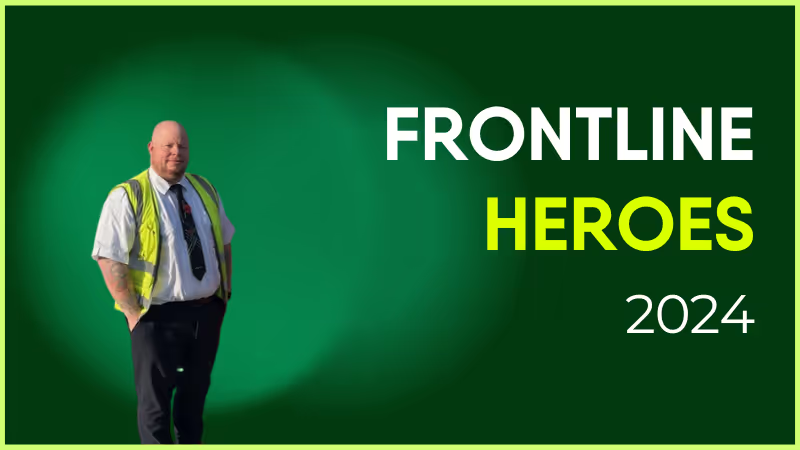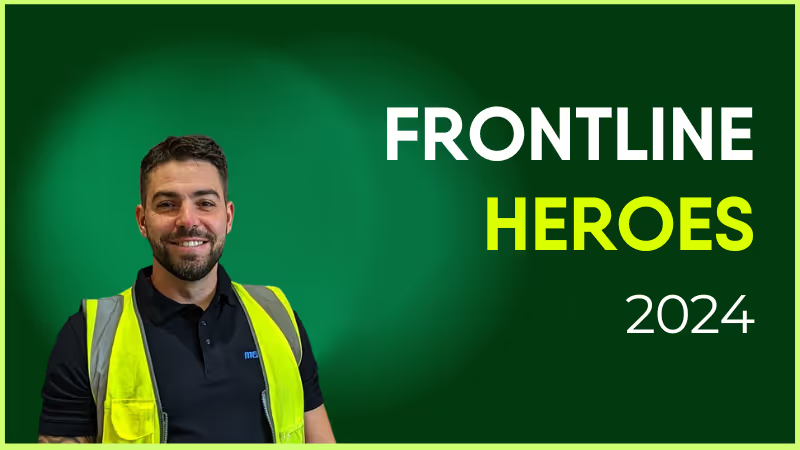
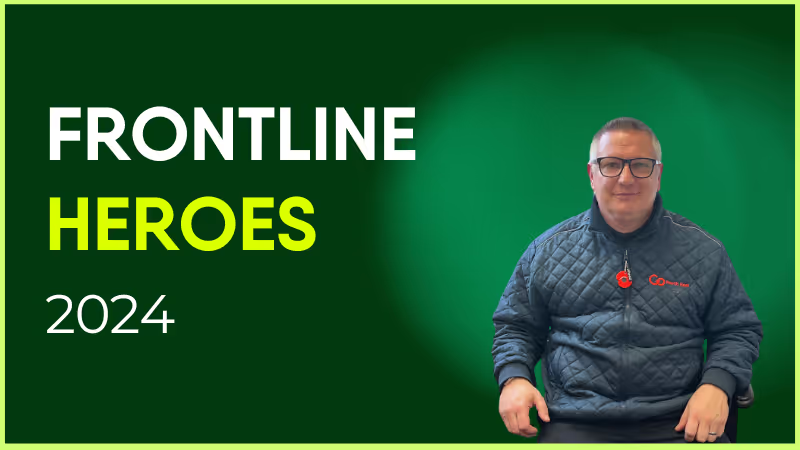
Electrician for Gov Facility Services Limited (GFSL)
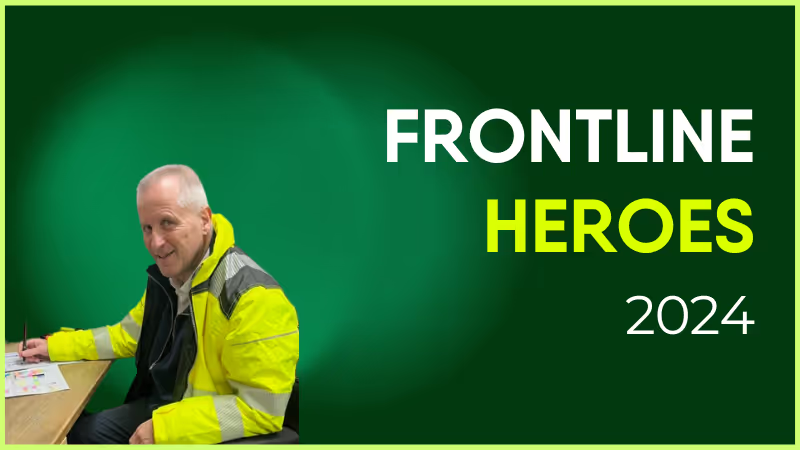
Jess DeVore
Published:
December 2, 2024
Last updated:
December 4, 2024
What we'll cover
What makes him awesome?
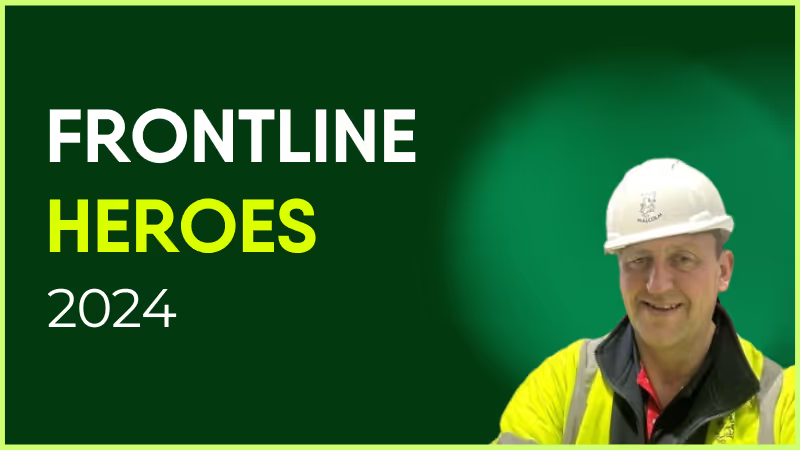
Andy has such a positive attitude to his work. I can load him up with work as we are a very busy site and he comes back for more. He will always look to help the prisoners with fixes to their cell power as he is aware that's all they have. He assists all trades and gives great advice to the electrical supervisor. We're happy for the chance to recognize his hard work and valuable contribution.
How has Blink helped in his role?
By sharing information which can help ours and other sites- for example cell call plates that cannot be smashed, and lights from another manufacturer. The sharing of this type of information is great for the company.
What does he want to do next?
Andy has conscientiously trained himself on the Test and Inspection course, meaning he will be able to assist the company with extra work on testing.
Nominated by: Simon Kemp, Deputy Site Manager

What makes him awesome?
Andy has such a positive attitude to his work. I can load him up with work as we are a very busy site and he comes back for more. He will always look to help the prisoners with fixes to their cell power as he is aware that's all they have. He assists all trades and gives great advice to the electrical supervisor. We're happy for the chance to recognize his hard work and valuable contribution.
How has Blink helped in his role?
By sharing information which can help ours and other sites- for example cell call plates that cannot be smashed, and lights from another manufacturer. The sharing of this type of information is great for the company.
What does he want to do next?
Andy has conscientiously trained himself on the Test and Inspection course, meaning he will be able to assist the company with extra work on testing.
Nominated by: Simon Kemp, Deputy Site Manager

What we'll cover
Start your free trial today
See how Blink helps frontline teams stay connected, informed, and engaged.
Looking for a Jostle alternative that fits your internal communication or employee experience goals better? Whether you're aiming for a more modern UX, greater mobile accessibility, or better analytics, you've come to the right place. In this guide, we explore the top 10 alternatives to Jostle — with detailed comparisons on features, pricing, reviews, and suitability — so you can make the best choice for your organization.
What to look for in a Jostle alternative
Before choosing your next platform, it’s essential to understand what separates the best Jostle alternatives from the rest. Whether you're upgrading your employee intranet, switching to a more intuitive internal communication platform, or adopting employee experience software with better analytics and mobile access — here are the key features to prioritize:
#1. Mobile-first design
Look for platforms that prioritize mobile accessibility, especially if you have frontline, hybrid, or distributed teams. A Jostle replacement should offer native mobile apps with offline support, push notifications, and responsive design.
#2. Two-way communication
Modern comms tools should enableemployee feedback, not just top-down broadcasting. Tools with surveys, comments, polls, and chat improve engagement and support a transparent workplace culture.
#3. Targeted messaging & personalization
The best Jostle competitors let you segment your workforce and personalize updates by location, department, or role — ensuring that the right message reaches the right employee at the right time.
#4. User-friendly interface
A clean, intuitive UI helps boost platform adoption. Look for solutions that are easy to use for both end users and admins, with minimal training required.
#5. Integrated ecosystem
Ensure the tool integrates with your existing systems — such as Microsoft 365, Google Workspace, HRIS, payroll, or shift scheduling tools — to centralize information and streamline workflows.
#6. Real-time analytics
Powerful communication analytics help you measure reach, engagement, and campaign effectiveness. This is a crucial upgrade over Jostle’s limited insight capabilities.
#7. Frontline communication tools
If you serve deskless workers, you’ll want features like QR code logins, broadcast alerts, digital forms, and mobile-first feeds. These features make platforms like Blink a better choice for engaging non-desk teams.
#8. Scalability and customization
As your company grows, your intranet should grow with you. Choose a platform that supports multilingual content, governance, and custom branding as your workforce evolves.
By keeping these capabilities in mind, you'll be better equipped to evaluate not just an intranet replacement — but a platform that powers the entire employee communication lifecycle.
G2 Rating: 4.7/5 Gartner Peer Insights: 4.8/5 Pricing: Free trial available — Start your free trial
Overview: Blink is an employee experience platform that goes beyond traditional intranets by combining communication, engagement, and productivity tools in a single mobile-first interface. It enables two-way communication, real-time targeting, and frontline accessibility that Jostle lacks.
Pros:
Mobile-first experience designed for frontline, hybrid, and HQ teams
Smart content targeting and audience segmentation
Real-time analytics and engagement insights
Integrates with Microsoft 365, Google Workspace, HRIS, and payroll systems
Fast deployment with a free trial available
Cons:
Does not offer a desktop-only intranet for organizations without mobile needs
Overview: Simpplr is a modern intranet platform with AI-powered personalization, search, and structured content experiences. It's designed to support internal comms and knowledge sharing, primarily for desk-based knowledge workers.
Pros:
Sleek user interface and strong personalization features
Native integrations with Salesforce and Microsoft 365
Good support for structured org-wide communications
Cons:
Setup and onboarding can be complex
Lacks flexibility for frontline or mobile-first teams
Overview: Staffbase is a communications-first platform with mobile and desktop experiences. It offers a branded app, newsletter tools, and internal comms analytics — with a strong focus on top-down messaging.
Pros:
Branded employee app for mobile communications
Easy publishing tools and editorial workflows
Excellent for large, distributed enterprises
Cons:
Limited peer-to-peer or two-way communication features
Advanced features may require paid add-ons or integrations
Overview: Workvivo is a social intranet that combines engagement tools like shoutouts, polls, and live streams with content distribution. It’s geared toward companies looking to foster culture and community.
Pros:
Social-first design boosts engagement
Easy to use with intuitive content tools
Supports recognition, wellness, and culture initiatives
Cons:
Not ideal for task-oriented communications or operational updates
Can become cluttered in large orgs without moderation
Overview: Unily is an enterprise-grade digital workplace platform with a highly customizable intranet, multilingual support, and robust governance capabilities.
Overview: MangoApps offers a modular intranet and collaboration platform where organizations can pick and choose features like messaging, wikis, task tracking, and HR portals.
Pros:
Flexible modular pricing
Supports multiple use cases beyond communication
Simple UI with broad capabilities
Cons:
Interface can feel outdated compared to newer tools
Requires configuration and training for full potential
Overview: Happeo is a social intranet tailored for Google Workspace users. It offers channel-based communication and integration with Google tools like Drive and Calendar.
Pros:
Deep Google Workspace integration
Quick deployment and low learning curve
Clean, social-style UI
Cons:
Limited integration support beyond Google ecosystem
Less customizable than enterprise-grade tools
#10. Noodle
G2 Rating: 4.1/5 Gartner Peer Insights: Not listed Pricing: Starts at $6/user/month
Overview: Noodle is a no-frills intranet platform geared toward small businesses. It offers employee directories, file sharing, and discussion forums.
Pros:
Affordable and simple to use
Good for small, budget-conscious teams
On-premise or cloud deployment options
Cons:
Dated UI and limited engagement tools
Lacks mobile-first design and integrations
Final thoughts
Jostle has served many organizations well, but its limitations around scalability, two-way engagement, and analytics have prompted many teams to look elsewhere. Platforms like Blink offer a more modern, mobile-first experience — giving you the power to connect, engage, and support every employee, no matter where or how they work.
Good internal communication is the glue that holds organizations together. It keeps everyone informed, aligned, and connected — helping employees understand company priorities and feel part of a shared purpose.
In 2026, internal communication involves more than noticeboards and scattered email threads. Organizations with hybrid or frontline teams need modern internal communication platforms like Blink to connect employees, simplify updates, and enable easy collaboration.
A successful internal communication strategy includes all communication types: top-down, bottom-up, and peer-to-peer. These channels work together to connect employees and ensure information flows throughout your organization.
For larger or dispersed teams, achieving this can feel like a tall order. But with the right internal communication software, even global workforces can stay connected and engaged.
Luckily, many new tools and platforms can help your company improve communication.
Types of internal communication tools and platforms
Before diving into specific providers, it helps to understand the main types of internal communication software shaping the modern workplace in 2026.
The most effective organizations use a combination of these tools — or a single employee experience platform like Blink, which combines many of these functions into a single mobile-first solution.
Instant messaging tools
Internal communication isn’t just top-down. Co-worker collaboration tools keep conversations flowing across teams and locations by enabling quick information sharing, file exchange, and informal social connections.
{{mobile-chat="/image"}}
Advantages:
A communication tool that allows employees to chat and share information (along with emojis and GIFs)
Most instant messaging tools are available on both desktop and mobile
Messaging tools can be used for communication between co-workers, but also for information-sharing between leadership and employees
Best tools: Blink, Slack, Jive, Workvivo
Emails and newsletters
Digital newsletters have always been great for sharing essential company updates. Modern tools enhance this channel with templates, analytics, and branded content delivery.
Best tools: ContactMonkey, Axero, Poppulo, Staffbase
Audio and video conferencing tools
Rewind a decade and video conferencing probably wouldn’t be one of the top staff communication tools on your list. Today, however, in a world of remote and hybrid teams, video conferencing tools are a workplace essential. They allow employees to talk face-to-face, even when they’re not based in the same office.Now a workplace essential, these tools make remote and hybrid meetings seamless — from one-to-one calls to company-wide events.
Best tools: Zoom, Google Meet, Microsoft Teams
Employee recognition center
Recognition platforms reward effort and build engagement by blending social recognition with tangible rewards to boost morale and employee retention.
Best tools: Blink, Bonusly, Unily
{{mobile-kudos="/image"}}
Employee engagement and surveys
Engage your employees and you experience countless benefits, including improved productivity, customer loyalty, and profitability. But if you really want to improve employee engagement, you need to measure it.
Employee surveys and feedback forms are an essential part of any internal communication toolkit. They support bottom-up communication and give you valuable insight into how employees really feel about working for your firm.
{{mobile-survey="/image"}}
Best tools: Blink, SurveyMonkey, Bonusly, Qualtrics
Company news feed
A private, social-style feed alerts employees to company updates and important cultural moments.
Best tools: Blink, Workvivo, Staffbase, Happeo
{{mobile-main="/image"}}
Project management
Project management platforms keep work visible, accountable, and collaborative.
Best tools: Asana, monday.com
Intranet
Evolving beyond traditional intranets, these tools now enable engagement, two-way communication, and document collaboration.
Mobile-first employee communication apps centralize updates, messaging, and engagement features — ideal for hybrid and frontline teams.
Best tools: Blink, Workvivo
Employee experience platform
These top-tier employee experience platforms offer a user-friendly way to access messaging, news, surveys, recognition programs, and HR functions.
These platforms go beyond communication — supporting onboarding, engagement, and culture-building.
Best tools: Blink, Workvivo, Staffbase
The takeaway:
Modern internal communication relies on an integrated ecosystem or a unified platform like Blink, which simplifies your tech stack and enhances workforce connection.
Blink serves as a mobile-first communication app, a modern intranet, a recognition tool, and a complete employee experience platform.That agility makes it ideal for companies looking to streamline their technology and boost employee engagement.
20 best internal communication tools
Ready to find the right comms solution for your organization? Take a look at our round-up of the best internal communication tools for 2025.
Blink is a modern internal communication tool and employee experience platform that brings together messaging, news, surveys, recognition, and analytics into a single mobile-first solution. It’s designed for organizations that want to improve communication, engagement, and access to information across both desk-based and frontline teams.
{{mobile-hub="/image"}}
As a mobile-first internal communication platform, Blink’s unified interface lets teams share updates, message peers, and access essential workplace applications in real time, without a corporate email address — no matter their location.
Unlike single-purpose messaging apps, Blink functions as an all-in-one internal communication software, combining collaboration and employee engagement tools in one place.
Features like pulse surveys, recognition, and content personalization enable two-way communication and make company-wide updates more meaningful.
Blink also includes social-style communication features — such as Stories, Communities, and a personalized news feed — that make information sharing intuitive and engaging. Built-in analytics help leaders understand message reach, engagement trends, and content effectiveness.
Pros
Unified internal communication toolset: Blink combines chat, news, surveys, recognition, and analytics.
Mobile-first accessibility: It works on smartphones and desktops, and doesn`t require a company email.
Seamless integrations: Connects with Microsoft 365, Google Workspace, HRIS, and scheduling tools.
Data-driven insights: The analytics dashboards measure communication performance and engagement.
Cons
The search functionality could benefit from more advanced filtering and refinement options.
Pricing
Pricing is available on request
Use Cases
Strengthening culture and alignment through data-informed communication strategies
Connecting hybrid and frontline teams with one internal communication platform
Centralizing all company messages, tools, and resources in a single hub
Improving engagement through interactive multimedia content
2. Asana
Asana is a well-known project management tool and, if you use it, you’re in good company. Around 85% of Fortune 100 companies say they use Asana.
With this workplace communication platform, you can create, prioritize, and allocate tasks. You can view tasks in timeline, board, and list formats — and track your progress toward milestones.
The visual format makes it easy to see which tasks your team needs to complete first. And the process of identifying and remedying project bottlenecks becomes much easier too.
Pros
A free version that supports 10 members and comes with unlimited storage, tasks, and messages
A clean, intuitive interface and a comprehensive selection of project and task management tools
Comes with a mobile app so employees can keep of track of projects on the go
Good integration with third-party tools
Cons
A high volume of email notifications can be frustrating for users
One of the more expensive project management solutions available
The mobile experience pales in comparison to the desktop experience
Collaboration tools aren’t as extensive and effective as those of other project management tools on the market
Pricing
Monthly pricing for Asana starts at a basic free plan. A business plan costs $24.99 per user per month when billed annually.
Use cases
Giving remote teams the tools they need to manage projects effectively
Cross-team collaboration
Status updates and reporting — leaders can view dashboards and reports to stay informed of project progress.
3. Jive
Jive is a community-building communication tool that you can use for top-down, bottom-up, and peer-to-peer connection. Team members can share photos, videos, documents, status updates, and blog posts. They can also decide whether their post gets seen by one team member, a specific group, or the whole organization.
Another great feature of Jive is its People Directory. Here, employees can search for co-workers they want to connect with, based on their skills, endorsements, and favorite activities.
Pros
Jive is an all-purpose business communication tool
Supports personalized news updates
Provides a single inbox so employees can manage all company communications and conversations in one place
Cons
Jive has a complicated interface and a cluttered layout that can be difficult for users to understand and navigate
Limited integrations with the other workplace tools you use
Some users say the Jive mobile app is slow and clunky with lackluster features
Pricing
Pricing is available on request.
Use cases
Creating a centralized hub for updates and document sharing
Personalizing company updates to make them more relevant and engaging
Giving employees the tools they need to interact with leadership, managers, and coworkers
4. Zoom
Zoom is often listed as one of the most reliable video conferencing platforms. It offers excellent audio and visual quality, even when internet connection is patchy, and it’s really easy to use.
You can record meetings, direct meeting participants to breakout rooms, and make use of a meeting annotation function. Zoom offers a range of other useful features too, including an online whiteboard and virtual working spaces (known as Zoom Huddles).
Pros
User-friendly interface
Can run small one-to-one meetings, large conferences, and anything in between
Advanced features include breakout rooms and webinar hosting
Cons
Zoom can be expensive for larger teams, with add-ons needed for meetings of more than 500 participants
Pricing
A Pro plan, for up to 99 users, costs $15.99 per user per month. A Business Plan, for up to 250 users and with a greater range of features, costs $21.99 per user per month.
Use cases
Running live meetings and webinars
Supporting video and audio communication for hybrid and remote teams
5. Bonusly
Bonusly gives you all the tools you need to run a successful recognition program. Via an intuitive platform, employees can tag peers and congratulate them on their accomplishments. Congratulated employees earn points, which they can then use to claim their preferred reward — a gift card, cash, or a charitable donation.
Reporting tools give leaders insight into team dynamics and patterns of recognition. It helps you to discover top performers and identify people who haven’t had any recognition in a while.
Pros
A user-friendly interface and next to no learning curve
The option to tailor recognition programs to fit your culture and values
Out-of-the-box integrations with other workplace tools including Workday, Asana, and Slack
Cons
Limited analytics — so it can be hard for companies to understand employee engagement and recognition patterns
Pricing
Monthly pricing options for Bonusly starts at $2 per user.
Use cases
Strengthening company culture and employee morale with regular recognition, even when employees are working remotely
Creating a culture of peer-to-peer recognition — employees can award points and praise to their co-workers
6. Axero
Axero is an internal comms platform designed to unify teams, increase productivity, and improve workplace culture. It features mass email tools, an activity stream, a blogging platform, and instant messaging.
Using Axero, you can create a central hub for files, communications, and company updates. Collaboration features also come in handy, with space for team discussions and the option to co-edit documents.
Pros
Axero’s customer service is responsive and helpful
Good customization and integration options
A comprehensive employee directory that makes it easy for staff to find and connect with co-workers
Cons
A steep learning curve — users say that Axero can be overwhelming for beginners
Some users say that Axero functionality lags behind that of other intranet competitors
Limited features on the mobile version
Pricing
Pricing is available on request.
Use cases
Creating a single hub for news, updates, and resources
Supporting collaboration across your company, with file sharing and team discussions
Building a personalized employee experience, with custom dashboards tailored to the roles and departments of employees
7. ContactMonkey
ContactMonkey is one of the best newsletter platforms available. Unlike some of its competitors, ContactMonkey integrates with both Outlook and Gmail so you can send emails from and receive replies to your usual inbox.
The platform provides an easy-to-use, drag-and-drop email builder. Multiple team members can collaborate on the same email. And analytics tools help you judge which newsletter content is best engaging your workforce, so you can create more of the same.
Pros
Employee survey tools so you can email your surveys to the workforce with ease
Integration with Outlook and Gmail
SMS integration that allows you to reach employees with urgent updates
Real-time tracking and analytics — so you get insight into email open rates and click-throughs
Cons
You can only use ContactMonkey for internal emails, not external marketing emails
Only supports communication over email, which may not be particularly engaging or appropriate for all organizations
Unlikely to fulfill all your internal communication needs
Pricing
Prices start from $600 per month for 500 employees. Prices for more extensive plans are available on request.
Use cases
Engaging email and newsletter communication for employees
Launching employee surveys to help you acquire useful feedback
8. Slack
Slack is an instant messaging tool that supports asynchronous communication. Slack works well for desk-based employees who have access to other platforms, like Google Drive. Slack doesn’t work as well for on-the-go, field-based employees, who don’t have such easy access to separate cloud storage.
People within your organization can launch chat threads, including as many or as few team members as they like. They can create threads for different projects, departments, and topics. Teams also get access to little extras, like file sharing, message search, and a task reminder function.
Pros
User-friendly interface
Integration with a wide range of other workplace software
Customizable notifications
Cons
Doesn’t work well for teams who are on the go — Slack is most suited to desk-based teams
Can be hard to find what you’re looking for across multiple chats and channels
Pricing
Slack offers a limited free plan. Paid plans start from $8.75 per user per month.
Use cases
Ensuring real-time communication between dispersed team members
Providing a variety of internal communication channels — including direct messages, group chats, and channels
SurveyMonkey has made it to our employee survey top spot for its ease of use. This employee communications platform has lots of survey templates to choose from and, if speed is your priority, lots of features that help you get employee feedback fast.
You can choose from hundreds of expert-written questions or write your own. And with the help of custom templates, you can find or create surveys for any situation, whether you want to conduct 360 reviews, find out your Net Promoter score, or seek feedback on your employee engagement efforts.
Pros
Ease of use — SurveyMonkey has a clean, uncluttered interface that employees will enjoy using
Using the Genius Assistant and the “build it for me” feature, you can create surveys quickly
Excellent analytics that help you make sense of employee responses
Cons
Limited free features
Limited customization options, so you may struggle to create complex or specialized surveys
Pricing
Prices start from $30 per user per month.
Use cases
Boosting employee satisfaction and engagement with the help of employee feedback
Making it easy for your teams to launch and respond to employee surveys
10. Microsoft SharePoint
Microsoft SharePoint is a file-sharing software that integrates seamlessly with the other Microsoft tools you may already use. You can create branded document libraries called sites, customizing them for document collaboration or top-down comms.
Teams get to share news, documents, and data. They can also edit documents collaboratively — setting notifications so they know when a co-worker makes changes.
Pros
Easy integration with other Microsoft products
Allows you to segment employees by division, giving each division its own calendar and visual timeline
Customization options so you can build forms, workflows, and custom applications for your teams
Cons
Not particularly user-friendly, especially on mobile
Cost of implementation is high and adoption rates tend to be low
Pricing
A basic SharePoint plan costs $5 per user per month.
Use cases
Project collaboration — teams can co-edit documents and manage workflows
An easy way for desk-based teams to access company documents and resources
Using internal announcements and newsletters to communicate with all employees
11. Monday.com
Monday.com is a project management tool that supports comms and employee engagement. You can use this internal communications software to create and assign tasks, track project progress, and create performance-tracking templates for employees.
Team members receive notifications when action is required. And an easy-to-use visual interface makes it easy to see where each project is up to at a glance.
Pros
A comprehensive set of project management tools
Customizable project templates to get you started
A weekly overview so you can see tasks and project milestones you need to tackle over the next few days
Cons
The backend of this business communication software is complicated and involves a steep learning curve
Limited comms tools so Monday.com isn’t useful as a standalone business communication platform
Pricing
Prices start from $8 per user per month.
Use cases
Improving project management and work collaboration
Task and workflow automation to streamline repetitive processes
12. Workvivo
Workvivo is an intranet software company owned by Zoom. You can use this internal communication tool to improve comms, employee engagement, and recognition, too. You can also make use of multiple communication channels and employee feedback tools.
Standout features include live broadcasting tools, so you can launch live streams and podcasts. You can also create microsites, where teams and special interest groups can create their own, tailored communities.
Pros
Strong translation abilities for multilingual organizations
An engaging, social-media-style interface that will feel familiar to employees
Rich communication tools including a news feed and instant messaging (available through integrations with tools like Slack, MS Teams, and Zoom meetings)
Cons
Chat functionality on the mobile app falls behind the desktop experience
Advanced features — including chat, Workvivo TV, and advanced analytics — are add-ons that come at an additional cost
Admins say they want better customization options and improved third-party integrations
Staffbase is an internal communication platform designed to connect and engage employees. It brings company news, messaging, and resources into one place, making it easier for you to reach your workforce — whether they’re remote, hybrid, deskless, or office-based.
With Staffbase, you can communicate over the company intranet and send emails and SMS, all from one centralized dashboard. You can also create tailored content paths so employees receive the right information at the right time.
Pros
A great user experience across desktop and mobile versions
Brings a range of communication and workplace functions into one location, supporting top-down, bottom-up, and peer-to-peer conversations
Built-in reporting so you can see how employees are using the platform and interacting with your content
You can customize the platform so it matches the look and feel of your branding
Cons
Some add-ons and integrations come at an additional cost
There are few out-of-the-box features on the employee app
Search functionality and integrations aren’t as good as they could be
Pricing
Pricing is available on request.
Use cases
Launching employee surveys with in-built tools
Creating a single source of truth within your organization thanks to communication channels that all workers can access
Making comms more personal, with the option to segment your audience and deliver relevant content to different employee groups
14. Poppulo
Poppulo is an email and mobile communications software. It also provides digital signage functionality and digital tools for desk and meeting room management.
You can target messages based on location, role, or interests to cut through the noise. You can also access tools for planning and promoting internal events, like town halls and team meetings.
Pros
Omni-channel communications, across email, SMS, intranet, and digital signage
Drag and drop email design tools plus advanced personalization
Strong analytics — Poppulo gives comms teams clear visibility into message performance
Cons
Poppulo is more complex than some of the other tools on this list, so there can be quite a learning curve
While it brings multiple communication channels together, Poppulo isn’t comprehensive enough to work as a standalone company communication system
Pricing
Pricing is available on request.
Use cases
Enterprise email communication and analytics
Improving the quality of email messaging with employee segmentation tools
Managing office workspace among hybrid teams
15. Qualtrics
Qualtrics is an employee survey and feedback tool. You can use it to capture employee data via surveys and passive listening — and discover how your business is doing across metrics like intent to stay, engagement, inclusion, and wellbeing.
Surveys are easy to customize, with advanced question types and logic, while analytics and reporting tools help you turn insights into actionable strategies.
Pros
Flexible survey design options
Powerful analytics and reporting capabilities
AI tools that guide you to take action based on your employee feedback findings
Cons
Using advanced features effectively may require training
Qualtrics can be overly expensive for smaller businesses
Pricing
Pricing is available on request.
Use cases
Improving employee satisfaction and engagement with the help of regular surveys
Creating a culture of 360 feedback to improve the effectiveness of management and leadership
16. Happeo
Happeo is a Google-based intranet that provides a centralized location for all internal communications. It provides a hub for company news, documents, and collaboration tools.
Key features include a social intranet, an employee directory, and an intuitive search function. You can also use AI tools to find and fix gaps in your knowledge base.
Pros
Easy integration with Google Workspace tools
Excellent search functions so it’s easy to find the people, posts, and integrated third-party apps you’re looking for
The option to create hubs and communities based on departments, roles, and shared interests
Cons
Limited integrations beyond the Google suite
A web-first platform, best suited to desk-based teams
Pricing
Pricing is available on request.
Use cases
Creating a centralized hub for updates and document sharing
Unily is an employee experience and internal communications tool. It provides features that support its “four cornerstones” of digital employee experience: Alignment, Engagement, Enablement, and Simplicity.
Key features include email, employee feedback, and recognition tools. You can design, sequence, and automate employee journeys so staff receive relevant information at the right time. You can also use gamification features to improve intranet engagement.
Pros
An excellent desktop version, with an engaging and intuitive user experience
Fine-grained controls for admins
A good range of notifications
Cons
Mixed opinions on Unily’s customer service and ability to support its partners
Translating Unily’s comprehensive desktop features to mobile is a challenge for admins
Pricing
Pricing is available on request.
Use cases
Creating channels for company-wide communications
Boosting employee engagement with dynamic content and gamification
A comprehensive intranet platform, Simpplr supports internal communication and employee engagement. It provides a user-friendly, social-media-style interface and provides AI-driven content recommendations.
Standout features include employee listening tools, surveys, and a recognition program. There are also lots of communication channels you can use across email, SMS, a mobile app, and desktop software.
Pros
An intuitive, uncluttered interface
Strong analytics that make it easy to track engagement metrics and content performance
Great search functions
Cons
Difficult login process, with multiple links provided
Some users say the struggle to integrate Simpplr with their preferred third-party apps
Advanced features can be expensive
Pricing
Pricing is available on request.
Use cases
Making employee feedback and listening a key part of company culture
Creating a centralized hub for communications, resources, and community
Bringing large organizations and distributed teams together
Google Meet is a video conferencing and virtual meeting tool. It’s integrated into Google Workspace, so it connects easily to Gmail, Calendar, and any other Google tools your team happens to use.
It’s incredibly easy to use via an internet browser so users don’t even have to download the software. This makes it one of the most accessible virtual meeting tools currently available.
Pros
Easy to set up and use
The ability to hold meetings with up to 1,000 participants
Chat, emoji, and screen share functions available during meetings
Cons
You need additional tools to fulfil all internal communication needs
Fewer advanced features compared to Zoom and Microsoft Teams
Pricing
Prices start from $6 per user per month.
Use cases
Virtual team meetings, webinars, and company-wide announcements
One-on-one video meetings
Virtual training and employee onboarding
20. Microsoft Teams
Microsoft Teams combines instant messaging, video conferencing, and file-sharing tools. As you’d expect, it offers the best possible integration with other Microsoft Office tech. You can use a selection of tools to create an all-round internal communication solution.
You can use Teams to run video meetings and team chats when your employees are working remotely or across different locations.
Pros
Strong integration with other Microsoft products
Secure communication and file sharing
Cons
Interface isn’t particularly engaging and there are few social-media-style features
Teams is designed for desktop use so mobile users don’t get the same user experience
Pricing
Prices start from $4 per user per month.
Use cases
Creating digital channels for internal communication and project management
Launching video and audio calls and sharing company-wide updates
Bringing remote and hybrid teams together, even when they’re working in different locations
Choosing an internal communication tool for your frontline organization (2026)
The right choice depends on your organization’s structure, workforce, and goals — particularly if you operate with hybrid or frontline teams.
For frontline organizations, the most significant communication challenge is dispersion. To resolve this, every employee should receive critical updates and feel part of the same company culture, even if they rarely visit headquarters.
To build a sense of belonging, choose a mobile-first internal communication platform that’s user-friendly and equally accessible for all.
To identify the best fit, ask yourself these four questions when evaluating internal communication software:
#1. Is your organization office-based, or do you have deskless workers to consider?
Some internal communication tools suit desk-based teams, such as intranets designed for desktop access. However, these are often unsuitable for reaching frontline workers who rely on smartphones.
To prevent information gaps, look for mobile-first internal communication solutions that offer the same functionality across devices. A dedicated mobile app ensures equal access and engagement across every team member — no matter where they work.
#2. Do your employees have regular opportunities to connect during the workday?
Connection drives performance, and employees who feel they belong are much more engaged and productive.
The problem for frontline teams is that they often lack organic “water cooler” moments. Using internal communication tools that enable social-style interaction — such as chat, feeds, and communities — fosters real-time collaboration between field and office teams.
#3. How much time can your employees spend on internal comms each day?
As frontline employees are busy serving customers, maintaining operations, or working off-site, they need a simple and reliable communication platform.
When evaluating tools, prioritize their ease of use, onboarding speeds, and precise message delivery.
Also check adoption rates and engagement levels as they’re powerful indicators of how smoothly a tool integrates into your daily workflow.
#4. How many internal communication goals do you want to cover?
Some platforms specialize in single functions, such as surveys, document sharing, or project management. Others, like all-in-one employee communication platforms, combine these capabilities.
To streamline your tech stack while enhancing connection and engagement, choose an internal communication tool that supports multiple channels — chat, news, surveys, recognition, and analytics — within one system.
The importance of internal communications in an organization
Every organization — frontline or otherwise — needs an effective internal communication strategy thatunites employees behind the company culture and values, improves collaboration, and enhances retention.
Strong internal communication also supports:
Company connection: When employees feel aligned with organizational goals, engagement and satisfaction rise
Change management: Transparent communication ensures buy-in during transitions
Problem-solving: Clear, direct messaging limits misinformation and strengthens trust
Productivity: Employees perform best when information is easy to find and act upon
Many internal communication tools support these goals — from instant messaging and surveys to intranets and recognition platforms. For frontline teams, the right solution must be mobile-first and easy to access on the go.
The right internal communication software can transform a disconnected team into a cohesive, informed community.
Blink shows how this works by helping companies like Go North West connect all their employees through a single digital hub.
Blink. And transform company communication with an all-in-one internal communication platform built for every worker.
If you’re considering switching from Flip, you’re not alone. Flip is a well-known employee app for frontline teams — but it’s not the only solution out there. Whether you’re seeking more robust features, better support, or more flexible pricing, the right Flip alternative can help you connect, engage, and empower your entire workforce.
Below, we break down 10 of the best alternatives to Flip, starting with Blink — an award-winning employee experience platform — and covering other leading options to match a range of budgets and needs.
What to look for in a Flip alternative
Before you choose a Flip alternative, it’s important to think about what your teams really need — and how the right solution can support your daily operations. While Flip is known for its frontline focus and simple messaging, many companies need more than just a basic employee app.
Here are a few key things to look for when comparing Flip alternatives:
Entire workforce coverage: Does the platform connect your entire workforce, including desk-based, frontline, and remote employees, in one place? Some tools focus only on frontline messaging, while others unify everyone under the same app.
All-in-one functionality: Beyond chat, look for built-in features like news feeds, surveys, forms, scheduling, file sharing, and integrations with your HR, payroll, or intranet systems. This cuts down on multiple logins and boosts adoption.
Ease of use & adoption: A communication app is only useful if people actually use it. Make sure your chosen alternative is simple to roll out, easy to learn, and accessible on mobile for maximum engagement.
Compliance & security: Especially for industries with strict data rules, your solution should keep sensitive info safe and ensure that work communication stays separate from personal apps.
Analytics & insights: Advanced tools show who’s engaging with content, which helps internal comms teams measure what works — and fix what doesn’t.
Flexible pricing & support: Look for transparent pricing that fits your team size and includes customer support that scales as your needs grow.
By keeping these essentials in mind, you’ll find a Flip alternative that does more than just replace messages — it empowers your people, saves time for managers, and makes your workforce feel truly connected.
Top alternatives to Flip in 2025
#1. Blink
Blink is an all-in-one employee experience platform trusted by brands like Shake Shack and easyJet to connect frontline, desk-based, and hybrid teams in one place. Unlike Flip, which focuses primarily on frontline communications, Blink is built for your entire workforce — so everyone stays connected and engaged through the same mobile-first app. Beyond secure messaging, Blink combines a social newsfeed, surveys, forms, scheduling, file sharing, and deep integrations — everything your employees need in their daily flow of work.
This all-in-one approach drives higher adoption rates, faster compliance, and measurable productivity gains for both employees and managers. If you’re looking for a modern alternative to Flip that unites every team member — not just the frontline — Blink is a top choice.
{{mobile-desktop-main="/image"}}
G2 Rating: 4.7 / 5
Pricing: available upon request
#2. Beekeeper
Beekeeper focuses on mobile-first communication for frontline employees in industries like hospitality, retail, and manufacturing. It combines secure messaging, automated workflows, and real-time announcements to help employers bridge communication gaps across shifts and locations. Many companies like Beekeeper’s built-in automation and integration options, which make it easier to onboard new staff and sync schedules with payroll tools.
Unlike Flip, Beekeeper also offers checklists and form templates to help digitize daily tasks. Some users note that advanced customizations can require technical support during setup, but once running, it’s praised for simplicity and reliability.
G2 Rating: 4.7/5
Pricing: $3–$5/user/month
#3. Staffbase
Staffbase is a leading internal communications platform used by large global enterprises to deliver news, campaigns, and resources through branded mobile apps and portals. It’s especially powerful for organizations with thousands of employees spread across multiple regions and languages. Compared to Flip, Staffbase’s strong CMS and analytics tools help internal comms teams plan, publish, and measure content more strategically.
Staffbase integrates well with Microsoft 365 and other corporate systems to keep information accessible wherever employees work. While setup can take time for more complex structures, its custom branding and security controls make it a favorite for highly regulated industries.
G2 Rating: 4.7/5
Pricing: $4–$8/user/month
#4. Speakap
Speakap is designed for companies that need a private, secure social network for their frontline teams. Its familiar feed and chat features make it easy for employees to share updates, files, or shout-outs without relying on consumer messaging apps. Speakap also supports custom branding and role-based permissions, which is ideal for multi-site or franchise operations.
While it doesn’t include built-in task or scheduling tools like some Flip alternatives, Speakap integrates with popular workforce management systems to fill those gaps. Companies in retail and hospitality appreciate its GDPR compliance and clear separation from personal channels like WhatsApp.
G2 Rating: 4.4/5
Pricing: $3–$5/user/month
#5. Connecteam
Connecteam is a mobile-first workforce management app that goes beyond chat and announcements to handle daily operations in one place. For companies that want to centralize communication, scheduling, time tracking, and task management, Connecteam can reduce the need for multiple point solutions. Its drag-and-drop scheduling and GPS time clock are especially popular with small and mid-sized businesses.
One standout feature is Connecteam’s flexible pricing — small teams can start for free, and paid plans remain affordable as you grow. Some larger companies do note that advanced reporting and integrations require higher-tier plans, but overall it’s a strong, user-friendly Flip alternative.
G2 Rating: 4.6/5
Pricing: From $29/month (for 30 users)
#6. Workjam
Workjam is a digital frontline workplace designed for industries like retail, hospitality, and healthcare. It combines communications with task management, shift swapping, training, and surveys in one mobile app. For companies that struggle with disconnected scheduling tools and separate comms channels, Workjam can be a real upgrade from Flip’s basic messaging.
Its micro-learning features and compliance tracking help companies keep frontline teams up to date on new processes or safety protocols. Workjam is best suited for larger organizations with complex workforce management needs and can require more implementation support upfront.
G2 Rating: 4.2/5
Pricing: $4–$6/user/month
#7. MangoApps
MangoApps combines an employee intranet, collaboration hub, and comms tool in one customizable platform. Unlike Flip, which is primarily a mobile messaging app, MangoApps offers knowledge libraries, team workspaces, and project management — making it a fit for hybrid organizations that need to connect deskless and desk-based workers alike.
It’s highly configurable, which appeals to companies with unique workflows, but smaller teams may find the setup more complex than plug-and-play solutions. Many users highlight its deep search functionality and document management as standout features for centralizing company knowledge.
G2 Rating: 4.2/5
Pricing: $5–$8/user/month
#8. LumApps
LumApps is a modern intranet and employee experience platform that helps companies share internal news, knowledge, and resources in a personalized way. While it’s broader than Flip’s chat-first approach, LumApps is a good fit for enterprises that need to unify internal comms across multiple departments and locations.
Its integrations with Google Workspace and Microsoft 365 make it easy to keep information consistent and accessible. Many companies like LumApps for its personalization capabilities, which let employees see only the content relevant to their role or location.
G2 Rating: 4.4/5
Pricing: $8–$12/user/month
#9. Firstup
Firstup specializes in delivering targeted, personalized communications to large, distributed workforces. Its smart automation and AI tools help internal comms teams reach the right people with the right message at the best time — something Flip doesn’t offer at the same depth.
Enterprises like its measurement tools, which show exactly how content performs across channels. Firstup is a good fit for companies with mature comms strategies and bigger budgets, and its robust governance controls appeal to regulated industries.
G2 Rating: 4.2/5
Pricing: $10+/user/month
#10. Haiilo
Haiilo blends social intranet features with mobile-first employee communications and advocacy tools. It’s built to help companies share news, encourage interaction, and measure engagement all in one sleek interface. Many employers appreciate Haiilo’s flexibility to tailor features to different departments or use cases.
Its modern look and customizable modules make it a strong Flip alternative for companies that want a social, community-focused feel. Larger organizations may need more IT resources to implement Haiilo’s full stack, but it rewards teams with deeper engagement insights and branding options.
G2 Rating: 4.6/5
Pricing: $5–$7/user/month
Final Thoughts on Choosing a Flip Alternative
The best Flip alternative depends on your specific goals — whether that’s simplifying daily communications, adding workforce management, or scaling global comms. Blink remains a top choice for companies that want an intuitive, mobile-first super-app to unify news, chat, surveys, forms, and scheduling — all with industry-leading ease of use.
Ready to switch? Explore a personalized Blink demo and see how it stacks up for your teams.
Employee appreciation ideas aren’t just a nice thing to do. They’re common business sense.
71% of highly engaged organizations recognize employees for a job well done, but only 41% of less engaged organizations do the same. Meanwhile, Gartner suggests that a well-designed employee recognition program can lead to an increase in average employee performance.
The numbers don’t lie – employee recognition is vital, now more than ever. You don’t need to spend a lot on employee appreciation ideas for them to be effective either, and some of the best employee recognition strategies are completely free.
Here’s how to start showing your employees how much you appreciate them, and some staff appreciation ideas to get you started.
Why are employee appreciation ideas so important?
Everyone likes to be recognized for the work they put in. For staff appreciation, ‘thank you’ is everything.
In fact, feeling underappreciated at work is one of the most common reasons why employees leave a role. A recent study of UK and US workers by Workhuman found that employees who had been thanked for their work in the last month are:
Half as likely to look for a new job (24% vs 48%)
More than twice as likely to be engaged in their work (48% vs 21%)
More than three times as likely to see a path to grow in the organization (59% vs 19%)
All that, just from two short but meaningful words! Imagine the boost more developed employee appreciation ideas could achieve.
And, with the Great Resignation in full swing, the power of ‘thank you’ has never been more apparent, or commercially essential. Around 4.5 million Americans quit their job in March 2022, enticed by rising wages and more flexible working options.
Appreciating your employees for all the hard work they put in is vital in encouraging them to stay put. The great news is that this isn’t a difficult task at all! All it takes is the willingness to listen and some creative thinking on your part.
How to start recognizing your employees’ achievements
Employee recognition isn’t just a top-down thing.
Sure, your senior execs can and should take the lead in calling out great performance – it makes it much easier for everyone else to follow. The issue is that senior managers can only be in so many places at once. They can’t recognize everything worthy of being recognized.
Instead, it’s all about building a culture of continuous recognition from the ground upwards, encompassing both informal and formal recognition methods. This could include:
An employee app that lets managers share great performance with the wider organization
A quarterly awards ceremony to recognize employees who have gone above and beyond
Peer to peer recognition apps to encourage colleagues to support each other
Training all of your employees in how to recognize their peers
That last point is important. In a recent survey, two thirds of businesses said that they trained their managers in employee recognition but only one third offered employees training in colleague recognition. To build a positive culture, it’s important that everyone knows how to offer praise, and its impact on creating an engaged workplace. Don’t leave it to chance.
It’s also essential to build employee preferences into this process. Some people might love receiving an award in front of all their colleagues; for others, this might seem more like a punishment! Ask your teams (or ensure your line managers do) what their ideal way of being thanked looks like. It's an employee engagement best practice worth following.
6 great staff appreciation ideas
1. Salary rise
Almost two-thirds of U.S. private sector payroll workers work in industries where the average weekly wage in the second quarter of 2021 was at least 5% higher than it was in the second quarter of 2020, according to the Bureau of Labor Statistics.
If your rates of pay haven’t budged since pre-pandemic, they’re likely no longer competitive. Show your staff you're serious about your long-term relationship by bringing them up to market rate – or higher! Costs of living are rising rapidly right now, and your team will appreciate it.
2. Public shoutouts
Use your employee app or intranet to shout about individual and team successes. As well as the warmth of public recognition, this helps your employees build their networks in your organization and get noticed by those who could help them progress. .
3. Fun benefits and perks
There’s nothing wrong with offering your employees a little treat every now and then. It won’t make or break employee engagement (a decent salary and day-to-day appreciation are far more important considerations), but it’s definitely a great addition.
Spa days, vouchers for department stores, team days out, gym memberships and personal development funds are all great ways to do this – you might have some ideas of your own.
4. Identify and celebrate key milestones
What we don’t mean: only celebrating 10-year milestones and giving your employees a watch on retirement. Things have moved on since the 1950s.
What we do mean: finding milestones that are meaningful to your business and celebrating little and often. Passing probation, completing advanced training, promotions and getting that first landmark sale are all worthy of celebration. Identify some that are meaningful to your workforce.
5. Individual and team specific
On some level, you’ll have to rely on your line managers to ensure employees feel appreciated on a day-to-day basis. Train them to express their appreciation frequently, and give them a budget for treats like team socials and post-project meals out. It’ll make all the difference.
6. Employee Appreciation Day
Dedicate a day to saying thank you to your employees! In the US, the official Employee Appreciation Day is celebrated on the first Friday of March, but you could hold your own staff appreciation day whenever suits you best.
Employee Appreciation Day ideas include running an awards ceremony to recognize all the effort your employees have put in over the year, followed by a few hours of fun to celebrate these achievements. Fire up the grill (or hire a food truck), plan some fun activities and let everyone have a great time.
On a budget?
It’s not all about the fancy extras. Some of the most effective employee appreciation ideas are free:
Creating a ‘wall of fame’ for great achievements
Celebrating employees’ birthdays, marriages and other life events
Putting effort into feedback, so that employees can develop their skills
Providing opportunities that will help build experience, such as shadowing other roles
Working remotely?
This doesn’t need to stop you! Try using an employee app that will allow you to share your appreciation virtually. You could also try the following employee appreciation ideas:
Early finish Fridays, especially in summer
Celebrations and awards ceremonies via Zoom or similar
Constant engagement and feedback via Slack or your other messaging channels
Treats (food, vouchers, care packages) via post. Everyone loves surprise mail!
Staff appreciation quotes
What you say and how you say it matters! Use these ideas as templates so that you really get the message across.
Every day: “Thank you”
Often, it doesn’t have to get much more complicated than this.
“Thank you for getting that report to me so promptly.”
“Thank you for stepping in last minute – we were really short.”
“Thank you for all your hard work this week – it’s been a long one.”
For small, day-to-day actions that have made everyone’s working lives a little easier, there’s no better alternative.
Recognizing consistently good performance: “I’ve noticed that…”
All too often, it’s large, one-off actions that get noticed rather than consistently good performance that keeps the organization running. Avoid this trap with the “I’ve noticed…” approach.
“I’ve noticed that you always make sure the shop’s tidy before locking up, even though that’s not your role.”
“I’ve noticed that you always hit deadlines without fuss, and it makes it so much easier for everyone else.”
“I’ve noticed that you always take the early shift to make life easier for colleagues with kids.”
Follow up with thanks, by passing on this info to higher ups in the business and potentially with a token of your appreciation – lunch on the company, an early finish this weekend or a large box of baked goods can all work, depending on the situation.
One-off actions: “That really made a difference”
For those times where an employee knocks it out the park, it’s always worth emphasizing the impact of their actions. Employees want their work to be meaningful, and this lets them know
“That report gave senior management a real insight into some of the issues we’re facing, and really made a difference in how we’re going to approach them.”
“That big deal you landed made a huge difference in us meeting our quarterlies. You should be very proud.”
“The new processes you suggested save us so much time. They’ve really made a difference to employee wellbeing.”
Again, follow up with an appropriate reward for maximum impact, whether that’s an award, a bonus or something similar.
Employee appreciation ideas: final thoughts
People like to feel appreciated, so a quick ‘thank you’ here and there works wonders for employee retention.
And, now that your employees can walk out of the job and be reasonably certain of finding another one pretty quickly, ‘thank you’ is a must. If your employees don’t feel appreciated, they will leave.
It’s all about the basics here. A fair wage, regular appreciation and long-term support will go further than doling out a few Amazon Prime vouchers once every quarter. Employee recognition should be a constant process that’s built into the heart of your business.
That’s not to say additional treats aren’t motivating. Rewards and bonuses of all kinds can be fantastic tactics as part of an employee engagement strategy, and they will make your staff feel appreciated. They are, essentially, the cherry on the top of your rewards program. Get the foundations right first for best results.
Blink helps you show employees the appreciation they deserve. Get your free demo today.
Silencing our nightly wind-down reminders and ignoring the unopened book on our nightstand as we endlessly scroll through increasingly negative news articles and social media posts — only to feel worse afterward.
It’s called doomscrolling, and it’s not just a buzzword. It’s a real problem.
Coined — and escalated — during the Covid pandemic, doomscrolling is the growing habit of constantly consuming negative articles on news sites or social media. What may begin as a well-intended desire to stay informed on world events can quickly devolve into a downward spiral of distressing content. For instance, searching for updates on the economic market can lead to a flood of articles on recessions and layoffs, and looking up the latest on a local election can unearth politically divisive headlines. It’s an especially easy trap to fall into on smartphones, as our social media apps algorithmically learn how to keep us scrolling for more.
The unending cycle of stress caused by doomscrolling has the power to infiltrate not just our personal lives, but our professional ones, too. It exacerbates feelings of anxiety and pessimism that people can inadvertently bring to work with them, hindering workplace satisfaction, focus, and productivity.
And if you don’t think your workforce is impacted by the doomscrolling dilemma, you may be surprised: A recent survey revealed that nearly 1 in 3 U.S. adults who use social media — and, generationally, a whopping half of Gen Z adults (53%) and millennials (46%) — said they occasionally or frequently doomscroll.
The good news? Employers can help to reverse this trend and improve employee well-being.
Enter: The power of positive internal comms
If we consider the average 8-hour workday, employees spend a third of their day — or more — at work and on workplace tech platforms. This means that internal communications leaders have an opportunity to make a meaningful difference in mitigating the damage of doomscrolling and creating corporate content that uplifts the workforce.
Let’s explore four ways that internal comms teams can help their workforce detox from doomscrolling and boost employee spirit — whether they’re on the frontline or in the front office.
1. Gauge the mindset of your employees
Doomscrolling, and overall negativity, can be detrimental to an individual’s mindset, focus, and overall well-being — making it a priority for HR and people-facing leaders.
To lift up employees, an important first step is acknowledging the challenges that people may be facing and understanding the state of the workforce. In addition to having open conversations with employees in team meetings or one-on-one check-ins, internal comms teams should consider conducting company-wide outreach.
Short-form polls, which people can respond to anonymously, can be a great way to gauge how employees are feeling across the organization. By conducting a quick poll or pulse survey on how stressed people are feeling outside of work, or how supported they feel by their manager or employer, organizations can establish a baseline for employee morale and track sentiment over time with follow-up check-ins.
{{mobile-survey="/image"}}
This is also an excellent chance to see what employees are looking for in their company’s internal comms. Employees can share their thoughts on the frequency, formats, themes, and channels they prefer the most when it comes to receiving information from their company, helping internal comms to ensure their important company updates and culture-building messages aren’t lost in the noise.
2. Create a positive communications culture
Long gone are the days of internal comms being just corporate news-sharing and policy updates. Today’s most successful comms plans include telling uplifting stories from across the organization as part of a broader effort to improve employee engagement and retention.
By regularly celebrating company wins (like the opening of a new facility), recognizing employee contributions, and celebrating big milestones (such as birthdays and work-iverseries), internal comms teams can establish a rhythm of lighthearted and positive content. Not only can this help to counterbalance negativity outside of work, it’s a good step toward humanizing and strengthening internal storytelling overall.
For employers who have a significant population of frontline workers, the risk of disconnect and isolation can be much greater, given the very nature of how and where they work. These team members may want more frequent and engaging updates — think personal shout-outs from coworkers or short-form videos from people leaders — that highlight their hard work and the positive impact they’re having on the organization.
Bonus points if all of this employee celebration and recognition is happening on a mobile platform where everyone can engage and chime in with their own comments of appreciation.
3. Encourage connection over isolation
Employers of any size and scope — and especially those who have a combination of office-based, frontline, and remote workers — know how difficult it can be to build a cohesive sense of community. When not all employees have a company email address or access to a work computer, how can you reach everyone where they are? And, maybe even more importantly, how can they connect with one another?
This is where a mobile-first internal comms platform can be a game-changer. Virtual chats and communities give employees a dedicated place to communicate with each other. By mimicking the most collaborative parts of social networking apps like Facebook, internal comms leaders can facilitate social connection and create a unifying and fulfilling employee experience.
{{mobile-community="/image"}}
And with easy photo- and video-sharing capabilities, employees can be not just consumers of internal comms content, but creators as well. Consider encouraging employees to generate and share their own content — giving coworkers visibility into their day-to-day roles, for example, or virtually checking in from their current worksite. This can be a great way to incorporate more voices and bring a new level of authenticity and personalization to your internal comms strategy.
4. Promote a digital peace of mind
Even when it comes to uplifting internal comms, it’s possible to have too much of a good thing.
Part of the appeal of doomscrolling is that it’s easy to mindlessly scroll on and on — the last thing we want workplace platforms to do is encourage the same behavior. Internal comms teams can mitigate the endless scroll by keeping their messages positive, avoiding information overload, and making their digital workplace super relevant.
Sharing content based on team, role, or region, for example, can minimize potential information overflow. Likewise, labeling critical company updates as mandatory reads can help internal comms ensure their must-read messages are being seen, while providing flexibility to employees to engage with or dismiss other posts as they see fit. And organizations that offer employee well-being solutions, such as a mindfulness app, can create an internal resource hub that quick-links to helpful employee benefits where they’re easy to find and use.
Finally, as a rule of thumb, internal comms should serve as external eyes and keep a pulse on what’s happening outside of work. Be sure to stay up to date on current social conversations that may be causing distress, as well as upcoming events that may cause heightened anxiety. By factoring these concerns into monthly or quarterly plans, internal comms teams can more proactively create content that’s timely and helpful to employees across the organization.
Don’t let doomscrolling get your employees down.
Detoxing from doomscrolling is about more than just unplugging from technology, which is often difficult or — for some employees — outright impossible. It’s about thoughtfully using workplace platforms to create an encouraging and supportive environment at work.
By taking a more strategic approach to employee morale and implementing these uplifting communications strategies, internal comms teams can help their people stay positive, connected, and resilient — even during the most uncertain times.
Learn how you can uplift your workforce with an inclusive and interactive internal communications platform. Discover Blink today.
What do the words leadership visibility mean to you?
Is it a lone wolf standing at the top of a hill raised up above the masses or is the usual visual that pops into your mind more nuanced?
Leadership usually conjures up thoughts of the very pinnacle of corporate hierarchies. The CEO, and his or her c-suite.
Those who run the company or who are tasked with running it.
Then there are leaders who are less symbolic and more down to earth leaders like team managers and supervisors. The everyday people managers.
What about their visibility? They also need to be seen and heard but also available to see and hear from their people that they’re tasked with looking after.
That, for me, is at the heart of leadership visibility.
What does leadership visibility equate to?
The accountability and responsibility for a group of people and their ability to have a positive experience during the time they are affiliated with your organization.
Visibility equates to being both visible so people can see leaders and also accessible so employees can gain access to interact with leaders in a meaningful way.
In a 2019 Salesforce research report it was found that when employees feel heard they are over four times more likely to feel empowered to perform to the best of their abilities.
To give it their all or exercise that discretionary effort that can make the difference between good and excellent. Of course, it matters how this is done and informality can create a more comfortable environment for both leaders and their people to interact.
What does leadership visibility look like?
For example, if you organize a breakfast session where a leader makes themselves available for 45 minutes and you provide breakfast treats and hot beverages, that could be deemed as a formal gathering.
I have organized a few such sessions and found, in some cases, that there was a level of reluctance to participate. Why should this be? I would say it was cultural as well as the event type.
A breakfast session cannot, in of itself, change a culture or create a welcoming one that provides a safe environment where employees want to be seen, listened to, and heard by their leaders.
That willingness to have conversations with leaders is key.
The role of culture
If an organisation’s culture doesn’t permit or encourage connections with leaders or where they are cordoned off, no amount of breakfast sessions, walk the floors or town hall Q&As will fix this.
In this instance, the toxicity would need to be addressed before any activities could successfully come to fruition. So, it’s less a case of visibility and more a case of authentic visibility.
An approach that aligns visibility programmes with an organisation’s culture. If your managers are having regular conversations with their teams as part of business-as-usual activities, then you’re halfway into the journey of engaging employees through visible leadership.
Managers are key to making unconcealed leadership a success.
The persona of a visible leader
What do accessible leaders look like?
They are personality-driven and offer a heady combination of charisma, capability, intelligence, and social skills that culminates in a person who makes others feel at ease, relaxed, empowered and emboldened to have their say.
Not to say that quiet leaders cannot elicit the same reaction.
It’s less about being extroverted and more about being confident in one’s own skin to give others the assurance that they can do the same without fear of retaliation in response to the sharing of candid views.
Mutual respect is crucial which again is largely driven by culture .
If everyone knows they are in an environment that actively promotes transparency, then leaders can be authentically visible and encourage employees to respond positively to this visibility without viewing this access with suspicion.