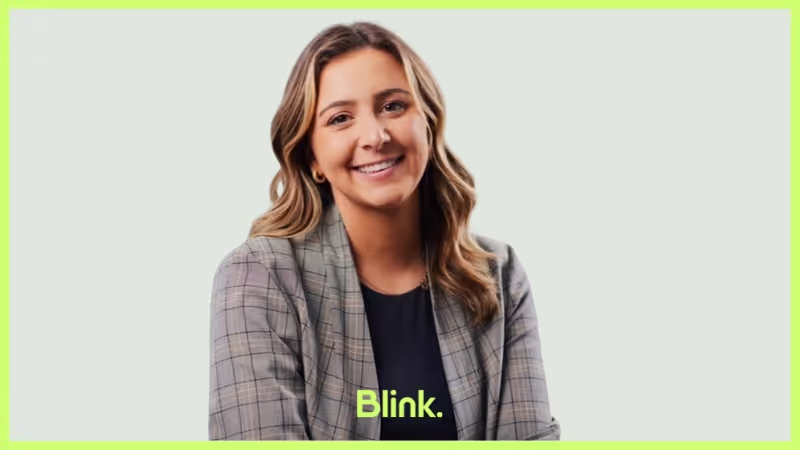
MJ Moore has been paving the way at Blink for over three years, bringing her Workday consulting background to build our entire Implementation function from the ground up. Now, as VP of Implementation in our London office, she’s led lightning-fast launches and established a team that customers can’t stop raving about.
We chatted with MJ about what drew her to Blink in the first place, the culture she thrives in, and why she’s more energized than ever to keep driving innovative solutions for frontline workers around the globe.
What is your position at Blink?
I’m the VP of Implementation.
How long have you been at Blink?
Just over three years. I celebrated my three-year anniversary in February.
What initially attracted you to join Blink?
I think I simply loved the technology. I came from a Workday background, doing Workday consulting, and was looking for that early-stage buzz again — something I felt Blink had in spades. The technology was at an exciting point in the market, and I wanted to be part of a company that had tons of potential for growth.
What's a project you are proud of from your time at Blink?
That’s a tough question because there are so many highlights! One of the biggest is building the Implementation team from scratch. When I first joined, there wasn’t an official Implementation function at all. Now, we’ve got a robust team of people working together with clear processes, methodologies, templates — everything we need. They’re incredibly self-sufficient, and our customers love them, which is such an awesome feeling.
Another standout moment was launching Blink to 6,000 users in Mexico in under eight days. We were a lot smaller at the time, so I ended up running almost the entire project on my own. The client was facing serious union issues and worried about potential factory closures, so they needed Blink ASAP to keep everyone informed and hopefully avoid a strike. It was crazy stressful, but we pulled it off, and in the end, they were able to communicate everything in time. They actually avoided the strike altogether, which was a huge relief for them — and for us, knowing we helped make that possible.
How would you describe the company culture at Blink in three words?
Energetic, challenging, and supportive: There’s a lot of energy in the team; we set high expectations for ourselves; and everyone is there to help each other succeed.
What's one thing you're excited about for the future of Blink?
Honestly, it’s thrilling to think about how much opportunity lies ahead. We’re in an industry where Blink could become essential to so many different sectors — frontline workers, office-based teams, you name it. We’ve barely scratched the surface of what we can do, and each new market or customer segment opens up possibilities we haven’t even explored yet. That level of untapped growth is exactly what makes Blink so exciting to be part of. It’s the kind of momentum that drives you to keep innovating, knowing there’s still so much room to make a real impact.
Can you tell us about a recent initiative or program launched at Blink that you found particularly exciting?
I really love the “Adopt a Customer” program because it encourages everyone in the company — even those who don’t usually interact with customers — to take a deeper interest in who we serve. Our biggest goal is driving customer happiness, and this initiative pushes each person to learn about one specific customer’s journey, challenges, and needs. When you have to present your findings at an All Hands meeting, you naturally dive into researching their background, business goals, and how they use Blink. That extra effort is not only fun, but it also fosters empathy and understanding. It’s awesome to see colleagues who haven’t had much customer exposure suddenly become champions for “their” customer, sharing insights that might otherwise go overlooked.
Why do you work for Blink?
I’m here because Blink’s mission speaks to me on a really personal level. There’s something powerful about the tools we provide — especially for frontline workers who haven’t had anything like Blink before. It has the potential to fundamentally change how they do their jobs, and that’s exciting to be a part of.
I’ve also been given a lot of responsibility and freedom to make an impact, which is something I really value. In previous roles, I sometimes felt disconnected from the end users, but here, I get to see real reactions to our tech — people lighting up because it makes their work lives easier. That’s a genuine thrill and it reminds me why I do what I do every day.

MJ Moore has been paving the way at Blink for over three years, bringing her Workday consulting background to build our entire Implementation function from the ground up. Now, as VP of Implementation in our London office, she’s led lightning-fast launches and established a team that customers can’t stop raving about.
We chatted with MJ about what drew her to Blink in the first place, the culture she thrives in, and why she’s more energized than ever to keep driving innovative solutions for frontline workers around the globe.
What is your position at Blink?
I’m the VP of Implementation.
How long have you been at Blink?
Just over three years. I celebrated my three-year anniversary in February.
What initially attracted you to join Blink?
I think I simply loved the technology. I came from a Workday background, doing Workday consulting, and was looking for that early-stage buzz again — something I felt Blink had in spades. The technology was at an exciting point in the market, and I wanted to be part of a company that had tons of potential for growth.
What's a project you are proud of from your time at Blink?
That’s a tough question because there are so many highlights! One of the biggest is building the Implementation team from scratch. When I first joined, there wasn’t an official Implementation function at all. Now, we’ve got a robust team of people working together with clear processes, methodologies, templates — everything we need. They’re incredibly self-sufficient, and our customers love them, which is such an awesome feeling.
Another standout moment was launching Blink to 6,000 users in Mexico in under eight days. We were a lot smaller at the time, so I ended up running almost the entire project on my own. The client was facing serious union issues and worried about potential factory closures, so they needed Blink ASAP to keep everyone informed and hopefully avoid a strike. It was crazy stressful, but we pulled it off, and in the end, they were able to communicate everything in time. They actually avoided the strike altogether, which was a huge relief for them — and for us, knowing we helped make that possible.
How would you describe the company culture at Blink in three words?
Energetic, challenging, and supportive: There’s a lot of energy in the team; we set high expectations for ourselves; and everyone is there to help each other succeed.
What's one thing you're excited about for the future of Blink?
Honestly, it’s thrilling to think about how much opportunity lies ahead. We’re in an industry where Blink could become essential to so many different sectors — frontline workers, office-based teams, you name it. We’ve barely scratched the surface of what we can do, and each new market or customer segment opens up possibilities we haven’t even explored yet. That level of untapped growth is exactly what makes Blink so exciting to be part of. It’s the kind of momentum that drives you to keep innovating, knowing there’s still so much room to make a real impact.
Can you tell us about a recent initiative or program launched at Blink that you found particularly exciting?
I really love the “Adopt a Customer” program because it encourages everyone in the company — even those who don’t usually interact with customers — to take a deeper interest in who we serve. Our biggest goal is driving customer happiness, and this initiative pushes each person to learn about one specific customer’s journey, challenges, and needs. When you have to present your findings at an All Hands meeting, you naturally dive into researching their background, business goals, and how they use Blink. That extra effort is not only fun, but it also fosters empathy and understanding. It’s awesome to see colleagues who haven’t had much customer exposure suddenly become champions for “their” customer, sharing insights that might otherwise go overlooked.
Why do you work for Blink?
I’m here because Blink’s mission speaks to me on a really personal level. There’s something powerful about the tools we provide — especially for frontline workers who haven’t had anything like Blink before. It has the potential to fundamentally change how they do their jobs, and that’s exciting to be a part of.
I’ve also been given a lot of responsibility and freedom to make an impact, which is something I really value. In previous roles, I sometimes felt disconnected from the end users, but here, I get to see real reactions to our tech — people lighting up because it makes their work lives easier. That’s a genuine thrill and it reminds me why I do what I do every day.

What we'll cover
Start your free trial today
See how Blink helps frontline teams stay connected, informed, and engaged.
Hannah’s hard work and dedication to quality don’t go unnoticed, and she is a key contributor to making the department successful. She is an amazing self-starter, reliable, and always team-oriented.
In her role, she is responsible for everything relating to customer quality response at the facility, which helps us increase customer satisfaction and efficiency and adhere to regulations that are critical to the manufacturing process. Her role includes but is not limited to: Customer complaint investigations (TICS), Return Material Authorizations (RMAs), NCMR generation and completion via software (C-Pro), participation in CAPA processes for addressing internal and external requests, supplier (SCARS), supervising returned material, tracking, inventory adjustments and corrections, analysis, and reporting.
She also supervises the calibration of laboratory equipment and weigh scales, and conducts preventive maintenance of testing instruments, important for preventing defects and maintaining consistency.
Throughout all of this, she manages to deliver clear, concise communication across all levels of the organization.
What does she want to do next?
She’ll be supported to do whatever she wants to do!
‘As leaders, we should be measuring engagement in everything we do’
– Simon White, VP People at Blink
Frontline leaders have long been searching for the most effective way to engage their deskless workforce. From Employee Resource Groups (ERGs) and Learning & Development initiatives, to intranets and Enterprise Social Networks (ESNs), they've tried a variety of approaches with varying levels of success.
This has led to a Frontline Gap, an issue that many organizations, especially those with deskless employees, face. It is a void where initiatives fail to have their intended impact due to a lack of engagement from workers.
To bridge this gap, employers must look beyond traditional methods such as ERGs and ESNs, and instead focus on using employee engagement surveys to connect directly with the needs of their deskless staff.
Frontline workers are looking for a faster, more efficient, and more useful way to do their jobs, while leaders want to bridge the Frontline Gap and connect with their deskless staff. To be able to achieve these goals, employee engagement surveys can help employers achieve direct conversations with frontline workers and understand the needs of their employees.
By taking a proactive approach to employee engagement and using pulse surveys to directly and regularly connect with deskless employees, organizations can begin to close the Frontline Gap, identify engagement challenges and create a more productive, cohesive, and engaged workforce.
Employee engagement surveys can provide valuable insights into how employees feel about their work environment, job satisfaction, team dynamics and so much more. In this guide, we'll take a brief look at why frontline leaders should conduct employee engagement surveys as a regular practice, before diving into our step-by-step guide on how to conduct your first employee engagement survey the right way.
Why employee engagement surveys are important
The solution to bridging the Frontline Gap lies in approaching frontline engagement as something that is earned, rather than simply expecting it from employees. Instead of relying on traditional methods such as ERGs and ESNs to increase engagement, employers must focus on creating an environment where workers feel truly valued and respected.
The first step towards this lies within employee engagement surveys.
Employee engagement surveys are an important tool for frontline leaders to measure engagement and understand the feelings of their deskless employees. While ERGs and ESNs can provide a good foundation for engagement, taking proactive steps to directly connect with your team is essential in order to create a productive and cohesive environment.
As businesses today are operating in an increasingly competitive hiring market, salaries and benefits are becoming more expensive and difficult to manage. With no visibility into what is going right or wrong, employers are left in the dark as to why their staff turnover rate is on the rise and morale is low.
This lack of insight into employee engagement can lead to disengaged employees, decreased productivity, and high turnover rates, alongside a weaker Employer Value Proposition (EVP) as talent is lost.
Employee engagement surveys can help employers gain the insights they need to effectively measure and address employee satisfaction, team dynamics, and much more. Collecting and actioning this feedback is one of the key employee engagement drivers, and is considered an employee engagement best practice.
So, how exactly can employee surveys support your workforce and drive success in your goals?
Enable
By regularly understanding what they need, leaders can better enable their workforce to succeed. Engagement surveys can help identify key areas that employees are struggling in and provide valuable feedback to address these issues.
One of the main pain points for organizations, especially those with deskless employees, is the lack of resources and support needed to ensure their workforce can work effectively. Without the necessary engagement tools, communication channels and access to information needed to do their job efficiently, deskless workers are often left feeling frustrated and under-valued.
Frequent employee surveys help employers find out what their employees need to do their jobs better. It also helps the employer know if their employees feel respected and valued. The information gained helps them ensure they have the tools and resources needed for workers to do their job well, so that companies can keep a good reputation and meet their hiring targets.
Understand
It can also be hard to collect data from the frontline, as depending on the industry and environment they work in, traditional methods such as paper surveys or iPads may not be practical. For example, if they are working outdoors or in an extreme environment where digital devices cannot operate, it can be difficult to get real time feedback from them.
Additionally, it's crucial to have something that's easy to use, in every frontline worker's pocket. By giving managers what they need to measure employee engagement and continuously improve the employee experience, employee surveys can fill this gap and directly benefit the organization.
One of the most prominent pain points faced by organizations is a lack of understanding of what engaged employees need to be successful, especially in the frontline. Leaders that are out of touch with their workforce can cause real issues, including low morale, decreased productivity and high turnover rates.
To truly understand what engaged employees require, employers must conduct employee engagement surveys, aiding them in identifying key pain points and areas that need improvement.
Engage
Another key objective of employee pulse surveys is to improve and measure employee engagement. It is crucial to engage employees in order to create a positive and productive workplace. Employee engagement surveys measure levels of employee satisfaction, and identify the strengths and weaknesses of policies, programs, goals and objectives within an organization.
By understanding where leadership or productivity are weaker, employers can effectively engage their workers through real-time critical information and structured interventions tailored to improve engagement.
This is a pain leaders are facing: the frontline isn't sharing feedback because they don't want to. Gaining the engagement of the frontline by first earning their trust is key to boosting future engagement levels and increasing employee retention.
How to successfully conduct an employee engagement survey
As we have looked at above, conducting employee engagement surveys can encourage employees to speak up, give them a voice, and help employers to create a more productive environment.
If you're planning to conduct an employee engagement survey, keep this in mind.
The purpose of an employee engagement survey is not to measure employee engagement, it's to improve it.
Employee engagement surveys should not be done out of curiosity or to "check in" with your employees, they take too much time to be done this way.
Simply having an employee survey is not enough - the way in which you conduct your surveys can make all the difference between success and failure.
LeadershipIQ surveyed over 3,000 HR executives to see "how good" their employee engagement survey was, and only 22% said they were getting good results.
So how can you conduct employee surveys so they are actually meaningful? Looking at industry leaders, we see the following behaviors taking place to launch successful surveys:
1. Get rid of annual surveys
Gone are the days of the bog-standard annual engagement survey that provides little useful information, leaving employees disengaged and uninterested.
Instead of a singular survey at one point in the year, organizations should instead be taking a more agile approach to employee engagement surveys by conducting regular pulse surveys with smaller sample sizes.
If you already have an annual survey procedure in place, the first thing you should do is look at your current process and consider whether some parts of it can be scaled back or done more frequently.
2. Define a clear, attainable goal
You'll have to really think about what information you want to get out of this survey, sometimes it's not just a simple case of finding out how your frontline employees are feeling. This is an opportunity to encourage your team to share feedback on every aspect of their role, your role, and even the CEO's right at the top.
For example, if you have a low retention rate that you want to try and improve, what questions need to be asked? What data will help you put together a plan?
Your employee engagement survey questions should be strategically planned in a way that shows the leadership team genuinely cares about their frontline workers and how their careers can be developed. This should be made visible from the start to the end of your survey.
3. Plan ahead
Once you've figured out what information you wish to gain from your survey, it's time to plan ahead and get everything into place. Here are some of the main points you should consider when you're ready to plan your survey:
Have you got the right technologies in place to be able to conduct your survey?
What do you really want to find out?
Do you need to align with CIO or get buy-in?
When is the right time to conduct your survey? You'll need to give your employees an adequate amount of time to finish it.
Are you targeting all of your employees or just a specific group?
4. Let the frontline know!
Once your survey is ready to go, you need to get the message out there.
Reiterate the importance of the survey to your frontline staff and how it can positively affect their role at work and the environment in which they work. It's a way to show them they are going to be heard and listened to (you need to actually follow through as well, but more on that later).
Communications leaders should be well briefed in plenty of time and should be tasked with sending out reminders to all who are involved in taking the survey.
One way you can reiterate the importance of your employee engagement survey is to release it with a message from the CEO, or another senior leader.
5. Act and restart
Once you've received your survey results, you need to come up with a plan stating how you plan to act on your responses. This is a key aspect you can't shy away from.
This is also another chance to acknowledge employee contribution and shows that the right people have seen the results and will take action. Below is a recent example from John J. Herman, CEO of Penn Medicine Lancaster General Health.
He acknowledges and thanks staff for taking the time to do the survey, reiterates their feedback is important, and lays out in clear bullet points what their next action points are. You can view the full message here.
This should be an ongoing effort and you should keep your frontline workers informed of your processes and decision making, as a way of letting them know you are serious about improving your workplace.
If you fail to truly act on the feedback they have taken the time to give you, you risk devaluing future surveys and decreasing response rates.
You should repeat your survey at regular points throughout the year, to see if the employees are satisfied with the measures you have taken and tweak different aspects of your strategies to raise levels of employee engagement.
Considerations for conducting your first employee engagement survey
Plan
As we highlighted above, surveys should not be done out of curiosity, you need a real plan.
So when you're thinking about surveying employees take the below into account:
Who's your audience?: Whether it's teams or departments, segment your stakeholders into groups.
What do you want to measure?: What do you need to find out to improve the employee experience? Set goals, and measurable KPIs.
What are you asking?: Once you know what to measure, what questions do you need to ask to get actionable insights?
What type of survey?: Once you have your audience and goals, what type of survey are you going to run? There are different types such as, benefit surveys to measure how satisfied your frontline is with their benefits and rewards or you could even run onboarding surveys for new hires to see how well they’ve been introduced to the business.
What format?: How will the survey be received? Via email, via an app? What format will the questions be? Multiple choice or free text? Take into consideration your audience and goals and use these to guide the format you choose.
Timing: When's the best time to send your survey to your audience? How long will you leave the survey open for? How many follow up emails will you send to those that don't respond?
There's a lot that goes into planning an employee survey, but you need to do this to set you up for the best chance of it being a success.
Platform
Do you have a way to easily and efficiently collect and analyze data? Depending on your organization you'll need to make sure you use a platform that meets your requirements.
Think about who you are going to survey, are they desk based or deskless? Do they work from home? Are they on the frontline? Do you need the survey to work on desktop and mobile?
For example, our employee survey feature is used by organizations whose employees are on the frontline, this puts more importance on the mobile functionality of our survey feature to allow for quick and easy responses wherever employees are.
If your employees feel disengaged from their colleagues and management team it's time to introduce a platform that can meet your team's needs whatever their job role.
Trust
Employee surveys are a great opportunity to establish trust with your employees that you will listen and understand their feedback, as well as make an effort to act on how they are feeling.
But, they also pose a risk of doing the opposite if you don't do them properly.
A recent campaign undertaken by Blink found that 50% of employees wanted to leave their current position as they didn't feel like management took their complaints seriously. One third didn’t even think their organization would act on their feedback.
This again highlights why employee surveys shouldn't be done out of curiosity. If you run the survey, get the results, and don't act. What do you think will happen to the figure above?
But, if you act and communicate changes made off the back of feedback, not only could these go a long way with improving employee engagement, but build a lot of trust with your employees.
From an employee perspective, it will also be important if the survey is anonymous. This in turn will increase trust and eagerness to take part in the survey. Anonymity is important if you want to get real honest feedback from staff, they will feel more comfortable sharing the truth if they know it won’t come back to haunt them.
Communication
Raise awareness around your survey going live! Involve your communications leader in using as many formats as possible to get the message to the frontline.
This could involve emails, printed posters, and using an employee engagement mobile app.
These communication points need to explain the importance of taking part in the survey and why employee feedback is so important to improving the work culture.
Content
When you're planning out your employee engagement questionnaire, don't be afraid to ask difficult questions. You need to ensure you're set up to get the most out of it.
For example, Facebook found that simply asking employees how long they intend to stay was more than twice as accurate at foretelling their future turnover than machine-learning forecasts.
What's even more telling is that they found when people don’t participate in their two annual surveys they are 2.6 times more likely to leave in the next six months.
The content within your survey needs to be clear, concise, and engaging. There's no need to overcomplicate your questions or try to hide behind big words. Ask the questions in a way that will get a truthful response.
How Blink employee surveys can help you meet your goals
Most employee survey tools are designed for desk-based workers, not the frontline - Blink's Employee Surveys make it easy for you and your teams to quickly and easily conduct employee surveys.
We make it easy for frontline organizations to get the data that matters.
Triple your response rate
Get your survey seen and responded to in an app designed for everyday frontline use. Instantly transition away from paper surveys to having surveys appear seamlessly on every frontline team member’s device.
This gets rid of friction caused by having to use other platforms, with different passwords and make it easier for staff to respond as everything is in one place. From paystubs to scheduling and even critical documents - your surveys are in an app that gets opened an average of seven times a day.
Launch in 90 seconds
Ask questions fast, get answers faster. Our mobile app makes creating and sending surveys easy. From selecting your audience to selecting questions you’ll be done in minutes.
Science-backed questions
We offer a set of science backed Qs which are great if leaders don't know what to ask, you also get the option to add in your own.
Get action-ready insights
Easy-to-use reports to make impactful decisions. Merge this with Frontline Intelligence - together with engagement stats and you’ll have an overall view of the health of your organization.
If you're comparing Beekeeper and Blink. right now, the most important fact is the one most comparison articles still miss. Beekeeper was acquired by LumApps in July 2025, in a deal valuing the combined company at more than $1 billion. The integration roadmap runs 12 to 24 months. That changes how buyers should weigh this decision.
This guide gives you a current, objective comparison. What each platform actually does, what the LumApps merger means for new Beekeeper buyers, where the two products differ, and how to choose.
The short answer
Pick Blink. if you want a mobile-first frontline platform with an independent product roadmap, transparent per-user pricing, and a single app that combines comms, a searchable knowledge hub, and chat. Blink. starts at $3.75 per user per month.
Pick Beekeeper (now part of LumApps) if you need built-in shift scheduling and inline translation as core day-one features, you want to replace your existing scheduling tool rather than integrate with it, and you're comfortable buying into a platform mid-integration with a larger desk-worker intranet (LumApps).
Both are real options. The right choice depends on your workforce mix and how much integration risk you can absorb.
What changed: the LumApps acquisition explained
In April 2025, LumApps and Beekeeper announced a definitive agreement to merge. The deal closed in July 2025. Here's what's publicly confirmed:
The combined company is valued at over $1 billion, backed by private equity group Bridgepoint, which already held a majority stake in LumApps from 2024. (Bridgepoint announcement)
The merged business serves around 7 million users across 2,000+ clients, with roughly $150 million in recurring revenue and 600+ employees. (LumApps press release)
The combined product is being positioned as an "AI Employee Hub" for both desk-based and frontline workers. (Forrester analysis)
A fully integrated platform is expected over 12 to 18 months, with a 24-month integration roadmap covering infrastructure, user provisioning, and mobile apps. (Reworked coverage)
LumApps has confirmed there are no short-term sunset plans for either platform during the integration. (LumApps + Beekeeper hub)
This isn't a small bolt-on. LumApps is primarily a desk-worker intranet on Google Workspace and Microsoft 365. Beekeeper is a mobile-first frontline app. Merging them into a single hub is a multi-year engineering and product effort. New Beekeeper buyers should understand they're buying into the start of that journey, not the end of it.
What buyers should ask before signing with Beekeeper today
These are fair questions to ask any Beekeeper sales contact in 2026:
Which Beekeeper modules are on the combined-platform roadmap, and which will be retired or rebuilt on LumApps infrastructure?
If our contract spans the 24-month integration, what's our migration path if functionality moves to a different SKU or pricing tier?
How does pricing change once we're on the combined LumApps + Beekeeper platform?
Which engineering and product leaders from Beekeeper are committed through the integration?
There are no wrong answers here. There are only answers you should hear before you sign.
Comparison point
Blink.
Beekeeper (LumApps Group)
Ownership
Independent, frontline-focused
Acquired by LumApps in July 2025, backed by Bridgepoint
Product roadmap
Single product, frontline-first
Mid-integration with LumApps intranet, 12 to 24 months
Starting price
$3.75/user/month (Core, annual)
Not published, third parties cite $5 to $15/user/month
Free trial
Free trial across all tiers
14-day premium trial, free plan up to 30 users
Best for
Mobile-first frontline teams, mixed office and frontline workforces
Shift-based operations wanting native scheduling and inline translation in one app
Knowledge hub
Unified, searchable Hub in-app
Streams and channels, less unified search
Shift scheduling
Integrates with your existing scheduler
Native built-in scheduling
Chat: delete and forward
Yes
No (per user reviews)
Inline translation
Multi-language publishing on Pro
150+ languages, inline
Integrations
Direct native (Microsoft 365, Salesforce, IdPs)
Mix of native and Zapier-based
Digital signage
Not offered
Yes, break room displays
AI assistant
Included on Pro
Roadmap item under "AI Employee Hub" combined product
Where Beekeeper is genuinely strong
To be fair to Beekeeper, it has real product depth in a few areas:
Shift scheduling is native, not an add-on. Built-in scheduling, swaps, and time-off requests. For operators who want comms and scheduling in the same app, that's a meaningful day-one feature.
Inline translation across 150+ languages. Useful for multilingual frontline workforces where messages need to land in the worker's language without an extra step.
Mature workflow automation. Onboarding flows, chatbots, and operational checklists are well-developed and documented.
If those three features are non-negotiable for your rollout, Beekeeper covers them out of the box.
Where Blink. is genuinely strong
Blink. is built mobile-first for frontline teams and competes head-to-head in the same buying conversations. Where it pulls ahead:
Unified Hub. Blink. combines a feed, chat, and a searchable knowledge hub in one app. Documents, policies, and SOPs are all findable in the same place a worker reads comms.
Mobile-first content experience. Built for workers who don't have a desk or a corporate email address. Rich post formatting, embeds, and emoji support in the feed.
Transparent per-user pricing. $3.75/user/month on the Core annual plan, $5.00/user/month on Pro, with a free trial across all tiers. No quote-only walls for SMB buyers. (Blink. pricing)
Independent product roadmap. Blink. is not mid-integration with a larger desk intranet. The roadmap is fully focused on frontline use cases.
Direct integrations. Native connections to Microsoft 365, Salesforce, and other workforce systems, rather than relying on third-party connectors for security-sensitive flows.
Pricing: what you actually pay
Blink. publishes pricing on its website. As of May 2026:
Core: $3.75/user/month (annual) or $5.60/user/month (monthly). Includes feed, chat, Hub, custom branding.
Pro: $5.00/user/month (annual) or $7.00/user/month (monthly). Adds events, live streaming, multi-language publishing, AI assistant, and priority support.
Enterprise: custom, with advanced admin, API access, surveys, dedicated CSM, and SLAs.
Beekeeper does not publish pricing. Third-party trackers report a per-user, per-month range of roughly $5 to $15 depending on modules, plus implementation fees that range from around $1,000 for small deployments up to $50,000+ for larger ones. A free plan for up to 30 users and a 14-day premium trial are available. Sources: Capterra pricing tracker, TrustRadius pricing, GetApp listing.
The practical difference: Blink.'s pricing is predictable per seat. Beekeeper's depends on which modules and add-ons you enable and is harder to forecast before a sales conversation.
Feature comparison
Feed and content. Blink.'s feed sits next to a unified Hub where documents, policies, and SOPs are searchable in the same app workers read messages in. Beekeeper organizes content into multiple streams, and user reviews on G2 frequently note that documents are harder to find compared to chat or feed posts. For frontline workers searching one-handed on a shift, that difference compounds every day.
Chat. Blink. supports message deletion, forwarding, and saving in group chats. Beekeeper users on G2 and Capterra have flagged the inability to delete old chats as a long-running frustration. Small detail, daily impact.
Scheduling. Beekeeper replaces your scheduler. Blink. partners with it. If you already run Deputy, When I Work, Quinyx, or a workforce management system, Blink. integrates without forcing a rip-and-replace. That keeps your shift logic, payroll exports, and labor rules where they already work, and puts comms next to them in one app workers actually open.
Integrations and IT load. Blink. ships direct native integrations with Microsoft 365, Salesforce, and the major identity providers (Okta, Azure AD, Google). Beekeeper relies on a mix of native and Zapier-based connectors for many of the same flows. For IT and security teams, that's fewer middleware points to audit and fewer third-party data hops to review.
AI: shipping vs roadmap. Blink.'s AI assistant is live on the Pro tier today, helping admins draft posts, translate, and surface content for workers. Beekeeper's AI features are now tied to the combined "AI Employee Hub" with LumApps, which is on a 12 to 18 month build. If AI is part of your decision, the practical question is whether you want it in your hands now or in the roadmap.
Mobile experience. Both apps work on a phone. The difference is what loads when a worker opens it. Blink. leads with a personalized feed and a searchable Hub. Beekeeper leads with streams and operational workflows. For mixed workforces and engagement-led rollouts, Blink.'s home screen does more on first open.
Mobile experience and frontline adoption
Both products are mobile-first. The honest read on adoption signals:
Blink. publishes adoption rates above 90% across customer case studies, with a UI built specifically for workers who only ever use the app on a phone. (Blink. customers)
Beekeeper publishes similar high-adoption numbers and has a longer track record in very large hotel and manufacturing deployments.
The differentiator isn't whether either app works on a phone. Both do. It's what the worker sees when they open it. Blink.'s home screen leads with a personalized feed and Hub. Beekeeper's leads with streams and operational workflows.
Migration considerations: moving from Beekeeper to Blink.
If you're a current Beekeeper customer evaluating alternatives because of the LumApps merger, the practical migration questions:
Content export. Both platforms support data export. Confirm the format with each vendor.
User provisioning. Blink. integrates with the major IdPs (Okta, Azure AD, Google). Most Beekeeper customers can re-provision in days, not weeks.
Integrations. Audit which third-party connectors you depend on today. Blink. ships direct integrations with the most common systems, which reduces ongoing Zapier or middleware costs.
Timeline. A typical Blink. SMB rollout takes 2 to 6 weeks end-to-end. Larger or multilingual rollouts run 6 to 12 weeks.
The team at Blink. handles migration planning and content import directly. If you want a structured assessment, request one here.
Final word
Beekeeper is a capable product with real strengths, especially around shift scheduling and inline translation.The LumApps acquisition doesn't make it a bad choice. It does make it a different choice than it was 18 months ago. New buyers should know they're signing into a multi-year integration and ask the right questions about roadmap and pricing.
Blink. is built mobile-first for frontline teams, with a unified Hub, transparent pricing, and an independent roadmap focused entirely on this audience. If those things matter to you, start a free trial and put it side-by-side with Beekeeper on your real use cases.
Movement is your bread and butter. The movement of goods. The movement of passengers. But when it comes to the movement of information, transit and logistics organizations have it tough.
Reaching employees who aren’t tethered to a desk isn’t always easy. These employees don’t tend to have a company email address. And they don’t have easy access to desk-based tech and tools. This means they can’t access the traditional intranets that many organizations still use.
If you’re anything like thousands of transit and logistics companies up and down the country, you may be experiencing an employee communication gap. And this causes no end of organizational headaches.
Frontline managers bear the brunt. They already juggle competing demands. But they also spend a big chunk of their workday relaying messages between the C-suite, HR, and frontline workers.
Remember, every minute a frontline manager spends sending out comms or fielding inquiries is another minute diverted from delivering speed and quality.
Frontline workers suffer, too. When internal communication is patchy, they feel less connected to their organization. And less satisfied with their jobs.
You can put an end to these headaches with effective workplace communication. It’s a bridge that connects HQ with your transit depot, warehouse floor, and drivers. A solution that eases a frontline manager’s workload and helps you better reach transit and logistics employees.
In this article, we explore all the ways you can develop effective workplace communication in your transit or logistics organization. So buckle up and let’s take a closer look.
Importance of reaching your transit & logistics employees
When the people within your organization struggle to communicate effectively, it isn’t simply an inconvenience. Poor employee communication can cause serious problems for your company. Problems like inefficiency, employee disengagement, and staff churn.
Luckily, the converse is also true. Prioritize communication and find ways to reach your transit and logistics employees and there are valuable business benefits to be gained.
You improve manager efficiency
Currently, managers spend a lot of time using ineffective methods to reach employees.
They stick paper memos on the depot noticeboard. They make phone calls. And they take on the role of messenger, carrying information between HR, leadership, and frontline employees.
When you make employee communication more effective, managers get valuable time back. They can get messages out quickly and effectively. So they have more time to focus on other tasks.
You empower your frontline
Good employee communication empowers your frontline. You help them thrive in their roles and feel connected to the larger mission. You put the tools and resources they need at their fingertips.
For example, employees find it easy to get the latest company updates. They can also access information on their shift schedule and pay stubs. And get support from managers when they need it.
You boost staff happiness and retention
Focus on communication and you make your workplace friendlier and more connected. Managers and leadership can communicate with employees. But employees can also communicate with one another. And they have a direct line to decision-makers
This connection supports engagement, which supports employee loyalty. When an organization has good internal communication, staff are less likely to leave.
We know that it’s difficult to hire frontline staff right now, in both transit and logistics organizations. Labor shortages are impacting a company’s ability to operate and turn a healthy profit.
Engaging your employees better — with the help of effective internal communication — makes it more likely that they’ll stay working for your organization.
8 strategies to improve how you reach your transit & logistics employees
We know how important good employee communication is to a frontline organization. So let’s take a look at all the ways you can achieve it.
Use an employee app
Some of your transit and logistics employees sit at a desk. But many of them spend their days on the road or on the warehouse floor, away from the office.
These frontline team members don’t necessarily have an employee email address. And they very rarely have access to a work computer. This makes them hard to reach — particularly if you’re using traditional, desktop-based communication tech.
A mobile-first employee communication tool, like a frontline app, bridges the gap between head office and frontline workers.
A few standout features?
An employee app doesn’t require an employee email address or a desk-top device. Employees can access all company comms securely via their smartphones.
An employee app is easy to use. Its interface is like that of popular social media apps. So employees find it intuitive to use and adoption tends to be high.
An employee app is a one-stop-shop. Employees get everything from pay stubs to shift schedules, co-worker messages to mandatory updates. All in the palm of their hand.
An employee app is effective. Updates and tools are available for employees to access at a time and place that suits them. So fewer messages are missed.
Implement regular meetings
Whole-team meetings help you to create an open dialogue. Employees get up-to-speed on the latest company news. Managers can answer employee questions. Everyone feels more connected to co-workers and the wider organization.
You can also use meetings to find solutions to problems. When you have a full range of perspectives and priorities in a room, it’s easier to make decisions that work for everyone.
Regular meetings are an important tool in internal communications. But they’re not always easy to arrange for transit and logistics teams. When everyone is working different shift patterns – across many locations – implementing whole-team meetings is a challenge.
There are a couple of ways around this.
You can rotate the time and location of meetings so employees on a fixed shift pattern aren’t always missing out. You can also keep meetings short and sweet to maximize the number of people who can attend.
And don’t forget to harness the power of tech. Virtual meetings are just as valuable as in-person meetings. As long as everyone is able and encouraged to give real-time input.
Provide training opportunities
Continuous training gives employees the skills, knowledge, and confidence they need to excel. It helps employees to make better decisions and provide better service. It also helps your organization to comply with safety regulations.
But frontline employees often miss out on training opportunities.
According to McKinsey research, 20% of frontline employees says that their employer offers no resources to adequately prepare them for advancement opportunities. And 65% say they are unsure or unaware of how to achieve career advancement.
Employees feel more engaged — and therefore more receptive to company comms — when they feel valued, enabled, and supported.
As well as offering role-based training equitably to both frontline and desk-based teams, you can use training to support your comms goals in the following ways:
Teach new hires about company culture and communication norms
Offer training on the communication tools you use
Incorporate training on company goals and how an employee’s role supports them
Training makes employees better at their jobs. But it can also help them to feel more connected to their work and the wider organization.
Establish feedback loops
A one-way conversation, where we can’t get a word in edgewise, is no fun. We’re happy to listen – but we want our voices to be heard, too.
It’s no different for company communications. The most connected and engaged organizations welcome two-way conversations between employees and leadership.
Of course, top-down communication has its place. Leaders need to share company updates and essential information with employees. But ideas, queries, and opinions need to flow in the other direction too.
You can encourage more bottom-up communication from your transit or logistics employees by creating feedback channels. Try to run:
Pulse surveys: to get a snapshot of how employees are feeling
Annual surveys: to gain in-depth insight into the employee experience and benchmark your performance
If you don’t have survey tech that frontline employees can use, suggestion boxes are an alternative. You could also run a regular schedule of 1-2-1 meetings so employees can speak up about any issues they’re facing.
Just remember that facilitating regular, anonymous feedback is only the first step in the process. To ensure employees get involved with your feedback program, you need to establish a feedback loop.
This means telling employees what their feedback has revealed — and any changes you plan to make. You can then give them further updates on the actions you’re taking and the results they’re producing.
Promote transparency
Trust is the foundation of positive internal communication. Employees are more likely to engage with your comms when they trust in what you’re saying. And they’re more likely to be transparent in their own communication when they have your example to follow.
So how do you make your employees more trusting? It all starts with transparency in the way you share information.
Transparent communication helps employees to understand leadership logic. When they understand the reasoning behind decisions and changes, they’re more likely to get behind them. And when you’re honest about challenges and problems, they may also be able to offer helpful solutions.
Ultimately, when employees can count on open, valuable communication like this, they’re less likely to avoid noticeboard memos and the company emails that land in their inbox.
Transparent employee communication is easier when you have the right communication channels — like town hall meetings, a frontline app, and regular 1-2-1s. Training can also help managers and employees to embrace a company culture where sharing information is the norm.
Recognize your employees
Recognition is a form of employee communication that fosters connection between employee and employer. It helps to create a positive work environment with high morale and engagement.
If you feel you could do more to recognize employees, start by thinking about your company culture. What are the behaviors you want to see in your organization?
Then align recognition with these behaviors, celebrating and rewarding employees when they demonstrate them.
Here are a few ideas for ways you can weave recognition into your day-to-day:
Celebrating work and personal milestones
Peer-to-peer recognition (where co-workers get to highlight the successes of their peers)
Employee of the Month awards
Public recognition via employee communication channels
By offering regular, timely recognition you motivate employees to do a great job. And by recognizing employees publicly, you inspire their co-workers to follow suit.
But it’s not just about performance and productivity. Recognition feeds your internal communication efforts, too.
That’s because engaged employees are more likely to read and respond to company messages. And because recognition helps to strengthen workplace relationships. Show that you value one another and open, trusting, effective communication becomes a whole lot easier.
Support collaboration
Collaboration supports internal communication — and vice versa. That’s because collaboration translates into all the following:
Effective knowledge sharing: when employees have the right communication channels, they can share insights and learning with other team members
An aligned organization: when your teams work together, you align employees around company goals and objectives
Improved problem-solving and decision-making: two heads are better than one, so when employees regularly share ideas and perspectives you end up with better solutions and decisions
Strong relationships: employees who work together develop stronger relationships and find it even easier to communicate and collaborate in the future
You can encourage collaboration by celebrating collaboration when you see it. You also need easy-to-use communication channels that break down silos. This means frontline teams can work together, even when they’re physically apart.
Imagine a bus driver comes across a patch of black ice on their route. With a clearly defined, mobile-first communication channel, they can quickly and easily alert other drivers to the hazard.
With good collaboration, everyone’s work gets safer, easier, and more satisfying. And employees have the support they need to be better at their jobs.
Offer clear internal communication channels
Think about how your organization communicates with employees in the here and now. You and your teams might be using some (or all) of the following:
An intranet
Noticeboards
Phone calls
Emails
Word of mouth
A suggestion box
Personal messaging apps
Town hall meetings
1-2-1 meetings
These communication channels don’t meet the needs of every employee within a transport or logistics organization.
Drivers and warehouse workers don’t always have access to a company email address or the company intranet. It’s pretty much impossible to schedule a town hall meeting that everyone can attend.
Some of these methods of communication are also unreliable and inefficient. Memos on a noticeboard are quickly out-of-date. Individually calling employees about their shifts takes up a lot of manager time. And messaging via personal apps isn’t always secure.
A modern intranet or employee app is a more effective alternative. When you put a clear communication channel in place — and train employees in how to use it — you cut the noise.
You also reap the following benefits:
You create one source of reliable information so employees learn to trust company comms
Managers spend less time on comms because they can quickly and easily reach all employees on the same communication channel
Frontline and office-based employees get equal access to internal communication – no one is left out of the loop
Employees get targeted comms, relevant to their roles, so they’re much less likely to ignore the messages you send
Blink is an employee app built for frontline organizations. It helps transit and logistics companies to achieve better communication, connection, and efficiency. It also acts as the digital front door for your organization.
Communication
With a built-in newsfeed, messaging function, and content hub, you can achieve effective company communication. You can share your mission and acknowledge top performers. Managers can post mandatory reads, conduct 1-2-1s, and direct communications to specific regions, sites, and departments. All while avoiding information overload.
Connection
You help to combat driver loneliness with employee chat, employee surveys, and an engaging, personalized news feed. You bring connection to solitary roles and help employees to feel seen, heard, and appreciated.
Efficiency
With Blink, you connect frontline staff to management and resolve issues faster. Staff are empowered to file accident reports and outage updates. Managers replace time-consuming paper-based processes with digital ones. Leaders also get valuable data and reporting features that allow them to visualize communication flow and further improve their comms strategy.
A digital front door
Via Blink’s user-friendly dashboard, employees can access all the apps and tools they use. Shipment details, shift schedules, digital order forms, health and safety notices, training materials, pay stubs. With the Blink frontline app, you put everything at the fingertips of every employee.
Blink case study: Stagecoach bus company
UK bus company, Stagecoach, has already put Blink’s frontline app into action. They needed a way to connect their 21,000 bus drivers and improve staff engagement.
Thanks to Blink they have:
Reduced staff turnover by 26%
Increased employee satisfaction by 46%
And with 89% of drivers opening the employee app an average of six times per day, they’ve managed to reach the majority of their frontline workforce each and every day.
Employee experience (EX) has been a trending topic across workplaces for a few years now. Originating as what seemed like a corporate buzzword quickly became a large-scale strategy for major employers across the globe.
And according to Forrester, the EX outlook for 2024 remains gloomy:
“Two key metrics dropped between 2022 and 2023 globally: Employee engagement fell from 41% to 37%, while culture energy fell from 63% to 59%[...]We predict that 2024 will see continued decline, with employee engagement dipping to 34%.”
These percentages are likely lower for frontline employees.
That’s because frontline workers often miss out on the employee engagement boosts available to their office-based counterparts. We’re talking connection and development opportunities, tech tools, and regular recognition.
The key issue now is what employers plan to do about it. Employee experience remains an important focus for any forward-thinking business. That’s because when employees are happy and engaged, your business benefits from:
So how are companies planning to engage and retain employees in 2024? And what EX patterns are already emerging? Here are the employee trends set to impact the future of employee experience over the coming year and beyond.
Top 5 EX trends to look out for in 2025
The growth of AI in the workplace
First on our list of employee experience trends is artificial intelligence (AI).
AI was a hot topic in 2023. As generative AI – like ChatGPT and Bard – marched onto the scene, lots of people got their first, hands-on experience with the technology.
Many businesses are already on board. 55% of respondents to a McKinsey survey said that their organizations were using AI in 2023. And more than two-thirds expect their organizations to increase AI investment over the next three years.
AI isn’t going anywhere. So in 2024, we predict that more companies will harness its potential for both business and employee experience transformation. Here’s how.
Streamlining workflows
AI is helping to streamline workflows. Which is good news for organizations – and for frontline employees.
Tech takes care of repetitive and monotonous tasks. It reduces frontline friction, so employees can perform tasks more easily. Workers get to spend more time on customer care and on activities that demand a higher level of expertise.
For instance, in retail, AI is predicting increased footfall. This gives shop floor staff time to prepare the store and provide a better service.
In healthcare, AI can help to reduce waiting times, which means happier patients and frontline healthcare staff.
And in manufacturing, real-time AI insight into equipment status allows workers to make repairs before machines break down entirely, making their job easier.
In 2024, more businesses will use AI to improve processes and streamline the work of their frontline teams.
Internal communications
AI is also playing an important role in internal communications. Leaders are using AI to perform tasks like these:
supporting DEI by highlighting bias in real-time, as employees type a message
identifying employees who haven’t received recognition in a while
helping employees find relevant resources on the company portal
Some organizations are also using AI chatbots to support the employee experience. Bots provide 24/7 assistance to employees, guiding them through company systems and helping them complete HR self-service tasks.
This spells satisfying experiences for employees where their queries are answered quickly – and a lighter workload for your People Team.
HR
HR teams are using AI to hone recruiting, onboarding, and training processes. They’re making these EX touchstones more effective and streamlined.
AI is helping to:
remove bias from the recruitment process
predict the needs of new hires
highlight training resources relevant to a chosen career pathway
This means People Teams get more time to focus on value-add employee experience activities. And employees feel more engaged with your organization, right from the very beginning of their journey.
But a word of warning. Getting the right AI balance will be key. Employees are happy to deal with AI for some HR functions. But AI in its current form lacks emotional intelligence. A real, human touch is still needed if you want to achieve the very best EX.
Education
As a whole, organizations are more optimistic and curious about AI than they were five years ago. But there’s a disconnect between leaders and frontline employees. According to a BCG survey:
Leaders are more optimistic than frontline employees about AI (62% vs 42%)
Leaders are more likely than frontline workers to say they’ve received training to improve skills and stay relevant (44% vs 14%)
Leaders use generative AI more regularly than frontline workers (80% vs 20%)
Regular generative AI users are more optimistic than non-users about the technology (62% vs 36%)
Frontline workers are worried about AI eroding or stealing their jobs, so we anticipate AI education being an important part of the puzzle in 2024. Leaders will have to explain the value of this tech to employees and how they plan to use it going forward.
Every digital interaction a worker has at your company forms part of their digital employee experience (DEX). But workplace tech often falls short.
It fails to mirror the seamless digital experiences people get in their lives away from work. It’s also often inaccessible to any worker who doesn’t sit behind a desk.
However, in 2024, it feels like things are changing.
Updating technology
52% of employees believe that software related to their employee experience is dated and difficult to use. And 52% of frontline employees say they would leave their jobs over poor tech tools.
Employers are taking note. In response to employee tech frustrations, companies are upgrading from old company intranets to modern, mobile-first solutions.
They’re using employee apps, like Blink, that help organizations create connected company ecosystems that include every member of the workforce.
Available via a smartphone app, Blink doesn’t rely on email addresses or a complicated login process. It’s a secure, streamlined platform that puts company comms, tools, and resources in the same accessible place.
And because mobile-first apps like Blink are similar to the digital tools employees already use at home, they’re intuitive. Any team member can pick up an app and use it instantly.
Streamlining technology
We now know that too many tools hamper the employee experience. Rather than switching between different platforms, employees prefer to use the fewest number of programs to achieve their goals.
So this year, companies are battling tech bloat and looking for tools that perform multiple functions. They’re also implementing tools that meet the needs of various departments – like HR, IT, and comms teams – bringing all EX essentials under the same roof.
This streamlined approach will reduce the need for multiple employee logins. Instead, tools will be increasingly integrated and easy to use.
Personalizing the experience
Employees are getting personalized experiences away from work. Movie recommendations on Netflix. The annual listening roundup from Spotify. A shopping list from their supermarket app.
We know that a personalized approach drives customer loyalty. So could this be the year employers apply the same logic to their employee experience?
Personalized internal comms
Good internal communication is essential to EX. It fosters trust between employees and leadership. It also makes your workforce more engaged, connected, and aligned.
The best internal comms are reliable and consistent. They’re also personalized to each employee, based on their location, department, role, or tenure.
Comms leaders are increasingly using personalization as a way to get their message heard. They’re doing this with the help of tech that allows them to segment employees more effectively.
This means employees no longer receive irrelevant memos. They don’t get distracted or overwhelmed by internal communications that don’t apply to them.
Instead, they receive tailored messages that resonate – and that encourage sustained engagement with comms going forward.
Personalized tech
As you’ve probably gathered, tech and AI are a common thread throughout these employee experience trends. They’re integral to the progress being made in the sector.
As well as using AI to segment your workforce and target internal communications more effectively, you can use tech to create personalized digital experiences.
For example, employees can reconfigure their company dashboard, prioritizing the features most relevant to their work. Some companies are using tools that go a step further, using AI to personalize portals automatically.
Personalized learning and career pathways
L&D and career advancement are still top priorities for frontline employees in 2024. But one size never fits all. So we expect more organizations to develop personalized learning and career pathways for their employees.
It’s about making learning accessible and engaging for each individual. Leaders will make micro-learning, mentorship, coaching, on-the-job learning, and online courses available to all employees.
It’s also about making learning relevant to each individual career path. Tech tools – once again – stand at the forefront of this shift. L&D leaders are using them to identify and benchmark skills related to each role. And then recommend relevant learning materials and assessments.
Employees want to be heard
Companies that only engage in top-down communication will stick out like a sore thumb in 2024. Listening and open communication are now cornerstones of good employee experience management.
Employees want to feel heard because it helps them to feel valued. And employers stand to benefit, too.
When you give employees a voice – and listen to what they have to say – you gain valuable insight into what your workforce wants. You then make better EX decisions. But this is only possible when you allow information to travel in all directions – top-down, bottom-up and peer-to-peer.
Manager training
Good company-wide communication relies on an open company culture. But it seems there’s disagreement over how well organizations are doing.
According to Leapsome’s Workforce Trends Report, 97% of HR leaders say that they have a good feedback culture. But only 13% of remote employees agree. What’s more, a third of all employees don’t feel they can talk to HR.
This is perhaps why organizations are putting greater focus on manager development. Managers help set the culture. But listening and open communication don’t always come naturally.
With training, managers can gain the active listening and empathy skills they need to encourage collaborative communication. They also learn to embrace rather than shy away from employee feedback.
Surveys & feedback
In a bid to make EX strategies more effective, we expect organizations to spend more time in 2024 gathering the opinions of employees.
They’ll be finding out what matters to their workers. And what workers think of EX as it currently stands.
Companies will develop a regular schedule of feedback requests and surveys. Annual surveys to track progress over time – and pulse surveys to get an up-to-the-minute snapshot of their organization.
Personalization comes into play here too. By personalizing surveys to different departments, teams, and employee journeys, organizations get better feedback engagement and more accurate results.
But simply filling out a survey isn’t enough to make employees feel heard. Currently, it’s a hollow exercise for a worrying proportion of organizations.
According to O.C. Tanner’s Global Culture Report, only 58% of organizations take action to improve after receiving employee feedback.
So to get the most employee satisfaction and retention benefits from your surveys, always incorporate the following actions:
Acknowledging and thanking employees for feedback
Sharing survey results
Communicating how you plan to use employee feedback to improve EX
Giving everyone a voice
When it comes to being heard, some employees seem to have a louder voice than others. Usually, it’s those closer to the heart of operations – employees based at HQ who get regular contact with managers and leaders.
However, as organizations strive to improve EX for all employees, they’re looking to include everyone in the conversation. This means frontline as well as desk-based teams.
Leaders increasingly understand the importance of spending time with frontline workers – either digitally or in person. It’s a way to grasp the realities, successes, and challenges of their roles.
We predict more of this in 2024, as well as a push for more inclusive decision-making.
With the right communication tools, accessible to everyone, head office can pose questions and present problems to all employees. They can get input from all members of the workforce and craft better, more effective solutions.
Data-driven decision-making
As we’ve seen, companies are using tech solutions to supercharge their EX. In the process, they’re gathering a ton of valuable data that they can use to inform their future efforts.
Data-driven decision-making is the last of our employee experience trends. And it seems it’s becoming par for the course. Organizations are routinely asking their employees:
Are you engaged with your team?
Are you happy with management? Leadership?
Are you satisfied with your experience at work?
Companies are using data from staff surveys to better identify employee experience issues. But they’re also getting a sense of the bigger picture by setting employee sentiment data alongside statistics on staff retention and productivity.
With the help of segmentation, they’re able to understand these figures at a granular level – by location, by department, by manager. This is allowing leaders to make more targeted and effective EX interventions.
But to harness the potential of data-driven decisions, you need the right tech tools. You need readily available, real-time data. You also need data that is well-presented and easy to digest so management can pivot EX strategies effectively.
Blink analytics lets you see positive and negative team relationships at a glance. It shows you the data associated with each individual post on the company newsfeed. And it has all of the features you need to filter and benchmark data with ease.
What’s your EX plan for 2025?
2023 was a tough year. But the future of employee experience remains bright and exciting.
In 2024, we expect to see a real internal comms culture shift. Organizations are finding ways to amplify unheard frontline voices. They’re also making real efforts to act upon what they hear – and to involve everyone in the conversation.
AI and tech are a powerful force that we can use to improve EX. They make work easier and more enjoyable for employees while helping leaders create personalized and engaging experiences at every point in the employee journey.
And finally, thanks to both employee listening initiatives and great AI and tech tools, employers are getting better access to perspective-changing data. This is allowing them to drive informed and effective EX transformation.
So what are your EX plans for 2024?
Incorporate these employee trends into your EX strategy and you’ll get ahead of the competition. You’ll develop an employee-centric approach that drives better retention, productivity, and profits.
Check out a preview of Blink here to see how our frontline employee super-app can help transform employee experience.
Sharon provides exceptional and compassionate care to her patients. Her current patient’s family has expressed on several occasions how grateful they are that Sharon joined the patient’s care team in January 2023. Sharon’s calm and patient demeanor has made the world of difference in the patient’s daily living and has supported the family in taking care of their chronically ill family member.
How has Blink helped in her role?
Sharon routinely uses Blink to communicate with office staff to report changes in schedule and patient care.
What do they want to do next?
Sharon would love to continue to provide the best possible care to her client.
Nominated by: Iyshia Wright, Branch Director - Brooklyn