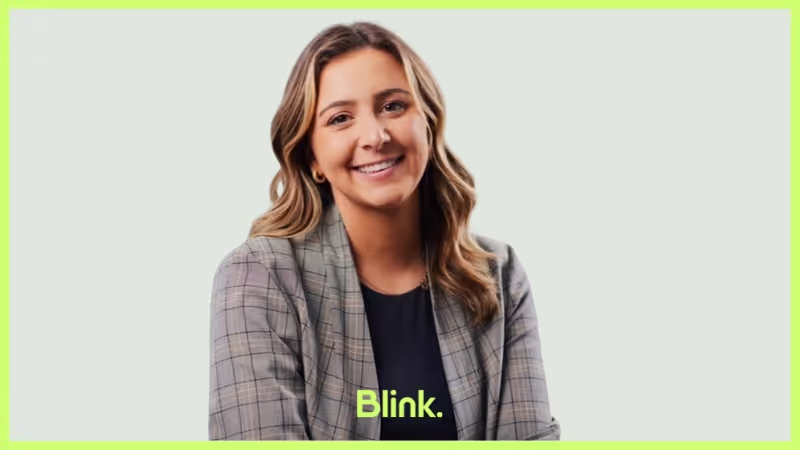
Kristin has quickly settled into life at Blink in just four months. After starting her career in finance, Kristin discovered her passion for working closely with people to achieve shared goals — leading her to a customer success role where she thrives on building new processes and partnerships.
We caught up with her to learn more about her journey, her excitement for upcoming Blink features, and why she loves working at a company that champions both frontline employees and forward-thinking innovation.
Which Blink office do you work out of?
I work at the Boston office 3 days a week.
What is your position at Blink?
I’m a Customer Success Manager. I work with our existing customers to optimize their use of the Blink platform, ensuring we meet their strategic goals through maximizing the value of their Blink investment.
How long have you been at Blink?
I’ve been here for just over four months, so I’m still relatively new. Before this, I worked in Customer Success at a larger tech company in Boston. It was a similar role, but I enjoy working at a smaller, earlier-stage company because I like having the opportunity to build processes and functions from the ground up — it’s really exciting to me.
I graduated college with a major in Finance and started my career in that field. I enjoyed it and did well, but I realized the part of my job I loved most was interacting with people and working toward shared goals. In Finance, those goals were usually budget-related. I thought, “Okay, I don’t want to become a CFO one day… so, what do I want?” That’s what led me to Customer Success, which is fundamentally about teamwork and collaboration.
What initially attracted you to join Blink?
When I heard about Blink, I was really excited. So many apps target desk-based employees — I’d been working in tech, and everything I worked on was designed for people at their desks. What thrilled me about Blink was that it focuses on frontline, deskless employees. It’s such a cool space in the market, and not many tech companies concentrate on that.
Plus, once I started meeting the Blink team, I could sense a great energy. Everyone was incredibly kind during the interviews, and I knew it would be both an exciting and welcoming place to work.
What's a project you are proud of from your time at Blink?
I know I’ve only been here a short while, but I’ve already had the opportunity to collaborate with several teams on enablement for one of our new product offerings: Advanced Employee Intelligence (AEI). AEI is a set of real-time dashboards that customers can use to take action on insights across key areas of the platform.
From the Customer Success side, we really needed resources to demonstrate its value to our customers. So, I worked with Izzy, Nikita, and Adrienne to develop talk tracks and enablement materials — a really exciting project! We’re already seeing the benefits of it, because now we can discuss AEI much more confidently with customers, watch them adopt it, and help drive their success.
How would you describe the company culture at Blink in three words?
I’d describe the Blink team as driven, thoughtful, and team-oriented. Everyone is highly motivated — always pushing to add new product features, improve processes, or try out innovative ideas with customers to enhance employee engagement and communication.
They’re also incredibly thoughtful and team-oriented. From day one, I could tell how welcoming everyone was, eager to help me learn the ropes and teach me everything I needed to know. It’s been great having such a supportive team, especially as I get familiar with the product and start building relationships with my customers.
What's one thing you’re excited about for the future of Blink?
I’m really excited about our product development. We have a lot of cool features on the way, and there’s a great opportunity to partner with our customers to help them leverage these features to enhance their employee communication and engagement.
Can you tell us about a recent initiative or program launched at Blink that you found particularly exciting?
I think our Voice and Video Calling feature will be really cool. Blink is already a one-stop shop, but I believe this will be a fantastic way to streamline communication for people who need to connect quickly. It’ll be incredibly helpful for real-time collaboration.
Why do you work for Blink?
I work at Blink because there’s an opportunity not only to support Blink’s ongoing success and growth but also to partner with our customers on their own success. That’s what excites me every day: having those calls, collaborating on different initiatives, and seeing firsthand the value Blink brings them. It’s especially rewarding to know we’re making an impact for essential workers or those who, without Blink, might have been overlooked in traditional communication channels.
Kristin has quickly settled into life at Blink in just four months. After starting her career in finance, Kristin discovered her passion for working closely with people to achieve shared goals — leading her to a customer success role where she thrives on building new processes and partnerships.
We caught up with her to learn more about her journey, her excitement for upcoming Blink features, and why she loves working at a company that champions both frontline employees and forward-thinking innovation.
Which Blink office do you work out of?
I work at the Boston office 3 days a week.
What is your position at Blink?
I’m a Customer Success Manager. I work with our existing customers to optimize their use of the Blink platform, ensuring we meet their strategic goals through maximizing the value of their Blink investment.
How long have you been at Blink?
I’ve been here for just over four months, so I’m still relatively new. Before this, I worked in Customer Success at a larger tech company in Boston. It was a similar role, but I enjoy working at a smaller, earlier-stage company because I like having the opportunity to build processes and functions from the ground up — it’s really exciting to me.
I graduated college with a major in Finance and started my career in that field. I enjoyed it and did well, but I realized the part of my job I loved most was interacting with people and working toward shared goals. In Finance, those goals were usually budget-related. I thought, “Okay, I don’t want to become a CFO one day… so, what do I want?” That’s what led me to Customer Success, which is fundamentally about teamwork and collaboration.
What initially attracted you to join Blink?
When I heard about Blink, I was really excited. So many apps target desk-based employees — I’d been working in tech, and everything I worked on was designed for people at their desks. What thrilled me about Blink was that it focuses on frontline, deskless employees. It’s such a cool space in the market, and not many tech companies concentrate on that.
Plus, once I started meeting the Blink team, I could sense a great energy. Everyone was incredibly kind during the interviews, and I knew it would be both an exciting and welcoming place to work.
What's a project you are proud of from your time at Blink?
I know I’ve only been here a short while, but I’ve already had the opportunity to collaborate with several teams on enablement for one of our new product offerings: Advanced Employee Intelligence (AEI). AEI is a set of real-time dashboards that customers can use to take action on insights across key areas of the platform.
From the Customer Success side, we really needed resources to demonstrate its value to our customers. So, I worked with Izzy, Nikita, and Adrienne to develop talk tracks and enablement materials — a really exciting project! We’re already seeing the benefits of it, because now we can discuss AEI much more confidently with customers, watch them adopt it, and help drive their success.
How would you describe the company culture at Blink in three words?
I’d describe the Blink team as driven, thoughtful, and team-oriented. Everyone is highly motivated — always pushing to add new product features, improve processes, or try out innovative ideas with customers to enhance employee engagement and communication.
They’re also incredibly thoughtful and team-oriented. From day one, I could tell how welcoming everyone was, eager to help me learn the ropes and teach me everything I needed to know. It’s been great having such a supportive team, especially as I get familiar with the product and start building relationships with my customers.
What's one thing you’re excited about for the future of Blink?
I’m really excited about our product development. We have a lot of cool features on the way, and there’s a great opportunity to partner with our customers to help them leverage these features to enhance their employee communication and engagement.
Can you tell us about a recent initiative or program launched at Blink that you found particularly exciting?
I think our Voice and Video Calling feature will be really cool. Blink is already a one-stop shop, but I believe this will be a fantastic way to streamline communication for people who need to connect quickly. It’ll be incredibly helpful for real-time collaboration.
Why do you work for Blink?
I work at Blink because there’s an opportunity not only to support Blink’s ongoing success and growth but also to partner with our customers on their own success. That’s what excites me every day: having those calls, collaborating on different initiatives, and seeing firsthand the value Blink brings them. It’s especially rewarding to know we’re making an impact for essential workers or those who, without Blink, might have been overlooked in traditional communication channels.

What we'll cover
Start your free trial today
See how Blink helps frontline teams stay connected, informed, and engaged.
Employee appreciation ideas aren’t just a nice thing to do. They’re common business sense.
71% of highly engaged organizations recognize employees for a job well done, but only 41% of less engaged organizations do the same. Meanwhile, Gartner suggests that a well-designed employee recognition program can lead to an increase in average employee performance.
The numbers don’t lie – employee recognition is vital, now more than ever. You don’t need to spend a lot on employee appreciation ideas for them to be effective either, and some of the best employee recognition strategies are completely free.
Here’s how to start showing your employees how much you appreciate them, and some staff appreciation ideas to get you started.
Why are employee appreciation ideas so important?
Everyone likes to be recognized for the work they put in. For staff appreciation, ‘thank you’ is everything.
In fact, feeling underappreciated at work is one of the most common reasons why employees leave a role. A recent study of UK and US workers by Workhuman found that employees who had been thanked for their work in the last month are:
Half as likely to look for a new job (24% vs 48%)
More than twice as likely to be engaged in their work (48% vs 21%)
More than three times as likely to see a path to grow in the organization (59% vs 19%)
All that, just from two short but meaningful words! Imagine the boost more developed employee appreciation ideas could achieve.
And, with the Great Resignation in full swing, the power of ‘thank you’ has never been more apparent, or commercially essential. Around 4.5 million Americans quit their job in March 2022, enticed by rising wages and more flexible working options.
Appreciating your employees for all the hard work they put in is vital in encouraging them to stay put. The great news is that this isn’t a difficult task at all! All it takes is the willingness to listen and some creative thinking on your part.
How to start recognizing your employees’ achievements
Employee recognition isn’t just a top-down thing.
Sure, your senior execs can and should take the lead in calling out great performance – it makes it much easier for everyone else to follow. The issue is that senior managers can only be in so many places at once. They can’t recognize everything worthy of being recognized.
Instead, it’s all about building a culture of continuous recognition from the ground upwards, encompassing both informal and formal recognition methods. This could include:
An employee app that lets managers share great performance with the wider organization
A quarterly awards ceremony to recognize employees who have gone above and beyond
Peer to peer recognition apps to encourage colleagues to support each other
Training all of your employees in how to recognize their peers
That last point is important. In a recent survey, two thirds of businesses said that they trained their managers in employee recognition but only one third offered employees training in colleague recognition. To build a positive culture, it’s important that everyone knows how to offer praise, and its impact on creating an engaged workplace. Don’t leave it to chance.
It’s also essential to build employee preferences into this process. Some people might love receiving an award in front of all their colleagues; for others, this might seem more like a punishment! Ask your teams (or ensure your line managers do) what their ideal way of being thanked looks like. It's an employee engagement best practice worth following.
6 great staff appreciation ideas
1. Salary rise
Almost two-thirds of U.S. private sector payroll workers work in industries where the average weekly wage in the second quarter of 2021 was at least 5% higher than it was in the second quarter of 2020, according to the Bureau of Labor Statistics.
If your rates of pay haven’t budged since pre-pandemic, they’re likely no longer competitive. Show your staff you're serious about your long-term relationship by bringing them up to market rate – or higher! Costs of living are rising rapidly right now, and your team will appreciate it.
2. Public shoutouts
Use your employee app or intranet to shout about individual and team successes. As well as the warmth of public recognition, this helps your employees build their networks in your organization and get noticed by those who could help them progress. .
3. Fun benefits and perks
There’s nothing wrong with offering your employees a little treat every now and then. It won’t make or break employee engagement (a decent salary and day-to-day appreciation are far more important considerations), but it’s definitely a great addition.
Spa days, vouchers for department stores, team days out, gym memberships and personal development funds are all great ways to do this – you might have some ideas of your own.
4. Identify and celebrate key milestones
What we don’t mean: only celebrating 10-year milestones and giving your employees a watch on retirement. Things have moved on since the 1950s.
What we do mean: finding milestones that are meaningful to your business and celebrating little and often. Passing probation, completing advanced training, promotions and getting that first landmark sale are all worthy of celebration. Identify some that are meaningful to your workforce.
5. Individual and team specific
On some level, you’ll have to rely on your line managers to ensure employees feel appreciated on a day-to-day basis. Train them to express their appreciation frequently, and give them a budget for treats like team socials and post-project meals out. It’ll make all the difference.
6. Employee Appreciation Day
Dedicate a day to saying thank you to your employees! In the US, the official Employee Appreciation Day is celebrated on the first Friday of March, but you could hold your own staff appreciation day whenever suits you best.
Employee Appreciation Day ideas include running an awards ceremony to recognize all the effort your employees have put in over the year, followed by a few hours of fun to celebrate these achievements. Fire up the grill (or hire a food truck), plan some fun activities and let everyone have a great time.
On a budget?
It’s not all about the fancy extras. Some of the most effective employee appreciation ideas are free:
Creating a ‘wall of fame’ for great achievements
Celebrating employees’ birthdays, marriages and other life events
Putting effort into feedback, so that employees can develop their skills
Providing opportunities that will help build experience, such as shadowing other roles
Working remotely?
This doesn’t need to stop you! Try using an employee app that will allow you to share your appreciation virtually. You could also try the following employee appreciation ideas:
Early finish Fridays, especially in summer
Celebrations and awards ceremonies via Zoom or similar
Constant engagement and feedback via Slack or your other messaging channels
Treats (food, vouchers, care packages) via post. Everyone loves surprise mail!
Staff appreciation quotes
What you say and how you say it matters! Use these ideas as templates so that you really get the message across.
Every day: “Thank you”
Often, it doesn’t have to get much more complicated than this.
“Thank you for getting that report to me so promptly.”
“Thank you for stepping in last minute – we were really short.”
“Thank you for all your hard work this week – it’s been a long one.”
For small, day-to-day actions that have made everyone’s working lives a little easier, there’s no better alternative.
Recognizing consistently good performance: “I’ve noticed that…”
All too often, it’s large, one-off actions that get noticed rather than consistently good performance that keeps the organization running. Avoid this trap with the “I’ve noticed…” approach.
“I’ve noticed that you always make sure the shop’s tidy before locking up, even though that’s not your role.”
“I’ve noticed that you always hit deadlines without fuss, and it makes it so much easier for everyone else.”
“I’ve noticed that you always take the early shift to make life easier for colleagues with kids.”
Follow up with thanks, by passing on this info to higher ups in the business and potentially with a token of your appreciation – lunch on the company, an early finish this weekend or a large box of baked goods can all work, depending on the situation.
One-off actions: “That really made a difference”
For those times where an employee knocks it out the park, it’s always worth emphasizing the impact of their actions. Employees want their work to be meaningful, and this lets them know
“That report gave senior management a real insight into some of the issues we’re facing, and really made a difference in how we’re going to approach them.”
“That big deal you landed made a huge difference in us meeting our quarterlies. You should be very proud.”
“The new processes you suggested save us so much time. They’ve really made a difference to employee wellbeing.”
Again, follow up with an appropriate reward for maximum impact, whether that’s an award, a bonus or something similar.
Employee appreciation ideas: final thoughts
People like to feel appreciated, so a quick ‘thank you’ here and there works wonders for employee retention.
And, now that your employees can walk out of the job and be reasonably certain of finding another one pretty quickly, ‘thank you’ is a must. If your employees don’t feel appreciated, they will leave.
It’s all about the basics here. A fair wage, regular appreciation and long-term support will go further than doling out a few Amazon Prime vouchers once every quarter. Employee recognition should be a constant process that’s built into the heart of your business.
That’s not to say additional treats aren’t motivating. Rewards and bonuses of all kinds can be fantastic tactics as part of an employee engagement strategy, and they will make your staff feel appreciated. They are, essentially, the cherry on the top of your rewards program. Get the foundations right first for best results.
Blink helps you show employees the appreciation they deserve. Get your free demo today.
Attitude – how an employee feels about the company, their co-workers, their managers, and their role. And behavior – the effort that an employee is willing to invest in their work.
These two attributes have a huge impact on your business.
When an employee has a positive attitude and is willing (on most days) to give their all, they’re more energized and productive. They’re keen to learn and find solutions for workplace problems.
Engaged employees are also more loyal to your organization. Teams with high engagement have turnover rates 18% to 43% lower than those with low engagement. They have lower rates of absenteeism, too.
It’s easy to see how employee engagement can help to build a more effective and efficient organization. You reduce costs linked to recruitment, sick leave, and low productivity. And you get the very best from your workforce.
Understanding the importance of employee engagement is the first step. However, finding ways to improve employee engagement within your organization, is another - And that’s what we’ll be focusing on here.
We’re going to explore a range of employee engagement ideas that you can put into practice at your business to increase engagement. But first, let’s take a look at how employee engagement applies to frontline organizations.
Employee engagement in frontline organizations
Employee engagement is so often focused on those working remote or behind a desk, rather than your frontline employees. Common activities or ideas to increase employee engagement actually actively exclude frontline workers, as well. Think in-office lunches, social happy hours, or team building activities during the standard workday.
But the truth is frontline employees want to feel engaged in the same way a desk-based team does. They benefit from a sense of belonging and connection. And your business benefits too.
Engaged employees working on the frontline provide a better service for customers or patients. Like their office-based co-workers, they take less time off sick and are less likely to look for another job.
All frontline organizations should be looking to improve employee engagement - and it’s easier than you might think. Below are our top ways to improve employee engagement across your entire organization - applicable to not only desk-based teams, but frontline organizations as well.
12 ideas to improve employee engagement quickly
Employee engagement goes way beyond team building activities and the standard annual employee review. The most engaged organizations weave employee engagement activities into the fabric of their workplace.
Our tips to improve employee engagement:
Embrace technology
Promote two-way communication
Recognize and reward
Offer growth opportunities
Foster work-life balance
Gather feedback from employees
Set clear expectations
Give regular feedback
Promote team collaboration
Celebrate milestones
Lead by example
Measure and act on feedback
1. Embrace technology
Today’s tech is intrinsically engaging, to the extent that people spend an average of 4.8 hours a day on mobile apps. That’s a third of their waking hours.
People leaders can take advantage of this fact by embracing mobile tools to increase employee engagement. Of course, embracing a clunky old intranet is going to do more harm than good. It won’t offer the user experience that employees now expect from their tech. But with cutting-edge software and apps, leaders make the cornerstones of engagement – communication, collaboration, and recognition – more appealing and accessible to employees.
For frontline organizations, this can revolutionize the way you work.
Employees no longer need a desktop or company email to access internal comms. With an employee engagement app like Blink, they can simply use the smartphone in their pocket, meaning everyone stays connected.
Teams can access chat functions, recognition features, and company tools and resources – all from the same interface.
Leaders can make the most of employee engagement surveys and analytics features. They can use data to understand employee engagement like never before, finding more effective ways to improve it.
When you put the very best tech tools at the heart of your employee engagement strategy, you connect your frontline to co-workers and management. You also make measuring and improving engagement a whole lot easier.
2. Promote two-way communication
Good communication is the key to employee engagement. It’s a way to share information and company values and to include every member of your organization in company culture. But 80% of professionals rate their organization’s communication as poor or average.
If your company comms aren’t hitting the mark, it may be because communication only moves top-down. Your leadership team speaks and everyone else listens.
You’re much more likely to motivate employees when you create channels for two-way communication. (Like they did at Domino’s). When you give them a voice, encourage them to speak up, and listen to what they have to say, employees are much more engaged.
In fact, employees who say their voice is heard at work are 4.6x more likely to give their all.
Creating two-way communication is harder in large, hybrid, and frontline organizations. How do you connect co-workers, managers, and leadership when they don’t physically cross paths? And what do you do when frontline employees don’t have a company email account?
Again, it comes down to having the right tech tools. You need communication channels that are easy to access – from the office, at home, on the shop floor, and on the road. So everyone stays connected and updated wherever they’re working.
3. Recognize and reward
When employees feel that hard work goes unnoticed, there’s less incentive for them to bring their A-game. So if you’re looking to improve your employee engagement strategy, recognition and rewards are another key focus area.
Some organizations go all out with a points and rewards system. Employees earn points for good work and can then spend points to get gift cards, company merchandise, or even make a charitable donation.
But there are lots of other ways to show your appreciation for employees. An employee of the month program or a simple thank you goes a long way. And – as we’ll see in a moment – rewarding high performers with training and career progression opportunities may prove more meaningful than small monetary prizes.
However you approach recognition and reward, the key is finding a strategy that works for all employees.
Perhaps a frontline employee stays late to get a job done. Or receives positive feedback from a customer. These employees should enjoy the same level of manager and peer-to-peer recognition as their office-based co-workers.
With Blink’s recognition tool, it’s easy to create a culture of appreciation. Anyone can send personalized messages of appreciation, sharing posts with individuals, teams, or the whole organization.
4. Offer growth opportunities
Employees who have a clear career path are more likely to stay working with your company. They’re also more engaged and productive in their work.
But too often, the focus is on the professional development of management and office-based employees. According to McKinsey research, many employers underestimate the value that frontline workers place on learning and career advancement opportunities.
Of the 2,100 frontline employees McKinsey surveyed, 70% said they had applied for a promotion or a job with more responsibility. But only 25% of those who applied were successful. And 65% said they were unsure how to achieve advancement.
Source: McKinsey
As well as highlighting the lack of growth for frontline employees, McKinsey made several recommendations:
Share professional development, mentorship, and promotion opportunities with every team member
Give managers the training they need to help employees establish career growth goals – and support them to achieve them.
Where a promotion isn’t possible, consider a lateral move or the assignment of new challenges within an employee’s current role to satisfy their hunger for growth
Ultimately, when employees are given the support they need to thrive in their careers, it’s a win-win. An organization retains employees and improves performance. Employees get to enjoy the challenge and satisfaction of expanding their talents.
5. Foster work-life balance
Achieving work-life balance as a frontline worker isn’t always easy. Shifts tend to be long and unpredictable. And when employees are supporting customers or patients, it can be hard to even take scheduled breaks.
This has long been accepted as “the way things are”. But with a third of workers saying that work-life balance is a top priority when looking for jobs, frontline organizations looking to increase employee engagement have a real opportunity – to outshine other employers and better support their staff.
You could offer predictable shifts and – where that isn’t possible – communicate shifts in advance. Consider flexible working and fair overtime policies. Encourage employees to get enough downtime by addressing an always-on culture.
Another key consideration? We know that 70% of frontline employees have suffered from burnout or felt at risk of burnout. This is something that the Starbucks team has taken on board.
Starbucks employees get access to a mental health care platform and free therapy sessions. They also get 10 days of backup care for the children or adults they care for, helping them balance the competing responsibilities of work and caregiving with less stress.
By helping employees to plan and enjoy their time away from work, organizations can count on improved productivity and engagement each time workers arrive for a shift.
6. Gather feedback from employees
Frontline employees are your eyes and ears on the ground. They can provide valuable perspective on what is and isn’t working operationally and how you can improve the customer experience.
But if your organization – like many frontline firms – is suffering from a frontline connection gap, you struggle to access that insight. More often than not, frontline employees don’t have the access they need to provide this valuable feedback.
This means you miss out on all kinds of frontline employee feedback – including their thoughts on employee engagement. You find it much harder to identify and address engagement issues before they affect morale and retention.
The first step to fixing this issue is developing feedback channels for all employees. Tech tools can help. An app like Blink allows you to send a feedback request to a frontline worker’s smartphone, meaning they’re much more likely to see it and respond.
Remember that different employees prefer different feedback methods so open up a variety of options.
Make pulse surveys, annual employee engagement surveys, and manager one-on-ones part of your feedback request schedule. And give employees the option to leave feedback anonymously so they feel comfortable being completely honest.
With up-to-date employee feedback, you can make your employee engagement strategy more relevant and effective. You get to the heart of how employees feel – and discover the areas where change is most needed.
7. Set clear expectations
Uncertainty and employee engagement don’t mix. Role ambiguity creates stress and it’s one of the leading causes of employee burnout.
Employees need to understand exactly what’s expected of them. They need to know what work to do, how to do it, and who to do it with. Even when a frontline role involves a lot of autonomy, employees need guidance on their remit to feel confident and motivated.
Managers are responsible for setting clear expectations. And it all comes down to good communication.
Frontline managers should clearly define the role and its responsibilities for new hires. They need to set key performance indicators (KPIs) so employees know what success looks like. And they need to give clear instructions when assigning new tasks.
Employees also need to know how their role fits into the bigger picture. How do their tasks relate to overarching company values and goals?
By giving employees clarity you improve employee engagement. But you also promote accountability and show employees that their work is valuable.
8. Give regular feedback
Picture an employee – let’s call him Jim – who hasn’t had any manager feedback in a while.
Jim keeps running into the same customer service problem. But he doesn’t feel comfortable approaching his manager about it. And he’s not due a one-to-one for months.
So Jim keeps at it, doubting that he’s doing a good enough job but unsure what to do about it. Without regular manager input Jim feels less confident in his abilities. His job satisfaction inevitably takes a hit.
Now let’s picture a different scene.
Jim’s manager – let’s call her Jane – understands how important feedback is to employee engagement. She sets up regular, informal one-to-ones, where both she and Jim can raise any issues.
Jim gets to hear that he’s doing a great job. And gets useful, actionable advice on what he could do better. He gets recognition where it’s due and a regular reminder of role expectations.
Feedback needs to move in both directions. And it’s as relevant to your longest-serving staff as it is to new hires. Feedback boosts the confidence of employees and increases their job satisfaction, which means better employee engagement.
Employees also stand to benefit most when feedback is constructive. This means managers focus on facts, not opinions. They talk about the actions of an employee, not their personality traits.
They also approach feedback as a two-way conversation, where employees get a chance to share their thoughts within an open and supportive environment.
9. Promote team collaboration
Two heads are always better than one. And employees who work well together are happier, more productive, and less stressed. Team collaboration can help to prevent loneliness, too.
Glassdoor research shows that 60% of employees with less than five years of work experience feel lonely all or most of the time. But 89% of all workers say that a sense of belonging within their company is essential for workplace happiness.
Bringing teams together, including frontline employees who tend to work alone, is therefore crucial to employee engagement. And it starts with company culture.
You need a psychologically safe environment where everyone feels comfortable contributing their thoughts and ideas. Like a calendar of team building activities. Special consideration for new hires and team members who work in isolation. And praise for team successes as well as individual wins.
The right communication and collaboration tools are another important part of the puzzle. Project management software helps people to collaborate when they’re not working in the same location. And chat tools allow workers to share problems, ideas, and solutions with ease.
Elara Caring is one of the largest care providers in the US, with around 32,000 carers working on their frontline. The company found it hard to connect its carers and was experiencing a collaboration problem.
By making Blink their communication hub, they improved team collaboration dramatically. Now 95% of employees say they feel more connected to the organization and their co-workers.
10. Celebrate milestones
Mavis Mills, an ASDA supermarket employee, recently celebrated her 80th birthday. And the whole team celebrated with her. They decorated her checkout with banners and balloons and gave her gifts, flowers, and a cake.
Celebrations like these bring teams together. They boost employee engagement for the person being celebrated and inspire other employees, too.
You can celebrate birthdays, work anniversaries, passing probation, or the successful conclusion of a company project. Anything that fits with your company values and culture.
Of course, it’s easier to plan a celebration for on-site teams. You can organize a gathering in the office or – as ASDA did – around the checkout where Mavis was working.
But that doesn’t mean hybrid and dispersed frontline teams have to forgo celebrations. You can still improve employee engagement by celebrating milestones via internal communication tools.
For example, with the Blink Feed, you can share meaningful milestones with a team or the whole organization – and encourage employees to join in the celebration. You can celebrate little and often to show appreciation for employees on a regular, informal basis.
11. Lead by example
The leaders of today do things differently. Good leaders understand that transparency, fairness, and emotional intelligence help to improve employee engagement.
Unlike workplace leaders of the past, they know that when everyone, at all levels of a company, sticks to the same rules and values people feel more invested in a company’s success.
As a leader, this means practicing what you preach.
You should demonstrate the same commitment to two-way communication, collaboration, and recognition that you want to see in employees. You should model work-life balance so workers find it easier to follow suit.
By living and breathing company values and culture, you inspire trust and respect in your workforce. And when you join them in using the same communication and employee engagement tools, you make it much more likely that people will follow your lead.
12. Measure and act on feedback
Gathering feedback is an essential part of any employee engagement strategy. But simply getting employees to leave feedback isn’t enough. You have to measure and act upon employee feedback, too.
Research shows that people who say their employer takes meaningful action based on their feedback are 37% less likely to look for another job. And they’re also much more likely to take part in future surveys.
So mine employee feedback for data. Then create employee engagement KPIs so you can measure progress. You can base targets around metrics like:
Absenteeism rate
Employee retention rate
Employee net promoter score (eNPS)
It then all comes down to good internal communication. Share your feedback findings and engagement progress with employees. It shows that you take their views seriously and are committed to making improvements.
Employee engagement: the next step
In thriving organizations, the drive to improve employee engagement is more than just an HR team initiative. It’s something that the whole organization embraces as part of its ethos.
Communication, feedback, and recognition become part of everyone’s every day. And the organization benefits from better staff retention, productivity, and satisfaction.
Your organization may not be at this point yet. But wherever you are in your employee engagement journey, the 12 ideas listed above will help you move forward. Weave these activities into your employee engagement strategy and you’ll encourage the employee attitudes and behaviors you want to see.
When it comes to frontline organizations, the right tech tools are a priority because they make employee engagement so much easier. They provide the vital line of connection between every member of your workforce, from new hires to stalwart staff, and frontline workers to your office-based team.
Blink’s mobile-first super-app helps every frontline employee to feel valued and heard. And with a news feed, secure chat, recognition features, surveys, analytics, and more, you have everything you need to transform internal communication and employee engagement for the better.
Let’s create digital experiences your people will actually enjoy
It takes seven clicks to find your schedule. The training video won’t load on mobile. Your last question to HR? Still sitting in an unread inbox. Welcome to your Monday.
Now flip that:
You open one app. Your schedule’s there. So is your manager’s announcement. You give quick feedback on your shift — and get a response before lunch.
That’s the difference good digital design makes.
In 2025, the user experience employees have with workplace tech is the employee experience.
We use communication tools to message teammates, take training, request time off, and recognize each other. When those tools work well, they reduce friction and boost morale. When they don’t, it shows — in employee engagement, retention, and productivity.
Employee experience (EX) design means applying a thoughtful, human-first design approach to every moment that shapes someone’s experience at work — physical, digital, and cultural.
That includes onboarding and learning, the work environment, feedback loops, employee recognition, collaboration tools and technologies, and even how values show up day to day.
Think of it like UX — but for your people.
At each moment in the employee journey, ask:
Who’s the end user here? A new hire? A frontline shift worker? An overwhelmed manager?
Where does this moment fit in the bigger picture? Is it part of onboarding, communication, or recognition?
What are they feeling — and what do they need right now? Confidence? Clarity? Connection?
How can we make this interaction seamless and satisfying? Whether it’s tech, a conversation, or a checklist.
And how will we know it’s working? What data or feedback loops will tell us?
The goal isn’t just to “optimize” moments — it’s to make them feel intuitive, personal, and friction-free.
By carefully crafting experiences, both big and small, you help your people feel valued and give employee satisfaction a boost.
And because tech tools are a huge part of today’s workplace experience, digital employee experience (DEX) design forms a big part of the picture.
{{mobile-onboarding="/image"}}
What good EX feels like: 5 signs you’re doing it right
When we’re talking about tech tools, good EX looks something like this.
Effortless
People find what they need fast. There’s no need to dig through resources or ping the IT team for help. Systems are designed to be intuitive and free from points of friction.
Example:A restaurant worker views their upcoming shift schedule via a dashboard on the employee app. They don’t have to message their line managers or co-workers to get the latest info.
Personal
Content and tools are personalized to each employee. Employees enjoy experiences that are tailored to their roles, locations, and interests.
Example:Your HR department lead sees a dashboard built for their role, with shortcuts to key tools, relevant company news, and the latest workforce insights.
Connected
Everyone feels part of the same conversation and nobody feels left out. All employees have equitable access to company tech tools.
Example:A warehouse employee doesn’t need to use a communal computer in the break room. Thanks to a mobile-first platform, they can access resources and catch up on company news using their smartphone.
Dependable
Resources are always relevant and up-to-date. Messages are consistent. Tech tools have all the functionality employees need.
Example:Employees use a streamlined selection of tech tools — so messages and experiences are consistent across every touchpoint.
Empowering
Employees can take action, voice opinions through easy feedback channels, or get support in just a couple of clicks.
Example:A retail worker submits feedback via their smartphone, then views updates on workplace improvements over on the company news feed.
{{mobile-community="/image"}}
Barriers to good EX — where it breaks down
So now we know what good EX looks like, time to find out why many organizations struggle to turn their EX ambitions into a reality as part of their digital transformation. Here’s a roundup of the usual suspects.
A fragmented tech stack
“Which tool do we use for that, again?”
A cluttered and disconnected tech stack is overwhelming for employees. They spend their time switching between tabs. They struggle to remember which app performs which task. And that’s before we even get started on all those login details.
If your tech tools aren’t working together, smoothly and efficiently, you’re creating a scattered (and suboptimal) experience for employees.
Over-reliance on email or manager cascade
Email isn’t the best communication channel for every employee. Frontline workers, for example, are unlikely to check their inbox during the work day.
Putting managers in charge of relaying key messages is no better. It’s a sure fire route to an overstretched management team — and inconsistent messaging.
These methods of workplace communication don’t fit the world of fast-paced, modern work we now operate in. And they do nothing for EX.
Top-down comms that don’t invite feedback or interaction
If employees can’t respond, react, chat, or ask questions, you’re not communicating — you’re broadcasting. And this kills employee engagement.
The company intranet is still the backbone of digital employee experience in many organizations. But legacy intranets are often clunky and outdated — and a real drain on EX.
Unless your intranet platform meets the needs of a tech-savvy and highly connected workforce, it’s falling short. You need a modern social intranet that provides an engaging, consumer-grade experience for employees.
Frontline employees excluded at key moments
Are your frontline workers always the last to know company news? And the least likely to use workplace tech?
You can’t make big improvements to EX unless you take the whole organization with you. That includes those hard-to-reach employees working on the frontline of your business.
For that, you need mobile-first tools that provide the same features and functionality across both mobile and desktop versions.
{{mobile-stories="/image"}}
Designing digital experiences your workforce will love
Digital employee experience in need of a reboot? Then here are a couple of guiding principles to bear in mind.
Build with empathy
Of course, the best tech tools support operational efficiency and productivity. But to achieve good EX, you need to move beyond business goals to really empathize with your end users.
That starts with an EX audit. Learn how employees are feeling at each digital and in-person interaction and find out how you can make their journey as smooth and stress-free as possible.
To get reliable data, speak to employees — run focus groups, conduct interviews, and embark on listening tours. Seek employee feedback on touchpoints throughout the working day and the employee life cycle.
Design together
When it comes to employee experience management, a cross-functional team works best. To create a joined up employee experience — and an integrated selection of tech tools — you need stakeholders working together.
The C-suite, HR, internal communications, IT, operations, frontline, and office-based employees should all get a say in what the digital employee experience will look like.
Map user journeys
Frontline employees vs. office-based staff. Hourly vs. salaried workers. New hires vs. long-time leaders.
Each employee persona has different needs — and your tools should reflect that. Aim to provide personalized experiences for employees in different roles, departments, and locations.
With an employee experience tool like Blink, you can create personalized user journeys, segmenting your workforce so they get a tailored experience across the whole platform. This can lead to a massive uptick in employee engagement — as well as employee retention.
Prioritize mobile-first design
Don’t shrink a desktop tool to fit a smartphone screen. Instead, opt for software that’s been designed with the mobile experience front of mind.
An employee app like Blink makes it easy for you to reach your workforce — who, let’s be honest, already live on their phones. It’s also an excellent way to reach frontline employees.
By taking your tech tools mobile, you create an equitable experience for all employees, no matter where or how they access your software.
Make feedback loops part of the design, not an afterthought
The best experiences evolve with employees. So treat EX as an ongoing exercise in empathy.
Use data and employee feedback to iterate and improve systems. Continually reassess how employees use your tech tools — and how you can make experiences even better.
To make this process as easy as possible, embed feedback loops into your tech tools. Ask for employee feedback, right within your software. And ensure leaders have access to the data and analytics they need to make meaningful EX improvements.
{{mobile-live-stream-poll="/image"}}
Upgrade EX to get more from your digital tools — and your workforce
The right tech tools don’t just support EX — they help shape it.
They determine whether employees spend their days in a state of friction-free flow. Or whether frustration and stress color the workplace experience.
A modern intranet. An employee app. An internal comms platform. A dedicated employee experience tool. Whichever platforms you’re using, look at them from the employee perspective.
Tailor tools to their needs. Personalize experiences for each employee. Prioritize interaction, feedback, and mobile-first design to elevate and streamline EX.
In doing so, you’ll delight employees, earning their trust and driving engagement, so you get the very best from your workforce.
Blink, the leading employee super-app, today announced a strategic partnership with LineZero, a leading provider of workplace community and culture solutions, and the largest Meta Workplace partner globally. This collaboration leverages the existing relationship between both companies, offering Meta Workplace customers a seamless transition and upgrade to Blink’s employee experience platform following Meta’s announcement to close its Workplace operations.
Meta’s decision to close operations of Meta Workplace by Q3 2025 has left many companies challenged in finding a modern solution that enables a smooth transition of their workforce and data while offering a more innovative approach to deepen employee engagement and strengthen ties between employees and their companies.
“Our goal is to support the thousands of Meta Workplace customers seeking new solutions to drive employee engagement through a great internal comms tool,” said Sloan Kendall, head of global partnerships, Blink. “Partnering with LineZero provides customers with an easy migration of workforce data and technology applications into Blink’s platform. With LineZero’s expertise and Blink’s proven track record, we are excited to empower companies to migrate smoothly from Workplace and upgrade to Blink to enhance their employee engagement experience.”
Blink is a mobile-first, all-in-one communication and collaboration platform designed specifically for frontline workers. It allows companies to connect their entire workforce, regardless of location or device, through a single unified platform. With Blink, employees can stay updated with company news, chat with colleagues, access essential tools, send personalized kudos, complete surveys, and much more. Blink boasts industry-leading adoption rates, reaching up to 95% of employees and decreasing employee turnover by 26% in some cases.
“Blink’s platform is an ideal Workplace replacement for customers looking to modernize the way they engage their people,” said Greg Sugar, president, LineZero. “While organizations valued the similarity between Workplace and Facebook, we often heard there was a need to engage workforces with a tool that better represents how they interact with technology today. Blink approaches the frontline with an employee experience that meets them where they are. We are so excited to help organizations smoothly transition from Workplace to Blink’s platform. This partnership reflects our shared commitment to creating better employee experiences and shaping the future of work.”
The partnership highlights both companies’ commitment to enhancing employee engagement and creating a positive work environment. The collaboration ensures that Meta Workplace customers can migrate easily to Blink’s platform that enhances their engagement strategies and aligns with their long-term goals.
For more details on working with LineZero and Blink for a migration or implementation, visit LineZero’s blog.
Simpplr is often seen as a go-to modern intranet solution — but it's not the only option. As organizations evolve, many are searching for alternatives that offer greater flexibility, better engagement, and a more holistic approach to internal communication.
Whether you're looking to replace your intranet entirely or just upgrade to a more dynamic employee experience platform, there’s a growing ecosystem of tools designed to meet the needs of today’s hybrid, remote, and global workforces. From AI-powered internal communication tools to modern intranet software that integrates seamlessly with your existing tech stack, this guide breaks down the best Simpplr alternatives available in 2025.
We’ve reviewed 15 top platforms, each with their own strengths — from company-wide engagement to streamlined communication — so you can find the workplace communication platform that fits your culture and goals.
If you're looking for a solution that combines the best of modern intranet software with real-time communication, analytics, and usability, start with Blink.
Top 15 Simpplr alternatives in 2025
#1. Blink: The all-in-one employee experience platform
Best for: Organizations seeking high engagement, intuitive UX, and centralized internal communications.
Why it's a top Simpplr alternative: Blink goes beyond basic communication by creating a digital home for your entire workforce. It combines powerful communication features with easy access to tools, making it ideal for improving retention, productivity, and employee connection. It’s known for exceptionally high adoption rates and offers a streamlined experience that works across every team and device—no training required. Unlike Simpplr, Blink focuses on delivering measurable impact across your entire workforce, not just pushing content.
Pros:
Unified comms, surveys, task management, and integrations in one platform
Exceptionally high adoption rates
Easy to deploy and scale
Intuitive, mobile-friendly experience
Cons:
Not positioned as a traditional intranet (which may not suit organizations looking for a classic homepage-style hub)
{{watch-video="/callouts"}}
#2. Staffbase
Staffbase is a communications platform designed for large enterprises with dispersed teams. It offers content publishing, multilingual support, and strong mobile access. However, it focuses primarily on top-down communications.
Pros:
Strong mobile capabilities and multilingual support
Deep editorial publishing features
Cons:
Complexity and pricing can be barriers for mid-size orgs
Limited functionality beyond communications
#3. FirstUp
Firstup uses AI and behavioral data to personalize internal communications at scale. It's well suited for organizations wanting to optimize campaigns and target specific employee segments. However, it can be overpowered for teams that just want streamlined comms.
Pros:
AI-driven content targeting
Campaign-level analytics
Cons:
Learning curve for less technical teams High cost and enterprise-heavy approach may not suit leaner teams
#4. Beekeeper
With its strong mobile foundation, BeeKeeper enables companies to connect field teams, streamline workflows, and ensure compliance across distributed locations. It includes tools for shift scheduling and quick updates. It’s not ideal for strategic comms or company-wide engagement.
Pros:
Lightweight and easy to use
Built-in shift communications and checklist tools
Cons:
Not ideal for HQ communications or knowledge management
Limited brand customizations
#5. Haiilo (formerly Smarp)
Haiilo blends internal communications with employee advocacy tools. It’s helpful for promoting company content externally and keeping teams aligned internally. However, it's not a complete employee experience platform.
Pros:
Strong content sharing and social media integration
Advocacy analytics included
Cons:
Less of a comprehensive platform—missing many intranet or HRIS features
Mobile UX could be improved
#6. Interact
Interact is a structured intranet platform focused on knowledge management and content governance. It’s great for compliance-heavy industries that need tight control over documents and approvals. Real-time engagement features are more limited.
Pros:
Strong content governance and compliance features
Enterprise-grade search
Cons:
Dated UI in some areas
Less suited to real-time communication or engagement use cases
#7. Unily
Unily is a Microsoft-friendly intranet solution with a focus on design flexibility and content targeting. It works well for companies heavily invested in Microsoft 365. However, it can be resource-intensive to launch and maintain.
Pros:
Powerful integration with Microsoft tools
Custom branding and theming
Cons:
Can be resource-intensive to launch
Some users report sluggish performance
#8. Workvivo
Known for its user-friendly design, Workvivo blends social engagement with traditional intranet tools. It’s often chosen by organizations looking to foster transparency and a sense of belonging.
Pros:
Strong social feed and employee recognition tools
Now owned by Zoom, with potential future integrations
Cons:
Limited task management and productivity tools
UX can feel cluttered with too many social features for some users
#9. LumApps
LumApps integrates deeply with Google Workspace and offers tools for onboarding, employee journeys, and targeted communications. It's particularly appealing to companies that rely on G Suite. Admin UX can be complex for smaller teams.
Pros:
Strong G Suite integration
Useful for creating targeted employee journeys
Cons:
Less intuitive UX for non-technical admins
Pricing not transparent
#10. Igloo
Igloo is a modular intranet that helps teams build a centralized knowledge base and communications hub. It offers drag-and-drop widgets and customizable layouts. However, it lacks more modern employee experience capabilities like feedback and real-time messaging.
Pros:
Modular intranet features
Knowledge management tools included
Cons:
Feels more like a traditional intranet than a modern EX platform
UI hasn’t evolved as quickly as competitors
#11. Jive (by Aurea)
Jive offers a feature-rich collaboration and knowledge-sharing platform geared toward larger enterprises. It includes deep analytics and social-style engagement. The product has evolved slowly in recent years.
Pros:
Deep collaboration and social functionality
Rich analytics
Cons:
Outdated UI
Acquisition history has slowed innovation
#12. Axero
Axero is a cost-effective intranet platform aimed at mid-sized organizations. It includes core features like document sharing, discussions, and directories. However, the interface can feel dated and the app ecosystem is limited.
Pros:
Offers intranet, collaboration, and HR portal tools
Affordable for mid-market orgs
Cons:
Dated visuals
Limited native integrations
#13. Claromentis
Claromentis offers a modular platform that combines intranet features with workflow apps and e-forms. It’s useful for companies that want to digitize internal processes. Setup requires hands-on customization.
Pros:
Modular platform with customizable apps
Document management included
Cons:
Requires time and resources to configure
UX not as modern as others
#14. Oak Engage
Oak Engage offers a user-friendly internal comms platform with fast onboarding and smart content targeting. It’s ideal for companies looking to modernize without overhauling everything. However, it lacks the breadth of features found in larger platforms.
Pros:
Friendly UI and fast implementation
Content targeting and engagement tracking
Cons:
Smaller partner and integration ecosystem
Not as well known globally
#15. Zoho Connect
Zoho Connect is part of the larger Zoho suite and offers basic internal communication features. It’s best for small businesses already using other Zoho apps. Larger companies may outgrow it quickly.
Pros:
Easy setup and low cost
Works seamlessly with other Zoho apps
Cons:
Limited customization
Less suitable for larger or global organizations
Final thoughts
If Simpplr isn’t meeting your expectations — whether due to limited engagement, lack of flexibility, or just the need for more intuitive tools — there are plenty of powerful alternatives available. Among them, Blink stands out for its modern UX, holistic capabilities, and consistent employee adoption. While many platforms focus on features, Blink focuses on real impact.
While the Great Resignation seems to have subsided, talent retention is still a pressing issue — and it can make all the difference to your business. Holding onto your best people, with all their skills and knowledge, means better productivity, customer service, and profitability.
In this quick guide, we explain what talent retention is and why it’s important. We also share what you can do to inspire employee loyalty in 2025 — from a connected workplace culture to the perks that matter most.
Ready to turn retention into a competitive advantage? Let’s get started.
What is talent retention and why is it so important?
Talent retention is your ability to hold onto your employees once you’ve hired them.
If you have an effective talent retention plan, employees stick around for long, stable, and productive careers within your organization.
So why does talent retention matter?
Talent retention is important because replacing employees is expensive. Gallup estimates that replacing a frontline employee costs 40% of their salary. This rises to 80% for employees in technical roles and 200% for leaders and managers.
By improving staff loyalty, you reduce costs associated with recruitment and onboarding. But there are other benefits of employee retention to bear in mind:
Improved productivity. Your organization is more productive because a high proportion of employees are fully trained and know how to do their jobs.
An expert workforce. You retain knowledge and skills within the business, which means you achieve your goals faster.
A positive company culture. Because workers are able to build strong and lasting relationships with co-workers, you raise satisfaction and loyalty.
One final benefit of staff retention is a better customer experience. And that deserves a section all of its own...
The link between employee retention and customer experience
“The customer's perceptions and related feelings caused by the one-off and cumulative effect of interactions with a supplier's employees, systems, channels or products.”
The snappier version? It’s the degree to which interactions with your brand spark joy in customers.
It’s easy to delight customers when employees are informed, happy, and engaged. And it’s very easy to do the opposite if staff are new to the job — or looking for a role elsewhere.
According to PwC research, 46% of customers will abandon a brand if employees aren’t knowledgeable and don’t know how to meet their needs.
Employee retention, employee experience, and customer experience are closely linked. Do right by your employees and they’re more likely to stay working for your company.
They continue to build their knowledge and skills, which means they’re more likely to provide an industry-leading experience for your customers.
Talent retention: why now?
52% of employees say they’re watching for or actively seeking a new job. And turnover rates for frontline industries remain high: 73.8% in hospitality, 56.7% in transportation, and 21.9% in professional and business services.
There’s another, stealthier problem at play too. Glassdoor has revealed that nearly 2 in 3 employees feel stuck in their roles. And Gallup says that we’ve moved beyond the Great Resignation into the Great Detachment, where employees are staying in roles they have little interest in.
In 2025, some employees are quitting. Others are sticking around for lack of a better option. In either case, the business suffers. But a focus on talent retention can help to combat both of these issues.
Talent retention strategies revolve around improving the employee experience. You make your workplace a better, more fulfilling, and more inspiring place to be. So both employee engagement and retention improve.
The first hurdle: identifying talent retention issues
How is your company doing in terms of talent retention?
To truly understand your performance, you need to know — and keep track of — your employee retention rate. You can use this number to set a baseline and establish targets. But while this figure tells you how many employees are leaving your organization, it doesn’t tell you why.
For that, you need to dig deeper. Exit surveys and interviews can reveal trends and problems with the employee experience. They can help you understand why employees are choosing to leave. Some of the most common culprits in 2025 include:
Work-life balance: a lack of flexibility in the workplace is leading staff — including frontline employees — to look for jobs elsewhere.
Career progression: lack of career or professional development opportunities is one of the most cited reasons for leaving a job.
Recognition: when you don’t show regular and authentic appreciation for employee efforts, they become demotivated and more likely to jump ship.
Workplace culture: a sense of connection and belonging have a big impact on employee satisfaction, so issues with managers and co-workers, or feelings of loneliness can raise employee turnover.
Salary and benefits: sometimes, it’s simply about the money — it’s difficult to keep employees if competitors are offering better rates of pay.
Convince employees to stay with these 6 talent retention strategies
Staff retention rates not where you’d like them to be? Reduce employee turnover with the help of these practical strategies.
Keep your finger on the pulse
Exit interviews are a useful talent retention tool. But wouldn’t it be better if you could prevent employees from handing in their notice in the first place? To do this, you need to understand the state of employee morale and engagement in your organization at any given moment.
There are some signs a manager may be able to spot. Drop-offs in productivity, refusal to commit to long-term projects, and a lack of enthusiasm are all signs that an employee sees their future elsewhere.
But you can go beyond manager observations to take the pulse of your entire organization. Use employee surveys to gauge sentiment on a range of retention-related topics. For example, job satisfaction, internal communications, benefits packages, and recognition.
{{mobile-survey="/image"}}
You can then act on any major bugbears to prevent employee experience issues from translating into higher employee turnover.
This feedback process has another talent retention benefit. When you show employees that their input is prompting real change in the workplace they feel heard and valued — and become more invested in your organization.
Help them achieve their goals
According to recent Randstad research, 31% of employees have quit a job because of a lack of career progression opportunities. Employees want to feel that they’re making progress toward their learning and career goals.
Investing time and money in professional development sends a strong signal that you’re supporting your employees over the long term. Build in career development plans, coaching, and one-on-one time as soon as a new member of staff joins your workforce — and sustain these initiatives throughout the entire employee journey.
Emphasizing that you see this as a long-term partnership rather than a transactional exchange of services (“you work, we pay”) lays the foundations for future success.
Offer regular recognition
Retaining employees is easier when they feel valued and appreciated. Workers are five times more likely to stay with your organization for two years or more when there’s a comprehensive recognition program in place.
{{mobile-kudos="/image"}}
All employees — whether they work in the office, at home, or on the frontlines of your organization — should receive regular appreciation for the work they do.
For teams working in the same location, informal recognition is relatively easy. For disparate teams and frontline employees, you have to be more intentional. The right internal communication tools can help.
You can use an employee app or intranet to highlight the hard work and achievements of your employees — and encourage peer-to-peer recognition across digital communication channels, too.
Create a positive workplace culture
Having a work bestie is more important than you might think. Employees who feel a sense of belonging are more likely to stay working for your organization.
As well as helping employees to build connections with co-workers, support them to understand and take part in company culture. Make company values and purpose part of your every day.
Managers also have a big role to play. 70% of the variance in team engagement comes down to the manager. So give your leaders the training they need to boost employee engagement and create a culture employees enjoy being part of.
Offer flexibility where possible
Flexibility and work-life balance are a top priority for employees. In fact, it’s the second most important factor for frontline employees when choosing a job.
Flexible working looks different in different organizations. Some employees get to work remotely, work compressed hours, or choose start and finish times.
For frontline employees, this isn’t so easy. But you can support work-life balance for this segment of your workforce by offering expanded paid time off (PTO) policies, a choice of schedules, and easy-access shift swap tools.
Revamp your salary and benefits package
When was the last time you looked at the salary and benefits package you offer? Pay is another big factor in employees deciding to look for another job.
So compare your offering to that of your competitors and consider improving your package if you find you’re falling behind the pack.
But remember that pay isn’t everything. It will take more than a small pay increase to tempt engaged employees to jump ship. According to SHRM, employees may be willing to trade pay for improved work-life balance, flexibility, and workplace culture.
Make life easier for your HR team with talent retention software
An effective talent retention strategy gives you an edge over your competitors. When you build and maintain a skilled and engaged workforce, your business performs better.
To achieve high levels of retention, you need to offer training and development, honor work-life balance, and provide regular recognition. You should also strive to create a company culture based on purpose, connection, and community.
The best software is available on desktop and as a mobile-first employee app, so you can tackle talent retention issues across your entire workforce. These solutions provide employees with easy, digital access to:
Training and career development tools
Company news, community, and co-worker chat
Recognition and rewards
Health and wellbeing resources
They also give HR teams access to tools like employee surveys and analytics. So you get greater insight into the state of employee engagement and talent retention within your business.
You can spot engagement and retention issues before they harm company culture and lead more workers to jump ship — and you can uncover what employees want from your organization.
With this information, you can make meaningful improvements to the employee experience, keeping staff turnover rates low and engagement high.