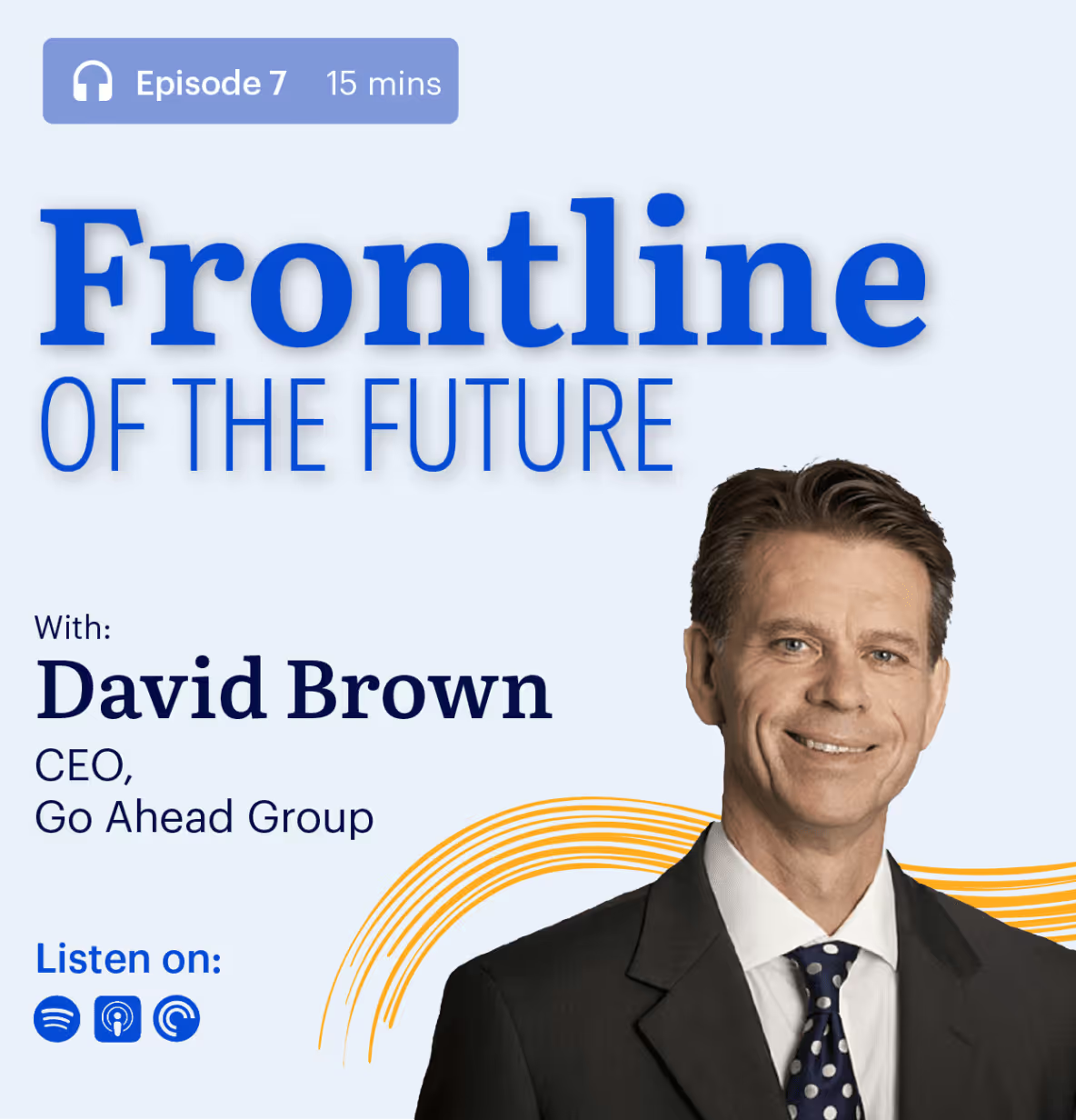
Future of Public Transport: Go-Ahead CEO David Brown
Go-Ahead Group CEO David Brown shares leadership lessons on talent, crisis management, and technology in public transport. An interview by Blink.
Jess DeVore
Published:
September 6, 2023
Last updated:
September 17, 2023
David Brown is a titan of the public transport industry. His star-studded career has taken him from a graduate with London Transport to CEO of Go-Ahead Group. He's been GM for CentreWest London Buses, Operations and Managing Director for London General and London Central.
#1. Always grasp opportunity.
The advice I give to graduates, young bus managers or other leadership groups is this: grasp opportunity whenever you can. Don't let them pass you by, because they won't come back again.
#2. Bring more young people in.
Privatization was a death knell for a lot of graduate schemes. It was an easy way to save money, to look at the bottom line. But we ended up with a generational hole of senior managers coming through.
One of the first things I did at Go-Ahead was reintroduce a graduate scheme. I'm very excited to see that cadre of talent come through.
#3. And promote them fast!
Now I want to help that young talent leap from junior management to senior or directorship roles. To bridge that generation gap, their career needs to accelerate.
We have a 93% retention rate. That's partly because people see a trajectory to the top of the organization. You need to give people real responsibility and accountability. It's a fantastic time to be in the transport industry as a young person. Because if you're good, there are infinite chances for you to stand out.
#4. (But don't force them to stay).
I'm relaxed about people leaving – because I know they'll come back. But they'll come back with another set of skills and experiences to help us. We need these people as part of transport. I'm passionate about that whole industry, not only the Go-Ahead version.
#5. Real progress happens when there's no time to plan.
I never worked harder than in lockdown. It was 24/7. We were trying to reconstruct our business. We needed lots of local leadership. So from day 1, nobody blinked. We just got on with it.
Desk-based and frontline stepped up massively. The frontline were in some scary situations in their day-to-day, and I'll always be proud of how they coped.
#6. Learn from your mistakes — even in a crisis.
After the first lockdown, we reviewed our actions and said, "What do we do well, and what could we do better?” Because that's what you should do, of course. But when there's a second wave, we also must be ready to remember what we instinctively did well.
The downside has been the public message about our business, that it's unsafe to travel by public transport, and demonizing public transport. That is a real big hurdle that we've got to overcome.
#7. There's a place for greater formal collaboration in transport today.
All the bus PRC companies have grown up in a siloed era: never collaborating, out of fear of the Competition Act, and the CMA.
Now the operators do talk to each other, but only in the context of the CPT, which is our trade body. We've got a huge amount in common, and we need to leverage that better.
We're going to have to be far more agile, far more responsive to an ever-changing situation. That feeds into our engagement with our colleagues’ representatives from the trade union. It's been more collaborative because we've realized it goes beyond the small issues or the legal aspects.
#8. Let's lose the bureaucracy.
When we went into lockdown, people said “Well, we've got to tell the traffic commissioner, we’ve got to check”. I said, “You just go do the right thing, and they're going to have to catch up with us. We’re going to have to do the right thing, and plead forgiveness afterwards.” Because we haven't got the time to wait 270 days to make decisions.
The industry needs more of that, not less of that. We need to be more flexible, more agile and more collaborative going forward.
#9. Technology will help us re-position ourselves.
Technology can automate a lot of aspects to make public transport jobs easier. That leaves the drivers extra time to do the bits we want more of, which is looking after customers. It's important to push that going forward, so passengers feel looked after as well as safe.
Technology will also help us stay relevant around the issues of air quality and climate change. I'm excited to see how that develops.
#10. The UK government must step in – before it’s too late.
At the beginning of this year, I saw a new dawn for public transport. I could see we were going to get good, generous funding from the government. We were helping the government see how transport fits into every single department – not just its own.
Now, we have to pick all that back up. We need the government to spend as much money as they did telling people to travel, as they did telling them not to. A sort of 'Eat Out to Help Out' scheme on trains and buses. That level of commitment is imperative.
And if they don't? We'll be left with hollowed out cities. And no one wants that.
What we'll cover
Start your free trial today
See how Blink helps frontline teams stay connected, informed, and engaged.
Twenty years ago, I was advising the government on transport. Our North Star was this: how do we get people out of cars, and onto public transport? We worked hard and made several huge breakthroughs. Public transport in the UK thrived and up until recently, was the mode of choice for many.
But over the past few months, things have changed – drastically so. Two decades of progress has been effectively undone in a matter of months. The government has actively discouraged people from using public transport. That’s never happened before, although I understand that it was necessary.
So: where do we go from here?
Covid-19 has had a devastating impact on the transport industry and its frontline workers. And it’s not over. We have a long road ahead, with many challenges looming.
Even so, I’m optimistic. Here's why.
The arguments for public transport are as strong as ever
Let me own up to my biggest fear first: an increase in car ownership. At the moment, many people are apprehensive about, or scared of, using public transport. That may make them rely more on their cars.
When you’ve got a car, you’ve got an enclosed space. You don't have to sit next to anyone. It's one of the reasons car shares hasn’t taken off. People don't like letting others into their personal space. Covid-19 has exacerbated all this. It might lead families without cars to buy one, or go from one to two-car households.
That might not sound like a big deal. But there's a direct correlation: as car ownership rises, bus passenger numbers fall. Or, put that in perspective: for every new car on Britain’s roads, there’s 365 fewer bus journeys per year.
My goal has always been to achieve a modal shift towards public transport. I've been working with governments for many years to make this happen. That momentum has now ground to a halt. Will that change be permanent?
I don’t think so. The argument for public transport – economic and environmental – remain strong. They will only get stronger. One pivotal reason is climate change. At the beginning of 2020, that conversation was at the heart of public consciousness. Once again, circumstances have sidelined that conversation, but it's more urgent than ever.
The facts remain: the car is an inefficient user of roads, it's wasteful, it's polluting.
But here's what gives me hope. During lockdown, many people have experienced good quality, clean air. Many of them for the first time ever. That's huge. That's compelling.
We caught a glimpse of what a life with less pollution could be like. A live demonstration of a world with less traffic and fewer planes. That’s something most of us want to hang on to; without losing the thrill and energy of vibrant, busy cities.
What's holding us back is public perception. Many people see buses as a main polluter, causing congestion and reducing air quality.
That's not true. One new bus produces less pollution than one new car. That's despite the fact that they can carry 50 times as many passengers, by the way. In fact, buses are a key part of the solution for clean air and sustainability.
What we need to do is shift ingrained mindsets and change misperceptions.
Even after disaster, people adjust
Covid-19 poses an extreme threat. But we have dealt with – and recovered from – extreme threats before.
Take the London bombings in 2005. We lost 35 people; it was all over the television. It was terrifying. People's lack of confidence in public transport was lower then than it is now. Even so, Transport for London got their systems running again the very next day.
Or take 9/11. One of the worst horrors of anyone's lifetime. Remember how nervous were people about flying? But the next day, thousands of planes still took off. Today, aviation has a fantastic track record of keeping people safe.
We've mitigated the risks associated with terror attacks as much as possible. But you'd need to be a fool to say that that terrorist threat has gone away completely.
We don’t know when, or if, Covid-19 will completely go away. We can never eliminate risk. But we can learn to live with new danger.
We adjusted to airport security measures. And we will adjust to facemasks and social distancing.
Human beings are born to adapt.
It will take time, of course. Some people will be nervous for the foreseeable future. But long-term, people’s behaviour will normalize again. Patterns of patronage will return. All the evidence shows this is what happens after a crisis.
We need a marketing exercise. To gradually build up public trust, to reassure passengers it's safe. A way of reassuring people about risk, hygiene, temperature checks and general safety.
Our key workers are resilient
Being a bus driver is one of the toughest jobs in the UK, especially in a busy city.As a driver in London, you have to navigate the busy streets, the traffic; and at the same time, you have to keep people safe, give directions, take their fares.
It's a demanding job at the best of times. Along came COVID-19, and bus drivers were even more exposed than healthcare professionals. Thirty-three of them died in the UK. And all the while they were delivering NHS staff and other key workers to their jobs. The role they play is enormous.
We should be clapping for our bus drivers.
We don't know what their job will look like when all this is over. But I have trust in the resilience of our key workers, and in their capacity to adapt.
One of the economic fears in this respect is about a potential increase in autonomous vehicles. I do expect those to play a big role in the future of transport. In the past year, the number of autonomous car trips was no more than a few thousand.
But there have been hundreds of millions of autonomous train journeys every day. Half of all trains in Asia are autonomous, and we're starting to see autonomous buses come to the fore. There are five different tests in European cities later this year. This looks like it will be an area of big growth.
But won’t that mean job losses for frontline workers?
I don’t think so. In my view, we can approach the issue of driverless vehicles in two ways.
We can say that we're not going to change people's jobs despite the fact that we've got new technologies. Then we will lose bus drivers in the long-term. That would be the wrong way.
Or, we can use technology to enhance people’s jobs. Frontline workers’ roles could shift to become more customer service-orientated. Our workers could be there as ambassadors, communicating with passengers. In the case of an emergency, they could mingle with customers, make sure they're okay. This could herald a new era for public transport, an 'excellent customer service phase'.
We've already seen the potential firsthand. If you've got a lively happy bus driver, the whole experience changes. But at the moment, it's difficult to achieve that. If we move towards an autonomous world, we could recruit more of the right people.
There could be a different mindset, a different approach, a different energy to it. We could reproduce the customer care that people expect in restaurants and shops.
So the role of frontline workers will change, but the prevalence of jobs won’t. Our frontline workers will be as relevant ever.
We can build strong collaborations
To produce a much better product, we need the help of our customers. When it comes to the bus system in particular, we tend not to know what our customers think or want. We don't communicate with them, or not enough.
We want to get to know our customers better. Learn about what matters to them, communicate better with the people who rely on us. Drop them text messages. “Sorry, I'm hacked off, we couldn't produce reliable journeys because of these roadblocks.” Reward them, thank them for their loyalty. That would mean learning about best practice in customer care.
We also want to form closer partnerships with the unions, local authorities and the highways authority. We need to get to know the local politician who's in charge of road space allocation well. To deliver, you need strong relationships like that.
We need to broaden our vision and build robust connections. With our customers, with relevant authorities.Look at best practice in other industries, think bigger, and focus on core competencies. Nail the areas that matter most, no matter the line of work.
That’s my vision for the frontline of the future, and that’s why I’m optimistic.
With a focus on communication, marketing and customer service, we can make the changes we need. Not just to recover – to thrive. It won't happen by itself; we need to set the right priorities and make the right decisions.
London, 1 November 2023 – Bus operator Abellio London has rolled out Blink, a mobile app that connects management with frontline, or deskless, workers.
Abellio, which operates bus services on behalf of Transport for London and serves 430,000 customers across Greater London every day, will connect its 2,800 employees across six depots and Transport UK Rail Replacement services through Blink’s super-app. Employees can connect, share information and communicate with each other wherever they are which, until now, had been impossible.
Abellio’s investment in Blink gives every worker digital connectivity to the organisation and each other, improving convenience, flexibility and inclusion. This investment forms part of Abellio’s ongoing initiatives to support inclusion within the business and tackle the national bus driver shortage. Transport for London recently revealed they were operating with a shortage of 2,510 drivers, and nationwide, many operators are still experiencing significant staff shortages, with bus vacancy rate at 6.8%, resulting in recent calls for bus drivers to be added to the Shortage Occupation List so operators can recruit drivers from abroad.
Due to the nature of their work, frontline teams – such as bus drivers – are often subject to manual processes and paperwork. They might not have immediate access to some of the tools or information that support them to deliver a positive experience to customers. Across the UK, frontline teams can feel disconnected from the rest of the workforce and, in some cases, undervalued: recent research found that only 39% of frontline workers feel heard, and that 42% are considering quitting their job.
Blink tackles these issues head-on. Beyond communication, the Blink app provides seamless, always-on access to external applications across any device. Abellio’s bus drivers only need to sign into Blink once via secure Single Sign On in order to gain access to all the key systems and information needed for their roles, including the driver allocation system (DAS); payslip information and payslips; and company updates and information that have traditionally been shared by depot notice boards, social media groups or via their line managers.
Previously, drivers needed to access multiple systems to complete certain aspects of their role which was time-consuming and required different passwords and/or access to a computer. Mobile-first with desktop capabilities,Blink brings everything together in one super-app for Abellio’s drivers and management team. Drivers can complete their day-to-day tasks or reports via their phones in real-time and are kept in the loop at the same time as everyone else in the organisation. Crucially, they are able to directly communicate and share feedback with their senior leadership team, giving them a greater say in what’s happening.
“Abellio actively champions inclusivity, as a business that employs 43 different nationalities, we have always prided ourselves on our inclusive culture,” commented Abellio Operations and HR Director, Lorna Murphy. “Differences are very much valued, and our company's success depends on it. We needed an inclusive and simple way to bring our teams together and wanted to offer greater access to information and process for our frontline drivers.
“Blink fosters inclusiveness because everyone in the organisation has a mobile phone, meaning they can log in and access everything they need from wherever they are. It enables two-way conversations and brings connectivity to everyone in the business.”
Sean Nolan, CEO and Co-Founder of Blink, added: “Abellio London is on a mission to put a stop to the frontline worker gap and bring a sense of belonging to employees wherever they are. It recognises just how much an engaged frontline directly impacts how successful they are as a team. Amongst our customers we have seen that by fostering a more engaged and inclusive culture, productivity, quality, care, commitment, and retention will surely follow.
“The company is doing this by putting better company information at their drivers’ fingertips, while giving managers real-time access to frontline intelligence on employee performance and engagement. This will save them hundreds of hours, which they had been previously losing to disparate communications channels.”
The Blink app will also replace all the paper-based forms that currently require drivers to return to depot to complete. Thanks to the app’s intuitive interface, drivers can manage their schedules, payment information, and form-filling from wherever they are and whatever their technical ability.
Murphy added: “Using Blink, Abellio bus drivers can access a system of simple pathways that makes it easy for them to report issues, start a conversation with management or colleagues, or go about their day-to-day tasks such as checking shifts and accessing payslips, reconnecting them back to the organisation they work for via one simple, easy-to-use app.
“At a time when recruitment and retention in the industry is paramount, we hope that Blink, and tools like it, will support teams to feel connected to the business. Blink will help us to create a vibrant and open culture that champions better employee engagement, and give our drivers a channel through which they can voice their queries, ideas and concerns.”
As well as providing company-wide communications, Abellio can use Blink to create specific groups for supported work conversations, something that has been proven beneficial for employee wellness. Blink’s frontline intelligence and analysis capabilities will also help the leadership team to understand what employees need to perform, and how best to deliver it.
Blink has been proven to reach 95% of employees and reduce employee turnover by 26%. It also triples response rates, sees five times the number of adoption of tools thanks to its single sign-on(SSO), and gets a nine out of ten ‘ease of use’ rating from end users.
Press contacts
For more information or interviews, please get in touch with kate@transatlanticent.com | 07980 921961.
About Abellio
Abellio London is part ofTransport UK and operates 55 bus routes in the capital on behalf of Transport for London (TfL), plus rail replacement and event services across the UK.
The business operates around nine percent of London’s bus network, running over 800 vehicles and employing 2,500staff across six depots in Central, South, and West London. Abellio is a pioneer in EV public transport, operating over 100 no-emission fully electric buses in London.
Abellio London was a double winner in the 2021 Bus and Coach Awards and is a finalist in the British QualityFoundation’s EFQM Excellence awards, following a 5-star rating in the BQF Recognised For Excellence assessment. In 2020 it was named Operator of the Year at the London Transport Awards and also helped bring the first Caetano electric single-deck buses to the UK, which were the safest in London with the inclusion of TfL Bus Safety Standard measures. Since 2019 it has held Earned Recognition status with the Driver and Vehicle Standards Agency (DVSA), which recognises it as an exemplary operator, and in 2023 earned ISO 45001 accreditation across all six depots.
About Blink
Blink is the world's best super-app for deskless workers, with a mission to revolutionise work life for the frontline, closing the digital divide and enabling distributed organisations to communicate effectively and engage together like never before. Blink is used by over 200,000 frontline workers at industry-leading companies including Stagecoach, Elara Caring and Domino’s. Each user opens the app an average of seven times a day, helping lower frontline attrition by up to 25%.
Founded in 2015 and with offices in London, Boston, and Sydney, Blink is a Leader in the G2 Grid® for Best EmployeeEngagement Software and named in the 2022 Deloitte Technology Fast 50.
The Capital District Transport Authority (CDTA) runs the public transit system in Albany, New York. They employ around 800 people.
Most of these employees are drivers and maintenance workers and CDTA was having a tough time staying in touch with them. An intranet. Seat drops. Posters. Digital screens. They tried everything. And it just wasn’t working.
For this webinar, our team sat down with CDTA’s Head of Communication, Jaime Kazlo, and Communications Manager, Emily De Vito.
Two years after launching Blink, they talked about how they went from an ineffective internal communication strategy causing a huge digital divide to an employee app that supports digital inclusion.
They had a high proportion of frontline workers who didn’t sit behind a desk and didn’t have company-issued emails or devices. So it wasn’t easy to share company messages with them.
To communicate with office-based employees, the company was relying on an outdated intranet. For frontline employees, the main methods of communication were:
Noticeboards and digital screens
Emergency SMS
Word of mouth
Seat drop, where posters were left on a bus operator’s seat in time for their shift
But these comms were ineffective. As Jaime pointed out, “A lot of the folks that work at CDTA don’t necessarily come into the office every single day. They may get their bus out on the road. And if they do come into the office, they’re coming in and getting their work at the dispatch window and then immediately leaving”.
So employees weren’t reliably seeing posters and digital screens. They weren’t getting an awful lot of co-worker contact. And teams ended up relying on one-on-one communication, which put a lot of pressure on supervisors.
Focus group feedback made it clear to the CDTA leadership that their comms weren’t cutting through. Frontline employees were missing out on important communications. They were missing out on the fun stuff too, like competitions and giveaways.
This was creating a disconnect between employees and the organization. And it was harming the employee experience. So in 2021, CDTA decided to make a change.
They wanted to overhaul the way they did internal communications. And they needed a way to meet frontline employees where they were at.
Their CEO, says Jaime, is a champion of open communication and certainly didn’t want more than half of the organization missing out on comms. So with his support, they set out to find a solution.
"I know we’re not unique. A lot of organizations struggle with internal communication. It’s just whether or not you’re going to take that next step to really get to the employees, listen to their feedback, and give them what they need so they can also feel that they’re an integral part of the organization.” — Jaime Kazlo, Head of Communication, CDTA
Deciding on a solution
CDTA already had a SharePoint intranet, which they’d tried to revamp. This was a tool that they’d been using for several years. But it was old, outdated, and poorly maintained.
While a handful of employees chose to use the intranet, many stayed away. In fact, it had gotten to the point where comms and HR teams wouldn’t even tell staff about the intranet because they didn’t want them using it.
The intranet didn’t provide relevant information and wasn’t a good representation of the company. Crucially, it was hard for frontline employees to access.
Having gone ahead with a new and improved intranet, the team had some last-minute doubts. As the launch approached, they questioned whether they wanted to roll this tool out to the workforce.
Jaime says that, having taken the intranet as far as it could go, they were still wondering if there wasn’t something better. A tool that would improve employee communication for the whole organization.
So they took the bold decision to shelve the intranet. And started talking seriously about other options. Here’s how they decided that a modern intranet, in the form of an employee app, was the frontline-first solution they were looking for:
They got buy-in from the IT team. The IT team was integral to the process. They made sure the chosen solution was secure, sustainable, and wouldn’t compromise the company network.
They got buy-in from the union. The team worked to ensure the union president and employees would get on board with their chosen solution.
They took a cross-functional approach. The comms team collaborated across different departments. They had conversations with everyone who had a big stake in the solution, including HR, IT, and operations. They gathered co-worker questions, found answers, and learned what each department needed from the company comms tool.
They got buy-in from the CEO. Finally, having decided that an employee app was the best solution, they made their case to the CEO, who gave the go-ahead.
“For our workforce — and the way people consume information in this day and age — it seemed archaic to stick with that intranet tool. So we decided to go to something a little bit more user-friendly and something that is pretty much in the palm of everybody’s hand every day.” — Jaime Kazlo, Head of Communication, CDTA
The comms team started by, again, looping in different departments to find out what modern intranet features they needed.
They asked marketing leaders about their branding requirements. They asked HR how they’d like to use employee information within an app. They spoke to maintenance and transportation teams about the needs of their frontline workers.
This part of the process, says Jaime, was easy. Everyone was on board. Because everyone agreed that internal communications at CDTA needed to change. And because everyone wanted largely the same things:
a product that was user-friendly and easy to use
a product that was easy to download
a product that allowed us to communicate daily company news
a product that made it easy for employees to receive emergency messages
Once internal discussions had taken place, it was time to vet solutions and choose the best software for the job.
This part of the process was led by the IT and communications teams. The IT team knew what CDTA was looking for technically — and in terms of app security. The comms team knew what tools they needed to communicate effectively with the organization.
After speaking with several vendors and viewing app demonstrations, they decided on Blink. It was a speedy process. The team started looking for a solution in January 2022 and launched Blink in June of that year.
They were able to turn this process around in just six months, says Jaime, because the team got clear on their priorities first. By getting their ducks in a row — and knowing exactly what they were looking for in an employee app —finding the right app was quick and easy.
Ensuring success
Finding the right employee app is the first part of the battle. The next? Ensuring success — in the form of employee adoption and engagement — once that app goes live.
So how did the CDTA team tackle this particular challenge? In the webinar, Emily explains what the team did before and after the launch of Blink to maximize its success.
Pre-launch
The CDTA comms team started their pre-launch activities with a group of company leaders. They wanted to establish these people as app ambassadors. So they made sure they understood exactly what the app was for, what it could do, and how they should use it to interact with employees.
The comms team — along with the company’s new app ambassadors — started promoting the app to the wider organization about a month before it launched. They sent letters, put up posters, and advertised the app on digital screens.
Emily emphasizes the importance of speaking to people face to face, too. She and her team hosted information sessions. They also visited staff in break-out rooms, at every company location, to promote the app and field employee questions.
“[We were] letting them know — “Hey, this app is for you, it’s so you know what’s going on in our company and so you’re the first to know what’s going on in our company”.
Contests and giveaways also helped to incentivize employees to download and use the app, both pre-launch and for about a month after. For example, the team launched the app on the first day of summer. So they had an ice cream truck come to each division and people who signed up to Blink got a free cone.
Post-launch
Launch done and dusted, the comms team turned their attention to sustaining app engagement levels. And encouraging late app sign-ups, too.
To achieve high levels of engagement, CDTA has focused on:
Being responsive to employee comments and questions
Using pictures and graphics to grab employee attention
Balancing serious content with fun content
Emily says managing the app and its content doesn’t take up her whole day. And you don’t need someone to do it 24/7.
Her role now involves asking team leaders to send her regular content. She launches surveys. And she posts at least a couple of informal, fun posts each month. That might mean highlighting a member of staff who got a promotion. Or — as CDTA did recently — posting pictures from an Exemplary Attendance Luncheon.
Employees like being able to see pictures of themselves or their teammates, says Emily. They like being recognized for their hard work. And they like being able to comment — congratulating others.
While they see better levels of engagement for fun posts, she says employees like to engage with serious content, too.
For example, CDTA recently did a safety post about cell phone usage on the road. Employees appreciated seeing it on the feed. They like being able to comment and contribute their thoughts. And these posts are a great way to get instant feedback on company policy.
Responding to resistance
CDTA doesn’t require employees to download the Blink app. So it’s up to each individual whether they choose to use it.
Emily acknowledges that some resistance is inevitable. Some employees told her that they didn’t want to see work content on their personal phones. Some simply didn’t see how Blink would benefit them.
But, says Emily, many of these employees have changed their perspectives. “Those people have now come back to me a year later, “Can you send me the invite to Blink again, I wanna download it.””
Part of CDTA’s success in getting employees to come around has been illustrating the personal benefit Blink brings to employees.
Comms team members get in the room with other employees to show them — here’s where you get your tax form, here’s where you see your pay stubs, here’s where you book vacation time.
They’ve also been using Blink’s analytics functions to see which content is working best. By seeing when and where employees are interacting, the team can hone content to make it even more relevant and engaging.
A majority of employees, says Emily, have seen the value of being able to do so much from their smartphones. And now — two years after the launch — adoption is at 80%, just shy of the company’s 85% target, which they hope to meet soon.
Q&A
The webinar ended with a Q&A session. Jaime and Emily provided answers to viewer questions. Here’s a summary of what they discussed.
Do you allow employee comments on the app? And, if so, how do you manage them?
Allowing comments, says Emily, is essential for two-way communication. And the comments they get on the CDTA feed are mostly positive and primarily question-based.
Negative comments, when they do occur, are seen as a jumping-off point.
When the conversation feels constructive, leaders and managers can respond in the app. Alternatively, they go into Blink’s chat feature to say they’re happy to discuss an employee issue in person — and then set up a meeting.
While the admin team can delete comments, Emily says they would only do this if a comment contained profanity or something vulgar. And, thankfully, in two years of using the app, this is a problem they’ve yet to encounter.
It helps that openness is part of CDTA culture. And that company leaders understand that it solves more problems than it creates.
“We have a CEO who is very transparent. He wants to know what the workforce is thinking. He wants them to know what he’s thinking[…]If you’re not transparent it brings up more questions and it creates more angst within your company because people are saying “Why aren’t they answering me” “Why are they being secretive?”.” — Emily De Vito, Communications Manager, CDTA
How do you work alongside your union when rolling out an employee app?
CDTA has a unionized workforce. So it was important for them to work in lockstep with the union president during the whole process — from solution scoping to app launch and beyond.
The comms team made a real effort, says Jaime, to explain to the union why they were implementing the app and to help them understand where they were coming from.
There were some employee concerns about how an app might invade their privacy. But we made it clear that the one and only purpose of the app was to make all employees feel included within the organization.
Now that the app is up and running, Emily highlights the importance of the union president having a profile and using the app. And knowing they can get in touch with the communications team when they want to send a union-related message out to the workforce.
How do you enforce a cell phone policy when you have an employee app?
So you’re promoting a cell phone app. But you have a cell phone policy that means employees shouldn’t be looking at their phones during certain workday hours. What do you do?
For Jaime and Emily, it’s all about education and helping employees understand app features, like Blink’s snooze function.
Employees can set a do-not-disturb function to run automatically during particular times. This means they can pause notifications during work or driving hours. They can then pull out their cell phone during a break or when they’re back at home.
How does an employee app work for team members without a smartphone?
There are very few employees at CDTA, says Jaime, who don’t have a smartphone. These tend to be older employees who aren’t necessarily very tech-savvy.
For these employees, the company has computers in break rooms. These computers are equipped with Blink’s desktop version. And they’re a way for employees who don’t have a phone — or who don’t want to download the app — to check in with their account and company news.
Does each employee have a profile? How do you manage those?
Every employee has their own app profile. They can upload a picture to this profile. But employees don’t have admin capabilities and they can’t edit anything else.
When it comes to creating profiles, the CDTA comms team worked with the HR team to import employee data. The app integrates with most HR software, so profiles can be added and removed automatically.
You can set up a profile with very basic information, including name, location, and job title. You also need an email address or a phone number so the employee can receive an invite to download Blink.
But you have the potential to refine these profiles. Emily is currently working with the CDTA on segmenting employees. She’s working out which employees should be grouped together so they can send the most relevant comms to each individual.
So there you have it. A summary of our webinar — and of CDTA’s journey from a clunky old intranet to a modern employee app.
Movement is your bread and butter. The movement of goods. The movement of passengers. But when it comes to the movement of information, transit and logistics organizations have it tough.
Reaching employees who aren’t tethered to a desk isn’t always easy. These employees don’t tend to have a company email address. And they don’t have easy access to desk-based tech and tools. This means they can’t access the traditional intranets that many organizations still use.
If you’re anything like thousands of transit and logistics companies up and down the country, you may be experiencing an employee communication gap. And this causes no end of organizational headaches.
Frontline managers bear the brunt. They already juggle competing demands. But they also spend a big chunk of their workday relaying messages between the C-suite, HR, and frontline workers.
Remember, every minute a frontline manager spends sending out comms or fielding inquiries is another minute diverted from delivering speed and quality.
Frontline workers suffer, too. When internal communication is patchy, they feel less connected to their organization. And less satisfied with their jobs.
You can put an end to these headaches with effective workplace communication. It’s a bridge that connects HQ with your transit depot, warehouse floor, and drivers. A solution that eases a frontline manager’s workload and helps you better reach transit and logistics employees.
In this article, we explore all the ways you can develop effective workplace communication in your transit or logistics organization. So buckle up and let’s take a closer look.
Importance of reaching your transit & logistics employees
When the people within your organization struggle to communicate effectively, it isn’t simply an inconvenience. Poor employee communication can cause serious problems for your company. Problems like inefficiency, employee disengagement, and staff churn.
Luckily, the converse is also true. Prioritize communication and find ways to reach your transit and logistics employees and there are valuable business benefits to be gained.
You improve manager efficiency
Currently, managers spend a lot of time using ineffective methods to reach employees.
They stick paper memos on the depot noticeboard. They make phone calls. And they take on the role of messenger, carrying information between HR, leadership, and frontline employees.
When you make employee communication more effective, managers get valuable time back. They can get messages out quickly and effectively. So they have more time to focus on other tasks.
You empower your frontline
Good employee communication empowers your frontline. You help them thrive in their roles and feel connected to the larger mission. You put the tools and resources they need at their fingertips.
For example, employees find it easy to get the latest company updates. They can also access information on their shift schedule and pay stubs. And get support from managers when they need it.
You boost staff happiness and retention
Focus on communication and you make your workplace friendlier and more connected. Managers and leadership can communicate with employees. But employees can also communicate with one another. And they have a direct line to decision-makers
This connection supports engagement, which supports employee loyalty. When an organization has good internal communication, staff are less likely to leave.
We know that it’s difficult to hire frontline staff right now, in both transit and logistics organizations. Labor shortages are impacting a company’s ability to operate and turn a healthy profit.
Engaging your employees better — with the help of effective internal communication — makes it more likely that they’ll stay working for your organization.
8 strategies to improve how you reach your transit & logistics employees
We know how important good employee communication is to a frontline organization. So let’s take a look at all the ways you can achieve it.
Use an employee app
Some of your transit and logistics employees sit at a desk. But many of them spend their days on the road or on the warehouse floor, away from the office.
These frontline team members don’t necessarily have an employee email address. And they very rarely have access to a work computer. This makes them hard to reach — particularly if you’re using traditional, desktop-based communication tech.
A mobile-first employee communication tool, like a frontline app, bridges the gap between head office and frontline workers.
A few standout features?
An employee app doesn’t require an employee email address or a desk-top device. Employees can access all company comms securely via their smartphones.
An employee app is easy to use. Its interface is like that of popular social media apps. So employees find it intuitive to use and adoption tends to be high.
An employee app is a one-stop-shop. Employees get everything from pay stubs to shift schedules, co-worker messages to mandatory updates. All in the palm of their hand.
An employee app is effective. Updates and tools are available for employees to access at a time and place that suits them. So fewer messages are missed.
Implement regular meetings
Whole-team meetings help you to create an open dialogue. Employees get up-to-speed on the latest company news. Managers can answer employee questions. Everyone feels more connected to co-workers and the wider organization.
You can also use meetings to find solutions to problems. When you have a full range of perspectives and priorities in a room, it’s easier to make decisions that work for everyone.
Regular meetings are an important tool in internal communications. But they’re not always easy to arrange for transit and logistics teams. When everyone is working different shift patterns – across many locations – implementing whole-team meetings is a challenge.
There are a couple of ways around this.
You can rotate the time and location of meetings so employees on a fixed shift pattern aren’t always missing out. You can also keep meetings short and sweet to maximize the number of people who can attend.
And don’t forget to harness the power of tech. Virtual meetings are just as valuable as in-person meetings. As long as everyone is able and encouraged to give real-time input.
Provide training opportunities
Continuous training gives employees the skills, knowledge, and confidence they need to excel. It helps employees to make better decisions and provide better service. It also helps your organization to comply with safety regulations.
But frontline employees often miss out on training opportunities.
According to McKinsey research, 20% of frontline employees says that their employer offers no resources to adequately prepare them for advancement opportunities. And 65% say they are unsure or unaware of how to achieve career advancement.
Employees feel more engaged — and therefore more receptive to company comms — when they feel valued, enabled, and supported.
As well as offering role-based training equitably to both frontline and desk-based teams, you can use training to support your comms goals in the following ways:
Teach new hires about company culture and communication norms
Offer training on the communication tools you use
Incorporate training on company goals and how an employee’s role supports them
Training makes employees better at their jobs. But it can also help them to feel more connected to their work and the wider organization.
Establish feedback loops
A one-way conversation, where we can’t get a word in edgewise, is no fun. We’re happy to listen – but we want our voices to be heard, too.
It’s no different for company communications. The most connected and engaged organizations welcome two-way conversations between employees and leadership.
Of course, top-down communication has its place. Leaders need to share company updates and essential information with employees. But ideas, queries, and opinions need to flow in the other direction too.
You can encourage more bottom-up communication from your transit or logistics employees by creating feedback channels. Try to run:
Pulse surveys: to get a snapshot of how employees are feeling
Annual surveys: to gain in-depth insight into the employee experience and benchmark your performance
If you don’t have survey tech that frontline employees can use, suggestion boxes are an alternative. You could also run a regular schedule of 1-2-1 meetings so employees can speak up about any issues they’re facing.
Just remember that facilitating regular, anonymous feedback is only the first step in the process. To ensure employees get involved with your feedback program, you need to establish a feedback loop.
This means telling employees what their feedback has revealed — and any changes you plan to make. You can then give them further updates on the actions you’re taking and the results they’re producing.
Promote transparency
Trust is the foundation of positive internal communication. Employees are more likely to engage with your comms when they trust in what you’re saying. And they’re more likely to be transparent in their own communication when they have your example to follow.
So how do you make your employees more trusting? It all starts with transparency in the way you share information.
Transparent communication helps employees to understand leadership logic. When they understand the reasoning behind decisions and changes, they’re more likely to get behind them. And when you’re honest about challenges and problems, they may also be able to offer helpful solutions.
Ultimately, when employees can count on open, valuable communication like this, they’re less likely to avoid noticeboard memos and the company emails that land in their inbox.
Transparent employee communication is easier when you have the right communication channels — like town hall meetings, a frontline app, and regular 1-2-1s. Training can also help managers and employees to embrace a company culture where sharing information is the norm.
Recognize your employees
Recognition is a form of employee communication that fosters connection between employee and employer. It helps to create a positive work environment with high morale and engagement.
If you feel you could do more to recognize employees, start by thinking about your company culture. What are the behaviors you want to see in your organization?
Then align recognition with these behaviors, celebrating and rewarding employees when they demonstrate them.
Here are a few ideas for ways you can weave recognition into your day-to-day:
Celebrating work and personal milestones
Peer-to-peer recognition (where co-workers get to highlight the successes of their peers)
Employee of the Month awards
Public recognition via employee communication channels
By offering regular, timely recognition you motivate employees to do a great job. And by recognizing employees publicly, you inspire their co-workers to follow suit.
But it’s not just about performance and productivity. Recognition feeds your internal communication efforts, too.
That’s because engaged employees are more likely to read and respond to company messages. And because recognition helps to strengthen workplace relationships. Show that you value one another and open, trusting, effective communication becomes a whole lot easier.
Support collaboration
Collaboration supports internal communication — and vice versa. That’s because collaboration translates into all the following:
Effective knowledge sharing: when employees have the right communication channels, they can share insights and learning with other team members
An aligned organization: when your teams work together, you align employees around company goals and objectives
Improved problem-solving and decision-making: two heads are better than one, so when employees regularly share ideas and perspectives you end up with better solutions and decisions
Strong relationships: employees who work together develop stronger relationships and find it even easier to communicate and collaborate in the future
You can encourage collaboration by celebrating collaboration when you see it. You also need easy-to-use communication channels that break down silos. This means frontline teams can work together, even when they’re physically apart.
Imagine a bus driver comes across a patch of black ice on their route. With a clearly defined, mobile-first communication channel, they can quickly and easily alert other drivers to the hazard.
With good collaboration, everyone’s work gets safer, easier, and more satisfying. And employees have the support they need to be better at their jobs.
Offer clear internal communication channels
Think about how your organization communicates with employees in the here and now. You and your teams might be using some (or all) of the following:
An intranet
Noticeboards
Phone calls
Emails
Word of mouth
A suggestion box
Personal messaging apps
Town hall meetings
1-2-1 meetings
These communication channels don’t meet the needs of every employee within a transport or logistics organization.
Drivers and warehouse workers don’t always have access to a company email address or the company intranet. It’s pretty much impossible to schedule a town hall meeting that everyone can attend.
Some of these methods of communication are also unreliable and inefficient. Memos on a noticeboard are quickly out-of-date. Individually calling employees about their shifts takes up a lot of manager time. And messaging via personal apps isn’t always secure.
A modern intranet or employee app is a more effective alternative. When you put a clear communication channel in place — and train employees in how to use it — you cut the noise.
You also reap the following benefits:
You create one source of reliable information so employees learn to trust company comms
Managers spend less time on comms because they can quickly and easily reach all employees on the same communication channel
Frontline and office-based employees get equal access to internal communication – no one is left out of the loop
Employees get targeted comms, relevant to their roles, so they’re much less likely to ignore the messages you send
Blink is an employee app built for frontline organizations. It helps transit and logistics companies to achieve better communication, connection, and efficiency. It also acts as the digital front door for your organization.
Communication
With a built-in newsfeed, messaging function, and content hub, you can achieve effective company communication. You can share your mission and acknowledge top performers. Managers can post mandatory reads, conduct 1-2-1s, and direct communications to specific regions, sites, and departments. All while avoiding information overload.
Connection
You help to combat driver loneliness with employee chat, employee surveys, and an engaging, personalized news feed. You bring connection to solitary roles and help employees to feel seen, heard, and appreciated.
Efficiency
With Blink, you connect frontline staff to management and resolve issues faster. Staff are empowered to file accident reports and outage updates. Managers replace time-consuming paper-based processes with digital ones. Leaders also get valuable data and reporting features that allow them to visualize communication flow and further improve their comms strategy.
A digital front door
Via Blink’s user-friendly dashboard, employees can access all the apps and tools they use. Shipment details, shift schedules, digital order forms, health and safety notices, training materials, pay stubs. With the Blink frontline app, you put everything at the fingertips of every employee.
Blink case study: Stagecoach bus company
UK bus company, Stagecoach, has already put Blink’s frontline app into action. They needed a way to connect their 21,000 bus drivers and improve staff engagement.
Thanks to Blink they have:
Reduced staff turnover by 26%
Increased employee satisfaction by 46%
And with 89% of drivers opening the employee app an average of six times per day, they’ve managed to reach the majority of their frontline workforce each and every day.






.png)
.avif)
.avif)






.jpeg)
.avif)
.jpeg)
.avif)
.jpeg)


