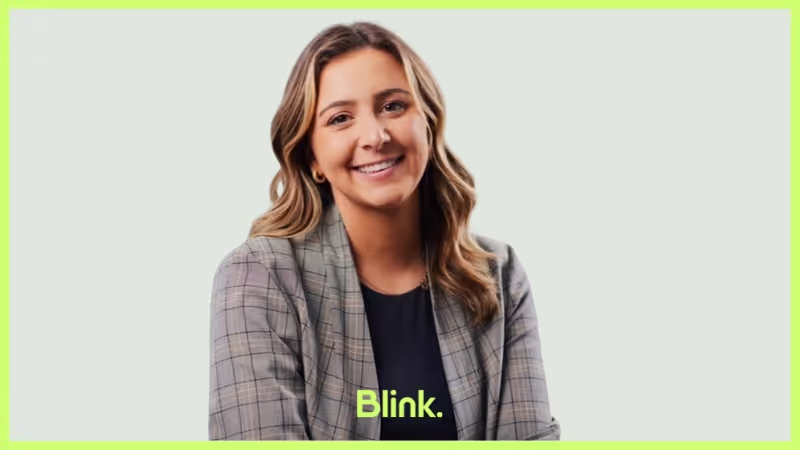
Working remotely hasn’t stopped Jessica from immersing herself in Blink’s vibrant culture. As a solution consultant for our US enterprise accounts, she’s been making waves since joining over two years ago. Whether visiting our Boston or London offices — or collaborating from her home in Pennsylvania — Jessica loves Blink’s agile, innovative, and positive environment.
Which Blink office do you work out of?
I'm one of the few fully remote employees, but I’ve still managed to visit both offices. I go to Boston more often — probably three or four times so far — and I’ve been to London twice. I’m based in Pennsylvania, roughly in the middle between Philadelphia and New York City.
I lived in New York City for ten years, but now I have three young kids, so we needed more space. Right now, for example, it's snowing outside and there are deer in my front yard — quite a change from the city!
What's your position at Blink?
I'm a solution consultant for enterprise accounts in the US.
How long have you been at Blink?
Just over 2 years now.
What initially attracted you to join Blink?
What drew me to Blink was partly the people I knew here — people I really respected. I thought if they were at this place called Blink, then I should be here, too. On top of that, Blink’s overall mission resonated with me. I’ve been selling software for a long time, usually to IT departments, and I never really saw the broader impact beyond making some people more productive.
But hearing how Blink improves the lives of frontline workers, who often receive little support — especially after everything that happened with COVID — made me realize how crucial they are. Unfortunately, many companies aren’t investing much in improving their experience, and that’s what we’re aiming to change: enhancing their work lives.
What's a project you are proud of from your time at Blink?
I have to say, there’s a major deal I worked on (which we haven’t announced yet) that was incredibly exciting from start to finish. I felt like we were entering the next phase of Blink. Just the fact that this huge company even considered us — and ultimately chose us — was amazing.
I loved seeing the teamwork and effort everyone poured in. At some point, every single team played a role — marketing, product, implementation, sales, pre-sales, legal, and more. So many people came together, and it was really fun to witness. It took about six months, with hundreds of meetings and around 20 demos — truly unbelievable.
How would you describe the company culture at Blink in 3 words?
I would say it's fast-paced, super-positive — which you don't see everywhere — and agile.
I chose “super-positive” because everyone is always open and happy. You never join a meeting — whether it’s an internal call or a customer call — without seeing smiles on people’s faces. Even though everyone’s busy, they’re still great to talk to and easy to connect with.
People here are also eager to help, and I think our customers pick up on that. They know we’re not just going to deliver reliable work — we’re going to brighten their workday, too. That positivity really carries over into our relationships with them.
What's one thing you're excited about for the future of Blink?
I'm excited to see how quickly we're growing in the US and how we'll continue to expand. I’m also really thrilled about what we've already accomplished and what we’re planning to do in retail and hospitality.
When I first joined Blink, we only had a handful of customers in that sector — some of them quite small. Now, seeing what we've achieved, what we're currently doing, and what we have planned for the future is incredibly exciting, especially in that space.
We've done amazing work in transit and healthcare so far, but retail and hospitality brands are more widely recognizable. I feel like this will bring greater awareness to all the good Blink is doing, and more people will hear about it simply because they can relate more to these public-facing companies.
Can you tell us about a recent initiative or program launch at Blink that you found particularly exciting?
Our internal 12 days of Blinkmas gifts campaign was amazing — I’ve never seen another company do anything like it! The gifts were great, and I loved how excited everyone was to participate. I looked forward to it every morning, eager to see who won the previous day’s gift and what the newest gift was. It really made the lead-up to the holidays special.
I actually ended up winning a really cool prize: a donation to a charity of my choice. I chose a local charity that helps families in Bucks County, where I live in Pennsylvania.
Why do you work for Blink?
I love the people here — my daily team, my manager, and the fact that I can easily reach out to anyone in another department when I need something. I always know exactly who to contact, and they typically respond quickly, no matter the time of day. It’s a refreshing change from bigger companies, where requests can just vanish. At Blink, everything gets done efficiently.
I also work here because our product is amazing. I’m in it day in and day out, and it’s so fun to envision solutions for our customers — our product is incredibly straightforward to use. I’m impressed by how fast we roll out new features and develop enhancements, whether it’s based on our own plans or customer feedback. I’ve never been at a company that does it so quickly and so well. We work together to figure out what’s best for the next phase of Blink, always keeping our customers’ needs at the center.

Working remotely hasn’t stopped Jessica from immersing herself in Blink’s vibrant culture. As a solution consultant for our US enterprise accounts, she’s been making waves since joining over two years ago. Whether visiting our Boston or London offices — or collaborating from her home in Pennsylvania — Jessica loves Blink’s agile, innovative, and positive environment.
Which Blink office do you work out of?
I'm one of the few fully remote employees, but I’ve still managed to visit both offices. I go to Boston more often — probably three or four times so far — and I’ve been to London twice. I’m based in Pennsylvania, roughly in the middle between Philadelphia and New York City.
I lived in New York City for ten years, but now I have three young kids, so we needed more space. Right now, for example, it's snowing outside and there are deer in my front yard — quite a change from the city!
What's your position at Blink?
I'm a solution consultant for enterprise accounts in the US.
How long have you been at Blink?
Just over 2 years now.
What initially attracted you to join Blink?
What drew me to Blink was partly the people I knew here — people I really respected. I thought if they were at this place called Blink, then I should be here, too. On top of that, Blink’s overall mission resonated with me. I’ve been selling software for a long time, usually to IT departments, and I never really saw the broader impact beyond making some people more productive.
But hearing how Blink improves the lives of frontline workers, who often receive little support — especially after everything that happened with COVID — made me realize how crucial they are. Unfortunately, many companies aren’t investing much in improving their experience, and that’s what we’re aiming to change: enhancing their work lives.
What's a project you are proud of from your time at Blink?
I have to say, there’s a major deal I worked on (which we haven’t announced yet) that was incredibly exciting from start to finish. I felt like we were entering the next phase of Blink. Just the fact that this huge company even considered us — and ultimately chose us — was amazing.
I loved seeing the teamwork and effort everyone poured in. At some point, every single team played a role — marketing, product, implementation, sales, pre-sales, legal, and more. So many people came together, and it was really fun to witness. It took about six months, with hundreds of meetings and around 20 demos — truly unbelievable.
How would you describe the company culture at Blink in 3 words?
I would say it's fast-paced, super-positive — which you don't see everywhere — and agile.
I chose “super-positive” because everyone is always open and happy. You never join a meeting — whether it’s an internal call or a customer call — without seeing smiles on people’s faces. Even though everyone’s busy, they’re still great to talk to and easy to connect with.
People here are also eager to help, and I think our customers pick up on that. They know we’re not just going to deliver reliable work — we’re going to brighten their workday, too. That positivity really carries over into our relationships with them.
What's one thing you're excited about for the future of Blink?
I'm excited to see how quickly we're growing in the US and how we'll continue to expand. I’m also really thrilled about what we've already accomplished and what we’re planning to do in retail and hospitality.
When I first joined Blink, we only had a handful of customers in that sector — some of them quite small. Now, seeing what we've achieved, what we're currently doing, and what we have planned for the future is incredibly exciting, especially in that space.
We've done amazing work in transit and healthcare so far, but retail and hospitality brands are more widely recognizable. I feel like this will bring greater awareness to all the good Blink is doing, and more people will hear about it simply because they can relate more to these public-facing companies.
Can you tell us about a recent initiative or program launch at Blink that you found particularly exciting?
Our internal 12 days of Blinkmas gifts campaign was amazing — I’ve never seen another company do anything like it! The gifts were great, and I loved how excited everyone was to participate. I looked forward to it every morning, eager to see who won the previous day’s gift and what the newest gift was. It really made the lead-up to the holidays special.
I actually ended up winning a really cool prize: a donation to a charity of my choice. I chose a local charity that helps families in Bucks County, where I live in Pennsylvania.
Why do you work for Blink?
I love the people here — my daily team, my manager, and the fact that I can easily reach out to anyone in another department when I need something. I always know exactly who to contact, and they typically respond quickly, no matter the time of day. It’s a refreshing change from bigger companies, where requests can just vanish. At Blink, everything gets done efficiently.
I also work here because our product is amazing. I’m in it day in and day out, and it’s so fun to envision solutions for our customers — our product is incredibly straightforward to use. I’m impressed by how fast we roll out new features and develop enhancements, whether it’s based on our own plans or customer feedback. I’ve never been at a company that does it so quickly and so well. We work together to figure out what’s best for the next phase of Blink, always keeping our customers’ needs at the center.

What we'll cover
Start your free trial today
See how Blink helps frontline teams stay connected, informed, and engaged.
Meet Lewis Tran, London-based Senior Front-End Engineer and one of the creative forces bringing Blink’s user experience to life.
Just over two years ago, Lewis joined the team with a passion for building intuitive, impactful products. Since then, he’s been at the forefront of developing features that land directly in the hands of our users — shaping the way thousands of frontline employees connect, communicate, and get work done.
We sat down with Lewis to talk about innovation, problem-solving, and what it’s like to craft products that make a real difference every day. Let’s dive in.
#1. What is your Blink background?
I am a Senior Front-end Engineer working out of the London office. I have been at Blink just about over 2 years.
#2. What initially attracted you to join Blink?
Initially, I didn’t know much about Blink. But I’d worked at a startup before and knew I wanted to be in a fast-paced environment again. It wasn’t until I started interviewing that I got to learn more about what Blink does and get a taste of the product. It was easy to see the potential of Blink platform, and as a front-end engineer who loves building product, I was excited to explore those opportunities.
#3. What’s a project you are proud of from your time at Blink?
One project I’m especially proud of isn’t the biggest or flashiest, but it means a lot to me — an AI feature we built that started from an internal hackathon. About a year ago, we held an AI hackathon where people pitched ideas for using AI internally or in the product. I designed a prototype for a feed post summary tool, where you could select multiple posts and quickly generate summaries with links back to the originals. The idea was to make it easier to highlight key content in busy feeds.
The day after I presented it, Lauren reached out to ask if we could actually build it into the product. At that point, it was just a prototype, but we developed it further, integrated it into the app, and eventually launched it as part of our Blink Assist AI feature. Going from idea to a released product in just a few weeks was a great experience.
#4. How would you describe the company culture at Blink in three words?
Passionate, dynamic, and supportive.
Everyone here is excited about building a great product and solving real problems. There’s never a dull day, and while challenges come up, people are always ready to help each other out. That level of support makes Blink a really great place to work.
#5. What’s one thing you’re excited about for the future of Blink?
There’s still so much untapped potential in the employee communications space. Our customers face real challenges, and we have the opportunity to solve them in ways that make a genuine difference to employees’ lives. As an engineer, that’s incredibly exciting — designing solutions, speaking with customers, and creating tools that have a tangible impact on companies and their people.
#6. Can you tell us about a recent initiative or program launched at Blink that you found particularly exciting?
We have an internal initiative called Adopt a Customer, which has been running since the beginning of the year. Once a week, someone at Blink presents one of the companies using our platform. It’s a great way to see the variety of organizations we work with — from large logistics companies to small gyms — and to understand the broad impact Blink has.
I might be biased, but I’m especially excited to present my adopted customer. They’re a fantastic company, and I think everyone at Blink should hear about them and learn how they’re using the product.
#7. Why do you work for Blink?
For me, it’s about solving interesting problems every day — problems that have a real impact on people’s lives. That’s a unique and privileged position to be in. As an engineer, you don’t always get to work on something you believe in or feel passionate about, but at Blink, the mission and the product are perfectly aligned for me.
That combination makes me want to keep building the best product possible and finding solutions to the challenges our customers face. It’s exciting, meaningful work — and Blink is the perfect place for that.
Are you stuck between Speakap and Blink for your organization's employee communication solution?
Keep reading to find out the major similarities and differences and see which one is right for you.
Speakap vs. Blink — quick facts
Speakap and Blink are both mobile-focused employee communication apps designed for organizations with many frontline workers.
The main difference is the number of features — and cost.
Speakap could be the perfect lightweight top-down communication software for you if you’re just looking for a way to keep employees up to date and enable chat features.
However, if you want more extensive interactions, a centralized hub, and in-depth customization that replaces all other employee intranets, Blink’s features are more than worth the price.
Speakap vs Blink: How they’re similar
Blink and Speakap have a few similarities:
Modern UI
Speakap nails its app by providing a straightforward user experience that is comparable to consumer-oriented apps your employees are already familiar with. With its timeline and one-on-one chats, it will fit right into your employees’ day.
The same can be said for Blink. The user interface is intuitive and modern, making it enjoyable to use for any employee. Users report that the platform “works equally well for desk and frontline workers.”
Timeline
Blink offers a versatile feed to share news, updates, and employee-generated content. You can send important notifications, share inspiring pictures and stories, and collect acknowledgements through actionable posts.
In Speakap, it’s straightforward to share news articles, publications, documents, and images. However, some features are slightly more limited. Some user reviews say “docs can't be opened directly within the app” and that there is a “Limited availability to insert images into posts.”
Custom branding
Blink’s theming options make it simple to add your own colors, images, logo, and even a fully white-labelled app with your company’s branding.
Speakap also offers excellent features to create a branded employee communications platform. You can create a branded app, add a custom logo, and play with menu themes.
Speakap vs. Blink: How they’re different
Analytics
Blink is a robust frontline communications platform that offers a lot of analytic capabilities and customizations to reach and engage every worker.
You can track your employees’ engagement with the content through data on every post’s reach, impressions, and interactions.
For uploaded documents, you can see the total number of views for each file and the change in views over time. You get an overall picture of your organization's engagement through a total user and active adoption count as well
Speakap has metrics that provide insight, including usage, adoption rate, read receipts, and user polls.
However, some users will find the analytics weak compared to other platforms. Besides tracking the employees who engage with your posts, data like reach and impressions are missing.
Omni-directional communication
Blink leans on user-generated content for their feed, making it ideal for organizations that want to open up lines of communication and encourage engagement.
In contrast, Speakap prioritizes a top-down style of communication. This could be a disadvantage for organizations looking for maximum engagement and collaboration between all levels of employees.
The communication style is less targeted to individual groups and teams, and some reviewers report that they “can’t target multiple recipients per post.”
Integrations
Along with a feed for daily updates, a hub for document sharing, pages for long-form content, and a multi-directional chat, Blink can be tailored to the needs of each organization.
You can customize the look of your app through personalized branding and many integrations. You can also add any essential software through Blink’s API.
Using Blink’s micro-app feature, you can add just about any functionality to your centralized app. Complete end-to-end customization can take some work through micro-apps and necessary integrations.
In Speakap, you do have a good range of integrations for HR and e-learning. But you only get read-only interfaces, links, and iframes rather than something more substantial.
Speakap is unlikely to be an overall internal communications solution as it lacks a native way to customize the functionalities within the app.
Besides linking integrations, users can’t add additional functions like payroll tracking into the app itself. Users say a con for their experience with Speakap is that there is “no ability for custom features.” and you “can't connect different apps easily.”
Customer service
Blink’s newness is a major plus for user experience and feature adoption, but this means some essential features are still being rolled out, and bugs do occur.
However, the customer service and development teams are quick to resolve any issues. Blink offers each client a dedicated support contact that oversees the transition and helps to optimize the platform for each business.
Blink also takes customer input and feedback heavily into consideration when developing new features.
Speakap’s users also frequently say they appreciate the company’s customer support, which also assigns a dedicated customer success manager to each account. Nonetheless, users report that “There are some features that would need better customer support.”
Speakap vs Blink: pricing
Blink offers four levels of paid service based on company size, while Speakap offers three pricing tiers based on features and customer service.
Blink levels:
Essential: $3.40 per person, per month
Business: Price on application
Enterprise: Price on application
Enterprise Plus: Price on application
Speakap levels:
Basic: Price on application
Premium: Price on application
Additional features, customer support
Premium+: Price on application
Additional features, priority technical support
Speakap vs. Blink: final thoughts
Both Blink and Speakap are good employee communication tools for organizations with a number of frontline workers. If your goal is to encourage across-the-board engagement with a total communications solution, go with Blink.
If you’re looking for a more targeted top-down communication app that fits into your organization’s existing platforms, go with Speakap.
If you’re not sure, try Blink’s powerful frontline employee communications solution for free.
Exploring alternatives to Beekeeper? You’re not alone.
Since Beekeeper was acquired by LumApps last year, there’s been uncertainty over the future of the platform.
The stated intention? To blend the features of Beekeeper and LumApps tools. But what this means for users during the transformation process (and beyond) is still to be seen.
That’s why some organizations are viewing this as the perfect opportunity to move away from Beekeeper and find a new employee communication app. A more intuitive and scalable platform — a solution with more customization options, better search functionality, and an improved backend experience for admins.
We’re here to help — with a shortlist of 11 Beekeeper alternatives for 2026.
From modern intranets to all-in-one employee experience (EX) platforms, these software tools can help you improve internal comms, unify dispersed teams, and upgrade digital employee experience.
Features include real-time messaging, content management, social news feeds, and analytics. You can also expect robust integrations that ensure a streamlined and productivity-boosting experience for employees.
Ready to find your Beekeeper alternative? Take a look at the best employee communication platforms for 2026, along with their pros and cons.
Best for: Companies with frontline and desk-based workers looking for unified communication, engagement, and operations.
Blink is the leading alternative to Beekeeper. It’s an employee experience platform that combines communication, engagement, and productivity tools in one easy-to-use app.
These tools are available via one unified dashboard, which — crucially — contains exactly the same features and functionality across both desktop and mobile devices.
As a joined-up solution, Blink drives engagement and transparency while reducing noise and tool overwhelm. Its intuitive UX, rapid deployment, deep integrations, and enterprise-grade security make it ideal for large-scale organizations across industries.
And you don’t need to take our word for it. Blink customers — including McDonald’s, JD Group, Children’s of Alabama, and Go North West — report high app adoption rates and measurable improvements in employee engagement, retention, and operational efficiency.
Pros:
All-in-one platform for two-way communication, resources, and operations
A social-style news feed, co-worker communities, surveys, and recognition tools
Intuitive mobile-first design with high employee adoption
Integrates seamlessly with Microsoft 365, Workday, ADP, and more
Includes analytics, AI automation, and broadcast tools
Trusted by global brands including McDonald’s, JD Group, and Domino’s
Cons:
Enterprise plan required for advanced customizations
{{mobile-main="/image"}}
#2. Staffbase
Best for: Large or global enterprises with formal comms teams
Staffbase is a popular internal communication platform that caters primarily to enterprise businesses — those with complex communication needs across multiple regions. It provides branded employee apps, newsletters, and intranet tools and places a strong emphasis on content distribution and corporate messaging.
While its visual editor and content scheduling features are a plus, some users find the platform content-heavy. Its pricing model is geared towards larger organizations, and the platform may take a while to configure and fully roll out.
Pros: Strong branded experiences
Cons: More focused on top-down messaging than interactivity
#3. Workvivo
Best for: Large, multilingual organizations
Workvivo blends communication features with a social media-style interface. It allows employees to post updates, engage with leadership, and access key resources in one space. Workvivo excels at driving culture and engagement, especially in hybrid or dispersed workplaces.
The platform is backed by Zoom and integrates with major HR and collaboration tools. But there are a few downsides to bear in mind. Workvivo can be hard to customize when it comes to operational use cases like task management or process automation.
Pros: Highly engaging UI, good for culture-building
Cons: Limited operational features compared to all-in-one platforms
#4. Simpplr
Best for: Companies looking for a modern intranet and a centralized knowledge hub
Simpplr positions itself as a modern intranet with a focus on employee communications and engagement. It provides a clean UI, AI-powered content recommendations, and analytics to help internal comms teams measure impact.
It’s especially effective in large enterprises with a high proportion of knowledge workers. Smaller organizations may find that some features are unnecessary and that prices are higher than budgets allow.
Pros: Streamlined UI and good customer support
Cons: Limited customization options
#5. Firstup
Best for: Global enterprises looking for advanced audience targeting and automated message delivery
Firstup is a digital employee experience platform designed to deliver personalized content at scale. It focuses on intelligent content delivery, helping large enterprises reach the right people with the right message at the right time.
With AI-powered targeting, automated employee journeys, and email tools, Firstup works well for complex internal comms strategies. However, the platform is heavily focused on broadcast and campaign-style messaging, with limited collaboration features.
Best for: Large and complex organizations looking for an AI-native intranet
Unily is a platform that combines intranet functionality with employee experience tools. It supports rich content creation, content translation, and broadcast email across a user-friendly interface.
Unily is often praised for its design flexibility and advanced features, but it takes time and developer expertise to set up. This Beekeeper alternative is best suited to companies with dedicated IT and comms teams.
Pros: Powerful and customizable
Cons: A steep learning curve; a time-consuming setup process
#7. Microsoft Viva
Best for: Microsoft-centric organizations looking to improve employee experience
Microsoft Viva is a suite of employee experience tools within Microsoft 365. It includes modules for insights, learning, and communications, and it’s a strong choice for knowledge-worker companies already using the Microsoft ecosystem.
As you’d expect, Microsoft Viva integrates seamlessly with other Microsoft products, including Outlook and SharePoint. But it can be overly complex — and overly corporate for those wanting to develop a dynamic company culture.
Pros: Deep integration with Microsoft 365
Cons: Can feel fragmented; requires additional configuration
#8. Haiilo
Best for: Culture building, employee advocacy, and brand amplification
Haiilo is another Beekeeper alternative that provides employee communication and intranet capabilities. It features multiple communication channels, plus tools to amplify employer branding and build a more connected culture.
Despite the platform’s strengths, some users state that it’s overly complex, particularly for smaller businesses and less tech-savvy teams.
Pros: Great for advocacy and culture building
Cons: A complex tool with a steep learning curve; expensive for smaller companies
#9. Happeo
Best for: Google-centric organizations
Happeo is a Google-based, AI-powered intranet that acts as a centralized hub for all internal comms. It puts company news, documents, and collaboration tools in one easy-access location.
Key features include pages, channels, a user-friendly drag-and-drop editor, and an intuitive user interface. But this platform lacks several useful communication tools — like direct messages, audio and video messages, and @mentions.
Pros: Easy and intuitive interface; easy integration with Google Workspace
Cons: Limited integrations beyond the Google suite; limited search functionality
#10. MangoApps
Best for: Mid-sized businesses seeking to connect dispersed teams
MangoApps provides a unified platform for communication, collaboration, and HR workflows. Key features include instant messaging, file sharing, task tracking, and employee recognition.
Users praise the platform’s ease of use but complain that the user interface — particularly on the platform’s mobile app — feels outdated compared to more modern tech tools.
Pros: Comprehensive comms features in one place
Cons: Less intuitive UI compared to newer competitors; integrations are limited
#11. Speakap
Best for: Frontline-only teams
Speakap is a communication app built for non-desk workers. It focuses on reaching employees who don’t have a corporate email or regular access to company systems. The app supports secure messaging, announcements, and integrations with payroll or scheduling tools.
Speakap is a good fit for retail or hospitality environments but offers fewer features for knowledge-based collaboration or enterprise-scale analytics.
Pros: Tailored for frontline teams
Cons: Limited scalability for enterprise-level requirements; limited team messaging functionality
{{mobile-hub="/image"}}
Which Beekeeper alternative is right for your organization?
The right Beekeeper alternative will depend on your organization's size, structure, and goals. But if you're looking for a platform that goes beyond messaging to deliver a truly unified employee experience, Blink stands out as a top choice.
Blink meets the needs of both frontline and desk-based teams, by bringing communication, collaboration, and productivity tools into a centralized, mobile-first hub.
With social-media-style comms tools, a consumer-grade smartphone app, and proven impact on employee engagement, it has everything you need to improve internal comms and employee experience.
Other tools on this list each offer value in specific areas — from top-down communication to culture-building to knowledge management — but Blink leads the way as a complete, scalable solution for internal comms and employee experience in 2026.
Sherry has worked at Pierce Transit since February 1990 and has received many accolades and awards during her long career.
She is a member of the agency’s Safety Committee where she lends her experience to help make safety a priority for everyone. She goes above and beyond in her role as Operator: This past year, while on duty, she assisted with putting out a vehicle fire and rescued a lost young girl along her route.
Sherry was a recipient of Pierce Transit’s Q1 2024 Excellence in Safety award. She truly cares about her community and many people have been honored to receive what she gives from the heart.
How has Blink helped in her role?
Sherry uses Blink to keep up to date on what's happening at our agency.
What does she want to do next?
Travel the world!
Nominated by Penny Grellier, Communications Administrator
‘As leaders, we should be measuring engagement in everything we do’
– Simon White, VP People at Blink
Frontline leaders have long been searching for the most effective way to engage their deskless workforce. From Employee Resource Groups (ERGs) and Learning & Development initiatives, to intranets and Enterprise Social Networks (ESNs), they've tried a variety of approaches with varying levels of success.
This has led to a Frontline Gap, an issue that many organizations, especially those with deskless employees, face. It is a void where initiatives fail to have their intended impact due to a lack of engagement from workers.
To bridge this gap, employers must look beyond traditional methods such as ERGs and ESNs, and instead focus on using employee engagement surveys to connect directly with the needs of their deskless staff.
Frontline workers are looking for a faster, more efficient, and more useful way to do their jobs, while leaders want to bridge the Frontline Gap and connect with their deskless staff. To be able to achieve these goals, employee engagement surveys can help employers achieve direct conversations with frontline workers and understand the needs of their employees.
By taking a proactive approach to employee engagement and using pulse surveys to directly and regularly connect with deskless employees, organizations can begin to close the Frontline Gap, identify engagement challenges and create a more productive, cohesive, and engaged workforce.
Employee engagement surveys can provide valuable insights into how employees feel about their work environment, job satisfaction, team dynamics and so much more. In this guide, we'll take a brief look at why frontline leaders should conduct employee engagement surveys as a regular practice, before diving into our step-by-step guide on how to conduct your first employee engagement survey the right way.
Why employee engagement surveys are important
The solution to bridging the Frontline Gap lies in approaching frontline engagement as something that is earned, rather than simply expecting it from employees. Instead of relying on traditional methods such as ERGs and ESNs to increase engagement, employers must focus on creating an environment where workers feel truly valued and respected.
The first step towards this lies within employee engagement surveys.
Employee engagement surveys are an important tool for frontline leaders to measure engagement and understand the feelings of their deskless employees. While ERGs and ESNs can provide a good foundation for engagement, taking proactive steps to directly connect with your team is essential in order to create a productive and cohesive environment.
As businesses today are operating in an increasingly competitive hiring market, salaries and benefits are becoming more expensive and difficult to manage. With no visibility into what is going right or wrong, employers are left in the dark as to why their staff turnover rate is on the rise and morale is low.
This lack of insight into employee engagement can lead to disengaged employees, decreased productivity, and high turnover rates, alongside a weaker Employer Value Proposition (EVP) as talent is lost.
Employee engagement surveys can help employers gain the insights they need to effectively measure and address employee satisfaction, team dynamics, and much more. Collecting and actioning this feedback is one of the key employee engagement drivers, and is considered an employee engagement best practice.
So, how exactly can employee surveys support your workforce and drive success in your goals?
Enable
By regularly understanding what they need, leaders can better enable their workforce to succeed. Engagement surveys can help identify key areas that employees are struggling in and provide valuable feedback to address these issues.
One of the main pain points for organizations, especially those with deskless employees, is the lack of resources and support needed to ensure their workforce can work effectively. Without the necessary engagement tools, communication channels and access to information needed to do their job efficiently, deskless workers are often left feeling frustrated and under-valued.
Frequent employee surveys help employers find out what their employees need to do their jobs better. It also helps the employer know if their employees feel respected and valued. The information gained helps them ensure they have the tools and resources needed for workers to do their job well, so that companies can keep a good reputation and meet their hiring targets.
Understand
It can also be hard to collect data from the frontline, as depending on the industry and environment they work in, traditional methods such as paper surveys or iPads may not be practical. For example, if they are working outdoors or in an extreme environment where digital devices cannot operate, it can be difficult to get real time feedback from them.
Additionally, it's crucial to have something that's easy to use, in every frontline worker's pocket. By giving managers what they need to measure employee engagement and continuously improve the employee experience, employee surveys can fill this gap and directly benefit the organization.
One of the most prominent pain points faced by organizations is a lack of understanding of what engaged employees need to be successful, especially in the frontline. Leaders that are out of touch with their workforce can cause real issues, including low morale, decreased productivity and high turnover rates.
To truly understand what engaged employees require, employers must conduct employee engagement surveys, aiding them in identifying key pain points and areas that need improvement.
Engage
Another key objective of employee pulse surveys is to improve and measure employee engagement. It is crucial to engage employees in order to create a positive and productive workplace. Employee engagement surveys measure levels of employee satisfaction, and identify the strengths and weaknesses of policies, programs, goals and objectives within an organization.
By understanding where leadership or productivity are weaker, employers can effectively engage their workers through real-time critical information and structured interventions tailored to improve engagement.
This is a pain leaders are facing: the frontline isn't sharing feedback because they don't want to. Gaining the engagement of the frontline by first earning their trust is key to boosting future engagement levels and increasing employee retention.
How to successfully conduct an employee engagement survey
As we have looked at above, conducting employee engagement surveys can encourage employees to speak up, give them a voice, and help employers to create a more productive environment.
If you're planning to conduct an employee engagement survey, keep this in mind.
The purpose of an employee engagement survey is not to measure employee engagement, it's to improve it.
Employee engagement surveys should not be done out of curiosity or to "check in" with your employees, they take too much time to be done this way.
Simply having an employee survey is not enough - the way in which you conduct your surveys can make all the difference between success and failure.
LeadershipIQ surveyed over 3,000 HR executives to see "how good" their employee engagement survey was, and only 22% said they were getting good results.
So how can you conduct employee surveys so they are actually meaningful? Looking at industry leaders, we see the following behaviors taking place to launch successful surveys:
1. Get rid of annual surveys
Gone are the days of the bog-standard annual engagement survey that provides little useful information, leaving employees disengaged and uninterested.
Instead of a singular survey at one point in the year, organizations should instead be taking a more agile approach to employee engagement surveys by conducting regular pulse surveys with smaller sample sizes.
If you already have an annual survey procedure in place, the first thing you should do is look at your current process and consider whether some parts of it can be scaled back or done more frequently.
2. Define a clear, attainable goal
You'll have to really think about what information you want to get out of this survey, sometimes it's not just a simple case of finding out how your frontline employees are feeling. This is an opportunity to encourage your team to share feedback on every aspect of their role, your role, and even the CEO's right at the top.
For example, if you have a low retention rate that you want to try and improve, what questions need to be asked? What data will help you put together a plan?
Your employee engagement survey questions should be strategically planned in a way that shows the leadership team genuinely cares about their frontline workers and how their careers can be developed. This should be made visible from the start to the end of your survey.
3. Plan ahead
Once you've figured out what information you wish to gain from your survey, it's time to plan ahead and get everything into place. Here are some of the main points you should consider when you're ready to plan your survey:
Have you got the right technologies in place to be able to conduct your survey?
What do you really want to find out?
Do you need to align with CIO or get buy-in?
When is the right time to conduct your survey? You'll need to give your employees an adequate amount of time to finish it.
Are you targeting all of your employees or just a specific group?
4. Let the frontline know!
Once your survey is ready to go, you need to get the message out there.
Reiterate the importance of the survey to your frontline staff and how it can positively affect their role at work and the environment in which they work. It's a way to show them they are going to be heard and listened to (you need to actually follow through as well, but more on that later).
Communications leaders should be well briefed in plenty of time and should be tasked with sending out reminders to all who are involved in taking the survey.
One way you can reiterate the importance of your employee engagement survey is to release it with a message from the CEO, or another senior leader.
5. Act and restart
Once you've received your survey results, you need to come up with a plan stating how you plan to act on your responses. This is a key aspect you can't shy away from.
This is also another chance to acknowledge employee contribution and shows that the right people have seen the results and will take action. Below is a recent example from John J. Herman, CEO of Penn Medicine Lancaster General Health.
He acknowledges and thanks staff for taking the time to do the survey, reiterates their feedback is important, and lays out in clear bullet points what their next action points are. You can view the full message here.
This should be an ongoing effort and you should keep your frontline workers informed of your processes and decision making, as a way of letting them know you are serious about improving your workplace.
If you fail to truly act on the feedback they have taken the time to give you, you risk devaluing future surveys and decreasing response rates.
You should repeat your survey at regular points throughout the year, to see if the employees are satisfied with the measures you have taken and tweak different aspects of your strategies to raise levels of employee engagement.
Considerations for conducting your first employee engagement survey
Plan
As we highlighted above, surveys should not be done out of curiosity, you need a real plan.
So when you're thinking about surveying employees take the below into account:
Who's your audience?: Whether it's teams or departments, segment your stakeholders into groups.
What do you want to measure?: What do you need to find out to improve the employee experience? Set goals, and measurable KPIs.
What are you asking?: Once you know what to measure, what questions do you need to ask to get actionable insights?
What type of survey?: Once you have your audience and goals, what type of survey are you going to run? There are different types such as, benefit surveys to measure how satisfied your frontline is with their benefits and rewards or you could even run onboarding surveys for new hires to see how well they’ve been introduced to the business.
What format?: How will the survey be received? Via email, via an app? What format will the questions be? Multiple choice or free text? Take into consideration your audience and goals and use these to guide the format you choose.
Timing: When's the best time to send your survey to your audience? How long will you leave the survey open for? How many follow up emails will you send to those that don't respond?
There's a lot that goes into planning an employee survey, but you need to do this to set you up for the best chance of it being a success.
Platform
Do you have a way to easily and efficiently collect and analyze data? Depending on your organization you'll need to make sure you use a platform that meets your requirements.
Think about who you are going to survey, are they desk based or deskless? Do they work from home? Are they on the frontline? Do you need the survey to work on desktop and mobile?
For example, our employee survey feature is used by organizations whose employees are on the frontline, this puts more importance on the mobile functionality of our survey feature to allow for quick and easy responses wherever employees are.
If your employees feel disengaged from their colleagues and management team it's time to introduce a platform that can meet your team's needs whatever their job role.
Trust
Employee surveys are a great opportunity to establish trust with your employees that you will listen and understand their feedback, as well as make an effort to act on how they are feeling.
But, they also pose a risk of doing the opposite if you don't do them properly.
A recent campaign undertaken by Blink found that 50% of employees wanted to leave their current position as they didn't feel like management took their complaints seriously. One third didn’t even think their organization would act on their feedback.
This again highlights why employee surveys shouldn't be done out of curiosity. If you run the survey, get the results, and don't act. What do you think will happen to the figure above?
But, if you act and communicate changes made off the back of feedback, not only could these go a long way with improving employee engagement, but build a lot of trust with your employees.
From an employee perspective, it will also be important if the survey is anonymous. This in turn will increase trust and eagerness to take part in the survey. Anonymity is important if you want to get real honest feedback from staff, they will feel more comfortable sharing the truth if they know it won’t come back to haunt them.
Communication
Raise awareness around your survey going live! Involve your communications leader in using as many formats as possible to get the message to the frontline.
This could involve emails, printed posters, and using an employee engagement mobile app.
These communication points need to explain the importance of taking part in the survey and why employee feedback is so important to improving the work culture.
Content
When you're planning out your employee engagement questionnaire, don't be afraid to ask difficult questions. You need to ensure you're set up to get the most out of it.
For example, Facebook found that simply asking employees how long they intend to stay was more than twice as accurate at foretelling their future turnover than machine-learning forecasts.
What's even more telling is that they found when people don’t participate in their two annual surveys they are 2.6 times more likely to leave in the next six months.
The content within your survey needs to be clear, concise, and engaging. There's no need to overcomplicate your questions or try to hide behind big words. Ask the questions in a way that will get a truthful response.
How Blink employee surveys can help you meet your goals
Most employee survey tools are designed for desk-based workers, not the frontline - Blink's Employee Surveys make it easy for you and your teams to quickly and easily conduct employee surveys.
We make it easy for frontline organizations to get the data that matters.
Triple your response rate
Get your survey seen and responded to in an app designed for everyday frontline use. Instantly transition away from paper surveys to having surveys appear seamlessly on every frontline team member’s device.
This gets rid of friction caused by having to use other platforms, with different passwords and make it easier for staff to respond as everything is in one place. From paystubs to scheduling and even critical documents - your surveys are in an app that gets opened an average of seven times a day.
Launch in 90 seconds
Ask questions fast, get answers faster. Our mobile app makes creating and sending surveys easy. From selecting your audience to selecting questions you’ll be done in minutes.
Science-backed questions
We offer a set of science backed Qs which are great if leaders don't know what to ask, you also get the option to add in your own.
Get action-ready insights
Easy-to-use reports to make impactful decisions. Merge this with Frontline Intelligence - together with engagement stats and you’ll have an overall view of the health of your organization.
It’s time for another Life at Blink feature! This week, we’re shining the spotlight on Maggie MacKay-Dunn, our Senior Customer Success Manager based at the London office. Maggie works closely with clients to ensure they get the most out of Blink’s platform, driving success across the board.
Curious about her journey and what makes Blink a great place to work? Read on to find out more about Maggie’s role and her experience with us!
How long have you been at Blink?
I’ve been at Blink since July 2020 — 4 years and 3 months to be exact. I started in the Customer Success team — in fact, I was CS employee #1 after Florence Hunter. It was just the two of us for a while before we began expanding the CS team. Initially, we oversaw a combination of Customer Success and Implementation, but as the company grew, we separated the departments and expanded both teams.
What initially attracted you to join Blink?
I’m originally from Vancouver, Canada, and I relocated to London in 2018. After some time, I discovered Blink and thought the product was really great — but honestly, meeting the people at Blink was one of the best parts too.
I love that the platform empowers frontline workers through innovative technology. Having worked in frontline roles in hospitality myself, and with both my parents being frontline workers — my dad was a police officer, and my mom was a nurse for many years — this mission really resonated with me.
Blink’s fast-paced company culture, which values both employees and customers, also influenced my decision to join. When I started, I believe I was employee #25, so the company was still quite small back then.
What's a project you are proud of from your time at Blink?
There are so many! Since I work closely with customers, I can really see the impact Blink has on their organizations.
I love collaborating on key initiatives, whether it’s improving employee survey response rates, communicating a new campaign or strategy, helping with management communication, or optimizing processes. My favorite part is definitely working on projects, building strong relationships with customers, and being able to measure their success and demonstrate the value Blink brings.
Another great aspect is meeting people in person, attending launches, and seeing customers’ faces light up when they realize how Blink can make their jobs easier — it’s like a lightbulb moment.
How would you describe the company culture at Blink in three words?
Innovative, collaborative and passionate.
What’s one thing you’re excited about for the future of Blink?
I look forward to seeing Blink’s continued role in transforming workplace culture through better communication tools and enhancing employee happiness and engagement on a large scale. I’m really passionate about recognizing good work across organizations and highlighting those small stories that might otherwise go unnoticed without an app like Blink. Even if something small happens at one site, you can post it on the feed and have more than ten thousand people see it. It makes employees feel valued and engaged.
Can you tell us about a recent initiative or program launched at Blink that you found particularly exciting?
Yes! The launch of advanced employee intelligence was a major milestone and a gamechanger for our customers. It also made a huge impact within customer success, allowing us to gain insights into how the workforce is using Blink.
This deeper level of understanding helps teams make better decisions and improvements across all areas of the organization. It allows us to identify specific areas to boost engagement, share tips or trends on how to communicate more effectively with employees, and ultimately understand how employees are interacting with the platform.
This knowledge is key to optimizing the experience and creating a more supportive and productive work environment.
Why do you work for Blink?
I think I strongly align with Blink’s mission, and I’m passionate about helping people. I believe Blink fosters a positive environment and a mission-driven culture, which makes it feel like a meaningful place to work.