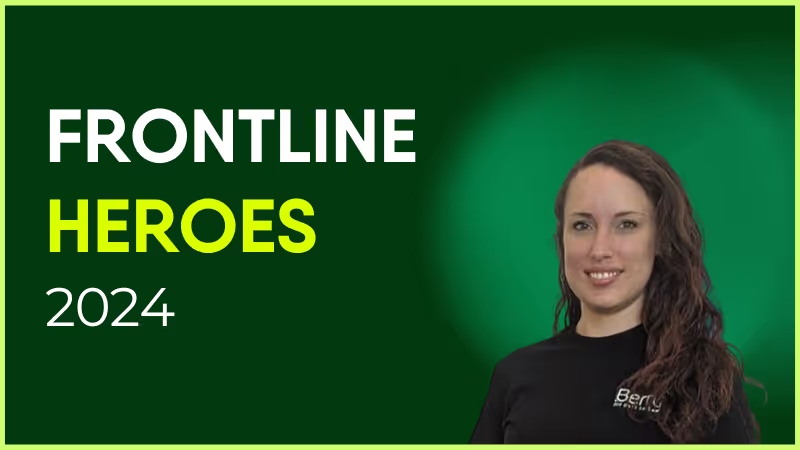
Cleaner/Shunter Supervisor – Coalville for Arriva Buses
Jess DeVore
Published:
November 25, 2024
Last updated:
December 14, 2024
What we'll cover
What makes her awesome?
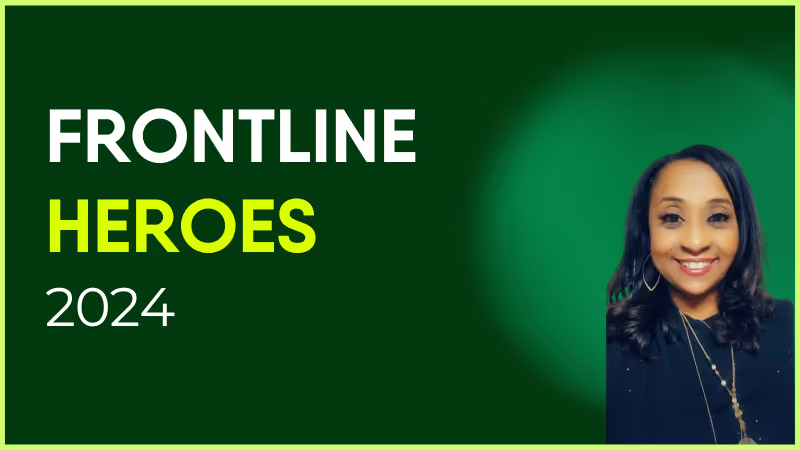
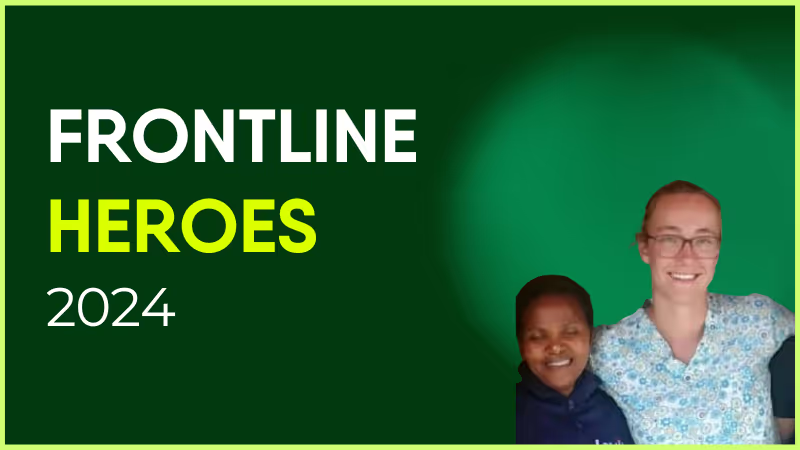
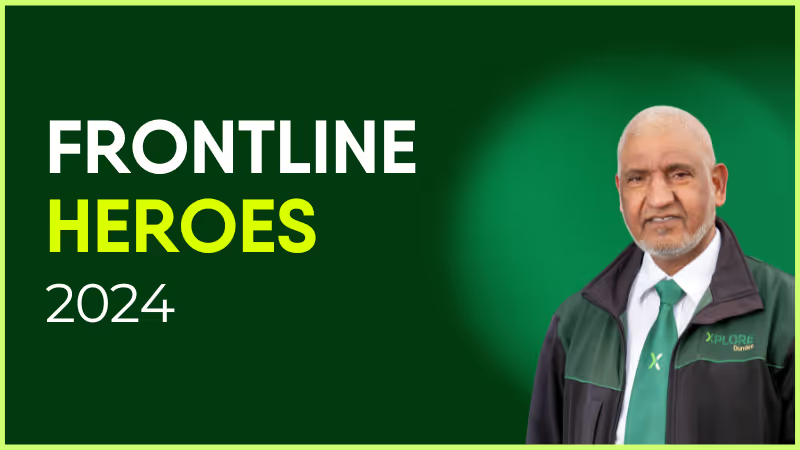
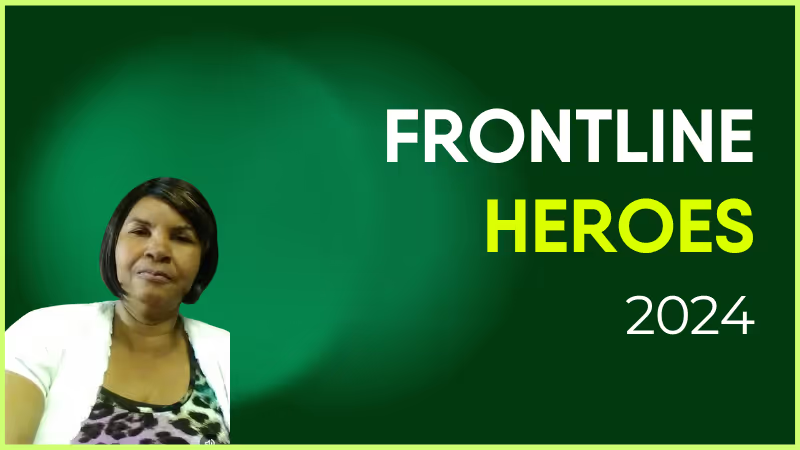
Dee has been with Arriva since Christmas 2016, working 3 days a week so she could care for her three children. When the 2019 Covid pandemic hit, Dee started to work 6 days per week and stepped up to become acting supervisor. During this time, the team was nominated for (and won bronze at!) the Made A Difference Awards for the initiative and depot leadership they showed. They were also recognized for having the fewest rates of drivers contracting the virus within the area.
After the pandemic, she continued to work 6 days each week — her children were getting older, and she had a lot of ideas to improve the standards! She continued to invest in herself and in Arriva: In 2023, she passed the passenger-carrying vehicle test, and when the previous supervisor retired, she became the supervisor in April 2024.
She gives immense credit to her team. In her own words:
“The two ladies I work with, Abby and Megan, are not only colleagues but friends as well, and that makes a difference. The friendship and team spirit within the team is very high and we all work together brilliantly. The goals and cleaning standards are at a high standard and we all work together to achieve this — when drivers compliment the cleanliness and difference is what I love most about the work we do.”
Nominated by: Lee Coleman

What makes her awesome?
Dee has been with Arriva since Christmas 2016, working 3 days a week so she could care for her three children. When the 2019 Covid pandemic hit, Dee started to work 6 days per week and stepped up to become acting supervisor. During this time, the team was nominated for (and won bronze at!) the Made A Difference Awards for the initiative and depot leadership they showed. They were also recognized for having the fewest rates of drivers contracting the virus within the area.
After the pandemic, she continued to work 6 days each week — her children were getting older, and she had a lot of ideas to improve the standards! She continued to invest in herself and in Arriva: In 2023, she passed the passenger-carrying vehicle test, and when the previous supervisor retired, she became the supervisor in April 2024.
She gives immense credit to her team. In her own words:
“The two ladies I work with, Abby and Megan, are not only colleagues but friends as well, and that makes a difference. The friendship and team spirit within the team is very high and we all work together brilliantly. The goals and cleaning standards are at a high standard and we all work together to achieve this — when drivers compliment the cleanliness and difference is what I love most about the work we do.”
Nominated by: Lee Coleman

What we'll cover
Start your free trial today
See how Blink helps frontline teams stay connected, informed, and engaged.
Gamification = a better employee experience, right?
Gamification sounds like an easy win for employee experience — sprinkle in some points, add a leaderboard, boom: engagement. Right?
Not so fast. When gamification is all gimmick and no grounding, it doesn’t inspire employee motivation. It just causes irritation. But when it’s rooted in human connection, meaningful progress, and the way employees actually work? That’s where the magic happens.
Ready to level up your workplace gamification strategies and really move the dial on employee experience? Let’s explore how.
Why gamification works
At its core, gamification taps into what makes work feel energizing — progress, recognition, and a little bit of healthy competition.
Traditionally, it takes game elements we see in customer experience, social media, and other aspects of our personal lives — like point scoring, badges, leader boards, challenges, and levels — and applies them to workplace activities.
Done right, gamification makes routine tasks more engaging and builds momentum around key goals or behaviors. By celebrating wins, making progress visible, and providing social validation, it helps to drive employee engagement.
In fact, 90% of employees say gamification makes them more productive at work. So how exactly does it work? Time for a little neuroscience.
Gamification fires up the brain’s reward system. When we make progress towards a goal or receive recognition, our brains release dopamine — the “happy hormone.”
We feel good. So we’re more likely to repeat the behavior that gave us that dopamine hit.
This is why Duolingo’s streak counter keeps millions of users practicing languages (and now chess!). It’s why Fitbit’s step goals push people to walk just that bit further. And it’s why many organizations have jumped on the gamification bandwagon.
That same psychology is what makes micro-moments of progress on modern intranet apps — think quick reactions, streaks, and bite-sized challenges — so sticky for today’s workforce.
The best programs boost employee productivity and satisfaction with regular dopamine hits throughout the day. But gamification schemes aren’t always successful.
Without a set purpose and complementary employee experience strategy, gamification can end up feeling like a gimmick and the fun quickly fades from the experience.
When “fun” feels fake: Where gamification falls down
Gamification can boost everything in the employee lifecycle, from the onboarding experience to performance management — but only when it’s done with empathy and intention.
Not every challenge, badge, or leaderboard adds value to the employee journey. In fact, when gamification is rolled into internal comms without empathy or intention, it can easily backfire.
Here’s where gamification can go wrong:
Meaningless badges. If employees don’t understand what a badge represents — or if a badge doesn’t feel connected to real progress — it’s just another notification to ignore. Badges should feel earned and reflect achievements that matter to employees and your organization.
Forced competitions. Friendly competition can feel motivating. But forcing it on people who are already stressed and stretched too thin? It becomes a source of pressure, not playfulness.
Public shame for low performers. A leaderboard that constantly highlights the team’s “losers” is a quick way to erode morale. Not everyone wants their performance broadcast across the company.
Praise for only some personalities. Games skewed to extroverts or competitive types leave large segments of your workforce disengaged. Everybody should have the chance to win points and prizes.
Focus on company goals. Gamification can achieve big things for your business. Think better employee retention and improved cultural experience! But make corporate KPIs your only focus and employees see games for what they are — another performance metric, not a genuine engagement tool.
Time to reboot your gamification strategy? Let’s look at what employees really want.
Time to level up with smarter gamification strategies
Great workplace gamification isn’t about tricking people into working harder. It’s about making progress visible, recognition effortless, and participation feel natural — without the noise of points-for-the-sake-of-points.
Strategic gamification gives employees organic recognition and reward within their everyday workflow. Here’s how to improve employee experience by weaving gamification through your workday.
Figure out what you want to achieve
Gamification only works when it’s solving the right problem. Too often, organizations roll out leaderboards or points systems hoping to fix issues that need a very different kind of intervention.
For example, if your people are disengaged because they’re burnt out, they don’t need a competition. They’re more likely to need better workload balance and well-being support.
Start by asking: What’s the real challenge here? And work to fix root causes first.
Then, layer gamified digital experiences that are linked to real business goals and employee needs. When you set clear, measurable outcomes, gamification is more likely to have the desired employee experience results.
Celebrate micro-wins
Not every victory deserves a burst of confetti and a standing ovation. But every small success deserves something.
Those micro-wins are the secret sauce — tiny jolts of momentum that keep people moving forward without the corporate fanfare. And celebrating these moments in the flow of work creates a steady rhythm of employee recognition.
Aim for something like this:
Daily. Quick kudos or emoji reactions when small tasks are completed.
Weekly. Shoutouts for team collaboration or creative problem-solving.
Monthly. Digital badges or spotlight features for outstanding contributions.
The dopamine boost from these mini celebrations is real. And it adds up. By regularly highlighting micro-wins, you embed organic gamification into your company culture and start building a great place to work from the inside out.
Harness the power of peer recognition
If workplace gamification had a co-op mode, it’d be peer recognition.
Badges and leaderboards are nice to have. But a simple high-five from a co-worker can provide a much more meaningful motivation boost. That’s because public peer recognition is visible, instant, and social — everything good gamification should be.
So give employees the internal communication channels they need to award kudos, nominate co-workers for a reward, or add their congratulations to a recognition post.
These organic moments of appreciation are great for company culture. They work wonders for the motivation of both those receiving recognition and those dishing it out.
And an added bonus? When recognition happens in the moment — not buried in a quarterly award ceremony — it becomes a natural part of how your workplace culture works, not a box to tick.
{{mobile-kudos="/image"}}
Launch news feed challenges
Your intranet platform isn’t just a noticeboard. It can be an employee’s go-to place for connection, interaction, and fun. But only if you venture beyond the standard corporate memo.
Add a few game mechanics to everyday moments throughout the employee journey. Set regular news feed challenges that create friendly competition and a sense of shared achievement. Some ideas?
Run a caption challenge tied to a weekly theme
Invite people to share short day-in-the-life clips or “work hacks”
Let teams submit photos of wins, then vote for the standout moment
These micro-challenges use the same principles as gamification — visible progress, social validation, and small rewards that keep people coming back for more.
Make it interactive
Gamification thrives on interactivity — it’s the difference between reading instructions and actually picking up the controller. You can bring that same energy into your employee communications by designing moments where people see change and impact in real time.
Here are a few ideas:
Pulse surveys and polls. Let people click and vote. Show engagement survey results instantly or follow up with a summary of employee feedback and a plan of action to show cause and effect. Mix and match employee surveys with pulse survey tools to minimize survey fatigue and better enable 360 feedback.
Progress bars. Add visual progress indicators — for training modules, or even as an online video story plays. Also, share employee data that others will care about. For example, 82% of you have completed cyber-security training this week — can we get to 100%?
Countdown timers. Create excitement for live events or new initiatives with a countdown. The ticking timer creates buzz, curiosity, and a sense of employee satisfaction when the new content drops.
Keep it authentic
If there’s one golden rule of gamification, it’s this — never fake the fun.
Nothing tanks engagement faster than games that feel mandatory, corporate, or designed to squeeze a little more output from already-stretched teams. Employees can spot the difference between something genuinely built to improve employee experience and something built with the company’s bottom line as a priority.
People join in when games are fun and playful. So keep things human. Make participation voluntary. And, most of all, keep things simple.
When your gamified moments feel natural — fitting with the flow of everyday work — they make the biggest difference to employee experience.
Our POV? Real engagement, not artificial rewards = employee experience results
Gamification doesn’t need to be flashy. It doesn’t need a complicated leaderboard or digital trophies. Instead, the best gamification feels purposeful and playful — and fits seamlessly within your workflow.
At Blink, we’ve seen how intuitive, mobile-first design turns everyday actions into effortless bursts of engagement. Quick reactions become micro-rewards. Employee surveys act like mini-challenges. Stories feel like new levels unlocking. When these moments are woven naturally into the workday, they spark real connection — without a single gimmicky badge in sight.
And when you base your gamification strategies around social interaction, connection and community become a reward in themselves. It stops being about badges and points, and starts being about people — meaning a more organic and meaningful employee experience.
When executives at Nokia Bell Labs brought engineers and scientists together from separate teams, their experiments led to the invention that we know as the vacuum tube.
Since then, the product has transformed hundreds of industries and solidified Nokia’s place in the telecommunications technology space.
The global revenue of their network infrastructure has been increasing by 22% year after year, and for the quarter ending March 31, 2021, it was €1.7B.
That’s the power of cross-functional collaboration. Many of the problems organizations face today need not one, but multiple teams or departments to work with one another. And in a survey of more than 2000 professionals, LinkedIn has identified cross-functional collaboration as a key leadership skill.
That’s why in this post, we’ll take a look at the meaning of cross-functional collaboration, its advantages, and best practices to facilitate cross-functional collaboration at work.
What is cross-functional collaboration?
Cross-functional collaboration refers to the concept of employees from different operational areas of a company working together as a team to complete a project or solve a problem. For example:
Ecommerce website designers, developers, and copywriters may join forces to deliver a cohesive user experience.
Sales, customer support, and marketing teams may engage in cross-team collaboration to create a uniform customer journey.
Manufacturing floor staff and procurement managers may collaborate to reduce excess inventory and ensure stock availability.
And this is just the tip of the iceberg. Cross-functional collaboration has endless applications and possibilities depending on the business requirements.
Importance of cross-functional collaboration
So why would you want different departments to collaborate? The future belongs to cross-team collaboration. According to Deloitte, “We’re seeing a shift from hierarchies to cross-functional teams. Adopting team structures can improve organizational performance, while not doing so puts you at the risk of falling behind.”
We’ve covered some use cases above but the benefits of cross-functional collaboration go beyond that. These include:
Increased innovation
When you involve people from different parts of the business, you get different points of view. The combination of these unique perspectives can lead to creative ideas for solving problems and lifting production.
Better efficiency
Cross-functional collaboration can make your business operations more efficient. The more different departments collaborate, the more their workflows will evolve and improve.
For example, if a manufacturing company suddenly loses its regular supplier, sales representatives, the ordering department, and the warehouse manager can unite to find a new vendor.
With this cross-team collaboration, they have a high chance of quickly finding a new supplier that satisfies the criteria established by all three of them.
Faster acceptance and implementation of change
When you involve people from different spheres in a change initiative from the beginning, you also get their empathy, buy-in, and trust. And they spread this acceptance to other people in their respective teams.
The result? Everyone’s on the same page, and there are fewer delays in execution. For example, some companies have orientation programs where a new employee is required to spend some time in each department.
This leads to a better understanding of the challenges and decision-making processes in different parts of the business. So whatever team the employee ends up with, he’d still be able to welcome changes introduced by other teams.
Enhanced organizational knowledge
This one’s a pretty obvious benefit of cross-team collaboration. When you collaborate with other departments, you also get to know the tools, processes, and best practices they are using.
The inner workings of a different department help you learn lessons that you can implement in your own team. For example, they might be using a better tool for data visualization which is also cheaper than yours.
Plus, you get a better sense of how your work and the other team’s work fits into the bigger picture.
Ways to streamline cross-functional collaboration
As you can see, solving problems that affect multiple teams or departments goes a long way in giving you an edge against the competition.
You may think that bringing people together from different teams would be easy, since they’re all part of the same company. But that’s often not the case, especially in medium and large-sized businesses.
Different departments may have conflicting agendas, values, goals, and priorities. And these differences prevent them from progressing on cross-functional projects.
So let’s see the core steps you can take to improve cross-functional collaboration in your business.
Have a clear vision
30% of employees worldwide cite inadequate vision as the reason for the failure of projects in their companies.
If that’s the case for regular projects, you can imagine how high it would be for cross-functional projects.
When you don’t share a concrete reason for the existence of a cross-functional project, why would anyone prioritize it over the tasks within their own team?
Be transparent with the teams involved about why you started the project. Tell them why they were chosen for it. And clarify what’s the end goal.
For example, if you are launching an onboarding program with a mentor from each department, the vision could be to quickly transform new hires into long-term assets.
The more open your communication, the more invested different departments will be in the project’s success.
Gather the right team members
How you build your cross-functional team plays a big role in your project’s success.
For example, having a finance expert in the team will be crucial for a cross-functional project that involves cutting energy costs and becoming a more eco-friendly company. Plus, you’ll also need PR experts that can spread the story in news outlets and give the whole thing a positive spin.
When putting together a cross-functional team, also consider the diversity and influence exerted by every member within the organization. People who are well-liked and respected even outside their immediate departments make perfect candidates for cross-functional initiatives.
Clarify roles and responsibilities
Do any of these ring a bell?
“I thought he/she was going to do it.”
“I keep butting heads with someone in the other team doing my job.”
“I am reporting to two managers from different teams with different ideas on what my job is.”
If you don’t clear up the expectations from each cross-functional team member, your team will remain confused about what exactly they should do, and who will carry out each task.
Remember, employees with clarity on their roles report a high level of satisfaction (75%), effectiveness (86%), and productivity (83%).
So when engaging in cross-team collaboration, make sure to clearly organize both individual and collective tasks for your workers. Every employee should know what tasks they are supposed to do on their own, and what is to be done in collaboration with other team members.
Put up roles for everyone else to see
A study of American workers across many industries found that 20% end up duplicating the work of others. The reason? Not being able to reach the concerned coworker.
So while it’s good to clarify roles and responsibilities for each team member, they must also know what everyone else is doing and responsible for. This will help you in two ways:
There will be no repeat or duplicate work. If someone is already handling a task, another person will not take it up.
When a team member runs into a problem or needs some information, they’ll know who to reach out to.
The basic information you should openly display for each team member includes:
Full name
Department name and job title
Role within the cross-functional project
Contact information
A great way to streamline this process is to use an employee directory. Blink, for example, is an internal communication app that offers this feature.
It lets you create a directory where information about each worker can be displayed. Plus, employees can search or reach anyone in the directory via instant messaging.
Ensure clear and regular communication
The ability to communicate the goals, status, and outcome of your team's work is crucial for cross-functional collaboration. When cross-functional teams don’t discuss project updates and requirements with one another, they cannot realize their full potential.
But cross-functional communication can be tricky. People are occupied with projects within their immediate teams, and no one may be willing to go the extra mile to communicate with other departments.
A great way to make communication easy for everyone is by implementing simple communication channels. Even better if you can provide a designated space for employees to share updates, exchange messages, and share documents.
That way, you make it easy for different departments to share information without switching between multiple apps.
Another thing you should do is to create a concrete communication strategy for your cross-functional project. The communication strategy will clarify how and when to send updates, and set communication expectations for the teams involved.
Create comprehensive documentation
Cross-functional projects are usually big, and big projects are scary. There are many moving parts that can overwhelm the teams involved. They may not know where to begin, how to carry out a task, or whom to ask.
In such a situation, documenting every aspect of the project can be a huge help. It clarifies processes and boosts productivity in both the short and long term.
Documenting involves writing down details about the project goals, baseline measurements, ongoing tasks, expected results, and more. Then making all this information available to the departments that have a stake in the cross-functional project.
You can begin by creating a project timeline to set and communicate the main tasks and a schedule based on when they should be completed as well as establish a project baseline.
Take construction projects, for example. These are typically complex cross-functional ventures because they require the design, procurement, and construction teams to collaborate deeply with one another.
And they have many tasks and subtasks to be managed on a strict timeline, as delays can lead to increased costs. Here’s what a project timeline might look like for such a project.
This level of detail in your documentation goes a long way in showing both the big-picture view and small tasks associated with the project, making the project vision easy to digest for all the team members.
Conclusion: how to streamline cross-functional collaboration
Cross-functional collaboration can be daunting, but its potential for your business can’t be ignored. It’s an opportunity to leverage the leadership, communication, and problem-solving skills from all corners of your company and use them to drive powerful results.
So use these strategies to set a solid foundation for cross-functional success. As your teams start collaborating, encourage them to keep adjusting and learning from the experience. Because these lessons will help you improve your organization’s ability to facilitate cross-functional collaboration even further.
And if you’re looking for a tool that can help enhance cross-functional collaboration at work, look no further than Blink. Request a free demo today.
To thrive, all companies must grow. Right now, a digital transformation roadmap is vital in doing so.
Why?
Businesses have always evolved to stay ahead of the competition. The current landscape is no different – it’s just adoption of new technology is the real crunch point right now.
That’s because the advancement we’ve seen in tech over the past few years, such as artificial intelligence and cloud solutions, far surpasses anything we’ve seen before.
Thanks to the impact of the COVID-19 pandemic, this adoption has been accelerated by around seven years, according to research by McKinsey.
This means your business can now:
Collect more data and use it for super-accurate forecasting and strategic planning
Take your customer experience to the next level with AI and AR solutions
Attract worldwide talent via remote and hybrid working options
Improve employee productivity by automating low-level administrative tasks
Increase employee engagement and reduce turnover costs
Ultimately, this results in more revenue. Significantly more, if you do it right – so much so that it simply won’t be possible to compete without it. Salesforce founder and CEO Marc Benioff describes it as a “must-have”:
“Organizations and governments around the world have a digital transformation imperative like never before, and many of them are accelerating their plans for a digital-first work-from-anywhere environment.”
Like any sort of large-scale change, this digital transformation requires a considered, planned approach to implementation to succeed. That’s where a digital transformation roadmap is essential.
What is digital transformation?
‘Digital transformation' is simply an umbrella term for any initiative your organization takes to introduce new technology to improve business processes.
This doesn’t have to be anything particularly remarkable. Used an employee app to move essential files (order forms, manuals and the like) online? Congrats, you’ve been digitally transforming!
There are likely hundreds of actions you can take across your business that would fall under the umbrella term of ‘digital transformation’.
And, with 72% of companies looking to permanently allow some form of remote work, according to 2022 research by Buffer, it’s likely that you’re somewhere along this journey already.
Using e-signing for important business docs rather than paper-based processes
Incorporating augmented reality solutions into your business, for example on an e-commerce app or in product design processes
Using remote collaboration tools to encourage distributed teams to work together
A roadmap for digital transformation: what you should know
A digital transformation roadmap, in a nutshell, contains a plan for implementing your digital transformation and a series of steps towards doing so.
A digital transformation roadmap helps you define and categorize short and long-term goals. By breaking a vast and, let’s be honest, often intimidating process into manageable steps, it also increases your chances of success.
Defining the stages of your digital transformation and avoiding expensive scope creep
Stating overall goals clearly, and identifying immediately achievable short-term tasks
Making it clear where responsibility for different tasks lies
How do you build a digital transformation roadmap?
With so much resting on it, building your own digital transformation roadmap might seem like a struggle in itself!
That’s entirely natural. To help, we’ve got some pointers. In the next section, we’ll also offer up a digital transformation roadmap example so you know exactly what you should be aiming at.
Overall, your digital transformation roadmap should:
Clearly state what you want to achieve
Outline which basic actions will help you achieve this
Divide these actions between different teams or departments
Provide information on budget and how much you have to allocate to each step
The key question is: “how do we get here?”
Whilst every organization is unique and will work it out slightly differently, there are a few steps that will help out, no matter what your circumstances.
Planning your digital transformation out like this will also help reduce the chance of cost overruns. 28% of projects fail due to poor budgeting; these initial road mapping activities will reduce this risk by helping anticipate costs.
1. Identify your overall goals for digital transformation
‘Digital transformation’ shouldn’t be a goal in itself. Instead, think about what you want to achieve through digital transformation – do you want to offer a better customer experience, for example, or reduce costly errors in your manufacturing workflows?
1. Take stock of where you are right now
What causes holdups, setbacks and misunderstandings in your organization? Spend some time digging here, and don’t be afraid to ask your wider workforce what they think too – they’re on the frontline, after all!
2. Identify key improvement areas
Where could you fill shortfalls with digital technology? For example, you might notice that your HR team is too bogged down with admin to dedicate enough time to more valuable activities, such as solving workplace disputes or processing employee feedback.
A solution here would be to automate basic processes like expense and leave management so they can refocus their workload.
3. Secure funding and build a budget
Finding a senior management sponsor to back your project opens so many doors. Look for someone aligned with your goals who is prepared to fight your case for funding to the board.
Once you have that all-important cash backing, start to figure out where best to budget it.
4. Identify any cultural shifts you might need to foster
Generally, organizations are change-resistant.
Think about what you might need to do to get your wider workforce onboard and really help make a return on your investment.
If your workforce isn’t particularly tech-savvy, for example, would offering extra training help?
5. Create a roadmap with strategic priorities and timelines
Here’s where you bring it all together.
Bring your overall goals and smaller objectives into a digital transformation roadmap that charts key actions, metrics and milestones.
6. Assign deliverables to different departments
Make sure everyone knows what their responsibilities are, going forward.
Digital transformation roadmap template
Sometimes, it’s a little easier to visualize a large-scale roadmap with a couple of examples in front of you.
Use the infographics below for inspiration. There’s no budgetary info on there (different projects have vastly different budgets, so it would be of limited use), but it’s worth looking at different ways to conceptualize your roadmap.
Digital transformation is all-encompassing. If you want to thrive in the post-COVID economy, digital transformation will become essential for every corner of your business.
This is exactly why a digital transformation roadmap is necessary. Trying to implement something so massive without breaking things down into smaller chunks will only end in failure.
A step-by-step approach, a good amount of tenacity and patience as you progress towards your long-term goal is essential.
Keep your eyes on the prize, and reward your teams every time you hit a key milestone. You will get there!
9 ways to boost employee engagement in manufacturing organizations
The manufacturing industry has an engagement problem. Just 25% of manufacturing employees are engaged at work, making it one of the least engaged occupations in the US.
Employee engagement is the extent to which workers feel satisfied with their jobs and are aligned with organizational values. It also influences how able and willing they are to give 100% to their work.
So the stat above is worrying. But it also presents an untapped opportunity for forward-thinking firms.
When you improve employee engagement, you create a stronger connection between employee and organization. This leads to better retention, productivity, and business results.
Take a look at our ideas for manufacturing employee engagement to swim against the tide, attract additional employees and motivate the ones you already have.
The importance of employee engagement in manufacturing
It is without question that employee engagement is important to every organization in every industry.
Engagement has a direct impact on talent acquisition and retention. Staff are less likely to take time off sick and productivity sees a 14% uptick. Happier, more satisfied staff produce better, more cost-effective results for your company.
But in manufacturing, employee engagement can help you to overcome a range of industry-specific challenges. There’s a link between manufacturing employee engagement and all of the following:
Quality management – engaged employees care more about company goals – they’re more likely to spot and report quality issues
Safety and risk management – engaged employees pay more attention to the critical comms sent out, which can often include safety and risk management documents. Engaged employees also hold themselves accountable for their impact on the team and work environment, which will lead them to paying more attention to health and safety.
Customer experience – there’s a link between employee experience (EX) and customer experience CX) – engaged employees manufacture better products and provide a better service
Business results – when quality, safety, and CX improve, you improve overall business results – costs go down, sales go up
Key factors influencing employee engagement in manufacturing
If you want to improve the manufacturing employee experience at your organization, you need a strategy. This plan sets out how every part of your company – not just your HR team – is going to work together to improve engagement.
Your strategy should also consider the key factors that affect employee engagement in the manufacturing workplace.
Communication
Internal communication within a manufacturing organization can be tricky.
To start, the majority of manufacturing frontline employees don’t have business emails. This creates an initial barrier to cross —of how to even communicate with these workers.
Then you have teams in the office and on the factory floor, plus a variety of login, language, and time constraints. To give updates on safety protocols and equipment issues, and to share company culture, you need communication channels that deliver the right information to every employee.
The physical work environment
Your workplace should be a safe and comfortable environment for employees. Equipment and protocols have to support the physical wellbeing of workers. And staff need easy-access communication channels so they can report hazards and safety concerns.
Training and development
Training and development are key in a fast-changing sector like manufacturing. So employees can deliver products to the expected standard. And so you can retain more of your workers by giving them new challenges and a clear career path.
Manufacturing employees are often responsible for repetitive tasks. And it can be hard for them to see how their work fits into the bigger picture. Workplace leaders bring meaning to employee work by recognizing their efforts and sharing company goals and values.
9 ways to improve employee engagement in manufacturing
Looking to improve employee engagement at your manufacturing firm? The following ideas will help you enhance the employee experience and reap business rewards.
1. Invest in technology
AI, automation, robotics – manufacturing tech is coming on leaps and bounds. But technology doesn’t just improve manufacturing processes. You can use it to boost employee engagement, too.
An employee app like Blink supports easy communication across your organization. As a mobile-first solution, available via smartphone, you can put mandatory reads, new safety protocols, and essential company updates at the fingertips of every employee.
You also bring together the tech tools your teams already use. With next-level integration capabilities, Blink puts information and resources in one easy-access location. You provide a friction-free, user-friendly interface that your employees enjoy using.
Technology streamlines work – and keeps employees in the loop. Just be sure to choose tools suited to both frontline and desk-based workers, and accessible for those with a company email or without. In doing so, you create an equitable working environment and raise the engagement bar for everyone.
You can put the rumor mill out of action and adopt a more open communication style by letting information move freely between all members of your organization:
Leaders keep employees in the loop, sharing key updates and supporting workers to understand the bigger picture.
Managers have an open-door policy and regularly connect with their employees, offering feedback, updates, and – crucially – listening to what they have to say, too.
Workers are encouraged to contribute – they collaborate with each other and feel comfortable raising issues and ideas with decision-makers
So how do you make this kind of communication a reality within your manufacturing organization?
Firstly, you need the right communication channels. These should be suited to your way of working and link every member of the workforce. In a large, modern workplace, a noticeboard crammed with paper memos simply won’t cut it.
Secondly, leaders need to leave egos at the door. Open communication means sometimes hearing things you don’t want to hear. Remember that negative feedback is often more valuable than good as it highlights areas for improvement. And encourage managers to lead by example.
Lastly, bear in mind that open communication can be taught. So train employees in information sharing, active listening, empathy, and teamwork. Teach them which communication channels are the most appropriate – and how often they should be using them.
3. Translation capabilities
Most manufacturing organizations have a diverse, multinational workforce. And many frontline employees don’t speak English as a first language. So if you’re not already translating company comms, this is a really easy way to boost employee engagement across the board.
Resources, information, and internal communication should be available in the languages your workforce speaks. That way everyone receives the same message and enjoys equal access to information. This also eliminates the bottleneck that managers create, having to be the translator themselves and spending their hours on managing the communication channels that their employees don’t have access to.
For example,The Blink app supports over 100 languages. Contributors can translate posts and resources at the click of a button, making all of your content accessible to everyone on your team, regardless of the language they prefer to use.
With effective, accurate translation, you get everyone on the same page – and include everyone in your company culture.
4. Recognition programs
Recognition makes employees feel valued. When you appreciate and reward employees who go above and beyond, you motivate them and inspire other employees to follow suit.
So when an employee hits a professional or personal milestone, when someone highlights a safety issue before it becomes a hazard, or when a team consistently meets their targets, give them the public recognition they deserve. And encourage co-workers to praise one another, too.
You can give recognition in company meetings, on the blog, or in the newsletter. Or ensure you reach every member of staff with recognition updates by using a digital solution like Blink.
With Blink’s recognition feature, you can post instant, personalized messages to highlight staff achievements. You add a recognition post to the company news feed and start building recognition into your company culture in just a few clicks.
Praise goes a long way. But you may also like to consider perks and prizes. Gift vouchers, an extra paid day’s leave, or a catered team lunch can all incentivize your teams. For manufacturing firm, JFE Shoji Power, sweepstake competition prizes helped them to fill overtime shifts.
But before you put a reward program into place, survey your staff. Find out what they really want in terms of recognition and reward. That way your recognition program stands to make the most impact.
5. Opportunities for advancement
It’s not just your office-based team who are keen to advance in their careers. 70% of frontline employees have applied for advancement opportunities. But this group doesn’t always get the resources or support they need to move up the career ladder.
When you’re looking to improve employee engagement in a manufacturing organization, allowing all employees to learn and advance within their roles is crucial. It gives employees something to work towards and feel excited about. And it makes them much more invested in doing a good job.
There are lots of things you can do to support career growth.
Map out clear career goals with employees, offering training and mentor support to help them achieve them
Give workers more responsibility during the standard work day, encouraging them to take ownership and make decisions where appropriate
Cross-train and rotate jobs to bring variety to an employee’s workplace experience
Ensure everyone is aware of training and career opportunities within your organization, highlighting typical career pathways and the perks of promotion
6. Regular, two-way feedback
As we mentioned earlier, open communication is an important part of employee engagement. You can facilitate this type of interaction by providing regular opportunities for two-way feedback.
Regular 1-to-1s between employees and managers help to maintain open lines of communication. These meetings are an opportunity to align goals, resolve conflicts, and identify areas for development.
Crucially, employees get the chance to raise queries and issues, too. They can provide insight into the manufacturing employee experience and any challenges they’re currently facing.
Just remember, this type of interaction needs to take place regularly, not just once or twice a year. To build trusting, open relationships, you need to build this type of communication into every single week.
That means managers spending time on the factory floor, seeing for themselves what excites, challenges, and frustrates workers. It means creating impromptu feedback opportunities. And it means using digital solutions to make feedback and communication easy, even when managers and workers aren’t based in the same location.
7. Create a safe environment
The manufacturing industry in the US has some of the highest rates of occupational injury and illness. But you don’t get high rates of manufacturing employee engagement unless staff feel safe at work.
When employees feel safe:
They can focus on their work
They feel a greater sense of morale
They feel valued and supported
They trust in workplace leadership
Prioritize workplace safety and you also create a virtuous circle. Safe environments lead to better employee engagement. And engaged employees help to improve workplace safety going forward. There are 70% fewer safety incidents in the most engaged workplace environments than there are in the least.
Leaders and managers should regularly reassess the safety performance of equipment and protective wear. Careful plant design can help to mitigate safety risks, while clear risk assessment and safety protocols help workers identify and rectify issues before they lead to a safety incident.
But workplace safety isn’t just about having the right equipment and protocols. It’s about fostering a company culture with safety at its core.
To do this, you need psychological safety in addition to physical safety. This is where people feel safe voicing their opinions because they’re not worried about being judged, blamed, or punished.
Give employees a sense of psychological safety – and the right communication tools – and they’ll be more likely to report safety issues. Digital tools, rather than pen and paper methods, help safety information to travel both ways, reaching decision-makers and factory floor workers quickly.
8. Invest in training and onboarding
Manufacturing processes are prone to change. Employees need to keep their knowledge of tech and equipment, as well as their skills, up-to-date. This helps to create a safe environment for everyone working on the manufacturing team. And it boosts employee engagement, too.
71% of manufacturing employees say that training and development is important to them in their work life
35% say they aren’t getting the quality of training and development they expect
28% said they would leave their employer soon because of poor training and skills development
Onboarding is not to be overlooked either. When new hires start working for a company, there’s lots to learn. Safety protocols. How to use equipment. Company values. Who they can turn to for feedback and support.
Some organizations, lacking manpower, don’t put enough time and effort into onboarding. But this is where you lay the foundations of employee experience. And it can make or break an employee’s engagement with your firm.
You can maximize onboarding benefits without spreading their staff too thin, with the help of a digital onboarding process.
Employees access guides, rules, and resources via the company portal. They can refer back to resources as and when they need them. It’s also easy for your teams to update resources with the most up-to-date information.
Managers and co-workers can then supplement this online learning with face-to-face input ensuring a positive experience for new employees.
9. Implement employee surveys
You can never really be sure how your staff are feeling unless you ask. So before you implement an employee engagement strategy for your manufacturing organization, it makes sense to conduct surveys.
As well as listening to employee concerns during manager 1-to-1s, surveys allow employees to give feedback on specific aspects of their role and on what they feel could be better within the organization.
Follow up with a regular schedule of surveys and you build a complete picture of the employee experience:
Annual surveys give you insight into employee engagement progress
Quick and easy pulse surveys give you an up-to-the-minute snapshot of employee sentiment
Lifecycle surveys help you understand the challenges facing employees at each stage in their journey
To get feedback from as many employees as possible, you need to communicate openly. Tell employees about the insights your surveys have uncovered. And share your plan for acting upon their feedback as well as any results.
By engaging employees in every stage of the feedback process, they’re much more likely to respond next time you send out a survey request.
You’ve read the tips. Now get some real-life inspiration! Aggregate Industries has already put these employee engagement tips into action. Find out how this manufacturing firm improved digital engagement across their frontline with Blink. Watch the webinar now.
In conclusion
In manufacturing, employee engagement can be transformational. When you improve the employee experience, you improve product quality, workplace safety, and customer service. You also find it easier to attract and retain staff in a tough labor market.
In an engaged workplace, information flows between all members of your workforce. Work is more meaningful thanks to clear company values and a sense of the bigger picture. Employees are empowered to do their best work, every day.
Getting to this point may feel like a challenge, particularly if you haven’t given much thought to employee engagement up to this point. But it’s a lot easier to make engagement improvements when you harness the power of technology.
With the help of a mobile-first employee app, you connect every employee, from your HQ office to the factory floor, regardless of their access to a company email or not. You can conduct surveys, give recognition, and provide easy-access training resources. You can translate information into a variety of languages.
Get an employee app on your team and you’ll find it easy to reach and engage every member of staff, whatever their preferred language and whatever their role.
Exploring alternatives to Beekeeper? You’re not alone.
Since Beekeeper was acquired by LumApps last year, there’s been uncertainty over the future of the platform.
The stated intention? To blend the features of Beekeeper and LumApps tools. But what this means for users during the transformation process (and beyond) is still to be seen.
That’s why some organizations are viewing this as the perfect opportunity to move away from Beekeeper and find a new employee communication app. A more intuitive and scalable platform — a solution with more customization options, better search functionality, and an improved backend experience for admins.
We’re here to help — with a shortlist of 11 Beekeeper alternatives for 2026.
From modern intranets to all-in-one employee experience (EX) platforms, these software tools can help you improve internal comms, unify dispersed teams, and upgrade digital employee experience.
Features include real-time messaging, content management, social news feeds, and analytics. You can also expect robust integrations that ensure a streamlined and productivity-boosting experience for employees.
Ready to find your Beekeeper alternative? Take a look at the best employee communication platforms for 2026, along with their pros and cons.
Best for: Companies with frontline and desk-based workers looking for unified communication, engagement, and operations.
Blink is the leading alternative to Beekeeper. It’s an employee experience platform that combines communication, engagement, and productivity tools in one easy-to-use app.
These tools are available via one unified dashboard, which — crucially — contains exactly the same features and functionality across both desktop and mobile devices.
As a joined-up solution, Blink drives engagement and transparency while reducing noise and tool overwhelm. Its intuitive UX, rapid deployment, deep integrations, and enterprise-grade security make it ideal for large-scale organizations across industries.
And you don’t need to take our word for it. Blink customers — including McDonald’s, JD Group, Children’s of Alabama, and Go North West — report high app adoption rates and measurable improvements in employee engagement, retention, and operational efficiency.
Pros:
All-in-one platform for two-way communication, resources, and operations
A social-style news feed, co-worker communities, surveys, and recognition tools
Intuitive mobile-first design with high employee adoption
Integrates seamlessly with Microsoft 365, Workday, ADP, and more
Includes analytics, AI automation, and broadcast tools
Trusted by global brands including McDonald’s, JD Group, and Domino’s
Cons:
Enterprise plan required for advanced customizations
{{mobile-main="/image"}}
#2. Staffbase
Best for: Large or global enterprises with formal comms teams
Staffbase is a popular internal communication platform that caters primarily to enterprise businesses — those with complex communication needs across multiple regions. It provides branded employee apps, newsletters, and intranet tools and places a strong emphasis on content distribution and corporate messaging.
While its visual editor and content scheduling features are a plus, some users find the platform content-heavy. Its pricing model is geared towards larger organizations, and the platform may take a while to configure and fully roll out.
Pros: Strong branded experiences
Cons: More focused on top-down messaging than interactivity
#3. Workvivo
Best for: Large, multilingual organizations
Workvivo blends communication features with a social media-style interface. It allows employees to post updates, engage with leadership, and access key resources in one space. Workvivo excels at driving culture and engagement, especially in hybrid or dispersed workplaces.
The platform is backed by Zoom and integrates with major HR and collaboration tools. But there are a few downsides to bear in mind. Workvivo can be hard to customize when it comes to operational use cases like task management or process automation.
Pros: Highly engaging UI, good for culture-building
Cons: Limited operational features compared to all-in-one platforms
#4. Simpplr
Best for: Companies looking for a modern intranet and a centralized knowledge hub
Simpplr positions itself as a modern intranet with a focus on employee communications and engagement. It provides a clean UI, AI-powered content recommendations, and analytics to help internal comms teams measure impact.
It’s especially effective in large enterprises with a high proportion of knowledge workers. Smaller organizations may find that some features are unnecessary and that prices are higher than budgets allow.
Pros: Streamlined UI and good customer support
Cons: Limited customization options
#5. Firstup
Best for: Global enterprises looking for advanced audience targeting and automated message delivery
Firstup is a digital employee experience platform designed to deliver personalized content at scale. It focuses on intelligent content delivery, helping large enterprises reach the right people with the right message at the right time.
With AI-powered targeting, automated employee journeys, and email tools, Firstup works well for complex internal comms strategies. However, the platform is heavily focused on broadcast and campaign-style messaging, with limited collaboration features.
Best for: Large and complex organizations looking for an AI-native intranet
Unily is a platform that combines intranet functionality with employee experience tools. It supports rich content creation, content translation, and broadcast email across a user-friendly interface.
Unily is often praised for its design flexibility and advanced features, but it takes time and developer expertise to set up. This Beekeeper alternative is best suited to companies with dedicated IT and comms teams.
Pros: Powerful and customizable
Cons: A steep learning curve; a time-consuming setup process
#7. Microsoft Viva
Best for: Microsoft-centric organizations looking to improve employee experience
Microsoft Viva is a suite of employee experience tools within Microsoft 365. It includes modules for insights, learning, and communications, and it’s a strong choice for knowledge-worker companies already using the Microsoft ecosystem.
As you’d expect, Microsoft Viva integrates seamlessly with other Microsoft products, including Outlook and SharePoint. But it can be overly complex — and overly corporate for those wanting to develop a dynamic company culture.
Pros: Deep integration with Microsoft 365
Cons: Can feel fragmented; requires additional configuration
#8. Haiilo
Best for: Culture building, employee advocacy, and brand amplification
Haiilo is another Beekeeper alternative that provides employee communication and intranet capabilities. It features multiple communication channels, plus tools to amplify employer branding and build a more connected culture.
Despite the platform’s strengths, some users state that it’s overly complex, particularly for smaller businesses and less tech-savvy teams.
Pros: Great for advocacy and culture building
Cons: A complex tool with a steep learning curve; expensive for smaller companies
#9. Happeo
Best for: Google-centric organizations
Happeo is a Google-based, AI-powered intranet that acts as a centralized hub for all internal comms. It puts company news, documents, and collaboration tools in one easy-access location.
Key features include pages, channels, a user-friendly drag-and-drop editor, and an intuitive user interface. But this platform lacks several useful communication tools — like direct messages, audio and video messages, and @mentions.
Pros: Easy and intuitive interface; easy integration with Google Workspace
Cons: Limited integrations beyond the Google suite; limited search functionality
#10. MangoApps
Best for: Mid-sized businesses seeking to connect dispersed teams
MangoApps provides a unified platform for communication, collaboration, and HR workflows. Key features include instant messaging, file sharing, task tracking, and employee recognition.
Users praise the platform’s ease of use but complain that the user interface — particularly on the platform’s mobile app — feels outdated compared to more modern tech tools.
Pros: Comprehensive comms features in one place
Cons: Less intuitive UI compared to newer competitors; integrations are limited
#11. Speakap
Best for: Frontline-only teams
Speakap is a communication app built for non-desk workers. It focuses on reaching employees who don’t have a corporate email or regular access to company systems. The app supports secure messaging, announcements, and integrations with payroll or scheduling tools.
Speakap is a good fit for retail or hospitality environments but offers fewer features for knowledge-based collaboration or enterprise-scale analytics.
Pros: Tailored for frontline teams
Cons: Limited scalability for enterprise-level requirements; limited team messaging functionality
{{mobile-hub="/image"}}
Which Beekeeper alternative is right for your organization?
The right Beekeeper alternative will depend on your organization's size, structure, and goals. But if you're looking for a platform that goes beyond messaging to deliver a truly unified employee experience, Blink stands out as a top choice.
Blink meets the needs of both frontline and desk-based teams, by bringing communication, collaboration, and productivity tools into a centralized, mobile-first hub.
With social-media-style comms tools, a consumer-grade smartphone app, and proven impact on employee engagement, it has everything you need to improve internal comms and employee experience.
Other tools on this list each offer value in specific areas — from top-down communication to culture-building to knowledge management — but Blink leads the way as a complete, scalable solution for internal comms and employee experience in 2026.
A telltale sign of whether an organization will survive and thrive into the future is its adaptability.
That’s because sooner or later, every organization will go through a big change that impacts its employees.
It may be a merger, a growth slump, an acquisition, a leadership replacement, or a company-wide policy update. To make it work – to adapt and thrive – employees need to be aligned with a company’s change efforts. This is especially true for frontline organisations.
Sadly, when it comes to communicating change, many organizational change initiatives fail miserably. A recent study by Gartner shows that only 34% of all change efforts are successful.
We’re not big on fancy jargon. So let’s keep it simple. Change communication is the process of keeping your workers updated on your change initiatives throughout a period of change.
How you go about communicating change can help employees and other stakeholders understand:
What is being changed
Why the change is necessary at this time
What’s the scope of your change efforts
How the change will affect them
What steps are required from their side
Whether you’re adopting new technology, updating a part of a business operation, or shuffling leadership, communicating change helps workers shift from where they are to where they need to be in the future.
Understanding the change communication model
If you want your change initiative to bear fruit, your workers should go through the following phases.
Awareness: informing employees about the coming change. This should be done through clear and relevant messages distributed through internal communication channels.
Understanding: helping employees what, why, and how of the change.
Acceptance: supporting employees in accepting the upcoming change effort and act in accordance with it. This will almost certainly require two-way communication.
Commitment: making sure that communication keeps flowing until the new activities become the norm, to reach full commitment.
Each of these phases is important for a smooth transition. If you rush the process and skip a phase you will encounter resistance. There are no shortcuts.
So the big question is: how can you best meet the needs of workers during each phase? We’re glad you asked. Here are some tips to help you streamline your change initiatives.
Communicating change in the workplace: how to do it right
Use visual communication
Visual communication relies on visual aids to convey information – graphs, maps, charts, infographics…
Images and videos are visual forms of content too. TechSmith’s research shows that using them saves time and leads to faster understanding than text on its own.
Visuals can help you communicate key data in a way that it’s easily digestible, comprehensible, and memorable.
Chances are your company is already using visualization in many areas. From the emoji that a coworker shares with you to the poster in the hall depicting Covid precautions, you probably come across a variety of visuals every day. So it’s only a matter of extending the same creativity to your change communications.
On top of that, tools like Canva, Piktochart, and Visme that have recently flooded the market allow even non-designers to create stunning visuals in no time.
Once you have created the visual content for communicating change, use a platform like Blink (which has a newsfeed and content hub) ensure smooth distribution and ready accessibility.
Bring in video communication
Videos are among the most engaging communication formats. Viewers retain 95% of a message when the message is conveyed with a video, as compared to just 10% from plain text.
If the thought of creating a video is conjuring images of complex video editing software in your head, worry not.
Just like with graphics, you don’t need to be a video-mixing pro to create engaging clips. What matters is that your videos are genuine and authentic – they don’t need to be slick and polished.
Tools such as Snagit, Piktostory, and Loom make it really easy to record, edit and share videos with employees in your organization.
Communicating change in the workplace: 6 best practices 1
Don’t forget face-to-face channels
It’s no secret that people are increasingly working remotely and relying on digital communication platforms to meet and keep in touch. In many ways, that’s a good thing.
But change, no matter how small, is a sensitive topic. When communicating change, it’s not just about what you’re saying, but also about how you’re saying it – the non-verbal signals you, and your employees, send out contain important information.
Take the example of a global manufacturer who held a meeting of about 200 workers right after a reorganization. There was an unease in the crowd, and when the VP got up to deliver his speech, he spotted this and took it into account: instead of embarking on his presentation, he started by addressing the elephant in the room.
He told the workers that he understood how they were feeling. Uncertain. Sad. Scared. He expressed honest, heartfelt sorrow over the senior management’s distress about letting good people go. He validated what the employees were feeling.
Had this been a virtual meeting, the VP probably wouldn’t have caught the non-verbal signals of workers’ mental and emotional condition.
Communicating change in the workplace: 6 best practices 2
So whenever possible, include in-person communication in your change management communication process. Tune in to what preoccupies your employees so you can respond genuinely. This is especially important if they are frontline workers; make sure they feel seen, heard and taken into account.
Incorporate the principles of storytelling
In the early 1980s, the airline industry went through a tough time. Scandinavian Airlines was hit particularly hard: it was facing a loss of $20 million.
To turn itself around, the business decided to make a big change in its strategy, the core of which was to focus more on business travelers. But changing the mindset of its 20,000 workers was not going to be easy.
So what did they do? The management sent a short handbook to all the employees with a visual story communicating the change. The booklet covered what the company was going through, its future goal, and how workers could help the organization get through its struggles.
Along with other change communication efforts, this approach helped the company increase its earnings by $25 million in the first year, and $80 million overall.
Stories can go a long way in reducing the fear and uncertainty associated with your change initiative, and rally your workers around shared objectives.
Change is stressful. 73% of employees affected by change report experiencing moderate to high stress levels.
When going through a transition, employees want to feel heard and validated. They should be able to share their concerns, feelings, and experiences, and raise questions.
In-person chats go a long way in giving workers a sense of being included. If that’s not possible, or in larger companies, two-way digital communication channels can make a big difference. Either way, the unspoken message you want to convey is that the management and the employees are in this together.
Create a change communication strategy
Your employees will feel reassured and get on board much faster if they have a clear view of exactly what’s happening when, and if they feel that they have a voice.
The best way to embark on a change process is to start with a change communication strategy that helps workers see what lies ahead. Not knowing generates anxiety; being in the loop alleviates it.
A proper change communication strategy will help you distribute timely, consistent, and relevant information, along with mechanisms for workers to share feedback and raise questions.
Communicating change in the workplace: final thoughts
Communicating change takes time and effort but it is often worth it. When communicated skilfully, a change effort can shift gears and successfully move your company into a desired future state.
Many organizations fail at change management because they treat it as a set-and-forget process. Don’t make that mistake. When communicating change, make sure to hammer home your key messages not just once, but again and again. Keep communicating until the change becomes second nature.
If you make your workers the protagonists in the story of your change, you’ll see a real willingness on their part to adapt and contribute.
If you are looking to implement effective change communication, schedule a demo to learn about how Blink can help you drive successful organizational change with efficient internal communications.