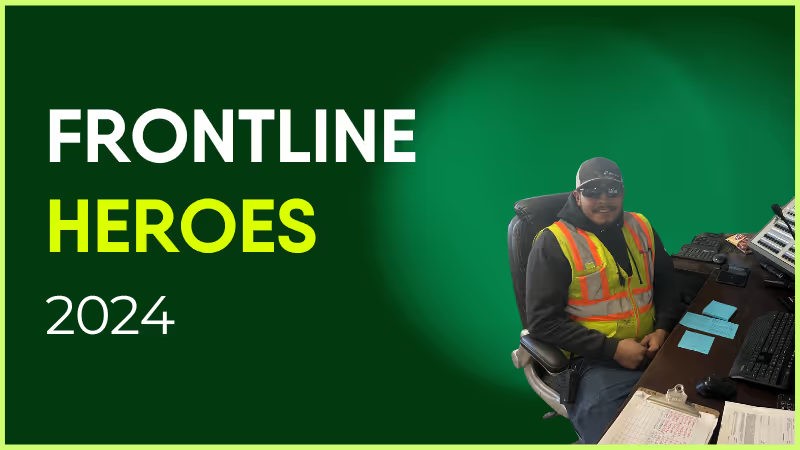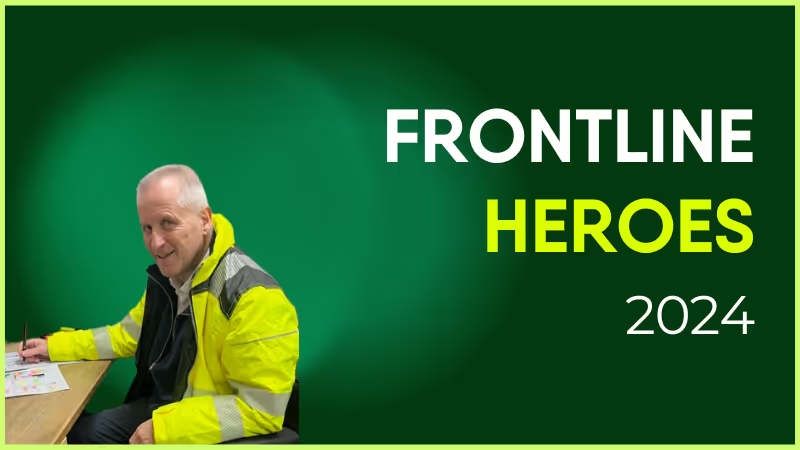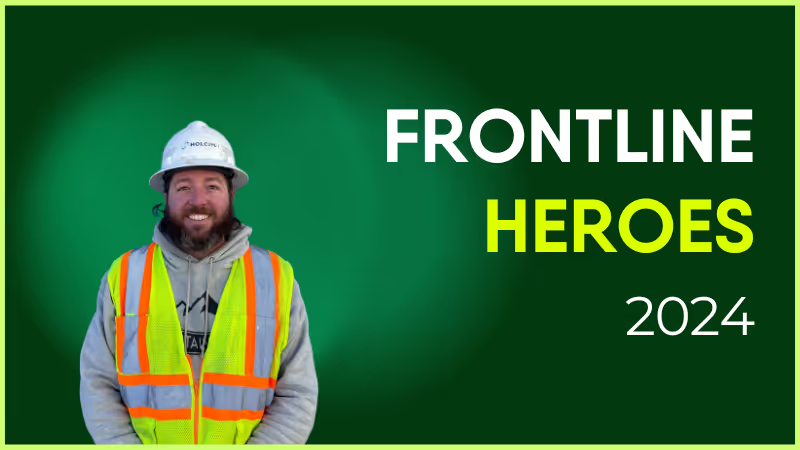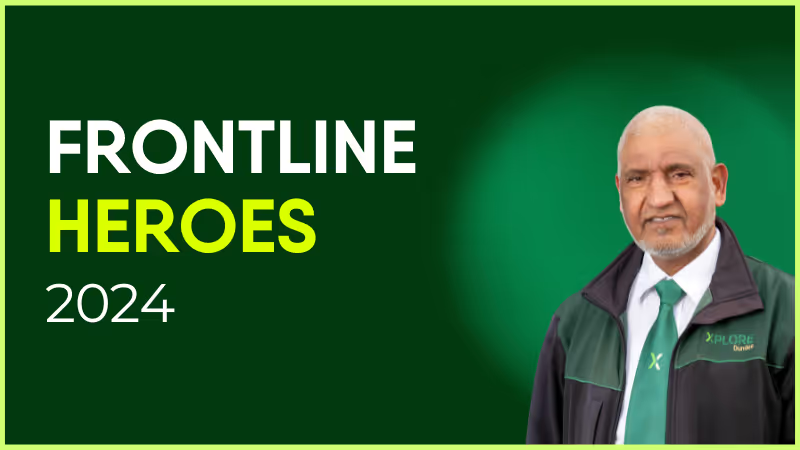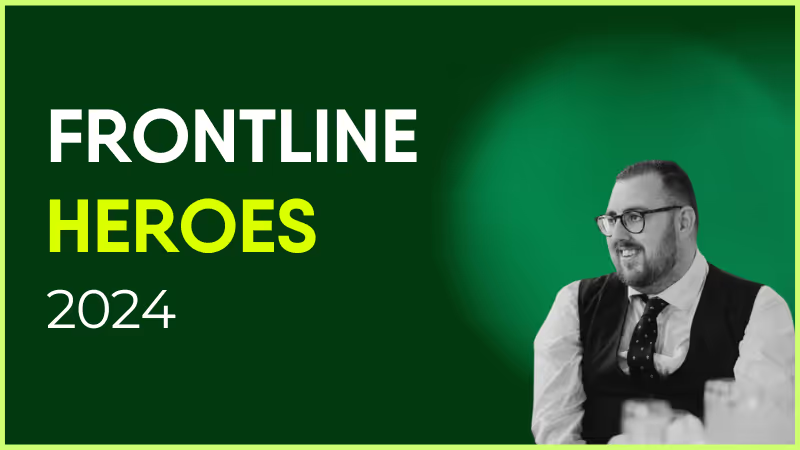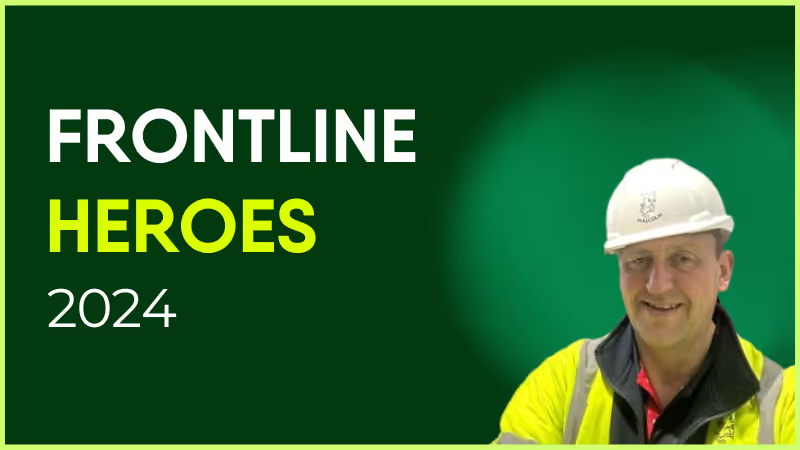
Phil has been with Malcolm group since 2017, working on the logistics side of the business. It’s been challenging to get our Drivers on board with Blink, but Phil has been a true champion of the app from the start. Sharing pictures on the road, offering guidance to fellow drivers, and now he is a trained Mental Health First Aider for Haydock, he uses the platform to communicate and support with his peers who might be struggling.
How has Blink helped in his role?
We have drivers on roads all over the UK and Blink allows Phil to reach them when he otherwise couldn't. It also means drivers can easily reach office colleagues and others across the business.
What does he want to do next?
Phil loves driving so I’m sure he’ll keep trucking on!

Phil has been with Malcolm group since 2017, working on the logistics side of the business. It’s been challenging to get our Drivers on board with Blink, but Phil has been a true champion of the app from the start. Sharing pictures on the road, offering guidance to fellow drivers, and now he is a trained Mental Health First Aider for Haydock, he uses the platform to communicate and support with his peers who might be struggling.
How has Blink helped in his role?
We have drivers on roads all over the UK and Blink allows Phil to reach them when he otherwise couldn't. It also means drivers can easily reach office colleagues and others across the business.
What does he want to do next?
Phil loves driving so I’m sure he’ll keep trucking on!

When it comes to intranets vs. employee experience platforms, what’s the real difference?
It’s getting harder and harder to tell. Here’s why.
There’s been a revolution in the type of tech tools we use in the modern workplace. For a long time now, we’ve been moving away from static communication tools — like the traditional employee intranet — toward dynamic, engagement-centric platforms.
Intranet software is still the backbone of internal communication and collaboration in many organizations. But employee experience platforms (EXPs) play an ever-expanding role in the workplace ecosystem.
These user-friendly platforms are changing our expectations of what the employee intranet should be. They’re bringing together various digital workspace tools — for communication, collaboration, learning, wellbeing, and performance management.
Ultimately, they’re providing HR teams with an easy way to perform employee experience management — and much more besides. They’re having a big impact on company culture, employee engagement, and employee retention.
So is the intranet still relevant in a world of integrated EXPs? Let’s look at how the lines between these two types of workplace tech have blurred — and what this means for your organization.
The showdown: Intranets vs. employee experience platforms
Intranets 101: The old guard of workplace tech
An intranet is a private network that facilitates the sharing of information across an organization. It’s a hub for workplace resources, news, and tools.
Traditionally, the employee intranet has supported limited interactivity. It’s a tool for top-down employee communications — where leaders speak and employees listen.
Intranet platforms are often designed for office-based employees. Workers without a desktop computer or a company email address may struggle to access the tools and resources housed on the intranet.
EXPs explained: The future of employee engagement
An employee experience platform is a dynamic ecosystem. It integrates employee communication, engagement, and collaboration tools.
EXPs place a firm focus on employees and their experience in the workplace. They provide tools for recognition and co-worker connection. They support two-way internal communication, with essential features like employee surveys — and a news feed where employees can share user-generated, relevant content.
EXPs are often available via desktop and smartphone apps. So they allow HR and comms leaders to promote company culture and share vital information across the whole organization. Everyone — including your company’s frontline workers — can access EXP resources.
Blurred lines: When intranets meet EXPs
With the advent of EXPs, modern intranet software tends to go beyond the static experience of old. Intranet providers are incorporating more and more EXP features into their offering.
So why is this change taking place? Why are the lines between the employee intranet and employee experience platforms blurring? We put this shift down to three key factors.
#1. Tech trends that are changing the game
Technology has moved on drastically since the days of the traditional employee intranet. And modern intranet solutions are taking inspiration from EXPs.
Some now come with real-time communication tools that support fast and effective teamwork. Some have user-friendly interfaces that mimic the experience employees get on their favorite social media apps.
AI integration is another popular trend. It’s helping communications teams to create compelling messages. It’s also helping comms and HR teams make sense of the employee landscape, by turning complex employee data into actionable insights.
#2. Employees are demanding better tech
Using tech tools in their personal lives, employees enjoy seamless experience. They get personalized recommendations. They can access tools from their smartphones. It’s quick and convenient for users to find the information and tools they need.
As a result, their expectations of workplace tech have become more exacting.
Old and clunky workplace tech creates a poor digital employee experience (DEX). It creates friction and frustration in the work day. This impacts employee productivity, satisfaction, and retention.
With this in mind, intranet software is evolving to meet the needs of today’s employees. Increasingly, you’ll find solutions that offer mobile-first, real-time, and personalized experiences.
#3. Building a business case for better tools
1 in 3 workers says workplace technologies are not being used effectively — and employers are wasting money on unused licenses. Employees would prefer fewer but more effective tools to help them do their jobs.
Unified platforms reduce tool fatigue. The right platform also improves ROI because you pay for a single software solution, designed to help you meet a range of business objectives.
According to Gartner research, top business priorities for 2025 include:
Change management
Strategic workplace planning
Building a strong organizational culture
Leader and manager development
A comprehensive platform can help with all the above. You can use it to drive productivity, efficiency, employee engagement, wellbeing, and retention.
{{mobile-main="/image"}}
Intranets vs. EXPs: What still sets them apart?
Intranet software providers are adopting many EXP features in a bid to improve their offering. But there remain some key differences between most intranets and employee experience platforms. These are:
Content vs. experience: Intranet software prioritizes static content. It’s focused on providing employees with the resources they need to do their jobs. EXPs focus on experience and engagement, powered by interactive social features. They have a positive impact on the employee experience and company culture.
One-way vs. two-way communication: Intranet solutions allow leaders to share information with employees. EXPs facilitate a dialogue. They give employees the tools they need to speak up and leave feedback — and for leaders to respond, showing they value the input of their workforce.
User experience: Traditional intranet platforms are often legacy systems that have been updated, bit by bit, to meet modern workforce needs. EXPs, however, have been built with today’s workforce (and their expectations) in mind. They are consumer-grade, intuitive solutions that employees enjoy using.
These differences pose a problem. In platforms where these differences are more pronounced, you’ll struggle to meet diverse organizational needs with just one tool.
You may be able to share and store company resources but struggle to promote two-way interaction. You may be able to launch beautiful employee surveys while sharing company feedback remains a challenge. Document sharing may be easy, but knowledge sharing or facilitating collaboration with project management tools may be nearly impossible.
As we’ve already seen, using more than one platform causes frustration for employees and increases your software costs. So there’s a strong case for finding workplace tech that ticks all the boxes.
Why integrated platforms are the future
We may be a bit biased — but we believe that unified platforms are the future. Powered by seamless integration, they provide employees with the corporate communication, tools, and resources they need to thrive in their roles.
For example, an integrated platform can provide key features such as:
An integrated social feed where employees can get relevant, engaging, and up-to-the-minute company news
Task management features that bring all tasks together in one easy-to-understand dashboard
Personalized employee journeys, with the platform delivering resources to workers as and when they need them
An exceptional digital experience across all devices, so you can roll the platform out to your entire workforce
Robust analytics, that help you gauge what content is getting good engagement — and where there’s room for improvement
Of course, when bringing all of your workplace tools into one super platform, there are considerations you need to bear in mind.
You need to balance rich features with simplicity to avoid overwhelming users. You also need to personalize the platform experience to each employee to prevent information overload. Platform usage will drop if employees find your solution too complicated or irrelevant.
A good intranet software provider will help you overcome these challenges and maximize the benefits of a unified platform. Key benefits include:
Streamlined workflows. Employees don’t waste time switching between different workplace software. From Google Workspace and ServiceNow, to Workday and ADP, and everything in between, any tool they need is easily and quickly at their fingertips. This means better efficiency and productivity across your workforce.
Improved engagement. An integrated platform takes the best bits of the intranet and places them all in one intuitive interface. It then builds in other engagement features — like recognition, learning, and instant messaging with coworkers — to create a thoroughly engaging platform and digital workplace.
Data-driven insights. With everything in one place, it’s easier to make sense of platform data. Your team can track employee experience and engagement metrics, viewing them alongside key business data relating to retention and productivity. With enhanced reporting tools, you can get a better sense of organizational performance and have the insight you need to make targeted improvements.
Why choose? Get the best of both worlds
The distinctions between an intranet and an EXP are getting harder to spot. The lines between the two platforms are increasingly blurred and these software solutions often provide many of the same features.
So, when deciding on the right tech for your organization, it’s best to take a holistic view. It’s about creating the right ecosystem for your workforce that offers a single source of truth for internal comms and links to the tools and features you need to ensure productivity, engagement, and employee satisfaction.
You may choose to use an EXP to fill the employee engagement gaps left by your intranet software solution. You can also find EXPs that fulfill both roles — that of an employee intranet and an employee experience platform.
Either way, the right EXP will integrate with the other workplace software you use — including HRIS, learning and development, and wellbeing tools — to give employees everything they need in a single application.
G2’s 2024 fall reports are now live — and Blink has made some major moves in employee communications categories.
We’re excited to have improved on our strong G2 ratings from spring 2024, where we were recognized in the employee communications, employee intranet, frontline worker communications, and employee engagement software categories.
Let’s take a closer look at G2’s fall results and explore what they mean for Blink — and our customers.
An introduction to G2 rankings and reports
G2 is the world’s most trusted software marketplace. It provides software reviews and comparisons and — every quarter — it releases its G2 reports.
These reports are based on the reviews of real software customers. They highlight the very best software options available and help users find products capable of solving their business problems.
To create its ranking and reports, G2 assesses software providers based on the following indices:
Results Index. To create its Results Index report, G2 looks at whether a software platform meets user requirements. It also looks at estimated ROI, product adoption rate, and how likely users are to recommend the product to a friend.
Usability Index. The Usability Index is all about how easy it is to use a particular software. G2 looks at ease of use, ease of admin, and the percentage of users who adopt the product.
Relationship Index. For its Relationship Index, G2 ranks software companies on the quality of their support. Users are asked whether a software provider is easy to work with — and whether they’d recommend this software product to a friend.
Implementation Index. To create these rankings, G2 looks at user opinions related to ease of setup and the length of time it took to go live.
Grid Report. The Grid Report is G2’s analysis of the competitive landscape for a particular software category. Each available product is plotted on the grid according to its market presence and user satisfaction.
Enterprise Grid Report. G2 segments its reviews based on the size of the company its reviewers work for. In its Enterprise Grid Report, G2 only includes reviews from enterprise companies — those with 1,001 or more employees.
Regional Grid Report. G2 also highlights the top 50 companies from each global region. A company’s region is determined by where it was founded, where its executive team resides, and where the majority of its workforce is located.
Blink’s G2 rankings for fall 2024
So how did Blink perform in the fall G2 results? We jumped up a number of spots in key employee communications categories:
Blink moved up two spots in the Relationship Index for Employee Communications and is now ranked #2 out of all employee communications software for customer service.
Blink also moved up two spots in G2’s Grid Report for Employee Communications, again ranking #2 out of all employee communications software.
Blink moved up four spots — coming in #2 — in the Enterprise Grid Report for Employee Communications.
But that’s not all! Here’s how Blink performed in employee communications, frontline worker communications, and enterprise social networking categories.

Employee communications
G2 ranked Blink as one of the top three software providers in all of the following categories:
Usability Index for Employee Communications
Relationship Index for Employee Communications
Results Index for Employee Communications
Grid Report for Employee Communications
According to G2, Blink is user-friendly, provides good customer support, and produces business results. Blink is also an industry leader in the internal communications space, with high levels of software satisfaction and performance.
In addition, showing that it performs well for large organizations, Blink was listed as one of the top three software providers for the following enterprise company categories:
Enterprise Results Index for Employee Communications
Enterprise Implementation Index for Employee Communications
Enterprise Grid Report for Employee Communications
As well as being well-reviewed by users, products included in the Employee Communications category must be able to:
Create internal content campaigns
Personalize distribution of communication
Segment company into designated groups
Allow employees to subscribe to topics or content of interest
Analyze performance of content shared within the application
With a news feed, content hub, instant messaging, survey, recognition, and digital form features, Blink gives companies everything they need to improve internal communications. Our app fosters a culture of two-way communication, so organizations can keep staff informed and engaged.
Frontline worker communications
Blink also ranked highly when it comes to frontline worker communications. It’s featured as one of the top three software providers in the following categories:
Usability Index for Frontline Worker Communication Platforms
Relationship Index for Frontline Worker Communication Platforms
Results Index for Frontline Worker Communication Platforms
Enterprise Results Index for Frontline Worker Communication Platforms
Products included in the Frontline Worker Communications category must be able to:
Provide real-time messaging capabilities, allowing frontline workers to communicate quickly and efficiently with their co-workers and supervisors
Provide the ability to broadcast announcements and updates, such as policy changes or emergency alerts, to specific individuals, groups, or the entire workforce
Enable the sharing of documents, manuals, standard operating procedures (SOPs), and other resources
Provide survey and feedback tools to gather insights from employees
Have a specific and designated use case for frontline and deskless workers
Unlike other platforms in the space, Blink was designed with the frontline workforce in mind. It’s a mobile-first employee communications app with the same great features and user experience across desktop and mobile device versions.
Employees can access Blink from their smartphones. They don’t need a company email address to log in. And with single sign-on technology, they have easy access to the internal communications, company resources, and coworker connections they need to thrive in their roles.
Enterprise social networking (ESN)
This quarter, Blink received recognition in the Enterprise Social Networking category and received a new badge:
Enterprise Europe Regional Grid Report for Enterprise Social Networking (ESN)
To qualify for inclusion in this category, a software product must:
Allow users to create and maintain profiles that include information such as contact info, skills, expertise, and interests
Have an activity feed or timeline that displays real-time updates, posts, and interactions from users or groups
Allow users to engage with content via likes and comments
Enable users to upload, share, and collaborate on a variety of files or document types
Allow users to send direct messages in one-on-one or group conversations
Organize groups or communities based on employees’ interests, projects, or departments
Blink provides informal, interactive communication channels that support bottom-up and peer-to-peer communication. Employees can share updates and photos directly with their co-workers, building connections across the organization even if they work remotely or on a company’s frontlines.
“Our frontline absolutely love being able to post out things themselves, and they feel part of the community of colleagues. We had a slight manager / frontline divide before Blink — but now it’s helped everyone feel involved and equal. We also love the Hub as it allows people to be self-sufficient! The customer support is absolutely excellent!”
Blink review
Reviewer: Matt M
Company size: Mid-market: 51-1,000 employees
Rating: 5 stars
“Blink has been a game changer for our organization. The timeliness of employee communication has increased dramatically, allowing us to exchange crucial information with our team in real time. As an Emergency Medical Services provider, all branches of our organization need to be in constant communication. Since implementing BLINK, we have benefitted from a dramatic culture change.”
Blink: Boosting employee engagement across a mobile workforce
Reviewer: Laura P
Company size: Mid-market: 51-1,000 employees
Rating: 5 stars
“We love that Blink tackles our past challenges of inconsistent messaging and low engagement, especially with our remote and frontline workforce. Its functionality across desktop and mobile apps allows staff to easily access company messages, connect with colleagues, and utilize systems on-the-go. This fosters a two-way communication flow between managers, teams, and the entire business, boosting teamwork and knowledge sharing. Employees actively use the system to post, engage with each other, and build a more collaborative work environment — that’s what makes it a game-changer for engagement.”
Blink: The all-in-one employee communications platform
G2 consistently ranks Blink as one of the best employee communications and frontline worker communications platforms on the market. So if you want to improve internal communications or employee engagement at your organization, Blink could be just the software solution you need.
Today’s employees routinely use digital tools to manage their personal lives — for banking, shopping, fitness, and even dating — and now expect a similar level of convenience and connectivity in their professional environments.
Forward-thinking organizations are meeting these expectations through employee experience software platforms that transform how teams communicate and engage. Solutions such as Blink’s employee experience platform enable staff to feel more connected, motivated, and loyal to their company by simplifying communication and recognition.
Frontline teams, in particular, benefit from a unified employee experience solution. The “frontline connection gap” often leaves these employees isolated from leadership and peers, reducing both satisfaction and retention.
A mobile-first employee experience platform, such as Blink, bridges that gap by bringing everyone together wherever they work. It gives each employee a stronger sense of belonging, supports regular recognition, and creates continuous communication that makes work more fulfilling.
This guide from Blink outlines some of the best employee experience software platforms available today — helping you identify the right solution to connect your workforce and elevate engagement across your organization.
Whether your organization has frontline, desk-based, or hybrid teams, an employee experience software platform like Blink’s employee experience platform helps you meet and exceed modern employee expectations and deliver measurable improvements across engagement, operations, and culture. Here’s what effective employee experience software can help you achieve:
Enhanced employee engagement
Low employee engagement costs the global economy $8.8 trillion, according to Gallup. Employee experience platforms like Blink enable two-way communication, recognition, and collaboration that increase loyalty, satisfaction, and productivity.
Streamlined HR processes
The best platforms automate repetitive and time-consuming HR tasks such as time tracking, performance appraisals, and routine communication. By handling these automatically, HR teams free up time for human-touch, value-add work that improves the overall employee experience.
Improved talent management
Around 65% of frontline employees are unsure how to progress in their careers. Employee experience software provides continuous feedback, coaching, and development tools that help managers identify high-potential talent and guide employees toward advancement.
Data-driven insights
Comprehensive reporting and analytics capabilities enable organizations to measure engagement, sentiment, and performance. Blink’s platform, for example, supplies real-time insights that support better decisions, highlight trends, and surface issues early.
Employee recognition and empowerment
Employee appreciation and self-service tools make staff feel valued and informed. Access to essential information anytime, anywhere fosters a sense of support and connection across the organization.
A positive company culture
Transparent communication and meaningful connection — both core features of leading platforms like Blink — build positive company culture. When employees feel proud of where they work, satisfaction rises, churn decreases, and employer branding strengthens.
Key things to look for when choosing an employee experience software platform
Now that the benefits of an employee experience software platform are clear, it’s important to identify the key capabilities that define an effective solution. When choosing your platform, consider these essential features — many of which are core to Blink’s employee experience platform:
User-friendly interface
The best employee experience platforms minimize the learning curve. They should feel intuitive and familiar from day one, encouraging quick adoption across all teams.
Personalization and customization
Every organization is different. Choose a platform that lets you tailor tools and workflows to your company’s structure and employee needs.
Employee self-service
When employees can access the information and tools they need independently, HR teams spend less time handling routine requests and more time on strategic, people-focused initiatives.
Integration capabilities
For a seamless employee experience, ensure your platform integrates smoothly with existing business systems — from scheduling and payroll to communication tools. Blink, for example, integrates across multiple systems to provide a unified digital workplace.
Mobile accessibility
Frontline workers and remote employees often lack equal access to company tools. A mobile-first platform like Blink enables engagement and communication anywhere — whether on the shop floor, in the field, or during a commute.
Analytics and reporting
Select software that delivers robust analytics on engagement, satisfaction, and retention. Data-driven insight helps HR teams make informed decisions and address trends early.
Comprehensive feature set
To reduce the need for multiple apps, look for a platform that combines employee engagement, feedback, rewards, performance management, and learning and development. Blink’s platform consolidates these into one accessible hub, simplifying management and improving the overall employee experience.
15 best employee experience software platforms
1. Blink
Blink is a leading employee experience app and communication platform purpose-built for frontline teams. As a mobile-first solution, Blink unifies dispersed workers and connects them with leadership through an intuitive, easy-to-use interface.
Users can quickly launch pre-loaded or custom employee surveys, add mandatory reads to a shared company news feed, recognize colleagues for outstanding work, and access real-time insights on engagement, satisfaction, and retention.
Built around frontline accessibility, Blink’s Hub centralizes essential information, including pay stubs, schedules, and key documents. Its interface encourages high adoption and consistent daily use — ensuring every employee stays informed, valued, and connected.
Even after identifying the right employee experience management software, securing senior leadership buy-in remains essential. Before presenting your case, gather evidence and insights in the following key areas — all central to the successful implementation of a platform like Blink.
Developed by the team at Blink, the platform brings together communication, engagement, and HR functionality in one secure space. It’s designed to strengthen connections and alignment across all levels of an organization while reducing the administrative burden on HR teams.The essential guide to executive buy-in for frontline employee experience
Scalability: Evaluate how your chosen platform will adapt to your company’s future needs, including long-term growth and an expanding workforce. Blink’s platform is designed to scale seamlessly as organizations expand, supporting larger teams without adding administrative complexity.
Implementation: Assess how straightforward it is to deploy your software and integrate it with existing systems. A solution such as Blink simplifies this step with pre-built integrations and guided onboarding.
User adoption: An employee experience platform only delivers value when employees actively use it. Confirm that your software has a proven record of adoption. For example, 97% of employees at Care Synergy now use the Blink app, demonstrating how intuitive design drives engagement.
Vendor reputation and support: Review customer testimonials and case studies to verify a provider’s reliability and service quality. Blink’s long-term partnerships and customer success programs help ensure ongoing performance and satisfaction across industries.
Case study: Elara Caring
Elara Caring employs more than 32,000 caregivers who provide in-home and hospice support to patients across the United States. The organization faced a significant communication and coordination challenge:
Without company-issued phone numbers or email addresses, caregivers felt disconnected from both colleagues and headquarters.
An outdated manual scheduling process left hundreds of shifts unfilled each week.
The existing HR platform failed to meet employees' operational and engagement needs.
To close these gaps, Elara Caring implemented Blink’s employee experience platform, developed by joinblink.com. The mobile-first platform unified essential communication, scheduling, and feedback tools into a single, secure, accessible application. Managers and caregivers could now share updates through a company news feed, manage shifts in real time, and recognize great work — all from their smartphones.
The impact was immediate. Workforce efficiency improved, communication bottlenecks were eliminated, and employees felt more connected to both their teams and leadership. Ninety-five percent of employees now report stronger connections to Elara, and 96% would recommend Blink’s platform to others in their field.
Culture Amp is an excellent choice if you want to improve your performance tracking process. You can set and track employee targets, create personalized L&D plans, and access historical conversation and 1:1 data so managers can provide actionable feedback.
This employee experience management software also gives you access to a ton of data. This provides a great basis for analysis and insight. And the platform even does some of the hard work for you too, using employee engagement stats to predict staff turnover.
Key features
Reporting and analytics
Turnover prediction tool
Performance reviews
Goal tracking
Pricing
Contact sales team for prices
3. Bonusly
Bonusly is a great option for employee recognition. Employees meet personalized targets and build up points, which they can then use to claim a selection of rewards, all via the platform.
Whether you want your team to go above and beyond for customers, meet their sales quota, or simply engage with a request for employee feedback, Bonusly helps you to promote and recognize the employee behavior you most want to see.
Key features
Peer-to-peer recognition
Employee rewards
Goal setting
Reporting and analytics
Pricing
Core: $3 per user/month
Pro: $5 per user/month
Contact sales team for custom plans
4. Lattice
With Lattice, you’ll find it easy to launch employee surveys, celebrate employee wins, and get real-time experience data with the help of the platform’s Pulse feature and sentiment analysis. Lattice also supports employee development opportunities. It connects individual work to business outcomes so employees can view their progress easily.
Key features
Reporting and analytics
Employee surveys
Employee recognition
Goal management
Pricing
Performance Management + OKRs and Goals: $11 per user/month
Engagement: +$4 per user/month
Grow: +$4 per user/month
Compensation: $+6 per user/month
5. Qualtrics XM
Qualtrics XM offers several products, one of which they’ve designed specifically for people teams. The employee experience platform uses AI and automation, so you can continually gather and assess employee feedback and get to know employee views at every point in the employee life cycle.
Data analytics tools help you to connect employee feedback to customer experience and business outcomes – so you can target employee experience improvements where they stand to make the most difference.
Workhuman is built around social recognition. Team-based social feeds support peer-to-peer appreciation. Employees gain recognition points, which they can exchange for personalized and locally sourced rewards. And an AI-powered Inclusion Advisor gives real-time feedback on recognition posts to prevent unconscious bias and promote a culture of belonging.
Key features
Employee recognition
Performance management
Translation into 34+ languages
Community building
Pricing
Contact sales team for prices
7. Mo
Mo is one of the best employee experience software platforms for team communication and appreciation. It allows you to share successes, recognize results, and reward good work.
Standout features include the Mo assistant, which helps people managers to remember work anniversaries and prompts them to appreciate employees who haven’t had a pat on the back in a while, and the social feed, where you can start conversations, prompt employees to start conversations, and ask for employee feedback.
Key features
Team appreciation
Social feed
Employee feedback
Insights
Pricing
Starter: $3 per user/month
Level Up: $5 per user/month
Contact sales team for custom plans
8. Motivosity
Motivosity provides tools for every stage of the employee journey. From recruitment to onboarding to development to career progression and even an employee’s company exit experience. The basic plan gives you access to a company social feed, great for important announcements and getting to know co-workers. Add-ons include Recognition and Rewards, Manager Development, and Employee Insights.
Key features
Social feed
Employee recognition
Manager training
Surveys and insights
Pricing
Motivosity: $2 per user/month
Recognition and Rewards: +$2 per user/month
Manager Development: +$2 per user/month
Employee Insights: +$2 per user/month
9. WorkTango
WorkTango (formerly Kazoo) allows you to highlight the strengths and skills of peers and employees, while a points and rewards system incentivizes key behaviors. It’s one of the best employee engagement platforms for teams who want to make recognition an integral part of their company culture.
Key features
Employee recognition
Goal setting and feedback
Surveys
Analytics and reporting
Pricing
Contact sales team for prices
10. 15Five
15Five is one of the best employee experience software options if you’re looking to connect employee work with business objectives. Managers and employees can create career paths that motivate performance. Employees can identify their strengths and how these align with their goals.
Key features
Goal setting tools
Feedback
Employee recognition
Manager coaching
Pricing
All of the following prices are billed annually:
Engage: $4 per user/month
Perform: $8 per user/month
Focus: $8 per user/month
Total Platform: $14 per user/month
11. Leapsome
Leapsome is a solid employee engagement software, particularly if you’re looking for a solution that can scale with your company. You can select the modules you need, adapting the software to the size and budget of your organization. With Leapsome, you can run meaningful, well-structured meetings. You can also congratulate co-workers publicly and share private feedback too.
Key features
Employee feedback
Learning and development
Goal setting
Employee competency framework
Pricing
Pricing starts at $8 per user/month with the option to add on the extra features you need
12. BambooHR
BambooHR provides a huge range of HR tools. Teams can use it to track payroll, hours worked, and paid time off. The platform offers recruitment and L&D tracking tools.
As well as making life easier for HR teams, BambooHR has a couple of features designed to improve the employee experience. Wellbeing and eNPS surveys help teams to understand the employee perspective, while performance tracking tools support employee progression.
Key features
Performance reviews
Time tracking
Payroll management
Applicant tracking system (ATS)
Pricing
Contact sales team for prices
13. Officevibe
If you’re looking for an easy and effective employee survey tool, Officevibe is an excellent choice. Officevibe is just one of the HR products available under the Workleap umbrella and this offering is laser-focused on employee experience.
The platform gives managers tools to become better leaders and build happier teams. Pulse and customized surveys, peer-to-peer recognition, and 1-1 meeting tools that guide meaningful and productive conversations are all at a manager’s disposal.
Key features
Surveys
Employee feedback
Employee recognition
Performance tracking
Pricing
Free: $0 per user/month
Essential: $5 per user/month
Pro: $8 per user/month
14. Workvivo
Another good employee experience management software, Workvivo helps organizations streamline their communications and showcase their company culture, even when teams work remotely. When posting on the social feed, employees can link their posts to company values and goals. And with the Badge Feature, managers can recognize employee achievements publicly.
An intuitive platform with a quick and easy setup process, Jostle is another popular employee engagement platform. It works to connect everyone within an organization, providing a social feed and a space for shared documents.
Managers can set tasks and then use built-in chat functions to track progress. They can also separate the social feed by location or team, ensuring that the right information reaches the right people.
Key features
Social feed
Surveys
Peer-to-peer recognition
Document and policy sharing
Pricing
Prices depend upon the number of employees you have. For an organization with 15-50 employees, prices are as follows:
Bronze: $5 per user/month
Silver: $9 per user/month
Gold: $12 per user/month
Smaller organizations can expect to pay more per user. Larger organizations can expect to pay less. Prices for the Platinum plan are available from the sales team.
Additional considerations for HR teams
You may already be sold on a particular employee experience management software, but getting senior leadership buy-in is a vital next step. Before entering conversations about the type of tool you’d like to implement, be sure to gather information on all of the following:
Scalability – Find out if and how your chosen platform will respond to your company’s future needs, considering long-term company growth and an increase in the number of employees.
Implementation – Determine how easy it is to implement your chosen software and whether it integrates with your other existing systems.
User adoption – An employee experience platform provides very little value if employees don’t use it. Check whether your chosen platform has a user-friendly interface and a history of high adoption rates. We’re proud that 97% of employees at Care Synergy are now using the Blink app. Find out more by watching our on-demand webinar.
Vendor reputation and support– Take a look at customer reviews, testimonials, and case studies to find out whether your software provider has a good track record in terms of product quality and client care.
Case Study: Elara Caring
Elara’s 32,000 carers spend their workdays caring for patients in their homes or in hospice settings. The company faced a million-dollar communication problem:
Without company phone numbers or email addresses, carers felt disconnected from their co-workers and head office
Carers wanted shift opportunities but an inefficient manual system meant hundreds of shifts went unfilled each week
The company’s existing HR platform was failing to meet the needs of employees and the wider organization
Elara saw a solution in Blink. Our platform gathered all the information and tools that employees needed in one easy-to-use platform that everyone could access from their smartphones. Employees and managers had access to a social feed, shift scheduling, employee feedback and employee recognition tools.
The result? Improved workforce efficiency and streamlined communications. Thanks to Blink, Elara has transformed the employee experience. 95% of employees now feel more connected to Elara and 96% would recommend the platform.
13 ways to quickly improve internal communications
Internal communications joins the dots. It connects every member of an organization and helps keep everyone up to speed. But it’s not without its challenges.
Comms leaders have to quiet the noise while amplifying key messages. They need to share updates consistently. And find tech tools that make communication engaging for employees.
In frontline organizations, there are additional communication challenges to tackle.
Frontline teams often work disparately. Employees can’t rely on in-person meetings for the latest updates. Nor do they have access to a desktop computer or even a company email address.
Finding reliable ways to reach these employees – that go beyond a messy noticeboard – is vital for business success.
With these challenges in mind, we’re going to look at the ways comms leaders can quickly and effectively improve internal communications. Let’s dive right in.
Why is it important to improve your internal comms?
Poor internal communication harms your business and its bottom line. When leaders, teams, and individuals fail to communicate well, every area of operations is affected.
Poor communication also has an effect on employees. Staff want to feel part of the organization they work for, and the first step to achieving that is keeping them in the loop.
Ultimately, when you improve internal communication, you:
Boost workplace trust. Over 40% of workers say that poor communication is reducing the trust they have in leadership and their teams. This is making them more stressed and less loyal to their organization.
Engage employees. Informed employees are 2.8 times more likely to be engaged. Employee engagement is linked to higher productivity, profitability, and employee retention rates.
Get better at what you do. When you improve internal communication, you improve decision-making, teamwork, and collaboration. Everyone pulls in the same direction, which spells bigger and better business results.
The benefit of good internal communication in frontline organizations is even more pronounced.
Safety concerns. Equipment failures. Product or service updates. A shift you need to cover. Inclement weather. These critical communications need to travel between frontline staff and managers quickly and reliably. It’s how you limit downtime and ensure the very best customer service.
But if your communication culture, communication skills, or communication tools are lacking, you’ll find it hard to connect the various teams that make up your organization.
13 ideas to quickly improve internal communication
With so much to be gained from good internal communications, time is of the essence. Every day you continue doing things the old way, you’re missing out.
So here are some internal communication ideas that you can put in place quickly, for maximum impact. Weave these ideas into your internal communication strategy and start making improvements right away.
1. Start with the leadership team
Leaders set the tone of an organization. So if your leadership team isn’t sold on your bid to improve internal communication, your employees won’t be either.
It’s up to leaders to drive comms throughout the company. It’s also on them to engage with comms. That way, employees see that your internal communication channels are a valued resource for people at all levels – and they’re much more likely to engage with them, too.
To prove to your workforce that it isn’t one rule for them – and another for their managers – get the leadership team on board right at the start. Involve leaders in the launch of your internal communications plan and encourage them to be positive promoters of it.
2. Ask questions & launch surveys
To avoid time-consuming missteps, get employee insight early on in the process. Employee input informs your strategy and improves your chances of getting things right the first time.
You can get input by asking informal questions and launching surveys. Find out what employees want from internal communications – and what aspects of current comms they struggle with.
With Blink’s super-app, you can launch surveys that reach your whole workforce. A user-friendly interface makes it easy for employees to respond. And a clear dashboard helps you to draw conclusions from their answers.
Surveys help you make informed internal communication decisions. But there’s another benefit, too. By involving employees in this part of the process, you set an important precedent.
You show employees that you value their input – and that their voices are heard. This raises trust in the process. It also helps employees see what they stand to gain by engaging with internal communications going forward.
3. Streamline your communication channels
Well-established companies often have history with lots of different internal communication tools. In frontline organizations, there tends to be a mix of tech solutions and old-school communication channels – like posters and notice boards.
If you’ve inherited a complicated system of communication channels, it’s worth stepping back and assessing their impact on company communication.
Is a noticeboard crammed with memos an efficient and reliable way to communicate with your teams? Are multiple communication channels helping you to clarify the message – or are they muddying it?
Less is usually more. So streamlining your comms channels is a great way to improve internal communication. Employees are much more likely to engage with a single source of reliable info.
That’s exactly what happened at Domino’s. The pizza delivery company was using word of mouth, posters, and WhatsApp groups to communicate with its frontline. But by switching to Blink, Domino’s put all internal communication in one place and now everyone gets the same need-to-know updates.
4. Personalize your comms
Think of all the marketing emails that land in your inbox every day. The ones that personalize their message stand out. They’re much more likely to resonate. The rest is like white noise. It becomes very easy to ignore stuff that doesn’t feel relevant to you.
The same goes for company comms. When you make your message more relevant to your audience, they sit up and take notice. When employees are inundated with comms that have nothing to do with their role, they tend to start ignoring the noise - and before you know it even the most relevant and critical messages are missed.
You can quickly make a change by segmenting your audience. Divide your organization by department, team, location, and stage in the employee life cycle.
Then, craft personalized comms. And only send mass communications when they really are relevant to the whole organization. Intentional, personalized communication is much harder to ignore.
5. Run company-wide stand ups
A standup meeting is a short but regular opportunity for teams to share progress and identify blockers. It’s a way to get everyone on the same page and clarify what they should be doing.
A company-wide standup is the easiest way to communicate your current priorities and action plan to everyone. But you can also run stand ups within teams, departments, or locations.
Of course, if you’re a frontline organization, getting everyone together for this type of meeting isn’t always practical. Employees work different shifts and in different locations, or maybe even work on the road.
But don’t dismiss the idea of company stand ups outright. Create stand ups for different shift swaps, or locations, or smaller groups of people. And for the times you can’t be together in real life, tech can help.
Employees can join a meeting via video conference. Or you can record your company-wide stand ups and post them as video content to your primary internal communication channel.
6. Implement an employee app
In today’s technological world, you can find incredible tools designed to improve internal communication, fast.
An employee app is a great example. It works well because you meet employees where they already spend their time – on their smartphones. And because it incorporates features that employees are familiar with, like instant messaging, group chats, and a newsfeed.
Take Stagecoach, a UK-based bus company. When Stagecoach implemented an employee app, 84% of their workforce started using it within just one week. Because they chose a communication tool that employees could use intuitively, they got better and faster uptake.
An employee app also streamlines your employee communications because employees can access everything via a single, user-friendly interface. And it provides channels for both top-down and bottom-up comms. Anyone can read and share information.
Blink’s employee app ticks all these boxes. Designed for frontline organizations, it helps bridge the gap between your frontline and desk-based teams.
7. Reward & recognize your employees
Another way to quickly improve internal communication is by rewarding and recognizing employees. Shout out those employees who hit their goals or reach a personal milestone. Highlight the times when a member of staff goes above and beyond.
A culture of recognition helps to build engagement. It also boosts morale and encourages other employees to do their best work.
Using internal communication channels in this positive way encourages employees to communicate more frequently, too. When an employee feels acknowledged, they’re more likely to acknowledge others, share successes, and communicate constructively with peers.
You can put the wheels in motion by encouraging managers to send regular messages of acknowledgment. But to amplify the effect, go further.
Build recognition into your internal comms strategy by using Blink’s recognition feature. Via the app, you can send messages of public praise with the power to inspire everyone.
8. Conduct regular 121 meetings
If your managers only run 121 meetings with employees once or twice a year, this is an area ripe for improvement.
A lot can happen over the space of a year or six months. Internal communication might be missed or misinterpreted. Regular 121s are an opportunity to realign goals and understanding.
Regular 121s help you to:
Build a personal connection with employees
Address concerns in real-time
Improve employee engagement
It also makes the act of discussion and feedback more familiar. Employees get used to sitting down and sharing their work experiences with managers. So managers are much more likely to get candid (and therefore useful) insight from their staff.
Advise your managers on how often they should conduct 121s. Monthly, bi-weekly, or even weekly sessions create an open feedback loop.
Also, remember that a public communication forum can never replace 121s. While employees are often happy to share some ideas publicly, they also need the opportunity to share their thoughts privately and confidentially.
9. Encourage content creation
Leave content creation to management and you run into two key problems:
1.Your internal communication is unengaging because there’s lots of top-down communication but not enough bottom-up or peer-to-peer communication.
2.Managers find it hard to balance content creation alongside their usual workload. This means more managerial stress and/or less quality content.
There’s a quick and easy solution. Give everyone a turn at content creation. Use guidelines and templates if you think they’re needed. Then, let employees start threads, post blogs, upload videos, and recognize their peers.
In doing so, you strengthen your company network. Employees build new relationships. They find people with whom they have things in common. They chat about non-work-related topics.
This type of water cooler chat may seem irrelevant to your business objectives. But trust us when we say it’s hugely important to the quality of communication that takes place within your organization.
This is particularly true in frontline firms where workers don’t always get the opportunity for informal chats with co-workers.
10. Take a data-driven approach to internal communications
How do you measure the success of an internal communications initiative? You need reliable, accessible data you can track over time.
This is another reason why having the right communication tech is vital. Pick communication tools with analytics built in and it’s easy to view and act upon insights.
You can see which type of content your employees do and don’t interact with. You can see which posts get the most comments and likes. This helps you to hone your internal communication going forward.
Similarly, analytics functions help you to see the bigger impact that your communication strategy is having. Perhaps it’s helping you to reduce staff turnover or increase staff satisfaction.
When you have access to the data, it’s easy to demonstrate the value and effectiveness of internal communication improvements. You’ll also find it easier to make informed, targeted changes that make your initiative even more successful.
11. Be consistent
Good internal communication is all about consistency. You can’t promise employees a weekly update or a monthly webinar and then fail to deliver.
They’ll stop seeing your communication as reliable and trustworthy – and they’ll stop checking in for new content. This is the point at which the wheels fall off your strategy and you have a much harder job pushing that new initiative uphill.
To show employees that your new internal communication strategy is here to stay, make sure it’s sustainable.
At the outset, you may like to err on the side of caution, only committing to a content schedule you know is manageable for the people delivering it. You can always add more items to your content calendar once it’s up and running.
Also, as we mentioned earlier, enlisting the support of employees in content creation helps to create an internal communications ecosystem that doesn’t rely on a handful of time-stretched managers. With all hands on deck, it’s much easier to create and post content consistently.
12. Be transparent
Internal communication is most successful when communication is transparent. That means:
Including everyone in communications
Creating an open connection between leadership and employees
Clearly communicating business changes and decision-making processes
Acknowledging both successes and mistakes
Transparent communication is important because it helps to build trust between all members of your organization. It prevents secondary channels of communication – in the form of rumors and speculation – from emerging. And it helps to boost employee engagement.
If you don’t already have a culture of open communication, getting there is likely to take time. You need to develop communication skills throughout your organization and set new norms of behavior.
However, one of the things you can do to improve internal communication quickly is to involve employees in your internal communication strategy. Be open about the changes you’re trying to implement – and why.
When employees feel like part of the process, they’re much more likely to feel invested in its outcome.
13. Report back on changes you are making
So you’re planning to make big changes to the way you communicate internally. Don’t forget to involve employees from the beginning and throughout the process.
After launching employee surveys and conducting 121s, communicate your findings. Let workers know what you’ve learned, what changes you plan to make, and what you hope to gain.
This shows that you’re committed to transparent communication, not just paying lip service. And that you’re putting employees at the center of decision-making.
Take this tack and employee engagement, morale, trust, and the success of your internal communication strategy all stand to benefit.
Final thoughts
Improving internal communications takes time and strategy. It’s a long-term commitment. But there are quick wins to be had.
Gather insights. Involve all members of your organization. Find the right tools. Start fostering a culture of open, honest communication, right now, today.
By doing so, you’ll create change in the here and now. And lay the groundwork for future internal comms improvements, too.
It’s well worth the investment, particularly for frontline organizations. With strong internal communication, you build teams who are more connected, informed, and engaged - which leads to widespread benefits for your employees, customers, and business.
Want to make internal communication a priority for 2024? Then put internal comms in the palm of every employee with Blink’s employee app.
Our mobile-first app supports two-way communication, critical messages, employee recognition, and workforce surveys. It also integrates with the business tools you already use. So employees can access all resources from one user-friendly interface.
Accessed via mobile or desktop and with speedy, sky-high adoption rates, Blink provides a quick and easy way to improve your internal communications in 2024.
Employee experience (EX) is still top of the agenda in 2025.
84% of businesses see EX as a competitive differentiator — a way to attract top talent and keep them working for your organization long into the future.
But that doesn’t mean all these organizations are getting it right. Crafting an employee experience that engages workers — and has them singing your company’s praises on workplace comparison sites — is no mean feat.
It requires a consistent approach that carries through all departments and across every employee touchpoint. And it requires a deep understanding of worker needs and expectations.
To achieve all this, a solid employee experience strategy is invaluable. This plan will guide your EX initiatives, the workplace tech you use, the company culture you strive to create, and the metrics you use to assess employee experience success.
Here, we take a look at all the ways an employee experience plan benefits your business and outline the steps you need to take to create one.
It encompasses every touchpoint and interaction throughout the employee lifecycle, including recruitment, onboarding, workplace relationships, development opportunities, and the technology you expect workers to use.
Employee experience managers are responsible for shaping EX, creating the kind of company culture and workplace environment that employees enjoy spending time in.
Why every org needs an employee experience strategy
Happy employees are good for business. High levels of employee satisfaction lead to improved talent acquisition, productivity, employee engagement, and staff retention.
The benefits of EX are clear. But many businesses are failing to deliver the kind of employee experience that inspires worker motivation and loyalty.
55% of all workers feel dissatisfied with their overall employee experience and this figure rises to 61% for Gen Z employees.
Why are these figures so high? You may have noticed that the modern workforce has pretty high expectations. Employees expect way more from their place of work than they did a few generations ago.
There are a couple of factors at play. First, we’re accustomed to personalized digital experiences at home — algorithms that know what we want before we do. And we expect the same quality and usability from the tech we use at work.
Second, the baseline for what makes a good workplace has risen. Mental health support, flexibility, and a sense of belonging aren’t perks anymore — they’re must-haves.
And finally, people are thinking bigger. A job isn’t just a paycheck. Employees are seeking growth, transparency, fairness, and purpose — and are willing to switch jobs to find a workplace that provides them.
Meeting these expectations is tough for any company. And — without a clear employee experience strategy — it gets even tougher.
With a solid employee experience strategy, however, you connect the dots between what your people need and what your business wants to achieve. You create the kind of workplace where people bring their A-game — where employees are engaged, productive, and with you for the long haul.
12 steps for building your employee experience strategy
Before jumping into tactics, pause and consider what you’re trying to achieve with your employee experience strategy. You need to understand the business case for improving EX. This will help guide your EX efforts — and get stakeholder buy-in.
Here are a couple of questions you can ask yourself to get the ball rolling:
What pain points do our employees currently experience?
How does this link to business outcomes, like retention, productivity, customer service, and engagement?
What kind of company culture do we want to build — and how does this align with our values?
2. Map the employee journey
From day one to exit, every touchpoint matters. Working out each point in the employee lifecycle can help you uncover areas for EX improvement.
You should look at:
Recruitment
Pre-boarding and onboarding
Career development and growth opportunities
Engagement
Retention
Offboarding
Then, across these employee journey stages, figure out what the employee experience looks like.
Consider employee priorities like recognition and feedback, work-life balance, and any bottlenecks in their daily workflows.
Examine the cultural environment. Things like leadership style, the quality of co-worker connections, and the effectiveness of your internal communication channels.
Also, audit the physical environment, assessing how safe and comfortable employees are when they’re at work. Ergonomic desks and chairs are a given for your office-based staff. But consider the needs of frontline employees and those who work at home, too.
With a clear understanding of the employee journey and the factors that impact EX, you can (at step 4) craft staff survey questions that cover all elements of the employee experience. But first, there’s another key area of EX to get a handle on.
3. Assess your tech-sperience
Tech tools are now a fundamental part of every work day. So the digital employee experience forms an increasingly integral part of EX.
Remember that employees get streamlined, personalized experiences on the software they use at home. So — whether you like it or not — your workplace tech is going to be compared to the very best consumer-grade tools.
Clunky or outdated tech tools create frustration. They harm productivity and employee motivation.
Even the most cutting-edge tools can cause problems if they aren’t implemented with the proper focus on EX. Use too many different tech tools and employees can easily feel overwhelmed. They constantly have to recall login details and toggle between tabs.
So when crafting your employee experience strategy, assess your tech stack — and its impact on employees. Find out where technology is supporting a positive employee experience and where it’s creating friction.
Also, consider tech needs on a team-by-team basis, paying special attention to frontline employees. Without easy access to a desktop computer or a company email address, frontline workers often find workplace tools difficult or impossible to use, which harms the frontline experience.
{{mobile-desktop-main="/image"}}
4. Ask employees what they want
Every workplace is different. And while you’ll find plenty of articles listing the workplace attributes that employees value most, these can only ever act as a rough guide.
To make a success of your employee experience strategy, you need to understand your workforce and what motivates them. Then, treat them as co-creators of your EX strategy.
That starts by gathering employee feedback. Send out surveys and polls. Launch a listening tour. Find out what employees think of EX at your organization and what would improve it. Work to discover pain points, needs, and expectations.
{{mobile-survey="/image"}}
This shouldn’t be a one-off event. You should aim to build employee listening and employee voice into company culture. Create two-way communication channels and foster open communication across all levels of your organization. Acknowledge feedback and tell employees what action you plan to take.
By doing so, you encourage engagement with the feedback process and prompt honest responses from employees. You also keep your finger on the pulse, which — faced with ever-evolving employee experience trends — helps you stay ahead of EX issues.
5. Dive into the data
You’ve got feedback. Now what? It’s time to analyze the data you’ve gathered from employees, looking for EX patterns, pain points, and opportunities.
Celebrate the areas where you’re doing a good job. And hone in on areas where EX could be improved.
Use the analytics tools you have access to and combine qualitative feedback with quantitative data on retention, absenteeism, and employee engagement to get a big picture perspective.
6. Get to know EX across the organization
Segment your data and you can also find out what employee experience looks like for different sectors of your workforce.
Perhaps your office-based team is satisfied with the quality of internal communications they receive. But your frontline team has to make do with a patchwork of paper memos and word-of-mouth messages.
It could be that Millennials are loving the option to work from their comfortable home offices. But Gen Z employees, still living in shared housing, are struggling to find a quiet and productive place to work.
Maybe one department experiences higher than average levels of turnover and lower than average instances of employee recognition.
Only by digging deep into the data can you understand how EX at your organization looks for every member of your workforce — and start to see the patterns that will inform your plan of action.
7. Set goals
You’re at the point where you’ve done all your EX research. Time to put down on paper what you hope to achieve with your employee experience strategy.
Create targets that are measurable, time-bound, and based on the EX issues you uncovered during the research phase.
Some examples include:
Increase career development opportunities for employees
Establish better two-way communication channels between employees and managers
Boost news feed comments and reactions by X%
Increase survey response rates
8. Build your plan
Keeping your goals in mind, lay out the actions that will help you achieve them.
For example, if you want to improve career development opportunities, you could launch a new mentoring program.
Or if you wanted to increase your survey response rate, you could look at ways to close the feedback loop, ensuring that employees feel their feedback is listened to and acted on.
You may like to overhaul employee pay and benefits, well-being support, or workplace recognition. You may want to focus on improving the frontline employee experience with better comms and flexible working opportunities.
9. Find the right EX tech
This is a great time to consider the employee experience tech tools that will support your employee experience strategy. The best employee experience platforms can improve EX with the help of:
Internal communication tools — channels that support top-down, bottom-up, and peer-to-peer conversations and an engaging company news feed
Integrated software — integrations with the other workplace software you use to create a streamlined digital experience
Automated employee journey tools — features that make it easy for you to deliver the right content to employees at exactly the right time in their employee journey
HR self-service tools — tools that allow employees to swap shifts, request leave, or view their pay stubs right from their user-friendly dashboard
Surveys and analytics — employee survey and analytics tools that help your team keep up-to-date with employee satisfaction and EX
Personalized employee experiences — tools that go beyond a one-size-fits-all approach to provide tailored comms, dashboards, and journeys relevant to each individual employee
10. Communicate and roll out
To make a success of your employee experience strategy, you need all hands on deck. Employees should get a consistent experience across the whole lifecycle and that relies on lots of different departments working together.
Get everyone on the same page — including employees — by communicating your EX vision clearly and transparently. Lay out your objectives and the positive outcome you expect. Tell them what will change and why.
If you’re rolling out new employee experience software, think carefully about how you’ll get your workforce to embrace it. Start by picking user-friendly, mobile-first tools that every employee can use. Then, use a marketing campaign, incentives, gamification, and platform ambassadors to encourage employees to log in.
11. Measure and evaluate
Is your employee experience strategy having the desired effect? As well as looking at the specific EX goals you set earlier in the process, measure your success in terms of overarching business goals too.
You can also look at KPIs relating to talent acquisition, customer satisfaction, and employee productivity.
Measure employee experience and you stay ahead of any EX problems that might arise. You see where your EX strategy is bearing fruit — and where you still need to make improvements.
12. Iterate and improve
Improving employee experience isn’t a one-and-done situation. Creating and honing the perfect employee experience strategy is an ongoing task.
Use insights gained from employee surveys and analytics to keep pace with evolving employee expectations. Review your goals. Find new ways to enhance employee experience and keep staff loyal to your organization.
By treating EX as a continuous process, you’re more likely to create a strong culture, happy employees, and the business results you’re looking for.
Using your employee experience strategy to build a better workplace
A strong employee experience strategy can transform your workplace. It impacts company culture and internal communications. It boosts productivity and staff loyalty. And it can put a spring in the step of employees as they turn up to work each day.
And with 52% of employees saying they’re watching for or actively seeking a new job, employee experience strategy isn’t something you can afford to neglect.
The occasional free lunch or mental health day won’t cut it at a time when employees demand more than ever from their places of work — and are prepared to vote with their feet if their expectations aren’t met.
To ensure EX success, you need to consider the experience of every employee. The priorities of your retail staff, for example, are probably very different from those of your office-based team. Then, you need to create personalized experiences that make employees feel seen and valued.
An employee experience platform like Blink can make a huge difference to your employee experience strategy and its success.
With tools that automate elements of the employee journey, improve communication, streamline workflows, and include every employee in the workplace community, it becomes much easier to deliver the kind of employee experience your workforce expects.
At Blink, our mission is to connect and empower workforces worldwide, and a crucial part of that mission is ensuring that our platform is accessible to everyone.
We’re excited to announce that Blink is now WCAG 2.2 level AA compliant, marking a significant milestone in our commitment to accessibility.
Why accessibility matters
Roughly 15% of the global population — around 1 in 6 people — lives with some form of disability. Given these numbers, there’s a high likelihood that many Blink users depend on our app to be accessible.
Many countries require digital products to meet accessibility standards, so we take these obligations seriously. However, our commitment to accessibility goes beyond compliance. It’s about making sure that our platform meets the needs of all users, removing barriers and creating a truly inclusive environment.
Understanding WCAG standards
The Web Content Accessibility Guidelines (WCAG) are a set of internationally recognized standards for digital accessibility. Developed by the World Wide Web Consortium (W3C), these guidelines ensure that content is accessible to people with disabilities, including those who rely on assistive technologies like screen readers or alternative input devices.
WCAG standards are organized into three levels of compliance: A, AA, and AAA. Level A does not achieve accessibility in many situations, yet AAA is not recommended by the W3C because it is not possible to satisfy all Level AAA Success Criteria for some content. Therefore we comply with AA, whilst striving to meet as many AAA criteria as possible. The latest version of the standards, WCAG 2.2, includes updated requirements that address new aspects of accessibility, such as improved keyboard navigation, visible focus indicators, and content predictability.
How we’ve updated the Blink experience
Here are some of the key accessibility enhancements we’ve introduced as part of our efforts to be WCAG 2.2 AA compliant:
#1. Media accessibility
Blink now supports features that make media content more inclusive. For example, we’ve added the ability to set alternative text for image-only context, allowing user-generated content to be accessible to a broader audience.
#2. Improved visual and text contrast
To enhance readability, we’ve adjusted contrast levels to ensure that users can easily distinguish text from background colors across all devices — an essential feature for individuals with visual impairments.
#3. Flexible orientation and resize options
Blink’s content and interface elements can now be resized up to 200% without losing clarity, and the platform supports both landscape and portrait orientations. These improvements make it easier for users to read and navigate on any device, regardless of their visual needs.
#4. Keyboard navigation and focus visibility
Keyboard focus is now visible and consistent across all interactive elements, enhancing accessibility for users relying on keyboard navigation. Additionally, we’ve ensured that elements won’t change unexpectedly when they receive focus, which prevents accidental interactions and supports smooth navigation.
#5. Consistent navigation and error prevention
We’ve made navigation more predictable and consistent across the app. Users will now receive helpful error messages and suggestions to prevent data entry mistakes, making Blink more user-friendly and inclusive.
Blink’s commitment to accessibility
We’re dedicated to empowering diverse workforces and ensuring that our technology is accessible and inclusive. Here’s how we’re continuing to prioritize accessibility:
Adhering to standards: We maintain strict alignment with the WCAG 2.2 level AA, ensuring that Blink meets industry-recognized accessibility standards.
Inclusive development: Accessibility is at our engineering core. From screen reader compatibility to clear navigation, we build with accessibility in mind at every stage.
Transparent accessibility: We provide an up-to-date, transparent accessibility statement, outlining our efforts and providing information to our users.
Accessibility isn’t just about checking the box — it’s about empowering individuals and creating an environment where everyone has an equal opportunity to thrive.