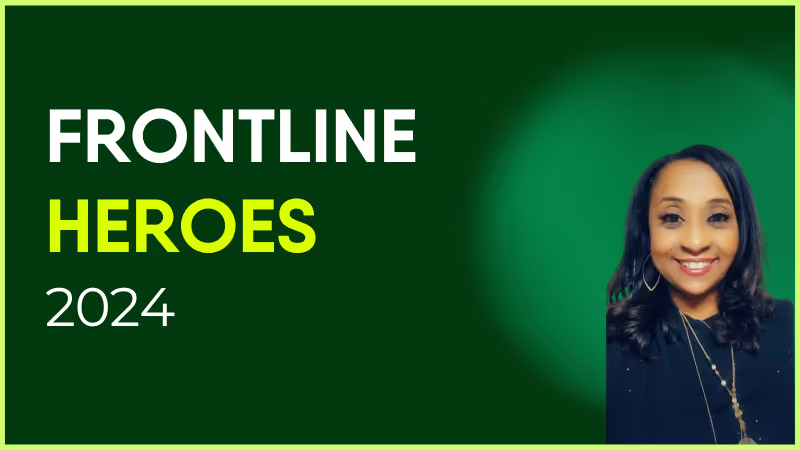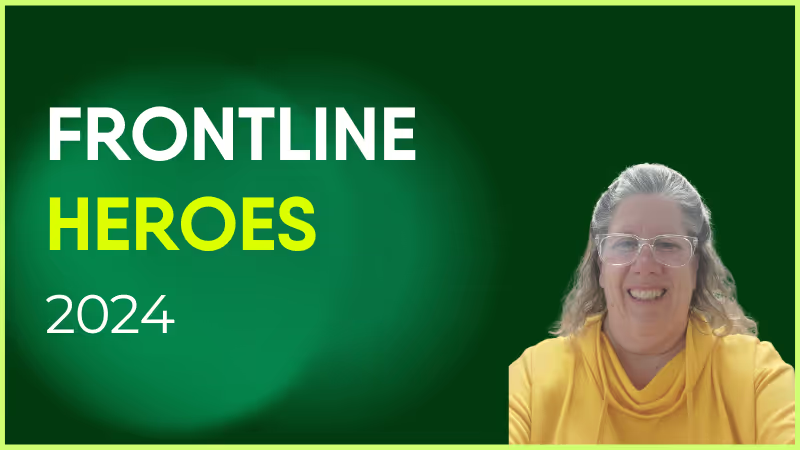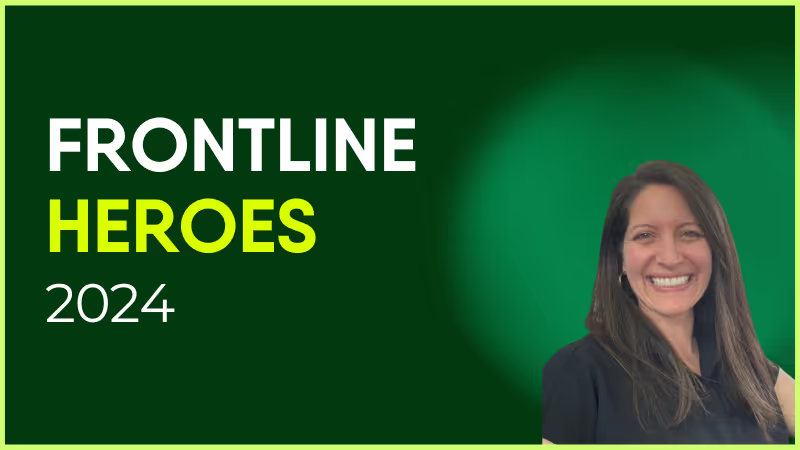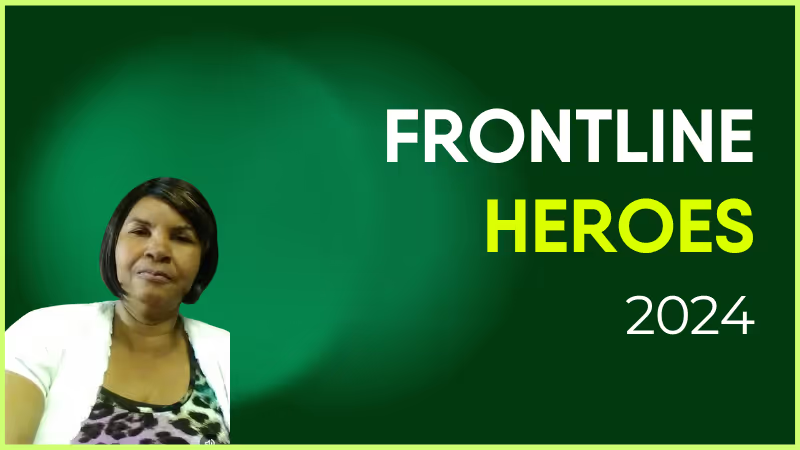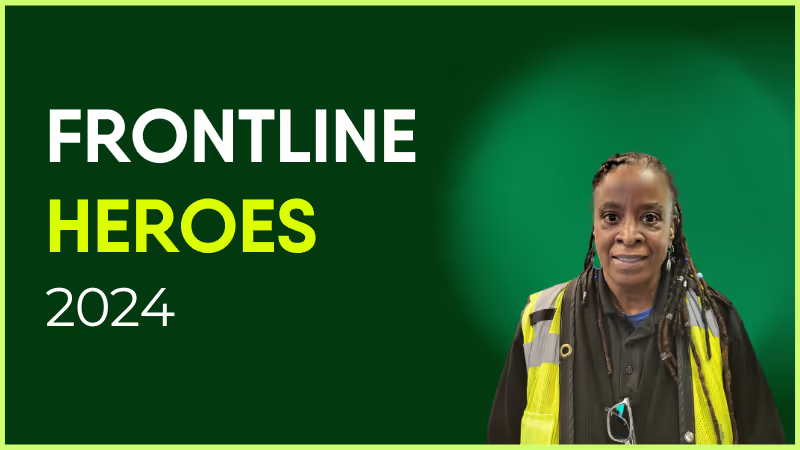
Sherry has worked at Pierce Transit since February 1990 and has received many accolades and awards during her long career.
She is a member of the agency’s Safety Committee where she lends her experience to help make safety a priority for everyone. She goes above and beyond in her role as Operator: This past year, while on duty, she assisted with putting out a vehicle fire and rescued a lost young girl along her route.
Sherry was a recipient of Pierce Transit’s Q1 2024 Excellence in Safety award. She truly cares about her community and many people have been honored to receive what she gives from the heart.
How has Blink helped in her role?
Sherry uses Blink to keep up to date on what's happening at our agency.
What does she want to do next?
Travel the world!

Nominated by Penny Grellier, Communications Administrator
What we'll cover
Start your free trial today
See how Blink helps frontline teams stay connected, informed, and engaged.
Hi! I’m MJ Moore. I’m originally from the US, but I’ve been living in London for 7 years (and recently became a British citizen!) 🇬🇧
I spent almost 9 years in HR technology consulting working at large firms, like Aon & Accenture, before making the jump to Blink. I graduated from Vanderbilt University, so I have a special place in my heart for Nashville 🇺🇸
I’m the Manager of the Implementation team, and my job is to help make our customer implementation journey the best out there. I work with my team to deliver outstanding service to our clients & provide them best practice along their journey to incorporate Blink in to their organisation. 🚀
Blink is a place where it’s easy to make an impact quickly. It’s an open and transparent organisation that lends itself to innovation. If you want to do something at Blink, you can! There’s a great team behind you at all times for support and guidance along the way. 💙
At Blink, we’re continuously evolving our employee experience platform to meet the dynamic needs of organizations and their diverse teams. Our Summer 2025 product release showcases the newest features that will soon be coming to the Blink platform.
Staying true to our commitment to exceptional employee experiences — whether in the field or at the desk — we’re thrilled to introduce our latest innovations. These updates are about more than shiny features. They’re about helping you build the kind of employee experience your people deserve: personal, powerful, and actually easy to use.
From streaming that stops the scroll to governance that keeps content clean, our Summer 2025 release is all about creating smoother, smarter communication — for everyone.
#1. Live streaming: A better way to broadcast
All eyes on your next big announcement. Blink Live now delivers a high-end, broadcast-quality experience — straight to the devices your people already use.
Whether it’s a town hall or training, your live streams just got a serious glow-up.
What’s new:
Instant replay with DVR mode: Viewers can rewind in real time — no more “Wait, what did they say?”
Auto on-demand playback: Every live stream is automatically saved, so people can catch up on their own time.
Captions for accessibility: Every word, loud and clear — and readable.
Preview studio for presenters: Test your mic. Fix your lighting. Go live with confidence.
Coming soon: Streaming on mobile — because your frontline deserves a front-row seat.
This isn’t just another video tool. Blink Live is built for scale, mobile, and moments that matter.
{{desktop-live-stream="/image"}}
#2. “Save for later” mode: Access your Hub, no WiFi needed
No signal? No problem. With new “Save for later” functionality in the Hub, employees can now save posts and resources for later — perfect for planes, underground tunnels, or dodgy breakroom Wi-Fi.
Everything syncs automatically when employees are back online. It’s a seamless experience that keeps everyone in the loop — no matter where work happens.
What’s new:
Save any post to view offline — perfect for on-the-go teams
Automatic syncing when connection is restored
Built-in functionality, no extra tools or downloads required
{{mobile-offline-save="/image"}}
#3. Review cycles: Enhanced content governance
Good governance shouldn’t slow you down. This release brings built-in review cycles and post approvals to the Hub — so your comms stay compliant, on-brand, and typo-free.
It’s easier than ever to manage content at scale — without needing extra tools or workarounds.
What’s new:
Set custom review and approval workflows directly in the Hub
Assign reviewers and approvers by team or content type
Track post status in real time — draft, in review, or approved
#4. Translations & localizations: Speak their language
Whether you’re global or just growing, Blink now supports seamless translations and localized experiences across the platform.
From Hub posts to notifications, your people will see content in the language that works best for them — automatically.
This is more than a translation tool. It’s a step toward a more inclusive employee experience.
What’s new:
Automatically deliver content in your employees’ preferred language
Support for global teams with localized experiences across the platform
Built-in translation tools — no copy/paste or third-party apps needed
#5. Post approvals: Open the feed, keep the control
The best content often comes from the frontlines — but without controls in place, organizations often lock down the Feed to avoid risk.
Post Approvals let you safely open up content creation to a wider audience. When enabled, user-generated posts require approval before they go live. Group Admins and Org Admins can review posts for quality, tone, and relevance — so you can encourage participation without compromising your message.
It’s moderation without micromanagement.
What’s new:
Control content at the group level by enabling “Requires Approval” in the Admin Panel
User-generated posts are held for review when targeting approval-enabled groups
Group Admins or Org Admins approve posts, depending on the audience
No edits after submission — approved or declined posts are final (for now!)
#6. Ghostwriters: Your voice, their words
Sometimes, the person with the message isn’t the one with the time to write it. Enter Ghostwriters — a smarter way to keep leadership visible, consistent, and active on the Feed.
Now, trusted users (like your comms team) can post and comment on behalf of others — say, your CEO, a store director, or anyone else who needs a hand shaping their message. It’s transparent, trackable, and totally above board — everyone involved gets notified and stays in the loop.
It’s like sharing a voice — not a password.
What’s new:
Assign trusted users to post or comment on behalf of others — like execs or team leads
Posts appear as the original author, with their name and profile photo
Authors and ghostwriters are notified, and ghostwriters can only post where they have access
Setup is simple via the Admin Portal under “Publishing Profiles”
#7. Voice notes: A new era of workplace communication
Not everything needs to be typed. Sometimes, the fastest way to explain, empathize, or just say thanks is with your actual voice.
Voice Notes let your team send audio messages in chats and channels — perfect for fast updates, shift changes, or a quick “you’ve got this” before a big day. They’re human, easy to use, and ideal for mobile-first teams who work with their hands, not keyboards.
Now your comms can sound a little more like… you.
What’s new:
Record and send voice messages in chats or channels (mobile only)
Listen on mobile or web with full playback controls
Pause, scrub, reply, forward, or report — just like a regular message
Why ditching the PDF could be the best thing your comms team ever does
The dreaded PDF.
A multi-page document posted on the company intranet. No summary. No design flair. And zero chance everyone will actually read the thing — especially if you have any number of frontline employees.
Dense blocks of text feel uninspiring and overwhelming in a world where real-time news, multimedia content, and bite-sized morsels of information are now the norm.
So why are so many internal communication messages still stuck in 2005?
“Please see the attached document” may have worked once upon a time. But for today’s workforce — used to scrolling and skimming — this kind of internal communication simply doesn’t cut it.
Let’s take a look at why static comms still linger — and how to move beyond them to deliver social-style communications your workforce will love.
{{mobile-main="/image"}}
The PDF problem — and why it persists
Overreliance on PDFs is a tell-tale sign that your internal comms strategy needs a makeover. While the PDF was once the preferred format for read-only updates, in 2025, it’s something of a relic.
Here’s why:
It’s slow, clunky, and hard to read (especially on mobile). Ever tried to read a PDF on a smartphone screen? It’s a miserable experience. Pinching. Zooming. Scrolling from side to side. Endless downloads clogging up your device storage. Even on desktop, downloading a PDF is a process. And reading lots of long-winded text requires a lot of time and concentration — neither of which is easy to come by in the middle of a busy work day.
It doesn’t engage employees. People don’t tend to consume information in document form these days. They prefer feeds, stories, swipes, and reactions. They don’t read studiously through a text. They expect key messages to jump out at them. And PDFs definitely don’t meet the 8-second comms rule — they consistently fail to grab and hold employee attention.
There’s no way to measure impact. PDFs are a one-way street. You send it out and hope it lands — but you never really know. Sure, you can track email metrics like open rates. But you can’t be sure that employees are actually reading the attached doc from beginning to end. It's hard to get a good sense of employee feedback. So you have lots of unanswered questions. Who read it? Did you grab their attention? Did they understand the information shared?
The charge sheet is pretty conclusive. PDFs aren’t fit for a modern communication strategy. And they’re especially frustrating for frontline workers. So why are some companies still using them?
It often comes down to habit — and a feeling that PDFs are an “official” form of communication. Some organizations have always done comms this way and no one has challenged the process yet.
Workplace tech is sometimes also to blame. Many legacy tools still default to static formats. So it’s easier to create a PDF than to explore modern internal communication channels.
{{mobile-onboarding="/image"}}
What “modern comms” actually looks like
Modern comms are dynamic, snackable, and social. They split an extended message (that would once have been presented as a PDF) into smaller, bite-sized morsels that are easy — and even fun! —to digest.
If you’re itching to ditch the document in favor of something that meets your audiences where they are, you’ll need help from all the following:
News-feed-style content. Just like LinkedIn or Instagram, your company updates should flow like a content feed. Think attention-grabbing headlines, snappy captions, and plenty of images.
Short-form video.The most popular form of content in recent years, short-form video deserves a place within your internal communication strategy. A quick 60-second vertical video from your CEO will make a much bigger impact than a 4-page memo.
Real-time updates, not quarterly announcements. Because you share rolling company news with your workforce, there’s no need for lengthy quarterly updates. You can make your messages short and snappy, so it’s easy for employees to engage with them during a busy work day.
Comments, likes, and quick polls to boost interaction. Top-down business communication is out. Two-way communication is in. Modern comms gives employees the chance to like, share, and comment on content — and even respond to polls — so they’re always part of the company conversation.
Here’s what a modern internal communications strategy can do for your business.
Better reach, better recall
When messages are delivered in an engaging and accessible format, employees remember them. They’re also more likely to be hanging out on your internal comms channels in the first place, so reach improves too.
Faster adoption of updates
Need to roll out a new process? Launch a policy update? Shift a deadline?
Because modern comms are more likely to land, employees see and understand what’s happening within the workplace. Everyone pulls in the same direction, and behavior change and adoption of new policies get easier.
More authentic connection to your workforce
Today’s workforce craves transparency and authenticity. They want to hear from leaders who sound like real people. And they want to see what their peers are up to, too.
Modern comms make that happen. It gives leaders a way to show up in a relatable way — via short-form videos, comments, and emojis. It gives employees space to voice their own perspectives and connect with one another.
A stronger sense of culture
With video, images, graphics, and interactive internal content, it’s easy to showcase company culture — and help employees feel part of it too.
Recognizing wins. Sparking conversation. Sharing behind-the-scenes moments. Modern comms is great at all of the above. So you make employees feel seen, celebrated, and part of something bigger. You create a shared sense of community — something a PDF could never do.
You can view analytics that tell you how many people are logging in, liking, clicking, and responding. You get the insight you need to hone your internal communication plan and double down on the content your workforce likes best.
{{mobile-voice-video="/image"}}
Practical shifts you can make now
The best internal communication tools give you everything you need to deliver a modern comms strategy. But if you’re not ready for a total platform overhaul, there are still things you can do to modernize your employee communications.
Start small and build momentum with the following ideas.
Turn long-form PDFs into bite-sized posts
Break that 6-page deck into a series of short news feed posts. Lead with a headline. Include a key takeaway. Add a graphic or visual. End with a call to action. Use bullet points, simple language, and short paragraphs that make it easy for employees to digest content on the go.
Introduce Stories and visual formats for leadership comms
Video is even easier to consume than short-form text — and it’s great for employee engagement too. A quick Story from your CEO or a candid photo from a site visit helps to humanize your leadership and build trust with employees.
Encourage employee-generated content
Employees are often experts in social media-style comms. And with the right guardrails in place, an internal creator culture can work wonders for your modern comms strategy. Give people a way to share their wins, co-worker shoutouts, and day-in-the-life content — and your feed will be filled with authentic, culture-building content, sure to engage your workforce.
{{less-is-more="/callouts"}}
Ready to put your PDFs out to pasture?
PDFs had their moment. They were useful when all we knew were static, desktop-based systems. But — in 2025 — they’re no longer an effective way to share information with your workforce.
Your people are busy. They’re mobile. They’re social media savvy. Frontline employees, in particular, need mobile-first comms that fit seamlessly into a jam-packed work day. If you want their attention and their trust, you have to meet all employees where they are, with content that actually connects.
That means rethinking formats, making your messages more fun and engaging — and producing content that feels less like a boring homework assignment. So bring in visuals. Spark a dialogue. And make life easy for employees with short, snappy snippets of content.
So next time you’re about to hit “Save as PDF,” pause. Could it be a feed post? A 30-second video? A quick poll? If the answer’s yes — skip the static doc and go modern. Your employees (and their attention spans) will thank you. Blink makes it easy.
Use employee engagement software to engage your workforce every step of the way
The employee lifecycle incorporates the following stages:
Preboarding: The time between an accepted offer and an employee’s first day
Onboarding: Orientation, training, and support delivered over a new hire’s first months in a role
Development: Support for learning and career growth
Engagement: Building a workplace culture of connection and belonging
Retention: Keeping top talent invested in your organization and their work
Transition: Supporting change and offboarding with care
The challenge for managers and HR teams is ensuring high levels of employee engagement at every point in that journey.
We know that just 23% of employees are engaged at work. And that disengagement hurts everything from employee retention to customer loyalty to employee well-being to productivity.
So how do you maximize the employee life cycle, ensuring levels of engagement that drive business success?
It helps to have the right employee engagement software on your team. With employee engagement tools, you can create a seamless, consistent, and personalized journey for all employees — whether they’re working in the office, from home, or on the frontlines of your organization.
Let’s take a look at how you can make that happen. Here’s how to use software tools to improve engagement throughout the employee lifecycle.
How to enhance the employee lifecycle with engagement software
#1. Preboarding: Creating a great experience before day one
First impressions matter. And the preboarding phase is your opportunity to introduce a new hire to company culture and set the tone for their employee experience.
An effective preboarding process welcomes new employees to the organization. It also calms those inevitable nerves, as it gives new staff all the information they need to prepare for their first day.
You can use employee engagement software during this phase to:
Sustain employee communication between the offer stage and an employee’s first day
Share useful documents and get employees to sign any necessary paperwork
Share welcome messages from managers and team members
Provide a road map of the onboarding process, so new hires know what to expect
With Blink’s Employee Journeys, you can use start-date triggers to send tailored employee communications ahead of their first day. You can also include an employee’s line manager in the journey for a seamless and supportive experience.
#2. Onboarding: Setting the stage for success
According to Gallup, employees who get a great onboarding experience are 2.6x more likely to be “extremely satisfied” at work. They’re also more likely to stay working for you.
This is a crucial time. The first 90 days in a role are considered some of the riskiest in terms of employee retention. New hires start working for you with high hopes and expectations. If the reality is too far from what was promised during recruitment, they’re likely to jump ship.
The good news is that employee engagement software can help you maximize engagement and minimize that attrition risk during the onboarding process.
Here are some key actions to take at this stage to boost — and maintain — employee morale:
Personalize the onboarding journey, ensuring content is hyper-relevant at key employee milestones with customizable templates
Provide self-serve access to resources, training, and team profiles, so employees can get to know the entire company and their co-workers
Check in regularly with pulse surveys, offering recognition for employee efforts and seeking their real-time feedback on the onboarding process
Train employees on how to use your employee engagement and internal communication tools, plus existing HR systems like Workday
Employee engagement software helps you deliver the right information to new employees at the right time. This prevents overwhelm and ensures a streamlined onboarding process.
You also free up a resource that is better than any bot at inspiring employee engagement — your real-life employees.
By leaving your software to take care of the nuts and bolts of the onboarding process, managers and co-workers can spend more time with your new hire. That means they experience meaningful interactions and feel part of the team more quickly.
{{mobile-hub="/image"}}
#3. Development: Nurturing growth and learning
In its 2025 Global Culture Report, O.C. Tanner explores why some employees are thriving, while others are only surviving. It reports that employees are 68 times more likely to thrive at work when their organization prioritizes skill-building and career development.
Nurturing employee skills and supporting them to reach their career goals is key to engagement and retention. And the right employee engagement solutions help you to achieve that.
You can use your software to:
Integrate training modules into your employee engagement platform to deliver a seamless experience
Craft personalized development plans that align with employee and organizational goals
Offer gamified and micro-learning training sessions to engage busy employees and allow them to learn at their own pace
Track progress toward personal and departmental objectives, offering regular support and recognition
With Blink’s employee intranet, seamless integration with L&D software is easy. With single sign-on technology, employees can access the latest training modules via the intuitive Blink interface — in just a few clicks. No additional login details necessary.
{{mobile-kudos="/image"}}
#4. Engagement: Building a culture of connection and belonging
Supportive workplace relationships are a bedrock of employee engagement. So helping employees to make connections with coworkers — and to feel part of company culture — is a sure-fire way to improve the employee experience.
If you have a remote team or lots of frontline employees, this is something you have to be very intentional about. It’s easy for people who work away from HQ to feel disconnected from the wider organization.
Luckily, this is another thing that an employee engagement app can help with. You can use your platform to:
Share real-time company news and amplify company culture via a multimedia news feed
A tool like Blink is available via an intuitive employee app. So employees can get company news and interact with co-workers via their smartphones. This ensures all employees — no matter where they work — experience the sense of connection and belonging that is key to engagement.
{{mobile-main="/image"}}
#5. Retention: Keeping top talent invested
Talent retention is about more than competitive pay. In fact, research shows that engaged employees look for a 31% pay increase to consider taking a job with another organization.
So what can you do to inspire this type of loyalty among your employees? Besides fostering employee development, career growth, and performance management — all while creating a culture of recognition — you can harness your employee engagement software to reduce employee turnover.
Here’s how:
Use platform data and employee feedback to identify disengaged employees and their pain points, staying ahead of potential issues
Launch well-being initiatives, providing resources and programs that support physical mental, and emotional health and boost employee satisfaction
Make social recognition an integral part of company culture, showing employees that you value their contributions
Your software allows you to track employee engagement — and discover areas of the employee experience that need improvement. These actionable insights can help you pinpoint the benefits and workplace changes that will make the biggest difference to employee retention.
#6. Transition: Supporting change and offboarding with care
The employee lifecycle doesn’t end when an employee hands in their notice. How you handle transitions — whether that’s a promotion, a role change, or an exit — can impact your employer brand and the morale of remaining employees.
So treat transitions as a chance to gather useful feedback from your employees. Try to discover what they did and didn’t like about the employee experience — and seek concrete ways to improve employee engagement.
You can use your employee engagement software at this stage in the employee lifecycle to:
Provide resources and support as an employee transitions to a new role
Send automated exit pulse surveys to capture valuable feedback before an employee leaves
Create a centralized content hub where employees can document workflows, processes, and critical knowledge before leaving
Analyze employee feedback to inform future engagement strategies
End the relationship on a positive note and ex-employees are more likely to recommend your organization as a place to work. They may even “boomerang” back to you when looking for their next role.
{{mobile-survey="/image"}}
Maximize your employee lifecycle with the best employee engagement tools
The employee lifecycle is a series of opportunities to engage, develop, and retain talent. And good employee engagement software provides tools to optimize every stage of that journey.
With the right platform, you can improve internal communications, training, recognition, and connection. You can inspire employees to feel more invested in their work, so they’re happier and more loyal to your organization.
Pick a mobile-first engagement tool and you ensure that every member of your workforce gets access to the same great employee experience. They can access your platform via their smartphones, checking in at a time and place that works for them.
So what does all of this mean for your organization? Sustained engagement throughout the whole of the employee lifecycle across your entire organization means:
Improved productivity
Reduced absenteeism
Lower levels of attrition
Improved employee well-being
According to Gallup, high engagement teams also experience a 23% increase in profitability, which makes employee engagement software an excellent investment for any organization.
Today’s employees routinely use digital tools to manage their personal lives — for banking, shopping, fitness, and even dating — and now expect a similar level of convenience and connectivity in their professional environments.
Forward-thinking organizations are meeting these expectations through employee experience software platforms that transform how teams communicate and engage. Solutions such as Blink’s employee experience platform enable staff to feel more connected, motivated, and loyal to their company by simplifying communication and recognition.
Frontline teams, in particular, benefit from a unified employee experience solution. The “frontline connection gap” often leaves these employees isolated from leadership and peers, reducing both satisfaction and retention.
A mobile-first employee experience platform, such as Blink, bridges that gap by bringing everyone together wherever they work. It gives each employee a stronger sense of belonging, supports regular recognition, and creates continuous communication that makes work more fulfilling.
This guide from Blink outlines some of the best employee experience software platforms available today — helping you identify the right solution to connect your workforce and elevate engagement across your organization.
Whether your organization has frontline, desk-based, or hybrid teams, an employee experience software platform like Blink’s employee experience platform helps you meet and exceed modern employee expectations and deliver measurable improvements across engagement, operations, and culture. Here’s what effective employee experience software can help you achieve:
Enhanced employee engagement
Low employee engagement costs the global economy $8.8 trillion, according to Gallup. Employee experience platforms like Blink enable two-way communication, recognition, and collaboration that increase loyalty, satisfaction, and productivity.
Streamlined HR processes
The best platforms automate repetitive and time-consuming HR tasks such as time tracking, performance appraisals, and routine communication. By handling these automatically, HR teams free up time for human-touch, value-add work that improves the overall employee experience.
Improved talent management
Around 65% of frontline employees are unsure how to progress in their careers. Employee experience software provides continuous feedback, coaching, and development tools that help managers identify high-potential talent and guide employees toward advancement.
Data-driven insights
Comprehensive reporting and analytics capabilities enable organizations to measure engagement, sentiment, and performance. Blink’s platform, for example, supplies real-time insights that support better decisions, highlight trends, and surface issues early.
Employee recognition and empowerment
Employee appreciation and self-service tools make staff feel valued and informed. Access to essential information anytime, anywhere fosters a sense of support and connection across the organization.
A positive company culture
Transparent communication and meaningful connection — both core features of leading platforms like Blink — build positive company culture. When employees feel proud of where they work, satisfaction rises, churn decreases, and employer branding strengthens.
Key things to look for when choosing an employee experience software platform
Now that the benefits of an employee experience software platform are clear, it’s important to identify the key capabilities that define an effective solution. When choosing your platform, consider these essential features — many of which are core to Blink’s employee experience platform:
User-friendly interface
The best employee experience platforms minimize the learning curve. They should feel intuitive and familiar from day one, encouraging quick adoption across all teams.
Personalization and customization
Every organization is different. Choose a platform that lets you tailor tools and workflows to your company’s structure and employee needs.
Employee self-service
When employees can access the information and tools they need independently, HR teams spend less time handling routine requests and more time on strategic, people-focused initiatives.
Integration capabilities
For a seamless employee experience, ensure your platform integrates smoothly with existing business systems — from scheduling and payroll to communication tools. Blink, for example, integrates across multiple systems to provide a unified digital workplace.
Mobile accessibility
Frontline workers and remote employees often lack equal access to company tools. A mobile-first platform like Blink enables engagement and communication anywhere — whether on the shop floor, in the field, or during a commute.
Analytics and reporting
Select software that delivers robust analytics on engagement, satisfaction, and retention. Data-driven insight helps HR teams make informed decisions and address trends early.
Comprehensive feature set
To reduce the need for multiple apps, look for a platform that combines employee engagement, feedback, rewards, performance management, and learning and development. Blink’s platform consolidates these into one accessible hub, simplifying management and improving the overall employee experience.
15 best employee experience software platforms
1. Blink
Blink is a leading employee experience app and communication platform purpose-built for frontline teams. As a mobile-first solution, Blink unifies dispersed workers and connects them with leadership through an intuitive, easy-to-use interface.
Users can quickly launch pre-loaded or custom employee surveys, add mandatory reads to a shared company news feed, recognize colleagues for outstanding work, and access real-time insights on engagement, satisfaction, and retention.
Built around frontline accessibility, Blink’s Hub centralizes essential information, including pay stubs, schedules, and key documents. Its interface encourages high adoption and consistent daily use — ensuring every employee stays informed, valued, and connected.
Even after identifying the right employee experience management software, securing senior leadership buy-in remains essential. Before presenting your case, gather evidence and insights in the following key areas — all central to the successful implementation of a platform like Blink.
Developed by the team at Blink, the platform brings together communication, engagement, and HR functionality in one secure space. It’s designed to strengthen connections and alignment across all levels of an organization while reducing the administrative burden on HR teams.The essential guide to executive buy-in for frontline employee experience
Scalability: Evaluate how your chosen platform will adapt to your company’s future needs, including long-term growth and an expanding workforce. Blink’s platform is designed to scale seamlessly as organizations expand, supporting larger teams without adding administrative complexity.
Implementation: Assess how straightforward it is to deploy your software and integrate it with existing systems. A solution such as Blink simplifies this step with pre-built integrations and guided onboarding.
User adoption: An employee experience platform only delivers value when employees actively use it. Confirm that your software has a proven record of adoption. For example, 97% of employees at Care Synergy now use the Blink app, demonstrating how intuitive design drives engagement.
Vendor reputation and support: Review customer testimonials and case studies to verify a provider’s reliability and service quality. Blink’s long-term partnerships and customer success programs help ensure ongoing performance and satisfaction across industries.
Case study: Elara Caring
Elara Caring employs more than 32,000 caregivers who provide in-home and hospice support to patients across the United States. The organization faced a significant communication and coordination challenge:
Without company-issued phone numbers or email addresses, caregivers felt disconnected from both colleagues and headquarters.
An outdated manual scheduling process left hundreds of shifts unfilled each week.
The existing HR platform failed to meet employees' operational and engagement needs.
To close these gaps, Elara Caring implemented Blink’s employee experience platform, developed by joinblink.com. The mobile-first platform unified essential communication, scheduling, and feedback tools into a single, secure, accessible application. Managers and caregivers could now share updates through a company news feed, manage shifts in real time, and recognize great work — all from their smartphones.
The impact was immediate. Workforce efficiency improved, communication bottlenecks were eliminated, and employees felt more connected to both their teams and leadership. Ninety-five percent of employees now report stronger connections to Elara, and 96% would recommend Blink’s platform to others in their field.
Culture Amp is an excellent choice if you want to improve your performance tracking process. You can set and track employee targets, create personalized L&D plans, and access historical conversation and 1:1 data so managers can provide actionable feedback.
This employee experience management software also gives you access to a ton of data. This provides a great basis for analysis and insight. And the platform even does some of the hard work for you too, using employee engagement stats to predict staff turnover.
Key features
Reporting and analytics
Turnover prediction tool
Performance reviews
Goal tracking
Pricing
Contact sales team for prices
3. Bonusly
Bonusly is a great option for employee recognition. Employees meet personalized targets and build up points, which they can then use to claim a selection of rewards, all via the platform.
Whether you want your team to go above and beyond for customers, meet their sales quota, or simply engage with a request for employee feedback, Bonusly helps you to promote and recognize the employee behavior you most want to see.
Key features
Peer-to-peer recognition
Employee rewards
Goal setting
Reporting and analytics
Pricing
Core: $3 per user/month
Pro: $5 per user/month
Contact sales team for custom plans
4. Lattice
With Lattice, you’ll find it easy to launch employee surveys, celebrate employee wins, and get real-time experience data with the help of the platform’s Pulse feature and sentiment analysis. Lattice also supports employee development opportunities. It connects individual work to business outcomes so employees can view their progress easily.
Key features
Reporting and analytics
Employee surveys
Employee recognition
Goal management
Pricing
Performance Management + OKRs and Goals: $11 per user/month
Engagement: +$4 per user/month
Grow: +$4 per user/month
Compensation: $+6 per user/month
5. Qualtrics XM
Qualtrics XM offers several products, one of which they’ve designed specifically for people teams. The employee experience platform uses AI and automation, so you can continually gather and assess employee feedback and get to know employee views at every point in the employee life cycle.
Data analytics tools help you to connect employee feedback to customer experience and business outcomes – so you can target employee experience improvements where they stand to make the most difference.
Workhuman is built around social recognition. Team-based social feeds support peer-to-peer appreciation. Employees gain recognition points, which they can exchange for personalized and locally sourced rewards. And an AI-powered Inclusion Advisor gives real-time feedback on recognition posts to prevent unconscious bias and promote a culture of belonging.
Key features
Employee recognition
Performance management
Translation into 34+ languages
Community building
Pricing
Contact sales team for prices
7. Mo
Mo is one of the best employee experience software platforms for team communication and appreciation. It allows you to share successes, recognize results, and reward good work.
Standout features include the Mo assistant, which helps people managers to remember work anniversaries and prompts them to appreciate employees who haven’t had a pat on the back in a while, and the social feed, where you can start conversations, prompt employees to start conversations, and ask for employee feedback.
Key features
Team appreciation
Social feed
Employee feedback
Insights
Pricing
Starter: $3 per user/month
Level Up: $5 per user/month
Contact sales team for custom plans
8. Motivosity
Motivosity provides tools for every stage of the employee journey. From recruitment to onboarding to development to career progression and even an employee’s company exit experience. The basic plan gives you access to a company social feed, great for important announcements and getting to know co-workers. Add-ons include Recognition and Rewards, Manager Development, and Employee Insights.
Key features
Social feed
Employee recognition
Manager training
Surveys and insights
Pricing
Motivosity: $2 per user/month
Recognition and Rewards: +$2 per user/month
Manager Development: +$2 per user/month
Employee Insights: +$2 per user/month
9. WorkTango
WorkTango (formerly Kazoo) allows you to highlight the strengths and skills of peers and employees, while a points and rewards system incentivizes key behaviors. It’s one of the best employee engagement platforms for teams who want to make recognition an integral part of their company culture.
Key features
Employee recognition
Goal setting and feedback
Surveys
Analytics and reporting
Pricing
Contact sales team for prices
10. 15Five
15Five is one of the best employee experience software options if you’re looking to connect employee work with business objectives. Managers and employees can create career paths that motivate performance. Employees can identify their strengths and how these align with their goals.
Key features
Goal setting tools
Feedback
Employee recognition
Manager coaching
Pricing
All of the following prices are billed annually:
Engage: $4 per user/month
Perform: $8 per user/month
Focus: $8 per user/month
Total Platform: $14 per user/month
11. Leapsome
Leapsome is a solid employee engagement software, particularly if you’re looking for a solution that can scale with your company. You can select the modules you need, adapting the software to the size and budget of your organization. With Leapsome, you can run meaningful, well-structured meetings. You can also congratulate co-workers publicly and share private feedback too.
Key features
Employee feedback
Learning and development
Goal setting
Employee competency framework
Pricing
Pricing starts at $8 per user/month with the option to add on the extra features you need
12. BambooHR
BambooHR provides a huge range of HR tools. Teams can use it to track payroll, hours worked, and paid time off. The platform offers recruitment and L&D tracking tools.
As well as making life easier for HR teams, BambooHR has a couple of features designed to improve the employee experience. Wellbeing and eNPS surveys help teams to understand the employee perspective, while performance tracking tools support employee progression.
Key features
Performance reviews
Time tracking
Payroll management
Applicant tracking system (ATS)
Pricing
Contact sales team for prices
13. Officevibe
If you’re looking for an easy and effective employee survey tool, Officevibe is an excellent choice. Officevibe is just one of the HR products available under the Workleap umbrella and this offering is laser-focused on employee experience.
The platform gives managers tools to become better leaders and build happier teams. Pulse and customized surveys, peer-to-peer recognition, and 1-1 meeting tools that guide meaningful and productive conversations are all at a manager’s disposal.
Key features
Surveys
Employee feedback
Employee recognition
Performance tracking
Pricing
Free: $0 per user/month
Essential: $5 per user/month
Pro: $8 per user/month
14. Workvivo
Another good employee experience management software, Workvivo helps organizations streamline their communications and showcase their company culture, even when teams work remotely. When posting on the social feed, employees can link their posts to company values and goals. And with the Badge Feature, managers can recognize employee achievements publicly.
An intuitive platform with a quick and easy setup process, Jostle is another popular employee engagement platform. It works to connect everyone within an organization, providing a social feed and a space for shared documents.
Managers can set tasks and then use built-in chat functions to track progress. They can also separate the social feed by location or team, ensuring that the right information reaches the right people.
Key features
Social feed
Surveys
Peer-to-peer recognition
Document and policy sharing
Pricing
Prices depend upon the number of employees you have. For an organization with 15-50 employees, prices are as follows:
Bronze: $5 per user/month
Silver: $9 per user/month
Gold: $12 per user/month
Smaller organizations can expect to pay more per user. Larger organizations can expect to pay less. Prices for the Platinum plan are available from the sales team.
Additional considerations for HR teams
You may already be sold on a particular employee experience management software, but getting senior leadership buy-in is a vital next step. Before entering conversations about the type of tool you’d like to implement, be sure to gather information on all of the following:
Scalability – Find out if and how your chosen platform will respond to your company’s future needs, considering long-term company growth and an increase in the number of employees.
Implementation – Determine how easy it is to implement your chosen software and whether it integrates with your other existing systems.
User adoption – An employee experience platform provides very little value if employees don’t use it. Check whether your chosen platform has a user-friendly interface and a history of high adoption rates. We’re proud that 97% of employees at Care Synergy are now using the Blink app. Find out more by watching our on-demand webinar.
Vendor reputation and support– Take a look at customer reviews, testimonials, and case studies to find out whether your software provider has a good track record in terms of product quality and client care.
Case Study: Elara Caring
Elara’s 32,000 carers spend their workdays caring for patients in their homes or in hospice settings. The company faced a million-dollar communication problem:
Without company phone numbers or email addresses, carers felt disconnected from their co-workers and head office
Carers wanted shift opportunities but an inefficient manual system meant hundreds of shifts went unfilled each week
The company’s existing HR platform was failing to meet the needs of employees and the wider organization
Elara saw a solution in Blink. Our platform gathered all the information and tools that employees needed in one easy-to-use platform that everyone could access from their smartphones. Employees and managers had access to a social feed, shift scheduling, employee feedback and employee recognition tools.
The result? Improved workforce efficiency and streamlined communications. Thanks to Blink, Elara has transformed the employee experience. 95% of employees now feel more connected to Elara and 96% would recommend the platform.
Say hello to Jackson Mannix — Boston-based Commercial Account Executive, former SDR trail-blazer, and resident champion of all things frontline.
Since joining Blink in late 2022, Jackson has helped shape our SDR program from the ground up, pushed the Southeast market into high gear, and kept the competitive-but-collaborative spirit of our culture alive and buzzing.
This week, he sat down with us to talk startup chaos (the good kind!), scaling a sales engine, and why empowering frontline workers still gets him out of bed every morning. Let’s dive in!
Which Blink office do you work out of?
I work out of our Boston office.
What is your position at Blink?
I’m a Commercial Account Executive covering the U.S. Southeast. I joined Blink in fall 2022 as an SDR.
How long have you been at Blink?
Just over two and a half years.
What initially attracted you to join Blink?
Back then I wasn’t sure which kind of company I wanted to join. I’d spent about six months bartending and serving at a local Boston bar, figuring out my next step. I knew I wanted to get into software sales — I just didn’t know where or how. More importantly, I wanted to work with people who were invested in my growth and who valued the traits I bring to the table.
While job-hunting, I tapped my network and discovered Blink. At that point, Blink didn’t have a Boston presence, but the passion I saw for Blink was contagious. The idea of helping frontline workers, not just businesses, struck a chord. Yes, we deliver huge value to organizations and improve their bottom line — but we also make life less stressful for hourly employees who are raising families and juggling enough already.
Having lived that hourly-wage reality myself, I immediately saw the impact Blink could have. We’re creating real, global change by improving work for people who often get overlooked. That combination of purpose, growth, and the chance to help build something from the ground up drew me in.
What's a project you are proud of from your time at Blink?
The evolution of our SDR program, hands down. I spent more than two years as an SDR, so it was a true career commitment. The first 4-6 months were pure learning, then — right as I hit my stride — Amanda (our Global Sales Development Director) arrived. Working closely with her and the senior SDRs, we overhauled training, processes, and feedback loops.
Seeing that transformation — from the scrappy early days to today’s structured program — has been incredible. We have a new cohort of SDRs coming in now, and they’ll benefit from a playbook built on both our successes — and our mistakes. Every miscue was a lesson that made the program stronger. I’m proud that leadership trusted me to shape the day-to-day work, give candid feedback, and help steer where the team is going.
How would you describe the company culture at Blink in three words?
Competitive, collaborative and chaotic.
Blink is competitive in the best way: We all push each other — within and across teams — to set a high bar, but never with the hope that someone else falls short. I want to beat my number, but I still want the person next to me to smash theirs, too.
That healthy drive dovetails with a spirit of collaboration that’s almost startling. From day one, people leap in to share decks, brainstorm talk tracks, or hop on a call when something goes sideways. That help hasn’t slowed for me two-and-a-half years later.
“Chaotic” sounds negative, but it’s a positive here. Priorities shift fast, new projects hit your desk with immediate urgency, and if you thrive in that kind of pressure-makes-diamonds environment — learning from the inevitable missteps and bouncing back stronger — Blink is your playground.
What's one thing you’re excited about for the future of Blink?
Landing big global logos will always be a thrill, but what really excites me now is cracking new verticals where we’ve barely scratched the surface.
Billions of frontline workers still lack a modern comms tool, and some operate in highly specific or newly burgeoning industries. Every so often a niche customer pops up — maybe a specialty manufacturer or seasonal service — who shows us Blink can solve problems we didn’t know existed in that space. One unexpected win like that can inspire product tweaks and reshape how we go to market.
The “green grass” feels endless, and the idea that next quarter’s most interesting deal might come from a sector we’ve never targeted keeps the future wide open.
Can you tell us about a recent initiative or program launched at Blink that you found particularly exciting?
I’m loving the new podcast studio. We upgraded from a basic setup to a full broadcast-quality room, and the content now coming out — clean visuals, tight edits, professional sound — has lifted our thought leadership game. Podcasts may feel crowded, but they work because people already consume information that way. Watching customers plan their own internal podcasts after seeing what we’ve built is proof we’re practicing what we preach. It’s cool to see us invest in a channel, nail the execution, and then hand clients a real-world example they can replicate for their own teams.
Why do you work for Blink?
I believe in our mission and in the people delivering it. Over the past two-and-a-half years, Blink has celebrated my wins loudly and stood by me during the lows.
When a deal closes, teammates are first to cheer; when I hit a rough patch, my teammates and leadership step in without hesitation. Amanda, for instance, showed incredible compassion when I was dealing with serious personal challenges, and the business made sure I felt heard and valued, not just judged by a number.
That genuine, reciprocal support is powerful. It’s why I log in every morning ready to push harder, and why I see a long runway for myself here.