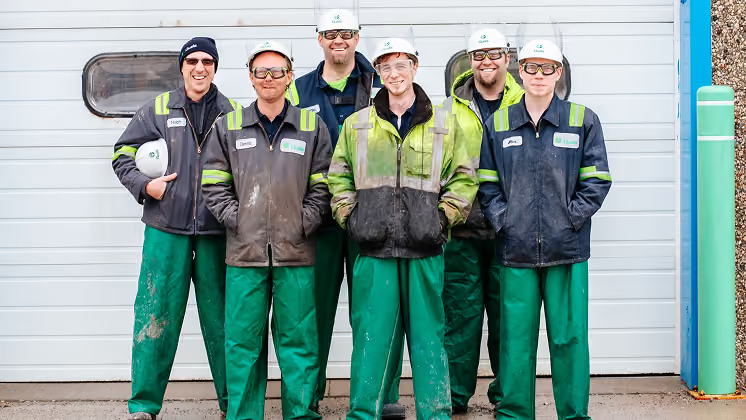
How to communicate with employees without email
It's 6am and a shift supervisor is calling round four people individually to tell them the start time moved. Nobody checked their email, because nobody has one. By the time everyone knows, half the team has already shown up at the wrong time.
If you manage a warehouse, a care team, a construction site, or a restaurant floor, you already know this problem. Your main channel assumes everyone has a company inbox. The schedule change goes unread. The safety briefing doesn't land. The manager ends up relaying everything by word of mouth, every shift, every site.
The gap is larger than most people realize. Many deskless workers have never been given a company email address, and many never will be, yet the default communication stack at most organizations was built entirely for desk-based employees.
This guide covers seven practical ways to reach workers without email, and how to choose between them based on your workforce and the type of message.
Last updated: October 2026
7 ways to communicate with employees without email
1. Deploy a mobile-first employee app
A mobile-first employee app is a platform workers join with a phone number or QR code instead of a corporate email address, giving every worker a way in regardless of whether they were ever issued a company inbox.
Unlike email, it doesn't require a corporate address to set up. Workers sign up on their own phone, and a whole site or shift can be live within days rather than months. The practical advantages over email and over informal workarounds:
- Activation rates of 95-99%, including seasonal workers and contractors
- Push notifications that reach people on the device they actually carry
- Read receipts and acknowledgment tools for compliance-sensitive content
- No company device and no corporate email address required
This pattern plays out at real scale. At JD Sports, 87% of staff adopted Blink within 10 days of launch, with the newest hire on the shop floor getting the same day-one communication as head office. At easyJet, 88% of more than 20,000 employees became active users at launch, across cabin crew and ground staff who never had a desk or a company inbox to begin with. At Elara Caring, care workers who visit clients rather than sit in an office got a single platform with self-service access to payroll tickets and direct deposit updates that used to require going through a supervisor. The same pattern holds at smaller scale too: a 150-person care group or a single-site logistics operator without a dedicated IT team sees the same day-one activation, just with fewer sites to coordinate. Across Blink's full customer base, overall adoption now runs over 90%.
You can explore how Blink's frontline employee app handles teams without corporate email in more detail, including how the employee app model compares to bolting messaging onto existing HR software.
2. QR code onboarding: remove the email barrier at the door
QR code onboarding is a way to join a workplace platform by scanning a code with a personal phone, with no company email address, login, or IT ticket involved.
Print a QR code on a poster in the break room, on a payslip, or on the back of a locker door. Workers scan it and they're in. This works especially well in high-turnover industries like retail and logistics, where onboarding speed matters, and for seasonal or temporary workers who won't ever have a corporate email address to give you.
In manufacturing, Giorgi Global's rollout leaned on trained manager champions on the floor rather than a single mandatory company-wide invite, bringing workers on gradually, shift by shift, instead of all at once.
3. SMS and push notifications for urgent messages
SMS and push notifications are direct, one-to-one messages sent to a personal phone, used when speed matters more than a full conversation thread.
For a shift change, a site closure, or an emergency safety update, they cut through in a way email never will, because they land on the device someone actually has in their pocket. SMS works as a standalone channel for short, transactional messages. Push notifications from a mobile app give you more control: target by location, shift, or team, and see who has actually opened the message.
The limitation as a long-term strategy is that there's no thread, no read receipt beyond delivery, and no way to share documents or policy updates. Best used as a complement to a fuller platform, like the employee communication apps built to combine these channels, not the whole strategy.
4. Digital signage and kiosk displays
Digital signage is a passive screen, in a break room, locker area, or canteen, that displays schedules, announcements, and safety notices without requiring any action from the worker.
It works well for general awareness in environments where phone use is restricted, like manufacturing floors, clean rooms, or kitchen lines. It's unreliable for anything that needs acknowledgment or response: there's no confirmation a worker saw the notice, no way to target an individual, and no two-way conversation. Treat signage as a reinforcement layer that sits alongside an active channel, not a replacement for one.
5. Structured team briefings with documented follow-up
Structured team briefings are short, face-to-face updates delivered at the start of a shift, requiring no technology and landing in real time.
It's one of the most resilient communication methods in frontline operations precisely because it's immediate and human. The failure mode is consistency and documentation. When the briefing is verbal only, there's no record. A manager calls in sick and it doesn't happen. Two sites deliver two different versions of the same message. Workers arriving mid-shift miss it entirely.
The fix: keep briefings for context and connection, then log the key information digitally, in an app like Blink, so there's a record and late arrivals can catch up.
6. Governed peer-to-peer messaging
Governed peer-to-peer messaging is a platform where workers message each other through an employer-owned system instead of a personal app like WhatsApp.
Team members already talk to each other constantly. The real question is whether that happens somewhere your organization can see and control, or somewhere it can't. Moving those conversations into a governed platform like Blink keeps the familiar messaging experience while giving the organization ownership of the record, covered in full below.
7. Manager-assisted distribution as a bridge, not a strategy
Manager-assisted distribution means asking a shift lead or supervisor to pass a message down to their team verbally or by text, rather than reaching workers directly.
It works as a temporary bridge while a better solution goes in. As a permanent strategy, it introduces lag, inconsistency, and the familiar "I thought you told them" gap between what was said and what was heard. If manager relay is currently your main channel for reaching frontline workers, the fix isn't to optimize the relay. It's building toward a platform, like Blink, that doesn't depend on a human chain holding together perfectly, every day, on every site.
How to choose the right method for your workforce
The right channel depends on the nature of the message, the nature of the workforce, and the response you need back.
{{blink-table:table-1}}
For most frontline organizations, a mobile-first employee app handles the majority of these scenarios from a single platform. The other channels act as complements: digital signage for passive reinforcement, SMS for emergency reach when someone's offline, briefings for the human context a screen can't give.
Why is frontline communication a compliance problem, not just an engagement issue?
A missed message costs twice: once operationally, when a worker doesn't get information they needed, and again when the organization has no record the message ever went out.
In healthcare, a care worker who doesn't receive an updated procedure creates a risk. In construction, a worker who misses a safety briefing is a liability. In logistics, a worker who never acknowledges a policy change leaves the organization exposed if something goes wrong later. A conversation on someone's personal WhatsApp doesn't close any of that risk: no audit trail, no read confirmation, no way to prove a safety briefing was received or a policy update was acknowledged, and no way to cut off access the day someone leaves.
Blink's own deployments show the pattern clearly: organizations that move policy sign-off, safety briefings, and training acknowledgment onto a platform with read receipts gain something email and WhatsApp never gave them, a timestamped, searchable record of who saw what, and when.
{{blink-table:table-2}}
A verbal briefing or a WhatsApp message doesn't produce any of the right-hand column. A platform built with read receipts, acknowledgment workflows, and an audit trail does, the same gap explored in Blink's guide to common frontline communication mistakes. Reach isn't only about culture. It's about being able to answer "can you prove it?" when someone asks.
Reach every employee, including the ones without an inbox
Blink is the mobile-first employee app built for frontline teams. Workers join by QR code or phone number, no corporate email required, with push notifications, read receipts, acknowledgment workflows, and a governed messaging layer that replaces WhatsApp without the compliance exposure covered above.
See how Blink works for frontline teams or start a free 14-day trial, no credit card required.
Getting started: three steps
- Map the gap. How many of your workers have no corporate email address? How many are currently on WhatsApp groups or relying on manager relay? This tells you the size of the problem before you choose a solution.
- Pick one system of record, then layer channels underneath it. This doesn't mean choosing SMS or signage or an app and shutting the others out. It means one platform becomes the official source of truth, and SMS, signage, and briefings all feed into or reinforce it, rather than each running as its own disconnected thread. QR code onboarding means you can bring your whole workforce onto that system in days, without an email dependency slowing you down.
- Launch with something workers actually need. Start with schedules, a policy update people have been waiting on, or a real-time briefing, not a generic welcome message. First impressions of a new channel set the adoption pattern for everything that follows.
Most organizations don't switch overnight, and they shouldn't try to. A realistic path looks like this:
- Week 1: announce the change, launch QR code onboarding, and post everything in both the new app and the old WhatsApp groups or manager relay.
- Weeks 2 to 3: run both in parallel. Track app activation by site and shift to see where adoption lags.
- Week 4: once activation holds steady, typically once new starters are onboarding through the app rather than being added to a group chat, set a firm date to archive the old channels.
Naming that date up front, rather than letting the old channel linger indefinitely, is usually what prevents it from quietly becoming the backup plan again.



-min.jpeg)








.avif)



.avif)