
Best task management apps for frontline and deskless teams
The best task management app for frontline teams isn't the one with the prettiest Kanban board. It's the one a warehouse picker, a line cook, or a delivery driver can actually open on a cracked phone screen with one bar of signal and still get the job logged. Most "best task app" roundups are written for office project teams who sit at a laptop all day, so they rank tools by Gantt charts and integrations with Slack. That's the wrong test for anyone running shifts across multiple sites.
This guide ranks eight task management apps for people who work on the sales floor, in a kitchen, or on the road: Blink, WorkJam, YOOBIC, Connecteam, Zenput (now part of Crunchtime), Asana, Trello, and Microsoft Planner. For each one, you'll see who it's built for, where it holds up, and where it runs out of road the moment a shift worker needs to complete a task without wifi. We'll also answer the "free" question honestly: which of these actually have a usable free plan or trial, and which just say they do.
Quick pick: task apps at a glance
{{blink-table:table-1}}
What makes a task app work for frontline teams?
A task app earns its place on the frontline when it survives a shift, not just a demo. Five things separate tools built for deskless teams from tools adapted from office project management.
- Offline completion. Basements, trucks, rural routes, and the back of a warehouse all have dead zones. A task app that needs a live connection to mark a step complete loses the entire point of mobile work.
- Photo proof, not just a checkbox. "Done" means something different when a manager can see the shelf, the clean station, or the completed repair. Visual proof is what turns a task list into an audit trail.
- Assignment by shift or role, not by named individual. Office tools assign a task to a person. Frontline tools need to assign a task to whoever is on the 6am shift at store 214, because the person changes every week.
- A record someone can actually pull for an audit. When a regulator, a franchisor, or a head office asks who did what and when, "check the group chat" isn't an answer. The app needs an export.
- One app, not five. A task tool that lives apart from the app where shift workers get their schedule, their messages, and their training is a tool most of them will quietly stop opening within a month.
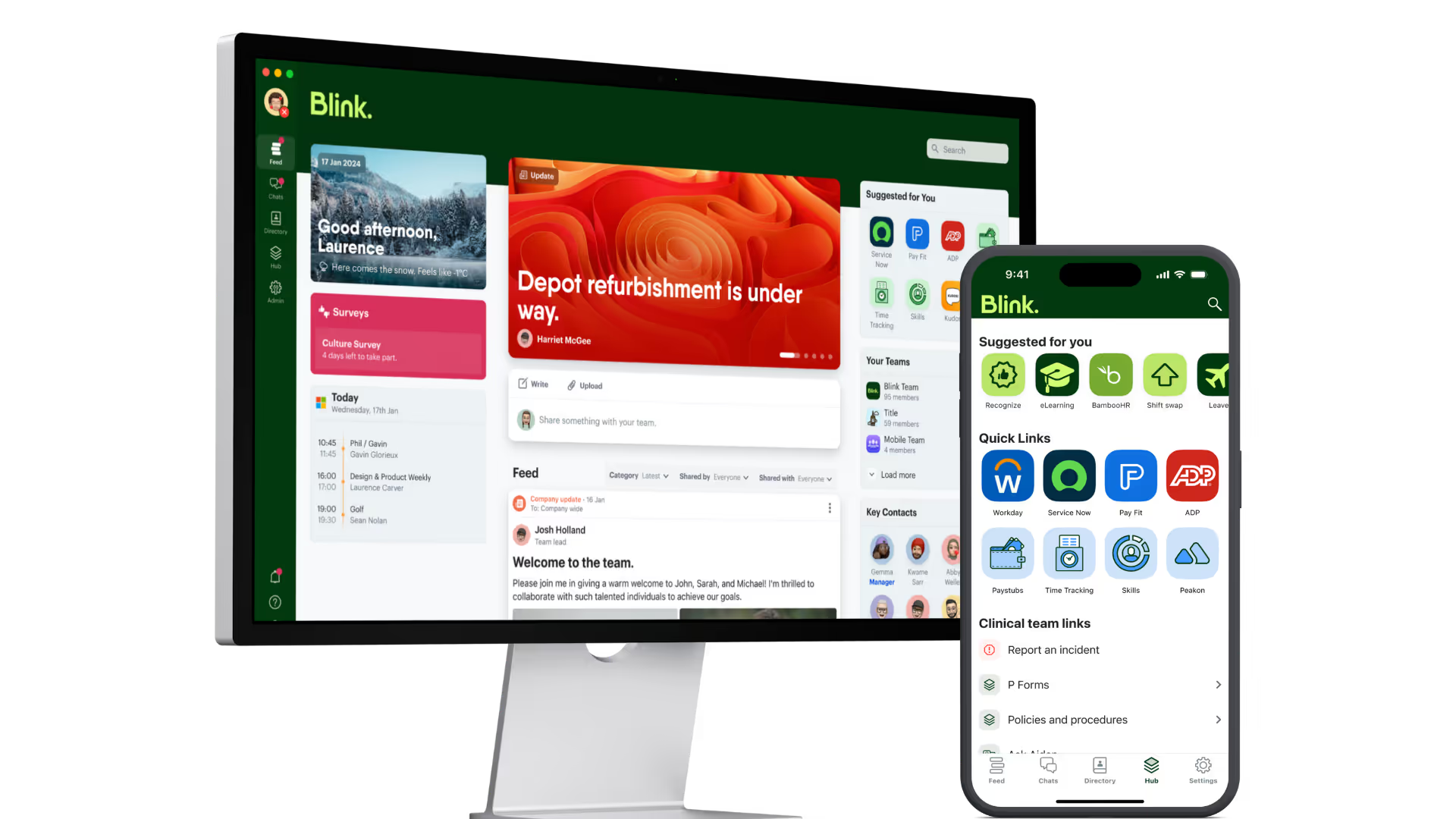
Blink's task management feature was built around that fifth point specifically, inside the broader case for managing frontline employees well: task completion, communication, and shift context live in the same app a frontline worker already has open.
The 8 best task management apps for frontline and deskless teams
1. Blink
Blink puts task management inside the same app frontline teams use for shift comms. Checklists carry photo proof requirements, work offline until the device reconnects, and route by role or shift rather than by named individual, so a task assigned to "closing shift, store 12" reaches whoever is actually on that shift.
Strengths: Managers can review a submitted task and send it back for correction if the photo or checklist step doesn't meet the bar, which keeps task completion from becoming a box-ticking exercise. Completion analytics roll up by site, so an operations director can see which location is behind before it becomes a compliance problem, and a secure ledger exports for inspection or franchise reporting.
Limits for frontline use: Blink is built specifically for frontline and deskless organizations, so a desk-based project team managing long, cross-functional projects with dependencies and timelines will find tools like Asana a better fit for that specific job.
Want to see it on a real shift? Start a 14-day free trial or book a demo.
2. WorkJam
WorkJam positions itself as a frontline workforce platform where task management sits alongside scheduling and communication for large retail and QSR operators. It's aimed at enterprise chains that need to push the same set of tasks, like a shift-start checklist or a store-wide price change, across hundreds of locations at once.
Strengths: Built specifically for multi-location retail and QSR execution, with task assignment designed to scale across large frontline headcounts.
Limits for frontline use: WorkJam is positioned toward large enterprise retail and QSR deployments and sells through a demo-led process rather than self-serve sign-up. Check workjam.com directly for current plan details and whether it fits a smaller multi-site operation.
3. YOOBIC
YOOBIC focuses on retail execution: store audits, visual merchandising compliance, and task completion with photo evidence attached. It's built around the idea that head office needs to see proof a display went up correctly, not just a tick in a box.
Strengths: Strong on visual merchandising and store audit use cases, with photo-based proof built into the core workflow.
Limits for frontline use: YOOBIC's depth is concentrated in retail execution and audit workflows, and like WorkJam, it's sold through a demo rather than a self-serve plan. Check yoobic.com directly to confirm current features and fit outside retail.
4. Connecteam
Connecteam is an all-in-one app covering scheduling, time tracking, communication, and tasks, aimed at small and mid-size frontline businesses. Its task feature lets managers create one-time or recurring tasks, attach photo requirements, and track completion in real time.
Strengths: Broad feature set for the price point, and useful for smaller operators who want scheduling, time clock, and tasks under one login. Connecteam's own task management page walks through recurring tasks, deadlines, and reminders in detail.
Limits for frontline use: As an all-in-one tool covering many functions, task management is one module among several rather than the central purpose of the product, which can mean less depth on audit trails and completion analytics than a tool built around task execution specifically. Check Connecteam's own documentation for current offline behavior before relying on it in low-signal locations.
5. Zenput (Crunchtime)
Zenput, now part of Crunchtime's restaurant operations suite, is built for multi-unit food safety and operational compliance checks. Think temperature logs, cleaning checklists, and brand standard audits across hundreds of restaurant locations.
Strengths: Deep specialization in restaurant and food safety compliance workflows, backed by Crunchtime's wider operations platform. See Crunchtime's own description of Zenput for current feature detail.
Limits for frontline use: Built specifically around restaurant and food safety compliance, so it's a weaker fit for frontline work outside that vertical, and like WorkJam and YOOBIC, it's sold through a demo-led enterprise process rather than self-serve sign-up. Check Crunchtime's site directly for current Zenput capabilities.
6. Asana
Asana is a work management platform built for cross-functional project teams: marketing launches, product roadmaps, and anything with dependencies between tasks. It's one of the most capable tools on this list for complex project work.
Strengths: Timeline and Gantt views, goal tracking, portfolios, and extensive integrations make it a strong choice for desk-based teams coordinating multi-step projects. Full tier breakdown is on Asana's pricing page.
Limits for frontline use: Asana has no offline mode and no photo-proof-based task completion built for a sales floor or kitchen. It assumes a user who's logged in at a desk or laptop with a steady connection, which makes it a poor fit for assigning a task to a rotating shift team.
7. Trello
Trello is a board-and-card tool where small teams drag tasks across columns like "to do," "doing," and "done." It's simple, visual, and easy to pick up with no training.
Strengths: Easy for a small team to start using in minutes, with a flexible board layout that suits lightweight project tracking. Plan details are listed on Trello's pricing page.
Limits for frontline use: No offline completion, no shift-based assignment, and no built-in photo proof workflow. Trello works well for a desk-based team planning a campaign. It wasn't designed for a worker who needs to mark a task complete from the loading dock.
8. Microsoft Planner
Microsoft Planner is Microsoft 365's built-in task tool, useful mainly because it's already included for organizations standardized on that ecosystem. It gives teams boards, buckets, and basic task assignment without buying another piece of software.
Strengths: Zero extra cost for teams already paying for Microsoft 365, and familiar for anyone used to Microsoft's interface conventions.
Limits for frontline use: Planner assumes a Microsoft 365 login, which most frontline and deskless workers don't have. No offline mode built for shop-floor use, and no photo-proof checklist workflow, so it fits office-based teams far better than shift-based ones.
Free vs paid: what you actually get
"Free" means something different depending on who the tool is built for, so check what's actually usable before you commit to a plan. Among tools on this list, Blink, Connecteam, Asana, and Trello all offer a usable free entry point, while WorkJam, YOOBIC, and Zenput are demo-led enterprise sales and don't publish a self-serve free tier.
Blink offers a 14-day free trial to test task management alongside the full frontline app. Check Blink's pricing page for which plan tier includes task management, since add-on and plan gating can change.
Connecteam has a free plan for small teams, with paid tiers unlocking more users and features as a business grows.
Asana and Trello both have free plans built around small teams or personal use, with paid tiers required once a team needs unlimited collaborators, timeline views, or advanced reporting, per each vendor's own pricing page linked above.
WorkJam, YOOBIC, and Zenput are enterprise, demo-led products. None of the three publishes a self-serve free trial on their marketing site, so the free vs paid question doesn't apply in the same way. Expect a sales conversation and a scoped proposal rather than a sign-up button.
Why this matters more for frontline teams than anyone else
A task that doesn't get completed properly on the frontline isn't a productivity problem, it's an operational and often a safety one. A missed fridge temperature check, an unlogged near-miss, or a store reset that never happened are the kind of failures that show up in a health inspection or a lost sale, not a missed deadline in a project tracker. Engagement gaps consistently hit deskless and frontline workers hardest, and most task tools on the market were still built with a desk-based user in mind.
A task list that lives in a separate app from shift comms is one more login competing with the app a worker actually opens every day, and adoption tends to fade as a result. When task management sits inside the same app as shift comms, schedules, and training, there's only one place to check, and completion follows from that simplicity rather than from any single feature.
For more on how execution quality connects to the broader business, see EX=CX: the equation every restaurant operator needs to know and 6 frontline communication mistakes and how to avoid them.
How to choose the right one for your team
Start with where your team actually works, not with a feature list. If most of your workforce is in one office on laptops, Asana or Trello will likely serve you well and cost less. If your team is spread across stores, kitchens, trucks, or job sites, the right choice changes.
- Map your dead zones first. If any part of your operation loses signal regularly, cross off any tool without genuine offline completion.
- Decide if you need proof, not just completion. A checkbox is fine for internal reminders. Photo evidence matters the moment a task ties to compliance, safety, or a customer-facing standard.
- Count your logins. If task management would be app number four or five for your frontline team, expect adoption to suffer regardless of how good the tool is on its own.
- Check who can be assigned a task. Role and shift-based assignment matters more than individual assignment the moment your team works rotating shifts.
- Trial it with a real shift, not a demo account. The clearest signal is whether a task survives being completed by someone standing in a loading bay with one bar of signal.
Blink's task management runs inside the same app as frontline communication, so a team evaluating tools doesn't need to solve task execution and shift comms as two separate projects.
Ready to see it on your own shift?
A trial tells you more in an afternoon than any comparison table. Start a 14-day free trial to run task management against a real shift, with offline completion, photo proof, and audit export in the same app your team already uses for comms. Prefer to walk through it with someone first? Book a demo and bring your toughest dead zone.