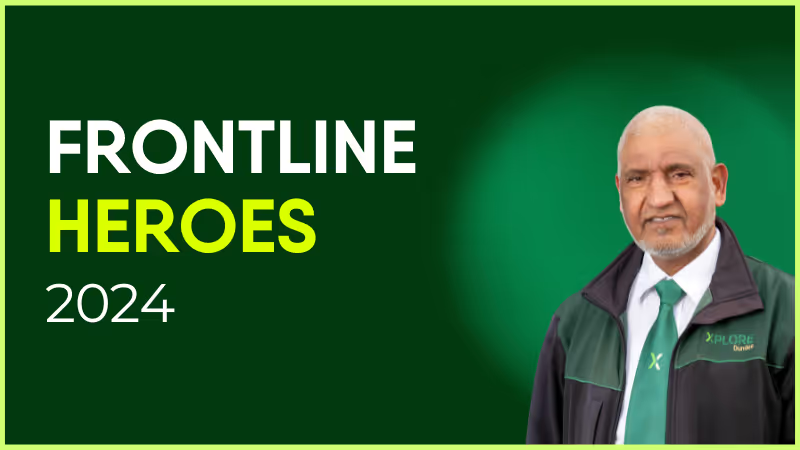
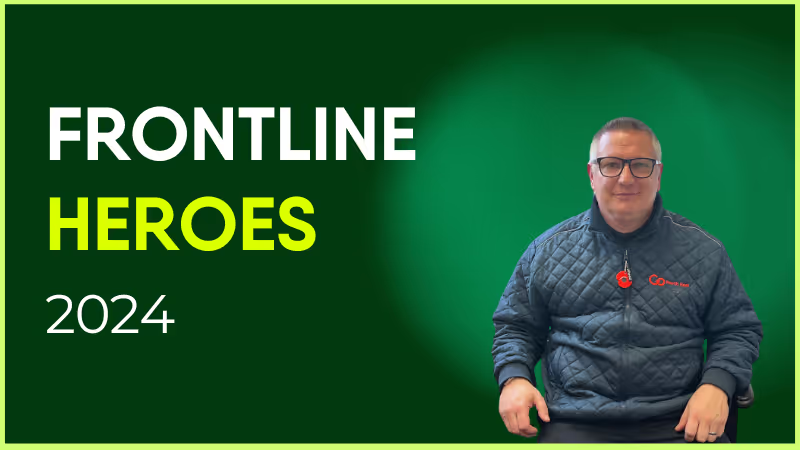
Alison has been with Aggregate for nearly four years, and is Factory Manager for the Concrete Products department.
Alison is that one person you can go to when having a bad day. She’s always so inspirational even though there have been hard times in her life. Even when there are mistakes or hiccups in the factory, she will always bounce back and be the first one to lend a hand or an ear to help in whatever way she can.
With a personal motto of “never stop trying to be better,” she is passionate about breaking barriers to create a future that is inclusive, productive and effective, which is clear in everything she does.
What does she want to do next?
Alison wants to progress onto a Regional Operations Manager Role.
Nominated by: Maxine Tookey, IMS Manager
What makes her awesome?
Alison has been with Aggregate for nearly four years, and is Factory Manager for the Concrete Products department.

Alison is that one person you can go to when having a bad day. She’s always so inspirational even though there have been hard times in her life. Even when there are mistakes or hiccups in the factory, she will always bounce back and be the first one to lend a hand or an ear to help in whatever way she can.
With a personal motto of “never stop trying to be better,” she is passionate about breaking barriers to create a future that is inclusive, productive and effective, which is clear in everything she does.
What does she want to do next?
Alison wants to progress onto a Regional Operations Manager Role.

At Blink, we’re continuously evolving our employee experience platform to meet the dynamic needs of organizations and their diverse teams. Our Spring 2025 product release showcases the newest features that will soon be coming to the Blink platform.
Staying true to our commitment to exceptional employee experiences — whether in the field or at the desk — we’re thrilled to introduce our latest innovations. These new features are designed to reshape how employees connect with their organizations and with each other.
From reimagining our Hub experience and to powering event management, these updates are built to create a more curated and connected digital workplace.
{{whats-new-in-blink-spring-2025="/callouts"}}
#1. A new digital era of event management
We’re excited to introduce a smarter way to plan, promote, and manage company events — so you can keep employees informed and excited, whether they’re in the office or on the go.
With a dedicated events homepage, format-inclusive setup (in-person, virtual, and hybrid), and calendar integration, hosting employee events for your organization has never been easier.
What’s new:
Effortless setup: Create an event in just three steps using the web-based event wizard.
Target the right audience: Choose which users and groups can discover and engage with your event.
Planned promotions: Schedule event reminders and promotions using the post planner.
Smart RSVPs: See who’s attending, undecided, or declining — and send reminders with a shareable link.
Easy editing: Hosts can update details and manage attendees with flexible permissions.
Alias support: Choose to host events under an alias for a consistent brand experience.
{{mobile-events="/image"}}
#2. Smarter folder sharing in the Hub
We’re upgrading folder permissions in the Hub to give you more flexibility — without the workaround. It’s a small but mighty update that will make managing shared content simpler and smarter.
What’s new:
Custom permissions for child folders: Set unique access rules without duplicating parent folders.
Cleaner structure: Organize content your way, with better control over who sees what.
#3. A new page change log to track updates
We’re adding a change log to pages in the Hub, making it easier than ever to track edits, stay aligned, and maintain trust in your shared content.
Whether you’re managing shift protocols or company-wide announcements, the new page change log will help you keep your information up to date — and your teams on the same page.
What’s new:
Full edit history: See who made what change and when, with clear timestamps and author details.
Built-in transparency: Empower teams to confidently collaborate, knowing there’s a reliable audit trail.
Content you can trust: Perfect for policy updates, team documentation, and any page that will be regularly changed or updated.
{{mobile-hub="/image"}}
#4. A richer page editing experience
We’re upgrading the editing experience in our app to help you create more beautiful, engaging pages — perfect for everything from team wikis to onboarding docs. And we’re excited to roll out even more formatting options and editing tools soon.
Whether you’re building a company knowledge base or crafting the perfect announcement, pages will now be easier to customize (and better-looking) than ever.
What’s new:
Content organization: Add and format tables effortlessly
Visual components: Embed images and videos directly into your pages
Ultimate ease of use: Enjoy a smoother, more intuitive drag-and-drop experience
#5. A more curated Communities experience
We’re expanding the power of Communities with new controls that help you shape more intentional spaces — so the right people see (and join) the right Communities, every time.
From social groups to ERGs, these updates will give you the flexibility to support meaningful, relevant communities across your organization — while keeping the experience simple, engaging, and fun.
What’s new:
Flexible visibility: Control who can discover or access each Community without making it strictly private.
{{mobile-community="/image"}}
#6. A refreshed mobile navigation to find what you need faster
We’re streamlining mobile navigation to help users get where they’re going — quicker and with less tapping. This simple change will make a big difference in how employees move through Blink on the go.
What’s new:
Cleaner layout: Now featuring four primary buttons — Feed, Chats, Groups, and Hub — plus a “More” menu for everything else. (For example, the new event management feature will live under the “More” menu!)
Smarter structure: Groups are front and center, giving employees faster access to the people and spaces they care about most.
Ian Gordon has worked in the US healthcare space for close to 30 years and has held executive roles in several large payer and provider organizations — most recently, as President of Administrative Operations at Elara Caring.
Throughout his career, he has also led large frontline organizations and created environments where employees thrived, and customers were highly satisfied. As a result of his experiences, few people can speak to the healthcare frontline engagement challenge as well as Ian.
Blink and Ian sat down together for a February 2023 webinar, discussing topics including company culture, senior leadership engagement, digital transformation, and the opportunity to boost engagement, loyalty, and retention with frontline employees.
Listen to the full webinar conversation ‘Why Engaging With Frontline Healthcare Workers Makes Both Dollars and Sense’ hereor keep reading for the main discussion points.
Speakers:
Ian Gordon, Former President of Administrative Operations at Elara Caring
Marcy Paterson, Head of Solutions Consulting, Blink
How would you summarize the frontline engagement challenge organizations face in 2023?
The first point to make is that frontline disengagement is not a new challenge. What is new, however, is how this challenge has risen to the top of the Executives’ problem list — and I think there are four main reasons why:
Unprecedented disruption to the workforce
Employee burnout and generational differences between older participants in the workforce, Millennials, and Gen Z: the rise of the “gig” mentality and younger workers’ drive for work/life balance
Changing societal demographics and the desire for people to live independently and “age in place”
And, crucially, the huge competition for workers. Employers have had to significantly increase compensation and offer more flexibility, which drives up the cost structure
What’s essential now is that we develop a more acute understanding of the implications of dissatisfaction among frontline employees: how it leads to employee turnover and what that means to our companies.
Because, if we’re honest, what we've tried in the past hasn't worked to create significant levels of employee satisfaction, engagement, and loyalty.
Frontline workers feel under-appreciated and under-supported and, as a result, that makes them less loyal and more likely to look for the next opportunity. You might have their hands on the job for now, but you haven’t got their hearts.
What are the impacts of disengagement?
I call it the quadruple miss. When frontline employees are disengaged, this has an:
Impact on patients who experience high caregiver turnover and inconsistency of care; they simply don’t get the comfort they are looking for when aging in place
Impact on patients’ families who step up to fill the gaps caused by interrupted care and must meet and re-brief caregivers on a regular basis. This can hurt them in their own personal and/or professional lives
Impact on frontline workers who are the ones confronted by the family’s frustration. And, in instances of high attrition, new incoming frontline workers feel responsible for the family’s frustration, and they become frustrated as well
Impact on the company who suffers in terms of resources spent on recruiting and training a revolving door of employees. Plus, the cost of reputational damage and lost annual revenue
Attrition is a huge issue, and a lot of money is being spent on recruitment to address those challenges. But is it a long-term losing proposition?
I use the analogy of a leaky bucket because turnover at the rates we’re seeing now — as high as 70% in some companies — has organizations in a panic. They need to bring on so many new frontline employees; they’re recruiting, hiring, and training teams, spending money on advertising, and investing in higher salaries.
And yet, they still can’t keep up with demand.
I saw a survey recently that claimed 85% of home health agencies had turned away business because they didn’t have the staff and almost 60% said they did this "consistently".
Long-term, this attrition issue becomes a self-fulfilling prophecy; if you use recruitment as your primary solution to a retention issue, you will never fix the root cause.
If recruitment isn’t the solution, what is? What have you seen work?
I think that leadership needs to acknowledge their contribution to the problem. As leaders, we are responsible for creating a supportive environment and we need to acknowledge that we’ve helped create the employee dissatisfaction and engagement problem we have today.
Then, you need to spend time with and listen to your frontline.
This needs to be managed authentically; it’s often not a frequently occurring event and so employees don’t feel comfortable openly and honestly engaging with executive leadership. Leaders go in with more of a (potentially scripted) corporate message, ready to tell the frontline what the corporation wants them to hear rather than what they really need to hear. That’s not going to move the dial for employees and encourage them to become more engaged.
Healthcare employee surveys are a step in the right direction. They are valuable and give you data at a point in time that you can trend. But what I’ve seen happen is that people spend more time debating the validity and accuracy of the survey. If you torture the numbers long enough, they’ll confess to anything, and people get caught up in that.
What we’re talking about here is bi-directional communication — who do you think should be responsible for that?
I think the answer is the same in every company: you need to find someone who has the energy, passion, and is empowered enough to lead the initiatives. That person could be the project lead, but preferably it’s someone from the frontline or with frontline experience. The frontline needs to have that relationship with management all the way up and be comfortable to share their concerns.
Communicating issues is a team effort. It starts with the CEO and runs the full way through to the frontline. Everybody has to own it.
Is there an opportunity to better engage that first line manager and leverage them?
The first line manager might just be the hardest worked and most undervalued level of management in any company. They have passion and commitment and do everything they can, but if you look at the amount of administrative work that’s burdened on top of them — in addition to what they should be doing already — it’s tremendous. They barely have any time to try to manage their teams.

And yet we do need to engage them. They are the closest to the frontline and so if you’re not getting everything you need from the frontline or hearing what you need to hear, these are the people who know them best. Often, they’ve done the job; they’ve experienced the challenges first-hand.
But before we can engage them, we need to make sure that they’re okay. We need to understand what’s helping them be engaged or causing them to be disengaged in their jobs. It’s impossible to ask somebody to help drive engagement, satisfaction, and loyalty when they don’t feel those things to the company themselves.
You mention the administrative burden. The same digital transformation that desk-based workers get is yet to reach the frontline. How have you tried to alleviate that?
You need to understand the experience of having to perform repetitive mundane tasks. You need to go through that process yourself to discover what a horrible use of their time it is and why it’s no surprise that it doesn’t excite them each morning.
Then, you can look at how technology can be leveraged to simplify these tasks. It’s about taking away the administrative tasks that aren’t exciting, aren’t adding value, or aren’t rewarding for the employee so that people can be more satisfied and engaged.
If you can do that, then the quality of their work will go up and human errors will go down.
That’s what Blink really brings to the table. Using Blink, we were able to simplify our internal communication. We also gave frontline workers the tools to create communities, have single sign-on, and one place for information (versus the 5 or 10 that many nurses experience).
I’ve yet to meet a clinician or caregiver who got into this line of work to be on a computer all day. If we can reduce this non-cognitive load, then we can give them back the time they need to improve patient care.
How do you look to create a return on investment from these programs? Where have you seen that return and how have you been able to qualify it?
Administrative savings are easy to qualify. You know the jobs that people do, and if you can eliminate tasks and enable them to get more done in less time, then it's easy to say I need fewer people, or the same number of people can take on more work.
But the investment you need to make won’t pay for itself with administrative savings alone. That’s when you look to the impact on turnover — loyalty, satisfaction, and engagement — to make frontline workers more productive.
And when turnover declines, then that's tremendous because of the amount of savings that can be reaped from reducing the spend that companies have poured into their HR: recruiting, hiring, and training.
If you can redeploy those training resources to the frontline instead, giving them the skills and capabilities to enhance their service, then that can be a differentiator in the marketplace. It is also a good reason for your frontline to feel appreciated and invested in.
What are the pitfalls you’ve seen in organizations embarking on initiatives like this?
One would be rushing head-first into a solution before you truly understand the problem. You need to take the time to learn what’s important to different people in different positions.
Then there’s having a lack of clear direction or rapidly changing direction. It’s better to follow through on fewer, more meaningful activities. When employees don’t see the follow through, they become numb to the activities and disengage at another level.
And lastly, talking at employees instead of with employees.
How important is it to create a simplified experience specifically for the frontline?
Many organizations are comfortable with solutions for tethered employees — those who are in the office or working at a desk all the time, with access to a community of help.
But being a frontline worker can feel like you're on an island by yourself, and the solutions that you need must be quicker and more succinct. You can't spend a lot of time signing in and navigating. You need to get to your answer now.
You may be doing it while you're in front of a patient or, in the in the case of home health, while in between patients. Either way, you haven’t got a lot of time, and so having hub-based access to all-inclusive and easy-to-navigate information can really be a benefit to employees.
As leaders, the question we need to ask ourselves is this. Are more worried about playing it safe and trying to protect our jobs, at least in the short term, or are we willing to do what’s right for our employees and our customers: ensuring we create an environment where customers can be satisfied and employees can feel trusted, respected, and appreciated?
For this week’s Life at Blink, we’re excited to shine the spotlight on Joe Whitney! As a Senior Sales Development Representative, Joe has been an integral part of the team for the past year. Starting out as an SDR, Joe’s dedication and growth have made a real impact at Blink. Join us as we explore Joe’s journey, his role in shaping our sales efforts, and what he believes makes Blink a special place to work.
How long have you been at Blink?
I’m coming up on two years — in about five days, it'll be my Blinkiversary. There is a lot going on so it’s gone by really quickly.. Looking back, it feels like these two years have flown by. So many other things outside of Blink seem to have moved a bit slower. But life moves fast, and the older you get, the quicker it seems to go.
What initially attracted you to join Blink?
I have kind of a funny story — well, not exactly funny, but it's the story of how I got to Blink.
For the eleven years before I joined Blink, I was a professional hockey player. I played four years at Boston College, and after college, I signed with the New Jersey Devils to play professional hockey. It was an amazing 11- year journey.
It took me to a lot of different places — I lived in San Antonio, Texas; Tucson, Arizona; Hartford, Connecticut; Hershey, Pennsylvania; New Jersey; and then over to Sweden and Germany. My family and I lived there for two years each. It was a great experience, and I learned a lot of valuable life lessons from seeing different cultures and parts of the world. I think it made me more well-rounded, and I’ve been able to bring some of those experiences into my work at Blink and in sales.
It was funny because when we started having kids, my wife and I never imagined we’d be taking two kids to live in Germany or Sweden for two years. But I wanted to continue my career, so we made the move. We packed all our bags and flew to Sweden. I played in a city called Linköping, and as soon as we landed, it felt like our new home, and the people were incredibly kind. It was a great culture to live in and be a part of, and I thoroughly enjoyed it.
When my contract expired, we moved to Germany to a small city calledIserlohn, about two hours from Amsterdam. The lifestyle there was very different from Sweden. It was more like North America. The town was small and quiet, but it was a great experience. I learned a lot about German culture and the people. And of course, they love their beer, which was a lot of fun!
When that career ended, it was a bit of a “holy smokes, what do I do next?” moment.
At first, I wasn’t sure if I could do it, since I didn’t have any prior experience. But after reassurance from mentors, friends, and family, encouraging me that many of the same skills in athletics can be applied to sales as well was when I decided to dive in. It was important for me to start as an SDR and work my way up.
What's a project you are proud of from your time at Blink?
The thing I’m probably most proud of at Blink is how, despite being a smaller company with a lot of changes and pivots, especially within the SDR team, we’ve been able to build something meaningful.
When I joined in October 2022, our new CRO, Jim McInerny, had just been hired, and we were preparing to go to market in the US. One of the main reasons I came to Blink was to have an impact on the culture and a smaller team. What I'm most proud of is helping to build the culture within the sales development program.
I'm really proud of the fact that after two years, we’re starting to gain traction, building out the program, and seeing the progress we are making as a company. It’s been a journey, but it’s exciting to see how far we have come.
How would you describe the company culture at Blink in three words?
Innovative, creative, tight-knit team.
There are so many different ways to describe it, which makes it tough to choose just three words. I think the culture is very open and transparent, and we have a lot of great people working together towards one mission. That’s what makes it so fun to be part of the team.
Coming from an athletic background, I'm all about teamwork, and it feels great to be in a company where the mindset is very team-oriented. There aren’t any selfish people in our organization, and that makes it incredibly enjoyable to work with everyone.
What's one thing you're excited about for the future of Blink?
I feel like we’re at a point now where we truly control our own destiny. The sky’s the limit for us, and I believe that everyone on the team is fully bought into the company’s mission. The opportunities we have and the market we're tackling are so big and global that we have the potential to change the lives of so many people in different parts of the world. This could have a huge impact on how people approach their work and how they feel about going to work.
I'm really excited about the opportunities ahead of us as a company to transform the way people work and make this as big as possible.
Can you tell us about a recent initiative or program launched at Blink that you found particularly exciting?
Yeah, I think, obviously in sales, day to day, you’re calling people, trying to explain our approach to the employee experience, and inspiring them to see things differently. But I wouldn’t call that a specific project; it’s more like an ongoing journey in sales.
What really inspired me was some of the work we did with some of our biggest customers, particularly on the product side. They’ve done some really cool things within a work app that feels more like a social app we use in our everyday lives. The product features and the vision our product team has for making this next generation of apps so modern is really exciting to see.
Why do you work for Blink?
In general, when I first started, I wasn’t really sure what to expect. There are a million different jobs out there, and a lot of people work on cool things. But I’ve really found a sense of pride in our company’s mission and the vision of where we want to go.
There are so many essential workers around the world who, like us, are trying to take care of their families, make a living, and provide the best opportunities for their loved ones. Many of the people we serve are blue-collar workers who take immense pride in what they do. We often talk about how they’ve been underinvested in and don’t have the same resources as other types of workers.
Serving this part of the workforce is something I’m really proud of. I have a lot of friends and family members who are blue-collar workers on the frontlines, and it took me a little while to realize there was such a gap in support for them. Being at Blink and seeing it firsthand through our customers was eye-opening and helped me fully embrace our mission of serving essential frontline employees. Ultimately, these workers make the world go round.
Providing a better digital employee experience for these essential works and making it much easier to access all the tools they need to do their jobs productively is incredible. It feels like a lifelong mission.
56% of US companies have been increasing their level of remote work, according to a 2021 survey.
But as more and more workers operate from different locations, managers around the globe are facing the uncharted territory of managing remote teams. And that’s as if managing a team wasn’t hard enough already in person.
Regardless, the hardship of managing remote teams is a small price to pay for the benefits they offer. Plus, how you handle this new reality of work will shape your true potential as a leader.
So consider this post as your go-to guide for managing remote teams. We’ll begin with some common challenges that plague virtual managers, followed by our best strategies to lead your remote team with confidence.
Challenges of managing remote teams
Working from home seems normal these days, but many organizations didn’t have remote work on their radar until the global pandemic forced them to.
Before we get to the remote management strategies, let’s see some key challenges faced by leaders and their team members when adapting to this new way of working.
Shifting to a new structure
Human beings are creatures of habit. From that morning commute to the evening snack, our daily work routines have probably been pretty consistent.
When you and your team members start working remotely, everything can get upside down. You are forced to establish a new routine, along with juggling your personal and professional duties outside the office, factory, or wherever you used to work before.
Plus, it doesn’t help that you are now supposed to deal with a lot of new virtual tools, communication methods, and remote work policies. No wonder managing remote teams seems overwhelming.
Adopting tech-based communication
Facing an issue, or need a second opinion on something? Just go to your nearest team member and sort it all out in a second.
This is possible in an office, but may feel like a distant dream in today’s remote working environment, too good to be true!
In fact, 45% of employees worry over not seeing their team members in person because of remote work, and 34% have doubts about their ability to collaborate virtually. Ensuring you're providing a good digital employe experience is key.
As communication moves to technologies such as email and instant messaging, managers and their team members are finding it hard to get the answers they need in time.
Juggling productive and personal time
Personal time at home. Work on site. It has been a simple rule to follow. When you work from an office, there’s a clear line between your professional and personal life, at least more straightforward than the boundaries set by remote work.
With remote work, the lines are blurred. It’s easy for the personal responsibilities to distract you from your work, or for your work to eat up your family time. So both managers and their employees are faced with the issue of striking a balance between the two.
Building trust and rapport
When managing remote teams, you want to keep your team members assured that you are available to lead and support them. And that you’re in touch with their concerns, needs, and suggestions.
But when everyone is struggling to communicate efficiently, it gets increasingly difficult to do that. And with no visible body language and non-verbal cues, you may not get an accurate sense of their level of engagement, feelings, and emotional well-being.
We don’t mean to scare you with a laundry list of challenges of leading remote teams. But rather to drill down the fact that you’ll need to really pull up your sleeves for the job. To truly manage and engage remote teams, you should be ready to work harder than ever, which brings us to the next section.
Best practices for managing remote teams
Ready to learn the tips and tricks to manage remote teams the right way? Here’s how to get the best results from your remote employees.
1. Establish clear expectations
34% of remote workers worldwide say that transparency from leadership triggers a deep sense of connectedness at work. And a big part of transparency is setting clear rules and regulations for your team members.
When managing remote teams, it’s important to set boundaries and expectations that your team members are supposed to work with. For example, random video meetings may get awkward for some employees if they weren’t expecting them.
So you need to let your team members know exactly how you plan to manage them from a distance. This includes communicating the following:
Values and behaviors that shape the company culture
Remote work procedures
Guidelines specific to their project
Communication style guides
Expectations regarding workload and availability
The best way to start implementing work expectations when managing virtual teams is to have a kick-off meeting to introduce all the policies and procedures. Then keep reinforcing them in regular weekly and monthly meetings.
2. Implement the right communication channels
Email has its place. But there are many different types of communication, not all of which are best-suited for emails. These include:
Status updates
Frequently used resources for team members
Project schedule and deadlines
Troubleshooting guide for common problems
Because of this, picking the right communication channels is crucial for managing remote teams.
For example, depending on the nature of communication, you may also want to use channels like instant messaging, virtual meetings, or cloud sharing from time to time. And if you want to limit the use of random video calls, you can establish email and online chat as the main communication channels for your team.
Avoid having too many different tools and channels as they can overwhelm your team and allow important messages to slip through the cracks. It’s better to use a single communication platform or employee engagement tool that consists of multiple communication streams.
Blink, for example, is a mobile app that allows team members to communicate via a social-media-style feed, instant messaging, and cloud-based document sharing — all from one place.
3. Set regular check-in times
When your team is working from an office, it’s easy to check in regularly with the whole group as well as individual team members. But don’t think you can’t do the same with remote teams.
In fact, if your team has just started working remotely, you might need to schedule extra check-ins until the team members have adapted successfully to the new routine. Then scale back based on what works for your team and the given workload.
For example, start with a daily meeting of 15-20 minutes. Go around in a circle and give each worker a chance to talk about their plan for the day, any issues they have, and what they need from other team members.
4. Invest in mental health and well-being
According to World Health Organization (WHO), anxiety and depression lead to productivity losses that cost the world $1 trillion annually.
Not just that. For every $1 that goes into workers’ mental health, there’s a return of $4 in terms of employee health and productivity.
When your team members are working remotely, their mental health should be an even higher priority for you than what it was in the office. Because with remote team management, you don’t have as many opportunities to identify what emotional challenges your workers are struggling with.
For example, some employees may find it easier to adapt to remote working and maintain sound health than others. And for the ones that don’t, you’ll need to identify and support them as per their needs. Some ways to do that include:
Appointing a psychotherapist the employees can talk to
Sharing guidelines and resources for self-care
Encouraging workers to take frequent breaks
5. Celebrate both small and big wins
Achieving milestones together is what makes your team, a team. So when managing virtual teams, don’t let the physical distance come in the way of celebrating and rewarding accomplishments.
Celebrating successes will encourage your remote employees and motivate them to keep doing their best work. For example, you can host virtual parties, get a gift delivered to a team member’s doorstep, or give a bonus day off.
Also, don’t postpone a celebration in your wait for achieving something big. Even short-term successes count, especially when managing remote teams. Otherwise, your team members can easily feel discouraged.
6. Document everything
Managing remote teams can get real complicated, real fast. As you take your project activities from the physical world to a virtual environment, many key steps and tasks can slip through the cracks.
So for effective remote team management, it’s not enough to have the workflows, roles, and processes just in your head. The best way to retain and enhance team productivity is to document as much as possible and make the documentation easily accessible for all remote employees.
Create detailed documents that provide step-by-step breakdowns of all the things the team needs to get done, when to do them, and who is responsible for the work items. For example:
Checklists and templates for routine tasks
Playbooks that go deep into project protocols and procedures
Flow charts showing what actions to take in dynamic circumstances
Forms to record key information and instructions to fill them properly
To make sure your team can refer to these documents as needed, put them on a shared storage platform and set permissions for team members to access at any time. This will reduce bottlenecks and get the team members to complete their tasks efficiently.
7. Provide socializing opportunities
According to a Buffer survey, 20% of remote workers go through a heightened sense of loneliness, and another 20% find it difficult to collaborate and communicate.
So it’s vital to encourage social interactions among remote teams. You need to proactively create time and opportunities for employees to connect and socialize with one another.
Some of the best ways to do that include virtual hangouts, joint brainstorming sessions, morning coffee standups, online lunch and learns, and team-building games.
Conclusion: managing remote teams like a pro
As you can see, managing remote teams is not a piece of cake. It requires you to keep a close eye on not just the progress of tasks and project goals, but also team members’ emotional well-being and their relationships with one another.
No doubt, you’ll need to step up as a leader in some big ways. Some of the remote team management strategies we have covered may already be familiar to you, while others will need you to go out of your comfort zone.
Regardless, if you’re serious enough to be reading this article, we’re confident that you can handle managing remote teams with flying colors. So start following these best practices today, and see the difference they make in your remote team’s performance.
Plus, as we said earlier, consider using an all-in-one communication app that can make collaboration easy and bring team members together despite the physical distance that comes with remote work. Book a free blink demo.
The last few years brought a storm of change to the HR industry. Artificial Intelligence. The gig economy. And more recently, a global pandemic has altered our reality and redefined workflows.
While Covid-19 has forced us to make many temporary adjustments to the way we live and work, not every new development is short-lived. There has been an influx of new trends that are here to stay.
These innovations have pushed us to view different areas of the HR function from a new perspective. And they have made us wonder: What’s in store for the future? What are the developments that will transform HR for good? Which trends will shape the new reality of work?
Read on for answers. In this post, we take a look at the top HR trends in 2021 for frontline business and HR leaders to take into account as they prepare for what’s to come.
Top HR trends for 2022
Designing work for frontline employees’ well-being
The line between work and home life has been blurring for some time, but the pandemic has all but erased it for many employees. In response, HR leaders have shifted from promoting work-life balance to pushing well-being into the work itself.
As per the 2020 Hartford’s Future of Benefits Study, workers are now demanding benefits like hospital indemnity insurance, additional paid time off, and employee assistance programs.
Companies, on their part, are focusing on online experiences that improve employees’ health. These include virtual team-building events, yoga and fitness sessions, and mindfulness classes, and so on.
So organizations that thrive beyond 2021 are going to be those that integrate health-related initiatives into the design of work. This will be done at the individual, team, and organizational levels to create an environment in which employees are at peak health.
Reskilling to unlock frontline worker potential
During Covid, many organizations struggled to retain employees because of financial problems, sick leave, or losing workers to the virus. So managers called on remaining employees to expand their roles and fill the gaps left by their coworkers. And like the Spartans, employees rose to the challenge.
Workers’ resourcefulness and agency in these hard times have shown that they can learn and contribute in unexpected ways. And in doing so, they have positioned their organizations to thrive in the long term.
So employee reskilling is another important trend to watch out for. According to a recent Udemy survey, the demand for building employee skills grew by 38% in 2020. The consulting company PricewaterhouseCoopers (PwC) illustrates this trend. It invested $3 billion in the learning and development of employees who have stayed with the business for at least 3 years. This suggests that reskilling is a lean and sustainable way to strengthen your workforce.
Building 'Superteams'
Organizations have been using ‘teaming’ (setting up a temporary team of people who aren’t familiar with each other) as a survival strategy to counter the impact of Covid-19. Many leaders have now begun to realize teaming as an opportunity to form “superteams.”
Coined by Thomas Malone, the term ‘superteam’ refers to the pairing of people with technology such as artificial intelligence (AI) and robotics, to rethink workflows and get faster outcomes.
The strategy of turning teams into superteams is still in its infancy, as many companies still see technology from a limited viewpoint — more as a tool than a team member.
According to Deloitte’s 2021 Global Human Capital Trends report, only 16% of executive-level leaders said that they plan to transform work by combining humans and machines.
But the trend is expected to accelerate, with organizations shifting to this new mindset and strategy in a strong position to realize the untapped potential it offers to drive growth and handle uncertainty. Making sure you have the right employee experience software, and the right tech stack is vital.
Rethinking governance of workforce strategies
Covid-19 has opened our eyes to the fact that using data on your workforce’s current state to determine employee strategies is not enough. Relying solely on the metrics showing the workforce’s present situation is risky because it limits a company’s potential to survive drastic changes. This applies to all strategies, from staffing levels to employee retention.
Some organizations are shifting their approach from strategizing for likely, minor events to planning for the unexpected. 17% of HR executives say that their companies plan to focus on the occurrence of unlikely, high-impact events, as opposed to 6% before the pandemic.
Companies that want to handle change with confidence must address questions that force them to look into the future. It’s forward-looking insights that will help businesses accomplish new milestones.
Shifting from managing employees to re-architecting work
Covid-19 has positioned HR as a prominent part of surviving a crisis. And the good news is that HR has lived up to this new standard, gaining more credibility as a result.
A survey by Deloitte has shown that both HR and business leaders are now more certain of HR’s ability to tackle future challenges.
This creates an opportunity for HR departments to leverage their new position and transform their role from that of managing employees to re-architecting work.
HR leaders can make the most of this by taking charge of reimagining both the workforce and the workplace to ensure future success.
The survey also found that 61% of business and HR executives are planning to reimagine work in the next one to three years. This would mean:
Prioritizing outcomes over outputs
Focusing on building superteams that combine human and technological capabilities
Managing the cultural and leadership changes that arise from the new approach to work
As a result, HR trends and goals will align better with business objectives. And HR will need to work closely with other departments to shape the new architecture of work.
Conclusion
These HR trends show the future holds both big opportunities and tough challenges for HR and business leaders. All this is pushing HR professionals to search for and leverage innovative technologies to improve employee productivity and engagement.
In the near future, AI-based predictive and automation technologies are likely to improve all the areas under the HR function, including talent acquisition, workforce analytics, and reskilling of employees. All these ultimately help HRs role in employee engagement.
So use these trends to anticipate new developments in the human resource field, and to inform your business processes moving forward. It will give you a solid foundation to not just survive but thrive in the face of upcoming changes.
Employees power your business, but many are often left behind when it comes to workplace tools and technology.
That’s where Blink and Workday come in.
With the industry’s most comprehensive integration between Workday and any employee experience platform, Blink extends Workday’s powerful capabilities to all employees — whether they’re desk-based, remote, or on the frontline. This unmatched integration ensures every employee can access what they need, when they need it — driving engagement, boosting productivity, and helping organizations unlock the full potential of their Workday investment.
Together, Blink and Workday bridge the employee experience gap, offering the entire workforce seamless, one-click access via their smartphones to the tools and information they need.
Let’s take a closer look at how Blink and Workday work hand in hand to revolutionize the employee experience, creating a more connected and engaged workforce.
Blink and Workday: How it works
Blink is a mobile-first employee experience platform that serves as a digital front door for your organization, giving employees access to all the software you use in just a few clicks.
If you’re already a Workday customer, you benefit from our pre-built, out-of-the-box integration. This means we can take Workday user data into Blink and automatically create user accounts.
Employees can download the Blink app from Android or Apple app stores and use their email or phone number to access.
Through single sign-on (SSO), employees can access third-party apps — like Workday — by simply clicking on the relevant icon. Users can also click on deep links that take them straight to specific Workday functions, like payslips or an address update form.
When you partner with Blink and Workday, you make Workday accessible to all of your employees.
Blink and Workday: The benefits
Here’s what you can expect when you use Blink and Workday together.
#1. Improving adoption of Workday (and other third-party tools)
Persuading employees to download multiple workplace apps is a challenge. But with Blink, there’s just one app to download.
The Blink app acts as a centralized hub. With SSO, employees can access all workplace software — including tools like Workday, SharePoint, and ServiceNow — from Blink. Employees don’t have multiple passwords to remember or reset.
{{mobile-hub="/image"}}
This explains why Blink customers enjoy a 5x improvement on adoption of third-party tools. Pair Blink with Workday and you’ll get much more value from your Workday subscription.
#2. Easy identity management
Frontline workers don’t tend to have a corporate email address or device. So these employees are often left behind when it comes to workplace tech tools like Workday.
But with Blink, it’s easy to get hard-to-reach deskless employees onto your systems. That’s because Blink serves as your identity provider.
Deep integration between Workday and Blink allows the transfer of rich employee data to Blink systems. Then, Blink verifies user identities, making it simpler than ever to activate employees.
#3. Streamlining the frontline workforce experience
Together, Blink and Workday makes it easy for frontline workers to access all the tools and resources they need, at a time and place that suits them. This makes workers more efficient and effective.
Via Blink, employees can access Workday Skills Cloud, view pay and benefits, pick up shifts, complete employee surveys, submit paperwork, and report safety concerns.
Putting these tools in the hands of frontline workers means you squeeze all possible value from them. You also make life easier for your frontline workforce — so much easier that Blink users give the app a 9/10 ease rating.
{{mobile-workday-feed="/image"}}
#4. Improving employee communication
Blink takes internal comms beyond the office noticeboard and word-of-mouth messaging. An intuitive news feed gives every employee instant access to up-to-date internal communications, tailored to them.
Admins can use the news feed to highlight Workday-related tasks. You might like to communicate available shifts, signpost training resources, or prompt staff to book their vacation time. You can add links to your posts, directing users to the appropriate place on the Workday app.
Blink’s wide range of employee communication tools supports your workforce in other ways, too. They find it easy to chat with supervisors, coworkers, and leadership. So they feel more connected to your organization and the people within it.
#5. Accessing comprehensive data
When you use Blink and Workday together, you get access to rich analytics and survey data relating to your employees, all via a user-friendly dashboard.
This data reveals how employees are using your workplace tools. It gives you a deeper understanding of employee engagement and staff turnover. It can even help with workforce planning.
Drill down into this data to identify strategic areas for improvement — identifying operational weaknesses and issues with employee experience.
#6. Closing the digital divide
A majority of workers feel disconnected from their organization — and many feel they lack the tools they need to do their jobs effectively.
By improving the digital employee experience, with a combination of Blink and Workday, you close the digital divide. You give all employees equal access to workplace tools and bring them into the company conversation.
This helps to improve employee engagement and satisfaction. It also leads to better staff retention. Blink customers experience a 26% reduction in employee turnover.
Make Workday work harder for your full organization with Blink
Blink helps leading organizations bring Workday to deskless employees. We provide the most comprehensive and effective Workday integration in the industry, which makes for easy setup and a seamless user experience.