Explore top platforms that deliver more than a SharePoint skin
Akumina positions itself as a digital workplace experience layer built on SharePoint—but for many organizations, it creates more complexity than it solves.
It’s highly customizable, yes—but that often comes with long implementation timelines, heavy IT lift, and limited employee engagement. If you're looking for a solution that’s easier to roll out, more intuitive to use, and built for actual adoption, you're not alone.
In this article, we break down the 12 best Akumina alternatives—modern intranet and employee experience platforms that go beyond SharePoint overlays to deliver real value for today’s hybrid, remote, and mobile workforces.
#1. Blink
Best all-in-one intranet and employee app
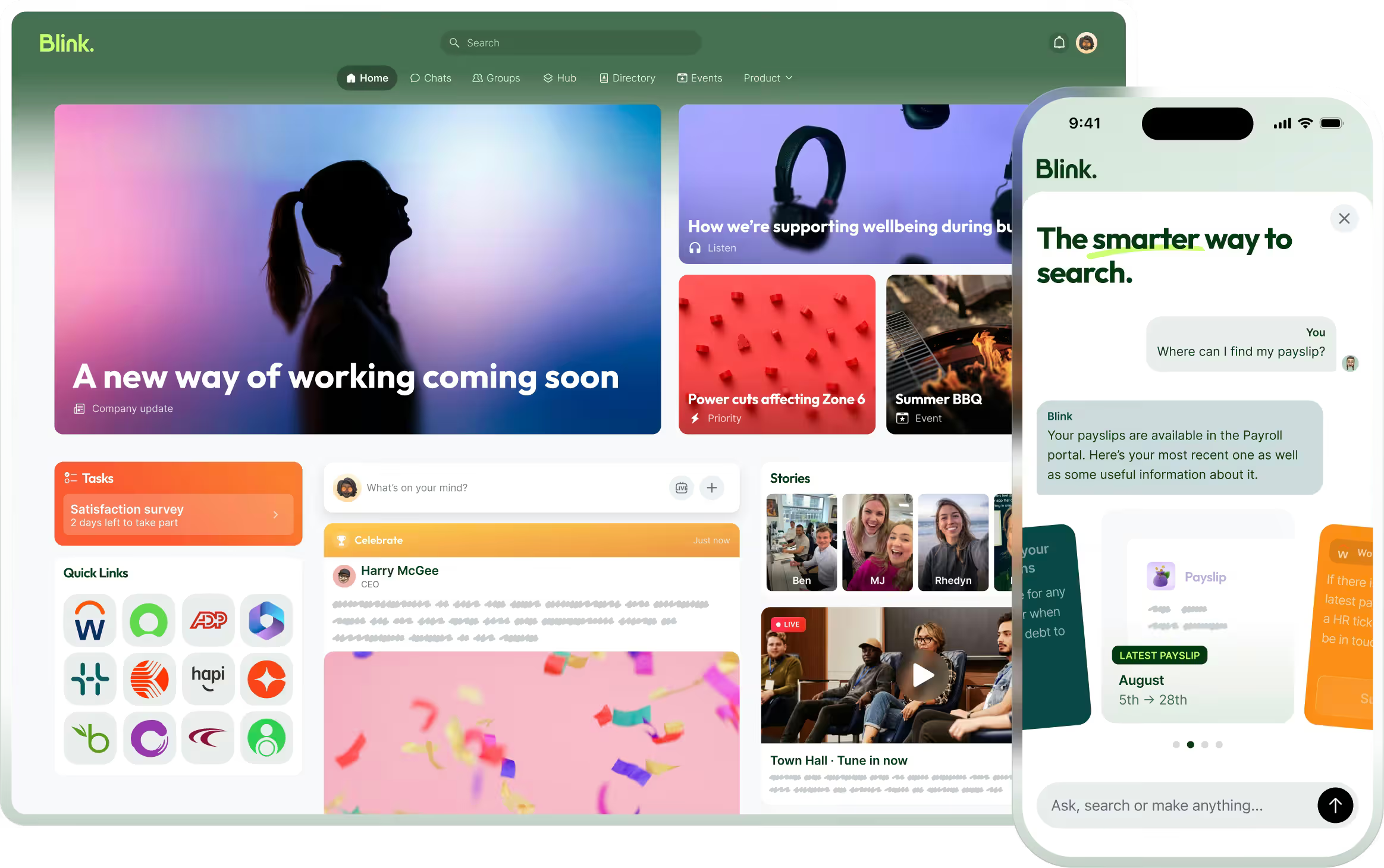
Blink is a modern employee platform that combines internal communications, essential tools, and content into one intuitive experience. Unlike Akumina, Blink doesn’t sit on top of SharePoint—it replaces it, offering native mobile and desktop apps that employees actually want to use.
Why Blink over Akumina:
Lightning-fast deployment (no dev work required)
Personalized, social-style feed
Messaging, surveys, forms, and files all in one place
Works beautifully on mobile and web
{{watch-video="/callouts"}}
#2. Interact
Best for structured intranets with strong comms features
Interact is a mature intranet platform that offers a blend of content governance and communication tools. It provides more flexibility and a better out-of-the-box experience than Akumina, especially for internal comms teams.
Key strengths:
Smart content targeting
Built-in comms features (surveys, likes, comments)
Page templates and drag-and-drop tools
#3. Simpplr
Best for AI-powered content personalization
Simpplr is a polished, AI-driven intranet focused on employee engagement. It’s known for lifecycle communication (e.g. onboarding, transitions), and offers more automation than Akumina without the same technical setup burden.
Why it stands out:
AI-powered content surfacing
Smart search and recommendations
Built-in templates for lifecycle moments
#4. Staffbase
Best for internal comms at enterprise scale
Staffbase shines when it comes to centralized, top-down communication. With a branded employee app and multi-channel messaging, it’s a better option than Akumina for organizations prioritizing reach and visibility.
Top features:
Newsletter builder
Campaign management
Native mobile app with notifications
#5. LumApps
Best for global enterprise deployments
LumApps offers a broad, customizable employee experience platform with deeper integrations and personalization than Akumina—without being tied to SharePoint. It supports global rollouts and multi-language content delivery.
Why it’s better:
Google & Microsoft integrations
AI personalization
Multilingual and regional content support
#6. Happeo
Best for Google Workspace users
If your organization uses Google Workspace, Happeo is a lightweight, user-friendly intranet that connects seamlessly with your tools. It’s far easier to deploy and use than Akumina, especially for remote teams.
Highlights:
Tight Google integrations
Social intranet features
Customizable layouts
#7. ThoughtFarmer
Best for easy-to-manage intranets
ThoughtFarmer focuses on simplicity and people-first design. Unlike Akumina’s complex configurations, it offers a quick setup and low learning curve—perfect for organizations without large IT departments.
Notable features:
People directory and profiles
Easy content editing
Micro-sites for teams and departments
#8. Igloo
Best for governance and compliance-heavy teams
Igloo is a solid Akumina alternative if your focus is structured content, document control, and knowledge management. It’s more rigid than Blink or Happeo, but ideal for finance, legal, and healthcare.
Strengths:
Document versioning
Access controls
Policy and procedure hubs
#9. Jive
Best for community collaboration
Jive is ideal for organizations that value social collaboration and peer-to-peer interaction. While Akumina layers content, Jive fosters real-time engagement and employee communities.
Features:
Social groups and forums
Peer recognition
Advanced analytics
#10. Haiilo (formerly Smarp)
Best for employee advocacy and engagement
Haiilo is a newer entry but a compelling Akumina alternative if you’re focused on culture, employee voice, and comms amplification. It goes beyond intranet basics into the territory of employee engagement and advocacy.
Why consider Haiilo:
Omnichannel comms
Employee-generated content
Engagement analytics
#11. Noodle
Best for small companies wanting a turnkey intranet
Noodle is a lesser-known but solid option for SMBs. It’s easy to set up and includes standard intranet features without the need for SharePoint or heavy integrations.
Pros:
Budget-friendly
Core intranet tools (news, docs, chat)
On-prem or cloud options
#12. Unily
Best for enterprise intranets with rich features
Unily is a well-known intranet solution with a robust feature set, polished UI, and strong Microsoft integrations. It’s a better alternative to Akumina if you want a full-featured, polished intranet with deep customization—without starting from scratch.
Why it’s a solid pick:
Beautiful UX
Strong multilingual and multi-brand support
Flexible integrations with Microsoft 365 and beyond
Final thoughts: Choosing the right Akumina alternative
Akumina can work well for highly customized intranet needs—but that flexibility often comes at the cost of complexity, budget, and adoption.
Whether you want something faster, simpler, or more engaging, the 12 alternatives above offer modern options that fit different use cases and team types.
Want a platform that people will actually use?
Blink replaces legacy intranet headaches with an all-in-one, beautifully simple platform for communication, tools, and culture.
Explore top platforms that deliver more than a SharePoint skin
Akumina positions itself as a digital workplace experience layer built on SharePoint—but for many organizations, it creates more complexity than it solves.
It’s highly customizable, yes—but that often comes with long implementation timelines, heavy IT lift, and limited employee engagement. If you're looking for a solution that’s easier to roll out, more intuitive to use, and built for actual adoption, you're not alone.
In this article, we break down the 12 best Akumina alternatives—modern intranet and employee experience platforms that go beyond SharePoint overlays to deliver real value for today’s hybrid, remote, and mobile workforces.
#1. Blink
Best all-in-one intranet and employee app
Blink is a modern employee platform that combines internal communications, essential tools, and content into one intuitive experience. Unlike Akumina, Blink doesn’t sit on top of SharePoint—it replaces it, offering native mobile and desktop apps that employees actually want to use.
Why Blink over Akumina:
Lightning-fast deployment (no dev work required)
Personalized, social-style feed
Messaging, surveys, forms, and files all in one place
Works beautifully on mobile and web
{{watch-video="/callouts"}}
#2. Interact
Best for structured intranets with strong comms features
Interact is a mature intranet platform that offers a blend of content governance and communication tools. It provides more flexibility and a better out-of-the-box experience than Akumina, especially for internal comms teams.
Key strengths:
Smart content targeting
Built-in comms features (surveys, likes, comments)
Page templates and drag-and-drop tools
#3. Simpplr
Best for AI-powered content personalization
Simpplr is a polished, AI-driven intranet focused on employee engagement. It’s known for lifecycle communication (e.g. onboarding, transitions), and offers more automation than Akumina without the same technical setup burden.
Why it stands out:
AI-powered content surfacing
Smart search and recommendations
Built-in templates for lifecycle moments
#4. Staffbase
Best for internal comms at enterprise scale
Staffbase shines when it comes to centralized, top-down communication. With a branded employee app and multi-channel messaging, it’s a better option than Akumina for organizations prioritizing reach and visibility.
Top features:
Newsletter builder
Campaign management
Native mobile app with notifications
#5. LumApps
Best for global enterprise deployments
LumApps offers a broad, customizable employee experience platform with deeper integrations and personalization than Akumina—without being tied to SharePoint. It supports global rollouts and multi-language content delivery.
Why it’s better:
Google & Microsoft integrations
AI personalization
Multilingual and regional content support
#6. Happeo
Best for Google Workspace users
If your organization uses Google Workspace, Happeo is a lightweight, user-friendly intranet that connects seamlessly with your tools. It’s far easier to deploy and use than Akumina, especially for remote teams.
Highlights:
Tight Google integrations
Social intranet features
Customizable layouts
#7. ThoughtFarmer
Best for easy-to-manage intranets
ThoughtFarmer focuses on simplicity and people-first design. Unlike Akumina’s complex configurations, it offers a quick setup and low learning curve—perfect for organizations without large IT departments.
Notable features:
People directory and profiles
Easy content editing
Micro-sites for teams and departments
#8. Igloo
Best for governance and compliance-heavy teams
Igloo is a solid Akumina alternative if your focus is structured content, document control, and knowledge management. It’s more rigid than Blink or Happeo, but ideal for finance, legal, and healthcare.
Strengths:
Document versioning
Access controls
Policy and procedure hubs
#9. Jive
Best for community collaboration
Jive is ideal for organizations that value social collaboration and peer-to-peer interaction. While Akumina layers content, Jive fosters real-time engagement and employee communities.
Features:
Social groups and forums
Peer recognition
Advanced analytics
#10. Haiilo (formerly Smarp)
Best for employee advocacy and engagement
Haiilo is a newer entry but a compelling Akumina alternative if you’re focused on culture, employee voice, and comms amplification. It goes beyond intranet basics into the territory of employee engagement and advocacy.
Why consider Haiilo:
Omnichannel comms
Employee-generated content
Engagement analytics
#11. Noodle
Best for small companies wanting a turnkey intranet
Noodle is a lesser-known but solid option for SMBs. It’s easy to set up and includes standard intranet features without the need for SharePoint or heavy integrations.
Pros:
Budget-friendly
Core intranet tools (news, docs, chat)
On-prem or cloud options
#12. Unily
Best for enterprise intranets with rich features
Unily is a well-known intranet solution with a robust feature set, polished UI, and strong Microsoft integrations. It’s a better alternative to Akumina if you want a full-featured, polished intranet with deep customization—without starting from scratch.
Why it’s a solid pick:
Beautiful UX
Strong multilingual and multi-brand support
Flexible integrations with Microsoft 365 and beyond
Final thoughts: Choosing the right Akumina alternative
Akumina can work well for highly customized intranet needs—but that flexibility often comes at the cost of complexity, budget, and adoption.
Whether you want something faster, simpler, or more engaging, the 12 alternatives above offer modern options that fit different use cases and team types.
Want a platform that people will actually use?
Blink replaces legacy intranet headaches with an all-in-one, beautifully simple platform for communication, tools, and culture.
Use internal communications to create a sense of belonging and community at your organization
When you’re surrounded by people who just get you, it feels good, right? We all love to experience that sense of belonging. And it’s no different in the workplace.
Employees who feel they belong within an organization are 5.3 times more likely to do their best work. They’re also happier and less likely to look for a job elsewhere.
So what makes the difference? Why do some company cultures feel inclusive while others leave employees feeling like they’re on the outside looking in?
The truth is a truly inclusive workplace isn’t just about policies and the right training. It’s about how employees experience the workplace environment day in, day out. And a lot of that comes down to employee communication.
Done right, an effective employee communication strategy ensures every employee — regardless of their age, language, identity, or role — feels heard, valued, and part of something bigger. Done wrong, it can unintentionally exclude people, which is bad for them and bad for business.
The challenge facing internal communicators? A one-size-fits-all approach no longer works. To create the type of employee experience everyone feels part of, your internal communication strategy has to enable flexible, personal, and transparent communication with employees.
Here’s how.
How to include everyone in the company conversation with inclusive employee comms
#1. Bridge the generational gap with multi-channel comms
Older employees may feel more at home with email. Gen Z and Millennials, on the other hand, expect mobile-first, social-style updates.
Gen X came of age in an era of top-down communications. Leadership spoke and employees listened.
But the digital natives in your midst grew up with interaction baked into their digital experiences. They want the option to like, share, and comment on the information they receive — and expect to engage in conversation with the powers that be.
To ensure messages cut through with every generation in your workforce, you need a way to reach all employees in the way they prefer.
The fix
By using a wide range of digital tools — from email and instant messaging, to internal newsletters and social news feeds — you can reach every generation effectively.
With employee communication apps, you can share traditional text-based communications, while also getting creative with graphics, photos, videos, and company news feed content. You can offer both asynchronous email communication and instant messaging tools.
Importantly, you need to ensure employees have access to two-way communication channels. It should be easy to share, track, and take action on employee feedback.
Diversifying internal communication channels, while still retaining one source of truth, ensures every generation feels included in company comms.
How Blink can help: Blink is a social media-style employee app that mirrors the key features and user experience of consumer tech, like Instagram and TikTok. As a centralized platform, it also supports traditional email updates — so your older employees don’t have to be down with the kids to receive crucial company updates.
{{mobile-stories="/image"}}
#2. Support a multilingual workforce with built-in translation
If you’re part of a global company — or have a large population of frontline workers — you may have employees who don’t work in their first language.
Language barriers exclude employees from critical information and conversations. They make it hard — if not impossible — to foster a fully engaged workforce. Workers have to work hard to understand essential internal communications. So they’re likely to gloss over them and miss vital information.
The fix
Pick internal communication tools with real-time translation features. Give employees control over their settings so they can see company content in their preferred language.
They can even respond in their preferred language, enjoying two-way communication with peers and managers, who can then auto-translate content back into their preferred language.
With modern employee communication platforms, you can break down language barriers and build connections between every member of your workforce.
How Blink can help: Blink’s automatic translation feature lets employees read and engage with content in their preferred language, increasing accessibility.
#3. Recognize and respect pronouns in employee tech
Inclusive language may be a given when you speak to employees face to face. But — to build a truly inclusive employee experience — you need digital tools that use inclusive language too.
Many workplace systems still lack pronoun options or force binary gender selections. The result? Some employees don’t feel they fit within the system or organization. And they can’t help but feel alienated from company culture.
The fix
Pick workplace tech that reflects company values. Ensure employee directories, employee profiles, and internal communication tools allow employees to display and use their preferred pronouns. And if your systems ask for data on employee gender or titles, make sure fields reflect the identities of your entire workforce.
How Blink can help: With Blink's employee communication software, you have access to user-friendly customization tools. So employees can use their preferred pronouns and your company can reinforce a workplace culture of inclusion and respect.
#4. Personalize communication for different locations and teams
Employees in different locations have different policies and cultural norms. Employees in different teams have different priorities and daily operations. But these differences aren’t always reflected in company comms.
When you deliver the same messages, in the same standard channels, to employees across a large and diverse organization, you try to speak to everyone. But this can mean you end up speaking to no one.
Internal communications tend to be impersonal and corporate. And — with a one-size-fits-all approach — it’s difficult for comms teams to inspire the employee engagement and positive employee experience you’re striving for.
The fix
Don’t blast everyone with the same messages. Segment your audience by location and team. Then, personalize and regionalize your content. Create tailored communications, hyper-relevant to each section of your workforce.
Send information about your new shift swap tool to retail staff. Share details of the next office coffee morning with your team at HQ. Reference local holidays and events — and make sure every employee sees themselves in the story you’re telling.
The same overarching company values and vision can run through everything you do. But by making your internal messages specific to particular groups of employees, you make it easier for them to relate to company culture. Which means a more inclusive employee experience.
How Blink can help: Blink’s smart targeting feature allows you to segment employees based on their location, role, and team. This makes it easy for you to craft and send relevant and inclusive messages.
#5. Cater to every work environment — frontline, remote, desk-based, and hybrid
Without careful thought for inclusion, employees working in different environments get a very different employee experience.
Office-based employees often have access to the best tech and the most appealing benefits. They get more contact with business leaders and more opportunities for co-worker connection.
If you have employees working beyond the office — at home or on the frontlines of your organization — it’s easy for these workers to feel excluded from the best that your company culture has to offer.
Without mobile-first, employee communication tools, they’re left adrift. They don’t have reliable access to company updates, they don’t build connections with co-workers, and they get little opportunity to join the company conversation.
{{mobile-desktop-main="/image"}}
The fix
To connect and include employees working in different locations, you need to take company culture digital. You need an employee experience platform that works across all devices.
(Not sure what your different employee groups — from remote workers to the mobile workforce — are looking for? Ask them via employee surveys or other employee feedback tools!)
Frontline employees deserve special consideration. This segment of your workforce doesn’t always have a company email address or a workplace computer.
But with mobile-first software, you create a digital hub for your organization and bring a stellar employee experience to every employee smartphone.
Employees can count on the same consumer-grade experience and extensive features no matter their location or the device they use. And the entire workforce gets easy and inclusive access to workplace communications and collaboration tools.
How Blink can help: Blink is a communications platform designed for mobile-first employee engagement. It provides the same great user experience for frontline, hybrid, desk-based, and remote employees, ensuring everyone stays connected — wherever they spend their work days.
{{mobile-blink-assist="/image"}}
A more inclusive employee experience starts today
True inclusion goes beyond sound bites and sensitivity training. It’s a value embedded within company culture and the employee experience — and shared with the help of effective employee communication.
With tailored, multi-channel communication, you deliver content in a way that all employees can relate to. Comms tools that offer auto-translation break down language barriers. Inclusive, mobile-first tech supports every employee in every location to feel part of company culture.
A few tweaks to your employee communication strategy can make all the difference to employees. You help them to feel valued, respected, and that they truly belong within your organization.
Out of date, out of sync, out of tune. A corporate soundtrack of forgotten logins, stale pages, and “Is anyone actually using this?”
This year, Blink is changing the track. We’ve been recognized in the 2025 Gartner® Magic Quadrant™ for Intranet Packaged Solutions — not just anywhere in the grid, but as a Challenger.
For us, this isn’t just a placement. It’s a remix. For the industry. For the intranet. For every employee who’s ever thought, “Why is this so hard to use?”
Why the Gartner Magic Quadrant matters
If you’re in HR, comms, IT, or procurement, you already know the Gartner Magic Quadrant™ - to us, it’s one of the most influential industry reports in technology.
Every year, Gartner independently evaluates vendors on Ability to Execute and Completeness of Vision - then categorizes them as Leaders, Challengers, Visionaries, or Niche Players.
This Quadrant has become the go-to reference for organizations choosing their next digital workplace partner.
We’re proud to debut as a Challenger. But more than that, we see it as a validation that the world is ready for a more human way to work.
Why Blink? Why now?
We built Blink on a simple belief: Work should feel connected.
In a world overflowing with tools but starved of real connection, we’re creating an intranet that people actually want to use. One that unites the CEO’s town hall with the shop floor shift briefing. One that gets frontline and office workers on the same wavelength.
Why we believe Blink was recognized
🎧 Sales and customer alignment: We deeply understand buyer pain points, backed by strategic partnerships with industry leaders like Workday.
🎧 Financial and product strength: Robust growth, an agile roadmap with continuous innovation, and a reliable product strategy built for the future keep Blink ahead of the curve.
🎧 We go beyond software: With specialized onboarding teams, strategic rollout support, and a dedication to long-term success, we’re not just a platform — we’re a true partner.
🎧 From mobile to total experience: Our platform empowers every kind of worker with personalized microapps, powerful social features, and communications that actually cut through.
Challenger energy: More than a position - a mindset
For us, being a Challenger isn’t just about where we land on the grid. It’s about how we move through the world.
We don’t believe “good enough” intranets should do the trick. We don’t do stale or static. We remix the intranet into something dynamic, modern, and centered on people.
Because what good is an intranet that no one uses?
We’re obsessed with adoption: ensuring employees actually engage, communicate, and thrive on the platform. That’s why Blink is designed with every kind of worker at heart, driven by a people-first approach to innovation.
That’s what it means to challenge the status quo. That’s what it means to Blink.
What’s the rest of the market saying?
The intranet packaged solutions (IPS) market is evolving rapidly, moving from static, web-only sites to dynamic, multichannel platforms that are central to the digital workplace.
What used to be dusty web-only portals are now vibrant, multi-channel hubs that power communication, engagement, knowledge, and culture. Today’s IPS offerings go far beyond document repositories - they’re incorporating AI assistants and supporting integrations with Workday, ServiceNow, Microsoft 365, and other leading business systems.
As Gartner puts it, intranets are once again a priority investment as organizations transform their digital workplace, reduce IT complexity, and seek consistent, people-first employee experiences.
Intranets are no longer just “nice to have” - they’re necessary parts of a modern business infrastructure. They’re becoming critical hubs for productivity, connection, and culture across both office-based and deskless workforces.
This isn’t evolution - it’s inflection. And Blink is leading the remix.
Spinning the future of work
For us, being named a Challenger is a milestone. But it’s also just the intro track.
We’re already dropping new hits:
Broadcast-quality live streaming that gives every employee a front row seat
Blink Assist, our AI-powered copilot for content creation and communication
Analytics that actually matter, surfacing predictive insights into how people engage
“Save for later” offline access, so work doesn’t have to stop when the WiFi does
Modern social features like Stories that drive adoption and give Instagram a run for its money
Our vision is simple: The future of work should feel intuitive, inspiring, and essential - not invisible. Blink exists to unlock that.
This isn’t just recognition - it’s our statement
We’re not here to play quietly. We’re here to remix the intranet.
Named top Challenger by Gartner, chosen every day by the world’s most ambitious organizations, and powered by a people-first mission - this is only the beginning.
Kristin has quickly settled into life at Blink in just four months. After starting her career in finance, Kristin discovered her passion for working closely with people to achieve shared goals — leading her to a customer success role where she thrives on building new processes and partnerships.
We caught up with her to learn more about her journey, her excitement for upcoming Blink features, and why she loves working at a company that champions both frontline employees and forward-thinking innovation.
Which Blink office do you work out of?
I work at the Boston office 3 days a week.
What is your position at Blink?
I’m a Customer Success Manager. I work with our existing customers to optimize their use of the Blink platform, ensuring we meet their strategic goals through maximizing the value of their Blink investment.
How long have you been at Blink?
I’ve been here for just over four months, so I’m still relatively new. Before this, I worked in Customer Success at a larger tech company in Boston. It was a similar role, but I enjoy working at a smaller, earlier-stage company because I like having the opportunity to build processes and functions from the ground up — it’s really exciting to me.
I graduated college with a major in Finance and started my career in that field. I enjoyed it and did well, but I realized the part of my job I loved most was interacting with people and working toward shared goals. In Finance, those goals were usually budget-related. I thought, “Okay, I don’t want to become a CFO one day… so, what do I want?” That’s what led me to Customer Success, which is fundamentally about teamwork and collaboration.
What initially attracted you to join Blink?
When I heard about Blink, I was really excited. So many apps target desk-based employees — I’d been working in tech, and everything I worked on was designed for people at their desks. What thrilled me about Blink was that it focuses on frontline, deskless employees. It’s such a cool space in the market, and not many tech companies concentrate on that.
Plus, once I started meeting the Blink team, I could sense a great energy. Everyone was incredibly kind during the interviews, and I knew it would be both an exciting and welcoming place to work.
What's a project you are proud of from your time at Blink?
I know I’ve only been here a short while, but I’ve already had the opportunity to collaborate with several teams on enablement for one of our new product offerings: Advanced Employee Intelligence (AEI). AEI is a set of real-time dashboards that customers can use to take action on insights across key areas of the platform.
From the Customer Success side, we really needed resources to demonstrate its value to our customers. So, I worked with Izzy, Nikita, and Adrienne to develop talk tracks and enablement materials — a really exciting project! We’re already seeing the benefits of it, because now we can discuss AEI much more confidently with customers, watch them adopt it, and help drive their success.
How would you describe the company culture at Blink in three words?
I’d describe the Blink team as driven, thoughtful, and team-oriented. Everyone is highly motivated — always pushing to add new product features, improve processes, or try out innovative ideas with customers to enhance employee engagement and communication.
They’re also incredibly thoughtful and team-oriented. From day one, I could tell how welcoming everyone was, eager to help me learn the ropes and teach me everything I needed to know. It’s been great having such a supportive team, especially as I get familiar with the product and start building relationships with my customers.
What's one thing you’re excited about for the future of Blink?
I’m really excited about our product development. We have a lot of cool features on the way, and there’s a great opportunity to partner with our customers to help them leverage these features to enhance their employee communication and engagement.
Can you tell us about a recent initiative or program launched at Blink that you found particularly exciting?
I think our Voice and Video Calling feature will be really cool. Blink is already a one-stop shop, but I believe this will be a fantastic way to streamline communication for people who need to connect quickly. It’ll be incredibly helpful for real-time collaboration.
Why do you work for Blink?
I work at Blink because there’s an opportunity not only to support Blink’s ongoing success and growth but also to partner with our customers on their own success. That’s what excites me every day: having those calls, collaborating on different initiatives, and seeing firsthand the value Blink brings them. It’s especially rewarding to know we’re making an impact for essential workers or those who, without Blink, might have been overlooked in traditional communication channels.
Looking for a modern comms tool for your modern workforce? Unlike traditional internal communication methods — like a static intranet or email — an employee communication app is engaging and user-friendly.
It supports the distribution of relevant and personalized content to every employee. And it goes beyond the desktop experience, to give remote and frontline employees access to company comms via a mobile device.
It goes without saying that an employee app can help you improve internal communications. But the impact of the best apps is much wider-reaching. They give you the tools you need to transform employee productivity, engagement, and retention, too.
Here, we’ve put together a list of the best employee communication apps for 2025. We look at the primary features, potential drawbacks, and customer ratings associated with each app to help you find the right platform for your organization.
Best employee communication apps for 2025
These workplace communication apps help you get the right messages to the right employees, without adding unnecessary noise.
Our top employee communication apps for this year are:
Blink: best app for large enterprises with a mix of frontline and desk-based employees
Slack: best app for dispersed desk-based teams in need of real-time collaboration tools
Staffbase: best app for companies with a large, distributed workforce
Beekeeper: best for frontline organizations in highly operational environments
Haiilo: best app for mid to large businesses looking to boost employer branding and advocacy
Workvivo: best app for building community and culture within hybrid and remote teams
Here, we take a detailed look at each app in turn.
1. Blink
{{mobile-desktop-main="/image"}}
Best for: large enterprises with a mix of frontline and desk-based employees
Blink is an all-in-one employee communication app designed for organizations that have both desk-based and frontline employees. Both segments of your workforce get the same high-quality, two-way communication tools via a simple, intuitive platform.
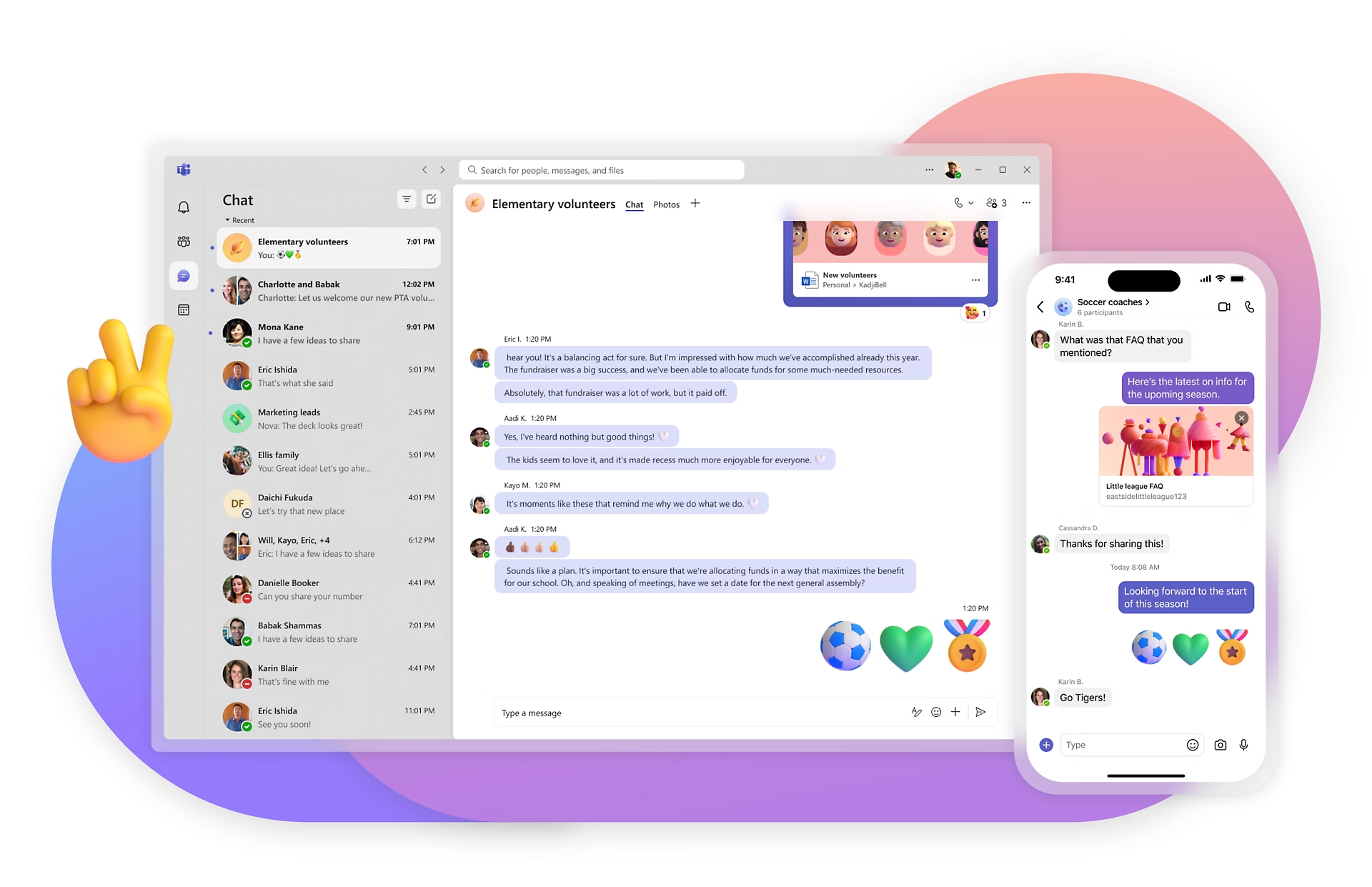
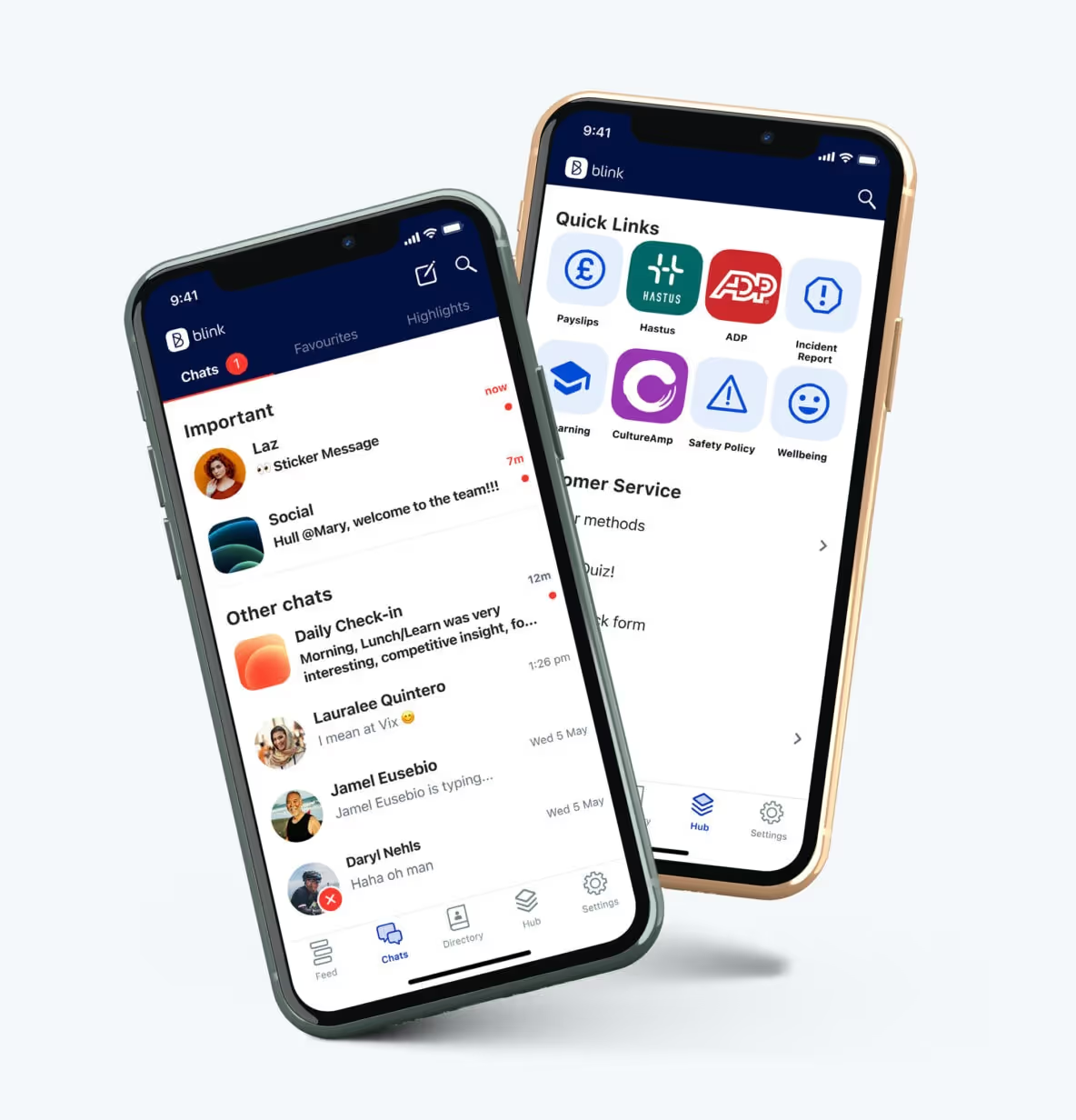
Via the Blink app — available on both smartphone and desktop computers — employees can access a company news feed, real-time messaging, shift schedules, digital forms, employee surveys, and a content hub. Thanks to deep integrations, workers also get one-click access to your other workplace software.
One of Blink’s best features is its user-friendly social-media style interface. Our company communication app enjoys high levels of adoption and usage because there’s virtually no learning curve. Employees can download and start using the app with ease.
Key features/strengths
Social-media style news feed: Employees can stay up-to-date with company news via the news feed, which is populated with engaging posts, photos, videos, and stories. Depending on the settings you choose, employees have the option to like, comment, and create their own posts.
Audience segmentation tools: Wave goodbye to information overload. With Blink, you can segment employees based on their role, team, location, tenure, and interests to ensure they only receive relevant messages.
Knowledge library: A content hub where admins can create or upload documents, policies, FAQs, and resources. Workers can access this hub anytime and from any device with an internet connection.
Instant messaging: Employees can launch secure, one-to-one live chats — or create groups to organize conversations around a specific team, topic, or project.
Mandatory reads: To ensure essential internal communications are read, admins can require employee acknowledgment. They can also use push notifications and in-app reminders to highlight critical messages.
Employee journeys: Admins can automate employee communications, ensuring that workers get the right information at key points in the employee lifecycle.
Communities: Support employees to find like-minded coworkers. The Communities feature supports the creation of coworker groups based on hobbies or interests.
Digital forms: You can use Blink to digitize paper processes, creating and distributing digital forms to gather employee information. Popular options include leave request forms, absence management forms, and near-miss reporting forms.
Platform analytics: With powerful analytics, admins can track internal communication metrics and find areas for improvement. They can see which content is most effective — and identify employees who aren’t engaging with company comms.
Single sign-on: All Blink tools are available via mobile app using single sign-on technology. Deskless workers can access the same employee communication tools as their desk-based peers, without needing a company email address.
Potential downsides
Some users say that the app’s search function could be better. They’d like to see more search management tools and refiners.
Pricing
Pricing is available on request.
Ratings
Capterra: 4.7/5
G2: 4.7/5
2. Slack
Best for: dispersed desk-based teams that need real-time collaboration tools
Slack is one of the most popular workplace communication apps, especially for organizations that have employees working from home. This software is known for its intuitive interface and variety of third-party integrations. Its supported platforms include web, iOS, and Android.
Key features/strengths
Instant messaging: Employees can chat one-to-one via text, audio, or video call. Screen-sharing and file-sharing are supported. A worker can also initiate a conference with up to 15 members.
Channels: Workers can create separate channels for individual projects, topics, or teams. Channels can be private, with only a few team members, or available to everyone in the company.
Knowledge sharing: The files you share on the chat are saved online and are searchable through the platform.
Integrations: Slack connects with common office applications like Google Drive, Zapier, and Trello.
Workflow builder: Workers can automate routine tasks that need inputs and approvals from team members.
Potential downsides
You need an email address to use Slack, making it an impractical solution for frontline workers.
Some users complain that the platform can feel overwhelming and that there are too many notifications.
Users say it’s easy to miss messages because there are so many channels and because search functionality is lacking.
Pricing
Pro: $8.75 per user per month
Business+: $15 per user per month
There is an enterprise plan, with pricing available on request — and a free plan with limited features.
Ratings
Capterra: 4.7/5
G2: 4.5/5
3. Staffbase
Best for: enterprise companies with a big, distributed workforce
Staffbase is a company intranet that provides a mobile app for frontline employees. It gives big organizations all the tools they need to plan, create, send, and measure the impact of internal communications.
Key features/strengths
Content publishing: Staffbase lets admins create, publish, and measure the impact of content. It’s easy to create compelling communications across a range of channels and editors can publish posts under company leaders’ names.
News feed: An interactive social feed, with clear layouts and a user-friendly experience, available on both desktop and mobile app versions of the platform.
Live chat: Employees can initiate or participate in one-to-one and group chats for fast and secure communication.
Employee directory: An employee database makes it easy for employees to find and communicate with coworkers.
Analytics: Admins can get data-driven reporting on employee activity, adoption, and engagement with internal messages.
Integrations: Integration with popular workplace applications such as Google Workspace, Salesforce, and Slack are available.
Potential downsides
Some add-ons and integrations come at an additional cost.
Admins complain that there is limited customization.
There are few out-of-the-box features for frontline workers.
Pricing
Pricing is available on request.
Ratings
Capterra: 4.7/5
G2: 4.6/5
How does Staffbase compare to Blink? View a platform comparison: Staffbase vs. Blink.
4. Beekeeper
Best for: frontline organizations in highly operational environments
Beekeeper is an app for employee communication, designed specifically to connect deskless employees with company HQ. Initially focused on retail employees, Beekeeper has expanded its reach to include other frontline industries.
This platform helps frontline organizations to replace paper processes with digital ones — and it’s a popular choice in fast-paced, operational environments.
Key features/strengths
Real-time communication: Workers can communicate on the go via “streams” and secure chats. You can also use digital surveys to gather frontline feedback.
Content hub: A file library allows quick access to vital documents and resources. Files can be uploaded from a device or imported from Microsoft SharePoint.
Instant translations: For multilingual organizations, Beekeeper provides automatic inline translations to ensure everyone understands your employee messages.
Analytics: Built-in analytics reporting allows admins to view metrics on engagement, popular content, and readership.
Single sign-on: Employees can access the app and other connected apps without an email address, phone number, or password.
Potential downsides
Some users have found the app difficult to use.
With a focus on the mobile and frontline experience, this app isn’t the best option for desk-based employees.
Pricing
Pricing is available on request. There’s a 14-day free trial available.
Best for: mid to large businesses looking to boost employer branding and advocacy
Haiilo is another top employee communications app in 2025. This company was born from a merger between COYO (which specialized in social intranets), Smarp (which was known for its employee advocacy tools), and Jubiwee (which focused on employee surveys).
This app is available on three payment plans. There are also additional modules available if you want to incorporate an employee intranet, surveys, or multichannel communication.
Key features/strengths
Email builder: An email template builder and automatically created delivery lists help you reach desk-based employees with engagement internal newsletters.
Content creation: With the help of AI, co-creation tools, and a content calendar, Haiilo makes content creation easy.
Analytics: Platform analytics help leaders make data-driven decisions. You can also set up alerts for critical developments and get automated reports.
People directory: User profiles and a list of coworkers make it easy to find the teammates you’re looking for.
Live streams, podcasts, and digital signage: Haiilo supports a variety of communication methods, including via TV screens displayed at your office locations.
Employee advocacy: Employees can link their personal social media accounts to the Haiilo platform, then share content directly using the Haiilo interface.
Potential downsides
Some internal communication features are only available as add-ons and come at an additional cost.
There are limited integrations with other workplace tools.
Admins report issues with bulk content control, multi-language features, and app customization.
Pricing
Pricing is available on request.
Ratings
Capterra: 4.3/5
G2: 4.6/5
6. Workvivo
Best for: building community and culture within hybrid and remote teams
Workvivo, owned by Zoom, is a workplace communication tool with a familiar news-feed-style interface so there’s a minimal learning curve. It combines the features of an intranet, internal communication software, and a mobile employee app.
The mobile app makes the platform accessible to remote, office-based, and frontline employees. Supported formats include online, Android, and iOS.
Key features/strengths
Activity feed: Workers from across the company can post updates and keep others informed about the latest workplace news. Posts can also be scheduled for later.
Instant messaging: A chat function is available through integrations with tools like Slack, MS Teams, and Zoom meetings.
Live video streaming: Executives can stream town hall sessions via live video or podcasting for people who cannot attend in person.
People directory: A searchable directory of workers with profile information allows workers to get to know each other better.
Internal articles: Admins can publish and manage articles with rich content such as photos, tables, and video clips.
Potential downsides
Integrations with third-party systems can feel a little light.
Admins say they want better customization options — there is limited out-of-the-box functionality for customization.
The search experience on mobile isn’t as robust as on the desktop app.
Final thoughts: best employee communication apps in 2025
An internal communication app can help you improve employee communications within your organization. It goes beyond paper processes, email, or an outdated intranet to deliver essential comms to every employee smartphone.
As you can see from this list, there are lots of employee communication apps to choose from, each with its own set of features and use cases. You need to consider the size of your organization and the composition of your workforce when deciding between them.
Across most apps, you’ll find a variety of communication channels. The best apps provide access to multimedia news feeds, instant messaging, and surveys. They also give you tools to segment your audience, promote two-way communication, and analyze your comms performance.
But — when choosing an employee communication app for your organization — it pays to think beyond internal comms. To avoid app overload and ensure a streamlined digital employee experience, a platform that helps you achieve multiple workplace goals is ideal.
Blink’s employee app supports internal communication, employee engagement, and employee listening. It provides a home for HR resources and self-serve tools. It also offers deep integration with other workplace software to create a one-stop digital hub for your organization.
Digital inclusion is the ability of individuals and communities to access, understand, and use technology in a safe and meaningful way. More often, we hear of digital inclusion and digital equity as social concepts — do citizens have equal access to health tech solutions, for example, and do they have access to the internet in order to participate in society?
But frontline digital inclusion and digital equity for employees are just as important.
Frontline digital inclusion is essential in order to bridge the connection gap between the frontline workforce and the rest of an organization.
By understanding frontline digital inclusion better, we can helpcreate a more equitable global workforce where everyone has access to the tools, resources, and people they need to succeed. In doing so, we encourage increased employee engagement, and unlock productivity and performance for the business, so everybody benefits.
What is digital inclusion?
Before we get into the specifics of frontline digital inclusion, let’s start with some definitions.
Digital inclusion is an important concept in the modern world as access to technology and digital services play an increasingly critical role in people’s lives. It refers to the ability of individuals and communities to access, understand, and use technology in order to take part in society, regardless of their social or economic backgrounds.
On a larger scale, digital inclusion projects serve to create equity where it isn’t already: between those who have access to digital resources and those that don’t. Frontline digital inclusion is one example of this concept in action, as it refers to providing equal opportunities for frontline workforce members to use technology in their daily activities.
Digital inclusion comprises three key areas:
Accessibility
Digital skills
Connectivity
Accessibility
Digital accessibility refers to the ability of all individuals to access digital content, tools, and services, including those with disabilities, sensory impairments, or neurodiversities.
On a global scale, improving digital access involves a wide range of considerations, such as providing alternative formats of content (such as audio or braille versions), designing websites and applications to be inclusive, and ensuring that digital services can be accessed in different languages or formats.
Digital skills refer to a range of abilities needed to use digital tools, devices, and communications applications effectively. Understanding their purpose and how they can be used to benefit the user also falls under this definition.
Digital education and training initiatives are important for helping people to develop the skills they need to be digitally included. Digital skills are an essential part of being digitally literate in today’s world, allowing individuals to take advantage of all that technology has to offer.
Connectivity
Digital connectivity refers to the ability of individuals to connect to the internet and online services, as well as the infrastructure and internet connection that supports this.
Enabling digital connectivity involved providing internet access in areas where there is none, or setting up public Wi-Fi networks in remote locations. This is particularly crucial in developing countries, where access to the internet can be a huge advantage.
What would digital inclusion look like for the frontline?
Frontline digital inclusion includes everything from having access to devices and software, understanding how they work and how to use them properly, and being able to take advantage of the same digital services as those in higher positions or working at HQ.
Accessibility
Workers should have access to the digital tools needed for their roles, whether their job is desk-based or not. When frontline employees have digital equity, they are able to better perform their daily work tasks using relevant software and mobile-optimized platforms.
Language is particularly important to consider here. Frontline environments like healthcare are becoming more divergent and employees are speaking a broader range of languages between themselves and with their patients. Any technology provided to them has to be easily translated to avoid crucial messages being missed.
Digital skills
Digital skills can be thought of in two ways when it comes to frontline digital inclusion.
One: is the tool intuitive for the frontline or has it been designed with desk-based workflows in mind?
And two: are frontline employees being offered relevant training, onboarding, and support for the digital tools provided?
You might need to create additional resources for improving digital skills, such as tutorials, videos, and webinars. You can also direct them to key employee engagement champions who can empower them to use their new tech effectively.
Connectivity
Connecting your organization from the C-Suite to the frontline brings about a huge wealth of benefits, from ‘soft’ benefits like belonging and inclusion, to ‘hard’ benefits like the effective flow of information and a faster time to response.
Mobile-first digital technologies — like accessible and engaging frontline employee apps — help ensure your teams stay connected in-field and are able to access everything they need.
The digital divide: understanding frontline digital exclusion
By now, you’re hopefully as sold on the idea of frontline digital inclusion as we are. It’s not only an ethical imperative, but a business one too.
So what’s currently stopping digital equity on the frontline? Why are so many frontline workers experiencing digital exclusion?
Frontline teams typically lack access to the digital resources needed to perform their roles. They may also be offered existing tools and services that fail to meet their needs. Digital inclusion barriers may come from a lack of familiarity or understanding of how to use the tools, a lack of technological infrastructure, or simply limited access to devices and software while working in the field.
To put the problem into numbers:
34% of frontline healthcare employees can’t easily access workplace systems on their mobile devices
Nearly 20% of frontline healthcare employees aren’t using their company intranet
… and two-thirds of that 20% don’t know how to
With a digital divide like this, it's no surprise that frontline organizations are seeing a drop in the usage of and engagement with their digital channels (more on this below).
In short: we have to combat digital exclusion in order to deliver digital inclusion. And at work, that starts with the frontline.
Frontline digital exclusion in action
Digital exclusion wastes time and money. It can also be a serious contributing factor to employee disengagement.
At home health provider Elara Caring, employees were choosing to drive up to an hour each way to collect their paystubs in person as it was too difficult to access this information online
For the same employees, a lack of communication between head office and the teams in the field left them feeling unsupported and disconnected
Transport provider Stagecoach hired a full-time role just to manage platform password reset requests from frontline employees
We know that bridging this digital divide adds value.
Organizations with the highest degrees of digital connectivity and empowerment are able to grow in ways that other businesses can’t. Here’s why…
Why is digital inclusion important for frontline teams?
How digital exclusion impacts frontline engagement
Feelings of exclusion negatively impact employee engagement and therefore care and commitment
It becomes difficult to understand frontline employee engagement. Paper-based employee engagement surveys go unanswered and unanalyzed — and if you can’t understand engagement, you can’t improve it either
How digital exclusion impacts frontline performance
Employees will naturally drift away from your business objectives and mission statement when kept at a digital distance
Frontline staff become less invested in their day-to-day activities and more burnt out, negatively impacting performance.
How digital exclusion impacts frontline profitability
Operations can easily become chaotic and ineffective without an efficient flow of information between co-workers and departments
Higher costs as recruitment and retention come under threat; the ‘leaky bucket’ of labor supply means that significant funds are deployed to the finding and training of a replacement workforce who might not stick around for long anyway
Fresh challenges arise around recruiting and retaining new employees as the business loses its reputation as a good place to work
Disengaged organizations see 23% lower profitability than highly engaged ones, and the longer employees remain in a disengaged state, the harder it is to turn around
How digital exclusion impacts frontline retention
Digital exclusion can result in rising frustrations, poor employee morale, and low satisfaction due to the lack of adequate tools and resources available
As 52% of frontline workers claimed they would leave their job over tech tools, it’s clear that these frustrations can have an impact on your employee turnover rate, too
The average annual employee turnover rate is estimated at 18%, yet some frontline industries and organizations are experiencing much higher turnover levels. US frontline retail employees, for example, have a historic turnover rate of over 60%
Three actionable tips to drive your frontline digital inclusion efforts
Now for the how: here are three actionable tips to consider when driving digital inclusion for your frontline employees.
1. Understand who’s responsible
First and foremost, you must understand who is responsible for driving digital inclusion in your organization. While traditionally this has been the job of the CIO or CTO, it's clear that others in the C-Suite such as Chief Human Resources Officers (CHROs) can have a major role to play.
“Given how technology has infiltrated the entire C-suite, it’s clear that while CTOs and CIOs are still in charge of which technologies to purchase and deploy, their collaboration across departments is expanding. They need input from the entire executive team to ensure their investments match and support the overarching goals of the business and leverage collaboration to have the greatest impact.”
Analysis by Deloitte (pictured below) also explores the role of the C-Suite in managing the hyper-connected workplace. Touching on how CHROs, CIOs, CROs, COOs, and individuals can adjust to the changing world of hyper-connected work, this analysis provides an excellent starting point for organizations to better understand the roles and responsibilities of each C-Suite member.
However, important to remember that true employee techquity requires buy-in and team effort from not just the entire exec team, but also heads of HR/People, Internal Comms, and that all-important first-line manager. In fact, it's crucial to leverage the first-line frontline manager if you are going to succeed with frontline digital inclusion.
A CEO might only spend 6% of their work hours with the frontline, despite these staff members representing up to 80% of their business. Conversely, frontline managers spend the most time with the frontline, yet are often overlooked and undervalued. With first-line knowledge, your inclusion efforts will be much more effective.
With all this in mind, placing responsibility for frontline digital inclusion squarely on the C-Suite is too limiting. It’s important to have a comprehensive strategy in place with clear roles and responsibilities for all stakeholders.
A digital inclusion strategy for the frontline should include a comprehensive assessment of existing technology access and resources available to frontline employees. This assessment should cover areas such as:
Device availability (i.e., laptops, tablets, and smartphones)
Internet connection speeds and access to data on your work sites
Availability of learning and training materials
Access to technical support
Any other resources necessary to ensure successful digital integration
Once a comprehensive assessment of existing resources has been completed, your frontline digital inclusion strategy can be created and regularly updated:
This strategy should include objectives, goals, action plans, and resource requirements necessary to achieve the desired outcomes. Improved employee engagement, enhanced customer service capabilities, and increased productivity are all in reach
Regular reviews and updates of the strategy are key to its success. Employee engagement KPIs and frontline analytics should be established in order to track progress made against the strategy
Finally, a successful digital inclusion strategy should include continuing education and training initiatives for frontline staff. These initiatives should focus on upskilling employees in areas such as data security protocols and best practices for the platform you choose.
Check out the digital inclusion checklist at the end of our guide for more strategic guidance.
3. Enable, engage, and understand your frontline
Achieving frontline digital inclusion requires enabling, engaging, and understanding your employees.
By combining the three, you can create an effective frontline digital inclusion strategy that puts your employees on the path to success.
Enable
Enabling your frontline with the right technology goes beyond simply providing them with a device and internet connection. It’s about equipping them with tools to succeed in a digitally-connected workplace.
For deskless workers, this might include:
Content Hub: A central hub that's accessible on the go, storing critical policies, procedures, schedules, and guides in one place
Digital Forms: Creating and distributing mobile-first digital forms, gathering data, and automating key processes. No hassle. No paper. No IT support tickets
Single Sign-On: Access to all applications from one single app, without the hassle of remembering usernames and passwords
Integrations: Integrate your existing tools and apps into new employee tech for intuitive and streamlined use
Engage
To receive engagement from your frontline, you have to earn it. This means providing digital tools that encourage engagement, as well as recognizing and rewarding input.
For example:
News Feed: Bring the whole company together with a News Feed that's fun, familiar, and easy to use — you might just reduce time spent on non-core tasks by up to 90%
Secure Chats: Create an intuitive, seamless communications experience for everyone with secure, mobile-first chats
Recognition: Provide instant, personalized recognition for every employee, directly to the palm of their hand
Understand
To truly understand the digital experience of your frontline staff, you have to take the time to get to know them. This means listening, empowering their voice, and understanding how their experience affects their job performance.
Analytics: Utilize powerful analytics for insight into the people and relationships that make your organization tick
Surveys: Ditch paper surveys, build trust with your frontline, and get more data with short, regular Pulse surveys designed for higher engagement
Your frontline digital inclusion checklist
Digital inclusion is an important factor in the success of any organization. To measure the success of a digital inclusion strategy, there are certain key points that should be checked:
Start with user experience: Understand the experience of your frontline staff by listening to and empowering their voice, and understanding how their experience affects job performance
Offer digital support: Make sure all employees have access to online services, regardless of their digital literacy
Utilize powerful analytics: Leverage analytics for insight into the people and relationships that make up your organization
Take surveys and measure engagement: Replace laborious paper surveys with short, regular, mobile-friendly Pulse surveys to gain more data and build trust with employees
Provide tailored digital tools: Choose tools that are tailored to the needs of your deskless employees, and ensure a seamless user experience
Offer recognition: Show appreciation for employee performance with rewards, badges, shout-outs, and leaderboards
Invest in collaboration: Connect employees with one-on-one conversations, secure chats, and team communication tools to foster a culture of collaboration
By following this checklist and leveraging the right digital solutions for your organization, you can make sure that no one is left behind as you strive for greater digital inclusion. With Blink, this is made easier than ever.
Blink. And you bridge the digital divide
Frontline digital inclusion is an important and essential program — and it’s not as complex as it sounds.
By understanding the unique experience of deskless workers, providing access to digital tools tailored to their needs, and listening to and recognizing employee feedback, organizations can ensure that no one is left behind in the digital world.
But remember: not all digital services are created equal. At Blink, we believe in providing a seamless, intuitive user experience for the frontline, which is why ourfrontline employee app was built with deskless employees in mind.
With features including Secure Chats to News Feeds, Pulse Surveys, and Recognition tools, our employee-first solutions empower organizations to make their frontline staff feel connected and engaged throughout their journey.
Let us help you drive digital inclusion within your organization – get started with Blink today.
It's time for your annual internal communications check-up.
You’ve invested in an internal communications platform, so you’re good to go — right?
Not so fast.
The technology landscape has evolved rapidly, and so have employee expectations. In fact, research shows that companies with outdated communication tools experience 23% higher employee turnover and 40% lower engagement compared to those with modern, mobile-friendly employee communication platforms.
Modern internal communication solutions are no longer just message boards or email replacements. They’ve become go-to hubs for connection, collaboration, and engagement. The best ones don’t just help your internal communication strategy survive — they help it thrive by providing features that enhance everything from onboarding to day-to-day tasks.
If your employee communication software hasn’t kept up with the times, it could be holding your business back. How can you tell? Here are five key signs that your internal comms platform might be letting you — and your employees — down.
#1. Your mobile experience is MIA
If your platform is a desktop-only by design, it’s time for a reality check. For deskless and frontline employees, mobile access isn’t just nice to have — it’s a necessity.
Think about it: Frontline workers like delivery drivers, retail associates, and healthcare staff are rarely in front of a computer. If your employee communication software platform doesn’t offer full functionality on mobile devices, you’re potentially excluding a significant part of your workforce from critical updates and engagement opportunities.
A truly effective platform ensures that all employees can easily navigate communication channels, tackle daily operations like shift scheduling, access real-time collaboration tools, and get important resources directly from their smartphones.
The gap between desktop and mobile functionality creates unnecessary barriers. Your remote employees or mobile workforce might feel undervalued or left out, leading to disengagement.
To create equity, your platform must deliver the same robust experience on every device, ensuring that everyone stays in the loop — no matter where or how they work.
{{mobile-main="/image"}}
#2. The 1990s called — they want their static platform back
Does your employee communication tool feel like an old-school bulletin board?
Today’s employees are growing increasingly familiar with dynamic and engaging platforms like Instagram and Facebook. If your platform isn’t offering key features like short-form videos, interactive news feeds, or user-generated content, don’t be surprised if your updates aren’t getting the traction you want.
The modern workforce expects more than a repository for company updates. They want to feel connected, heard, and inspired. Platforms that incorporate a wide range of features inspired by social media — such as stories, polls, and real-time messaging — foster two-way communication and increase employee satisfaction. Consider short-form videos that replace long email threads, or how you can enable user-generated content to allow employees to showcase achievements or share ideas.
An outdated, static system doesn’t just fail to engage — it can actively alienate employees. By mirroring the tools they already use in their personal lives and providing a user-friendly interface, a modern internal communications platform helps bridge the gap between work and life, fostering a sense of familiarity and connection.
{{mobile-story-polls="/image"}}
#3. You’re stuck in a click-a-thon
Ever feel like you need a GPS to navigate between business applications?
If your team has to jump between multiple tools to take employee surveys, respond to polls, fill out forms, or reach the company intranet, you’re wasting time and energy — and so are your employees.
Employees shouldn’t have to open a new app or browser tab every time they need to complete a task. An effective internal communication tool centralizes these capabilities in a single platform, letting users seamlessly deploy and respond to surveys, forms, and polls within the same digital workplace through single sign-on and powerful integrations. Not only does this save time, but it also reduces cognitive load and frustration.
Simply put: The easier it is for employees to engage with company content, the more likely they are to participate. A unified platform creates a frictionless employee experience by streamlining workflows, keeping communications clear, and ensuring that no task gets lost in the shuffle.
{{mobile-workday-feed="/image"}}
#4. Your platform looks like it belongs to someone else
Your internal communication platform should feel like an extension of your brand. If it’s generic and non-customizable, it’s missing a major opportunity to reinforce your company culture.
From colors and logos to tone and messaging, your platform should reflect your organization’s unique identity. A white-labeled solution ensures that employees see your brand — not someone else’s — every time they log in, reinforcing brand familiarity and loyalty over time.
And customization shouldn’t stop at aesthetics. The functionality and usage of your platform should align with your company’s values and communication goals.
When your platform mirrors your brand identity, it fosters a stronger connection and a sense of community between employees and the entire organization. It shows that you care about creating a cohesive, immersive experience that resonates with your workforce.
After all, branding isn’t just for customers — it’s for your employees, too.
{{mobile-nokia-feed="/image"}}
#5. Insights get lost in a black hole
Do you have any idea what’s actually working? If your platform isn’t giving you analytics on employee engagement, sentiment, and reach, you may be winging it with your strategy.
Internal communication software isn’t a one-size-fits-all endeavor. To truly understand your workforce, you need data-driven insights. Advanced analytics can reveal which messages resonate most, which channels drive engagement, and where improvements are needed. Metrics like click-through rates, sentiment scores, and survey responses provide a clear picture of what’s working and what’s not.
Without these insights, you’re essentially shouting into the void. Modern internal communications tools don't just deliver your messages; they also show you how they’re received. With the right data at your fingertips, you can continuously refine your approach and create communications that truly connect.
In a landscape where finding talent is competitive and resources can be limited, a healthy internal communication platform isn’t a luxury — it’s an investment in business success. If these red flags sound all too familiar, it might be time for an upgrade.
With the right internal communication tool, you can help you empower your workforce today and set up your workplace culture for success in 2025 and beyond.