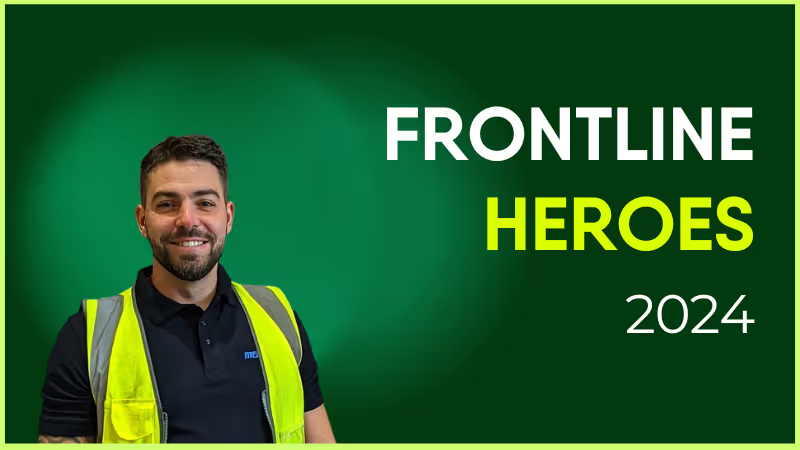
Scrolling through Blink, I see so many stories about people going the extra mile and that is fantastic — we do that every day in Heathrow as part of our own expectations of ourselves. We work together to make sure that whatever needs to get done, gets done.
Jamie is the backbone of Heathrow and without him it would not be the same. Jamie was the first employee to go into a COVID household — and he isn’t even a tech! He just gets involved in all aspects of the operation. Jamie lives Medequip values and that’s why I had to nominate him.
What does he want to do next?
To continue being a valued member of the Medequip team. He’s a selfless person!
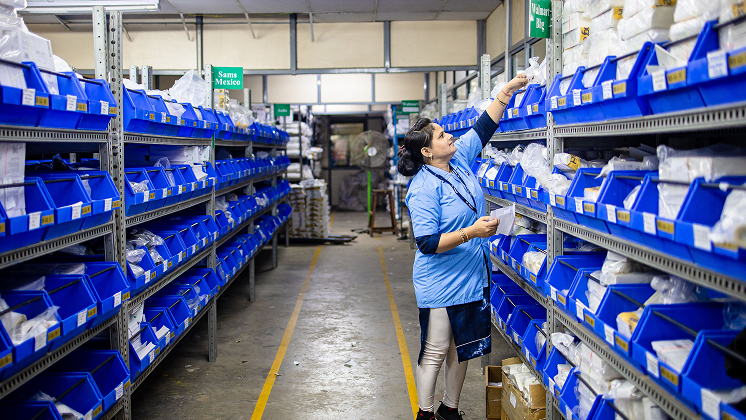
Nominated By: Davina McGovern, Depot Admin
What makes him awesome?
Scrolling through Blink, I see so many stories about people going the extra mile and that is fantastic — we do that every day in Heathrow as part of our own expectations of ourselves. We work together to make sure that whatever needs to get done, gets done.
Jamie is the backbone of Heathrow and without him it would not be the same. Jamie was the first employee to go into a COVID household — and he isn’t even a tech! He just gets involved in all aspects of the operation. Jamie lives Medequip values and that’s why I had to nominate him.
What does he want to do next?
To continue being a valued member of the Medequip team. He’s a selfless person!

The company intranet shouldn’t be a place where your documents go to gather digital dust. Done right, an intranet acts as the beating heart of your organization.
That’s because there are so many ways you can use an intranet. Internal communication, project management, personnel services, collaboration – a modern intranet can be the hub for a diverse range of workplace activities.
Too often, however, the company intranet is neglected. Without regular improvement, it becomes irrelevant and unappealing to your employees. Usage drops and you end up paying for something that no one really engages with.
So how do you keep your intranet up to date and in use? If you feel your company intranet has lost its shine, take a look at the list of intranet improvement ideas below. They’ll help you to maximize your intranet – boosting employee engagement, connection, and productivity in the process.
What is a company intranet?
The intranet has changed a lot over the years. So we thought it wise to start with a definition.
A company intranet is a local network, exclusively for you and your employees. Unlike the company website, it’s a place where you can share documents and data privately – without worrying about clients, competitors, or the general public seeing them.
A basic company intranet usually includes:
Internal communication tools
An employee directory
Document sharing
Access to personnel services
That’s how we’d describe a traditional company intranet. But there’s a lot of variation between different intranet software. As we’ll see in a moment, older intranets are a world away from the modern versions many companies use today.
Why is it important to improve your company intranet?
An intranet can boost employee engagement and streamline operations. But if your organization is still using an older style of intranet, you may run into the following problems:
Functionality is limited
Employees don’t like using your intranet
Some employees (for example, your frontline workers) can’t access your intranet
There’s no getting away from it. Older intranets have limitations- they were designed for a version of the workplace that no longer exists. They’re great for sharing information among a desk-based team but traditional intranets aren’t particularly user-friendly or accessible.
In contrast, modern intranet software solutions are built with the needs of today’s digital workplace in mind. They allow easy internal communication and collaboration, even when employees are away from the office. And they provide a hub for workplace essentials, like benefits and payroll.
But remember – whichever type of intranet you’re currently using within your organization, there’s always room for improvement. Technology and employee expectations are constantly changing and your intranet needs to keep pace.
Updates enhance the intranet experience for employees, which means they’re more likely to use the platform. They also bring a greater range of functions under the same intranet umbrella, helping teams to be more productive.
A fully optimized intranet (or a similar tool – like an employee app), puts essential tools at the fingertips of your workforce. Employees are more effective and engaged. And you get the most out of your software investment.
14 ideas to improve your company intranet
An older intranet is sometimes little more than a glorified shared folder. Even modern intranets can quickly fall behind ever-evolving tech trends and employee needs.
By improving your intranet, you create something altogether more useful and exciting. Adopt modern intranet features and you’ll bring your company intranet up-to-date while encouraging employee uptake too.
In this section, we’re going to look at lots of ideas for improving your company intranet.
1. Improve communication channels
2. Personalized user portals
3. Content creation
4. Social networking features
5. Integration of AI and automation
6. Mobile accessibility
7. Rewards and recognition
8. Feedback and surveys
9. Integration with other tools
10. Analytics and reporting
11. Onboarding and training resources
12. Security and data privacy
13. User training and support
14. Commitment to continuous improvement
1. Improve communication channels
Think of the communication tools you use outside the workplace – the apps you use to chat with friends and family.
These apps are appealing and engaging. They facilitate fast and easy communication via instant messaging. They allow you to chat privately or in groups. And they come with an intuitive, user-friendly interface.
Recreate the same experience within your company intranet and you boost both team connection and employee engagement.
So where should you start? The first step to improving intranet communication channels is ensuring everyone has a voice. Conversations should be two-way, not one-way. That means using communication channels that allow information to travel in all directions – peer-to-peer, top-down, and bottom-up.
Once you’ve established these types of communication channels, encourage your teams to use them. Allow employees to create spaces where co-workers can chat and collaborate. Welcome feedback and frontline intel from your workers and use channels to share important news.
When communication channels crisscross your organization in this way, everyone hears and is heard. And important information is a lot less likely to be missed.
2. Personalized user portals
Marketing emails. Grocery store rewards. Netflix recommendations. The best digital experiences are tailored to each individual consumer.
Personalization makes experiences more engaging – and, when we spend our days bombarded with information, it cuts through the noise to ensure that key messages resonate.
We can apply this approach to the company intranet. When an employee logs in and sees a dashboard personalized to their role, their team, and their past intranet interactions, everything becomes much more engaging. An employee gets relevant content front and center.
Whether your intranet provides personalization automatically – or if employees can rearrange the user portal themselves – tailored experiences are another great way to improve your intranet.
3. Content creation
At a minimum, employees should be filling out their employee profile. But you can encourage them to go further. Make your intranet more relevant and engaging by involving all team members in content creation.
Employees can share team news, tutorials, and guides. To ensure cohesion, you can create a content template to support employees with the process, outlining the structure they should follow and the tags they can add.
Of course, employees can also contribute their posts, comments, and reactions on a social-media-style news feed.
4. Social networking features
72.3% of the US population uses social networking sites. So it’s safe to say that most of your employees enjoy hanging out on at least one of the popular social media platforms.
Add a social-media-style news feed to your intranet solution and you make things feel a little less corporate and a little more social. Employees can see and share posts, images, and videos. They can also comment and react to posts published by their co-workers.
A news feed keeps employees in the know. It’s a place to share important workplace updates and events. But not any old news feed will do. If you want high adoption rates, you need a news feed with a user-friendly interface. When a platform is intuitive, employees find it easier to weave it into their work day.
Blink Feed – a feature of the Blink super-app – replicates the experience of popular social network news feeds by prioritizing connection and usability. It offers a range of really useful add-ons, too – like critical messages that sit at the top of the news feed until employees read and acknowledge them.
5. Integration of AI and automation
Love it or loathe it, AI is making work quicker and easier. So incorporating it into your company intranet makes perfect sense.
With the help of AI, you can:
Automate repetitive intranet tasks, like expense report processing and employee onboarding
Give time-strapped content creators inspiration for their posts
Personalize employee portals based on the features they use most often
Send push notifications, drawing employee back to the intranet when new content is posted
Add an AI chatbot to your intranet and you can do even more. This virtual assistant can handle routine inquiries. It can help employees find answers to FAQs, locate relevant resources, or troubleshoot intranet issues.
When AI and automation do some of the heavy lifting, employees complete tasks quickly and easily, and you lighten the load for your personnel and IT teams, too.
6. Mobile accessibility
Back in the day, old intranets worked off a server in the office. You could only log in if you were based on a desktop computer in the same building.
We’ve come a long way. Now, in a world where employees work remotely – and where they’re used to slick digital experiences – most intranets can be accessed via an internet connection. But does this go far enough?
If employees access your intranet solely from a computer or laptop screen, then maybe. But if you’re a frontline organization, probably not. You need a solution with mobile-first design that ensures the same great intranet experience across all devices.
That’s because frontline workers don’t always have access to a desktop or laptop computer. They often don’t even have access to a work email address. And if your intranet offers a sub-standard (or non-existent) mobile experience, these workers can end up cut off from co-workers, comms, and company culture.
A mobile-first intranet ensures every member of your organization – including those working remotely or on the frontline – gets the same information and sense of connection. Your intranet reaches employees wherever they spend their workdays.
7. Rewards and recognition
According to Gallup and Workhuman research, employees who get recognition for their hard work are up to 20 times more engaged than those who don’t.
Praise an employee and you boost their motivation. Give public recognition and that impact grows. You create a positive company culture. And the wider team – seeing that effort is rewarded – are more likely to up their game, too.
If you’re not using your intranet to recognize and reward the employee behaviors you want to see, this is another key area for improvement. You need tools – like Blink’s recognition feature – that help you weave small but meaningful recognition into your every day.
Show employees just how much you value them with instant, personalized messages. And go public, celebrating employee successes with the whole team so everyone benefits.
Aggregate Industries, a manufacturer and supplier in the UK, put this rewards action with their Net Zero campaign that is at a core of their organization.
In an effort to drive awareness about the team’s sustainability efforts, “carbon atoms” were placed throughout the Blink platform for employees to find while engaging with content. Once discovered, each atom held a question related to their Net Zero strategy, and when an employee answered the question correctly, they were entered into a contest for a prize. This ultimately drove incredible engagement with the platform while learning about a key strategy of theirs, and then the employees were rewarded when they engaged.
To learn more about how Aggregate Industries utilizes Blink for their Internal Communications strategy, check out our webinar here.
8. Feedback and surveys
The best intranets have built-in feedback and survey functions that make it easy to discover employee needs, concerns, and expectations.
You promote open, two-way communication with regular requests for feedback. You then have all of the communication tools you need to share findings and a plan of action with employees.
With these tools at your disposal, you can seek feedback on any aspect of the employee experience, including the intranet itself. Perhaps a crucial feature is clunky and difficult to use. Or extra functionality would make a popular tool even more useful.
Launch surveys via Blink’s mobile super-app and it’s super easy for employees to respond – even when using a smartphone. You can discover what employees think of your intranet, and then make data-driven software improvements.
9. Onboarding and training resources
When you use your intranet for onboarding, there are lots of benefits:
You create a standardized process
New hires have a resource they can refer back to
You save manager time because the intranet does some of the training for them
It’s easy to gather feedback and data on the onboarding process
If you aren’t already using your intranet to train new hires, start by putting mandatory training resources, FAQs, and video tutorials onto your portal. Also, encourage new starters to use your employee directory, finding relevant co-workers to connect with.
Introduce new employees to your intranet from the very beginning and you showcase its role within your organization. Employees get to see its features and benefits, and are more likely to use it going forward.
10. Integration with other tools
Company intranets are most useful when they’re a one-stop-shop – a hub for all the technologies, tools, and resources you use within your organization.
Putting everything in one place speeds up and streamlines workflow. Employees don’t waste time logging in and out of different platforms. And they don’t have to familiarize themselves with multiple interfaces. Instead, they access everything they need via your intranet portal.
If you’re currently using a patchwork of different tools, you can improve things by finding out which integrations your intranet software supports.
Alternatively, you can connect tools via a feature like the Blink hub. Here, you can put HR systems, internal communications, project management, employee benefits, and more, in the same accessible place.
11. Analytics and reporting
If your current intranet doesn’t have analytics and reporting features this is another area crying out for improvement. With analytics, you get to see:
See how communication flows around your company so you can identify both positive and negative relationships. Filter employee engagement data by team or date range. Find the most popular news feed posts to learn which content grabs employee attention.
Analytics and reporting functions make intranet data easy to understand and act upon. You can then use your findings to make your intranet even more effective.
12. Security and data privacy
There’s a cyber-attack every 39 seconds. Any digital workplace needs to consider the cyber security risks they face and regularly reassess the safety measures they have in place.
The best intranets provide rock-solid security that keep systems and data safe. So if your intranet security hasn’t been updated in a while, this could be another key area for improvement.
Access control measures prevent unauthorized users from accessing specific intranet sections or features. Encryption and password protection keep sensitive documents from prying eyes. Multi-factor authentication (MFA) is an extra-secure way to verify a user’s identity as they log in to the system.
Employee training is also essential. Everyone needs to understand secure password practices – and how to recognize and respond to security threats. When your teams understand best security practices you can rest easy, knowing that your intranet isn’t putting your business at risk.
13. User training and support
Employee security training is important. So too is intranet training. Too many intranets are underutilized simply because employees aren’t familiar with the range of features they offer.
Of course, the best intranets are intuitive and easy to use. But if you find that your adoption rates aren’t as healthy as you’d like them to be, hone in on training.
Create guides that explain intranet features and how to use them. Consider setting up a dedicated support channel for intranet-related issues and inquiries. Appoint intranet champions – members of staff who get full training on intranet systems and can then share their knowledge with co-workers.
Training and support help employees to understand and see the value in your intranet, while you maximize the impact of intranet features.
14. Continuous improvement
It’s never a case of implementing an intranet solution and then letting it run its own course. To get the best out of an intranet, treat it like a constant work in progress.
The tech tools we use in our personal lives are regularly updated. And your intranet solution needs to move with the times too. To stay relevant and engaging, it has to adapt to changing trends, tech advances, and the needs of your employees.
With surveys, feedback requests, and analytics, you keep your finger on the pulse. You can figure out what’s missing from your intranet and which features need work. You also get the buzz of seeing which changes make the most impact.
Do companies still use intranets?
We’ve just spent a lot of time talking about the improvements you can make to the company intranet. But let’s circle back to an important question – do companies still even use them?
When it comes to the traditional company intranet, not so much. Business leaders have realized that a digital workplace and digitally-savvy employees need something more. They need an intranet that’s agile, user-friendly, and engaging. And traditional intranets don’t tend to tick these boxes.
That’s why many organizations have turned to modern intranet solutions courtesy of today’s top intranet software providers. They use an intranet that employees can access via an internet connection, one that combines lots of useful workplace tools, like project management and personnel services.
But for some organizations, these updated intranets are still falling short. So instead of an intranet solution, they’re choosing to use a mobile-first employee app.
Difference between intranets and employee apps
The intranet has its drawbacks. It doesn’t necessarily work across all devices. Nor does it provide the exceptional user experience that employees now expect. Employee apps – offering many of the same features as a company intranet – remedy these issues.
Everyone in your organization can use the employee app. They don’t have to be sitting at a computer. And they don’t even need their own company email address. This makes employee apps particularly well-suited to frontline organizations.
Imagine a frontline worker – a bus driver who spends the day driving. She spends very little time with co-workers or at company HQ. In the past, when the company used an intranet that she couldn’t access, she relied on the depo notice board for company updates.
But now, thanks to the company’s employee app, she receives internal communication and makes co-worker connections via her smartphone. On her commute or during a break, she can open the app and get up to speed.
Unlike an intranet, an employee app boosts engagement, collaboration, and productivity for all employees. They typically have high rates of user adoption so no one gets left behind.
Preview Blink and learn about the features we offer for frontline teams.
The intranet of the future?
When you make improvements to your intranet, you help it to reach its full potential. You pack it with the features and functionality that make life easy for your employees.
Workers enjoy a user-friendly intranet experience that streamlines their workflow and helps them to connect with co-workers. You get boosted employee engagement and productivity.
Whether you choose to improve your intranet or switch to a mobile-first employee app, it’s all about using this incredibly powerful tool in a way that best meets the needs of your business.
Instant messaging and two-way communication features facilitate conversation across your organization. Integration with AI and other workplace tools makes teams more efficient. Personalized, social-media-style portals ensure employee engagement. Mobile-first solutions bridge the gap between frontline teams and HQ.
Prioritize improvements that match your business goals and you can have an internal communication solution fit for the workforce of today – and tomorrow.
Find out if Blink’s employee app is a good fit for your organization. Book a demo to see our platform in action.
If you’re exploring alternatives to All Gravy, you’re likely looking for a platform that offers more flexibility, deeper integrations, or broader functionality for workforce engagement and management. All Gravy is known for its financial wellness and shift management tools, but it may not provide the full set of capabilities needed for growing organizations.
This guide reviews the best All Gravy alternatives in 2025—starting with Blink, our top recommendation—and includes pricing, reviews, and pros and cons for each.
What to look for in an All Gravy alternative
Before making a decision, it’s important to assess which features matter most to your organization.
Comprehensive Communication Tools – Look for platforms that combine messaging, news feeds, and surveys in one place to reduce tool fatigue.
Integrations – Seamless connections to HRIS, payroll, scheduling, and collaboration tools save time and reduce manual work.
Ease of Use – A clean, mobile-first design ensures both frontline and desk-based staff can use the platform without lengthy training.
Scalability – Choose a solution that can grow with your business without requiring a platform switch in a few years.
Analytics & Insights – Data-driven decision-making starts with robust reporting on engagement, adoption, and performance.
The 10 top All Gravy alternatives in 2025
#1. Blink – The #1 alternative to All Gravy
Blink is an all-in-one employee engagement, communication, and productivity platform designed for both frontline and office-based teams. It replaces multiple disconnected apps by bringing secure messaging, company news, task management, surveys, file access, and HR integrations together in one easy-to-use interface.
Its mobile-first design ensures high adoption rates, while advanced analytics give leaders actionable insights into engagement trends. Blink integrates with major tools like Workday, UKG, Microsoft 365, and Google Workspace, meaning it fits seamlessly into existing workflows. Organizations praise Blink for its intuitive user experience, enterprise-grade security, and rapid onboarding process.
Connecteam offers a modular platform that combines chat, scheduling, onboarding, task tracking, and time management. Its mobile app is designed for easy navigation, making it a good choice for organizations that want a straightforward, customizable tool. The built-in training and knowledge base features help teams onboard quickly, while its scheduling tools ensure shift coordination without external apps.
Pricing: Free plan for up to 10 users; paid plans from $29/month for 30 users.
Cons: Limited advanced analytics compared to enterprise-focused platforms.
#3. Workvivo
Workvivo focuses on employee connection and culture-building through a social-media-like interface. Employees can post updates, recognize peers, share wins, and engage with company news in a familiar, engaging way. Workvivo integrates with productivity tools like Slack, Zoom, and Teams, and offers a customizable interface for branding.
Pricing: Custom pricing based on company size.
G2 Rating: 4.7/5
Gartner Rating: 4.6/5
Pros: Strong focus on culture, intuitive social-style interface.
Cons: Less suited for task or operations-heavy use cases.
#4. Leapsome
Leapsome blends engagement, performance management, and learning into a single platform. It enables continuous feedback loops, performance reviews, 1:1 meetings, and learning paths to help employees grow. While it’s less operations-focused than All Gravy, it’s a strong choice for organizations prioritizing employee development.
Pricing: From $8/user/month.
G2 Rating: 4.8/5
Gartner Rating: 4.6/5
Pros: Excellent for performance and development, customizable workflows.
Cons: Not designed for frontline scheduling or shift management.
#5. Dayforce
Dayforce is a full HCM solution covering payroll, workforce management, benefits, and employee engagement. It goes far beyond All Gravy’s scope, offering compliance features and deep analytics. The unified approach makes it ideal for organizations wanting HR, scheduling, and payroll under one roof.
Staffbase is an internal communications platform that supports branded employee apps, intranets, and targeted messaging. It excels at reaching distributed teams with segmented communications and integrates with enterprise systems for analytics. While less focused on shift management, it offers superior content distribution capabilities compared to All Gravy.
Beekeeper is built for frontline workers, offering secure messaging, document sharing, and workflow automation. Its integrations with scheduling and HR platforms make it a practical alternative for shift-based teams. Compared to All Gravy, it offers broader communication features but fewer financial wellness tools.
Pricing: Custom pricing
G2 Rating: 4.4/5
Gartner Rating: 4.3/5
Pros: Designed for frontline teams, good integration options
Cons: Smaller app marketplace than some competitors
#8. Monday.com
Monday.com is a highly flexible work management tool with modules for projects, tasks, CRM, and operations. It can be customized for shift management, though it’s not a native feature. The platform’s visual boards and automation features make it ideal for cross-functional visibility.
Pricing: From $9/user/month
G2 Rating: 4.7/5
Gartner Rating: 4.4/5
Pros: Highly customizable, broad use cases
Cons: Requires setup to suit shift-based teams
#9. LumApps
LumApps is a digital workplace and intranet platform with strong personalization and knowledge management tools. It integrates with Google Workspace and Microsoft 365 for seamless document access and collaboration. While not built for shift scheduling, its focus on personalized content delivery helps keep employees informed.
Zoho People offers HR management tools for leave, attendance, onboarding, and performance. It integrates with payroll systems and supports custom workflows. While less engagement-focused than Blink, it’s a cost-effective way to centralize HR operations.
Pricing: From $1.50/user/month
G2 Rating: 4.4/5
Gartner Rating: 4.3/5
Pros: Affordable, broad HR features
Cons: Lacks rich employee engagement tools
Final thoughts
While All Gravy offers solid functionality for financial wellness and scheduling, it may not meet the full range of communication, engagement, and operational needs for every organization. Blink leads this list for its ability to centralize tools, improve adoption, and deliver measurable results—backed by excellent user reviews and enterprise-ready features.
Extroverts get a lot of attention and recognition because they’re the squeaky wheels at your company. The valuable contributions of introverts, on the other hand, may get overlooked.
Because those employees are less likely to fight to get noticed. Sound familiar? Then you may have an employee engagement problem on your hands. And that could cost you a lot of money in the long run.
We tend to value extroversion in the workplace because it looks a lot like passion and dedication. Quiet, thoughtful introverts can look less dedicated at first glance, but are often more productive, better risk-takers, and make great leaders.
It can mean unintentionally alienating a big portion of your workforce.
That’s an expensive mistake to make when you consider the average cost to rehire is equal to 33% of the annual compensation.
It makes more sense to look at employee engagement strategies that can help introverted employees feel more comfortable, more satisfied, and as a result, more loyal to your company.
Below, we’ve put together a big list of employee engagement strategies designed just for introverts in the workplace. But first, we want to talk about what sets your introverted employees apart and why engaging them matters so much.
What makes introverts in the workplace different?
Instead of talking about ‘energy’, let’s look at the science behind introverts and extroverts. Introverts and extroverts quite literally have different brains. When you look at scans of introverts and extroverts, you’ll see a difference in concentrations of gray matter.
And where there’s more gray matter, there are more of certain kinds of skills. Your classic hand-raising, go-getter extrovert will have more gray matter in the medial orbito-frontal cortex area of the brain. Deep-thinking introverts have more gray matter in the prefrontal cortex.
On top of that, introvert brains and extrovert brains respond differently to dopamine. The chemical that motivates us, makes us more talkative, and keeps us alert, among other functions.
Extroverts have more active dopamine receptors. Introverts respond more readily to a chemical called acetylcholine that makes people feel good when they turn inward.
All of this technical stuff means that your introverted employees have great problem-solving skills, amazing memories, and a knack for planning and then following through on long-term projects. They are energized by thinking, reflecting, and mapping out the future.
By common metrics of employee engagement, they can seem unengaged. But if you shift your employee engagement strategies and corporate communications strategies to include activities and tech tools they’ll like? They will become some of your most engaged employees.
Why is employee engagement important for introverts?
The short answer is that engaged employees stick around. Researchers commonly find that 50% would accept another job offer on the spot if the benefits were right.
What’s surprising isn’t that those employees would be willing to go. But rather than the other half are willing to stay even when given the promise of greater pay somewhere else. That’s employee engagement.
When your workforce (introverts and extroverts alike) feel a connection both to the work they are doing and to your company’s larger goals, they’ll be more likely to stick around through thick and thin. That will save you time and money. They’ll also work harder, be more productive, and more likely to go above and beyond the call of duty.
Here’s how to make sure your introverted employees are just as engaged as the extroverts at your company:
Employee engagement strategies for introverted employees
1. Change your interview process
When your goal is to boost employee engagement in introverts, why not start from day one? In job interviews, many extroverts shine because they’re born to pitch.
Introverts will often perform best in job interviews that feel more like one-on-one conversations. Panel-style interviews, where they feel like a product on display, can be stressful. Unless you’re hiring for a high-stress position, you may end up with a broader pool of great candidates this way.
2. Limit team sizes on group projects
Working with huge teams can be extremely stressful for introverts for a variety of reasons. Two heads may be better than one, but once teams get too large productivity can suffer because there is more back and forth happening than actual work.
Introverts tend to prefer less chaotic work environments, and you can cut down on chaos by following Jeff Bezos’ two pizza rule. If you can’t feed a team with two pizzas, it’s probably too big.
3. Make work more flexible
Extroverts may love the hustle and bustle of your busy workspace, but that same energy can drive your introverts crazy.
Create space for uninterrupted work time by instituting flex work and other policies that allow employees to come in earlier or leave later to take advantage of an emptier office.
Allowing employees to work from home when the mood strikes or to disconnect from the company intranet when they’re heads down on a big project can also boost employee engagement in the long run.
4. Have meeting-free days
Regular meeting-free days also cut down on the kinds of interruptions that can leave introverts feeling disconnected from their work.
When there are regular days or times when no meetings can be scheduled, introverts can comfortably immerse themselves in projects at those times because they know their focus won’t be compromised by yet another meeting.
5. Make meetings introvert-friendly
Don’t spring meetings on your introverts who may benefit from time to prepare for each one.
Make sure introverts get a chance to prepare for each meeting in advance and to give their input after all the extroverts have had their say.
Also, be sure that your meetings are relevant to current projects and have structure. You can bet that it’s your introverted employees who are feeling the most annoyed and uncomfortable when a meeting goes off the rails.
6... (Or just have fewer meetings)
Before you schedule that next meeting, ask yourself whether you really need to pull that employee away from their vital tasks for some face-to-face time?
Could you accomplish the same thing with an employee app like Blink that lets you curate and disseminate information in ways that respect your introverted workforce’s valuable time?
7. Update your communications methods
Just because extroverts are the first ones to stand up to deliver project updates in front of the team doesn’t mean introverts have nothing to say.
An app like Blink can help the introverts at your company have more of a voice without forcing them too far outside of their comfort zones. You could use video as an update tool versus requiring all employees to give in-person presentations.
They can connect with their colleagues for collaboration and mentorship right in the app. And it’s a way to recognize and applaud the contributions of introverts without forcing them into the spotlight.
8. Invest in additional training
One of the biggest challenges deskless workers face is feeling like they don’t have the same resources available to them as employees in a traditional office setting do.
This can make them feel less confident in their work—especially if they are introverted and may not feel like they are able to reach out for help.
By offering ongoing training, you will not only help your introverted, deskless employees feel more confident in their work, but you’ll also show them that you are invested in their success.
9. Brainstorm better
Group brainstorming sessions can feel chaotic to a true introvert because there’s little structure and some voices will always drown out others. Brainstorming sessions are easier on introverts when groups are smaller and there is some structure in place guiding the sessions.
That might mean pre-planning when you’ll discuss what topics or asking people to prepare ideas in advance. That will give the introverts in your company time to reflect on what they want to say and as a result, they’ll be more likely to share their great ideas.
10. Give introverts opportunities to get social
The idea that introverts don’t like people or don’t like having fun is a pervasive myth that has unfortunately caused a lot of harm. Introverts are as friendly and as fun as extroverts—and can party just as hard when they want to.
Give your employees a platform like Blink where they can share social events with coworkers and encourage (but don’t require) people to get to know each other inside and outside of work.
11. Rethink the open office
If you’re in a position to contemplate an office redesign, keep in mind that open office spaces aren’t always the collaboration engines they were meant to be.
Between greetings, noisy colleagues, chit chat, and other interruptions, open offices can be very distracting—and not just for introverts who might not want to stop work to talk about last night’s big game.
If a redesign is out of the question, think about creating ‘quiet zones’ outside of communal areas where introverts can get a break from the noise.
12. Put introverts into leadership positions
You might assume that extroverts are more suited for leadership roles, but consider that many of the world’s most capable leaders (e.g., Barack Obama, Mark Zuckerberg, or Warren Buffet) have been introverts.
Why do introverts make good leaders? They tend to be fiercely dedicated, thoughtful decision-makers, and surprisingly strong-willed. Plus, they’re good listeners.
13. Make space for communication
Be sure that you’re giving introverts space to share their ideas and concerns, whether that’s by asking for their opinions in meetings, holding regular open-door hours, or giving them an employee engagement platform like Blink where they can respond anonymously to company-wide polls.
If you get the sense that your introverted employees don’t feel like they’re being heard, ask them to share their thoughts or feelings in writing at their leisure.
14. The right praise and feedback go a long way
Often, deskless and frontline employees don’t have a supervisor observing their day-to-day performance and as a result, may receive little to no praise or feedback from their manager.
While it’s true that praise and feedback are good for all employees, how you deliver praise and feedback is important too — especially when it comes to your introverted employees.
Introverted employees want to be recognized when they do an outstanding job on something, but likely prefer a personal email from their manager, rather than a company-wide shout out.
15. Realize that introversion is a spectrum
Avoid stereotyping the introverts and the extroverts at your company by acknowledging that each individual will fall somewhere on a spectrum.
That way you avoid making the mistake of leaving introverted workers out of employee engagement activities or not giving extroverted employees time for quiet reflection or uninterrupted work.
Ideally, the employee engagement strategies you put in place should address the needs of all the people who work at your company.
There are so many diverse personality types at every company, and that’s a good thing. Everyone who works with you should feel like they have a role to play, whether it’s the thinker, the communicator, the analyzer, the risk-taker, or the seller.
When you make sure that introverts feel just as comfortable and fulfilled at your company as your extroverted employees, you’ll absolutely reap the benefits. Engaging employees across the board should be your ultimate goal.
Blink is an all-in-one employee engagement platform that can change the way your workforce feels about your company. Try it out today!
This article is part of Blink’s “frontline first” series: content created specifically for leaders of deskless or distributed teams. We know that the job of frontline leadership is entirely different from managing ‘desk-based’ teams, so this is for you and your unique set of challenges.
Driving frontline employee engagement has never been easy - but as we head into 2023, it's never been more important.
In the wake of COVID-19 and in the midst of the ongoing Great Resignation, leaders of deskless organizations now have to contend with the added pressures that a recession may bring. All this means that keeping workforces engaged and stable is critical.
Based on working with hundreds of frontline organizations all over the world, we've identified the top trends to watch out for when planning your 2025 engagement strategies.
1. Turnover
Employee turnover continues to be high, and a survey earlier this year indicated that “57% of frontline workers are ready to move into another frontline role with better salary.”
While job trends may change over the coming year, expect abnormal turnover to be the new normal going forward - and all the plays you’ve made to combat it in the last year need to be redoubled.
2. Technology empowerment
Many frontline workforces are still using the kinds of processes that desk-based workers would have scoffed at ten years ago, let alone today. But that’s all about to change.
This isn’t a top-down drive: “63% of frontline workers are excited about the job opportunities tech creates, and tech ranks third on the list of factors workers say could help reduce workplace stress.”
These kinds of technology initiatives won’t be copy-and-paste versions of what desk-based workers are used to - for example, an app version of the employee intranet. The problem with these kinds of solutions is that they’re not designed to be useful to the frontline - they ask for a frontline worker’s precious time, rather than earn it.
2023 is therefore going to see leadership recognizing that technology solutions need to not only provide a user experience built around (not tweaked for) the mobile, deskless workday that the frontline experiences, but that contain the kind of valuable support that makes it worth their time.
This is where we’ll see a raft of organizations finally attempt to solve for frontline employee engagement in 2023. In doing so, they’ll reap the rewards of productivity and retention gains that come with it.
3. Burnout
Burnout was one of the buzzwords of the pandemic and it’s not going away any time soon. A survey of 2,500 frontline employees conducted by Axonify indicated that “50% of frontline workers are preparing to leave their current jobs, with 58% citing burnout as the top reason.” This burnout is attributed to their experiences at work, such as long work hours, stressful interactions with the public, and lack of management communication.
In 2023, frontline organizations will need to increase their efforts to provide wellbeing support, remembering that this starts with being able to listen effectively as well as act.
4. Progression and opportunity
Research from McKinsey earlier this year showed an important gap in what frontline employees want from their jobs versus what their employers think they want. Critical here was the fact that “the opportunity for job growth or promotion is an even higher priority for frontline employees than pay or benefits alone”.
This is where organizations are in line for a wake-up call: Gartner mentioned that “44% of employees believe their employer does not have compelling career paths.” Those who are acting swiftly to promise investment in a long-term career path - such as McDonald’s Archway to Opportunity program - will both attract and retain ambitious, committed workers.
5. Flexibility
Frontline workers have witnessed their desk-based counterparts suddenly become able to work from the comfort of their own homes (and pajamas). Unsurprisingly then, the expectations of what employers can deliver have therefore been raised - and some companies are meeting them. For employees who balance work with caring responsibilities, education or second jobs, the ability to deliver flexibility on when and how to work can be as much of a deal-breaker as salary.
In 2023, expect more companies to find smarter ways to offer this while maintaining reliable productivity - for example, in the use of more efficient shift scheduling software.
6. Diversity, equity and inclusion
The gap between deskless and desk-based workers is particularly pronounced when it comes to diversity, equity and inclusion (DEI) programs.
According to Axonify, 86% of office workers are satisfied with their DEI support versus 67% of branch and frontline workers. Its findings also indicate that male workers feel more satisfied with their jobs than female workers based on compensation, how they’re treated by management, and the career development they’re offered.
Considering that frontline industries show overrepresentation of many minority groups compared to desk-based work (nearly two-thirds are women, and just over 40% are people of color), this is a front-page engagement issue for leadership.
7. Productivity
This is the ‘new’ concern that comes with the specter of impending recession. For private sector industries in particular - such as manufacturing, hospitality, retail, and logistics - demand and therefore revenue may be volatile, so margins will not only be squeezed, but the agility needed to adapt to changing circumstances will be make-or-break.
Employee engagement has a huge role to play in making this possible. In tough times, engaged workers stay; disengaged workers jump ship. Just as engaged workers go above and beyond to be more productive, disengaged workers can drag down a team.
It’s at this point that delivering frontline employee engagement will be business-critical. Those that manage to communicate effectively and efficiently will be able to have shifts filled and services delivered on time - those that don’t will find that productivity becomes a debilitating challenge.
8. People analytics and the evolving role of HR
Over the course of 2022, human resources has taken on an even more important role in organizations - and people analytics (aka collecting HR data and then transforming it into actionable insights) is a big reason for this.
The power of harnessing data is transformative, particularly since it can help impact every single one of the key trends mentioned above - but it’s far from easy, particularly for frontline organizations where ‘data’ can still often mean paper-based forms collected in a filing cabinet. But the successful companies will be the ones who try, and getting started is easier than many think.
Want to learn more about frontline employee engagement?
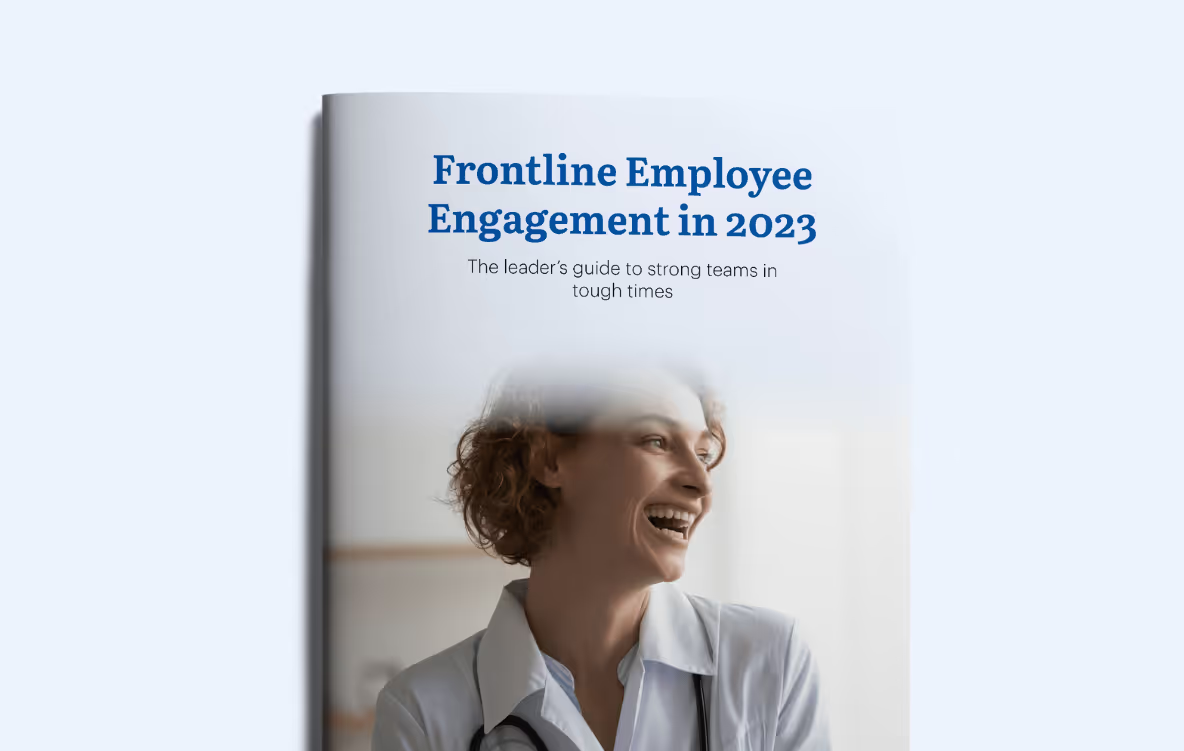
This article is an excerpt from Blink's brand-new guide to frontline employee engagement in 2023, which includes six key strategies to help leaders face the challenges that we've set out here. Click here or the image below to download your free copy:
At Blink, we’re constantly evolving our employee experience platform to meet the dynamic needs of organizations and their employees.
As part of our commitment to empowering great employee experiences from the frontline to the front office, we’re excited to announce our latest suite of product features designed to improve the way employees engage with their organization and with each other.
From fostering deeper social connections and real-time interactions, to improving platform security and content protection, discover 6 new features designed to help you create an engaging, reliable, and thriving workplace.
#1. Stories: Share snapshots of your company culture
In today’s fast-paced world, the need for real-time connection and engagement has never been more important — and that includes at work. That’s why we’re excited to bring Stories, a first-of-its-kind feature, to Blink. With Stories, teams can easily share moments, celebrate wins, and keep the workplace experience fun and dynamic.
Much like Stories on the social media platforms we know and love, employees and team leaders can share temporary posts that live at the top of the Feed, keeping internal content relevant and up to date.
{{mobile-stories="/image"}}
Why you’ll love it:
Instant sharing: Whether it’s celebrating team achievements, giving updates on project milestones, or sharing everyday moments, Stories offer a personal touch that helps foster a connected culture.
Boost engagement: With the ability to share everyday moments and add a personal touch using image-editing tools, Stories make it easier for employees to connect and engage beyond formal communications.
Keep content fresh: With a 72-hour shelf life, Stories are a great way to share timely messages and encourage frequent, social snapshots of your day.
With Stories, organizations can bring a fresh yet familiar approach to their internal communications strategy, engaging employees not just in critical communications but throughout their everyday work lives.
#2. Communities: Modernize your employee resource groups
As part of the reimagined Connect section, which brings Groups, Teams, and Contacts into one cohesive view, we’re excited to introduce Communities. This new feature allows employees to connect and collaborate over shared interests and hobbies.
With Communities, which are open for anyone to explore and join, employees have an intuitive and interactive digital space to foster deeper connections that go beyond day-to-day work tasks.
{{mobile-community="/image"}}
Key benefits:
Personalized experience: Employees can join Communities based on their interests, passions, or hobbies, creating a more inclusive and engaging workplace.
A dedicated space: Each Community comes with its own unique Feed, Channels, and Resources, creating a dynamic virtual hub for content and communication.
Cross-company connection: Communities provide an opportunity to engage with colleagues across the organization, helping to bridge the gap between teams, departments, and geographies.
From Parents at Work and Home Chefs, to Dog Lovers and LGBTQ+ Crew, Communities open up new opportunities for social connection, workplace collaboration, and community-building.
#3. Moderation: Enhance control over your digital spaces
In order to ensure organizations can create and maintain a positive digital environment, we’ve enhanced our platform moderation tools. Administrators can now better manage and control content in Blink through new reporting and moderation functionalities.
New capabilities:
Report a comment: Users can now report individual comments, in addition to posts, making moderation more precise.
Report reasons: Users can provide specific reasons for reporting content, enabling admins to make more informed decisions and take quick action.
Streamlined admin workflow: Moderation tasks are now part of the admin task list, ensuring that no report goes unnoticed.
These improvements give admins more transparency and control, allowing them to better maintain a respectful and focused communication environment.
#4. Mobile version control: Improve security for frontline teams
We’ve added mobile version control as an additional security measure to help organizations protect sensitive content on Blink’s platform. With this new feature, admins now have the option to require that devices meet a minimum OS version requirement, across iOS and Android, to access specific content and resources.
Why it matters:
Improved data security: By controlling OS versions, companies can add an additional layer of security to any sensitive resources housed in the Content Hub.
Tailored policies: Admins can customize their security settings to include OS version requirements, helping to meet BYOD (bring your own device) policies and ensuring compliance.
Prompted updates: As part of this feature, Blink will alert employees in-app whose devices don’t meet the minimum OS requirements and prompt them to update their device. Blink will let me know I need to update my device’s operating system.
This update is crucial for companies prioritizing security, especially those with frontline, hybrid, or remote workers who often use their personal devices.
#5. Custom profile fields: Tailor your employee inputs
In addition to our 15 out-of-the-box user profile fields like “Name” and “Location,” we’re excited to roll out customizable profile fields.
Admins can now set up custom profile fields to gather the data they need and expand Blink’s usability, paving the way for admins to design a truly tailored Blink experience for their organizations and employees alike.
A closer look:
Customization: Admins can now create custom fields to collect and manage unique user data, offering more tailored experiences for employees.
Scalability: Whether you’re managing teams in retail, healthcare, or any other industry, custom fields make it easy to track data points that matter most to your organization.
Extensibility: This is just the first step! Soon, custom fields will be integrated across more Blink features, making it easier to manage employee information in a way that works for you.
With these customized fields, you can gain deeper insights, streamline processes, and capture workforce data that aligns with your organization’s unique operational needs.
#6. ServiceNow notification integration: Stay on top of IT updates
Lastly, but certainly not least, we’ve expanded our integration capabilities. Our seamless notification integration with ServiceNow enables employees to receive real-time updates on their IT tickets directly within Blink.
How it works:
Real-time notifications: Whenever an IT ticket is updated or resolved in ServiceNow, employees receive instant notifications via the Feed.
Improved efficiency: This integration reduces the need for employees to switch between platforms, keeping everything in one place and ensuring they stay informed about their requests.
Enhanced integrations like these ensure that Blink can continue to be the central hub for all of your employee communications and task management needs.
Bring your consumer-grade employee experience to life.
As workplaces continue to evolve, our goal remains the same: to provide the tools that foster connection, enhance productivity, and create a seamless and exceptional experience for every employee — no matter what they do and where they work.
These product enhancements are our next step in empowering organizations to meet — and exceed — the expectations of a modern and digitally savvy workforce.
Sasha works primarily with children in the NeuroOnc and their families. Sasha has a remarkable ability to bring joy to every family she encounters. Her energy is infectious! She is able to balance this beautiful spirit of fun with the ability to also meet families in times of crisis and tragedy. Whether laying on the floor with a struggling parent or bonding over 90s music, Sasha is a true support to her patients.
All of these things make Sasha invaluable to our patients — but they also make her an absolute joy to work with. Palliative Care can be a heavy field and Sasha brings such a beautiful sense of love and support to her teammates all over the hospital. She holds space for her coworkers when we have hard days and she energizes us to keep going. She is the first to organize a team activity, include others, and share a “love you!” She has a teaching spirit and truly believes in her coworkers. I am so grateful to know and work with Sasha.
What does she want to do next?
Continue spreading the word about Palliative Care and its role in supporting families going through childhood Cancer!