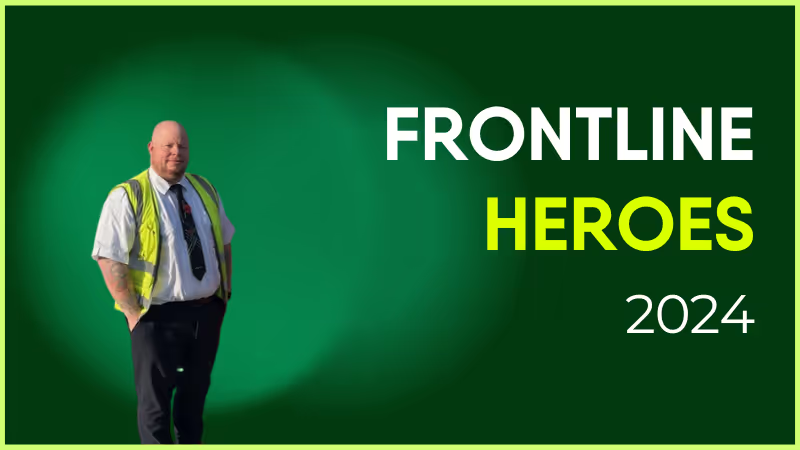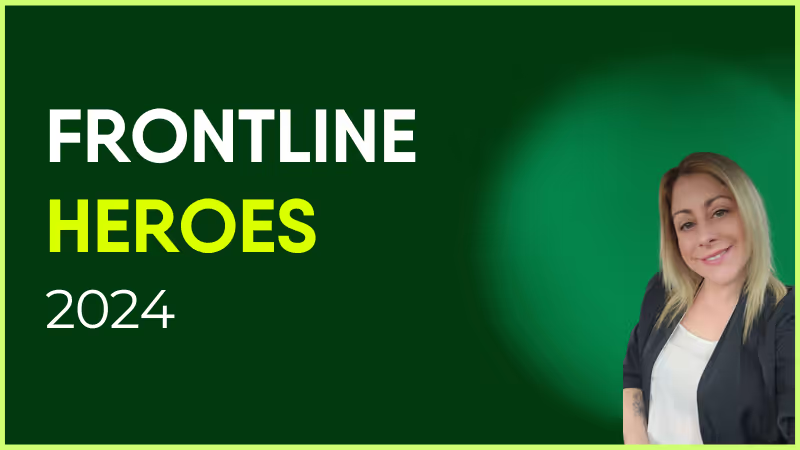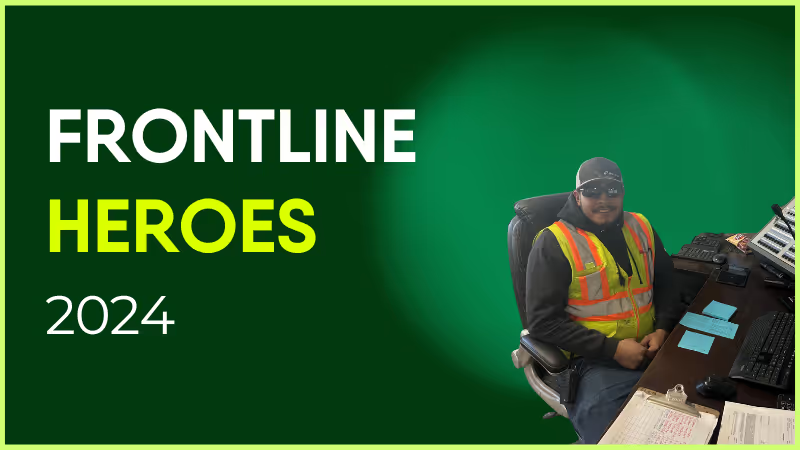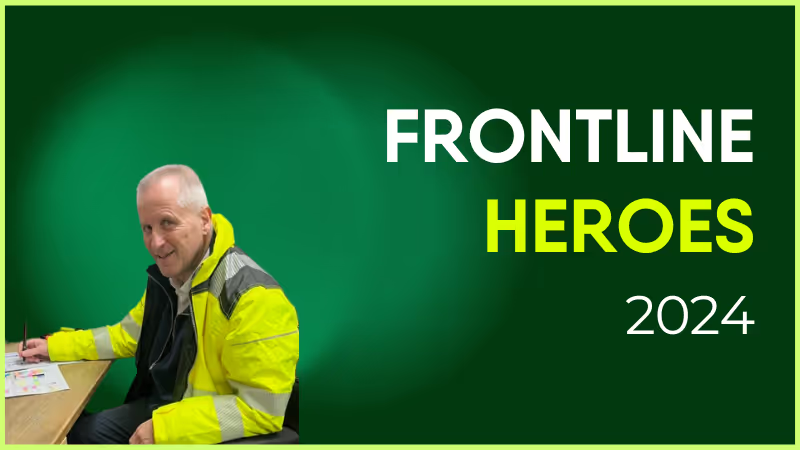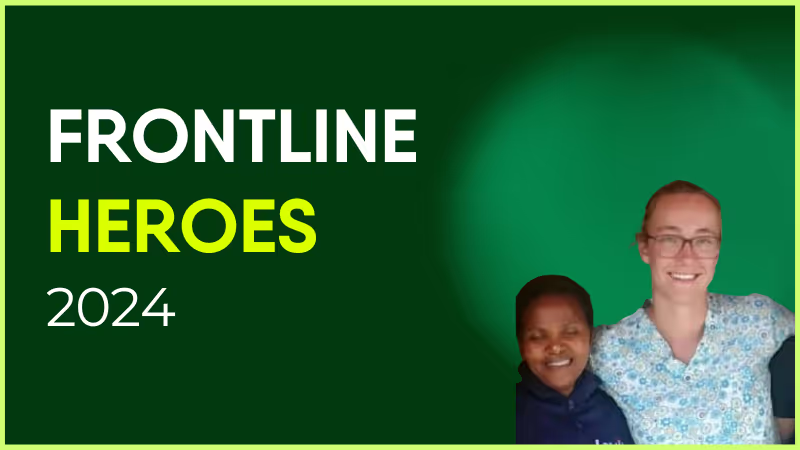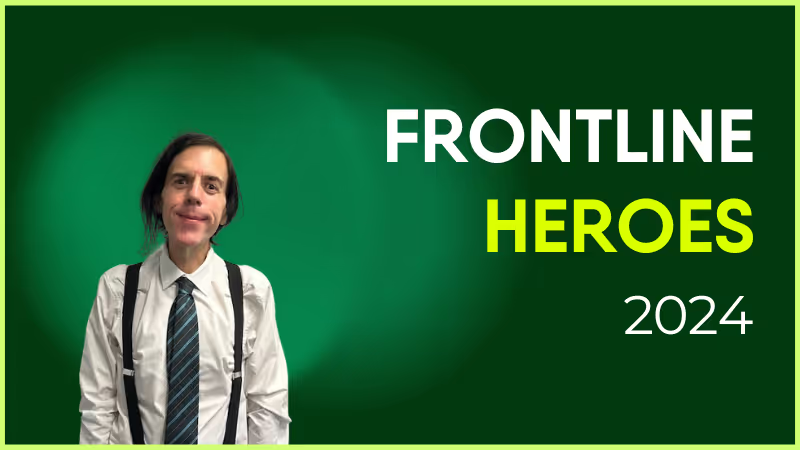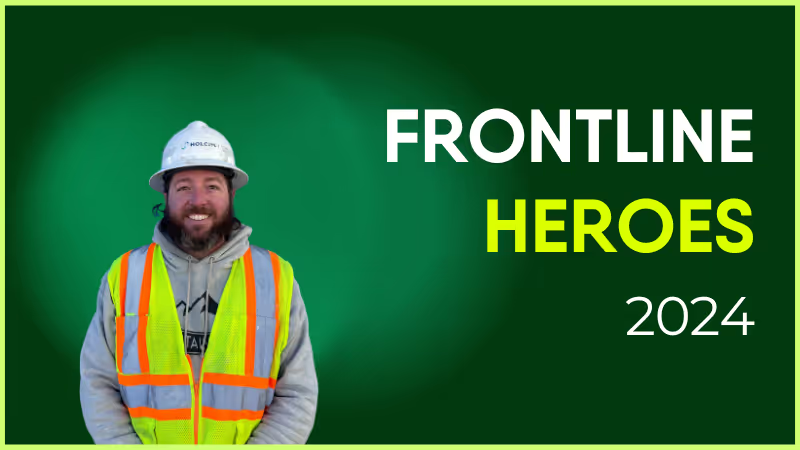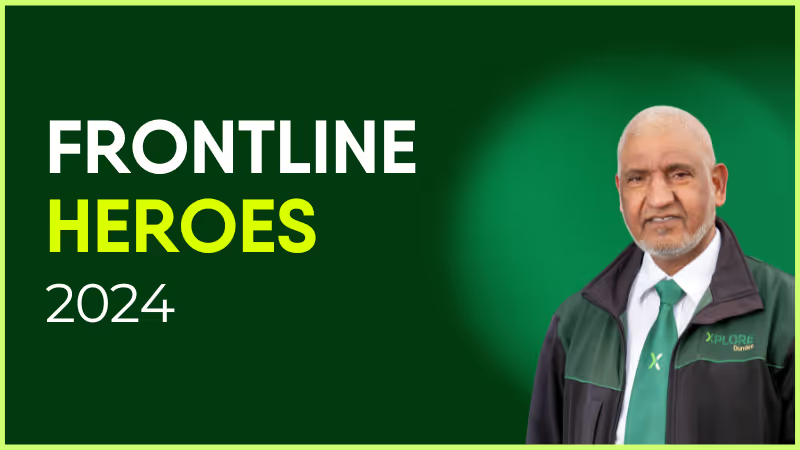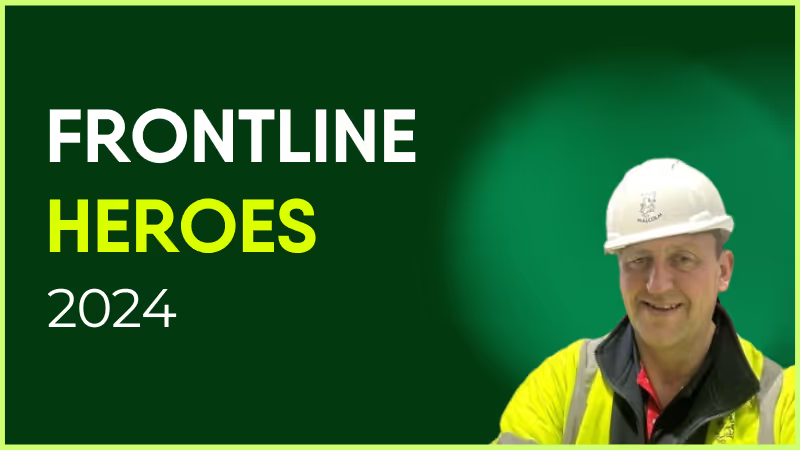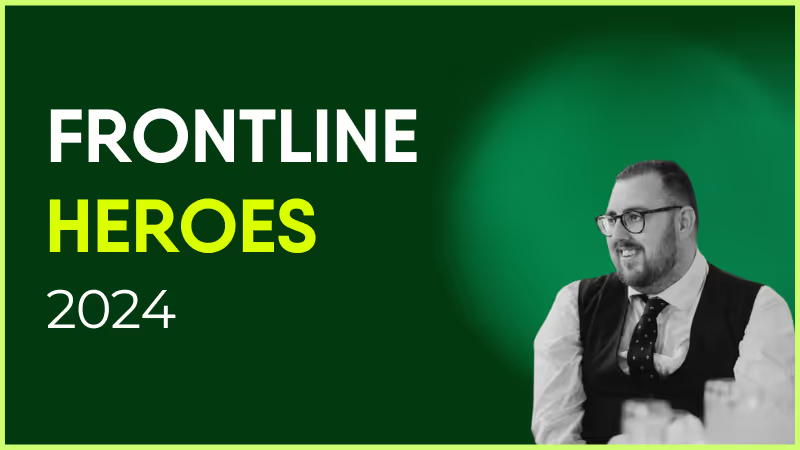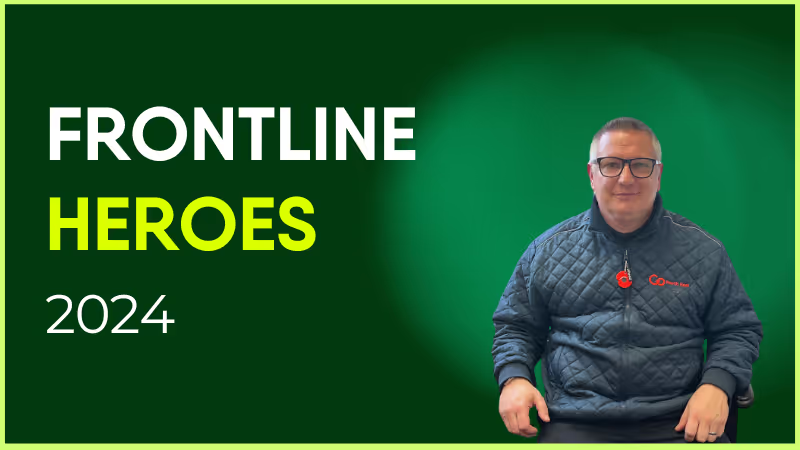
Stephen has been with Go North East since 2013. He has spent time as both a PCV driver and Depot Detailer, and works at the Percy Main depot in Newcastle. Stephen goes above and beyond to help staff everyday, despite the inherent challenges of the job. He spent over 23 of his earlier career with the Royal Air Force, and this strong work ethic and focus on teamwork carries through to everything he does. He never fails to maintain a high level of quality and professionalism in his work, helping to provide a best-in-class service to the people of Newcastle.

Nominated By: Karl Roper, Operations Supervisor
What makes him awesome?
Stephen has been with Go North East since 2013. He has spent time as both a PCV driver and Depot Detailer, and works at the Percy Main depot in Newcastle. Stephen goes above and beyond to help staff everyday, despite the inherent challenges of the job. He spent over 23 of his earlier career with the Royal Air Force, and this strong work ethic and focus on teamwork carries through to everything he does. He never fails to maintain a high level of quality and professionalism in his work, helping to provide a best-in-class service to the people of Newcastle.

Nominated By: Karl Roper, Operations Supervisor
What we'll cover
Start your free trial today
See how Blink helps frontline teams stay connected, informed, and engaged.
Speakap has been a popular choice for employee communication — but it’s not the only option. As teams look for more intuitive, mobile-first platforms that unify communications, documents, and workflows in one place, many are re-evaluating their tools.
Whether you’re looking to improve engagement, simplify comms, or replace legacy tools with a single, modern solution, this guide covers the best Speakap alternatives for 2025.
What to look for in a Speakap alternative
When choosing a replacement for Speakap, consider:
Ease of use across all employee types — from HQ to frontline
Real-time, targeted communication tools for better reach and relevance
Built-in analytics to measure impact and adoption
Integrations with your HRIS, payroll, LMS, and productivity tools
{{mobile-hub="/image"}}
Scalability and support for growing teams
Top 12 Speakap alternatives
#1. Blink – The #1 Speakap alternative
Best for: All-in-one internal comms with a consumer-grade experience
Blink is the top-rated employee experience platform for organizations looking to simplify internal communication and drive employee engagement. Unlike Speakap, which focuses mainly on messaging and social-style feeds, Blink combines communication, documents, surveys, scheduling, and HR integrations into a single mobile-first app. It delivers targeted updates, real-time alerts, and measurable campaigns—making it easy to engage employees, no matter where or how they work.
With adoption rates of over 90%, Blink helps unify your culture, simplify operations, and cut through the noise. It’s trusted by global enterprises like Domino’s, RATP Dev, and Nokia—and it’s consistently rated as a leader on G2 and Gartner Peer Insights.
Mobile-first design with high adoption across all roles
Deep integrations with HR, payroll, LMS, and intranet tools
Advanced targeting, campaign analytics, and compliance features
Cons:
May offer more features than needed for very small teams
Full functionality best experienced in Business or Enterprise plan
{{watch-video="/callouts"}}
#2. Beekeeper
Best for: Messaging-first frontline communication Beekeeper focuses on real-time messaging and mobile access for non-desk teams. It includes operational checklists, announcements, and a central hub for HR documents.
Pros:
Strong real-time messaging experience
Workflow automation for task tracking
Offline functionality
Cons:
Limited analytics and targeting capabilities
Less robust for desk-based or hybrid teams
#3. Interact
Best for: Intranet and knowledge management Interact offers a robust intranet experience with strong search, content targeting, and employee directory features. It’s ideal for knowledge-heavy organizations looking to organize content effectively.
Pros:
Powerful intranet functionality
Smart search and personalized content feeds
Workflow automation tools
Cons:
Less mobile-optimized compared to modern platforms
Not as interactive or social
#4. Staffbase
Best for: Larger enterprises needing branded employee apps Staffbase is a customizable internal communications platform that supports intranets, employee newsletters, and branded mobile apps. It’s well-suited for global teams with complex needs.
Pros:
Flexible branding and customization
Good for corporate messaging and publishing
Multilingual support
Cons:
Complex setup for smaller organizations
Requires more IT involvement for integrations
#5. Workvivo
Best for: Social-style employee engagement Workvivo blends social media features with traditional internal comms. It encourages peer recognition and interaction through posts, likes, and comments, while offering newsfeeds and employee directories.
Pros:
Strong focus on culture and recognition
Familiar social interface
Integrates with Viva and MS Teams
Cons:
Lacks built-in productivity and operational tools
May feel less intuitive for operational comms
#6. Haiilo
Best for: Content-focused internal comms Formerly COYO, Haiilo is a modern intranet and employee app focused on publishing, surveys, and performance insights. It’s designed for enterprise-level internal communications teams.
Pros:
Enterprise-grade publishing tools
Employee feedback and survey capabilities
GDPR-compliant
Cons:
Higher learning curve for admins
May require additional tools for full collaboration
#7. Unily
Best for: Enterprise intranet with rich content design Unily is a feature-rich digital workplace and intranet solution. It offers advanced branding, personalization, and collaboration features—ideal for global teams.
Pros:
Sophisticated design tools and templates
Supports global content targeting
Microsoft and Azure integrations
Cons:
Complex admin dashboard
Higher upfront cost
#8. Jive
Best for: Complex, enterprise-wide collaboration Jive is a legacy digital workplace platform with deep collaboration tools, often used by enterprises needing complex access controls and organizational structure.
Pros:
Supports structured collaboration and document sharing
Flexible for enterprise-scale customization
Cons:
Outdated UI compared to newer platforms
Requires significant IT support
#9. MangoApps
Best for: All-in-one intranet and collaboration hub MangoApps combines intranet features with chat, project management, and employee engagement. It works well for organizations that want flexibility in how tools are deployed.
Pros:
Modular and customizable
Offers both communication and productivity tools
Good mobile and desktop support
Cons:
Feature complexity can lead to adoption issues
UI may feel cluttered
#10. LumApps
Best for: Google Workspace and Microsoft 365 organizations LumApps provides a modern intranet with strong integrations for Google and Microsoft environments. It focuses on content personalization and knowledge sharing.
Pros:
Seamless G Suite and Microsoft integration
Personalized content and targeting
Secure and scalable
Cons:
Limited native chat or messaging features
Premium pricing
#11. Firstup
Best for: Campaign-based employee communications Firstup helps internal comms teams deliver personalized, measurable campaigns. It’s especially good for organizations that want to orchestrate multi-channel content delivery.
Pros:
Strong targeting and campaign analytics
Multi-channel delivery (email, push, SMS, more)
Cons:
Less interactive for employee-to-employee engagement
Expensive for smaller organizations
#12. Connecteam
Best for: Mobile task management for frontline teams Connecteam is designed for deskless teams and includes checklists, time tracking, shift scheduling, and basic communication tools.
Pros:
Great for task-based frontline use cases
Strong scheduling and time tracking tools
Simple mobile UX
Cons:
Communication features are limited
Less useful for hybrid or corporate workers
Final thoughts: Find the right Speakap alternative for 2025
Speakap helped many companies get started with mobile communication—but as your organization grows, you may need more than just messaging. Whether you're focused on boosting engagement, unifying internal systems, or simplifying employee access to key resources, it's worth exploring modern alternatives.
Blink leads the pack for organizations ready to scale their impact—offering an intuitive, mobile-first platform that does more than Speakap ever could. From surveys to scheduling, chat to HR integrations, Blink brings everything into one place.
With the news that Workplace by Meta will be shutting down within a year, there are going to be thousands of companies looking to replace their employee experience platforms soon. Sure, finding a new solution for internal communications with the right features and functionality is important, but just as important (and not talked about enough) is the implementation and rollout experience for employees.
In my mind, a great product implemented poorly is no longer a great product. So, what does a great implementation process and experience really look like?
Whether you’re looking to upgrade your employee app before Workplace from Meta shuts down or you’re just curious to learn more about Blink, here is my take on what a great implementation experience should look like.
I’ve spent over a decade in the implementation space and know how common it is to hear that a vendor will “go the extra mile” for a customer during the crucial time between signing the contract and launching the technology.
Rarely, though, is the extra mile enough; sometimes, what it takes is the extra 1,600 miles.
Prior to my role as Head of Implementation at Blink, I spent the first 8 years of my career in technology consulting working at large firms like Aon and Accenture. In that time, I travelled to 30+ countries and learned how to deliver business value through broader people and technology transformation at multinational enterprise companies.
In all that time, I have never worked in an organization that goes so far above and beyond as Blink. This is truly a whatever-it-takes company, even when it takes a 1,600 mile road trip through 8 states to visit 6 different plants to ensure one of our customers launches the right way. On this particular trip, we met with Plant Managers, HR, Production Managers and more, to build out a use case strategy, run training sessions, and hold focus groups to ensure we were delivering a comprehensive roadmap for their new employee app.
This hands-on approach is why we have an industry-leading user adoption rate of 90% across all our customers. But it’s more than just our willingness to traverse state lines that creates a great implementation experience.
The values that drive our implementation process
I know two things to always be true about implementation: first, customers are busy. Since launching an employee app often involves a lot of contributors and stakeholders, sometimes getting everyone on the same page is the biggest barrier to launching on-time.
Second, and most important, we’ve only got one shot to launch your platform right. Change is often met with scepticism or some resistance, so we bend over backwards to set you up for the best first impression on launch day, from a seamless onboarding experience for employees to quick, demonstrable value for your executive stakeholders.
Our approach and our values that drive the team are done with these two things in mind to ensure each customer sees a high adoption right out of the gate.
So what goes into our process that makes it so successful? There are five things I’d like to highlight:
The experts
When you sign up with Blink, you’ll be guided through the implementation process by an experienced team spread across the US, UK, and Australia. All of our implementations are done solely in-house. Over the years, we’ve developed a playbook of best practices to follow and accumulated deep industry knowledge to recommend the best course of action for your unique needs.
Once you’ve launched, the Implementation team is still there with you. Not only are they helping ensure a smooth transition to your Customer Success partner, they’re helping gather metrics and feedback on the launch and supporting your efforts to hit the user adoption target in those early days.
Our employee-focused strategy
Whether you’re rolling out your first employee app or you’re replacing an old solution like Workplace, getting your employees to buy-in to Blink (or any new technology) is so important at launch. For companies with deskless workforces, where communication is a challenge, in particular, getting that early buy-in is a virtuous cycle where the employees start telling their colleagues about Blink.
When Stagecoach, one of the largest transit providers in the UK, rolled out Blink, their post-launch survey found 100% of the drivers would recommend the app to their peers. With 21,000 bus drivers across the country, word of mouth helped accelerate adoption as much as any top-down messaging.
That’s why, when we plan for a launch at your organization, we ensure there is functionality that your employees want to help get them invested early on. We’ve got an extensive catalogue of integrations that give them easy access and notifications for paystubs, time-tracking, vacation requests, IT help desks, and more. Pair that with Single sign-on, and employees will be doing all these things with one-click access through Blink.
The result of providing quick value to your employees is a high usage and adoption rate. Stagecoach, for example, has an average of 6 app opens each day from 89% of their drivers. That level of employee engagement and communication is critical to keeping everything running smoothly.
Rollout success you can measure
Everyone who implements Blink will know exactly what success looks like. We outline the six key pillars to a successful rollout early on so you have a benchmark for what to expect:
We’re going to get the leadership team aligned around the opportunity driving the rollout
We’ll determine the key metrics and KPIs for success with you so everyone is working towards the same goals
We’ll help you build your company’s digital front door—turning Blink into the single point of access for everything they need—to maximise adoption
We’re going to ensure the look and feel of the app matches your company’s brand to build trust in the early adoption phase
We’re going to build a comprehensive activation strategy to reach every employee, while taking into account the unique challenges posed by disparate and diverse workforces
Lastly, we’re going to help you build out and optimise the app after launch by introducing new functionality and soliciting user feedback to guide the improvements
Our clear roadmaps
With a feature-rich solution like Blink, unleashing the full experience is like asking employees to drink from a firehose.
To avoid overwhelming people, we help you develop a clear roadmap for the long-term experience. It starts with the Day 1 MVP that’s focused on addressing the most pressing needs and quick wins for the employee experience. From there, we help you bring new functionality to the employee experience in a way that boosts adoption without overwhelming users.
Every roadmap is tied to the KPIs you outlined earlier, so there is a definitive business value for each phase. If, like many Blink customers, you’re trying to save money by modernising outdated processes, that KPI can be tied to functionality like payslips being put into the app instead of being mailed out.
That simple change saved one Blink customer $300,000 per year on mailing and printing costs—and we were able to measure that impact because of the KPIs we had established early on.
Low-lift launch
We understand how busy our customers are, so we want every app to be launched quickly—but with as little effort on your part as possible. While you and your team are going to be involved, we keep as much of the work behind the scenes to minimise the disruption to you and your team.
When you combine our expertise with the out-of-the-box functionality and pre-made assets, getting to launch day is simple and fast. We measure implementation in weeks, not months and quarters. You can have users onboard in as little as 6 weeks, while still delivering a compelling first impression with your new employee app.
These five pillars can't capture all of the hard-work and care that the Implementation team has here at Blink. That doesn’t happen without having a team that’s willing to go above and beyond for every single customer.
Change management while implementing Blink
The implementation journey is an intense period for the stakeholders. It’s a lot of work to do quickly, and one of the ways we help ensure you’re staying on course is through our comprehensive Change Impact Assessment.
With so much change, it is easy to lose the forest for the trees and get lost in the day-to-day minutiae of the launch process. The Change Impact Assessment is designed to keep you on track by helping you understand how Blink will affect the following areas:
Operations: How will Blink affect current workflows, and what adjustments are needed to seamlessly integrate it into your existing processes?
Company culture: What changes in team dynamics and communication can we anticipate? How will this software align with your corporate culture?
Resource allocation: What are the costs, both financial and time-based, for training, implementation, and long-term management of the platform?
Technology integration: How does Blink fit into your existing technology landscape? Can we integrate into and leverage compatibility with existing systems?
Return on investment expectations: How does introducing Blink to ADQ map into your business goals? We’ll establish metrics to measure the effectiveness and ROI to ensure change is actively happening and tracking to your business goals.
Hands-on support, on-site or online
Some of the most memorable moments for us come from our on-site, white glove support for the implementation process. Whether we get to visit a corporate headquarters in Chicago to run use case discovery workshops or trekking out to a distribution centre to train frontline managers to use the app to communicate with their team, we’re always hyped to work alongside our customers.
Even if we’re not spending weeks on end at your office, we’re shooting for the same launch experience with every customer. Our job is to ensure you’re going to be successful in delivering enough value to your employees that they fall in love with the Blink app.
So, virtually or in-person, you get hands-on support experience from us. We’ll help you find, train, and empower a network of advocates and experts within your organisation who will help ensure launch-day communication is on point.
Adoption drives feedback drives adoption
Launch day success is not the end for us. Once your employees are onboard, we’re going to canvas for your people’s first impressions to understand what’s resonating and what’s missing the mark.
Getting this survey feedback early on helps us course correct, if necessary, to take you from 70% user adoption at launch up to the 90% user adoption rate we want for all of our customers.
The surveys are rarely surprising, though, because of all the work that went into the implementation journey. From getting stakeholders aligned on KPIs to running frontline focus groups, we know the value is going to be felt from day one.
Blink. And you’re set up for success.
When I take a step back and think about everything that goes into launching each company’s employee app from the people—executive sponsors, project managers, Comms, IT, Operations, managers—to all the planning, content creation, and communications efforts, it’s amazing to think about how all that work leads to something as simple as a text or email invite on launch day.
All the hands-on work that we do prior to launch is to ensure that your employees have a seamless experience from day one. That starts with the invitation to download the app and login to their “digital front door” for the first time. From there, they’ll be able to communicate with secure chat, post in the Feed, search for policies and documents in the Content Hub, and access important information like payslips, vacation requests, and scheduling—all without leaving the app or having to enter another login.
Our job is to make getting to launch as effortless as possible. Because, we know, once your employees login to Blink, they’re going to be more engaged, more informed, and, ultimately, more likely to stick around.
Employee communication and engagement is more important than ever in the remote-work era and for the frontline. You can put your trust in my team’s experienced, hands-on approach to help you deliver the most value to your employees. It’s what we’re so passionate about and what we do best.
But let’s not get ahead of ourselves: the first step is signing up for a demo today to learn more about the Blink platform.
Effective communication is the glue that holds all your employees together. It unites everyone, from the top management to the frontline and remote workers, towards a shared set of organizational goals and values.
Yet a recent study paints a grave picture of most working environments. 80% of professionals rate their business’ communication as poor or average.
And when kept unchecked, ineffective communication often leads to a snowball effect of disengagement and confusion.
It doesn’t have to be this way. Implementing effective organizational communication strategies is the key to unlocking smooth coordination among your employees. And in this post, we’ll take a look at what those strategies are.
Why is organizational communication important?
In a recent report called "Internal Communication in the Eyes of C-Suite Leaders", it was found that C-suite executives recognized the vital role internal communication plays in improving their bottom lines and driving business results. And rightly so.
Workers need to interact and exchange information and documents with one another frequently. Plus, they want the top management to listen to their concerns, suggestions, and feedback.
The same goes for senior leaders in the company. They want to make sure that internal marketing campaigns, critical company announcements, news about employee benefits, and other important messages are reaching each and every member of the workforce.
By fulfilling these needs for both parties, a good corporate communication strategy solidifies the bond among the workers and facilitates the sharing of information. The result? A big boost in employee engagement and productivity.
Now the question is, how can you level up your company’s communication? By following the most effective organizational communication strategies.
What are the best organizational communication strategies?
Without further ado, here are our best organizational communication strategies to help resolve workplace conflicts and facilitate a smooth exchange of information across your company.
1. Create a corporate communication plan
Failing to plan is planning to fail. If you don’t have an internal communication plan in place, drop everything else and build one first. Without a plan, you won’t have a clear roadmap to implement effective communication in your business.
A great communication strategy will help you answer vital questions like:
How to make your messages more relevant and engaging?
Which communications channels should you be using?
How can you ensure the right content reaches the workers at the right time?
What roles will your C-level executives play in workplace communication?
How will you encourage employees to engage in two-way conversations?
The planning process starts with having a clear understanding of your communication goals and audience. And then conducting an audit of the current communication campaigns and channels you have in place.
This is followed by determining your communication schedule and channels for the next six or 12 months. To learn more, check out our in-depth guide on building an internal communication strategy.
2. Encourage one-to-one conversations
Not every concern can be appropriately discussed in a group setting. For example, you may want to address a personal grievance or performance issue. And in such cases, it’s much better to initiate a private chat.
A one-on-one meeting gives you the chance to read the worker’s body language, know their communication style, and get visual cues on how to proceed with the interaction.
Even when you don’t have a specific issue to discuss, setting aside one-to-one time with your employees on a regular basis is essential. Because it helps you understand and bond with them more effectively. So make sure to add this company communication strategy to your arsenal.
3. Sprinkle a little humor
Workplace communication is usually a serious endeavor. You often convey information that’s intense. Whether you’re discussing a problem or setting goals, laughing and cracking jokes may seem out of place.
But a series of serious interactions can put workers in a negative mindset. And it affects how they interpret and draw conclusions from the information shared with them. When a meeting gets too heated, people want to leave as soon as possible, which hinders the flow of information.
Although it’s not always possible to avoid a stressful conversation, levity can help you a lot in pushing your company’s communication strategy forward. Lightening the mood is an important skill that helps you defuse tense situations and relax everyone involved in the communication.
So the next time you’re communicating something to your employees, try to make them laugh.
Also, if you’re worried that your jokes won’t be any good, then you’re focusing on the wrong thing. It’s not so much about making clever remarks as about trying to make people feel relaxed and comfortable. In fact, research shows that people welcome any kind of levity as long as it’s not offensive or hurtful.
4. Nurture two-way communication
Effective communication is supposed to be a two-way street. An organization cannot reach its full collaboration potential if information flows only in one direction — from top management to the rest of the workers.
If employees can’t ask questions or discuss the information conveyed, then you aren’t communicating. You’re commanding. You’re giving orders and expecting workers to follow them.
Of course, some directives are absolute and non-negotiable. But you can’t rely on this approach all the time when working with today’s skilled, talented professionals who thrive in an environment of autonomy.
Instead, the right company communication strategy is to invest in creating a receptive space where workers can put forth their concerns, share suggestions, and feel heard. And make sure those inputs are acted on. Not brushed under the carpet.
Listening to feedback doesn’t just help your employees feel valued. It also helps you clarify your message. You may think your communication is crystal clear but still miss some aspects critical to help others understand the information. Two-way communication can fill those gaps.
Facilitating two-way communication in your organization is easier than you think. For example, Blink is a corporate communication app that comes with a social-media-style news feed visible to all employees.
Anyone in the company can post an update, on which others can like and comment. This helps the most relevant stories rise to the top. Plus, the admins can choose to amplify selected updates even further.
5. Bring consistency in your communication
All your communication, whether written or verbal, and whether internal or external, should have the essence of your company’s brand and workplace culture.
Plus, it should have a unique, consistent voice that reduces any chance of ambiguity and unifies your workforce. Such a voice also helps you communicate in the right spirit, not to mention avoid conflicts and misunderstandings.
But the more people participate and contribute to your organization’s communication, especially from different locations and time zones, the harder it gets to keep the voice consistent.
So what you need is a set of shared guidelines, formats, and best practices that everyone can refer to when creating content. And you can prepare the same in the form of a communication style guide.
Once you’ve clearly laid out your communication guidelines, make sure to train your communication department, as well as other contributors, on how to put the instructions into practice for subsequent messages.
6. Make use of visual aids
Different people have different learning styles. Some are comfortable reading pages after pages of text, some want to listen on the go, while others need something to view, like a video.
Regardless, almost everyone gets enticed by imagery. Presentations and infographics help people wrap their heads around the given information. So using colorful posters, charts, and graphs to distill complicated ideas is one of the best ways to make your message clear and memorable.
There are many ways to use visual aids for workplace communication. For example, if you find yourself repeating certain messages to your staff, or answering the same questions again and again, you can save time and effort with a visual aid to share the corresponding content.
Is someone in your ear every 10 minutes with questions about holidays? Design a holiday calendar workers can check on their own. Bombarded with requests about printer passwords? Print them in large letters and stick them near the machine.
You don’t need to be a master designer to do this. Tools like Canva, Piktochart, and Venngage come with drag-and-drop functionality and hundreds of ready-made templates designed by professionals. So all you need to do is pick a template and replace its contents with yours.
7. Train your staff on effective communication
We have spent a good chunk of our lives communicating with others, but that doesn’t necessarily mean that we’re good at it.
For example, many employees have such a logical, fact-based communication style that they often forget to take others’ emotions into account. Others often get carried away by feelings and miss key details. And the gaps in communication lead to conflict, ambiguity, and workplace politics.
So in any organization, effective communication should be proactively taught and encouraged. And it should be a vital part of the training programs you have in place for workers.
Great communication training helps teach your employees how to keep their emotions in check and present their ideas clearly and comprehensively.
8. Conduct more open sessions
Meetings are seen as a dull affair, especially when just one or two people are doing most of the talking. You’ve probably sat through many where you were just expected to attend and listen.
But that doesn’t mean all meetings are bad. A meeting is just a tool. And like any other tool, you can handle it effectively or poorly.
So every once in a while, you should conduct an open session with all the workers in your company or in specific departments. This meeting will have a set agenda, and every employee will be encouraged to speak up and talk about their work, their experiences, and any concerns or suggestions.
Scheduling such open sessions regularly will not just improve communication, but also help you get a pulse of different teams and your overall culture.
9. Leverage the right tools and technology
Remote work, dispersed teams, smartphones, and other advancements are shaping the new reality of work. But in many organizations, the communication systems and processes haven’t caught up to this change.
The good news is modern technology and employee engagement tools have made it easier than ever to streamline internal communication and include every employee in the process, from hiring to global HR services.
Frontline workers, for example, have largely been excluded from communication channels available to desk-based employees, such as email and instant messaging. With the rise of smartphones and mobile apps though, it is now possible to make them a crucial part of your ongoing communication.
With Blink, for example, workers can easily share documents, engage in live chat with one another, and resolve problems fast.
So it’s time for you to see if the technology you have in place is really enough to get the job done. If not, invest in the right tools to take your communication to the next level.
10. Cultivate the habit of active listening
No doubt, writing and talking clearly are crucial for proper communication, but managers and other employees should also know how to listen.
Poor listening undermines communication and defeats the purpose of effective collaboration. Without the right listening skills, messages are more likely to be misunderstood.
Now, you may think you listen, but good listening is more than identifying others’ words. As Stephen Covey says, “Most of us listen with the intent to respond, not to understand.”
So, cultivate a habit of listening among yourself and your employees. Encourage everyone to practice active listening methods. And teach your staff to reflect, summarize, and ask clarifying questions when listening to a customer or coworker.
When employees and customers feel heard and understood, they’re more likely to keep working with you and have a positive image of your brand.
How can you improve organizational communication in the workplace?
Follow these tips to help achieve effective communication in the workplace:
Use the right tools. Having the right tools to communicate, that everyone can access, and use is vital. Review your tech stack and make improvements where needed.
Get feedback. Employee surveys can help shed light on your current communication methods and where you can make improvements.
Use different communication formats. Images, emails, videos, the list goes on. Use different formats for the different types of communications you need to deliver.
Distribute through the right channels. What's the best way to deliver the message? Email, instant message, intranet, app notifcation? Make sure you pick the right channel.
Focus on employee engagement strategies. An engaged workforce is open to communication and sharing their voice.
Measure the outcomes. Keep a close eye on your metrics. How many people are reading your emails and communications? Is it enough or do you need to improve?
Wrapping up: effective organizational communication strategies
As you can see, good communication doesn’t happen by accident. You need to make sure that your messages successfully reach the intended audience, are interpreted clearly, and are understood empathetically.
It takes effort from both you and your staff. So the more confidently you apply the organizational communication strategies we have outlined in this guide, the more your team would also integrate them into their actions. So take time to develop and execute these concepts diligently to build a collaborative and efficient workplace.
And remember, using a communication solution like Blink can reduce your communication effort while increasing the penetration of your messages, even with a largely remote or dispersed workforce. Book a free demo today.
Some comms strategies stream seamlessly, while others are stuck buffering with no end in sight
Let’s face it: We live in a world where content rules. We’re constantly streaming, scrolling, watching, and sharing. And just like our favorite shows and platforms, every internal communication strategy has its own vibe — some sleek and polished, others functional but messy, and some… a little too obsessed with rainbows and brand tone.
You wouldn’t launch a new show without a trailer — so why send an update without context, curation, or a hook?
Think about it — your comms platform has viewers (aka employees), admins (your comms team), and its own programming lineup (all those emails, updates, videos, surveys, and shoutouts).
So, here’s the big question:
If your internal comms strategy were a streaming platform… which one would it be?
This is part personality quiz, part gentle diagnosis, and all good fun. And who knows — it might just help you spot a few things to fix, finetune, or completely rethink.
Netflix: The overcommunicator
Tagline: Volume overload. No one knows what to watch.
You’re the king of content volume. Like Netflix, you’re publishing constantly — newsletters, CEO updates, campaign launches, benefits reminders. There’s always something new when employees log in, but just like binge-watchers lost in an endless homepage scroll, your audience is overwhelmed. It’s communication without curation — and everyone’s tuning out.
Pros: Rich, varied content. People know where to find it.
Cons: Information fatigue. Nothing feels urgent, so everything gets ignored.
It’s time to curate like an editor. Use weekly digests, “Top 5 things to know,” or audience targeting to surface the right content to the right people — and give your employees some breathing room.
{{mobile-main="/image"}}
HBO Max: The prestige broadcaster
Tagline: Prestige content — but only for the few.
Your internal comms are prestige TV. Like HBO Max, your content is polished, strategic, and often award-worthy — think slick leadership videos and brand-perfect announcements. But it’s top-down and infrequent, designed more for executives than everyday teams. The result? High production value, low connection on the ground.
Pros: Executive trust, strong brand storytelling.
Cons: Limited accessibility. The “everyday” content is missing.
As your next step, pair your prestige comms with grassroots content. Empower local teams to share stories. Make space for informal, in-the-moment updates alongside strategic comms.
Amazon Prime Video: Functional but frustrating
Tagline: Function over feel.
Your intranet is basically Amazon Prime Video. Everything’s technically there — tools, policies, updates — but good luck navigating it. The interface is cluttered, search is a mess, and the content isn’t exactly curated. Like users lost in Prime’s endless menus, your employees might log in, sigh, and log right back out.
Pros: One source of truth.
Cons: Low discoverability. Employees check out before they find what they need.
The name of the game? Simplify. Highlight most-used tools, audit stale pages, and clean up the homepage. Make your digital workplace feel more like a front door, not a storage closet.
{{mobile-hub="/image"}}
Peacock or Paramount+: The niche network
Tagline: Great content. Tiny audience.
Your comms have cult-classic energy. Like Peacock or Paramount+, you’ve got a few loyal fans and some hidden gems — but overall, your platform just isn’t top-of-mind. Maybe it’s an underused email list or a team SharePoint that rarely gets checked. Great content, but a limited reach means employees are missing the message.
Pros: Focused, relevant updates.
Cons: Low visibility. People say, “Wait — that was announced?”
Time to go multi-channel! Promote your channels like you would a new show launch. Use mobile notifications, digital signage, and team huddles to raise awareness. Great content deserves more viewers.
Disney+: Family-friendly and heavily branded
Tagline: All smiles, no spice.
You’ve mastered the brand voice. Like Disney+, everything in your comms world is polished, upbeat, and totally on-message. It’s a clean, curated experience with beautiful visuals and strong storytelling — perfect for onboarding and mission moments. But after a while, employees might start wondering: Where’s the real talk?
Pros: Strong visual identity and consistent voice.
Cons: Lack of vulnerability. Feels too “corporate.”
To take your strategy to the next level, try mixing in unfiltered stories from employees. Showcase real feedback, day-in-the-life clips, or candid shoutouts. People trust people — not just polish.
{{mobile-stories="/image"}}
Hulu or NOW: Slightly messy — but people still use it
Tagline: Organized chaos.
You’re Hulu in the US or NOW in the UK — a little bit of everything, with a side of chaos. Your comms live across multiple tools, old and new: Slack threads, SharePoint pages, WhatsApp chats. It’s inconsistent and messy, but it works — because your people have figured out where to look. (Even if they wish it were easier.)
Pros: Content variety, team-specific relevance, enough routine to maintain engagement.
Cons: Fragmented user experience. No single source of truth.
It’s time to unify and streamline. Build a comms hub that feels intentional — not accidental. Keep the local flavor, but tie it all together with a central mobile-first platform.
Apple TV+: All style, not enough substance (yet!)
Tagline: Gorgeous ghost town.
Your comms platform is Apple TV+ — sleek, modern, beautifully branded. It looks amazing and sets a high bar for design. But once you get past the homepage? There’s not much happening. Content is minimal, engagement is low, and employees forget to check in. Pretty isn’t enough — it needs purpose.
Pros: Strong design, great adoption potential.
Cons: Low repeat engagement. Employees say “it looks nice” — but don’t use it.
Try to focus on day-to-day value. Share timely updates, celebrate wins, and surface useful info like shift changes or HR tools. Pair aesthetic with utility.
{{mobile-kudos="/image"}}
YouTube: The employee-led engine
Tagline: Employee-generated magic (with a dash of mayhem).
You’re YouTube — and you’ve handed the mic to your people. Your internal comms are powered by shift videos, peer shoutouts, team stories, and crew takeovers. It’s authentic, bottom-up, and wildly engaging. Sure, it gets a bit chaotic without guardrails — but that realness? That’s what employees keep coming back for.
Pros: High engagement, peer-to-peer connection.
Cons: Needs light moderation and content alignment.
Our recommendation? Set the stage for success. Spotlight standout creators, guide content themes, and introduce a few soft guardrails to keep things safe and focused.
What’s your ideal mix?
The truth is, no internal communication strategy is just one platform. We’re all working with a blend — a little Netflix here, a little HBO there, maybe even a dash of YouTube energy for good measure.
But thinking about your comms this way? It helps. It surfaces what’s working — and what might need a reboot. So ask yourself:
Is your content too polished when it should be more conversational?
Do you only reach a select few — but leave the rest of your workforce buffering?
Are you focusing on sharing it all when what your people really want is clarity?
Build your “comms bundle” — the perfect mix of trust, relevance, usability, and creativity. And just like your ideal Friday night lineup, it should be easy to find, engaging to watch, and worth coming back to.
Cut through the noise with attention-grabbing internal communications
We’ll come clean. The idea that humans have an 8-second attention span is a myth. But — as with any enduring story — it’s a myth with its roots in truth.
In a technological age, we’re bombarded with more information than ever. And people looking to convey a message — be they marketers, influencers, or internal comms teams — have very limited time to grab our attention.
As such, the 8-second rule provides a useful frame of reference when designing employee communications content, particularly if you’re aiming to engage frontline workers or Gen Z employees, who prefer short, snappy instant messaging.
By drawing employees in quickly and effectively, you’re more likely to land critical messages. You cut through the noise and improve engagement across your internal communication channels — plus, you help to build a more captivating workplace culture.
Here, we explore all the ways your internal communication strategy can stop the scroll with attention-grabbing internal comms.
The attention economy at work
How many notifications do you get on your smartphone each day? Between news alerts, personal instant messaging, and work memos, there’s a lot of information competing for our attention.
To stand out, your internal communication app needs to adopt the tactics of the most effective players in the game. We’re talking social media platforms, with their rich multimedia content and addictive algorithms.
These platforms provide ample inspiration for internal communicators. They also establish employee communication expectations.
Away from work, employees are used to content that is dynamic, interactive, and concise. They’re accustomed to mobile-first communications and content that attracts their attention in a split second.
This is the challenge for internal communications teams. How do you replicate that experience and level of engagement in the digital workplace? How do you make sure your content is seen, read, and remembered?
How to create attention-grabbing internal communications
To make your employee communications heard above the noise, you need modern internal communication tools with content that attracts employee interest within seconds. Here’s how.
Make your content snackable and visual
Short-form content is everywhere these days. And it tends to resonate well with modern employees.
Workers don’t always have time to read a long, text-based email, scan a PDF, or try to navigate your dense company intranet. Plus, this type of communication and document-sharing are unlikely to spark employee interest anyway.
With bite-sized content, employees can read and digest need-to-know information on the go. Think snappy company news feed posts, pulse checks and employee surveys, and employee recognition shout-outs — all in a single platform with a user-friendly interface.
Visuals are also key. They help you say more with less and, because they appeal to our senses and emotions much more effectively than a plain text document, they’re a surefire way to foster an engaged workforce. Try incorporating micro-videos, carousel posts, and behind-the-scenes photos into your company comms.
Hook ‘em with your headlines
With just a few seconds to convince employees to view your content, you need headlines and subject lines that do much of the heavy lifting.
Your headlines should be short and simple. They need to provoke curiosity without resorting to clickbait tactics — and they should hint at the value employees will gain by reading further.
To craft engaging headlines:
Keep it short and specific. Use a maximum of 40 characters in your subject lines. And ensure your headlines accurately reflect the rest of your content.
Adopt an employee-centric mindset. Make employees the hero of your headlines. Figure out what is most important to your workers, then lead with that.
Avoid corporate language and jargon. Use simple, easy-to-understand language and your headlines will be more engaging and quicker for employees to digest.
Create urgency or intrigue. When crafting urgent updates, mention upcoming deadlines to improve message open and read rates. Also, pique employee curiosity by hinting at what lies within.
Here are a few examples of high-impact internal message headlines:
Create a sense of exclusivity and intrigue
Not this: What you need to know about the new product launch next week.
But this: Be the first to see our new product!
Empower action and counter known hesitations
Not this: Please fill out the latest employee engagement pulse check survey.
But this: Have your say — share your feedback in minutes.
Focus on clear benefits with simple language
Not this: Sign up for our newly implemented training programs to improve your productivity.
But this: Career goals unlocked! Discover new training programs.
{{mobile-main="/image"}}
Embrace the Stories format
The Stories format has been popularized by Instagram, Snapchat, and TikTok. It provides an easy way to share short-form video content, a current favorite among social media users, in a way that highlights human connection.
The beauty of this type of video format is the ease with which you can create it. It doesn’t have to look polished and professional. In fact, DIY, smartphone-filmed content has an air of authenticity that boosts employee engagement and trust, particularly with Gen Z employees.
When exploring this format with your internal communication tools, you can feature daily updates, employee recognition and spotlights, and even shift announcements. Make Stories available on mobile and give your deskless employees a quick and engaging way to access the latest company content, too.
{{mobile-stories="/image"}}
Make your communications a two-way conversation
Interaction and engagement go hand in hand. So — to create compelling internal comms content that positively impacts the employee experience — you need to prioritize two-way communication and team collaboration.
You can do this with the help of key features like:
Polls and quizzes. Quick, easy, and engaging. Polls and quizzes allow you to gather instant employee feedback and insights while giving employees the chance to make their voices heard.
Emoji reactions. A simple way for employees to interact with your news feed content, emoji reactions allow them to express opinions and show support on company updates.
Employee-generated content. The ultimate in interaction, employee-generated content is sure to attract the attention of co-workers and offers a centralized platform for employee content creators too.
Manager video updates. Leadership and management posts break down barriers and make comms more personal, particularly if you throw in the occasional Q&A.
{{mobile-story-polls="/image"}}
Harness the power of FOMO and urgency
The best marketers understand consumer psychology. They know what makes prospective customers sit up, take notice, and take action.
Internal comms teams can harness this psychology to maintain high levels of employee engagement across communication channels. Here are a few ideas:
Time-limited content. Content — like Stories — that disappears after 24 hours is great at grabbing employee attention. It also encourages regular use of your employee app or internal communications platform, because employees don’t want to miss out on the latest company news. A quick video from the CEO, a behind-the-scenes look at an event, or a snapshot of a team milestone feels more valuable when it’s only available for a limited time.
A sense of urgency. As with the 24-hour news cycle, regularly posting real-time updates creates a sense of urgency. Employees want to check in with your internal comms to find out what’s new. Deadlines are also effective. So launch limited-time challenges — and use time-sensitive language like “now,” “today,” “don’t miss out,” and “last chance” — to spark interest and encourage participation when it comes to urgent updates.
Exclusivity. We’re drawn to content that creates a sense of prestige. So offer “sneak peeks” and “first looks” at new products, initiatives, or instant messaging from leadership. Positioning messages to employees as exclusive makes employees feel valued and part of an elite group. It also taps into employees’ natural curiosity and desire to stay in the loop.
{{mobile-live-stream-poll="/image"}}
Adopt a mobile-first approach
The best internal communication tools are mobile-first. They make it easy for employees to comment, react, and participate in real-time conversations.
For a mobile workforce without desktop access and for Gen Z workers who live on their smartphones, mobile-first communication approach supports quick social interactions without a significant time investment.
Make your internal communication platforms available on employee smartphones and you also have the option to use push notifications — the ultimate attention-grabber.
But be careful — don’t overdo it. To prevent notification fatigue, reserve alerts for priority messages and allow your employees to customize their notification preferences, particularly when it comes to lower-stakes content like internal newsletters and direct messaging.
{{mobile-mandatory-reads="/image"}}
Measure, learn, and iterate
When adapting your comms so they catch the attention of employees, it takes more than guesswork. You need to measure your success by tracking engagement metrics, views, and interactions.
You can also make like your marketing team by A/B testing your internal content. Switch up images, thumbnails, colors, headlines, and calls to action to find and roll out the most eye-catching options.
Using the data on employee behavior and gathering feedback you get from your internal communication tool — along with real-time feedback from employee surveys — you can evolve your internal communications strategy to better spark the interest of employees.
Does your comms content meet the 8-second rule?
Attention-grabbing internal communications are short, visual, interactive, and mobile-first. They communicate key information — and draw recipients in — in a matter of seconds.
In a time when it’s hard to maintain the edge in the attention economy, content like this stands out. It helps you share important information and urgent updates with employees and keep everyone on the same page.
Not only does this foster more effective communication, it also improves the employee experience. When people feel informed and connected to their organization, they enjoy higher levels of employee satisfaction.
So do you accept the challenge? Will you strive to meet the 8-second rule with your internal comms?
Audit your current content, explore the capabilities of your internal communication software, and experiment with new formats to find out what works for your entire organization. Because, by going beyond old-fashioned, text-based comms, you stand to make a big impact on your audience and create a more engaging company culture.
Is your employee intranet actually working for your team — or is it just taking up space?
Today’s workforce is mobile, distributed, and digitally savvy. They manage their finances, shopping, and social lives through beautifully designed apps — and they expect workplace tools to keep pace.
When an intranet doesn’t, employees steer clear. That’s why clunky, desktop-first platforms are quietly being replaced by modern intranets and employee apps designed for how people actually work in 2026 — not how they used to.
Simply put: Most intranets don’t fail because they’re missing features. They fail because no one actually wants to use them.
A modern intranet needs to be more than a static homepage or a document dumping ground. It’s a living, breathing hub that helps employees do their best work.
It connects people, information, and tools — all in one place. And crucially? It’s designed around how employees actually work now, not how they used to.
So what separates a truly modern intranet from versions that have come before? Meet the eight features you’ll find on any cutting-edge intranet platform.
8 must-have modern intranet features
Whether you’re planning to update an outdated intranet or find a completely new solution, here are the must-have intranet features you need — and why they matter.
1. A mobile-first experience
Let’s start with a non-negotiable. A modern intranet should be mobile-first.
It should be designed for mobile devices as a priority, not retrofitted later as part of a clumsy glow-up. Because shrinking a desktop intranet down to fit a teensy smartphone screen just doesn’t cut it for user experience.
A modern intranet app features:
Full functionality — not a slimmed-down version of your desktop platform
Intuitive navigation via a user-friendly dashboard
Easy access, even for employees without a corporate email address
A consistent experience across both mobile and desktop
What makes this a modern intranet must-have?
Work doesn’t just happen at a desk. Employees are on shop floors, hospital wards, construction sites, and warehouses. Even desk-based employees are increasingly hybrid, remote, or on the move.
If your company intranet only works well on desktop, you’re excluding a huge chunk of your workforce.
A mobile-first intranet app closes communication gaps, puts resources within easy reach, and creates an equitable digital employee experience for everyone. So it’s easy to check policy updates, swap shifts, and even submit a safety report — all via smartphone and all in the flow of work.
{{mobile-hub="/image"}}
2. A central hub for information
One of the central promises of any intranet is simple: a single source of truth. That means:
Policies, handbooks, and standard operating procedures all living in one place
A clear structure and ownership for every piece of content
Content management tools — so it’s easy for admins to see what needs updating when
What makes this a modern intranet must-have?
Many organizations still have information scattered across Microsoft 365 SharePoint sites, email attachments, shared drives, and unofficial WhatsApp chats.
Employees aren’t sure where to look for resources or, when they do lay their hands on the right document, whether the information it contains is up to date.
A central hub makes information reliable and easy to find. Employees spend less time digging around for documents and resources, so productivity and collaboration improve.
3. Powerful search and discovery
Even the best content is useless if no one can find it. So modern intranets treat search functions as a core feature, not an afterthought.
They provide a fast, intuitive experience — with filters, tags, and clear navigation. They surface the right content, not just the most recent.
What makes this a modern intranet must-have?
Advanced search functionality saves time, reduces queries to managers, and helps employees find the answers they need in seconds. This is particularly useful for busy frontline teams who don’t have time to hunt for the information they need.
{{mobile-chat="/image"}}
4. Built-in communication tools
A modern intranet mobile app goes beyond storage. It acts as a communication hub, bringing together knowledge, company news, and collaboration tools.
We’re talking:
A social-media-style news feed for company updates and culture building
With fewer tools and tabs, it’s easy for employees to get up to speed. People are also more likely to act on your comms — they can click on a link within a message and head straight to the intranet resources it relates to.
With built-in tools, employee communication becomes more streamlined, effective, and engaging. And your intranet becomes the go-to place for company comms.
{{mobile-story-polls="/image"}}
5. Easy access to other systems
Are there barriers between your intranet and the other digital workplace systems you use? Then you’re adding friction to the work day — and missing out on another essential modern intranet feature.
The best intranets act as a digital front door for your organization. From one simple dashboard and a single set of login details, employees can access all the tools they need to do their work well. No juggling passwords or hopping between tabs.
They can check a payslip in the HR system, complete an online training module, view inventory information — all in a couple of clicks, right from your intranet platform.
What makes this a modern intranet must-have?
When your intranet acts as a digital hub, providing single sign-on and deep integrations with your existing systems, work flows more smoothly. Employees spend less time navigating tools and more time actually using them.
The payoff is less frustration, fewer support requests, and higher adoption of the software you’ve already invested in.
6. Social and engagement features
Work isn’t just about tasks and to-do lists. It’s about people — and your intranet should reflect that. It needs social features that feel natural and intuitive.
A news feed where employees can react, comment, and start new conversations. Quick-fire polls. Communities of coworkers. Short-form video stories. Public recognition that makes great work visible.
This modern social experience mimics the apps employees love to use away from work. And — done well — it doesn’t add to the noise. With smart targeting and personalization, employees see relevant, engaging content every time they log in.
What makes this a modern intranet must-have?
Employees want to feel seen, heard, and connected. Social and engagement features give them a shared space to interact — a digital water cooler where people can gather, no matter their location, shift, or time zone.
This is great for building company culture and improving employee engagement. It’s particularly useful for dispersed teams who don’t always get to see their coworkers face to face.
{{mobile-stories="/image"}}
7. Simple administration and governance
Modern should never mean hard to manage. Behind every great intranet experience is a setup that’s easy to run — without constant IT involvement. That means:
Simple publishing workflows
Clear permissions and controls
Easy audience targeting
Straightforward governance for content creation
What makes this a modern intranet must-have?
When administration is too complex, content delivery slows down. Pages go stale. Updates get stuck in approval loops. Before long, people stop trusting the intranet. And once you’ve lost that trust, it’s very hard to get employees back onto the platform.
The best intranet sites give comms, HR, and operations teams the confidence to manage their piece of the intranet independently. That agility keeps information fresh, accurate, and timely.
8. Analytics that show what’s working
Last on our list of must-have modern intranet features it’s analytics. Because it’s no longer enough to publish content and hope for the best. Internal teams need data that helps them understand:
Who’s logging in?
What content is being read?
Where engagement is high (or low)
How adoption changes over time
The best employee intranets provide clear, actionable insights. They present data clearly and allow you to drill down into that data to reveal trends and causes.
What makes this a modern intranet must-have?
Employee expectations and needs are liable to change. So, to keep pace, you need tounderstand the intranet experience inside out.
With access to usage, reach, and engagement data, you can continuously improve your intranet. You can make it more relevant, more engaging, and more valuable over time. So employees consistently get value from the platform and actually enjoy logging in each day.
{{mobile-activation="/image"}}
Making work easy and enjoyable with a modern intranet app
Employees don’t waste time hunting for answers or switching between tools. People communicate and work together easily. Culture shows up in everyday moments — not just leadership announcements.
That’s the difference between an intranet people avoid and one they rely on. Between a platform you’re simply paying for and one that actually gets used.
If your intranet still feels like a filing cabinet — or if it’s missing any of the modern intranet features we’ve covered above — it’s time for an upgrade.